Plese keep in mind that a lot of this documentation is out-of-date. If you find something that needs updating, please help us!
Welcome to Ubuntu Studio Community Help!
Ubuntu Studio is an official flavor of Ubuntu focused on creative workflows for audio, video, graphics, photography, and publishing.
Ubuntu Studio is a community effort, targeted towards all skill levels, from beginner to pro, and aims to be easy to install and easy to use, as well as providing all the tools necessary for any type of media content creation.
This help area is actively maintained, but some legacy pages remain for historical reference. For release-specific support details, always check the current Ubuntu Studio support page first.
If you came here from chat after waiting for an answer, click here.
Support
Pro Audio Intro - Introduction to audio on Ubuntu Studio
Ubuntu Studio Audio Handbook - Handbook for audio and music production on Ubuntu Studio
Hardware Support - Information about linux supported hardware
Ubuntu Studio Installer - Adds additional packages and/or gives Ubuntu and its official flavors all of Ubuntu Studio's benefits.
Kernel Information - Information about Real Time Kernels vs the Low Latency Kernel
Contact Us
ubuntustudio.org - the official Ubuntu Studio website
Ubuntu Discourse Support and Help - preferred support method
Ubuntu Studio on Discourse - Ubuntu Studio release notes and team posts
Matrix support chat - real-time chat support
Ubuntu Studio support page - currently supported releases and support options
Common Questions
Where can I find more help? - links to manuals, user guides, and support channels.
How do I find software? - Finding applications that may be useful for multimedia production.
How do I use the terminal? - A simple guide on basic terminal usage
TroubleShooting - find answers to common problems
Community Content
This section groups editable source pages for the Ubuntu Studio site replacement and GitHub contributions.
Pages
- UbuntuStudio--Community.md
- UbuntuStudio--IRC.md
- UbuntuStudio--JoinTheTeam.md
- UbuntuStudio--SilentIRC.md
UbuntuStudio/Community - Community Help Wiki
So, you want to get involved in the Ubuntu Studio community? Great! We're a friendly group of folk with a shared passion for Ubuntu and all things creative, and we'd love to have you join us!
Check the website
The first place to start is our official website: ubuntustudio.org. Release announcements, project news, and contributor updates are posted there.
Join Ubuntu Discourse
The best way to get involved and help others is through Ubuntu Discourse. It is also the preferred support channel because answers are searchable and can be improved over time.
If you find yourself regularly asking questions, do think about seeing if you might be able to answer a few as well - it really helps to have people sharing their knowledge.
Get started here:
Chat with us
For real-time chat support, use Matrix: Ubuntu Studio support room.
Follow us on Social
We share major updates through our website and linked social channels. See current links on ubuntustudio.org.
UbuntuStudio/IRC - Community Help Wiki
NOTE: IRC is legacy for Ubuntu Studio community discussion. For support, use Ubuntu Discourse first and Matrix second.
Community Chat
Ubuntu Studio support is centered on Discourse and Matrix:
IRC information is kept below for legacy community reference only.
- #ubuntustudio - user channel for discussion and community help
- #ubuntustudio-devel - developer discussion
Matrix support chat: Ubuntu Studio support room
Useful channels on libera.chat related to Ubuntu Studio:
- #alsa - user help and discussion
- #ardour - user help and discussion
- #blender - high traffic channel, user help and discussion
- #dataflow - the Pure Data IRC channel
- #ffado - user help and discussion about FireWire devices
- #gimp - user help and discussion
- #jack - JACK discussion
- #lau - Linux Audio Users discussion
- #opensourcemusicians - Linux and music discussion
- #ubuntustudio
UbuntuStudio/JoinTheTeam
Could not fetch source page (status: request-error).
UbuntuStudio/SilentIRC - Community Help Wiki
No Answer in Chat?
If you're here, chances are you asked in chat and did not get an immediate answer. Since the Ubuntu Studio team is a fairly small group of volunteers with varying schedules around the world, this can happen.
The preferred support method is Ubuntu Discourse:
If you still want real-time support, Matrix can help. If the issue is related to:
- the user interface (desktop environment), the Kubuntu and broader Ubuntu communities can often help.
- a specific application, try that application's support channel/community (for example, Ardour support spaces).
- a problem with the operating system (configuration, boot, package management), try Ubuntu support channels.
In any case, please be patient. Do not repeat your question quickly in chat; answers depend on who is online at the time.
Handbook Content
This section groups editable source pages for the Ubuntu Studio site replacement and GitHub contributions.
Pages
- UbuntuStudio--AudioHandbook--AboutThisBook.md
- UbuntuStudio--AudioHandbook--AdvancedRecordingArdour.md
- UbuntuStudio--AudioHandbook--Appendix.md
- UbuntuStudio--AudioHandbook--BasicRecordingForMusicians.md
- UbuntuStudio--AudioHandbook--CreateSoundFontSwami.md
- UbuntuStudio--AudioHandbook--GettingStarted.md
- UbuntuStudio--AudioHandbook--MixingMastering.md
- UbuntuStudio--AudioHandbook--OverviewInstrumentsEffects.md
- UbuntuStudio--AudioHandbook--SharingMusic.md
- UbuntuStudio--AudioHandbook--SoundSynthesis101.md
- UbuntuStudio--AudioHandbook--UsingVSTPlugins.md
- UbuntuStudio--AudioHandbook.md
- UbuntuStudio--ProAudioIntro.md
UbuntuStudio/AudioHandbook/AboutThisBook - Community Help Wiki
About this book
Who this book is for
Maybe you are new to digital recording. Maybe you are curious about Linux. Maybe you have been using a Digital Audio Workstation, but are interested in getting away from the Microsoft/Apple duopoly or just want to try a new DAW. Maybe you have already been using Ubuntu Studio, but would like to explore more of it's features or could use a trusty handbook as a quick reference. This guide to home digital recording and music production with Ubuntu Studio is for the amateur or semi-professional (professionals welcome, too!) musician.
No knowledge of Ubuntu is required - this book in not an Ubuntu manual, but will cover the basics of the operating system needed to use the music software, including installation and command line operations. If you have used a PC or Mac, you already know just about everything you need to know and will be in very familiar territory.
Why use this book?
- For a complete overview of native and many non-native instrument and effect plugins, multitrack recording software, touching on synthesizer programming and review how to share your recordings online while stating your intentions for use via Creative Commons.
- Learn advanced techniques like synthesizer programming, creating soundfonts, turning your guitar into a MIDI controller, track automation, basic mastering, and more.
- Save time - no need to wade through online forums or watch slow-paced YouTube video tutorials – go straight to the information you need.
- Save money – Ubuntu Studio and all of the bundled software are free. And Ubuntu is closely tied to the kernel, meaning it runs very fast, even on older computers. If you have an old PC that could not take the Windows 10 upgrade, it could have a second life as a music workstation We cover this in detail in the next chapter.
- Compliment other resources The online forums, assorted manuals, and YouTube videos are great, especially on narrow topics. Many links to these resources are provided throughout the this handbook. While there are many books about Ubuntu, they do not cover the music software, I was never able to find a book on the Ubuntu Studio distribution. My hope is that, like me, you just want to see how things work and get on with making music.
How to use this book
You might be stuck on something. This book may or may not provide the answer, but it will show that, with a little patience, you can get un-stuck from whatever the problem is. I tried everything as I wrote – demonstrating that “it really does do that”. Maybe there's a buried menu, hard-to-find checkbox, or something needs to be restarted/re-installed. The point is: knowing what's possible is valuable in itself because it shows persistence will be rewarded.
- There is no need to read this book cover-to-cover. It's fine to skip over things you know to the things you want to learn about.
- Have a book marker at hand so you can try things out as you go. Do put the book to one side and open a new project or noodle around with presets whenever the mood strikes.
- Callouts like the one to the right contain helpful tips.
- Your feedback is welcome at the book web site, where you can also find a few free downloads.
Acknowledgements
My thanks goes out to the entire open source community for sharing their work.Please consider donating to any project that you find yourself using frequently.
UbuntuStudio/AudioHandbook/AdvancedRecordingArdour - Community Help Wiki
Advanced Recording in Ardour
I hope that you have taken time out from reading this book to experiment with some of the synthesizer plugins and to make at least one short recording, not because it's necessary to move on, but for fun. Now we'll review some additional features and techniques of recording in Ardour.
Punch-ins
If you have a near-perfect take with one or two glitches, it's possible to set the track to record only a glitch region. Using the Range tool, highlight the part of the track where the glitch is. Then right-click-hold that highlighted area, and choose "Set Punch from Range" in the middle of the dropdown menu that will appear. Two Loop/Punch Range markers will appear in the marker area. Zoom in to make any fine adjustments to where the recording will start and stop. Arm the track for recording, place the cursor a few measures prior to the punch-in region, and you can safely correct the glitch without affecting the rest of the track. One limit to this technique is where there's a sustained sound like a ride cymbal along with the glitch. If there is no break in the music, and the punch-in just isn't right, try recording just the glitch passage to a new track. You can then select and cut the offending region in the original track. This new take is best done in the same session, so all the levels are the same.
Looping
Maybe that glitch is happening over a tricky part of the song? You can set a loop with the range tool to rehearse it. But let's review using the pointer tool to select a region. Place the pointer in the selected track at the beginning of the first measure you want to loop and strike the 'S' key to split the track. Repeat this at the end of the last loop measure, then click in between the two split points to highlight the region. In the main menu, go to Region/Loop to enable looping.
MIDI Tracks
You can import a MIDI track or record one from scratch in Ardour. Keeping the note values separate from the audio is useful for a couple of reasons: quantizing percussion and auditioning different patches to play a melodic part. And it's simple to set up. Go to Track/Add Track or Bus, and use the popup's second dropdown menu to specify MIDI. The default label identifies the track as a MIDI track.
By default, this new track is connected to MIDI through and will use the native Reasonable Synth as a sound generator as seen in the Mixer window. In JACK, connect your controller's MIDI out to MIDI Through and you're ready to record the MIDI track.
Now you can open any virtual synth, and assign the MIDI out from the new track in Ardour to it's MIDI in, under JACK/MIDI (click ardour to display the dropdown as in the screenshot below).
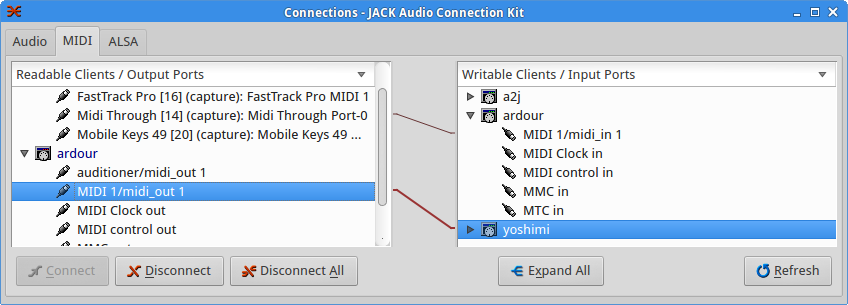 Connecting Ardour's MIDI out (left) to a virtual synthesizer (right).
In the Mixer window, set the input of a new track to the output of the plugin being played by the MIDI track, and arm this new track for recording. The plugin will appear under the Other tab (see below).
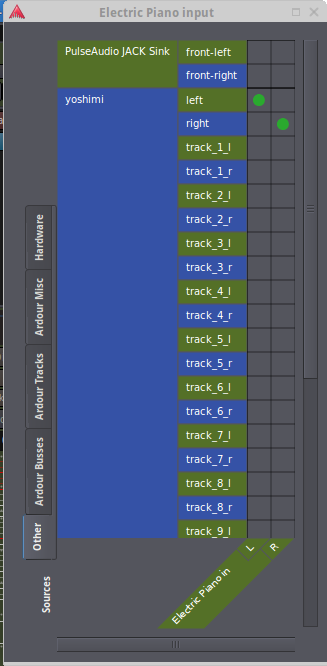 Yoshimi's output connected to EP input
A MIDI track can be imported like a wav file, and the same technique used to play it or record audio.
Fade-in and Fade-out
Mouse over the very beginning or ending of a track, then click and hold the handle in the upper corner - a curved icon should appear. Drag to define a fade-in or fade-out zone. Note, this technique also works in Audacity.

Automation
One of the coolest features of Ardour is the ability to automate track attributes like volume, panning, trim, and muting. Automation will appear in its own "lane" associated with a track. You will create a curve made up of control points (which you can add or subtract as needed). The four modes are manual (overrides automation), play (use the curve to control the parameter during playback), write (set the automation in real-time), and touch (hand-edit only part of the automation curve, leaving the rest alone). To see all of the automation lanes, just click "a" under the track name. The parameters have dropdowns set to "manual" - changing that to "touch" for the L/R (pan) automation lane made it possible to create the curve in the following screenshot by maniputlating the slider during playback. You can read more about automation in the Ardour manual - it can even be applied to instrument parameters!
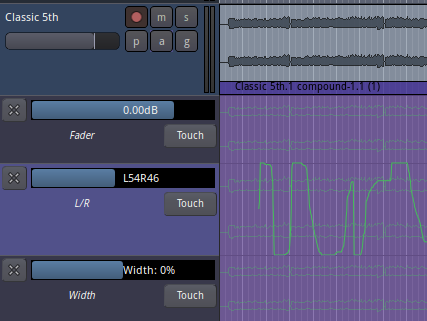
Grouping Tracks
When a song has a large number of tracks, it may be necessary to apply the same action to a subset of those tracks. As you might have guessed, the "g" button next to the "a" button lets you create and assign groups, as well as what properties the tracks will/won't share.
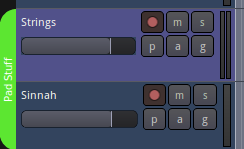 Strings and Sinnah have been assigned to the "Pad Stuff" group, which was made bright green using the color picker we saw earlier. Grouping is also possible when first creating a track.
Creating a Bus and Inserting Effects
A physical mixer has auxilliary send and return "buses" that are typically connected to a rack-mounted effects unit and can be applied to individual channels, with the amount controlled by a pot. Thus the vocalist can sound like she is singing in the shower while the guitar remains dry. Ardour carries the metaphor through, as you may have noticed under "Track/Add track or bus". Let's say you have many hand percussion instruments on five or six tracks and want to apply reverb. Instead of putting a reverb effect on each track, you could create a bus with the effect you want, adjust the sound, and then use the sends in those tracks to apply it uniformly. This can be done pre- or post-fader. Here are the steps:
- Add a bus under Track/Add track or bus
- In the mixer, add an effect to the new bus by right-clicking in the blank area between track controls and selecting "new plugin" from the popup. Scroll to the desired effect and click on it.
- Still in the mixer window, at the bottom of each channel that you want to apply the effect, change the destination from "Master" to your new "Bus In".
- With the song playing, double click the effect and use its "Bypass" button to toggle it on and off to confirm everything is hooked up correctly. For testing, you might also want to crank up that effect's parameters to make the comparison less subtle as in the screenshot below.
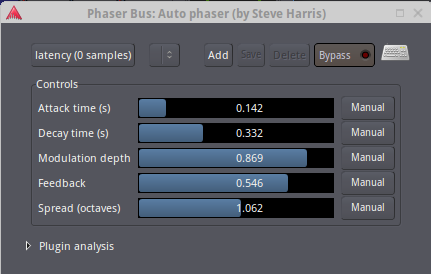 Setting up a bus is a little bit of work, but not bad for something so powerful. Note that effects can be added per track without using a bus.
Additional Advanced Topics
It's out of the scope of this book, but video editing is possible within Ardour. You can rip the soundtrack from a video, view it over a timeline, even frame-by-frame, and make all the moves needed to create that Hollywood movie soundtrack of your dreams.
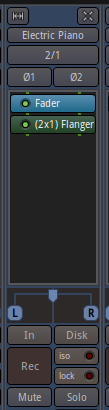 Right-click and hold in a track's charcoal area to browse and add effects. Here a flanger was added to the EP track.
Carla Alternatives LinVST and Airwave
There are two alternate ways of using Windows-only .dll VST plugins in Linux. LinVST will copy the Windows .dll file to a .so file, and they are stored together. A Linux DAW can then read the .so file via symbolic link. Unfortunately, this is only available as a Git repository. If you are not comfortable running a make file and addressing a large number of dependencies, LinVST is probably not for you. After a lot of work, and still unable to run the program, I discovered it still requires a Wine bridge, just like Carla. You can read more about it here: https://github.com/osxmidi/LinVst
The other choice is airwave, but it, too requires Wine. Source code is here:
Since none of these are part of Ubuntu, we won't cover this topic any further. One solution is to "go with what you know" - there is a handful of instrument plugins that run natively on Linux if you want to add to those that come out of the box (http://linux-sound.org/linux-vst-plugins.html also: sort by OS at vst4free.com).
UbuntuStudio/AudioHandbook/Appendix - Community Help Wiki
Appendix
Troubleshooting
A lot is going on under the hood while making music on a computer, and so countless things can go wrong. There can be hardware idiosyncrasies, software updates that cause trouble, and any number of other glitches that would be impossible to cover in a single book. The good news is that someone else has probably encountered the same issue, posted it to the Ubutnu Forums, and already got one or more replies. https://ubuntuforums.org The Ardour manual is and extremely good resource as well: http://manual.ardour.org
| No sound. | Check that all cables are secure. Check the master fader. And the other volume knobs! Sometimes a JACK connection goes to the wrong place - check that you drew the line from VST to playback. |
|---|---|
| No/low guitar sound in Rakarrak. | Make sure 'FX On' is checked. Check the volume levels in Rakarrak and on your axe. |
| Carla won't load a VST. | It can take a minute to add some plugins. Some may load after multiple tries. If it still won't load, try the 32 bit version. Some free plugins also may run slow or crash, after finally loading. At that point, you should cut bait and try another plugin. |
| What's this scary-looking pop-up error message? | Sometimes you will get a spurious pop-up window. Read it, following the instructions if possible. Otherwise, dismiss it and see if you can't carry on working. Closing a pop-up is a small price to pay for otherwise flawless freeware. |
| Ardour didn't record. | Was recording enabled and the track armed? Is the track input set? Is the source/playboack volume up? |
| My exported Ardour song is blank or has a long dead space after the ending. | In the Marker lane (above the tracks) be sure the Start and End markers are positioned where you want the export to begin and end. |
| A plugin is not appearing under Audio Production/Sound Generators. | Check Media Playback under Ubuntu's launch menu. A very few plugins must be started from the command line - see the README file that came with the plugin. |
| All else has failed. | Try restarting. If things had been working, re-installing or downgrading Ubuntu Studio may be necessary, but that should be a last resort. If you decide to try this, remember to back up your projects. |
Using the command line
When installing a program or troubleshooting in Ubuntu, it is common to run a command or series of commands by hand. You won't need to know what the commands mean, you'll just need to copy-paste them, one at a time (watching out for line breaks), then hit 'Enter'. But...first you need somewhere to type those commands! This is where the Terminal Emulator (know as Xterm on some systems) comes in. In the old days, a text-based "dumb terminal" was connected to a "mainframe" which is where the processing power was. When you open the Terminal window, you will be issuing Linux (UNIX) commands at a prompt - this is called a "command line operation". The prompt is usually the name of your computer or the current directory followed by a '$'. Instructions often include the $ to indicate the prompt, but should remind you to omit it when copy-pasting the command into the command line. To be sure you'll have "write permission", you should be logged in as the administrative user - the one you set up during the installation process. That's really all you need to know for the purposes of troubleshooting, but here are some common commands that might prove helpful, shown in courier font. Notice they are descriptive abbreviations (italcs). Square brackets [] indicated an option.
- • pwd - print working directoy. Shows where you are in the file system. • ls - list the contents of the current directory • ls -ls - long listing with more details on the files • ls -lsa - long listing including all "hidden" files (which start with a '.') • cd [path] - change directory to my home or a specified path (e.g. '$ cd /usr/local/bin') • rm [filename] - remove a file (substitute the target for 'filename') • rmdir [dirname] - remove named directory • mkdir dirname - make a directory called 'dirname' • sudo command - run 'command' as super user. You will see this in most instructions. • chown [user]:[group] [filename] - change ownership of a file to a given user. • chmod a+rwx [filename] - change "mode", i.e. give read, write, and execute priviledges to all users. Use with caution! This command gives univeral access to your file, making it unsecure. The chmod command takes many different arguments that can set permissions for everyone, just a particular group or users, or just the owner of the file. Also note: '.' is shorthand for "the current directory" and '..' means "the parent directory". '*' is the wildcard symbol - also use this with caution and make sure you understand what a command will do before using it.
It is also possible to edit files on your file system from the Terminal window using a text editor called "vi". I mention this because some help pages may instruct you to use vi. If you're not comfortable with vi, any text editing application will do.
Additional Resources
Linux forums https://linuxmusicians.com "Our mission is to facilitate discussion, learning, and discovery of music making on the Linux platform." https://unix.stackexchange.com "Unix & Linux Stack Exchange is a question and answer site for users of Linux, FreeBSD and other Un*x-like operating systems." https://itsfoss.com "It's FOSS is an award-winning web-portal that focuses on Open source in general and Linux in particular. While there are several other Linux websites on the internet, It's FOSS specifically focuses on beginners to the Linux world."
Plugin Mania I love quirky VST plugins. One of the all-time champions is HG Fortune, whose left all of his creations on Archive for free use. Here is the "Nearly Forgotten Gems" archive (32 bundled plugins, multiple versions of some): https://archive.org/details/HGFortuneNFG
The following are not included in the bundle, but are worth checking out:
- • The Tyger Synth: https://archive.org/details/HgfortuneTheTygerSynth • Fortune Cookie: https://archive.org/details/HGFortune-FortuneCookie-2012 • Avatar: http://www.vst4free.com/free_vst.php?id=1036 • The Dream Machine: http://www.vst4free.com/free_vst.php?plugin=The_Dreammachine&id=1042
These synthesizers tend towards dark ambiance - some notes to help distinguish some of the HG Fortune plugins from one another appear at the end of this section.
Someone asked for links to the strangest VST plugins on Reddit (WARNING: foul language): https://www.reddit.com/r/edmproduction/comments/2qsh4d/whats_the_weirdest_vstau_you_know_of/
While we're talking about novelty synths, the PAL-9000 is hilarious: http://www.vst4free.com/free_vst.php?plugin=PAL-9000&id=2288
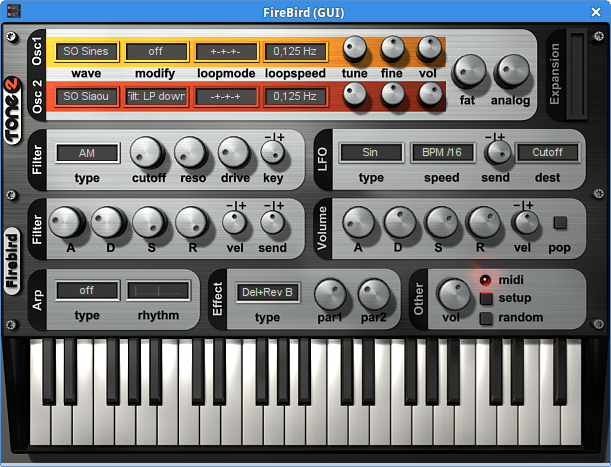
Some of my personal favorites are sampled instruments like Chau Gongs, Redtron (Mellotron M400S strings), Revitar, and OMB1 (bass). A couple of keyboard plugins to check out: MrTramp2 (everyone agrees it really sounds like the keys on Supertramp's "The Logical Song" - definitely adjust the settings to taste). Looking for an old-fashioned pump organ? Try Harmonium. Maybe you are into EDM? Firebird is loaded with contemporary patches and a bright, enticing interface (follwong page, top). All of the above are available on http://vst4free.com which has a Keywords search (top text menu, third link).
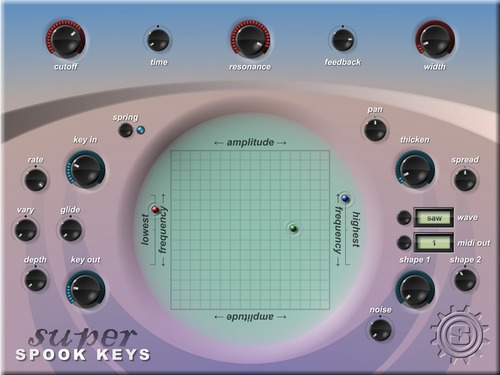
Super Spook Keys (groan) is a great example of the diversity and specialization of plugins. This Theremin by Simple Media has a lot more of the subtlety of the real thing than your typical keyboard Theremin patch. Hear it in action along with its other presets at the following link: http://www.vstplanet.com/News/2011/Super_Spook_Keys.htm
Simple Media's page is worth a visit (paid and free VST instruments, with an emphasis on strings): http://www.simple-media.co.uk/vsti.htm
Simple Media's plugins have gorgeous, unique graphics.
Pianos
As promised, some piano resources. The free Piano One is a good example of the trade-offs in sampling versus file size mentioned earlier. It's got shorter, 16 Bit samples in contrast to the 32 Bit notes of it's commercial version, NeoPiano, whose 32 Bit notes that capture the full note decay. Other features of the paid product are omitted. All of this adds up to a noticeable difference in sound quality; it may not sound exactly like the Yamaha C7 concert grand used for its samples, but it's still a serviceable piano that will run on older systems:
http://www.supremepiano.com/product/piano1.html

I've had some luck with Upright 1 from Versilian Studios. This piano is warmer than some real uprights. It might have a little latency on older systems, the GUI may crash, and it might not pick up the sustain pedal signal - but the 64 Bit sound is quite good, offering a distinctive upright sound.
http://vis.versilstudios.net/upright-1.html
A slew of different free pianos is available from Big Cat Instruments:
http://bigcatinstruments.blogspot.com/2015/09/all-keyboard-instruments.html
Some of the greatest pianists loved Baldwin pianos. I really like the sampled Baldwin baby grand of Big Cat's City Piano available at the following link with this cool blue skin.
http://vst4free.com/free_vst.php?plugin=City_Piano&id=2293
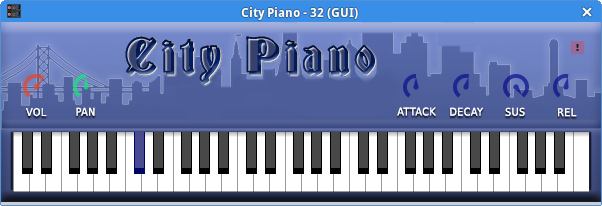
Free Piano from RDGAudio is more recent (2017) and has some layered sounds along with other controls (requires 64 Bit Windows 7). The KVR Audio site has many other free and paid plugins to browse.
https://www.krvaudio.com/product/free-piano-by-rdgaudio.
Continuous Velocity Piano by recording gear giant TASCAM is highly rated, and represents a clever approach to the size problem, spectral morphing. It runs a single sample through assorted filters to provide a great range of timbre. This is similar to Free Piano, but with far more options. The installer failed to run for me with an error message saying it requires Windows XP Service Pack 2. Maybe try running the standalone version. Once installed, there are some additional steps to get it to make any sound. Open the edit window and note the progress bar at bottom right - that shows the sample library is loading. Note - the dll file will load in Carla, but it will fail to load the sample library if you haven't run the installer. Make sure either Out or 'FX 1,2' is selected, and the leftmost dropdown should show CVPiano normal. You may need to "click to load" the first channel, then select a library from the dropdown. The CVPiano is a 7'4" KAWAI grand.
http://www.vst4free.com/free_vst.php?plugin=CVPiano&id=382
I hope this illustrates that results may vary widely when it comes to plugins in general and pianos in particular depending on your system and the instrument itself. The good news is there are many more available than covered in this short overview.
Still more plugins! http://vstmuseum.com/index/
# Review of HG Fortune Snythesizers
Many synthesizers try to be all things to all people. And many VST plugins are emulators or "romplers" (sample players) of "vintage" synths. While it's amazing that every pre-existing type of synthesis is represented in one or another virtual instrument, often for free, after a point, there is some inevitable overlap. Even the GUIs generally follow a familiar hardware paradigm however artfully (or confusingly) masked by a GUI. By creating a suite of more narrowly-purposed plugins, no two of which look or sound alike, H G Fortune's instruments stand apart from the crowd. Unusual control interfaces that could not even exist in the physical world, randomizing buttons and ways to rapidly modify a sound all combine to encourage us to think outside the box.
By the time he passed away in 2014, he left behind an overwhelming 40 plugins. Here I review 16 of them, with an eye towards discovering just what each synth is "about". In many cases, there were two versions of the same synthesizer, which means this review covers more than it appears to (although the revamped version of a given synth may in fact be almost unrecognizable from its progenitor - feel free to make the comparisons yourself). While there is some redundancy, it is the case that these plugins constitute a suite serving distinct functions.
Alienoctis
Numinous ambient presets. The manual notes that dozens of "waveforms" are used for this synth, and it appears these are soundfonts, with an almost game-like GUI featuring three balls that you click and drag to alter the sound (or knob twist if you prefer). The presets are highly similar to one another - don't come here looking for lead synth sounds or anything percussive. HGF synths encourage play in the purest sense of the word, and the toy-like interface is a good example of this. Knowing what's to come, instruments that also have soft ambient sounds but are somewhat more versatile, I decided not to keep this one unzipped as redundant. That said, there were a handful of patches that got me started down the path of composing. HGF sounds are so rich that often a few notes that would sound uninteresting on, say, a piano, take on significance and could easily form a compositional starting point.
Alphatron
Interface looks like a traditional keyboard and panel synthesizer, and the sounds have plenty of analog punch allowing for strong lead and bass patches missing from most HGF concoctions. But you can find that with many other virtual synths. What sets Alphatron apart is an onboard sequencer. If the unusual control layout of the sequencer boggles you, fear not - call up any patch and hit "start" - that's right, the presets have built-in sequences, many of which are great for quick inspiration. Recommended.
Altair
This "SciFi Sounds Lab" is exactly that. Use it if you are making a science fiction movie. It's all here “ computer sounds, UFOs, spooky organs, theramin sounds, an more modern effects with names harkening Blade Runner, Jean Michel Jarre, and more. Very much a SFX generator, and the presets are wonderful even with no knob twisting. The glowing blue and orange interface looks like a mad scientist's lab video game. Because it is not very musical, I decided to uninstall and leave it zipped.
Anvilla Pro
The H G Fortune paradigm of the ability to mix and match - then tweak - two canned waveforms with a twist. A handful of "Lazy" buttons will alter any patch by doing the knob twisting for you. A quick tour of these settings with a plain vanilla (possible origin of "Anvilla?") patch shows that this paradigm is a clever way to get infinite never-before-heard sounds, as touted for all but the most preset-oriented synths, but sounds with some depth owing to effects and the waveforms themselves. Changing any one of the two source sounds has an even more profound effect on the overall layered sound, as might be expected. This is like cooking by matching flavors - lime and coconut, peanut butter and chocolate, etc.
The results are still often more akin to sound effects, and less "musical" in the sense that they do not lend themselves to playing a chord or a melodic line - many of the presets are not intended for those purposes. The few available lead sounds are uninspiring; likewise some of the organ sounds are perhaps serviceable, but I would first call up a typical tonewheel patch easily found elsewhere. Pads are good on this synth, but otherwise, it seems to be a bit of a pastiche of what you get from other HGF instruments, with the balance tipped in a brighter, happier direction than some of the darker, colder synths to be reviewed downstream. As with all HGF synths reviewed so far, there are some gems amongst these presets. One other fun feature is the back panel skin itself has ten presets. The default silver can be changed to a smoky gray, blue, deep red (which does not look very good behind the lighter blue buttons), sky (my favorite after the default) and some grainy galaxy and nebula images that don't work very well. Otherwise, the GUI is a plain panel of knobs with labels. This would be a good one to call up for inspiration, but probably not needed at my fingertips.
Arracis Gold
One of the first HGF synths I checked out, I had to give it a quick re-trial. Presets are almost exclusively one of two things - pads or sequences, the latter consisting mainly of pulsing sounds rather than a handful of looping notes. This may appear limited, but this is one of the HGF instruments where "what it does" matches the evocative name. Lots of shimmering sounds, many featuring two-note harmonies, bring to mind a mythical version of ancient Egypt (a quick search shows only a possible Dune reference, with a spelling difference). The distinctive gold interface helps set Arracis apart. For me, this one's still a keeper.
Alien Space Weaver (ASW)
Okay, I'll just quote the introduction to the manual and move on: Alien Space Weaver is a very exceptional synth as it is especially made for spacey or dark athmospheric backgrounds and FX sounds. One oscillator contains 75 very special samples i.e. fairly long ones being created from various images providing very spacey sounds from the start already. Thus play it slowly and let the sounds evolve. It's also been called the Eeriator...
We're in very familiar territory here. This really is a great atmospheric synth, and one of the larger downloads (probably owing to those fancy waveforms).
Atonoise
This one did not load for some reason. From the manual:
- Atonoise 2 is a widely enhanced version of prior Atonoise and is basically built around the modified Mystify processors of the Avatar ST VSTi Synth. Thus it can mangle up sounds to a great extend beyond recognition. It can be used on virtually any kind of sounds like vocals, drum loops, tracks and is even suited for deep sample processing if very few til no modulation is involved. For a more easy access and to give you some ideas of the capabilities a small set of internal samples (including vocals, drumloops & track excerpts) is used for the internal preset bank.
Avatar
More lush, cinematic atmospheres that "play themselves". Another interface with tons of knobs - four oscillaors. I should say a word about the patch names – they are wonderfully inventive in all HGF VST instruments, sometimes coined words. Lots of "space" this and "galaxy" that, in keeping with the sounds. Panning and delay are a big part of these soundscapes. One Avatar patch is called "Good For Intros" - that says it all. Some of these presets are like little movies unto themselves, one was called something like "Scene Three For Alien Movie". Herein lies a small problem - the names can almost dictate how the sounds might be used, just as the sounds themselves are so complex, often with pitch shifting, that they are not what we normally think of as "musical". This VST comes with a handy virtual keyboard, a feature that seems to have been added on to several HGF pro offerings at some point.
Laserblade
Where several of the above synths are weak on "musicality", Laserblade has sounds labeled as bass, synth, lead, and pad - while ranging in quality from interesting to cheesy, they certainly could be used to play a melody, bass line, or hold down chords. One feature that stands out is a "metalize" section. I'm not sure what this does, but some of the presets have a metallic timbre, and the GUI itself appears to be made of polished meta. As I mentioned, it's easy to find demo tracks of this synthesizer and many of the other HGF instruments. Lot of sci-fi film references in patch names, although sounds do not necessarily correspond.
(Z) Percumat
From the manual:
- "This is a versatile Rhythm machine for backing drums percussion so definitively not an 808 or 909 type thingie. It features 6 instrument parts / slots to choose from 512 inbuilt drum & percussions sounds. There are two step sequencers one for setting up the beat steps in groups of 4 x 8 steps (or 4 x half a bar) labeled A1, A2, B1 & B2, while the 2nd sequencers on the left allows you to control a sequence of the 8 step beat groups in 16 steps. Thus it is easy to get variations without having to program complete 16 step bars. In addition to that there is an Auto Track Mute feature for tracks 4, 5 and 6 to have one or two tracks muted for a certain range." Plenty of nice presets to get you going fast, includes world beat, a few alternate time sigs, etc.
Protoplasm
Gray GUI with art deco lettering. Three oscillators, High- and Low-pass filters, three LFO, sample and hold, delay, VCA mix section. Familiar ability to layer two soundfonts at once. Lot of patches named after planets. This may have been "proto"type for some of the space ambient synths to come later.
Shuniji
Maybe I am missing something with Shuniji pro, but it seems like more of the same. A few sounds are vaguely eastern-sounding, and this comes with a bar-graph supposedly for editing waveforms. Sounds tend to be muted. Another blue and gray GUI. I give it a "meh" and will not keep it installed.
Silver Orbit
Pretty typical HGF, another gray panel, this time with a ball interface in the Gui that can be animated. Primarily what I would call "goofy" sounds, unlike the darker long delay sound of similar synths. I don't dislike any of these synths, but this is one of my least favorite thus far. If someone had only this VST, they would probably get frustrated soon.
STS-26 Protoplasm
This was one of the first HGF VSTs I tried out, and was curious to see if it held up as "best of breed" for space ambients. From the picture of the galaxy on the "dashboard" to the four waveforms, this really is the luxury model. There are some credible lead sounds, but again pads and backgrounds are the strength of this synth. The STS strings patch rivals any synth string patch on any keyboard I can think of and is worth keeping this VST in itself. Many of the presets actually play little melodic motifs, again encouraging a different approach to composing, one of collaborating with the patch designer, effectively. And why not? If you don't like the chosen notes, it should be simple to mute that oscillator. If there was only one ambient HGF synth, I think I would still chose STS-26.
Swamp
Two versions of Swamp are great examples of idosyncratic VSTs - ambient, but darker and "swampier" than the other offerings. Electronic frogs and cricket sounds inhabit this voyage into a creepy otherworld. I've used this on a full project because it's like nothing else out there. Recommended to check out especially if you like 'em strange.
XWOF-4
Just when it appeared Mr. Fortune had nothing else up his sleeve, along comes this amazing electronica looper. If, like me, you are not very good at concocting beats, and at least occasionally like the idea of "press play and off to the races", this is for you. In fact, the synth has "play" activated as soon as you plug it into your rack. These segments are often longer than the memory limited two measures of old school drum machine "rhythm patterns" and the sounds go way beyond kick, snare, tinny hi hat, and toms. In fact, so much is going on, that these might sound like completed songs in themselves on first hearing. I did not read the manual, and the front panel does not have anything that looks like a step sequencer, so it's not clear if this is more than a loop library. Either way, this synth is, to my mind, distinct from the others in that it is more firmly in a subgenre (electronica/dance) and addresses the rhythm rather than pad backgrounds. Great to have in the arsenal, even if you're not a DJ.
(Z) Plutonia
Leads, leads, leads. This instrument has a smaller front panel and fills the void of lead patches from the HGF fleet of plugins, while still offering some breathtaking pads and wiggy special effect sounds. But let's be honest about highly complex sounds that have to be "held out" to even hear everything they do. The more bizarre they are, the more rare the situation where anyone will ever call them up. If you are writing a tuneful piece of music, atmospheric pads alone just won't cut it. The lead sounds here are on par with U-He's free offerings such as Zebralette, and things like warped, delay-rich bells are also quite similar in quality and approach. Many HGF bass sounds strike me as too busy or fuzzy to be functional, but some of the bass sounds on Plutonia are more punchy. Plutonia is not only a welcome addition to round out the HGF collection - it's lead presets have enough of their own character to compliment others in your library. Another keeper.
Conclusion
Which ones should you install? That depends what you want to do. These are all good, but I find some more inspiring than others. Why not play around with, say, Altair, even if you ultimately uninstall it? I hope this was a helpful overview of the synths the late Gunther Fortune most generously made freely available as his legacy to musicians everywhere. To audition them, you can find patch demos on YouTube and whole recordings at the Archive link for these instruments.
UbuntuStudio/AudioHandbook/BasicRecordingForMusicians - Community Help Wiki
Basic Recording For Musicians
Audacity
A number of recording applications are available for Linux. Because this book is about multi-track recording, we will focus on two, Audacity and Ardour, both of which can be found on the main "Audio Production" menu. If you mouse over Audacity, the simpler of the two, it says "record and edit audio files", but this belies the fact that you can add as many tracks as you like. Anyone who has used a tape recorder should feel at home with Audacity once the audio input is configured.
Be sure that JACK is running and you have a soft synth like Hydrogen launched prior to opening Audacity. From Audacity's Edit/Preferences/Devices menu, configure it to record from Hydrogen as in the screenshot below. 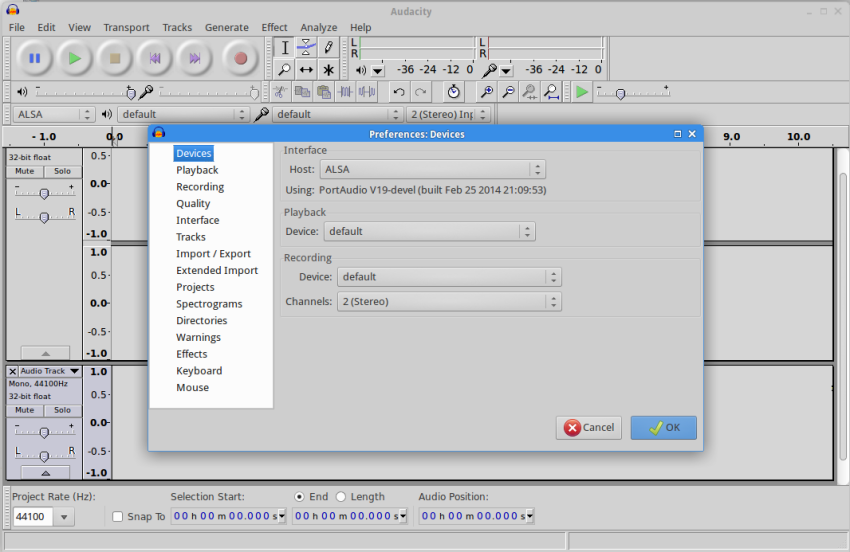
Back in the main menu, select "Track/Add Track", click the record button, and you should see the waveform appear as you play your drum track or other synth. Assuming all went well, here are some frequently-used actions:
- • To split a track, place the cursor where you want to make the edit, then go to "Edit/Clip Boundaries/Split" or use the Ctlr+I shortcut. You can then highlight or drag one portion of the track for further editing. • The magnifier tool (zoom) is helpful when making fine edits. • If a track sounds a little weak, either use Effect/Normalize or Effect/Amplify to boost the gain. • Effect/Pitch does a good job at pitch-correction, although some guesswork and using your ears may be involved. • To apply an effect, just highlight a track or region, then select the effect you want from the dropdown menu. • At mixdown time, don't forget to experiment with the pan control found below the Mute and Solo buttons.
Although we are primarily concerned with making digital recordings that tend to be very clean, note that Audacity's noise reduction, also found in the Effect menu, is remarkably good for a project like cleaning up digitized cassette tapes. It works by sampling a bit of the noise, then removing those frequencies throughout the recording. It even provides a way to subtract the noise more or less aggressively, in case you start to hear the filtering encroaching on parts of the signal you want to retain. We will see other tools that can target problem frequencies when we discuss mastering, but Audacity's noise reduction is simple to use and produces impressive results. Another strength of Audacity over other recorders is that it can export to any format imaginable. It may not be your primary DAW, but Audacity has many specialized uses. The manual (under Help) covers all of Audacity's capabilities clearly and succinctly.
This is as good a time as any to suggest http://freesound.org for all manner of sound effects (and a fair number of loops) that you can import directly into any recording project. If you are not familiar with that site, I suggest you pop in a bookmark here and go check it out. If you are making a test recording in Audacity, take a moment to try importing a file from freesound.org into its own audio track in Audacity as an exercise
Ardour
If you have used a Digital Audio Workstation (DAW) such as Ableton, Cubase, Cakewalk Sonar, Logic, Reason, or FL Studio, then you will be in familiar territory with Ardour. As with most freeware and shareware, Ardour may not have all the latest bells and whistles, but make no mistake - this is a full-featured DAW, and will give you professional-quality results. Personally, I like it that open source software evolves more slowly - it is less susceptible to feature bloat than commercial products. Ardour has two main windows, an editor and a mixer, shown below. 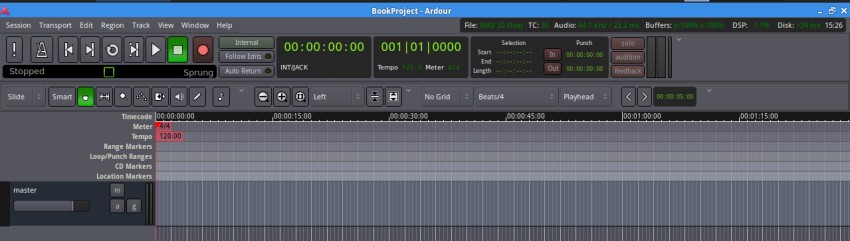 Ardour's track editing view has familiar features - transport and editing tools, clock and measure readouts, metronome, and a timeline where you can set the meter, tempo, and place markers. New tracks are added below "master" in the above screenshot.
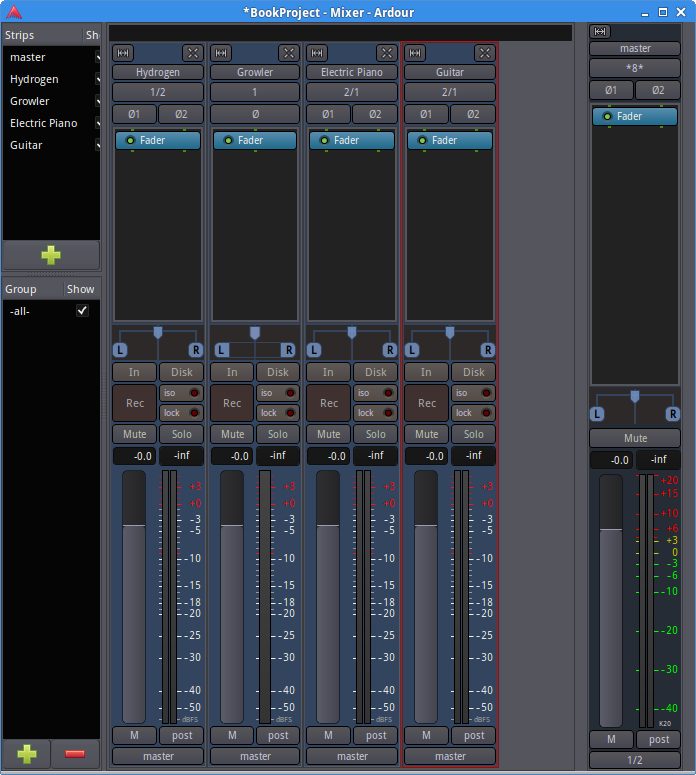 Ardour's mixer window, above, not only sets individual track levels, but also allows for inserting effects pre- and post fader. Input from JACK can easily be assigned via the button just below any track's name.
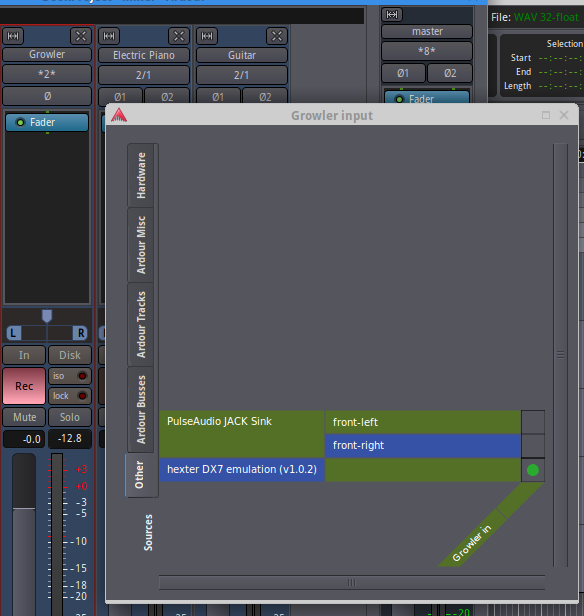 Above: the mixer button with the asterisks (top left, 2 just above Growler) was clicked to reveal the pop-up (shown) where the track input (green diagonal) can be connected to the Hexter plugin, found on the "Other" tab at bottom of the pop-up's vertical lefthand menu. Clicking the Rec button turns it pink, indicating the track is armed for recording.
Once the input is set, return to the track view tab, hit the red "record" button in the transport section, and recording will start as soon as you click the "play" arrow. On both Ardour and Audacity, the space bar can be used to start and stop playing. Ensure that Ardour's Master outs are connected to "System" in JACK, return the cursor to the start of your recording via the left-arrow transport button, and play back your first take.
Now let's take a closer look at track settings. In either the main window or the mixer, you can change a track name by clicking on it. Ardour automatically assigns each track a color, but you can alter that and other track attributes from a menu that appears on clicking in a blank area near the track name in the editor window
Next to the record enable button on each track are buttons for mute and solo ("m" and "s" respectively). We will discuss the bottom row of buttons in the chapter on advanced recording. The pointer tool (green button in image below), can be used to drag a region to a new location in the timeline. Clicking and holding the edge of a track with the pointer tool will resize the track. To start playback in the middle of a track, click in the area above the master track, then hit the space bar.
 Ardour's toolbar includes selectors, zoom, and note editors.
To the right of the pointer icon in the toolbar is "region mode" which can be used to select/move regions with the cursor. There is also a "smart mode" to imbue the pointer tool with this ability. I have not found myself using these alternate modes much, but you should try them out to see how they alter the cursor's behavior. It should be clear what the Grid and Beats menus do (just try them). The Playhead menu sets the starting position of the cursor to either wherever the mouse is, an active (selected) marker, or the beginning of the song. This feature can be useful when working on longer and more complex tracks. More playhead options are under the main Transport menu. Hydrogen does not play well with JACK running, but recall that you can export a Hydrogen song to a wav file. To import a wav file into Ardour, use Session/Import to navigate to the file; open it, and it will appear on a new track. It is best to learn the keyboard shortcuts as soon as possible to avoid return trips to the edit menu. Copy, paste, and undo are the same as in a typical word processor. To split a selected track, place the cursor in the desired spot (you may need to zoom in with the magnifier tool first), and hit 'S'. If a track has many isolated regions, sometimes they all need to be moved at once. This can be done by selecting the track and using Edit/Combine, which will also prevent inadvertently moving part of a track and allow for making global changes like normalization. Ctrl-up or Ctrl-down will move a selected track up or down the track list, and click-dragging the track's edge - i.e. within the list area - will adjust its height.
To export a track, first make sure the start and end markers are where you want them and return the playhead to the start marker. Then select "Session/Export to audio" from the main menu and follow the instructions from there to pick a destination directory for your file. Tracks that are muted will not be included in the export. Note that you can export the whole song or export individual "stems" (tracks). The latter is very useful when collaborating with another musician or producer/engineer.
Other DAWs for Linux
If Audacity and Ardour are not to your liking, there are other options. LMMS is available in the Ubuntu Software Center and is a simple install. It is somewhere between the two recorders we just looked at, and has a colorful, quirky layout. LMMS boasts native support of VSTs, and comes with some nice pre-installed plugins. It is not as full-featured as Ardour, but a bit less complicated and free. https://lmms.io
Renoise has a $75 license fee. It uses a unique vertical scrolling tracker and uses QWERTY keys as the keyboard. Check out the tutorial video at: http://renoise.com/products/renoise
You can get Reaper for $60 (60-day free trial). It's sleek graphic design recalls, well...Ardour. Reaper also supports VST plugins. I have never used it, but there are a number of video tutorials on their site: https://www.reaper.fm
Bitwig, Computer Music's DAW of the year for 2017, will set you back $300. Always check the hardware requirements before you buy any software. The design looks modern with a lot of customization efficiently embedded in multi-purpose controls. Glancing at the video tutorials suggests a big learning curve is in store. But it is popular and it runs on Linux.
Don't forget to read the latest news about Ardour. Here is a theme pack that includes themes called "ableton-like", "blueberry-milk", and "cubase-like": https://community.ardour.org/node/13685 if you are more accustomed to one of those DAWs or just don't like the default skin. [Note - I have not tested these skins] https://ardour.org/whatsnew.html
Who knows what options will come down the pike? You can even install a DAW on a tablet (check your available space first!). It is probably a good idea to find one DAW that suits your needs and stick with it for a while. While it's true they all have things in common, as this book illustrates, there's always the buried menu item or secret command. Why learn the ins and outs of many DAWs when they all give you a similar result? Also, in making comparisons, bear in mind we have only scratched the surface of Ardour's capabilites in this chapter. Ardour's online manual is far more thorough and very well-written.
We have covered the basics of multitrack recording in Ubuntu Studio. Now let's have a look at non-native plugins to broaden our selection of sounds and instruments.
UbuntuStudio/AudioHandbook/CreateSoundFontSwami - Community Help Wiki
Creating Your Own SoundFont with Swami
Swami is available in the Ubuntu Software Center. But first, you will need some samples to import. Hook up a mic to your soundcard, and record individual notes, percussion hits, or sound effects using Ardour and save in wav format. If you are recording individual notes on an instrument, be sure to include the corresponding keyboard note value in the file name for ease in mapping later. Of course, it's not necessary to make new samples - for the purposes of learning to use Swami, any short wav file will do. In the example below, I used sound effects from freesound.org.
Now install and open Swami. Select File/New soundfont, name it, and click the arrow next to the green SF2 icon to see the soundfont's folders. Right-click the Samples folder and upload the wav files you gathered via "Load Samples" menu option. Once the samples are in the folder, highlight them one-by-one, and assign them a Root note in the Properties tab (bottom center of window). If these are tuned samples, make sure the root note corresponds to the pitch of the sample. Now right-click the Instruments folder and create a new instrument. Then simply drag the samples you want into that instrument. At this point, if you press the keys on Swami's virtual keyboard, things won't sound right because all samples default to play over the entire range of the keyboard. Click on the samples within the instrument and narrow the corresponding green bar to agree with the range of keys over which it should sound.
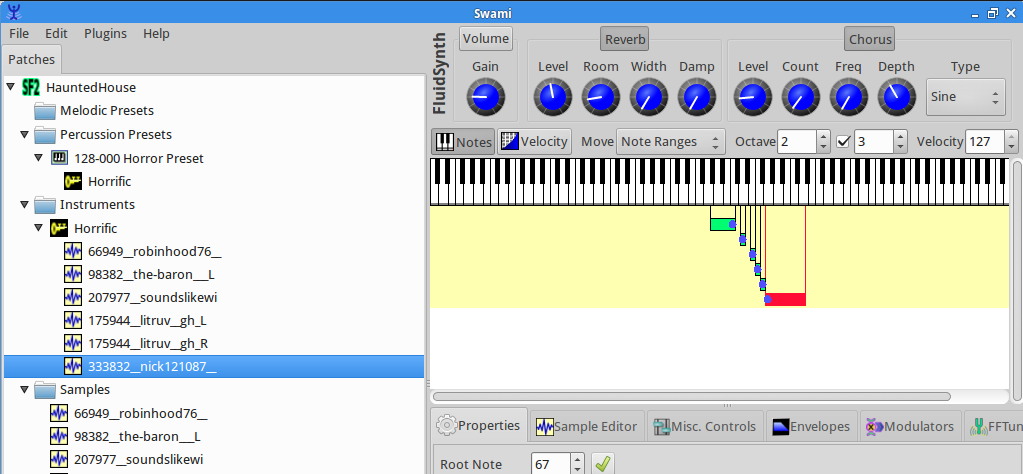
Finally, create a new Preset, and drag the instrument into that Preset. A Preset can have multiple instruments, but at this point, the soundfont is ready to play. Just save it in a dedicated soundfont directory with the .sf2 extension. Note that Swami has a wave editor that can help find the loop point for samples you want to play continuously as long as a controller key is depressed.
Open Qsynth to test the soundfont as an instrument. First import the soundfont to Q1 or Q2 via "Setup/Soundfonts/Open" - navigate to the soundfont folder you created and import the new soundfont. In the Channels tab, double-click next to the MIDI channel you wish to assign to your soundfont, and pick the soundfont from the pop-up list (since this is your first soundfont, it should be the only one on the list!) Make sure all connections are correct in JACK, with the keyboard MIDI going to Qsynth and Qsynth connected to Audio/System.
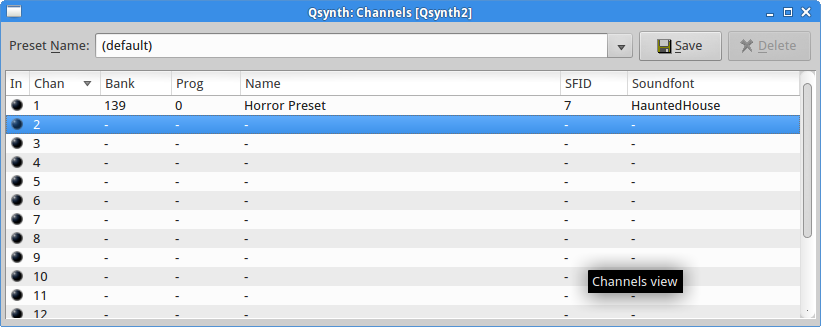 A soundfont comprised of horror movie sound effects loaded to Qsynth2, set to MIDI channel 1.
For a video tutorial of Swami with a few more details, such as making your soundfont velocity-sensitive, see: https://www.youtube.com/watch?v=8a3kS9b9gRg
General MIDI
There is a standard mapping of sound banks in MIDI, so that someone composing for, say, a computer game could create a MIDI track and know that the bass line would be played back as a bass sound. If your soundfont has multiple instruments, this could prove a good way to arrange them. You can find the list in the back of this book or here: https://www.midi.org/specifications/item/gm-level-1-sound-set.
UbuntuStudio/AudioHandbook/GettingStarted - Community Help Wiki
Getting started
Gear on a Budget
When I was a teenager, I started just playing the piano. I saved up my lawn mowing, snow shoveling, and leaf raking money to buy a little combo organ, and could only dream of owning a real synthesizer. I used gig money to modify the organ with one big purchase – an Electro Harmonix Phase Shifter! Who were the lucky kids who could afford that Concertmate MG-1 (made by Moog!) on display at Radio Shack? 'Teenaged me' would be gobsmacked with capabilites of soft synthesizers. Things got a little better in the 80's, but most weekend warriors were still not going to purchase more than one or two keyboards, meaning we would never get past trying out some boards at the music store. Now there seem to be more emulators (some highly accurate, others less so) of more vintage keyboards than we'll ever have time to play. But could 'teenaged me' afford to “go digital” today? With an eye towards this question, let's have a look at the minimal gear outlay for running Ubuntu Studio.
- • Laptop (requirements below) - $35 to $130 • Outboard sound card - $40 new [Behringer U-PHORIA UMC22] • MIDI controller - $40 • USB and other cables - $15 • Headphones - $20 • Optional: sustain and volume pedals, microphone, and monitors or amplifier, stands • Internet access – try WiFi at your local library for downloading software as-needed (free)
So the bare minimum outlay, assuming the two pricey items are purchased used, would be around $165, certainly below $200 (estimates based on web 2018 web searches). Considering what 'teen-aged me' could charge for shoveling snow these days, I'd say that's well within anyone's grasp. Of course, you can spend $300 on the sound card alone, and certain 'designer' headphones can cost as much as $350. If you buy everything new and consumer-grade, think in the range of $700-900 to completely outfit your bedroom studio from scratch.
How to find out if your old laptop can run Ubuntu
Linux does not run on every system. Fortunately, there are convenient web sites where you can look up your hardware to see if others have successfully installed Linux. The following resources also have installation notes:
Linux on Laptops http://linux-laptop.net Tuxmobile http://tuxmobil.org
For the first draft of this book, I used a decade-old Dell Inspiron 1420 laptop. Most used laptops have more horsepower than that, and you'll need it to run a current version of Ubuntu Studio. If you also have an ancient relic, all or most of what follows should work for you. Whatever hardware you end up with, check that it meets the requirements on the following page. In Windows, you can get the information via Settings/System/About.
System Requirements
Before running the installation, you might want to check that your computer has the minimum requirements.
- • 2 GHz dual core processor • 2 GB RAM (system memory) • 25 GB hard-drive space (Ubuntu Studio's footprint is much smaller, but you'll need extra space) • VGA monitor capable of 1024x768 resolution • Either a CD/DVD drive or a USB port to install and try out the operating system
Running Ubuntu from media
By now you should have a computer and soundcard. If you're still unsure about whether Ubuntu will work on your system, or just want to give it a test drive prior to committing, it's possible to run the system from either a DVD or USB drive – this is one of the startup options on the same disc image we'll use to run the full installation. The steps are:
- • Download the Ubuntu Studio ISO file at https://ubuntustudio.org/download • Burn it to a CD/DVD or bootable USB stick (DVD image is about 2.6 GB for version 16.04) • Restart the computer with media in place and follow the installation instructions
The Ubuntu Studio site has further installation instructions and details, but the process is self-explanatory save one step: changing the way your computer boots up. To boot from a DVD:
- Back up your hard-drive. In particular, save any files you want to the cloud, USB stick, or other external drive.
- If using a thumb drive, use Unetbootin from unetbootin.github.io to store the image, then follow all the steps, selecting “boot from USB” if that option is available.
- Restart the computer. Before Windows comes up, you will need to hit one of the 'function' keys along the top of the keyboard. Usually it is F2 – check your PC manual. This will bypass the normal boot sequence and reveal a window that provides various options including where to start the boot process itself. The menu that comes up is text-based and you navigate it using the arrow keys to make a selection, then just hit 'enter'.
- Insert the thumb drive containing the Ubuntu Studio ISO image you created.
- Restart the computer again – this time it will read from the USB stick (thumb drive).
- You will be presented with the choice between running Ubuntu from the USB stick, a clean install or a “dual boot” which would allow you to start to either Windows or Ubuntu. Run it from USB (or DVD).
Installing Ubuntu Studio
After having a look at your new system from media, restart again with the DVD still loaded, and pick the type of installation you prefer. A “clean install” will erase everything from the old computer, but this is recommended. We won't cover the dual-boot scenario here, other than to say you will need to know about creating disk partitions if you want to set it up that way. From here, there are not a lot of steps, but allow yourself 30 minutes or so as there are a lot of files to transfer. Here is what to expect:
- Select English and do download updates during the installation.
- Unselect “install alongside Windows”.
- Select location and language for the keyboard layout.
- Enter your personal name, and password. Note this will be the administrative password.
- The 'computer name' is the name that will appear on any network, kind of a nickname, so accept the default or make it anything you prefer.
- 'Encrypt my home folder' is useful for laptops in case they are lost or stolen.
- Once the installation is complete, click 'Restart Now'.
- Remove the DVD or thumb drive when prompted and hit 'Enter'.
Now you should take a moment and check out the non-musical software that comes with your new operating system, noting there is nothing mysterious about it. Ubuntu follows the standard concept of a launcher with icons that open assorted applications. A screenshot of the menu is on the next page. Start by opening Office. This book was written using Libre Office Writer. You'll notice it looks a bit like Word from a few years ago. Open a new document (File/New/Text Document). Enter some text in the white space and highlight it with the mouse. Guess what happens when you click the very large letter 'B' in the toolbar? I hope you can take it from there.
Before we leave this section, familiarize yourself with your desktop's software manager. There you can find a library of applications by category, with user ratings – almost anything you can imagine is available, and programs self-install at the click of a mouse. Have a look, play around with your new computer, and when you're ready, we'll do the finishing touch of setting up the sound card.
First, all of the hardware connections need to be made. Connect the MIDI controller and the outboard sound card to USB ports on the laptop. For now, you can connect headphones to the sound card, being sure to set the volume level relatively low and keeping them off your ears until we're sure the levels are reasonable. If you have speakers, connect them directly or via mixer now. Many sound cards and controllers are powered via USB, so the only thing you may need to plug in is the laptop. Note that your monitors should be off or volume set to zero when powering down the laptop. If you want to record an instrument, that usually goes into the front panel of the sound card. Be sure to consult the sound card's manual for appropriate settings. In general, “Pad” is for boosting the signal from a microphone. There might be an additional switch between “Line” and “Instrument”. The latter should work for electric guitar. Pots may need to be adjusted for different input sources.
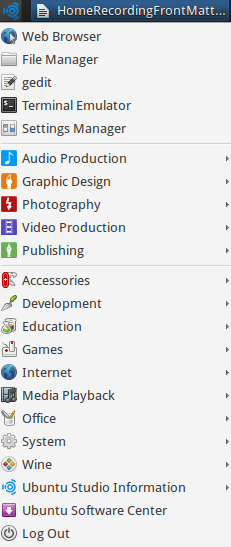 The author's launch menu contains some items such as Wine that we'll add later|
Connecting a Sound Card With JACK and Patchage
The program called JACK is Ubuntu Studio's nerve center. From the launcher, click Audio Production/QjackCtl. Click Setup/Settings/Advanced to show the window on the following page. There's good news and bad news. The good news is that the default settings should work as-is for most sound cards. The bad news is that if they don't, it may be difficult to find specific instructions to tell you what works for your particular hardware configuration, and you may end up finding it by trial and error. On my system, there are seven options under input and output. The first time I tried to connect my sound card, using an earlier release of Ubuntu Studio, it took over an hour and some poking around the user forums. But in later releases, it was plug-and-play.
Under Parameters, I chose Alsa, Realtime, and the default Sample Rate (44100) Frames/Period (1024) and Periods/Buffer (2). Latency is grayed out at 46.4 msec, as I choose the low-latency option (recommended). Although I have a 64-bit processor, I have experienced some trouble running 64-bit programs under Windows in Ubuntu – we will come back to that point when discussing Wine and Carla in chapter 5. With luck, your system should be ready to go now.
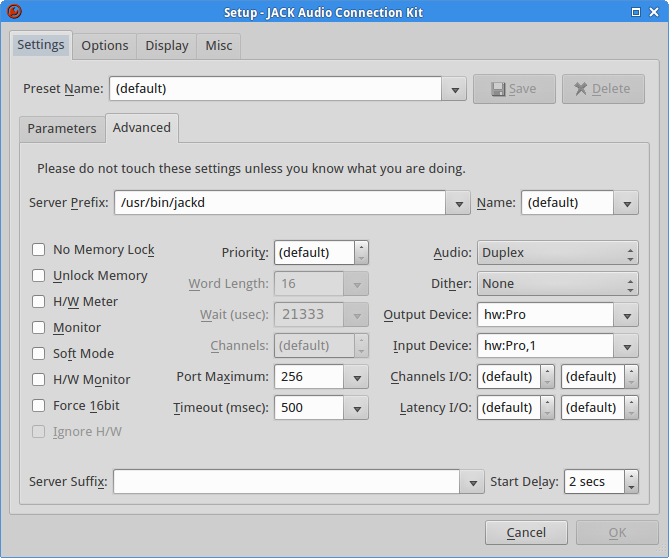 The JACK advanced settings screen – this may or may not work for a given set of hardware. Details on the rig used for this book are in the appendix.
Making connections in JACK is covered in the next chapter. For now, return to JACK's main panel and try the Connections and Patchbay buttons. A good workflow is to set up Connections, then go into Patchbay and store a given configuration that you might want to call up again when working on a particular style of music. There isn't much to do in either of these windows until we open other applications. IMPORTANT: one last preliminary step will help later - see this link: http://manual.ardour.org/setting-up-your-system/setting-up-midi/midi-on-linux/
Ubuntu Studio Audio Configuration
In current Ubuntu Studio releases, Ubuntu Studio Audio Configuration is the main interface for configuring low-latency audio and JACK compatibility. Full documentation: Ubuntu Studio Audio Configuration.
Patchage
NOTE: Patchage is no longer part of the current Ubuntu Studio workflow. Carla can be used for graphical patchbays and routing.
- Patchage allows you to drag items around the screen to better visualize their connections.
You can use it to hook things up, as well. We're not quite ready to use this, but here's a preview.
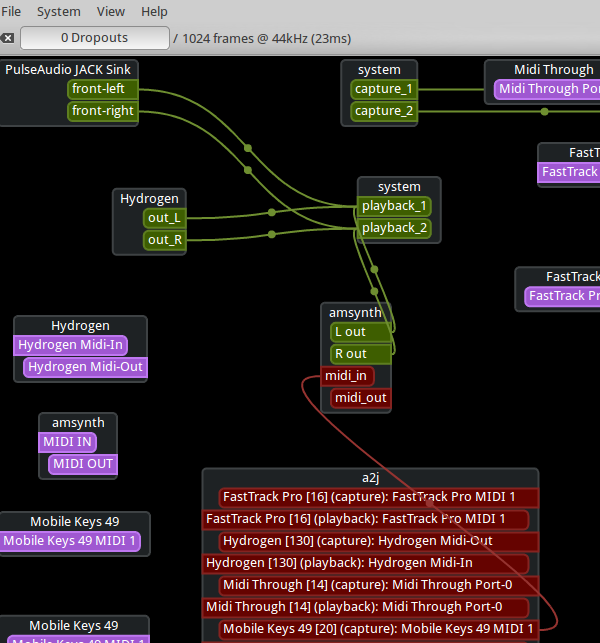 Here a MIDI controller is connected to a amsynth, a soft synthesizer's MIDI input, the Hydrogen drum machine and amsynth's audio outs go to the system output, which we've already configured in JACK to use the outboard soundcard.
The audio generators depicted above are introduced in the next chapter, so read on!
UbuntuStudio/AudioHandbook/MixingMastering - Community Help Wiki
Mixing and Mastering
You've already been mixing - adding effects to tracks, adjusting faders with relation to one another, and so forth. Mastering is the final touch that helps make all tracks on a CD sound uniformly clean and balanced. Mastering includes frequency analysis to boost some parts of the spectrum that may be getting swamped, and notch out frequency spikes. It's an art unto itself. In fact, top musicians with years of studio experience tend to leave mastering to professionals. It can't hurt to at least understand what mastering is and how it differs from mixing, though. For the purposes of most people reading this book, an excellent mix may not require much mastering work, if any.
Earlier, I suggested normalizing a track that had a small waveform. Now I will take that back because normalizing tends to leave little to no "headroom" - the track is now very loud, so loud that if you apply compression, it will clip. Clipping is when the level meter goes into the red, and can result in horrid distortion on playback. Compression narrows the difference between loud and soft sounds in a track, hence allowing more room to increase the gain before the track clips (because the peak volume is lowered). This leveling has the effect of adding crystal clarity and presence to just about everything. Once you apply it, you may find yourself wanting to trim back those faders below zero Db! But that's a good thing, because it shows the signal-to-noise ratio is improved.
You will also see limiters in the list of audio processors - these do essentially the same thing as compressors, only with a high ratio and faster attack time. Sometimes applying a low- or high-pass filter can quickly eliminate frequencies you just know are irrelevant and possibly muddying a track - think piccolo or bass drum. While the timbre of some sounds such as the human voice can rely on harmonics over a broad frequency range, for other sounds a filter might be the right tool, especially if there is a glaring artifact showing up. These processors can be applied to individual tracks and/or to the whole song. In the Mixer, click on that blank region above the fader of any track or the Master track and select plugins/plugin manager. There you will see dozens of pre-installed effects and processors, many of which are frankly redundant. Notice the ability to favorite - checking that off will add the current effect to a short list under 'favorite' plugins the next time you add effects. I recommend starting with Calf Analyzer to get a view of levels across the spectrum. You can then deploy an equalizer or other tools to tweak those levels, but some caution is warranted. If you just go by your ears, you may be deceived by whatever monitors you are using, especially headphones where one is tempted to overcompensate the low end. A conventional piece of advice is to play back over a few different speaker systems. Also, trust the 'scope! The best way to understand mastering is to see it done live. Here is a great video on the topic from YouTube channel Mastering Monday, that includes a list of gorgeous free processors to try out: https://www.youtube.com/watch?v=FzNweEPg-2U
These did not all run on my system, but I liked Bluecat Audio's FreqAnalyst, and Tokyo Dawn Productions' Slick EQ, which includes saturation, a way to add a bit of warmth to digital recordings. Having tried out a few of these tools, my favorites list ended up with mostly standard Calf plugins. They come with an intuitive GUI and get the job done.
Mastering is an art, and getting the mix just right on a complex recording can be vexing. Really doing the subject justice is beyond the scope of this book. Please check the library, online resources, and the electronic music section of your local bookstore for more information on this very deep topic.
UbuntuStudio/AudioHandbook/OverviewInstrumentsEffects - Community Help Wiki
Overview of Out-of-the-box Instruments and Effects
Sound Generators
Start up QjackCtrl, then from the main Ubuntu menu, select Audio Production/Sound Generators, to see a list of pre-installed virtual instruments.
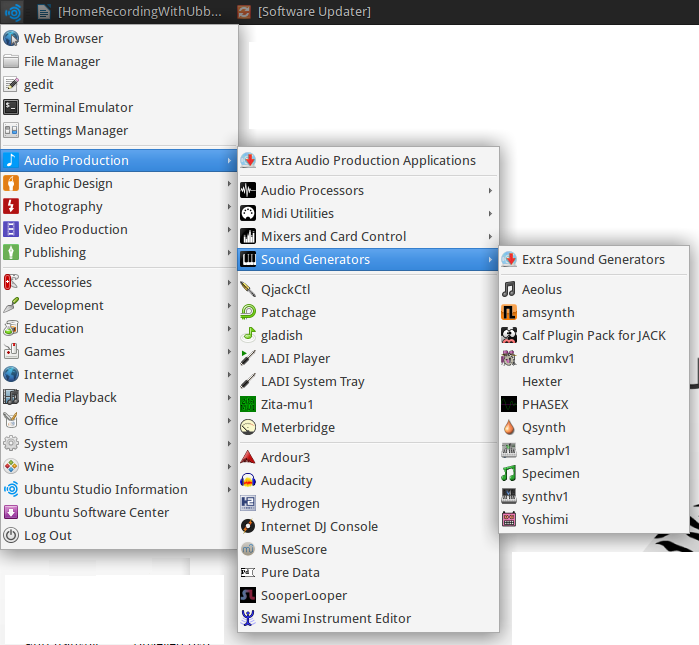
A list of eleven plugins appears (far right menu), with “Extra Sound Generators” at the top. We'll start with Hexter, Yamaha DX7 emulator that is also reminiscent of an early eighties Casio keyboard. Click on Hexter, then in JACK, click “Connections”. Go to the audio tab and connect Hexter's audio output to System by click-dragging a line between the two (see screentshot below). Use Hexter's “Send Test Note” button to check that the audio connection is working (bottom of left panel in following screenshot). If there is a problem, check the volume levels, then review JACK's configuration. Next, use the MIDI tab, open the left and right dropdown menus (here labeled “aj2”) to connect your controller's MIDI output to Hexter's MIDI in by drawing a line between them – drawing in either direction will work.
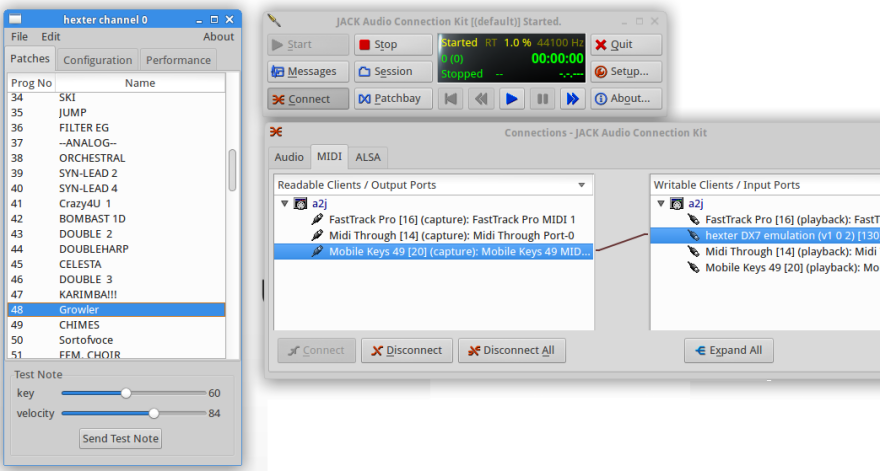
In Hexter's clean interface, it's easy to find a patch, and the patches are familiar sounds like marimba, clavinet, and synth brass. Screenshot 3.2 shows the surprisingly punchy patch, Growler, selected – be sure to give it a try along with other Hexter patches.
You can connect the other instruments in JACK the same way, but some of them may require additional setup, including connecting the MIDI out from your controller, which may appear in JACK's ALSA tab under the aj2 drowdown menu rather than under the MIDI tab where you would expect to find it. Let's continue the tour with an eye towards making sure everything plays.
Aeolus is a pipe organ emulator whose gorgeous sound compensates for a notably drab Graphical User Interface (GUI, pronounced “gooey”). When you launch Aeolus, all of its buttons flash in sequence. On older versions of Ubuntu Studio, it was necessary to install an additional helper program to run Aeolus. There is no default sound, and you must click “Recall” to get to the first preset. Depending how Aeolus is set up, you may notice that enabling and disabling some stops doesn't change the sound. Clicking on the MIDI button opens a grid where you can assign a different MIDI input channels to manuals P, I, II, or III. Remember to set the MIDI send channel accordingly on each controller (assuming you have more than one tier of keyboards).
For what it lacks in pizazz, the rest of Aeolus' operation is clear – use Prev and Next to page through a handful of presets. You can make fine adjustments to tuning, tremelo, and swell via the “Instrum” button, and “Audio” has sliders for volume, delay, reverb, and a few other parameters.
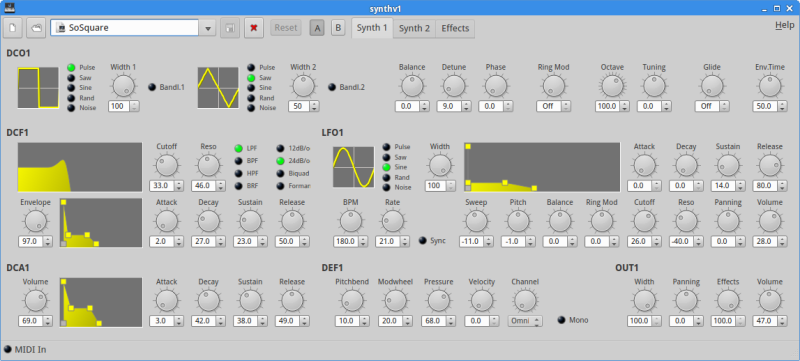
Pictured below is synthv1, an unassuming polyphonic analog synthesizer with 28 presets and a convenient waveshaping interface that allows you to sculpt the sound by clicking and dragging. It's possible to add nodes to the graphs as well. Connect it in JACK and you will see it has the classic fat analog sound. If all the knobs and initials appear daunting, please refer to chapter 10 for an introduction to creating sounds with any synthesizer.
Ubuntu Studio comes with three more “gray panel” synths pre-loaded: samplev1, drumkv1, and qsynth. See following screenshot.
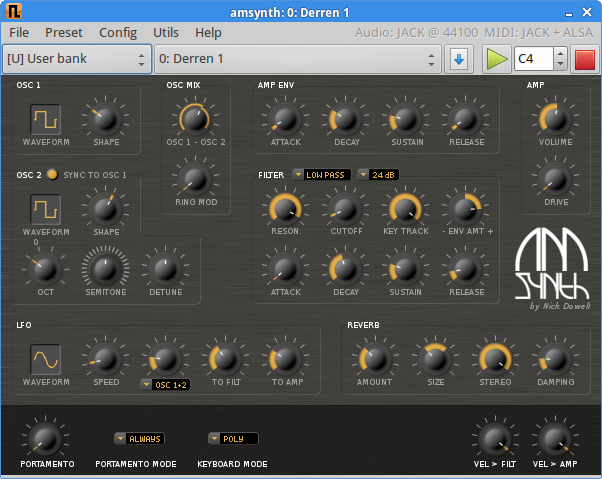
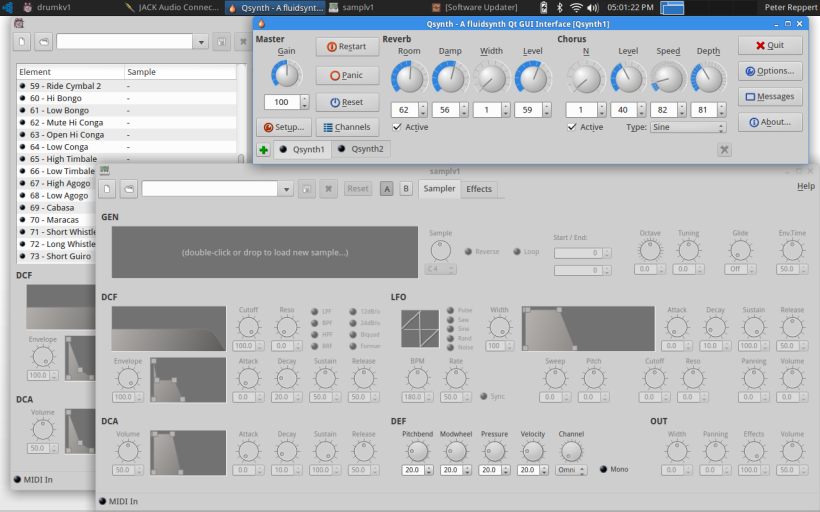 Drumkv1 (top left), Qsynth (top), and samplev1 (bottom) share a common look and feel with synthv1. Qsynth is a soundfont player. Somewhat of an older format, soundfonts are a convenient way to package samples and map them to MIDI note events, effectively building your own instruments. Qsynth does not come with any preloaded soundfonts, but there are many resources for free soundfonts online. Two different patches can be loaded and triggered simultaneously to create a layered effect, using Qsynth1 and Qsynth2. Drumkv1 and samplev1 also require wav files to be imported. We'll look at importing sounds to Qsynth when we cover making your own soundfont. For now, let's note that samplers represent one way to get high-fidelity instruments (with some trade-off between sample size and quality) and continue the tour of out-of-the-box plugins. Amsynth has a brighter, almost harsh sound compared to Qsynth. This one is also polyphonic and comes with over 20 banks, each containing tens of powerful presets. The virtual keyboard may crash amsynth, but other than that, it's stable and quite an analog beast.
  This brings us to one my favorite native Linux synthesizers, Yoshimi. It boasts a simple interface and its sounds are a step up from Hexter, including some of the best bell tones you'll find. Yoshimi's virtual keyboard works without needing to enable it in JACK. To try the onboard effects, use the “Insertion Efx” tab and select “Master Out”. Under “Panel” (next to the pink reset button in the screenshot below), you can set up to 16 MIDI channels with different sounds.
 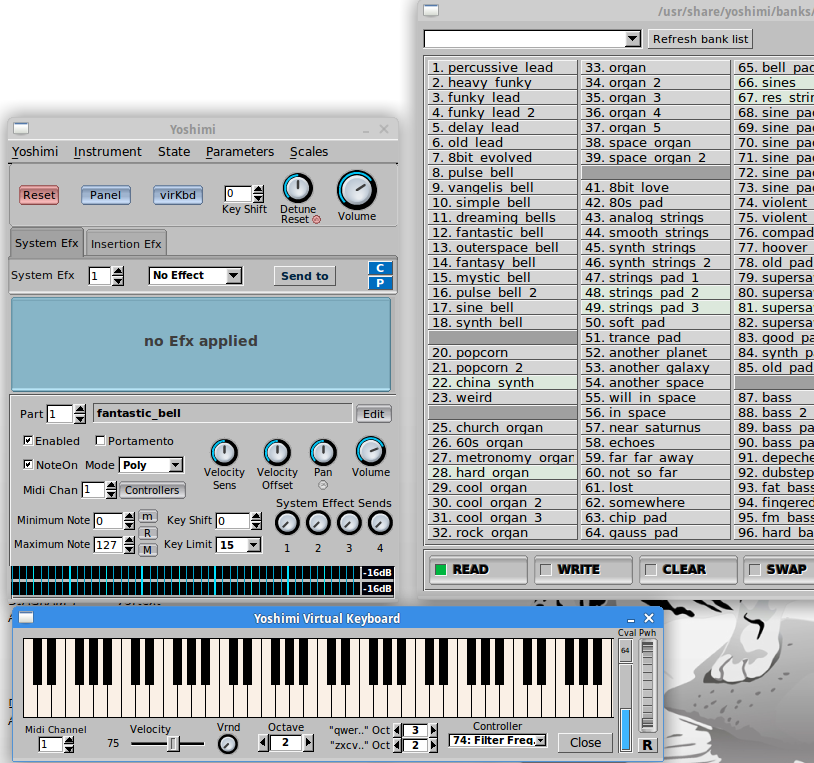 To get even more soft synths for Ubuntu Studio, first try “Audio Production/Sound Generators/Extra Sound Generators” - you should see a dropdown list of additional plugins to try out. Some of these cover similar territory to the ones we've already tried out, some may not have the best GUI. A handful more are listed in Ubuntu's Software Center – of those, don't overlook FOO, a bright red electric organ emulator. Here is a page that lists 73 synth plugins that run natively on Linux: http://linuxsynths.com/index.html. But...there are more free plugins for Windows than you could ever download, and only two programs are needed to run them (see chapter 5). Ubuntu Studio comes with the Hydrogen drum machine pre-installed – it's in the main “Audio Production” menu. This is a fairly deep program, so I recommend taking the time out to review the User Manual found under the Info tab. If a drum machine is any good, it will perforce be complex, as there are so many facets to creating a rhythm track. The good news is that most drum machines take similar strategies to addressing this complexity. You need a way to pull in sounds and organize them as a drum kit, a way to create patterns for the various parts of a song - intro, A, B, fills, coda, etc. - a way to tie these together, and, if we're lucky, save and export in multiple formats. Transport controls for real-time recording, and a grid for step recording (where events are added graphically via mouse click), and quantization (to keep individual hits where they belong), round out the basic functions to look for in any drum machine. The main distinction between programs is how user-friendly (or user-hostile) they are, and by keeping the GUI simple, Hydrogen excels in ease-of-use. The main menu has a slick LED clock, transport buttons, tempo selector and buttons to open a mixer (used to adjust the balance between sounds in a kit, if needed) and the instrument rack. Try the [+/-] increment/decrement buttons next to the BPM readout – this is how to adjust the tempo. If you are recording in real-time, the speaker icon just below [+/-] toggles the metronome, so you can record to a click (these three buttons are stacked in the middle of the following screenshot).
  Hyrdogen's main menu Directly beneath the main menu is the song section, where patterns can be chained together. The next screenshot shows a song that uses five distinct patterns, labeled on the left menu. Clicking a box in the grid turns it blue for a given pattern. So the four blue boxes next to pattern 1 will – you guessed it – play that pattern four times. And so on for the other patterns. Note the loop button in the transport window will keep the song playing if you have all the parts and don't feel like copy-pasting them. This can be good for real time recording and live performance, as we'll see in the next section.
  Before creating a song, you'll need to make some patterns. Open and save a new project. Clicking in the pattern grid will leave a black dot where an event should be triggered. You can work on this in real time by enabling looping and turning on the click in the main menu as mentioned earlier. Work your way up the kit adding and removing triggers by clicking. By creating a very simple pattern at first, you can then copy it to introduce additional parts. This will come in handy as you stitch the patterns together in the song editor. As you can see, I made two copies of Pattern 1, displayed as Pattern 1#2 and 1#3. Pattern 3 is this song's ending, a tom roll and cymbal crash.
 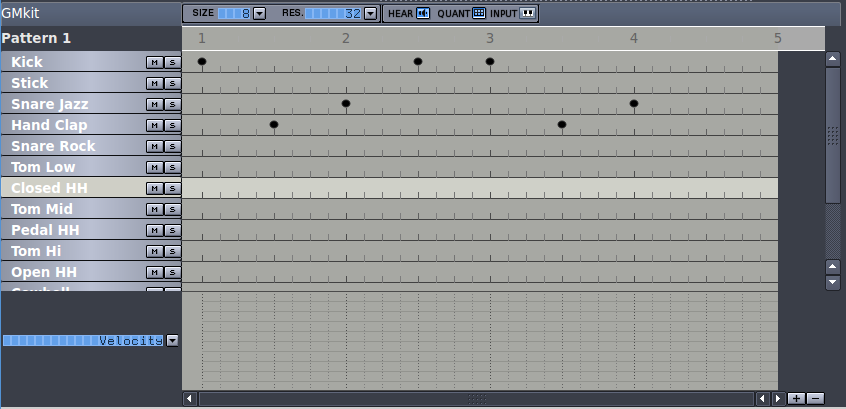 Hydrogen's pattern editor. Note the mute and solo buttons next to each instrument – these button might be used with looping enabled to add variety to beats during a live performance. The last panel has quite a few goodies in store – a way to edit the sound of individual instruments, and best of all for those of us with an insatiable appetite for sounds, a varied library of kits that can be swapped in for a given pattern. Not only that, you can upload your own sounds. Merely changing the kit can have a profound effect on a drum pattern's sound. Hydrogen is a highly adaptable workhorse of a drum machine with a GUI that is more intuitive than most other free drum machine plugins.
 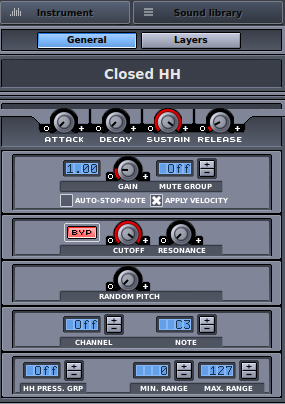 Controls for editing instruments and changing out the drum kit (Sound Library). Hopefully this overview leaves you with a song made up of a couple of patterns. Refer to the on-board user manual for more detailed information on quantization, setting the tempo via tap tempo, exporting your song as an audio file, piano mode for triggering notes, and many other features. If you're like me, launching a new synth is like getting a new toy, and you may find yourself auditioning presets into the wee hours. So far we have analog and FM synthesis covered, which covers bass, chords, and leads (duties that can be shared with electric guitar). Our virtual band also has drums. But what about a really good piano? * I recently spotted a forum comment where someone complained that Ubuntu Studio does not lend itself to “just sitting down to play the piano”. While we're only using out-of-the-box, native Linux instruments, the best answer is probably to download a piano soundfont to use with Qsynth. But as noted previously, there is a trade-off between sound quality and the size of a sample. Linux compatible Pianoteq 6 starts at $130 and has a 50MB footprint. A smaller-sized, free piano sample may loop the fade-out of a note to minimize the soundfont's overall footprint. The bottom line is that it's often best to simply record a real instrument, such as a digital or stage piano. As for the commenter who just wants to play piano and doesn't want to deal with configuring software on his computer, it sounds like he should rescue an old acoustic piano and leave it at that! Your soundcard should be able to accept microphone input. So, if you have one, your ultimate “piano patch” might well be a real piano. But don't despair: once we learn how to run Windows-only VST plugins in chapter 5, you'll have your pick of pianos - see the appendix for some links. http://www.pianoteq.com – a native Linux piano. Audio Processors Ubuntu Studio comes with an insane number of effects and signal processors. I will only cover two guitar effects plugins here, and we'll see more about effects when we talk about recording. Guitarx is labeled as a “simple mono amplifier simulation”, but it is comparable to other amp models, with the ability to add rack units to your heart's content. I am not a guitar player, and have no stomp boxes or dedicated guitar amp. But even if you have a great live rig, plugins are just simpler to set up and use for digital recording. Are the eighteen different “Tube” settings are dead ringers for their namesakes? Does “Twin” really sounds just like a Fender Twin Reverb amp? Only you can decied, but t is very simple to go from a little crunch to a searing lead to a clean, slow tremolo. Click “Plugins/Plugin bar” and the entire gamut of effects is displayed. To add a rack unit from this selection, just double click. Throw the toggle switch on the left side of the unit to make it's LED light turn green, then adjust the knobs to your liking. To remove a rack unit, simply double-click one of the “screws” on its front panel. Skeuomorphic design – where one material, say plastic, is made to look like another, such as wood grain - has been around too long and there has been some criticism of it's use on virtual instruments. Yet the green brushed metal and chunky black knobs of guitarx make for a GUI that looks - and is - ready to rock. Set your sound card for monaural instrument input and make sure guitarx's output connects to System in JACK, then try the three banks of presets to get a feeling for guitarx's strengths.
 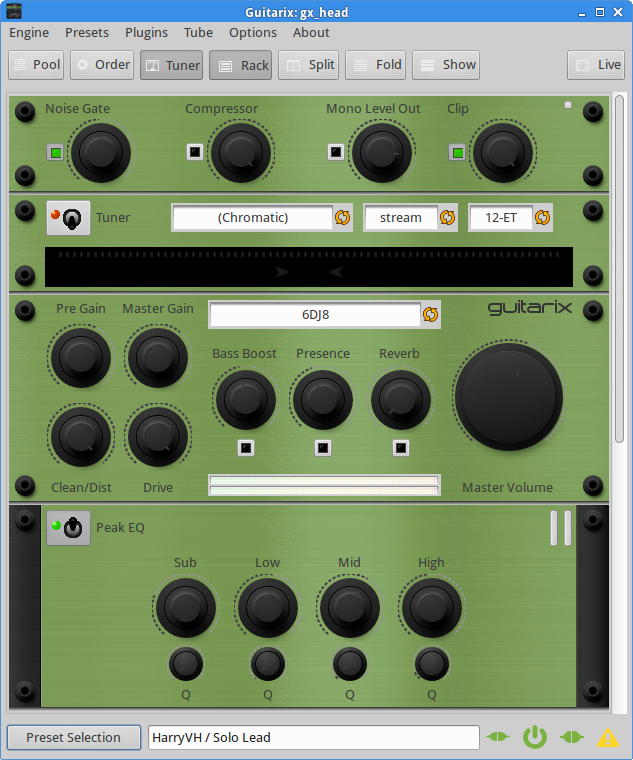 Rakarrak If you like to chain effects together as in a pedal board, Rakarrak is the plugin for you. I won't try to describe it's three banks of 60 presets each (plus a user bank!) other than to say Rakarrak is one of my favorite things to play around with in Ubuntu Studio. You can just park it on any preset and start fiddling with parameters to radically alter the sound. Once you load and connect it, click “FX On” so that it lights. The I/O faders default to 50-50, so you may want to adjust that balance to ensure the effect is all you hear. But first, set FX% to zero with FX On, and enable the Tuner in the top right-hand column. When you strike a note, the tuner displays it. As you work the tuning pegs on your guitar, the pitch meter will show fine tuning between sharp and flat. Even if you have another guitar tuner, this one proves very handy when recording on the computer. Rakarrak can turn your electric guitar into a MIDI controller. If you've ever wanted to play a guitar synthesizer, now you can control virtual instruments...with no extra gear!** Just below the Tuner, you'll see a MIDI section, something you might overlook while browsing presets, jamming, and cooking up your own blend of effects. Open one of the synths we've tried, such as amsynth, and enable MIDI in Rakarrak. You will see Rak' as an available MIDI source in JACK – just connect it to your synth plugin as any other controller, and – voila! - guitarists now have a whole new world of crazy sounds at their disposal. You may notice a bit of latency or delay between striking a string and hearing the note played back on the synth. The degree of this issue may vary from one sound or synth to the next. A quick fix to fill out your sound is to turn the Input fader back up a bit, as long as you don't mind layering the guitar sound with the synth patch you've chosen. Another problem is unwanted ghost notes. You can try adjusting the velocity and trigger settings in Rakarrak's MIDI section, but depending on what you're after, the stray notes can take on a surprisingly convincing arpeggiator character. In general, mono, lead sounds work well, and sounds like organ can take on a more mechanical sound when controlled from a fretboard. Linux musicians tend to be experimentalists, and to that end, I highly recommend trying Rakarrak's MIDI feature. Performance issues might be better or worse depending on your hardware, the plugin, and even the particular patch.
 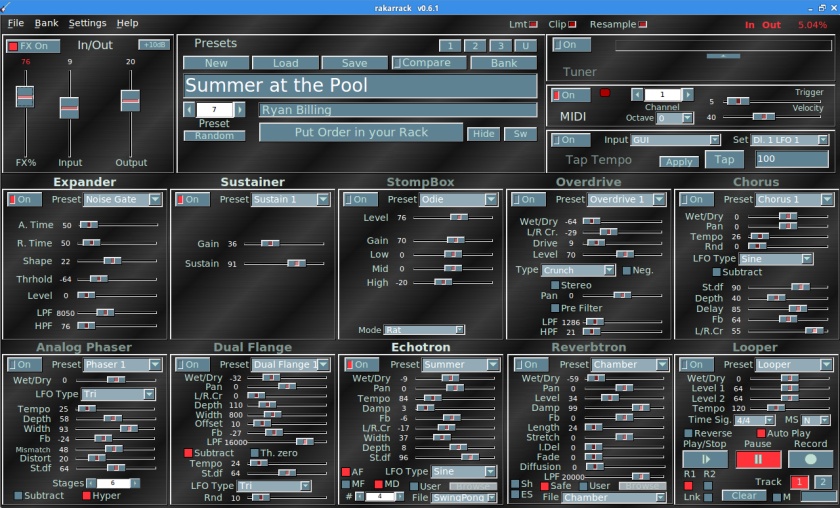 Rakarrak set to one of the author's favorite presets. Tuner and MIDI sections are in the upper right. ToneLib GFX Ubuntu Studio has historically included a 30 day evaluation copy of ToneLib GFX, which has a straightforward pedalboard layout where you can click and drag thumbnails of effects boxes to add or reorder the chain to quickly craft the sound you want. As can happen with physical gear, there can be serious hum even when the guitar is not plugged in, and depending on your instrument, the hum can be beyond annoying. ToneLib GFX has a noise reducer that gets this problem under control.
  Tools & Utilities There are a few things to be aware of under the Audio Production “MIDI Utilities” and “Mixers and Card Control” menus but feel free to return to this section later and go to the next chapter if you are itching to start recording. The recording software we'll be focusing on has an excellent on-board mixer, and the standalone mixers available in Ubuntu Studio are for dedicated purposes or affect the onboard soundcard which we won't be using for recording. Note that Ubuntu Studio Audio Configuration is now the current place to adjust supported low-latency audio settings on modern Ubuntu Studio releases. There's even a level meter that might prove useful – or at least look cool – if you have a widescreen monitor with a corner of available desktop space.
  Major File Types Some common file extensions in Linux music software are LADSPA, LV2, DSSI, and SO. The following definition is via https://www.ladspa.org/ Linux Audio Developer’s Simple Plugin API, LADSPA, is a standard that allows software audio processors and effects to be plugged into a wide range of audio synthesis and recording packages. For instance, it allows a developer to write a reverb program and bundle it into a LADSPA "plugin library." Ordinary users can then use this reverb within any LADSPA-friendly audio application. Most major audio applications on Linux support LADSPA. And via http://lv2plug.in/ LV2 is the “version 2” of LADSPA. Unlike many popular audio plugin APIs, LV2 is a platform-agnostic Free Software specification with a liberal license. Via http://dssi.sourceforge.net/ DSSI (pronounced "dizzy") is an API for audio processing plugins, particularly useful for software synthesis plugins with user interfaces. DSSI is an open and well-documented specification developed for use in Linux audio applications, although portable to other platforms. SO files are shared objects, and are not restricted to audio application. They are the equivalent of dll files in Windows. You'll notice another acronym in these definitions – as any developers out there will know, an API is an Application Programming Interface. Remember, Ubuntu is open source, which means you have access to the code (often written in C or C++). The above open standards mean developers can create their own audio plugins, be they effects or synthesizers or whatever they've dreamed up. The ability to download and modify code has led to an explosion of innovative, colorful plugins. There is some redundancy, but if you look closely, you'll see all of the major schools of synthesizer design have been replicated, and some fascinating hybrids designs as well (see the glossary in section 10). Tools for DJs In the Audio Production menu, you'll notice some tools explicitly for the DJ. Internet DJ Console allows you to live stream over the internet. I have not tried this program myself, but it is geared towards podcasting.
  I did attempt to use SuperLooper, and once you figure out the labyrinthine interface, it does work as promised. You can create as many overlapping loops as you like. Sessions can be saved and imported to other programs. While intended for live performance, this plugin is not restricted for DJs – if you like overdubbing on the fly, it has great musical applications, and loops in themselves can be quite useful. Some documentation for SuperLooper can be found here: http://essej.net/sooperlooper/.<
> 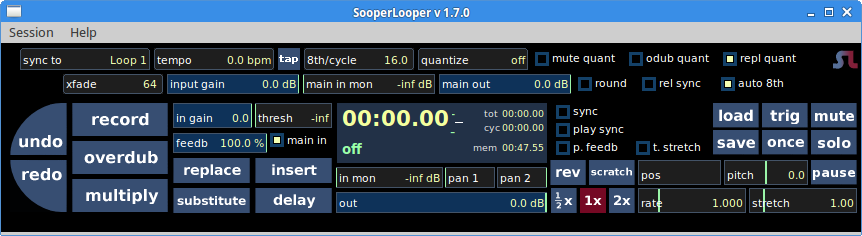 Note: SuperLooper is not included in the Ubuntu repositories and is therefore not officially supported. TerminatorX is an intriguing program (not bundled with Ubuntu Studio) that simulates record scratching using a digital track and a mouse. The mouse isn't the most comfortable tool for the deft handiwork exhibited by true practitioners, so in the spirit of open source, some fans of this plugin have repurposed old turntables, fitting them with a mouse to reproduce the visual and tactile experience of scratching an actual vinyl LP! https://terminatorx.org/turntables/
 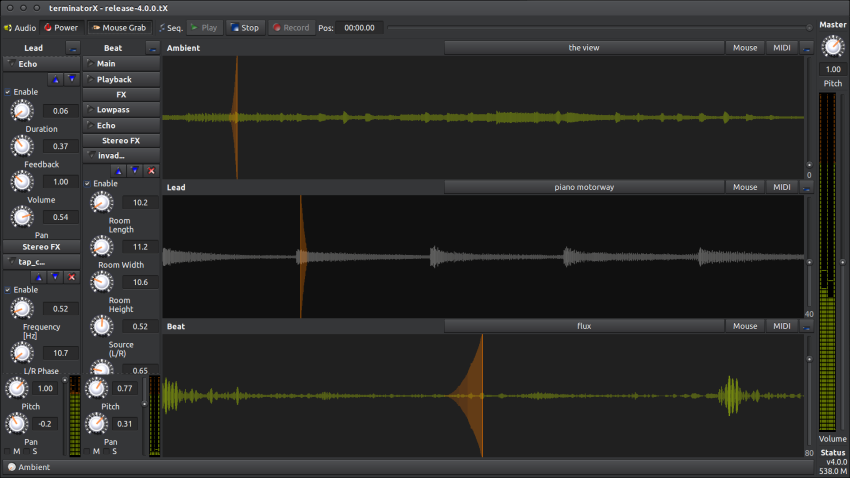 *
*
UbuntuStudio/AudioHandbook/SharingMusic - Community Help Wiki
Sharing Your Music
It's remarkable how many creative people know little to nothing about intellectual property. That's why, even in a book about open source shareware, it's important to discuss.
Creative Commons
Unless you have a million dollar marketing campaign behind you, you're probably going to want to just post your music to a blog or some streaming sites and be done with it. Downloads don't make up a very large percentage of revenue, even for most established acts. And physical recordings, while nice to have at gigs, are considered a loss leader by many. Can't someone just rip your CD and file share it? Still, you might want to take some basic steps towards controlling how your music gets used. With a Creative Commons license, you can, at the very least, clearly express your intent - for example, a song might be in the public domain for personal, non-commercial use, but you retain rights in the song if someone wants to use it for a TV commercial. Just go to the web site, fill out a very short form and you will get a link and code you can embed that shows at a glance how the song can be used, including permission to create derivative material and whether the work should be attributed to you. Creative Commons is a reaction to what some feel are overly-restrictive copyright rules, extended by the 1998 Sonny Bono Copyright Act to 70 years after the holder dies. The whole point is to allow artists to expand the public domain without putting themselves in a position with no recourse should someone else commercialize their work. I believe this fits well with the ethos behind open source software. There is an example of a CC license in the frontispiece of this book.
https://creativecommons.org/choose/
Copyright Registration
The next step up from Creative Commons is to register your music for copyright with the Library Of Congress. If you read their FAQ (link is below), you'll see that as soon as a creative work is put down in a "fixed medium", you own the copyright. From there, it's a matter of building up evidence that you created the work - this can include performing the piece, and of course the registration counts (mailing your song to yourself does not hold up in a court of law). The price for online registration is $35 per song (not work made for hire, and you are the only author), so you might want to consider how many registration forms you want to submit.
https://www.copyright.gov/help/faq/faq-register.html
Royalty Collection Agencies
Publishers get half of the royalties for songs they sell on their client's behalf. This is why most professional songwriters establish themselves as publishers! The problem is, as individuals, we don't have the same connections and distribution capabilities as a true publishing operation, and should you be so lucky as to get a deal, that will almost certainly involve giving up the publishing, at least for some period of time. Some artists are hoping the blockchain method of payment and distribution cuts out the middleman and can help enforce CC-like licenses. Still, you might want to join ASCAP or BMI to list your original music with them, in case there are ever royalties to collect. Your membership could also prove useful in getting paid on collaborations and other projects. There is a lot more to the subject of intellectual property and business models in the internet age. It should go without saying that you should consult an entertainment lawyer before signing anything.
Making a CD
Despite the decline of the need for physical discs, surprisingly many people cannot deal with MP3 or other digital formats and prefer old school audio CDs. It's also good to have CDs at gigs. The simplest way to make a few CDs is to burn copies on your computer and bust out the Sharpie pen. Under the main menu in Ubuntu Studio, navigate to Media Playback/Brasero to find a no-frills CD burner. You can just drag your wav files into Brasero's file list. Click and drag .wav files to change the playing order. Click individual files to set the properties such as Title and Artist. When the song list looks good, if you have not already done so, insert a blank CD, and be sure to select it as the destination. Press the "Burn" button - accept or edit the default settings on the subsequent pop-up, and presto - the CD will write. You can elect to make more than one copy, but definitely check the first copy before inserting more discs.
As for that Sharpie pen, there are a couple of options to make better-looking CDs. One is to get Avery CD labels. There is a PDF template that will help you line up your artwork so you can print these sticky-backed labels on your home printer. Ubuntu Studio comes with Gimp image editor pre-installed, and Gimp can edit and save the PDF template. Adhesive labels fell out of favor some time ago for getting stuck in some CD trays. If you go this route, use a label pressing device to assure the label goes on evenly with no creases or bubbles.
There are dedicated CD printers that use special blank media, but such printers are costly. Having your CD professionally printed in small lots turns out to be relatively affordable and the end result will look terrific. They will also provide a handy template that provides a printable preview, if you want to make the cover yourself. You can easily find graphic designers to do this online. If you are having CDs made up for a gig or special occasion, be sure to allow ample time for production, mailing, etc.
I will assume you are already familiar with the many streaming sites where you can post your music for downloading. For podcasts, don't forget the Internet DJ Console (screenshot in chapter 3).
Sheet Music With MuseScore
Of course you can make ditigal music without ever touching an instrument. Platforms like Ubuntu Studio have democratized music and let's face it - learning to play an instrument well takes dedication. But musical notation, evolved over hundreds of years, is how we communicate ideas with other musicians. The beautiful clef signs, brackets, and rests no doubt took their form in part because they lend themselves to the quill pen. No discussion on sharing your music would be complete without mentioning MuseScore, which can produce very complex music charts entered by hand or imported MIDI file - no quill pen required. I will leave you with a screenshot of a user-submitted file and refer you to the online manual (see Help) for further information.
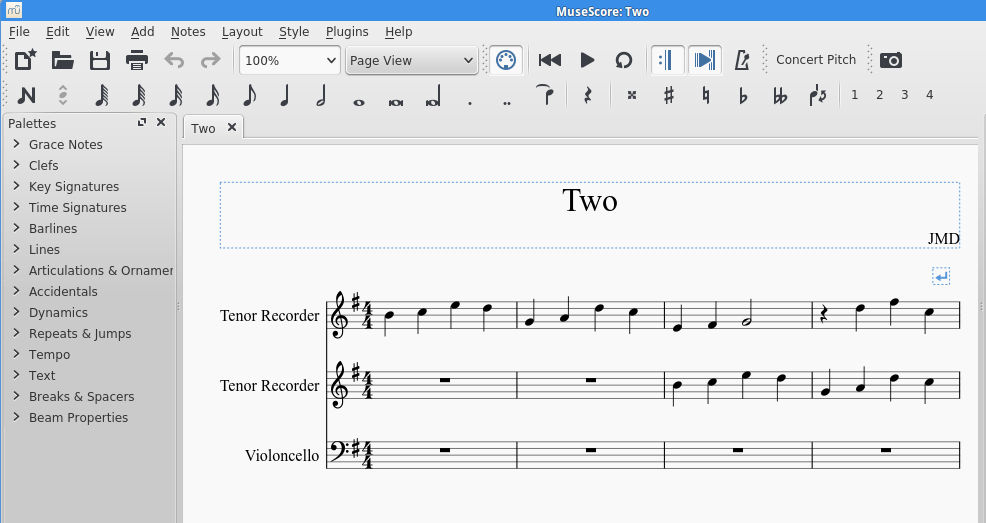 Musescore's notation is both comprehensive and elegant.
UbuntuStudio/AudioHandbook/SoundSynthesis101 - Community Help Wiki
Sound Synthesis 101
By now you have seen quite a few virtual synthesizers with a bewildering array of GUIs. In this section, we will try to see what they all have in common with the goal of being able to modify and create patches.
In the most general terms, a synthesizer is an electronic instrument that sends one or more pure waveforms through a pipeline of filters and other processors to modify and mangle that waveform. The classic starting points are the sine, the square, the sawtooth, and noise. Pulse and triangle are also fairly common. Some hybrid waveforms are not unusual, and as we saw in Zebralette, some instruments let you draw and stack waves to produce very rich sounds. These geometric names are derived from how the sounds appear on an oscilloscope, which shows voltage over time, allowing analysis of things like frequency and amplitude of a signal. The pure tone is a single frequency sine wave (note that the other wave shapes can be constructed from sine and cosine waves). In theory, by crafting sounds the right way, it should be possible to recreate sounds of real instruments and nature. In practice, with a few exceptions, analog synthesizers can only approximate "real" instruments. Highly convincing, realistic patches were brought about in the 1980's by sampling synthesizers, which could be argued as cheating, since a sample, as we've seen, is just a little digital recording (and having a precise clarinet sound only showed how the keyboard could not convey all the subtleties of the human mouth tooting on a slobbery reed). In any case, it helps to listen to the unmodified waveforms to get a feeling for the starting point - many plugins have a plain vanilla initial patch that is a pure tone. A sine wave sounds like whistling or blowing across the top of a bottle, a sawtooth wave sounds a bit like it looks - like a buzzer. White noise is static and can be used for sound effects like wind or ocean waves and percussion sounds.
The short explanation for a 1970's analog synth's inability to recreate natural sounds is that those sounds are composed of many overlapping waves, not just one or two. The long answer involves complex Fourier analysis of sound waves. But synthesizers opened up a whole new world of strange and novel sounds that gave birth to electronic music as we know it today (with proper credit to early studio pioneers who were happily making what can only be called electronic music well before the invention of the modular synthesizer).
The timbre of a patch is comprised of its spectra (those waveforms) and its envelope (fast or slow attack, ringing or abrupt ending (decay), etc - drum hit versus a bell versus a slow violin crescendo). So creating your own sound is just a question of figuring out how to mess around with those two elements of timbre on any given synthesizer. A perfectly valid approach to this is to stop here, and just start "knob twisting" at random, hitting "save" when you get a pleasing result. You will soon learn what "LFO" does, even if you don't know that it means "Low Frequency Oscillator" - and after all, does knowing what the initials stand for help much?
Here are ten quick ways to modify the basic waveforms on any synthesizer. These won't make you an expert sound designer, but hopefully will de-mystify all those crazy knobs and initials. Not every synth has all of these capabilities.
Knob acronyms VCO
- voltage controlled oscillator: created the raw waveform, so this is our starting point.
LFO
- low frequency oscillator: add tremolo or vibrato.
VCF
- voltage controlled filter: add sweeping wah effects.
VCA
- voltage controlled amplifier: gain (note - this is probably post-ADSR section)
HPF
- high pass filter: knocks out low frequencies
Ten things to try on any synthesizer
- Go straight to the cutoff filter or VCF to smooth out the sound. This is kind of skipping some steps, but it's one of the most noticeable things you can do to affect the sound on any synth. You'll notice that slowly modifying the cutoff frequency makes the classic "sweep" sound, and it should be possible to use another control, such as the LFO, to automate that sweeping as the note is held down. Early modular synthesizers allowed you to connect anything to anything and see what happens. In the same spirit, most plugins have a way to route a controlling signal from here to an oscillator over there. Take a moment to look at the panel and break down the various sections and the signal flow.
- The most understandable and quickest way to modify a sound is to play with the envelope, which will be labeled "ADSR" for "Attack, Decay, Sustain, Release". Let's say you pluck a guitar string. The attack is the ramp up, which is pretty abrupt, the decay is the other side of that initial pluck - the time it takes to reach the sustain time (the remaining time the note remains level). The release is what happens when you let go (or lift your finger from the key). In the case of a real guitar, the sustain would be about three or four seconds and the release would be around zero. It's fun to give a sound a very long release so you can just tap a key and listen to it slowly fade. Some sounds lend themselves to a gradual attack, although if it's too slow, it may feel out of tempo in the context of a particular recording. Smaller changes to the attack come closer to emulating real-world differences which are in the millisecond range. A snare hit is instantaneous, a tuba or french horn is less precise, and the sound of a gong may peak well after it is struck. Organ notes play at one volume and stop the second you release the key. All of these aspects to sound are governed by the ADSR section, and changes to the sound from the other sections generally happen over time, so the ADSR is indirectly affecting those, too. Note that some plugins will also have a "hold" (H) parameter that may be used to set a fixed duration for sustain or the full volume of the attack, ans have "ADSHR" or "AHDSR" sections.
- Try creating a cymbal crash by using only white noise, then tweaking the ADSR. What happens when you make that cymbal a very short blip?
- Another instant alteration of a waveform is ring modulation, if it's available. This gives a harsh bite to your sound, almost the equivalent of adding overdrive and a little distortion to an electric guitar (those sorts of patches very likely use ring mod or resonance). Usually you only need to enable it, but try tweaking it to be more or less subtle.
- Just jumping the octave can alter a patch in unexpected ways. Does that "Killer Bass" also work as a lead patch when played in a higher register? What if you knock it upstairs then tweak the envelope a little? Many synths have a button to transpose an octave at a time (and another way to change properties of a note, including pitch).
- Try the LFO to chop up a sound or add wobble to a sound.
- Portamento, anyone? This is another parameter where a little goes a long way. Overdo it and you're left with a cartoony slide whistle that is only any good for a special effect. But adding just a touch can juice up a lead sound nicely. You'll notice a fair number of presets use it that way.
- If there is an effects panel, slapping on some delay can high a high impact. Put another way, I have noticed removing the delay from certain rompler (sample-based plugin) patches (I won't name names) reveals the underlying sound to be less than inspiring. Re-enable the delay and it's ready to go to Mars.
- Many synths have multiple oscillators. A quick way to get a more sophisticated sound is to detune one or more waves just a tiny bit. So look out for a knob that says "detune". That is a quick way to get a fat, hovering sound.
- One last section that is not on nearly enough synthesizers is the arpeggiator. This will automatically play notes you hold down, and often you can choose in what sequence - up and down, only up, only down, random, or in the order in which you play them. This classic synth trick can be the basis for a whole song!
So far, this discussion has focused on analog synths because a lot of free VSTs are analog emulators. There are many different approaches to sound synthesis, and the description for each plugin will say which type of synthesis it is are using. Some instruments purposely take a radically different approach to either the interface or to sound generation or both. For me, the more quirky and experimental, the better. But occasionally, a plugin is just impenetrable. In that case, just go with the presets or move on. You should not have to battle a synth just to tweak a patch. On the other hand, it is only fair to read the manual. I mostly stick with presets, but still feel a passing familiarity with the history of how synthesizers have evolved, the lingo, and the capabilities is important - a short list of resources appears in the appendix. Go forth and knob-twist!
Approaches to Sound Synthesis
Here are very brief descriptions of some of the major types of synthesizers that you will see recreated as plugins. Between other methods not mentioned and hybrids, this is just scratching the surface.
Subtractive
- Applies filters to complex waveforms. Can employ Pulse Width Modulation, which sounds like a chorus or detuning effect.
Formant
- A subset of the subtractive approach that pays attention to the formant or characteristic frequency peaks associated with the resonant cavity of the instrument being modeled.
Modular
- Early 1960's synthesizers such as the Moog and Buchla were massive component racks; individual components were connected by patch cords. These analog synthesizers were bulky and expensive. In recent years, there has been a resurgence of interest in modular synthesis, and there are emulators that let you draw a "cable" between inputs. It's still expensive to build a "eurorack", so a plugin is a great way to test the waters, if you aren't sure it's for you.
Additive
- Adding waveforms results in more harmonic overtones - the components of natural sounds mentioned before.
Frequency Modulation (FM)
- Through multiple oscillators and a more graduated voltage control scheme, digital synthesizers like the Yamaha DX7 (1983-1989) offered sophisticated sounds at an affordable price.
Wavetable
- Uses random waveforms as the tone generator.
Phase distortion
- Starts with more complex digital waveforms In the Casio CZ series, which also emerged in the 80's, the digital filtering and amplification also went through an eight stage envelope, allowing for sounds that evolved over time more than could be achieved with the usual ADSR.
Physical modeling
- Ever greater processing power allowed for mathematically modeling not only the detailed harmonics of an instrument, but other parameters such as the resonance of the body.
Sampling
- As we've seen, samplers are digital recordings of individual notes that can be played back at different pitches. ROMplers are plugins that rely on sample presets - both keyboards and plugins can apply additional filters and effects to samples, layer them, etc.
Granular
- A sample is chopped into millisecond bits which can then be layered, played back at different speeds, and processed.
Patch Tutorials - Funk Bass
Let's apply some of the above ideas to make a simple funky bass, a classic analog synth sound. This need not be polyphonic, and it will have a very short, almost clipped envelope. It needs to be thick and needs to go "BOW-BOW-BOW", which effect will be achieved with a filter. We'll use the highly-rated Synth1, modeled after the Nord Lead Red. Download it to your VST directory from here (note 32 bit versions often work better than 64 bit):
http://www.vst4free.com/free_vst.php?plugin=Synth1&id=245
Start Synth1
- Open the terminal window and change directory to where you installed Carla, for example: $ cd /usr/local/share/Carla
- Launch Carla: /usr/local/share/carla$ Carla
- In Carla's window, click the green '+' sign (Add Plugin), and select Synth1.
- Click the gear icon on the Synth1 rack unit. You should see the GUI.
- At the bottom of the GUI, click soundbank. A popup window will appear. Select the "All" dropdown menu and navigate to 01:soundbank01(0) - this is a completely empty soundbank.
- Load the first sound by selecting it, then close the soundbank window.
- Now set the parameters to match the following screenshot.
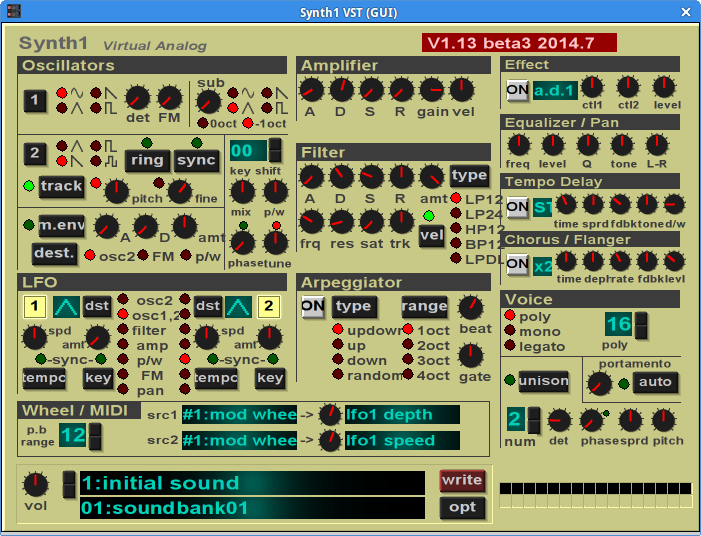
Notes on the Funk Bass setup:
- In the far right panel, disable any effects by clicking the "ON" button until it goes gray.
- To get the clipped envelope we're after, turn everything down on the ADSR control but the decay.
- Choose the sine wave for oscillator 1.
- Now just tweak the filter settings in the middle of Synth1's middle panel until you get somehting you like. For more wah, open the attack filter.
- You can go back to Oscillator 1 and try different waveforms. Recall that sawtooth has more "bite"? Now you can hear that for yourself. Play with other parameters one at a time to see what effect they have on your patch.
- If you like this patch, use the dark red "write" button at the middle bottom of the GUI. A popup will let you name the patch and save it to the empty bank for your next session.
Arpeggiator
To try out tip #10 above, download Poly 2106, a well-executed Juno 106 emulator, from here: http://www.vst4free.com/free_vst.php?plugin=Poly_2106&id=1329
This plugin has very clearly marked "Arpegiator [sic] Gate" section at bottom right. Just click the "OFF" button so it changes to "ON" and turns red. Then play around with the controls in that section. Note that "HOLD" will keep the pattern playing even after you release the keys. Experiment with the other controls to vary the tempo and direction of the arpeggio. TR-GT mode lets you space chordal hits on a timeline, and they can be more or less legato.
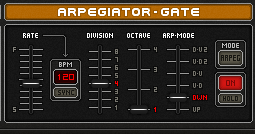
Crafting Noise
Install TAL-Noisemaker from here: https://tal-software.com/products/tal-noisemaker
The following setup modifies a noise signal. The envelope is set something like a crash cymbal, but instead of a static filter setting, LFO1 and LFO2 are controlling the filter. Adjust the rate on the LFOs to your liking, or click the dropdown that says "Filter" to disable them. Note that Master/Sub is turned all the way down.
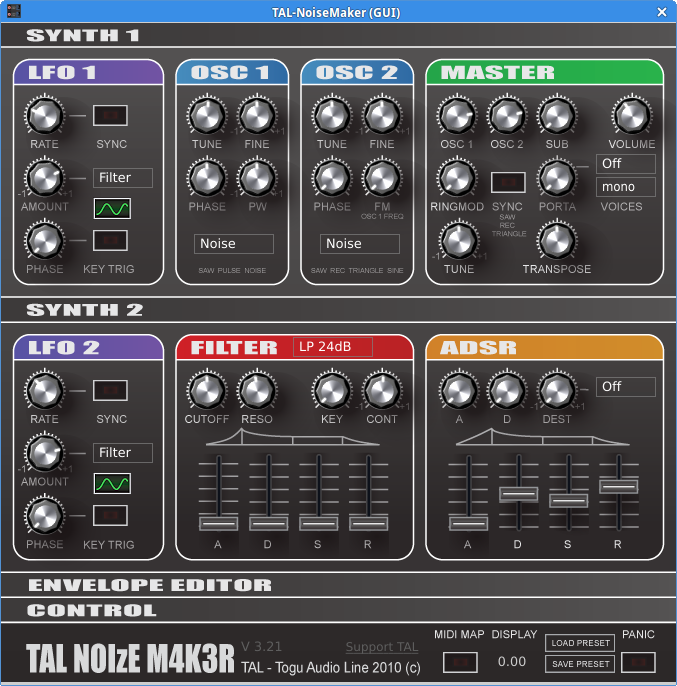
Disabling LFO1 and 2, slightly raising the Cutoff and Resonance, and shortening the envelope turns our wavy crash cymbal into something more akin to a hand-clap.
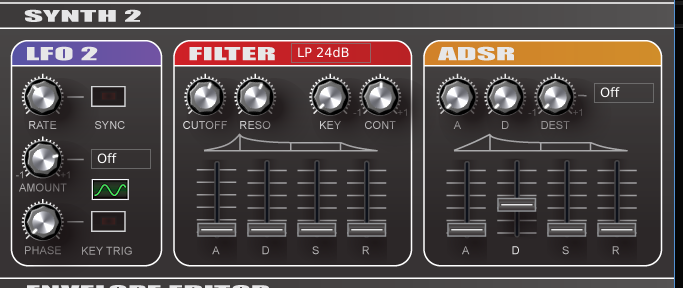
And what discussion of noise patches would be complete without the Helicopter sound effect? This one fades into the distance when you release the key.
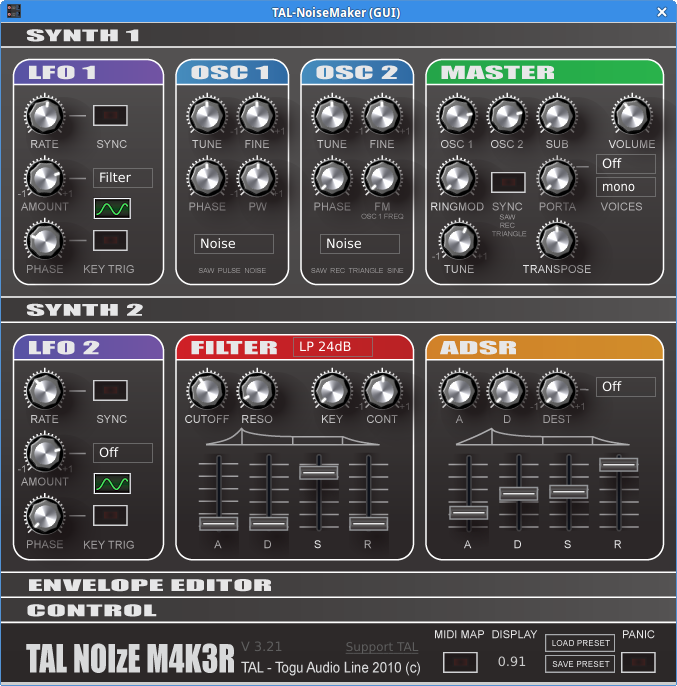 *Minor modifications to the envelope and other controls can change plain noise into different percussion sounds or sound effects. *
Siren
Here is an example of controlling the pitch of an oscillator with the LFO. Install Pure Pone from here: http://www.vst4free.com/free_vst.php?plugin=Pure-Pone&id=877
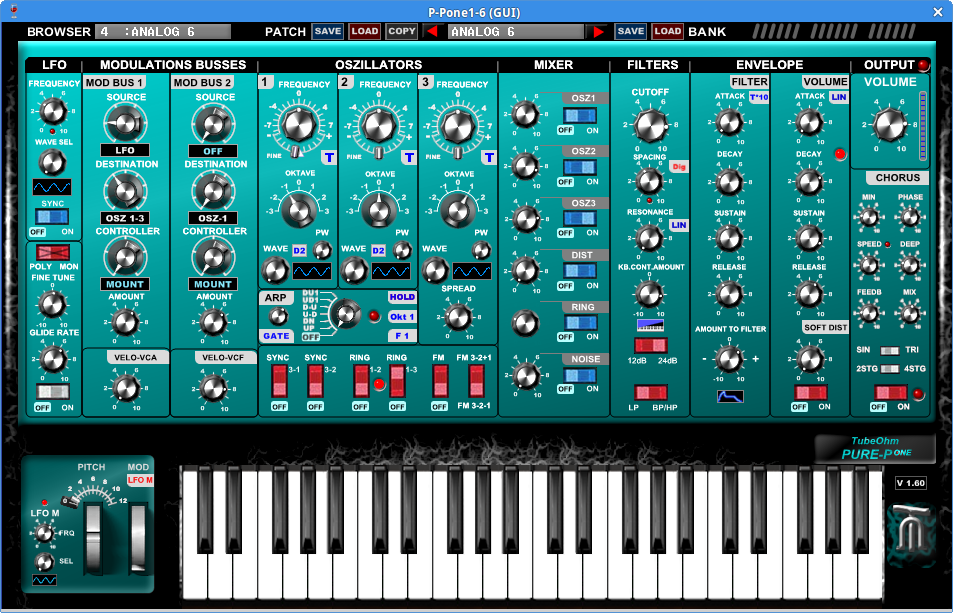 Certainly not the most musical setting, but a good demonstration of how to modify a parameter from another parameter, the essence of synthesizer programming.
- Call up the patch called Analog 6 (because it is a relatively plain vanilla patch).
- Turn off Modulation Bus 2, we don't need it.
- Set Modulation Bus 1 source to LFO, it's destination to OSZ1-3, and the amount to MOUNT.
- Crank up the Amount to about 6.
- I set the LFO to use a Sine wave and the rate of this oscillator to about 3.
- After playing around with the Oscillators, it sounds best with OSZ1 turned off, so toggle that switch.
- Set the waveform for OSZ2 to triangle a sawtooth and octave to 0.
- Set the waveform for OSZ3 to the triangle in the opposite direction of OSZ2's, and octave to 1.
- Make sure any effects are disabled.
You should hear a slow rising and falling pitch.
- • To make it go faster, increase the LFO frequency. • To make it see-saw like a European police siren, change the LFO waveform to a square wave. • To change the pitch range, adjust Mod Bus 1's Amount. • Hear what happens to the timbre as you modify the waveforms of OSZ2 and 3.
I had a little trouble finding a plugin where it was simple to make the Siren patch, but I hope these examples were enough to illustrate that there is a lot in common from one plugin to the next in editing and creating patches. One or more sources (oscillators) is modified by various signal processors and effects, some of which may themselves be waves, some will be filters. Once the wave is shaped, it goes through the ADSR envelope, the the master volume control. Usually, these controls are in some kind of sectional arrangement. It just becomes a question of figuring out how to assign them. With a little practice, you will be able to imagine a sound and have a rough idea of how to build that patch from scratch. While there is nothing wrong with using presets, as you can see, a tiny twist of a single knob can dramatically alter what you get from a given patch. Presets are intended to demonstrate the capabilities of a plugin, so don't be afraid to mess around with the controls. Any synth developer would tell you "that's what they're there for!"
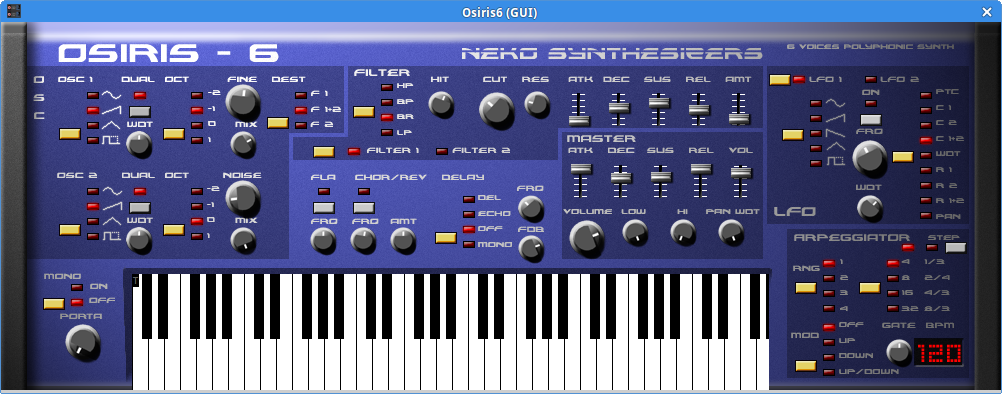 The opening preset of Osiris-6, "Delay Pad" is a perfect example of a sweep effect with a slow attack.
Osiris packs a lot of sound editing capability into a relatively easy-to-follow layout. Two oscillators are on the left. The yellow buttons rotate through all available options. You can pick filter 1, 2, or both. And the panel outline suggests that the filters have their own ADSR, which is above the ADSR for the gain. To the left of the keyboard is the mono on/off and portamento control. Tucked to the right of the keyboard is the arpeggiator. Effects are front and center. It is very easy to page through the options for LFO1 and LFO2 as you listen to how the sound is affected in real time. This is truly one of the best designed front panel layouts. Osiris shines in the pad department, but the cutoff and resonance knobs do not seem to alter those sorts of sounds much. One drawback of this plugin is that it appears to take up a lot of memory - it failed to load four times on my old laptop. Download it here: http://www.vst4free.com/free_vst.php?plugin=Osiris-6&id=741
UbuntuStudio/AudioHandbook/UsingVSTPlugins - Community Help Wiki
Using VST Plugins
Virtual Studio Technology (VST) is a standard for software synthesizer and effect plugins invented by Steinberg (maker of the Cubase DAW).
To get started, here is a remarkable and very popular free synth from German vendor U-He: https://u-he.com/products/zebralette/
Download the Linux version and unzip it to your ~/.vst directory. If the ~/.vst directory doesn't exist, you can create it.
One of the programs that can be used to run and manage VSTs is Carla. Here's how to get it:
Install and Run Carla
Carla is available in current Ubuntu Studio releases.
Configuring and Using Carla
On the far right of Carla's top menu, click "Configure Carla" to see the Settings pop-up window. Go to "Paths" and make sure "VST" is selected in the dropdown at the top center of the Settings pop-up. Add the full path to the directory you created earlier, unless it's there by default. It might look something like this: ~/.vst
Also check the project path under Carla's "Main" tab. Click "OK" to save your changes and dismiss this window. Finally, click the "+ Add plugin" button, and click "Refresh" on the subsequent pop-up window. Carla will search for Zebralette and any other VST plugins you've installed under the VST path. These may take a while to load, during which time it will look like Carla isn't doing anything. If you get an error message, loading may have simply timed out - try it again a few times. When the plugin becomes available, it will also show up in JACK, where you can connect it to System and your MIDI controller. Check that everything works. Back in Carla, you can see the GUI for this and other VSTs by clicking the gear icon (white gear at top left the following screenshot).
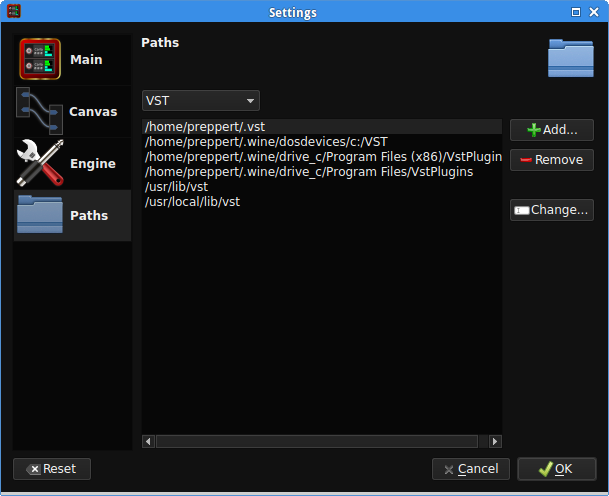
Zebralette and other free VSTs may have been released a few years ago, but that doesn't mean you can't make fresh-sounding music with them. Always check out commercial offerings and/or consider a donation to the developer if you end up making heavy use of a particular plugin. Most have a PayPal tip jar. Carla's wrench icon is important because it allows you to bind synth parameters like filters or the VCA rate to knobs on your controller, such as the modulation wheel. Just find the Continuous Controller number for a given knob, and set that as the CC# for a given parameter in the wrench's pop-up window. Your controller's manual will show the CC assignments. In the following example, the modulation wheel is CC# 1, and is being used to control the Hi-cut Frequency (circled in red).
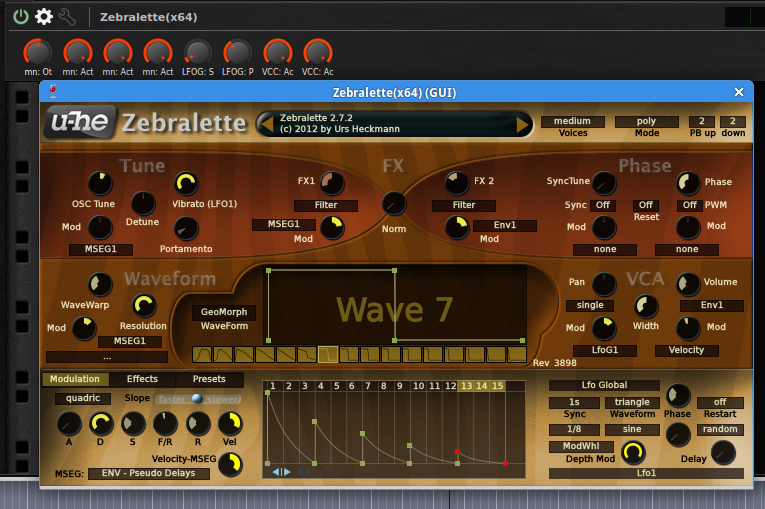 Zebralette's rich and varied sounds come from the ability to stack and draw custom waveforms. The Presets tab on this "morphing" synth is the third tab from the left on the bottom tier.
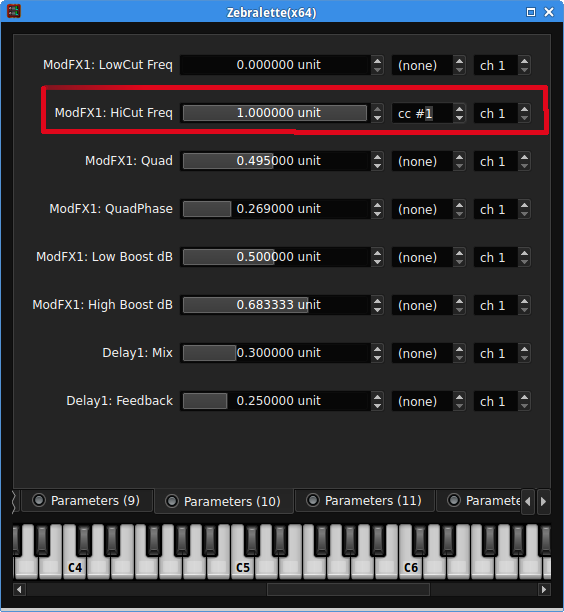 Any parameter can be bound to a given CC number. Multiple parameters cannot be assigned to the same CC number. Settings can be stored and recalled.
It's not difficult to find free VSTs, but here are two sites that have hundreds, if not thousands of free plugins: http://vst4free.com which sorts by name, rating, and last added (in addition to giving a random list when you first roll up on the site) and http://vstplanet.com. Note that not all freeware uses legally-obtained samples. Additional reviews of some VST plugins appear in the appendix.
Do know that many VSTs are built for Windows, which requires the WINE Windows emulator and a plugin bridge. A part for that process may be added to this section at a later date. Be sure to use the latest version of WINE.
UbuntuStudio/AudioHandbook - Community Help Wiki
Ubuntu Studio Audio Handbook
by Peter Reppert
Preface
Peter Reppert was kind enough to donate his time and work on an audio handbook targeting musicians for Ubuntu Studio. After contacting the team, he decided to open the book to being a living document on this wiki with constant updates. This copy is kept for historical reference; current Ubuntu Studio behavior is documented on ubuntustudio.org.
The Ubuntu Studio team would like to thank Peter for his selfless contribution to Ubuntu Studio and for providing a guide for newcomers and experts alike.
Please bear in mind that much of this handbook was written in the first-person perspective as this is Peter's personal work. Also, there are some places in this handbook that, due to inavailability of certain software, are not supported. Those items are highlighted with black text on a yellow background.
Table of Contents
- Who this book is for Why use this book? How to use this book – know what's possible Companion matter, if any - web site, disk, etc. Acknowledgements
- Gear on a budget How to find out if your old laptop can run Ubuntu System Requirements Running Ubuntu from media Installing Ubuntu Studio Configuring and testing your soundcard Connecting with JACK and Patchage
- Sound Generators Hexter Aeolus Synthv1 Qsynth, drumkv1, samplev1 Amsynth Hydrogen Audio Processors Guitarix Rakarrak Make your guitar a MIDI controller Tools and Utilities Major file types Tools for DJs Internet DJ Console SuperLooper TerminatorX
- Audacity Ardour
- Install Wine Install and run Carla Configuring and using Carla
- Punch-ins Looping MIDI tracks Fade-in Fade-out Automation Grouping tracks Creating a bus and inserting effects Additional advanced topics LinVST
- Creative Commons Copyright registration Royalty collection agencies Making a CD Sheet music with MuseScore
- Knob acronyms Ten Things To Try On Any Synthesizer Approaches to sound synthesis Patch tutorials Funk Bass Arpeggiator Crafting Noise Siren
- Troubleshooting Using the command line Links and resources
UbuntuStudio/ProAudioIntro - Community Help Wiki
Audio User Guide for Ubuntu Studio
Here's a short introduction to audio on Ubuntu Studio. Current releases use PipeWire for desktop audio with JACK compatibility, plus Ubuntu Studio Audio Configuration for low-latency audio setup.
PipeWire - The Desktop Sound System
What is PipeWire?
PipeWire is the default sound system on Ubuntu Studio, and handles all desktop sound. It uses ALSA as its backend, meaning ALSA provides the drivers for your soundcard.
Controlling PipeWire is done mainly from the desktop audio controls. But, for some cards, not everything can be adjusted from there and you will need to use alsamixer or a special mixer (mentioned below) to get further control of your audio device.
Supported Devices
ALSA provides driver support
Any device that is supported by ALSA is potentially supported by PipeWire. PipeWire provides JACK compatibility, so multichannel pro audio cards that work with ALSA can usually be used directly in current Ubuntu Studio releases.
FireWire will only work with special configuration
FireWire devices can still require FFADO-based support depending on the hardware. PipeWire handles desktop audio, while JACK-compatible applications should be connected through the current audio stack rather than a legacy bridge.
No Volume?
Many cards are muted by default, and need to be accessed with a special mixer in order to be controlled. There is a generic alsa mixer in the main menu at **menu -> Audio Production -> Mixers -> Mixer **. To use it, you will first need to select the card you wish to control, and make its controls visible from Select Controls. If I for example want to raise volumes for a m-audio delta device, I will first need to make all the ADCs (Audio to Digital Converter) and DACs (Digital to Audio converter) visible to control the volume for inputs and outputs.
PCI mixers
There are also card specific mixers. They are not actually "brand" specific, but "chip" specific, so some mixers will work with many brands that share the same internal chip. These mixers are useful for controlling your device directly through ALSA, and they remain useful alongside PipeWire and JACK-compatible applications.
To find out which chip your pci audio device has, look up the brand here. Select it, and try to find the chipset for your model. One particularly common chipset is the envy24(ice1712).
Here's a list of mixers for pci devices that are preinstalled with Ubuntu Studio (comes with the alsa-tools package):
echomixer is the Linux equivalent of the Echoaudio console application from Echoaudio. It is a tool to control all the features of any Echoaudio soundcard. This includes clock sources, input and output gains, mixers, etc.
hdspmixer is the Linux equivalent of the Totalmix application from RME. It is a tool to control the advanced routing features of the RME Hammerfall DSP soundcard series. To handle RME Hammerfall cards you might also need the tools hdspconf and hdsploader
mudita24 - is a control tool for Envy24 (ice1712) based sound cards, and replaces the older envy24control (M-Audio Delta Series)
rmedigicontrol - is a control tool for RME Digi32 and RME Digi96 sound cards. It provides a graphical frontend for all the sound card controls and switches.
More Information
More information on supported hardware can be found here.
JACK - The Pro Audio Sound System
JACK is a sound server, and like PipeWire it can work with ALSA as its backend. JACK is also able to use other drivers, such as the FireWire driver developed by FFADO. Commonly, those are the only two drivers used with JACK for audio devices on a Linux machine.
Why use JACK?
Many audio applications will only work with JACK - Applications meant for pro audio use will often work best with JACK.
JACK is extremely low latency capable - JACK is able to give you extremely low latencies at the right conditions. Which is a must if you are to play a live software instrument.
Some devices will only work with JACK - As mentioned above, FireWire devices may still require extra configuration.
JACK connectability - When using JACK you can connect any application to any other application just as if you were using physical cables. You are thus not restricted by the functionality of a single application.
Starting JACK
The easiest way to configure JACK-compatible audio on current Ubuntu Studio releases is to use Ubuntu Studio Audio Configuration. To learn more, see Ubuntu Studio Audio Configuration.
FireWire Troubleshooting
Sometimes it's just a matter of knowing what to do in which order. Maybe you need to start your computer with the FireWire device already attached, or the other way around. Try different combinations, if you are sure the device is supported. (more info on supported devices here).
USB troubleshooting
A common thing to try is to adjust the latency or quantum settings in Ubuntu Studio Audio Configuration, or use a JACK period setting of 3 when running native JACK with compatible USB hardware.
Reducing Xruns
Xruns are either a buffer overflow or buffer underflow of the audio system in JACK. These can be heard as a popping or a ticking sound. Reducing or eliminating Xruns can be done with multiple methods, such as:
- Turning off and using a wired network connection
- Turning off bluetooth
- Disabling unnecessary audio bridges or compatibility layers
- Reduce background processes
If none of these methods work, the only way to reduce or eliminate Xruns is to raise your buffer to a higher setting.
Legacy Content
This section groups editable source pages for the Ubuntu Studio site replacement and GitHub contributions.
Pages
- UbuntuStudio--ProAudioIntro--1204.md
- UbuntuStudio--ProAudioIntro--UbuntuStudioControls.md
- UbuntuStudio--UbuntuStudioControls.md
UbuntuStudio/ProAudioIntro/1204 - Community Help Wiki
Audio User Guide for Ubuntu Studio
Here's a short introduction to audio on Ubuntu Studio. Shortly about what audio systems we have, and how to make use of them.
Pulseaudio - The Desktop Sound System
What is pulseaudio?
Pulseaudio is the default sound system on Ubuntu Studio, and handles all desktop sound. It uses alsa as its backend, meaning alsa provides the drivers for your soundcard.
Controlling pulseaudio is done mainly from the volume control in the indicator area. But, for some cards, not everything can be adjusted from there and you will need to use the generic alsamixer or a special mixer (mentioned below) to get further control of your audio device.
Supported Devices
Alsa provides driver support
Any device that is supported by alsa is potentially supported by Pulseaudio. Usually only pro audio multichannel cards may have problems with pulseaudio. If you find that your multichannel card is not working with pulseaudio, but is supported by alsa, it will still work perfectly with jack. To get desktop audio working for such a card, you will need to set up the pulseaudio to jack bridge mentioned below.
Firewire will only work with special configuration
Currently, firewire devices are not supported by alsa, and may only be used with jack using the ffado firewire driver. But, since we are now able to connect Pulseaudio to jack, using the pulseaudio to jack bridge, we can circumvent this problem.
No Volume?
Many cards are muted by default, and need to be accessed with a special mixer in order to be controlled. There is a generic alsa mixer in the main menu at **menu -> Audio Production -> Mixers -> Mixer **. To use it, you will first need to select the card you wish to control, and make its controls visible from Select Controls. If I for example want to raise volumes for a m-audio delta device, I will first need to make all the ADCs (Audio to Digital Converter) and DACs (Digital to Audio converter) visible to control the volume for inputs and outputs.
Pci mixers
There are also card specific mixers. They are not actually "brand" specific, but "chip" specific, so some mixers will work with many brands that share the same internal chip. These mixers are not only needed to control your device with pulseaudio, but also with jack, since both use alsa as its' backend.
To find out which chip your pci audio device has, look up the brand here. Select it, and try to find the chipset for your model. One particularly common chipset is the envy24(ice1712).
Here's a list of mixers for pci devices that are preinstalled with Ubuntu Studio (comes with the alsa-tools package):
echomixer is the Linux equivalent of the Echoaudio console application from Echoaudio. It is a tool to control all the features of any Echoaudio soundcard. This includes clock sources, input and output gains, mixers, etc.
hdspmixer is the Linux equivalent of the Totalmix application from RME. It is a tool to control the advanced routing features of the RME Hammerfall DSP soundcard series. To handle RME Hammerfall cards you might also need the tools hdspconf and hdsploader
mudita24 - is a control tool for Envy24 (ice1712) based sound cards, and replaces the older envy24control (M-Audio Delta Series)
rmedigicontrol - is a control tool for RME Digi32 and RME Digi96 sound cards. It provides a graphical frontend for all the sound card controls and switches.
More Information
More information on supported hardware can be found here.
Jack - The Pro Audio Sound System
Jack is a sound server, and like pulseaudio, it is able to use alsa as it backend. But, jack is also able to use other drivers, such as the firewire driver developed by ffado. Commonly, those are the only two drivers used with jack for audio devices on a Linux machine.
Why use Jack?
Many audio applications will only work with jack - Applications meant for pro audio use will often only work with jack.
Jack is extremely low latency capable - Jack is able to give you extremely low latencies at the right conditions. Which is a must if you are to play a live software instrument.
Some devices will only work with jack - As mentioned above, firewire devices will only work with jack.
Jack connectability - When using jack you can connect any application to any other application just as if you were using physical cables. You are thus not restricted by the functionality of a single application. You can even route pulseaudio to jack, and make use of all of it's desktop audio capability.
Starting Jack
The easiest way to start jack is to use Ubuntu Studio Controls. To learn more, a guide to Ubuntu Studio Controls can be found here.
Firewire Troubleshooting
Sometimes it's just a matter of knowing what to do in which order. Maybe you need to start your computer with the firewire device already attached, or the other way around. Try different combinations, if you are sure the device is supported. (more info on supported devices here).
USB troubleshooting
A common thing to try is to set Jack Periods to 3 in Ubuntu Studio Controls.
Reducing Xruns
Xruns are either a buffer overflow or buffer underflow of the audio system in Jack. These can be heard as a popping or a ticking sound. Reducing or eliminating Xruns can be done with multiple methods, such as:
- Turning off and using a wired network connection
- Turning off bluetooth
- Disabling the PulseAudio-Jack bridge
- Reduce background processes
If none of these methods work, the only way to reduce or eliminate Xruns is to raise your buffer to a higher setting.
UbuntuStudio/ProAudioIntro/UbuntuStudioControls
Ubuntu Studio Controls
This subpage is retained only as a legacy alias.
Current Ubuntu Studio releases use Ubuntu Studio Audio Configuration instead.
UbuntuStudio/UbuntuStudioControls - Community Help Wiki
# Ubuntu Studio Controls
Ubuntu Studio Controls is a legacy tool. Current Ubuntu Studio releases use Ubuntu Studio Audio Configuration as the primary interface for configuring low-latency audio behavior, PipeWire quantum, PipeWire-JACK, and kernel low-latency settings.
Current guidance
- For Ubuntu Studio 24.04 LTS and later, use the Ubuntu Studio Audio Configuration utility.
- For Ubuntu Studio 24.10 and later, the old PulseAudio/JACK switching workflow is no longer available.
- The legacy Studio Controls-based PulseAudio/JACK method is deprecated, not recommended, and unsupported.
Current documentation lives on ubuntustudio.org:
Historical note
Ubuntu Studio Controls used to handle tasks such as JACK startup, audio bridging, CPU governor tuning, and low-latency setup on older Ubuntu Studio releases. Development has effectively stopped, and current Ubuntu Studio documentation treats it as legacy behavior kept only for older installations that still depend on it.
If you are maintaining an older system that still uses Ubuntu Studio Controls, treat this page as archival rather than current setup guidance.
Reference Content
This section groups editable source pages for the Ubuntu Studio site replacement and GitHub contributions.
Pages
- CommunityHelpWiki.md
- License.md
- UbuntuStudio--Resources.md
- UbuntuStudio--Search.md
- UbuntuStudio--SubPages.md
- UbuntuStudio--UserGuide--Graphics--draftpage.md
- UbuntuStudio--UserGuide--Video.md
- WikiGuide--Communication.md
- WikiGuide--DeletingAndRenaming.md
- WikiGuide--Formatting.md
- WikiGuide--PageCreation.md
- WikiGuide--Registration.md
- WikiGuide--Screenshots.md
- WikiGuide--WritingGuide.md
- WikiGuide.md
CommunityHelpWiki - Community Help Wiki
Welcome!
Topics by Release
| Release | Notes |
|---|---|
| 26.xx | This section includes wiki entries for Resolute Raccoon (26.04) |
| 25.xx | This section includes wiki entries for Questing Quokka (25.10) |
| 24.xx | This section includes wiki entries for Noble Numbat (24.04) |
| 22.xx | This section includes wiki entries for Jammy Jellyfish (22.04) |
| Older | This section includes earlier Ubuntu releases and historical wiki entries |
Help topics
| Installation | |
|---|---|
| Installation | Ready to Begin? Read about all the available installation options |
| Switching from another OS | Are you thinking about switching to Ubuntu? The following articles will make your transition to Ubuntu easier: Windows |
| Applications | Information about software repositories, installing and removing applications, guides to specific applications and free software equivalents |
| UbuntuPre-installed | Find where to buy Ubuntu Pre-installed Computers and services |
| Hardware | |
|---|---|
| Drives and Partitions | Adding storage, partitioning your hard drive, accessing your Windows files, and more |
| Input Devices | Setting up your keyboard, mouse, and other input devices |
| Sound | Setting up and using sound cards, speakers, and musical instruments |
| Video | Setting up your graphics card and external hardware such as video cameras |
| Printers | Setting up and using your printer |
| Scanners | Setting up and using your scanner |
| Network, wireless, and internet devices | Setting up networking and internet devices |
| Portable Gadgets | Syncing and transferring files from PDAs, audio players, mobile phones, GPS units and cameras |
| Mactel Devices | Information on running Mactel (Intel CPU-based Macintosh Computers) on Ubuntu |
| Further topics | |
|---|---|
| Internet and Networking | Information about the software side of connecting to the Internet and working with networks. |
| Accessibility | Making Ubuntu easier to use for those with physical or visual challenges |
| Eye Candy | Making your computer look and work cooler |
| Servers | Setting up web servers, file servers, and more |
| Thin Clients | Setting up and using thin clients |
| Security | Keeping your computer safe |
| System Administration | Maintaining your computer |
| Troubleshooting guides | Solving troubles with configurations and software |
| Business Environment | Suggestions for configuring Ubuntu for use in business environments |
| Building Software | How to build Flash and Web Server applications |
| Ubuntu Flavours | |
|---|---|
| Edubuntu Cookbook | A gentle introduction for non-technical users to installing, configuring and most importantly, using Edubuntu |
| Lubuntu wiki | Lubuntu documentation and more |
| Ubuntu Studio Community Help | Ubuntu Studio community help pages with various topics |
| Ubuntu MATE | Ubuntu MATE Online Guide |
| Kubuntu | Kubuntu Documentation |
| Xubuntu | Xubuntu Documentation |
More resources
IMPORTANT: The upgrade for the latest LTS versions from older versions will be available when the first point release is published. It can take a few days, so please be patient. Thank you!
License - Community Help Wiki
The material on this wiki is released under the Creative Commons Attribution-ShareAlike 4.0 License.
You are therefore free to share and adapt the material, provided that you do so under the same or similar license, and that you give credit to the original authors.
The full text of the license can be found on the Creative Commons website.
When attributing, it is sufficient to refer to the authors of the wiki as a whole rather than individually, so "Contributors to the Ubuntu documentation wiki", although you should check the relevant page in case any specific attributions are required.
For information on why we have chosen this license, please see WikiLicensing.
UbuntuStudio/Resources - Community Help Wiki
Ubuntu Studio Resources
For current release support and actively monitored help channels, start with:
The link collections below are largely historical references from the community wiki era. Some links may be outdated.
Links to informative pages that are somehow related to Ubuntu Studio.
Don't forget to check out the HowTos section.
Audio
FLOSS Audio User Sites
- http://www.alsa-project.org/ - The ALSA home page
- http://www.ffado.org/ - The FFADO home page
- http://subversion.ffado.org/ - FFADO documentation wiki
- http://linuxaudio.org/ - The home of "Linux Audio"
- http://wiki.linuxaudio.org - Linux audio wiki
- http://wootangent.net/category/music/tutorials/ -Some nice tutorials
- http://linuxmusicians.com/ - General linux audio user Forum
- http://wiki.linuxmusicians.com/doku.php - Linux Musicians Wiki
- http://linux-sound.org/ Old Site with lot's of links
- http://linuxaudioblog.com/ Blog - not updated, may have useful info
Software Manuals
- Ardour Floss Manual (New Ardour3)
- Audacity Floss Manual
- Chuck Floss Manual
- CSound Floss Manual
- Hydrogen User Manual
- Pure Data Floss Manual
Mail Lists
- Linux Audio User [LAU] - The most popular Linux audio user list in the world
VIDEO AND GRAPHICS
Software Manuals
- AviDemux Floss Manual
- Blender Floss Manual
- Digital Foundations Floss Manual
- ffmpeg2theora Floss Manual
- InkScape Floss Manual
- Kino Floss Manual
- Ogg Theora Floss Manual
- Video Subtitling Floss Manual
- VLC Floss Manual
- FontForge Floss Manual
Tutorials
- Blender VSE Tutorial Misc VSE Tutorials for Blender
UbuntuStudio/Search - Community Help Wiki
Ubuntu Studio Subpages
This page lists a few Ubuntu Studio pages that were mirrored from the old community wiki.
- Home
- UbuntuStudio/Search
- UbuntuStudio/TroubleShooting
- UbuntuStudio/UbuntuStudioControls
- UbuntuStudio/UserGuide/Graphics/draftpage
- UbuntuStudio/UserGuide/Video
Mirrored Ubuntu Studio subpages
Archived Pages
http://help.ubuntu.com/community/Deprecated%20Ubuntu%20Studio%20Pages - List of pages whose information is superseded but retained for archival purposes
UbuntuStudio/SubPages - Community Help Wiki
Full Index of all Ubuntu Studio sub pages
UbuntuStudio/UserGuide/Graphics/draftpage - Community Help Wiki
Introduction To Computer Aided Graphics
In computing, Graphics is a broad term used to invoke many things related to the visual feedback of a computer. In this guide we will use the term Graphics to describe CAD (Computer Aided Design) and Photography. One could argue that video would fit into this guide. But given the complex nature of Computer Aided Video, it has it's own workflow explained in detail here.
The Realms Of Graphic Design
When we refer to graphic design executed with a computer, we have to understand the realms in which it operates and the distinctions between these realms. The main two realms we are going to focus on here are Prints and Digital Displays. It is important to understand these differences due to the way colors and shapes are generated to fit within these realms, and to be able to convert one realm to the other and vice versa. Even if both of these realms are (generally speaking) displayed in Two dimensions, they respectively include the notion of Three dimensional graphics (discussed later on in this article)
Resolution & Color On Digital Display
Because a computer screen uses light to display colors (as opposed to pigments in print), in this realm we generally talk about the 3 Aditive Primary Colors: Red, Blue and Green. Often shortened with RGB.
The resolution of a Digital Display is defined by the amount of pixels that can fit on the screen. There are two major ways in which shapes and colors are rendered on a computer monitor: using raster graphics (pixels), and using vector graphic. Due to their nature, raster graphics are resolution dependent, meaning they cannot scale up to an arbitrary resolution without loss of apparent quality. This property contrasts with the capabilities of vector graphics, which easily scale up to the quality of the device rendering them.
Resolution & Color In Prints
Becuase prints use pigments to display colors, in this realm we generally talk about Subtractive Primary Colors: Cyan, Magenta, Yellow and Black. Often shortened CMYK
3D Graphics In A Two Dimensional Space
Intro To Software, Fonts, File Formats, Supported Devices
Using Graphic Software – Some Workflow Examples
Some sections may just contain a list of links. It is sometimes useful to include a short explanation of what the links are for. For example: 'Ubuntu includes the following Internet applications by default.'
- - Lists of links should have bullets. Link text should not be in bold. Each link should be followed by a short explanation of the link.
- - Explanations of links should be written as full sentences.
See Also
A see also section can be used to point users towards other trusted Ubuntu resources. For example, if a page exists in the official documentation on http://help.ubuntu.com, you can link to such a page. This section is optional.
- - Explanation of link.
- - Explanation of link.
- - Explanation of link.
External Links
An external links section can be used to point users towards general information about the subject matter of the page, such as a wikipedia entry or project homepage. This section is optional.
- - Explanation of link.
- - Explanation of link.
- - Explanation of link.
# Troubleshooting
UbuntuStudio/UserGuide/Video - Community Help Wiki
Intro to software, codecs, file formats, supported devices
add text here
Using Video software – some workflow examples
add text here
# See also
# Troubleshooting
WikiGuide/Communication - Community Help Wiki
Introduction
Good communication with other wiki contributors is essential to writing great resources. Some guidelines:
General Communication
- IRC - #ubuntu-doc on irc.libera.chat
- Mailing lists - ubuntu-doc
- Comments - When saving your edits, always leave a comment so others can easily see what you did.
Page Categories and Linking
- Review - Tag your pages when they have not been reviewed, and discuss your contributions on the docteam mailing list. If you let us know about it, it can be reviewed more quickly and its tags removed.
- Do not add a link to an unreviewed page on the wiki's index pages (eg. UserDocumentation or Multimedia) until the page has been reviewed and is not tagged.
Subscribing to Pages
- Subscribe to the pages you have contributed to. To do this, click on the Subscribe link of the page you wish to subscribe to.
Back to [WikiGuide](../../help/content/reference/WikiGuide)
WikiGuide/DeletingAndRenaming - Community Help Wiki
- Do not delete or rename pages unless you really know what you're doing.
Users do not have permission on this wiki to delete or rename pages. Doing so can sometimes cause accidental, yet major, problems. This includes, but is not limited to, breaking links within the wiki itself and on the internet, as well as people's bookmarks.
For this reason, deleting and renaming pages on this wiki is restricted to the EditorGroup
If you do need to delete or rename a page, label it with the appropriate Tag.
However, before you do so, here are some things to think about:
- A good alternative to renaming is to insert a redirect from the target page to the original page. See HelpOnProcessingInstructions.
- You can search for all of the pages containing a link to a specific page by clicking on the title of the page. If you rename or delete a page, you MUST fix all these links.
- If you are thinking about renaming a well-known or useful page, please discuss it on the DocumentationTeam mailing list first.
Go back to [WikiGuide](../../help/content/reference/WikiGuide)
WikiGuide/Formatting - Community Help Wiki
The Ubuntu Community Help Wiki can often seem like a daunting thing to start editing, but this is in fact NOT the case! It is easy to start editing and improving the information recorded here. The best way to start is to look at the formatting which is employed on various pages. You can see the code of a page by logging in and selecting "Raw Text" from the 'More Actions:' drop down menu on the page.
The basics
- Paragraphs should be separated by a blank line.
- To make a list, use a white space at the beginning of a line, followed by either an asterisk (for bullet points), a number, letter etc.
- To make a heading, place one or more equality operators (=) at the beginning and end of a line.
- Use just one on each side to set the page title, as in (= Title =),
- Use a pair of them (== Heading ==) for major headings identifying large sections of text,
- Use three for minor headings that focus on a single topic (=== Section ===), and so on.
- Placing '' around portions of text causes the text enclosed by them to be rendered as italic, whereas surrounding text with ''' will make the enclosed text render in boldface. They can be use in tandem, too, with groupings of five (5) generating text that is both boldface and italic.
- To quote a block of code, enclose it in {{{ }}}.
An example page might look like this:
= Page Title =

== First major subheading ==

This page is going to explain how to write a guide on the wiki. The following things are important:

 * Read the [[DocumentationTeam|Ubuntu Documentation Team]] [[DocumentationTeam/StyleGuide|Style Guide]]

 * Make sure you are not reproducing material already on the wiki

 * Ask the DocumentationTeam to check the guide afterwards and tag it appropriately

The following paragraph is a ordered list using lowercase letters as list markers:

 a. this is the ''first'' item

 a. this is the ''second'' item

 a. this is the ''third'' item

{{{

This is a block of code

} }} (the space should not be in your version)
It is that easy! For more documentation about this wiki, see the HelpContents page.
Advanced Features
4As you edit the wiki you will learn how to use the power of the wiki software to do even more clever things! Here are some examples:
- To see almost all the wiki's formatting in action, have a look at the syntax reference page.
- Inserting Icons - see IconsPage
- Inserting a table of contents such as what you see at the top of this page:
- ||<tablestyle="float:right; font-size: 0.9em; width:40%; background:#F1F1ED; margin: 0 0 1em 1em;" style="padding:0.5em;"><
>||
- ||<tablestyle="float:right; font-size: 0.9em; width:40%; background:#F1F1ED; margin: 0 0 1em 1em;" style="padding:0.5em;"><
- To insert a simple table of contents, without the box around it, just use: <
>
HelpForUsers > HelpOnEditing
Page Editing
Names of pages may either LookLikeThis (that is called a WikiName) or [[Like this]] (a so-called free link). If you write a word that LookLikeThis, it will be automatically turned into a link. More details about this you find on HelpForBeginners.
The following pages describe the elements (wiki markup) you can use to get special formatting effects:
- HelpOnFormatting - general text formatting rules
- HelpOnLinking - external hyperlinks and inline images
- HelpOnHeadlines - section headings
- HelpOnRules - horizontal rules
- HelpOnLists - lists and indented sections
- HelpOnTables - tables
- HelpOnDictionaries - dictionaries
- HelpOnSmileys - how to insert a

- HelpOnMacros - Macros allow you to use dynamic elements in a page
- HelpOnParsers - data processing parsers (replaces Processors)
- HelpOnProcessingInstructions - how to influence page formatting
- HelpOnVariables - how variables work (built in and self-defined)
- HelpOnXmlPages - how to store pages with XML content and process them via XSLT
- HelpOnEditLocks - how to behave correctly when edit locking is activated
- HelpOnCategories - how to group wiki pages
- /SubPages - how to group together related information
To experiment with wiki markup, go to the WikiSandBox and then click on "Edit****Text" at the bottom of the page. Use your browser's "open a new window with this link" feature on the word "WikiSandBox", so you can keep the help pages open side-by-side to the editing window.
Automatic Backup of Drafts
Every time you are in the editor and use the "Preview", "Spell Check", "Cancel" or "Save Changes" buttons, moin saves a draft copy of your work internally. Use preview often!
If you hit "cancel" accidentally, your machine crashes, or the browser window was accidentally closed, then the automatic backup of your draft may be easily recovered.
To recover that draft, you simply edit that page again. If there is a draft, an alert message will be in the message box and a "load draft" button will be present. Clicking the "load draft" will load your saved draft into the editor box replacing the current revision already loaded. You can continue editing the loaded draft, but this time try to save it at the end.
 Don't use the "preview", "spell check", "save changes" or "cancel" buttons on that page before "load draft" or you will overwrite your old draft with a new one.
If you successfully save a page, the internal draft copy of it is not needed any more and will be deleted.
Go back to [WikiGuide](../../help/content/reference/WikiGuide)
WikiGuide/PageCreation - Community Help Wiki
Introduction
This section deals with how to create pages on the Ubuntu wiki.
Search and Integrate. Don't Duplicate.
Before adding a page to the wiki, make sure you do a comprehensive search.
Search
- RecentChanges - See where people are currently working.
- FindPage - Search or browse the database in various ways.
- TitleIndex - A list of all pages in the wiki.
- WordIndex - A list of all words that are part of page titles.
- Category List - A list of categories that can be selected to list pages in a particlular category. These also list the pages with the category name in the title.
Integrate
- Don't add another page if a guide, article, or document already exists on a particular subject.
- If you think the existing document could be better, is out of date, or missing something, then improve it!
- Either add or integrate the material with the existing page in the appropriate place.
New Pages
If no such article exists, please feel free to create a new page.
Choose a Name
Choosing a good name is very important to ensure that a user who is searching for the page will find it easily. So:
- Choose a descriptive name
- Choose a name with some capital letters (such as WikiName). This will ensure that the page has a similar style of name to the existing pages.
- Avoid using the word "Howto" in the page title. Everything here is a howto!
- Do not use spaces or dashes in the name.
Create the Page
There are several ways to create a new page but all of them require that you first Log-in
By visiting the page
- Type the address for the new page into the address bar of your browser. Since the page does not exist because you performed the searches discussed above, MoinMoin will suggest to create it.
- Select a template from the left side of the page that opens. DocumentationTemplate is a default template you can use for any page. There are also some specialized templates to choose from.
Add a link on another page
- Edit another page
- Add a link to the new page, preferably like this: [[PageName|Page Name]]
- Save the page and click the new link
- Click one of the template names
- Edit your new page and save it
For more information on linking to other pages, see HelpOnLinking.
By using the NewPage macro
- Enter the page name in the text box and click "Create New Page"
- Edit your page and save it
By using the GoTo macro
- Enter the page name in the text box and click "Go To Page"
- Click "Create new page"
- Edit your page and save it Advanced To learn about creating and using template pages see HelpOnTemplates. To learn more how to set variables see HelpOnVariables Go back to WikiGuide
WikiGuide/Registration - Community Help Wiki
To edit this wiki, you need a Launchpad account.
If you have a Launchpad account
- Login to the wiki by clicking the "Login to edit" link
If you have both a Launchpad Account and SSO Account with different usernames and passwords
- Go to https://launchpad.net/
- Make sure you are logged out of your regular Launchpad Account.
- Click the Login button.
- Enter the e-mail address and password of your current SSO Account.
- Click 'Login'.
If you have an Ubuntu One account, but no Launchpad account
- Go to https://launchpad.net/
- Click "Log in / Register".
- Insert your Ubuntu One credentials, and click "Log In".
- If prompted, confirm the details you want to share and click "Yes, log me in".
- This should create a Launchpad account linked to your Ubuntu One account. You should be returned to the Launchpad home page, and you should see that you have now been assigned a launchpad username.
- Return to the wiki and login by clicking the "Login to edit" link.
- When you are successfully logged in, you will see an "Edit" button below the wiki page title.
If you don't have an Ubuntu One or Launchpad account
- Go to https://login.launchpad.net/
- Select "I am a new Ubuntu One user" and insert your email address and desired password
- Read and accept the terms and click "Create account"
- Verify your email address on the personal details page
- Login to the wiki by clicking the "Login to edit" link
- The wiki may not give you edit permissions until you login to the Launchpad site, and possibly update your username. (Alternatively, follow the instructions above - "If you have a Ubuntu One account, but no Launchpad account").
Please note that creating a Launchpad account will create a Ubuntu One account.
Go back to [WikiGuide](../../help/content/reference/WikiGuide)
WikiGuide/Screenshots - Community Help Wiki
The use of screenshots in documentation is encouraged. However, we ask that you follow a few basic guidelines when introducing screenshots:
- Do not try to use very big images - these crowd the page and confuse the user.
- Attempt to integrate the screenshots into the formatting of the page.
- Use the default Ubuntu Ambiance theme for screenshots.
See for example the following pages which contain examples of good use of screenshots: Photos/CorrectColor, Photos/RetouchPhotos
Some information about how to take screenshots can be found at https://wiki.ubuntu.com/TakingScreenshots although this page may be out of date.
To upload an image:
- Open the wiki page in your browser
- Click the 'Attachments' link in the edit bar.
- Under File to upload, press Browse and select the photo you want to upload
- Give it a name under Save as and then press Upload
- To display the file on the wiki page, type {{attachment:filename.png}} where you want the image to appear.
For greater details on uploading and managing screenshots using the wiki software, see HelpOnActions/AttachFile.
Go back to [WikiGuide](../../help/content/reference/WikiGuide)
WikiGuide/WritingGuide - Community Help Wiki
Introduction
The pages in this wiki should be as easy to understand as possible and follow. With this in mind, please take into account the following suggested writing style guidelines:
Terminology
- Ubuntu releases - Always try to specify which versions of Ubuntu a page is valid for. When referring to Ubuntu releases, use "Ubuntu X.XX (Nickname)" or "Ubuntu X.XX" - eg:"Ubuntu 5.10 (Breezy Badger)" or "Ubuntu 5.10", rather than just "Breezy" or "Ubuntu Breezy".
- Operating Systems - Capitalize the names of operating systems like Linux, Ubuntu, Windows, etc.
- Repositories - Capitalize the names of the Universe & Multiverse repositories when you use them.
- Installing software - When documenting how to install software, try to avoid recommending a particular package manager (such as apt-get) - instead, simply use an apt link to allow the user to click on the link to install the relevant package. So, for example:
- To enable support for mp3s in Ubuntu, install the ''Ubuntu-restricted-extras'' package.
- The wiki markup used to make the link in that example is: [[apt:Ubuntu-restricted-extras|install the ''Ubuntu-restricted-extras'' package]].
Page Titles
- Be descriptive.
- Avoid using the word "How to" in the page title (everything here is a how to).
- Use capital letters and avoid spaces or dashes (WikiName, for example). The wiki software permits us to use page titles like this but to display the page title with spaces. In order to achieve this effect, when creating the page, give the page title a name without spaces, and then begin the content of the page with the following:#title Page Name This will ensure that the page title will appear with spaces when people view the page.
Section Headings
- Heading text should be short, clear, and descriptive.
- Capitalize in the following manner:
- Initial uppercase letter for the first word and the last word, regardless of part of speech
- Initial uppercase letter for all nouns, adjectives, and verbs
- Initial uppercase letter for conjunctions of four letters or longer
- Initial uppercase letter for prepositions of four letters or longer
- Initial uppercase letter for prepositions that are part of a phrasal verb
- All lowercase letters for conjunctions, articles, and prepositions of less than four letters
- (Taken from the GNOME Style Guide)
Links
- Use friendly text when creating links. For example, to link to the page Drives And Partitions, use [[DrivesAndPartitions|Drives and Partitions]] so that the link will appear like this: Drives and Partitions.
Lists
- Bullet lists of links should take the following form:
. - For example:
- Skype - Internet telephony software (closed source).
Further Information
- Documentation Style Guide - The Documentation Team style guide.
Go back to [WikiGuide](../../help/content/reference/WikiGuide)
WikiGuide - Community Help Wiki
Introduction
This page contains guidelines and help on how to contribute to the documentation in this wiki.
Contributing
Anyone can edit the Community Help Wiki. You just need a Launchpad account (see /Registration) and be a member of the ubuntu-wiki-editors Launchpad team. Once your membership has been approved (a confirmation email will be sent in approximately 1-7 days), log out of the wiki and then log back in. Don't forget to tick "Team membership: ubuntu-wiki-editors" when logging back in if asked what information to share.
Please note that there are two wikis where this applies, and to which you need to log in separately:
- https://help.ubuntu.com/community (to which this page belongs)
- https://wiki.ubuntu.com
Basics
If you haven't contributed to the wiki before, these are the best pages to start with.
- /PageCreation - Guidance on creating pages on this wiki
- /WritingGuide - Writing style and conventions that are encouraged on the wiki
- DocumentationTemplate - Recommended page structure
- SandboxPages - Info on creating sandbox pages to test wiki pages
- Tags - Tags are used to label pages as requiring attention from Wiki Editors
- Categories - A list of categories pages can be listed under
Wiki Markup
This website is a wiki, and therefore uses wiki markup to define how text should be displayed, to make links to other pages and websites, and to add images to pages. Wiki markup is really easy to learn.
- WikiGuide/Formatting - Help on getting started with wiki markup.
- Wiki Icons - describes availability & use of icons in the Ubuntu wiki
This should be enough to get started, but as you get more comfortable with the wiki as and want to try more advanced features, have a look at the "Advanced Reference" section below.
Further Guidance
Once you are familiar with the basics, it is worth familiarising yourself with the following pages.
- /Communication - Communicating with other editors is an important part of contributing
- /DeletingAndRenaming - Advice on deleting and renaming pages
- /Screenshots - When and how to use screenshots
- Tag - Tags are used to mark the status of pages
Getting Involved
The Ubuntu wiki is maintained by the Ubuntu documentation team (i.e. there's no distinct Ubuntu wiki team).
See the Ubuntu Documentation Team Wiki page for further information.
Advanced Reference
If you use the wiki on a regular basis, you will want to check out the following pages which give more detail about how to use advanced features of the wiki and provide useful functions.
- HelpForUsers - Basic landing page for advanced information about the wiki
- HelpOnActions - Learn all about the options available in the drop-down box when editing
External Links
- 'Wiki' (Wikipedia) - Wikipedia page on 'Wiki'.
- 'Wikitext' (Wikipedia) - Wikipedia page on 'Wikitext'.
- 'Bug:XXXXXX' - Ubuntu Bug #XXXXXX in Launchpad
- 'Manpage:XXXXXX' - Ubuntu Manpage for XXXXXX
Discussion
To discuss this page, email the documentation team mailing list.
Support Content
This section groups editable source pages for the Ubuntu Studio site replacement and GitHub contributions.
Pages
- UbuntuStudio--AudioConfiguration.md
- UbuntuStudio--FAQ.md
- UbuntuStudio--FindingSoftware.md
- UbuntuStudio--RealTimeKernel.md
- UbuntuStudio--SupportedHardware.md
- UbuntuStudio--TroubleShooting.md
- UbuntuStudio--UbuntuStudioInstaller.md
- UbuntuStudio--UsingTheTerminal.md
UbuntuStudio/AudioConfiguration - Community Help Wiki
Ubuntu Studio Audio Configuration
Ubuntu Studio Audio Configuration is the current audio setup utility for supported Ubuntu Studio releases.
In Ubuntu Studio 24.04 LTS and later, it is the primary interface for configuring:
- PipeWire quantum, including latency and sample-rate behavior
- PipeWire-JACK enablement for JACK-compatible workflows
- Low-latency kernel boot parameters on supported releases
- Dummy audio device start and stop behavior
Current behavior
- Ubuntu Studio 24.04 LTS and later include Ubuntu Studio Audio Configuration.
- Ubuntu Studio 24.10 and later no longer offer the old PulseAudio/JACK switching workflow.
- The older Studio Controls-based workflow is deprecated, not recommended, and unsupported.
Documentation
For the latest screenshots and step-by-step guidance, see the current Ubuntu Studio website:
UbuntuStudio/FAQ - Community Help Wiki
Frequently asked questions about Ubuntu Studio.
General
- What is Ubuntu Studio?
- Ubuntu Studio is an official Ubuntu flavor built for creators, with KDE Plasma, PipeWire audio, and a low-latency workflow.
- What is the Jack Audio Connection Kit?
- Also known as JACK for short, it is the low-latency audio graph used by pro-audio applications. Current Ubuntu Studio releases use PipeWire for desktop audio with JACK compatibility.
- What is the difference between Ubuntu Studio and Ubuntu?
- Learn about Ubuntu Studio goals and features on the Ubuntu Studio about page.
- What is a low latency kernel?
- See the low latency kernels page for information about the current low-latency boot parameters and kernel behavior used in Ubuntu Studio.
- When is the next version coming out?
- Ubuntu Studio follows the Ubuntu release cycle. See currently supported releases on the Ubuntu Studio support page.
Installation
- How do I install Ubuntu Studio?
- Follow the current installation instructions on the Ubuntu Studio download page.
- Can I install Ubuntu Studio onto an existing Ubuntu installation?
- Yes, use Ubuntu Studio Installer on a supported Ubuntu flavor.
Applications
- What applications are included in Ubuntu Studio?
- The current Ubuntu Studio website lists the creative applications included with each release.
- Why is application xyz included and abc is not included in Ubuntu Studio?
- Selection is based on usefulness for creative workflows, maintenance status, licensing, and fit with the current desktop and audio stack.
How Can I Help?
- How to help - a good write up about different ways to help with Ubuntu Studio
Hardware
- Does xyz piece of hardware work with Ubuntu Studio?
- See Supported Hardware
- For all other pieces of hardware, check for various Hardware Compatibility Lists, such as:
Removal
- How can I safely remove Ubuntu Studio and return to "vanilla" Ubuntu?
- Remove the Ubuntu Studio desktop packages with apt, then install the desktop flavor you want to keep.
UbuntuStudio/FindingSoftware - Community Help Wiki
Finding Multimedia Software
Finding additional software for Ubuntu Studio can be done in numerous ways and from various sources.
Finding Software From the Ubuntu Repository
Using Software Center
The Software Center is the default Ubuntu software manager, and is the easiest way for new users to browse and look for new software. All the software listed there is available to you through the common Ubuntu Repository where all the official Ubuntu packages lives, including all the Ubuntu Studio related packages.
While you will find that you can find mostly everything you need using Software Center, not everything in the Ubuntu repository is installable from there. In those cases, you will need to use either Synaptic or Apt at the command line.
Synaptic Package Manager
Synaptic is no longer installed by default on Ubuntu, so you will need to first install it to make use of it. It is a bit more technical, but once you get the hang of it, you might prefer it to the Software Center.
apt-cache
Apt is a great command line tool for searching for packages. Open a terminal and type: apt-cache search ubuntustudio, and you will get results of all the packages installable that relate specifically to Ubuntu Studio. (see FAQ about using the terminal)
Once you find a package you like, install it with: sudo apt-get install
Ubuntu PPA
Sometimes you will find that an application does not exist in the Ubuntu repository, or that you would like to install a custom version of that application. Often you will find such applications on separate PPA's (personal package archives), which are available at Launchpad.
If you have found a PPA repository that you would like to use, you will find the instructions for adding the repo to your system and making those packages installable on the same page. Generally, it is something like sudo add-apt-repository
Separate Ubuntu Packages
Sometimes applications will only be found on their specific websites. The easiest way to install an application manually is to find a Ubuntu .deb package for it, download it, and double-click to start the installation.
UbuntuStudio/RealTimeKernel - Community Help Wiki
About RealTime Kernels
Early on in Linux audio production, Real-Time kernels were the only way to get low- and no-latency audio for professional audio applications. However, since Linux 2.6, the real-time stack has been part of the Linux kernel, having a kernel patched with a real-time stack is no longer necessary.
RealTime Kernels Still Exist
However, there continued to be a demand for real-time kernels with a special patch. A patch does exist to enable process to have real-time process access to any process requesting it. This is good for applicance-like applications, such as audio mixers that use Linux (the Behringer X-series mixers and the Allen & Heath iLive series mixers are good examples). For desktop computer use, THIS IS A BAD IDEA.
Security Implications
All it would take is one malicious process to execute and take advantage of the real-time code to completely lock-out a user from their machine, turning that machine into part of a botnet or other malicious purpose. Real-Time processes have the potential to completely take-over a machine. This is the number one reason Ubuntu does not carry a Real-Time kernel.
Low-Latency Kernel
The Low-Latency Kernel included in Ubuntu Studio (and available in the Ubuntu repositories) does not allow such malicious code from locking-out a user from their machine. It does contain other optimizations, such as Preempt-RT being enabled in the kernel configuration, to achieve the lowest possible latency for audio and other applications, while keeping the user interface usable. Latency as low as 0.1 millisecond can and has been achieved using this kernel.
Summary
For desktop computer usage, using a real-time kernel can cause security nightmares. The low-latency kernel included in Ubuntu Studio is completely capable of low- to no- latency while not enabling malicious processes to lock-out a user from their computer.
UbuntuStudio/SupportedHardware
Could not fetch source page (status: request-error).
UbuntuStudio/TroubleShooting - Community Help Wiki
TroubleShooting Q/A
Help! JACK is not able to shut down cleanly
If the audio session gets stuck, use Ubuntu Studio Audio Configuration to restart or reconfigure the audio stack, or log out and back in. Current releases use PipeWire for desktop audio, so the old JACK-specific workaround is no longer relevant.
killall -9 jackd
## I can't seem to get sound when I use qjackctl
If you can start jack, but there's no sound, there are two likely reasons for this.
- If you have multiple audio devices, you need to make sure to choose the right device after each boot in Qjackctl -> Setup -> Interface
- Your audio device is muted, but the controls aren't visible in the desktop mixer. For PCI and USB, use alsamixer or a specific mixer for your device. For FireWire use ffado-mixer.
# See also
Ubuntu troubleshooting
Other troubleshooting guides
UbuntuStudio/UbuntuStudioInstaller - Community Help Wiki
Ubuntu Studio Installer
Ubuntu Studio Installer adds Ubuntu Studio's package selections and workflow tools to an existing installation of Ubuntu or an official Ubuntu flavor.
It does not convert the system into Ubuntu Studio. It installs curated packages for creative work while leaving your existing desktop flavor in place.
Installing
Install Ubuntu Studio Installer on a supported Ubuntu flavor:
sudo apt install ubuntustudio-installer
Unofficial Ubuntu derivatives and Ubuntu Server are not supported.
Using Ubuntu Studio Installer
- Open Ubuntu Studio Installer from the application launcher.
- Select the package groups you want for audio, graphics, video, publishing, or photography workflows.
- Click Install or Modify Installed Package Selection.
- If prompted to log out and back in after installation, do so to apply real-time audio permissions.
This tool is the supported way to add Ubuntu Studio's workflow packages to another official Ubuntu flavor without replacing that flavor's desktop.
Current documentation
For the latest screenshots and workflow details, see the current Ubuntu Studio website:
UbuntuStudio/UsingTheTerminal - Community Help Wiki
Using The Terminal - Basic Guide
Sometimes it may be practical to know how to use the terminal, most likely when following tutorials where you need to use the terminal.
Here is a short guide on how to perform some basic commands on the terminal.
To start a terminal, go the menu and choose the Terminal Emulator
Starting an application, and using the Tab key
To start an application from the terminal, just type the name. Let's start gedit, and use Tab to complete the name.
First, type ged as done below
user@host:~$ ged
Press the Tab key to auto-complete the name. It should now read:
user@host:~$ gedit
Press Enter to start gedit from the terminal. Before continuing, quit gedit.
Installing applications
Installing applications from the terminal is easily done using apt-get. To search for applications, we use apt-cache. Both belong to the same program called apt.
Search for videolan:
user@host:~$ apt-cache search videolan
You should get a long list of packages related to videolan. To install vlc-plugin-jack (will allow you to use vlc with jack):
user@host:~$ sudo apt-get install vlc-plugin-jack
What is sudo?
Sudo is a command that lets' you perform other commands as 'superuser'. Installing programs is not allowed for a normal user. When using sudo, you need to use your user password to allow passing the command that follows it.
More basic commands, and starting scripts
Up and Down Arrow Keys
You already know how to use the Tab key, which saves you a lot of effort when typing. Other helpful keys are the up and down arrow keys. Pressing up will page back in history of the commands you have used. Pressing Down will page forwards.
Download a script
This script is called myscript.sh, and the only thing it does is prints some text when you execute it from the terminal. Download it into your Download folder.
Change to another directory and start the script
Now, if you downloaded the script into your Download folder in your user home directory, you could do following to start it from the terminal.
Try the ls command:
user@host:~$ ls
You should see a list of files and folders in your home directory. To change to the Downloads directory use the cd command:
user@host:~$ cd Downloads
Notice that the prompt looks different now:
user@host:~/Downloads$
Now, you could do ls again to see what is in the Downloads directory. And to start the script, you do:
user@host:~/Downloads$ ./myscript.sh
If you aren't able to start the script, it may be that it isn't set to be executable. To make the script executable, do:
user@host:~/Downloads$ chmod +x myscript.sh
And then, try again.
Finally, to get back to your home directory you can do:
user@host:~/Downloads$ cd ../
Also, just using cd without an argument will get you back to your home directory.
How to find help about different commands
Each command usually has one or two help sections. To see a shorter help section for the ls command, do:
user@host:~ ls --help
To get the more extensive manual, do:
user@host:~ man ls
To quit the manual, press q.
That's all for this short guide. Hopefully you have learned enough about using the command line to know how to follow simple tutorials and guides that involve the terminal.
More Information
More detailed info on using the terminal
Plese keep in mind that a lot of this documentation is out-of-date. If you find something that needs updating, please help us!
Welcome to the Ubuntu Studio developer wiki!
Ubuntu Studio is an official flavor of Ubuntu focused on creative production workflows.
Ubuntu Studio is a community effort, targeted towards all skill levels, from beginner to pro, and aims to be easy to install and easy to use, as well as providing all the tools necessary for any type of media content creation.
What we do..
Our goal is to provide a polished Debian and Ubuntu based system for creative workflows, while contributing fixes upstream and coordinating with users and developers through testing and feedback.
We aim at being the gateway for new users coming into the Linux world, wanting to use Linux for multimedia content creation, by providing applications and documentation, as well as being a portal to other GNU/Linux and FLOSS communities in the world.
Please Join Us!
Interested in contributing? Go ahead, and join the Ubuntu Studio team! We are always looking for new contributors of any skill level. We are all volunteers.
You may find us at:
- Ubuntu Studio on Discourse - release notes and team discussions
- Ubuntu Discourse Support and Help - preferred support method
- Matrix support chat - real-time support chat
- ubuntustudio.org - official website
Wiki Sections
- Testing - QA and testing team information
- PR & Support - Public relations documentation
- Artwork - Artwork team resources
- Packaging/Development - Developer and packaging information
- Documentation - Documentation team resources
- Organization - Team organization and structure
- Join The Team - How to get involved
- Sub Pages - Full index of wiki sub-pages
Artwork Content
This section groups editable source pages for the Ubuntu Studio site replacement and GitHub contributions.
Current icon direction for Ubuntu Studio is Papirus icon theme plus Papirus Colors variants. Existing pages in this section may include historical icon work retained for reference.
Typography and color palette references are documented in:
Current logo artwork (March 2022 refresh) is localized under:
- wiki/content/_assets/ubuntustudio_org/branding/UbuntuStudio-logo-2022_banner.png (standalone mark-only banner, no wordmark)
- wiki/content/_assets/ubuntustudio_org/branding/UbuntuStudio-logo-2022_wordmark-horizontal.png (full horizontal wordmark)
- wiki/content/_assets/ubuntustudio_org/branding/UbuntuStudio-logo-2022_RGB.png (legacy horizontal wordmark alias)
- wiki/content/_assets/ubuntustudio_org/branding/UbuntuStudio-logo-2022_RGB_reverse.png (reverse for dark backgrounds)
- wiki/content/_assets/ubuntustudio_org/branding/UbuntuStudio-logo-2022_stacked.png (stacked wordmark)
- wiki/content/_assets/ubuntustudio_org/branding/UbuntuStudio-logo-2022_square.png (square variant)
- wiki/content/_assets/ubuntustudio_org/branding/UbuntuStudio-icon-2022_RGB.png
The full imported UbuntuStudio Artwork section is available under:
Key entry pages from that archive:
Pages
Artwork/BreatheIconSet/UbuntuStudio - Ubuntu Wiki
Source: https://wiki.ubuntu.com/Artwork/BreatheIconSet/UbuntuStudio
Historical import note: this page documents an older Breathe icon effort. Current Ubuntu Studio systems use the Papirus icon theme with Papirus Colors variants. You can find practical examples of these icons and color variants on current Ubuntu Studio installations.
UbuntuStudio
This page will be the development page for the Ubuntu Studio variant of Breathe currently target for a Lucid Lynx release.
Contents
Current Icons
So, the idea is to use these as examples and create new one in the Breathe/Oxygen style. This set will inherit Breathe as a dependency. 
Guidelines
- Folders must lay on side.
- Blue used is: #204a87 on the folders and #009bf9 on the logo. One of these 2 blues must be the primary blue used.
- All icons must match stylistically with the current Breathe icons.
Submissions
| Ubuntu Studio Icons | |||
|---|---|---|---|
| Icon Name | Icon | Author | Notes |
| icon | {{}}[[ | SVG]] | artist |
| folder | SVG | Saleel | svg may need looking at. |
| folder-open | {{}}[[ | SVG]] | artist |
| user-home | {{}}[[ | SVG]] | artist |
| start-here | {{}}[[ | SVG]] | artist |
| computer | {{}}[[ | SVG]] | artist |
Ubuntu Studio Icons
Icon Name
Icon
Author
Notes
icon
{{}}[[|SVG]]
artist
note
folder

svg may need looking at.
folder-open
{{}}[[|SVG]]
artist
note
user-home
{{}}[[|SVG]]
artist
note
start-here
{{}}[[|SVG]]
artist
note
computer
{{}}[[|SVG]]
artist
note
Final
| Ubuntu Studio Icons | |||
|---|---|---|---|
| Icon Name | Icon | Author | Notes |
| icon | {{}}[[ | SVG]] | artist |
| folder | {{}}[[ | SVG]] | artist |
| folder-open | {{}}[[ | SVG]] | artist |
| user-home | {{}}[[ | SVG]] | artist |
| start-here | {{}}[[ | SVG]] | artist |
| computer | {{}}[[ | SVG]] | artist |
Ubuntu Studio Icons
Icon Name
Icon
Author
Notes
icon
{{}}[[|SVG]]
artist
note
folder
{{}}[[|SVG]]
artist
note
folder-open
{{}}[[|SVG]]
artist
note
user-home
{{}}[[|SVG]]
artist
note
start-here
{{}}[[|SVG]]
artist
note
computer
{{}}[[|SVG]]
artist
note
Artwork/BreatheIconSet/UbuntuStudio (last edited 2009-10-31 11:01:25 by cpe-071-070-203-016)
Community Content
This section groups editable source pages for the Ubuntu Studio site replacement and GitHub contributions.
Pages
DerivativeTeam/Derivatives/UbuntuStudio - Ubuntu Wiki
Source: https://wiki.ubuntu.com/DerivativeTeam/Derivatives/UbuntuStudio
UbuntuStudio
NEXT MEETING: soon 18.00 UTC (details)
Contents
Introduction
Contact Information
Audience
Mission
Goals
Collaboration Focuses
DerivativeTeam/Derivatives/UbuntuStudio (last edited 2008-08-06 17:00:03 by localhost)
MeetingLogs/openweekgutsy/UbuntuStudio - Ubuntu Wiki
Source: https://wiki.ubuntu.com/MeetingLogs/openweekgutsy/UbuntuStudio
UbuntuStudio
Ubuntu Open Week - Ubuntu Studio - Cory Kontros - Sat, Oct 27, 2007
18:07 <+_MMA_> Hi all. My name is Cory Kontros and I'm the lead on Ubuntu Studio. http://ubuntustudio.org My intro will be short. I'll post info with pauses so people can read. Then I'll open it up to questions.

18:07 -!- mode/#ubuntu-classroom [-v atoponce] by Vorian

18:07 <+_MMA_> Our project aims to bring together the best in the free-software world for multimedia production as well as spotlight these applications and help them gain a wider audience. We also work to maintain a good relationship with upstreams and the Debian-multimedia team as this will only better that apps in Ubuntu Studio and raise the bar for Linux multimedia creation as a whole.

18:08 <+_MMA_> The project started from a couple of Ubuntu users that were also users of DeMuDi. http://en.wikipedia.org/wiki/DeMuDi The project started simply as a guide for Dapper (https://help.ubuntu.com/community/UbuntuStudio/DapperPreparation) but was expanded to be a true Ubuntu-based, DeMuDi replacement. Simple beginning. :)

18:08 <+_MMA_> I will be sighting info from our Wiki page. https://wiki.ubuntu.com/UbuntuStudio

18:08 <+_MMA_>

18:09 <+_MMA_> Our project provides packages suites of applications geared toward specific tasks.

18:09 <+_MMA_>  * Audio - All applications deemed necessary to provide a working PC studio environment.

18:09 <+_MMA_>     * Audio-Plugins - A collection of DSSI and LADSPA plugins.

18:09 <+_MMA_>  * Video - A collection of various video editing/creation apps.

18:09 <+_MMA_>  * Graphics - A collection of 2D/3D manipulation applications and plugins.

18:09 <+_MMA_> A listing of packages can be found: https://wiki.ubuntu.com/UbuntuStudio/PackageList

18:09 <+_MMA_>

18:09 <+_MMA_> With our Gutsy release we have also met 4 of our major goals.

18:09 <+_MMA_>  * Provide a true realtime patched kernel.

18:09 <+_MMA_>  * Support AMD64.

18:09 <+_MMA_>  * All packages in the Ubuntu proper repos.

18:09 <+_MMA_>  * Clean up the "Sound&Video" menu.

18:09 <+_MMA_> The team feels these will go along way toward improving the Ubuntu Studio users experience.

18:09 <+_MMA_>

18:10 -!- mode/#ubuntu-classroom [+o PriceChild] by ChanServ

18:10 -!- mode/#ubuntu-classroom [-o Vorian] by PriceChild

18:10 <+_MMA_> We are a very small team an are always on the lookout for people who can give solid help. Currently we are looking for people to help with:

18:10 <+_MMA_>  * ISO testing

18:10 <+_MMA_>  * Documentation

18:10 <+_MMA_>  * Artwork for Gutsy. Artwork/OfficialHardy (this includes all aspects for the "look&feel of Ubuntu Studio-Gutsy as well as the website.)

18:10 <+_MMA_>  * Knowledgeable help with packaging and technical issues around Linux audio.

18:10 <+_MMA_> The front page of our wiki gives various ways to contact us about involvement. https://wiki.ubuntu.com/UbuntuStudio

18:10 <+_MMA_>

18:11 <+_MMA_> So with that I'll open it up. :) Please post questions to #ubuntu-classroom-chat prefixed with "QUESTION:"

18:11 <+TheMuso> c

18:11 <+TheMuso> ugh

18:11 <+TheMuso> sorry

18:11 < mzungu> join #ubuntu-classroom-chat

18:13 <+TheMuso> desertc: Thereis no upgrade path, as it uses ubuntu Gutsy as base. If you only want to install either audio, audio plougins, video, or graphics, you only need in stall the ubuntustudio-audio, -video, -graphics, or -audio-plugins as needed.

18:14 <+_MMA_> ? I didnt see the question here.

18:14 <@PriceChild> TheMuso, you might want to paste the questions you're answering in here so the logs are nice :)

18:14 <+TheMuso> The ubuntustudio-desktop brings in the GNOME desktop, much like ubuntu-desktop does. if you are already running gutsy, you likely won't want to do this, as you already have a desktop.

18:14 <+TheMuso> PriceChild: Ok.

18:14 <+_MMA_> SOmeone handle the questions please.

18:15 <+_MMA_> "awkorama_: QUESTION: what's your view of NLE software for linux? what new video software is included in gutsy?"

18:15 <+_MMA_> Currently this is a big thorn in many sides.

18:15 <+TheMuso> desertc asked:  Is there an upgrade path from Ubuntu Gutsy standard install to Ubuntu Studio?

18:15 <+TheMuso> My answer is above.

18:16 <+_MMA_> NVE are really lacking.

18:16 <+_MMA_> Cinelerra is the best thing we have going but has many license issues.

18:16 <+_MMA_> Its a really complex app to develop.

18:17 <+_MMA_> Ardour has had success with audio because of a great team and financial support over the years.

18:17 <+_MMA_> But sadly this hasnt happened for NVE.

18:18 <+TheMuso> < mzungu> QUESTION: hi - is it ok to use kubuntu as the base system? -- mzungu, of course. There is nothing stopping you from using Kubuntu as a desktop.

18:19 <+_MMA_> mzungu: Sure. Wont hurt anything. :)

18:19 <+_MMA_> You *should* be able to use any *buntu you want with our packages.

18:20 <+TheMuso> < FayZee> QUESTION: (Following on from desertc) can i upgrade from Ubuntu 7.04 if I first uninstall the Gnome desktop? If  so, how / what CLI command - uninstall or purge or whatever?? - FayZee_  -- You shouldn't need to uninstall GNOME to upgrade to UbuntuStudio gutsy.

18:21 -!- mode/#ubuntu-classroom [+v jussi01] by ChanServ

18:21 <+TheMuso> FayZee_: Since a lot has changed, and while many have had success, we recommend a fresh install of UbuntuStudio.

18:21 <+_MMA_> <desertc> QUESTION: Back to my comment about user-generated-content being the killer-app of Linux, Is Ubuntu Studio leading users to use Free file formats, or at least educating them about using non-Free codecs?  I imagine most people want to make and edit MP3 and AVI files, only because the know of the file formats.

18:21 <+TheMuso> FayZee_: Note also that you will need to remove the extra repo needed for Ubuntustudio Feisty from your /etc/apt/sources.list file.

18:21 < popey> opme

18:21 <+_MMA_> We do prefer free formats where we can.

18:22 <+_MMA_> We ship no support for them by default following the same line as Ubuntu proper.

18:22 <+TheMuso> ^/c

18:23 <+TheMuso> < mzungu> QUESTION: in relation to my last question - i was thinking about audio latency issues with arts - so a kubuntu  desktop will still do the job?

18:23 <+TheMuso> mzungu: You just need to kill artsd before you use any audio app that might need to use Jack for example.

18:23 <+TheMuso> But yes, Kubuntu as a desktop is fine.

18:24 <+TheMuso> Any more questions?

18:24 <+_MMA_> hehe. Gonna be a short one. :)

18:25 <+jussi01> <desertc> QUESTION: Do you offer packages or advice on how Ubuntu Studio users can publish their work?  Is there any server-services that could be used to publish user-generated media on a high-speed Internet connection?

18:25 <+_MMA_> desertc: Currently no. We're open to ideas. :)

18:25 <+TheMuso> I don't know of any, but others may... Guys?

18:26 <+jussi01> <desertc> QUESTION (cont): I am thinking of pod-casting, and video-casting, as well as advise on where to put picture collections.

18:27 <+jussi01> <awkorama_> QUESTION: is there any chance, that I won't get 90 audio apps when installing ubuntu studio, but get one to get a job done (think of ubuntu-desktop, it does not kill user by giving him 100 apps right away)

18:27 <+TheMuso> awkorama: As I said earlier, you can install ubuntustudio-audio to install a selection of audio applications.

18:27 <+_MMA_> awkorama_: You will get the audio apps installed by ubuntustudio-audio.

18:28 <+TheMuso> awkorama: But if you only want to install a few apps, you are better off finding the apps you need, and installing them.

18:28 <+_MMA_> We have tried to really pair it down via user feedback when we started.

18:29 <+jussi01> <desertc> QUESTION: Have you seen Ubuntu Studio used in any organizations worth mentioning?

18:29 <+_MMA_> But if you're looking for a single app its best to use U/K/Xubuntu ans grab what you want.

18:29 <+_MMA_> desertc: Id have to dig for some emails but I would saw the short answer is no. :)

18:30 <+_MMA_> I have a school using it and someone mentioned using it at their work but thats about it. :)

18:31 <+_MMA_> *crickets*

18:31 <+_MMA_> :)

18:32 <+jussi01>  <desertc> QUESTION: Does Ubuntu Studio have DVD video encoding?  Can I make burn my own digital movies to DVD like Apple iFilm?  If not, then what do you see as the roadblocks

18:33 <+_MMA_> desertc: Currently no. We are looking at some to make sure there are no license concerns.

18:33 <+TheMuso> Proprietary codecs.

18:33 <+_MMA_> We're happy to take any suggestions on the matter.

18:34 <+TheMuso> Don't forget that the large majority of codecs in use for things like DVD today, are patent encumbered.

18:34 <+_MMA_> Like I said, we're a small team and welkcome help. ;)

18:34 <+TheMuso> And/or require royalties.

18:34 <+_MMA_> *welcome

18:35 <+jussi01> <desertc> QUESTION: Have you thought about educational uses of this software, for classes that teach about multimedia in their intro to  computers class?

18:35 <+TheMuso> As a development team, I don't see that as our concern at this point.

18:35 <+TheMuso> If users wish to do that, they are most welcome to.

18:36 <+TheMuso> DVDs use MPEG for the video, which has patents/royalties as far as I know.

18:36 <+_MMA_> Sure, problem is, that its really hard to use some of our tools in the "normal world" because of the proprietary nature of broadcasting.

18:36 <+_MMA_> So schools usually want AVID.Pro-Tools.

18:37 <+_MMA_> And though it can be done with our tools, its hard to get them to look at us.

18:37 <+TheMuso> < popey> does ubuntustudio do mp3 encoding?

18:37 <+TheMuso> < popey> if so then the patent argument aobut dvd is somewhat irrelavent

18:37 <+TheMuso> Not by default, no.

18:38 <+TheMuso> You need to install an MP3 encoder from the multiverse repo to do that.

18:38 <+_MMA_> We follow the same "party line" as Ubuntu proper.

18:38 <+jussi01> <desertc> QUESTION: Thought about the upcoming GNASH project and incorporating an open flash development tool set?

18:39 <+jussi01> desertc: does one exist?

18:39 <+TheMuso> I personally dislike flash greatly, so wouldn't recommend encouraging a proprietary format.

18:39 <+TheMuso> I don't know of one that exists so far.

18:39 < luisbg> gnash playbacks flash, doesn't edit it

18:39 < luisbg> no free flash editor is even plausible right now

18:39 <+TheMuso>  But at the end of the day, its not my call whether it goes in or not.

18:40 <+jussi01> <desertc> QUESTION: How has the alpha-status of the OGG video codec, Theora, effected the tools you include in Ubuntu Studio?

18:40 <+TheMuso> We just include them. The only way things get better, is if users use/test them, and file bugs.

18:40 <+TheMuso> And, theora is the most ree of video codecs atm afaik.

18:40 <+_MMA_> Not so much only that I keep am keeping a better eye on then to make sure we get the newest packages in we can.

18:41 < luisbg> the alpha-status is a label they have, the quality is very good and could be definitive

18:41 <+jussi01> <desertc> QUESTION: What is your most favorite feature in Ubuntu Studio?  What's the most fun you've had on the team?

18:41 < luisbg> but some projects tend to dilate the alpha label, specially if there is no money behind release a "final product"

18:41 <+TheMuso> Realtime kernel + Jack + 3 soundcards simultaneously. :p

18:42 <+_MMA_> Hmm... Ardour2 and our -RT kernel. :)

18:42 <+TheMuso> I've had fun doing everything that I've done for the project/team.

18:42 < luisbg> -rt kernel has given us real fun times, no doubt

18:42 <+_MMA_> And our cleaned up Sound&Video menu. :)

18:43 <+_MMA_> Its dived into submenus now to help with the mile-high menu.

18:45 <+joejaxx> and amd64 support :)

18:45 <+_MMA_> Ahh..

18:45 <+_MMA_> Yes. :)

18:45 <+_MMA_> +1 for Joe

18:45 <+jussi01> <BonesolTeraDyne> QUESTION: How far do you think video editing in Linux has come compared to, say... last year? Also, how long do you think it will be until we get something that has achieved the level that Adobe Premier or iMovie has gotten to right now?

18:46 <+_MMA_> Not far at all. Its a fairly complex thing to pull off and alot of the devs that do them sadly work alone.

18:46 < popey> pitivi is coming along very nicely

18:46 <+_MMA_> I have been talking with the 64Studio guys to see what we can do.

18:47 <+_MMA_> We have a long way to go to get to Adobe Premier or iMovie.

18:48 <+_MMA_> pitivi is coming along but Open Movie Editor looks to be making more progress.

18:48 < luisbg> I believe the real problem is in the bass... gstreamer and openlibs aren't ready for video heavy duty

18:48 <+_MMA_> This is something we will be heavily looking at in the Hardy cycle.

18:48 < luisbg> but progress in that side is being made day after day

18:50 <+jussi01>  <imbrandon> QUESTION: how much MT. Dew and $other_caffeine do you guys go though close to a release :P

18:50 <+_MMA_> Personally, none. :) Joe might though.

18:50 <+TheMuso> None here. Just get good rest, and be sure I know what I'm doing, why I'm doing it, and how much time I have to get it in.

18:51 <+TheMuso> And whether its likely to break something.

18:51 < luisbg> I don't drink coffee... mabe tea

18:51 <+joejaxx> i only drink cranberry juice :) it is great make sure you get the Ocean Spray

18:51 < luisbg> but if you were offerings drugs... I can give you my post adress

18:51 <+_MMA_> But Id really like to stress that this project is very much in that hands of its users.

18:51 <+joejaxx> luisbg: lol

18:51 <+joejaxx> _MMA_: yes the community is a big part

18:51 <+_MMA_> We need people to get involved in a constructive way.

18:52  * luisbg underlines constructive

18:52 <+joejaxx> _MMA_: and commitment

18:53 <+joejaxx>  /win 288

18:53 <+joejaxx> bah

18:53 <+_MMA_> We have had issues we took to the ML and forums and received feedback thats great. We also need suggestions and help from people who can carry out a plan.

18:54 <+TheMuso> If you wish to get involved with packaging, I suggest you first get involved with the MOTUs, (See other sessions), and then if you wish to help us further, contact us, and we'll have a talk.

18:55 <+_MMA_> Apart from new ideas people can help with testing ISOs. Writing HOW-TOs/Documentation. And our art is open to the community this time around.

18:55 <+_MMA_> Artwork/OfficialHardy

18:57 <+_MMA_> Well lets kill it then.

18:57 <+joejaxx> :D

18:57 <+_MMA_> Please feel free to contact us. https://wiki.ubuntu.com/UbuntuStudio

18:57 <+joejaxx> Thank you all for attending

18:57 < luisbg>  or #ubuntustudio

18:58 <+joejaxx> We hope to see your involvement in the upcoming release cycle :)

18:58 <+_MMA_> That link has all the info to get involved or just jump on IRC and chat.

18:58 <+TheMuso> We do attempt to have someone in all timezones, but there is also the users mailing list.

18:59 <+_MMA_> I personally wont be around in #ubuntustudio till tomorrow or Monday but feel free to hit me up when you see me.

18:59 <+TheMuso> I'll be on and off, depending on whether I can get my box at home up again, but I will be around this week as well.

18:59  * joejaxx is on all the time :)

19:00  * luisbg doesn't want to be distracted... just kidding, we are all open to chat when we are around

19:03 <+_MMA_> Ok. Thanx all. Im out. :D

19:05 -!- mode/#ubuntu-classroom [+o nixternal] by ChanServ

19:06 -!- nixternal changed the topic of #ubuntu-classroom to: Ubuntu Open Week info: Information and Logs: https://wiki.ubuntu.com/UbuntuOpenWeek | Ubuntu classroom transcripts: https://wiki.ubuntu.com/ClassroomTranscripts | Please ask questions in #ubuntu-classroom-chat not here | Current session:  Ubuntu Documentation - Richard Johnson
MeetingLogs/openweekgutsy/UbuntuStudio (last edited 2008-08-06 17:01:14 by localhost)
Legacy Content
This section groups editable source pages for the Ubuntu Studio site replacement and GitHub contributions.
Pages
Ubuntustudio/Artwork/Documentation/Backgrounds - Ubuntu Wiki
Source: https://wiki.ubuntu.com/Ubuntustudio/Artwork/Documentation/Backgrounds
Backgrounds


Contents
- Goal(s)
- Assumptions
- Subject Matter
- Composition
- Constraints
- Screen Resolution and Aspect Ratio
- Desktops
- Laptops
- Tablets
- Background Guidelines
- File Formats
- Templates
- Comments / Suggestions for this Document
The Ubuntu community desires to create a high quality Linux Distribution which appeals to a wide variety of user lifestyles and personal preferences.
Goal(s)
The goal is to solicit graphic designs in the form of illustrations or photographs to be used as wallpapers from the community targeted to the release currently under development.
Assumptions
- The Unity desktop, classic desktop, and humanity icon themes may be used.
- The collection of classic desktop themes may include themes which are generally described as light and themes which are generally described as dark.
Subject Matter
It is important to note Ubuntu is shipped to users from every part of the globe. Your images should be considerate of this diversity and refrain from the following.
- No brand names or trademarks of any kind.
- No illustrations some may consider inappropriate, offensive, hateful, tortuous, defamatory, slanderous or libelous.
- No sexually explicit or provocative images.
- No images of weapons or violence.
- No alcohol, tobacco, or drug use imagery.
- No designs which promotes bigotry, racism, hatred or harm against groups or individuals; or promotes discrimination based on race, gender, religion, nationality, disability, sexual orientation or age.
- No religious, political, or nationalist imagery.
- No version numbers as some may prefer to continue to use your theme with an older version of Ubuntu.
- No branding assets like “Ubuntu CoF” or text to permit use by derivative distributions.
Composition
- Your image should strive for subtlety and poetry.
- Regardless of the role or inspiration, the desired result of the successful submissions will render feelings which may be described as light, bright, or cheerful.
- Avoid high frequency images. ( A soft focus is one way to achieve this )
- As the name suggests, visually, it should settle into the “background” of the activity scene.
- Design must accommodate the Unity dock.
Constraints
- The final dimension should be 2560 x 1600 pixels.
- Submissions must adhere to the Creative Commons ShareAlike 3.0 license.
- Attribution must be declared if the submission is based on another design.
Submissions must adhere to the Creative Commons ShareAlike 3.0 license.
Specific comments and words of encouragement may be posted to Flickr or topics for discussion to the Artwork mailing list.
Please offer comments and discussions as guided by the Ubuntu code of Conduct.
Screen Resolution and Aspect Ratio
It is important to note the diversity of displays which Ubuntu needs to support. Although the desired image format is 2560 x 1600 pixels the composition should support a variety of image formats.
Typical screen resolutions:
Desktops
| Width | Height | Factor | Aspect Ratio |
|---|---|---|---|
| 2560 | 1600 | 1.6 | 8:5 * Desired format |
| 2560 | 1600 | 1.6 | 8:5 |
| 1920 | 1200 | 1.6 | 8:5 |
| 1680 | 1050 | 1.6 | 8:5 |
| 1440 | 900 | 1.6 | 8:5 |
| 2560 | 1440 | 1.77 | 16:9 |
| 2048 | 1152 | 1.77 | 16:9 |
| 1920 | 1080 | 1.77 | 16:9 |
| 1600 | 1200 | 1.33 | 4:3 |
| 1024 | 768 | 1.33 | 4:3 |
| 1280 | 1024 | 1.25 | 5:4 |
Width
Height
Factor
Aspect Ratio
2560
1600
1.6
8:5 * Desired format
2560
1600
1.6
8:5
1920
1200
1.6
8:5
1680
1050
1.6
8:5
1440
900
1.6
8:5
2560
1440
1.77
16:9
2048
1152
1.77
16:9
1920
1080
1.77
16:9
1600
1200
1.33
4:3
1024
768
1.33
4:3
1280
1024
1.25
5:4
Laptops
| Width | Height | Factor | Aspect Ratio |
|---|---|---|---|
| 1920 | 1200 | 1.6 | 8:5 |
| 1680 | 1050 | 1.6 | 8:5 |
| 1440 | 900 | 1.6 | 8:5 |
| 1280 | 800 | 1.6 | 8:5 |
| 1920 | 1080 | 1.77 | 16:9 |
| 1680 | 945 | 1.77 | 16:9 |
| 1366 | 768 | 1.77 | 16:9 |
| 1024 | 576 | 1.77 | 16:9 |
Width
Height
Factor
Aspect Ratio
1920
1200
1.6
8:5
1680
1050
1.6
8:5
1440
900
1.6
8:5
1280
800
1.6
8:5
1920
1080
1.77
16:9
1680
945
1.77
16:9
1366
768
1.77
16:9
1024
576
1.77
16:9
Tablets
| Width | Height | Factor | Aspect Ratio |
|---|---|---|---|
| 1024 | 1024 | 1.00 | 1:1 |
Width
Height
Factor
Aspect Ratio
1024
1024
1.00
1:1
Background Guidelines
- Avoid prominent use of the Ubuntu logo. It appears in enough places already.
- No version numbers. Some individuals may desire to use an older theme, or use the latest theme in their older version of Ubuntu. Let your submission be about choice and do not use version numbers in your artwork.
- Avoid text, it calls for attention too much and will likely look bad when scaled. Plus it can't be translated easily.
- Be careful with small patterns, they might become uneven when scaled.
- Consider how the wallpaper will interact with the panels, icons and windows.
- Show restraint in your use of color tone and contrast. The wallpaper sets the scene for other elements, it is not the main act.
File Formats
- Use PNG format for bitmap files (ie any files in which fewer colors are repeated throughout, especially when the colors are in large blocks). Use JPGs for photos and final images in order to reduce the file size, as this format can cause visible compression artefacts.
- Make the XCF source files available, if you happen to work with GIMP
- Use SVG for vector art.
- Work generated with proprietary applications like Photoshop and Illustrator is acceptable, but files in their formats are useless for many of us.
Templates
An SVG template for use with Inkscape and an XCF template for GIMP. Both have a 2560 x 1600 pixel canvas to use the largest commonly offered resolution, currently. "Passepartout" layers allow to see how things will look when this space is cropped to conform to other common aspect ratios.
This simulates the effect the "Style: Zoom" setting in "Appearance Preferences: Background" will have: the image is scaled up or down such that it fills the screen without distorting it. If the aspect ratio of the image is wider than that of the screen, it will be scaled to the same height and the areas on the side will be cropped. If the aspect ratio of the image is taller than that of the screen, it will be scaled to the same width and the areas on top and bottom will be cropped.
Comments / Suggestions for this Document
The other aspect ratios should also be marked as "* Desired format(s)" ie. 2560x1440[16:9] and 2560x1920[4:3scaled] : The author should be the one to decide on where & what to crop out instead of GNOME's default crop's which sometimes give undesirable results like for example cutting the top off someone's head.

Ubuntustudio/Artwork/Documentation/Backgrounds (last edited 2016-01-05 09:03:10 by 15)
ubuntustudio/testing - Ubuntu Wiki
Source: https://wiki.ubuntu.com/ubuntustudio/testing
testing
- Testing ISOS
- Testing performance (use scripts)
We are looking at different ways to do automated testing, and this would be a good place to add what to test.
Use this as reference: UbuntuStudio/Testing
ubuntustudio/testing (last edited 2012-09-28 10:32:49 by n112118156241)
Reference Content
This section groups editable source pages for the Ubuntu Studio site replacement and GitHub contributions.
Pages
Release Content
This section groups editable source pages for the Ubuntu Studio site replacement and GitHub contributions.
17.10
- ArtfulAardvark/ReleaseNotes/UbuntuStudio.md
- ArtfulAardvark/Beta1/UbuntuStudio.md
- ArtfulAardvark/Beta2/UbuntuStudio.md
17.04
- ZestyZapus/ReleaseNotes/UbuntuStudio.md
- ZestyZapus/Beta1/UbuntuStudio.md
- ZestyZapus/Beta2/UbuntuStudio.md
16.10
- YakketyYak/Beta1/UbuntuStudio.md
- YakketyYak/Beta2/UbuntuStudio.md
- YakketyYak/ReleaseNotes/UbuntuStudio.md
16.04
- XenialXerus/Beta1/UbuntuStudio.md
- XenialXerus/ReleaseNotes/Beta2/UbuntuStudio.md
- XenialXerus/ReleaseNotes/UbuntuStudio.md
15.10
15.04
14.10
14.04
13.10
- SaucySalamander/Beta1/UbuntuStudio.md
- SaucySalamander/Beta2/UbuntuStudio.md
- SaucySalamander/ReleaseNotes/Ja/UbuntuStudio.md
- SaucySalamander/ReleaseNotes/UbuntuStudio.md
13.04
- RaringRingtail/Beta1/UbuntuStudio.md
- RaringRingtail/Beta2/UbuntuStudio.md
- RaringRingtail/UbuntuStudio.md
12.10
- QuantalQuetzal/ReleaseNotes/UbuntuStudio/ja.md
- QuantalQuetzal/ReleaseNotes/UbuntuStudio.md
- QuantalQuetzal/ReleaseNotes/ja/UbuntuStudio.md
12.04
- PrecisePangolin/ReleaseNotes/UbuntuStudio/UbuntuStudio-12.04.md
- PrecisePangolin/ReleaseNotes/UbuntuStudio-12.04.1.md
- PrecisePangolin/ReleaseNotes/UbuntuStudio-12.04.2.md
- PrecisePangolin/ReleaseNotes/UbuntuStudio-12.04.3.md
- PrecisePangolin/ReleaseNotes/UbuntuStudio-12.04.4.md
- PrecisePangolin/ReleaseNotes/UbuntuStudio.md
- PrecisePangolin/ReleaseNotes/ja/UbuntuStudio.md
earlier
- 12.04release_notes.md
- 11.10release_notes.md
- 11.04release_notes.md
- 10.10(missing)
- 10.04release_notes.md
- 9.10release_notes.md
- 9.04release_notes.md
UbuntuStudio/10.04release_notes - Ubuntu Wiki
Source: https://wiki.ubuntu.com/UbuntuStudio/10.04release_notes
10.04release_notes
Ubuntu Studio Lucid Lynx 10.04
Ubuntu Studio is a multimedia editing/creation flavor of Ubuntu, built for the GNU/Linux audio, video, and graphics enthusiast or professional.
The Ubuntu Studio team is very excited over its seventh release: Lucid Lynx 10.04, available as a 1.3GB DVD iso image from http://ubuntustudio.org/downloads/ Numerous improvements have been implemented for this release, but here are some of the more notable.
Upgraded Applications:
Audio
- Aeolus 0.8.2 from 0.8.1
- alsa-tools-gui (echomixer, eny24 control, HDSPcontrol, DPSPmixer, RME digicontrol) 1.0.22 from 1.0.20
- Ardour 2.8.6 from 2.8.2
- Audacity 1.3.11 from 1.3.9
- freqtweak 0.7.2 from 0.7.0
- GNE Denemo 0.8.10 from 0.8.6
- Hydrogen 0.9.4
- jackbeat 0.7.4 from 0.7.2
- mixxx 1.7.2 from 1.6.1
- Muse 1.0.1 from 0.8.1a
- puredata 0.42.5 from 0.41.4
- Qsynth 0.3.4 from 0.2.5
- SooperLooper 1.6.14 from 1.0.8c
- SoundRecorder (gnome-media) 2.29.91 from 2.28.1
- Virtual Midi Keyboard (vkeybd) 0.1.18d from 0.1.17b
- Zynaddsubfx 2.4.0 from 2.2.1
SooperLooper 1.6.14 from 1.0.8c
SoundRecorder (gnome-media) 2.29.91 from 2.28.1
Graphics
- Blender 2.49.2 from 2.49a
- FontForge 0.0.20090923 from 0.0.20090622
- FontMatrix 0.6.0 from 0.4.2
- F-Spot 0.61.5 from 0.61.3
- Gimp 2.6.8 from 2.6.7
- Hugin Patch Processor 2009.2.0 from 0.8.0
- Hugin Panorama Creator 2009.2.0 from 0.8.0
- Inkscape 0.47.0 from 0.47~pre4
FontForge 0.0.20090923 from 0.0.20090622
FontMatrix 0.6.0 from 0.4.2
Video
- Kino 1.3.4 from 1.3.3
New Applications:
- Rakarrack 0.3.0
- MuseScore 0.9.6
- Subtitleeditor 0.30.0
MuseScore 0.9.6
Deprecated Application:
- Creox
Applications Moved Into the Main Repository:
- libffado
- JACK
JACK support for applications:
- Pulseaudio
- Xine
- Portaudio
/etc/security/limits.conf
Beginning with the Ubuntu package jack-audio-connection-kit-0.118+svn3796-1ubuntu2 editing of /etc/security/limits.conf should not be required. JACK will write the following during post-installation to /etc/security/limits.d/audio.conf
generated by jackd's postinst. # Do not edit this file by hand, use # dpkg-reconfigure -p high jack # instead @audio - rtprio 99 @audio - memlock unlimited #@audio - nice -19
Please note that creating or modifying /etc/security/limits.conf may cause conflicts with the JACK written /etc/security/limits.d/audio.conf settings.
Email from Linux Audio Users mailing list: http://linuxaudio.org/mailarchive/lau/2010/3/5/166428 Debian Bug #507248: http://bugs.debian.org/cgi-bin/bugreport.cgi?bug=507248
LV2 Support and Plugins:
- upgrade to lv2core 3.0 from 1.0
- invada-studio-plugins-lv2 - a set of LV2 audio plugins
- liblv2dynparam1 - lv2dynparam is a LV2 plugin interface extension
- libslv2-9 - A library for simple use of LV2 plugins
- slv2-jack - Jack support for LV2 plugins
- Ardour - built with lv2 support
- gir1.0-gst-plugins-base-0.10 - lv2 support for gstreamer
- calf plugin - pack of audio plugins - effects and instruments
Kernels
-
Amd64 -generic will be installed if ubuntustudio-audio meta is NOT selected during installation process -preempt kernel will be installed if ubuntustudo-audio meta IS selected during installation process -lowlatency kernel is also available in Abogani's PPA - https://launchpad.net/~abogani/+archive/ppa -realtime kernel will be available in Ubuntu Studio PPA
-
I386 -generic kernel will be installed as default -lowlatency kernel is also available in Abogani's PPA - https://launchpad.net/~abogani/+archive/ppa –realtime kernel will be available in Ubuntu Studio PPA
-
-generic will be installed if ubuntustudio-audio meta is NOT selected during installation process
-
-preempt kernel will be installed if ubuntustudo-audio meta IS selected during installation process
-
-lowlatency kernel is also available in Abogani's PPA - https://launchpad.net/~abogani/+archive/ppa
-
-realtime kernel will be available in Ubuntu Studio PPA
-lowlatency kernel is also available in Abogani's PPA - https://launchpad.net/~abogani/+archive/ppa
- -generic kernel will be installed as default
- -lowlatency kernel is also available in Abogani's PPA - https://launchpad.net/~abogani/+archive/ppa
- –realtime kernel will be available in Ubuntu Studio PPA
-lowlatency kernel is also available in Abogani's PPA - https://launchpad.net/~abogani/+archive/ppa
Pulse Audio/JACK integration
- Pulse Audio built against Jack is available
- but qjackctl still disables Pulse Audio via pasuspender on start
- further integration between Pulse Audio and JACK should occur in Maverick most likely via DBus
Further general Ubuntu Lucid release notes can be read here: http://www.ubuntu.com/getubuntu/releasenotes/1004
Hopefully you find this release to be our best yet, and we encourage any feedback you might have. We also encourage users of all expertise levels to join the Ubuntu Studio community in both documenting this release, and working towards our next release.
We hope you enjoy it!
UbuntuStudio/10.04release_notes (last edited 2010-04-27 15:06:27 by conr-adsl-209-169-122-85)
UbuntuStudio/11.04release_notes - Ubuntu Wiki
Source: https://wiki.ubuntu.com/UbuntuStudio/11.04release_notes
11.04release_notes
Ubuntu Studio is a multimedia editing/creation flavor of Ubuntu, built for the GNU/Linux audio, video, and graphics enthusiast or professional.
The Ubuntu Studio team is very excited over its ninth release: Natty Narwhal 11.04, available as a 1.5GB DVD iso image from http://ubuntustudio.org/downloads/ Numerous improvements have been implemented for this release, but here are some of the more notable.
Installation tasks
The task selections during installation have been updated. The audio tasks have been parsed into two groups: generation and recording. The 'generation' task selections is focused more on synthesizers and sequencers (i.e. tone generation) and the 'recording' task focuses on recording live musician performances.
Kernel
Currently, Ubuntu Studio is shipping the -generic kernel. We are working with the Ubuntu Kernel Team to get a -lowlatency kernel into the archives which will then ship, in addition to the -generic kernel, in Ubuntu Studio. An interim -lowlatency kernel is available in Allesio Bogani's PPA.
If possible please report any testing results comparing the -generic kernel performance compared to the -lowlatency kernel performance at https://wiki.ubuntu.com/RealTime#Natty%20Benchmarks.
Network
Due to continuing problems, network-manager will replace gnome-network-admin. If performance degradation is experienced, please contact the Ubuntu Studio developer via email email or on IRC (#ubuntustudio-devel on freenode).
Package selection
The installed packages have changed. The packages shipped in Ubuntu Studio are more focused to support identified tasks and their derived work flows. Please note that this is a work in progress. If your favorite package is not include, please inform us about it and consider updating the task/work flows wiki page.
Unity
Ubuntu Studio does not currently use Unity. As the user logs in it will default to Gnome Classic Desktop (i.e. Gnome2).
ubuntustudio-controls
We were hoping to have -controls updated for Natty but it appears to we will not be done in time. Therefore we will be removing -controls from Natty as it's functionality is either not needed or broken.
We plan to continue working on it and hopefully SRU it into Natty later.
UbuntuStudio/11.04release_notes (last edited 2011-04-28 13:36:20 by 17)
UbuntuStudio/11.10release_notes - Ubuntu Wiki
Source: https://wiki.ubuntu.com/UbuntuStudio/11.10release_notes
11.10release_notes
Ubuntu Studio is a multimedia editing/creation flavor of Ubuntu, built for the GNU/Linux audio, video, and graphics enthusiast or professional.
The Ubuntu Studio team is very excited over its tenth release: Oneiric Ocelot 11.10, available as a 1.8GB (i386) or 1.9GB (amd64) DVD iso image from http://ubuntustudio.org/downloads/
Unfortunately, the Ubuntu Studio suffered an almost complete team fail during this cycle. This can be general categorized into two main reasons: normal, expected attrition experienced during most cycles and unforeseen circumstances that required team members to be absent.
Remember, none of the active Ubuntu Studio team members is a paid contributor or developer, we are all volunteer.
We apologize for any deficiencies in this release. But, you can always help us make the next one better 
Kernel
Currently, Ubuntu Studio is shipping the -generic kernel. Excitingly, this kernel should allow users to set irq priorities, which means a real time kernel is no longer required for this task! Firewire users should be excited about this.
We are working with the Ubuntu Kernel Team to get a -lowlatency kernel into the archives which will then ship, in addition to the -generic kernel, in Ubuntu Studio. An interim -lowlatency kernel is available in Allesio Bogani's PPA.
If possible please report any testing results comparing the -generic kernel performance compared to the -lowlatency kernel performance at https://wiki.ubuntu.com/RealTime#Natty%20Benchmarks.
XFCE Transition
Some progress has been made but remains incomplete and not fully tested.
Unity
Ubuntu Studio does not currently use Unity as it is transitioning to XFCE.
UbuntuStudio/11.10release_notes (last edited 2011-10-11 11:56:16 by lfkn-adsl-dhcp-64-92-16-215)
UbuntuStudio/12.04release_notes - Ubuntu Wiki
Source: https://wiki.ubuntu.com/UbuntuStudio/12.04release_notes
12.04release_notes
Contents
-
New Features in Ubuntu Studio 12.04 LTS Ubuntu Studio Applications Common Infrastructure Ubuntu Kernel 3.11 Upstart 1.5 GNU Toolchain Python Toolchain Java Toolchain
-
Upgrading Upgrading from Ubuntu Studio 11.10 Upgrading from Ubuntu Studio 10.04 LTS to Ubuntu Studio 12.04 LTS Upgrading from Other Releases
-
Known Issues Graphics and Display Applications Boot, Installation and Post-Installation Upgrades Kernel
-
Common Infrastructure Ubuntu Kernel 3.11 Upstart 1.5 GNU Toolchain Python Toolchain Java Toolchain
-
Upgrading from Ubuntu Studio 10.04 LTS to Ubuntu Studio 12.04 LTS
New Features in Ubuntu Studio 12.04 LTS
Ubuntu Studio is the Ubuntu flavour designed for content creation.
It's produced as a DVD image that can also be converted to an USB stick and includes support for most languages by default.
Ubuntu Studio 12.04 LTS is a 3 year Long Term Support release and will be supported until April 2015.
Due to overwhelming improvements during this development cycle, the The Ubuntu Studio Team is very proud and excited to have users experience Ubuntu Studio 12.04 LTS and provide feedback. We look forward to hearing from you.
New features include:
- Live-DVD
- GUI-based installation
- lowlatency kernel installed by default
- i386 images use the lowlatency-pae kernel
- XFCE is default desktop environment
- Pulse Audio <-> JACK bridging enabled by default
- New theme, icons, and default font
- New LightDM and Desktop background/backdrop images
- Documented work flows/new application choices provide better user support
- Menu restructured for better work flow support
- ARandR included for improved multi-monitor functionality
- mudita24 replaces envycontrol24 for ice1712 chip audio interfaces
- Long Term Support release (3 years)
Pulse Audio <-> JACK bridging enabled by default
Lastly, the Ubuntu Studio website is currently under complete development and is expected to be release within weeks. Please bear with our current website until then.
Ubuntu Studio Applications
This cycle we focused on developing work flows based on user tasks. This should give a more complete, functional, and robust application tool chain for users to create content. Please note that not all work flows listed in the wiki are directly supported in a default installation.
Notable applications for audio/video/graphic/photography work flows include:
- JACK - lowlatency and flexible routing sound server
- Ardour - multitrack digital audio workstation
- qtractor - multitrack audio recorder and sequencer
- LADSPA/LV2 - audio plugins
- OpenShot - easy to use video editor
- Blender - 3D modeler and incredible video editor/compositor
- GIMP - powerful pixel-based image editor
- Inkscape - scalable vector graphics editor/creator
- Darktable - RAW digital photograph editor
OpenShot - easy to use video editor
Common desktop applications saw changes as well:
- gedit - text editor
- Ristretto - image viewer
- Firefox - internet browser
- Transmission - bittorrent client
- XChat - IRC client
- Audacious - audio player
- Totem - movie player
- Brasero - disc burner
Common Infrastructure
- Up until Ubuntu 11.10, administrator access using the sudo tool was granted via the "admin" Unix group. In Ubuntu 12.04, administrator access will be granted via the "sudo" group. This makes Ubuntu more consistent with the upstream implementation and Debian. For compatibility purposes, the "admin" group will continue to provide sudo/administrator access in 12.04.
- Hibernate (suspend to disk) has been disabled by default, as it was found to be unreliable, very slow and confusing to have two suspend modes. See bug 812394 for details. If you want to re-enable it, please follow this recipe.
- pm-utils now has two new scripts to power down USB and various PCI devices in battery mode. A number of desktop packages were fixed to wake up less often. Both of these reduce power consumption and thus improve battery lifetime.
- resolvconf is now used to manage /etc/resolv.conf on all Ubuntu systems. You can learn more here
- Backports are now more easily accessible -- to enable users to more easily receive new versions of software, the Ubuntu Backports repository is now enabled by default. Packages from backports will not be installed by default — they must explicitly be selected in package management software. However, once installed, packages from backports will automatically be upgraded to newer versions.
- DVD Images -- the DVD images have been cleaned up significantly reducing their size to around 1.5GB to ease consumption. The remaining software remains available via download.
- As of 12.04.2, it is possible to install on UEFI systems with Secure Boot enabled (using signed versions of Shim, GRUB, and the Linux kernel). This is only currently set up for Ubuntu (desktop, alternate, and server) and Edubuntu images due to pressures of time.
- Both the 3.2 and 3.5 versions of the Linux kernel included as part of the 12.04.2 release have a workaround for 1040557, which bricked some models of Samsung laptops when installing Ubuntu in UEFI mode. (The underlying problem is a firmware bug, and may still be triggerable in other ways.)
Hibernate (suspend to disk) has been disabled by default, as it was found to be unreliable, very slow and confusing to have two suspend modes. See bug 812394 for details. If you want to re-enable it, please follow this recipe.
resolvconf is now used to manage /etc/resolv.conf on all Ubuntu systems. You can learn more here
Both the 3.2 and 3.5 versions of the Linux kernel included as part of the 12.04.2 release have a workaround for 1040557, which bricked some models of Samsung laptops when installing Ubuntu in UEFI mode. (The underlying problem is a firmware bug, and may still be triggerable in other ways.)
Ubuntu Kernel 3.11
By default, the 12.04.4 point release will ship with a newer 3.11 Ubuntu kernel from Ubuntu 13.10, and a matching X.org stack. This is based on the 3.11.0 Extended Upstream Stable Kernel Release. The purpose of providing a newer kernel in the 12.04.4 point release is for hardware enablement. For more information regarding the 12.04.4 LTS Hardware Enablement Stack, please refer to:
https://wiki.ubuntu.com/PrecisePangolin/ReleaseNotes/UbuntuDesktop#LTS_Hardware_Enablement_Stack
Upstart 1.5
Upstart has been updated to version 1.5. More details are available in the Upstart Technical Overview.
GNU Toolchain
Ubuntu 12.04 is distributed with a default toolchain that includes: GCC 4.6.3 (and changes from Linaro GCC 4.6-2012.02), binutils 2.22, eglibc 2.15, and Linaro gdb 7.4-2012.04.
Compared to the 11.10 release, the toolchain saw only incremental changes and bug fixes; comparing to the 10.04 LTS release, GCC updates include
- Updated frontends for better standards support (Ada 2012, Objective-C 2.0, improved experimental support for the upcoming C++0x ISO C++ standard, Fortran 2003 and 2008 improvements, new Go frontend)
- Improved optimizations, including better inter-procedural optimizations, and link time optimization (LTO).
Further information can be found upstream (GCC-4.6, GCC-4.5, binutils, gas, ld, gdb).
Python Toolchain
- Ubuntu 12.04 includes Python 2.7.3 and Python 3.2.3. Python 2.6 is no longer available for install.
- There is expanded support for Python 3 in this release, with Python 3 ports of python-dbus, python-feedparser, germinate, lazr.ui, wadllib, python-defer, python-keyring, and python-qt4 now included, among others.
Ubuntu 12.04 includes Python 2.7.3 and Python 3.2.3. Python 2.6 is no longer available for install.
Java Toolchain
The default run time for Java is OpenJDK 6b24 (IcedTea 1.11.1). OpenJDK 7u3 (IcedTea 2.1) is available in the archive as well.
Installation
Overview
Preparing your computer for Ubuntu Studio is now much simpler, with a wider range of disk setup options. Each of these are detailed at length to provide you with a clear understanding of the actions that will take place with your selection.
You can now reinstall or upgrade an existing copy of Ubuntu Studio with the Ubuntu Studio DVD installer, provided that your computer is connected to the Internet.
Download
Ubuntu Studio 12.04 images can be downloaded from:
http://cdimage.ubuntu.com/ubuntustudio/releases/precise/ (UbuntuStudio)
System Requirements
The minimum memory requirement for Ubuntu Studio 12.04 is 512 MB of memory. It is highly recommended that you have 2GB or more memory though so that the system will perform much better. More information about other recommended hardware on the new Ubuntu Studio website when it is released.
Upgrading
Upgrading from Ubuntu Studio 11.10
To upgrade from Ubuntu Studio 11.10, press Alt+F2 and type in "update-manager" (without the quotes) into the command box. Update Manager should open up and display following message: "New distribution release '12.04' is available. Click Upgrade and follow the on-screen instructions".
Upgrading from Ubuntu Studio 10.04 LTS to Ubuntu Studio 12.04 LTS
It is recommended that users perform a complete instal rather than upgrade from Ubuntu Studio 10.04 LTS due to extent of the changes, including desktop environments.
Upgrading from Other Releases
Users of other Ubuntu Studio releases need to upgrade first to 11.10, and then to 12.04.
For further information on upgrading to 11.10, please see the Ubuntu Oneiric upgrade instructions.
Known Issues
Graphics and Display
Applications
Boot, Installation and Post-Installation
- Importing of existing Windows user accounts fails in some cases. (987902)
Importing of existing Windows user accounts fails in some cases. (987902)
- Wubi (the Ubuntu installer for Windows) is not available as an option on the Ubuntu Desktop/DVD any more. Instead, it is now a separate download.
- A bug in the firmware on certain Samsung laptop models leaves these machines at risk of being rendered inoperable ("bricked") when booted in UEFI mode. Steps have been taken with the kernel in 12.04.2 to mitigate this problem, but only a future firmware update from Samsung will resolve this issue with 100% reliability. It is therefore recommended that users boot their systems in CSM ("compatibility support module") mode to avoid this issue. (1040557)
- Performing automatic encrypted LVM installation using Kubuntu and Xubuntu 12.04.4 alternate installer images results in a failure to configure encrypted volumes. Please either use manual partitioning to create encrypted volumes with any non-default "IV algorithm" setting or use 12.04.3 media to complete the installation. (1276739)
A bug in the firmware on certain Samsung laptop models leaves these machines at risk of being rendered inoperable ("bricked") when booted in UEFI mode. Steps have been taken with the kernel in 12.04.2 to mitigate this problem, but only a future firmware update from Samsung will resolve this issue with 100% reliability. It is therefore recommended that users boot their systems in CSM ("compatibility support module") mode to avoid this issue. (1040557)
Performing automatic encrypted LVM installation using Kubuntu and Xubuntu 12.04.4 alternate installer images results in a failure to configure encrypted volumes. Please either use manual partitioning to create encrypted volumes with any non-default "IV algorithm" setting or use 12.04.3 media to complete the installation. (1276739)
Upgrades
- If you have overridden the value of APT::Cache-Limit in /etc/apt/apt.conf or /etc/apt/apt.conf.d, you should remove these settings before upgrading. The release-upgrader-apt used by update-manager for upgrades from lucid to precise no longer has any hard coded limit on the cache size.
- If you are running a KVM host with libvirt and are upgrading from Ubuntu 10.04 LTS to 12.04 LTS you may find that some existing virtual machines are no longer recognized (virsh list --all). A change to each guest's XML file may be needed, related to how console and serial devices are now configured. (931350)
If you are running a KVM host with libvirt and are upgrading from Ubuntu 10.04 LTS to 12.04 LTS you may find that some existing virtual machines are no longer recognized (virsh list --all). A change to each guest's XML file may be needed, related to how console and serial devices are now configured. (931350)
Kernel
- On ARM omap images, the networking support for the Beagle XM board is broken (838200)
- On systems with an ATI Radeon 9200 graphics card the system will boot to a black screen. As a work around edit the kernel command line in the boot loader and add "nomodeset". (725580)
- Fujitsu Siemens Amilo M 7400 and Maxdata 7000DX wireless RF kill handling triggers a kernel panic preventing wireless from operating correctly. This may be worked around by editing your kernel command line and adding "noexec=off". (979253)
- Beagle XM systems which are capable of running at 1GHZ will be initialised at 800MHZ leading to slower than optimal performance. (771537)
- Some EFI systems fail to boot in EFI mode. BIOS mode is advised in these situations. (721576)
On ARM omap images, the networking support for the Beagle XM board is broken (838200)
On systems with an ATI Radeon 9200 graphics card the system will boot to a black screen. As a work around edit the kernel command line in the boot loader and add "nomodeset". (725580)
Fujitsu Siemens Amilo M 7400 and Maxdata 7000DX wireless RF kill handling triggers a kernel panic preventing wireless from operating correctly. This may be worked around by editing your kernel command line and adding "noexec=off". (979253)
Beagle XM systems which are capable of running at 1GHZ will be initialised at 800MHZ leading to slower than optimal performance. (771537)
Some EFI systems fail to boot in EFI mode. BIOS mode is advised in these situations. (721576)
Support
- Ubuntu Studio 12.04 LTS is a Long Term Support release with 3 year support
- Security and bugfix updates for Ubuntu Studio are provided by the Ubuntu Studio Team and Community
- "Point releases" will also be provided at the same time as Ubuntu's, offering refreshed installation medias
- Support via email can be found at the Ubuntu Studio Users Mailing List.
- Support via IRC can be found in the #ubuntustudio channel on the freenode network
Support via email can be found at the Ubuntu Studio Users Mailing List.
UbuntuStudio/12.04release_notes (last edited 2012-04-26 18:48:23 by 17)
UbuntuStudio/9.04release_notes - Ubuntu Wiki
Source: https://wiki.ubuntu.com/UbuntuStudio/9.04release_notes
9.04release_notes
Ubuntu Studio is a multimedia editing/creation flavor of Ubuntu, built for the GNU/Linux audio, video, and graphics enthusiast or professional.
The Ubuntu Studio team is proud to announce its fifth release: Ubuntu Studio 9.04. With this release, which you can download in a 1.2GB DVD, Ubuntu Studio offers a pre-made selection of packages, targeted at audio, video and graphics users. Ubuntu Studio greatly simplifies the creation of Linux-based multimedia workstations.
For Ubuntu Studio 9.04 we have continued to update packages and fix critical bugs to better the Ubuntu Studio user experience.
We are happy to announce the real time kernel will be installed by default in Ubuntu Studio in this release, if the audio task is selected. We have tested it heavily and are happy with it's performance in audio environments.
The art has had a cool facelift. The gtk theme has been improved staying in the 'Studio' style. Plus the gdm theme has been switched to some great new eyecandy.
New applications included:
- FFADO firewire soundcard drivers
- Calf audio plugins
- LMMS (updated and included in the meta packages)
Features/Fixes/Improvements:
-
Heavily tested 2.6.28 realtime kernel for low-latency audio work
-
Jack Connection Kit upgraded to 0.116.1 (a major improvement)
-
Ardour upgraded to 2.7.1
-
Fresh ubuntustudio-looks improvements
-
Addition to Ubuntu Studio Controls to allow users to maintain Ctr+Alt+Backspace behavior
-
Ctr+Alt+Backspace behavior
See the Ubuntu release notes for other non Ubuntu Studio specific changes.
See http://calf.sourceforge.net/ for more information about CALF.
As our wiki page at UbuntuStudio states, "our aim is to make it more accessible for new users to get into the tools that GNU/Linux has to offer for multimedia creation and production. We also want to spotlight what's out there, and show users tools they might not know to exist."
Thanks to all who helped in Ubuntu Studio 9.04's creation!
UbuntuStudio/9.04release_notes (last edited 2009-04-24 20:46:52 by gmp-ea-fw-1b)
UbuntuStudio/9.10release_notes - Ubuntu Wiki
Source: https://wiki.ubuntu.com/UbuntuStudio/9.10release_notes
9.10release_notes
Ubuntu Studio is a multimedia editing/creation flavor of Ubuntu, built for the GNU/Linux audio, video, and graphics enthusiast or professional. http://www.ubuntustudio.org
The Ubuntu Studio team is proud to announce its sixth release: Ubuntu Studio 9.10 "Karmic Koala". With this release, which you can download in a 1.4GB DVD, Ubuntu Studio offers a pre-made selection of packages, targeted at audio producers, video producers and graphic designers. Ubuntu Studio greatly simplifies the Linux-based multimedia workstation.
Downloads of the install DVD are available here: http://cdimage.ubuntu.com/ubuntustudio/releases/9.10/release
For Ubuntu Studio 9.10 we have continued to grow our feature set, update packages, and fix critical bugs to better the Ubuntu Studio user experience.
We are happy to announce that the real time kernel will be an official upstream release patch. It will be installed by default if the audio task is selected. We have tested it heavily and are very happy with it's performance in audio environments.
Features/Improvements:
- Official upstream RT kernel release (i.e. it's very stable)
- Font meta package added to the graphics meta, which installs literally hundreds of free fonts
- Xwax (http://xwax.co.uk) and a2jmidid (http://home.gna.org/a2jmidid/) packaged and added to the audio meta-package
- Xjadeo (http://xjadeo.sourceforge.net/) added to the video meta
- Network tools like NetworkManager and Pidgin will be available on the DVD disc repository but not installed by default
- Firewire libraries are now upgraded to 2.0
- MANY newer versions of applications (Ardour, Gimp, Blender, Inkscape, Audacity, Kino, Scribus, Denemo, Hugin, etc...) for exact versions please see: http://packages.ubuntu.com
Xwax (http://xwax.co.uk) and a2jmidid (http://home.gna.org/a2jmidid/) packaged and added to the audio meta-package
Xjadeo (http://xjadeo.sourceforge.net/) added to the video meta
Network tools like NetworkManager and Pidgin will be available on the DVD disc repository but not installed by default
MANY newer versions of applications (Ardour, Gimp, Blender, Inkscape, Audacity, Kino, Scribus, Denemo, Hugin, etc...) for exact versions please see: http://packages.ubuntu.com
See the Ubuntu release notes for other non Ubuntu Studio specific changes.
As our wiki page at UbuntuStudio states, "our aim is to make it more accessible for new users to get into the tools that GNU/Linux has to offer for multimedia creation and production. We also want to spotlight what's out there, and show users tools they might not know to exist."
Thanks to all who helped in Ubuntu Studio 9.10's creation!
UbuntuStudio/9.10release_notes (last edited 2009-10-29 14:01:42 by d66-183-44-51)
ArtfulAardvark/Beta1/UbuntuStudio - Ubuntu Wiki
Source: https://wiki.ubuntu.com/ArtfulAardvark/Beta1/UbuntuStudio
UbuntuStudio
Contents
-
Release Notes for Ubuntu Studio 17.10 Artful Aardvark Beta 1
-
Getting Ubuntu Studio Artful Aardvark (17.10) Beta 1 Download a Disk Image Check MD5SUM for the downloaded ISO
-
Additions and Changes General Audio Graphics Publishing Video
Release Notes for Ubuntu Studio 17.10 Artful Aardvark Beta 1
Please see ArtfulAardvark/ReleaseNotes for general Ubuntu release notes.
We are preparing Ubuntu Studio Artful Aardvark (17.10) for distribution on October 19th, 2017. With this Beta 1 pre-release, you can see what we are trying out in preparation for our next version. We have some interesting things happening, so read on for highlights, known issues and other information.
NOTE:
This is Beta 1 Release. Ubuntu Studio Beta Releases are NOT recommended for:
- Regular users who are not aware of pre-release issues
- Anyone who needs a stable system
- Anyone uncomfortable running a possibly frequently broken system
- Anyone in a production environment with data or workflows that need to be reliable
Ubuntu Studio Beta Releases are recommended for:
- Regular users who want to help us test by finding, reporting, and/or fixing bugs
- Ubuntu Studio developers
Getting Ubuntu Studio Artful Aardvark (17.10) Beta 1
Download a Disk Image
Bootable images for standard PCs/laptops/netbooks
Instructions for burning the image to a DVD or USB flash drive can be found on the Burning ISO Howto.
Check MD5SUM for the downloaded ISO
It is recommended to check your image file so your pre-release is as it’s supposed to be. Compare your MD5 checksum with the correct ones found alongside the images.
Known Problems
- Software gives GDBUS.Error:org.freedesktop.Dbus.Error.ServiceUnkown Error message on first launch and when software sources changed (1713009)
- Grub fails to install on non-empty disk (1708880)
Software gives GDBUS.Error:org.freedesktop.Dbus.Error.ServiceUnkown Error message on first launch and when software sources changed (1713009)
Grub fails to install on non-empty disk (1708880)
Additions and Changes
General
- To be confirmed
Audio
- No changes
Graphics
- No changes
Publishing
- No changes
Video
- No changes
Current Version Of Main Multimedia Packages
- Blender v2.78.c
- KDEnlive v17.08.0
- Gimp v2.8.20
- qJackCtl v0.4.5
- Ardour v5.11.0
- Scribus v1.4.6
- Darktable v2.2.5
- Pitivi v0.98
- Inkscape v0.92.2
Blender v2.78.c
KDEnlive v17.08.0
Gimp v2.8.20
qJackCtl v0.4.5
Ardour v5.11.0
Scribus v1.4.6
Darktable v2.2.5
Pitivi v0.98
Inkscape v0.92.2
Feedback
Development of Ubuntu Studio Artful Aardvark (17.10) is ongoing and bugs are fixed every day. Before reporting bugs, please ensure your system is up to date and you're installing the latest build. For verifying installation related bugs, updated disk images are available from Daily bootable images for standard PCs/laptops/netbooks.
I can be faster to update your previously downloaded image to the latest build using zsync. Further instructions on using zsync can be found on Zsync community help.
Testing Ubuntu Studio
More Information about Testing Ubuntu Studio is here
Contact Us
Ways to contact the Ubuntu Studio Team are here
ArtfulAardvark/Beta1/UbuntuStudio (last edited 2017-08-31 18:07:27 by rosco2)
ArtfulAardvark/Beta2/UbuntuStudio - Ubuntu Wiki
Source: https://wiki.ubuntu.com/ArtfulAardvark/Beta2/UbuntuStudio
UbuntuStudio
Contents
-
Release Notes for Ubuntu Studio 17.10 Artful Aardvark Beta 2
-
Getting Ubuntu Studio Artful Aardvark (17.10) Beta 2 Download a Disk Image Check MD5SUM for the downloaded ISO
-
Additions and Changes General Audio Graphics Publishing Video
Release Notes for Ubuntu Studio 17.10 Artful Aardvark Beta 2
Please see ArtfulAardvark/ReleaseNotes for general Ubuntu release notes.
We are preparing Ubuntu Studio Artful Aardvark (17.10) for distribution on October 19th, 2017. With this Beta 2 pre-release, you can see what we are trying out in preparation for our next version. We have some interesting things happening, so read on for highlights, known issues and other information.
NOTE:
This is Beta 2 Release. Ubuntu Studio Beta Releases are NOT recommended for:
- Regular users who are not aware of pre-release issues
- Anyone who needs a stable system
- Anyone uncomfortable running a possibly frequently broken system
- Anyone in a production environment with data or workflows that need to be reliable
Ubuntu Studio Beta Releases are recommended for:
- Regular users who want to help us test by finding, reporting, and/or fixing bugs
- Ubuntu Studio developers
Getting Ubuntu Studio Artful Aardvark (17.10) Beta 2
Download a Disk Image
Bootable images for standard PCs/laptops/netbooks
Instructions for burning the image to a DVD or USB flash drive can be found on the Burning ISO Howto.
Check MD5SUM for the downloaded ISO
It is recommended to check your image file so your pre-release is as it’s supposed to be. Compare your MD5 checksum with the correct ones found alongside the images.
Known Problems
- Software gives GDBUS.Error:org.freedesktop.Dbus.Error.ServiceUnkown Error message on first launch and when software sources changed (1713009)
Software gives GDBUS.Error:org.freedesktop.Dbus.Error.ServiceUnkown Error message on first launch and when software sources changed (1713009)
Additions and Changes
General
- The Ubuntu Studio Controls package has been updated to provide an option to set the CPU governor to performance mode. This is important for recording. At the moment, the setting is not persistent, and needs to be reset at every reboot. BIOS settings may need to be changed for this setting to take effect.
Audio
- Removed zynjacku as this is no longer maintained software
Graphics
- No changes
Publishing
- No changes
Video
- No changes
Current Version Of Main Multimedia Packages
- Blender v2.78.c
- KDEnlive v17.08.0
- Gimp v2.8.20
- qJackCtl v0.4.5
- Ardour v5.11.0
- Scribus v1.4.6
- Darktable v2.2.5
- Pitivi v0.98
- Inkscape v0.92.2
Blender v2.78.c
KDEnlive v17.08.0
Gimp v2.8.20
qJackCtl v0.4.5
Ardour v5.11.0
Scribus v1.4.6
Darktable v2.2.5
Pitivi v0.98
Inkscape v0.92.2
Feedback
Development of Ubuntu Studio Artful Aardvark (17.10) is ongoing and bugs are fixed every day. Before reporting bugs, please ensure your system is up to date and you're installing the latest build. For verifying installation related bugs, updated disk images are available from Daily bootable images for standard PCs/laptops/netbooks.
I can be faster to update your previously downloaded image to the latest build using zsync. Further instructions on using zsync can be found on Zsync community help.
Testing Ubuntu Studio
More Information about Testing Ubuntu Studio is here
Contact Us
Ways to contact the Ubuntu Studio Team are here
ArtfulAardvark/Beta2/UbuntuStudio (last edited 2017-09-28 18:47:53 by rosco2)
ArtfulAardvark/ReleaseNotes/UbuntuStudio - Ubuntu Wiki
Source: https://wiki.ubuntu.com/ArtfulAardvark/ReleaseNotes/UbuntuStudio
UbuntuStudio
Release Notes for Ubuntu Studio 17.10 Artful Aardvark
Please see ArtfulAardvark/ReleaseNotes for general Ubuntu release notes.
Ubuntu Studio shares some of the desktop features with Xubuntu. Please see Xubuntu release notes for additional information.
Getting Ubuntu Studio Artful Aardvark (17.10)
Download a Disk Image
Bootable images for standard PCs/laptops/netbooks
Instructions for burning the image to a DVD or USB flash drive can be found on the Burning ISO Howto.
Check MD5SUM for the downloaded ISO
It is recommended to check your image file so your installation goes smoothly. Compare your MD5 checksum with the correct ones found alongside the images.
Changes for this release (compared to Zesty Zapus 17.04)
Additions and Changes
General
The Ubuntu Studio Controls package has been updated to provide an option to set the CPU governor to performance mode. This is important for recording. At the moment, the setting is not persistent, and needs to be reset at every reboot. BIOS settings may need to be changed for this setting to take effect.
Audio
- Removed zynjacku as this is no longer maintained software
Graphics
- No changes
Publishing
- no changes
Video
- no changes
Current Version Of Main Multimedia Packages
- Blender v2.78.c
- KDEnlive v17.08.2
- Krita v3.2.1
- Gimp v2.8.20
- qJackCtl v0.4.5
- Ardour v5.11.0
- Scribus v1.4.6
- Darktable v2.2.5
- Pitivi v0.98.1
- Inkscape v0.92.2
Blender v2.78.c
KDEnlive v17.08.2
Krita v3.2.1
Gimp v2.8.20
qJackCtl v0.4.5
Ardour v5.11.0
Scribus v1.4.6
Darktable v2.2.5
Pitivi v0.98.1
Inkscape v0.92.2
Known Problems
- None so far
Support
Ubuntu Studio Artful Aardvark (17.10) will be supported for 9 months until July 2018. If you need Long Term Support, it is recommended you use Ubuntu Studio Xenial 16.04 LTS instead.
Contact Us
Ways to contact the Ubuntu Studio Team are listed here
ArtfulAardvark/ReleaseNotes/UbuntuStudio (last edited 2017-10-18 20:38:57 by rosco2)
PrecisePangolin/ReleaseNotes/ja/UbuntuStudio - Ubuntu Wiki
Source: https://wiki.ubuntu.com/PrecisePangolin/ReleaseNotes/ja/UbuntuStudio
UbuntuStudio
Contents
-
Ubuntu Studio 12.04 LTSの新機能 Ubuntu Studioのアプリケーション 共通インフラストラクチャ Linux v3.2.14 Kernel Upstart 1.5 GNU Toolchain Python Toolchain Java Toolchain 概要 ダウンロード システム要件 アップグレード Ubuntu Studio 11.10からのアップグレード Ubuntu Studio 10.04 LTSからUbuntu Studio 12.04 LTSにアップグレード その他のリリースからのアップグレード
-
既知の不具合 グラフィックおよびディスプレイ アプリケーション 起動とインストール・インストール直後の問題 アップグレード 12.04.2の追加事項/日本語訳版独自の項目 Kernel サポート
-
共通インフラストラクチャ Linux v3.2.14 Kernel Upstart 1.5 GNU Toolchain Python Toolchain Java Toolchain
Ubuntu Studio 12.04 LTSの新機能
Ubuntu Studioはコンテンツ制作向けにデザインされたUbuntuのフレーバーです。
USBスティックに変換することが可能な、各国の言語がデフォルトで含まれているDVDイメージで提供されます。
Ubuntu Studio 12.04 LTSは3年間のロングタームサポートリリースで、2015年の4月までサポートされます。
この開発期間中の圧倒的な改善の結果、Ubuntu Studioチームは、ユーザーにUbuntu Studio 12.04 LTSのユーザ体験を提供できることを誇りに思っており、興奮しています。あなたからのフィードバックを心待ちにしています。
盛り込まれた新機能:
- Live-DVD
- 画面操作によるインストール
- デフォルトでlowlatencyカーネルをインストール
- i386用イメージはlowlatency-paeカーネルを利用
- デフォルトのデスクトップ環境としてXFCEを採用
- PulseAudio/JACK間のブリッジがデフォルトで有効
- 新しいテーマ、新しいアイコンそして新しいデフォルトフォント
- LightDMとデスクトップの背景を新しい画像に
- ワークフローのドキュメントや新規アプリケーション選択により、よりよいユーザーサポートを提供
- よりよいワークフローサポートのためにメニューを刷新
- 改善されたマルチモニター機能のためにARandRを採用
- ice1712チップを用いたオーディオインターフェイス用に、envycontrol24をmudita24に置き換え
- ロングタームサポートリリース(3年間)
最後になりますが、Ubuntu Studioウェブサイトは現在開発中であり、数週間以内にはリリースされるでしょう。その時までは現在のウェブサイトで我慢してください。
Ubuntu Studioのアプリケーション
このサイクルでは、私達はユーザータスクに基づいた ワークフロー の開発に注力しました。これによって、コンテンツ制作のためのより完成された、機能的で、堅固なアプリケーションツールチェインをユーザーに提供します。wikiに掲載されているすべてのワークフローが、デフォルトのインストールでは直接サポートされているわけではないということに注意してください。
オーディオ/ビデオ/グラフィック/フォトグラフィックワークフローのための主要なアプリケーション:
- JACK - 低レイテンシーで柔軟なルーティングを行うサウンドサーバー
- Ardour - マルチトラックデジタルオーディオワークステーション
- qtractor - マルチトラックオーディオレコーダー兼シーケンサー
- LADSPA/LV2 - オーディオプラグイン
- OpenShot - 使い勝手のよいビデオエディター
- Blender - 3Dモデラー兼ビデオエディター/コンポーザー
- GIMP - 強力なイメージエディター
- Inkscape - スケーラブルベクターグラフィックスエディター/クリエーター
- Darktable - RAWデジタルフォトグラフエディター
OpenShot - 使い勝手のよいビデオエディター
同様に変更された一般的なデスクトップアプリケーション:
- gedit - テキストエディター
- Ristretto - イメージビューワー
- Firefox - インターネットブラウザー
- Transmission - BitTorrentクライアント
- XChat - IRCクライアント
- Audacious - オーディオプレイヤー
- Totem - ムービープレイヤー
- Brasero - ディスクバーナー
Transmission - BitTorrentクライアント
共通インフラストラクチャ
- Ubuntu 11.10までの「管理者」ユーザーは、「admin」Unixグループに所属することでsudo権限を付与されていました。12.04では、「管理者」ユーザーは「sudo」グループによって権限を付与します。これは、Ubuntuをアップストリームの実装やDebianに合わせたものです。互換性を維持するため、12.04では「admin」グループに所属していればsudoによる管理者特権アクセスが可能なままです。
- ハイバネート(suspend to disk)は、デフォルトでは無効になっています。これは、安定性の問題が見つかったことと、非常に遅いこと、そして二種類のサスペンドモードによって混乱が引き起こされるためです。812394 も参照してください。ハイバネートを有効にしたい場合、この手順を用いてください。
- pm-utilsパッケージに、新しく2種類のスクリプトが追加されました。バッテリー駆動時に、USBと、さまざまなPCIデバイスの消費電力を下げるためのものです。多くのデスクトップパッケージがこの挙動を妨害しないようにあわせて改良され、消費電力を低減させています。これにより、バッテリー駆動時間の向上が得られるでしょう。
- すべてのUbuntuシステムにおいて、resolvconfによって/etc/resolv.confが管理されるようになります。より詳細な情報はこちらで得られます。
- Backportsリポジトリが、これまでより容易に利用できるようになりました。これを用いることで、新しいバージョンへのアップグレードを簡単に行うことができます。Ubuntu Backportsリポジトリはデフォルトで有効になっています。ただし、Backports由来のパッケージは暗黙ではインストールされません。パッケージ管理ソフトウェアから明示的にBackports由来のソフトウェアを指定する必要があります。一度Backportsに含まれるバージョンを導入すると、以降はBackportsからより新しいバージョンのソフトウェアが自動的に導入されるようになります。
- DVDイメージ。DVDイメージの整理により、おおむね1.5GB程度の容量に縮小されました。DVDに含まれないソフトウェアは、ダウンロードによって入手できます。
ハイバネート(suspend to disk)は、デフォルトでは無効になっています。これは、安定性の問題が見つかったことと、非常に遅いこと、そして二種類のサスペンドモードによって混乱が引き起こされるためです。812394 も参照してください。ハイバネートを有効にしたい場合、この手順を用いてください。
すべてのUbuntuシステムにおいて、resolvconfによって/etc/resolv.confが管理されるようになります。より詳細な情報はこちらで得られます。
Linux v3.2.14 Kernel
Ubuntu 12.04 LTSは、メインラインカーネルv3.0系から、v3.2系に更新されました。リリース時点では3.2.0-23.36カーネルが採用されています。このカーネルはアップストリームのv3.2.14 stable Linux kernelをベースにしています。メインラインカーネルv3.0からv3.2の間に、多くの新機能が追加されました。主要な点は次の通りです。
- ext4ファイルシステムが、より大きなブロックサイズをサポートします。
- btrfsファイルシステムに、データの完全性問題を改善するための改良が加わります。
- device mapperに、シンプロビジョニング機能と再帰的スナップショット機能が加わります。
- 大きなライトバック負荷が発生した場合のパフォーマンスが改善されます。
- 輻輳が生じているネットワークにおけるパフォーマンスが改善されます。
- ext3ファイルシステム上での移動操作が、ファイルシステムバリアを利用したものになります。
- メモリアロケータに改良が加わります。
- VFSのスケーラビリティが強化されます。
- iSCSIの実装が新しいものになります。
- Software RAIDの実装に、バッドブロック対応が追加されます。
11.10で採用されているUbuntuカーネル3.0.0-12.20からの更新点は、次の通りです。
- アップストリームのstable Linux kernel v3.2.14をベースとしています。
- amd64環境において、-genericと-serverカーネルフレーバーがマージされ、単一の -generic カーネルフレーバーになりました。これらのカーネル間にはわずかな差がありますが、LTSにおける長期間のサポート負荷から、統合を選択しています。
- サポート対象に、新しい armhf カーネルフレーバーを追加しています。
- 非SMP PowerPCカーネルフレーバーは削除されました。これまで非SMP PowerPCカーネルフレーバーがサポートしていたハードウェアは、SMP PowerPCカーネルフレーバーによってサポートされます。
- SandyBridgeシステムでは、RC6省電力機能がデフォルトで有効になります。RC6はGPUがアイドル状態のときに大きく消費電力を引き下げる技術です(0Wにまで下げられます)。これにより、RC6モードが機能している際は大きく電力を節約できます。アイドル時の消費電力を比較した場合、RC6を利用しないときに比べて、40〜60%の改善が見られました。
- jack detectionパッチセットを適用しています。これはv3.3系Linuxカーネルからバックポートされたものです。
- アップデートされたAppArmorパッチセットを適用しています。アップストリームに追加された、align調整を含みます。
- seccomp filter機能を追加し、有効にしています。これにより機械的な(BPFによる)パケットフィルタリングにより、システムコールへのアクセスを制限できます。
- v3.3-rc1カーネル由来の、ARM向けkexecの修正をバックポートしています。
- 「extensive review of Ubuntu kernel configs」で、これまでとの変更点を確認することができるでしょう。
アップストリームのstable Linux kernel v3.2.14をベースとしています。
amd64環境において、-genericと-serverカーネルフレーバーがマージされ、単一の -generic カーネルフレーバーになりました。これらのカーネル間にはわずかな差がありますが、LTSにおける長期間のサポート負荷から、統合を選択しています。
非SMP PowerPCカーネルフレーバーは削除されました。これまで非SMP PowerPCカーネルフレーバーがサポートしていたハードウェアは、SMP PowerPCカーネルフレーバーによってサポートされます。
SandyBridgeシステムでは、RC6省電力機能がデフォルトで有効になります。RC6はGPUがアイドル状態のときに大きく消費電力を引き下げる技術です(0Wにまで下げられます)。これにより、RC6モードが機能している際は大きく電力を節約できます。アイドル時の消費電力を比較した場合、RC6を利用しないときに比べて、40〜60%の改善が見られました。
jack detectionパッチセットを適用しています。これはv3.3系Linuxカーネルからバックポートされたものです。
アップデートされたAppArmorパッチセットを適用しています。アップストリームに追加された、align調整を含みます。
seccomp filter機能を追加し、有効にしています。これにより機械的な(BPFによる)パケットフィルタリングにより、システムコールへのアクセスを制限できます。
v3.3-rc1カーネル由来の、ARM向けkexecの修正をバックポートしています。
「extensive review of Ubuntu kernel configs」で、これまでとの変更点を確認することができるでしょう。
Upstart 1.5
Upstartをバージョン1.5に更新しました。より詳細な情報が、Upstart Technical Overview(未訳)にあります。
GNU Toolchain
Ubuntu 12.04には、デフォルトのtoolchainとしてGCC 4.6.3 (Linaro GCC 4.6-2012.02の修正を追加したもの)、binutils 2.22、eglibc 2.15とLinaro gdb 7.4-2012.04が含まれます。
11.10と比較した場合、toolchainはマイナーバージョンの変更とバグフィックスだけが追加されています。10.04 LTSと比較した場合、GCCのアップデートが含まれます。
- より良い標準をサポートするため、フロントエンド実装が更新されています(次の実装を含みます。Ada 2012、Objective-C 2.0、ISO C++ standardに基づくC++0x(実験的サポート)、Fortran 2003と2008、Go)。
- 最適化が強化されました。inter-procedural optimizationsと、link time optimization (LTO)の強化を含みます。
より詳細な情報は、アップストリームの情報を参照してください(GCC-4.6, GCC-4.5, binutils, gas, ld, gdb)。
Python Toolchain
- Ubuntu 12.04にはPython 2.7.3 とPython 3.2.3が含まれます。Python 2.6はインストールできなくなりました。
- Python 3系に対するより強力なサポートを提供しています。次のソフトウェアはPython 3系をベースとしています。python-dbus, python-feedparser, germinate, lazr.ui, wadllib, python-defer, python-keyring, python-qt4。これ以外にもPython 3系列に移植されたソフトウェアを含みます。
Ubuntu 12.04にはPython 2.7.3 とPython 3.2.3が含まれます。Python 2.6はインストールできなくなりました。
Java Toolchain
Javaのデフォルトランタイムは、OpenJDK 6b24 (IcedTea 1.11.1)です。OpenJDK 7u3 (IcedTea 2.1)を追加パッケージとして導入することもできます。
概要
Ubuntu Studioのインストールを、よりシンプルにする一方で、ディスク設定の選択肢を拡張しました。それぞれの操作の詳細説明を見直し、選択した操作の結果を、より分かりやすく把握できるようにしています。
Ubuntu Studio DVDから起動されるインストーラーは、インターネットに接続されていれば、既存のUbuntu Studio環境をアップグレードしたり、あるいは再インストールしたりすることができます。
ダウンロード
Ubuntu Studio 12.04イメージは以下からダウンロードできます:
http://cdimage.ubuntu.com/ubuntustudio/releases/precise/ (UbuntuStudio)
システム要件
Ubuntu Studio 12.04の最低メモリー要求は512MBです。システムがよりよく動作するために、2GBあるいはそれ以上のメモリーを強くおすすめします。その他のハードウェア要求に関しては、リリース後のUbuntu Studioウェブサイトを参照してください。
アップグレード
Ubuntu Studio 11.10からのアップグレード
Ubuntu Studio 11.10からアップグレードするには、Alt+F2を押し下して表示されるコマンドボックスに「update-manager」を入力し、実行してください(「」は除く)。Update Managerが開き、次のメッセージを表示するでしょう:「New distribution release '12.04' is available. Click Upgrade and follow the on-screen instructions」
Ubuntu Studio 10.04 LTSからUbuntu Studio 12.04 LTSにアップグレード
Ubuntu Studio 10.04 LTSから、デスクトップ環境を含めたくさんの変更が加わっているため、アップグレードをおこなうよりも新規インストールをすることをおすすめします。
その他のリリースからのアップグレード
初めに11.10にアップグレードし、そのあとで12.04にアップグレードする必要があります。
11.10へのアップグレードに関する情報は、 Ubuntu Oneiric upgrade instructions を参照してください。
既知の不具合
グラフィックおよびディスプレイ
- なし
アプリケーション
- なし
起動とインストール・インストール直後の問題
- [Dell Studio XPS 1340,Alienware m17x]において、ブート時にite-cirドライバーがロードされたタイミングでカーネルパニックに伴うハングアップが生じます。パッチはアップストリームにすでに送られており、テスト用のカーネルがバグレポートから参照できます。12.04のリリース後、可能な限り早い時期に precise-updates リポジトリに修正したカーネルを提供する予定です。 (984387)
- 「Unibody」を採用したMacbookにおいて、液晶を閉じると画面との干渉でタッチパッド操作が入力されてしまいます。これにより、タッチパッドジェスチャやクリックが誤って生じたり、そのままサスペンドに入ることで、入力ドライバーの状態が期待しない状態に陥る可能性があります。この問題へのワークアラウンドとして、復帰時点で次の操作を行い、カーネルモジュールを一度アンロードし、再度読み込ませてください。 $ sudo rmmod bcm5974 $ sudo modprobe bcm5974注意:これにより、タッチパッドオプションのいくつかの機能が無効になります。たとえば水平スクロールが該当します。これらのオプションは、「マウスとタッチパッド」設定画面を開くことで回復します。この問題には、リリース後のアップデートで対処予定です。 (968845)
[Dell Studio XPS 1340,Alienware m17x]において、ブート時にite-cirドライバーがロードされたタイミングでカーネルパニックに伴うハングアップが生じます。パッチはアップストリームにすでに送られており、テスト用のカーネルがバグレポートから参照できます。12.04のリリース後、可能な限り早い時期に precise-updates リポジトリに修正したカーネルを提供する予定です。 (984387)
$ sudo rmmod bcm5974

$ sudo modprobe bcm5974
注意:これにより、タッチパッドオプションのいくつかの機能が無効になります。たとえば水平スクロールが該当します。これらのオプションは、「マウスとタッチパッド」設定画面を開くことで回復します。この問題には、リリース後のアップデートで対処予定です。 (968845)
- いくつかのケースで、Windowsユーザーアカウントのインポートが失敗することがあります。 (987902)
- Wubi (Windows向けUbuntuインストーラー) は、Ubuntu Desktop/DVDには含まれなくなり、かわりに単体でダウンロードして利用するようになりました。
いくつかのケースで、Windowsユーザーアカウントのインポートが失敗することがあります。 (987902)
アップグレード
- aptitudeは64bit環境では、/etc/dpkg/dpkg.cfg.d/multiarch でMultiarch機能を無効にしないと動作しません。 (831768)
- amd64アーキテクチャのUbuntu 11.10環境でi386パッケージを導入していた場合、アップグレードの前に oneiric-updates リポジトリから更新された apt と dpkg パッケージを導入しておくことを強く推奨します。これらのパッケージは、multiarch環境で発生するさまざまな問題を解決します。 (850264, 902603)
- いくつかのケースで、update-managerがハングアップしているようにしか見えないことがあります。こうした場合、ウインドウ下部の「広げる」ボタンをクリックして端末表示を展開し、端末上で表示されているdebconfへの応答を行なってください。 (979661)
- Alternete CDやServer CDをパッケージリポジトリとして用いた場合、Ubuntu 10.04 LTSから12.04 LTSへのアップグレードに失敗します。Ubuntu 10.04 LTSのユーザーは、7月に予定されている12.04.1 LTSポイントリリースまでアップグレードを待つことをおすすめします。 (988941)
aptitudeは64bit環境では、/etc/dpkg/dpkg.cfg.d/multiarch でMultiarch機能を無効にしないと動作しません。 (831768)
amd64アーキテクチャのUbuntu 11.10環境でi386パッケージを導入していた場合、アップグレードの前に oneiric-updates リポジトリから更新された apt と dpkg パッケージを導入しておくことを強く推奨します。これらのパッケージは、multiarch環境で発生するさまざまな問題を解決します。 (850264, 902603)
いくつかのケースで、update-managerがハングアップしているようにしか見えないことがあります。こうした場合、ウインドウ下部の「広げる」ボタンをクリックして端末表示を展開し、端末上で表示されているdebconfへの応答を行なってください。 (979661)
Alternete CDやServer CDをパッケージリポジトリとして用いた場合、Ubuntu 10.04 LTSから12.04 LTSへのアップグレードに失敗します。Ubuntu 10.04 LTSのユーザーは、7月に予定されている12.04.1 LTSポイントリリースまでアップグレードを待つことをおすすめします。 (988941)
12.04.2の追加事項/日本語訳版独自の項目
- 仮想化環境でUbuntuを利用している場合(特に仮想化ソフトウェアが提供するアクセラレーション機能を持った追加ドライバを導入している場合)、アップグレードを行う前に[https://lists.ubuntu.com/archives/ubuntu-jp/2013-March/004317.html メーリングリストで報告された現象]を確認し、問題が起きても対処できるようにしてください。なおこの現象は、未確認ではありますが12.04.2以前の12.04系列でも類似した現象が発生した報告があり、12.04.2以前の12.04でも発生する可能性があります。
仮想化環境でUbuntuを利用している場合(特に仮想化ソフトウェアが提供するアクセラレーション機能を持った追加ドライバを導入している場合)、アップグレードを行う前に[https://lists.ubuntu.com/archives/ubuntu-jp/2013-March/004317.html メーリングリストで報告された現象]を確認し、問題が起きても対処できるようにしてください。なおこの現象は、未確認ではありますが12.04.2以前の12.04系列でも類似した現象が発生した報告があり、12.04.2以前の12.04でも発生する可能性があります。
Kernel
- ARM omapイメージにおいて、Beagle XM boardのネットワークサポートが機能していません。(838200)
- [Dell Studio XPS 1340,Alienware m17x]において、ブート時にite-cirドライバーがロードされたタイミングでカーネルパニックに伴うハングアップが生じます。パッチはアップストリームにすでに送られており、テスト用のカーネルがバグレポートから参照できます。12.04のリリース後、可能な限り早い時期に precise-updates リポジトリに修正したカーネルを提供する予定です。 (984387)
- Asus製ノートPC K53Uに搭載された、Sentelic touchpadが機能しません。パッチはバックポート済みで、12.04のリリース後、できるだけ早い時期に precise-updates リポジトリにアップデートされたカーネルを提供する予定です。(969334)
- Broadcom製bluetoothデバイスBCM20702A0([0489:e042])に対応していません。パッチはアップストリームにすでに送られており、12.04のリリース後、できるだけ早い時期に precise-updates リポジトリにアップデートされたカーネルを提供する予定です。(980965)
- comediドライバーにバッファオーバーフロー問題が含まれます。パッチはすでにアップストリームからバックポートされており、テストカーネルがバグレポートから参照できます。12.04のリリース後、できるだけ早い時期に precise-updates リポジトリにアップデートされたカーネルを提供する予定です。 (981234)
- Intel製 gma 4500mhd ドライバーを利用している環境では、外付けモニターに正しく画像が表示されません。パッチはすでにアップストリームからバックポートされており、12.04のリリース後、できるだけ早い時期に precise-updates リポジトリにアップデートされたカーネルを提供する予定です。 (796030)
- 12.04上でNFSクライアントを利用している場合、「Kernel Oops - BUG: unable to handle kernel paging request; RIP: nfs_have_delegation+0x9/0x40 [nfs].」が生じることがあります。テスト用のカーネルがバグレポートから参照できます。パッチはすでにアップストリームからバックポートされており、12.04のリリース後、できるだけ早い時期に precise-updates リポジトリにアップデートされたカーネルを提供する予定です。 (974664)
- アップストリームのv3.2.15とv3.2.16のパッチは、最初のカーネルパッケージのSRUには間に合わないため、precise-proposed リポジトリから提供する予定です。これらは、12.04のリリースから約3週間のちに precise-updates リポジトリからアップデートできるようになるでしょう。 (981162, 987337)
- hid-logitech-djドライバーがインストーラーに含まれていません。すでにd-iのinput-modules udebに追加されたので、12.04.1のポイントリリースではインストーラーに含まれる予定です。 (975198)
- rtl8187ドライバーがインストーラーに含まれていません。すでにd-iのnic-usb-modules udebに追加されたので、12.04.1のポイントリリースではインストーラーに含まれる予定です。 (971719)
- eGalaxisのタッチスクリーンドライバーが動作しません。パッチはすでにアップストリームからバックポートされており、テストカーネルがバグレポートから参照できます。12.04のリリース後、できるだけ早い時期に precise-updates リポジトリにアップデートされたカーネルを提供する予定です。 (913164)
- PowerPC上のATI/radeonフレームバッファはモジュールとして提供されるのみで、カーネルには埋め込まれていません。このため、コマンドプロンプトの起動時にttyコンソールが表示できなかったり、サスペンドに失敗したりします。これらのモジュールを埋め込むためのパッチはすでに適用済みで、12.04のリリース後、できるだけ早い時期に precise-updates リポジトリにアップデートされたカーネルを提供する予定です。 (949288)
- ATI Radeon 9200グラフィックスカードを使っているシステムの場合、起動すると黒画面になってしまいます。ブートローダーで、カーネルのコマンドラインに「nomodeset」を追加することで回避可能です。 (725580)
- Fujitsu Siemens Amilo M 7400とMaxdata 7000DXのRF killスイッチは無線機能をうまく無効化できず、カーネルパニックを引き起こします。カーネルコマンドラインに「noexec=off」を追加することで回避可能です。 (979253)
- Beagle XMシステムは1GHzで動作可能であっても、800MHzで初期化されてしまうために、パフォーマンスが低下します。 (771537)
- 一部のEFIシステムでは、EFIでの起動に失敗します。その場合は、BIOSモードを使用してください。 (721576)
ARM omapイメージにおいて、Beagle XM boardのネットワークサポートが機能していません。(838200)
[Dell Studio XPS 1340,Alienware m17x]において、ブート時にite-cirドライバーがロードされたタイミングでカーネルパニックに伴うハングアップが生じます。パッチはアップストリームにすでに送られており、テスト用のカーネルがバグレポートから参照できます。12.04のリリース後、可能な限り早い時期に precise-updates リポジトリに修正したカーネルを提供する予定です。 (984387)
Asus製ノートPC K53Uに搭載された、Sentelic touchpadが機能しません。パッチはバックポート済みで、12.04のリリース後、できるだけ早い時期に precise-updates リポジトリにアップデートされたカーネルを提供する予定です。(969334)
Broadcom製bluetoothデバイスBCM20702A0([0489:e042])に対応していません。パッチはアップストリームにすでに送られており、12.04のリリース後、できるだけ早い時期に precise-updates リポジトリにアップデートされたカーネルを提供する予定です。(980965)
comediドライバーにバッファオーバーフロー問題が含まれます。パッチはすでにアップストリームからバックポートされており、テストカーネルがバグレポートから参照できます。12.04のリリース後、できるだけ早い時期に precise-updates リポジトリにアップデートされたカーネルを提供する予定です。 (981234)
Intel製 gma 4500mhd ドライバーを利用している環境では、外付けモニターに正しく画像が表示されません。パッチはすでにアップストリームからバックポートされており、12.04のリリース後、できるだけ早い時期に precise-updates リポジトリにアップデートされたカーネルを提供する予定です。 (796030)
12.04上でNFSクライアントを利用している場合、「Kernel Oops - BUG: unable to handle kernel paging request; RIP: nfs_have_delegation+0x9/0x40 [nfs].」が生じることがあります。テスト用のカーネルがバグレポートから参照できます。パッチはすでにアップストリームからバックポートされており、12.04のリリース後、できるだけ早い時期に precise-updates リポジトリにアップデートされたカーネルを提供する予定です。 (974664)
アップストリームのv3.2.15とv3.2.16のパッチは、最初のカーネルパッケージのSRUには間に合わないため、precise-proposed リポジトリから提供する予定です。これらは、12.04のリリースから約3週間のちに precise-updates リポジトリからアップデートできるようになるでしょう。 (981162, 987337)
hid-logitech-djドライバーがインストーラーに含まれていません。すでにd-iのinput-modules udebに追加されたので、12.04.1のポイントリリースではインストーラーに含まれる予定です。 (975198)
rtl8187ドライバーがインストーラーに含まれていません。すでにd-iのnic-usb-modules udebに追加されたので、12.04.1のポイントリリースではインストーラーに含まれる予定です。 (971719)
eGalaxisのタッチスクリーンドライバーが動作しません。パッチはすでにアップストリームからバックポートされており、テストカーネルがバグレポートから参照できます。12.04のリリース後、できるだけ早い時期に precise-updates リポジトリにアップデートされたカーネルを提供する予定です。 (913164)
PowerPC上のATI/radeonフレームバッファはモジュールとして提供されるのみで、カーネルには埋め込まれていません。このため、コマンドプロンプトの起動時にttyコンソールが表示できなかったり、サスペンドに失敗したりします。これらのモジュールを埋め込むためのパッチはすでに適用済みで、12.04のリリース後、できるだけ早い時期に precise-updates リポジトリにアップデートされたカーネルを提供する予定です。 (949288)
ATI Radeon 9200グラフィックスカードを使っているシステムの場合、起動すると黒画面になってしまいます。ブートローダーで、カーネルのコマンドラインに「nomodeset」を追加することで回避可能です。 (725580)
Fujitsu Siemens Amilo M 7400とMaxdata 7000DXのRF killスイッチは無線機能をうまく無効化できず、カーネルパニックを引き起こします。カーネルコマンドラインに「noexec=off」を追加することで回避可能です。 (979253)
Beagle XMシステムは1GHzで動作可能であっても、800MHzで初期化されてしまうために、パフォーマンスが低下します。 (771537)
一部のEFIシステムでは、EFIでの起動に失敗します。その場合は、BIOSモードを使用してください。 (721576)
サポート
- Ubuntu Studio 12.04 LTSは3年間サポートされるロングタームサポートリリースです。
- Ubuntu Studioのためのセキュリティーとバグ修正のアップデートが、Ubuntu Studioチームとコミュニティーによって提供されます。
- 「ポイントリリース」が、Ubuntuと同じタイミングで提供されます。この際にインストール用メディアも更新されます。
- メールでのサポートは Ubuntu Studio Users Mailing List を参照してください。
- IRCでのサポートはfreenodeネットワークの#ubuntustudioチャンネルにあります。
メールでのサポートは Ubuntu Studio Users Mailing List を参照してください。
PrecisePangolin/ReleaseNotes/ja/UbuntuStudio (last edited 2012-04-29 04:21:42 by cosmos-door)
PrecisePangolin/ReleaseNotes/UbuntuStudio-12.04.1 - Ubuntu Wiki
Source: https://wiki.ubuntu.com/PrecisePangolin/ReleaseNotes/UbuntuStudio-12.04.1
UbuntuStudio-12.04.1
Contents
-
Ubuntu Studio 12.04 LTS Ubuntu Studio Applications Common Infrastructure Linux v3.2.14 Kernel Upstart 1.5 GNU Toolchain Python Toolchain Java Toolchain
-
Upgrading Upgrading from Ubuntu Studio 11.10 Upgrading from Ubuntu Studio 10.04 LTS to Ubuntu Studio 12.04 LTS Upgrading from Other Releases
-
Known Issues Graphics and Display Applications Boot, Installation and Post-Installation Upgrades Kernel
-
Common Infrastructure Linux v3.2.14 Kernel Upstart 1.5 GNU Toolchain Python Toolchain Java Toolchain
-
Upgrading from Ubuntu Studio 10.04 LTS to Ubuntu Studio 12.04 LTS
Ubuntu Studio 12.04 LTS
Ubuntu Studio is the Ubuntu flavour designed for content creation.
It's produced as a DVD image that can also be converted to an USB stick and includes support for most languages by default.
Ubuntu Studio 12.04 LTS is a 3 year Long Term Support release and will be supported until April 2015.
Due to overwhelming improvements during this development cycle, the The Ubuntu Studio Team is very proud and excited to have users experience Ubuntu Studio 12.04 LTS and provide feedback. We look forward to hearing from you.
New features in 12.04 include:
- Live-DVD
- GUI-based installation
- lowlatency kernel installed by default
- i386 images use the lowlatency-pae kernel
- XFCE is default desktop environment
- Pulse Audio <-> JACK bridging enabled by default
- New theme, icons, and default font
- New LightDM and Desktop background/backdrop images
- Documented work flows/new application choices provide better user support
- Menu restructured for better work flow support
- ARandR included for improved multi-monitor functionality
- mudita24 replaces envycontrol24 for ice1712 chip audio interfaces
- Long Term Support release (3 years)
Pulse Audio <-> JACK bridging enabled by default
Lastly, the Ubuntu Studio website is currently under complete development and is expected to be release within weeks. Please bear with our current website until then.
Ubuntu Studio Applications
This cycle we focused on developing work flows based on user tasks. This should give a more complete, functional, and robust application tool chain for users to create content. Please note that not all work flows listed in the wiki are directly supported in a default installation.
Notable applications for audio/video/graphic/photography work flows include:
- JACK - lowlatency and flexible routing sound server
- Ardour - multitrack digital audio workstation
- qtractor - multitrack audio recorder and sequencer
- LADSPA/LV2 - audio plugins
- OpenShot - easy to use video editor
- Blender - 3D modeler and incredible video editor/compositor
- GIMP - powerful pixel-based image editor
- Inkscape - scalable vector graphics editor/creator
- Darktable - RAW digital photograph editor
OpenShot - easy to use video editor
Common desktop applications saw changes as well:
- gedit - text editor
- Ristretto - image viewer
- Firefox - internet browser
- Transmission - bittorrent client
- XChat - IRC client
- Audacious - audio player
- Totem - movie player
- Brasero - disc burner
Common Infrastructure
- Up until Ubuntu 11.10, administrator access using the sudo tool was granted via the "admin" Unix group. In Ubuntu 12.04, administrator access will be granted via the "sudo" group. This makes Ubuntu more consistent with the upstream implementation and Debian. For compatibility purposes, the "admin" group will continue to provide sudo/administrator access in 12.04.
- Hibernate (suspend to disk) has been disabled by default, as it was found to be unreliable, very slow and confusing to have two suspend modes. See bug 812394 for details. If you want to re-enable it, please follow this recipe.
- pm-utils now has two new scripts to power down USB and various PCI devices in battery mode. A number of desktop packages were fixed to wake up less often. Both of these reduce power consumption and thus improve battery lifetime.
- resolvconf is now used to manage /etc/resolv.conf on all Ubuntu systems. You can learn more here
- Backports are now more easily accessible -- to enable users to more easily receive new versions of software, the Ubuntu Backports repository is now enabled by default. Packages from backports will not be installed by default — they must explicitly be selected in package management software. However, once installed, packages from backports will automatically be upgraded to newer versions.
- DVD Images -- the DVD images have been cleaned up significantly reducing their size to around 1.5GB to ease consumption. The remaining software remains available via download.
Hibernate (suspend to disk) has been disabled by default, as it was found to be unreliable, very slow and confusing to have two suspend modes. See bug 812394 for details. If you want to re-enable it, please follow this recipe.
resolvconf is now used to manage /etc/resolv.conf on all Ubuntu systems. You can learn more here
Linux v3.2.14 Kernel
Precise 12.04.1 includes the Ubuntu 3.2.0-29.46 kernel. This release includes all the upstream stable releases up to and including 3.2.24. These upstream stable releases bring in 990+ commits that have been applied to the Precise LTS kernel. For details on what exactly was committed please see the kernel commit shortlog. Of special note, this release contains the fixes to the leap-second bug that affected a number of Linux kernels.
Upstart 1.5
Upstart has been updated to version 1.5. More details are available in the Upstart Technical Overview.
GNU Toolchain
Ubuntu 12.04 is distributed with a default toolchain that includes: GCC 4.6.3 (and changes from Linaro GCC 4.6-2012.02), binutils 2.22, eglibc 2.15, and Linaro gdb 7.4-2012.04.
Compared to the 11.10 release the toolchain did see only incremental changes and bug fixes; comparing to the 10.04 LTS release, GCC updates include
- Updated frontends for better standards support (Ada 2012, Objective-C 2.0, improved experimental support for the upcoming C++0x ISO C++ standard, Fortran 2003 and 2008 improvements, new Go frontend)
- Improved optimizations, including better inter-procedural optimizations, and link time optimization (LTO).
Further information can be found upstream (GCC-4.6, GCC-4.5, binutils, gas, ld, gdb).
Python Toolchain
- Ubuntu 12.04 includes Python 2.7.3 and Python 3.2.3 Python 2.6 is no longer available for install.
- There is expanded support for Python 3 in this release, with Python 3 ports of python-dbus, python-feedparser, germinate, lazr.ui, wadllib, python-defer, python-keyring, and python-qt4 now included, among others.
Ubuntu 12.04 includes Python 2.7.3 and Python 3.2.3 Python 2.6 is no longer available for install.
Java Toolchain
The default run time for Java is OpenJDK 6b24 (IcedTea 1.11.1). OpenJDK 7u3 (IcedTea 2.1) is available in the archive as well.
Installation
Overview
Preparing your computer for Ubuntu Studio is now much simpler, with a wider range of disk setup options. Each of these are detailed at length to provide you with a clear understanding of the actions that will take place with your selection.
You can now reinstall or upgrade an existing copy of Ubuntu Studio with the Ubuntu Studio DVD installer, provided that your computer is connected to the Internet.
Download
Ubuntu Studio 12.04.1 images can be downloaded from:
http://cdimage.ubuntu.com/ubuntustudio/releases/12.04.1/
System Requirements
The minimum memory requirement for Ubuntu Studio 12.04.1 is 512 MB of memory. It is highly recommended that you have 2GB or more memory though so that the system will perform much better. More information about other recommended hardware on the new Ubuntu Studio website when it is released.
Upgrading
Upgrading from Ubuntu Studio 11.10
To upgrade from Ubuntu Studio 11.10, press Alt+F2 and type in "update-manager" (without the quotes) into the command box. Update Manager should open up and display following message: "New distribution release '12.04' is available. Click Upgrade and follow the on-screen instructions".
Upgrading from Ubuntu Studio 10.04 LTS to Ubuntu Studio 12.04 LTS
It is recommended that users perform a complete instal rather than upgrade from Ubuntu Studio 10.04 LTS due to extent of the changes, including desktop environments.
Upgrading from Other Releases
Users of other Ubuntu Studio releases need to upgrade first to 11.10, and then to 12.04.
For further information on upgrading to 11.10, please see the Ubuntu Oneiric upgrade instructions.
Known Issues
Graphics and Display
Applications
Boot, Installation and Post-Installation
- Importing of existing Windows user accounts fails in some cases. (987902)
Importing of existing Windows user accounts fails in some cases. (987902)
- Wubi (the Ubuntu installer for Windows) is not available as an option on the Ubuntu Desktop/DVD any more. Instead, it is now a separate download.
Upgrades
- If you have overridden the value of APT::Cache-Limit in /etc/apt/apt.conf or /etc/apt/apt.conf.d, you should remove these settings before upgrading. The release-upgrader-apt used by update-manager for upgrades from lucid to precise no longer has any hard coded limit on the cache size.
- Aptitude does not work on 64-bit systems without disabling multiarch in /etc/dpkg/dpkg.cfg.d/multiarch . (831768)
- If you are running a KVM host with libvirt and are upgrading from Ubuntu 10.04 LTS to 12.04 LTS you may find that some existing virtual machines are no longer recognized (virsh list --all). A change to each guest's XML file may be needed, related to how console and serial devices are now configured. (931350)
Aptitude does not work on 64-bit systems without disabling multiarch in /etc/dpkg/dpkg.cfg.d/multiarch . (831768)
If you are running a KVM host with libvirt and are upgrading from Ubuntu 10.04 LTS to 12.04 LTS you may find that some existing virtual machines are no longer recognized (virsh list --all). A change to each guest's XML file may be needed, related to how console and serial devices are now configured. (931350)
Kernel
- On ARM omap images, the networking support for the Beagle XM board is broken (838200)
- On systems with an ATI Radeon 9200 graphics card the system will boot to a black screen. As a work around edit the kernel command line in the boot loader and add "nomodeset". (725580)
- Fujitsu Siemens Amilo M 7400 and Maxdata 7000DX wireless RF kill handling triggers a kernel panic preventing wireless from operating correctly. This may be worked around by editing your kernel command line and adding "noexec=off". (979253)
- Beagle XM systems which are capable of running at 1GHZ will be initialised at 800MHZ leading to slower than optimal performance. (771537)
- Some EFI systems fail to boot in EFI mode. BIOS mode is advised in these situations. (721576)
On ARM omap images, the networking support for the Beagle XM board is broken (838200)
On systems with an ATI Radeon 9200 graphics card the system will boot to a black screen. As a work around edit the kernel command line in the boot loader and add "nomodeset". (725580)
Fujitsu Siemens Amilo M 7400 and Maxdata 7000DX wireless RF kill handling triggers a kernel panic preventing wireless from operating correctly. This may be worked around by editing your kernel command line and adding "noexec=off". (979253)
Beagle XM systems which are capable of running at 1GHZ will be initialised at 800MHZ leading to slower than optimal performance. (771537)
Some EFI systems fail to boot in EFI mode. BIOS mode is advised in these situations. (721576)
Support
- Ubuntu Studio 12.04 LTS is a Long Term Support release with 5 year support
- Security and bugfix updates for Ubuntu Studio are provided by the Ubuntu Studio Team and Community
- "Point releases" will also be provided at the same time as Ubuntu's, offering refreshed installation medias
- Support via email can be found at the Ubuntu Studio Users Mailing List.
- Support via IRC can be found in the #ubuntustudio channel on the freenode network
Support via email can be found at the Ubuntu Studio Users Mailing List.
PrecisePangolin/ReleaseNotes/UbuntuStudio-12.04.1 (last edited 2013-04-29 11:45:43 by h-4-180)
PrecisePangolin/ReleaseNotes/UbuntuStudio-12.04.2 - Ubuntu Wiki
Source: https://wiki.ubuntu.com/PrecisePangolin/ReleaseNotes/UbuntuStudio-12.04.2
UbuntuStudio-12.04.2
Contents
-
Ubuntu Studio 12.04.2 LTS Ubuntu Studio Applications Common Infrastructure Ubuntu Kernel 3.2.0-37.37 Upstart 1.5 GNU Toolchain Python Toolchain Java Toolchain
-
Upgrading Upgrading from Ubuntu Studio 11.10 Upgrading from Ubuntu Studio 10.04 LTS to Ubuntu Studio 12.04 LTS Upgrading from Other Releases
-
Known Issues Graphics and Display Applications Boot, Installation and Post-Installation Upgrades Kernel
-
Common Infrastructure Ubuntu Kernel 3.2.0-37.37 Upstart 1.5 GNU Toolchain Python Toolchain Java Toolchain
-
Upgrading from Ubuntu Studio 10.04 LTS to Ubuntu Studio 12.04 LTS
Ubuntu Studio 12.04.2 LTS
Ubuntu Studio is the Ubuntu flavour designed for content creation.
It's produced as a DVD image that can also be converted to an USB stick and includes support for most languages by default.
Ubuntu Studio 12.04 LTS is a 3 year Long Term Support release and will be supported until April 2015.
Due to overwhelming improvements during this development cycle, the Ubuntu Studio Team is very proud and excited to have users experience Ubuntu Studio 12.04 LTS and provide feedback. We look forward to hearing from you.
New features in 12.04 include:
- Live-DVD
- GUI-based installation
- lowlatency kernel installed by default
- lowlatency-pae kernel installed by default in i386.
- XFCE is default desktop environment
- Pulse Audio <-> JACK bridging enabled by default
- New theme, icons, and default font
- New LightDM and Desktop background/backdrop images
- Documented work flows/new application choices provide better user support
- Menu restructured for better work flow support
- ARandR included for improved multi-monitor functionality
- mudita24 replaces envycontrol24 for ice1712 chip audio interfaces
- Long Term Support release (3 years)
Pulse Audio <-> JACK bridging enabled by default
Ubuntu Studio Applications
This cycle we focused on developing work flows based on user tasks. This should give a more complete, functional, and robust application tool chain for users to create content. Please note that not all work flows listed in the wiki are directly supported in a default installation.
Notable applications for audio/video/graphic/photography work flows include:
- JACK - lowlatency and flexible routing sound server
- Ardour - multitrack digital audio workstation
- qtractor - multitrack audio recorder and sequencer
- LADSPA/LV2 - audio plugins
- OpenShot - easy to use video editor
- Blender - 3D modeler and incredible video editor/compositor
- GIMP - powerful pixel-based image editor
- Inkscape - scalable vector graphics editor/creator
- Darktable - RAW digital photograph editor
OpenShot - easy to use video editor
Common desktop applications saw changes as well:
- gedit - text editor
- Ristretto - image viewer
- Firefox - internet browser
- Transmission - bittorrent client
- XChat - IRC client
- Audacious - audio player
- Totem - movie player
- Brasero - disc burner
Common Infrastructure
- Up until Ubuntu 11.10, administrator access using the sudo tool was granted via the "admin" Unix group. In Ubuntu 12.04, administrator access will be granted via the "sudo" group. This makes Ubuntu more consistent with the upstream implementation and Debian. For compatibility purposes, the "admin" group will continue to provide sudo/administrator access in 12.04.
- Hibernate (suspend to disk) has been disabled by default, as it was found to be unreliable, very slow and confusing to have two suspend modes. See bug 812394 for details. If you want to re-enable it, please follow this recipe.
- pm-utils now has two new scripts to power down USB and various PCI devices in battery mode. A number of desktop packages were fixed to wake up less often. Both of these reduce power consumption and thus improve battery lifetime.
- resolvconf is now used to manage /etc/resolv.conf on all Ubuntu systems. You can learn more here
- Backports are now more easily accessible -- to enable users to more easily receive new versions of software, the Ubuntu Backports repository is now enabled by default. Packages from backports will not be installed by default — they must explicitly be selected in package management software. However, once installed, packages from backports will automatically be upgraded to newer versions.
- DVD Images -- the DVD images have been cleaned up significantly reducing their size to around 1.9GB to ease consumption. The remaining software remains available via download.
Ubuntu Kernel 3.2.0-37.37
By default, Ubuntu Studio 12.04.2 LTS will ship with a newer 3.2.0-37.37 kernel. This is based on the 3.2.37 Upstream Linux Kernel.
Upstart 1.5
Upstart has been updated to version 1.5. More details are available in the Upstart Technical Overview.
GNU Toolchain
Ubuntu 12.04 is distributed with a default toolchain that includes: GCC 4.6.3 (and changes from Linaro GCC 4.6-2012.02), binutils 2.22, eglibc 2.15, and Linaro gdb 7.4-2012.04.
Compared to the 11.10 release the toolchain did see only incremental changes and bug fixes; comparing to the 10.04 LTS release, GCC updates include
- Updated frontends for better standards support (Ada 2012, Objective-C 2.0, improved experimental support for the upcoming C++0x ISO C++ standard, Fortran 2003 and 2008 improvements, new Go frontend)
- Improved optimizations, including better inter-procedural optimizations, and link time optimization (LTO).
Further information can be found upstream (GCC-4.6, GCC-4.5, binutils, gas, ld, gdb).
Python Toolchain
Ubuntu 12.04 includes Python 2.7.3 and Python 3.2.3 Python 2.6 is no longer available for install.
There is expanded support for Python 3 in this release, with Python 3 ports of python-dbus, python-feedparser, germinate, lazr.ui, wadllib, python-defer, python-keyring, and python-qt4 now included, among others.
Java Toolchain
The default run time for Java is OpenJDK 6b24 (IcedTea 1.11.1). OpenJDK 7u3 (IcedTea 2.1) is available in the archive as well.
Installation
Overview
Preparing your computer for Ubuntu Studio is now much simpler, with a wider range of disk setup options. Each of these are detailed at length to provide you with a clear understanding of the actions that will take place with your selection.
You can now reinstall or upgrade an existing copy of Ubuntu Studio with the Ubuntu Studio DVD installer, provided that your computer is connected to the Internet.
Download
Ubuntu Studio 12.04.2 images can be downloaded from:
http://cdimage.ubuntu.com/ubuntustudio/releases/12.04.2/
System Requirements
The minimum memory requirement for Ubuntu Studio 12.04.2 is 512 MB of memory. It is highly recommended that you have 2GB or more memory though so that the system will perform much better. More information about other recommended hardware on the new Ubuntu Studio website when it is released.
Upgrading
Upgrading from Ubuntu Studio 11.10
To upgrade from Ubuntu Studio 11.10, press Alt+F2 and type in "update-manager" (without the quotes) into the command box. Update Manager should open up and display following message: "New distribution release '12.04' is available. Click Upgrade and follow the on-screen instructions".
Upgrading from Ubuntu Studio 10.04 LTS to Ubuntu Studio 12.04 LTS
It is recommended that users perform a complete instal rather than upgrade from Ubuntu Studio 10.04 LTS due to extent of the changes, including desktop environments.
Upgrading from Other Releases
Users of other Ubuntu Studio releases need to upgrade first to 11.10, and then to 12.04.
For further information on upgrading to 11.10, please see the Ubuntu Oneiric upgrade instructions.
Known Issues
Graphics and Display
Applications
Boot, Installation and Post-Installation
- Importing of existing Windows user accounts fails in some cases. (987902)
Importing of existing Windows user accounts fails in some cases. (987902)
- Wubi (the Ubuntu installer for Windows) is not available as an option on the Ubuntu Desktop/DVD any more. Instead, it is now a separate download.
- Some Lenovo systems are unable to boot unsigned kernels in UEFI mode with Secure Boot enabled. (1087501)
- Sometimes enters failsafe-x mode when booting into Live Session in virtualbox with i386, yet booting from failsafe-x just freezes system. Workaround is to use amd64. (1124660)
- A bug in the firmware on certain Samsung laptop models leaves these machines at risk of being rendered inoperable ("bricked") when booted in UEFI mode. Steps have been taken with the kernel in 12.04.2 to mitigate this problem, but only a future firmware update from Samsung will resolve this issue with 100% reliability. It is therefore recommended that users boot their systems in CSM ("compatibility support module") mode to avoid this issue. (1040557)
Some Lenovo systems are unable to boot unsigned kernels in UEFI mode with Secure Boot enabled. (1087501)
Sometimes enters failsafe-x mode when booting into Live Session in virtualbox with i386, yet booting from failsafe-x just freezes system. Workaround is to use amd64. (1124660)
A bug in the firmware on certain Samsung laptop models leaves these machines at risk of being rendered inoperable ("bricked") when booted in UEFI mode. Steps have been taken with the kernel in 12.04.2 to mitigate this problem, but only a future firmware update from Samsung will resolve this issue with 100% reliability. It is therefore recommended that users boot their systems in CSM ("compatibility support module") mode to avoid this issue. (1040557)
Upgrades
- If you have overridden the value of APT::Cache-Limit in /etc/apt/apt.conf or /etc/apt/apt.conf.d, you should remove these settings before upgrading. The release-upgrader-apt used by update-manager for upgrades from lucid to precise no longer has any hard coded limit on the cache size.
- Aptitude does not work on 64-bit systems without disabling multiarch in /etc/dpkg/dpkg.cfg.d/multiarch . (831768)
- If you are running a KVM host with libvirt and are upgrading from Ubuntu 10.04 LTS to 12.04 LTS you may find that some existing virtual machines are no longer recognized (virsh list --all). A change to each guest's XML file may be needed, related to how console and serial devices are now configured. (931350)
Aptitude does not work on 64-bit systems without disabling multiarch in /etc/dpkg/dpkg.cfg.d/multiarch . (831768)
If you are running a KVM host with libvirt and are upgrading from Ubuntu 10.04 LTS to 12.04 LTS you may find that some existing virtual machines are no longer recognized (virsh list --all). A change to each guest's XML file may be needed, related to how console and serial devices are now configured. (931350)
Kernel
- On ARM omap images, the networking support for the Beagle XM board is broken (838200)
- On systems with an ATI Radeon 9200 graphics card the system will boot to a black screen. As a work around edit the kernel command line in the boot loader and add "nomodeset". (725580)
- Fujitsu Siemens Amilo M 7400 and Maxdata 7000DX wireless RF kill handling triggers a kernel panic preventing wireless from operating correctly. This may be worked around by editing your kernel command line and adding "noexec=off". (979253)
- Beagle XM systems which are capable of running at 1GHZ will be initialised at 800MHZ leading to slower than optimal performance. (771537)
- Some EFI systems fail to boot in EFI mode. BIOS mode is advised in these situations. (721576)
On ARM omap images, the networking support for the Beagle XM board is broken (838200)
On systems with an ATI Radeon 9200 graphics card the system will boot to a black screen. As a work around edit the kernel command line in the boot loader and add "nomodeset". (725580)
Fujitsu Siemens Amilo M 7400 and Maxdata 7000DX wireless RF kill handling triggers a kernel panic preventing wireless from operating correctly. This may be worked around by editing your kernel command line and adding "noexec=off". (979253)
Beagle XM systems which are capable of running at 1GHZ will be initialised at 800MHZ leading to slower than optimal performance. (771537)
Some EFI systems fail to boot in EFI mode. BIOS mode is advised in these situations. (721576)
Support
- Ubuntu Studio 12.04 LTS is a Long Term Support release with 5-year support
- Security and bugfix updates for Ubuntu Studio are provided by the Ubuntu Studio Team and Community
- "Point releases" will also be provided at the same time as Ubuntu's, offering refreshed installation medias
- Support via email can be found at the Ubuntu Studio Users Mailing List.
- Support via IRC can be found in the #ubuntustudio channel on the freenode network
Support via email can be found at the Ubuntu Studio Users Mailing List.
PrecisePangolin/ReleaseNotes/UbuntuStudio-12.04.2 (last edited 2013-08-21 13:52:12 by stgraber)
PrecisePangolin/ReleaseNotes/UbuntuStudio-12.04.3 - Ubuntu Wiki
Source: https://wiki.ubuntu.com/PrecisePangolin/ReleaseNotes/UbuntuStudio-12.04.3
UbuntuStudio-12.04.3
Contents
-
Ubuntu Studio 12.04.3 LTS Ubuntu Studio Applications Common Infrastructure Ubuntu Kernel 3.2.0-52.54 Upstart 1.5 GNU Toolchain Python Toolchain Java Toolchain
-
Upgrading Upgrading from Ubuntu Studio 11.10 Upgrading from Ubuntu Studio 10.04 LTS to Ubuntu Studio 12.04 LTS Upgrading from Other Releases
-
Known Issues Graphics and Display Applications Boot, Installation and Post-Installation Upgrades Kernel
-
Common Infrastructure Ubuntu Kernel 3.2.0-52.54 Upstart 1.5 GNU Toolchain Python Toolchain Java Toolchain
-
Upgrading from Ubuntu Studio 10.04 LTS to Ubuntu Studio 12.04 LTS
Ubuntu Studio 12.04.3 LTS
Ubuntu Studio is the Ubuntu flavour designed for content creation.
It's produced as a DVD image that can also be converted to an USB stick and includes support for most languages by default.
Ubuntu Studio 12.04 LTS is a 5 year Long Term Support release and will be supported until April 2017.
Due to overwhelming improvements during this development cycle, the Ubuntu Studio Team is very proud and excited to have users experience Ubuntu Studio 12.04 LTS and provide feedback. We look forward to hearing from you.
New features in 12.04 include:
- Live-DVD
- GUI-based installation
- lowlatency kernel installed by default
- lowlatency-pae kernel installed by default in i386.
- XFCE is default desktop environment
- Pulse Audio <-> JACK bridging enabled by default
- New theme, icons, and default font
- New LightDM and Desktop background/backdrop images
- Documented work flows/new application choices provide better user support
- Menu restructured for better work flow support
- ARandR included for improved multi-monitor functionality
- mudita24 replaces envycontrol24 for ice1712 chip audio interfaces
- Long Term Support release (5 years)
Pulse Audio <-> JACK bridging enabled by default
Ubuntu Studio Applications
This cycle we focused on developing work flows based on user tasks. This should give a more complete, functional, and robust application tool chain for users to create content. Please note that not all work flows listed in the wiki are directly supported in a default installation.
Notable applications for audio/video/graphic/photography work flows include:
- JACK - lowlatency and flexible routing sound server
- Ardour - multitrack digital audio workstation
- qtractor - multitrack audio recorder and sequencer
- LADSPA/LV2 - audio plugins
- OpenShot - easy to use video editor
- Blender - 3D modeler and incredible video editor/compositor
- GIMP - powerful pixel-based image editor
- Inkscape - scalable vector graphics editor/creator
- Darktable - RAW digital photograph editor
OpenShot - easy to use video editor
Common desktop applications saw changes as well:
- gedit - text editor
- Ristretto - image viewer
- Firefox - internet browser
- Transmission - bittorrent client
- XChat - IRC client
- Audacious - audio player
- Totem - movie player
- Brasero - disc burner
Common Infrastructure
- Up until Ubuntu 11.10, administrator access using the sudo tool was granted via the "admin" Unix group. In Ubuntu 12.04, administrator access will be granted via the "sudo" group. This makes Ubuntu more consistent with the upstream implementation and Debian. For compatibility purposes, the "admin" group will continue to provide sudo/administrator access in 12.04.
- Hibernate (suspend to disk) has been disabled by default, as it was found to be unreliable, very slow and confusing to have two suspend modes. See bug 812394 for details. If you want to re-enable it, please follow this recipe.
- pm-utils now has two new scripts to power down USB and various PCI devices in battery mode. A number of desktop packages were fixed to wake up less often. Both of these reduce power consumption and thus improve battery lifetime.
- resolvconf is now used to manage /etc/resolv.conf on all Ubuntu systems. You can learn more here
- Backports are now more easily accessible -- to enable users to more easily receive new versions of software, the Ubuntu Backports repository is now enabled by default. Packages from backports will not be installed by default — they must explicitly be selected in package management software. However, once installed, packages from backports will automatically be upgraded to newer versions.
- DVD Images -- the DVD images have been cleaned up significantly reducing their size to around 1.9GB to ease consumption. The remaining software remains available via download.
Ubuntu Kernel 3.2.0-52.54
By default, Ubuntu Studio 12.04.2 LTS will ship with a newer 3.2.0-52.54 kernel. This is based on the 3.2.48 Upstream Linux Kernel.
Upstart 1.5
Upstart has been updated to version 1.5. More details are available in the Upstart Technical Overview.
GNU Toolchain
Ubuntu 12.04 is distributed with a default toolchain that includes: GCC 4.6.3 (and changes from Linaro GCC 4.6-2012.02), binutils 2.22, eglibc 2.15, and Linaro gdb 7.4-2012.04.
Compared to the 11.10 release the toolchain did see only incremental changes and bug fixes; comparing to the 10.04 LTS release, GCC updates include
- Updated frontends for better standards support (Ada 2012, Objective-C 2.0, improved experimental support for the upcoming C++0x ISO C++ standard, Fortran 2003 and 2008 improvements, new Go frontend)
- Improved optimizations, including better inter-procedural optimizations, and link time optimization (LTO).
Further information can be found upstream (GCC-4.6, GCC-4.5, binutils, gas, ld, gdb).
Python Toolchain
Ubuntu 12.04 includes Python 2.7.3 and Python 3.2.3 Python 2.6 is no longer available for install.
There is expanded support for Python 3 in this release, with Python 3 ports of python-dbus, python-feedparser, germinate, lazr.ui, wadllib, python-defer, python-keyring, and python-qt4 now included, among others.
Java Toolchain
The default run time for Java is OpenJDK 6b24 (IcedTea 1.11.1). OpenJDK 7u3 (IcedTea 2.1) is available in the archive as well.
Installation
Overview
Preparing your computer for Ubuntu Studio is now much simpler, with a wider range of disk setup options. Each of these are detailed at length to provide you with a clear understanding of the actions that will take place with your selection.
You can now reinstall or upgrade an existing copy of Ubuntu Studio with the Ubuntu Studio DVD installer, provided that your computer is connected to the Internet.
Download
Ubuntu Studio 12.04.3 images can be downloaded from:
http://cdimage.ubuntu.com/ubuntustudio/releases/12.04.3/
System Requirements
The minimum memory requirement for Ubuntu Studio 12.04.3 is 512 MB of memory. It is highly recommended that you have 2GB or more memory though so that the system will perform much better. More information about other recommended hardware on the new Ubuntu Studio website when it is released.
Upgrading
Upgrading from Ubuntu Studio 11.10
To upgrade from Ubuntu Studio 11.10, press Alt+F2 and type in "update-manager" (without the quotes) into the command box. Update Manager should open up and display following message: "New distribution release '12.04' is available. Click Upgrade and follow the on-screen instructions".
Upgrading from Ubuntu Studio 10.04 LTS to Ubuntu Studio 12.04 LTS
It is recommended that users perform a complete instal rather than upgrade from Ubuntu Studio 10.04 LTS due to extent of the changes, including desktop environments.
Upgrading from Other Releases
Users of other Ubuntu Studio releases need to upgrade first to 11.10, and then to 12.04.
For further information on upgrading to 11.10, please see the Ubuntu Oneiric upgrade instructions.
Known Issues
Graphics and Display
Applications
Boot, Installation and Post-Installation
- Importing of existing Windows user accounts fails in some cases. (987902)
Importing of existing Windows user accounts fails in some cases. (987902)
- Wubi (the Ubuntu installer for Windows) is not available as an option on the Ubuntu Desktop/DVD any more. Instead, it is now a separate download.
- Some Lenovo systems are unable to boot unsigned kernels in UEFI mode with Secure Boot enabled. (1087501)
- Sometimes enters failsafe-x mode when booting into Live Session in virtualbox with i386, yet booting from failsafe-x just freezes system. Workaround is to use amd64. (1124660)
- A bug in the firmware on certain Samsung laptop models leaves these machines at risk of being rendered inoperable ("bricked") when booted in UEFI mode. Steps have been taken with the kernel in 12.04.2 to mitigate this problem, but only a future firmware update from Samsung will resolve this issue with 100% reliability. It is therefore recommended that users boot their systems in CSM ("compatibility support module") mode to avoid this issue. (1040557)
Some Lenovo systems are unable to boot unsigned kernels in UEFI mode with Secure Boot enabled. (1087501)
Sometimes enters failsafe-x mode when booting into Live Session in virtualbox with i386, yet booting from failsafe-x just freezes system. Workaround is to use amd64. (1124660)
A bug in the firmware on certain Samsung laptop models leaves these machines at risk of being rendered inoperable ("bricked") when booted in UEFI mode. Steps have been taken with the kernel in 12.04.2 to mitigate this problem, but only a future firmware update from Samsung will resolve this issue with 100% reliability. It is therefore recommended that users boot their systems in CSM ("compatibility support module") mode to avoid this issue. (1040557)
Upgrades
- If you have overridden the value of APT::Cache-Limit in /etc/apt/apt.conf or /etc/apt/apt.conf.d, you should remove these settings before upgrading. The release-upgrader-apt used by update-manager for upgrades from lucid to precise no longer has any hard coded limit on the cache size.
- Aptitude does not work on 64-bit systems without disabling multiarch in /etc/dpkg/dpkg.cfg.d/multiarch . (831768)
- If you are running a KVM host with libvirt and are upgrading from Ubuntu 10.04 LTS to 12.04 LTS you may find that some existing virtual machines are no longer recognized (virsh list --all). A change to each guest's XML file may be needed, related to how console and serial devices are now configured. (931350)
Aptitude does not work on 64-bit systems without disabling multiarch in /etc/dpkg/dpkg.cfg.d/multiarch . (831768)
If you are running a KVM host with libvirt and are upgrading from Ubuntu 10.04 LTS to 12.04 LTS you may find that some existing virtual machines are no longer recognized (virsh list --all). A change to each guest's XML file may be needed, related to how console and serial devices are now configured. (931350)
Kernel
- On ARM omap images, the networking support for the Beagle XM board is broken (838200)
- On systems with an ATI Radeon 9200 graphics card the system will boot to a black screen. As a work around edit the kernel command line in the boot loader and add "nomodeset". (725580)
- Fujitsu Siemens Amilo M 7400 and Maxdata 7000DX wireless RF kill handling triggers a kernel panic preventing wireless from operating correctly. This may be worked around by editing your kernel command line and adding "noexec=off". (979253)
- Beagle XM systems which are capable of running at 1GHZ will be initialised at 800MHZ leading to slower than optimal performance. (771537)
- Some EFI systems fail to boot in EFI mode. BIOS mode is advised in these situations. (721576)
On ARM omap images, the networking support for the Beagle XM board is broken (838200)
On systems with an ATI Radeon 9200 graphics card the system will boot to a black screen. As a work around edit the kernel command line in the boot loader and add "nomodeset". (725580)
Fujitsu Siemens Amilo M 7400 and Maxdata 7000DX wireless RF kill handling triggers a kernel panic preventing wireless from operating correctly. This may be worked around by editing your kernel command line and adding "noexec=off". (979253)
Beagle XM systems which are capable of running at 1GHZ will be initialised at 800MHZ leading to slower than optimal performance. (771537)
Some EFI systems fail to boot in EFI mode. BIOS mode is advised in these situations. (721576)
Support
- Ubuntu Studio 12.04 LTS is a Long Term Support release with 5-year support.
- Security and bugfix updates for Ubuntu Studio are provided by the Ubuntu Studio Team and Community
- "Point releases" will also be provided at the same time as Ubuntu's, offering refreshed installation medias
- Support via email can be found at the Ubuntu Studio Users Mailing List.
- Support via IRC can be found in the #ubuntustudio channel on the freenode network
Support via email can be found at the Ubuntu Studio Users Mailing List.
PrecisePangolin/ReleaseNotes/UbuntuStudio-12.04.3 (last edited 2014-02-03 17:53:24 by 82-69-40-219)
PrecisePangolin/ReleaseNotes/UbuntuStudio-12.04.4 - Ubuntu Wiki
Source: https://wiki.ubuntu.com/PrecisePangolin/ReleaseNotes/UbuntuStudio-12.04.4
UbuntuStudio-12.04.4
Contents
-
Ubuntu Studio 12.04.4 LTS Ubuntu Studio Applications Common Infrastructure Linux-lowlatency kernel
-
Upgrading Upgrading from Ubuntu Studio 11.10 Upgrading from Ubuntu Studio 10.04 LTS to Ubuntu Studio 12.04 LTS Upgrading from Other Releases
-
Upgrading from Ubuntu Studio 10.04 LTS to Ubuntu Studio 12.04 LTS
Ubuntu Studio 12.04.4 LTS
Ubuntu Studio is the Ubuntu flavour designed for content creation.
It's produced as a DVD image that can also be converted to an USB stick and includes support for most languages by default.
Ubuntu Studio 12.04 LTS is a 5 year Long Term Support release and will be supported until April 2017.
Due to overwhelming improvements during this development cycle, the Ubuntu Studio Team is very proud and excited to have users experience Ubuntu Studio 12.04 LTS and provide feedback. We look forward to hearing from you.
New features in 12.04 include:
- Live-DVD
- GUI-based installation
- lowlatency kernel installed by default
- lowlatency-pae kernel installed by default in i386.
- XFCE is default desktop environment
- Pulse Audio <-> JACK bridging enabled by default
- New theme, icons, and default font
- New LightDM and Desktop background/backdrop images
- Documented work flows/new application choices provide better user support
- Menu restructured for better work flow support
- ARandR included for improved multi-monitor functionality
- mudita24 replaces envycontrol24 for ice1712 chip audio interfaces
- Long Term Support release (5 years)
Pulse Audio <-> JACK bridging enabled by default
Ubuntu Studio Applications
This cycle we focused on developing work flows based on user tasks. This should give a more complete, functional, and robust application tool chain for users to create content. Please note that not all work flows listed in the wiki are directly supported in a default installation.
Notable applications for audio/video/graphic/photography work flows include:
- JACK - lowlatency and flexible routing sound server
- Ardour - multitrack digital audio workstation
- qtractor - multitrack audio recorder and sequencer
- LADSPA/LV2 - audio plugins
- OpenShot - easy to use video editor
- Blender - 3D modeler and incredible video editor/compositor
- GIMP - powerful pixel-based image editor
- Inkscape - scalable vector graphics editor/creator
- Darktable - RAW digital photograph editor
OpenShot - easy to use video editor
Common desktop applications saw changes as well:
- gedit - text editor
- Ristretto - image viewer
- Firefox - internet browser
- Transmission - bittorrent client
- XChat - IRC client
- Audacious - audio player
- Totem - movie player
- Brasero - disc burner
Common Infrastructure
- Up until Ubuntu 11.10, administrator access using the sudo tool was granted via the "admin" Unix group. In Ubuntu 12.04, administrator access will be granted via the "sudo" group. This makes Ubuntu more consistent with the upstream implementation and Debian. For compatibility purposes, the "admin" group will continue to provide sudo/administrator access in 12.04.
- Hibernate (suspend to disk) has been disabled by default, as it was found to be unreliable, very slow and confusing to have two suspend modes. See bug 812394 for details. If you want to re-enable it, please follow this recipe.
- pm-utils now has two new scripts to power down USB and various PCI devices in battery mode. A number of desktop packages were fixed to wake up less often. Both of these reduce power consumption and thus improve battery lifetime.
- resolvconf is now used to manage /etc/resolv.conf on all Ubuntu systems. You can learn more here
- Backports are now more easily accessible -- to enable users to more easily receive new versions of software, the Ubuntu Backports repository is now enabled by default. Packages from backports will not be installed by default — they must explicitly be selected in package management software. However, once installed, packages from backports will automatically be upgraded to newer versions.
- DVD Images -- the DVD images have been cleaned up significantly reducing their size to around 1.9GB to ease consumption. The remaining software remains available via download.
Linux-lowlatency kernel
The linux-lowlatency kernel is still of the 3.2 version, but includes all security updates until release time. User may experience problems installing and running Ubuntu Studio on a UEFI booted system.
Installation
Overview
Preparing your computer for Ubuntu Studio is now much simpler, with a wider range of disk setup options. Each of these are detailed at length to provide you with a clear understanding of the actions that will take place with your selection.
You can now reinstall or upgrade an existing copy of Ubuntu Studio with the Ubuntu Studio DVD installer, provided that your computer is connected to the Internet.
Download
Ubuntu Studio 12.04.4 images can be downloaded from:
http://cdimage.ubuntu.com/ubuntustudio/releases/12.04.4/
System Requirements
The minimum memory requirement for Ubuntu Studio 12.04.4 is 512 MB of memory. It is highly recommended that you have 2GB or more memory though so that the system will perform much better. More information about other recommended hardware on the new Ubuntu Studio website when it is released.
Upgrading
Upgrading from Ubuntu Studio 11.10
It is recommended to do a fresh install over upgrading from a previous version, however to upgrade from Ubuntu Studio 11.10, press Alt+F2 and type in "update-manager" (without the quotes) into the command box. Update Manager should open up and display following message: "New distribution release '12.04' is available. Click Upgrade and follow the on-screen instructions".
Upgrading from Ubuntu Studio 10.04 LTS to Ubuntu Studio 12.04 LTS
It is recommended that users perform a complete instal rather than upgrade from Ubuntu Studio 10.04 LTS due to extent of the changes, including desktop environments.
Upgrading from Other Releases
Users of other Ubuntu Studio releases need to upgrade first to 11.10, and then to 12.04.
For further information on upgrading to 11.10, please see the Ubuntu Oneiric upgrade instructions.
Support
- Ubuntu Studio 12.04 LTS is a Long Term Support release with 5-year support.
- Security and bugfix updates for Ubuntu Studio are provided by the Ubuntu Studio Team and Community
- "Point releases" will also be provided at the same time as Ubuntu's, offering refreshed installation medias
- Support via email can be found at the Ubuntu Studio Users Mailing List.
- Support via IRC can be found in the #ubuntustudio channel on the freenode network
Support via email can be found at the Ubuntu Studio Users Mailing List.
PrecisePangolin/ReleaseNotes/UbuntuStudio-12.04.4 (last edited 2014-08-07 16:26:04 by stgraber)
PrecisePangolin/ReleaseNotes/UbuntuStudio - Ubuntu Wiki
Source: https://wiki.ubuntu.com/PrecisePangolin/ReleaseNotes/UbuntuStudio
UbuntuStudio
Contents
-
Ubuntu Studio 12.04.4 LTS Ubuntu Studio Applications Common Infrastructure Linux-lowlatency kernel
-
Upgrading Upgrading from Ubuntu Studio 11.10 Upgrading from Ubuntu Studio 10.04 LTS to Ubuntu Studio 12.04 LTS Upgrading from Other Releases
-
Upgrading from Ubuntu Studio 10.04 LTS to Ubuntu Studio 12.04 LTS
Ubuntu Studio 12.04.4 LTS
Ubuntu Studio is the Ubuntu flavour designed for content creation.
It's produced as a DVD image that can also be converted to an USB stick and includes support for most languages by default.
Ubuntu Studio 12.04 LTS is a 5 year Long Term Support release and will be supported until April 2017.
Due to overwhelming improvements during this development cycle, the Ubuntu Studio Team is very proud and excited to have users experience Ubuntu Studio 12.04 LTS and provide feedback. We look forward to hearing from you.
New features in 12.04 include:
- Live-DVD
- GUI-based installation
- lowlatency kernel installed by default
- lowlatency-pae kernel installed by default in i386.
- XFCE is default desktop environment
- Pulse Audio <-> JACK bridging enabled by default
- New theme, icons, and default font
- New LightDM and Desktop background/backdrop images
- Documented work flows/new application choices provide better user support
- Menu restructured for better work flow support
- ARandR included for improved multi-monitor functionality
- mudita24 replaces envycontrol24 for ice1712 chip audio interfaces
- Long Term Support release (5 years)
Pulse Audio <-> JACK bridging enabled by default
Ubuntu Studio Applications
This cycle we focused on developing work flows based on user tasks. This should give a more complete, functional, and robust application tool chain for users to create content. Please note that not all work flows listed in the wiki are directly supported in a default installation.
Notable applications for audio/video/graphic/photography work flows include:
- JACK - lowlatency and flexible routing sound server
- Ardour - multitrack digital audio workstation
- qtractor - multitrack audio recorder and sequencer
- LADSPA/LV2 - audio plugins
- OpenShot - easy to use video editor
- Blender - 3D modeler and incredible video editor/compositor
- GIMP - powerful pixel-based image editor
- Inkscape - scalable vector graphics editor/creator
- Darktable - RAW digital photograph editor
OpenShot - easy to use video editor
Common desktop applications saw changes as well:
- gedit - text editor
- Ristretto - image viewer
- Firefox - internet browser
- Transmission - bittorrent client
- XChat - IRC client
- Audacious - audio player
- Totem - movie player
- Brasero - disc burner
Common Infrastructure
- Up until Ubuntu 11.10, administrator access using the sudo tool was granted via the "admin" Unix group. In Ubuntu 12.04, administrator access will be granted via the "sudo" group. This makes Ubuntu more consistent with the upstream implementation and Debian. For compatibility purposes, the "admin" group will continue to provide sudo/administrator access in 12.04.
- Hibernate (suspend to disk) has been disabled by default, as it was found to be unreliable, very slow and confusing to have two suspend modes. See bug 812394 for details. If you want to re-enable it, please follow this recipe.
- pm-utils now has two new scripts to power down USB and various PCI devices in battery mode. A number of desktop packages were fixed to wake up less often. Both of these reduce power consumption and thus improve battery lifetime.
- resolvconf is now used to manage /etc/resolv.conf on all Ubuntu systems. You can learn more here
- Backports are now more easily accessible -- to enable users to more easily receive new versions of software, the Ubuntu Backports repository is now enabled by default. Packages from backports will not be installed by default — they must explicitly be selected in package management software. However, once installed, packages from backports will automatically be upgraded to newer versions.
- DVD Images -- the DVD images have been cleaned up significantly reducing their size to around 1.9GB to ease consumption. The remaining software remains available via download.
Linux-lowlatency kernel
The linux-lowlatency kernel is still of the 3.2 version, but includes all security updates until release time. User may experience problems installing and running Ubuntu Studio on a UEFI booted system.
Installation
Overview
Preparing your computer for Ubuntu Studio is now much simpler, with a wider range of disk setup options. Each of these are detailed at length to provide you with a clear understanding of the actions that will take place with your selection.
You can now reinstall or upgrade an existing copy of Ubuntu Studio with the Ubuntu Studio DVD installer, provided that your computer is connected to the Internet.
Download
Ubuntu Studio 12.04.4 images can be downloaded from:
http://cdimage.ubuntu.com/ubuntustudio/releases/12.04.4/
System Requirements
The minimum memory requirement for Ubuntu Studio 12.04.4 is 512 MB of memory. It is highly recommended that you have 2GB or more memory though so that the system will perform much better. More information about other recommended hardware on the new Ubuntu Studio website when it is released.
Upgrading
Upgrading from Ubuntu Studio 11.10
It is recommended to do a fresh install over upgrading from a previous version, however to upgrade from Ubuntu Studio 11.10, press Alt+F2 and type in "update-manager" (without the quotes) into the command box. Update Manager should open up and display following message: "New distribution release '12.04' is available. Click Upgrade and follow the on-screen instructions".
Upgrading from Ubuntu Studio 10.04 LTS to Ubuntu Studio 12.04 LTS
It is recommended that users perform a complete instal rather than upgrade from Ubuntu Studio 10.04 LTS due to extent of the changes, including desktop environments.
Upgrading from Other Releases
Users of other Ubuntu Studio releases need to upgrade first to 11.10, and then to 12.04.
For further information on upgrading to 11.10, please see the Ubuntu Oneiric upgrade instructions.
Support
- Ubuntu Studio 12.04 LTS is a Long Term Support release with 5-year support.
- Security and bugfix updates for Ubuntu Studio are provided by the Ubuntu Studio Team and Community
- "Point releases" will also be provided at the same time as Ubuntu's, offering refreshed installation medias
- Support via email can be found at the Ubuntu Studio Users Mailing List.
- Support via IRC can be found in the #ubuntustudio channel on the freenode network
Support via email can be found at the Ubuntu Studio Users Mailing List.
PrecisePangolin/ReleaseNotes/UbuntuStudio (last edited 2014-02-06 15:54:40 by 90-230-174-182-no35)
PrecisePangolin/ReleaseNotes/UbuntuStudio/UbuntuStudio-12.04 - Ubuntu Wiki
Source: https://wiki.ubuntu.com/PrecisePangolin/ReleaseNotes/UbuntuStudio/UbuntuStudio-12.04
UbuntuStudio-12.04
Contents
-
New Features in Ubuntu Studio 12.04 LTS Ubuntu Studio Applications Common Infrastructure Linux v3.2.14 Kernel Upstart 1.5 GNU Toolchain Python Toolchain Java Toolchain
-
Upgrading Upgrading from Ubuntu Studio 11.10 Upgrading from Ubuntu Studio 10.04 LTS to Ubuntu Studio 12.04 LTS Upgrading from Other Releases
-
Known Issues Graphics and Display Applications Boot, Installation and Post-Installation Upgrades Kernel
-
Common Infrastructure Linux v3.2.14 Kernel Upstart 1.5 GNU Toolchain Python Toolchain Java Toolchain
-
Upgrading from Ubuntu Studio 10.04 LTS to Ubuntu Studio 12.04 LTS
New Features in Ubuntu Studio 12.04 LTS
Ubuntu Studio is the Ubuntu flavour designed for content creation.
It's produced as a DVD image that can also be converted to an USB stick and includes support for most languages by default.
Ubuntu Studio 12.04 LTS is a 3 year Long Term Support release and will be supported until April 2015.
Due to overwhelming improvements during this development cycle, the The Ubuntu Studio Team is very proud and excited to have users experience Ubuntu Studio 12.04 LTS and provide feedback. We look forward to hearing from you.
New features include:
- Live-DVD
- GUI-based installation
- lowlatency kernel installed by default
- i386 images use the lowlatency-pae kernel
- XFCE is default desktop environment
- Pulse Audio <-> JACK bridging enabled by default
- New theme, icons, and default font
- New LightDM and Desktop background/backdrop images
- Documented work flows/new application choices provide better user support
- Menu restructured for better work flow support
- ARandR included for improved multi-monitor functionality
- mudita24 replaces envycontrol24 for ice1712 chip audio interfaces
- Long Term Support release (3 years)
Pulse Audio <-> JACK bridging enabled by default
Lastly, the Ubuntu Studio website is currently under complete development and is expected to be release within weeks. Please bear with our current website until then.
Ubuntu Studio Applications
This cycle we focused on developing work flows based on user tasks. This should give a more complete, functional, and robust application tool chain for users to create content. Please note that not all work flows listed in the wiki are directly supported in a default installation.
Notable applications for audio/video/graphic/photography work flows include:
- JACK - lowlatency and flexible routing sound server
- Ardour - multitrack digital audio workstation
- qtractor - multitrack audio recorder and sequencer
- LADSPA/LV2 - audio plugins
- OpenShot - easy to use video editor
- Blender - 3D modeler and incredible video editor/compositor
- GIMP - powerful pixel-based image editor
- Inkscape - scalable vector graphics editor/creator
- Darktable - RAW digital photograph editor
OpenShot - easy to use video editor
Common desktop applications saw changes as well:
- gedit - text editor
- Ristretto - image viewer
- Firefox - internet browser
- Transmission - bittorrent client
- XChat - IRC client
- Audacious - audio player
- Totem - movie player
- Brasero - disc burner
Common Infrastructure
- Up until Ubuntu 11.10, administrator access using the sudo tool was granted via the "admin" Unix group. In Ubuntu 12.04, administrator access will be granted via the "sudo" group. This makes Ubuntu more consistent with the upstream implementation and Debian. For compatibility purposes, the "admin" group will continue to provide sudo/administrator access in 12.04.
- Hibernate (suspend to disk) has been disabled by default, as it was found to be unreliable, very slow and confusing to have two suspend modes. See bug 812394 for details. If you want to re-enable it, please follow this recipe.
- pm-utils now has two new scripts to power down USB and various PCI devices in battery mode. A number of desktop packages were fixed to wake up less often. Both of these reduce power consumption and thus improve battery lifetime.
- resolvconf is now used to manage /etc/resolv.conf on all Ubuntu systems. You can learn more here
- Backports are now more easily accessible -- to enable users to more easily receive new versions of software, the Ubuntu Backports repository is now enabled by default. Packages from backports will not be installed by default — they must explicitly be selected in package management software. However, once installed, packages from backports will automatically be upgraded to newer versions.
- DVD Images -- the DVD images have been cleaned up significantly reducing their size to around 1.5GB to ease consumption. The remaining software remains available via download.
Hibernate (suspend to disk) has been disabled by default, as it was found to be unreliable, very slow and confusing to have two suspend modes. See bug 812394 for details. If you want to re-enable it, please follow this recipe.
resolvconf is now used to manage /etc/resolv.conf on all Ubuntu systems. You can learn more here
Linux v3.2.14 Kernel
Ubuntu 12.04 LTS ships with an updated kernel moving from the mainline v3.0 series to the mainline v3.2 series. At release we are shipping with the Ubuntu 3.2.0-23.36 kernel which is based on the v3.2.14 upstream stable Linux kernel. The mainline v3.0 to v3.2 stable series update brings a number of new features. Some highlights include:
- ext4 gains support for larger base block sizes
- btrfs has more work addressing data integrity issues
- device mapper gains thin provisioning and recursive snapshots
- more work to improve performance under high writeback load
- networking improvements for congested networks
- ext3 moves to using filesystem barriers
- memory allocator improvements
- VFS scalability improvements
- a new iSCSI implementation
- software wait gains bad block management
Key changes in the Ubuntu kernel since the 3.0.0-12.20 Ubuntu kernel as shipped in the 11.10 Ubuntu release include:
- Rebase to upstream stable Linux kernel v3.2.14.
- The amd64 -generic and -server kernel flavors have been merged into a single -generic kernel flavor for Ubuntu 12.04. Given the few differences that existed between the two flavors, it only made sense to merge the two and reduce the overall maintenance burden over the life of this LTS release.
- Support for a new armhf kernel flavor has been introduced.
- The non-smp PowerPC kernel flavor has been removed. All hardware currently supported by the non-smp PowerPC kernel flavor should also be supported by the smp PowerPC kernel flavor.
- RC6 is enabled by default for Sandy Bridge systems. RC6 is a technology which allows the GPU to go into a very low power consumption state when the GPU is idle (down to 0W). It results in considerable power savings when this stage is activated. When comparing under idle loads with machine state where RC6 is disabled, improved power usage of around 40-60% has been witnessed.
- An improved set of jack detection patches has been backported from the upstream v3.3 Linux kernel.
- An updated AppArmor patch set has been included to better align with what is landing upstream.
- Applied and enabled the seccomp filters feature which uses the packet filtering machinery (BPF) to restrict access to system calls.
- A set of kexec fixes for arm from v3.3-rc1 has also been backported.
- We've also conducted an extensive review of Ubuntu kernel configs and made numerous config changes as a result.
Rebase to upstream stable Linux kernel v3.2.14.
The amd64 -generic and -server kernel flavors have been merged into a single -generic kernel flavor for Ubuntu 12.04. Given the few differences that existed between the two flavors, it only made sense to merge the two and reduce the overall maintenance burden over the life of this LTS release.
The non-smp PowerPC kernel flavor has been removed. All hardware currently supported by the non-smp PowerPC kernel flavor should also be supported by the smp PowerPC kernel flavor.
RC6 is enabled by default for Sandy Bridge systems. RC6 is a technology which allows the GPU to go into a very low power consumption state when the GPU is idle (down to 0W). It results in considerable power savings when this stage is activated. When comparing under idle loads with machine state where RC6 is disabled, improved power usage of around 40-60% has been witnessed.
An improved set of jack detection patches has been backported from the upstream v3.3 Linux kernel.
An updated AppArmor patch set has been included to better align with what is landing upstream.
Applied and enabled the seccomp filters feature which uses the packet filtering machinery (BPF) to restrict access to system calls.
A set of kexec fixes for arm from v3.3-rc1 has also been backported.
We've also conducted an extensive review of Ubuntu kernel configs and made numerous config changes as a result.
Upstart 1.5
Upstart has been updated to version 1.5. More details are available in the Upstart Technical Overview.
GNU Toolchain
Ubuntu 12.04 is distributed with a default toolchain that includes: GCC 4.6.3 (and changes from Linaro GCC 4.6-2012.02), binutils 2.22, eglibc 2.15, and Linaro gdb 7.4-2012.04.
Compared to the 11.10 release the toolchain did see only incremental changes and bug fixes; comparing to the 10.04 LTS release, GCC updates include
- Updated frontends for better standards support (Ada 2012, Objective-C 2.0, improved experimental support for the upcoming C++0x ISO C++ standard, Fortran 2003 and 2008 improvements, new Go frontend)
- Improved optimizations, including better inter-procedural optimizations, and link time optimization (LTO).
Further information can be found upstream (GCC-4.6, GCC-4.5, binutils, gas, ld, gdb).
Python Toolchain
- Ubuntu 12.04 includes Python 2.7.3 and Python 3.2.3 Python 2.6 is no longer available for install.
- There is expanded support for Python 3 in this release, with Python 3 ports of python-dbus, python-feedparser, germinate, lazr.ui, wadllib, python-defer, python-keyring, and python-qt4 now included, among others.
Ubuntu 12.04 includes Python 2.7.3 and Python 3.2.3 Python 2.6 is no longer available for install.
Java Toolchain
The default run time for Java is OpenJDK 6b24 (IcedTea 1.11.1). OpenJDK 7u3 (IcedTea 2.1) is available in the archive as well.
Installation
Overview
Preparing your computer for Ubuntu Studio is now much simpler, with a wider range of disk setup options. Each of these are detailed at length to provide you with a clear understanding of the actions that will take place with your selection.
You can now reinstall or upgrade an existing copy of Ubuntu Studio with the Ubuntu Studio DVD installer, provided that your computer is connected to the Internet.
Download
Ubuntu Studio 12.04 images can be downloaded from:
http://cdimage.ubuntu.com/ubuntustudio/releases/precise/ (UbuntuStudio)
System Requirements
The minimum memory requirement for Ubuntu Studio 12.04 is 512 MB of memory. It is highly recommended that you have 2GB or more memory though so that the system will perform much better. More information about other recommended hardware on the new Ubuntu Studio website when it is released.
Upgrading
Upgrading from Ubuntu Studio 11.10
To upgrade from Ubuntu Studio 11.10, press Alt+F2 and type in "update-manager" (without the quotes) into the command box. Update Manager should open up and display following message: "New distribution release '12.04' is available. Click Upgrade and follow the on-screen instructions".
Upgrading from Ubuntu Studio 10.04 LTS to Ubuntu Studio 12.04 LTS
It is recommended that users perform a complete instal rather than upgrade from Ubuntu Studio 10.04 LTS due to extent of the changes, including desktop environments.
Upgrading from Other Releases
Users of other Ubuntu Studio releases need to upgrade first to 11.10, and then to 12.04.
For further information on upgrading to 11.10, please see the Ubuntu Oneiric upgrade instructions.
Known Issues
Graphics and Display
Applications
Boot, Installation and Post-Installation
- [Dell Studio XPS 1340,Alienware m17x] Kernel panic and hang on boot due to the ite-cir driver. A patch has been sent upstream and a test kernel is referenced in the bug report. The fix will be immediately available as a kernel update from the precise-updates pocket following 12.04's release. (984387)
- When closing the lid on a Unibody Macbook, the screen interacts with the touchpad. This can cause spurious gestures and clicks, and potentially lead to corrupted input driver state if the laptop suspends. To work around the issue, remove and reload the kernel module after resume by running: $ sudo rmmod bcm5974 $ sudo modprobe bcm5974Note that this may disable some touchpad options, for example horizontal scrolling. These options can be re-enabled by visiting the Mouse and Touchpad settings. This is planned to be fixed in a post-release update (968845).
- Importing of existing Windows user accounts fails in some cases. (987902)
[Dell Studio XPS 1340,Alienware m17x] Kernel panic and hang on boot due to the ite-cir driver. A patch has been sent upstream and a test kernel is referenced in the bug report. The fix will be immediately available as a kernel update from the precise-updates pocket following 12.04's release. (984387)
$ sudo rmmod bcm5974

$ sudo modprobe bcm5974
Note that this may disable some touchpad options, for example horizontal scrolling. These options can be re-enabled by visiting the Mouse and Touchpad settings. This is planned to be fixed in a post-release update (968845).
Importing of existing Windows user accounts fails in some cases. (987902)
- Wubi (the Ubuntu installer for Windows) is not available as an option on the Ubuntu Desktop/DVD any more. Instead, it is now a separate download.
Upgrades
- Aptitude does not work on 64-bit systems without disabling multiarch in /etc/dpkg/dpkg.cfg.d/multiarch . (831768)
- If you have i386 packages installed on an amd64 system in Ubuntu 11.10, it is strongly recommended that you install the versions of apt and dpkg from oneiric-updates before upgrading. A number of multiarch-affecting upgrade issues have been fixed in those versions. (850264, 902603)
- In some cases update-manager might appear to hang indefinitely. In that case, open the expander at the bottom and check if there is a debconf question which needs to be answered. (979661)
- Upgrades from Ubuntu 10.04 LTS to 12.04 LTS do not work using the alternate CD or the server CD as a package repository. It is recommended that users running Ubuntu 10.04 LTS wait for the 12.04.1 LTS point release, scheduled for July, before upgrading. (988941)
- If you are running a KVM host with libvirt and are upgrading from Ubuntu 10.04 LTS to 12.04 LTS you may find that some existing virtual machines are no longer recognized (virsh list --all). A change to each guest's XML file may be in order that is related to how console and serial devices are now configured. (931350)
Aptitude does not work on 64-bit systems without disabling multiarch in /etc/dpkg/dpkg.cfg.d/multiarch . (831768)
If you have i386 packages installed on an amd64 system in Ubuntu 11.10, it is strongly recommended that you install the versions of apt and dpkg from oneiric-updates before upgrading. A number of multiarch-affecting upgrade issues have been fixed in those versions. (850264, 902603)
In some cases update-manager might appear to hang indefinitely. In that case, open the expander at the bottom and check if there is a debconf question which needs to be answered. (979661)
Upgrades from Ubuntu 10.04 LTS to 12.04 LTS do not work using the alternate CD or the server CD as a package repository. It is recommended that users running Ubuntu 10.04 LTS wait for the 12.04.1 LTS point release, scheduled for July, before upgrading. (988941)
If you are running a KVM host with libvirt and are upgrading from Ubuntu 10.04 LTS to 12.04 LTS you may find that some existing virtual machines are no longer recognized (virsh list --all). A change to each guest's XML file may be in order that is related to how console and serial devices are now configured. (931350)
Kernel
- On ARM omap images, the networking support for the Beagle XM board is broken (838200)
- [Dell Studio XPS 1340,Alienware m17x] Kernel panic and hang on boot due to the ite-cir driver. A patch has been sent upstream and a test kernel is referenced in the bug report. The fix will be immediately available as a kernel update from the precise-updates pocket following 12.04's release. (984387)
- Missing support for Sentelic touchpad in Asus K53U notebook. Patches have been backported and will be immediately available as a kernel update from the precise-updates pocket following 12.04's release. (969334)
- Missing support for BCM20702A0 Broadcom bluetooth device [0489:e042]. A patch has been sent upstream. The fix will be immediately available as a kernel update from the precise-updates pocket following 12.04's release. (980965)
- Buffer overflows in comedi driver. Patches have been backported from upstream and a test kernel is referenced in the bug report. The fix will be immediately available as a kernel update from the precise-updates pocket following 12.04's release. (981234)
- Intel gma 4500mhd external monitor suffers from a scrambled picture. A patches has been backported from upstream. The fix will be immediately available as a kernel update from the precise-updates pocket following 12.04's release. (796030)
- Kernel Oops - BUG: unable to handle kernel paging request; RIP: nfs_have_delegation+0x9/0x40 [nfs]. Some users attempting to run NFS clients on 12.04 appear to be affected. A test kernel is referenced from the bug report. Patches have been backported from upstream and will be immediately available in a kernel update from the precise-updates pocket following 12.04's release. (974664)
- Patches from upstream stable v3.2.15 and v3.2.16 will undergo a baking period in the precise-proposed pocket during the first kernel SRU cycle. They will then be released as a kernel update from the precise-updates pocket approximately 3 weeks after 12.04 releases. (981162, 987337)
- hid-logitech-dj driver missing from the installer. It has been added to the d-i input-modules udeb and will be included in the 12.04.1 point release. (975198)
- rtl8187 driver missing from the installer. It has been added to the d-i nic-usb-modules udeb and will be included in the 12.04.1 point release. (971719)
- eGalaxis Touchscreen Driver does not work. Patches have been backported from upstream and will be immediately available in a kernel update from the precise-updates pocket following 12.04's release. (913164)
- ATI/radeon framebuffers on PowerPC only enabled as modules and not built in. This results in issues such as booting to a command prompt, loss of tty consoles, and loss of suspend. A patch to build these in have been applied and will be immediately available in a kernel update from the precise-updates pocket following 12.04's release. (949288)
- On systems with an ATI Radeon 9200 graphics card the system will boot to a black screen. As a work around edit the kernel command line in the boot loader and add "nomodeset". (725580)
- Fujitsu Siemens Amilo M 7400 and Maxdata 7000DX wireless RF kill handling triggers a kernel panic preventing wireless from operating correctly. This may be worked around by editing your kernel command line and adding "noexec=off". (979253)
- Beagle XM systems which are capable of running at 1GHZ will be initialised at 800MHZ leading to slower than optimal performance. (771537)
- Some EFI systems fail to boot in EFI mode, BIOS mode is advised in these situations. (721576)
On ARM omap images, the networking support for the Beagle XM board is broken (838200)
[Dell Studio XPS 1340,Alienware m17x] Kernel panic and hang on boot due to the ite-cir driver. A patch has been sent upstream and a test kernel is referenced in the bug report. The fix will be immediately available as a kernel update from the precise-updates pocket following 12.04's release. (984387)
Missing support for Sentelic touchpad in Asus K53U notebook. Patches have been backported and will be immediately available as a kernel update from the precise-updates pocket following 12.04's release. (969334)
Missing support for BCM20702A0 Broadcom bluetooth device [0489:e042]. A patch has been sent upstream. The fix will be immediately available as a kernel update from the precise-updates pocket following 12.04's release. (980965)
Buffer overflows in comedi driver. Patches have been backported from upstream and a test kernel is referenced in the bug report. The fix will be immediately available as a kernel update from the precise-updates pocket following 12.04's release. (981234)
Intel gma 4500mhd external monitor suffers from a scrambled picture. A patches has been backported from upstream. The fix will be immediately available as a kernel update from the precise-updates pocket following 12.04's release. (796030)
Kernel Oops - BUG: unable to handle kernel paging request; RIP: nfs_have_delegation+0x9/0x40 [nfs]. Some users attempting to run NFS clients on 12.04 appear to be affected. A test kernel is referenced from the bug report. Patches have been backported from upstream and will be immediately available in a kernel update from the precise-updates pocket following 12.04's release. (974664)
Patches from upstream stable v3.2.15 and v3.2.16 will undergo a baking period in the precise-proposed pocket during the first kernel SRU cycle. They will then be released as a kernel update from the precise-updates pocket approximately 3 weeks after 12.04 releases. (981162, 987337)
hid-logitech-dj driver missing from the installer. It has been added to the d-i input-modules udeb and will be included in the 12.04.1 point release. (975198)
rtl8187 driver missing from the installer. It has been added to the d-i nic-usb-modules udeb and will be included in the 12.04.1 point release. (971719)
eGalaxis Touchscreen Driver does not work. Patches have been backported from upstream and will be immediately available in a kernel update from the precise-updates pocket following 12.04's release. (913164)
ATI/radeon framebuffers on PowerPC only enabled as modules and not built in. This results in issues such as booting to a command prompt, loss of tty consoles, and loss of suspend. A patch to build these in have been applied and will be immediately available in a kernel update from the precise-updates pocket following 12.04's release. (949288)
On systems with an ATI Radeon 9200 graphics card the system will boot to a black screen. As a work around edit the kernel command line in the boot loader and add "nomodeset". (725580)
Fujitsu Siemens Amilo M 7400 and Maxdata 7000DX wireless RF kill handling triggers a kernel panic preventing wireless from operating correctly. This may be worked around by editing your kernel command line and adding "noexec=off". (979253)
Beagle XM systems which are capable of running at 1GHZ will be initialised at 800MHZ leading to slower than optimal performance. (771537)
Some EFI systems fail to boot in EFI mode, BIOS mode is advised in these situations. (721576)
Support
- Ubuntu Studio 12.04 LTS is a Long Term Support release with 5 year support
- Security and bugfix updates for Ubuntu Studio are provided by the Ubuntu Studio Team and Community
- "Point releases" will also be provided at the same time as Ubuntu's, offering refreshed installation medias
- Support via email can be found at the Ubuntu Studio Users Mailing List.
- Support via IRC can be found in the #ubuntustudio channel on the freenode network
Support via email can be found at the Ubuntu Studio Users Mailing List.
PrecisePangolin/ReleaseNotes/UbuntuStudio/UbuntuStudio-12.04 (last edited 2013-04-29 11:45:29 by h-4-180)
QuantalQuetzal/ReleaseNotes/ja/UbuntuStudio - Ubuntu Wiki
Source: https://wiki.ubuntu.com/QuantalQuetzal/ReleaseNotes/ja/UbuntuStudio
UbuntuStudio
Contents
-
Ubuntu Studio 12.10の新機能 Ubuntu Studioのアプリケーション 共通インフラストラクチャ Secure Boot Migration-supportの廃止 Linux kernel 3.5.5 Python 3.2 GNUツールチェイン Javaツールチェイン
-
既知の問題 グラフィックスとディスプレイ アプリケーション インストール Kernel ネットワーク Libvirt ツールチェイン VMware Player ビデオドライバー
-
共通インフラストラクチャ Secure Boot Migration-supportの廃止 Linux kernel 3.5.5 Python 3.2 GNUツールチェイン Javaツールチェイン
Ubuntu Studio 12.10の新機能
Ubuntu Studioはコンテンツ制作のためにデザインされた、Ubuntuのフレーバーです。
Ubuntu StudioはUSBスティックにインストール可能なDVDイメージとして提供され、多くの言語をデフォルトでサポートしています。
改善された点:
- ウェブページが新しくなりました。メインメニューの「Ubuntu Studio Information」から各項目をクリックすることで、このウェブページにジャンプします。
- メモリ使用量をよりわかりやすく表示するために、タスクマネージャーの代わりにシステムモニターを使うようになりました。
- ユーザーがメニューを変更することができるよう、メインメニューツールが追加されました。
- PlymouthのTextテーマを追加・修正しました。これまでグラフィックカードがうまく動かずにブートスプラッシュが表示されなかった環境でも、Ubuntu Studioが表示されるようになります。
- Ubuntu Studioが想定するワークフロー向けに、メニューアイテムにSoftware Centerを追加しました。
- 「アクセサリ」「教育」「インターネット」カテゴリー向けに、サブメニューアイコンを固定しました。
新しく追加されたソフトウェア:
- Xfceをバージョン4.10に更新しました。(Xubuntuをベースとします)
- カーネル(lowlatency)をバージョン3.5にしました。
Ubuntu Studioのアプリケーション
- オーディオ作成ツールをMedia Playbackカテゴリーから移動し、メニューに配置しました。
- MIDIルーターとMIDIツールをメニューに追加しました。
- オーディオワークフローの欠けていた機能をカバーするため、qmidirouteを追加しました。
- graphics seedにopen-clip-artを追加しました。
- ミキサーソフトウェアをMedia PlaybackカテゴリーからAudio Productionカテゴリーに移動しました。
- すべてにおいてNautilusがデフォルトのファイルマネージャーとなりました。
共通インフラストラクチャ
Secure Boot
Ubuntu 12.10 は、これまで盛んに議論されたUEFI Secure Bootをサポートする初めてのUbuntuです。UEFI Secure Bootは、システムの起動時においてコンピューター上で動作するソフトウェアを制御するための、標準的な手法です。Secure Bootをサポートすることは、クライアント環境向けWindows 8認定プログラムの必須要件のひとつです。
Ubuntuは、こうしたハードウェア上で「そのまま動く」ことに力を注いでいます。 しかしながら、リリースまでの時間の制約により、12.10世代でSecure Bootハードウェアで動作するフレーバーは次のものに限られています:
- Ubuntu desktop
- Ubuntu server
- Edubuntu
13.04では、これら以外の全フレーバーでも動作するでしょう。
Migration-supportの廃止
他のOS(訳注:Windowsや他のLinuxディストリビューション・以前にインストールされていたUbuntu)からUbuntuへのユーザーアカウントの移行を司るツール(migration-assistant) は、インストーラーから削除されました。
Linux kernel 3.5.5
Ubuntu 12.10 “Quantal Quetzal”リリース版には、3.5.0-17.28 Ubuntu Linux kernelが導入されます。これはv3.5.5 Linux kernelを元にしています。Ubuntu 12.04 LTSの3.2.0-23.36 Ubuntu Linux kernel(v3.2 Linux kernelベース)から更新されています。12.10世代のカーネルの注目すべき変更点は、次の通りです。
- i386 generic-paeフレーバーは、genericフレーバーで置き換えられます。
- virtualフレーバーは、genericフレーバーに統合されました。
- linux-metaパッケージが統一されました。
- “highbank” SoC(訳注:Calxeda EnergyCore)を搭載したARMサーバー用のカーネルフレーバーを追加しました。
- デフォルトのスケジューラーを、cfqからdeadlineに変更しました。
- 署名済みカーネルを生成するため、パッケージ方式を更新しました。
“highbank” SoC(訳注:Calxeda EnergyCore)を搭載したARMサーバー用のカーネルフレーバーを追加しました。
Python 3.2
Ubuntuのデスクトップ環境は、Python 2からPython 3への移行を進めています。デスクトップ環境に含まれる多くのPython製アプリケーションとそれらのライブラリは、多くがPython 3への対応を完了しています。たいていの場合、Python2用のものに相当するPython 3版ライブラリが準備されているはずです。すでに移植済みのアプリケーションは、Python 3上でのみ動作します。作業はUbuntu 13.04でも継続されます。
もしPython 2ベースのプログラムを開発している場合も、恐れる必要はありません。Python 2は、できる限り継続してサポートされます(python パッケージとして)。ただし、将来のバージョンのUbuntuでも利用できるようにするために、Python 3への移植を検討することをお勧めします。Python/3が移植作業の参考になるでしょう。
GNUツールチェイン
Ubuntu 12.10は、デフォルトのツールチェインに次の更新を加えています:GCC 4.7.2 (12.04 LTSではGCC 4.6)・binutilsとして2.23ブランチのスナップショット(12.04 LTSでは2.22)・eglibc 2.15・gdb 7.5。
より詳細な情報はupsteamのものを参照してください(GCC-4.7, gdb)。
Javaツールチェイン
Ubuntu 12.10は、OpenJDK7をデフォルトのJava実装として採用しています。これまでに比べて強化された性能と新機能、そして、他のJava7ベースの実装とのより高い互換性を備えています。
OpenJDK6は「deprecated」ステータスで、12.10ではuniverseに収録されている openjdk-6-* パッケージは、将来のUbuntuのリリースでは提供されなくなる予定です。
インストール
概要
Ubuntu Studioのインストールを、よりシンプルにする一方で、ディスク設定の選択肢を拡張しました。それぞれの操作の詳細説明を見直し、選択した操作の結果を、より分かりやすく把握できるようにしています。
Desktop CDから起動されるインストーラーは、インターネットに接続されていれば、既存のUbuntu Studio環境をアップグレードしたり、再インストールすることができます。
ダウンロード
Ubuntu Studio 12.10のイメージは、以下からダウンロードできます。
http://cdimage.ubuntu.com/ubuntustudio/releases/12.10/release/ (UbuntuStudio)
システム要件
Ubuntu Studio 12.10に必要なメモリは768MBです。システムをより快適に動作させるには、2GB以上のメモリを搭載することを推奨します。その他の推奨ハードウェアに関する情報は、Ubuntu Studioウェブサイトで公開されます。
アップグレード
Ubuntu Studio 12.04からアップグレードするには、Alt+F2を押して、コマンドボックスで"update-manager"と入力してください(二重引用符は不要です)。アップデートマネージャーが起動して次のメッセージが表示されます: "新しいリリース '12.10' が利用可能です"。アップグレードをクリックし、画面上の指示に従ってください。
アップグレードには"photography"ならびに"publishing"メタパッケージが含まれないため、これらのパッケージが必要な場合は、アップグレード後に端末で"sudo apt-get install ubuntustudio-meta-photography ubuntustudio-meta-publishing"と入力して、手動でインストールを行なってください。
その他のリリースからのアップグレード
その他のUbuntu Studioのリリースを利用しているユーザーは、まず12.04にアップグレードした上で、12.10にアップグレードしてください。
11.10へのアップグレードに関する詳細情報は、このウェブページを参照して下さい。 Ubuntu Precise upgrade instructions
既知の問題
グラフィックスとディスプレイ
- プロプライエタリなドライバーは、software-properties-gtk(ソフトウェアソース)の"追加のドライバー"タブでインストールするようになりました。
アプリケーション
インストール
- Samsung製のノートPC(530U3C・NP700Z5C)において、UEFIモードに設定された状態でUbuntuのインストーラーを動作させると、ファームウェアのバグにより、結果としてマシンを起動不能に陥らせることがある、というレポートを受け取っています。この問題がUbuntu 12.10に真に再現するのか確認されるまでの間、該当するSamsung製ノートPCのユーザーがインストールを行う場合はUEFIモードを利用せず、レガシーBIOSモードに切り替えて利用してください。 (1040557)
- これまでDesktop/Alternateの2タイプに分かれていたインストールメディアを統合しました。これにより、Alternate CDが提供していた一部のインストールオプションが利用できなくなっています。DesktopイメージはAlternate CDを完全に置き換えるものではありません。 Alternate CDを用いて、LVMやディスク全体の暗号化を設定してインストールしていた場合、Desktopイメージを使うことで代替できます。 LTSPインストールを行う場合、Ubuntu Server 12.10のイメージを用います。LTSPパッケージをインストール後に追加します。12.04 LTSのメディアを継続して用いてインストールし、12.10へアップグレードすることで対応することもできます。 ソフトウェアRAIDを用いたインストールには、幾つかの選択肢があります。: mini.isoを用いてインストールし、'debian-installer'ディレクトリをミラーに配置して利用する。 Desktop CDを用いてインストールを完了した後、ディスクをRAID構成に変換する。 Ubuntu 12.04 LTSのAlternate CDを用いてインストールし、アップグレードする。
- Desktopイメージは、既存の暗号化(LUKS)ボリュームをアンロックすることができません。もし既存の暗号化ボリュームをパーティション構成時に必要とする場合は、「Ubuntuをインストールせずに試してみる」を起動画面で選択してライブセッションを開始し、暗号化ボリュームを開き(たとえば、UnityのLauncherからディスクを右クリックします)、パスワードを入力して暗号化を解除し、ウィンドウを閉じます。あらためて ubiquity を実行してインストーラーを実行してください。(1066480)
- ARM OMAP4マシンでは、インストール時に、真っ暗な画面で起動してしまう可能性があります。この場合もシステムは正常に起動しています。この現象に遭遇したら、一度別のTTYに切り替えてからTTY7に戻ってくる必要があります。Ctrl+Alt+F1の同時押しをしてから、Alt+F7を押すことで、グラフィックが復帰します。(1065902)
- Panda Board(ARM)を外部ストレージが接続されていない状態で利用すると、インストーラーのインターフェース部分が混乱した状態に陥り、まるでインストールに失敗したかのように見えます。Panda Boardを利用する場合、インストール時には外付けHDD等を接続しておくことをお勧めします。 (1053030)
- Macに外付けディスプレイを接続していると、インストール後、二度目の再起動から「can not run in framebuffer mode error」というエラーに遭遇します。(1066883)
Samsung製のノートPC(530U3C・NP700Z5C)において、UEFIモードに設定された状態でUbuntuのインストーラーを動作させると、ファームウェアのバグにより、結果としてマシンを起動不能に陥らせることがある、というレポートを受け取っています。この問題がUbuntu 12.10に真に再現するのか確認されるまでの間、該当するSamsung製ノートPCのユーザーがインストールを行う場合はUEFIモードを利用せず、レガシーBIOSモードに切り替えて利用してください。 (1040557)
-
Alternate CDを用いて、LVMやディスク全体の暗号化を設定してインストールしていた場合、Desktopイメージを使うことで代替できます。
-
LTSPインストールを行う場合、Ubuntu Server 12.10のイメージを用います。LTSPパッケージをインストール後に追加します。12.04 LTSのメディアを継続して用いてインストールし、12.10へアップグレードすることで対応することもできます。
-
ソフトウェアRAIDを用いたインストールには、幾つかの選択肢があります。: mini.isoを用いてインストールし、'debian-installer'ディレクトリをミラーに配置して利用する。 Desktop CDを用いてインストールを完了した後、ディスクをRAID構成に変換する。 Ubuntu 12.04 LTSのAlternate CDを用いてインストールし、アップグレードする。
-
mini.isoを用いてインストールし、'debian-installer'ディレクトリをミラーに配置して利用する。
-
Desktop CDを用いてインストールを完了した後、ディスクをRAID構成に変換する。
-
Ubuntu 12.04 LTSのAlternate CDを用いてインストールし、アップグレードする。
mini.isoを用いてインストールし、'debian-installer'ディレクトリをミラーに配置して利用する。
Ubuntu 12.04 LTSのAlternate CDを用いてインストールし、アップグレードする。
Desktopイメージは、既存の暗号化(LUKS)ボリュームをアンロックすることができません。もし既存の暗号化ボリュームをパーティション構成時に必要とする場合は、「Ubuntuをインストールせずに試してみる」を起動画面で選択してライブセッションを開始し、暗号化ボリュームを開き(たとえば、UnityのLauncherからディスクを右クリックします)、パスワードを入力して暗号化を解除し、ウィンドウを閉じます。あらためて ubiquity を実行してインストーラーを実行してください。(1066480)
ARM OMAP4マシンでは、インストール時に、真っ暗な画面で起動してしまう可能性があります。この場合もシステムは正常に起動しています。この現象に遭遇したら、一度別のTTYに切り替えてからTTY7に戻ってくる必要があります。Ctrl+Alt+F1の同時押しをしてから、Alt+F7を押すことで、グラフィックが復帰します。(1065902)
Panda Board(ARM)を外部ストレージが接続されていない状態で利用すると、インストーラーのインターフェース部分が混乱した状態に陥り、まるでインストールに失敗したかのように見えます。Panda Boardを利用する場合、インストール時には外付けHDD等を接続しておくことをお勧めします。 (1053030)
Macに外付けディスプレイを接続していると、インストール後、二度目の再起動から「can not run in framebuffer mode error」というエラーに遭遇します。(1066883)
Kernel
- Haswellプロセッサーの内蔵グラフィックのサポートは完全なものではありません。 (1066975)
- 一部のシステムでは、(ノートPCの)フタを開けた時に、サスペンド/レジュームに失敗した旨のkernelloopsメッセージが表示されます。 (1054732)
- AMDグラフィックチップを搭載した一部のASUSマシンでは、ディスプレイモードを変更するホットキーを押した際にWMIイベントとACPI割り込みが同時に送られることで、ディスプレイモードの変更が2回行われる結果となります。システム設定のディスプレイパネルを使ってディスプレイモードの変更を行う回避策があります。 (1052278)
- ASUS N53SNラップトップでは、コマンドラインでnoefiを指定しないとカーネルが起動できません。 (1053897)
Haswellプロセッサーの内蔵グラフィックのサポートは完全なものではありません。 (1066975)
一部のシステムでは、(ノートPCの)フタを開けた時に、サスペンド/レジュームに失敗した旨のkernelloopsメッセージが表示されます。 (1054732)
AMDグラフィックチップを搭載した一部のASUSマシンでは、ディスプレイモードを変更するホットキーを押した際にWMIイベントとACPI割り込みが同時に送られることで、ディスプレイモードの変更が2回行われる結果となります。システム設定のディスプレイパネルを使ってディスプレイモードの変更を行う回避策があります。 (1052278)
ASUS N53SNラップトップでは、コマンドラインでnoefiを指定しないとカーネルが起動できません。 (1053897)
ネットワーク
- 他のローカルで動作するネームサーバーパッケージとの互換性を確保するため、ネットワークマネージャーはこれまでの127.0.0.1を割り当てていたローカルネームサーバー用IPアドレスを127.0.1.1に割り当てるようになりました。システムの/etc/resolv.confが存在しない、またはデフォルトでインストールされる../run/resolvconf/resolv.confへのシンボリックリンクではなく静的ファイルだった場合、ネットワークマネージャー管理のネームサーバーを利用し続けるには、この静的ファイルを管理者に更新してもらう必要があります。
他のローカルで動作するネームサーバーパッケージとの互換性を確保するため、ネットワークマネージャーはこれまでの127.0.0.1を割り当てていたローカルネームサーバー用IPアドレスを127.0.1.1に割り当てるようになりました。システムの/etc/resolv.confが存在しない、またはデフォルトでインストールされる../run/resolvconf/resolv.confへのシンボリックリンクではなく静的ファイルだった場合、ネットワークマネージャー管理のネームサーバーを利用し続けるには、この静的ファイルを管理者に更新してもらう必要があります。
Libvirt
- Windows VMはこれまで'vga'ビデオドライバーで動作していましたが、'cirrus'ビデオドライバーを使用する必要があります。
ツールチェイン
- Python 2.7.3には、Pythonのdictとsetの実装に影響するセキュリティ脆弱性への修正が含まれています。信頼できない入力をそのまま処理すると、計算リソースの過大消費やサービス停止状態(DoS)を引き起こすため、慎重に実装する必要があります。こうした攻撃への対処が必要な、たとえばCGIスクリプトのようなアプリケーションでは、この弱点を保護すために、"hash randomization"を明示的に有効にすることができます。この修正のもたらす実装の差により、古い2.7.xリリースで作成された「virtualenvs」は2.7.3で動作しないかもしれません。特にosモジュールはurandom関数が存在しないように見えるはずです。この問題は新しいPython 2.7.3のバージョンで、壊れたvirtualenvsを再作成することで解決することができます。詳細は http://bugs.python.org/issue13703 を確認してください。 (954595)
Python 2.7.3には、Pythonのdictとsetの実装に影響するセキュリティ脆弱性への修正が含まれています。信頼できない入力をそのまま処理すると、計算リソースの過大消費やサービス停止状態(DoS)を引き起こすため、慎重に実装する必要があります。こうした攻撃への対処が必要な、たとえばCGIスクリプトのようなアプリケーションでは、この弱点を保護すために、"hash randomization"を明示的に有効にすることができます。この修正のもたらす実装の差により、古い2.7.xリリースで作成された「virtualenvs」は2.7.3で動作しないかもしれません。特にosモジュールはurandom関数が存在しないように見えるはずです。この問題は新しいPython 2.7.3のバージョンで、壊れたvirtualenvsを再作成することで解決することができます。詳細は http://bugs.python.org/issue13703 を確認してください。 (954595)
VMware Player
- VMware Player 4と5を利用してUbuntu 12.10を動作させると、lsb_release に関するクラッシュレポートが生成されます。これは、 lsb_release コマンドがPython 3を利用するにもかかわらず、VMwareが構成する初期環境でPythonに関する設定をPython 2のものに書き換えてしまうためです。 (938869) これによるVMware Playerの動作上の影響は不明です。
VMware Player 4と5を利用してUbuntu 12.10を動作させると、lsb_release に関するクラッシュレポートが生成されます。これは、 lsb_release コマンドがPython 3を利用するにもかかわらず、VMwareが構成する初期環境でPythonに関する設定をPython 2のものに書き換えてしまうためです。 (938869) これによるVMware Playerの動作上の影響は不明です。
ビデオドライバー
-
一部のビデオドライバー(古いビデオチップ上で動作するもの)は、適切に機能しません。 xserver-xorg-video-trident(Trident Cyberbladeチップと組み合わせた場合)。画面が真っ暗になったり、ロックアップしたりします。Bugs xserver-xorg-video-intel(i810チップセットと組み合わせた場合)。Segfaultします。 1060492 xserver-xorg-video-sis(315系ビデオ、具体的には、SiS 315/E/PRO・550・[M]650・651・740・[M]661[FMG]X・[M]741[GX]チップセットと組み合わせた場合)。画面が真っ暗になる、あるいはログイン画面をループします。1034812
-
回避策 Live CD を用いて、お使いのハードウェアが適切に機能するか確かめてください。 Trident Cyberbladeの場合、vesaドライバーが正常に動作しません。回避策は12.04に留まるしかありません。 Intel i810の場合、(原文バグ:Alternate CDが存在しないにもかかわらず、install can only be accomplished from the Alternate ISO.と書いてある)。リカバリーモードでシステムを起動し、ビデオドライバーを削除するか、ブラックリストに入れます。必要であれば、再起動ののちに適切なxorg.confを作成するか、RandRを行い、解像度設定を行ってください。 SiS 315シリーズの場合、Intel i810と同じ対処を行ってください。
-
xserver-xorg-video-trident(Trident Cyberbladeチップと組み合わせた場合)。画面が真っ暗になったり、ロックアップしたりします。Bugs
-
xserver-xorg-video-intel(i810チップセットと組み合わせた場合)。Segfaultします。 1060492
-
xserver-xorg-video-sis(315系ビデオ、具体的には、SiS 315/E/PRO・550・[M]650・651・740・[M]661[FMG]X・[M]741[GX]チップセットと組み合わせた場合)。画面が真っ暗になる、あるいはログイン画面をループします。1034812
xserver-xorg-video-trident(Trident Cyberbladeチップと組み合わせた場合)。画面が真っ暗になったり、ロックアップしたりします。Bugs
xserver-xorg-video-intel(i810チップセットと組み合わせた場合)。Segfaultします。 1060492
xserver-xorg-video-sis(315系ビデオ、具体的には、SiS 315/E/PRO・550・[M]650・651・740・[M]661[FMG]X・[M]741[GX]チップセットと組み合わせた場合)。画面が真っ暗になる、あるいはログイン画面をループします。1034812
- Live CD を用いて、お使いのハードウェアが適切に機能するか確かめてください。
- Trident Cyberbladeの場合、vesaドライバーが正常に動作しません。回避策は12.04に留まるしかありません。
- Intel i810の場合、(原文バグ:Alternate CDが存在しないにもかかわらず、install can only be accomplished from the Alternate ISO.と書いてある)。リカバリーモードでシステムを起動し、ビデオドライバーを削除するか、ブラックリストに入れます。必要であれば、再起動ののちに適切なxorg.confを作成するか、RandRを行い、解像度設定を行ってください。
- SiS 315シリーズの場合、Intel i810と同じ対処を行ってください。
Live CD を用いて、お使いのハードウェアが適切に機能するか確かめてください。
Intel i810の場合、(原文バグ:Alternate CDが存在しないにもかかわらず、install can only be accomplished from the Alternate ISO.と書いてある)。リカバリーモードでシステムを起動し、ビデオドライバーを削除するか、ブラックリストに入れます。必要であれば、再起動ののちに適切なxorg.confを作成するか、RandRを行い、解像度設定を行ってください。
サポート
- Ubuntu Studio 12.10は、18ヶ月間サポートされます。
- セキュリティーならびにバグ修正に関するアップデートは、Ubuntu Studio Teamならびにコミュニティーによって提供されます。
- メールによるサポートは、Ubuntu Studio Users Mailing List を参照してください。
- IRCによるサポートは、freenodeネットワークの #ubuntustudio チャンネルで行なっています。
メールによるサポートは、Ubuntu Studio Users Mailing List を参照してください。
QuantalQuetzal/ReleaseNotes/ja/UbuntuStudio (last edited 2012-10-21 11:03:17 by kazken3)
QuantalQuetzal/ReleaseNotes/UbuntuStudio - Ubuntu Wiki
Source: https://wiki.ubuntu.com/QuantalQuetzal/ReleaseNotes/UbuntuStudio
UbuntuStudio
Contents
-
New Features in Ubuntu Studio 12.10 Ubuntu Studio Applications Common Infrastructure Secure Boot Migration-support deprecated Linux kernel 3.5.5 Python 3.2 GNU Toolchain Java Toolchain
-
Upgrading Upgrading from Ubuntu Studio 12.04 Upgrading from Other Releases
-
Known Issues Graphics and Display Applications Installation Kernel Networking Libvirt Toolchain VMware Player Video Drivers
-
Common Infrastructure Secure Boot Migration-support deprecated Linux kernel 3.5.5 Python 3.2 GNU Toolchain Java Toolchain
New Features in Ubuntu Studio 12.10
Ubuntu Studio is the Ubuntu flavour designed for content creation.
It's produced as a DVD image that can also be converted to an USB stick and includes support for most languages by default.
Improved Interface:
- A new web page is out. The help button on the main menu points there.
- Task Manager has been switched to System Monitor for better memory use display.
- A main menu tool has been added to setting to allow the user to change their menu.
- Add/fix text plymouth theme for those video cards that won't see graphics so it says Ubuntu studio.
- Set up Software Center menu items for our workflows.
- Fixed submenu icons for accessories, education and network.
New software include:
- Xfce updated to version 4.10 (based off of Xubuntu)
- Kernel (lowlatency) is now of version 3.5
Ubuntu Studio Applications
- The menu has been fixed moving audio production tools out of Media Playback.
- A MIDI router and MIDI tools menu have been added.
- Add qmidiroute to audio workflow to cover missing functionality
- Added open-clip-art package to graphics seed
- Move mixer applications from media playback menu to audio menu.
- Nautilus is default file manager for everything now
Common Infrastructure
Secure Boot
Ubuntu 12.10 is the first Ubuntu release to support UEFI Secure Boot, a standard for controlling what software can be run on a computer. Supporting Secure Boot, a part of the Windows 8 certification requirements for client systems, ensures that Ubuntu will continue to provide an "it just works" experience on new hardware.
Due to time pressures, only some flavors released with 12.10 will install and boot on Secure Boot hardware:
- Ubuntu desktop
- Ubuntu server
- Edubuntu
We expect to enable all other flavors in 13.04.
Migration-support deprecated
The tool responsible for migrating user accounts from other operating systems to Ubuntu (migration-assistant) has been removed from the installer.
Linux kernel 3.5.5
The Ubuntu 12.10 Quantal Quetzal release includes the 3.5.0-17.28 Ubuntu Linux kernel which was based on the v3.5.5 upstream Linux kernel. This is an update from the 3.2.0-23.36 Ubuntu Linux kernel which shipped in Ubuntu 12.04 LTS Precise Pangolin and was based on the v3.2 upstream Linux kernel. Other notable changes with the Ubuntu 12.10 Quantal Quetzal kernel include:
- Transitioning of the i386 generic-pae flavor to become the generic flavor offering
- Collapsing of the virtual flavor back into the generic flavor
- Homogenizing the entire linux-meta package
- Arrival of a new highbank arm server kernel flavor
- Changing of the default scheduler from cfq to deadline
- Packaging updates for signed kernels
Python 3.2
The Ubuntu desktop has begun migrating from Python 2 to Python 3. Most Python applications included in the desktop and their dependent libraries have been ported to Python 3. In most cases, Python 3 versions of libraries are available alongside their Python 2 counterparts. Ported applications will only run with Python 3. Work will continue in Ubuntu 13.04.
If you have your own programs based on Python 2, fear not! Python 2 will continue to be available (as the python package) for the foreseeable future. However, to best support future versions of Ubuntu you should consider porting your code to Python 3. Python/3 has some advice and resources on this.
GNU Toolchain
Ubuntu 12.10 is distributed with an updated default toolchain that includes: GCC 4.7.2 (was GCC 4.6 in 12.04 LTS), a binutils snapshot from the 2.23 branch (was 2.22 in 12.04 LTS), eglibc 2.15, and gdb 7.5.
Further information can be found upstream (GCC-4.7, gdb).
Java Toolchain
Ubuntu 12.10 ships OpenJDK7 as the default Java implementation. This brings improved performance, new features and better compatibility with other Java 7 implementations.
Use of the OpenJDK6 is now deprecated and the openjdk-6-* packages in universe for Ubuntu 12.10 will not be provided in future releases of Ubuntu.
Installation
Overview
Preparing your computer for Ubuntu Studio is now simpler, with a wider range of disk setup options. Each of these are detailed at length to provide you with a clear understanding of the actions that will take place with your selection.
You can now reinstall or upgrade an existing copy of Ubuntu Studio with the Ubuntu Studio DVD installer, provided that your computer is connected to the Internet.
Download
Ubuntu Studio 12.10 images can be downloaded from:
http://cdimage.ubuntu.com/ubuntustudio/releases/12.10/release/ (UbuntuStudio)
System Requirements
The minimum memory requirement for Ubuntu Studio 12.10 is 768 MB of memory. It is highly recommended that you have 2GB or more memory though so that the system will perform much better. More information about other recommended hardware on the new Ubuntu Studio website when it is released.
Upgrading
Upgrading from Ubuntu Studio 12.04
To upgrade from Ubuntu Studio 12.04, press Alt+F2 and type in "update-manager" (without the quotes) into the command box. Update Manager should open up and display following message: "New distribution release '12.10' is available. Click Upgrade and follow the on-screen instructions".
Since the upgrade does not include the new "photography" and "publishing" metas, so if you want the photography and publishing packages in your upgrade, please install them manually after upgrade by typing "sudo apt-get install ubuntustudio-meta-photography ubuntustudio-meta-publishing" in your terminal.
Upgrading from Other Releases
Users of other Ubuntu Studio releases need to upgrade first to 12.04, and then to 12.10.
For further information on upgrading to 11.10, please see the Ubuntu Precise upgrade instructions.
Known Issues
Graphics and Display
- Proprietary drivers are now installed using software-properties-gtk (Software Sources), under the tab "Additional Drivers".
Applications
Installation
- A bug may cause a failure in memtest test #7. See this memtest86+ bug
- Booting the Ubuntu installer in UEFI mode from a USB disk on certain Samsung laptops (530U3C, NP700Z5C) may trigger a firmware bug that renders the machine unbootable. Users are advised to use caution when installing on Samsung laptops and ensure that they are configured for legacy BIOS mode, not UEFI mode. (1040557)
- The consolidation of desktop installation media into a single image means that some installation options that were previously available on the alternate CD have no direct replacement on the desktop image. Users who were installing using the alternate CD to install with LVM or full-disk encryption can now use the desktop image for this. To install LTSP, please install using the Ubuntu Server 12.10 image, then add ltsp after installation. You can also continue to install with Ubuntu 12.04 LTS media and upgrade to 12.10 from there. There are several options for installing using software RAID. You can: install using the mini.iso, distributed from the 'debian-installer' directory on the mirrors; install using the desktop CD and migrate the disks to RAID post-install; install with the Ubuntu 12.04 LTS alternate CD and upgrade.
- The desktop image installer cannot unlock existing encrypted (LUKS) volumes. If you need to make use of existing encrypted volumes during partitioning, then use the "Try Ubuntu without installing" boot option to start a live session, open the encrypted volumes (for example, by clicking on their icons in the Unity launcher), enter your password when prompted to unlock them, close them again, and run ubiquity to start the installer. (1066480)
- ARM OMAP4 machines will sometimes boot to a black screen during installation. It's likely that the system has booted fine, but you will need to switch to another tty then back to tty7 (Ctrl+Alt+F1 and then Alt+F7) to get graphics. (1065902)
- On ARM Panda boards with no external storage attached, the installer interface will be confusing and installation is likely to fail. We strongly recommend attaching an external hard disk when installing on Panda boards. (1053030)
- On a mac with an external display can not run in framebuffer mode error occurs on the 2nd reboot onwards. (1066883)
A bug may cause a failure in memtest test #7. See this memtest86+ bug
Booting the Ubuntu installer in UEFI mode from a USB disk on certain Samsung laptops (530U3C, NP700Z5C) may trigger a firmware bug that renders the machine unbootable. Users are advised to use caution when installing on Samsung laptops and ensure that they are configured for legacy BIOS mode, not UEFI mode. (1040557)
-
Users who were installing using the alternate CD to install with LVM or full-disk encryption can now use the desktop image for this.
-
To install LTSP, please install using the Ubuntu Server 12.10 image, then add ltsp after installation. You can also continue to install with Ubuntu 12.04 LTS media and upgrade to 12.10 from there.
-
There are several options for installing using software RAID. You can: install using the mini.iso, distributed from the 'debian-installer' directory on the mirrors; install using the desktop CD and migrate the disks to RAID post-install; install with the Ubuntu 12.04 LTS alternate CD and upgrade.
-
install using the mini.iso, distributed from the 'debian-installer' directory on the mirrors;
-
install using the desktop CD and migrate the disks to RAID post-install;
-
install with the Ubuntu 12.04 LTS alternate CD and upgrade.
install using the mini.iso, distributed from the 'debian-installer' directory on the mirrors;
install with the Ubuntu 12.04 LTS alternate CD and upgrade.
The desktop image installer cannot unlock existing encrypted (LUKS) volumes. If you need to make use of existing encrypted volumes during partitioning, then use the "Try Ubuntu without installing" boot option to start a live session, open the encrypted volumes (for example, by clicking on their icons in the Unity launcher), enter your password when prompted to unlock them, close them again, and run ubiquity to start the installer. (1066480)
ARM OMAP4 machines will sometimes boot to a black screen during installation. It's likely that the system has booted fine, but you will need to switch to another tty then back to tty7 (Ctrl+Alt+F1 and then Alt+F7) to get graphics. (1065902)
On ARM Panda boards with no external storage attached, the installer interface will be confusing and installation is likely to fail. We strongly recommend attaching an external hard disk when installing on Panda boards. (1053030)
On a mac with an external display can not run in framebuffer mode error occurs on the 2nd reboot onwards. (1066883)
Kernel
- Haswell processor graphics is not fully supported. (1066975)
- On some systems, when opening lid, there is a kerneloops with a suspend/resume failure message seen. (1054732)
- On certain ASUS machines with AMD graphic chips, a WMI event and ACPI interrupt are sent at the same time when hitting the hotkey to change display mode, resulting in the display mode being changed twice in succession. Users can work around this using the Displays panel in System Settings for changing display modes. (1052278)
- On ASUS N53SN laptops, the kernel does not boot without noefi on commandline. (1053897)
Haswell processor graphics is not fully supported. (1066975)
On some systems, when opening lid, there is a kerneloops with a suspend/resume failure message seen. (1054732)
On certain ASUS machines with AMD graphic chips, a WMI event and ACPI interrupt are sent at the same time when hitting the hotkey to change display mode, resulting in the display mode being changed twice in succession. Users can work around this using the Displays panel in System Settings for changing display modes. (1052278)
On ASUS N53SN laptops, the kernel does not boot without noefi on commandline. (1053897)
Networking
- In order to improve compatibility with other local nameserver packages, NetworkManager now assigns IP address 127.0.1.1 to the local nameserver process that it controls instead of 127.0.0.1. If the system's /etc/resolv.conf is absent or is a static file instead of the symbolic link to ../run/resolvconf/resolv.conf installed by default then this static file will have to be updated by the administrator in order to continue using the NetworkManager-controlled nameserver.
In order to improve compatibility with other local nameserver packages, NetworkManager now assigns IP address 127.0.1.1 to the local nameserver process that it controls instead of 127.0.0.1. If the system's /etc/resolv.conf is absent or is a static file instead of the symbolic link to ../run/resolvconf/resolv.conf installed by default then this static file will have to be updated by the administrator in order to continue using the NetworkManager-controlled nameserver.
Libvirt
- Windows vms which previously worked with 'vga' video now need 'cirrus' video.
Toolchain
- Python 2.7.3 includes a fix for a security vulnerability affecting Python's dict and set implementations. Carefully crafted, untrusted input could lead to extremely long computation times and denials of service. Although disabled by default, vulnerable applications such as CGI scripts can explicitly enable "hash randomization" to prevent this exploit. Due to implementation details of this fix, virtualenvs created with older 2.7.x releases may not work with 2.7.3. Specifically, the os module may not appear to have a urandom function. This problem can be solved by recreating the broken virtualenvs with the newer Python 2.7.3 version. See http://bugs.python.org/issue13703 for full details. (954595)
Python 2.7.3 includes a fix for a security vulnerability affecting Python's dict and set implementations. Carefully crafted, untrusted input could lead to extremely long computation times and denials of service. Although disabled by default, vulnerable applications such as CGI scripts can explicitly enable "hash randomization" to prevent this exploit. Due to implementation details of this fix, virtualenvs created with older 2.7.x releases may not work with 2.7.3. Specifically, the os module may not appear to have a urandom function. This problem can be solved by recreating the broken virtualenvs with the newer Python 2.7.3 version. See http://bugs.python.org/issue13703 for full details. (954595)
VMware Player
- Installing either version 4 or 5 of VMware Player on Ubuntu 12.10 will trigger a crash report regarding lsb_release, because the lsb_release command uses Python 3 but the VMware installation environment overrides the Python settings to point to a bundled version of Python 2. (938869) It is unknown what impact this has on VMware Player at runtime.
Installing either version 4 or 5 of VMware Player on Ubuntu 12.10 will trigger a crash report regarding lsb_release, because the lsb_release command uses Python 3 but the VMware installation environment overrides the Python settings to point to a bundled version of Python 2. (938869) It is unknown what impact this has on VMware Player at runtime.
Video Drivers
-
Several video drivers are not functioning with some legacy chip-sets. xserver-xorg-video-trident with some Trident Cyberblade chip-sets. Black screen and lock-up. Bugs xserver-xorg-video-intel with i810 chip-sets. Segfault. 1060492 xserver-xorg-video-sis with 315 series (SiS 315/E/PRO, 550, [M]650, 651, 740, [M]661[FMG]X,[M]741[GX]) chip-sets. Black screen or loops around login screen. 1034812 xserver-xorg-video-ati with ATI Rage Pro chip-sets. Black screen.
-
Workarounds Test with a Live CD to see if your hardware is effected. Trident Cyberblade - As the vesa driver doesn't work with this chip-set the only solution is to remain with 12.04. Intel i810 - A new install can only be accomplished from the Alternate ISO. On reboot go to Recovery Mode and delete the video driver. apt-get remove xserver-xorg-video-intel This will also remove xserver-xorg-video-all but this is only a meta package and isn't needed. On reboot create suitable xorg.conf or use RandR to get correct resolution if necessary. SiS 315 Series - As Intel i810 except apt-get remove xserver-xorg-video-sis ATI Rage Pro - As Intel i810 except apt-get remove xserver-xorg-video-ati
-
xserver-xorg-video-trident with some Trident Cyberblade chip-sets. Black screen and lock-up. Bugs
-
xserver-xorg-video-intel with i810 chip-sets. Segfault. 1060492
-
xserver-xorg-video-sis with 315 series (SiS 315/E/PRO, 550, [M]650, 651, 740, [M]661[FMG]X,[M]741[GX]) chip-sets. Black screen or loops around login screen. 1034812
-
xserver-xorg-video-ati with ATI Rage Pro chip-sets. Black screen.
xserver-xorg-video-trident with some Trident Cyberblade chip-sets. Black screen and lock-up. Bugs
xserver-xorg-video-intel with i810 chip-sets. Segfault. 1060492
xserver-xorg-video-sis with 315 series (SiS 315/E/PRO, 550, [M]650, 651, 740, [M]661[FMG]X,[M]741[GX]) chip-sets. Black screen or loops around login screen. 1034812
- Test with a Live CD to see if your hardware is effected.
- Trident Cyberblade - As the vesa driver doesn't work with this chip-set the only solution is to remain with 12.04.
- Intel i810 - A new install can only be accomplished from the Alternate ISO. On reboot go to Recovery Mode and delete the video driver. apt-get remove xserver-xorg-video-intel This will also remove xserver-xorg-video-all but this is only a meta package and isn't needed. On reboot create suitable xorg.conf or use RandR to get correct resolution if necessary.
- SiS 315 Series - As Intel i810 except apt-get remove xserver-xorg-video-sis
- ATI Rage Pro - As Intel i810 except apt-get remove xserver-xorg-video-ati
Test with a Live CD to see if your hardware is effected.
Intel i810 - A new install can only be accomplished from the Alternate ISO. On reboot go to Recovery Mode and delete the video driver. apt-get remove xserver-xorg-video-intel This will also remove xserver-xorg-video-all but this is only a meta package and isn't needed. On reboot create suitable xorg.conf or use RandR to get correct resolution if necessary.
SiS 315 Series - As Intel i810 except apt-get remove xserver-xorg-video-sis
ATI Rage Pro - As Intel i810 except apt-get remove xserver-xorg-video-ati
Support
- Ubuntu Studio 12.10 is supported for 18 months.
- Security and bugfix updates for Ubuntu Studio are provided by the Ubuntu Studio Team and Community
- Support via email can be found at the Ubuntu Studio Users Mailing List.
- Support via IRC can be found in the #ubuntustudio channel on the freenode network
Support via email can be found at the Ubuntu Studio Users Mailing List.
QuantalQuetzal/ReleaseNotes/UbuntuStudio (last edited 2012-10-18 16:37:50 by 99-191-111-134)
QuantalQuetzal/ReleaseNotes/ja/UbuntuStudio - Ubuntu Wiki
Source: https://wiki.ubuntu.com/QuantalQuetzal/ReleaseNotes/UbuntuStudio/ja
UbuntuStudio
Contents
-
Ubuntu Studio 12.10の新機能 Ubuntu Studioのアプリケーション 共通インフラストラクチャ Secure Boot Migration-supportの廃止 Linux kernel 3.5.5 Python 3.2 GNUツールチェイン Javaツールチェイン
-
既知の問題 グラフィックスとディスプレイ アプリケーション インストール Kernel ネットワーク Libvirt ツールチェイン VMware Player ビデオドライバー
-
共通インフラストラクチャ Secure Boot Migration-supportの廃止 Linux kernel 3.5.5 Python 3.2 GNUツールチェイン Javaツールチェイン
Ubuntu Studio 12.10の新機能
Ubuntu Studioはコンテンツ制作のためにデザインされた、Ubuntuのフレーバーです。
Ubuntu StudioはUSBスティックにインストール可能なDVDイメージとして提供され、多くの言語をデフォルトでサポートしています。
改善された点:
- ウェブページが新しくなりました。メインメニューの「Ubuntu Studio Information」から各項目をクリックすることで、このウェブページにジャンプします。
- メモリ使用量をよりわかりやすく表示するために、タスクマネージャーの代わりにシステムモニターを使うようになりました。
- ユーザーがメニューを変更することができるよう、メインメニューツールが追加されました。
- PlymouthのTextテーマを追加・修正しました。これまでグラフィックカードがうまく動かずにブートスプラッシュが表示されなかった環境でも、Ubuntu Studioが表示されるようになります。
- Ubuntu Studioが想定するワークフロー向けに、メニューアイテムにSoftware Centerを追加しました。
- 「アクセサリ」「教育」「インターネット」カテゴリー向けに、サブメニューアイコンを固定しました。
新しく追加されたソフトウェア:
- Xfceをバージョン4.10に更新しました。(Xubuntuをベースとします)
- カーネル(lowlatency)をバージョン3.5にしました。
Ubuntu Studioのアプリケーション
- オーディオ作成ツールをMedia Playbackカテゴリーから移動し、メニューに配置しました。
- MIDIルーターとMIDIツールをメニューに追加しました。
- オーディオワークフローの欠けていた機能をカバーするため、qmidirouteを追加しました。
- graphics seedにopen-clip-artを追加しました。
- ミキサーソフトウェアをMedia PlaybackカテゴリーからAudio Productionカテゴリーに移動しました。
- すべてにおいてNautilusがデフォルトのファイルマネージャーとなりました。
共通インフラストラクチャ
Secure Boot
Ubuntu 12.10 は、これまで盛んに議論されたUEFI Secure Bootをサポートする初めてのUbuntuです。UEFI Secure Bootは、システムの起動時においてコンピューター上で動作するソフトウェアを制御するための、標準的な手法です。Secure Bootをサポートすることは、クライアント環境向けWindows 8認定プログラムの必須要件のひとつです。
Ubuntuは、こうしたハードウェア上で「そのまま動く」ことに力を注いでいます。 しかしながら、リリースまでの時間の制約により、12.10世代でSecure Bootハードウェアで動作するフレーバーは次のものに限られています:
- Ubuntu desktop
- Ubuntu server
- Edubuntu
13.04では、これら以外の全フレーバーでも動作するでしょう。
Migration-supportの廃止
他のOS(訳注:Windowsや他のLinuxディストリビューション・以前にインストールされていたUbuntu)からUbuntuへのユーザーアカウントの移行を司るツール(migration-assistant) は、インストーラーから削除されました。
Linux kernel 3.5.5
Ubuntu 12.10 “Quantal Quetzal”リリース版には、3.5.0-17.28 Ubuntu Linux kernelが導入されます。これはv3.5.5 Linux kernelを元にしています。Ubuntu 12.04 LTSの3.2.0-23.36 Ubuntu Linux kernel(v3.2 Linux kernelベース)から更新されています。12.10世代のカーネルの注目すべき変更点は、次の通りです。
- i386 generic-paeフレーバーは、genericフレーバーで置き換えられます。
- virtualフレーバーは、genericフレーバーに統合されました。
- linux-metaパッケージが統一されました。
- “highbank” SoC(訳注:Calxeda EnergyCore)を搭載したARMサーバー用のカーネルフレーバーを追加しました。
- デフォルトのスケジューラーを、cfqからdeadlineに変更しました。
- 署名済みカーネルを生成するため、パッケージ方式を更新しました。
“highbank” SoC(訳注:Calxeda EnergyCore)を搭載したARMサーバー用のカーネルフレーバーを追加しました。
Python 3.2
Ubuntuのデスクトップ環境は、Python 2からPython 3への移行を進めています。デスクトップ環境に含まれる多くのPython製アプリケーションとそれらのライブラリは、多くがPython 3への対応を完了しています。たいていの場合、Python2用のものに相当するPython 3版ライブラリが準備されているはずです。すでに移植済みのアプリケーションは、Python 3上でのみ動作します。作業はUbuntu 13.04でも継続されます。
もしPython 2ベースのプログラムを開発している場合も、恐れる必要はありません。Python 2は、できる限り継続してサポートされます(python パッケージとして)。ただし、将来のバージョンのUbuntuでも利用できるようにするために、Python 3への移植を検討することをお勧めします。Python/3が移植作業の参考になるでしょう。
GNUツールチェイン
Ubuntu 12.10は、デフォルトのツールチェインに次の更新を加えています:GCC 4.7.2 (12.04 LTSではGCC 4.6)・binutilsとして2.23ブランチのスナップショット(12.04 LTSでは2.22)・eglibc 2.15・gdb 7.5。
より詳細な情報はupsteamのものを参照してください(GCC-4.7, gdb)。
Javaツールチェイン
Ubuntu 12.10は、OpenJDK7をデフォルトのJava実装として採用しています。これまでに比べて強化された性能と新機能、そして、他のJava7ベースの実装とのより高い互換性を備えています。
OpenJDK6は「deprecated」ステータスで、12.10ではuniverseに収録されている openjdk-6-* パッケージは、将来のUbuntuのリリースでは提供されなくなる予定です。
インストール
概要
Ubuntu Studioのインストールを、よりシンプルにする一方で、ディスク設定の選択肢を拡張しました。それぞれの操作の詳細説明を見直し、選択した操作の結果を、より分かりやすく把握できるようにしています。
Desktop CDから起動されるインストーラーは、インターネットに接続されていれば、既存のUbuntu Studio環境をアップグレードしたり、再インストールすることができます。
ダウンロード
Ubuntu Studio 12.10のイメージは、以下からダウンロードできます。
http://cdimage.ubuntu.com/ubuntustudio/releases/12.10/release/ (UbuntuStudio)
システム要件
Ubuntu Studio 12.10に必要なメモリは768MBです。システムをより快適に動作させるには、2GB以上のメモリを搭載することを推奨します。その他の推奨ハードウェアに関する情報は、Ubuntu Studioウェブサイトで公開されます。
アップグレード
Ubuntu Studio 12.04からアップグレードするには、Alt+F2を押して、コマンドボックスで"update-manager"と入力してください(二重引用符は不要です)。アップデートマネージャーが起動して次のメッセージが表示されます: "新しいリリース '12.10' が利用可能です"。アップグレードをクリックし、画面上の指示に従ってください。
アップグレードには"photography"ならびに"publishing"メタパッケージが含まれないため、これらのパッケージが必要な場合は、アップグレード後に端末で"sudo apt-get install ubuntustudio-meta-photography ubuntustudio-meta-publishing"と入力して、手動でインストールを行なってください。
その他のリリースからのアップグレード
その他のUbuntu Studioのリリースを利用しているユーザーは、まず12.04にアップグレードした上で、12.10にアップグレードしてください。
11.10へのアップグレードに関する詳細情報は、このウェブページを参照して下さい。 Ubuntu Precise upgrade instructions
既知の問題
グラフィックスとディスプレイ
- プロプライエタリなドライバーは、software-properties-gtk(ソフトウェアソース)の"追加のドライバー"タブでインストールするようになりました。
アプリケーション
インストール
- Samsung製のノートPC(530U3C・NP700Z5C)において、UEFIモードに設定された状態でUbuntuのインストーラーを動作させると、ファームウェアのバグにより、結果としてマシンを起動不能に陥らせることがある、というレポートを受け取っています。この問題がUbuntu 12.10に真に再現するのか確認されるまでの間、該当するSamsung製ノートPCのユーザーがインストールを行う場合はUEFIモードを利用せず、レガシーBIOSモードに切り替えて利用してください。 (1040557)
- これまでDesktop/Alternateの2タイプに分かれていたインストールメディアを統合しました。これにより、Alternate CDが提供していた一部のインストールオプションが利用できなくなっています。DesktopイメージはAlternate CDを完全に置き換えるものではありません。 Alternate CDを用いて、LVMやディスク全体の暗号化を設定してインストールしていた場合、Desktopイメージを使うことで代替できます。 LTSPインストールを行う場合、Ubuntu Server 12.10のイメージを用います。LTSPパッケージをインストール後に追加します。12.04 LTSのメディアを継続して用いてインストールし、12.10へアップグレードすることで対応することもできます。 ソフトウェアRAIDを用いたインストールには、幾つかの選択肢があります。: mini.isoを用いてインストールし、'debian-installer'ディレクトリをミラーに配置して利用する。 Desktop CDを用いてインストールを完了した後、ディスクをRAID構成に変換する。 Ubuntu 12.04 LTSのAlternate CDを用いてインストールし、アップグレードする。
- Desktopイメージは、既存の暗号化(LUKS)ボリュームをアンロックすることができません。もし既存の暗号化ボリュームをパーティション構成時に必要とする場合は、「Ubuntuをインストールせずに試してみる」を起動画面で選択してライブセッションを開始し、暗号化ボリュームを開き(たとえば、UnityのLauncherからディスクを右クリックします)、パスワードを入力して暗号化を解除し、ウィンドウを閉じます。あらためて ubiquity を実行してインストーラーを実行してください。(1066480)
- ARM OMAP4マシンでは、インストール時に、真っ暗な画面で起動してしまう可能性があります。この場合もシステムは正常に起動しています。この現象に遭遇したら、一度別のTTYに切り替えてからTTY7に戻ってくる必要があります。Ctrl+Alt+F1の同時押しをしてから、Alt+F7を押すことで、グラフィックが復帰します。(1065902)
- Panda Board(ARM)を外部ストレージが接続されていない状態で利用すると、インストーラーのインターフェース部分が混乱した状態に陥り、まるでインストールに失敗したかのように見えます。Panda Boardを利用する場合、インストール時には外付けHDD等を接続しておくことをお勧めします。 (1053030)
- Macに外付けディスプレイを接続していると、インストール後、二度目の再起動から「can not run in framebuffer mode error」というエラーに遭遇します。(1066883)
Samsung製のノートPC(530U3C・NP700Z5C)において、UEFIモードに設定された状態でUbuntuのインストーラーを動作させると、ファームウェアのバグにより、結果としてマシンを起動不能に陥らせることがある、というレポートを受け取っています。この問題がUbuntu 12.10に真に再現するのか確認されるまでの間、該当するSamsung製ノートPCのユーザーがインストールを行う場合はUEFIモードを利用せず、レガシーBIOSモードに切り替えて利用してください。 (1040557)
-
Alternate CDを用いて、LVMやディスク全体の暗号化を設定してインストールしていた場合、Desktopイメージを使うことで代替できます。
-
LTSPインストールを行う場合、Ubuntu Server 12.10のイメージを用います。LTSPパッケージをインストール後に追加します。12.04 LTSのメディアを継続して用いてインストールし、12.10へアップグレードすることで対応することもできます。
-
ソフトウェアRAIDを用いたインストールには、幾つかの選択肢があります。: mini.isoを用いてインストールし、'debian-installer'ディレクトリをミラーに配置して利用する。 Desktop CDを用いてインストールを完了した後、ディスクをRAID構成に変換する。 Ubuntu 12.04 LTSのAlternate CDを用いてインストールし、アップグレードする。
-
mini.isoを用いてインストールし、'debian-installer'ディレクトリをミラーに配置して利用する。
-
Desktop CDを用いてインストールを完了した後、ディスクをRAID構成に変換する。
-
Ubuntu 12.04 LTSのAlternate CDを用いてインストールし、アップグレードする。
mini.isoを用いてインストールし、'debian-installer'ディレクトリをミラーに配置して利用する。
Ubuntu 12.04 LTSのAlternate CDを用いてインストールし、アップグレードする。
Desktopイメージは、既存の暗号化(LUKS)ボリュームをアンロックすることができません。もし既存の暗号化ボリュームをパーティション構成時に必要とする場合は、「Ubuntuをインストールせずに試してみる」を起動画面で選択してライブセッションを開始し、暗号化ボリュームを開き(たとえば、UnityのLauncherからディスクを右クリックします)、パスワードを入力して暗号化を解除し、ウィンドウを閉じます。あらためて ubiquity を実行してインストーラーを実行してください。(1066480)
ARM OMAP4マシンでは、インストール時に、真っ暗な画面で起動してしまう可能性があります。この場合もシステムは正常に起動しています。この現象に遭遇したら、一度別のTTYに切り替えてからTTY7に戻ってくる必要があります。Ctrl+Alt+F1の同時押しをしてから、Alt+F7を押すことで、グラフィックが復帰します。(1065902)
Panda Board(ARM)を外部ストレージが接続されていない状態で利用すると、インストーラーのインターフェース部分が混乱した状態に陥り、まるでインストールに失敗したかのように見えます。Panda Boardを利用する場合、インストール時には外付けHDD等を接続しておくことをお勧めします。 (1053030)
Macに外付けディスプレイを接続していると、インストール後、二度目の再起動から「can not run in framebuffer mode error」というエラーに遭遇します。(1066883)
Kernel
- Haswellプロセッサーの内蔵グラフィックのサポートは完全なものではありません。 (1066975)
- 一部のシステムでは、(ノートPCの)フタを開けた時に、サスペンド/レジュームに失敗した旨のkernelloopsメッセージが表示されます。 (1054732)
- AMDグラフィックチップを搭載した一部のASUSマシンでは、ディスプレイモードを変更するホットキーを押した際にWMIイベントとACPI割り込みが同時に送られることで、ディスプレイモードの変更が2回行われる結果となります。システム設定のディスプレイパネルを使ってディスプレイモードの変更を行う回避策があります。 (1052278)
- ASUS N53SNラップトップでは、コマンドラインでnoefiを指定しないとカーネルが起動できません。 (1053897)
Haswellプロセッサーの内蔵グラフィックのサポートは完全なものではありません。 (1066975)
一部のシステムでは、(ノートPCの)フタを開けた時に、サスペンド/レジュームに失敗した旨のkernelloopsメッセージが表示されます。 (1054732)
AMDグラフィックチップを搭載した一部のASUSマシンでは、ディスプレイモードを変更するホットキーを押した際にWMIイベントとACPI割り込みが同時に送られることで、ディスプレイモードの変更が2回行われる結果となります。システム設定のディスプレイパネルを使ってディスプレイモードの変更を行う回避策があります。 (1052278)
ASUS N53SNラップトップでは、コマンドラインでnoefiを指定しないとカーネルが起動できません。 (1053897)
ネットワーク
- 他のローカルで動作するネームサーバーパッケージとの互換性を確保するため、ネットワークマネージャーはこれまでの127.0.0.1を割り当てていたローカルネームサーバー用IPアドレスを127.0.1.1に割り当てるようになりました。システムの/etc/resolv.confが存在しない、またはデフォルトでインストールされる../run/resolvconf/resolv.confへのシンボリックリンクではなく静的ファイルだった場合、ネットワークマネージャー管理のネームサーバーを利用し続けるには、この静的ファイルを管理者に更新してもらう必要があります。
他のローカルで動作するネームサーバーパッケージとの互換性を確保するため、ネットワークマネージャーはこれまでの127.0.0.1を割り当てていたローカルネームサーバー用IPアドレスを127.0.1.1に割り当てるようになりました。システムの/etc/resolv.confが存在しない、またはデフォルトでインストールされる../run/resolvconf/resolv.confへのシンボリックリンクではなく静的ファイルだった場合、ネットワークマネージャー管理のネームサーバーを利用し続けるには、この静的ファイルを管理者に更新してもらう必要があります。
Libvirt
- Windows VMはこれまで'vga'ビデオドライバーで動作していましたが、'cirrus'ビデオドライバーを使用する必要があります。
ツールチェイン
- Python 2.7.3には、Pythonのdictとsetの実装に影響するセキュリティ脆弱性への修正が含まれています。信頼できない入力をそのまま処理すると、計算リソースの過大消費やサービス停止状態(DoS)を引き起こすため、慎重に実装する必要があります。こうした攻撃への対処が必要な、たとえばCGIスクリプトのようなアプリケーションでは、この弱点を保護すために、"hash randomization"を明示的に有効にすることができます。この修正のもたらす実装の差により、古い2.7.xリリースで作成された「virtualenvs」は2.7.3で動作しないかもしれません。特にosモジュールはurandom関数が存在しないように見えるはずです。この問題は新しいPython 2.7.3のバージョンで、壊れたvirtualenvsを再作成することで解決することができます。詳細は http://bugs.python.org/issue13703 を確認してください。 (954595)
Python 2.7.3には、Pythonのdictとsetの実装に影響するセキュリティ脆弱性への修正が含まれています。信頼できない入力をそのまま処理すると、計算リソースの過大消費やサービス停止状態(DoS)を引き起こすため、慎重に実装する必要があります。こうした攻撃への対処が必要な、たとえばCGIスクリプトのようなアプリケーションでは、この弱点を保護すために、"hash randomization"を明示的に有効にすることができます。この修正のもたらす実装の差により、古い2.7.xリリースで作成された「virtualenvs」は2.7.3で動作しないかもしれません。特にosモジュールはurandom関数が存在しないように見えるはずです。この問題は新しいPython 2.7.3のバージョンで、壊れたvirtualenvsを再作成することで解決することができます。詳細は http://bugs.python.org/issue13703 を確認してください。 (954595)
VMware Player
- VMware Player 4と5を利用してUbuntu 12.10を動作させると、lsb_release に関するクラッシュレポートが生成されます。これは、 lsb_release コマンドがPython 3を利用するにもかかわらず、VMwareが構成する初期環境でPythonに関する設定をPython 2のものに書き換えてしまうためです。 (938869) これによるVMware Playerの動作上の影響は不明です。
VMware Player 4と5を利用してUbuntu 12.10を動作させると、lsb_release に関するクラッシュレポートが生成されます。これは、 lsb_release コマンドがPython 3を利用するにもかかわらず、VMwareが構成する初期環境でPythonに関する設定をPython 2のものに書き換えてしまうためです。 (938869) これによるVMware Playerの動作上の影響は不明です。
ビデオドライバー
-
一部のビデオドライバー(古いビデオチップ上で動作するもの)は、適切に機能しません。 xserver-xorg-video-trident(Trident Cyberbladeチップと組み合わせた場合)。画面が真っ暗になったり、ロックアップしたりします。Bugs xserver-xorg-video-intel(i810チップセットと組み合わせた場合)。Segfaultします。 1060492 xserver-xorg-video-sis(315系ビデオ、具体的には、SiS 315/E/PRO・550・[M]650・651・740・[M]661[FMG]X・[M]741[GX]チップセットと組み合わせた場合)。画面が真っ暗になる、あるいはログイン画面をループします。1034812
-
回避策 Live CD を用いて、お使いのハードウェアが適切に機能するか確かめてください。 Trident Cyberbladeの場合、vesaドライバーが正常に動作しません。回避策は12.04に留まるしかありません。 Intel i810の場合、(原文バグ:Alternate CDが存在しないにもかかわらず、install can only be accomplished from the Alternate ISO.と書いてある)。リカバリーモードでシステムを起動し、ビデオドライバーを削除するか、ブラックリストに入れます。必要であれば、再起動ののちに適切なxorg.confを作成するか、RandRを行い、解像度設定を行ってください。 SiS 315シリーズの場合、Intel i810と同じ対処を行ってください。
-
xserver-xorg-video-trident(Trident Cyberbladeチップと組み合わせた場合)。画面が真っ暗になったり、ロックアップしたりします。Bugs
-
xserver-xorg-video-intel(i810チップセットと組み合わせた場合)。Segfaultします。 1060492
-
xserver-xorg-video-sis(315系ビデオ、具体的には、SiS 315/E/PRO・550・[M]650・651・740・[M]661[FMG]X・[M]741[GX]チップセットと組み合わせた場合)。画面が真っ暗になる、あるいはログイン画面をループします。1034812
xserver-xorg-video-trident(Trident Cyberbladeチップと組み合わせた場合)。画面が真っ暗になったり、ロックアップしたりします。Bugs
xserver-xorg-video-intel(i810チップセットと組み合わせた場合)。Segfaultします。 1060492
xserver-xorg-video-sis(315系ビデオ、具体的には、SiS 315/E/PRO・550・[M]650・651・740・[M]661[FMG]X・[M]741[GX]チップセットと組み合わせた場合)。画面が真っ暗になる、あるいはログイン画面をループします。1034812
- Live CD を用いて、お使いのハードウェアが適切に機能するか確かめてください。
- Trident Cyberbladeの場合、vesaドライバーが正常に動作しません。回避策は12.04に留まるしかありません。
- Intel i810の場合、(原文バグ:Alternate CDが存在しないにもかかわらず、install can only be accomplished from the Alternate ISO.と書いてある)。リカバリーモードでシステムを起動し、ビデオドライバーを削除するか、ブラックリストに入れます。必要であれば、再起動ののちに適切なxorg.confを作成するか、RandRを行い、解像度設定を行ってください。
- SiS 315シリーズの場合、Intel i810と同じ対処を行ってください。
Live CD を用いて、お使いのハードウェアが適切に機能するか確かめてください。
Intel i810の場合、(原文バグ:Alternate CDが存在しないにもかかわらず、install can only be accomplished from the Alternate ISO.と書いてある)。リカバリーモードでシステムを起動し、ビデオドライバーを削除するか、ブラックリストに入れます。必要であれば、再起動ののちに適切なxorg.confを作成するか、RandRを行い、解像度設定を行ってください。
サポート
- Ubuntu Studio 12.10は、18ヶ月間サポートされます。
- セキュリティーならびにバグ修正に関するアップデートは、Ubuntu Studio Teamならびにコミュニティーによって提供されます。
- メールによるサポートは、Ubuntu Studio Users Mailing List を参照してください。
- IRCによるサポートは、freenodeネットワークの #ubuntustudio チャンネルで行なっています。
メールによるサポートは、Ubuntu Studio Users Mailing List を参照してください。
QuantalQuetzal/ReleaseNotes/ja/UbuntuStudio (last edited 2012-10-21 11:03:17 by kazken3)
RaringRingtail/Beta1/UbuntuStudio - Ubuntu Wiki
Source: https://wiki.ubuntu.com/RaringRingtail/Beta1/UbuntuStudio
UbuntuStudio
Contents
-
New Features in Ubuntu Studio 13.04 Beta 1 Ubuntu Studio Applications
-
Upgrading Upgrading from Ubuntu Studio 12.10 Upgrading from Other Releases Infrastructure Linux kernel 3.8 GNU Toolchain Java Toolchain
-
Infrastructure Linux kernel 3.8 GNU Toolchain Java Toolchain
NOTE: This is a Beta pre-release. Ubuntu Studio Pre-releases are NOT recommended for:
- Regular users who are not aware of pre-release issues
- Anyone who needs a stable system
- Anyone uncomfortable running a possibly frequently broken system
- Anyone in a production environment with data or workflows that need to be reliable
Ubuntu Studio Pre-releases ARE recommended for:
- Regular users who want to help us test by finding, reporting, and/or fixing bugs
- Ubuntu Studio developers, testers
- People who want to 'live-on-the-edge'
New Features in Ubuntu Studio 13.04 Beta 1
Ubuntu Studio is the Ubuntu flavour designed for content creation.
It's produced as a DVD image that can also be converted to an USB stick and includes support for most languages by default.
Improved Interface:
- A new wallpaper (Rock theme) is released and is the default for Ubuntu Studio Beta 1 images. It can be changed later.
- New menu items
- New ubiquity
New software include:
- Xfce updated to version 4.10 (based off of Xubuntu)
- Kernel (lowlatency) is now of version 3.8
Ubuntu Studio Applications
- ubuntustudio-generation and ubuntustudio-recording are now transitional empty metas, depending on ubuntustudio-audio, and are not included in the default install.
- New audio software like supercollider, faust and lmms.
- New video software like kdenlive and recordmydesktop
- New graphics software like krita and create-resources.
Installation
Overview
Preparing your computer for Ubuntu Studio is now simpler, with a wider range of disk setup options. Each of these are detailed at length to provide you with a clear understanding of the actions that will take place with your selection.
You can now reinstall or upgrade an existing copy of Ubuntu Studio with the Ubuntu Studio DVD installer, provided that your computer is connected to the Internet.
Download
Ubuntu Studio 13.04 Beta 1 images can be downloaded from:
http://cdimage.ubuntu.com/ubuntustudio/releases/13.04/beta-1 (UbuntuStudio)
System Requirements
The minimum memory requirement for Ubuntu Studio 13.04 is 768 MB of memory. It is highly recommended that you have 2GB or more memory though so that the system will perform much better. More information about other recommended hardware on the new Ubuntu Studio website when it is released.
Upgrading
PLEASE BE REMINDED THAT UBUNTU STUDIO UPGRADES TO 13.04 BETA 1 ARE NOT RECOMMENDED AND FULLY TESTED BY THE UBUNTU STUDIO TEAM. WE RECOMMEND A FRESH INSTALL FOR NOW.
Upgrading from Ubuntu Studio 12.10
To upgrade from Ubuntu Studio 12.10, press Alt+F2 and type in "update-manager" (without the quotes) into the command box. Software Updater should open up. Click "Settings" and click on the tab "Updates". Set "Notify me of a new Ubuntu version" to "For any new version". Close and relaunch Software Updater and the Software Updater should display the following message: "New distribution release '13.04' is available. Click Upgrade and follow the on-screen instructions". Please click on "Upgrade" and follow the instructions given.
Since the upgrade does not include the new "photography" and "publishing" metas, so if you want the photography and publishing packages in your upgrade, please install them manually after upgrade by typing "sudo apt-get install ubuntustudio-meta-photography ubuntustudio-meta-publishing" in your terminal.
Upgrading from Other Releases
Users of other Ubuntu Studio releases need to upgrade first to 12.04, and then to 12.10, and then basically upgrade to 13.04.
Infrastructure
Linux kernel 3.8
The Ubuntu Studio 13.04 (Raring Ringtail) Beta 1 snapshot includes the 3.8.0-12.28 Ubuntu Linux Lowlatency kernel which is based on the upstream v3.8-rc6 Linux kernel. Notable changes include initial support for arm multiplatform support for TI omap3/4 and Freescale imx6, alx ethernet driver support, misc config updates and security fixes.
GNU Toolchain
13.04 is distributed with an updated default toolchain that includes: GCC 4.7.2-21ubuntu1 (was GCC 4.7.2 in 12.10) and eglibc 2.17-0ubuntu4. ARM 64 bit cross compiler (gcc-4.7-arm64-cross 0.5.0) is also available.
Further information can be found upstream (GCC-4.7, gdb).
Java Toolchain
OpenJDK7 is the default Java implementation. Current revision is: OpenJDK-7 7u15-2.3.7-1ubuntu2.
Support
- Ubuntu Studio 13.04 is supported for 18 months.
- Security and bugfix updates for Ubuntu Studio are provided by the Ubuntu Studio Team and Community
- Support via email can be found at the Ubuntu Studio Users Mailing List.
- Support via IRC can be found in the #ubuntustudio channel on the freenode network
Support via email can be found at the Ubuntu Studio Users Mailing List.
RaringRingtail/Beta1/UbuntuStudio (last edited 2013-03-14 11:31:01 by n058153116031)
RaringRingtail/Beta2/UbuntuStudio - Ubuntu Wiki
Source: https://wiki.ubuntu.com/RaringRingtail/Beta2/UbuntuStudio
UbuntuStudio
Contents
-
New Features in Ubuntu Studio 13.04 Beta 2 Ubuntu Studio Applications Fixed bugs
-
Upgrading Upgrading from Ubuntu Studio 12.10 Upgrading from Other Releases Infrastructure Linux kernel 3.8 GNU Toolchain Java Toolchain
-
Infrastructure Linux kernel 3.8 GNU Toolchain Java Toolchain
NOTE: This is a Beta pre-release. Ubuntu Studio Pre-releases are NOT recommended for:
- Regular users who are not aware of pre-release issues
- Anyone who needs a stable system
- Anyone uncomfortable running a possibly frequently broken system
- Anyone in a production environment with data or workflows that need to be reliable
Ubuntu Studio Pre-releases ARE recommended for:
- Regular users who want to help us test by finding, reporting, and/or fixing bugs
- Ubuntu Studio developers, testers
- People who want to 'live-on-the-edge'
New Features in Ubuntu Studio 13.04 Beta 2
Ubuntu Studio is the Ubuntu flavour designed for content creation.
It's produced as a DVD image that can also be converted to an USB stick and includes support for most languages by default.
Improved Interface:
- A new wallpaper (Rock theme) is released and is the default for Ubuntu Studio 13.04 (Raring Ringtail) Beta 2 images.
- New menu items
- New ubiquity
New software include:
- Xfce updated to version 4.10 (based off of Xubuntu)
- Kernel (lowlatency) is now of version 3.8
Ubuntu Studio Applications
- ubuntustudio-generation and ubuntustudio-recording are now transitional empty metas, depending on ubuntustudio-audio, and are not included in the default install.
- New audio software like supercollider, faust and lmms.
- New video software like kdenlive and recordmydesktop
- New graphics software like krita and create-resources.
Fixed bugs
jackd2 1.9.9 was released to fix Launchpad Bug #956438 (jackdbus crashes on stop). pulseaudio 3.0 was released to fix Launchpad Bug #1163638 (fails to release card on jack).
Installation
Overview
Preparing your computer for Ubuntu Studio is now simpler, with a wider range of disk setup options. Each of these are detailed at length to provide you with a clear understanding of the actions that will take place with your selection.
You can now reinstall or upgrade an existing copy of Ubuntu Studio with the Ubuntu Studio DVD installer, provided that your computer is connected to the Internet.
Download
Ubuntu Studio 13.04 Beta 2 images can be downloaded from:
http://cdimage.ubuntu.com/ubuntustudio/releases/13.04/beta-2 (UbuntuStudio)
System Requirements
The minimum memory requirement for Ubuntu Studio 13.04 is 768 MB of memory. It is highly recommended that you have 2GB or more memory though so that the system will perform much better. More information about other recommended hardware on the new Ubuntu Studio website when it is released.
Upgrading
Upgrading from Ubuntu Studio 12.10
NOTE: ALTHOUGH THE UPGRADE FROM UBUNTU STUDIO 12.10 TO 13.04 DOES WORK, IT WILL INTRODUCE SOME ISSUES. HENCEFORTH, THE UBUNTU STUDIO TEAM IS RECOMMENDING A FRESH INSTALL RATHER THAN AN UPGRADE TO INSTALL 13.04.
To upgrade from Ubuntu Studio 12.10, press Alt+F2 and type in "update-manager" (without the quotes) into the command box. Software Updater should open up. Click "Settings" and click on the tab "Updates". Set "Notify me of a new Ubuntu version" to "For any new version". Close and relaunch Software Updater and the Software Updater should display the following message: "New distribution release '13.04' is available. Click Upgrade and follow the on-screen instructions". Please click on "Upgrade" and follow the instructions given.
Since the upgrade does not include the new "photography" and "publishing" metas, so if you want the photography and publishing packages in your upgrade, please install them manually after upgrade by typing "sudo apt-get install ubuntustudio-meta-photography ubuntustudio-meta-publishing" in your terminal.
Upgrading from Other Releases
Users of other Ubuntu Studio releases need to upgrade first to 12.04, and then to 12.10, and then basically upgrade to 13.04.
Infrastructure
Linux kernel 3.8
The Ubuntu Studio 13.04 (Raring Ringtail) Beta 2 napshot includes the 3.8.0-14.9 Ubuntu Linux Lowlatency kernel which is based on the upstream v3.8.4 Linux kernel. Notable changes include initial support for arm multiplatform support for TI omap3/4 and Freescale imx6, alx ethernet driver support, misc config updates and security fixes.
GNU Toolchain
13.04 is distributed with an updated default toolchain that includes: GCC 4.7.2-21ubuntu1 (was GCC 4.7.2 in 12.10) and eglibc 2.17-0ubuntu4. ARM 64 bit cross compiler (gcc-4.7-arm64-cross 0.5.0) is also available.
Further information can be found upstream (GCC-4.7, gdb).
Java Toolchain
OpenJDK7 is the default Java implementation. Current revision is: OpenJDK-7 7u15-2.3.7-1ubuntu2.
Support
- Ubuntu Studio 13.04 is supported for 9 months.
- Security and bugfix updates for Ubuntu Studio are provided by the Ubuntu Studio Team and Community
- Support via email can be found at the Ubuntu Studio Users Mailing List.
- Support via IRC can be found in the #ubuntustudio channel on the freenode network
Support via email can be found at the Ubuntu Studio Users Mailing List.
RaringRingtail/Beta2/UbuntuStudio (last edited 2013-04-04 15:18:49 by n058152243094)
RaringRingtail/UbuntuStudio - Ubuntu Wiki
Source: https://wiki.ubuntu.com/RaringRingtail/UbuntuStudio
UbuntuStudio
Contents
-
New Features in Ubuntu Studio 13.04 Ubuntu Studio Applications Fixed bugs
-
Upgrading Upgrading from Ubuntu Studio 12.10 Upgrading from Other Releases Infrastructure Linux kernel 3.8 GNU Toolchain Java Toolchain
-
Infrastructure Linux kernel 3.8 GNU Toolchain Java Toolchain
New Features in Ubuntu Studio 13.04
Ubuntu Studio is the Ubuntu flavour designed for content creation.
It's produced as a DVD image that can also be converted to an USB stick and includes support for most languages by default.
Improved Interface:
- A new wallpaper (Rock theme) is released and is the default for Ubuntu Studio 13.04 images.
- New menu items
- New ubiquity
New software include:
- Kernel (lowlatency) is now of version 3.8
Ubuntu Studio Applications
- ubuntustudio-generation and ubuntustudio-recording are now transitional empty metas, depending on ubuntustudio-audio, and are not included in the default install.
- New audio software like lmms.
- New video software like kdenlive and recordmydesktop
- New graphics software like krita and create-resources.
Fixed bugs
jackd2 1.9.9 was released and fixes Launchpad Bug #956438 (jackdbus crashes on stop).
Pulseaudio 3.0 was released and fixes Launchpad Bug #1163638 (fails to release card on jack).
Installation
Overview
Preparing your computer for Ubuntu Studio is now simpler, with a wider range of disk setup options. Each of these are detailed at length to provide you with a clear understanding of the actions that will take place with your selection.
You can now reinstall or upgrade an existing copy of Ubuntu Studio with the Ubuntu Studio DVD installer, provided that your computer is connected to the Internet.
Download
Ubuntu Studio 13.04 images can be downloaded from:
http://cdimage.ubuntu.com/ubuntustudio/releases/13.04/release (UbuntuStudio)
System Requirements
The minimum memory requirement for Ubuntu Studio 13.04 is 768 MB of memory. It is highly recommended that you have 2GB or more memory though so that the system will perform much better. More information about other recommended hardware on the new Ubuntu Studio website when it is released.
Upgrading
Upgrading from Ubuntu Studio 12.10
NOTE: ALTHOUGH THE UPGRADE FROM UBUNTU STUDIO 12.10 TO 13.04 DOES WORK, IT WILL INTRODUCE SOME ISSUES. HENCEFORTH, THE UBUNTU STUDIO TEAM IS RECOMMENDING A FRESH INSTALL RATHER THAN AN UPGRADE TO INSTALL 13.04.
To upgrade from Ubuntu Studio 12.10, press Alt+F2 and type in "update-manager" (without the quotes) into the command box. Software Updater should open up. Click "Settings" and click on the tab "Updates". Set "Notify me of a new Ubuntu version" to "For any new version". Close and relaunch Software Updater and the Software Updater should display the following message: "New distribution release '13.04' is available. Click Upgrade and follow the on-screen instructions". Please click on "Upgrade" and follow the instructions given.
Upgrading from Other Releases
Users of other Ubuntu Studio releases need to upgrade first to 12.04, and then to 12.10, and then basically upgrade to 13.04.
Infrastructure
Linux kernel 3.8
The Ubuntu Studio 13.04 (Raring Ringtail) includes the 3.8.0-19.13 Ubuntu Linux Lowlatency kernel which is based on the upstream v3.8.8 Linux kernel. Notable changes include initial support for arm multiplatform support for TI omap3/4 and Freescale imx6, alx ethernet driver support, misc config updates and security fixes.
GNU Toolchain
13.04 is distributed with an updated default toolchain that includes: GCC 4.7.3-1ubuntu1 (was GCC 4.7.2 in 12.10) and eglibc 2.17-0ubuntu5. ARM 64 bit cross compiler (gcc-4.7-arm64-cross 0.6.0) is also available.
Further information can be found upstream (GCC-4.7, gdb).
Java Toolchain
OpenJDK7 is the default Java implementation. Current revision is: OpenJDK-7 7u15-2.3.9-1ubuntu1.
Support
- Ubuntu Studio 13.04 is supported for 9 months.
- Security and bugfix updates for Ubuntu Studio are provided by the Ubuntu Studio Team and Community
- Support via email can be found at the Ubuntu Studio Users Mailing List.
- Support via IRC is provided through the #ubuntustudio channel on the freenode network - read more about IRC.
Support via email can be found at the Ubuntu Studio Users Mailing List.
Support via IRC is provided through the #ubuntustudio channel on the freenode network - read more about IRC.
RaringRingtail/UbuntuStudio (last edited 2013-04-23 11:16:48 by h-4-180)
SaucySalamander/Beta1/UbuntuStudio - Ubuntu Wiki
Source: https://wiki.ubuntu.com/SaucySalamander/Beta1/UbuntuStudio
UbuntuStudio
Contents
-
New Features in Ubuntu Studio 13.10 Beta 1 Ubuntu Studio Applications
-
Upgrading Upgrading from Ubuntu Studio 13.04 Upgrading from Other Releases Infrastructure Linux kernel
-
Known Problems Ubuntu Studio Desktop Installation and Updates Kernel Networking
NOTE: This is a Beta pre-release. Ubuntu Studio Pre-releases are NOT recommended for:
- Regular users who are not aware of pre-release issues
- Anyone who needs a stable system
- Anyone uncomfortable running a possibly frequently broken system
- Anyone in a production environment with data or workflows that need to be reliable
Ubuntu Studio Pre-releases ARE recommended for:
- Regular users who want to help us test by finding, reporting, and/or fixing bugs
- Ubuntu Studio developers, testers
- People who want to 'live-on-the-edge'
New Features in Ubuntu Studio 13.10 Beta 1
Ubuntu Studio is the Ubuntu flavour designed for content creation.
It's produced as a DVD image that can also be converted to an USB stick and includes support for most languages by default.
Please be aware that the artwork is NOT final.
New features include:
-
A new menu structure which works on any desktop environment. Len Ovens and Mish did a great job on moviing various apps to the right submenu and creating new menu icons.
-
A new package named ubuntustudio-installer, which allows any person to install our metapackages and can fit into any desktop environment.
-
Instead of a settings menu, we have fitted in a new Settings Manager, with all settings in one place. Grub fixes
-
When you are in the GRUB Menu, the boot item for Ubuntu Studio will show "Ubuntu Studio" instead of "Ubuntu". Also, the latest -lowlatency kernel will be always the default boot item in the GRUB boot loader.
-
The XFCE session in the LightDM is removed to avoid any confusion with the Ubuntu Studio session.
-
The linux-lowlatency kernel has been updated to upstream Linux kernel version 3.11-rc4.
Ubuntu Studio Applications
Accessilibity: We added Orca and brltty for easier accessbility for visually impaired people.
Documentation: For Kdenlive we added KHelpCenter 4 for documenation.
Installation
Overview
Preparing your computer for Ubuntu Studio is now simpler, with a wider range of disk setup options. Each of these are detailed at length to provide you with a clear understanding of the actions that will take place with your selection.
You can now reinstall or upgrade an existing copy of Ubuntu Studio with the Ubuntu Studio DVD installer, provided that your computer is connected to the Internet.
Download
Ubuntu Studio 13.10 Beta 1 images can be downloaded from:
http://cdimage.ubuntu.com/ubuntustudio/releases/13.10/beta-1 (UbuntuStudio)
System Requirements
The minimum memory requirement for Ubuntu Studio 13.10 is 768 MB of memory. It is highly recommended that you have 2 GB or more memory though so that the system will perform much better. More information about other recommended hardware on the new Ubuntu Studio website when it is released.
Upgrading
Upgrading from Ubuntu Studio 13.04
To upgrade from Ubuntu Studio 13.04, press Alt+F2 and type in "update-manager" (without the quotes) into the command box. Software Updater should open up. Click "Settings" and click on the tab "Updates". Set "Notify me of a new Ubuntu version" to "For any new version". Close and relaunch Software Updater and the Software Updater should display the following message: "New distribution release '13.10' is available. Click Upgrade and follow the on-screen instructions". Please click on "Upgrade" and follow the instructions given.
Upgrading from Other Releases
Users of other Ubuntu Studio releases need to upgrade first to 13.04, and then upgrade to 13.10.
Infrastructure
Linux kernel
The Ubuntu Studio 13.10 (Saucy Salamander) Beta 1 snapshot includes the 3.11.0-2.1 Ubuntu Linux kernel which is based on the the upstream v3.11-rc4 Linux kernel.
Known Problems
Ubuntu Studio Desktop
- Launchpad Bug 1220894 and Launchpad Bug 1220898 will cause the generic kernel to be installed and booted by default.
Launchpad Bug 1220894 and Launchpad Bug 1220898 will cause the generic kernel to be installed and booted by default.
Installation and Updates
- The standalone installer has several extra top panels (1207890)
- The desktop image installer cannot unlock existing encrypted (LUKS) volumes. If you need to make use of existing encrypted volumes during partitioning, then use the "Try Ubuntu without installing" boot option to start a live session, open the encrypted volumes (for example, by clicking on their icons in the Unity launcher), enter your password when prompted to unlock them, close them again, and run ubiquity to start the installer. (1066480)
- ARM OMAP4 machines will sometimes boot to a black screen during installation. It's likely that the system has booted fine, but you will need to switch to another tty then back to tty7 (Ctrl+Alt+F1 and then Alt+F7) to get graphics. (1065902)
- On a mac with an external display can not run in framebuffer mode error occurs on the 2nd reboot onwards. (1066883)
- When using installer to upgrade or reinstall an existing installation with encrypted swap, the installer may fail to reuse the partition. A warning will be shown, however the installation can be completed. The installed system will not have swap activated and users are advised to recreate swap on their systems. Please see advice about adding and activating swap at: https://help.ubuntu.com/community/SwapFaq (1172002)
- Installs on very small memory systems may fail to start or exit without completing with no error. It is recommended that swap be created before install for such systems. Please see advice about adding and activating swap at: https://help.ubuntu.com/community/SwapFaq (1172161)
- In rare circumstances the 'Next' button on the installer 'Install Type' screen is non-functional. This is intermittent and may be resolved by hitting 'Back' and retrying. (1172572)
The standalone installer has several extra top panels (1207890)
The desktop image installer cannot unlock existing encrypted (LUKS) volumes. If you need to make use of existing encrypted volumes during partitioning, then use the "Try Ubuntu without installing" boot option to start a live session, open the encrypted volumes (for example, by clicking on their icons in the Unity launcher), enter your password when prompted to unlock them, close them again, and run ubiquity to start the installer. (1066480)
ARM OMAP4 machines will sometimes boot to a black screen during installation. It's likely that the system has booted fine, but you will need to switch to another tty then back to tty7 (Ctrl+Alt+F1 and then Alt+F7) to get graphics. (1065902)
On a mac with an external display can not run in framebuffer mode error occurs on the 2nd reboot onwards. (1066883)
When using installer to upgrade or reinstall an existing installation with encrypted swap, the installer may fail to reuse the partition. A warning will be shown, however the installation can be completed. The installed system will not have swap activated and users are advised to recreate swap on their systems. Please see advice about adding and activating swap at: https://help.ubuntu.com/community/SwapFaq (1172002)
Installs on very small memory systems may fail to start or exit without completing with no error. It is recommended that swap be created before install for such systems. Please see advice about adding and activating swap at: https://help.ubuntu.com/community/SwapFaq (1172161)
In rare circumstances the 'Next' button on the installer 'Install Type' screen is non-functional. This is intermittent and may be resolved by hitting 'Back' and retrying. (1172572)
Kernel
- On some systems, when opening lid, there is a kerneloops with a suspend/resume failure message seen. (1054732)
On some systems, when opening lid, there is a kerneloops with a suspend/resume failure message seen. (1054732)
Networking
- In order to improve compatibility with other local nameserver packages, NetworkManager now assigns IP address 127.0.1.1 to the local nameserver process that it controls instead of 127.0.0.1. If the system's /etc/resolv.conf is absent or is a static file instead of the symbolic link to ../run/resolvconf/resolv.conf installed by default then this static file will have to be updated by the administrator in order to continue using the NetworkManager-controlled nameserver.
In order to improve compatibility with other local nameserver packages, NetworkManager now assigns IP address 127.0.1.1 to the local nameserver process that it controls instead of 127.0.0.1. If the system's /etc/resolv.conf is absent or is a static file instead of the symbolic link to ../run/resolvconf/resolv.conf installed by default then this static file will have to be updated by the administrator in order to continue using the NetworkManager-controlled nameserver.
Support
- Ubuntu Studio 13.10 will be supported for 9 months.
- Security and bug-fix updates for Ubuntu Studio are provided by the Ubuntu Studio Team and Community
- Support via email can be found at the Ubuntu Studio Users Mailing List.
- Support via IRC can be found in the #ubuntustudio channel on the Freenode network
Support via email can be found at the Ubuntu Studio Users Mailing List.
SaucySalamander/Beta1/UbuntuStudio (last edited 2013-09-05 13:52:45 by n058153117240)
SaucySalamander/Beta2/UbuntuStudio - Ubuntu Wiki
Source: https://wiki.ubuntu.com/SaucySalamander/Beta2/UbuntuStudio
UbuntuStudio
Contents
-
New Features in Ubuntu Studio 13.10 Beta 2 Ubuntu Studio Applications
-
Upgrading Upgrading from Ubuntu Studio 13.04 Upgrading from Other Releases Infrastructure Linux kernel
NOTE: This is a Beta pre-release. Ubuntu Studio Pre-releases are NOT recommended for:
- Regular users who are not aware of pre-release issues
- Anyone who needs a stable system
- Anyone uncomfortable running a possibly frequently broken system
- Anyone in a production environment with data or workflows that need to be reliable
Ubuntu Studio Pre-releases ARE recommended for:
- Regular users who want to help us test by finding, reporting, and/or fixing bugs
- Ubuntu Studio developers, testers
- People who want to 'live-on-the-edge'
New Features in Ubuntu Studio 13.10 Beta 2
Ubuntu Studio is the Ubuntu flavour designed for content creation.
It's produced as a DVD image that can also be converted to an USB stick and includes support for most languages by default.
New features include:
-
A new menu structure which works on any desktop environment. Len Ovens and Mish did a great job on moviing various apps to the right submenu and creating new menu icons.
-
A new package named ubuntustudio-installer, which allows any person to install our metapackages and can fit into any desktop environment.
-
Instead of a settings menu, we have fitted in a new Settings Manager, with all settings in one place. Grub fixes
-
When you are in the GRUB Menu, the boot item for Ubuntu Studio will show "Ubuntu Studio" instead of "Ubuntu". Also, the latest -lowlatency kernel will be always the default boot item in the GRUB boot loader.
-
The XFCE session in the LightDM is removed to avoid any confusion with the Ubuntu Studio session.
-
A new wallpaper, made by our artwork lead, Zak Frappan (madeinkobaia)
-
The linux-lowlatency kernel has been updated to upstream Linux kernel version 3.11-rc4.
Ubuntu Studio Applications
Accessilibity: We added Orca and brltty for easier accessbility for visually impaired people.
Documentation: For Kdenlive we added KHelpCenter 4 for documenation.
Installation
Overview
Preparing your computer for Ubuntu Studio is now simpler, with a wider range of disk setup options. Each of these are detailed at length to provide you with a clear understanding of the actions that will take place with your selection.
You can now reinstall or upgrade an existing copy of Ubuntu Studio with the Ubuntu Studio DVD installer, provided that your computer is connected to the Internet.
Download
Ubuntu Studio 13.10 Beta 2 images can be downloaded from:
http://cdimage.ubuntu.com/ubuntustudio/releases/13.10/beta-2 (UbuntuStudio)
System Requirements
The minimum memory requirement for Ubuntu Studio 13.10 is 768 MB of memory. It is highly recommended that you have 2 GB or more memory though so that the system will perform much better. More information about other recommended hardware on the new Ubuntu Studio website when it is released.
Upgrading
Upgrading from Ubuntu Studio 13.04
To upgrade from Ubuntu Studio 13.04, press Alt+F2 and type in "update-manager" (without the quotes) into the command box. Software Updater should open up. Click "Settings" and click on the tab "Updates". Set "Notify me of a new Ubuntu version" to "For any new version". Close and relaunch Software Updater and the Software Updater should display the following message: "New distribution release '13.10' is available. Click Upgrade and follow the on-screen instructions". Please click on "Upgrade" and follow the instructions given.
Upgrading from Other Releases
Users of other Ubuntu Studio releases need to upgrade first to 13.04, and then upgrade to 13.10.
Infrastructure
Linux kernel
The Ubuntu Studio 13.10 (Saucy Salamander) Beta 2 snapshot includes the 3.11.0-2.1 Ubuntu Linux kernel which is based on the the upstream v3.11-rc4 Linux kernel.
Known Problems
Installation and Updates
- In some cases, when installing to a disk that was previously partitioned, the installer (both text and GUI versions) will give an error about being unable to inform the kernel about partition changes. The workaround for this is to remove the partition table entirely and then reboot back into the installer. (1229432)
- The desktop image installer cannot unlock existing encrypted (LUKS) volumes. If you need to make use of existing encrypted volumes during partitioning, then use the "Try Ubuntu without installing" boot option to start a live session, open the encrypted volumes (for example, by clicking on their icons in the Unity launcher), enter your password when prompted to unlock them, close them again, and run ubiquity to start the installer. (1066480)
- When using installer to upgrade or reinstall an existing installation with encrypted swap, the installer may fail to reuse the partition. A warning will be shown, however the installation can be completed. The installed system will not have swap activated and users are advised to recreate swap on their systems. Please see advice about adding and activating swap at: https://help.ubuntu.com/community/SwapFaq (LP: #1172002)
- Installs on very small memory systems may fail to start or exit without completing with no error. It is recommended that swap be created before install for such systems. Please see advice about adding and activating swap at: https://help.ubuntu.com/community/SwapFaq (LP: #1172161)
- In rare circumstances the 'Next' button on the installer 'Install Type' screen is non-functional. This is intermittent and may be resolved by hitting 'Back' and retrying. (LP: #1172572)
In some cases, when installing to a disk that was previously partitioned, the installer (both text and GUI versions) will give an error about being unable to inform the kernel about partition changes. The workaround for this is to remove the partition table entirely and then reboot back into the installer. (1229432)
The desktop image installer cannot unlock existing encrypted (LUKS) volumes. If you need to make use of existing encrypted volumes during partitioning, then use the "Try Ubuntu without installing" boot option to start a live session, open the encrypted volumes (for example, by clicking on their icons in the Unity launcher), enter your password when prompted to unlock them, close them again, and run ubiquity to start the installer. (1066480)
When using installer to upgrade or reinstall an existing installation with encrypted swap, the installer may fail to reuse the partition. A warning will be shown, however the installation can be completed. The installed system will not have swap activated and users are advised to recreate swap on their systems. Please see advice about adding and activating swap at: https://help.ubuntu.com/community/SwapFaq (LP: #1172002)
Installs on very small memory systems may fail to start or exit without completing with no error. It is recommended that swap be created before install for such systems. Please see advice about adding and activating swap at: https://help.ubuntu.com/community/SwapFaq (LP: #1172161)
In rare circumstances the 'Next' button on the installer 'Install Type' screen is non-functional. This is intermittent and may be resolved by hitting 'Back' and retrying. (LP: #1172572)
Networking
- In order to improve compatibility with other local nameserver packages, NetworkManager now assigns IP address 127.0.1.1 to the local nameserver process that it controls instead of 127.0.0.1. If the system's /etc/resolv.conf is absent or is a static file instead of the symbolic link to ../run/resolvconf/resolv.conf installed by default then this static file will have to be updated by the administrator in order to continue using the NetworkManager-controlled nameserver.
In order to improve compatibility with other local nameserver packages, NetworkManager now assigns IP address 127.0.1.1 to the local nameserver process that it controls instead of 127.0.0.1. If the system's /etc/resolv.conf is absent or is a static file instead of the symbolic link to ../run/resolvconf/resolv.conf installed by default then this static file will have to be updated by the administrator in order to continue using the NetworkManager-controlled nameserver.
Support
- Ubuntu Studio 13.10 will be supported for 9 months.
- Security and bug-fix updates for Ubuntu Studio are provided by the Ubuntu Studio Team and Community
- Support via email can be found at the Ubuntu Studio Users Mailing List.
- Support via IRC can be found in the #ubuntustudio channel on the Freenode network
Support via email can be found at the Ubuntu Studio Users Mailing List.
SaucySalamander/Beta2/UbuntuStudio (last edited 2013-09-26 11:10:03 by 42-3-158-174)
SaucySalamander/ReleaseNotes/Ja/UbuntuStudio - Ubuntu Wiki
Source: https://wiki.ubuntu.com/SaucySalamander/ReleaseNotes/Ja/UbuntuStudio
UbuntuStudio
Contents
Import from rev #12
Ubuntu Studio 13.10の新機能
Ubuntu Studioはコンテンツ制作のためにデザインされた、Ubuntuのフレーバーです。
Ubuntu StudioはUSBスティックにインストール可能なDVDイメージとして提供され、多くの言語をデフォルトでサポートしています。
新機能:
- 新しいメニュー構造。どのようなデスクトップ環境でも利用できるようになっています。Len OvensとMishがマウスの右クリックメニューに様々なアプリケーションを移動し、新しいメニューアイコンを作成するという素晴らしい仕事をしました。
- ubuntustudio-installerと名付けられた新しいパッケージ。これを利用することで、誰でも簡単にUbuntu Studioのメタパッケージをインストールできます。あらゆるデスクトップ環境と組み合わせて利用できます。
- 「設定」メニューの代わりに、全ての設定を「設定マネージャー」ひとつにまとめました。
- GRUBメニューを表示した時、Ubuntu Studioを示すブートメニューが「Ubuntu」ではなく「Ubuntu Studio」となるようにしました。また、最新の-lowlatencyカーネルがいつもGRUBブートローダーのデフォルトのブートアイテムとなるようにしました。
- Ubuntu Studioのセッションと紛らわしいので、LightDMのXFCEセッションを取り除きました。
- アートワークリーダーであるZak Frappan (madeinkobaia)によって新しい壁紙が作られました。
- linux-lowlatencyカーネルがアップストリームLinuxカーネルバージョン3.11.3にアップデートされました。
アートワークリーダーであるZak Frappan (madeinkobaia)によって新しい壁紙が作られました。
Ubuntu Studioアプリケーション
アクセシビリティ: 視覚に障害のある方がより楽にアクセスできるよう、Orcaとbrlttyを追加しました。 ドキュメンテーション: KdenliveのドキュメントのためにKHelpCenter4追加しました。 オーディオ: Ardour3をイメージに追加しました。Ardour2もまた利用可能です。
インストール
概要
Ubuntu Studioのインストールを、よりシンプルにする一方で、ディスク設定の選択肢を拡張しました。それぞれの操作の詳細説明を見直し、選択した操作の結果を、より分かりやすく把握できるようにしています。 インターネットに接続されていれば、Ubuntu Studio DVDインストーラーを使って既存のUbuntu Studio環境をアップグレードしたり、再インストールすることができます。
ダウンロード
Ubuntu Studio 13.10のイメージは、以下からダウンロードできます。
http://cdimage.ubuntu.com/ubuntustudio/releases/13.10/release (UbuntuStudio)
システム要件
Ubuntu Studio 13.10に必要なメモリは768MBです。システムをより快適に動作させるには、2GB以上のメモリを搭載することを推奨します。その他の推奨ハードウェアに関する情報は、Ubuntu Studioウェブサイトで公開されます。
アップグレード
13.04からのアップグレード
To upgrade from Ubuntu Studio 13.04, press Alt+F2 and type in "update-manager" (without the quotes) into the command box. Software Updater should open up. Click "Settings" and click on the tab "Updates". Set "Notify me of a new Ubuntu version" to "For any new version". Close and relaunch Software Updater and the Software Updater should display the following message: "New distribution release '13.10' is available. Click Upgrade and follow the on-screen instructions". Please click on "Upgrade" and follow the instructions given.
その他のリリースからのアップグレード
その他のUbuntu Studioのリリースを利用しているユーザーは、まず13.04にアップグレードした上で、13.10にアップグレードしてください。
インフラストラクチャー
Linuxカーネル
Ubuntu Studio 13.10 (Saucy Salamander)は3.11.0-11.4 Ubuntu Linuxカーネルが導入されます。これはアップストリームのv3.11.3 Linuxカーネルを元にしています。
既知の問題
Ubuntu特有の一般的なバグに関して知りたければ、SaucySalamander/ReleaseNotesで参照できるUbuntuリリースノートを読んで下さい。
サポート
- Ubuntu Studio 13.10は、9ヶ月間サポートされます。
- セキュリティーならびにバグ修正に関するアップデートは、Ubuntu Studio Teamならびにコミュニティーによって提供されます。
- メールによるサポートは、Ubuntu Studio Users Mailing Listを参照してください。
- IRCによるサポートは、freenodeネットワークの #ubuntustudio チャンネルで行なっています。
メールによるサポートは、Ubuntu Studio Users Mailing Listを参照してください。
SaucySalamander/ReleaseNotes/Ja/UbuntuStudio (last edited 2013-10-21 09:26:41 by hito)
SaucySalamander/ReleaseNotes/UbuntuStudio - Ubuntu Wiki
Source: https://wiki.ubuntu.com/SaucySalamander/ReleaseNotes/UbuntuStudio
UbuntuStudio
Contents
-
New Features in Ubuntu Studio 13.10 Ubuntu Studio Applications
-
Upgrading Upgrading from Ubuntu Studio 13.04 Upgrading from Other Releases Infrastructure Linux kernel
New Features in Ubuntu Studio 13.10
Ubuntu Studio is the Ubuntu flavour designed for content creation.
It's produced as a DVD image that can also be converted to an USB stick and includes support for most languages by default.
New features include:
- A new menu structure which works on any desktop environment. Len Ovens and Mish did a great job on moviing various apps to the right submenu and creating new menu icons.
- A new package named ubuntustudio-installer, which allows any person to install our metapackages and can fit into any desktop environment.
- Instead of a settings menu, we have fitted in a new Settings Manager, with all settings in one place.
- When you are in the GRUB Menu, the boot item for Ubuntu Studio will show "Ubuntu Studio" instead of "Ubuntu". Also, the latest -lowlatency kernel will be always the default boot item in the GRUB boot loader.
- The XFCE session in the LightDM is removed to avoid any confusion with the Ubuntu Studio session.
- A new wallpaper, made by our artwork lead, Zak Frappan (madeinkobaia)
- The linux-lowlatency kernel has been updated to upstream Linux kernel version 3.11.3.
A new wallpaper, made by our artwork lead, Zak Frappan (madeinkobaia)
Ubuntu Studio Applications
Accessilibity: We added Orca and brltty for easier accessbility for visually impaired people.
Documentation: For Kdenlive we added KHelpCenter 4 for documentation.
Audio: We added Ardour 3 to our images. Ardour 2 is available at the same time.
Installation
Overview
Preparing your computer for Ubuntu Studio is now simpler, with a wider range of disk setup options. Each of these are detailed at length to provide you with a clear understanding of the actions that will take place with your selection.
You can now reinstall or upgrade an existing copy of Ubuntu Studio with the Ubuntu Studio DVD installer, provided that your computer is connected to the Internet.
Download
Ubuntu Studio 13.10 images can be downloaded from:
http://cdimage.ubuntu.com/ubuntustudio/releases/13.10/release (UbuntuStudio)
System Requirements
The minimum memory requirement for Ubuntu Studio 13.10 is 768 MB of memory. It is highly recommended that you have 2 GB or more memory though so that the system will perform much better. More information about other recommended hardware on the new Ubuntu Studio website when it is released.
Upgrading
Upgrading from Ubuntu Studio 13.04
To upgrade from Ubuntu Studio 13.04, press Alt+F2 and type in "update-manager" (without the quotes) into the command box. Software Updater should open up. Click "Settings" and click on the tab "Updates". Set "Notify me of a new Ubuntu version" to "For any new version". Close and relaunch Software Updater and the Software Updater should display the following message: "New distribution release '13.10' is available. Click Upgrade and follow the on-screen instructions". Please click on "Upgrade" and follow the instructions given.
Upgrading from Other Releases
Users of other Ubuntu Studio releases need to upgrade first to 13.04, and then upgrade to 13.10.
Infrastructure
Linux kernel
Ubuntu Studio 13.10 (Saucy Salamander) includes the 3.11.0-11.4 Ubuntu Linux kernel which is based on the the upstream v3.11.3 Linux kernel.
Known Problems
To learn more about general Ubuntu specific bugs, please read the Ubuntu release notes available at SaucySalamander/ReleaseNotes
Support
- Ubuntu Studio 13.10 will be supported for 9 months.
- Security and bug-fix updates for Ubuntu Studio are provided by the Ubuntu Studio Team and Community
- Support via email can be found at the Ubuntu Studio Users Mailing List.
- Support via IRC can be found in the #ubuntustudio channel on the Freenode network
Support via email can be found at the Ubuntu Studio Users Mailing List.
SaucySalamander/ReleaseNotes/UbuntuStudio (last edited 2013-10-17 11:15:11 by xnox)
TrustyTahr/ReleaseNotes/Ja/UbuntuStudio - Ubuntu Wiki
Source: https://wiki.ubuntu.com/TrustyTahr/ReleaseNotes/Ja/UbuntuStudio
UbuntuStudio
サポート期間
Ubuntu Studio 14.04 LTSは、Ubuntuの他の公式フレーバーと同じく、3年間のサポートです。一方でUbuntuのバニラは、5年間のサポートです。
Ubuntu Studio 14.04 LTSの入手
ここからISOをダウンロードできます:
http://cdimage.ubuntu.com/ubuntustudio/releases/14.04/release/
前回のリリースからのアップグレード
様々なバグのため、アップグレードは推奨されません。そういったバグの一つがBug:1284635です。しかし、それでもアップグレードしたい場合、手順は次のとおりです。
GUIツールを使い、Ubuntu Studio 13.10からアップグレードするには:
- ソフトウェアソースを開きます。
- Alt+F2を押し、コマンドボックスに"update-manager"(二重引用符はいりません)を入力します。
- アップデートマネジャーが開き、こんなメッセージを表示します: Ubuntuの新しいリリース '14.04' が利用可能です。
- アップグレードをクリックし、画面の案内に従います。
CUIツールを使い、Ubuntu Studio 13.10からアップグレードするには:
- update-manager-coreパッケージをインストールします。
- コマンドでアップグレードツールを起動します sudo do-release-upgrade。
- 画面の案内に従います。
update-manager-coreパッケージをインストールします。
コマンドでアップグレードツールを起動します sudo do-release-upgrade。
14.04 LTSの機能変更
- ubiquityインストーラーの新しいプラグインにより、Ubuntu Studioのワークフローメタ、すなわち、audio、video、graphics、photographyそしてpublishingを指定してパッケージをインストールします。
- パネルでのgtk3 indicatorサポート
- IBusの除外 (1284635)
- 点字とスピーチサポートによるインストール時のアクセシビリティの向上のため、Orcaとbrlttyに加え、Speech-dispacherとespeakを追加しました。
IBusの除外 (1284635)
アップデートされたパッケージ
全ての新リリース同様、全種類のアプリケーションとソフトウェアのパッケージが速いペースでアップデートされます。パッケージの多くは Debian の unstable ブランチ由来で、残りはUbuntu 14.04 LTSのために用意されました。
既知の問題
- インストール後のログイン画面において、デフォルトのキーボードレイアウトが間違えて選択されます。
- インストール後のセッションにおいて、デフォルトの言語が間違えて選択されます。
- USB2/USB3接続のオーディオデバイスのパフォーマンスがよくありません
- Xfce4のパワーマネジャーが画面表示をレストアしません (1259339)。この場合、xrandrの実行を試します。これは、何人かのユーザーに確認された、問題のないワークアラウンドです。あるいは、現在のデスクトップをレストアするために、TTY1 (Ctrl+Alt+F1) に行き、sudo service lightdm-restartを実行してlightdmをリスタートしします。**作業中のデータが失われることに注意してください!**このバグの実例はすべて、ラップトップの蓋を閉じてサスペンドした時に起こっています。ログアウトダイアログからのサスペンドを推奨します。
- ウィンドウマネジャーショートカットキーがリブートの後で動かなくなります (1292290)
- IBusはデフォルトのインストールから外されました。大きな影響のあるバグが原因です (1284635)。チームはこのバグが早期に修正されると思っており、将来のポイントリリースでIBusを再び導入されるようにします。もしIBusがインストールされる現在のバージョンから14.04にアップグレードした場合、リブートの後でキーボードレイアウトのためにIBusを設定するか、アンインストールする必要があります。あるいは、IBusをアップグレード前にアンインストールします。
Xfce4のパワーマネジャーが画面表示をレストアしません (1259339)。この場合、xrandrの実行を試します。これは、何人かのユーザーに確認された、問題のないワークアラウンドです。あるいは、現在のデスクトップをレストアするために、TTY1 (Ctrl+Alt+F1) に行き、sudo service lightdm-restartを実行してlightdmをリスタートしします。**作業中のデータが失われることに注意してください!**このバグの実例はすべて、ラップトップの蓋を閉じてサスペンドした時に起こっています。ログアウトダイアログからのサスペンドを推奨します。
ウィンドウマネジャーショートカットキーがリブートの後で動かなくなります (1292290)
IBusはデフォルトのインストールから外されました。大きな影響のあるバグが原因です (1284635)。チームはこのバグが早期に修正されると思っており、将来のポイントリリースでIBusを再び導入されるようにします。もしIBusがインストールされる現在のバージョンから14.04にアップグレードした場合、リブートの後でキーボードレイアウトのためにIBusを設定するか、アンインストールする必要があります。あるいは、IBusをアップグレード前にアンインストールします。
共通のインフラストラクチャにおける既知のバグのリストを見るには、Ubuntuリリースノート を参照してください。
より詳しい情報
バグレポート (Ubuntuの全フレーバーで共通)
あなたのコメントやバグレポート、レポートへのコメント・パッチの投稿・提案は、バグの修正や将来のリリース品質の改善につながります。ツールを用いてバグを報告してください。
バグの修正を通じて貢献したいのであれば、Bug Squad ページが役に立つでしょう。
Ubuntu Studioに参加するには
Ubuntu Studioのをヘルプしたい場合は(開発スキルは必要ないです)、http://ubuntustudio.org/contribute を見てください。
TrustyTahr/ReleaseNotes/Ja/UbuntuStudio (last edited 2014-04-21 15:42:59 by e0109-106-188-171-18)
TrustyTahr/ReleaseNotes/UbuntuStudio - Ubuntu Wiki
Source: https://wiki.ubuntu.com/TrustyTahr/ReleaseNotes/UbuntuStudio
UbuntuStudio
Support lifespan
Ubuntu Studio 14.04 LTS will be supported for 3 years, like all the other official flavors of Ubuntu, while Ubuntu vanilla will be supported for 5 years.
Get Ubuntu Studio 14.04 LTS
You can download ISOs from:
http://cdimage.ubuntu.com/ubuntustudio/releases/14.04/release/
Upgrading from a previous release
Upgrading is not recommended because of various bugs. One of those bugs is 1284635. But, if you still prefer to perform an upgrade, follow these instructions:
To upgrade from Ubuntu Studio 13.10 using GUI tools:
- Open Software Sources.
- Press Alt+F2 and type in "update-manager" (without the quotes) into the command box.
- Update Manager should open up and tell you: New distribution release '14.04 LTS' is available.
- Click Upgrade and follow the on-screen instructions.
To upgrade from Ubuntu Studio 13.10 using CLI tools:
- Install the update-manager-core package if it is not already installed.
- Launch the upgrade tool with the command sudo do-release-upgrade.
- Follow the on-screen instructions.
Install the update-manager-core package if it is not already installed.
Launch the upgrade tool with the command sudo do-release-upgrade.
Feature Changes for 14.04 LTS
- New installer ubiquity plugin which allows you to select packages to install from our workflow metas, audio, video, graphics, photography and publishing.
- linux-lowlatency is now merged with linux-generic master branch, which means the two are almost identical feature wise. linux-lowlatency continues to be configured for preemtiveness and irq threading and depends on the rtirq script.
- EFI support
- gtk3 indicator support in the panel
- IBus was dropped (1284635)
- Speech-dispatcher and espeak were added, in addition to Orca and brltty, to further improve accessibility with braille and speech support during installation.
IBus was dropped (1284635)
Updated Packages
As with every new release, packages--applications and software of all kinds--are being updated at a rapid pace. Many of these packages came from an automatic sync from Debian's unstable branch; others have been explicitly pulled in for Ubuntu 14.04 LTS.
For a list of all packages being accepted for Ubuntu 14.04 LTS, please subscribe to trusty-changes.
Known issues
- Wrong default kb layout in login screen after installation.
- Wrong default language in session after installation (1308936)
- usb2/usb3 audio devices may perform badly (1308628)
- Xfce4 Power Manager does not restore screen power (1259339). You can try running xrandr, which has worked as a problem-free workaround for some users. Alternatively, to restore a working desktop go to TTY1 (Ctrl+Alt+F1) and restart lightdm with sudo service lightdm restart. NOTE: You will lose all unsaved work in progress! It appears that all instances of this bug so far are caused by suspending by closing the laptop lid - suspending from the logout dialog works to the best of our knowledge.
- Window manager shortcut keys don't work after reboot (1292290)
- IBus is dropped from the default installation due to a high-influencing bug (1284635); the team looks to get this bug fixed soon and to reintroduce IBus in a future point release. If you are upgrading to 14.04 from a current version in which IBus is still installed but unused - you will need to either set-up IBus for your keyboard layout after rebooting or purge it. Alternatively purge IBus before upgrading.
Wrong default language in session after installation (1308936)
usb2/usb3 audio devices may perform badly (1308628)
Xfce4 Power Manager does not restore screen power (1259339). You can try running xrandr, which has worked as a problem-free workaround for some users. Alternatively, to restore a working desktop go to TTY1 (Ctrl+Alt+F1) and restart lightdm with sudo service lightdm restart. NOTE: You will lose all unsaved work in progress! It appears that all instances of this bug so far are caused by suspending by closing the laptop lid - suspending from the logout dialog works to the best of our knowledge.
Window manager shortcut keys don't work after reboot (1292290)
IBus is dropped from the default installation due to a high-influencing bug (1284635); the team looks to get this bug fixed soon and to reintroduce IBus in a future point release. If you are upgrading to 14.04 from a current version in which IBus is still installed but unused - you will need to either set-up IBus for your keyboard layout after rebooting or purge it. Alternatively purge IBus before upgrading.
To see a list of known bugs in the common infrastructure, refer to the Ubuntu release notes.
More information
Reporting bugs (common for all Ubuntu flavors)
Your comments, bug reports, patches and suggestions will help fix bugs and improve the quality of future releases. Please report bugs using the tools provided.
If you want to help out with Ubuntu bugs, the Bug Squad is always looking for help.
Participate in Ubuntu Studio
If you would like to help shape Ubuntu Studio (no developing skills required), take a loot at http://ubuntustudio.org/contribute
TrustyTahr/ReleaseNotes/UbuntuStudio (last edited 2014-04-17 21:40:47 by 90-230-174-182-no35)
UtopicUnicorn/ReleaseNotes/UbuntuStudio - Ubuntu Wiki
Source: https://wiki.ubuntu.com/UtopicUnicorn/ReleaseNotes/UbuntuStudio
UbuntuStudio
Ubuntu Studio 14.10 Utopic Unnicorn Release Notes
Ubuntu Studio shares a lot with flavors Ubuntu and Xubuntu, so, please do read the release notes for those as well:
- http://wiki.ubuntu.com/UtopicUnicorn/ReleaseNotes
- http://wiki.ubuntu.com/UtopicUnicorn/ReleaseNotes/Xubuntu
http://wiki.ubuntu.com/UtopicUnicorn/ReleaseNotes
http://wiki.ubuntu.com/UtopicUnicorn/ReleaseNotes/Xubuntu
Notable Changes Since Last Release
Since version 3.16 of the linux kernel, there is now ALSA support for firewire devices. Read more at https://ieee1394.wiki.kernel.org/index.php/Release_Notes#Linux_3.16. Linux-lowlatency 3.16 will also be backported to Ubuntu 14.04.
Many packages have been updated, such as qtractor, jackd2, blender, lmms and many others.
Beginning with the release of 14.10 Utopic Unicorn the Ubuntu Studio team will recommend users to install the latest LTS version of Ubuntu Studio rather than the latest release. Mostly due to the fact that 14.10 will only be supported for 9 months.
Download
ISOs are available at http://cdimage.ubuntu.com/ubuntustudio/releases/utopic/release/
UtopicUnicorn/ReleaseNotes/UbuntuStudio (last edited 2014-10-23 20:41:08 by h-141-65)
VividVervet/ReleaseNotes/UbuntuStudio - Ubuntu Wiki
Source: https://wiki.ubuntu.com/VividVervet/ReleaseNotes/UbuntuStudio
UbuntuStudio
Changes for 15.04
Aside from a bunch of updated packages, we now have a new meta package called ubuntustudio-audio-core, which has all the essential parts for an audio oriented installation.
For more details on the latest updates for our desktop, such as xfce 4.12 - much of it correlates with Xubuntu, and therefore, please have a look at the release notes for Xubuntu 15.04.
You may also want to see the release notes for Ubuntu 15.04.
Get Images
You can download our ISO images from these two links:
http://cdimage.ubuntu.com/ubuntustudio/releases/15.04/release/ubuntustudio-15.04-dvd-amd64.iso (64bit)
http://cdimage.ubuntu.com/ubuntustudio/releases/15.04/release/ubuntustudio-15.04-dvd-i386.iso (32bit)
For more download choices, visit: http://cdimage.ubuntu.com/ubuntustudio/releases/15.04/release/
VividVervet/ReleaseNotes/UbuntuStudio (last edited 2015-04-23 13:57:47 by static-193-12-118-18)
WilyWerewolf/ReleaseNotes/UbuntuStudio - Ubuntu Wiki
Source: https://wiki.ubuntu.com/WilyWerewolf/ReleaseNotes/UbuntuStudio
UbuntuStudio
Release Notes for Ubuntu Studio 15.10 Wily Werewolf
Please see WilyWerewolf/ReleaseNotes for general Ubuntu release notes.
Changes for this release
- The categorization in the menu has changed. Still work in progress, but we have gone from 5 main categories down to 3 - audio, graphics and video.
- The application ubuntustudio-controls is now functional and able to administer realtime privilege for users.
- Ubuntu has followed Debian in moving from libav back to ffmpeg.
- As usual, lot's of applications have been updated. Special notice for ardour - the package is called ardour3, but the application itself is actually version 4.
The categorization in the menu has changed. Still work in progress, but we have gone from 5 main categories down to 3 - audio, graphics and video.
The application ubuntustudio-controls is now functional and able to administer realtime privilege for users.
Ubuntu has followed Debian in moving from libav back to ffmpeg.
As usual, lot's of applications have been updated. Special notice for ardour - the package is called ardour3, but the application itself is actually version 4.
WilyWerewolf/ReleaseNotes/UbuntuStudio (last edited 2015-10-22 15:53:35 by h-141-65)
XenialXerus/Beta1/UbuntuStudio - Ubuntu Wiki
Source: https://wiki.ubuntu.com/XenialXerus/Beta1/UbuntuStudio
UbuntuStudio
Contents
Introduction
We are preparing Ubuntu Studio Xenial Xerus (16.04) for distribution on April 21st, 2016. With this Beta 1 pre-release, you can see what we are trying out in preparation for our next (stable) version.
- Blender vX
- KDEnlive vX
- Gimp vX
- qjacktl vX
- aurdour vX
- dekstop vX
- font name
- [insert more changes that have occured]
NOTE:
This is the Beta 1 Release. Ubuntu Studio Beta Releases are NOT recommended for:
- Regular users who are not aware of pre-release issues
- Anyone who needs a stable system
- Anyone uncomfortable running a possibly frequently broken system
- Anyone in a production environment with data or workflows that need to be reliable
Ubuntu Studio Beta Releases are recommended for:
- Regular users who want to help us test by finding, reporting, and/or fixing bugs
- Ubuntu Studio, Audio, Video and Graphics developers
Ubuntu Studio 16.04 Beta 1 Release Notes
[insert]
Getting Ubuntu Studio 16.04 Beta 1
Downloads via:
http://iso.qa.ubuntu.com/qatracker/milestones/357/builds/
XenialXerus/Beta1/UbuntuStudio (last edited 2016-02-25 12:46:05 by sakrecoer)
XenialXerus/ReleaseNotes/Beta2/UbuntuStudio - Ubuntu Wiki
Source: https://wiki.ubuntu.com/XenialXerus/ReleaseNotes/Beta2/UbuntuStudio
UbuntuStudio
Release Notes for Ubuntu Studio 16.04 Xenial Xerus Beta 2
Please see XenialXerus/ReleaseNotes for general Ubuntu release notes.
We are preparing Ubuntu Studio Xenial Xerus (16.04) LTS for distribution on April 21st, 2016. With this Beta 2 pre-release, you can see what we are trying out in preparation for our next (LTS) version. We have some interesting things happening, so read on for highlights, known issues and other information.
NOTE:
This is Beta 2 Release. Ubuntu Studio Beta Releases are NOT recommended for:
- Regular users who are not aware of pre-release issues
- Anyone who needs a stable system
- Anyone uncomfortable running a possibly frequently broken system
- Anyone in a production environment with data or workflows that need to be reliable
Ubuntu Studio Beta Releases are recommended for:
- Regular users who want to help us test by finding, reporting, and/or fixing bugs
- Ubuntu Studio developers
Getting Ubuntu Studio Xenial Xerus (16.04) Beta 2
Download a Disk Image
Bootable images for standard PCs/laptops/netbooks
Instructions for burning the image to a DVD or USB flash drive can be found on the Burning ISO Howto.
Check MD5SUM for the downloaded ISO
It is recommended to check your image file so your pre-release is as it’s supposed to be. Compare your MD5 checksum with the correct ones found alongside the images.
Changes for this LTS release (compared to previous LTS)
- Adoption of the whisker menu
- Several improvements of the desktop interactions.
- New font: Droid has been replaced by Noto.
- The categorization in the menu has changed. Still work in progress, but we have gone from 5 main categories down to 3 - audio, graphics and video.
- The application ubuntustudio-controls is now functional and able to administer realtime privilege for users.
- Ubuntu has followed Debian in moving from libav back to ffmpeg.
- As usual, lot's of applications have been updated. Special notice for ardour - the package is called ardour3, but the application itself is actually version 4.
The categorization in the menu has changed. Still work in progress, but we have gone from 5 main categories down to 3 - audio, graphics and video.
The application ubuntustudio-controls is now functional and able to administer realtime privilege for users.
Ubuntu has followed Debian in moving from libav back to ffmpeg.
As usual, lot's of applications have been updated. Special notice for ardour - the package is called ardour3, but the application itself is actually version 4.
Known Problems
- recordmydesktop output is corrupt - video glitching out (1531852)
- Blueman-applet crashing on login (1533206)
- First entry of the boot-menu "Try UbuntuStudio without installing" does not get translated into the chosen language (1550186)
- parole crashing with SIGSEGV in cogl_matrix_entry_ref() (1550198)
- ImageMagick Entries not working in whiskers menu (1550210)
- Scribus defaults to 10.15 Saturday Night BRK Regular font (1550216)
- Qjackctl Systray option does not work (1546328)
recordmydesktop output is corrupt - video glitching out (1531852)
Blueman-applet crashing on login (1533206)
First entry of the boot-menu "Try UbuntuStudio without installing" does not get translated into the chosen language (1550186)
parole crashing with SIGSEGV in cogl_matrix_entry_ref() (1550198)
ImageMagick Entries not working in whiskers menu (1550210)
Scribus defaults to 10.15 Saturday Night BRK Regular font (1550216)
Qjackctl Systray option does not work (1546328)
Feedback
Development of Ubuntu Studio Xenial Xerus (16.04) is ongoing and bugs are fixed every day. Before reporting bugs, please ensure your system is up to date and you're installing the latest build. For verifying installation related bugs, updated disk images are available from Daily bootable images for standard PCs/laptops/netbooks.
I can be faster to update your previously downloaded image to the latest build using zsync. Further instructions on using zsync can be found on Zsync community help.
Testing Ubuntu Studio
More Information about Testing Ubuntu Studio is here
Contact Us
Ways to contact the Ubuntu Studio Team are here
XenialXerus/ReleaseNotes/Beta2/UbuntuStudio (last edited 2016-03-24 18:32:02 by rosco2)
XenialXerus/ReleaseNotes/UbuntuStudio - Ubuntu Wiki
Source: https://wiki.ubuntu.com/XenialXerus/ReleaseNotes/UbuntuStudio
UbuntuStudio
Release Notes for Ubuntu Studio 16.04 Xenial Xerus
Please see XenialXerus/ReleaseNotes for general Ubuntu release notes.
Please see XenialXerus/ReleaseNotes/ChangeSummary/16.04.1 for the 16.04.1 change summary.
Please see XenialXerus/ReleaseNotes/ChangeSummary/16.04.2 for the 16.04.2 change summary.
Please see XenialXerus/ReleaseNotes/ChangeSummary/16.04.3 for the 16.04.3 change summary.
Getting Ubuntu Studio Xenial Xerus (16.04)
Download a Disk Image
Bootable images for standard PCs/laptops/netbooks
Instructions for burning the image to a DVD or USB flash drive can be found on the Burning ISO Howto.
Check MD5SUM for the downloaded ISO
It is recommended to check your image file so your installation goes smoothly. Compare your MD5 checksum with the correct ones found alongside the images.
Changes for this LTS release (compared to previous LTS)
- Adoption of the whisker menu
- Desktop setup is more closely synced with Xubuntu in this release which results in a change in many of the preinstalled packages in our desktop meta.
- New font: Droid has been replaced by Noto.
- The categorization in the menu has changed from 5 categories down to 3 - audio, graphics and video. Photography is now available as a subcategory under graphics.
- The application ubuntustudio-controls is now functional and able to administer realtime privilege for users.
- Ubuntu has followed Debian in moving from libav back to ffmpeg.
- Special notice for ardour - there is now only one ardour in the archive now, and it is version 4. The package ardour3 only exists as a transitional package and depends on ardour.
- New selection of desktop backgrounds made by the winners of the community wallpaper-contest.
Desktop setup is more closely synced with Xubuntu in this release which results in a change in many of the preinstalled packages in our desktop meta.
The categorization in the menu has changed from 5 categories down to 3 - audio, graphics and video. Photography is now available as a subcategory under graphics.
The application ubuntustudio-controls is now functional and able to administer realtime privilege for users.
Ubuntu has followed Debian in moving from libav back to ffmpeg.
Special notice for ardour - there is now only one ardour in the archive now, and it is version 4. The package ardour3 only exists as a transitional package and depends on ardour.
Changes in multimedia package selection since 14.04 Trusty
- New meta packages ubuntustudio-audio-core and ubuntustudio-desktop-core
- Added petri-foo and x42-plugins
- Removed lv2fil
New meta packages ubuntustudio-audio-core and ubuntustudio-desktop-core
Added petri-foo and x42-plugins
Removed lv2fil
Changes in multimedia package selection since 15.10 Wily and 14.04 Trusty
- ubuntustudio-font-meta renamed to ubuntustudio-fonts
- Added jack-tools and kid3-qt
- Single pd packages have been replaced by multimedia-puredata which depends on lots of pd packages
- dvdstyler replaced with devede
ubuntustudio-font-meta renamed to ubuntustudio-fonts
Added jack-tools and kid3-qt
Single pd packages have been replaced by multimedia-puredata which depends on lots of pd packages
dvdstyler replaced with devede
Known Problems
- recordmydesktop output is corrupt - video glitching out (1531852)
- First entry of the boot-menu "Try UbuntuStudio without installing" does not get translated into the chosen language (1550186)
- parole crashing with SIGSEGV in cogl_matrix_entry_ref() (1550198)
- ImageMagick Entries not working in whiskers menu (1550210)
- Scribus defaults to 10.15 Saturday Night BRK Regular font (1550216)
- Phatch freezing when starting and crashing when dropping an image on the window (1527314)
recordmydesktop output is corrupt - video glitching out (1531852)
First entry of the boot-menu "Try UbuntuStudio without installing" does not get translated into the chosen language (1550186)
parole crashing with SIGSEGV in cogl_matrix_entry_ref() (1550198)
ImageMagick Entries not working in whiskers menu (1550210)
Scribus defaults to 10.15 Saturday Night BRK Regular font (1550216)
Phatch freezing when starting and crashing when dropping an image on the window (1527314)
Support
Ubuntu Studio Xenial Xerus (16.04) is a Long Term Support (LTS) release and will be supported for 3 years.
Contact Us
Ways to contact the Ubuntu Studio Team are listed here
XenialXerus/ReleaseNotes/UbuntuStudio (last edited 2017-08-03 19:42:48 by rosco2)
YakketyYak/Beta1/UbuntuStudio - Ubuntu Wiki
Source: https://wiki.ubuntu.com/YakketyYak/Beta1/UbuntuStudio
UbuntuStudio
Contents
-
Getting Ubuntu Studio Yakkety Yak (16.10) Beta 1 Download a Disk Image Check MD5SUM for the downloaded ISO
Release Notes for Ubuntu Studio 16.10 Yakkety Yak Beta 1
Please see YakketyYak/ReleaseNotes for general Ubuntu release notes.
We are preparing Ubuntu Studio Yakkety Yak (16.10) for distribution on October 13th, 2016. With this Beta 1 pre-release, you can see what we are trying out in preparation for our next version. We have some interesting things happening, so read on for highlights, known issues and other information.
NOTE:
This is Beta 1 Release. Ubuntu Studio Beta Releases are NOT recommended for:
- Regular users who are not aware of pre-release issues
- Anyone who needs a stable system
- Anyone uncomfortable running a possibly frequently broken system
- Anyone in a production environment with data or workflows that need to be reliable
Ubuntu Studio Beta Releases are recommended for:
- Regular users who want to help us test by finding, reporting, and/or fixing bugs
- Ubuntu Studio developers
Getting Ubuntu Studio Yakkety Yak (16.10) Beta 1
Download a Disk Image
Bootable images for standard PCs/laptops/netbooks
Instructions for burning the image to a DVD or USB flash drive can be found on the Burning ISO Howto.
Check MD5SUM for the downloaded ISO
It is recommended to check your image file so your pre-release is as it’s supposed to be. Compare your MD5 checksum with the correct ones found alongside the images.
Known Problems
- On amd64 version setting localization and keyboard layout other than to English may corrupt installation process. (1611010) (1612448)
- First entry of the boot-menu "Try UbuntuStudio without installing" does not get translated into the chosen language (1550186)
- parole crashing with SIGSEGV in cogl_matrix_entry_ref() (1550198)
- ImageMagick Entries not working in whiskers menu (1550210)
- Scribus defaults to 10.15 Saturday Night BRK Regular font (1550216)
- Calibre-parallel crashed with SIGSEGV in QObject::disconnect() (1616864)
- Krita didn't make it in this release. There are some issues with the packaging upstream and to release this Beta 1 it had to be removed. We are working on getting it back.
- Menu entry for the Graphics Workflow is a bit messy
On amd64 version setting localization and keyboard layout other than to English may corrupt installation process. (1611010) (1612448)
First entry of the boot-menu "Try UbuntuStudio without installing" does not get translated into the chosen language (1550186)
parole crashing with SIGSEGV in cogl_matrix_entry_ref() (1550198)
ImageMagick Entries not working in whiskers menu (1550210)
Scribus defaults to 10.15 Saturday Night BRK Regular font (1550216)
Calibre-parallel crashed with SIGSEGV in QObject::disconnect() (1616864)
Additions and Changes
Audio
- Added dgedit
- Added drumgizmo
Graphics
- Replaced gnome-color-manager with dispcalgui
- Added gpick
Publishing
- Added calibre
- Added pdf-shuffler
- Added plume-creator
Video
- Replaced recordmydesktop with vokoscreen
Current Version Of Main Multimedia Packages
- Blender v2.77a
- KDEnlive v15.12.3
- Gimp v2.8.16
- qJackCtl v0.4.2
- Ardour v5.0.0
- Scribus v1.4.6
- Darktable v2.0.5
- Pitivi 0.97.1
- Inkscape v0.91
Feedback
Development of Ubuntu Studio Yakkety Yak (16.10) is ongoing and bugs are fixed every day. Before reporting bugs, please ensure your system is up to date and you're installing the latest build. For verifying installation related bugs, updated disk images are available from Daily bootable images for standard PCs/laptops/netbooks.
I can be faster to update your previously downloaded image to the latest build using zsync. Further instructions on using zsync can be found on Zsync community help.
Testing Ubuntu Studio
More Information about Testing Ubuntu Studio is here
Contact Us
Ways to contact the Ubuntu Studio Team are here
YakketyYak/Beta1/UbuntuStudio (last edited 2016-08-25 19:13:24 by sakrecoer)
YakketyYak/Beta2/UbuntuStudio - Ubuntu Wiki
Source: https://wiki.ubuntu.com/YakketyYak/Beta2/UbuntuStudio
UbuntuStudio
Contents
-
Getting Ubuntu Studio Yakkety Yak (16.10) Beta 2 Download a Disk Image Check MD5SUM for the downloaded ISO
Release Notes for Ubuntu Studio 16.10 Yakkety Yak Beta 2
Please see YakketyYak/ReleaseNotes for general Ubuntu release notes.
We are preparing Ubuntu Studio Yakkety Yak (16.10) for distribution on October 13th, 2016. With this Beta 2 pre-release, you can see what we are trying out in preparation for our next version. We have some interesting things happening, so read on for highlights, known issues and other information.
NOTE:
This is Beta 2 Release. Ubuntu Studio Beta Releases are NOT recommended for:
- Regular users who are not aware of pre-release issues
- Anyone who needs a stable system
- Anyone uncomfortable running a possibly frequently broken system
- Anyone in a production environment with data or workflows that need to be reliable
Ubuntu Studio Beta Releases are recommended for:
- Regular users who want to help us test by finding, reporting, and/or fixing bugs
- Ubuntu Studio developers
Getting Ubuntu Studio Yakkety Yak (16.10) Beta 2
Download a Disk Image
Bootable images for standard PCs/laptops/netbooks
Instructions for burning the image to a DVD or USB flash drive can be found on the Burning ISO Howto.
Check MD5SUM for the downloaded ISO
It is recommended to check your image file so your pre-release was downloaded correctly and is identical to the copy on the server. Compare your MD5 checksum with the correct ones found alongside the images.
Known Problems
- First entry of the boot-menu "Try Ubuntu Studio without installing" does not get translated into the chosen language (1550186)
- ebook-viewer crashing with SIGSEGV in QObject::disconnect (1621205)
- parole crashing with SIGSEGV in cogl_matrix_entry_ref() (1550198)
- ImageMagick Entries not working in whiskers menu (1550210)
- Scribus defaults to 10.15 Saturday Night BRK Regular font (1550216)
- Calibre-parallel crashed with SIGSEGV in QObject::disconnect() (1616864)
- Menu entry for the Graphics Workflow needs final fix.
First entry of the boot-menu "Try Ubuntu Studio without installing" does not get translated into the chosen language (1550186)
ebook-viewer crashing with SIGSEGV in QObject::disconnect (1621205)
parole crashing with SIGSEGV in cogl_matrix_entry_ref() (1550198)
ImageMagick Entries not working in whiskers menu (1550210)
Scribus defaults to 10.15 Saturday Night BRK Regular font (1550216)
Calibre-parallel crashed with SIGSEGV in QObject::disconnect() (1616864)
Additions and Changes
Audio
- Added dgedit
- Added drumgizmo
Graphics
- Replaced gnome-color-manager with dispcalgui
- Added gpick
Publishing
- Added calibre
- Added pdf-shuffler
- Added plume-creator
Video
- Replaced recordmydesktop with vokoscreen
Current Version Of Main Multimedia Packages
- Ardour v5.0.0
- Blender v2.77a
- Darktable v2.0.5
- Font Manager v0.7.2
- Gimp v2.8.16
- Inkscape v0.91
- KDEnlive v15.12.3
- Krita v2.9.7
- LMMS v1.1.3
- Pitivi v0.97.1
- qJackCtl v0.4.2
- Scribus v1.4.6
Feedback
Development of Ubuntu Studio Yakkety Yak (16.10) is ongoing and bugs are fixed every day. Before reporting bugs, please ensure your system is up to date and you're installing the latest build. For verifying installation related bugs, updated disk images are available from Daily bootable images for standard PCs/laptops/netbooks.
It can be faster to update your previously downloaded image to the latest build using zsync. Further instructions on using zsync can be found on Zsync community help.
Testing Ubuntu Studio
More Information about Testing Ubuntu Studio is here
Contact Us
Ways to contact the Ubuntu Studio Team are here
YakketyYak/Beta2/UbuntuStudio (last edited 2016-09-28 06:13:26 by sakrecoer)
YakketyYak/ReleaseNotes/UbuntuStudio - Ubuntu Wiki
Source: https://wiki.ubuntu.com/YakketyYak/ReleaseNotes/UbuntuStudio
UbuntuStudio
Release Notes for Ubuntu Studio 16.10 Yakkety Yak
Please see YakketyYak/ReleaseNotes for general Ubuntu release notes.
Getting Ubuntu Studio Yakkety Yak (16.10)
Download a Disk Image
Bootable images for standard PCs/laptops/netbooks
Instructions for burning the image to a DVD or USB flash drive can be found on the Burning ISO Howto.
Check MD5SUM for the downloaded ISO
It is recommended to check your image file so your installation goes smoothly. Compare your MD5 checksum with the correct ones found alongside the images.
Changes for this release (compared to Xenial 16.04)
Additions and Changes
Audio
- Added dgedit
- Added drumgizmo
Graphics
- Replaced gnome-color-manager with dispcalgui
- Added gpick
- Krita has been removed from Yakkety temporarily
Publishing
- Added calibre
- Added pdf-shuffler
- Added plume-creator
Video
- Replaced recordmydesktop with vokoscreen
Current Version Of Main Multimedia Packages
- Ardour v5.0.0
- Blender v2.77a
- Darktable v2.0.5
- Font Manager v0.7.2
- Gimp v2.8.18
- Inkscape v0.91
- KDEnlive v16.04.3
- Krita v2.9.7 (Note: Krita has been removed from Yakkety temporarily)
- LMMS v1.1.3
- Pitivi v0.97.1
- qJackCtl v0.4.2
- Scribus v1.4.6
Known Problems
- First entry of the boot-menu "Try Ubuntu Studio without installing" does not get translated into the chosen language (1550186). The text is now translatable, but has not yet been translated for all languages.
- parole crashing with SIGSEGV in cogl_matrix_entry_ref() (1550198)
- ImageMagick Entries not working in whiskers menu (1550210)
- Scribus defaults to 10.15 Saturday Night BRK Regular font (1550216)
- Calibre-parallel crashed with SIGSEGV in QObject::disconnect() (1616864)
- Krita temporarily removed from Yakkety (1633129)
First entry of the boot-menu "Try Ubuntu Studio without installing" does not get translated into the chosen language (1550186). The text is now translatable, but has not yet been translated for all languages.
parole crashing with SIGSEGV in cogl_matrix_entry_ref() (1550198)
ImageMagick Entries not working in whiskers menu (1550210)
Scribus defaults to 10.15 Saturday Night BRK Regular font (1550216)
Calibre-parallel crashed with SIGSEGV in QObject::disconnect() (1616864)
Krita temporarily removed from Yakkety (1633129)
Support
Ubuntu Studio Yakkety Yak (16.10) will be supported for 9 months until July 2017. If you need Long Term Support, it is recommended you use Ubuntu Studio Xenial 16.04 LTS instead.
Contact Us
Ways to contact the Ubuntu Studio Team are listed here
YakketyYak/ReleaseNotes/UbuntuStudio (last edited 2016-10-13 16:01:05 by rosco2)
ZestyZapus/Beta1/UbuntuStudio - Ubuntu Wiki
Source: https://wiki.ubuntu.com/ZestyZapus/Beta1/UbuntuStudio
UbuntuStudio
Contents
-
Getting Ubuntu Studio Zesty Zapus (16.10) Beta 1 Download a Disk Image Check MD5SUM for the downloaded ISO
-
Additions and Changes General Audio Graphics Publishing Video
Release Notes for Ubuntu Studio 17.04 Zesty Zapus Beta 1
Please see ZestyZapus/ReleaseNotes for general Ubuntu release notes.
We are preparing Ubuntu Studio Zesty Zapus (17.04) for distribution on April 13th, 2017. With this Beta 1 pre-release, you can see what we are trying out in preparation for our next version. We have some interesting things happening, so read on for highlights, known issues and other information.
NOTE:
This is Beta 1 Release. Ubuntu Studio Beta Releases are NOT recommended for:
- Regular users who are not aware of pre-release issues
- Anyone who needs a stable system
- Anyone uncomfortable running a possibly frequently broken system
- Anyone in a production environment with data or workflows that need to be reliable
Ubuntu Studio Beta Releases are recommended for:
- Regular users who want to help us test by finding, reporting, and/or fixing bugs
- Ubuntu Studio developers
Getting Ubuntu Studio Zesty Zapus (16.10) Beta 1
Download a Disk Image
Bootable images for standard PCs/laptops/netbooks
Instructions for burning the image to a DVD or USB flash drive can be found on the Burning ISO Howto.
Check MD5SUM for the downloaded ISO
It is recommended to check your image file so your pre-release is as it’s supposed to be. Compare your MD5 checksum with the correct ones found alongside the images.
Known Problems
- First entry of the boot-menu "Try UbuntuStudio without installing" does not get translated into the chosen language (1550186)
- ImageMagick Entries not working in whiskers menu (1550210)
- Check Disc for Defects does not work in EFI mode (752994)
First entry of the boot-menu "Try UbuntuStudio without installing" does not get translated into the chosen language (1550186)
ImageMagick Entries not working in whiskers menu (1550210)
Check Disc for Defects does not work in EFI mode (752994)
Additions and Changes
General
- system-config-printer-gnome replaced with system-config-printer
- Added pm-utils
Audio
- No changes
Graphics
- No changes
Publishing
- No changes
Video
- No changes
Current Version Of Main Multimedia Packages
- Blender v2.78.a
- KDEnlive v16.12.1
- Gimp v2.8.18
- qJackCtl v0.4.2
- Ardour v5.0.0
- Scribus v1.4.6
- Darktable v2.2.1
- Pitivi v0.98
- Inkscape v0.92
Feedback
Development of Ubuntu Studio Zesty Zapus (17.04) is ongoing and bugs are fixed every day. Before reporting bugs, please ensure your system is up to date and you're installing the latest build. For verifying installation related bugs, updated disk images are available from Daily bootable images for standard PCs/laptops/netbooks.
I can be faster to update your previously downloaded image to the latest build using zsync. Further instructions on using zsync can be found on Zsync community help.
Testing Ubuntu Studio
More Information about Testing Ubuntu Studio is here
Contact Us
Ways to contact the Ubuntu Studio Team are here
ZestyZapus/Beta1/UbuntuStudio (last edited 2017-02-24 15:56:37 by rosco2)
ZestyZapus/Beta2/UbuntuStudio - Ubuntu Wiki
Source: https://wiki.ubuntu.com/ZestyZapus/Beta2/UbuntuStudio
UbuntuStudio
Contents
-
Getting Ubuntu Studio Zesty Zapus (17.04) Beta 2 Download a Disk Image Check MD5SUM for the downloaded ISO
-
Additions and Changes General Audio Graphics Publishing Video
Release Notes for Ubuntu Studio 17.04 Zesty Zapus Beta 2
Please see ZestyZapus/ReleaseNotes for general Ubuntu release notes.
We are preparing Ubuntu Studio Zesty Zapus (17.04) for distribution on April 13th, 2017. With this Beta 2 pre-release, you can see what we are trying out in preparation for our next version. We have some interesting things happening, so read on for highlights, known issues and other information.
NOTE:
This is Beta 2 Release. Ubuntu Studio Beta Releases are NOT recommended for:
- Regular users who are not aware of pre-release issues
- Anyone who needs a stable system
- Anyone uncomfortable running a possibly frequently broken system
- Anyone in a production environment with data or workflows that need to be reliable
Ubuntu Studio Beta Releases are recommended for:
- Regular users who want to help us test by finding, reporting, and/or fixing bugs
- Ubuntu Studio developers
Getting Ubuntu Studio Zesty Zapus (17.04) Beta 2
Download a Disk Image
Bootable images for standard PCs/laptops/netbooks
Instructions for burning the image to a DVD or USB flash drive can be found on the Burning ISO Howto.
Check MD5SUM for the downloaded ISO
It is recommended to check your image file so your pre-release is as it’s supposed to be. Compare your MD5 checksum with the correct ones found alongside the images.
Known Problems
- First entry of the boot-menu "Try UbuntuStudio without installing" does not get translated into the chosen language (1550186)
- Check Disc for Defects does not work in EFI mode (752994)
First entry of the boot-menu "Try UbuntuStudio without installing" does not get translated into the chosen language (1550186)
Check Disc for Defects does not work in EFI mode (752994)
Additions and Changes
General
- system-config-printer-gnome replaced with system-config-printer
- Added pm-utils
Audio
- No changes
Graphics
- No changes
Publishing
- No changes
Video
- No changes
Current Version Of Main Multimedia Packages
- Blender v2.78.a
- KDEnlive v16.12.3
- Gimp v2.8.20
- qJackCtl v0.4.2
- Ardour v5.0.0
- Scribus v1.4.6
- Darktable v2.2.1
- Pitivi v0.98
- Inkscape v0.92.1
Feedback
Development of Ubuntu Studio Zesty Zapus (17.04) is ongoing and bugs are fixed every day. Before reporting bugs, please ensure your system is up to date and you're installing the latest build. For verifying installation related bugs, updated disk images are available from Daily bootable images for standard PCs/laptops/netbooks.
I can be faster to update your previously downloaded image to the latest build using zsync. Further instructions on using zsync can be found on Zsync community help.
Testing Ubuntu Studio
More Information about Testing Ubuntu Studio is here
Contact Us
Ways to contact the Ubuntu Studio Team are here
ZestyZapus/Beta2/UbuntuStudio (last edited 2017-03-23 20:26:49 by rosco2)
ZestyZapus/ReleaseNotes/UbuntuStudio - Ubuntu Wiki
Source: https://wiki.ubuntu.com/ZestyZapus/ReleaseNotes/UbuntuStudio
UbuntuStudio
Release Notes for Ubuntu Studio 17.04 Zesty Zapus
Please see ZestyZapus/ReleaseNotes for general Ubuntu release notes.
Ubuntu Studio shares some of the desktop features with Xubuntu. Please see Xubuntu release notes for additional information.
Getting Ubuntu Studio Zesty Zapus (17.04)
Download a Disk Image
Bootable images for standard PCs/laptops/netbooks
Instructions for burning the image to a DVD or USB flash drive can be found on the Burning ISO Howto.
Check MD5SUM for the downloaded ISO
It is recommended to check your image file so your installation goes smoothly. Compare your MD5 checksum with the correct ones found alongside the images.
Changes for this release (compared to Yakkety Yak 16.10)
Additions and Changes
General
- system-config-printer-gnome replaced with system-config-printer
- Added pm-utils
Audio
- no changes
Graphics
- Krita has been added back
- Darktable is removed from 32bit ISO due to lack of upstream support
Publishing
- no changes
Video
- no changes
Current Version Of Main Multimedia Packages
- Blender v2.78.a
- KDEnlive v16.12.3
- Krita v3.1.2.1
- Gimp v2.8.20
- qJackCtl v0.4.2
- Ardour v5.5.0
- Scribus v1.4.6
- Darktable v2.2.1 (64bit only)
- Pitivi v0.98
- Inkscape v0.92.1
Darktable v2.2.1 (64bit only)
Known Problems
-
Installer Check Disc for Defects does not work in EFI mode (752994) Ubiquity resizes partition even when not asked to (1218702)
-
Check Disc for Defects does not work in EFI mode (752994)
-
Ubiquity resizes partition even when not asked to (1218702)
Check Disc for Defects does not work in EFI mode (752994)
Ubiquity resizes partition even when not asked to (1218702)
Support
Ubuntu Studio Zesty Zapus (17.04) will be supported for 9 months until Jan 2018. If you need Long Term Support, it is recommended you use Ubuntu Studio Xenial 16.04 LTS instead.
Contact Us
Ways to contact the Ubuntu Studio Team are listed here
ZestyZapus/ReleaseNotes/UbuntuStudio (last edited 2017-04-13 15:23:30 by eylul)
Testing Content
This section groups editable source pages for the Ubuntu Studio site replacement and GitHub contributions.
Pages
Testing/Cases/UbuntuStudio - Ubuntu Wiki
Source: https://wiki.ubuntu.com/Testing/Cases/UbuntuStudio
UbuntuStudio
Contents
Summary
Perform structured testing of the Ubuntu desktop on the Live CD or post-install. These steps should be followed during the distro-specific part of ../LiveCDSession, ../LiveCDInstall or ../AlternateInstall.
Procedures
Post-install testing
- Follow these steps on an installed system.
- Nautilus If you are on a local network try connecting to a shared Samba or Windows folder and copy some files across (Places -> Network) If you have one, plug in a USB drive and check that it is mounted and you get a Nautilus window
- Desktop search Open Main Menu -> Places -> Search for files ... In Look in folders: select the Examples folder In the Contains the text: field type 'ubuntu' and click 'Find' Confirm that several files appear in the results
- Firefox Start Firefox from the menu icon. Visit http://www.ubuntu.com and confirm that it displays as expected. Visit https://iso.qa.ubuntu.com to add your test reports. Visit http://www.ubuntuvideo.com/ to test Flash
- JACK Open Main Menu -> Applications -> Sound&Video -> Audio Production -> JACK Control Click on the Setup button. In the Parameters section click the Realtime box. Click the OK box at the bottom. Now click Start. "Started" should now be displayed in yellow on the display.
- Ardour Make sure "JACK" is started from step #4. Open Main Menu -> Applications -> Sound&Video -> Audio Production -> Ardour GTK2 This should bring up a window labeled "Ardour - Session Control". Give your session a name and continue. Ardour should start without error.
- Blender w/Compiz Make sure you have Compiz enabled. Main Menu -> System -> Preferences -> Appearances. "Visual Effects" tab -> "Normal" settings button Open Main Menu -> Applications -> Graphics -> Blender Use Blender with Compiz enabled and report any issues.
Follow these steps on an installed system.
Nautilus
- If you are on a local network try connecting to a shared Samba or Windows folder and copy some files across (Places -> Network)
- If you have one, plug in a USB drive and check that it is mounted and you get a Nautilus window
If you are on a local network try connecting to a shared Samba or Windows folder and copy some files across (Places -> Network)
Desktop search
- Open Main Menu -> Places -> Search for files ...
- In Look in folders: select the Examples folder
- In the Contains the text: field type 'ubuntu' and click 'Find'
- Confirm that several files appear in the results
Open Main Menu -> Places -> Search for files ...
In Look in folders: select the Examples folder
In the Contains the text: field type 'ubuntu' and click 'Find'
Firefox
- Start Firefox from the menu icon.
- Visit http://www.ubuntu.com and confirm that it displays as expected.
- Visit https://iso.qa.ubuntu.com to add your test reports.
- Visit http://www.ubuntuvideo.com/ to test Flash
Visit http://www.ubuntu.com and confirm that it displays as expected.
Visit https://iso.qa.ubuntu.com to add your test reports.
Visit http://www.ubuntuvideo.com/ to test Flash
JACK
- Open Main Menu -> Applications -> Sound&Video -> Audio Production -> JACK Control
- Click on the Setup button.
- In the Parameters section click the Realtime box.
- Click the OK box at the bottom.
- Now click Start.
- "Started" should now be displayed in yellow on the display.
Open Main Menu -> Applications -> Sound&Video -> Audio Production -> JACK Control
Click on the Setup button.
In the Parameters section click the Realtime box.
Click the OK box at the bottom.
Now click Start.
"Started" should now be displayed in yellow on the display.
Ardour
- Make sure "JACK" is started from step #4.
- Open Main Menu -> Applications -> Sound&Video -> Audio Production -> Ardour GTK2
- This should bring up a window labeled "Ardour - Session Control". Give your session a name and continue.
- Ardour should start without error.
Open Main Menu -> Applications -> Sound&Video -> Audio Production -> Ardour GTK2
Blender w/Compiz
- Make sure you have Compiz enabled. Main Menu -> System -> Preferences -> Appearances. "Visual Effects" tab -> "Normal" settings button
- Open Main Menu -> Applications -> Graphics -> Blender
- Use Blender with Compiz enabled and report any issues.
Make sure you have Compiz enabled. Main Menu -> System -> Preferences -> Appearances. "Visual Effects" tab -> "Normal" settings button
Open Main Menu -> Applications -> Graphics -> Blender
Testing/Cases/UbuntuStudio (last edited 2008-08-06 17:01:15 by localhost)
Ubuntu Studio Content
This section groups editable source pages for the Ubuntu Studio site replacement and GitHub contributions.
Pages
- UbuntuStudio/10.04release_notes.md
- UbuntuStudio/11.04release_notes.md
- UbuntuStudio/11.10release_notes.md
- UbuntuStudio/12.04/LTS-Proposal.md
- UbuntuStudio/12.04release_notes.md
- UbuntuStudio/14.04/LTS-proposal.md
- UbuntuStudio/64bitOptimization.md
- UbuntuStudio/9.04release_notes.md
- UbuntuStudio/9.10release_notes.md
- UbuntuStudio/AllAboutISOs.md
- UbuntuStudio/ArchiveVideoFormat.md
- UbuntuStudio/ArtTeam.md
- UbuntuStudio/ArtTeamPage.md
- UbuntuStudio/Artwork/CarbonTheme.md
- UbuntuStudio/Artwork/DIYConcept/DIYPackagingMarketing.md
- UbuntuStudio/Artwork/DIYConcept/GDM.md
- UbuntuStudio/Artwork/DIYConcept/Icons.md
- UbuntuStudio/Artwork/DIYConcept/InstallSplash.md
- UbuntuStudio/Artwork/DIYConcept/Theme.md
- UbuntuStudio/Artwork/DIYConcept/UI.md
- UbuntuStudio/Artwork/DIYConcept/Usplash.md
- UbuntuStudio/Artwork/DIYConcept/Wallpaper.md
- UbuntuStudio/Artwork/DIYConcept/Website.md
- UbuntuStudio/Artwork/DIYConcept.md
- UbuntuStudio/Artwork/IntrepidBrainstorm.md
- UbuntuStudio/Artwork/LogoRedesignV3.md
- UbuntuStudio/Artwork/NewBrand.md
- UbuntuStudio/Artwork/Official1310.md
- UbuntuStudio/Artwork/Official1404.md
- UbuntuStudio/Artwork/OfficialFeisty.md
- UbuntuStudio/Artwork/OfficialGutsy.md
- UbuntuStudio/Artwork/OfficialHardy.md
- UbuntuStudio/Artwork/OfficialIntrepid.md
- UbuntuStudio/Artwork/OfficialLucid.md
- UbuntuStudio/Artwork/OfficialOneiric.md
- UbuntuStudio/Artwork/OfficialPrecise.md
- UbuntuStudio/Artwork/OfficialRaring.md
- UbuntuStudio/Artwork/OfficialXenial.md
- UbuntuStudio/Artwork/OneiricConcepts.md
- UbuntuStudio/Artwork/RockTheme.md
- UbuntuStudio/Artwork/SocialNetworksCreations.md
- UbuntuStudio/Artwork/UbuntuStudioIconSet.md
- UbuntuStudio/Artwork/UserContributed.md
- UbuntuStudio/Artwork/UserShowcase.md
- UbuntuStudio/Artwork/Wallpaper.md
- UbuntuStudio/Artwork/WallpaperContribution.md
- UbuntuStudio/Artwork.md
- UbuntuStudio/AudioCheck.md
- UbuntuStudio/AudioWorkflowExamples.md
- UbuntuStudio/Backports.md
- UbuntuStudio/BackportsHowToHelp.md
- UbuntuStudio/BackportsList.md
- UbuntuStudio/Blueprints.md
- UbuntuStudio/BlueprintsA.md
- UbuntuStudio/BlueprintsT.md
- UbuntuStudio/BlueprintsU.md
- UbuntuStudio/BlueprintsX.md
- UbuntuStudio/BlueprintsY.md
- UbuntuStudio/BlueprintsZ.md
- UbuntuStudio/BugManagement.md
- UbuntuStudio/Bzr.md
- UbuntuStudio/CinelerraReview.md
- UbuntuStudio/ContributeToDevelopment/Header.md
- UbuntuStudio/ContributeToDevelopment/Title.md
- UbuntuStudio/ContributeToDevelopment.md
- UbuntuStudio/ContributorTeam.md
- UbuntuStudio/ContributorTeamPage.md
- UbuntuStudio/ControlsRedesign.md
- UbuntuStudio/CoreTeam.md
- UbuntuStudio/CoreTeamPage.md
- UbuntuStudio/CreateGPGKey.md
- UbuntuStudio/CreatePatch.md
- UbuntuStudio/CreateSSHKey.md
- UbuntuStudio/CyclicTest.md
- UbuntuStudio/Dates.md
- UbuntuStudio/DebDiff.md
- UbuntuStudio/Debtags.md
- UbuntuStudio/DesktopEnvironmentTesting.md
- UbuntuStudio/DevEvents/Development.md
- UbuntuStudio/DevEvents/FeatureDefinition.md
- UbuntuStudio/DevEvents/Release.md
- UbuntuStudio/DevEvents/Testing.md
- UbuntuStudio/DevPageTemplate.md
- UbuntuStudio/DevTeam.md
- UbuntuStudio/DevTeamPage.md
- UbuntuStudio/DeveloperDocumentation/Scratchpad.md
- UbuntuStudio/DeveloperDocumentation.md
- UbuntuStudio/DeveloperTutorials/SimpleBugFixExample.md
- UbuntuStudio/DeveloperTutorials.md
- UbuntuStudio/Development.md
- UbuntuStudio/DevelopmentCycle.md
- UbuntuStudio/DevelopmentCyclePlanning.md
- UbuntuStudio/DevelopmentReleaseSchedule.md
- UbuntuStudio/Documentation.md
- UbuntuStudio/DocumentationDevelopment.md
- UbuntuStudio/DocumentationTeam.md
- UbuntuStudio/DocumentationTeamPage.md
- UbuntuStudio/FeatureDefinitions/DesktopAgnostic.md
- UbuntuStudio/FeatureDefinitions/DesktopSelectPluginUbiquity.md
- UbuntuStudio/FeatureDefinitions/InformUsersAboutBackports.md
- UbuntuStudio/FeatureDefinitions/JackApplicationsErrorDialogue.md
- UbuntuStudio/FeatureDefinitions/Live-CD.md
- UbuntuStudio/FeatureDefinitions/UbuntuStudioControls.md
- UbuntuStudio/FeatureDefinitions/UbuntuStudioMenu.md
- UbuntuStudio/FeatureDefinitions/UserDocumentation.md
- UbuntuStudio/FeatureDefinitions/WacomScripts.md
- UbuntuStudio/FeatureDefinitions/WebsiteXenial.md
- UbuntuStudio/FeatureDefinitions.md
- UbuntuStudio/FeatureSpecifications.md
- UbuntuStudio/FreedesktopCategories.md
- UbuntuStudio/GutsyReleaseNotes.md
- UbuntuStudio/HowToInstallTheLastAlsaDriverForProSoundCard.md
- UbuntuStudio/IRCUbuntuStudioOps.md
- UbuntuStudio/IRCUbuntuStudioOpsPage.md
- UbuntuStudio/InstallDevelopmentRelease.md
- UbuntuStudio/IntegrateWithReleaseTeam.md
- UbuntuStudio/IntrepidGoals.md
- UbuntuStudio/IntroTutVideos.md
- UbuntuStudio/JoinTheTeam.md
- UbuntuStudio/KarmicTaskList.md
- UbuntuStudio/KernelMaintenance.md
- UbuntuStudio/KernelTeam.md
- UbuntuStudio/KernelTeamDocumentation.md
- UbuntuStudio/KernelTeamPage.md
- UbuntuStudio/KernelTesting.md
- UbuntuStudio/LandingPageStaging.md
- UbuntuStudio/LaunchpadProjects.md
- UbuntuStudio/LucidPlanning.md
- UbuntuStudio/LucidTaskList.md
- UbuntuStudio/ManagingBlueprints.md
- UbuntuStudio/Meeting240507.md
- UbuntuStudio/Meetings/2008-07-14.md
- UbuntuStudio/Meetings/2009-10-12.md
- UbuntuStudio/Meetings/2009-11-09.md
- UbuntuStudio/Meetings/2009Dec13.md
- UbuntuStudio/Meetings/2009Nov9.md
- UbuntuStudio/Meetings/2009Oct12.md
- UbuntuStudio/Meetings/2009Sept14.md
- UbuntuStudio/Meetings/2010Feb10.md
- UbuntuStudio/Meetings/2010Feb14.md
- UbuntuStudio/Meetings/2010Jan10.md
- UbuntuStudio/Meetings/2010Jun13.md
- UbuntuStudio/Meetings/2010Mar14.md
- UbuntuStudio/Meetings/2010May16.md
- UbuntuStudio/Meetings/2011Apr3.md
- UbuntuStudio/Meetings/2011August7.md
- UbuntuStudio/Meetings/2011December11.md
- UbuntuStudio/Meetings/2011July3.md
- UbuntuStudio/Meetings/2011June5.md
- UbuntuStudio/Meetings/2011May8.md
- UbuntuStudio/Meetings/2011November20.md
- UbuntuStudio/Meetings/2011November6.md
- UbuntuStudio/Meetings/2011September4.md
- UbuntuStudio/Meetings/2012August13.md
- UbuntuStudio/Meetings/2012February19.md
- UbuntuStudio/Meetings/2012February5.md
- UbuntuStudio/Meetings/2012January22.md
- UbuntuStudio/Meetings/2012January8.md
- UbuntuStudio/Meetings/Minutes.md
- UbuntuStudio/Meetings.md
- UbuntuStudio/MissionStatement.md
- UbuntuStudio/Navigation/ArtSideBar.md
- UbuntuStudio/Navigation/DevSideBar.md
- UbuntuStudio/Navigation/DocSideBar.md
- UbuntuStudio/Navigation/Header.md
- UbuntuStudio/Navigation/HeaderStaging.md
- UbuntuStudio/Navigation/Menu.md
- UbuntuStudio/Navigation/OrganizationSideBar.md
- UbuntuStudio/Navigation/TestingSideBar.md
- UbuntuStudio/Navigation/WorkflowSideBar.md
- UbuntuStudio/NeedsPackaging.md
- UbuntuStudio/NewAudiences.md
- UbuntuStudio/NewStudio.md
- UbuntuStudio/OldPages.md
- UbuntuStudio/Oneiric/Timeline.md
- UbuntuStudio/Organization.md
- UbuntuStudio/PRSupportTeam.md
- UbuntuStudio/PRSupportTeamPage.md
- UbuntuStudio/PackMeet/20070318.md
- UbuntuStudio/PackMeet/20070327.md
- UbuntuStudio/PackMeet.md
- UbuntuStudio/PackageList/MainDeps/ubuntustudio-audio.md
- UbuntuStudio/PackageList/MainDeps/ubuntustudio-desktop.md
- UbuntuStudio/PackageList/MainDeps/ubuntustudio-graphics.md
- UbuntuStudio/PackageList/MainDeps/ubuntustudio-plugins.md
- UbuntuStudio/PackageList/MainDeps/ubuntustudio-video.md
- UbuntuStudio/PackageList/MainDeps.md
- UbuntuStudio/PackageList.md
- UbuntuStudio/PackageListSaucy.md
- UbuntuStudio/PackageSelection/yakkety.md
- UbuntuStudio/PackageSelection.md
- UbuntuStudio/PackageSelectionDevelopment.md
- UbuntuStudio/Packaging/UploadingPackages.md
- UbuntuStudio/Packaging.md
- UbuntuStudio/PackagingTeam/GutsySchedule.md
- UbuntuStudio/PackagingTeam.md
- UbuntuStudio/PatchingSourcePackages.md
- UbuntuStudio/Policy.md
- UbuntuStudio/PostRelease.md
- UbuntuStudio/PrecisePangolin/MissingPackages.md
- UbuntuStudio/PreliminaryBlueprintsDraft1304.md
- UbuntuStudio/ProjectGoals.md
- UbuntuStudio/ProjectLeadCandidateTemplate.md
- UbuntuStudio/ProjectLeadVote.md
- UbuntuStudio/ProjectLeadVote2016/Sakrecoer.md
- UbuntuStudio/ProjectLeadVote2016.md
- UbuntuStudio/ProvidingDocumentation.md
- UbuntuStudio/PublicRelationsDocumentation.md
- UbuntuStudio/PublicRelationsDocumentationArchive.md
- UbuntuStudio/RaringBlueprintsCategories.md
- UbuntuStudio/RaringReleaseSchedule.md
- UbuntuStudio/ReleasePlanning.md
- UbuntuStudio/ReleaseProcedure.md
- UbuntuStudio/ReleaseTODO.md
- UbuntuStudio/ReleaseTeam.md
- UbuntuStudio/ReleaseTeamPage.md
- UbuntuStudio/ReportingPage.md
- UbuntuStudio/Roadmap.md
- UbuntuStudio/Sandbox/Body.md
- UbuntuStudio/Sandbox/Header.md
- UbuntuStudio/Sandbox/Sidebar.md
- UbuntuStudio/Sandbox/YakketyYak.md
- UbuntuStudio/Sandbox.md
- UbuntuStudio/SaucyBlueprintsCategories.md
- UbuntuStudio/SaucyReleaseSchedule.md
- UbuntuStudio/SettingsApp/Redux.md
- UbuntuStudio/SettingsApp.md
- UbuntuStudio/SetupDeveloperEnvironment.md
- UbuntuStudio/SetupLocalIsoBuildServer.md
- UbuntuStudio/SiteMap.md
- UbuntuStudio/SoftwareDevelopment.md
- UbuntuStudio/Source/ubiquity-slideshow-ubuntu.md
- UbuntuStudio/Source/ubuntustudio-controls.md
- UbuntuStudio/Source/ubuntustudio-default-settings.md
- UbuntuStudio/Source/ubuntustudio-icon-theme.md
- UbuntuStudio/Source/ubuntustudio-lightdm-theme.md
- UbuntuStudio/Source/ubuntustudio-look.md
- UbuntuStudio/Source/ubuntustudio-menu.md
- UbuntuStudio/Source/ubuntustudio-meta.md
- UbuntuStudio/Source/ubuntustudio-screensaver.md
- UbuntuStudio/Source/ubuntustudio-sounds.md
- UbuntuStudio/Specifications.md
- UbuntuStudio/StableReleaseUpdates.md
- UbuntuStudio/Staging/Navigation/Header.md
- UbuntuStudio/Staging/Navigation/Menu.md
- UbuntuStudio/Staging/UbuntuStudio.md
- UbuntuStudio/SubPages.md
- UbuntuStudio/TaskDVDTesting.md
- UbuntuStudio/TaskLV2Inclusion.md
- UbuntuStudio/TaskWebRevamp/old.md
- UbuntuStudio/TaskWebRevamp.md
- UbuntuStudio/TeamReports/10/November.md
- UbuntuStudio/TeamReports/10/October.md
- UbuntuStudio/TeamReports/10/September.md
- UbuntuStudio/TeamReports/11/April.md
- UbuntuStudio/TeamReports/11/February.md
- UbuntuStudio/TeamReports/11/January.md
- UbuntuStudio/TeamReports/11/July.md
- UbuntuStudio/TeamReports/11/June.md
- UbuntuStudio/TeamReports/11/March.md
- UbuntuStudio/TeamReports/11/May.md
- UbuntuStudio/TeamReports/Current.md
- UbuntuStudio/TeamReports.md
- UbuntuStudio/TeamResources.md
- UbuntuStudio/TeamStructure/smartboyhwDraft.md
- UbuntuStudio/TeamStructure.md
- UbuntuStudio/Teams.md
- UbuntuStudio/Terminology.md
- UbuntuStudio/Testing/ApplicationTesting.md
- UbuntuStudio/Testing/ISOTesting.md
- UbuntuStudio/Testing/KernelTesting.md
- UbuntuStudio/Testing/Testcases.md
- UbuntuStudio/Testing.md
- UbuntuStudio/TestingDocumentation.md
- UbuntuStudio/TestingQA-ISOImages/Draft.md
- UbuntuStudio/TestingQA-ISOImages.md
- UbuntuStudio/TestingTeam.md
- UbuntuStudio/TestingTeamPage.md
- UbuntuStudio/ToPackage/Celtx.md
- UbuntuStudio/ToPackage.md
- UbuntuStudio/TrustyReleaseSchedule.md
- UbuntuStudio/Tutorials/EditingVideoInBlender.md
- UbuntuStudio/Tutorials.md
- UbuntuStudio/UDS-R-PadNotes.md
- UbuntuStudio/UIRedesignContest.md
- UbuntuStudio/Ubiquity.md
- UbuntuStudio/UbuntuStudioBugsTeam.md
- UbuntuStudio/UbuntuStudioBugsTeamPage.md
- UbuntuStudio/UbuntuStudioDevTemplate.md
- UbuntuStudio/UbuntuStudioPackages.md
- UbuntuStudio/UbuntuStudioTeam.md
- UbuntuStudio/UbuntuStudioTeamPage.md
- UbuntuStudio/UpdateDebianSource.md
- UbuntuStudio/UserSurvey.md
- UbuntuStudio/UtopicUnicorn/Blueprints.md
- UbuntuStudio/UtopicUnicorn/WhiteBoardSpecs.md
- UbuntuStudio/UtopicUnicorn.md
- UbuntuStudio/VideoFormat.md
- UbuntuStudio/WebsiteTeam.md
- UbuntuStudio/WebsiteTeamPage.md
- UbuntuStudio/WhatIsUbuntuStudio.md
- UbuntuStudio/Wily/FreedesktopCategories/Audio.md
- UbuntuStudio/Wily/FreedesktopCategories/Graphics.md
- UbuntuStudio/Wily/FreedesktopCategories/Video.md
- UbuntuStudio/Wishlist.md
- UbuntuStudio/WorkflowCategories.md
- UbuntuStudio/WorkflowMenu.md
- UbuntuStudio/WorkflowPanel.md
- UbuntuStudio/Workflows/Audio.md
- UbuntuStudio/Workflows/Graphics.md
- UbuntuStudio/Workflows/Photography.md
- UbuntuStudio/Workflows/Publishing.md
- UbuntuStudio/Workflows/Video.md
- UbuntuStudio/Workflows.md
- UbuntuStudio/WorkflowsBrainstorming.md
- UbuntuStudio/WorkingReleaseNotes.md
- UbuntuStudio/YoutubeVideoFormat.md
- UbuntuStudio/audio-settings/kernel.md
- UbuntuStudio/audio-settings/modules.md
- UbuntuStudio/audio-settings/ondemand.md
- UbuntuStudio/audio-settings/precise.md
- UbuntuStudio/audio-settings/resources.md
- UbuntuStudio/audio-settings/surprise.md
- UbuntuStudio/audio-settings/swap.md
- UbuntuStudio/bzr.md
- UbuntuStudio/graphic-settings/resources.md
- UbuntuStudio/graphic-settings.md
- UbuntuStudio/multi-head.md
- UbuntuStudio/new-theme-images-spec.md
- UbuntuStudio/resources.md
- UbuntuStudio/rtirq.md
- UbuntuStudio/uS_lp_potentials.md
- UbuntuStudio/update-website-spec.md
- UbuntuStudio/video-settings/resources.md
- UbuntuStudio/video-settings.md
- UbuntuStudio.md
UbuntuStudio - Ubuntu Wiki
Source: https://wiki.ubuntu.com/UbuntuStudio
Historical import note: this page is a migrated snapshot from wiki.ubuntu.com and may contain outdated release/channel details. For current information, use ubuntustudio.org, Ubuntu Studio on Discourse, and Ubuntu Studio support.
UbuntuStudio
- Go ahead! Join the team! Ubuntu Studio Releases: Latest LTS Release: 24.04.3 LTS Noble Numbat Latest Release: 25.10 Questing Quokka Current Development ISO: Daily Build Search the Ubuntu Studio Wiki: Ubuntu Studio Subpages By Category: CategoryUbuntuStudio Team Categories: CategoryUbuntuStudioTesting CategoryUbuntuStudioArtwork CategoryUbuntuStudioPlanning CategoryUbuntuStudioPublicRelations CategoryUbuntuStudioDev CategoryUbuntuStudioKernel
Want to Contribute to the most widely used Linux Multimedia distro?
- Go ahead! Join the team!
Ubuntu Studio Releases:
Latest LTS Release: 24.04.3 LTS Noble Numbat Latest Release: 25.10 Questing Quokka Current Development ISO: Daily Build
Search the Ubuntu Studio Wiki:
Ubuntu Studio Subpages By Category: CategoryUbuntuStudio Team Categories: CategoryUbuntuStudioTesting CategoryUbuntuStudioArtwork CategoryUbuntuStudioPlanning CategoryUbuntuStudioPublicRelations CategoryUbuntuStudioDev CategoryUbuntuStudioKernel
Welcome to the Ubuntu Studio developer wiki!
Ubuntu Studio is an official flavor of Ubuntu, and the most widely used multimedia orientated GNU/Linux distribution in the world.
Ubuntu Studio is a community effort, targeted towards all skill levels, from beginner to pro, and aims to be easy to install and easy to use, as well as providing all the tools necessary for any type of media content creation.
What we do..
Our goal is to be an example on how to configure a Debian and Ubuntu based operative system for our workflows, contributing in bringing improvements upstream to Debian, and communicating with developers directly, by doing testing, fixing bugs and providing feedback.
We aim at being the gateway for new users coming into the Linux world, wanting to use Linux for multimedia content creation, by providing applications and documentation, as well as being a portal to other GNU/Linux and FLOSS communities in the world.
Please Join Us!
- Go ahead, and join the Ubuntu Studio team ! We are always looking for new contributors of any skill level. We are all volunteers. You may find us at: IRC - Chat with us online Mail Lists - These are our mailing lists Social Channels - Interact with us on different social sites
Interested in contributing?
- Go ahead, and join the Ubuntu Studio team! We are always looking for new contributors of any skill level. We are all volunteers.
You may find us at:
IRC - Chat with us online
Mail Lists - These are our mailing lists
Social Channels - Interact with us on different social sites
UbuntuStudio (last edited 2025-12-02 07:24:33 by brucekomike)
UbuntuStudio/12.04/LTS-Proposal - Ubuntu Wiki
Source: https://wiki.ubuntu.com/UbuntuStudio/12.04/LTS-Proposal
LTS-Proposal
Ubuntu Studio 12.04 LTS
The Ubuntu Studio team is proposing that the Ubuntu Studio 12.04 release be supported for 3 years as an LTS release.
Considerations
- Xubuntu LTS Support Cycle Many of the packages shipped in Ubuntu Studio that are not shipped in Ubuntu are covered by Xubuntu. Xubuntu is applying for LTS status as well with 3 years of support for critical security updates.
- CVE Review Micah G. helped Scott Lavender and Janne Jokitalo review the CVE for the Ubuntu Studio packageset. See breakdown: https://docs.google.com/spreadsheet/ccc?key=0Aq2SNWIcKGyrdEVndWg1am1oczBVenFfR3VxSEJ1WGc#gid=0
- Debian Multimedia Ubuntu Studio has a fruitful relationship with the Debian Multimedia Team for bugs and packaging.
Xubuntu LTS Support Cycle Many of the packages shipped in Ubuntu Studio that are not shipped in Ubuntu are covered by Xubuntu. Xubuntu is applying for LTS status as well with 3 years of support for critical security updates.
CVE Review Micah G. helped Scott Lavender and Janne Jokitalo review the CVE for the Ubuntu Studio packageset. See breakdown: https://docs.google.com/spreadsheet/ccc?key=0Aq2SNWIcKGyrdEVndWg1am1oczBVenFfR3VxSEJ1WGc#gid=0
Debian Multimedia Ubuntu Studio has a fruitful relationship with the Debian Multimedia Team for bugs and packaging.
Point Releases
-
Ubuntu Studio will be following the point releases with Ubuntu: https://wiki.ubuntu.com/PrecisePangolin/ReleaseSchedule Ubuntu Studio 12.04.1: 19 July 2012 Ubuntu Studio 12.04.2: 31 January 2013 Ubuntu Studio 12.04.3: 15 August 2013 Ubuntu Studio 12.04.4: 24 January 2014
-
Ubuntu Studio 12.04.1: 19 July 2012
-
Ubuntu Studio 12.04.2: 31 January 2013
-
Ubuntu Studio 12.04.3: 15 August 2013
-
Ubuntu Studio 12.04.4: 24 January 2014
https://wiki.ubuntu.com/PrecisePangolin/ReleaseSchedule
Support Plan
~ubuntustudio-dev team members will be the supporters of Ubuntu Studio 12.04 as an LTS.
additionaly support for XFCE will be realized from ~xubuntu-team.
Scott Lavender is the primary point of contact for Ubuntu Studio.
Ubuntu Studio security updates are to be handled by Scott Lavender and Janne Jokitalo, but will most likely not only require sponsoring but also some tutelage.
List of proposed long-term support applications
- Ubuntu Studio seeds are available at: https://code.launchpad.net/~ubuntustudio-dev/ubuntu-seeds/ubuntustudio.precise
- List of packages that need to be maintained by Ubuntu Studio: http://paste.ubuntu.com/911933/
- List of packages that are in Ubuntu Studio and have a 'Ubuntu Delta': http://paste.ubuntu.com/911934/
Ubuntu Studio seeds are available at: https://code.launchpad.net/~ubuntustudio-dev/ubuntu-seeds/ubuntustudio.precise
List of packages that need to be maintained by Ubuntu Studio: http://paste.ubuntu.com/911933/
List of packages that are in Ubuntu Studio and have a 'Ubuntu Delta': http://paste.ubuntu.com/911934/
Summary of packages in seeds
audio-common
- a2jmidid
- alsa-tools
- alsa-tools-gui
- ardour
- audacity
- cdrdao
- ffado-tools
- ffado-dbus-server
- ffado-mixer-qt4
- gladish
- hydrogen
- hydrogen-drumkits
- jackd
- jack-rack
- meterbridge
- mudita24
- patchage
- pulseaudio-module-jack
- qjackctl
- rakarrack
- zynjacku
audio-plugins
- abgate
- aeolus
- amb-plugins
- autotalent
- blop
- caps
- calf-plugins
- cmt
- eq10q
- fluidsynth-dssi
- foo-yc20
- hexter
- invada-studio-plugins-lv2
- ir.lv2
- lv2fil
- lv2vocoder
- mcp-plugins
- mda-lv2
- omins
- rubberband-ladspa
- swh-lv2
- swh-plugins
- tap-plugins
- vocproc
- wah-plugins
- xsynth-dssi
- zita-at1
desktop
- (avahi-autoipd)
- (network-manager-gnome)
- (network-manager-pptp-gnome)
- cups-driver-gutenprint
- xterm
- (libnotify-bin)
- (ttf-wqy-microhei)
- (ttf-unfonts-core)
- (ttf-opensymbol)
- (fonts-liberation)
- (im-switch)
- (ibus)
- (ibus-gtk3)
- (ibus-table)
- (ibus-m17n)
- (apport-gtk)
- (desktop-file-utils)
- (file-roller)
- (gcalctool)
- lightdm
- (app-install-data-partner)
- (transmission-gtk)
- (system-config-printer-gnome)
- (libpam-gnome-keyring)
- (gnome-system-tools)
- (gnome-time-admin)
- (gucharmap)
- language-selector-gnome
- (firefox)
- (firefox-gnome-support)
- (xul-ext-ubufox)
- rarian-compat
- ssh-askpass-gnome
- (synaptic)
- software-center
- software-properties-gtk
- (update-notifier)
- zenity
- (xdg-utils)
- pulseaudio
- (pulseaudio-module-gconf)
- (pulseaudio-module-x11)
- (pavucontrol)
- (gvfs-fuse)
- launchpad-integration
- arandr
- (brasero)
- gedit
- nautilus
- nautilus-sendto
- (nautilus-share)
- (totem)
- (totem-mozilla)
- xfwm4
- xfdesktop4
- xfce4-panel
- xfce4-utils
- xfce4-settings
- xfce4-session
- thunar
- xfce4-appfinder
- tumbler
- thunar-volman
- (xfce4-mailwatch-plugin)
- (xfce4-fsguard-plugin)
- (xfce4-verve-plugin)
- (xfce4-mount-plugin)
- (xfce4-quicklauncher-plugin)
- (xfce4-weather-plugin)
- (xfce4-cpugraph-plugin)
- (xfce4-systemload-plugin)
- (xfce4-netload-plugin)
- (xfce4-screenshooter)
- (xfce4-notes-plugin)
- (xfce4-smartbookmark-plugin)
- (xfce4-dict)
- (xfce4-places-plugin)
- (xfce4-mixer)
- (thunar-archive-plugin)
- (thunar-media-tags-plugin)
- (xfce4-volumed)
- (xfce4-terminal)
- (orage)
- (ristretto)
- (xfce4-power-manager)
- (gigolo)
- (xfce4-taskmanager)
- xfce4-notifyd
- (xfce4-indicator-plugin)
- (indicator-application-gtk2)
- (indicator-sound-gtk2)
- gtk2-engines
- gtk2-engines-pixbuf
- dmz-cursor-theme
- (gstreamer0.10-alsa)
- (gstreamer0.10-plugins-base-apps)
- (gstreamer0.10-pulseaudio)
- (gnome-accessibility-themes)
- (xcursor-themes)
- (simple-scan)
- (xscreensaver)
- (screensaver-default-images)
- (xscreensaver-gl)
- (xscreensaver-data)
- (jockey-gtk)
- (usb-creator-gtk) [i386 amd64]
- (vinagre)
- (xchat)
- evince
- (audacious)
- (audacious-plugins)
- (shotwell)
- (indicator-messages)
- doc-base
- (gcc)
- (make)
- (linux-headers-lowlatency-pae) [i386]
- (linux-headers-lowlatency) [amd64]
- ubuntustudio-desktop # metapackage for everything here
- (ubuntustudio-default-settings)
- (xubuntu-icon-theme)
- (ubuntustudio-lightdm-theme)
- (ubuntustudio-look)
- (ubuntustudio-sounds)
- (ubuntustudio-wallpapers)
- lightdm-gtk-greeter
- plymouth-theme-ubuntustudio
dvd
- LOTS OF LANGUAGE
- pidgin
- pidgin-otr
- nvidia-current
- xorg-driver-fglrx
- bcmwl-kernel-source #since we no longer have LRM
- b43-fwcutter
- grub
- grub-efi [amd64]
dvd-live
- Languages: en
- language-pack-${Languages}
- language-pack-gnome-${Languages}
- ubuntustudio-live-settings
- ubiquity-frontend-gtk
- ubiquity-ubuntu-artwork
- ubiquity-slideshow-ubuntustudio
font-meta
- cm-super-x11
- gsfonts
- gsfonts-other
- latex-xft-fonts
- lmodern
- t1-cyrillic
- t1-oldslavic
- t1-teams
- t1-xfree86-nonfree
- ttf-adf-accanthis
- ttf-adf-baskervald
- ttf-adf-berenis
- ttf-adf-gillius
- ttf-adf-ikarius
- ttf-adf-irianis
- ttf-adf-libris
- ttf-adf-mekanus
- ttf-adf-oldania
- ttf-adf-romande
- ttf-adf-switzera
- ttf-adf-tribun
- ttf-adf-universalis
- ttf-adf-verana
- ttf-aenigma
- ttf-alee
- ttf-ancient-fonts
- ttf-atarismall
- fonts-beteckna
- ttf-bitstream-vera
- fonts-bpg-georgian
- fonts-breip
- ttf-dejavu-core
- ttf-dejavu-extra
- fonts-droid
- fonts-dustin
- fonts-ecolier-court
- fonts-ecolier-lignes-court
- ttf-engadget
- ttf-essays1743
- fonts-f500
- ttf-fifthhorseman-dkg-handwriting
- ttf-freefont
- ttf-georgewilliams
- ttf-goudybookletter
- fonts-inconsolata
- ttf-isabella
- ttf-jsmath
- fonts-junicode
- fonts-jura
- fonts-larabie-deco
- fonts-larabie-straight
- fonts-larabie-uncommon
- fonts-liberation
- fonts-linex
- fonts-linuxlibertine
- ttf-lyx
- fonts-manchufont
- ttf-marvosym
- fonts-mgopen
- fonts-ocr-a
- fonts-oflb-euterpe
- fonts-okolaks
- ttf-opensymbol
- ttf-radisnoir
- fonts-sil-andika
- fonts-sil-charis
- fonts-sil-doulos
- fonts-sil-gentium
- fonts-sil-gentium-basic
- ttf-sjfonts
- ttf-staypuft
- ttf-summersby
- ttf-symbol-replacement
- fonts-takao-pgothic
- ttf-tiresias
- ttf-tomsontalks
- ttf-tuffy
- ttf-ubuntu-title
- ttf-unifont
- ttf-xfree86-nonfree
- ttf-xfree86-nonfree-syriac
- xfonts-scalable
generation
- fluid-soundfont-gm
- fluidsynth
- musescore
- phasex
- puredata
- qtractor
- qsynth
- sooperlooper
- specimen
- vkeybd
- yoshimi
- whysynth
graphics
- blender
- gimp
- gimp-data-extras
- gimp-gap
- gimp-ufraw
- gimp-plugin-registry
- inkscape
- mypaint
- simple-scan
- ubuntustudio-font-meta
- xserver-xorg-input-wacom
- argyll
- darktable
- gimp-resynthesizer
- gnome-color-manager
- icc-profiles-free
- phatch
- rawtherapee
recording
- guitarix
- jamin
ship
- LOTS OF LANGUAGE
- pidgin
- pidgin-otr
- nvidia-current
- xorg-driver-fglrx
- bcmwl-kernel-source
- b43-fwcutter
video
- audacity
- brasero
- dvdstyler
- ffmpeg
- ffmpeg2theora
- inkscape
- blender
- subtitleeditor
- xjadeo
UbuntuStudio/12.04/LTS-Proposal (last edited 2012-04-02 21:03:54 by 17)
UbuntuStudio/14.04/LTS-proposal - Ubuntu Wiki
Source: https://wiki.ubuntu.com/UbuntuStudio/14.04/LTS-proposal
LTS-proposal
Ubuntu Studio hereby proposes a 3 year period for the LTS release of Ubuntu Studio 14.04 Trusty Tahr.
Support
Support will mainly be in the form of bug fixing and backporting of packages in the Ubuntu Studio package set.
Point Releases
Ubuntu Studio will participate in all point releases as defined for Ubuntu for the first three years - following the 3 year LTS support period of Xubuntu, which Ubuntu Studio bases its desktop on.
Kernel support
linux-lowlatency is now merged into the Canonical master tree, and only diffs in a few kernel configs compared to linux-generic. The Ubuntu Studio kernel team continues to maintain the config diff and fixes linux-lowlatency specific bugs for this kernel, in collaboration with the Canonical kernel team.
UbuntuStudio/14.04/LTS-proposal (last edited 2014-03-10 18:53:16 by 90-230-174-182-no35)
UbuntuStudio/64bitOptimization - Ubuntu Wiki
Source: https://wiki.ubuntu.com/UbuntuStudio/64bitOptimization
64bitOptimization
This page will list the packages that could be optimized for operation on 64-bit processors.
Ardour
Package Name
Assignment
Status
Must Complete By:
Notes
Jack & JackDSP
Package Name
Assignment
Status
Must Complete By:
Notes
Rosegarden
Package Name
Assignment
Status
Must Complete By:
Notes
Hydrogen
Package Name
Assignment
Status
Must Complete By:
Notes
UbuntuStudio/64bitOptimization (last edited 2008-08-06 16:23:47 by localhost)
UbuntuStudio/AllAboutISOs - Ubuntu Wiki
Source: https://wiki.ubuntu.com/UbuntuStudio/AllAboutISOs
AllAboutISOs
Organization -- Developer Side Bar -- (Edit) Team Pages - Bugs Team - Contributor Team - Core Team - Dev Team - Kernel Team - Release Team - Testing Team Ubuntu Studio Policy - Project Lead Vote UbuntuStudio/Packaging Needs Packaging Developer Documentation - Setup Dev Environment - Bzr Cheat Sheet - Bug Management - Packaging -- Ubuntu Studio Package Maintenance -- Uploading Packages (to the archive) - Backports - Stable Release Updates (SRU) - Seed Management - Uploading to PPA - Applying Patches - Deb Diff - Setup Local ISO Build Server - All About ISOs - Kernel Maintenance - Ubiquity - the live installer Developer Tutorials - Simple bug fix example using 'git', 'bzr' and 'edit-patch' Workflows - Audio - Video - Graphics - Photography - Publishing Workflow Categories Freedesktop Categories Deb Tags Ubuntu Studio Packages Ubuntu Studio Launchpad Projects Reference - Terminology
All about Ubuntu Studio ISOs
The building process
Monitor the build
livefs builds can be monitored at launchpad
https://launchpad.net/~ubuntu-cdimage/+livefs/ubuntu/xenial/ubuntustudio
Analyze the included package selection
To see which packages ended up on the ISO, see the manifest that comes with the ISO. Like these two (one for each arch)
- http://cdimage.ubuntu.com/ubuntustudio/dvd/current/xenial-dvd-i386.manifest
- http://cdimage.ubuntu.com/ubuntustudio/dvd/current/xenial-dvd-amd64.manifest
http://cdimage.ubuntu.com/ubuntustudio/dvd/current/xenial-dvd-i386.manifest
http://cdimage.ubuntu.com/ubuntustudio/dvd/current/xenial-dvd-amd64.manifest
To see how the packages ended up in the ISO, see the germinate output for the release at * http://people.canonical.com/~ubuntu-archive/germinate-output/
UbuntuStudio/AllAboutISOs (last edited 2016-04-19 21:31:02 by localhost)
UbuntuStudio/Applications - Ubuntu Wiki
Source: https://help.ubuntu.com/community/UbuntuStudio/Applications
Applications
Ubuntu Studio ships curated applications for audio, graphics, video, photography, and publishing workflows.
- See PackageList for package-oriented listings
- See Workflows for task-oriented workflow pages
- See MaintainedPackages for packaging ownership history
UbuntuStudio/ArchiveVideoFormat - Ubuntu Wiki
Source: https://wiki.ubuntu.com/UbuntuStudio/ArchiveVideoFormat
ArchiveVideoFormat
Organization ** -- Documentation Sidebar -- (edit)** Team Pages - Documentation Team Page Documentation - Video Format - For Video-tutorials - Youtube Specifics - Archive.org Specifics
Preliminary format
Tutorials should not contain too many details, and reasonably long in time.
Examples:
- "Mixing kick drum track with Ardour" - 5 min, the use of plug-ins (EQ, Compressor).
- "Create a folder icon with Inkscape" - 5 min.
- "Edit videos in Blender" - 15 min. Part 1: Preparing interface, preparing video-files with ffmpeg. Understanding Frame rates. Part 2. Cuts, Transitions, effects, compositing. Part 3. Render settings
- "Organize and develop a photo-library in Darktable" - 5 min.
- "Create a PDF in Scribus fit for professional printing" - 5 min.
- "Edit videos in KDEnlive" - 15 min.
The recordings should be made in 1280x720 resolution to give good quality when transferred to Archive.org as 720p quality video.
Artwork
Templates are to be created to make a unified look of the tutorials.
- Intro frame (2-4 sec): with the Ubuntu Studio brand and the word "Tutorials" over Ubuntu Studio signature audio-jingle (to be created, zequence?)
- Subject frame (2-4 sec) : Description of the tutorial
- Outro frame (length TBD): Credits to the people involved creating the tutorial, Contact information for Ubuntu Studio and video links to other tutorials.
Editing
- Audio: only the sound from applications used in the tutorial
- Subs: Simple explanations to what is happening
- Zooms: Zoom into details for visibility, then zoom out
- Misc: Added arrows/circles for making sure important details are easy to observe
UbuntuStudio/ArchiveVideoFormat (last edited 2016-05-26 16:57:25 by sakrecoer)
UbuntuStudio/ArtTeam - Ubuntu Wiki
Source: https://wiki.ubuntu.com/UbuntuStudio/ArtTeam
ArtTeam
| Launchpad Team | |
| Team Wiki | Art Team Page |
| Blueprint | See the Blueprints Overview |
| Mail Lists | ubuntu-studio-devel |
| IRC Channels | #ubuntustudio-devel at irc.freenode.net |
| Schedules | UbuntuStudio/DevelopmentReleaseSchedule |
Task Description
Collects and creates art for Ubuntu Studio.
Launchpad Team
Team Wiki
Blueprint
See the Blueprints Overview
Mail Lists
IRC Channels
#ubuntustudio-devel at irc.freenode.net
Schedules
UbuntuStudio/DevelopmentReleaseSchedule | | | | | | | --- | --- | --- | --- | --- | | Geirdal | Iceland | geirdal | | Team Member | | madeinkobaia | Belgium | madeinkobaia | | Independent Team-Asset | | Set Hallstrom | Sweden | sakrecoer | April 2018 | Project Lead |
Name
Location
IRC Nick
Time Commitment
Title
Geirdal
Iceland
geirdal
Team Member
madeinkobaia
Belgium
madeinkobaia
Independent Team-Asset
Sweden
sakrecoer
April 2018
Project Lead
CategoryUbuntuStudio CategoryUbuntuStudioTeams
UbuntuStudio/ArtTeam (last edited 2016-06-11 15:10:57 by sakrecoer)
UbuntuStudio/ArtTeamPage - Ubuntu Wiki
Source: https://wiki.ubuntu.com/UbuntuStudio/ArtTeamPage
ArtTeamPage
Organization -- Artwork -- (edit) Team Pages - Art Team Page - Website Team Page Ubuntu Studio Artwork - User Show Case - Official 13.10 S Art -- S blueprint - Official 14.04 T Art -- T blueprint - Official 16.04 T Art
Ubuntu Studio Art Team Landing Page
| Launchpad Team | |
| Team Wiki | Art Team Page |
| Blueprint | See the Blueprints Overview |
| Mail Lists | ubuntu-studio-devel |
| IRC Channels | #ubuntustudio-devel at irc.freenode.net |
| Schedules | UbuntuStudio/DevelopmentReleaseSchedule |
Task Description
Collects and creates art for Ubuntu Studio.
Launchpad Team
Team Wiki
Blueprint
See the Blueprints Overview
Mail Lists
IRC Channels
#ubuntustudio-devel at irc.freenode.net
Schedules
UbuntuStudio/DevelopmentReleaseSchedule | | | | | | | --- | --- | --- | --- | --- | | Geirdal | Iceland | geirdal | | Team Member | | madeinkobaia | Belgium | madeinkobaia | | Independent Team-Asset | | Set Hallstrom | Sweden | sakrecoer | April 2018 | Project Lead |
Name
Location
IRC Nick
Time Commitment
Title
Geirdal
Iceland
geirdal
Team Member
madeinkobaia
Belgium
madeinkobaia
Independent Team-Asset
Sweden
sakrecoer
April 2018
Project Lead
UbuntuStudio/ArtTeamPage (last edited 2013-05-17 01:54:01 by h-4-180)
UbuntuStudio/Artwork - Ubuntu Wiki
Source: https://wiki.ubuntu.com/UbuntuStudio/Artwork
Current artwork note: the current Ubuntu Studio logo (March 2022 refresh) is localized in this repository as PNG assets at UbuntuStudio-logo-2022_banner.png (standalone mark-only banner, no wordmark), UbuntuStudio-logo-2022_wordmark-horizontal.png (full horizontal wordmark), UbuntuStudio-logo-2022_RGB.png (legacy horizontal wordmark alias), UbuntuStudio-logo-2022_RGB_reverse.png (reverse for dark backgrounds), and UbuntuStudio-logo-2022_stacked.png (stacked wordmark). The square variant is UbuntuStudio-logo-2022_square.png, and the icon is UbuntuStudio-icon-2022_RGB.png.
Typography and palette references for current branding are documented in NewBrand.
Artwork
Organization -- Artwork -- (edit) Team Pages - Art Team Page - Website Team Page Ubuntu Studio Artwork - User Show Case - Official 13.10 S Art -- S blueprint - Official 14.04 T Art -- T blueprint - Official 16.04 T Art
New Branding
New Ubuntu Studio Brand Resources
Art Showcase
- Social Networks Creations
- Wallpapers (coming soon) 
Wallpapers (coming soon) 
Releases Related
- Official Feisty Art
- Official Gutsy Art
- Official Hardy Art
- Official Intrepid Art
- Official Lucid Art
- Official Natty Art
- Official Oneiric Art
- Official Precise Art
- Official Raring Art
- Official 13.10 "S" Art
- Official 14.04 "T" Art
- Official Xenial 16.04 LTS Art
- Official Jammy 22.04 LTS Art
- User Art
- D.I.Y. Concept (Work In Progress) 
D.I.Y. Concept (Work In Progress) 
Themes
- Carbon Theme Wallpapers (In Development)
- Rock Theme Wallpapers
Carbon Theme Wallpapers (In Development)
CategoryUbuntuStudio CategoryUbuntuStudioArtwork
UbuntuStudio/Artwork (last edited 2022-08-17 21:12:21 by rcheesley)
UbuntuStudio/Artwork/CarbonTheme - Ubuntu Wiki
Source: https://wiki.ubuntu.com/UbuntuStudio/Artwork/CarbonTheme
CarbonTheme
/
Ubuntu Studio Carbon Theme
Author: Kaj Ailomaa / zequence
License: GPL v2
- Wallpaper
- Gplus cover
Wallpaper

carbon-background-2560x1600.png

carbon-background-blue-2560x1600.png
Gplus Cover

CategoryUbuntuStudioArtwork CategoryUbuntuStudio
UbuntuStudio/Artwork/CarbonTheme (last edited 2013-03-09 19:04:15 by h-4-180)
UbuntuStudio/Artwork/CosmicWallpaperWinners - Ubuntu Wiki
Source: https://wiki.ubuntu.com/UbuntuStudio/Artwork/CosmicWallpaperWinners
Winners of Ubuntu Studio 18.10 Cosmic Cuttlefish Wallpaper Contest
Voting closed Wednesday September 19th, 2018 at 18:00 UTC.
Total votes: 487. Top 5 results selected.
- Adolphus' Score - 55 votes
- Ubuntu Studio Contest Submission - 45 votes
- Ubuntu Studio Wallpaper - Bokeh - 43 votes
- Adolfo Rojas - 42 votes
- Ubuntu Studio - Paper Haptic - 40 votes
This page was copied from the historical finalists and entries pages and retained as a contest-results reference.
UbuntuStudio/Artwork/DIYConcept - Ubuntu Wiki
Source: https://wiki.ubuntu.com/UbuntuStudio/Artwork/DIYConcept
DIYConcept
This page reflects the current work in progress Ubuntu Studio 8.04 artwork. If you're a user who would like to post your art please do so in our User Art section. This page is for official 8.04 proposals. Please don't edit until I remove this message. Contents
With the Hardy version of Ubuntu Studio we're hoping to really do something different. This is a idea we couldn't quite do justice with for Gutsy so we decided to wait and open it up to everyone for Hardy.
This page and guidelines will continue to evolve over the next few weeks or so as we're starting this process really early and will still need some time to clearly convey what we're going for. Once they are a little clearer we will post to various mailing lists and Ubuntu Forums.
Concept
We want to create a D.I.Y. punk/indie/metal/whatever feel with Ubuntu Studio-Hardy. That kinda distressed, show flyer look. Attached are examples of flyers and a show pic to try to convey to you the feeling/emotion that goes into this scene. Anyone "in the scene" I feel will get this concept right off the bat.
Examples
| BIG | BIG | BIG | WARNING Flash Video. |


|Here's 2 videos. Jet's "Rip it Up" and Hatebreed's "I Will Be Heard" These are good reference.
 WARNING Flash Video. 


General Rules/Guidelines
In my head it doesn't use gradients. Solid colors. (but I'm totally open to some use. just have to see it.)
- All submissions must fit the design concept. All submissions that don't will be removed.
- Submissions are preferred to be licensed under the CC-Share Alike license but can be anything that fits the DFSG.
- NO GLOSS!!

All submissions must fit the design concept. All submissions that don't will be removed.
Submissions are preferred to be licensed under the CC-Share Alike license but can be anything that fits the DFSG.
NO GLOSS!!
Look N' Feel
Logo

- Thanx to troy_s for work on the logo.
Art in the OS need not contain the (R) mark but submissions for DIY Packaging/Marketing should. Decay Texture - This is the textures used to "mess up" the logo.
Color Palette
I'm looking to add 2 or 3 colors to use along with the blue. Here is a "paired down" version of the Feisty/Gutsy palette (various, close grays removed) to use as a starting point. 
Theme Elements
- Install Splash
- Usplash
- GDM
- Wallpaper
- Theme
- Icons
- UI Ideas
- Cursor - This will be set to "DMZ-Black" using the dmx-cursor-theme package.
Cursor - This will be set to "DMZ-Black" using the dmx-cursor-theme package.
MISC
- DIY Packaging/Marketing
- Website(updated)
Website(updated)
Getting Involved & Contacts
Getting involved is easy. It's as simple as reading over the wiki and posting your ideas with the guidelines in mind. Any questions can be handled using the info below.
Contacts
Best way to contact anyone about our efforts here is IRC or a mailing list.
-
IRC (on Freenode) #ubuntu-artwork #ubuntustudio
-
Mailing List Ubuntu Art Ubuntu Studio Devel
-
#ubuntu-artwork
-
#ubuntustudio
UbuntuStudio/Artwork/DIYConcept (last edited 2009-05-21 08:18:50 by yarpen)
UbuntuStudio/Artwork/DIYConcept/DIYPackagingMarketing - Ubuntu Wiki
Source: https://wiki.ubuntu.com/UbuntuStudio/Artwork/DIYConcept/DIYPackagingMarketing
DIYPackagingMarketing
Open to any suggestion. Ideas for disk packaging, flyers, stickers, posters and so on.
UbuntuStudio/Artwork/DIYConcept/DIYPackagingMarketing (last edited 2008-08-06 16:39:30 by localhost)
UbuntuStudio/Artwork/DIYConcept/GDM - Ubuntu Wiki
Source: https://wiki.ubuntu.com/UbuntuStudio/Artwork/DIYConcept/GDM
GDM
Keep in mind:
- Thumbnails should be no greater in height than 300px. Link to larger images.
- All submissions must fit the design direction as laid out HERE.
- GDM with new features looks like it will be used for Ubuntu and thus Ubuntu Studio 8.04 so one will need to be up on what it can do.
All submissions must fit the design direction as laid out HERE.
GDM by Troy Watson
This is a GDM theme I have been working on.  LINK TO THEME - I'm not sure if it entirely meets the guidelines. -T. Watson
Grunger GDM by Nysomin
 Here is something real quick, still a work in-progress. Any suggestions would be greatly appreciated! I hope you like it. You can download it here. -Nysomin
UbuntuStudio/Artwork/DIYConcept/GDM (last edited 2008-10-18 20:14:57 by ip70-190-45-215)
UbuntuStudio/Artwork/DIYConcept/Icons - Ubuntu Wiki
Source: https://wiki.ubuntu.com/UbuntuStudio/Artwork/DIYConcept/Icons
Icons
Ubuntu Studio-Flat
I'll be converting this set to the Tango naming spec and colorizing where appropriate.

G-Flat SVG based on FlatSVG is a set I'm thinking of using as a base for our set.
 Here's a couple of changes.
- This work is now on BZR. Anyone wanting to help work on the set can pull it from there. Please contact MMA on #ubuntustudio or #ubuntu-devel before starting work.
bzr branch http://bazaar.launchpad.net/~ubuntustudio-dev/ubuntustudio-icon-theme/hardy-artwork
For now Im simply replacing the Tango icons with ones that fit from G-Flat SVG. Colorizing them, then making the correct sized .PNGs.
- The problem with the flat grey icons is that they look inactive and unclickable -Sumit,2008|01|31
UbuntuStudio/Artwork/DIYConcept/Icons (last edited 2008-08-06 16:18:27 by localhost)
UbuntuStudio/Artwork/DIYConcept/InstallSplash - Ubuntu Wiki
Source: https://wiki.ubuntu.com/UbuntuStudio/Artwork/DIYConcept/InstallSplash
InstallSplash
Almost done. (will need some minor tweaks once logo is final.) 
UbuntuStudio/Artwork/DIYConcept/InstallSplash (last edited 2008-08-06 16:34:56 by localhost)
UbuntuStudio/Artwork/DIYConcept/Theme - Ubuntu Wiki
Source: https://wiki.ubuntu.com/UbuntuStudio/Artwork/DIYConcept/Theme
Theme
This will stay close in color to the current but throw out the design ideas. New engine. Whatever just as long as the Blue/Darker Gray/Black is in there.
The thinking behind this is professional multimedia editing apps.  BIG
BIG 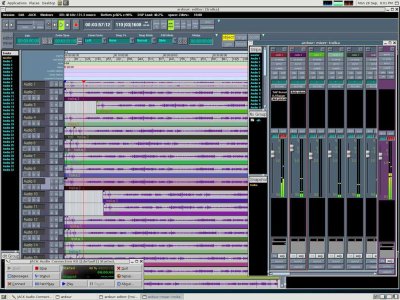 BIG
BIG
Gutsy's Theme
Viper 550
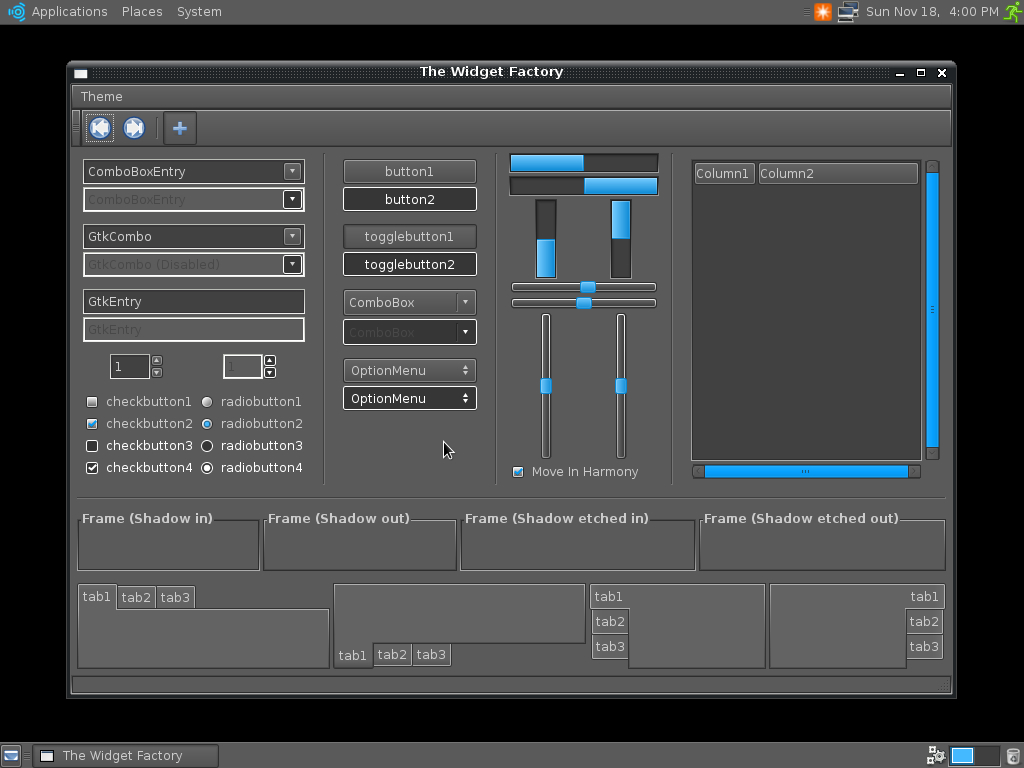
-
I used the Crux and Clearlooks engines for this, thinking Crux looked sorta like what you'd find in those media applications. Window border is temporary. -Viper550 Along with keeping in mind what "those media applications" look like one must keep in mind if it follows THIS. I'm unsure if it does. -CKontros
-
Along with keeping in mind what "those media applications" look like one must keep in mind if it follows THIS. I'm unsure if it does. -CKontros
Along with keeping in mind what "those media applications" look like one must keep in mind if it follows THIS. I'm unsure if it does. -CKontros
GTK/DIY Theme idea
How about extending the grungy/DIY concept to the GTK Theme? I've made a quick and dirty mockup, but since i'm no artist it doesn't look good; however, i'm sure you'll get the idea : 
I have no idea which engine could display that, but I think any engine capable of displaying SVG could do the trick. -nilux
Comments
I definitely like this idea. If no one else is taking it, I can make a good gtk2 theme out of it. Should I take it with the murrine engine? - SzerencseFia
- Just use the engine that fits best; you can try with murrine but i don't think it will work.. - Nilux
UbuntuStudio/Artwork/DIYConcept/Theme (last edited 2008-08-06 16:29:05 by localhost)
UbuntuStudio/Artwork/DIYConcept/UI - Ubuntu Wiki
Source: https://wiki.ubuntu.com/UbuntuStudio/Artwork/DIYConcept/UI
UI
In this section we're looking for simple UI change suggestions. ATM we're looking at moving to 1 panel across the top. It was suggested at one point that changing the default Ubuntu desktop layout would break documentation. Upon investigation the GNOME documentation allows for this with these disclaimers:
- "Your distribution of GNOME may have altered this default setup."
- "This chapter describes the default configuration of GNOME. Your vendor or system administrator may have configured your desktop to look different than what is described here."
"Your distribution of GNOME may have altered this default setup."
"This chapter describes the default configuration of GNOME. Your vendor or system administrator may have configured your desktop to look different than what is described here."
So here I'm thinking:
- Gnome Menu/Show Desktop/Window List/Notification Area/Clock/Quit for the items on a single panel across the top.
- Computer/Home/Trash icons on the desktop.
Gnome Menu/Show Desktop/Window List/Notification Area/Clock/Quit for the items on a single panel across the top.
Computer/Home/Trash icons on the desktop.

Discussion
- I use a two bar system, one hidden on the bottom used as an app launcher and one always visible on top customized exactally like you showed. Except with the system preformace widget but we don't really need that. However the launcher bar is nice. Especially because the small menu icon is sometimes hard to click. I would put up a pic but I'm not on my computer right now. - JamesSavage I agree, especially when using Brightside. Which would be handy to have installed by default, since workspace switching in Gnome is rather lacking. Also, It moves away from the Windows feel a little more and gives Gnome a bit more originality in terms of menus. (Toma-) Sorry guys. This isn't gonna happen. I should just lock this page as this setup in the pic above was really decided a release ago. Just never implemented. -CKontros
- Id like to see the Volume Manager applet enabled by default, as its quite handy when plugging USB backup drives and thumbdrives. (Toma-)
I use a two bar system, one hidden on the bottom used as an app launcher and one always visible on top customized exactally like you showed. Except with the system preformace widget but we don't really need that. However the launcher bar is nice. Especially because the small menu icon is sometimes hard to click. I would put up a pic but I'm not on my computer right now. - JamesSavage
-
I agree, especially when using Brightside. Which would be handy to have installed by default, since workspace switching in Gnome is rather lacking. Also, It moves away from the Windows feel a little more and gives Gnome a bit more originality in terms of menus. (Toma-) Sorry guys. This isn't gonna happen. I should just lock this page as this setup in the pic above was really decided a release ago. Just never implemented. -CKontros
-
Sorry guys. This isn't gonna happen. I should just lock this page as this setup in the pic above was really decided a release ago. Just never implemented. -CKontros
UbuntuStudio/Artwork/DIYConcept/UI (last edited 2008-08-06 16:40:01 by localhost)
UbuntuStudio/Artwork/DIYConcept/Usplash - Ubuntu Wiki
Source: https://wiki.ubuntu.com/UbuntuStudio/Artwork/DIYConcept/Usplash
Usplash
Keep in mind:
- Thumbnails should be no greater in height than 300px. Link to larger images.
- All submissions must fit the design direction as laid out HERE.
- Must use logo.
All submissions must fit the design direction as laid out HERE.
Simple Usplash, and an idea
 Just a simple usplash, I also have one that's more like the GDM theme I posted too:
  You can download them here, source is included with both. -Nysomin
UbuntuStudio/Artwork/DIYConcept/Usplash (last edited 2008-10-18 22:30:24 by ip70-190-45-215)
UbuntuStudio/Artwork/DIYConcept/Wallpaper - Ubuntu Wiki
Source: https://wiki.ubuntu.com/UbuntuStudio/Artwork/DIYConcept/Wallpaper
Wallpaper
Open to any suggestion.
- Thumbnails should be no greater in height than 300px. Link to larger images.
- Must be a .png or .svg @2560x1600.
- If it's a .svg it need only be a 16:10 aspect ratio.
- Tasteful branding is OK.
Marshall Cab
These are some ideas I've been tinkering with. Source is a photo of a Marshall Cabinet I took.  I think with this blue one I need to make the screen look more "photocopied".
Let your creativity fly
Basically an idea of a flying Ubuntu logo. (Could make an interesting screensaver for nostalgic purposes ;)) Check the link to browse the small pile of variations. Click Here -Toma-


More flight
Yet another variation. Bigger Version This one is terrible at small resolution as you dont get to see the pin stripes. (Yes the pin strip is buggy, its just a quick copy and paste.) The idea of contrast with the panel is what drove this one. Also deciding on scrapping the 'ubuntustudio' logo text. Anyway, try to use your imagination. -Toma-

black & white high contrast semi-faded
An experiment with the faded/washed out/grunge look. Intended for use with dark (black?) icon set.
See thread: http://ubuntuforums.org/showthread.php?t=560893&page=2&highlight=ubuntu+studio+wallpaper
If I can find a workflow that doesn't tax my computer so much I may make an improved version.
-Slogger-

full size: http://bayimg.com/pAIGKaabb
gray primer
Another experiment with a look similar to previous. May post some variations with more texture or different colors at some point.
new comment thread: http://ubuntuforums.org/showthread.php?p=3931327#post3931327
-Slogger-
full size: http://bayimg.com/oaIlhAABb
Dark Ubuntu

Full view: Click Here
-MadsRH-
Some grungy ideas
I've experimented a bit with vectorizing photos these days, so i thought i'd share


Feel free to grab the SVG versions to try them out as wallpaper, or to enhance my work (i used inkscape). I know they don't fit 4:3 screens, but i can address this issue, so contact me if you want me to do so - here for my contact info -- nilux
White Grunge
Here's an idea that I believe fits pretty well. Needs some work though. I'm sure some use will come out of this. -Nysomin  PNG | SVG
UbuntuStudio/Artwork/DIYConcept/Wallpaper (last edited 2008-10-19 21:01:45 by ip70-190-45-215)
UbuntuStudio/Artwork/DIYConcept/Website - Ubuntu Wiki
Source: https://wiki.ubuntu.com/UbuntuStudio/Artwork/DIYConcept/Website
Website
Open to any suggestion but must reflect final art and use Drupal.
Newlook

http://wstaw.org/images/free/2009/05/20/6802295cf95efc7707f6a6b6d4bdcb.png
UbuntuStudio/Artwork/DIYConcept/Website (last edited 2009-05-20 11:41:49 by yarpen)
UbuntuStudio/Artwork/IntrepidBrainstorm - Ubuntu Wiki
Source: https://wiki.ubuntu.com/UbuntuStudio/Artwork/IntrepidBrainstorm
IntrepidBrainstorm
A scratch page for Ubuntu Studio-Intrepid artwork ideas.
DIY/Grunge theme ideas
Grunge Theme Initial Mockup - http://members.iinet.net.au/~haste/e17/GrungeGTK.tar.gz (Not colourised)
-
Checkbox style from my Grunge theme, paint splat with check and cross glyph on it
-
Radio buttons along those lines.
-
Buttons could be glossy with scratches, and a Disabled button would have a cracked glass effect on it.
This looks good, but too much trashy, i think the idea behind the DIY Artwork is 'Alternative', not 'Gore' We should, also, try to respect the Ubuntustudio palette.
However, we have to decide now the priority for this new grungy UI : should we go ahead and provide this look'n'feel for 8.10, or should we start a team that will work on it and release it 'when it's done'?
I personally can help, as this inspires me and I have already done a few submissions (bottom of these pages : UbuntuStudio/Artwork/DIYConcept/Theme UbuntuStudio/Artwork/DIYConcept/Wallpaper -nilux
Personally, I think the theme you made is great, except
-
The UbuntuStudio color scheme!
-
Too drastic.
Such a huge change means people will like it or hate it. And then comes the usability issues...blood is hard to see if you use it as the close button huh? (Btw, blood is slightly less purple) Also like someone said, we want DIY, not gore . We would probably want a spray-paint, weathered down look. I'm working on the spray paint's realism now
--qinjuehang
The buttons...well, look sorta incomplete. It not just need to have subtle stripes, but a weathered, and maybe dusty look. Scratches need to be more obvious. Also, I wonder if its possible to make the texture tile instead of scale up when button size increases. And...it seemed to be very similar to one of the skins I used to use :). I think someone ported it to GTK for you?
A quick mockup to show what I mean here. It looks better at 50% zoom or less, I work at high resolutions and scale down normally but I forgot to this time. I don't know how to make scratches, but this would show what I mean.
--qinjuehang
Comments
Nice going so far guys. I'll be getting some items up next week or so (5/4th-10th/08 hopefully sooner) qinjuehang, Can you put up some of your wallpaper ideas? -Cory K.
Wallpaper
Btw, I think the idea of scratched buttons is great I haven't gone much further with my wallpaper, but I have quite a bit of free time everyday this month.
What I decide to do:
Re-do the spray-paint effect for the logo. Take a look (A quick experiment, comments? Gimp&Inkscape)
Make the floor concrete (I would probably take a photo of our park's ground, and Gimp it.) Improve the lighting.
Add a Specular/Reflection map for the logo (make it slightly reflective like most paints are)
And a bumpmap for the spraypaint.
I need as many ideas as I can get
--qinjuehang
*Update: I finished the logo here. Comments please .
I redid the logo yet again. Here Personally I prefer the previous one
And again. I think I overdid the effect previously. Here
Well I got a new rig that possibly fits into what Toma meant by high end...(9600gt anyone?)
Anyway, back on track, I guess its time to add another render. Comments please. Just a quick edit to show off the new logo. resolution sucks, but on the bright side, it took under 5 mins on my quad core
Here I'll be experimenting with DoF and camera angles.
-
- I still like the logo sprayed on the wall idea. I just think we need to move from the original room or add more detail. --Cory \m/ (P.S. clean up this page to only show latest ideas.) - Try letting the wall texture show through the paint a bit, so it looks like the paint really is on the wall. Something like what I did with the floor in this gimped photo -- AaronHaviland
-
Try letting the wall texture show through the paint a bit, so it looks like the paint really is on the wall. Something like what I did with the floor in this gimped photo -- AaronHaviland
Well, I guess this is a better angle? I'll be working on textures (detail, in other words) next. But I've got another astronomy competition, so I'll be busy these few days. Check out my new render Here By the way, does anyone have any idea on how to upload large images? Cuz my png is 7MB. *Note the black dot on the left is due to me accidentally clicking in Gimp when converting to PNG, I believe.
I decided that I'm done with the logo, and completely re-did the room. Or carpark, perhaps? You can take a quick look Here
Icons
I built this icon set from other artists' work (twisted and mangled some, left others alone - don't worry it's all GPL) and built it upon the Hardy Human icon set. It's not really designed as a DIY theme, but the vector graphics somewhat suit this idea/feel. It's nowhere near finished, and still contains many of the gnome default icons that I've yet to cover over, but I'd like to get some feedback on this. Is this an icon set that people feel would work with the proposed look? Here's the Icons
-Stochastic 8:26UTC/June19/2008
UbuntuStudio/Artwork/IntrepidBrainstorm (last edited 2008-10-12 18:38:07 by 75-138-183-147)
UbuntuStudio/Artwork/LogoRedesignV3 - Ubuntu Wiki
Source: https://wiki.ubuntu.com/UbuntuStudio/Artwork/LogoRedesignV3
LogoRedesignV3
This page is for ideas of the 3rd iteration of the Ubuntu Studio logo. Contents
Logo should:
- Use new Ubuntu font.
- Use white for the text and the "Ubuntu Studio Blue" (#009bf9) for the C.O.F.
Cory K.'s Ideas
This current quick mockup is based on the new Ubuntu proper logo. The kerning and height is slightly different than the font. (though, the C.O.F. feels a bit heavy)
I feel this is a sophisticated look in keeping with out past and the rest of the Ubuntu line.

Here's one with the tagline (it's use would depend on scale because as-is, it's a bit small), version # and a bit of pretty.

Scott L.'s Ideas


Brian David.'s Ideas
Logo and website layout idea. 
UbuntuStudio/Artwork/LogoRedesignV3 (last edited 2010-10-09 05:31:36 by c-24-12-9-154)
UbuntuStudio/Artwork/NewBrand - Ubuntu Wiki
Source: https://wiki.ubuntu.com/UbuntuStudio/Artwork/NewBrand
NewBrand
Organization -- Artwork -- (edit) Team Pages - Art Team Page - Website Team Page Ubuntu Studio Artwork - User Show Case - Official 13.10 S Art -- S blueprint - Official 14.04 T Art -- T blueprint - Official 16.04 T Art
New Branding
In March 2022 Ubuntu Studio announced a logo refresh, with the changes incorporated on the 22.04 LTS Beta image.
This refreshed logo is the current Ubuntu Studio logo direction and should be treated as the baseline for new branding work.
Typography and Color Palette
Typography
- Primary brand typeface: Ubuntu.
- Historical logo guidance in this wiki explicitly references using the Ubuntu font for Ubuntu Studio logo work.
Reference: LogoRedesignV3
Color Palette
The commonly referenced Ubuntu Studio palette in artwork/website docs is:
- Ubuntu Studio Blue (audio / primary):
#009BF9 - Ubuntu Studio Orange (graphics):
#E27D15 - Ubuntu Studio Purple (video):
#574BBC - Ubuntu Studio Red (photography):
#FF2D2D(with darker companion tones such as#AD1E1Eand#B11212)
Additional UI guidance in related docs also references dark grey and very light grey as neutral background/foreground support colors.
References:
Current localized artwork assets in this repository:
- UbuntuStudio-logo-2022_banner.png (standalone mark-only banner, no wordmark)
- UbuntuStudio-logo-2022_wordmark-horizontal.png (full horizontal wordmark)
- UbuntuStudio-logo-2022_RGB.png (legacy horizontal wordmark alias)
- UbuntuStudio-logo-2022_RGB_reverse.png (reverse for dark backgrounds)
- UbuntuStudio-logo-2022_stacked.png (stacked wordmark)
- UbuntuStudio-logo-2022_square.png (square variant)
- UbuntuStudio-icon-2022_RGB.png
Current mark-only banner preview:

Current horizontal wordmark preview:

Current stacked wordmark preview:

Clone from Git
Clone the current logos using:
git clone https://code.launchpad.net/~ubuntustudio-art/ubuntustudio-artwork/+git/current-standard
Clone past and current artwork using:
git clone https://code.launchpad.net/~ubuntustudio-art/ubuntustudio-artwork
CategoryUbuntuStudio CategoryUbuntuStudioArtwork
UbuntuStudio/Artwork/NewBrand (last edited 2022-08-17 21:10:54 by rcheesley)
UbuntuStudio/Artwork/Official1310 - Ubuntu Wiki
Source: https://wiki.ubuntu.com/UbuntuStudio/Artwork/Official1310
Official1310
Organization -- Artwork -- (edit) Team Pages - Art Team Page - Website Team Page Ubuntu Studio Artwork - User Show Case - Official 13.10 S Art -- S blueprint - Official 14.04 T Art -- T blueprint - Official 16.04 T Art
Title
Links
external link to ubuntustudio.org
internal ink to Ubuntu Studio Artwork on this wiki
bullets
-
bullets bullets bullets
-
bullets
-
bullets bullets
-
bullets
Table
| col 1, row 2 | etc.. |
simple table col 1, row 1
col 2
col 1, row 2
etc..
UbuntuStudio/Artwork/Official1310 (last edited 2013-05-17 01:55:05 by h-4-180)
UbuntuStudio/Artwork/Official1404 - Ubuntu Wiki
Source: https://wiki.ubuntu.com/UbuntuStudio/Artwork/Official1404
Official1404
Organization -- Artwork -- (edit) Team Pages - Art Team Page - Website Team Page Ubuntu Studio Artwork - User Show Case - Official 13.10 S Art -- S blueprint - Official 14.04 T Art -- T blueprint - Official 16.04 T Art
Official art for the Ubuntu Studio T 14.04 release
UbuntuStudio/Artwork/Official1404 (last edited 2013-05-17 01:55:19 by h-4-180)
UbuntuStudio/Artwork/OfficialFeisty - Ubuntu Wiki
Source: https://wiki.ubuntu.com/UbuntuStudio/Artwork/OfficialFeisty
OfficialFeisty
Organization -- Artwork -- (edit) Team Pages - Art Team Page - Website Team Page Ubuntu Studio Artwork - User Show Case - Official 13.10 S Art -- S blueprint - Official 14.04 T Art -- T blueprint - Official 16.04 T Art
This page reflects the current official Ubuntu Studio 7.04 artwork. If your a user who would like to post your art please do so in our User Art section.
Logo
 SVG: ubuntu_studio_final_logo.svg
Install Splash
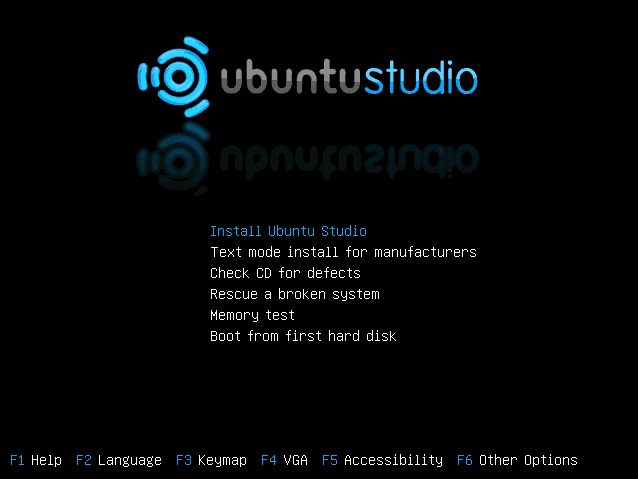
Usplash

GDM/Logon
Gnome-Splash

Wallpaper

Theme
Icons
Guidelines/Resources
This info is meant to guide users if they want to submit art to Ubuntu Studio as well as provide people with resources for Ubuntu Studio related projects.
Vector Logo
Colour Palette
Here are the palettes that can be used for GIMP (put in ~/.gimp-2.2/palettes/) and Inkscape (put in ~/.inkscape/palettes/). Tango-Palette.gpl
Design Rules
Please do not edit this page as it reflects solid info about the project. If you have questions please look HERE to contact us.
UbuntuStudio/Artwork/OfficialFeisty (last edited 2013-07-22 13:05:15 by h-4-180)
UbuntuStudio/Artwork/OfficialGutsy - Ubuntu Wiki
Source: https://wiki.ubuntu.com/UbuntuStudio/Artwork/OfficialGutsy
OfficialGutsy
This page reflects the current official Ubuntu Studio 7.10 artwork. If your a user who would like to post your art please do so in our User Art section.
Logo

Install Splash
Usplash
COMING SOON.
GDM/Logon
Wallpaper

Theme
Icons
Colour Palette
 Please do not edit this page as it reflects solid info about the project. If you have questions please look HERE to contact us.
UbuntuStudio/Artwork/OfficialGutsy (last edited 2008-08-06 16:15:14 by localhost)
UbuntuStudio/Artwork/OfficialHardy - Ubuntu Wiki
Source: https://wiki.ubuntu.com/UbuntuStudio/Artwork/OfficialHardy
OfficialHardy
This page reflects the current official Ubuntu Studio 8.04 artwork. If you are a user who would like to post your art please do so in our User Art section.
Logo

Install Splash
Usplash
 Logo fills from left to right to show progression. The Debian Usplash does this.
GDM/Logon
Wallpaper
Menu
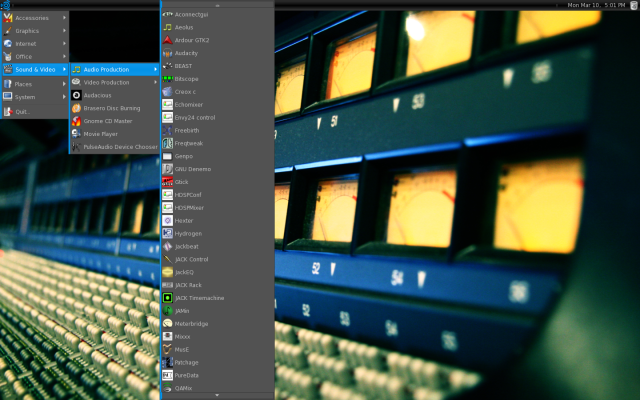
Theme
Icons
 BIG Pretty much the same set as always. Mimetype and app icons added. (Places Hidden)
Colour Palette
Please do not edit these pages as they reflect solid info about the project. If you have questions please look HERE to contact us.
UbuntuStudio/Artwork/OfficialHardy (last edited 2008-08-06 16:41:26 by localhost)
UbuntuStudio/Artwork/OfficialIntrepid - Ubuntu Wiki
Source: https://wiki.ubuntu.com/UbuntuStudio/Artwork/OfficialIntrepid
OfficialIntrepid
This page reflects the current official Ubuntu Studio 8.10 artwork. If your a user who would like to post your art please do so in our User Art section.
There is a scratch page for Intrepid artwork ideas HERE
Logo
Install Splash
Usplash
GDM/Logon
Wallpaper
Theme
Icons
Colour Palette
Please do not edit these pages as they reflect solid info about the project. If you have questions please look HERE to contact us.
UbuntuStudio/Artwork/OfficialIntrepid (last edited 2008-08-06 16:14:14 by localhost)
UbuntuStudio/Artwork/OfficialJammy - Ubuntu Wiki
Source: https://wiki.ubuntu.com/UbuntuStudio/Artwork/OfficialJammy
Official Jammy (22.04 LTS) Artwork
Historical artwork reference for the Jammy cycle.
Related pages:
UbuntuStudio/Artwork/OfficialLucid - Ubuntu Wiki
Source: https://wiki.ubuntu.com/UbuntuStudio/Artwork/OfficialLucid
OfficialLucid
This page reflects the current official Ubuntu Studio 10.04 artwork. If your a user who would like to post your art please do so in our User Art section.
Usplash
GDM/Logon
Wallpaper
Theme
Icons
Ubuntu studio 10.04 will see the introduction of the new 256x256px icons and a general cleanup of the icon set. 
Colour Palette
Please do not edit these pages as they reflect solid info about the project. If you have questions please look HERE to contact us.
UbuntuStudio/Artwork/OfficialLucid (last edited 2010-01-23 02:36:15 by ppp118-209-121-223)
UbuntuStudio/Artwork/OfficialNatty - Ubuntu Wiki
Source: https://wiki.ubuntu.com/UbuntuStudio/Artwork/OfficialNatty
Official Natty Artwork
Historical artwork reference for the Natty cycle.
Related pages:
UbuntuStudio/Artwork/OfficialOneiric - Ubuntu Wiki
Source: https://wiki.ubuntu.com/UbuntuStudio/Artwork/OfficialOneiric
OfficialOneiric
This page reflects the current developmental Ubuntu Studio 11.10 artwork. If you're a user who would like to post your art please do so in our User Art section. Please note that this release sees the project switching to XFCE so things here will be a little different.
Concept
Concept/Overarching thematic ideas. A "etched" look is what we're going for this release.
Example images: 

Apologies in advance if I'm submitting my comment in the wrong space/time in the development cycle. These are 3 EXCELLENT wallpapers. Any chance that they could be included in 12.04 or released as source files for users to modify? Thank you.
Logo
- Black or white text based on use.

Alt

Install Splash
Plymouth
LightDM
Wallpaper
- 2560x1600px is a must. PNG is preferred but JPG with no visual compression artifacts is acceptable.
- Image composition must work when used on a 4:3 (zoomed) setting where recognizable images are used. ie: Official logo. people cars, ect. Stuff people would notice looks odd out of aspect.
- Generally logo use on the wallpaper is discouraged but something tasteful will always be considered.
Generally logo use on the wallpaper is discouraged but something tasteful will always be considered.
Theme
Icons
UI Ideas
The plan is to 1st copy our GNOME layout using XFCE. Development will then continue with the "AWN Only" idea.
AWN Only (this will be short)
No panels or icons on the desktop. Just wallpaper and AWN. 
Guidelines/Resources
This info is meant to guide users if they want to submit art to Ubuntu Studio as well as provide people with resources for Ubuntu Studio related projects.
UbuntuStudio/Artwork/OfficialOneiric (last edited 2012-02-05 02:35:36 by c-67-183-113-221)
UbuntuStudio/Artwork/OfficialPrecise - Ubuntu Wiki
Source: https://wiki.ubuntu.com/UbuntuStudio/Artwork/OfficialPrecise
OfficialPrecise
New page for Ubuntu Studio Precise 12.04 art work.
UbuntuStudio/Artwork/OfficialPrecise (last edited 2012-03-23 12:01:19 by 17)
UbuntuStudio/Artwork/OfficialRaring - Ubuntu Wiki
Source: https://wiki.ubuntu.com/UbuntuStudio/Artwork/OfficialRaring
OfficialRaring
Organization -- Artwork -- (edit) Team Pages - Art Team Page - Website Team Page Ubuntu Studio Artwork - User Show Case - Official 13.10 S Art -- S blueprint - Official 14.04 T Art -- T blueprint - Official 16.04 T Art
Default Wallpaper
UbuntuStudio/Artwork/OfficialRaring (last edited 2013-06-30 18:44:17 by h-4-180)
UbuntuStudio/Artwork/OfficialXenial - Ubuntu Wiki
Source: https://wiki.ubuntu.com/UbuntuStudio/Artwork/OfficialXenial
OfficialXenial
Organization -- Artwork -- (edit) Team Pages - Art Team Page - Website Team Page Ubuntu Studio Artwork - User Show Case - Official 13.10 S Art -- S blueprint - Official 14.04 T Art -- T blueprint - Official 16.04 T Art
Road map
- Incorporate the CoF somehow
- A fairly dark and neutral background color.
- Visual elements from the kind of digital tools we provide, like sequencer graphics (not a real sequencer, but a simple design), 3D model fundamentals, a photograph, that sort of thing
Everyone could contribute with specific elements to the whole. Someone should be responsible for putting it all together, with feedback from others (zequence could do initial work for this, but then someone more suitable should finish it). --me?! --sakrecoer
Colors
About the colors
Audio
Video
Graphics
The colors in trunk are:
- blue for audio (our standard blue, used for our CoF) #009BF9
- orange for graphics #E27D15
- purple for video #574BBC
orange for graphics #E27D15
The logic behind the colors: Purple is a mix between red and blue, just as video is a mix of audio and graphics. If having the colors side by side, purple seems the best fit to have in the middle, considering the relationship between the colors. Blue to the left (which from a western POW is the start of a page).
Symbolics
About Symbols and icons
We have a set of icons, lets consolidate it. The trunk can be found here: https://code.launchpad.net/~ubuntustudio-dev/ubuntustudio-menu/trunk Audio
Video
Graphics
Check List
- Establish exact symbol for work-flow ( )
- Layout this wikipage ( )
- Establish default wallpaper ( )
- Consolidate trunk AKA Let's Do This:p ( )
Layout this wikipage ( )
Consolidate trunk AKA Let's Do This:p ( )
ongoing discussion (draft-source) https://lists.ubuntu.com/archives/ubuntu-studio-devel/2016-February/007436.html
resources:
- https://launchpad.net/ubuntustudio-icon-theme
- https://launchpad.net/ubuntustudio-look
- https://launchpad.net/usplash-theme-ubuntustudio
- https://launchpad.net/ubuntustudio-website
- https://launchpad.net/ubuntustudio-artwork
- https://launchpad.net/ubuntustudio-default-settings
- https://launchpad.net/ubuntustudio-menu
https://launchpad.net/ubuntustudio-icon-theme
https://launchpad.net/ubuntustudio-look
https://launchpad.net/usplash-theme-ubuntustudio
https://launchpad.net/ubuntustudio-website
https://launchpad.net/ubuntustudio-artwork
https://launchpad.net/ubuntustudio-default-settings
https://launchpad.net/ubuntustudio-menu
UbuntuStudio/Artwork/OfficialXenial (last edited 2016-03-31 18:23:21 by sakrecoer)
UbuntuStudio/Artwork/OneiricConcepts - Ubuntu Wiki
Source: https://wiki.ubuntu.com/UbuntuStudio/Artwork/OneiricConcepts
OneiricConcepts
This page reflects the current developmental concepts for Ubuntu Studio's 11.10 artwork.
[scott] I would still like to keep a dark UI theme going, it's kinda like a trademark...even if we go with XFCE. Lots of black with dark gray.
I would actually like to see a dark theme like this: http://ubuntu-art.org/content/show.php/Ambiance+dark?content=132875
And maybe use the Faenza icons: http://tiheum.deviantart.com/art/Faenza-Icons-173323228
I think the basis for the new overall theme might come from how different it seems that 11.10 will be. The differences look to be:
- using a new desktop environment, XFCE most likely
- rocking a new UI
- new kernel - snappier, -lowlatency (hopefully), can thread irq
- better support for user tasks (i.e. documented work flows)
- hopefully new website > [Jorge] New website/theme will be ready by then (and even a lot earlier)
- hopefully new documentation (or at least in process)
hopefully new website > [Jorge] New website/theme will be ready by then (and even a lot earlier)
The overarching theme might be "a new beginning" or "you thought you knew Ubuntu Studio" or similar. Somehow we need to mention the transition and the evolution/updating after a period of dormancy or stagnation.
UbuntuStudio/Artwork/OneiricConcepts (last edited 2011-04-13 05:23:43 by c-76-127-115-163)
UbuntuStudio/Artwork/RockTheme - Ubuntu Wiki
Source: https://wiki.ubuntu.com/UbuntuStudio/Artwork/RockTheme
RockTheme
/
Ubuntu Studio Rock Theme
Author: Kaj Ailomaa / zequence
License: Creative Commons Attribution-ShareAlike 2.5
Wallpaper


UbuntuStudio/Artwork/RockTheme (last edited 2013-03-11 00:57:36 by h-4-180)
UbuntuStudio/Artwork/SocialNetworksCreation - Ubuntu Wiki
Source: https://wiki.ubuntu.com/UbuntuStudio/Artwork/SocialNetworksCreation
Social Networks Creation
This page is the singular-name alias used by older links.
Use SocialNetworksCreations for the maintained content.
UbuntuStudio/Artwork/SocialNetworksCreations - Ubuntu Wiki
Source: https://wiki.ubuntu.com/UbuntuStudio/Artwork/SocialNetworksCreations
SocialNetworksCreations
/
June 2013 Artwork Banner
Author: madeinkobaia
License: Creative Commons BY-SA

May 2013 Artwork Banner
Author: madeinkobaia
License: Creative Commons BY-SA

UbuntuStudio/Artwork/SocialNetworksCreations (last edited 2013-06-30 16:25:00 by host-213-189-183-43)
UbuntuStudio/Artwork/UbuntuStudioIconSet - Ubuntu Wiki
Source: https://wiki.ubuntu.com/UbuntuStudio/Artwork/UbuntuStudioIconSet
UbuntuStudioIconSet
This set follows FreeDesktop naming specification. LINK | | | | --- | --- | | Final | Done. No changes needed | | Fix Me | Is mostly good. Just needs tweake | | Redo | Don't like the look. Do it again | | Needs Icon | No icon currently created. |
Status Key
Final
Done. No changes needed
Fix Me
Is mostly good. Just needs tweake
Redo
Don't like the look. Do it again
Needs Icon
No icon currently created.
Text that appears next to the Key will go here.
| Icon Name | Description | 16px | 22px | 24px | 32px | Scalable | Status | Notes |
| address-book-new | The icon used for the action to create a new address book. | address-book-new.svg | Test | Test | ||||
| application-exit | The icon used for exiting an application. Typically this is seen in the application's menus as File->Quit. | Test | Test | Test | Test | Test | Test | Test |
| appointment-new | The icon used for the action to create a new appointment in a calendaring application. | Test | Test | Test | Test | Test | Test | Test |
| contact-new | The icon used for the action to create a new contact in an address book application. | Test | Test | Test | Test | Test | Test | Test |
| dialog-cancel | The icon used for the “Cancel” button that might appear in dialog windows. | Test | Test | Test | Test | Test | Test | Test |
| dialog-close | The icon used for the “Close” button that might appear in dialog windows. | Test | Test | Test | Test | Test | Test | Test |
| dialog-ok | The icon used for the “OK” button that might appear in dialog windows. | Test | Test | Test | Test | Test | Test | Test |
| document-new | The icon used for the action to create a new document. | Test | Test | Test | Test | Test | Test | Test |
| document-open | The icon used for the action to open a document. | Test | Test | Test | Test | Test | Test | Test |
| document-open-recent | The icon used for the action to open a document that was recently opened. | Test | Test | Test | Test | Test | Test | Test |
| document-page-setup | The icon for the page setup action of a document editor. | Test | Test | Test | Test | Test | Test | Test |
| document-print | The icon for the print action of an application. | Test | Test | Test | Test | Test | Test | Test |
| document-print-preview | The icon for the print preview action of an application. | Test | Test | Test | Test | Test | Test | Test |
| document-properties | The icon for the action to view the properties of a document in an application. | Test | Test | Test | Test | Test | Test | Test |
| document-revert | The icon for the action of reverting to a previous version of a document. | Test | Test | Test | Test | Test | Test | Test |
| document-save | The icon for the save action. | Test | Test | Test | Test | Test | Test | Test |
| document-save-as | The icon for the save as action. | Test | Test | Test | Test | Test | Test | Test |
| edit-copy | The icon for the copy action. | Test | Test | Test | Test | Test | Test | Test |
| edit-cut | The icon for the cut action. | Test | Test | Test | Test | Test | Test | Test |
| edit-delete | The icon for the delete action. | Test | Test | Test | Test | Test | Test | Test |
| edit-find | The icon for the find action. | Test | Test | Test | Test | Test | Test | Test |
| edit-find-replace | The icon for the find and replace action. | Test | Test | Test | Test | Test | Test | Test |
| edit-paste | The icon for the paste action. | Test | Test | Test | Test | Test | Test | Test |
| edit-redo | The icon for the redo action. | Test | Test | Test | Test | Test | Test | Test |
| edit-select-all | The icon for the select all action. | Test | Test | Test | Test | Test | Test | Test |
| edit-undo | The icon for the undo action. | Test | Test | Test | Test | Test | Test | Test |
| folder-new | The icon for creating a new folder. | Test | Test | Test | Test | Test | Test | Test |
| format-indent-less | The icon for the decrease indent formatting action. | Test | Test | Test | Test | Test | Test | Test |
| format-indent-more | The icon for the increase indent formatting action. | Test | Test | Test | Test | Test | Test | Test |
| format-justify-center | The icon for the center justification formatting action. | Test | Test | Test | Test | Test | Test | Test |
| format-justify-fill | The icon for the fill justification formatting action. | Test | Test | Test | Test | Test | Test | Test |
| format-justify-left | The icon for the left justification formatting action. | Test | Test | Test | Test | Test | Test | Test |
| format-justify-right | The icon for the right justification action. | Test | Test | Test | Test | Test | Test | Test |
| format-text-direction-ltr | The icon for the left-to-right text formatting action. | Test | Test | Test | Test | Test | Test | Test |
| format-text-direction-rtl | The icon for the right-to-left formatting action. | Test | Test | Test | Test | Test | Test | Test |
| format-text-bold | The icon for the bold text formatting action. | Test | Test | Test | Test | Test | Test | Test |
| format-text-italic | The icon for the italic text formatting action. | Test | Test | Test | Test | Test | Test | Test |
| format-text-underline | The icon for the underlined text formatting action. | Test | Test | Test | Test | Test | Test | Test |
| format-text-strikethrough | The icon for the strikethrough text formatting action. | Test | Test | Test | Test | Test | Test | Test |
| go-bottom | The icon for the go to bottom of a list action. | Test | Test | Test | Test | Test | Test | Test |
| go-down | The icon for the go down in a list action. | Test | Test | Test | Test | Test | Test | Test |
| go-first | The icon for the go to the first item in a list action. | Test | Test | Test | Test | Test | Test | Test |
| go-home | The icon for the go to home location action. | Test | Test | Test | Test | Test | Test | Test |
| go-jump | The icon for the jump to action. | Test | Test | Test | Test | Test | Test | Test |
| go-last | The icon for the go to the last item in a list action. | Test | Test | Test | Test | Test | Test | Test |
| go-next | The icon for the go to the next item in a list action. | Test | Test | Test | Test | Test | Test | Test |
| go-previous | The icon for the go to the previous item in a list action. | Test | Test | Test | Test | Test | Test | |
| go-top | The icon for the go to the top of a list action. | Test | Test | Test | Test | Test | Test | Test |
| go-up | The icon for the go up in a list action. | Test | Test | Test | Test | Test | Test | Test |
| help-about | The icon for the About item in the Help menu. | Test | Test | Test | Test | Test | Test | Test |
| help-contents | The icon for Contents item in the Help menu. | Test | Test | Test | Test | Test | Test | Test |
| help-faq | The icon for the FAQ item in the Help menu. | Test | Test | Test | Test | Test | Test | Test |
| insert-image | The icon for the insert image action of an application. | Test | Test | Test | Test | Test | Test | Test |
| insert-link | The icon for the insert link action of an application. | Test | Test | Test | Test | Test | Test | Test |
| insert-object | The icon for the insert object action of an application. | Test | Test | Test | Test | Test | Test | Test |
| insert-text | The icon for the insert text action of an application. | Test | Test | Test | Test | Test | Test | Test |
| list-add | The icon for the add to list action. | Test | Test | Test | Test | Test | Test | Test |
| list-remove | The icon for the remove from list action. | Test | Test | Test | Test | Test | Test | Test |
| mail-forward | The icon for the forward action of an electronic mail application. | Test | Test | Test | Test | Test | Test | Test |
| mail-mark-important | The icon for the mark as important action of an electronic mail application. | Test | Test | Test | Test | Test | Test | Test |
| mail-mark-junk | The icon for the mark as junk action of an electronic mail application. | Test | Test | Test | Test | Test | Test | Test |
| mail-mark-notjunk | The icon for the mark as not junk action of an electronic mail application. | Test | Test | Test | Test | Test | Test | Test |
| mail-mark-read | The icon for the mark as read action of an electronic mail application. | Test | Test | Test | Test | Test | Test | Test |
| mail-mark-unread | The icon for the mark as unread action of an electronic mail application. | Test | Test | Test | Test | Test | Test | Test |
| mail-message-new | The icon for the compose new mail action of an electronic mail application. | Test | Test | Test | Test | Test | Test | Test |
| mail-reply-all | The icon for the reply to all action of an electronic mail application. | Test | Test | Test | Test | Test | Test | Test |
| mail-reply-sender | The icon for the reply to sender action of an electronic mail application. | Test | Test | Test | Test | Test | Test | Test |
| mail-send | The icon for the send action of an electronic mail application. | Test | Test | Test | Test | Test | Test | Test |
| mail-send-receive | The icon for the send and receive action of an electronic mail application. | Test | Test | Test | Test | Test | Test | Test |
| media-eject | The icon for the eject action of a media player or file manager. | Test | Test | Test | Test | Test | Test | Test |
| media-playback-pause | The icon for the pause action of a media player. | Test | Test | Test | Test | Test | Test | Test |
| media-playback-start | The icon for the start playback action of a media player. | Test | Test | Test | Test | Test | Test | Test |
| media-playback-stop | The icon for the stop action of a media player. | Test | Test | Test | Test | Test | Test | Test |
| media-record | The icon for the record action of a media application. | Test | Test | Test | Test | Test | Test | Test |
| media-seek-backward | The icon for the seek backward action of a media player. | Test | Test | Test | Test | Test | Test | Test |
| media-seek-forward | The icon for the seek forward action of a media player. | Test | Test | Test | Test | Test | Test | Test |
| media-skip-backward | The icon for the skip backward action of a media player. | Test | Test | Test | Test | Test | Test | Test |
| media-skip-forward | The icon for the skip forward action of a media player. | Test | Test | Test | Test | Test | Test | Test |
| object-flip-horizontal | The icon for the action to flip an object horizontally. | Test | Test | Test | Test | Test | Test | Test |
| object-flip-vertical | The icon for the action to flip an object vertically. | Test | Test | Test | Test | Test | Test | Test |
| object-rotate-left | The icon for the rotate left action performed on an object. | Test | Test | Test | Test | Test | Test | Test |
| object-rotate-right | The icon for the rotate rigt action performed on an object. | Test | Test | Test | Test | Test | Test | Test |
| system-lock-screen | The icon used for the “Lock Screen” item in the desktop's panel application. | Test | Test | Test | Test | Test | Test | Test |
| system-log-out | The icon used for the “Log Out” item in the desktop's panel application. | Test | Test | Test | Test | Test | Test | Test |
| system-run | The icon used for the “Run Application...” item in the desktop's panel application. | Test | Test | Test | Test | Test | Test | Test |
| system-search | The icon used for the “Search” item in the desktop's panel application. | Test | Test | Test | Test | Test | Test | Test |
| tools-check-spelling | The icon used for the “Check Spelling” item in the application's “Tools” menu. | Test | Test | Test | Test | Test | Test | Test |
| view-fullscreen | The icon used for the “Fullscreen” item in the application's “View” menu. | Test | Test | Test | Test | Test | Test | Test |
| view-refresh | The icon used for the “Refresh” item in the application's “View” menu. | Test | Test | Test | Test | Test | Test | Test |
| view-restore | The icon used by an application for leaving the fullscreen view, and returning to a normal windowed view. | Test | Test | Test | Test | Test | Test | Test |
| view-sort-ascending | The icon used for the “Sort Ascending” item in the application's “View” menu, or in a button for changing the sort method for a list. | Test | Test | Test | Test | Test | Test | Test |
| view-sort-descending | The icon used for the “Sort Descending” item in the application's “View” menu, or in a button for changing the sort method for a list. | Test | Test | Test | Test | Test | Test | Test |
| window-close | The icon used for the “Close Window” item in the application's “Windows” menu. | Test | Test | Test | Test | Test | Test | Test |
| window-new | The icon used for the “New Window” item in the application's “Windows” menu. | Test | Test | Test | Test | Test | Test | Test |
| zoom-best-fit | The icon used for the “Best Fit” item in the application's “View” menu. | Test | Test | Test | Test | Test | Test | Test |
| zoom-in | The icon used for the “Zoom in” item in the application's “View” menu. | Test | Test | Test | Test | Test | Test | Test |
| zoom-original | The icon used for the “Original Size” item in the application's “View” menu. | Test | Test | Test | Test | Test | Test | Test |
| zoom-out | The icon used for the “Zoom Out” item in the application's “View” menu. | Test | Test | Test | Test | Test | Test | Test |
Actions (actions)
Icon Name
Description
16px
22px
24px
32px
Scalable
Status
Notes
address-book-new
The icon used for the action to create a new address book.


Test
Test
application-exit
The icon used for exiting an application. Typically this is seen in the application's menus as File->Quit.
Test
Test
Test
Test
Test
Test
Test
appointment-new
The icon used for the action to create a new appointment in a calendaring application.
Test
Test
Test
Test
Test
Test
Test
contact-new
The icon used for the action to create a new contact in an address book application.
Test
Test
Test
Test
Test
Test
Test
dialog-cancel
The icon used for the “Cancel” button that might appear in dialog windows.
Test
Test
Test
Test
Test
Test
Test
dialog-close
The icon used for the “Close” button that might appear in dialog windows.
Test
Test
Test
Test
Test
Test
Test
dialog-ok
The icon used for the “OK” button that might appear in dialog windows.
Test
Test
Test
Test
Test
Test
Test
document-new
The icon used for the action to create a new document.
Test
Test
Test
Test
Test
Test
Test
document-open
The icon used for the action to open a document.
Test
Test
Test
Test
Test
Test
Test
document-open-recent
The icon used for the action to open a document that was recently opened.
Test
Test
Test
Test
Test
Test
Test
document-page-setup
The icon for the page setup action of a document editor.
Test
Test
Test
Test
Test
Test
Test
document-print
The icon for the print action of an application.
Test
Test
Test
Test
Test
Test
Test
document-print-preview
The icon for the print preview action of an application.
Test
Test
Test
Test
Test
Test
Test
document-properties
The icon for the action to view the properties of a document in an application.
Test
Test
Test
Test
Test
Test
Test
document-revert
The icon for the action of reverting to a previous version of a document.
Test
Test
Test
Test
Test
Test
Test
document-save
The icon for the save action.
Test
Test
Test
Test
Test
Test
Test
document-save-as
The icon for the save as action.
Test
Test
Test
Test
Test
Test
Test
edit-copy
The icon for the copy action.
Test
Test
Test
Test
Test
Test
Test
edit-cut
The icon for the cut action.
Test
Test
Test
Test
Test
Test
Test
edit-delete
The icon for the delete action.
Test
Test
Test
Test
Test
Test
Test
edit-find
The icon for the find action.
Test
Test
Test
Test
Test
Test
Test
edit-find-replace
The icon for the find and replace action.
Test
Test
Test
Test
Test
Test
Test
edit-paste
The icon for the paste action.
Test
Test
Test
Test
Test
Test
Test
edit-redo
The icon for the redo action.
Test
Test
Test
Test
Test
Test
Test
edit-select-all
The icon for the select all action.
Test
Test
Test
Test
Test
Test
Test
edit-undo
The icon for the undo action.
Test
Test
Test
Test
Test
Test
Test
folder-new
The icon for creating a new folder.
Test
Test
Test
Test
Test
Test
Test
format-indent-less
The icon for the decrease indent formatting action.
Test
Test
Test
Test
Test
Test
Test
format-indent-more
The icon for the increase indent formatting action.
Test
Test
Test
Test
Test
Test
Test
format-justify-center
The icon for the center justification formatting action.
Test
Test
Test
Test
Test
Test
Test
format-justify-fill
The icon for the fill justification formatting action.
Test
Test
Test
Test
Test
Test
Test
format-justify-left
The icon for the left justification formatting action.
Test
Test
Test
Test
Test
Test
Test
format-justify-right
The icon for the right justification action.
Test
Test
Test
Test
Test
Test
Test
format-text-direction-ltr
The icon for the left-to-right text formatting action.
Test
Test
Test
Test
Test
Test
Test
format-text-direction-rtl
The icon for the right-to-left formatting action.
Test
Test
Test
Test
Test
Test
Test
format-text-bold
The icon for the bold text formatting action.
Test
Test
Test
Test
Test
Test
Test
format-text-italic
The icon for the italic text formatting action.
Test
Test
Test
Test
Test
Test
Test
format-text-underline
The icon for the underlined text formatting action.
Test
Test
Test
Test
Test
Test
Test
format-text-strikethrough
The icon for the strikethrough text formatting action.
Test
Test
Test
Test
Test
Test
Test
go-bottom
The icon for the go to bottom of a list action.
Test
Test
Test
Test
Test
Test
Test
go-down
The icon for the go down in a list action.
Test
Test
Test
Test
Test
Test
Test
go-first
The icon for the go to the first item in a list action.
Test
Test
Test
Test
Test
Test
Test
go-home
The icon for the go to home location action.
Test
Test
Test
Test
Test
Test
Test
go-jump
The icon for the jump to action.
Test
Test
Test
Test
Test
Test
Test
go-last
The icon for the go to the last item in a list action.
Test
Test
Test
Test
Test
Test
Test
go-next
The icon for the go to the next item in a list action.
Test
Test
Test
Test
Test
Test
Test
go-previous
The icon for the go to the previous item in a list action.
Test
Test
Test
Test
Test
Test
go-top
The icon for the go to the top of a list action.
Test
Test
Test
Test
Test
Test
Test
go-up
The icon for the go up in a list action.
Test
Test
Test
Test
Test
Test
Test
help-about
The icon for the About item in the Help menu.
Test
Test
Test
Test
Test
Test
Test
help-contents
The icon for Contents item in the Help menu.
Test
Test
Test
Test
Test
Test
Test
help-faq
The icon for the FAQ item in the Help menu.
Test
Test
Test
Test
Test
Test
Test
insert-image
The icon for the insert image action of an application.
Test
Test
Test
Test
Test
Test
Test
insert-link
The icon for the insert link action of an application.
Test
Test
Test
Test
Test
Test
Test
insert-object
The icon for the insert object action of an application.
Test
Test
Test
Test
Test
Test
Test
insert-text
The icon for the insert text action of an application.
Test
Test
Test
Test
Test
Test
Test
list-add
The icon for the add to list action.
Test
Test
Test
Test
Test
Test
Test
list-remove
The icon for the remove from list action.
Test
Test
Test
Test
Test
Test
Test
mail-forward
The icon for the forward action of an electronic mail application.
Test
Test
Test
Test
Test
Test
Test
mail-mark-important
The icon for the mark as important action of an electronic mail application.
Test
Test
Test
Test
Test
Test
Test
mail-mark-junk
The icon for the mark as junk action of an electronic mail application.
Test
Test
Test
Test
Test
Test
Test
mail-mark-notjunk
The icon for the mark as not junk action of an electronic mail application.
Test
Test
Test
Test
Test
Test
Test
mail-mark-read
The icon for the mark as read action of an electronic mail application.
Test
Test
Test
Test
Test
Test
Test
mail-mark-unread
The icon for the mark as unread action of an electronic mail application.
Test
Test
Test
Test
Test
Test
Test
mail-message-new
The icon for the compose new mail action of an electronic mail application.
Test
Test
Test
Test
Test
Test
Test
mail-reply-all
The icon for the reply to all action of an electronic mail application.
Test
Test
Test
Test
Test
Test
Test
mail-reply-sender
The icon for the reply to sender action of an electronic mail application.
Test
Test
Test
Test
Test
Test
Test
mail-send
The icon for the send action of an electronic mail application.
Test
Test
Test
Test
Test
Test
Test
mail-send-receive
The icon for the send and receive action of an electronic mail application.
Test
Test
Test
Test
Test
Test
Test
media-eject
The icon for the eject action of a media player or file manager.
Test
Test
Test
Test
Test
Test
Test
media-playback-pause
The icon for the pause action of a media player.
Test
Test
Test
Test
Test
Test
Test
media-playback-start
The icon for the start playback action of a media player.
Test
Test
Test
Test
Test
Test
Test
media-playback-stop
The icon for the stop action of a media player.
Test
Test
Test
Test
Test
Test
Test
media-record
The icon for the record action of a media application.
Test
Test
Test
Test
Test
Test
Test
media-seek-backward
The icon for the seek backward action of a media player.
Test
Test
Test
Test
Test
Test
Test
media-seek-forward
The icon for the seek forward action of a media player.
Test
Test
Test
Test
Test
Test
Test
media-skip-backward
The icon for the skip backward action of a media player.
Test
Test
Test
Test
Test
Test
Test
media-skip-forward
The icon for the skip forward action of a media player.
Test
Test
Test
Test
Test
Test
Test
object-flip-horizontal
The icon for the action to flip an object horizontally.
Test
Test
Test
Test
Test
Test
Test
object-flip-vertical
The icon for the action to flip an object vertically.
Test
Test
Test
Test
Test
Test
Test
object-rotate-left
The icon for the rotate left action performed on an object.
Test
Test
Test
Test
Test
Test
Test
object-rotate-right
The icon for the rotate rigt action performed on an object.
Test
Test
Test
Test
Test
Test
Test
system-lock-screen
The icon used for the “Lock Screen” item in the desktop's panel application.
Test
Test
Test
Test
Test
Test
Test
system-log-out
The icon used for the “Log Out” item in the desktop's panel application.
Test
Test
Test
Test
Test
Test
Test
system-run
The icon used for the “Run Application...” item in the desktop's panel application.
Test
Test
Test
Test
Test
Test
Test
system-search
The icon used for the “Search” item in the desktop's panel application.
Test
Test
Test
Test
Test
Test
Test
tools-check-spelling
The icon used for the “Check Spelling” item in the application's “Tools” menu.
Test
Test
Test
Test
Test
Test
Test
view-fullscreen
The icon used for the “Fullscreen” item in the application's “View” menu.
Test
Test
Test
Test
Test
Test
Test
view-refresh
The icon used for the “Refresh” item in the application's “View” menu.
Test
Test
Test
Test
Test
Test
Test
view-restore
The icon used by an application for leaving the fullscreen view, and returning to a normal windowed view.
Test
Test
Test
Test
Test
Test
Test
view-sort-ascending
The icon used for the “Sort Ascending” item in the application's “View” menu, or in a button for changing the sort method for a list.
Test
Test
Test
Test
Test
Test
Test
view-sort-descending
The icon used for the “Sort Descending” item in the application's “View” menu, or in a button for changing the sort method for a list.
Test
Test
Test
Test
Test
Test
Test
window-close
The icon used for the “Close Window” item in the application's “Windows” menu.
Test
Test
Test
Test
Test
Test
Test
window-new
The icon used for the “New Window” item in the application's “Windows” menu.
Test
Test
Test
Test
Test
Test
Test
zoom-best-fit
The icon used for the “Best Fit” item in the application's “View” menu.
Test
Test
Test
Test
Test
Test
Test
zoom-in
The icon used for the “Zoom in” item in the application's “View” menu.
Test
Test
Test
Test
Test
Test
Test
zoom-original
The icon used for the “Original Size” item in the application's “View” menu.
Test
Test
Test
Test
Test
Test
Test
zoom-out
The icon used for the “Zoom Out” item in the application's “View” menu.
Test
Test
Test
Test
Test
Test
Test | Icon Name | Description | Current Icon | New Icon | | process-working | This is the standard spinner animation for web browsers and file managers to show that the location is loading. This image should be a multi-frame PNG with the frames as the size that the directory containing the image, is specified to be in. The first frame of the animation should be used for the resting state of the animation. | Test | Test |
Animations (animations)
Icon Name
Description
Current Icon
New Icon
process-working
This is the standard spinner animation for web browsers and file managers to show that the location is loading. This image should be a multi-frame PNG with the frames as the size that the directory containing the image, is specified to be in. The first frame of the animation should be used for the resting state of the animation.
Test
Test | | | | | | --- | --- | --- | --- | | Icon Name | Description | Current Icon | New Icon | | accessories-calculator | The icon used for the desktop's calculator accessory program. | Test | Test | | accessories-character-map | The icon used for the desktop's international and extended text character accessory program. | Test | Test | | accessories-dictionary | The icon used for the desktop's dictionary accessory program. | Test | Test | | accessories-text-editor | The icon used for the desktop's text editing accessory program. | Test | Test | | help-browser | The icon used for the desktop's help browsing application. | Test | Test | | multimedia-volume-control | The icon used for the desktop's hardware volume control application. | Test | Test | | preferences-desktop-accessibility | The icon used for the desktop's accessibility preferences. | Test | Test | | preferences-desktop-font | The icon used for the desktop's font preferences. | Test | Test | | preferences-desktop-keyboard | The icon used for the desktop's keyboard preferences. | Test | Test | | preferences-desktop-locale | The icon used for the desktop's locale preferences. | Test | Test | | preferences-desktop-multimedia | The icon used for the desktop's multimedia preferences. | Test | Test | | preferences-desktop-screensaver | The icon used for the desktop's screen saving preferences. | Test | Test | | preferences-desktop-theme | The icon used for the desktop's theme preferences. | Test | Test | | preferences-desktop-wallpaper | The icon used for the desktop's wallpaper preferences. | Test | Test | | system-file-manager | The icon used for the desktop's file management application. | Test | Test | | system-software-update | The icon used for the desktop's software updating application. | Test | Test | | utilities-system-monitor | The icon used for the desktop's system resource monitor application. | Test | Test | | utilities-terminal | The icon used for the desktop's terminal emulation application. | Test | Test |
Applications (apps)
Icon Name
Description
Current Icon
New Icon
accessories-calculator
The icon used for the desktop's calculator accessory program.
Test
Test
accessories-character-map
The icon used for the desktop's international and extended text character accessory program.
Test
Test
accessories-dictionary
The icon used for the desktop's dictionary accessory program.
Test
Test
accessories-text-editor
The icon used for the desktop's text editing accessory program.
Test
Test
help-browser
The icon used for the desktop's help browsing application.
Test
Test
multimedia-volume-control
The icon used for the desktop's hardware volume control application.
Test
Test
preferences-desktop-accessibility
The icon used for the desktop's accessibility preferences.
Test
Test
preferences-desktop-font
The icon used for the desktop's font preferences.
Test
Test
preferences-desktop-keyboard
The icon used for the desktop's keyboard preferences.
Test
Test
preferences-desktop-locale
The icon used for the desktop's locale preferences.
Test
Test
preferences-desktop-multimedia
The icon used for the desktop's multimedia preferences.
Test
Test
preferences-desktop-screensaver
The icon used for the desktop's screen saving preferences.
Test
Test
preferences-desktop-theme
The icon used for the desktop's theme preferences.
Test
Test
preferences-desktop-wallpaper
The icon used for the desktop's wallpaper preferences.
Test
Test
system-file-manager
The icon used for the desktop's file management application.
Test
Test
system-software-update
The icon used for the desktop's software updating application.
Test
Test
utilities-system-monitor
The icon used for the desktop's system resource monitor application.
Test
Test
utilities-terminal
The icon used for the desktop's terminal emulation application.
Test
Test | | | | | | --- | --- | --- | --- | | Icon Name | Description | Current Icon | New Icon | | applications-accessories | The icon for the “Accessories” sub-menu of the Programs menu. | Test | Test | | applications-development | The icon for the “Programming” sub-menu of the Programs menu. | Test | Test | | applications-engineering | The icon for the “Engineering” sub-menu of the Programs menu. | Test | Test | | applications-games | The icon for the “Games” sub-menu of the Programs menu. | Test | Test | | applications-graphics | The icon for the “Graphics” sub-menu of the Programs menu. | Test | Test | | applications-internet | The icon for the “Internet” sub-menu of the Programs menu. | Test | Test | | applications-multimedia | The icon for the “Multimedia” sub-menu of the Programs menu. | Test | Test | | applications-office | The icon for the “Office” sub-menu of the Programs menu. | Test | Test | | applications-other | The icon for the “Other” sub-menu of the Programs menu. | Test | Test | | applications-science | The icon for the “Science” sub-menu of the Programs menu. | Test | Test | | applications-system | The icon for the “System Tools” sub-menu of the Programs menu. | Test | Test | | applications-utilities | The icon for the “Utilities” sub-menu of the Programs menu. | Test | Test | | preferences-desktop | The icon for the “Desktop Preferences” category. | Test | Test | | preferences-desktop-peripherals | The icon for the “Peripherals” sub-category of the “Desktop Preferences” category. | Test | Test | | preferences-desktop-personal | The icon for the “Personal” sub-category of the “Desktop Preferences” category. | Test | Test | | preferences-other | The icon for the “Other” preferences category. | Test | Test | | preferences-system | The icon for the “System Preferences” category. | Test | Test | | preferences-system-network | The icon for the “Network” sub-category of the “System Preferences” category. | Test | Test | | system-help | The icon for the “Help” system category. | Test | Test |
Categories (categories)
Icon Name
Description
Current Icon
New Icon
applications-accessories
The icon for the “Accessories” sub-menu of the Programs menu.
Test
Test
applications-development
The icon for the “Programming” sub-menu of the Programs menu.
Test
Test
applications-engineering
The icon for the “Engineering” sub-menu of the Programs menu.
Test
Test
applications-games
The icon for the “Games” sub-menu of the Programs menu.
Test
Test
applications-graphics
The icon for the “Graphics” sub-menu of the Programs menu.
Test
Test
applications-internet
The icon for the “Internet” sub-menu of the Programs menu.
Test
Test
applications-multimedia
The icon for the “Multimedia” sub-menu of the Programs menu.
Test
Test
applications-office
The icon for the “Office” sub-menu of the Programs menu.
Test
Test
applications-other
The icon for the “Other” sub-menu of the Programs menu.
Test
Test
applications-science
The icon for the “Science” sub-menu of the Programs menu.
Test
Test
applications-system
The icon for the “System Tools” sub-menu of the Programs menu.
Test
Test
applications-utilities
The icon for the “Utilities” sub-menu of the Programs menu.
Test
Test
preferences-desktop
The icon for the “Desktop Preferences” category.
Test
Test
preferences-desktop-peripherals
The icon for the “Peripherals” sub-category of the “Desktop Preferences” category.
Test
Test
preferences-desktop-personal
The icon for the “Personal” sub-category of the “Desktop Preferences” category.
Test
Test
preferences-other
The icon for the “Other” preferences category.
Test
Test
preferences-system
The icon for the “System Preferences” category.
Test
Test
preferences-system-network
The icon for the “Network” sub-category of the “System Preferences” category.
Test
Test
system-help
The icon for the “Help” system category.
Test
Test | | | | | | --- | --- | --- | --- | | Icon Name | Description | Current Icon | New Icon | | audio-card | The icon used for the audio rendering device. | Test | Test | | audio-input-microphone | The icon used for the microphone audio input device. | Test | Test | | battery | The icon used for the system battery device. | Test | Test | | camera-photo | The icon used for a digital still camera devices. | Test | Test | | camera-video | The icon used for a video or web camera. | Test | Test | | computer | The icon used for the computing device as a whole. | Test | Test | | drive-harddisk | The icon used for hard disk drives. | Test | Test | | drive-optical | The icon used for optical media drives such as CD and DVD. | Test | Test | | drive-removable-media | The icon used for removable media drives. | Test | Test | | input-gaming | The icon used for the gaming input device. | Test | Test | | input-keyboard | The icon used for the keyboard input device. | Test | Test | | input-mouse | The icon used for the mousing input device. | Test | Test | | media-flash | The icon used for generic physical CD and DVD media. | Test | Test | | media-floppy | The icon used for physical floppy disk media. | Test | Test | | media-optical | The icon used for physical optical media such as CD and DVD. | Test | Test | | media-tape | The icon used for generic physical tape media. | Test | Test | | modem | The icon used for modem devices. | Test | Test | | multimedia-player | The icon used for generic multimedia playing devices. | Test | Test | | network-wired | The icon used for wired network connections. | Test | Test | | network-wireless | The icon used for wireless network connections. | Test | Test | | printer | The icon used for a printer which is connected locally. | Test | Test | | video-display | The icon used for the monitor that video gets displayed to. | Test | Test |
Devices (devices)
Icon Name
Description
Current Icon
New Icon
audio-card
The icon used for the audio rendering device.
Test
Test
audio-input-microphone
The icon used for the microphone audio input device.
Test
Test
battery
The icon used for the system battery device.
Test
Test
camera-photo
The icon used for a digital still camera devices.
Test
Test
camera-video
The icon used for a video or web camera.
Test
Test
computer
The icon used for the computing device as a whole.
Test
Test
drive-harddisk
The icon used for hard disk drives.
Test
Test
drive-optical
The icon used for optical media drives such as CD and DVD.
Test
Test
drive-removable-media
The icon used for removable media drives.
Test
Test
input-gaming
The icon used for the gaming input device.
Test
Test
input-keyboard
The icon used for the keyboard input device.
Test
Test
input-mouse
The icon used for the mousing input device.
Test
Test
media-flash
The icon used for generic physical CD and DVD media.
Test
Test
media-floppy
The icon used for physical floppy disk media.
Test
Test
media-optical
The icon used for physical optical media such as CD and DVD.
Test
Test
media-tape
The icon used for generic physical tape media.
Test
Test
modem
The icon used for modem devices.
Test
Test
multimedia-player
The icon used for generic multimedia playing devices.
Test
Test
network-wired
The icon used for wired network connections.
Test
Test
network-wireless
The icon used for wireless network connections.
Test
Test
printer
The icon used for a printer which is connected locally.
Test
Test
video-display
The icon used for the monitor that video gets displayed to.
Test
Test | | | | | | --- | --- | --- | --- | | Icon Name | Description | Current Icon | New Icon | | emblem-default | The icon used as an emblem to specify the default selection of a printer for example. | Test | Test | | emblem-documents | The icon used as an emblem for the directory where a user's documents are stored. | Test | Test | | emblem-downloads | The icon used as an emblem for the directory where a user's downloads from the internet are stored. | Test | Test | | emblem-favorite | The icon used as an emblem for files and directories that the user marks as favorites. | Test | Test | | emblem-important | The icon used as an emblem for files and directories that are marked as important by the user. | Test | Test | | emblem-mail | The icon used as an emblem to specify the directory where the user's electronic mail is stored. | Test | Test | | emblem-photos | The icon used as an emblem to specify the directory where the user stores photographs. | Test | Test | | emblem-readonly | The icon used as an emblem for files and directories which can not be written to by the user. | Test | Test | | emblem-shared | The icon used as an emblem for files and directories that are shared to other users. | Test | Test | | emblem-symbolic-link | The icon used as an emblem for files and direcotires that are links to other files or directories on the filesystem. | Test | Test | | emblem-synchronized | The icon used as an emblem for files or directories that are configured to be synchronized to another device. | Test | Test | | emblem-system | The icon used as an emblem for directories that contain system libraries, settings, and data. | Test | Test | | emblem-unreadable | The icon used as an emblem for files and directories that are inaccessible. | Test | Test |
Emblems (emblems)
Icon Name
Description
Current Icon
New Icon
emblem-default
The icon used as an emblem to specify the default selection of a printer for example.
Test
Test
emblem-documents
The icon used as an emblem for the directory where a user's documents are stored.
Test
Test
emblem-downloads
The icon used as an emblem for the directory where a user's downloads from the internet are stored.
Test
Test
emblem-favorite
The icon used as an emblem for files and directories that the user marks as favorites.
Test
Test
emblem-important
The icon used as an emblem for files and directories that are marked as important by the user.
Test
Test
emblem-mail
The icon used as an emblem to specify the directory where the user's electronic mail is stored.
Test
Test
emblem-photos
The icon used as an emblem to specify the directory where the user stores photographs.
Test
Test
emblem-readonly
The icon used as an emblem for files and directories which can not be written to by the user.
Test
Test
emblem-shared
The icon used as an emblem for files and directories that are shared to other users.
Test
Test
emblem-symbolic-link
The icon used as an emblem for files and direcotires that are links to other files or directories on the filesystem.
Test
Test
emblem-synchronized
The icon used as an emblem for files or directories that are configured to be synchronized to another device.
Test
Test
emblem-system
The icon used as an emblem for directories that contain system libraries, settings, and data.
Test
Test
emblem-unreadable
The icon used as an emblem for files and directories that are inaccessible.
Test
Test | Icon Name | Description | Current Icon | New Icon | | --- | --- | --- | --- | | face-angel | The icon used for the 0:-) emote. | Test | Test | | face-crying | The icon used for the :'( emote. | Test | Test | | face-devil-grin | The icon used for the >:-) emote. | Test | Test | | face-devil-sad | The icon used for the >:-( emote. | Test | Test | | face-glasses | The icon used for the emote. | Test | Test | | face-kiss | The icon used for the :-* emote. | Test | Test | | face-monkey | The icon used for the :-(|) emote. | Test | Test | | face-plain | The icon used for the :-| emote. | Test | Test | | face-sad | The icon used for the emote. | Test | Test | | face-smile | The icon used for the emote. | Test | Test | | face-smile-big | The icon used for the :-D emote. | Test | Test | | face-smirk | The icon used for the :-! emote. | Test | Test | | face-surprise | The icon used for the :-0 emote. | Test | Test | | face-wink | The icon used for the emote. | Test | Test |
Emotes (emotes)
Icon Name
Description
Current Icon
New Icon
face-angel
The icon used for the 0:-) emote.
Test
Test
face-crying
The icon used for the :'( emote.
Test
Test
face-devil-grin
The icon used for the >:-) emote.
Test
Test
face-devil-sad
The icon used for the >:-( emote.
Test
Test
face-glasses
The icon used for the  emote.
Test
Test
face-kiss
The icon used for the :-* emote.
Test
Test
face-monkey
The icon used for the :-(|) emote.
Test
Test
face-plain
The icon used for the :-| emote.
Test
Test
face-sad
The icon used for the  emote.
Test
Test
face-smile
The icon used for the emote.
Test
Test
face-smile-big
The icon used for the :-D emote.
Test
Test
face-smirk
The icon used for the :-! emote.
Test
Test
face-surprise
The icon used for the :-0 emote.
Test
Test
face-wink
The icon used for the emote.
Test
Test | Icon Name | Description | Current Icon | New Icon | | flag-aa | The flag for the country with the ISO 3166 country code AA. All flags should use ISO 3166 two-letter country codes, in lowercase form, as the specifier for the country. | Test | Test |
International (intl)
Icon Name
Description
Current Icon
New Icon
flag-aa
The flag for the country with the ISO 3166 country code AA. All flags should use ISO 3166 two-letter country codes, in lowercase form, as the specifier for the country.
Test
Test | | | | | | --- | --- | --- | --- | | Icon Name | Description | Current Icon | New Icon | | application-x-executable | The icon used for executable file types. | Test | Test | | audio-x-generic | The icon used for generic audio file types. | Test | Test | | font-x-generic | The icon used for generic font file types. | Test | Test | | image-x-generic | The icon used for generic image file types. | Test | Test | | package-x-generic | The icon used for generic package file types. | Test | Test | | text-html | The icon used for HTML text file types. | Test | Test | | text-x-generic | The icon used for generic text file types. | Test | Test | | text-x-generic-template | The icon used for generic text templates. | Test | Test | | text-x-script | The icon used for script file types, such as shell scripts. | Test | Test | | video-x-generic | The icon used for generic video file types. | Test | Test | | x-office-address-book | The icon used for generic address book file types. | Test | Test | | x-office-calendar | The icon used for generic calendar file types. | Test | Test | | x-office-document | The icon used for generic document and letter file types. | Test | Test | | x-office-presentation | The icon used for generic presentation file types. | Test | Test | | x-office-spreadsheet | The icon used for generic spreadsheet file types. | Test | Test |
Mime Types (mimetypes)
Icon Name
Description
Current Icon
New Icon
application-x-executable
The icon used for executable file types.
Test
Test
audio-x-generic
The icon used for generic audio file types.
Test
Test
font-x-generic
The icon used for generic font file types.
Test
Test
image-x-generic
The icon used for generic image file types.
Test
Test
package-x-generic
The icon used for generic package file types.
Test
Test
text-html
The icon used for HTML text file types.
Test
Test
text-x-generic
The icon used for generic text file types.
Test
Test
text-x-generic-template
The icon used for generic text templates.
Test
Test
text-x-script
The icon used for script file types, such as shell scripts.
Test
Test
video-x-generic
The icon used for generic video file types.
Test
Test
x-office-address-book
The icon used for generic address book file types.
Test
Test
x-office-calendar
The icon used for generic calendar file types.
Test
Test
x-office-document
The icon used for generic document and letter file types.
Test
Test
x-office-presentation
The icon used for generic presentation file types.
Test
Test
x-office-spreadsheet
The icon used for generic spreadsheet file types.
Test
Test | | | | | | --- | --- | --- | --- | | Icon Name | Description | Current Icon | New Icon | | folder | The standard folder icon used to represent directories on local filesystems, mail folders, and other hierarchical groups. | folder.svg | Test | | folder-remote | The icon used for normal directories on a remote filesystem. | Test | Test | | network-server | The icon used for individual host machines under the “Network Servers” place in the file manager. | Test | Test | | network-workgroup | The icon for the “Network Servers” place in the desktop's file manager, and workgroups within the network. | Test | Test | | start-here | The icon used by the desktop's main menu for accessing places, applications, and other features. | Test | Test | | user-desktop | The icon for the special “Desktop” directory of the user. | Test | Test | | user-home | The icon for the special “Home” directory of the user. | Test | Test | | user-trash | The icon for the user's “Trash” place in the desktop's file manager. | Test | Test |
Places (places)
Icon Name
Description
Current Icon
New Icon
folder
The standard folder icon used to represent directories on local filesystems, mail folders, and other hierarchical groups.
Test
folder-remote
The icon used for normal directories on a remote filesystem.
Test
Test
network-server
The icon used for individual host machines under the “Network Servers” place in the file manager.
Test
Test
network-workgroup
The icon for the “Network Servers” place in the desktop's file manager, and workgroups within the network.
Test
Test
start-here
The icon used by the desktop's main menu for accessing places, applications, and other features.
Test
Test
user-desktop
The icon for the special “Desktop” directory of the user.
Test
Test
user-home
The icon for the special “Home” directory of the user.
Test
Test
user-trash
The icon for the user's “Trash” place in the desktop's file manager.
Test
Test | | | | | | --- | --- | --- | --- | | Icon Name | Description | Current Icon | New Icon | | appointment-missed | The icon used when an appointment was missed. | Test | Test | | appointment-soon | The icon used when an appointment will occur soon. | Test | Test | | audio-volume-high | The icon used to indicate high audio volume. | Test | Test | | audio-volume-low | The icon used to indicate low audio volume. | Test | Test | | audio-volume-medium | The icon used to indicate medium audio volume. | Test | Test | | audio-volume-muted | The icon used to indicate the muted state for audio playback. | Test | Test | | battery-caution | The icon used when the battery is below 40%. | Test | Test | | battery-low | The icon used when the battery is below 20%. | Test | Test | | dialog-error | The icon used when a dialog is opened to explain an error condition to the user. | Test | Test | | dialog-information | The icon used when a dialog is opened to give information to the user that may be pertinent to the requested action. | Test | Test | | dialog-password | The icon used when a dialog requesting the authentication credentials for a user is opened. | Test | Test | | dialog-question | The icon used when a dialog is opened to ask a simple question of the user. | Test | Test | | dialog-warning | The icon used when a dialog is opened to warn the user of impending issues with the requested action. | Test | Test | | folder-drag-accept | The icon used for a folder while an object is being dragged onto it, that is of a type that the directory can contain. | Test | Test | | folder-open | The icon used for folders, while their contents are being displayed within the same window. This icon would normally be shown in a tree or list view, next to the main view of a folder's contents. | Test | Test | | folder-visiting | The icon used for folders, while their contents are being displayed in another window. This icon would typically be used when using multiple windows to navigate the hierarchy, such as in Nautilus's spatial mode. | Test | Test | | image-loading | The icon used when another image is being loaded, such as thumbnails for larger images in the file manager. | Test | Test | | image-missing | The icon used when another image could not be loaded. | Test | Test | | mail-attachment | The icon used for an electronic mail that contains attachments. | Test | Test | | mail-unread | The icon used for an electronic mail that is unread. | Test | Test | | mail-read | The icon used for an electronic mail that is read. | Test | Test | | mail-replied | The icon used for an electronic mail that has been replied to. | Test | Test | | mail-signed | The icon used for an electronic mail that contains a signature. | Test | Test | | mail-signed-verified | The icon used for an electronic mail that contains a signature which has also been verified by the security system. | Test | Test | | media-playlist-repeat | The icon for the repeat mode of a media player. | Test | Test | | media-playlist-shuffle | The icon for the shuffle mode of a media player. | Test | Test | | network-error | The icon used when an error occurs trying to initialize the network connection of the computing device. This icon should be two computers, one in the background, with the screens of both computers, colored black, and with the theme's style element for errors, overlayed on top of the icon. | Test | Test | | network-idle | The icon used when no data is being transmitted or received, while the computing device is connected to a network. This icon should be two computers, one in the background, with the screens of both computers, colored black. | Test | Test | | network-offline | The icon used when the computing device is disconnected from the network. This icon should be a computer in the background, with a screen colored black, and the theme's icon element to show that a device is not accessible, in the foreground. | Test | Test | | network-receive | The icon used when data is being received, while the computing device is connected to a network. This icon should be two computers, one in the background, with its screen colored green, and the screen of the computer in the foreground, colored black. | Test | Test | | network-transmit | The icon used when data is being transmitted, while the computing device is connected to a network. This icon should be two computers, one in the background, with its screen colored black, and the screen of the computer in the foreground, colored green. | Test | Test | | network-transmit-receive | The icon used data is being both transmitted and received simultaneously, while the computing device is connected to a network. This icon should be two computers, one in the background, with the screens of both computers, colored green. | Test | Test | | printer-error | The icon used when an error occurs while attempting to print. This icon should be the theme's printer device icon, with the theme's style element for errors, overlayed on top of the icon. | Test | Test | | printer-printing | The icon used while a print job is successfully being spooled to a printing device. This icon should be the theme's printer device icon, with a document emerging from the printing device. | Test | Test | | security-high | The icon used to indicate that the security level of a connection is known to be secure, using strong encryption and a valid certificate. | Test | Test | | security-medium | The icon used to indicate that the security level of a connection is presumed to be secure, using strong encryption, and a certificate that could not be automatically verified, but which the user has chosen to trust. | Test | Test | | security-low | The icon used to indicate that the security level of a connection is presumed to be insecure, either by using weak encryption, or by using a certificate that the could not be automatically verified, and which the user has not chosen to trust. | Test | Test | | software-update-available | The icon used when an update is available for software installed on the computing device, through the system software update program. | Test | Test | | software-update-urgent | The icon used when an urgent update is available through the system software update program. | Test | Test | | sync-error | The icon used when an error occurs while attempting to synchronize data from the computing device, to another device. | Test | Test | | sync-synchronizing | The icon used while data is successfully synchronizing to another device. | Test | Test | | task-due | The icon used when a task is due soon. | Test | Test | | task-passed-due | The icon used when a task that was due, has been left incomplete. | Test | Test | | user-away | The icon used when a user on a chat network is away from their keyboard and the chat program. | Test | Test | | user-idle | The icon used when a user on a chat network has not been an active participant in any chats on the network, for an extended period of time. | Test | Test | | user-offline | The icon used when a user on a chat network is not available. | Test | Test | | user-online | The icon used when a user on a chat network is available to initiate a conversation with. | Test | Test | | user-trash-full | The icon for the user's “Trash” in the desktop's file manager, when there are items in the “Trash” waiting for disposal or recovery. | Test | Test | | weather-clear | The icon used while the weather for a region is “clear skies”. | Test | Test | | weather-clear-night | The icon used while the weather for a region is “clear skies” during the night. | Test | Test | | weather-few-clouds | The icon used while the weather for a region is “partly cloudy”. | Test | Test | | weather-few-clouds-night | The icon used while the weather for a region is “partly cloudy” during the night. | Test | Test | | weather-fog | The icon used while the weather for a region is “foggy”. | Test | Test | | weather-overcast | The icon used while the weather for a region is “overcast”. | Test | Test | | weather-severe-alert | The icon used while a sever weather alert is in effect for a region. | Test | Test | | weather-showers | The icon used while rain showers are occurring in a region. | Test | Test | | weather-showers-scattered | The icon used while scattered rain showers are occurring in a region. | Test | Test | | weather-snow | The icon used while snow showers are occurring in a region. | Test | Test | | weather-storm | The icon used while storms are occurring in a region. | Test | Test |
Status (status)
Icon Name
Description
Current Icon
New Icon
appointment-missed
The icon used when an appointment was missed.
Test
Test
appointment-soon
The icon used when an appointment will occur soon.
Test
Test
audio-volume-high
The icon used to indicate high audio volume.
Test
Test
audio-volume-low
The icon used to indicate low audio volume.
Test
Test
audio-volume-medium
The icon used to indicate medium audio volume.
Test
Test
audio-volume-muted
The icon used to indicate the muted state for audio playback.
Test
Test
battery-caution
The icon used when the battery is below 40%.
Test
Test
battery-low
The icon used when the battery is below 20%.
Test
Test
dialog-error
The icon used when a dialog is opened to explain an error condition to the user.
Test
Test
dialog-information
The icon used when a dialog is opened to give information to the user that may be pertinent to the requested action.
Test
Test
dialog-password
The icon used when a dialog requesting the authentication credentials for a user is opened.
Test
Test
dialog-question
The icon used when a dialog is opened to ask a simple question of the user.
Test
Test
dialog-warning
The icon used when a dialog is opened to warn the user of impending issues with the requested action.
Test
Test
folder-drag-accept
The icon used for a folder while an object is being dragged onto it, that is of a type that the directory can contain.
Test
Test
folder-open
The icon used for folders, while their contents are being displayed within the same window. This icon would normally be shown in a tree or list view, next to the main view of a folder's contents.
Test
Test
folder-visiting
The icon used for folders, while their contents are being displayed in another window. This icon would typically be used when using multiple windows to navigate the hierarchy, such as in Nautilus's spatial mode.
Test
Test
image-loading
The icon used when another image is being loaded, such as thumbnails for larger images in the file manager.
Test
Test
image-missing
The icon used when another image could not be loaded.
Test
Test
mail-attachment
The icon used for an electronic mail that contains attachments.
Test
Test
mail-unread
The icon used for an electronic mail that is unread.
Test
Test
mail-read
The icon used for an electronic mail that is read.
Test
Test
mail-replied
The icon used for an electronic mail that has been replied to.
Test
Test
mail-signed
The icon used for an electronic mail that contains a signature.
Test
Test
mail-signed-verified
The icon used for an electronic mail that contains a signature which has also been verified by the security system.
Test
Test
media-playlist-repeat
The icon for the repeat mode of a media player.
Test
Test
media-playlist-shuffle
The icon for the shuffle mode of a media player.
Test
Test
network-error
The icon used when an error occurs trying to initialize the network connection of the computing device. This icon should be two computers, one in the background, with the screens of both computers, colored black, and with the theme's style element for errors, overlayed on top of the icon.
Test
Test
network-idle
The icon used when no data is being transmitted or received, while the computing device is connected to a network. This icon should be two computers, one in the background, with the screens of both computers, colored black.
Test
Test
network-offline
The icon used when the computing device is disconnected from the network. This icon should be a computer in the background, with a screen colored black, and the theme's icon element to show that a device is not accessible, in the foreground.
Test
Test
network-receive
The icon used when data is being received, while the computing device is connected to a network. This icon should be two computers, one in the background, with its screen colored green, and the screen of the computer in the foreground, colored black.
Test
Test
network-transmit
The icon used when data is being transmitted, while the computing device is connected to a network. This icon should be two computers, one in the background, with its screen colored black, and the screen of the computer in the foreground, colored green.
Test
Test
network-transmit-receive
The icon used data is being both transmitted and received simultaneously, while the computing device is connected to a network. This icon should be two computers, one in the background, with the screens of both computers, colored green.
Test
Test
printer-error
The icon used when an error occurs while attempting to print. This icon should be the theme's printer device icon, with the theme's style element for errors, overlayed on top of the icon.
Test
Test
printer-printing
The icon used while a print job is successfully being spooled to a printing device. This icon should be the theme's printer device icon, with a document emerging from the printing device.
Test
Test
security-high
The icon used to indicate that the security level of a connection is known to be secure, using strong encryption and a valid certificate.
Test
Test
security-medium
The icon used to indicate that the security level of a connection is presumed to be secure, using strong encryption, and a certificate that could not be automatically verified, but which the user has chosen to trust.
Test
Test
security-low
The icon used to indicate that the security level of a connection is presumed to be insecure, either by using weak encryption, or by using a certificate that the could not be automatically verified, and which the user has not chosen to trust.
Test
Test
software-update-available
The icon used when an update is available for software installed on the computing device, through the system software update program.
Test
Test
software-update-urgent
The icon used when an urgent update is available through the system software update program.
Test
Test
sync-error
The icon used when an error occurs while attempting to synchronize data from the computing device, to another device.
Test
Test
sync-synchronizing
The icon used while data is successfully synchronizing to another device.
Test
Test
task-due
The icon used when a task is due soon.
Test
Test
task-passed-due
The icon used when a task that was due, has been left incomplete.
Test
Test
user-away
The icon used when a user on a chat network is away from their keyboard and the chat program.
Test
Test
user-idle
The icon used when a user on a chat network has not been an active participant in any chats on the network, for an extended period of time.
Test
Test
user-offline
The icon used when a user on a chat network is not available.
Test
Test
user-online
The icon used when a user on a chat network is available to initiate a conversation with.
Test
Test
user-trash-full
The icon for the user's “Trash” in the desktop's file manager, when there are items in the “Trash” waiting for disposal or recovery.
Test
Test
weather-clear
The icon used while the weather for a region is “clear skies”.
Test
Test
weather-clear-night
The icon used while the weather for a region is “clear skies” during the night.
Test
Test
weather-few-clouds
The icon used while the weather for a region is “partly cloudy”.
Test
Test
weather-few-clouds-night
The icon used while the weather for a region is “partly cloudy” during the night.
Test
Test
weather-fog
The icon used while the weather for a region is “foggy”.
Test
Test
weather-overcast
The icon used while the weather for a region is “overcast”.
Test
Test
weather-severe-alert
The icon used while a sever weather alert is in effect for a region.
Test
Test
weather-showers
The icon used while rain showers are occurring in a region.
Test
Test
weather-showers-scattered
The icon used while scattered rain showers are occurring in a region.
Test
Test
weather-snow
The icon used while snow showers are occurring in a region.
Test
Test
weather-storm
The icon used while storms are occurring in a region.
Test
Test
UbuntuStudio/Artwork/UbuntuStudioIconSet (last edited 2008-08-06 16:41:10 by localhost)
UbuntuStudio/Artwork/UserContributed - Ubuntu Wiki
Source: https://wiki.ubuntu.com/UbuntuStudio/Artwork/UserContributed
UserContributed
Organization -- Artwork -- (edit) Team Pages - Art Team Page - Website Team Page Ubuntu Studio Artwork - User Show Case - Official 13.10 S Art -- S blueprint - Official 14.04 T Art -- T blueprint - Official 16.04 T Art
User Contributed Art
A place for users to post their art for Ubuntu Studio.
- Any wallpaper you would like for official consideration must be posted in a .png or .svg @2560x1600. If it's a .svg it need only be a 16:10 aspect ratio.
- All postings will be considered licensed under CC-BY-SA v3.0 unless otherwise noted. This change is as of 07/20/2008. Time will be given (month or two) to update submissions then unlicensed work will be moved to an archived page.
All postings will be considered licensed under CC-BY-SA v3.0 unless otherwise noted. This change is as of 07/20/2008. Time will be given (month or two) to update submissions then unlicensed work will be moved to an archived page.
Logo
A Logo in the style of the new Ubuntu logo

Theme
Emerald Theme for UbuntuStudio

http://www.gnome-look.org/content/show.php/UbuntuStudio+Emerald?content=59198
Elementary Studio for UbuntuStudio
Based on the popular Elementary theme by DanRabbit
The icons are from the Elementary set, and includes elements from Humanity-Dark.
This is a "first release". There are things I need to tweak, but I figured people trying it would be a good start.  http://www.deviantart.com/download/193177365/8bd09794474062223124c0847f8dda64-d370glx.zip http://azraelthe7thmurderer.deviantart.com/#/d370glx
Icons
(mejogid:) There are currently a ton of icons in the official icon theme that are only in scalable sizes. Since this goes against the tango guidlines and looks blurry at lower resolutions, I plan to work on some lower resolution icons and will include them in my tango generator (see gnome-look) unless there are any objections. There are also a couple of other bugs with the current icon theme: symbolic links simply aren't used and the icons at 22x22 pixels aren't just cropped versions of the 24x24 ones. If any one else would be interested in helping, please contact me on the ubuntuforums as mejy or on gnome-look as mejogid.
 http://www.ubuntu-art.org/content/show.php?content=84325 UbuntuStudioCleaned - minimal version from Nitrofurano, based on the current UbuntuStudio icon set
(Maike)I've created icons for the differents folder.

http://www.gnome-look.org/content/show.php/Ubuntu+Studio+icons+for+Folders?content=85029
(Stochastic)I've cobbled together a few different icon sets that I like, and have been using them on my Studio box for sometime. Here's the Ubuntu-art link: http://www.ubuntu-art.org/content/show.php?content=92965
Wallpaper
Can we adopt one of these as the official 12.04 wallpaper?
Updated Eternal Ubuntu by C. F. Howlett

Download Multiple Resolutions & Source Files
Original Eternal Ubuntu created by Garry Parker
Ubuntustudio Carbon by CKontros

Download High Resolution 2560 x 1600
Ubuntustudio by Shitsukesen

Download Multiple Resolution Pack
===========================================================================================================
Dirty UbuntuStudio by Peter

2560x1600 (Original Dirty Ubuntu by mtax) Licens GPL
By Olis



Taken from http://alleluja64.deviantart.com/art/Grunge-studio-129700119 (a creative commons 3.0 Attribution Share-Alike licensed picture) and the Ubuntu Studio logo. -Stochastic
 2560x1600 Neubau DSP by Nitrofurano
 2560x1600 q01-monochrome by Nitrofurano (light and ultralight UbuntuTitle typeface versions from https://wiki.ubuntu.com/UbuntuTitle)
 2560x1600 q02-borrownlights by unknown (original author, please fix!) - borrown version by Nitrofurano (light and ultralight UbuntuTitle typeface versions from https://wiki.ubuntu.com/UbuntuTitle)
 1280x800 q03-halftoneoffset by Nitrofurano (light and ultralight UbuntuTitle typeface versions from https://wiki.ubuntu.com/UbuntuTitle)
 1280x800 minimal01 by Nitrofurano
 1280x800 minimal02 by Nitrofurano
 1280x960 minimal03 by Nitrofurano
 1280x960 minimal04 by Nitrofurano
 2560x1600 Cliche by Juan Montoya
Ubuntu Studio Carbon by: CKontros


(a .blend file of this wallpaper for the community is strongly welcome!)

Made by Loombago

By Jiiprah on Gnome-Look
This is a great wallpaper to go with the suggested gnome-splash on this page, its made by "Jiiprah". - DRoy

http://www.gnome-look.org/content/show.php/?content=58281 Made this wallpaper to compliment the GDM. -XP
Made by qinjuehang
 Higher resolutions will be made available if requested, so will .blend file and Yafray XML file (has been edited by hand). Made with the "DIY" look in mind.
- Please contact coryisatm[AT]ubuntu.com about getting higher res versions of this. I could see a feel like this for Ubuntu Studio 8.10.
http://www.gnome-look.org/content/show.php/Ubuntu+Studio+Watermark?content=100792 I like the old logo better. I hope you won't totally remove the old, pre-hardy look. I'm not too keen on the "DIY" style.
By vdtoorn
Just a .blend file for those who want to hack their own backgrounds etc. CC-0



















Usplash
Gnome-Splash

By DRoy on Gnome-Look
This splash looks great and I thought it was definitely worth a mention here. - Abel Chiaro

By me on Gnome-Look I created this with Inkscape. I wanted a splash more like the original. -Troy Watson
-
- This just looks great, in my (humble) opinion. - LasseHavelund
-
This just looks great, in my (humble) opinion. - LasseHavelund
Two "Barebone" splash proposals. By shinta_ve
GDM/Logon

By me on Gnome-Look Something different. -Troy Watson
CD Covers
xcf: UbuntuStudio704CDCover.xcf
png: UbuntuStudio704CDCover.png
By BryanBurke
svg: ubuntu-studio-cd-7-10.svg

pdf: ubuntu-studio-cd-7-10.pdf
png: ubuntu-studio-cd-7-10.png
Design by Vitezslav Valka

xcf and png files available at http://spreadubuntu.neomenlo.org/en/material/unusual/ubuntu-studio-910-cd-cover
GTK & Metacity themes
Full Size

Download here the Hardy version
Design by SzerencseFia
Openbox Theme
CategoryUbuntuStudioArtwork CategoryUbuntuStudio
UbuntuStudio/Artwork/UserContributed (last edited 2016-01-30 15:51:27 by h-141-65)
UbuntuStudio/Artwork/UserShowcase - Ubuntu Wiki
Source: https://wiki.ubuntu.com/UbuntuStudio/Artwork/UserShowcase
UserShowcase
Organization -- Artwork -- (edit) Team Pages - Art Team Page - Website Team Page Ubuntu Studio Artwork - User Show Case - Official 13.10 S Art -- S blueprint - Official 14.04 T Art -- T blueprint - Official 16.04 T Art
Contents
-
Ubuntu Studio 20.04 LTS Wallpaper Contest Contest Schedule Entry Submission
-
Design Guidelines & Resources File Formats Templates Ubuntu Studio Color Samples Ubuntu Studio Official Logo Ubuntu Studio Wordmarks Ubuntu Studio Circles Content Rules Composition Constraints Screen Resolution and Aspect Ratio
WELCOME
Ubuntu Studio is a free and open operating system for creative people. We provide the full range of multimedia content creation applications for each of our workflows: audio, graphics, video, photography and publishing. Additional details are at: https://ubuntustudio.org
We provide the full range of multimedia content creation applications for each of our workflows: audio, graphics, video, photography and publishing.
Additional details are at: https://ubuntustudio.org
Ubuntu Studio 20.04 LTS Wallpaper Contest
Ubuntu Studio 20.04 LTS will be officially released on April 23, 2020. The Ubuntu Studio community is hosting a wallpaper design contest! The contest is open to Digital Artists, Designers, Dilettantes and Doodlers, especially Ubuntu Studio enthusiasts. We hope to collect the coolest, most beautiful, inspiring, innovative and downright slick desktop wallpapers. Each artist may submit up to 4 pieces. A short list of images will be selected that will be put up to public vote. The top selections will become part of the wallpaper pool of the Ubuntu Studio 20.04 LTS.
If you are enjoying Ubuntu, Ubuntu Budgie, Ubuntu Kylin, Ubuntu MATE, Kubuntu, Lubuntu, Xubuntu or Ubuntu Server we welcome your contributions as well!
If you are interested, take a look at the [UbuntuStudio/Artwork/CosmicWallpaperWinners|Wallpaper Contest Winners]] from the 18.10 wallpaper contest.
Now, GET BUSY! Adapt! Build! Compose! Conceptualize! Design! Draft! Draw! Edit! Post-Process! Redesign! Render! Re-purpose! Shoot! CREATE! Show us what you can do with Ubuntu Studio's graphic design, video and photography tools!
Contest Schedule
- Submit Entries: February 1, 2020 - March 1, 2020
- Review and voting: March 2-6, 2020
- Results Announcement: March 7, 2020
Entry Submission
Please upload your submission to imgur, tag it with #ubustucontest2020
Design Guidelines & Resources
This information is meant to provide guidance and resources to users who want to submit art to Ubuntu Studio or related projects. If including a logo, failure to use any logos other than those supplied here will result in automatic disqualification as it will constitute a violation of the Ubuntu Brand Guidelines.
File Formats
- Use PNG format for bitmap files (ie any files in which fewer colors are repeated throughout, especially when the colors are in large blocks). Use JPGs for photos and final images in order to reduce the file size, as this format can cause visible compression artefacts.
- Make the XCF source files available, if you happen to work with GIMP
- Use SVG for vector art.
- Work generated with proprietary applications like Photoshop and Illustrator is acceptable, but files in their formats are useless for many of us. To avoid compatibility issues, you are STRONGLY encouraged to use F/Loss tools such as those so abundantly available in Ubuntustudio! Consider Blender, Darktable, Gimp, Inkscape, LibreOffice Draw, Krita, Mypaint, etc.
Work generated with proprietary applications like Photoshop and Illustrator is acceptable, but files in their formats are useless for many of us. To avoid compatibility issues, you are STRONGLY encouraged to use F/Loss tools such as those so abundantly available in Ubuntustudio! Consider Blender, Darktable, Gimp, Inkscape, LibreOffice Draw, Krita, Mypaint, etc.
Templates
An SVG template for use with Inkscape and an XCF template for GIMP. Both have a 2560 x 1600 pixel canvas to use the largest commonly offered resolution, currently. "Passepartout" layers allow to see how things will look when this space is cropped to conform to other common aspect ratios.
This simulates the effect the "Style: Zoom" setting in "Appearance Preferences: Background" will have: the image is scaled up or down such that it fills the screen without distorting it. If the aspect ratio of the image is wider than that of the screen, it will be scaled to the same height and the areas on the side will be cropped. If the aspect ratio of the image is taller than that of the screen, it will be scaled to the same width and the areas on top and bottom will be cropped.
Ubuntu Studio Color Samples
Ubuntu Studio Official Logo
You may use these brand assets so long as you comply with Ubuntu Brand Guidelines.
To download images on firefox, click on the link below, then right click on the following page and select "save page".


Ubuntu Studio Wordmarks
You may use these brand assets so long as you comply with Ubuntu Brand Guidelines.
To download images on firefox, click on the link below, then right click on the following page and select "save page".


Ubuntu Studio Circles
You may use these brand assets so long as you comply with Ubuntu Brand Guidelines.
To download images on firefox, click on the link below, right click on the following page and select "save page".




Content Rules
Do not break or bend the Content Rules!
- No illustrations some may consider inappropriate, offensive, hateful, tortuous, defamatory, slanderous or libelous.
- No sexually explicit or provocative images.
- No images of weapons or violence.
- No alcohol, tobacco, or drug use imagery.
- No designs which promote bigotry, racism, hatred or harm against groups or individuals; or promotes discrimination based on race, gender, religion, nationality, disability, sexual orientation or age.
- No religious, political, or nationalist imagery.
Composition
-
Generally logo use on the wallpaper is discouraged but tastefully done exceptions will always be considered.
-
Avoid high frequency images. ( A soft focus is one way to achieve this )
-
No version numbers. Some individuals may desire to use an older theme, or use the latest theme in their older version of Ubuntustudio. Let your submission be about choice and do not use version numbers in your artwork.
-
Generally avoid text, it calls for attention too much and will likely look bad when scaled. Plus it can't be translated easily.
-
Be careful with small patterns, they might become uneven when scaled.
-
Consider how the wallpaper will interact with the panels, icons and windows.
Constraints
- The final dimension should be 3840 x 2160 pixels (4K resolution).
- Submissions must adhere to the Creative Commons ShareAlike 3.0 license, and your emailed entry is presumed to comply with this license.
- Attribution must be declared if the submission is based on another design.
Submissions must adhere to the Creative Commons ShareAlike 3.0 license, and your emailed entry is presumed to comply with this license.
Screen Resolution and Aspect Ratio
It is important to note the diversity of displays which Ubuntustudio needs to support. Although the desired image format is 3840 x 2160 pixels (4K resolution) the composition should support a variety of image formats.
Typical screen resolutions:
Desktops
| 3840 | 2160 | 1.77 | 16:9 * Desired Format |
| 2560 | 1600 | 1.6 | 8:5 |
| 2560 | 1600 | 1.6 | 8:5 |
| 1920 | 1200 | 1.6 | 8:5 |
| 1680 | 1050 | 1.6 | 8:5 |
| 1440 | 900 | 1.6 | 8:5 |
| 2560 | 1440 | 1.77 | 16:9 |
| 2048 | 1152 | 1.77 | 16:9 |
| 1920 | 1080 | 1.77 | 16:9 |
| 1600 | 1200 | 1.33 | 4:3 |
| 1024 | 768 | 1.33 | 4:3 |
| 1280 | 1024 | 1.25 | 5:4 |
Width
Height
Factor
Aspect Ratio
3840
2160
1.77
16:9 * Desired Format
2560
1600
1.6
8:5
2560
1600
1.6
8:5
1920
1200
1.6
8:5
1680
1050
1.6
8:5
1440
900
1.6
8:5
2560
1440
1.77
16:9
2048
1152
1.77
16:9
1920
1080
1.77
16:9
1600
1200
1.33
4:3
1024
768
1.33
4:3
1280
1024
1.25
5:4
Laptops
| 1920 | 1200 | 1.6 | 8:5 |
| 1680 | 1050 | 1.6 | 8:5 |
| 1440 | 900 | 1.6 | 8:5 |
| 1280 | 800 | 1.6 | 8:5 |
| 1920 | 1080 | 1.77 | 16:9 |
| 1680 | 945 | 1.77 | 16:9 |
| 1366 | 768 | 1.77 | 16:9 |
| 1024 | 576 | 1.77 | 16:9 |
Width
Height
Factor
Aspect Ratio
1920
1200
1.6
8:5
1680
1050
1.6
8:5
1440
900
1.6
8:5
1280
800
1.6
8:5
1920
1080
1.77
16:9
1680
945
1.77
16:9
1366
768
1.77
16:9
1024
576
1.77
16:9
Tablets
| 1024 | 1024 | 1.00 | 1:1 |
Width
Height
Factor
Aspect Ratio
1024
1024
1.00
1:1
UbuntuStudio/Artwork/UserShowcase (last edited 2020-02-07 00:47:10 by eeickmeyer)
UbuntuStudio/Artwork/Wallpaper - Ubuntu Wiki
Source: https://wiki.ubuntu.com/UbuntuStudio/Artwork/Wallpaper
Wallpaper
Wallpapers for Ubuntu Studio
Submissions for 13.04
US Wallpaper by shitsukesen
 US Wallpaper by shitsukesen (License?)

Eternal Ubuntu Studio by Garry Parker
 Eternal Ubuntu Studio by Garry Parker (license?)

nsmail by Shubham Mishra
 nsmail by Shubham Mishra (no license)
Rock/Grey Rock by Kaj Ailomaa
 Rock by Kaj Ailomaa - license: Creative Commons Attribution Share Alike 2.5

 Rock Grey by Kaj Ailomaa - license: Creative Commons Attribution Share Alike 2.5

UbuntuStudio/Artwork/Wallpaper (last edited 2013-03-17 21:32:05 by h-4-180)
UbuntuStudio/Artwork/WallpaperContribution - Ubuntu Wiki
Source: https://wiki.ubuntu.com/UbuntuStudio/Artwork/WallpaperContribution
WallpaperContribution
Organization -- Artwork -- (edit) Team Pages - Art Team Page - Website Team Page Ubuntu Studio Artwork - User Show Case - Official 13.10 S Art -- S blueprint - Official 14.04 T Art -- T blueprint - Official 16.04 T Art
How and where do we organize user contributed artwork for Ubuntu Studio ?
There should be a centralized and easy-to-use site for User Created Content (UCC). There is considerable activity on DeviantArt for Ubuntu wallpapers in general. There was some activity on Spreadubuntu, but the sparse usage suggests that it is not the go-to source or solution.
A persistent landing page and regular contests announced on that page would help centralize the presently scattered content.
UbuntuStudio/Artwork/WallpaperContribution (last edited 2016-01-05 08:59:22 by 15)
UbuntuStudio/audio-settings - Ubuntu Wiki
Source: https://wiki.ubuntu.com/UbuntuStudio/audio-settings
Audio Settings and Testing
This section collects practical configuration notes used while testing Ubuntu Studio audio setups.
Subpages
Related
UbuntuStudio/audio-settings/kernel - Ubuntu Wiki
Source: https://wiki.ubuntu.com/UbuntuStudio/audio-settings/kernel
kernel
../UbuntuStudio/audio-settings
Discussion about kernels and kernel configurations here..
Kernel Testing
Building your own kernel
A short description of how to build a kernel for testing.
linux-lowlatency
Shipped with Ubuntu Studio since 12.04 Precise. Principally a standard Ubuntu kernel (no additional patches to the code, allthough the linux-lowlatency shipped with precise includes a minor patch).
Configurations of interest for linux-lowlatency
These configs need to be somewhat documented and tested
To enable low latency (needs to be expanded)
- CONFIG_PREEMPT conflicts with: CONFIG_PREEMPT_NONE conflicts with: CONFIG_PREEMPT_VOLUNTARY
- conflicts with: CONFIG_PREEMPT_NONE
- conflicts with: CONFIG_PREEMPT_VOLUNTARY
conflicts with: CONFIG_PREEMPT_NONE
conflicts with: CONFIG_PREEMPT_VOLUNTARY
To enable this option edit the config file to have these line read:
CONFIG_PREEMPT=y

# CONFIG_PREEMPT_NONE

# CONFIG_PREEMPT_VOLUNTARY
May reduce latency
CONFIG_PREEMPT_RCU=y
additional, related configs
as configure in current -lowlatency..
CONFIG_TREE_PREEMPT_RCU=y

# CONFIG_RCU_BOOST is not set

# CONFIG_RCU_CPU_STALL_DETECTOR is not set

# CONFIG_RCU_CPU_STALL_VERBOSE is not set
To enable the use of the rtirq script to change rtprio for devices:
this enables the use of threadirqs as a kernel boot parameter
optionally, to make threadirqs a default boot parameter
- CONFIG_CMDLINE depends on: CONFIG_CMDLINE_BOOL
- depends on: CONFIG_CMDLINE_BOOL
depends on: CONFIG_CMDLINE_BOOL
To enable these options edit the config file to have these line read:
IRQ_FORCED_THREADING=y

CONFIG_CMDLINE="threadirqs"

CONFIG_CMDLINE_BOOL=y
High resolution timer:
(Not exactly sure which of CONFIG_HZ=1000 and CONFIG_HZ_1000=y depend on which. )
- CONFIG_HZ_1000
- CONFIG_HZ depends on: CONFIG_NO_HZ
- depends on: CONFIG_NO_HZ
depends on: CONFIG_NO_HZ
to enable high resolution timer
CONFIG_HZ_1000=y

CONFIG_HZ=1000

# CONFIG_NO_HZ is not set
(optionally, tickless timer - add the config here)
Need to be investigated
- CONFIG_NTP_PPS
- CONFIG_SLAB
- CONFIG_PREEMPT_NOTIFIERS
- CONFIG_EXPERT
- CONFIG_PREEMPT_TRACER
- CONFIG_DEBUG_KERNEL
as used in current -lowlatency
# CONFIG_NTP_PPS is not set

CONFIG_SLAB=y

CONFIG_PREEMPT_NOTIFIERS=y

# CONFIG_EXPERT is not set

# CONFIG_PREEMPT_TRACER is not set

# CONFIG_DEBUG_KERNEL is not set
Additional configs
linux-rt
Not in Ubuntu repo since 9.10 Karmic.
UbuntuStudio/audio-settings/kernel (last edited 2012-07-23 10:58:24 by 90-230-166-102-no35)
UbuntuStudio/audio-settings/modules - Ubuntu Wiki
Source: https://wiki.ubuntu.com/UbuntuStudio/audio-settings/modules
modules
Kernel Modules
Originally all hardware drivers in Linux were a part of the kernel. This meant for any hardware, the user had to "roll their own" kernel to work with their hardware. The kernel module changed all that. Now we can ship modules for all known hardware and load what we need... even have most of it auto detected. Many modules are hardware drivers, but there are also a lot of higher level modules that are more general too. For example, a wireless lan interface might have one module that talks directly to the hardware but 3 or 4 other modules that talk to that module.
So what is the problem then?
- Some modules handle hardware that interferes with audio.
- Some modules handle hardware who's irq interferes with the audio interface.
An example of the first case is the ath9k module for the wireless transmitter used in some netbooks. No matter how low the priority of the wireless irq handler, this generates xruns once a minute when it scans the wireless area. Turning the wireless transceiver off makes things worse, not better, with xruns every 5 seconds. The only solution is to accept either very high latency audio or remove this module while using low latency audio. The module can be removed using the modprobe -r modulename command. When audio work is finished, the module can be reloaded again with the modprobe command. When reloading a kernel module, some other software may need to be restarted. It is up to the user to research what. In the case of the wireless module, wireless networking just started working again with no user input. Linux is pretty automated these days so try just reloading first.
In the second case a USB port may use the same irq as the sound interface and no amount of irq prioritizing helps. http://wiki.linuxmusicians.com/doku.php?id=system_configuration#unbinding_devices has a great write up on this.
UbuntuStudio/audio-settings/modules (last edited 2012-06-28 22:30:12 by len-ovenwerks)
UbuntuStudio/audio-settings/ondemand - Ubuntu Wiki
Source: https://wiki.ubuntu.com/UbuntuStudio/audio-settings/ondemand
ondemand
CPU Throttling
CPU Throttling can save power and make a system create less heat. Ubuntu uses this at least on battery operated systems, but possibly on newer desktop systems as well. CPU load can be over 30% and yet the CPU speed can be sitting at half speed. That is, a netbook that can run at 1.6 Ghz might run at .8Ghz while the user is recording audio, while a sequencer is playing two or three soft synths. This mode is called "ondemand". It works very well but sometimes in audio it doesn't work good enough. For one bar another soft synth is used for added emphasis and the speed doesn't ramp up fast enough and there is an audio drop out. There is another mode of operation called "performance". Setting the system to "performance" mode while recording might be a good idea.
UbuntuStudio/audio-settings/ondemand (last edited 2012-05-16 05:50:22 by len-ovenwerks)
UbuntuStudio/audio-settings/precise - Ubuntu Wiki
Source: https://wiki.ubuntu.com/UbuntuStudio/audio-settings/precise
precise
../UbuntuStudio/audio-settings
Documenting audio specific system configurations for Ubuntu Studio 12.04 here. Listed by package name.
linux-lowlatency
patched to enable threadirqs by default which in turn enables the use of the rtirq script installed with the package rtirq-init. rtirq-init is a dependency to linux-lowlatency.
config used? etc
rtirq-init
Sets higher rtprio for audio devices. Needed only by some systems that otherwise are unable to get acceptable audio operations.
UbuntuStudio/audio-settings/precise (last edited 2012-05-08 22:29:47 by 90-230-166-102-no35)
UbuntuStudio/audio-settings/resources - Ubuntu Wiki
Source: https://wiki.ubuntu.com/UbuntuStudio/audio-settings/resources
resources
../UbuntuStudio/audio-settings
Links to pages of interests:
Device support
Firewire
- http://www.ffado.org ffado homepage List of supported firewire devices
http://www.ffado.org ffado homepage
List of supported firewire devices
PCI, USB
http://www.alsa-project.org alsa homepage
List of supported pci and usb devices
Audio Setup Howto
- jack wiki Many howtos on how to setup and use the jack audio server
- Pulseaudio User Documentation
jack wiki Many howtos on how to setup and use the jack audio server
Pulseaudio User Documentation
Software Manuals
Ardour Floss Manual
Audacity Floss Manual
Hydrogen User Manual
Linux audio user sites
- http://linuxmusicians.com/
- http://linuxaudio.org/
- http://wiki.linuxaudio.org/wiki/start
- http://linux-sound.org/ Old Site (need to verify, but probably includes lot's of useful links)
- http://linuxaudioblog.com/ Blog - not updated, may have useful info
http://wiki.linuxaudio.org/wiki/start
http://linux-sound.org/ Old Site (need to verify, but probably includes lot's of useful links)
http://linuxaudioblog.com/ Blog - not updated, may have useful info
Audio Tuning
http://wiki.linuxmusicians.com/doku.php?id=system_configuration
UbuntuStudio/audio-settings/resources (last edited 2012-05-16 17:00:15 by 90-230-166-102-no35)
UbuntuStudio/audio-settings/surprise - Ubuntu Wiki
Source: https://wiki.ubuntu.com/UbuntuStudio/audio-settings/surprise
surprise
Cron tasks can take a large chunk of system resources at unexpected times
Cron is a wonderful tool that can keep our system clean and up to date. Cron runs programs that cycle our logs, update apt, and even keep our system time correct. Crom has two friends called anacron and atd. If we are running our system close to max when cron decides to "do it's thing" there may be audible artifacts or even unwanted swapping.Turning cron off while doing audio work could prevent unexplained audio drop outs.
UbuntuStudio/audio-settings/surprise (last edited 2012-05-16 06:06:16 by len-ovenwerks)
UbuntuStudio/audio-settings/swap - Ubuntu Wiki
Source: https://wiki.ubuntu.com/UbuntuStudio/audio-settings/swap
swap
Memory Swap Issues
Swap space on a hard drive has been with Linux from almost the beginning. Ram was very expensive and swap let things like kernel building happen. However, the use of swap to disk during audio tasks is the death of the track being recorded, or a noticeable audio glitch in a live performance.
What can be done?
- Memory Locking: UbuntuStudio already gives audio applications the right to use "memory locking". That is, they can tell the OS their data in RAM must not be swapped out. Good first step. However, I have found that one audio app that has no memlock will freeze Jackd while it cycles it's ram back in. Jackd is trying to output a bit of ram that is on disk just now... and all sound stops.
- Swappiness: This is a variable the kernel uses to decide how full the memory has to be before it starts swapping out bits of memory that are not being used right now. It is based on what is left. The standard Ubuntu setting (an most others) is 60. That is when there is 60% ram left, the kernel starts swapping things out. This is a great setting for a server (the mysql people seem to disagree) but not for a desktop and really bad for audio work. The Linuxmusicians page recommends a setting of 10 and some people recommend a setting of 1 just for normal desktop work. This does seem to help.
- zram: This is a utility that takes some of the ram space and makes a compressed swap space in ram. It can take a 2Gig ram and make it look like 3Gig or more. This compressed swap space is much faster than disk swap and makes the desktop more responsive even if an app has been moved to this ram swap. However, for audio even this much faster swap is too slow and there can be a discernible audio drop out if one of the audio samples happens to be swapped out. This could be a partial answer for things like qjackctl that can be swapped out but need to respond to user input quite quickly for things like making connection changes.
- swapoff: How about just turning swap off? There are two reasons not to turn off swap. If Linux goes into hybernation it uses disk swap to hold it's state while the power is off, so no swap means no hybernation. Also, when ram is full, the kernel starts Killing apps or won't let you start them. My answer? Lets say I have 1Gig of Ram and 1Gig of swap (actually that is what I have). That is 2Gig, after that the kernel will shut things off anyway... but I will probably kill stuff before then because of swapping death. I could just go out and buy another Gig of Ram and have a responsive system till I run out at 2Gig. My thought is that it is better for the kernel not to let me start working than for swap to spoil the "perfect take".
- Issues with more than one processor: when there are more than one processor in separate sockets with separate ram (NUMA), there are other issues. Linux tends to use up the ram on one processor and start swapping even though there is still free ram at another processor. This can make a low "swappiness" value look like it is not working.
- More Ram: With Ram prices today, this should be a no brainer. Get more Ram! This should probably be the first tweak in the list.
- memlock wrapper: A memlock wrapper to use on audio apps without their own memlock... Does such a thing exist?
Memory Locking: UbuntuStudio already gives audio applications the right to use "memory locking". That is, they can tell the OS their data in RAM must not be swapped out. Good first step. However, I have found that one audio app that has no memlock will freeze Jackd while it cycles it's ram back in. Jackd is trying to output a bit of ram that is on disk just now... and all sound stops.
Swappiness: This is a variable the kernel uses to decide how full the memory has to be before it starts swapping out bits of memory that are not being used right now. It is based on what is left. The standard Ubuntu setting (an most others) is 60. That is when there is 60% ram left, the kernel starts swapping things out. This is a great setting for a server (the mysql people seem to disagree) but not for a desktop and really bad for audio work. The Linuxmusicians page recommends a setting of 10 and some people recommend a setting of 1 just for normal desktop work. This does seem to help.
zram: This is a utility that takes some of the ram space and makes a compressed swap space in ram. It can take a 2Gig ram and make it look like 3Gig or more. This compressed swap space is much faster than disk swap and makes the desktop more responsive even if an app has been moved to this ram swap. However, for audio even this much faster swap is too slow and there can be a discernible audio drop out if one of the audio samples happens to be swapped out. This could be a partial answer for things like qjackctl that can be swapped out but need to respond to user input quite quickly for things like making connection changes.
swapoff: How about just turning swap off? There are two reasons not to turn off swap. If Linux goes into hybernation it uses disk swap to hold it's state while the power is off, so no swap means no hybernation. Also, when ram is full, the kernel starts Killing apps or won't let you start them. My answer? Lets say I have 1Gig of Ram and 1Gig of swap (actually that is what I have). That is 2Gig, after that the kernel will shut things off anyway... but I will probably kill stuff before then because of swapping death. I could just go out and buy another Gig of Ram and have a responsive system till I run out at 2Gig. My thought is that it is better for the kernel not to let me start working than for swap to spoil the "perfect take".
Issues with more than one processor: when there are more than one processor in separate sockets with separate ram (NUMA), there are other issues. Linux tends to use up the ram on one processor and start swapping even though there is still free ram at another processor. This can make a low "swappiness" value look like it is not working.
More Ram: With Ram prices today, this should be a no brainer. Get more Ram! This should probably be the first tweak in the list.
memlock wrapper: A memlock wrapper to use on audio apps without their own memlock... Does such a thing exist?
My guess is that more Ram and swappiness set to 1 or even 0 would be the best start. Trying to use zram may be a help too if the user is careful to keep essential audio tasks from going in there. I don't know if this is possible. Turning swap off while recording might be something to try too. More testing needed.
Memory Leaks
While looking at swap another issue was found. Some programs have memory leaks. That is a program keeps asking for some memory, but never gives up memory it no longer needs. Swappiness can be set to zero, but if a program has a memory leak, at some point the Linux kernel will push even programs that are idle for only a short time into swap so it can grant memory to the leaking program.
- Please report any such program to it's developer.
- Use only the applications you need.
- Choose screen blanking over screen savers.
UbuntuStudio/audio-settings/swap (last edited 2012-05-24 13:37:14 by len-ovenwerks)
UbuntuStudio/Audio - Ubuntu Wiki
Source: https://help.ubuntu.com/community/UbuntuStudio/Audio
Audio Applications and Workflow
Audio package group references in this repository are maintained under:
UbuntuStudio/AudioCheck - Ubuntu Wiki
Source: https://wiki.ubuntu.com/UbuntuStudio/AudioCheck
AudioCheck
Add an audio file here
UbuntuStudio/AudioCheck (last edited 2013-03-13 13:40:47 by 212)
UbuntuStudio/AudioWorkflowExamples - Ubuntu Wiki
Source: https://wiki.ubuntu.com/UbuntuStudio/AudioWorkflowExamples
AudioWorkflowExamples
Organization -- Workflow Side Bar -- (edit) Workflows - Audio - Graphics - Video - Photography - Publishing Package List Saucy (with categorization) Workflow Categories Freedesktop Categories
Audio Tasks
Recording and Editing
Simple recording of concert, conversation etc
Explanation - Simple recording of incoming signals (analog or digital) down to disk. Typical application would be recording of a concert. No low-latency is needed here, so Jack might be overkill (unless a FW card is used).
Applications Used - Audacity or GNOME Sound Recorder (as an alternative, qarecord?)
Workflow (Audacity)
- start Audacity
- setup Audacity to use the right inputs and the right filename
- click "record"
Workflow (GNOME Sound Recorder)
- start GNOME Sound Recorder
- select desired Record As quality and file type from drop-down
- select File, Open Volume Control to set correct Hardware and Input settings
- select Control, Record
- select File, Save
Recording Live Instruments with Software Drum Machine
Explanation - Typically this workflow would be used to record common instruments such as electric guitars, basses, and vocals with drum accompaniment provided by Hydrogen.
Requirements - All instruments would require a way to bring their signal to line level (e.g. effects pedal for guitar, pre-amp for vocals) and any effects would need to be provided by dedicated hardware (e.g. effects pedal) for this example.
Applications Used - JACK, qjackctl, Ardour, Hydrogen
Workflow
- start JACK with qjackctl
- start Ardour
- start Hydrogen
- using qjackctl route line level signal from computer input to Ardour
- using qjackctl route Hydrogen drums to Ardour
- record live instrument and Hydrogen with Ardour
Further Information - http://www.ardour.org http://www.hydrogen-music.org
Record Live Instruments with Effects
Explanation - Users can record live instruments with effects. There are several possible workflows.
Requirements - All instruments would require a way to bring their signal to line level (e.g. effects pedal for guitar, pre-amp for vocals) and any effects would need to be provided by dedicated hardware (e.g. effects pedal) for this example.
Applications Used - JACK, qjackctl, Ardour, Rakarrack, Guitarix, LADSPA, LV2, CALF, CALF plugin rack, JackRack, LV2rack
Workflow Workflow #1 - plugins in Ardour
- start JACK with qjackctl
- start Ardour
- using qjackctl route line level signal from computer input to Ardour
- add LADSPA/LV2 effect in the mixer pre-channel or post-channel plugin regions in Ardour
- record live instrument with applied effects in Ardour
Workflow #2 - plugins in JackRack/LV2Rack/CALF plugin rack
- start JACK with qjackctl
- start Ardour
- start JackRack or LV2rack or CALF plugin rack
- using qjackctl route line level signal from computer input to JackRack or LV2rack or CALF plugin rack
- using qjackctl route signal from JackRack or LV2rack or CALF plugin rack to Ardour
- record live instrument with applied effects in Ardour
start JackRack or LV2rack or CALF plugin rack
using qjackctl route line level signal from computer input to JackRack or LV2rack or CALF plugin rack
using qjackctl route signal from JackRack or LV2rack or CALF plugin rack to Ardour
Mix a Song
Explanation - Users can prepare a song mix by adjusting levels, panning, and adding effects before exporting the song with this workflow.
Requirements - N/A
Applications Used - JACK, qjackctl, Ardour, Rakarrack, Guitarix, LADSPA, LV2, CALF, JackRack, LV2rack
Workflow
- start JACK with qjackctl
- start Ardour
- load song to be mixed in Ardour
- open mixer in Ardour
- adjust stereo panning and levels while song is playing back (automation is available for both)
- effects can be added into Ardour's mixer pre-channel or post-channel effects region
- effects can be added by routing out of Ardour to JackRack, LV2rack or CALF plugin rack and back into Ardour
- export song as stereo file
effects can be added by routing out of Ardour to JackRack, LV2rack or CALF plugin rack and back into Ardour
Master a Album
Explanation - Users can master an album using EQ, limiters, compression and adjusting levels with this workflow.
Requirements - CD burner
Applications Used - JACK, qjackctl, Ardour, JAMin, GCDMaster
Workflow
- start JACK with qjackctl
- start Ardour
- start JAMin
- create a new project in Ardour
- load pre-mixed songs (separate songs should go sequentially on different tracks)
- route Ardour out to JAMin and back into Ardour
- play all songs through Ardour and JAMin adjusting EQ, limiting, and compression as necessary on a per song basis
- levels can also be adjusted for an inter-song consistency on a per song basis
- create two "final master" tracks in Ardour
- play all songs through JAMin and record on "final master" tracks
- add CD markers
- export "final master" tracks to stereo file with CD markers
- start GCDMaster
- load "final master" export stereo file
- burn CD master
Song Creation & Synthesis
Create a Song with Hydrogen Drums
Explanation - Users can program drums for a song with this workflow. This might be a subset of recording live instruments with hydrogen drums.
Requirements - N/A
Applications Used - JACK, qjackctl, Hydrogen
Workflow
- start JACK with qjackctl
- start Hydrogen (Hydrogen L/R outputs should automatically connect to system outs)
- select preferred drum kit using drumkit manager
- create first drum pattern in drum pattern editor
- create additional drum patterns as necessary
- create song structure in song editor by selecting drum patterns in the song editor matrix
Sequencing music using MIDI
Explanation - This workflow is used to produce music using MIDI sequencing, using either software synths, or external MIDI hardware. MIDI sequencing is used in a wide range of music styles.
Requirements - For a software-only setup, the only requirement is a JACK-compatible sound card. With external MIDI equipment, a compatible MIDI interface is required, unless using USB-based MIDI equipment. MIDI input devices, such as keyboards, are not required, but may be very useful for recording MIDI parts live.
Applications Used - JACK, qjackctl, Qtractor, Ardour (optional), software synths (ie: FluidSynth/Qsynth, LinuxSampler, XSynth, WhySynth, PHASEX, ZynAddSubFX/Yoshimi, Specimen, Hydrogen)
Workflow
- start JACK with qjackctl
- start any external JACK synths used
- start Qtractor
- if using an external MIDI input device, connect it to Qtractor's MIDI input using either Qtractor's internal UI, or qjackctl
- within Qtractor, create MIDI buses for any external synths (JACK or harware MIDI) used, and connect each to the relevant synth
- within Qtractor, create new MIDI tracks and either set their outputs to your various MIDI buses, or add DSSI instrument plugins to them
- record/create/edit MIDI parts, using external MIDI input device and the Qtractor piano-roll editor
- (optionally) bounce the completed parts in to an Ardour session for mixing
Audio Programming & Notation
Notating a Simple Composition
Explanation - Users can write notes onto virtual paper (then print them to real paper) to have musicians play their work. This workflow is best suited to simple or traditional compositions.
Requirements - N/A
Applications Used - MScore
Workflow
- Open MScore
- Select New Score
- Fill in all info needed
- Begin Writing Music
- Save often
- Print when finished
Further Information - http://musescore.org/
Notating a Complex Composition
Explanation - Users can write notes onto virtual paper (then print them to real paper) to have musicians play their work. This workflow is best suited to complex or contemporary compositions.
Requirements - N/A
Applications Used - Lilypond, Frescobaldi
Workflow
- Open Frescobaldi
- Write Lilypond code into the editor pane, checking its layout in the presentation pane
- Save often
- When finished, export the song to PDF for printing
Further Information - http://frescobaldi.org/ http://lilypond.org
Coding and Live use of Pure Data for Audio
NOTE:** Pd is a very powerful application, it allows to accomplish very different tasks, from realtime audio to realtime video interactivity, from OSC communication to physical computing interactivity. Whit this in mind, it is very difficult to create a Workflow that can really exemplify Pd capabilities. User "research" is advised :D**
Explanation - Pure Data (also known as Pd) is a graphical programming environment for audio and graphics processing. Pd's audio functions are built-in whereas its graphical computations require separate packages such as gem (Graphics Environment for Multimedia) or pd-pdp (Pd Packet). With Pd you can create you own effect, arpeggiator, algorithm music, interface with hardware like arduino, use OSC and MIDI or even TCP/IP as communications interface. Pd its a powerful tool for everyone wanting to "dig" into the ins and outs of digital audio. Video example: http://www.youtube.com/watch?v=Pq0vSBT-fbc
Requirements -
- Depending on what you want to do, you will need a powerful set of hardware if you want to do live effects in concert if you use intensive CPU on Pd. It can run on any machine "almost".
- Pd can run in RT, so a RT enabled kernel is very desirable!!!!
- A good Audio interface / sound card is also recommended.
Applications Used -
- Pd aka Pure Data (or Pd Extended from puredata.info);
- JACK (not mandatory, but preferred);
- QJackctl/patchage or another JACK GUI settings software.
Workflow -
- Open Qjackctl or another GUI tool and start JACK(Configure jack before start if needed);
- Start Pd either from the aplications menu or from the command line;
- Open the audio an MIDI setup patch on Pd's "media" menu, test sound, if not working, configure MIDI or Audio acording to the audio Driver you are using (it should be either ALSA or JACK, MIDI should be ALSA)
- Open a new Canvas and start placing objects and connect them acordingly.
- If you are making or using an Audio processing Patch you need to enable the DSP engine before on the main Pd window;
- Enjoy and be creative.
Further Information - http://puredata.info
Experimental Synthesis Composition
Explanation - Users can work on both low level and experimental models of synthesis in both live and pre-composed forms.
Requirements - N/A
Applications Used - CSound, jack (optional), celia (optional)
Workflow
- Start Jack
- Open text editor (or celia, an editor designed specifically for CSound)
- Write CSound score and orchestra files
- Execute code
Further Information - http://www.csounds.org
Live Coding
Explanation - Users can perform live by writing and running code on the fly.
Requirements - A modern processor.
Applications Used - ChucK, Jack (optional)
Workflow
- Optionally (but recommended) practice, practice, practice
- Optionally (but recommended) show your screen to the audience by way of projector
- Start Jack (optional)
- Open two terminals
- Start ChucK looping in one terminal
- Edit code and chuck it to the currently running VM in the other terminal
Further Information - http://chuck.cs.princeton.edu/
Professional Playback
DJ a set with a Software-Only setup
Explanation - Users can DJ a professional mixed set using their computer and a collection of digital music files (or CDs if their computer has an optical drive).
Requirements - A music collection
Applications Used - Mixxx, Jack (optional)
Workflow
- Optionally start Jack
- Open Mixxx
- Start deck 1 playing
- Mix deck 2's song in and deck 1's song out
- Repeat last step, swapping deck order each time
More Information - http://mixxx.org
DJ with Turntables or CDDJs linked to a digital music library
Explanation - Users can use their turntables or CDDJs with special timecoded vinyl or CDs to control playback of their digital music collection.
Requirements - At least a 4-in & 4-out soundcard, timecoded vinyl that works with xwax (check their website for more info), phono preamps to bring your turntables up to line-level before the soundcard (not needed for CDDJ setup)
Applications Used - Xwax, Jack (optional)
Workflow
- start Jack (optional)
- start xwax with proper parameters (read the xwax website for full explanation before starting)
- connect the inputs and outputs of xwax to the ins/outs of your soundcard via jack
- check that the timecodes are working for all of your turntables/CDDJs
- begin mixing
Further Information - http://www.xwax.co.uk
Run a professional radio station
Explanation - Users can run an entire professional broadcast on their computer.
Requirements - N/A
Applications Used - Rivendell (needs packaging)
Worflow
- Research Rivendell to fully understand what the program is/does
- If it fits for you, try the Ubuntu Rivendell Live CD at http://rivendell.tryphon.org/wiki/Ubuntu_Live_Demo_and_Installer_CD
- Install & Run Rivendell
If it fits for you, try the Ubuntu Rivendell Live CD at http://rivendell.tryphon.org/wiki/Ubuntu_Live_Demo_and_Installer_CD
Install & Run Rivendell
Further Information - http://rivendellaudio.org
Run an internet radio station
Explanation -
Requirements - Service provider/host
Applications Used IDJC
Podcasting
Record an Interview
Explanation -
Requirements -
Applications Used - mumble (?)
Workflow
- to do
Stream a Podcast
Explanation -
Requirements -
Applications Used - JACK, DarkIce
Workflow
- to do
Edit Audio
Explanation - Audio files can be quickly changed in either length or sound to suit the user's desire.
Requirements - A file to edit, installation of ubuntu-restricted-extras is useful for importing and exporting freedom, NOTE: Audacity does not work well with JACK
Applications Used - Audacity
Workflow
- Open the audio file with Audacity
- Use the tools available to either add effects or cut down audio length
- Use File>Export to produce a new file in preferred format.
Use File>Export to produce a new file in preferred format.
Live Music
Effects Box
Explanation - Play your electric guitar/bass using your computer as a real time effects box. The same principals can apply to any other instrument such as vocals. Used for performances or practice.
Requirements - A pre-amp for your instrument is essential to ensure that a good input level is achieved. Some home recording soundcards have these built in. If you have no pre-amp, an OD pedal can work fine together with a 1/4" jack to 1/8" jack cable. JACK will need to run at <=10ms latency in order for it to be real time.
Applications Used - JACK, qjackctl, patchage (optional), Rakarrack, guitarix, gtick (optional), alsaplayer (optional)
Workflow
- Connect your instrument up first and then start JACK via qjackctl
- Start patchage
- Start either guitarix or Rakarrack or both. Guitarix is a more subtle amp simulator compared with rakkarck which has more manipulative effects. Connect them up to your audio input and outputs in patchage (audio connections will be blue boxes). Rakkarack has an option to autoconnect in preferences.
- For personal practice: Start gtick if you would like to play with a metronome, or alsaplayer if you would like to play with a backing track.
Play soft synths or soundfonts with a keyboard
Explanation - Real time playback of synthesis using a keyboard connected via MIDI or USB. Used for performance with others or for practice.
Requirements - A keyboard/controller with MIDI output via MIDI cable or USB, a soundcard with MIDI inputs (optional).
Applications Used - JACK, qjackctl, patchage, gtick(optional), soundfont collection (optional), and a choice of: phasex; qsynth; yoshimi or bristol.
Workflow
- Start JACK using qjackctl
- Start your synth program e.g. phasex
- If you would like to use a soundfont, start qsynth, open the settings window> soundfont tab> click open then select your soundfont file. Open the channels window to select different instruments.
- Start gtick if you would like to use a metronome
- Start patchage and connect your keyboard MIDI output to the Fluidsynth input port (MIDI ports are coloured green in patchage)
If you would like to use a soundfont, start qsynth, open the settings window> soundfont tab> click open then select your soundfont file. Open the channels window to select different instruments.
Live Recording and Sound Reinforcement
Explanation - Users can control a PA system, add reverb and other effects, while recording (with or without recording through the effects used.)
Requirements - Multi-channel sound card (PCI or firewire)
Applications used - JACK, qjackctl, Ardour, Jack Mixer, Jack Rack, Calf Plugins
Workflow
- Start JACK with qjackctl
- Start Jack Mixer and create as many channels as needed
- Start Ardour and create as many tracks as needed
- Start Jack Rack and load desired effects (reverb, EQ, compression, time delay) or use Calf Plugin Pack
- Start Patchage and make connections: Inputs to Ardour and to Jack Mixer, outputs of Jack Mixer to sound card outputs (then on to the PA system), connecting through plugins as desired.
- Record with Ardour and just let it run. Use faders in Jack Mixer to control the live mix, use effects units to apply effects as desired, and the recorded audio files will be unaffected, to be mixed down later using Ardour.
UbuntuStudio/AudioWorkflowExamples (last edited 2013-06-25 19:21:06 by h-4-180)
UbuntuStudio/Backports - Ubuntu Wiki
Source: https://wiki.ubuntu.com/UbuntuStudio/Backports
Backports
Organization -- Developer Side Bar -- (Edit) Team Pages - Bugs Team - Contributor Team - Core Team - Dev Team - Kernel Team - Release Team - Testing Team Ubuntu Studio Policy - Project Lead Vote UbuntuStudio/Packaging Needs Packaging Developer Documentation - Setup Dev Environment - Bzr Cheat Sheet - Bug Management - Packaging -- Ubuntu Studio Package Maintenance -- Uploading Packages (to the archive) - Backports - Stable Release Updates (SRU) - Seed Management - Uploading to PPA - Applying Patches - Deb Diff - Setup Local ISO Build Server - All About ISOs - Kernel Maintenance - Ubiquity - the live installer Developer Tutorials - Simple bug fix example using 'git', 'bzr' and 'edit-patch' Workflows - Audio - Video - Graphics - Photography - Publishing Workflow Categories Freedesktop Categories Deb Tags Ubuntu Studio Packages Ubuntu Studio Launchpad Projects Reference - Terminology
UbuntuStudio/BackportsList - List of applications that are to be backported. UbuntuStudio/BackportsHowToHelp - Older howto on backporting
What is backporting?
Backporting means adding an application from a newer release to an older release of Ubuntu.
When to do a backport?
When wanting to add new features to an older release, you may backport an application. Backporting is not done when wanting to fix a bug. In the case where you want to fix a bug, do a SRU (Stable Release Update) instead.
How to Backport
Claim the task
Go to UbuntuStudio/BackportsList and look for a package on the list that needs backporting. Double check the latest version in the development release by visiting launchpad using the link in the table. There may be a new version since the package was last backported.
Claim a backport by putting yourself in the Responsible column, and putting the status to "not started".
Remember that unless there is a good reason, the backport should be to any LTS reelase that we are still supporting.
Do the bug report
Use the commandline tool requestbackport.
For example:
requestbackport -s saucy -d raring ardour3
As the default source of the backport is the current development release, you can drop the -s option. The destination (-d) should be the oldest LTS release we are supporting. A task will be created in the bug for any intermediate releases.
The first time you do this, you might need to authorise the requestbackport tool to access launchpad.
An editor will opened for you to edit the bug description. Normally all you need to do is to explain the reason for the backport. Just state that "The Ubuntu Studio Team plan to regularly backport our priority packages to all still supported LTS releases."
The requestbackport tool will submit the bug for you, and output a URL for it. Copy this link to your clipboard, and then copy this link into the table on the UbuntuStudio/BackportsList.
Build the source packages & upload to a ppa
Go to the backport bug in Launchpad, assign yourself to the bug, put the status to "In Progress", and subscribe ubuntustudio-dev to the bug (so that we can track what happens to it).
The bug will give guidance on the command(s) for doing the backport. You can copy the commands one at a time to your terminal and edit the ppa address. If you are part of the ubuntustudio-dev team you could use the Backport Testing ppa, or just use your own. For example:
backportpackage -u ppa:ubuntustudio-dev/backport-testing -s yakkety -d xenial ardour
The backportpackage tool will download the package source, and build the source package. You will need to sign the *.dsc & *.changes files with your gpg key, and then you will be prompted about uploading to the ppa. Say yes! Then the package will be uploaded to the ppa for building.
Go to UbuntuStudio/BackportsList and change the status of your backport to 'started'.
Build the binary packages & test
Monitor the ppa and confirm that the package successfully builds. If so, go to the backport bug in Launchpad, and edit the bug description by placing a 'X' in the box 'builds without modification'.
It is possible that the build fails. This may be due to a build dependency missing in the target release. If so, you will need to backport the missing dependencies. Make a note in the tables on UbuntuStudio/BackportsList. It may also fail due to an incompatibility between the version of the libraries in the target release compared to the development release. This may be harder to track down, but also potentially fixed by backporting something.
Worst case, it may be necessary to modify the package to get it to build in the target release (perhaps by applying a patch). This will need to be done using traditional packaging skills and build in a pbuilder chroot of the target release.
Once the package has built successfully and been installed in the ppa, it is ready to be tested. It is a good idea to ask for volunteers to test it on the Ubuntu Studio mailing lists. Give the volunteers instructions on how to install the package from the ppa. Be prepared to do all the testing yourself if you cannot find any volunteers.
To test the backport, install all of the binary packages and run them. This should be done on a non-production machine maybe a Virtual Machine). For ideas on how to test, you could try running the manual test cases on the package QA tracker. Once confirmed, place an 'X' in the 'installs cleanly and runs' part of the backport bug description.
Finally, we must test that the reverse dependencies still work with the new backported packages. Again, place an 'X' in the Reverse Dependencies section of the backport bug in Launchpad once it is confirmed that they still work. For metapackages, it should be enough to state that the metapackage is installed OK.
Getting the Backport uploaded
Once the backport is fully tested and ready, put the status of the backport bug in Launchpad to "Confirmed" and subscribe the Ubuntu Backporters Team to the bug.
UbuntuStudio/Backports (last edited 2016-05-23 21:31:46 by rosco2)
UbuntuStudio/BackportsHowToHelp - Ubuntu Wiki
Source: https://wiki.ubuntu.com/UbuntuStudio/BackportsHowToHelp
BackportsHowToHelp
Contents
Abstract
This page was created to help assist backporting applications for the Ubuntu Studio team and is linked from UbuntuStudio/Backports. More detailed instructions specific to the Ubuntu Studio workflow will be found there.
We will describe the tools to be used, the overall process, and how to set up your environment.
The scope of this article specifically covers how to build a package for backporting and make it available for testing. For additional information on using backported packages see the Ubuntu Wiki Backports page.
Examples presented in this article presumes that the user has a current Maverick install and will be backporting to Lucid and desires to backport the qjackctl package.
Lastly, the instructions will make extensive use of the command line interface or terminal.
Required Tools
Backports are best carried out using the requestbackport and backportpackage tools that are included in the ubuntu-dev-tools package.
The standard Ubuntu Development environment will need to be set up as explained below. If it is possible to backport the package without making any changes to the source package, then only the backportpackage tool will be required. Otherwise, it might be necessary to do a test build of your changes in a pbuilder chroot created for the targeted Ubuntu Release.
In order to have someone else upload the backport, a PPA should be used to prove that the package builds successfully on the target release, and on all relevant architectures (e.g. amd64, i386). This could either be your own ppa (e.g. ppa:<lp_name>/backports), or the Ubuntu Studio Development Team Backport Testing ppa (ppa:ubuntustudio-dev/backport-testing) if you are a member of this team. There is no PPA for backports set up in the Ubuntu Studio Contributors Team (https://launchpad.net/~ubuntustudio-contributors) yet, but one could be created if you ask the admins.
In order to test that the backported package successfully installs, and any reverse dependencies still work, you will need a machine (a Virtual Machine will probably do for basic testing) running the target Ubuntu Release.
Process Overview
A pbuilder environment created for the target release (e.g. a Lucid environment) will assist us to ensure the application builds correctly with the dependencies that are available in that release. It may be that other dependencies will need to be backported first. Alternatively, you can use the online build machines in the ppa to do this. This may take a while if the online build machines are busy though. If you use the backportpackage tool, it will prompt you to upload to a ppa.
The source code will need to be fetched from the archives. Again, the backportpackage tool automates this for you. This article presumes this step is performed in a Maverick install for a Lucid backport.
It is necessary to file a bug report to request the backport. This also provides us with a bug number to report in the changelog and a place for people to report testing results. Using the requestbackport tool to do this is recommended.
Finally, the .changes file will be uploaded to a PPA to be built where anyone can test it.
Prerequisites
Several prerequisites are required before the backports process can begin.
Detailing each is not within the scope of the article, however further information pertaining to each can be found by following the links provided. The prerequisites include:
- Launchpad account
- GPG keys, at a minimum I suggest: generate your key - make sure you choose (1) RSA and RSA (default) you may skip the encryption portion because we chose (1) RSA and RSA (default) above create revocation key upload key to Canonical keyserver import your pgp key into launchpad back up your keys
- Signed Code of Conduct
- Have your own PPA
GPG keys, at a minimum I suggest:
- generate your key - make sure you choose (1) RSA and RSA (default)
- you may skip the encryption portion because we chose (1) RSA and RSA (default) above
- create revocation key
- upload key to Canonical keyserver
- import your pgp key into launchpad
- back up your keys
generate your key - make sure you choose (1) RSA and RSA (default)
upload key to Canonical keyserver
import your pgp key into launchpad
Setting Up Pbuilder
A Pbuilder environment will be created for test building our package if required.
First we need to get the pbuilder and other supporting packages. Note, when installing/configuring postfix (comes with devscripts) you will be asked about configuring it, I usually tell it "no configuration".
sudo apt-get install pbuilder debootstrap devscripts
Next, we create the environment, but for Lucid since this is our target environment for backporting. Create a base tarball that will contain your chroot environment to build packages with:
sudo pbuilder create --distribution lucid --debootstrapopts --variant=buildd --othermirror "deb http://archive.ubuntu.com/ubuntu lucid universe"
Let's expand on some of these commands and options:
- sudo pbuilder create is the command to create your pbuilder environment as root.
- --distribution lucid compels the environment to be built for the Lucid release.
- --variant=buildd installs some necessary building packages into the environment; if you do not do this the pbuilder environment will download them each time you build a package.
- --othermirror "deb http://archive.ubuntu.com/ubuntu lucid universe activates the universe repository in the pbuilder environment; this is especially important since a majority of our dependencies will be pulled from this repository.
sudo pbuilder create is the command to create your pbuilder environment as root.
--distribution lucid compels the environment to be built for the Lucid release.
--variant=buildd installs some necessary building packages into the environment; if you do not do this the pbuilder environment will download them each time you build a package.
--othermirror "deb http://archive.ubuntu.com/ubuntu lucid universe activates the universe repository in the pbuilder environment; this is especially important since a majority of our dependencies will be pulled from this repository.
Packages for Building
You will need some additional packages to help build your package. The following command will install the necessary packages for most situations:
sudo apt-get install build-essential quilt cdbs dpatch
Installing build-essential brings in packages that assist with building Debian packages (e.g. gcc compiler, make, etc), while quilt, cdbs, and dpatch are patching systems.
Note that the devscripts package, which is also extremely helpful for building packages, was already installed during the pbuilder section above. Also it should be mentioned that the patch patchage will already be installed with either devscripts or build-essential (don't remember which one, possibly both however).
Get the Source Code
This section again presumes that you are working in a Maverick install. For this example we will considering the qjackctl package because the version in Lucid is 0.3.4 and is 0.3.6 in Maverick.
It is well worth noting that the version in Natty is also 0.3.6. While the complete version in Natty (0.3.6-1ubuntu2) is later than that in Maverick (0.3.6-1build1) however, it is based on the same upstream version, therefore most likely will not provide any additional functionality (although it could possible correct a bug).
Open a terminal, it will open in your /home directory. Create a build directory and move to it.
mkdir build && cd build
Next, we will be creating a directory for the current package we are backporting and will then change to that directory.
mkdir qjackctl && cd qjackctl
Next, we actually get the source code for Maverick from the repository.
apt-get source qjackctl
Notice that we did not need to use sudo in the above command as it is not required to obtain the source code.
File Bug Report
File a bug report for backporting.
Make sure to file the bug against lucid-backports. https://bugs.launchpad.net/lucid-backports/+filebug
Include the version number you wish to backport, the release from which to backport, and the release to which you wish to backport. For example, "Please backport qjackctl-0.3.6 from Maverick to Lucid". This doesn't all need to be in the bug title, but include all of it in the description.
Note the bug number, you will include this number in the changelog file.
If possible, assign yourself in the "Assigned To" and the Status to "In Progress". Note that typically it is usually bad form to change the status of a bug you created from "New", but the Ubuntu Studio team is working from a very specific, preselected group of packages.
Using the requestbackport tool is recommended to ensure the correct details for the backport are included.
Updating changelog
In this article we will presume that the package will not require any modifications to dependencies in order to backport. However, we will still need to make some changes to the changelog to reflect our efforts.
NB: Also keep in mind that the changelog file is highly formated, every space and empty line is important; therefore it may be advantageous to copy the previous entry and replace text as required.
We will need five things for the changelog update:
- moderate the package version number (including for PPA)
- distribution name
- details of the change(s)
- your name and email address
- current date/time
Package Number
Firstly, we need to moderate the version number since we will have made "changes" to the package. In this case, the primary "change" is to take a later version of the package (which is from a later release of Ubuntu) and backport it to an older release of Ubuntu.
Therefore, we will need to increase the version number. However, since we are backporting we will keep the version number from maverick and append it with ~lucid1~ppa1 in this case.
For example, the current version for qjackctl is qjackctl_0.3.6-1build1 which was changed to qjackctl_0.3.6-1build1~lucid1~ppa1.
Distribution
Next, we need to make sure that the archive understands which version we are building our package.
Make sure you replace the current distribution name with the version to which you are planning to backport.
In the current example, maverick was replaced with lucid.
Change Details
We will also need to document any change(s) to the package for the current (our) version, noting any bug number where appropriate.
Therefore, our first line of details should note that we are backporting our package, and include the bug report number we filled earlier. The bug number should be noted at the end of the associated line and be in the form: (LP: #Bugnumber).
Additionally, if you receive a Lintian warning during the debuild process and updated the standards version in the control file, you should note it here as well.
In our example then, we would have the following two lines for changes:
- backport to lucid (LP: #681873)
- bumped standards version
Name/Email
You name and email are required to accompany the changes.
You will need to follow the same formatting as the previous change entries. Also, make sure that you use your email that is associated with your gpg key in launchpad and in the Canonical keyring server.
Date/Time
The date and time in RFC822 format is also required to complete the changelog.
The current date and time in the proper format can be derived by typing the following in a terminal:
date -R
Copy this from the terminal (right click and copy) and paste into your changelog file.
Example
Following our example of backporting qjackctl from maverick to lucid, these are the last two changelog entries:
qjackctl (0.3.6-1build1~lucid1~ppa1) lucid; urgency=low

  * backport to lucid (LP: #681873)

  * bumped the standards version to 3.9.1

 -- Scott Lavender <slavender@ubuntu.com>  Fri, 26 Nov 2010 11:14:57 -0600

qjackctl (0.3.6-1build1) maverick; urgency=low

  * No-change rebuild to pick up new j-a-c-k shlibs

 -- Luke Yelavich <themuso@ubuntu.com>  Wed, 21 Jul 2010 11:06:46 +0200
Again, if your development environment is set up correctly, using the backportpackage will automate all of this.
Build in pbuilder
We will need to be under the proper directory, in this case it will be qjackctl-0.3.6.
Make sure you are in the source directory, in this case it will be the ~/build/qjackctl/qjackctl-0.3.6 directory before running the debuild command.
debuild -S -sd
This will, among other files, create the required updated .dsc file for pbuilder.
If you get a Lintian error about standards version, you can edit the /qjackctl-0.3.6/debian/control file and change the standards version to the one noted in the Lintian warning. Then also add it to changelog.
We need to move up one directory:
cd ..
Now, we need to locate the proper (i.e. the one we just created) .dsc file. There will be two, but the one we want will match the package version number we put into the changelog file.
ls *.dsc
Now we can run pbuilder:
sudo pbuilder build <input-correct-filename>.dsc
This starts the pbuilder build using the updated .dsc created by the debuild command. It will include your changes in the changelog. Of course, replace
Uploading to PPA
If the pbuilder built correctly, i.e. without any errors, you can now send the changes (i.e. the differences between the source code and what you built) to your PPA which will take the original source code, apply your differences, and build the package. See https://help.launchpad.net/Packaging/PPA/Uploading for more information.
Find the .changes file:
ls *.changes
Now, send the changes to your PPA to build.
dput ppa:your-lp-id/ppa <source.changes>
Detailed Process for Ubuntu Studio
A more step by step process will be found on the UbuntuStudio/Backports wiki. This will also help us to track where we are with each backport.
UbuntuStudio/BackportsHowToHelp (last edited 2016-05-23 16:31:47 by rosco2)
UbuntuStudio/BackportsList - Ubuntu Wiki
Source: https://wiki.ubuntu.com/UbuntuStudio/BackportsList
BackportsList
This page will be used to develop a comprehensive backporting plan using a Ubuntu Studio PPA (maybe ubuntustudio-backports-testing).
At this time we will only be focusing on backporting to Ubuntu Studio 16.04 (LTS) Xenial Xerus, from there to 14.04 (LTS) Trusty, and only a few selected priority packages.
UbuntuStudio/BackportsHowToHelp
Status Use the following indicators for the status column: not started - indicates that the backport process has not started started - indicated that someone has started backporting, helps prevent duplication of effort ready to test - indicates it has been built for Trusty/Xenial, moved to the PPA, and is ready for testing tested#1 - indicates that one person has tested the package tested#2 - indicates that two persons have tested the package ready - indicates that a bug has been filed and is awaiting backporting
Backports to Xenial
| Package | Original Xenial Version | Backported Version | Potential Version Yakkety | Responsible | Status | Bug # | Comments |
| Ardour | 1:4.6~dfsg-1 | 1:4.7~dfsg-1 | rosco2 | ready | 1584930 | ||
| Blender | 2.76.b+dfsg0-3build1 | 2.77.a+dfsg0-2 | |||||
| Gimp | 2.8.16-1ubuntu1 | 2.8.16-1ubuntu2 | |||||
| Hydrogen | 0.9.6.1-1build1 | same | |||||
| Inkscape | 0.91-7ubuntu2 | 0.91-8ubuntu1 | |||||
| Kdenlive | 4:15.12.3-0ubuntu1 | same | |||||
| Parole | 0.8.1-1ubuntu4 | same | |||||
| pavucontrol | 3.0-3build1 | same | |||||
| Qjackctl | 0.4.2-0ubuntu2 | same | |||||
| Qsynth | 0.4.0-1 | same |
All Possible Backports to Xenial 16.04
Package
Original Xenial Version
Backported Version
Potential Version Yakkety
Responsible
Status
Bug #
Comments
1:4.6~dfsg-1
1:4.7~dfsg-1
ready
2.76.b+dfsg0-3build1
2.77.a+dfsg0-2
2.8.16-1ubuntu1
2.8.16-1ubuntu2
0.9.6.1-1build1
same
0.91-7ubuntu2
0.91-8ubuntu1
4:15.12.3-0ubuntu1
same
0.8.1-1ubuntu4
same
3.0-3build1
same
0.4.2-0ubuntu2
same
0.4.0-1
same
Backports to Trusty
| Package | Original Trusty Version | Backported Version | Potential Xenial/Yakkety Version | Responsible | Status | Bug # | Comments |
| Ardour | 1:2.8.16+git20131003-1 | 1:4.7~dfsg-1 | rosco2 | ready | 1584930 | ||
| Blender | 2.69-4ubuntu2 | 2.77.a+dfsg0-2 | |||||
| Gimp | 2.8.10-0ubuntu1 | 2.8.16-1ubuntu2 | |||||
| Hydrogen | 0.9.6~beta3-1 | 0.9.6.1-1build1 | |||||
| Inkscape | 0.48.4-3ubuntu2 | 0.91-8ubuntu1 | |||||
| Kdenlive | 0.9.6-5ubuntu1 | 4:15.12.3-0ubuntu1 | |||||
| Parole | 0.6.1-0ubuntu3.1 | 0.8.1-1ubuntu4 | |||||
| pavucontrol | 2.0-2 | 3.0-3build1 | |||||
| Qjackctl | 0.3.10-2 | 0.4.2-0ubuntu2 | |||||
| Qsynth | 0.3.8-1 | 0.4.0-1 |
All Possible Backports to Trusty 16.04
Package
Original Trusty Version
Backported Version
Potential Xenial/Yakkety Version
Responsible
Status
Bug #
Comments
1:2.8.16+git20131003-1
1:4.7~dfsg-1
ready
2.69-4ubuntu2
2.77.a+dfsg0-2
2.8.10-0ubuntu1
2.8.16-1ubuntu2
0.9.6~beta3-1
0.9.6.1-1build1
0.48.4-3ubuntu2
0.91-8ubuntu1
0.9.6-5ubuntu1
4:15.12.3-0ubuntu1
0.6.1-0ubuntu3.1
0.8.1-1ubuntu4
2.0-2
3.0-3build1
0.3.10-2
0.4.2-0ubuntu2
0.3.8-1
0.4.0-1
UbuntuStudio/BackportsList (last edited 2016-06-28 17:30:05 by rosco2)
UbuntuStudio/Blueprints - Ubuntu Wiki
Source: https://wiki.ubuntu.com/UbuntuStudio/Blueprints
Blueprints
Organization -- Organization Side Bar -- (Edit) Organization - Ubuntu Studio Policy - Project Lead Vote -- Project Lead Vote 2016 - Team Structure - Release Procedure Planning - Release Schedule (not up to date) - Blueprints - Feature Definitions - Package Selection - Dates (not used) - Meetings Planning Documentation - Managing Blueprints - Development Cycle .. Feature Definition Period .. Development Period .. Testing Period .. Releasing
All Ubuntu Studio development tasks (except for bug management and regular OS testing) are added to blueprints. This way it's easy to keep track of what needs to be done, and who is doing what. Each release has its own blueprint.
Blueprints
Blueprint Overview
Current Development Release
Blueprints for Ubuntu Studio 17.10 "A"
- ubuntustudio-topic-a - The Umbrella for all topics
- package-tracker-a - Create a package tracker
- bug-hugging-a - Bug Hugging Days
- auto-mounting-a - Disable auto-mounting for audio work
- auto-updating-a - Disable auto-updates for audio work
- menu-resize-a - Resize wisker menu so all categories visible
- change-default-theme - Update the Default Theme
- more-workspaces-a - Allow two Workspaces by default
- new-wallpaper-a - New double screen wallpaper
- improve-controls-a - Continue to improve ubuntustudio-controls
- replace-qjackctl-a - Replace Qjackctl
ubuntustudio-topic-a - The Umbrella for all topics
package-tracker-a - Create a package tracker
bug-hugging-a - Bug Hugging Days
auto-mounting-a - Disable auto-mounting for audio work
auto-updating-a - Disable auto-updates for audio work
menu-resize-a - Resize wisker menu so all categories visible
change-default-theme - Update the Default Theme
more-workspaces-a - Allow two Workspaces by default
new-wallpaper-a - New double screen wallpaper
improve-controls-a - Continue to improve ubuntustudio-controls
replace-qjackctl-a - Replace Qjackctl
Release Blueprints
17.04 "Zesty"
Blueprints for Ubuntu Studio 17.04 "Z"
- topic-ubuntustudio-z - The Umbrella for all topics
- ubuntustudio-z-artwork - Artwork
- ubuntustudio-z-bugs - List of bugs that need to be resolved.
- ubuntustudio-z-docs - Documentation
- website-overhaul-post-xenial - Changes to the website
topic-ubuntustudio-z - The Umbrella for all topics
ubuntustudio-z-artwork - Artwork
ubuntustudio-z-bugs - List of bugs that need to be resolved.
ubuntustudio-z-docs - Documentation
website-overhaul-post-xenial - Changes to the website
16.10 "Yakkety"
Blueprints for Ubuntu Studio 16.10 "Y"
- topic-ubuntustudio-y - The Umbrella for all topics
- ubuntustudio-y-artwork - Artwork
- live-cd-iso - CD sized ISO
- ubuntustudio-y-bugs - List of bugs that need to be resolved.
- ubuntustudio-y-docs - Documentation
- website-overhaul-post-xenial - Changes to the website
topic-ubuntustudio-y - The Umbrella for all topics
ubuntustudio-y-artwork - Artwork
live-cd-iso - CD sized ISO
ubuntustudio-y-bugs - List of bugs that need to be resolved.
ubuntustudio-y-docs - Documentation
website-overhaul-post-xenial - Changes to the website
16.04 "Xenial" LTS
Blueprints for Ubuntu Studio 16.04 "X"
- ubuntustudio-topic-x - The main topic art-topic-x - Artwork applications-topic-x - Our own applications core-topic-x - The core packages documentation-topic-x - Documentation multimedia-application-categorization - Different ways to categorize applications public-relations-topic-x - Communication with our users. testing-topic-x - Testing ubuntustudio-meta-x - The meta packages website-topic-x - Changes to the website
ubuntustudio-topic-x - The main topic
- art-topic-x - Artwork
- applications-topic-x - Our own applications
- core-topic-x - The core packages
- documentation-topic-x - Documentation
- multimedia-application-categorization - Different ways to categorize applications
- public-relations-topic-x - Communication with our users.
- testing-topic-x - Testing
- ubuntustudio-meta-x - The meta packages
- website-topic-x - Changes to the website
art-topic-x - Artwork
applications-topic-x - Our own applications
core-topic-x - The core packages
documentation-topic-x - Documentation
multimedia-application-categorization - Different ways to categorize applications
public-relations-topic-x - Communication with our users.
testing-topic-x - Testing
ubuntustudio-meta-x - The meta packages
website-topic-x - Changes to the website
14.10 "Utopic"
- Roadmap at Launchpad
Roadmap at Launchpad
14.04 "Trusty" LTS
- Roadmap at Launchpad
- No progress status for the time being
Roadmap at Launchpad
13.10 "Saucy"
- Roadmap at Launchpad
Roadmap at Launchpad
13.04 "Raring"
- Ubuntu Studio Raring Roadmap at launchpad
- Progress Status at status.ubuntu.com
- Preliminary Draft
Ubuntu Studio Raring Roadmap at launchpad
Progress Status at status.ubuntu.com
12.10 "Quantal"
- Ubuntu Studio Quantal Roadmap at launchpad
- Progress Status at status.ubuntu.com
Ubuntu Studio Quantal Roadmap at launchpad
Progress Status at status.ubuntu.com
Blueprints Template for Development Release
CategoryUbuntuStudio CategoryUbuntuStudioPlanning
UbuntuStudio/Blueprints (last edited 2017-04-22 18:37:23 by rosco2)
UbuntuStudio/Blueprints/DevelopmentReleaseTemplate - Ubuntu Wiki
Source: https://wiki.ubuntu.com/UbuntuStudio/Blueprints/DevelopmentReleaseTemplate
Development Release Blueprint Template
Use this checklist when creating Ubuntu Studio development-release blueprints in Launchpad.
Suggested Template
- Summary: concise scope and expected outcome
- Rationale: why this work matters for the current cycle
- Deliverables: concrete, testable outputs
- Dependencies: package, infrastructure, or upstream blockers
- Risks and mitigations
- Milestones and owners
See also: Blueprints
UbuntuStudio/BlueprintsA - Ubuntu Wiki
Source: https://wiki.ubuntu.com/UbuntuStudio/BlueprintsA
BlueprintsA
Blueprints for Ubuntu Studio 17.10 "A"
- ubuntustudio-topic-a - The Umbrella for all topics
- package-tracker-a - Create a package tracker
- bug-hugging-a - Bug Hugging Days
- auto-mounting-a - Disable auto-mounting for audio work
- auto-updating-a - Disable auto-updates for audio work
- menu-resize-a - Resize wisker menu so all categories visible
- change-default-theme - Update the Default Theme
- more-workspaces-a - Allow two Workspaces by default
- new-wallpaper-a - New double screen wallpaper
- improve-controls-a - Continue to improve ubuntustudio-controls
- replace-qjackctl-a - Replace Qjackctl
ubuntustudio-topic-a - The Umbrella for all topics
package-tracker-a - Create a package tracker
bug-hugging-a - Bug Hugging Days
auto-mounting-a - Disable auto-mounting for audio work
auto-updating-a - Disable auto-updates for audio work
menu-resize-a - Resize wisker menu so all categories visible
change-default-theme - Update the Default Theme
more-workspaces-a - Allow two Workspaces by default
new-wallpaper-a - New double screen wallpaper
improve-controls-a - Continue to improve ubuntustudio-controls
replace-qjackctl-a - Replace Qjackctl
UbuntuStudio/BlueprintsA (last edited 2017-05-15 20:18:21 by rosco2)
UbuntuStudio/BlueprintsT - Ubuntu Wiki
Source: https://wiki.ubuntu.com/UbuntuStudio/BlueprintsT
BlueprintsT
Blueprints for Ubuntu Studio 14.04
- ubuntustudio-t - The main topic core-t - The core packages applications-t - Our own applications testing-t - Testing art-t - Artwork website-social-t - Maintenance of our homepage and other social places documentation-t - Documentation for 14.04
ubuntustudio-t - The main topic
- core-t - The core packages
- applications-t - Our own applications
- testing-t - Testing
- art-t - Artwork
- website-social-t - Maintenance of our homepage and other social places
- documentation-t - Documentation for 14.04
core-t - The core packages
applications-t - Our own applications
testing-t - Testing
art-t - Artwork
website-social-t - Maintenance of our homepage and other social places
documentation-t - Documentation for 14.04
UbuntuStudio/BlueprintsT (last edited 2014-05-07 13:04:25 by 90-230-174-182-no35)
UbuntuStudio/BlueprintsU - Ubuntu Wiki
Source: https://wiki.ubuntu.com/UbuntuStudio/BlueprintsU
BlueprintsU
Blueprints for Ubuntu Studio 14.10
- ubuntustudio-topic-u - The main topic core-topic-u - The core packages applications-topic-u - Our own applications testing-topic-u - Testing art-topic-u - Artwork public-relations-topic-u - Communication with our users. documentation-topic-u - Documentation
ubuntustudio-topic-u - The main topic
- core-topic-u - The core packages
- applications-topic-u - Our own applications
- testing-topic-u - Testing
- art-topic-u - Artwork
- public-relations-topic-u - Communication with our users.
- documentation-topic-u - Documentation
core-topic-u - The core packages
applications-topic-u - Our own applications
testing-topic-u - Testing
art-topic-u - Artwork
public-relations-topic-u - Communication with our users.
documentation-topic-u - Documentation
UbuntuStudio/BlueprintsU (last edited 2014-05-16 07:55:26 by 90-230-174-182-no35)
UbuntuStudio/BlueprintsX - Ubuntu Wiki
Source: https://wiki.ubuntu.com/UbuntuStudio/BlueprintsX
BlueprintsX
Blueprints for Ubuntu Studio 16.04 "X"
- ubuntustudio-topic-x - The main topic art-topic-x - Artwork applications-topic-x - Our own applications core-topic-x - The core packages documentation-topic-x - Documentation multimedia-application-categorization - Different ways to categorize applications public-relations-topic-x - Communication with our users. testing-topic-x - Testing ubuntustudio-meta-x - The meta packages website-topic-x - Changes to the website
ubuntustudio-topic-x - The main topic
- art-topic-x - Artwork
- applications-topic-x - Our own applications
- core-topic-x - The core packages
- documentation-topic-x - Documentation
- multimedia-application-categorization - Different ways to categorize applications
- public-relations-topic-x - Communication with our users.
- testing-topic-x - Testing
- ubuntustudio-meta-x - The meta packages
- website-topic-x - Changes to the website
art-topic-x - Artwork
applications-topic-x - Our own applications
core-topic-x - The core packages
documentation-topic-x - Documentation
multimedia-application-categorization - Different ways to categorize applications
public-relations-topic-x - Communication with our users.
testing-topic-x - Testing
ubuntustudio-meta-x - The meta packages
website-topic-x - Changes to the website
UbuntuStudio/BlueprintsX (last edited 2015-09-04 16:32:08 by h-141-65)
UbuntuStudio/BlueprintsY - Ubuntu Wiki
Source: https://wiki.ubuntu.com/UbuntuStudio/BlueprintsY
BlueprintsY
Blueprints for Ubuntu Studio 16.10 "Y"
- topic-ubuntustudio-y - The Umbrella for all topics
- ubuntustudio-y-artwork - Artwork
- live-cd-iso - CD sized ISO
- ubuntustudio-y-bugs - List of bugs that need to be resolved.
- ubuntustudio-y-docs - Documentation
- website-overhaul-post-xenial - Changes to the website
topic-ubuntustudio-y - The Umbrella for all topics
ubuntustudio-y-artwork - Artwork
live-cd-iso - CD sized ISO
ubuntustudio-y-bugs - List of bugs that need to be resolved.
ubuntustudio-y-docs - Documentation
website-overhaul-post-xenial - Changes to the website
UbuntuStudio/BlueprintsY (last edited 2016-05-27 09:05:10 by sakrecoer)
UbuntuStudio/BlueprintsZ - Ubuntu Wiki
Source: https://wiki.ubuntu.com/UbuntuStudio/BlueprintsZ
BlueprintsZ
Blueprints for Ubuntu Studio 17.04 "Z"
- topic-ubuntustudio-z - The Umbrella for all topics
- ubuntustudio-z-artwork - Artwork
- ubuntustudio-z-bugs - List of bugs that need to be resolved.
- ubuntustudio-z-docs - Documentation
- website-overhaul-post-xenial - Changes to the website
topic-ubuntustudio-z - The Umbrella for all topics
ubuntustudio-z-artwork - Artwork
ubuntustudio-z-bugs - List of bugs that need to be resolved.
ubuntustudio-z-docs - Documentation
website-overhaul-post-xenial - Changes to the website
UbuntuStudio/BlueprintsZ (last edited 2016-10-16 00:15:41 by sakrecoer)
UbuntuStudio/BugManagement - Ubuntu Wiki
Source: https://wiki.ubuntu.com/UbuntuStudio/BugManagement
BugManagement
Organization -- Developer Side Bar -- (Edit) Team Pages - Bugs Team - Contributor Team - Core Team - Dev Team - Kernel Team - Release Team - Testing Team Ubuntu Studio Policy - Project Lead Vote UbuntuStudio/Packaging Needs Packaging Developer Documentation - Setup Dev Environment - Bzr Cheat Sheet - Bug Management - Packaging -- Ubuntu Studio Package Maintenance -- Uploading Packages (to the archive) - Backports - Stable Release Updates (SRU) - Seed Management - Uploading to PPA - Applying Patches - Deb Diff - Setup Local ISO Build Server - All About ISOs - Kernel Maintenance - Ubiquity - the live installer Developer Tutorials - Simple bug fix example using 'git', 'bzr' and 'edit-patch' Workflows - Audio - Video - Graphics - Photography - Publishing Workflow Categories Freedesktop Categories Deb Tags Ubuntu Studio Packages Ubuntu Studio Launchpad Projects Reference - Terminology
How to manage bugs as a Ubuntu Studio developer
Create Launchpad Account
In order to handle bugs, you need to have a launchpad account. Head to http://launchpad.net and create your accoung.
Subscribe to Bug Reports
After creating your launchpad account, log in, and then join the Ubuntu Studio bugs team in order to be subscribed to bugs related to Ubuntu Studio launchpad.net/~ubuntustudio-bugs.
Bug Handling
- comment, triage, close etc
- What bugs do we fix ourselves?
- What bugs do we report upstream?
Resources
List of Ubuntu Studio Packages and their Bugs
UbuntuStudio/BugManagement (last edited 2014-06-27 17:59:25 by rosco2)
UbuntuStudio/Bzr - Ubuntu Wiki
Source: https://wiki.ubuntu.com/UbuntuStudio/Bzr
Bzr
Organization -- Developer Side Bar -- (Edit) Team Pages - Bugs Team - Contributor Team - Core Team - Dev Team - Kernel Team - Release Team - Testing Team Ubuntu Studio Policy - Project Lead Vote UbuntuStudio/Packaging Needs Packaging Developer Documentation - Setup Dev Environment - Bzr Cheat Sheet - Bug Management - Packaging -- Ubuntu Studio Package Maintenance -- Uploading Packages (to the archive) - Backports - Stable Release Updates (SRU) - Seed Management - Uploading to PPA - Applying Patches - Deb Diff - Setup Local ISO Build Server - All About ISOs - Kernel Maintenance - Ubiquity - the live installer Developer Tutorials - Simple bug fix example using 'git', 'bzr' and 'edit-patch' Workflows - Audio - Video - Graphics - Photography - Publishing Workflow Categories Freedesktop Categories Deb Tags Ubuntu Studio Packages Ubuntu Studio Launchpad Projects Reference - Terminology
Contents
-
bzr command cheat sheet Get Ubuntu Source Get other misc source Update branch bzr commits bzr push Arggh, I want to undo changes
What is Bazaar?
Bazaar is a GNU version control system, sponsored by Canonical and used for keeping track of sources at code.launchpad.net. Most, or all Ubuntu sources exist as bzr branches.
bzr command cheat sheet
Get Ubuntu Source
There are some nice builtin functionalities in bzr. Getting Ubuntu source is one of them.
Get the source for a development release branch:
$ bzr branch ubuntu:<package>
For example:
$ bzr branch ubuntu:jackd2
Or, if you want the source for a specific release:
$ bzr branch ubuntu:<release>/<package>
For example (renaming the local branch to jackd2-precise):
$ bzr branch ubuntu:precise/jackd2 jackd2-precise
Get other misc source
Getting non Ubuntu branches will require you to get the adress to the source from launchpad, and branch it like:
$ bzr branch lp:~ubuntustudio-dev/ubuntustudio-default-settings/UbuntuStudio ubuntustudio-default-settings
Update branch
Before you start working, you might want to update your bzr branch. Do this only if it's a clean bzr branch with no uncommitted or unpushed changes. To pull latest changes from the default remote branch to this local branch, do:
$ bzr pull
You can additionally decide from where to pull with:
$ bzr pull <remote_adress>
bzr commits
 Do not add several features and then commit them all at once. This makes it hard to oversee changes. However, making a feature change often means that you edit more than one file. So, it is the feature that should be commited, not each changed file by itself.
To make a commit, you would first make changes. To make new files commitable, you would first need to:
$ bzr add <yournewfile>
You'll seldom do it this way (since you're propably working on a debian package), but this is how to create a standard bzr commit:
$ bzr commit -m "a description of your commit"
If you're working on a Debian package, you'll first edit debian/changelog, and then use debcommit. debcommit reads debian/changelog and uses the descriptions of changes from there. Read more about documenting Debian changes
$ debcommit
bzr push
To "upload" your changes, you'll need to push them. This is done with the bzr push command. Without rights, you can't push to a Ubuntu branch directly. You can only push to bzr branches you own or have rights to push to. And bzr branches can either belong to a project, or be temporary personal "junk" branches.
To push to your own junk branch, make up a name for the branch when you push:
$ bzr push lp:~<your-lp-username>/+junk/<branchname>
Or, upload to an existing project branch for which you have rights, for example:
$ bzr push lp:~ubuntustudio-dev/ubuntustudio-default-settings/UbuntuStudio
Usually, when you're fixing a bug to an existing Ubuntu project branch, you'll create a paralell branch for it with the command:
$ bzr push lp:~<yourlpid>/ubuntu/<release>/<package>/<branchname>
So, for example, if it's a development release of jackd2, it would be something like:
$ bzr push lp:~zequence/ubuntu/jackd2/fix-for-956438
Or, for a specific release:
$ bzr push lp:~zequence/ubuntu/precise/jackd2/fix-for-956438
Arggh, I want to undo changes
Removing just the last commit, but not changing any files is done with:
$ bzr uncommit
Removing all changes in files that happened since last commit, is done with:
$ bzr revert
UbuntuStudio/Bzr (last edited 2013-05-17 01:32:45 by h-4-180)
UbuntuStudio/bzr - Ubuntu Wiki
Source: https://wiki.ubuntu.com/UbuntuStudio/bzr
bzr
Six steps to using bzr
To collaborate more effectively on UbuntuStudio packages, it would be wise to push your packages to the bzr repository. Now, as long as in your package you specify a link to the .orig tarball, then all you need to push is your debian/ sub-directory, containing the package source. I will outline how to do this. You must have your SSH key published in Launchpad, but that is beyond the scope of this document.
- cd to your package source directory
- For instance, I may run, cd ~/src/ubuntustudio/somalist.
For instance, I may run, cd ~/src/ubuntustudio/somalist.
- Initialise the bzr repository.
- bzr init
bzr init
- Add the debian sub-directory to the repository.
- bzr add debian
bzr add debian
- I guess you would like to commit this change. This is the command to run when you want to commit any change.
- bzr commit -m "commit comment"
- Of course, I'm sure you want a different comment to 'commit comment'.
bzr commit -m "commit comment"
- To see a diff between revisions, run
- bzr diff
- This is useful to run before every commit, to see what changes you have made.
bzr diff
- Now push the repository out to Launchpad!
- bzr push sftp://
@bazaar.launchpad.net/~ubuntustudio-dev/ubuntustudio/ lp-name is your Launchpad ID; i.e. mine would be tsmithe branch-name is the name of the branch that you wish to create. We have decided that this should happen per package. So, in my example case, the branch-name is 'somalist'. ubuntustudio is the product. ~ubuntustudio-dev is the team whose branch we are developing on. If you wish to diverge from this, say, you can create a new branch under ~ (e.g. ~tsmithe). - In future, bzr remembers the location of the repository to push to for this local branch. You can then just run bzr push.
bzr push sftp://
- lp-name is your Launchpad ID; i.e. mine would be tsmithe
- branch-name is the name of the branch that you wish to create. We have decided that this should happen per package. So, in my example case, the branch-name is 'somalist'.
- ubuntustudio is the product.
- ~ubuntustudio-dev is the team whose branch we are developing on. If you wish to diverge from this, say, you can create a new branch under ~
(e.g. ~tsmithe).
lp-name is your Launchpad ID; i.e. mine would be tsmithe
branch-name is the name of the branch that you wish to create. We have decided that this should happen per package. So, in my example case, the branch-name is 'somalist'.
ubuntustudio is the product.
~ubuntustudio-dev is the team whose branch we are developing on. If you wish to diverge from this, say, you can create a new branch under ~
In future, bzr remembers the location of the repository to push to for this local branch. You can then just run bzr push.
That's it! You've pushed your code out! Now you can do version control, revert mistakes, collaborate, or merge changes from another branch. Simple!
Remember, man bzr is a good reference.
UbuntuStudio/bzr (last edited 2008-08-06 16:32:28 by localhost)
UbuntuStudio/CinelerraReview - Ubuntu Wiki
Source: https://wiki.ubuntu.com/UbuntuStudio/CinelerraReview
CinelerraReview
CinelerraReview
Reviewing the licence of the Cinelerra source tree.
Scope
We need to review the Cinelerra-CV sources that muzzol has pushed to bzr. The branch can be seen at https://code.launchpad.net/~cinelerra-ubuntu/+branch/cinelerra-cv/2.1.0+svn20070109, and there are instructions there for pulling it from http://bazaar.launchpad.net/~cinelerra-ubuntu/cinelerra-cv/2.1.0+svn20070109.
Use Cases
-
Bob wants to use Cinelerra and Ubuntu to edit his video, and doesn't want to use a non-free equivalent. However, he is unable to, nor does he want to, build Cinelerra himself. We need to get Cinelerra into the repository. This cannot happen unless all licence issues are sorted, and thus the purpose of this spec.
-
We need to get Cinelerra into the repository. This cannot happen unless all licence issues are sorted, and thus the purpose of this spec.
Design
The task could be done in either of two ways, both of which I will outline below.
-
We each create, on Launchpad, a branch of ~ubuntustudio-dev/ubuntustudio/cinelerra (thus becoming ~
/...). Each branch has the file, say, ./list in it, where each reviewer keeps a note of the licence of every source file they have reviewed. When the reviews have finished, all the personal branches are merged back into ~ubuntustudio-dev. -
We each pull from and push to the ~ubuntustudio-dev branch. Each reviewer has their own file in which they update their list of files and licences. This file could be called something like ./list.reviewer, or ./list
. When the reviews are complete, these files can be merged into one file, ./LICENCES, or debian/copyright.
Implementation
As the source tree is 59MiB, the first method seems like too much uploading - to create new branches for each of us, and then make a merge at the end. It would almost double the amount of up/down traffic we need. As a result, I suggest we choose to follow method 2.
However, either way we will need to decide how to split the 5200 files in the source tree between the team. It does indeed look a daunting task, but if divided up properly, it can be made much easier. It may be possible to have a system of locking, where we each check each others' LICENCES files, where it would be specified which files have been and will be done.We could also have a page like UbuntuStudio/ToPackage, where we divide up and allocate the sources. Either way, we cannot waste time stepping on toes.
(The below was taken in part from my post to the UbuntuStudio mailing list).
Due the the upstream SVN server, I have been unsuccessful in having Launchpad import the repository automatically. However, I have done so manually, and you can find the clean and current-ish trunk at ~cinelerra-ubuntu/cinelerra-cv/trunk, and my cleaned-up version of muzzol's branch at ~cinelerra-ubuntu/cinelerra-cv/2.1.0+svn20070109. When Launchpad is able to do imports automatically, I will be the first (maybe second) to hear, and will set that up again.
We need to decide firmly how we are not going to step on each others' toes. I propose we create a list of all the files, and split it into, say, 50 parts - or files of 100 lines. Each reviewer takes one or more of these split files, and marks down when they have reviewed all the files in their allocated list.
I have created the file lists, and they can be found and assigned at [Cinelerra/LicenceReviewStatus]. As the lists are in order, we can simply merge them all back together when we are done. Recording the information on licence and author should be done in the following way, with the same format for each line in the file:
Remember, try and always push to ~cinelerra-ubuntu/cinelerra-cv/2.1.0+svn20070109 (every member of ubuntustudio-dev is a member of cinelerra-ubuntu, but I'd still like a distinction between those that maintain Cinelerra - cinelerra-ubuntu - and those that maintain UbuntuStudio - ubuntustudio-dev - even if we are the same at first), and keep the filenames in a standard format, ie list
Once we have this structure done we should post to the Cinelerra ML. Invite people to help.
Comments
UbuntuStudio/CinelerraReview (last edited 2008-08-06 16:39:42 by localhost)
UbuntuStudio/communitylinks - Ubuntu Wiki
Source: https://help.ubuntu.com/community/UbuntuStudio/communitylinks
Community Links
Primary Ubuntu Studio community resources:
- Ubuntu Studio website
- Ubuntu Studio support
- Ubuntu Studio Discourse category
- Ubuntu Discourse Support and Help
- Matrix room: #ubuntustudio:ubuntu.com
UbuntuStudio/ContributeToDevelopment - Ubuntu Wiki
Source: https://wiki.ubuntu.com/UbuntuStudio/ContributeToDevelopment
ContributeToDevelopment
Contents
- Testing
- Workflow
- Meetings
- Team Reports
- User Documentation
- Backports Welcome to the Contribute to Ubuntu Studio Development page on wiki.ubuntu.com. The purpose of this document to help those who are not currently contributing to Ubuntu Studio development to do so. Below are items that require attention, find one that interests you and see if you can help. Most of these items do not require development experience. For further assistance or additional directions please email the Contact: listed for each item or visit #ubuntustudio-devel on Freenode IRC.
Testing
Description: Testing is the largest, most pervasive need we have and it is also one of the easiest with which to become involved.
QA testing of the ISO image is required at the regular Alpha and Beta milestones per the release schedule. The purpose of the test is not necessarily to verify that Ubuntu Studio works, but rather to validate the ISO image that is generated by making sure that the image can be installed. ISO testing does not require developer experience and is usually done inside a virtual machine (e.g. VMware or Virtual Box) or on spare machines.
Additionally, we will also be doing some kernel testing and application specific testing during the cycle. These tests are not regularly scheduled as the QA ISO testing and we will announce these requirements as needed throughout the cycle.
Contact: Scott Lavender
Resources: UbuntuStudio/TestingQA-ISOImages
Workflow
Description: Evaluate both the 'work flows' wiki page or just run Ubuntu Studio and do stuff. NB: not all work flows listed in the wiki are supported currently in Ubuntu Studio as we either feel they are not fully complete or not enough users demand them.
In particular we would like feedback from people who have used other applications/distros like ProTools, Cubase, Reason, et al. But all feedback is welcomed.
Please either add to the 'work flows' wiki page (please don't delete other's work!) or contact Scott Lavender.
Contact: Scott Lavender
Resources: UbuntuStudio/Workflows
Meetings
Description: Going to a meeting and volunteering for a nominal task (e.g. emailing the mailing list) is a great and easy way to help. It helps get you involved and distributes the load to help prevent anyone from getting overwhelmed.
Formal meetings are held every two weeks on Sunday currently and informal meetings are held on the Sunday between the formal meetings. Use the meeting link below to see when the next meeting is being held.
Contact: Scott Lavender
Resources: UbuntuStudio/Meetings
Team Reports
Description: Each team in Ubuntu is tasked with creating a team report. The report simply contains very topical descriptions of what has happened during the last month. Consider this more of an executive summary and technical details are to be avoided.
A template already exists and the person responsible (team scribe ?) only needs to give a single line mention of the major items worked on during that month. Pretty easy! See the example below.
Any wiki markup required (the formatting syntax for wikis) is minimal and easily taught.
Contact: Scott Lavender
Resources: UbuntuStudio/TeamReports , example: UbuntuStudio/TeamReports/11/February
User Documentation
Description: We would like to begin to completely update the user documentation that provides assists user understanding what Ubuntu Studio is and how to use it.
The latest outline is located in the 'IntroTutVideos' wiki page, please ignore the "video" nomenclature.
This is a large undertaking and we would appreciate someone who will commit to coordinating all the updates and changes.
Contact: Scott Lavender
Resources: UbuntuStudio and UbuntuStudio/IntroTutVideos
Backports
Description: Since 12.04 "Precise Pangolin" is a long term support (LTS) release, we would like to support it during it's life cycle by backporting updated applications into the official backports repository. NB: Our intent is to benefit ALL of Ubuntu therefore this task will not release via PPA's.
Packaging experience would be a minimum requirement for this tasks.
Contact: Scott Lavender
Resources: https://help.ubuntu.com/community/UbuntuBackports
UbuntuStudio/ContributeToDevelopment (last edited 2011-11-10 12:18:54 by lfkn-adsl-dhcp-64-92-16-215)
UbuntuStudio/ContributeToDevelopment/Header - Ubuntu Wiki
Source: https://wiki.ubuntu.com/UbuntuStudio/ContributeToDevelopment/Header
Header
Welcome to the Contribute to Ubuntu Studio Development page on wiki.ubuntu.com. The purpose of this document to help those who are not currently contributing to Ubuntu Studio development to do so. Below are items that require attention, find one that interests you and see if you can help. Most of these items do not require development experience. For further assistance or additional directions please email the Contact: listed for each item or visit #ubuntustudio-devel on Freenode IRC.
UbuntuStudio/ContributeToDevelopment/Header (last edited 2011-11-04 11:19:28 by 71)
UbuntuStudio/ContributeToDevelopment/Title - Ubuntu Wiki
Source: https://wiki.ubuntu.com/UbuntuStudio/ContributeToDevelopment/Title
Title
Contribute to Ubuntu Studio Development
UbuntuStudio/ContributeToDevelopment/Title (last edited 2011-09-04 15:57:23 by lfkn-adsl-dhcp-64-92-16-215)
UbuntuStudio/ContributorTeam - Ubuntu Wiki
Source: https://wiki.ubuntu.com/UbuntuStudio/ContributorTeam
ContributorTeam
| Launchpad Team | ~ubuntustudio-contributors |
| Team Wiki | Contributor Team Page |
| Blueprint | See the Blueprints Overview |
| Mail Lists | ubuntu-studio-devel |
| IRC Channels | #ubuntustudio-devel at irc.freenode.net |
| Schedules | UbuntuStudio/DevelopmentReleaseSchedule |
Task Description
moderated team for those looking to become Ubuntu Studio developers.
Launchpad Team
Team Wiki
Blueprint
See the Blueprints Overview
Mail Lists
IRC Channels
#ubuntustudio-devel at irc.freenode.net
Schedules
UbuntuStudio/DevelopmentReleaseSchedule | | | | | | | --- | --- | --- | --- | --- | | Maik Adamietz | Belgium | D arkEra | | | | Luke Kuhn | USA | | | | | Jimmy Sjölund | Sweden | cub | | |
Name
Location
IRC Nick
Time Commitment
Maik Adamietz
Belgium
D****arkEra
Luke Kuhn
USA
Sweden
cub
CategoryUbuntuStudio CategoryUbuntuStudioTeams
UbuntuStudio/ContributorTeam (last edited 2015-04-26 12:08:28 by h-141-65)
UbuntuStudio/ContributorTeamPage - Ubuntu Wiki
Source: https://wiki.ubuntu.com/UbuntuStudio/ContributorTeamPage
ContributorTeamPage
Organization -- Developer Side Bar -- (Edit) Team Pages - Bugs Team - Contributor Team - Core Team - Dev Team - Kernel Team - Release Team - Testing Team Ubuntu Studio Policy - Project Lead Vote UbuntuStudio/Packaging Needs Packaging Developer Documentation - Setup Dev Environment - Bzr Cheat Sheet - Bug Management - Packaging -- Ubuntu Studio Package Maintenance -- Uploading Packages (to the archive) - Backports - Stable Release Updates (SRU) - Seed Management - Uploading to PPA - Applying Patches - Deb Diff - Setup Local ISO Build Server - All About ISOs - Kernel Maintenance - Ubiquity - the live installer Developer Tutorials - Simple bug fix example using 'git', 'bzr' and 'edit-patch' Workflows - Audio - Video - Graphics - Photography - Publishing Workflow Categories Freedesktop Categories Deb Tags Ubuntu Studio Packages Ubuntu Studio Launchpad Projects Reference - Terminology
Ubuntu Studio Contributor Landing Page
| Launchpad Team | ~ubuntustudio-contributors |
| Team Wiki | Contributor Team Page |
| Blueprint | See the Blueprints Overview |
| Mail Lists | ubuntu-studio-devel |
| IRC Channels | #ubuntustudio-devel at irc.freenode.net |
| Schedules | UbuntuStudio/DevelopmentReleaseSchedule |
Task Description
moderated team for those looking to become Ubuntu Studio developers.
Launchpad Team
Team Wiki
Blueprint
See the Blueprints Overview
Mail Lists
IRC Channels
#ubuntustudio-devel at irc.freenode.net
Schedules
UbuntuStudio/DevelopmentReleaseSchedule | | | | | | | --- | --- | --- | --- | --- | | Maik Adamietz | Belgium | D arkEra | | | | Luke Kuhn | USA | | | | | Jimmy Sjölund | Sweden | cub | | |
Name
Location
IRC Nick
Time Commitment
Maik Adamietz
Belgium
D****arkEra
Luke Kuhn
USA
Sweden
cub
The Contributor team is for juniour developers who want to contribute to Ubuntu Studio development, but need time to learn the skills. They receive mentorship from Ubuntu Studio devs and once they are deemed trustworthy, may advance to become members of the ubuntustudio-dev team, which grants access to sources.
UbuntuStudio/ContributorTeamPage (last edited 2013-05-17 01:30:39 by h-4-180)
UbuntuStudio/ControlsRedesign - Ubuntu Wiki
Source: https://wiki.ubuntu.com/UbuntuStudio/ControlsRedesign
ControlsRedesign
Ubuntu Studio Controls Redesign
Contents
-
Ubuntu Studio Controls Redesign Summary Changes for Natty Fix Broken Items Improve User Experience Ubuntu Studio controls redesign proposal for the next release of Ubuntu (10.10) Development information about this application Features Proposed This topic is intended to propose new features or redesign of already existent Mock-ups Links and tutorials
-
Changes for Natty Fix Broken Items Improve User Experience Ubuntu Studio controls redesign proposal for the next release of Ubuntu (10.10) Development information about this application
-
Features Proposed This topic is intended to propose new features or redesign of already existent
-
Improve User Experience Ubuntu Studio controls redesign proposal for the next release of Ubuntu (10.10)
-
Ubuntu Studio controls redesign proposal for the next release of Ubuntu (10.10)
-
This topic is intended to propose new features or redesign of already existent
-
This topic is intended to propose new features or redesign of already existent
Summary
The Ubuntu Studio Controls package (ubuntustudio-controls) was developed to help users make system changes to improve audio performance. Over time some of the specifications for those changes have either changed or no longer exist. Additionally, there are some additional functionality that has been proposed as well.
Therefore, this specification has been developed to facilitate the immediate development of changes for release in Natty as well as future changes in later releases. You can find the blueprint at: https://blueprints.launchpad.net/ubuntustudio-controls/+spec/update-and-add-functionality-in-ubuntustudio-controls/
All decisions should be considered from the perspective of a user installing ubuntustudio-* packages on top of a vanilla Ubuntu install as well as a user completing a fresh install from a Ubuntu Studio DVD.
Changes for Natty
There are changes required to fix items that are currently broken and changes that we feel are release critical (RC) for user experience.
Fix Broken Items
Two major items have broken a few items: JACK handling real-time privileges differently and the new the new FireWire kernel driver stack (alias Juju).
We will need to make changes for:
- making changes for memlock and rtprio in /etc/security/limits.d/audio.conf now (was /etc/security/limits.conf)
- do NOT set or adjust nice anymore
- do NOT set or adjust raw1394 privileges TODO: CHECK TO MAKE SURE THIS IS CORRECT
making changes for memlock and rtprio in /etc/security/limits.d/audio.conf now (was /etc/security/limits.conf)
do NOT set or adjust nice anymore
do NOT set or adjust raw1394 privileges TODO: CHECK TO MAKE SURE THIS IS CORRECT
Improve User Experience
-
tuned kernel check if tuned kernel is installed warn user if not if desired add PPA, install -lowlatency/-rt kernel, reboot
-
user in audio group check if user is in audio group warn user if not if desired add user to audio group
-
check if tuned kernel is installed
-
warn user if not
-
if desired add PPA, install -lowlatency/-rt kernel, reboot
-
check if user is in audio group
-
warn user if not
-
if desired add user to audio group
Ubuntu Studio controls redesign proposal for the next release of Ubuntu (10.10)
This is a place to share and post information to organize and improve the Ubuntu Studio's Configuration Application.
Development information about this application
- The language of the applications should be Python and using the GTK GUI (GTKBuilder)
- Ubuntu Studio Controls should be locale enabled (translations)
- The artwork should match the Ubuntu Studio design
Development is carried out on launchpad https://launchpad.net/ubuntustudio-controls
Features Proposed
This topic is intended to propose new features or redesign of already existent
- rncbc's RTirq script setting
- Firewire Settings
- Audio Groups Settings
- RT kernel installer (from ppas approved by the US team)
- ""This is not being implemented, its to dangerous to users."" Software installer / repositories adding of ppas that have newer versions of Audio / Video / Graphics Software, that is not available on the Ubuntu official repositories
Mock-ups

Inkscape SVG source http://dl.dropbox.com/u/1333955/USC.svg

PDF http://dl.dropbox.com/u/1333955/USC.pdf
Links and tutorials
http://www.alsa-project.org/main/index.php/Low_latency_howto
http://lists.linuxaudio.org/pipermail/linux-audio-user/2009-November/064820.html
http://lists.linuxaudio.org/pipermail/linux-audio-user/2009-November/064828.html
http://wiki.archlinux.org/index.php/Pro_Audio
http://old.nabble.com/rtc-rtc0-%2B-permissions-%2B-frequencies-%2B-udev-td26796405.html
Please feel free to edit this Wiki page.
-
select and install "restricted-extras"/third party applications flash player mp3 codec gstreamer/gstreamer-ugly/gstream-bad libavcodec ?
-
rtirq script use this to avoid irq conflicts
-
anything else a user does routinely to setup their audio box
-
flash player
-
mp3 codec
-
gstreamer/gstreamer-ugly/gstream-bad
-
libavcodec
-
?
-
use this to avoid irq conflicts
UbuntuStudio/ControlsRedesign (last edited 2011-01-26 12:54:11 by 17)
UbuntuStudio/CoreTeam - Ubuntu Wiki
Source: https://wiki.ubuntu.com/UbuntuStudio/CoreTeam
CoreTeam
| Launchpad Team | ~ubuntustudio-core |
| Team Wiki | Core Team Page |
| Team Documentation | Core Team Documentation |
| Blueprint | See Blueprints |
| Mail Lists | ubuntu-studio-devel |
| IRC Channels | #ubuntustudio-devel at irc.freenode.net |
| Schedules | UbuntuStudio/DevelopmentReleaseSchedule |
Task Description
Quality Assurance Leadership and overall last say
Launchpad Team
Team Wiki
Team Documentation
Blueprint
See Blueprints
Mail Lists
IRC Channels
#ubuntustudio-devel at irc.freenode.net
Schedules
UbuntuStudio/DevelopmentReleaseSchedule | | | | | | | --- | --- | --- | --- | --- | | Kaj Ailomaa | Sweden | zequence | indefinite | | | Len Ovens | Canada | Ovenwerks | indefinite | | | Set Hallstrom | Sweden | sakrecoer | april 2018 | Project Lead |
Name
Location
IRC Nick
Time Commitment
Title
Sweden
zequence
indefinite
Len Ovens
Canada
Ovenwerks
indefinite
Sweden
sakrecoer
april 2018
Project Lead
CategoryUbuntuStudio CategoryUbuntuStudioTeams
UbuntuStudio/CoreTeam (last edited 2016-06-11 15:08:08 by sakrecoer)
UbuntuStudio/CoreTeamDocumentation - Ubuntu Wiki
Source: https://wiki.ubuntu.com/UbuntuStudio/CoreTeamDocumentation
Core Team Documentation
Central references for core-team operation are maintained in:
UbuntuStudio/CoreTeamPage - Ubuntu Wiki
Source: https://wiki.ubuntu.com/UbuntuStudio/CoreTeamPage
CoreTeamPage
Ubuntu Studio Core Team Page
| Launchpad Team | ~ubuntustudio-core |
| Team Wiki | Core Team Page |
| Team Documentation | Core Team Documentation |
| Blueprint | See Blueprints |
| Mail Lists | ubuntu-studio-devel |
| IRC Channels | #ubuntustudio-devel at irc.freenode.net |
| Schedules | UbuntuStudio/DevelopmentReleaseSchedule |
Task Description
Quality Assurance Leadership and overall last say
Launchpad Team
Team Wiki
Team Documentation
Blueprint
See Blueprints
Mail Lists
IRC Channels
#ubuntustudio-devel at irc.freenode.net
Schedules
UbuntuStudio/DevelopmentReleaseSchedule | | | | | | | --- | --- | --- | --- | --- | | Kaj Ailomaa | Sweden | zequence | indefinite | | | Len Ovens | Canada | Ovenwerks | indefinite | | | Set Hallstrom | Sweden | sakrecoer | april 2018 | Project Lead |
Name
Location
IRC Nick
Time Commitment
Title
Sweden
zequence
indefinite
Len Ovens
Canada
Ovenwerks
indefinite
Sweden
sakrecoer
april 2018
Project Lead
Landing page for leadership specific items, such as planning, blueprint management, keeping track of the schedule, etc. Planning is ultimately the responsibility of the Ubuntu Studio Core team.
CategoryUbuntuStudioPlanning CategoryUbuntuStudio
UbuntuStudio/CoreTeamPage (last edited 2013-05-17 02:28:09 by h-4-180)
UbuntuStudio/CreateGPGKey - Ubuntu Wiki
Source: https://wiki.ubuntu.com/UbuntuStudio/CreateGPGKey
CreateGPGKey
GPG Stands for Gnu Privacy Guard.
Initially, you are required to have a GPG key in order to sign the launchpad Code of Conduct. As a developer you will be using the GPG key to sign things like changes to Ubuntu source packages. People will know you make the change from your gpg key signature.
This key is your virtual identity, so be careful with it!
First, make sure you have installed gnupg
$ sudo apt-get install gnupg
Creating the GPG key in a terminal
To create a GPG key, use this command in a terminal:
$ gpg --gen-key
Follow the instructions carefully. Choosing the default options is fine. Make sure to type in your real name and the email you want to have associated with your key. Choose a secure passphrase. If you loose the passphrase, there is no way to retrieve it.
Publish your key
Once you are done, you will need to publish your key to a server in order for it to be usable. First, you need to find out what your public ID is. To see all the GPG keys in your system, do:
$ gpg --list-keys
In this example, the public ID is F06EFAE2
pub   2048R/F06EFAE2 2012-11-12

uid                  Kaj Ailomaa (Debian/Ubuntu signing key) <zequence@mousike.me>

sub   2048R/140030E5 2012-11-12
Now, publish your GPG key using your public ID:
$ gpg --send-keys <KEY ID>
It may take up to an hour before your key is published and ready to be used. There are alternative key servers to publish to, which may be quicker.
Read more about GPG at the Ubuntu Community Wiki.
UbuntuStudio/CreateGPGKey (last edited 2013-03-03 19:25:08 by h-162-149)
UbuntuStudio/CreatePatch - Ubuntu Wiki
Source: https://wiki.ubuntu.com/UbuntuStudio/CreatePatch
CreatePatch
Organization -- Developer Side Bar -- (Edit) Team Pages - Bugs Team - Contributor Team - Core Team - Dev Team - Kernel Team - Release Team - Testing Team Ubuntu Studio Policy - Project Lead Vote UbuntuStudio/Packaging Needs Packaging Developer Documentation - Setup Dev Environment - Bzr Cheat Sheet - Bug Management - Packaging -- Ubuntu Studio Package Maintenance -- Uploading Packages (to the archive) - Backports - Stable Release Updates (SRU) - Seed Management - Uploading to PPA - Applying Patches - Deb Diff - Setup Local ISO Build Server - All About ISOs - Kernel Maintenance - Ubiquity - the live installer Developer Tutorials - Simple bug fix example using 'git', 'bzr' and 'edit-patch' Workflows - Audio - Video - Graphics - Photography - Publishing Workflow Categories Freedesktop Categories Deb Tags Ubuntu Studio Packages Ubuntu Studio Launchpad Projects Reference - Terminology
Creating a Patch
A patch is really just a textfile which contains a collection of lines to be added or substracted to/from other textfiles.
Create Patch From a git Cherry Pick
git is a source code management tool, which is becoming more and more popular. Creating a patch from a git repo is quite easy, if you know which commit(s) you are looking for.
If you know which commit includes the changes you are interested of, for instance 886600b5a2baa0c88f4d709dbc6ab0896e6565cb, in the root of the git source, do: git show 886600b5a2baa0c88f4d709dbc6ab0896e6565cb
The result could look something like this:
   1

commit 886600b5a2baa0c88f4d709dbc6ab0896e6565cb

   2

Author: Kaj Ailomaa <zequence@mousike.me>

   3

Date:   Mon Mar 18 22:15:05 2013 +0100

   4


   5

    added a few lines to a README

   6


   7

diff --git a/README b/README

   8

index e69de29..4a2b88c 100644

   9

--- a/README

  10

+++ b/README

  11

@@ -0,0 +1 @@

  12

+Adding a few lines to this README

  13
It contains most of the info we need for patching a Debian source package. It has the actual diff that will change the source code. It also includes the author of the commit, as well as a description of the commit. All this can be used when documenting the patch.
If we were to create a patch from this, all we need to do is:
git show 886600b5a2baa0c88f4d709dbc6ab0896e6565cb > ../my-fix.patch
 When applying the patch, only the info following the diff data will be used during patching. The header will be ignored, so don't worry about that.
 If making multiple patches, make sure to keep track of which order they are to be applied, as one might overwrite another.
Applying a patch
Applying a patch is generally done by entering the root of the source directory. Then, using the command:
patch -p 1 < /path/to/patch
See the man page for patch to learn more.
UbuntuStudio/CreatePatch (last edited 2013-03-18 22:37:46 by h-4-180)
UbuntuStudio/CreateSSHKey - Ubuntu Wiki
Source: https://wiki.ubuntu.com/UbuntuStudio/CreateSSHKey
CreateSSHKey
SSH stands for Secure Shell. It's a method for connecting to remote places.
As a developer, you will need a SSH client in combination with a SSH key in order upload changes to Ubuntu source.
First, make sure you have install the SSH client:
$ sudo apt-get install openssh-client
Creating the SSH Key in a Terminal
To create a SSH key in a terminal:
$ ssh-keygen -t rsa
Read more about SSH at the Ubuntu Community Wiki
UbuntuStudio/CreateSSHKey (last edited 2012-11-14 10:00:30 by 80)
UbuntuStudio/CyclicTest - Ubuntu Wiki
Source: https://wiki.ubuntu.com/UbuntuStudio/CyclicTest
CyclicTest
Setting up Cyclic Test
Get build dependency
sudo apt-get install build-essential libnuma-dev
Get source
git clone git://git.kernel.org/pub/scm/linux/kernel/git/clrkwllms/rt-tests.git

cd rt-tests

make all

cp ./cyclictest /usr/bin/
Perform a test with prio 80 for 60 sec
sudo cyclictest -p80 -n -D 60
UbuntuStudio/CyclicTest (last edited 2012-12-09 21:26:19 by h-161-160)
UbuntuStudio/Dates - Ubuntu Wiki
Source: https://wiki.ubuntu.com/UbuntuStudio/Dates
Dates
Color Codes
| Final Release | |
| Milestone Release (Beta, Alpha) | |
| Freeze | |
| UDS | |
| Meeting |
Color Code
**Description **
Final Release
Milestone Release (Beta, Alpha)
Freeze
UDS
Meeting
Dates
| | 2013-10-17 | Final Release of 13.10 |
code
date
description
2013-10-17
Final Release of 13.10
UbuntuStudio/Dates (last edited 2013-11-02 12:59:14 by h-4-180)
UbuntuStudio/DebDiff - Ubuntu Wiki
Source: https://wiki.ubuntu.com/UbuntuStudio/DebDiff
DebDiff
Organization -- Developer Side Bar -- (Edit) Team Pages - Bugs Team - Contributor Team - Core Team - Dev Team - Kernel Team - Release Team - Testing Team Ubuntu Studio Policy - Project Lead Vote UbuntuStudio/Packaging Needs Packaging Developer Documentation - Setup Dev Environment - Bzr Cheat Sheet - Bug Management - Packaging -- Ubuntu Studio Package Maintenance -- Uploading Packages (to the archive) - Backports - Stable Release Updates (SRU) - Seed Management - Uploading to PPA - Applying Patches - Deb Diff - Setup Local ISO Build Server - All About ISOs - Kernel Maintenance - Ubiquity - the live installer Developer Tutorials - Simple bug fix example using 'git', 'bzr' and 'edit-patch' Workflows - Audio - Video - Graphics - Photography - Publishing Workflow Categories Freedesktop Categories Deb Tags Ubuntu Studio Packages Ubuntu Studio Launchpad Projects Reference - Terminology
Create a debdiff
You may also read about doing debdiffs here.
Using ubiquity-slideshow-ubuntu as an example here. We're pulling from released source, which you might not want to do. You might want to first branch off the original bzr branch.
First, get the source and the build dependencies.
- $ pull-lp-source ubiquity-slideshow-ubuntu $ sudo apt-get build-dep ubiquity-slideshow-ubuntu
$ pull-lp-source ubiquity-slideshow-ubuntu $ sudo apt-get build-dep ubiquity-slideshow-ubuntu
This will pull down a few things. We need the source dir where to make changes, and the .dsc file for making the debdiff.
So, let's head to the source dir, and make our changes.
- $ cd ubiquity-slideshow-ubuntu-67
$ cd ubiquity-slideshow-ubuntu-67
Now, do your changes to the source.
Edit the changelog to include your changes
- $ dch -i
$ dch -i
Example of what it looks like initially:
ubiquity-slideshow-ubuntu (67ubuntu1) UNRELEASED; urgency=low
-- Kaj Ailomaa zequence@mousike.me Sun, 10 Mar 2013 23:07:01 +0100
Example of how it could look like after I'm done. Notive I've added a description of the change, replaced "67ubuntu1" with 68, to make it a new version, and set the release name to "raring".
ubiquity-slideshow-ubuntu (68) raring; urgency=low
-
- Updated the ubuntustudioslideshow for new release
- Updated the ubuntustudioslideshow for new release
-- Kaj Ailomaa zequence@mousike.me Sun, 10 Mar 2013 23:07:01 +0100
When you're done, your dir will be renamed to ubiquity-slideshow-ubuntu-68. Now, we rebuild the source. This will also sign the dsc and change files.
- $ debuild -sa -S
$ debuild -sa -S
To get the debdiff, we do:
- $ cd ../ debdiff ubiquity-slideshow
.dsc ubiquity-slideshow .dsc > ubiquity-slideshow .debdiff
$ cd ../ debdiff ubiquity-slideshow
Now, you need to pass the debdiff to a sponsor who can use it to patch the debian source, and upload the new version to the repo. It's simply a textfile.
CategoryUbuntuStudioDev CategoryUbuntuStudio
UbuntuStudio/DebDiff (last edited 2016-01-29 10:17:21 by 83)
UbuntuStudio/Debtags - Ubuntu Wiki
Source: https://wiki.ubuntu.com/UbuntuStudio/Debtags
Debtags
Organization -- Developer Side Bar -- (Edit) Team Pages - Bugs Team - Contributor Team - Core Team - Dev Team - Kernel Team - Release Team - Testing Team Ubuntu Studio Policy - Project Lead Vote UbuntuStudio/Packaging Needs Packaging Developer Documentation - Setup Dev Environment - Bzr Cheat Sheet - Bug Management - Packaging -- Ubuntu Studio Package Maintenance -- Uploading Packages (to the archive) - Backports - Stable Release Updates (SRU) - Seed Management - Uploading to PPA - Applying Patches - Deb Diff - Setup Local ISO Build Server - All About ISOs - Kernel Maintenance - Ubiquity - the live installer Developer Tutorials - Simple bug fix example using 'git', 'bzr' and 'edit-patch' Workflows - Audio - Video - Graphics - Photography - Publishing Workflow Categories Freedesktop Categories Deb Tags Ubuntu Studio Packages Ubuntu Studio Launchpad Projects Reference - Terminology
Debtags
debtags are potentially useful when searching or browsing for packages outside the default Ubuntu Studio installation. Each package can have multiple tags. Read more about debtags here https://wiki.debian.org/Debtags.
Currently, not all Debian packages have a rich set of correct debtags. It is planned to assist Debian with correcting this for applications applicable to Ubuntu Studio worksflows. The following table lists the Debtags that fit with the Ubuntu Studio workflow categories. A short description is also provided to help with the process of choosing the right tags so that we do it in a consistent way. The more applicable tags that are added to each Debian package, the easier it will be for an Ubuntu Studio user to find the desired package when they search for it.
Audio Workflow: | | | | | --- | --- | --- | | sound | recorder | Application to record audio (single or multi-track) | | sound | mixer | Application to set levels and do signal processing on individual tracks | | sound | midi | Application that has midi functionality (or relates to midi) | | sound | *instrument | A virtual or software instrument (synthesiser/sampler). An application that outputs audio when receiving data control messages (usually midi). | | sound | *digital-audio-workstation | Application that usually offers a multitude of features, including sequencing, recording, mixing, editing and mastering | | sound | compression | Application or plugin that processes audio, reducing the dynamic range | | sound | player | Application to play audio files | | sound | sequencer | Application that can record, edit, or play back audio using note and performance information | | sound | speech | Application for Speech Synthesis | | sound | *audio-editor | Application to edit audio files | | hardware | storage:cd-writer | Application to burn a compact disc | | sound | *processor | Application or plugin to process audio signals (effects/signal processing/mastering) | | sound | *effects | Application or plugin to process audio signals (applying sound effects) | | sound | *mastering | Application applying signal processing and mixing audio down to a final master | | sound | *coding | Application/framework for developing instruments or audio software | | sound | *developing | Application/framework for developing instruments or audio software | | sound | *looper | Application for repeating sections of sound or sound patterns | | sound | *sampler | A software instrument for playing recorded samples |
Facet
Tag
Description
sound
recorder
Application to record audio (single or multi-track)
sound
mixer
Application to set levels and do signal processing on individual tracks
sound
midi
Application that has midi functionality (or relates to midi)
sound
*instrument
A virtual or software instrument (synthesiser/sampler). An application that outputs audio when receiving data control messages (usually midi).
sound
*digital-audio-workstation
Application that usually offers a multitude of features, including sequencing, recording, mixing, editing and mastering
sound
compression
Application or plugin that processes audio, reducing the dynamic range
sound
player
Application to play audio files
sound
sequencer
Application that can record, edit, or play back audio using note and performance information
sound
speech
Application for Speech Synthesis
sound
*audio-editor
Application to edit audio files
hardware
storage:cd-writer
Application to burn a compact disc
sound
*processor
Application or plugin to process audio signals (effects/signal processing/mastering)
sound
*effects
Application or plugin to process audio signals (applying sound effects)
sound
*mastering
Application applying signal processing and mixing audio down to a final master
sound
*coding
Application/framework for developing instruments or audio software
sound
*developing
Application/framework for developing instruments or audio software
sound
*looper
Application for repeating sections of sound or sound patterns
sound
*sampler
A software instrument for playing recorded samples
Graphics Workflow: | | | | | --- | --- | --- | | graphics | sketch | Application for producing and editing sketches | | graphics | image | Application for producing and editing images | | graphics | paint | Application for producing and editing paintings | | graphics | symbol | Application for producing and editing symbols | | graphics | icon | Application for producing and editing icons | | graphics | 3Dmodel | Application for producing and editing 3D models | | graphics | illustrate | Application for producing and editing illustrations | | graphics | colour | Application for working with colour | | graphics | logo | Application for producing and editing logos | | graphics | bitmap | Application for producing and editing bitmap (raster) graphics | | graphics | vector | Application for producing and editing vector drawings | | graphics | raster | Application for producing and editing raster (bitmap) graphics | | graphics | graphic | Application for producing and editing graphics | | graphics | font | Application for working with fonts and typefaces | | graphics | typeface | Application for working with fonts and typefaces |
Facet
Tag
Description
graphics
sketch
Application for producing and editing sketches
graphics
image
Application for producing and editing images
graphics
paint
Application for producing and editing paintings
graphics
symbol
Application for producing and editing symbols
graphics
icon
Application for producing and editing icons
graphics
3Dmodel
Application for producing and editing 3D models
graphics
illustrate
Application for producing and editing illustrations
graphics
colour
Application for working with colour
graphics
logo
Application for producing and editing logos
graphics
bitmap
Application for producing and editing bitmap (raster) graphics
graphics
vector
Application for producing and editing vector drawings
graphics
raster
Application for producing and editing raster (bitmap) graphics
graphics
graphic
Application for producing and editing graphics
graphics
font
Application for working with fonts and typefaces
graphics
typeface
Application for working with fonts and typefaces
Video Workflow: | | | | | --- | --- | --- | | video | compositing | Application for editing frames in a sequence of images | | video | rendering | Application for creating a finalized video-file | | video | animation | Application for creating animations | | video | tracking | Application for tracking video footage | | video | editing | Application for editing video | | video | cutting | Application for cutting video | | video | sequencing | Application for editing video sequences | | video | encoding | Application for encoding video to various video-file formats |
Facet
Tag
Description
video
compositing
Application for editing frames in a sequence of images
video
rendering
Application for creating a finalized video-file
video
animation
Application for creating animations
video
tracking
Application for tracking video footage
video
editing
Application for editing video
video
cutting
Application for cutting video
video
sequencing
Application for editing video sequences
video
encoding
Application for encoding video to various video-file formats
Photography Workflow: | | | | | --- | --- | --- | | photography | developing | Application for developing raw files | | photography | management | Application for Photo-Library management | | photography | library | Application for Photo-Library management | | photography | memory | Application for file extraction | | photography | tethering | Application for tethering cameras | | photography | wifi | Application for wifi cameras | | photography | bluetooth | Application for bluetooth cameras |
Facet
Tag
Description
photography
developing
Application for developing raw files
photography
management
Application for Photo-Library management
photography
library
Application for Photo-Library management
photography
memory
Application for file extraction
photography
tethering
Application for tethering cameras
photography
wifi
Application for wifi cameras
photography
bluetooth
Application for bluetooth cameras
Note: none of these tags or the gramphics facet exist yet in Debtags and need to be requested Publishing Subcategories
To be added
Debtags for the Debian Multimedia Blend packages can be edited here (select a task, and for the package, select “edit debtags”) http://blends.debian.org/multimedia/tasks/index.
To see debtags locally, install the package debtags and use this command (replace
debtags show <package>
New Facets & Debtags to be created
- ** sound - instrument **
- ** sound - digital-audio-workstation **
- ** sound - audio-editor **
- ** sound - processor **
- ** sound - effects **
- ** sound - mastering **
- ** sound - coding **
- ** sound - developing **
- ** sound - looper **
- ** sound - sampler **
- ** graphics - the graphics facet and the complete set of tags are required **
** sound - instrument **
** sound - digital-audio-workstation **
** sound - audio-editor **
** sound - processor **
** sound - effects **
** sound - mastering **
** sound - coding **
** sound - developing **
** sound - looper **
** sound - sampler **
** graphics - the graphics facet and the complete set of tags are required **
UbuntuStudio/Debtags (last edited 2015-05-12 23:26:56 by c-4f668a78-74736162)
UbuntuStudio/DesktopEnvironmentTesting - Ubuntu Wiki
Source: https://wiki.ubuntu.com/UbuntuStudio/DesktopEnvironmentTesting
DesktopEnvironmentTesting
Organization ** -- Testing Sidebar -- (edit)** Team Pages - Testing Team Page Testing Documentation - Application Testing ..Test Cases - ISO Testing - Performance Testing - Kernel Testing Desktop Environment Testing
Comparing different Desktop Environments to see which are best performing.
Add some tests to do here, and how to report the results.
UbuntuStudio/DesktopEnvironmentTesting (last edited 2013-05-29 03:23:24 by h-4-180)
UbuntuStudio/DeveloperDocumentation - Ubuntu Wiki
Source: https://wiki.ubuntu.com/UbuntuStudio/DeveloperDocumentation
DeveloperDocumentation
Organization -- Developer Side Bar -- (Edit) Team Pages - Bugs Team - Contributor Team - Core Team - Dev Team - Kernel Team - Release Team - Testing Team Ubuntu Studio Policy - Project Lead Vote UbuntuStudio/Packaging Needs Packaging Developer Documentation - Setup Dev Environment - Bzr Cheat Sheet - Bug Management - Packaging -- Ubuntu Studio Package Maintenance -- Uploading Packages (to the archive) - Backports - Stable Release Updates (SRU) - Seed Management - Uploading to PPA - Applying Patches - Deb Diff - Setup Local ISO Build Server - All About ISOs - Kernel Maintenance - Ubiquity - the live installer Developer Tutorials - Simple bug fix example using 'git', 'bzr' and 'edit-patch' Workflows - Audio - Video - Graphics - Photography - Publishing Workflow Categories Freedesktop Categories Deb Tags Ubuntu Studio Packages Ubuntu Studio Launchpad Projects Reference - Terminology ** Under Construction**
Contents
UbuntuStudio/DeveloperDocumentation/Scratchpad
Whiteboard
- Ubuntu membership and benefits - https://wiki.ubuntu.com/Membership
- Create page(s) about the relationship between Debian / Ubuntu / Ubuntu Studio packages. With hints on what to do, and when to do it when wanting to change a package.
Ubuntu membership and benefits - https://wiki.ubuntu.com/Membership
use, standard announcement verbiage, and links to various resources like banners/other graphics
Setup Developer Environment
UbuntuStudio/SetupDeveloperEnvironment
Information Channels
These are all the channels and methods used for communication within the Ubuntu Studio development community.
IRC at irc.freenode.net
- #ubuntustudio-devel
- #ubuntustudio (user channel)
IRC chatting is the quickest and most common communication method used in Ubuntu Studio development.
- IRC HowTo - for those not familiar with IRC
Mail lists
- ubuntu-studio-users mail list - user mail list
- ubuntu-studio-devel mail list - general development discussion
- ubuntustudio-bugs mail list - not active atm
- ubuntustudio-testing list - A place where to post testing results
ubuntu-studio-users mail list - user mail list
ubuntu-studio-devel mail list - general development discussion
ubuntustudio-bugs mail list - not active atm
ubuntustudio-testing list - A place where to post testing results
CategoryUbuntuStudio CategoryUbuntuStudioDev
UbuntuStudio/DeveloperDocumentation (last edited 2015-08-21 09:45:06 by 83)
UbuntuStudio/DeveloperDocumentation/Scratchpad - Ubuntu Wiki
Source: https://wiki.ubuntu.com/UbuntuStudio/DeveloperDocumentation/Scratchpad
Scratchpad
Organization -- Developer Side Bar -- (Edit) Team Pages - Bugs Team - Contributor Team - Core Team - Dev Team - Kernel Team - Release Team - Testing Team Ubuntu Studio Policy - Project Lead Vote UbuntuStudio/Packaging Needs Packaging Developer Documentation - Setup Dev Environment - Bzr Cheat Sheet - Bug Management - Packaging -- Ubuntu Studio Package Maintenance -- Uploading Packages (to the archive) - Backports - Stable Release Updates (SRU) - Seed Management - Uploading to PPA - Applying Patches - Deb Diff - Setup Local ISO Build Server - All About ISOs - Kernel Maintenance - Ubiquity - the live installer Developer Tutorials - Simple bug fix example using 'git', 'bzr' and 'edit-patch' Workflows - Audio - Video - Graphics - Photography - Publishing Workflow Categories Freedesktop Categories Deb Tags Ubuntu Studio Packages Ubuntu Studio Launchpad Projects Reference - Terminology
All About Ubuntu Flavor Development
Most of Ubuntu flavor development does not require any coding skills, as the first time reader might soon find out. But, to be able to get one foot in, one probably needs to get some sort of overview of how a Ubuntu flavor is developed.
Also, to be able to perform tasks efficiently, one needs to have easy access to information on how each related development task can be performed.
This documentation is written for those two purposes, and aims at simplifying the process of becoming a Ubuntu flavor developer, both for the unskilled newbie as the veteran developer.
Not all of this might be interesting to you, depending on what you intend to do, but should contain all of the information you need in order to develop a Ubuntu flavor distribution.
Contents
-
What Makes Up a Ubuntu Flavor Distribution/Operative System? Package Repositories Seeds Task Installs (correct term?) The Meta Package Source Default Settings and Other Custom Packages The ISO Installer
-
Where to begin? Install The Development Release Set up a Launchpad Account Set up basic dev tools
-
Testing/QA - Quality Assurance Testing ISOs Other Forms of Testing Newly Uploaded Packages - Set Up Notification Autopilot Testing UTAH Testing
-
Bug Management Setting up bug notification Fixing bugs upstream
-
Other Forms of Testing Newly Uploaded Packages - Set Up Notification Autopilot Testing UTAH Testing
What Makes Up a Ubuntu Flavor Distribution/Operative System?
Quick Links:
- Ubuntu Flavors - Existing Ubuntu flavors
- Ubuntu Developers - Those who develop Ubuntu and its flavors
Ubuntu Flavors - Existing Ubuntu flavors
Ubuntu Developers - Those who develop Ubuntu and its flavors
Simply put, what a Ubuntu flavor distribution consists of is:
- Package repositories - where all the installable Debian binary and source packages reside (shared by all flavors)
- Seeds - lists of package dependencies for the flavor, used for creating the meta source package
- Meta package source - When built, results in one or many installable meta packages,
- Default settings and other custom packages
- ISO installer - the ISO image, which can be used to install the actual operative system
Package repositories - where all the installable Debian binary and source packages reside (shared by all flavors)
Seeds - lists of package dependencies for the flavor, used for creating the meta source package
Meta package source - When built, results in one or many installable meta packages,
Package Repositories
Quick Links:
- packages.ubuntu.com - Ubuntu package search
- launchpad.net/ubuntu - Source packages search under the Ubuntu project
packages.ubuntu.com - Ubuntu package search
launchpad.net/ubuntu - Source packages search under the Ubuntu project
All of the community maintaned flavors share the same repositories for installable package. The repositories for Ubuntu are currently called:
- main - officially supported by Canonical
- universe - community maintained
- multiverse - non free software
- restricted - officially supported non free software
main - officially supported by Canonical
universe - community maintained
multiverse - non free software
restricted - officially supported non free software
The universe repository holds the flavor specific packages, but a flavor also consists of core packages from the main repository.
Seeds
Quick Links:
- people.canonical.com/~ubuntu-archive/seeds - overview of all seeds
- code.launchpad.net/ubuntu-seeds - bzr branches for all seeds at launchpad.net
- Seed Management - wiki page about managing seeds
people.canonical.com/~ubuntu-archive/seeds - overview of all seeds
code.launchpad.net/ubuntu-seeds - bzr branches for all seeds at launchpad.net
Seed Management - wiki page about managing seeds
When building a meta package, it looks for the dependencies from what we call seeds. The seeds are basically a set of text files, where all the package dependencies are listed.
Task Installs (correct term?)
The seeds are also used for creating "task installs", which are selectable from a expert install medium, such as the Ubuntu netinstall.
The Meta Package Source
Quick Links:
- Meta Packages - a list of various meta packages in Ubuntu
Meta Packages - a list of various meta packages in Ubuntu
The flavor meta source is a single package source, which, when built, may result in a multitude of binary debian meta packages. For example, ubuntustudio-meta is a source package, and when built will result in a number of installable binary packages, all beginning with the name ubuntustudio-.
The metas themselves are always empty, but depend on a set of other packages, some of them core packages that all flavors share, and others which form what you could call a package set - a list of packages that make up that flavor.
see all existing package sets here: people.canonical.com/~stgraber/package_sets
The flavor meta packages are all installable from the Ubuntu Universe repository, which as said is shared by all the flavors.
You can quickly take a look at a meta source package by getting it trough apt. For example (replace
$ cd /tmp

$ apt-get source <flavor>-meta

$ cd <flavor->-meta

$ cat update.cfg

$ cat debian/control
The files that are primarily interesting to look at are probably:
update.cfg - has the instructions where to find the seeds, and which to include for the build

debian/control - list of meta packages that will be built
Default Settings and Other Custom Packages
At the very least, each flavor will have a package called
Some flavors will have additional special packages, such as theming packages, or flavor specific applications.
The ISO Installer
There may be several build systems. One is for the live ISO.
Ubiquity is the Live installer, and contains instructions for each flavor.
Where to begin?
Install The Development Release
If you're planning on doing any kind of testing, the first thing you need to do is make sure you have the appropriate flavor installed, and ready to be tested.
Set up a Launchpad Account
Launchpad is the central administrative tool used, where bugs are reported, where plans are blueprinted and where packages can be uploaded to PPAs for testing, etc. So, no matter what you do, you will need a launchpad account.
Set up basic dev tools
Even if you are not planning on doing any packaging, at the very least you will need to set up a gpg key with which you need to sign the code of conduct at Launchpad. The gpg key is also used to sign packages, when building them. Signing the packages is required if you wish to upload the source package to a PPA in launchpad.
If you're going to do any kind of private source management on launchpad, you will need a ssh key. SSH is a protocol used to create encrypted connections to remote places.
Planning - Blueprints
Planning done in Launchpad, using the blueprints system, with workitems, etc
Testing/QA - Quality Assurance
Testing ISOs
Other Forms of Testing
Newly Uploaded Packages - Set Up Notification
Autopilot Testing
UTAH Testing
Updates
Two kinds of updates ..
Backports
When just wanting to add a newer version of an application to a release. This update does not fix any bugs, but may add some new features.
Stable Release Updates
When there is some sort of serious bug that causes major problems for users.
Bug Management
Setting up bug notification
Fixing bugs upstream
Packaging
Anything from fixing minor bugs, to creating packages from scratch will require some knowledge of Ubuntu and Debian packaging.
Feature Development Strategy
Artwork
Support, PR and User Interaction
So, where do we meet our users?
- ubuntuforums.org
- social channels
- mail lists
- IRC (chat)
- website
Information on various Development Tools
UbuntuStudio/DeveloperDocumentation/Scratchpad (last edited 2013-05-17 01:50:29 by h-4-180)
UbuntuStudio/DeveloperTutorials - Ubuntu Wiki
Source: https://wiki.ubuntu.com/UbuntuStudio/DeveloperTutorials
DeveloperTutorials
Organization -- Developer Side Bar -- (Edit) Team Pages - Bugs Team - Contributor Team - Core Team - Dev Team - Kernel Team - Release Team - Testing Team Ubuntu Studio Policy - Project Lead Vote UbuntuStudio/Packaging Needs Packaging Developer Documentation - Setup Dev Environment - Bzr Cheat Sheet - Bug Management - Packaging -- Ubuntu Studio Package Maintenance -- Uploading Packages (to the archive) - Backports - Stable Release Updates (SRU) - Seed Management - Uploading to PPA - Applying Patches - Deb Diff - Setup Local ISO Build Server - All About ISOs - Kernel Maintenance - Ubiquity - the live installer Developer Tutorials - Simple bug fix example using 'git', 'bzr' and 'edit-patch' Workflows - Audio - Video - Graphics - Photography - Publishing Workflow Categories Freedesktop Categories Deb Tags Ubuntu Studio Packages Ubuntu Studio Launchpad Projects Reference - Terminology
Tutorial Pages
UbuntuStudio/DeveloperTutorials (last edited 2015-09-23 08:34:08 by 83)
UbuntuStudio/DeveloperTutorials/SimpleBugFixExample - Ubuntu Wiki
Source: https://wiki.ubuntu.com/UbuntuStudio/DeveloperTutorials/SimpleBugFixExample
SimpleBugFixExample
Organization -- Developer Side Bar -- (Edit) Team Pages - Bugs Team - Contributor Team - Core Team - Dev Team - Kernel Team - Release Team - Testing Team Ubuntu Studio Policy - Project Lead Vote UbuntuStudio/Packaging Needs Packaging Developer Documentation - Setup Dev Environment - Bzr Cheat Sheet - Bug Management - Packaging -- Ubuntu Studio Package Maintenance -- Uploading Packages (to the archive) - Backports - Stable Release Updates (SRU) - Seed Management - Uploading to PPA - Applying Patches - Deb Diff - Setup Local ISO Build Server - All About ISOs - Kernel Maintenance - Ubiquity - the live installer Developer Tutorials - Simple bug fix example using 'git', 'bzr' and 'edit-patch' Workflows - Audio - Video - Graphics - Photography - Publishing Workflow Categories Freedesktop Categories Deb Tags Ubuntu Studio Packages Ubuntu Studio Launchpad Projects Reference - Terminology
Simple bug fix example using 'git', 'bzr' and 'edit-path'
Contents
-
Fixing the Bug About the package and the circumstances Get the repositories and find the fix Get the Debian git repo Get the Ubuntu bzr repo Find the fix in the debian repo Analyzing the commit with the fix Create a patch for scribus Document the patch Commit the changes
-
Get the repositories and find the fix Get the Debian git repo Get the Ubuntu bzr repo Find the fix in the debian repo Analyzing the commit with the fix
-
Create a patch for scribus Document the patch Commit the changes
Some prerequisites
You'll need some tools, and also the build depends for scribus. Next two commands takes care of this:
- $ sudo apt-get install ubuntu-dev-tools git devscripts $ sudo apt-get build-dep scribus
Fixing the Bug
This example shows how to fix a bug in an Ubuntu package consisting of upstream source, meaning not an Ubuntu Studio original package with Ubuntu Studio original source. To fix bugs in Ubuntu Studio original source packages, you simply add the fix to the source and it will be available in the current development release. To add the fix to a stable release package, however, the process may be close to what we do in this example.
In this example, a desktop file is missing from the package called scribus, and we want to fix that.
Here's the bug report: https://bugs.launchpad.net/ubuntu/+source/scribus/+bug/1487031
About the package and the circumstances
This package is not packaged by Ubuntu developers, but by Debian developers, and is imported from Debian to Ubuntu. Since the bug involves the packaging itself, the bug should be fixed in Debian first, and then in Ubuntu - if needed. In our case, the Debian package has been fixed, but since we have reached DebianImportFreeze, we didn't automatically get the fix into the latest Ubuntu development release, currently Wily, and so we need to patch the package with the fix.
Get the repositories and find the fix
Get the Debian git repo
We will first get the debian git repo which has the fix we want The tool we use is called git. The git command clone will copy the git repository from the url we specify, and the last argument scribus-debian is what we name the folder where the git repo ends up being copied to. Omitting scribus-debian will name the folder by it's default name scribus. But, we don't want that, since later we are getting another repo also named scribus, and we want to be able to tell them apart.
So, this is the command for getting scribus from the debian repository:
- $ git clone https://anonscm.debian.org/git/collab-maint/scribus.git scribus-debian
$ git clone https://anonscm.debian.org/git/collab-maint/scribus.git scribus-debian
Get the Ubuntu bzr repo
Now we need to get the Ubuntu repo which we intend to patch with our fix. The procedure is pretty much the same, though it is a bazaar repo, and we use the tool bzr instead of git. Also the url looks different. ubuntu:scribus is shorthand for the package scribus within the ubuntu launchpad project. You can also replace ubuntu:scribus with lp:ubuntu/scribus, which is the same thing.
- $ bzr branch ubuntu:scribus scribus-ubuntu
Find the fix in the debian repo
Now we cd into the debian repo, and check to see which commit has the fix we want using the command "git log" (we could do a search, but let's keep it simple for now).
- $ cd scribus-debian $ git log
Reading through the log, we find a commit with this commit message:
- debian/scribus{,-data}.install: install the .desktop file in /usr/share/applications in the scribus binary"
Above it we see the commit id:
- commit 0f3a7ac3af72dac5a4270fa32497072315751ee2
...which is what we need if we want to see the actual commit and the changes it made. Now, quit git log by pressing "q" (for quit), and run the next command to show the commit in question:
- $ git show 0f3a7ac3af72dac5a4270fa32497072315751ee2
We see a diff, that looks like this:
Author: Mattia Rizzolo <mattia@mapreri.org>

Date:   Wed Jun 3 03:02:50 2015 +0200

    debian/scribus{,-data}.install: install the .desktop file in /usr/share/applications in the scribus binary


    Closes: #795705

diff --git a/debian/scribus-data.install b/debian/scribus-data.install

index 7454ad6..b86761a 100644

--- a/debian/scribus-data.install

+++ b/debian/scribus-data.install

@@ -7,6 +7,5 @@ usr/share/doc/scribus/TODO

 usr/share/doc/scribus/TRANSLATION

 usr/share/man

 usr/share/mime

-usr/share/mimelnk

 usr/share/scribus

 usr/share/scribus/icons/scribus.png usr/share/pixmaps/

diff --git a/debian/scribus.install b/debian/scribus.install

index 527b78f..5389e5a 100644

--- a/debian/scribus.install

+++ b/debian/scribus.install

@@ -1,2 +1,3 @@

 usr/bin

 usr/lib

+usr/share/mimelnk/application/vnd.scribus.desktop usr/share/applications
Analyzing the commit with the fix
Two files have been changes. The file debian/scribus-data.install and debian/scribus.install. Both are debian package files that install certain files during the installation of the packages scribus-data and scibus, both which originate from this same source.
Since our bug only involves scribus and its desktop file, we can see that all we need to do is add a line to the file scribus.install, namely:
- usr/share/mimelnk/application/vnd.scribus.desktop usr/share/applications
We can't just change the ubuntu package, as that could potentially mess up the source for future fixes. We need to add a patch to it, so that the patch can easily be removed, or changed in the future, if needed. So, the next step is to create the patch.
Create a patch for scribus
First, make sure you are in the Ubuntu scribus repo. So:
- $ cd ../scribus-ubuntu
We use the tool edit-patch to create the patch. What it does is it records any changes you made to the debian package, and then stores those in a patch which ends up in the dir debian/patches.
edit-patch takes one argument - the name of the patch you are going to create. So, something like this:
- $ edit-patch missing-desktop-file-fix.patch
Now, you can make changes to the source. Open the file debian/scribus.install:
- $ nano debian/scribus.install
And, add the line mentioned before:
- usr/share/mimelnk/application/vnd.scribus.desktop usr/share/applications
Ok, you're done making changes. Let's finish up the patch by closing edit-patch using Ctrl+D. This will create the debian/patches/patch (and some other changes), and opens debian/changelog in your chosen cli text editor. Adjust debian/changelog to contain the correct info. Rename RELEASE to the release in question (wily, in this case), and describe what the patch does. It's usually enough just to add the bug that it fixes (which launchpad will automatically recognize). This is the result:
scribus (1.4.5+dfsg1-1ubuntu1) wily; urgency=medium

  * debian/patches/missing-desktop-file-fix.patch: (LP: #1487031)
Now, we can close the text editor. I use nano, so for me it's Ctrl+X.
Next, we get a question. Answer no to it, since we need to make some more changes before we commit this patch.
- OK to commit? [Y/n/e] n
Just to see what has happened so far, you can let bzr show you the diff:
- $ bzr diff
You'll see a bunch of files that have changed. This is what will be included in the bzr commit.
Document the patch
We still need to edit the patch description to document what it does and why. So, open your patch with your text editor of choice:
- $ nano debian/patches/missing-desktop-file-fix.patch
At the top, you see a header, looking something like this:
  ## Description: add some description

  ## Origin/Author: add some origin or author

  ## Bug: bug URL
Follow the Debian Patch Tagging Guidelines on what to add. Also, see http://packaging.ubuntu.com/html/patches-to-packages.html on how to patch Ubuntu packages specifically. We need the tag Bug-Ubuntu in this case.
So, the end result might look something like this:
## Description: Fixes missing desktop file

## Origin/Author: Kaj Ailomaa <zequence@mousike.me>

## Bug-Ubuntu: https://bugs.launchpad.net/ubuntu/+source/scribus/+bug/1487031

## Forwarded: not-needed

--- a/debian/scribus.install

+++ b/debian/scribus.install

@@ -1,2 +1,3 @@

 usr/bin

 usr/lib

+usr/share/mimelnk/application/vnd.scribus.desktop usr/share/applications
That's it. Next, we commit, test build, and upload our package with the fix.
Commit the changes
Now, we can commit the changes, using the command debcommit.
- $ debcommit
By this time, all changes are committed in our local repository, and we can test build.
Doing a test build
If you haven't already, get the build requisites for scribus:
- $ sudo apt-get build-dep scribus
Get the original source for this package, from the the scribus-ubuntu dir:
- $ bzr get-orig-source
Build the package with bzr-buildpackage
- $ bzr-buildpackage
UbuntuStudio/DeveloperTutorials/SimpleBugFixExample (last edited 2015-09-23 11:16:26 by h-141-65)
UbuntuStudio/Development - Ubuntu Wiki
Source: https://wiki.ubuntu.com/UbuntuStudio/Development
Development
Organization -- Developer Side Bar -- (Edit) Team Pages - Bugs Team - Contributor Team - Core Team - Dev Team - Kernel Team - Release Team - Testing Team Ubuntu Studio Policy - Project Lead Vote UbuntuStudio/Packaging Needs Packaging Developer Documentation - Setup Dev Environment - Bzr Cheat Sheet - Bug Management - Packaging -- Ubuntu Studio Package Maintenance -- Uploading Packages (to the archive) - Backports - Stable Release Updates (SRU) - Seed Management - Uploading to PPA - Applying Patches - Deb Diff - Setup Local ISO Build Server - All About ISOs - Kernel Maintenance - Ubiquity - the live installer Developer Tutorials - Simple bug fix example using 'git', 'bzr' and 'edit-patch' Workflows - Audio - Video - Graphics - Photography - Publishing Workflow Categories Freedesktop Categories Deb Tags Ubuntu Studio Packages Ubuntu Studio Launchpad Projects Reference - Terminology
Home Page for developers.
UbuntuStudio/Development (last edited 2016-04-21 17:50:54 by localhost)
UbuntuStudio/DevelopmentCycle - Ubuntu Wiki
Source: https://wiki.ubuntu.com/UbuntuStudio/DevelopmentCycle
DevelopmentCycle
Organization -- Organization Side Bar -- (Edit) Organization - Ubuntu Studio Policy - Project Lead Vote -- Project Lead Vote 2016 - Team Structure - Release Procedure Planning - Release Schedule (not up to date) - Blueprints - Feature Definitions - Package Selection - Dates (not used) - Meetings Planning Documentation - Managing Blueprints - Development Cycle .. Feature Definition Period .. Development Period .. Testing Period .. Releasing
Development Cycle
Currently, development is done in 6 months periods, correlating with our releases. Usually Ubuntu Studio is released in April and October of every year. LTS (long term support release) is released every 2 years, and development for that is done over a two years period.
Release Schedule
To keep track of important dates, we use a development release schedule. See our current developmemt release schedule for an oversight of important dates.
Important Events
A development cycle is divided into different periods, following the important events that occur. | | | | | | --- | --- | --- | --- | | Feature Definition | We plan for what features to add for the next release of Ubuntu Studio. | week 1 | week 4 - FeatureDefinitionFreeze | | Development | The period during which we add features to Ubuntu Studio - application development, changing settings, artwork, etc. The end date depends on the development type. | week 1 (or before) | feature addition ends: week 17 - FeatureFreeze artwork development ends: week 20 - UserInterfaceFreeze kernel development ends: week 24 - KernelFreeze | | Beta Testing | Begins at DebianImportFreeze . Initially we test Debian packages for bugs. Once we hit feature freeze, we start doing beta testing. | week 17 | week 25 - FinalFreeze | | Release | When we release, we need to make release announcements, adjust our website, etc. | week 26 | - |
Period
Description
Starts roughly at:
Ends roughly at:
We plan for what features to add for the next release of Ubuntu Studio.
week 1
week 4 - FeatureDefinitionFreeze
The period during which we add features to Ubuntu Studio - application development, changing settings, artwork, etc. The end date depends on the development type.
week 1 (or before)
feature addition ends: week 17 - FeatureFreeze artwork development ends: week 20 - UserInterfaceFreeze kernel development ends: week 24 - KernelFreeze
Begins at DebianImportFreeze. Initially we test Debian packages for bugs. Once we hit feature freeze, we start doing beta testing.
week 17
week 25 - FinalFreeze
When we release, we need to make release announcements, adjust our website, etc.
week 26
CategoryUbuntuStudioPlanning CategoryUbuntuStudio
UbuntuStudio/DevelopmentCycle (last edited 2016-01-29 08:52:30 by 83)
UbuntuStudio/DevelopmentCyclePlanning - Ubuntu Wiki
Source: https://wiki.ubuntu.com/UbuntuStudio/DevelopmentCyclePlanning
DevelopmentCyclePlanning
One cycle of development is 6 months.
Very sketchy here..
Preparation / Planning
-
Draft blueprints (what to blueprint?)
-
(what to blueprint?)
Development Period
- Testing/report bugs
- Manage bugs
- Update source etc..
- Post Release
UbuntuStudio/DevelopmentCyclePlanning (last edited 2012-10-18 07:30:24 by 80)
UbuntuStudio/DevelopmentReleaseSchedule - Ubuntu Wiki
Source: https://wiki.ubuntu.com/UbuntuStudio/DevelopmentReleaseSchedule
DevelopmentReleaseSchedule
Organization -- Organization Side Bar -- (Edit) Organization - Ubuntu Studio Policy - Project Lead Vote -- Project Lead Vote 2016 - Team Structure - Release Procedure Planning - Release Schedule (not up to date) - Blueprints - Feature Definitions - Package Selection - Dates (not used) - Meetings Planning Documentation - Managing Blueprints - Development Cycle .. Feature Definition Period .. Development Period .. Testing Period .. Releasing
The current Ubuntu Studio Development Release Schedule
Edit original page at UbuntuStudio/TrustyReleaseSchedule | | | | | --- | --- | --- | | October 2013 | | | | 1 | October 24th | | | 2 | October 31st | | | November 2013 | | | | 3 | November 7th | | | 4 | November 14th | | | 5 | November 21st | | | 6 | November 28th | | | December 2013 | | | | 7 | December 5th | | | 8 | December 12th | | | 9 | December 19th | | | 10 | December 26th | | | January 2014 | | | | 11 | January 2nd | | | 12 | January 9th | | | 13 | January 16th | | | 14 | January 23th | | | 15 | January 30th | | | February 2014 | | | | 16 | February 6th | Debian Import Freeze | | 17 | February 13th | | | 18 | February 20th | FeatureFreeze | | 19 | February 27th | Beta 1 Freeze , Beta 1 | | March 2014 | | | | 20 | March 6th | | | 21 | March 13th | UserInterfaceFreeze | | 22 | March 20th | DocumentationStringFreeze | | 23 | March 27th | Final Beta Freeze (Mon), Final Beta | | April 2014 | | | | 24 | April 3rd | KernelFreeze , NonLanguagePackTranslationDeadline | | 25 | April 10th | FinalFreeze , ReleaseCandidate , LanguagePackTranslationDeadline | | 26 | April 17th | FinalRelease , Ubuntu 14.04 LTS |
Week
Date (Thursday)
14.04 LTS Events
October 2013
1
October 24th
2
October 31st
November 2013
3
November 7th
4
November 14th
5
November 21st
6
November 28th
December 2013
7
December 5th
8
December 12th
9
December 19th
10
December 26th
January 2014
11
January 2nd
12
January 9th
13
January 16th
14
January 23th
15
January 30th
February 2014
16
February 6th
 Debian Import Freeze
17
February 13th
18
February 20th
 FeatureFreeze
19
February 27th
 Beta 1 Freeze , Beta 1
March 2014
20
March 6th
21
March 13th
 UserInterfaceFreeze
22
March 20th
 DocumentationStringFreeze
23
March 27th
 Final Beta Freeze (Mon),  Final Beta
April 2014
24
April 3rd
 KernelFreeze,  NonLanguagePackTranslationDeadline
25
April 10th
 FinalFreeze,  ReleaseCandidate,  LanguagePackTranslationDeadline
26
April 17th
 FinalRelease,  Ubuntu 14.04 LTS
UbuntuStudio/DevelopmentReleaseSchedule (last edited 2015-10-26 13:11:27 by 83)
UbuntuStudio/DevEvents/Development - Ubuntu Wiki
Source: https://wiki.ubuntu.com/UbuntuStudio/DevEvents/Development
Development
Tasks during development
| week 5-17 | Implement features as defined in blueprints until FeatureFreeze |
| week 5-20 | User interface development continues until UserInterfaceFreeze |
| week 5-21 | Documentation development confinues until DocumentationStringFreeze |
| week 18-25 | Bug-fixing of added features until FinalFreeze |
week 1-4
Preliminary development before FeatureDefinitionFreeze.
week 5-17
Implement features as defined in blueprints until FeatureFreeze
week 5-20
User interface development continues until UserInterfaceFreeze
week 5-21
Documentation development confinues until DocumentationStringFreeze
week 18-25
Bug-fixing of added features until FinalFreeze
Obligatory tasks
week 1-4
- ubuntustudio-meta - change update.cfg to use latest seeds as soon as archive opens
ubuntustudio-meta - change update.cfg to use latest seeds as soon as archive opens
UbuntuStudio/DevEvents/Development (last edited 2015-04-26 14:12:04 by h-141-65)
UbuntuStudio/DevEvents/FeatureDefinition - Ubuntu Wiki
Source: https://wiki.ubuntu.com/UbuntuStudio/DevEvents/FeatureDefinition
FeatureDefinition
In the beginning of a development we do feature definition.
Tasks during feature definition
| week 8-9 | finalize blueprints at around week 8, and have them approved by ubuntustudio-core team before FeatureDefinitionFreeze |
week 1-8
Discuss on mail list, irc and social channels about feature additions. Collect ideas on wiki pages, and then create blueprints.
week 8-9
finalize blueprints at around week 8, and have them approved by ubuntustudio-core team before FeatureDefinitionFreeze
Making Feature Specifications (blueprints)
Planning of feature changes is done primarily by the use of feature specifications in the form of blueprints at http://launchpad.net. See our Blueprints page for an oversight of our active blueprints.
Suggesting changes
Anyone can suggest a feature change/addition. But, to make it a reality, someone also needs to implement it. Safest bet is that whoever makes the suggestion also works on implementing it.
Creating Blueprints
Blueprints are created for projects, and the blueprint should be created by the driver of that project (typically ubuntustudio-dev), or the owner (ubuntustudio-core).
Approving Feature Specs
- If a feature spec is not objected, it will automatically be approved.
- If a feature is objected by anyone, it needs to be discussed within the community. If no resolution is found, ubuntustudio-core team, whose responsibility lies in upholding the quality and integrity of Ubuntu Studio, has last say .
- If a feature spec will break something in Ubuntu, or in other ways does not comply to Debian and/or Ubuntu policies, it may be automatically disapproved by the ubuntustudio-core team.
UbuntuStudio/DevEvents/FeatureDefinition (last edited 2014-05-08 09:42:06 by 83)
UbuntuStudio/DevEvents/Release - Ubuntu Wiki
Source: https://wiki.ubuntu.com/UbuntuStudio/DevEvents/Release
Release
Things to do when ending a development cycle (releasing).
Home Page (ubuntustudio.org)
Edit these pages:
http://ubuntustudio.org/download
Wiki
Edit these pages:
- UbuntuStudio - Change latest releases
- UbuntuStudio - Change latest releases
UbuntuStudio - Change latest releases
UbuntuStudio - Change latest releases
Release Announcements
- http://ubuntustudio.org
- ubuntustudio G+ page
- http://facebook.com/Ubuntustudio
- http://twitter.com/ubuntustudio
- ubuntustudio-devel@lists.ubuntu.com
- linux-audio-announce mail list
http://facebook.com/Ubuntustudio
http://twitter.com/ubuntustudio
ubuntustudio-devel@lists.ubuntu.com
UbuntuStudio/DevEvents/Release (last edited 2015-04-26 13:41:16 by h-141-65)
UbuntuStudio/DevEvents/Testing - Ubuntu Wiki
Source: https://wiki.ubuntu.com/UbuntuStudio/DevEvents/Testing
Testing
During the testing period we try to find any bugs so we have time to fix them before release.
Tasks during development
Application Testing
| week 21-25 | Application Testing : Follow up testing of updated packages |
week 17-20
Application Testing: We do all of our test cases here, well before Final Beta Freeze, so that we have time to fix any bugs we find.
week 21-25
Application Testing: Follow up testing of updated packages
ISO Testing
| week 22 | ISO Testing : Final Beta | | week 25 | ISO Testing : Release Canidate |
week 18
ISO Testing: Beta 1
week 22
ISO Testing: Final Beta
week 25
ISO Testing: Release Canidate
Kernel Testing
| week 24 | Kernel Final testing : after KernelFreeze |
week 11-23
Kernel Version Testing: Test each new kernel version
week 24
Kernel Final testing: after KernelFreeze
UbuntuStudio/DevEvents/Testing (last edited 2015-04-26 15:05:16 by h-141-65)
UbuntuStudio/DevPageTemplate - Ubuntu Wiki
Source: https://wiki.ubuntu.com/UbuntuStudio/DevPageTemplate
DevPageTemplate
Organization -- Developer Side Bar -- (Edit) Team Pages - Bugs Team - Contributor Team - Core Team - Dev Team - Kernel Team - Release Team - Testing Team Ubuntu Studio Policy - Project Lead Vote UbuntuStudio/Packaging Needs Packaging Developer Documentation - Setup Dev Environment - Bzr Cheat Sheet - Bug Management - Packaging -- Ubuntu Studio Package Maintenance -- Uploading Packages (to the archive) - Backports - Stable Release Updates (SRU) - Seed Management - Uploading to PPA - Applying Patches - Deb Diff - Setup Local ISO Build Server - All About ISOs - Kernel Maintenance - Ubiquity - the live installer Developer Tutorials - Simple bug fix example using 'git', 'bzr' and 'edit-patch' Workflows - Audio - Video - Graphics - Photography - Publishing Workflow Categories Freedesktop Categories Deb Tags Ubuntu Studio Packages Ubuntu Studio Launchpad Projects Reference - Terminology
Contents
UbuntuStudio/DevPageTemplate (last edited 2013-03-19 15:35:27 by h-4-180)
UbuntuStudio/DevTeam - Ubuntu Wiki
Source: https://wiki.ubuntu.com/UbuntuStudio/DevTeam
DevTeam
| Launchpad Team | ~ubuntustudio-dev |
| Team Landing Page | Development Team Page |
| Team Documentation | Developer Documentation |
| Blueprint | See the Blueprint Overview |
| Mail Lists | ubuntu-studio-devel |
| IRC Channels | #ubuntustudio-devel at irc.freenode.net |
| Schedules | UbuntuStudio/DevelopmentReleaseSchedule |
Task Description
Packaging and bug fixing. Maintenance of Ubuntu Studio sources. Application development and maintenance.
Launchpad Team
Team Landing Page
Team Documentation
Blueprint
See the Blueprint Overview
Mail Lists
IRC Channels
#ubuntustudio-devel at irc.freenode.net
Schedules
UbuntuStudio/DevelopmentReleaseSchedule | | | | | | | --- | --- | --- | --- | --- | | Janne Jokitalo | Finland | astraljava | | | | Kaj Ailomaa | Sweden | zequence | | | | Len Ovens | Canada | OvenWerks | | | | Ross Gammon | Denmark | Rosco2 | | | | Set Hallstrom | Sweden | sakrecoer | April 2018 | Project Lead |
Name
Location
IRC Nick
Time Commitment
Title
Finland
astraljava
Sweden
zequence
Len Ovens
Canada
Denmark
Rosco2
Sweden
sakrecoer
April 2018
Project Lead
CategoryUbuntuStudio CategoryUbuntuStudioTeams
UbuntuStudio/DevTeam (last edited 2016-06-11 15:11:38 by sakrecoer)
UbuntuStudio/DevTeamPage - Ubuntu Wiki
Source: https://wiki.ubuntu.com/UbuntuStudio/DevTeamPage
DevTeamPage
Organization -- Developer Side Bar -- (Edit) Team Pages - Bugs Team - Contributor Team - Core Team - Dev Team - Kernel Team - Release Team - Testing Team Ubuntu Studio Policy - Project Lead Vote UbuntuStudio/Packaging Needs Packaging Developer Documentation - Setup Dev Environment - Bzr Cheat Sheet - Bug Management - Packaging -- Ubuntu Studio Package Maintenance -- Uploading Packages (to the archive) - Backports - Stable Release Updates (SRU) - Seed Management - Uploading to PPA - Applying Patches - Deb Diff - Setup Local ISO Build Server - All About ISOs - Kernel Maintenance - Ubiquity - the live installer Developer Tutorials - Simple bug fix example using 'git', 'bzr' and 'edit-patch' Workflows - Audio - Video - Graphics - Photography - Publishing Workflow Categories Freedesktop Categories Deb Tags Ubuntu Studio Packages Ubuntu Studio Launchpad Projects Reference - Terminology
Ubuntu Studio Dev Team Landing Page
| Launchpad Team | ~ubuntustudio-dev |
| Team Landing Page | Development Team Page |
| Team Documentation | Developer Documentation |
| Blueprint | See the Blueprint Overview |
| Mail Lists | ubuntu-studio-devel |
| IRC Channels | #ubuntustudio-devel at irc.freenode.net |
| Schedules | UbuntuStudio/DevelopmentReleaseSchedule |
Task Description
Packaging and bug fixing. Maintenance of Ubuntu Studio sources. Application development and maintenance.
Launchpad Team
Team Landing Page
Team Documentation
Blueprint
See the Blueprint Overview
Mail Lists
IRC Channels
#ubuntustudio-devel at irc.freenode.net
Schedules
UbuntuStudio/DevelopmentReleaseSchedule | | | | | | | --- | --- | --- | --- | --- | | Janne Jokitalo | Finland | astraljava | | | | Kaj Ailomaa | Sweden | zequence | | | | Len Ovens | Canada | OvenWerks | | | | Ross Gammon | Denmark | Rosco2 | | | | Set Hallstrom | Sweden | sakrecoer | April 2018 | Project Lead |
Name
Location
IRC Nick
Time Commitment
Title
Finland
astraljava
Sweden
zequence
Len Ovens
Canada
Denmark
Rosco2
Sweden
sakrecoer
April 2018
Project Lead
UbuntuStudio/DevTeamPage (last edited 2013-05-17 01:31:01 by h-4-180)
UbuntuStudio/Documentation - Ubuntu Wiki
Source: https://wiki.ubuntu.com/UbuntuStudio/Documentation
Documentation
Organization ** -- Documentation Sidebar -- (edit)** Team Pages - Documentation Team Page Documentation - Video Format - For Video-tutorials - Youtube Specifics - Archive.org Specifics
Ubuntu Studio Documentation
This page has documentation about how to do Ubuntu Studio documentation. If you instead want to read user documentation, please visit help.ubuntu.com/community/UbuntuStudio. Developer documentation (of which this page is a part of), is found at wiki.ubuntu.com/UbuntuStudio
Documentation Checklist
If you want to make sure our documentation is up to date, just browse through everything below..
ubuntustudio.org
| Main Page | 6 months | The slideshow, or otherwise known as front tabs, give an introduction to the Ubuntu Studio workflows. Make sure both the front tab and the side panel are up to date, at least once before each release. |
| About | 2 years (LTS) | A page that explains what Ubuntu Studio is about. Improve if needed for each LTS release. |
| Feature Tour | 2 years (LTS) | The feature tour should be relevant for the last LTS release at least. |
| Download | 6 months | Update links for each release. Installation instructions should be simple and correct. |
| Contribute | 2 years (LTS) | Improve if needed for each LTS. |
| Community and Support | 2 years (LTS) | Improve if needed for each LTS |
| Merchandise | when needed | This page needs to be updated each time products at the web shop change |
Page
Maintain-period
Description
6 months
The slideshow, or otherwise known as front tabs, give an introduction to the Ubuntu Studio workflows. Make sure both the front tab and the side panel are up to date, at least once before each release.
2 years (LTS)
A page that explains what Ubuntu Studio is about. Improve if needed for each LTS release.
2 years (LTS)
The feature tour should be relevant for the last LTS release at least.
6 months
Update links for each release. Installation instructions should be simple and correct.
2 years (LTS)
Improve if needed for each LTS.
2 years (LTS)
Improve if needed for each LTS
when needed
This page needs to be updated each time products at the web shop change
Wiki
- UbuntuStudio - this wiki
UbuntuStudio - this wiki
Help Wiki
- UbuntuStudio - user documentation wiki (reachable from this wiki)
UbuntuStudio - user documentation wiki (reachable from this wiki)
Video
- Video Format - How to make Ubuntu Studio video-tutorials
Video Format - How to make Ubuntu Studio video-tutorials
Channels
- https://www.youtube.com/user/ubuntustudiotube - Our youtube channel for videos (no videos yet)
- https://archive.org/details/@ubuntu_studio - Our Archive.org channel for documentation (many formats allowed including video, compatible licensing model).
https://www.youtube.com/user/ubuntustudiotube - Our youtube channel for videos (no videos yet)
https://archive.org/details/@ubuntu_studio - Our Archive.org channel for documentation (many formats allowed including video, compatible licensing model).
Other
We would like to create documentation at:
- offline documentation for the installed OS
UbuntuStudio/Documentation (last edited 2016-05-27 10:33:17 by sakrecoer)
UbuntuStudio/DocumentationDevelopment - Ubuntu Wiki
Source: https://wiki.ubuntu.com/UbuntuStudio/DocumentationDevelopment
DocumentationDevelopment
There are three places for adding Ubuntu Studio Documentation:
Ubuntu Studio Web Site Documentation
Documentation hosted at http://ubuntustudio.org should be clear and concise, directed at quickly helping new users to install and use Ubuntu Studio. The documentation is to be split into two parts:
- The Feature tour
- User Guide (yet not implemented)
Ubuntu Studio Community Wiki
UbuntuStudio is a place for community written user documentation. Perfect for adding howtos on any Ubuntu Studio related subject. Maintenance for these pages include archiving outdated pages, and making sure navigation is easy.
Ubuntu Studio Development Wiki
UbuntuStudio/ is also a community written wiki, but leaning towards development. Mostly developers will add or edit pages here. Maintenance for this wiki is mostly about keeping pages up to date.
UbuntuStudio/DocumentationDevelopment (last edited 2012-09-11 08:38:45 by 80)
UbuntuStudio/DocumentationTeam - Ubuntu Wiki
Source: https://wiki.ubuntu.com/UbuntuStudio/DocumentationTeam
DocumentationTeam
| Launchpad Team | ~ubuntustudio-documentation |
| Team Wiki | Documentation Team Page |
| Team Documentation | Documentation |
| Blueprint | Documentation Blueprint |
| Mail Lists | ubuntu-studio-devel |
| IRC Channels | #ubuntustudio-devel at irc.freenode.net |
| Schedules | UbuntuStudio/DevelopmentReleaseSchedule |
Task Description
Write user and developer documentation for the website and wikis. Maintains UbuntuStudio and UbuntuStudio as well as ubuntustudio.org
Launchpad Team
Team Wiki
Team Documentation
Blueprint
Mail Lists
IRC Channels
#ubuntustudio-devel at irc.freenode.net
Schedules
UbuntuStudio/DevelopmentReleaseSchedule | autumna | ? | autumna | | Team-Member | | Set Hallstrom | Sweden | sakrecoer | April 2018 | Project Lead |
Name
Location
IRC Nick
Time Commitment
Title
?
autumna
Team-Member
Sweden
sakrecoer
April 2018
Project Lead
CategoryUbuntuStudio CategoryUbuntuStudioTeams
UbuntuStudio/DocumentationTeam (last edited 2016-06-11 15:12:39 by sakrecoer)
UbuntuStudio/DocumentationTeamPage - Ubuntu Wiki
Source: https://wiki.ubuntu.com/UbuntuStudio/DocumentationTeamPage
DocumentationTeamPage
Organization ** -- Documentation Sidebar -- (edit)** Team Pages - Documentation Team Page Documentation - Video Format - For Video-tutorials - Youtube Specifics - Archive.org Specifics
Ubuntu Studio Documentation Team Landing Page
| Launchpad Team | ~ubuntustudio-documentation |
| Team Wiki | Documentation Team Page |
| Team Documentation | Documentation |
| Blueprint | Documentation Blueprint |
| Mail Lists | ubuntu-studio-devel |
| IRC Channels | #ubuntustudio-devel at irc.freenode.net |
| Schedules | UbuntuStudio/DevelopmentReleaseSchedule |
Task Description
Write user and developer documentation for the website and wikis. Maintains UbuntuStudio and UbuntuStudio as well as ubuntustudio.org
Launchpad Team
Team Wiki
Team Documentation
Blueprint
Mail Lists
IRC Channels
#ubuntustudio-devel at irc.freenode.net
Schedules
UbuntuStudio/DevelopmentReleaseSchedule | autumna | ? | autumna | | Team-Member | | Set Hallstrom | Sweden | sakrecoer | April 2018 | Project Lead |
Name
Location
IRC Nick
Time Commitment
Title
?
autumna
Team-Member
Sweden
sakrecoer
April 2018
Project Lead
UbuntuStudio/DocumentationTeamPage (last edited 2013-05-17 02:26:08 by h-4-180)
UbuntuStudio/DocumentDebianChanges - Ubuntu Wiki
Source: https://wiki.ubuntu.com/UbuntuStudio/DocumentDebianChanges
Document Debian Changes
Packaging workflow reminder:
- Keep debian/changelog updated with clear change descriptions
- Use Debian packaging commit practices so change history is traceable
Related page: Bzr
UbuntuStudio/FAQ - Ubuntu Wiki
Source: https://help.ubuntu.com/community/UbuntuStudio/FAQ
FAQ
UbuntuStudio/FeatureDefinitions - Ubuntu Wiki
Source: https://wiki.ubuntu.com/UbuntuStudio/FeatureDefinitions
FeatureDefinitions
Organization -- Organization Side Bar -- (Edit) Organization - Ubuntu Studio Policy - Project Lead Vote -- Project Lead Vote 2016 - Team Structure - Release Procedure Planning - Release Schedule (not up to date) - Blueprints - Feature Definitions - Package Selection - Dates (not used) - Meetings Planning Documentation - Managing Blueprints - Development Cycle .. Feature Definition Period .. Development Period .. Testing Period .. Releasing
Feature Definitions
Feature definitions are where we define what changes we want for Ubuntu Studio. After FeatureDefinitionFreeze we follow the established feature definitions as a guide when we implement the changes. In some cases, the feature definition is transformed into blueprints.
Adding Feature Definitions
To make it easy to find feature definition pages, create the page as a sub page to this page.
List of all Feature Definitions
Listed below are all sub pages to UbuntuStudio/FeatureDefinitions. UbuntuStudio/FeatureDefinitions (last edited 2016-04-22 13:38:12 by localhost)
UbuntuStudio/FeatureDefinitions/DesktopAgnostic - Ubuntu Wiki
Source: https://wiki.ubuntu.com/UbuntuStudio/FeatureDefinitions/DesktopAgnostic
DesktopAgnostic
This page tells how to make Ubuntu Studio desktop agnostic, and all the parts and bits that are a part of that.
Source packages involved in making this happen:
- ubuntustudio-live - ubiquity plugin needed for selecting DE and installing it over the internet
- ubuntustudio-default-settings - desktop settings need to become agnostic (a few methods can achieve this)
- ubuntustudio-look - theming needs to work for several DEs, if theming is deemed valuable enough to develop
- ubuntustudio-menu - needs to work on all DE choices that have menus
UbuntuStudio/FeatureDefinitions/DesktopAgnostic (last edited 2014-06-24 15:01:53 by 90-230-174-182-no35)
UbuntuStudio/FeatureDefinitions/DesktopSelectPluginUbiquity - Ubuntu Wiki
Source: https://wiki.ubuntu.com/UbuntuStudio/FeatureDefinitions/DesktopSelectPluginUbiquity
DesktopSelectPluginUbiquity
Design for the DE selector ubiquity plugin
..
UbuntuStudio/FeatureDefinitions/DesktopSelectPluginUbiquity (last edited 2014-06-25 15:58:55 by 90-230-174-182-no35)
UbuntuStudio/FeatureDefinitions/InformUsersAboutBackports - Ubuntu Wiki
Source: https://wiki.ubuntu.com/UbuntuStudio/FeatureDefinitions/InformUsersAboutBackports
InformUsersAboutBackports
Organization -- Organization Side Bar -- (Edit) Organization - Ubuntu Studio Policy - Project Lead Vote -- Project Lead Vote 2016 - Team Structure - Release Procedure Planning - Release Schedule (not up to date) - Blueprints - Feature Definitions - Package Selection - Dates (not used) - Meetings Planning Documentation - Managing Blueprints - Development Cycle .. Feature Definition Period .. Development Period .. Testing Period .. Releasing
Contents
Now that we are beginning to do backports, we need to inform the users about the dangers of having them enabled. There are various ways we can inform the user, as well as let the user control backports.
Ubiquity Installer
Add an option during installation whether or not to add backports for the sources file. This could probably be done with a ubiquity plugin.
Ubuntu Studio Controls
Add a startup process for ubuntustudio-controls which does a one time information for users about backports, letting them know that backports will now be happening, and that in some cases it may be important to disable backports.
This new feature of ubuntustudio-controls should be added ASAP and then backported to our LTS releases, trusty and xenial.
Information Channels
We should also let our users know about important backports through our website and social channels, and also warn users about backports there.
CategoryUbuntuStudio CategoryUbuntuStudioDev
UbuntuStudio/FeatureDefinitions/InformUsersAboutBackports (last edited 2016-05-24 11:01:29 by localhost)
UbuntuStudio/FeatureDefinitions/JackApplicationsErrorDialogue - Ubuntu Wiki
Source: https://wiki.ubuntu.com/UbuntuStudio/FeatureDefinitions/JackApplicationsErrorDialogue
JackApplicationsErrorDialogue
Organization -- Organization Side Bar -- (Edit) Organization - Ubuntu Studio Policy - Project Lead Vote -- Project Lead Vote 2016 - Team Structure - Release Procedure Planning - Release Schedule (not up to date) - Blueprints - Feature Definitions - Package Selection - Dates (not used) - Meetings Planning Documentation - Managing Blueprints - Development Cycle .. Feature Definition Period .. Development Period .. Testing Period .. Releasing
Contents
Problem
When starting many jack applications, they do not start if jack is not already running, and there is no error message to let you know this was because of jack not running.
Fix
There are two ways to fix this:
- Fix the upstream code
- Add wrapper scripts in packaging
Work Items
- Check which packages do not start without jack running
- Make bug reports upstream for those packages
- Fix upstream code, if possible
- While waiting for an upstream fix, patch packages with a wrapper script
The Wrapper Script
The wrapper script could be generic. If the only things it does is checks if jack is running, it can do that, then start an application given to it as an argument.
UbuntuStudio/FeatureDefinitions/JackApplicationsErrorDialogue (last edited 2015-12-11 08:50:01 by h-141-65)
UbuntuStudio/FeatureDefinitions/Live-CD - Ubuntu Wiki
Source: https://wiki.ubuntu.com/UbuntuStudio/FeatureDefinitions/Live-CD
Live-CD
To save time and bandwidth during downloads of our installer the Ubuntu Studio team would like to introduce a smaller live CD as an addition to our live DVD.
Use cases which the smaller CD can replace:
- both full or partial installation with internet (provided we supply the CD ISO with a ubiquity plugin that lets this happen - since not all packages will be shipped with the smaller CD ISO)
- testing/troubleshooting hardware (audio and video)
Use case which the smaller CD cannot replace:
- live multimedia production tool
- showcase
- full or partial installation without internet
Together with the new smaller CD we will be introducing new seeds/meta-packages, to keep the size down while making the most of the CD:
- audio-core (also a meta package which includes all essential components for any type of pro audio work)
- desktop-minimal (as of yet not meant to be a meta package - fully based on xubuntu-core)
About the desktop
While introducing the new live CD, we are also planning on moving away from having our own custom DE. The live DVD will have a desktop almost completely based on xubuntu-desktop, and the live CD will be almost completely based on xubuntu-core. We keep our own session, settings and artwork.
If Xubuntu makes xubuntu-desktop inherit from xubuntu-core, we might also create a ubuntustudio-desktop-minimal meta package.
About the seeds
We will need to rearrange our seeds in order to not ship our multimedia seeds with the smaller ISO as we do with our larger one, yet try align everything else as much as possible.
UbuntuStudio/FeatureDefinitions/Live-CD (last edited 2014-06-25 15:04:11 by 90-230-174-182-no35)
UbuntuStudio/FeatureDefinitions/UbuntuStudioControls - Ubuntu Wiki
Source: https://wiki.ubuntu.com/UbuntuStudio/FeatureDefinitions/UbuntuStudioControls
UbuntuStudioControls
Ubuntu Studio Controls Feature Definition
Contents
-
Features System Info System Check Script Monitor System Resources System Settings Realtime Administration Swappiness CPU governor Third Party Application Control Jack Pulseaudio a2jmidid zita-a2j Third Party Application Launchers pavucontrol card mixer patchage Session Settings Systray/Indicator App Menu
-
System Settings Realtime Administration Swappiness CPU governor
-
Third Party Application Control Jack Pulseaudio a2jmidid zita-a2j
-
Third Party Application Launchers pavucontrol card mixer patchage
Resources
- UbuntuStudio/ControlsRedesign (outdated but shows direction)
UbuntuStudio/ControlsRedesign (outdated but shows direction)
Graphical Design:
AppIndicator
On systems that support it, there will be a menu in the app-indicator area:
Features
Complete list of planned features. See further down the page for a more complete explanation.
System Info:
- Full system check script - make sure everything is in order
- Monitor system resources, such as DSP, CPU, Memory, Temp, CPU Hz
System Settings:
-
System setup wizard: Analyze system: if ok, show rt configuration toggle if not ok, ask to clean the system, and set default rt configuration Make Settings for each audio server (pulseaudio, jack) (alsa???) Jack Specific Settings: Select jack (jackd1, jackd2, jackdmp) Select and test default audio device (button to a alsa mixer for that card, for setting levels) Enable/disable autostart at login Enable/disable alsa to jack midi bridge Pulseaudio Specific Settings: Select and test default audio device (button to a pulseaudio mixer, for setting levels Enable/disable autostart at login Enable/disable pulseaudio to jack bridge (greyed out when using jack1, perhaps even jack2) Select default kernel Select default CPU governor Set Swappiness Perform a system test, and ask if to send it
(anonymous info only) -
Realtime Administration (per user control: audio group and security/limits file)
-
swappiness
-
CPU governor
-
Analyze system: if ok, show rt configuration toggle if not ok, ask to clean the system, and set default rt configuration
-
Make Settings for each audio server (pulseaudio, jack) (alsa???) Jack Specific Settings: Select jack (jackd1, jackd2, jackdmp) Select and test default audio device (button to a alsa mixer for that card, for setting levels) Enable/disable autostart at login Enable/disable alsa to jack midi bridge Pulseaudio Specific Settings: Select and test default audio device (button to a pulseaudio mixer, for setting levels Enable/disable autostart at login Enable/disable pulseaudio to jack bridge (greyed out when using jack1, perhaps even jack2)
-
Select default kernel
-
Select default CPU governor
-
Set Swappiness
-
Perform a system test, and ask if to send it
(anonymous info only) -
if ok, show rt configuration toggle
-
if not ok, ask to clean the system, and set default rt configuration
-
Jack Specific Settings: Select jack (jackd1, jackd2, jackdmp) Select and test default audio device (button to a alsa mixer for that card, for setting levels) Enable/disable autostart at login Enable/disable alsa to jack midi bridge
-
Pulseaudio Specific Settings: Select and test default audio device (button to a pulseaudio mixer, for setting levels Enable/disable autostart at login
-
Enable/disable pulseaudio to jack bridge (greyed out when using jack1, perhaps even jack2)
-
Select jack (jackd1, jackd2, jackdmp)
-
Select and test default audio device (button to a alsa mixer for that card, for setting levels)
-
Enable/disable autostart at login
-
Enable/disable alsa to jack midi bridge
-
Select and test default audio device (button to a pulseaudio mixer, for setting levels
-
Enable/disable autostart at login
Perform a system test, and ask if to send it
Third Party Application Settings:
-
jack set device I/O (hw:
, preferably also by pci number) samplerate latency (simple and advanced control) take snapshot of connections -
pulseaudio set device I/O volume control
-
a2jmidi
-
zita-a2j
-
set device I/O (hw:
, preferably also by pci number) -
samplerate
-
latency (simple and advanced control)
-
take snapshot of connections
set device I/O (hw:
- set device I/O
- volume control
Third Party Application Launchers:
- pulseaudio (desktop audio) mixer
- card alsa/ffado mixer (correct mixer is launched, based on running audio device)
- patchage, for making jack connections
Session Settings:
-
Profiles/Modes (each profile can have different session settings) autostart jack y/n autostart a2jmidid y/n autostart pulseaudio y/n autostart pulse-to-jack-bridge y/n auto-set jack as input y/n auto-set jack as output y/n default CPU governor mode
-
autostart jack y/n autostart a2jmidid y/n
-
autostart pulseaudio y/n autostart pulse-to-jack-bridge y/n auto-set jack as input y/n auto-set jack as output y/n
-
default CPU governor mode
-
autostart a2jmidid y/n
-
autostart pulse-to-jack-bridge y/n
-
auto-set jack as input y/n
-
auto-set jack as output y/n
Quick buttons:
- (Desktop audio volume - pulseaudio)
- Profile/Mode - Low Latency(monitoring), High Latency(mixing), Power Saving(desktop usage)
- Reset (resets everything, and possibly restarts all audio servers)
System Info
System Check Script
Abstract: A system script for making sure there are no problems in the system. Great for troubleshooting.
Actions:
- autorun at login (silently in the background)
- print full report in home folder
- check: kernel type
- check: irq conflicts
- check: (etc..)
Graphical IF:
- toggle for notifying of errors/problems at login
- button for manual check
Monitor System Resources
Abstract:
Actions:
Graphical IF:
System Settings
Realtime Administration
Abstract:
Actions:
-
list only "real" users
-
add selected user to correct group
-
make sure correct group has rtprio and memlock privileges
-
check the kernel if rtprio and memlock are the same as settings if there is no rtprio or memlock at all, ask the user to reboot for changes to have effect if there are conflicting values, advice the user that there is a conflicting settings file in /etc/security/
-
if there is no rtprio or memlock at all, ask the user to reboot for changes to have effect
-
if there are conflicting values, advice the user that there is a conflicting settings file in /etc/security/
Graphical IF:
Select user from a menu, and toggle rt privilege for that user.
Swappiness
This setting requires root privilege, and a reboot for changes to have effect
Abstract: The default Ubuntu setting is no good for desktop/multimedia production use. 10 is a good value. But, the user could be allowed to change it to something else too. What are good values here, and what are min-max values?
Actions:
- Set a new value for swappiness in a custom file at /etc/sysctl.d/*
Graphical IF:
- Slider to set swappiness from 0-?
CPU governor
Abstract: In order to change the cpu governor on the fly, we'll need access to do so.
Actions:
- ?
Graphical IF:
- Display available governors as radio buttons.
Third Party Application Control
The makeup of Linux Audio requires the use of several different applications/servers. Ubuntu Studio Controls will try to simplify setting those up, by including controls for the most useful ones.
Jack
Abstract:
Actions:
- autostart option
- set audio device (persistent between boots)
- set samplerate
- set latency (two settings)
- make snapshot of connections
- Choose between jackd and jackdbus (and show info on what is installed)
Graphical IF:
Pulseaudio
Abstract:
Actions:
- autostart option
- set audio I/O (jack should be persistent)
- pulse to jack bridge enable/disable
Graphical IF:
a2jmidid
Abstract:
Actions:
- autorun when jack starts option
Graphical IF:
zita-a2j
Abstract:
Actions:
Graphical IF:
Third Party Application Launchers
As there already are lots of good guis for different functions, we can make use of those as a part of the Ubuntu Studio Controls solution for controlling and setting up audio.
pavucontrol
Abstract:
Actions:
Graphical IF:
card mixer
Abstract: Some cards have special mixers, such as firewire devices, and some pci cards.
Actions:
- launch appropriate mixer for card in use
Graphical IF
patchage
Abstract:
Actions:
Graphical IF:
Session Settings
Abstract:
Actions:
- save profile
- select profile
- select default profile
Graphical IF:
Systray/Indicator App Menu
Abstract:
Buttons/Submenus:
-
Profiles/Modes Profile1 Profile2 etc..
-
Settings
-
Help/Troubleshooting Help Documentation Chat with other users Full Systemcheck
-
Reset Audio
-
Profile1
-
Profile2
-
etc..
-
Help Documentation
-
Chat with other users
-
Full Systemcheck
UbuntuStudio/FeatureDefinitions/UbuntuStudioControls (last edited 2016-02-15 14:56:00 by h-141-65)
UbuntuStudio/FeatureDefinitions/UbuntuStudioMenu - Ubuntu Wiki
Source: https://wiki.ubuntu.com/UbuntuStudio/FeatureDefinitions/UbuntuStudioMenu
UbuntuStudioMenu
Ubuntu Studio Menu Feature Definition
Menu layout in 15.04 Vivid
| Audio Production | |
| Audio Processors | |
| Midi Utilities | |
| Mixers and Sound Control | |
| Sound Generators | |
| Graphic Design | |
| Photography | |
| Video Production | |
| Audio Tools | |
| Publishing |
Main Category
Sub Category
Audio Production
Audio Processors
Midi Utilities
Mixers and Sound Control
Sound Generators
Graphic Design
Photography
Video Production
Audio Tools
Publishing
Meny layout in 15.10 Wily (Proposal)
Categories marked with  are freedesktop categories. The freedesktop category name may be marked inside (), if the menu requires a fancier descriptive name for the category.
A sub-category does not need to be a menu. It can just as well be a divider with a description in the menu. | | | | | --- | --- | --- | | Audio | | | | | DAW | No freedesktop category exists. ( AudioVideoEditing ?) | | | Effects | No freedesktop category exists. Was renamed from audio processors. In plain language, people commonly call those effects. | | | Instruments | No freedesktop category exists. Was renamed from sound generators. A more common name for those is instruments. | | | Midi Utilities (Midi) | | | | Mixers (Mixer) | Also Audio and HardwareSettings | | | Players (Player) | | | | Sequencers (Sequencer) | | | | Utilities | This is a freedesktop category, but not a sub category | | Graphics | | | | | 2DGraphics | | | | 3DGraphics | | | | Photography | Moved here because photography is an additional graphics category according to the freedesktop standard | | | Publishing | Moved here because publishing is an additional graphics category according to the freedesktop standard | | | Scanning | (Could be included under "utilities" | | | Utilities | This is a freedesktop category, but not a sub category | | Video | | | | | Editors ( AudioVideoEditing ) | This freedesktop category is the same for both audio and video | | | Players (player) | | | | Recorder | | | | Utilities | This is a freedesktop category, but not a sub category |
Main Category
Sub Category
Additional Info
Audio
DAW
No freedesktop category exists. (AudioVideoEditing?)
Effects
No freedesktop category exists. Was renamed from audio processors. In plain language, people commonly call those effects.
Instruments
No freedesktop category exists. Was renamed from sound generators. A more common name for those is instruments.
Midi Utilities (Midi)
Mixers (Mixer)
Also Audio and HardwareSettings
Players (Player)
Sequencers (Sequencer)
Utilities
This is a freedesktop category, but not a sub category
Graphics
2DGraphics
3DGraphics
Photography
Moved here because photography is an additional graphics category according to the freedesktop standard
Publishing
Moved here because publishing is an additional graphics category according to the freedesktop standard
Scanning
(Could be included under "utilities"
Utilities
This is a freedesktop category, but not a sub category
Video
Editors (AudioVideoEditing)
This freedesktop category is the same for both audio and video
Players (player)
Recorder
Utilities
This is a freedesktop category, but not a sub category
UbuntuStudio/FeatureDefinitions/UbuntuStudioMenu (last edited 2015-06-24 00:44:56 by len-ovenwerks)
UbuntuStudio/FeatureDefinitions/UserDocumentation - Ubuntu Wiki
Source: https://wiki.ubuntu.com/UbuntuStudio/FeatureDefinitions/UserDocumentation
UserDocumentation
Organization -- Organization Side Bar -- (Edit) Organization - Ubuntu Studio Policy - Project Lead Vote -- Project Lead Vote 2016 - Team Structure - Release Procedure Planning - Release Schedule (not up to date) - Blueprints - Feature Definitions - Package Selection - Dates (not used) - Meetings Planning Documentation - Managing Blueprints - Development Cycle .. Feature Definition Period .. Development Period .. Testing Period .. Releasing
Feature Definition for Ubuntu Studio User Documentation
Contents
-
About the Content Organization DE environment Categories/Workflows Including generic documentation for the purpose of education Basic OS specific documentation (Desktop agnostic) List of external docs that we can use or be inspired by
-
Categories and subcategories for documentation UBUNTU STUDIO GENERAL AUDIO GRAPHICS VIDEO PHOTOGRAPHY PUBLISHING WRITING
-
Including generic documentation for the purpose of education
Introduction
Ubuntu Studio is the perfect platform on which to educate users about multimedia production using FLOSS tools, so we should find ways to do this as best and as efficiently as possible. Because we are a small team, we should try to use already existing documentation to as a high degree as possible, but use our website or some other means where to hilight it.
As for Ubuntu Studio specific workflows, it is quite important that we provide some of our own created documentation. Preferably as video tutorials (as that seems to be what most like to use to educate themselves lately, when it comes to practical education), but also using written documentation in cases where that is important.
About the Content
Organization
This feature definition will be drafted for a long period of time, and will illustrate documentation we need (which subjects, and under which category), and will fall under two types:
- the kind of documentation we need to create ourselves (Ubuntu Studio specific)
- the kind we could create ourselves, but is simpler to just link to from other sources
DE environment
Since we are aiming at becoming desktop agnostic, this is not our main field and where we should put our focus. But, at least we can link to existing documentation about different DEs.
For our default DE we should at least make sure that the user has access to documentation on installing software and how to change system settings.
Categories/Workflows
The documentation will be organized based on our defined workflows (which our metas are based on), currently audio, graphics and video, though we have a few under discussion, such as writing and game development.
And many other categories would fall under one of the already mentioned workflows as subcategories, such as photography, which falls under graphics and publishing which to some degree falls both under graphics and writing. Other possible subcategories would be things like multi tracking, mixing and mastering which all fall under audio, or even more specifically creating humanoid models using blender.
Including generic documentation for the purpose of education
We can also include more generic type of documentation, like the science of digital audio, or similar things.
Basic OS specific documentation (Desktop agnostic)
-
Understanding and installation of (free vs proprietary - free ones are usually already installed): video drivers codecs (audio and video) drm
-
video drivers
-
codecs (audio and video)
-
drm
List of external docs that we can use or be inspired by
User Documentation for SlackerMedia
Categories and subcategories for documentation
Add new categories here, also adding whether we should create it ourselves, or we should include it from outside sources (and in that case, you may also provide a link), and if it should be written or in video.
UBUNTU STUDIO GENERAL
- Quick introduction to what Ubuntu Studio is and can do (youtube video, made by us, and used to "market" our OS.
AUDIO
Ubuntu Studio specific documentation
-
Introduction to ALSA, pulseaudio and jack
-
Introduction to audio devices and controlling them in pulseaudio/ALSA
-
Basic jack (select audio device, basic understanding of latency settings and understanding pulseaudio bridge)
-
Advanced jack (advanced options, multiple audio devices
-
Basic recording Using Audacity (and why and when you should use Audacity) Using Ardour (and why and when you should use Ardour) Using qtractor (and why and when you should use qtractor)
-
Basic sequencing Using Ardour Using qtractor Using LMMS potential https://www.youtube.com/watch?v=bNjV-O4OTSU&index=1&list=PLA269719916DB3C29 (not particularly Ubuntu Studio or open source focused but a lot of information on how to use synths)
-
Virtual instruments (what they are, and how top use them in different applications)
-
Plugins - how to use them, and examples of usage Dynamic plugins (compressors, limiters, gates) EQs Reverbs Distortion plugins Virtual amps Delays Other misc (chorus, flanger, etc)
-
Using VSTs in Ubuntu Studio (using free ones as examples)
-
Producing music with ardour (a mix of things related, some or all can be from existing documentation) multitracking using multiple applications and syncing them with jack mixing in ardour mastering in ardour
-
Using MuseScore
-
Using Audacity (and why and when you should use Audacity)
-
Using Ardour (and why and when you should use Ardour)
-
Using qtractor (and why and when you should use qtractor)
-
Using Ardour
-
Using qtractor
-
Using LMMS potential https://www.youtube.com/watch?v=bNjV-O4OTSU&index=1&list=PLA269719916DB3C29 (not particularly Ubuntu Studio or open source focused but a lot of information on how to use synths)
-
potential https://www.youtube.com/watch?v=bNjV-O4OTSU&index=1&list=PLA269719916DB3C29 (not particularly Ubuntu Studio or open source focused but a lot of information on how to use synths)
potential https://www.youtube.com/watch?v=bNjV-O4OTSU&index=1&list=PLA269719916DB3C29 (not particularly Ubuntu Studio or open source focused but a lot of information on how to use synths)
-
Dynamic plugins (compressors, limiters, gates)
-
EQs
-
Reverbs
-
Distortion plugins
-
Virtual amps
-
Delays
-
Other misc (chorus, flanger, etc)
-
multitracking
-
using multiple applications and syncing them with jack
-
mixing in ardour
-
mastering in ardour
Using MuseScore
Generic Documentation
-
Understanding digital audio - THEORY (use existing documentation)
-
Understanding audio processing - THEORY (preferably use existing documentation for all of the below) Dynamics - EQ Dynamics - Compressor Dynamics - Limiter Dynamics - Gate Dynamics - Multiband Compressor Reverb Delay Chorus
-
Dynamics - EQ
-
Dynamics - Compressor
-
Dynamics - Limiter
-
Dynamics - Gate
-
Dynamics - Multiband Compressor
-
Reverb
-
Delay
-
Chorus
GRAPHICS
VIDEO
- Video Format - How to make Ubuntu Studio video-tutorials
Video Format - How to make Ubuntu Studio video-tutorials
PHOTOGRAPHY
PUBLISHING
WRITING
CategoryUbuntuStudio CategoryUbuntuStudioOrganization
UbuntuStudio/FeatureDefinitions/UserDocumentation (last edited 2016-05-29 09:56:18 by sakrecoer)
UbuntuStudio/FeatureDefinitions/WacomScripts - Ubuntu Wiki
Source: https://wiki.ubuntu.com/UbuntuStudio/FeatureDefinitions/WacomScripts
WacomScripts
Organization -- Organization Side Bar -- (Edit) Organization - Ubuntu Studio Policy - Project Lead Vote -- Project Lead Vote 2016 - Team Structure - Release Procedure Planning - Release Schedule (not up to date) - Blueprints - Feature Definitions - Package Selection - Dates (not used) - Meetings Planning Documentation - Managing Blueprints - Development Cycle .. Feature Definition Period .. Development Period .. Testing Period .. Releasing
Feature definition for Wacom scripts
Description
Add scripts or better detailed settings for wacom tablets. (most tablet work out of the box, but the settings we provide are very minimalistic)
Technical Implementation
(add one here)
app level thoughts:
-
ideally needs a way to deal with switching layouts automatically based on application used
-
link to calibrator for cintiq users There is one here, (xinput-calibrator ALso in repos and seems to works fine as of 16.04
-
for button mapping, can be very hard because it is not obvious from xset button what buttons mean the old wacom utility is still around in some form and function even though nobody has made it to a package in a while in my knowledge. (you can test it by downloading the repos and executing wacom_utility.py)
-
NEW: active project that currently works: Gnome wacom settings in XFCE author is apparently working on porting the settings in actual XFCE Gnome wacom settings are pretty limited (no presets. also I think no keymapping) edit (2017): actually the screenshot shows button mapping
-
There is one here, (xinput-calibrator ALso in repos and seems to works fine as of 16.04
There is one here, (xinput-calibrator ALso in repos and seems to works fine as of 16.04
- the old wacom utility is still around in some form
the old wacom utility is still around in some form
NEW: active project that currently works: Gnome wacom settings in XFCE
-
author is apparently working on porting the settings in actual XFCE
-
Gnome wacom settings are pretty limited (no presets. also I think no keymapping) edit (2017): actually the screenshot shows button mapping
-
edit (2017): actually the screenshot shows button mapping
proof of concept commandline script
- todo: handle nouveau naming of screens
- todo: handle more screens
- todo: allow user to set their defaults
- todo: implement the key setup (including handling many wacom layouts, and multiple layouts per wacom to swap between)
- todo: generally, a lot of things are hardcoded here.
#eylul

#2013-2017

#GPLv.3

mydevice="Wacom Intuos4 6x9"

pad="$mydevice pad"

cursor="$mydevice cursor"

stylus="$mydevice stylus"

eraser="$mydevice eraser"

toggle1=$HOME/.wacomscreen.1

toggle2=$HOME/.wacomscreen.2

usage ()

{

  echo "Wacom Setup script of doom - usage"

  echo "setup:Intuos4 screen:Nvidia binary drivers,dualscreen"

  echo ""

  echo "--screen [0,1,2]: screen mode, toggle or"

  echo " 0: both screens, 1: primary(laptop), 2:HDMI"

  echo ""

  echo "--key [profile]: set up leds and buttons"


}

button ()

{

echo xsetwacom --set '$pad' button $1 \"$2\"

}

screensetter ()

{

echo xsetwacom --set '$stylus' MapToOutput $1

}

screen()

{

  #how coordinates works - see link below for screen rotation cases

  #http://sourceforge.net/apps/mediawiki/linuxwacom/index.php?title=Dual_and_Multi-Monitor_Set_Up

  #

  #| width     0      x-offset|

  #|   0     height   y-offset|       all sizes in percentage to total width/height

  #|   0       0         1    |

  #

  # examples:

  #     all    |    top       bottom    |

  # |1  0  0|  | |1  0  0|  |1  0   0 | |

  # |0  1  0|  | |0 0.5 0|  |0 0.5 0.5| |

  # |0  0  1|  | |0  0  1|  |0  0   1 | |

  #both screens - remove all indicators

  if test "$1" == "0"; then

   if test -e $toggle1; then rm $toggle1; fi

   if test -e $toggle2; then rm $toggle2; fi

   echo "xinput set-prop \"$stylus\" --type=float \"Coordinate Transformation Matrix\" 1 0 0 0 1 0 0 0 1"

   echo "xinput set-prop \"$eraser\" --type=float \"Coordinate Transformation Matrix\" 1 0 0 0 1 0 0 0 1"

  elif test "$1" == "1"; then

   touch $toggle1

   if test -e $toggle2; then rm $toggle2; fi

   echo "xsetwacom --set \"$stylus\" MapToOutput \"Head-0\"" #name of my primary monitor

   echo "xsetwacom --set \"$eraser\" MapToOutput \"Head-0\""

  elif test "$1" == "2"; then

   if test -e $toggle1; then rm $toggle1; fi

   touch $toggle2

   echo "xsetwacom --set \"$stylus\" MapToOutput \"Head-1\"" #name of my primary monitor

   echo "xsetwacom --set \"$eraser\" MapToOutput \"Head-1\""

  else

   echo "wrong argument for -screen: $1"

   usage

  fi

  exit

}

#first

#device list

#script for setting up Wacom buttons and abilities

#for intuos4 6x9 pad

#------------------

# pad

#------------------

echo $mydevice

echo "xsetwacom --get '$pad' button 1"

#set the top buttons.

button 2 "key b"

button 3 "key c"

button 8 "key d"

button 9 "key e"

#wheel

button 1 "key a"

#set the bottom buttons

button 10 "key f"

button 11 "key g"

button 12 "key h"

button 13 "key i"

#check for screen

if test "$1" == "--screen"

 then

 if test ! -e $2

 then

  screen "$2"

 else

  #no arguments, toggle then exit

  if test -e $toggle1; then screen "2" #switch 1->2

  elif test -e $toggle2; then screen "0" #switch 2->0

  else screen "1"  #switch 0->1

  fi

 fi

#check for key

elif test "$1" == "--key"

 then

 echo "key!"

else

 echo "wrong argument!"

fi

#if it gets this far either the options were blank or wrong input

usage
CategoryUbuntuStudio CategoryUbuntuStudioOrganization
UbuntuStudio/FeatureDefinitions/WacomScripts (last edited 2017-06-04 14:44:21 by eylul)
UbuntuStudio/FeatureDefinitions/WebsiteXenial - Ubuntu Wiki
Source: https://wiki.ubuntu.com/UbuntuStudio/FeatureDefinitions/WebsiteXenial
WebsiteXenial
Organization -- Organization Side Bar -- (Edit) Organization - Ubuntu Studio Policy - Project Lead Vote -- Project Lead Vote 2016 - Team Structure - Release Procedure Planning - Release Schedule (not up to date) - Blueprints - Feature Definitions - Package Selection - Dates (not used) - Meetings Planning Documentation - Managing Blueprints - Development Cycle .. Feature Definition Period .. Development Period .. Testing Period .. Releasing
Contents
-
Pages Site map and Content Draft Social Media and external platforms Regular Content Custom Pages Things we want to be able to do in our custom pages:
-
Custom Pages Things we want to be able to do in our custom pages:
We are planning to update the website look and content for the release of 16.04.
Theming
- Base on the WP ubuntu-community authored by knome.
- Use official colors and artwork (CoF and text logo)
- Keep it simple and clear and with a look that seems relevant to Ubuntu Studio
Base on the WP ubuntu-community authored by knome.
Colors
The general look should be dark. We use our official colors, mainly blue, for the artwork.
- Official Blue #009BF9 (main color, but also representing the audio workflow)
- Official Orange #E27D15 (not written in stone yet, representing graphics)
- Official Purple #574BBC (representing video)
- Dark Grey (not defined yet, also a basis for a possible desktop theme)
- Very light grey (not defined yet)
Official Orange #E27D15 (not written in stone yet, representing graphics)
General Styling Guidelines:
- Top Bar Background: blue
- Top Bar Foreground: white
- Content background: dark grey
- Content foreground: very light grey
- Content links: blue
Content Review
Personas
note: the order of the personas aren't relevant
user A
long time ubuntustudio user The user already knows most ins and outs of ubuntu studio in at least one of the work flows (photography, audio, graphics, video, etc). The user is interested in tweaking their system and changing things. Would like to be able to quickly find necessary files, install, perhaps even help out other users. This user actually would be interested in helping with ubuntu development but they have never contributed to an open source software in any way.
Scenarios:
- user has a new computer that they want to install Ubuntu Studio on. user goes to ubuntustudio.org they choose the right version for their computer (32/64 bit) and download the iso
- information on what has changed since previous version of software user goes to ubuntustudio.org is the information in front page? if not look for a link on "new features" or "changes"
- runs into a problem with a software. user goes to ubuntustudio.org forums and IRC to ask questions about the bug. wants to figure out how to file information on the bug if it is one. OR user goes to the website to see information about how to notify the ubuntustudio team of the bug.
- missing a software critical to their workflow (feature request, support)
wants to fix and improve things, or have ready made solutions that can be shared (start contributing/volunteering for Ubuntu Studio - how do we make this option more approachable?) - user wants to follow updates. looks for rss feed to follow of blog social media
-
user goes to ubuntustudio.org
-
they choose the right version for their computer (32/64 bit) and download the iso
-
user goes to ubuntustudio.org
-
is the information in front page? if not look for a link on "new features" or "changes"
-
user goes to ubuntustudio.org forums and IRC to ask questions about the bug.
-
wants to figure out how to file information on the bug if it is one. OR
-
user goes to the website to see information about how to notify the ubuntustudio team of the bug.
- (feature request, support)
(feature request, support)
- (start contributing/volunteering for Ubuntu Studio - how do we make this option more approachable?)
- looks for rss feed to follow of blog
- social media
user B
previous linux user. Film editor, is just switching to Ubuntu Studio for first time. The user is familiar with linux features but is not clear what type of software is available on linux. The user's goal is to produce professional quality videos with least hassle possible.
Scenarios:
- wants to learn what are the advantages of using ubuntu studio for their work flow, over a generic linux installation. the user goes to ubuntustudio.org to find more information about the distro. the user is curious more about the video packages specifically, also would like to learn more about the low latency kernel and potential benefit to them. what sort of workflow is available with this software that comes with linux (do they find tutorials here, or link to outside information beyond link to software project pages?) the user tries live CD user installs OR user upgrades to ubuntu studio.
- as a new user of ubuntu studio, user runs into a problem with a software. The user first tries to solve the problem The user then tries to google the information They find the workaround OR they cannot (proceed to step 4) The user goes to ubuntustudio.org to support section, to find a place to ask their question
-
the user goes to ubuntustudio.org to find more information about the distro.
-
the user is curious more about the video packages specifically, also would like to learn more about the low latency kernel and potential benefit to them.
-
what sort of workflow is available with this software that comes with linux (do they find tutorials here, or link to outside information beyond link to software project pages?)
-
the user tries live CD
-
user installs OR
-
user upgrades to ubuntu studio.
-
The user first tries to solve the problem
-
The user then tries to google the information
-
They find the workaround OR they cannot (proceed to step 4)
-
The user goes to ubuntustudio.org to support section, to find a place to ask their question
User C: first time linux user. Expert graphic designer coming from commercial OS and industry standard software. The user is looking for an alternative to industry standard software, and their OS and needs to be able to collaborate with other people. The user wants to use free software but not in the detriment of efficiency in producing professional quality content. They are interested in software that looks polished and cool.
User D: Expert musician with no interest to computers and twiddling about with the Operating System, who just want to record and distribute their music.
User E: Beginner musician who wants to learn ins and outs of recording music or illustrating or filmmaking along with learning how to use ubuntu studio. The user doesn't know much about the concept of open source but they needed a cheap option that gets the job done.
User F: Open source software user who wants to produce media. This person might equally be looking for a new distro as well as meta packages. Caveat: they only want to use free software and nothing else, and want to avoid anything proprietary including codecs.
Pages
- Front Page (This could be the Feature Tour)
- Feature Tour
- Download
- Documentation (possible written docs, videos, and link to the help wiki)
- News (possibly aggregated to social sites)
- Community/Contribute
- (Merchandise)
- About
Site map and Content Draft
bold indicates critical for the launch of the website.
Feel free to move items around.
Keep in mind as to how it relates to the scenarios of various personas Feel free to add comments to clarify.
The content is meant to be in order unless location is otherwise specified.
Keep in mind that pages shouldn't be too long
-
All pages Social media links see "Social Media" below
-
Page: Front Page Content: Download link Content: Basic introductory information on the distro, possibly a video Content: Brief highlight of each category with link to sections of "Discover" Content: last updates/blog. (is this something that is necessary on the front page. (people who want to follow the blog will likely follow it using rss or social media. Perhaps a link to rss feed and social media on top is enough.)
-
Page: News change logs, (see "Regular Content" for discussion)
-
Category: Discover Page: Audio Content: Video on Audio highlights Content: Information on each highlighted topic/software. Content: link to resources (in ubuntustudio.org and outside about various topics/software) Page: Graphics Content: Video on Graphics highlights Content: Information on each highlighted topic/software. Content: link to resources (in ubuntustudio.org and outside about various topics/software) Page: Video Content: Video on Video highlights Content: Information on each highlighted topic/software. Content: link to resources (in ubuntustudio.org and outside about various topics/software)
-
Page Support Content: Where to ask for help? IRC link, IRC etiquette and hints. (e.g. stay logged in answer might not come. Here is where the logs are if you want to check in later etc) mailing list of ubuntustudio-users forum additional non-ubuntu studio resources for audio/video/graphics. (linuxmusicians, gimptutorials, etc etc). link to support pages of major software in Ubuntu studio brief information on non audio/video/graphics where to ask help for what (e.g. ask xubuntu and xfce for desktop, wineHQ and playonlinux for wine gaming etc etc, not exhaustive, just things that come up often) Content: how to report a bug brief information on launchpad, and links to information on how to get an account and file a bug a brief summary of workflow to submit information about a bug to us, without needing a launchpad account we don't currently have a set process for this. or do we? mailing list might be the obvious choice? note that requests on individual software needs to go to the development teams of that software. list of pages for where to file bugs on some of our software (not exhaustive list) Content: how to suggest a new feature contact us on user mailing list (or user mailing list). Outline what you want to see and why. reminder to contact individual projects for request of feature in that software
-
Page: Contribute Content: how to contact us ubuntu-devel mailing list drop by and introduce yourself. drop by IRC and say hi (link to irc, link to information on how to use IRC) Content: How to contribute as developer you don't need to know how to code, etc link to ubuntu studio development page. (need to find the link in wiki) so that people can see more what our processes are and what type of work we do Content: testing brief summary link to more information on testing Content: other help we need creative people with work examples, give us permission to feature it, contribute to website, write tutorials, maintain social media etc etc
-
Social media links see "Social Media" below
-
see "Social Media" below
Page: Front Page
- Content: Download link
- Content: Basic introductory information on the distro, possibly a video
- Content: Brief highlight of each category with link to sections of "Discover"
- Content: last updates/blog. (is this something that is necessary on the front page. (people who want to follow the blog will likely follow it using rss or social media. Perhaps a link to rss feed and social media on top is enough.)
Content: Download link
Content: Basic introductory information on the distro, possibly a video
Content: Brief highlight of each category with link to sections of "Discover"
Content: last updates/blog. (is this something that is necessary on the front page.
- (people who want to follow the blog will likely follow it using rss or social media. Perhaps a link to rss feed and social media on top is enough.)
(people who want to follow the blog will likely follow it using rss or social media. Perhaps a link to rss feed and social media on top is enough.)
- change logs, (see "Regular Content" for discussion)
change logs, (see "Regular Content" for discussion)
-
Page: Audio Content: Video on Audio highlights Content: Information on each highlighted topic/software. Content: link to resources (in ubuntustudio.org and outside about various topics/software)
-
Page: Graphics Content: Video on Graphics highlights Content: Information on each highlighted topic/software. Content: link to resources (in ubuntustudio.org and outside about various topics/software)
-
Page: Video Content: Video on Video highlights Content: Information on each highlighted topic/software. Content: link to resources (in ubuntustudio.org and outside about various topics/software)
-
Content: Video on Audio highlights
-
Content: Information on each highlighted topic/software.
-
Content: link to resources (in ubuntustudio.org and outside about various topics/software)
-
Content: Video on Graphics highlights
-
Content: Information on each highlighted topic/software.
-
Content: link to resources (in ubuntustudio.org and outside about various topics/software)
-
Content: Video on Video highlights
-
Content: Information on each highlighted topic/software.
-
Content: link to resources (in ubuntustudio.org and outside about various topics/software)
Page Support
- Content: Where to ask for help? IRC link, IRC etiquette and hints. (e.g. stay logged in answer might not come. Here is where the logs are if you want to check in later etc) mailing list of ubuntustudio-users forum additional non-ubuntu studio resources for audio/video/graphics. (linuxmusicians, gimptutorials, etc etc). link to support pages of major software in Ubuntu studio brief information on non audio/video/graphics where to ask help for what (e.g. ask xubuntu and xfce for desktop, wineHQ and playonlinux for wine gaming etc etc, not exhaustive, just things that come up often)
- Content: how to report a bug brief information on launchpad, and links to information on how to get an account and file a bug a brief summary of workflow to submit information about a bug to us, without needing a launchpad account we don't currently have a set process for this. or do we? mailing list might be the obvious choice? note that requests on individual software needs to go to the development teams of that software. list of pages for where to file bugs on some of our software (not exhaustive list)
- Content: how to suggest a new feature contact us on user mailing list (or user mailing list). Outline what you want to see and why. reminder to contact individual projects for request of feature in that software
Content: Where to ask for help?
- IRC link, IRC etiquette and hints. (e.g. stay logged in answer might not come. Here is where the logs are if you want to check in later etc)
- mailing list of ubuntustudio-users
- forum
- additional non-ubuntu studio resources for audio/video/graphics. (linuxmusicians, gimptutorials, etc etc). link to support pages of major software in Ubuntu studio
- brief information on non audio/video/graphics where to ask help for what (e.g. ask xubuntu and xfce for desktop, wineHQ and playonlinux for wine gaming etc etc, not exhaustive, just things that come up often)
IRC link, IRC etiquette and hints. (e.g. stay logged in answer might not come. Here is where the logs are if you want to check in later etc)
mailing list of ubuntustudio-users
forum
-
brief information on launchpad, and links to information on how to get an account and file a bug
-
a brief summary of workflow to submit information about a bug to us, without needing a launchpad account we don't currently have a set process for this. or do we? mailing list might be the obvious choice?
-
note that requests on individual software needs to go to the development teams of that software.
-
list of pages for where to file bugs on some of our software (not exhaustive list)
-
we don't currently have a set process for this. or do we? mailing list might be the obvious choice?
-
contact us on user mailing list (or user mailing list). Outline what you want to see and why.
-
reminder to contact individual projects for request of feature in that software
-
Content: how to contact us ubuntu-devel mailing list drop by and introduce yourself. drop by IRC and say hi (link to irc, link to information on how to use IRC)
-
Content: How to contribute as developer you don't need to know how to code, etc link to ubuntu studio development page. (need to find the link in wiki) so that people can see more what our processes are and what type of work we do
-
Content: testing brief summary link to more information on testing
-
Content: other help we need creative people with work examples, give us permission to feature it, contribute to website, write tutorials, maintain social media etc etc
-
ubuntu-devel mailing list drop by and introduce yourself.
-
drop by IRC and say hi (link to irc, link to information on how to use IRC)
-
you don't need to know how to code, etc
-
link to ubuntu studio development page. (need to find the link in wiki) so that people can see more what our processes are and what type of work we do
-
brief summary link to more information on testing
-
we need creative people with work examples, give us permission to feature it, contribute to website, write tutorials, maintain social media etc etc
Social Media and external platforms
bold indicates critical for the launch of the website. italics indicate lowest priority/long term plans/suggestions. Feel free to edit.
-
Video content archive.org (main video platform) Youtube (mirror) Vimeo (mirror)
-
Art/Music feature(is this something we can possibly consider?) Tumblr (highlight works with ubuntu studio) Soundcloud (highlight works with ubuntu studio)
-
Blog mirror/link boost rss twitter facebook ello? diaspora or identi.ca perhaps?
-
archive.org (main video platform)
-
Youtube (mirror)
-
Vimeo (mirror)
archive.org (main video platform)
Art/Music feature(is this something we can possibly consider?)
- Tumblr (highlight works with ubuntu studio)
- Soundcloud (highlight works with ubuntu studio)
Tumblr (highlight works with ubuntu studio)
Soundcloud (highlight works with ubuntu studio)
- rss
- ello?
- diaspora or identi.ca perhaps?
ello?
diaspora or identi.ca perhaps?
Things to consider:
- which ones are most immediately relevant to our current personas?
- which ones are easy to maintain. (e.g. blog mirroring can be automatically done via wordpress for twitter and facebook).
Regular Content
These are just ideas to pursue once the new site is up.
-
tutorials video tutorials (in progress) written tutorials we can bring people from community to feature/update existing tutorials as guest posts in addition to our work occasional blog post about community, ubuntu studio upcoming changes, request for input etc.
-
video tutorials (in progress)
-
written tutorials we can bring people from community to feature/update existing tutorials as guest posts in addition to our work
-
occasional blog post about community, ubuntu studio upcoming changes, request for input etc.
-
we can bring people from community to feature/update existing tutorials as guest posts in addition to our work
== Review Process (proposal) ==
-
Every release: update download link review feature tour
-
Once a year (by June): support information contribution information review of needed updates to structure (content, software, layout) review critical pages in UbuntuStudio which is linked from "contribute" a lot of the pages looks to be outdated, and they need to be organized main page and some other pages have different sidebars UbuntuStudio/Policy UbuntuStudio/DevelopmentReleaseSchedule UbuntuStudio/TeamStructure (request everybody to update on mailing list)
-
regular updates (ideally monthly at least) blog, news, social media etc
-
update download link
-
review feature tour
-
support information
-
contribution information
-
review of needed updates to structure (content, software, layout)
-
review critical pages in UbuntuStudio which is linked from "contribute" a lot of the pages looks to be outdated, and they need to be organized main page and some other pages have different sidebars UbuntuStudio/Policy UbuntuStudio/DevelopmentReleaseSchedule UbuntuStudio/TeamStructure (request everybody to update on mailing list)
review critical pages in UbuntuStudio which is linked from "contribute"
- a lot of the pages looks to be outdated, and they need to be organized
- main page and some other pages have different sidebars
- UbuntuStudio/Policy
- UbuntuStudio/DevelopmentReleaseSchedule
- UbuntuStudio/TeamStructure (request everybody to update on mailing list)
UbuntuStudio/DevelopmentReleaseSchedule
UbuntuStudio/TeamStructure (request everybody to update on mailing list)
- blog, news, social media etc
Custom Pages
At least the front page and feature tour pages need to be custom. But, all pages can be, except the news page. So, we need a way to create custom pages in WP.
Custom pages may be individually themed. Specifically the feature tour page.
Things we want to be able to do in our custom pages:
- Full width images
- Custom backgrounds for different elements
CategoryUbuntuStudio CategoryUbuntuStudioWebsite
UbuntuStudio/FeatureDefinitions/WebsiteXenial (last edited 2016-06-08 12:52:47 by localhost)
UbuntuStudio/FeatureSpecifications - Ubuntu Wiki
Source: https://wiki.ubuntu.com/UbuntuStudio/FeatureSpecifications
FeatureSpecifications
UbuntuStudio/FeatureSpecifications (last edited 2014-06-24 12:38:13 by 83)
UbuntuStudio/FreedesktopCategories - Ubuntu Wiki
Source: https://wiki.ubuntu.com/UbuntuStudio/FreedesktopCategories
FreedesktopCategories
Organization -- Developer Side Bar -- (Edit) Team Pages - Bugs Team - Contributor Team - Core Team - Dev Team - Kernel Team - Release Team - Testing Team Ubuntu Studio Policy - Project Lead Vote UbuntuStudio/Packaging Needs Packaging Developer Documentation - Setup Dev Environment - Bzr Cheat Sheet - Bug Management - Packaging -- Ubuntu Studio Package Maintenance -- Uploading Packages (to the archive) - Backports - Stable Release Updates (SRU) - Seed Management - Uploading to PPA - Applying Patches - Deb Diff - Setup Local ISO Build Server - All About ISOs - Kernel Maintenance - Ubiquity - the live installer Developer Tutorials - Simple bug fix example using 'git', 'bzr' and 'edit-patch' Workflows - Audio - Video - Graphics - Photography - Publishing Workflow Categories Freedesktop Categories Deb Tags Ubuntu Studio Packages Ubuntu Studio Launchpad Projects Reference - Terminology
Freedesktop Categories
One of the main features of Ubuntu Studio is how we categorize software. Currently (2013) we are doing this in a custom fashion in our XFCE menu, but that doesn't help the rest of the Linux multimedia community, as not everyone are on XFCE, or even on Ubuntu. So, the answer to that problem is that we work on creating new standards for multimedia specific categories in the freedesktop registered categories http://standards.freedesktop.org/menu-spec/latest/apa.html.
The following tables show the Freedesktop Categories that fit with the Ubuntu Studio workflow categories, and also contain a little description to help categorise the Ubuntu Studio default applications. As the categories listed in a ".desktop" file determine the menu the application is desplayed in, the number of Additional Categories for an application needs to be limited to prevent the same application appearing in many menus.
Audio Category
In the freedesktop category standard, it is stated that any desktop file with the category Audio must also include the category AudioVideo.
Some of these are duplicates of what exist in the Video category. What separates them should be that something that is strictly Audio should also have the AudioVideo category, but not have the Video category, and vice versa. | | | | | --- | --- | --- | | Midi | An app related to MIDI | AudioVideo ;Audio | | Mixer | Just a mixer | AudioVideo ;Audio | | Sequencer | A sequencer | AudioVideo ;Audio | | Tuner | A tuner | AudioVideo ;Audio | | AudioVideoEditing | Application to edit audio/video files | Audio or Video or AudioVideo | | Player | Application to play audio/video files | Audio or Video or AudioVideo | | Recorder | Application to record audio/video files | Audio or Video or AudioVideo | | X- AudioEditing | Application that can at least edit audio | AudioVideo ;Audio | | X- AudioUtility | Any form of audio related utility | AudioVideo ;Audio | | X-DAW | Digital Audio Workstation | AudioVideo ;Audio | | X- VirtualInstrument | Software Synthesizer / Sampler | AudioVideo ;Audio | | X- AudioProcessing | Software Effects (usually plugins) | AudioVideo ;Audio |
Additional Category
Description
Subcategory to
Midi
An app related to MIDI
AudioVideo;Audio
Mixer
Just a mixer
AudioVideo;Audio
Sequencer
A sequencer
AudioVideo;Audio
Tuner
A tuner
AudioVideo;Audio
Application to edit audio/video files
Audio or Video or AudioVideo
Player
Application to play audio/video files
Audio or Video or AudioVideo
Recorder
Application to record audio/video files
Audio or Video or AudioVideo
Application that can at least edit audio
AudioVideo;Audio
Any form of audio related utility
AudioVideo;Audio
X-DAW
Digital Audio Workstation
AudioVideo;Audio
Software Synthesizer / Sampler
AudioVideo;Audio
Software Effects (usually plugins)
AudioVideo;Audio
Graphics Category
| 2DGraphics | 2D based graphical application | Graphics |
| VectorGraphics | Application for viewing, creating, or processing vector graphics | Graphics;2DGraphics |
| RasterGraphics | Application for viewing, creating, or processing raster (bitmap) graphics | Graphics;2DGraphics |
| 3DGraphics | Application for viewing, creating, or processing 3-D graphics | Graphics |
| Scanning | Tool to scan a file/text | Graphics |
| OCR | Optical character recognition application | Graphics;Scanning |
| Photography | Camera tools, etc. | Graphics or Office |
| Publishing | Desktop Publishing applications and Color Management tools | Graphics or Office |
| Viewer | Tool to view e.g. a graphic or pdf file | Graphics or Office |
| X-Typography | Tools to work with typefaces and fonts | Graphics (or Office) |
Additional Category
Description
Subcategory to
2DGraphics
2D based graphical application
Graphics
Application for viewing, creating, or processing vector graphics
Graphics;2DGraphics
Application for viewing, creating, or processing raster (bitmap) graphics
Graphics;2DGraphics
3DGraphics
Application for viewing, creating, or processing 3-D graphics
Graphics
Scanning
Tool to scan a file/text
Graphics
OCR
Optical character recognition application
Graphics;Scanning
Photography
Camera tools, etc.
Graphics or Office
Publishing
Desktop Publishing applications and Color Management tools
Graphics or Office
Viewer
Tool to view e.g. a graphic or pdf file
Graphics or Office
X-Typography
Tools to work with typefaces and fonts
Graphics (or Office)
Video Category
In the freedesktop category standard, it is stated that any desktop file with the category Video must also include the category AudioVideo.
Some of these are duplicates of what exist in the Audio category. What separates them should be that something that is strictly Video should have the AudioVideo category, but not have the Audio category, and vice versa. | | | | | --- | --- | --- | | TV | A TV application | AudioVideo ;Video | | AudioVideoEditing | Application to edit audio/video files | Audio or Video or AudioVideo | | Player | Application to play audio/video files | Audio or Video or AudioVideo | | Recorder | Application to record audio/video files | Audio or Video or AudioVideo | | X- VideoEditing | Application that can at least edit video | AudioVideo ;Video | | X- VideoUtility | Any form of video related utility | AudioVideo ;Video |
Additional Category
Description
Subcategory to
TV
A TV application
AudioVideo;Video
Application to edit audio/video files
Audio or Video or AudioVideo
Player
Application to play audio/video files
Audio or Video or AudioVideo
Recorder
Application to record audio/video files
Audio or Video or AudioVideo
Application that can at least edit video
AudioVideo;Video
Any form of video related utility
AudioVideo;Video
Categories that do not fit the standard
Categories below are categories that Ubuntu Studio feels are misplaced. | DiscBurning | Application to burn a disc | AudioVideo | Not a multimedia type of application at all, but a utility. |
Additional Category
Description
Subcategory to
Information
Application to burn a disc
Not a multimedia type of application at all, but a utility.
Categories that are not reserved by Freedesktop
These categories do not exist in the list of standard Freedesktop categories, but could be used by Ubuntu Studio as a category extension (with an "X-" prefix): | | | | --- | --- | | Audio | X- AudioUtility | | Audio | X-DAW | | Audio | X- AudioProcessing | | Audio | X- VirtualInstrument | | Graphics | X-Typography | | Video | X- VideoEditing | | Video | X- VideoUtility |
Audio
Audio
Audio
X-DAW
Audio
Audio
Graphics
X-Typography
Video
Video
UbuntuStudio/FreedesktopCategories (last edited 2015-06-27 12:07:46 by h-141-65)
UbuntuStudio/GettingStarted - Ubuntu Wiki
Source: https://help.ubuntu.com/community/UbuntuStudio/GettingStarted
Getting Started
Start with the maintained user documentation:
UbuntuStudio/graphic-settings - Ubuntu Wiki
Source: https://wiki.ubuntu.com/UbuntuStudio/graphic-settings
graphic-settings
This page will be dedicated to finding, testing and evaluating possible system configurations for Ubuntu Studio that benefit graphic users.
UbuntuStudio/graphic-settings (last edited 2012-05-08 22:09:17 by 90-230-166-102-no35)
UbuntuStudio/graphic-settings/resources - Ubuntu Wiki
Source: https://wiki.ubuntu.com/UbuntuStudio/graphic-settings/resources
resources
../UbuntuStudio/graphic-settings
Links of Interest
- http://www.rileybrandt.com/2012/07/31/linux-photo-1/ - monitor calibration, etc
http://www.rileybrandt.com/2012/07/31/linux-photo-1/ - monitor calibration, etc
UbuntuStudio/graphic-settings/resources (last edited 2012-10-24 05:44:21 by h-161-160)
UbuntuStudio/GutsyReleaseNotes - Ubuntu Wiki
Source: https://wiki.ubuntu.com/UbuntuStudio/GutsyReleaseNotes
GutsyReleaseNotes
Ubuntu Studio 7.10 Release Notes
Ubuntu Studio is a multimedia editing/creation flavor of Ubuntu. It's built for the GNU/Linux audio, video, and graphic enthusiast or professional.
The Ubuntu Studio team is proud to announce its sophomore release: Ubuntu Studio 7.10. With this release, which you can download for DVD in little over 800 MiB, Ubuntu Studio offers a pre-made selection of packages, targeted at audio, video and graphics users. Ubuntu Studio greatly simplifies the creation of Linux based multimedia workstations.
Quite possibly the most requested feature for Ubuntu Studio 7.10 has been delivered, full 64-bit support. This has been made possible thanks to Canonical, Ubuntu's parent company. They have graciously agreed to assist in building and hosting the disks. Full 64-bit support brings Ubuntu Studio that much closer to being a fully recognized derivative.
In addition, the Ubuntu Studio team has endeavored to include all of our packages in the standard Ubuntu repositories. From this release on, there will be no need for an external repository, making for a pain-free upgrade path in the future.
Also, a customized Audio/Visual menu has been developed for this release. The new submenus organize the audio and video applications into to their respective places. This addresses another one of Ubuntu Studio's user-base annoyances, namely that the previous menu was too cluttered.
With Ubuntu Studio 7.10, the real-time (RT) kernel is shipped by default. The real-time kernel drastically lowers latencies, especially important with audio applications such as Ardor.
In this release, Ubuntu Studio has built upon the usability and support of Ubuntu as a foundation. Ubuntu Studio draws upon the firm base of Ubuntu and Debian. This allows Ubuntu Studio to benefit from all the improvements occurring there.
As our wiki page at UbuntuStudio states: "Our aim is to make it more accessible for new users to get into the tools that GNU/Linux has to offer for multimedia creation/production. We also want to spotlight what's out there,show users tools they might not have know existed." We have certainly fulfilled that aim with our second release with 7.10, and can only continue to improve.
Thanks to all who helped in Ubuntu Studios creation! Bring on the show!
UbuntuStudio/GutsyReleaseNotes (last edited 2008-08-06 16:34:09 by localhost)
UbuntuStudio/HowToInstallTheLastAlsaDriverForProSoundCard - Ubuntu Wiki
Source: https://wiki.ubuntu.com/UbuntuStudio/HowToInstallTheLastAlsaDriverForProSoundCard
HowToInstallTheLastAlsaDriverForProSoundCard
Purpose of this Guide
This guide is specifically aimed at helping you to get any professional soundcard working with Ubuntu Edgy (6.10).
- If you would like to help me maintain this page, improve it, expand it, or simply provide feedback on what did/didn't work out for you, don't hesitate to comment the page at the bottom. ttoine
If you would like to help me maintain this page, improve it, expand it, or simply provide feedback on what did/didn't work out for you, don't hesitate to comment the page at the bottom. ttoine
ALSA for Ubuntu 6.10 with one or more soundcards
In this exemple, I will use a Echo Digital Audio Corporation 'Indigo I/O' pcmcia soundcard for input and output. Don't mind, it is the same job to configure a pci soundcard. Do not simply cut-and-paste the commands here, because you will have to change the alsa driver name of the soundcard chipset, and of course the driver version may be changed.. For my Echo Indigo I/O, it is "indigoio". You may find the diver name of the alsa chipset name of your card on this page: http://www.alsa-project.org/alsa-doc/
Alsa can manage more than one soundcard, so try to find the driver names of all your soundcards.
If you're having trouble understanding what's being done, you can try the Ubuntu IRC, the forums, the Wiki, the documentation on ALSA, etc...
The Installation
What is compulsory :
- the linux-headers package of your kernel to compile the ALSA drivers. you may find the good version with a "uname -r" in a terminal
- the "build-essential" package in order than you can launch ./configure, make, etc... to compile source
- some dev "curses" librairies, packages are: "libncurses5-dev", "libncursesw5-dev" and "ncurses-term"
- the "alsa-tools-gui" package to get the specific gui to control and tweak some soundcards, like the gui Echo or RME you can have in Windows or Macos.
You can install these packages with synaptics, or by running this line in terminal:
sudo apt-get install linux-headers-$(uname -r) build-essential libncurses5-dev libncursesw5-dev ncurses-term alsa-tools-gui
You also need to download the ALSA source files from alsa-project.org, I recommend alsa-libs, alsa-driver, alsa-firmware, and alsa-utils, versions 1.0.13 or newer. Be care not to download rc releases, they are not to be considered as stable.
Extract the sources with the gnome archive manager (e.g in /home/yourname/alsa (create the directory)), or in command line, i.e:
gunzip alsa-*.gz

tar xvf alsa-*.tar
Begin configuring and compiling the code:
With the terminal, go where are the extracted sources and run :
cd alsa-driver-1.0.13

make clean

make mrproper

./configure --with-cards=indigoio --with-oss=yes --with-sequencer=yes

make

sudo make install
NOTE: where I did: ./configure --with-cards=indigoio --with-oss=yes --with-sequencer=yes You'd want to specify the card(s) that you will be using. Furthermore, if you have only just downloaded the source you do not need to do the steps: make clean; make mrproper... This is to be done if you previously compiled this sources, and these steps clean-up the old config and binaries for a fresh start. NOTE: more than one soundcard: if you want to configure more than one card, you may type something like ./configure --with-cards=indigoio,hda-intel,hdsp --with-oss=yes --with-sequencer=yes. Use only "," between the drivers. If you get errors at any stage, you may need to try the ubuntu IRC or forums -- please send me feedback so that I may make this page more useful! Contact Details (or edit it yourself, if you like.) This request applies to the following steps as well: If all went well, then lets move on to the libs, firmware, and utils: cd ../alsa-lib-1.0.12rc1 make clean ./configure make sudo make install cd ../alsa-firmware-1.0.12rc1 make clean ./configure make sudo make install cd ../alsa-utils-1.0.12rc1 make clean ./configure make sudo make install You will now need to link the content of usr/local/share/alsa/firmware/ with /usr/share/alsa so the firmware and drivers can find the files, e.g: sudo ln -s /usr/local/share/alsa/firmware /usr/share/alsa Almost finished! Now, reboot your system, then run the alsa mixer to unmute and set your levels: alsamixer -c0 -Vall alsamixer -c1 -VallNOTE: the "-c#" tweak tells the alsamixer which device you want to configure, so you may have to consider the number of cards you have configured.* A final Caveat When configuring more than one soundcard, it often appears that one card is the "first" device, other times it's an other. This has led to a lack of output because the System... Preferences... Sound control panel seems to only consider card "0" to be the default, even if you change it. So, to make a long story short, you can ensure that one of your sound-devices is always "0" with this small modification: Edit the following file with your favorite editor, e.g: sudo gedit /etc/modprobe.d/alsa-baseand append this to the bottom of the file, making adjustments as required for your setup: options snd_hda-intel index=0 options snd_indigoio index=1 options snd_hdsp index=2 #etc... Midi Sequencer If for any reason, you can't have the midi sequencer, just edit the /etc/module file with jack (for exemple with Uubntu Edgy, it appends...) sudo gedit /etc/moduleAnd add just "snd-seq". Restart, it is done. NB : To be sure that you need to do that, check if you have an error message about midi sequencer when launching Qjackctl or if Patchage don't start. This will correct this problem. Comments Here, don't hesitate to comment this page if you need it more complete or if you noticed a specific configuration tweak for a soundcard driver. This document is well inspired from https://help.ubuntu.com/community/EchoMia, I want to thank CurtisBrown for his work. I did this page after a lot of trials with different hardware and computer (laptop, desktop, integrated sound chipset, pci or pcmcia cards, etc...) hda-intel On my Sony vgn-tx2xp laptop, I experienced a strange problem with GDM when configuring the soundcard as described on this page : the welcome "tudum" sound play as a loop, and it cannot be stopped. It blocks the launch of Gnome when loging... I am trying to get some support about that. ttoine latest stable drivers Hi i followed this recipe, but instead of 1.0.13, i used 1.0.9a. It didnt work, eventhough it wasnt an rc release. Maybe you should state that people should use the "stable release download" on the alsa-project frontpage.[falkenberg_cph] one vote for brilliant This page is great! My echo layla24 PCI works perfectly so far on my (AMD optx2/64 with ASUS M2V) fairly mint install of Dapper -i386. The whole script went off without a hitch. Totally excited. I haven't tried to juggle two soundcards at once yet (would like to use the onboard sound for lightweight stuff) -the final couple of steps of the protocol. Will post again to report on how that works. I am just happy to be running the layla. So far: recording with Ardour/Jack, playback with flash/realplayer/Kaffeine/juicer, OSS, ect, all working perfectly. echomixer is brilliant from the tools, much better than the Echo Windows rig- I give it a whole workspace and a button on the panel so everything is always perfectly tweaked. Have yet to try MIDI. *
If you get errors at any stage, you may need to try the ubuntu IRC or forums -- please send me feedback so that I may make this page more useful! Contact Details (or edit it yourself, if you like.) This request applies to the following steps as well:
If all went well, then lets move on to the libs, firmware, and utils:
cd ../alsa-lib-1.0.12rc1

make clean

./configure

make

sudo make install


cd ../alsa-firmware-1.0.12rc1

make clean

./configure

make

sudo make install


cd ../alsa-utils-1.0.12rc1

make clean

./configure

make

sudo make install
You will now need to link the content of usr/local/share/alsa/firmware/ with /usr/share/alsa so the firmware and drivers can find the files, e.g:
sudo ln -s /usr/local/share/alsa/firmware /usr/share/alsa
Almost finished! Now, reboot your system, then run the alsa mixer to unmute and set your levels:
alsamixer -c0 -Vall

alsamixer -c1 -Vall
A final Caveat
When configuring more than one soundcard, it often appears that one card is the "first" device, other times it's an other. This has led to a lack of output because the System... Preferences... Sound control panel seems to only consider card "0" to be the default, even if you change it.
So, to make a long story short, you can ensure that one of your sound-devices is always "0" with this small modification:
Edit the following file with your favorite editor, e.g:
sudo gedit /etc/modprobe.d/alsa-base
and append this to the bottom of the file, making adjustments as required for your setup:
options snd_hda-intel index=0

options snd_indigoio index=1

options snd_hdsp index=2

#etc...
Midi Sequencer
If for any reason, you can't have the midi sequencer, just edit the /etc/module file with jack (for exemple with Uubntu Edgy, it appends...)
sudo gedit /etc/module
And add just "snd-seq".
Restart, it is done.
NB : To be sure that you need to do that, check if you have an error message about midi sequencer when launching Qjackctl or if Patchage don't start. This will correct this problem.
Comments
Here, don't hesitate to comment this page if you need it more complete or if you noticed a specific configuration tweak for a soundcard driver.
This document is well inspired from https://help.ubuntu.com/community/EchoMia, I want to thank CurtisBrown for his work. I did this page after a lot of trials with different hardware and computer (laptop, desktop, integrated sound chipset, pci or pcmcia cards, etc...)
hda-intel
On my Sony vgn-tx2xp laptop, I experienced a strange problem with GDM when configuring the soundcard as described on this page : the welcome "tudum" sound play as a loop, and it cannot be stopped. It blocks the launch of Gnome when loging... I am trying to get some support about that. ttoine
latest stable drivers
Hi i followed this recipe, but instead of 1.0.13, i used 1.0.9a. It didnt work, eventhough it wasnt an rc release. Maybe you should state that people should use the "stable release download" on the alsa-project frontpage.[falkenberg_cph]
one vote for brilliant
This page is great! My echo layla24 PCI works perfectly so far on my (AMD optx2/64 with ASUS M2V) fairly mint install of Dapper -i386. The whole script went off without a hitch. Totally excited. I haven't tried to juggle two soundcards at once yet (would like to use the onboard sound for lightweight stuff) -the final couple of steps of the protocol. Will post again to report on how that works. I am just happy to be running the layla.
So far: recording with Ardour/Jack, playback with flash/realplayer/Kaffeine/juicer, OSS, ect, all working perfectly. echomixer is brilliant from the tools, much better than the Echo Windows rig- I give it a whole workspace and a button on the panel so everything is always perfectly tweaked. Have yet to try MIDI.
UbuntuStudio/HowToInstallTheLastAlsaDriverForProSoundCard (last edited 2008-08-06 16:31:55 by localhost)
UbuntuStudio/HowTos - Ubuntu Wiki
Source: https://help.ubuntu.com/community/UbuntuStudio/HowTos
How-Tos
Practical user guides are maintained in the help section:
UbuntuStudio/Installation - Ubuntu Wiki
Source: https://help.ubuntu.com/community/UbuntuStudio/Installation
Installation
For current installation guidance, use the maintained help pages:
UbuntuStudio/InstallDevelopmentRelease - Ubuntu Wiki
Source: https://wiki.ubuntu.com/UbuntuStudio/InstallDevelopmentRelease
InstallDevelopmentRelease
Organization -- Developer Side Bar -- (Edit) Team Pages - Bugs Team - Contributor Team - Core Team - Dev Team - Kernel Team - Release Team - Testing Team Ubuntu Studio Policy - Project Lead Vote UbuntuStudio/Packaging Needs Packaging Developer Documentation - Setup Dev Environment - Bzr Cheat Sheet - Bug Management - Packaging -- Ubuntu Studio Package Maintenance -- Uploading Packages (to the archive) - Backports - Stable Release Updates (SRU) - Seed Management - Uploading to PPA - Applying Patches - Deb Diff - Setup Local ISO Build Server - All About ISOs - Kernel Maintenance - Ubiquity - the live installer Developer Tutorials - Simple bug fix example using 'git', 'bzr' and 'edit-patch' Workflows - Audio - Video - Graphics - Photography - Publishing Workflow Categories Freedesktop Categories Deb Tags Ubuntu Studio Packages Ubuntu Studio Launchpad Projects Reference - Terminology
Install the development release of Ubuntu Studio
There are a couple of ways to install the development release of Ubuntu Studio. The easiest, and best way is to catch a daily build, but you can also upgrade your existing installation, or even use a netinstall to make a custom install.
Daily Build
If you're intending to do any kind of testing, a daily build is recommended. You can find the dailys at http://cdimage.ubuntu.com/ubuntustudio/dvd/current/
Upgrade From Latest Stable
If you're on the last stable release, you can upgrade it to the development release from the command line. Usually, this is not a recommended way to do it, but if you're not worried about having a clean system, just do:
sudo do-release-upgrade -d
Install Using Netinstall
Netinstall is a smaller image, which is not flavor specific. You can install any of the Ubuntu flavors with this image. However, Ubuntu Studio, with all its settings and packages, can not be installed using this medium, so don't use this if you're going to do any kind of testing.
To install the development release, find it at http://archive.ubuntu.com/ubuntu/dists/
UbuntuStudio/InstallDevelopmentRelease (last edited 2015-11-22 19:09:56 by h-141-65)
UbuntuStudio/IntegrateWithReleaseTeam - Ubuntu Wiki
Source: https://wiki.ubuntu.com/UbuntuStudio/IntegrateWithReleaseTeam
IntegrateWithReleaseTeam
abstract
the release team for ubuntu has incorporated new tools to track development progress during the cycle. These tools also track the derivative (or flavour) progress as well.
it would be beneficial for ubuntu studio should integrate with the release team's procedures. doing so would help the ubuntu studio team organize for each cycle, develop accountability by tracking progress, and provide a forum for help when our progress is blocked by another team or entity.
therefore, the purpose of this document is to describe the release teams procedures and tools, and how ubuntu studio will integrate with them.
release team procedure
this will be described in four topics; process, status, burn down, and format
process
at the beginning of the cycle (TODO: establish approximate week or date) teams (including derivative teams) create blueprints for improvement, fixes, or feature addition goals for that cycle. a list of the blueprints are then submitted to the release manager, kate stewart (ircnick: skaet).
the release manager will evaluate the blueprints and has sole discretion to approve, suggest changes, or reject the blueprints for tracking during that cycle. rejecting a blueprint does not mean the team cannot work on the blueprint, it will just not be tracked by the release manager and team.
the release manager then creates a "header" blueprint for each team for that cycle and sets the approved team submitted blueprints as dependencies to the "header" blueprint. this effectively binds the approved team blueprints to the release manager's "header" blueprint and thus provides the mechanism to track them.
automated tools will then scrub through the team blueprints attached to the release manager "header" blueprints aggregating the information to generate "burn down" charts and progress bars.
status
status.ubuntu.com is the main tracking tool for the release manager, which gives an overall snapshot of the development cycle progress. it shows an overall view of the progress plus a breakout for each team.
for more explanation about the status.ubuntu.com website and how it tracks progress, please see the status.ubuntu.com about page.
burn down
the community-universe-ftbfs blueprint is a good example of a team's burn down chart. ideally you would see the "TODO" list "burn down", following the thick black line as things are completed and marked as "DONE".
for more information, see this wikipedia article on burn down charts.
format
each blueprint requires a certain area be formatted properly with "work items" for its progress to be tracked. the "whiteboard" area is used for this purpose. the status.ubuntu.com work items page contains the full specification for formatting.
An example of a properly formatted whiteboard for work items see the karmic desktop blueprint for network ui.
integration
the ubuntu studio team has a web page for preliminary release planning: UbuntuStudio/ReleasePlanning
after the team has reviewed the scope of the preliminary release plan the group should form a consensus if the plan addresses required issues without being too large in scope to complete in a given cycle.
blueprints can be made as required for the different topics, although some may be grouped together in a single blueprint (e.g. updating theme, icons, UI, and lightdm theme may all be placed under a single "update theming" blueprint).
a list of desired blueprints will then be emailed to the release manager for approval. the release manager will then attach approved blueprints to a single, new blueprint.
UbuntuStudio/IntegrateWithReleaseTeam (last edited 2011-11-07 02:22:45 by lfkn-adsl-dhcp-64-92-16-215)
UbuntuStudio/IntrepidGoals - Ubuntu Wiki
Source: https://wiki.ubuntu.com/UbuntuStudio/IntrepidGoals
IntrepidGoals
Ubuntu Studio Intrepid Release Goals
- Art refresh
- Package updates where appropriate
- Multi-processer JACK (jackdmp) What needs to be done here to enable this? (rexbron) New package process. Talk to Paul Davis to find out what differs between mainline.
- PPC port Ensure amd64 packages are making use of particular CPU flags such as SSE, etc.
- Wiki review and refresh
- Process documentation.
- Examine the possibility of using the GTk installer.
Multi-processer JACK (jackdmp)
-
What needs to be done here to enable this? (rexbron) New package process.
-
Talk to Paul Davis to find out what differs between mainline.
-
New package process.
-
Ensure amd64 packages are making use of particular CPU flags such as SSE, etc.
Decisions made in the meeting the 13th of June
- Make the #ubuntustudio-devel channel public.
- Complete 2 new packages. "Pencil" (Janni will do this) and "jackdmp" (Luke will do this) Look at updating Superlooper.
- Luis de Bethencourt will lead Ubuntu Studio for Intrepid +1
- Luke to look after -audio package list. Andrew for the -video package list. Cory takes -graphics and still creates the "look&feel" of Ubuntu Studio.
- we'll have regular meetings @21:00 in the 2nd week of every month. Alternating between Fridays and Sundays. (schedule to follow soon)
Complete 2 new packages. "Pencil" (Janni will do this) and "jackdmp" (Luke will do this) Look at updating Superlooper.
Luis de Bethencourt will lead Ubuntu Studio for Intrepid +1
Luke to look after -audio package list. Andrew for the -video package list. Cory takes -graphics and still creates the "look&feel" of Ubuntu Studio.
UbuntuStudio/IntrepidGoals (last edited 2008-08-06 16:16:47 by localhost)
UbuntuStudio/IntroTutVideos - Ubuntu Wiki
Source: https://wiki.ubuntu.com/UbuntuStudio/IntroTutVideos
IntroTutVideos
Contents
-
Introduction to Ubuntu Studio What is Ubuntu Studio? Why use Ubuntu Studio? FOSS Applications Store Modest Hardware Requirements Multimedia Applications Differences between Windows and Ubuntu FOSS Open Formats vs. mp3 More Options Non-monolithic Applications Multi-users Hardware Requirements computer video card audio interface pci usb firewire
-
Installing Ubuntu Studio Full Install from DVD Other Installation Options Upgrading from Vanilla Ubuntu Dual Booting
-
Why use Ubuntu Studio? FOSS Applications Store Modest Hardware Requirements Multimedia Applications
-
Differences between Windows and Ubuntu FOSS Open Formats vs. mp3 More Options Non-monolithic Applications Multi-users
-
Hardware Requirements computer video card audio interface pci usb firewire
-
Other Installation Options Upgrading from Vanilla Ubuntu Dual Booting
The Ubuntu Studio Intro and Tutorial Videos
Overview
Objective
I [scott] suggest that we view these coupled with our other documentation initiative as a way to help encourage those unfamiliar with Ubuntu Studio to become new users and to transition these people to become competent moderate users.
To help me organize my thoughts as a framework I considered this document as a narrative I would tell a friend, a fellow musician, who wanted to move away from Windows to record music.
Target Audience
Our target audience are musicians who are computer literate. They have experience with Windows and/or Mac.
I strongly suggest they may not have experience with either Linux or Ubuntu.
They will not be money rich, but will have initiative, dedication, and time.
Goals
To demonstrate the strengths and potential of Ubuntu Studio to those unfamiliar with it and encourage (read: COMPEL) them to become users.
Additionally, we will help all users develop competency with a broad range of Ubuntu Studio skills including recording audio, developing graphics, and video editing.
Introduction to Ubuntu Studio
What is Ubuntu Studio?
I think this should be direct, accessible, and geared toward the young, starving artist and stress the following:
- it's free (as in beer)
- it is an operating system with pre-installed multimedia software
- used to record/edit audio, create graphics, and edit video along with "desktop" purpose (i.e. internet, playing games)
- can run on modest hardware
- included software is robust, dynamic, and powerful - some is even used in professional recording studios
- base on ubuntu
it is an operating system with pre-installed multimedia software
Why use Ubuntu Studio?
FOSS
- it's free (as in beer) - [this can't be stressed enough in my opinion]
- it's free (as in speech)
- you can see the source code
- you can modify the source code (mention the OpenOctave Project)
- describe the four freedoms from FSF)
you can modify the source code (mention the OpenOctave Project)
Applications Store
- official repository for applications
- tens of thousands of free applications
- many (?) of applications for purchase
Modest Hardware Requirements
- can run on modest hardware [probably need to give example of low end machine with interface]
Multimedia Applications
- pre-installed set of applications will cover most demands
- can install thousands of others
- use for multimedia creation and editing
- multimedia software is robust, dynamic, and powerful
- highlight some of the "featured applications" - jack, ardour, inkscape, blender
- hundreds of free effect plugins pre-installed and ready to use
Differences between Windows and Ubuntu
FOSS
explain why FOSS is different than Windows and other proprietary software/operating systems
- draw an analogy to music bought, who says you can't listen to music you purchased on more than one computer or phone?
Open Formats vs. mp3
mention
- ogg
- ogv
- webm
More Options
mention
- more flexible than windows, craps load of choices
- but more is presented to users
- sometimes this causes it to be more complicated
- e.g. sound can be handles by various sound servers or you may start Ubuntu Studio with different xsession
Non-monolithic Applications
"do one thing and do it well" ethos
- majority of applications are not monolithic
- you will need several applications opened and up concurrently
- these applications will work together, just more visibly than windows
Multi-users
- Linux derives from a multi-user environment
- users will need to login
- and each user will get their own dedicated area of hard drive known as /home directory where their files will be stored (analogous to /MyDocuments from Windows)
and each user will get their own dedicated area of hard drive known as /home directory where their files will be stored (analogous to /MyDocuments from Windows)
Hardware Requirements
computer
p4, 2.2 ghz with 1.5 gigs of memory
I kinda arbitrarily chose this because this was my old machine and it worked in practically all cases, although it maxed out the cpu during mastering with Ardour and Jamin without many plugins.
video card
shrug don't know, i don't use nor have much experience with different video cards
audio interface
this needs some expansion in explaining the different options, but try to avoid too much technical detail (i.e. "to get firewire working you will need to 1) user in audio group by opening this, clicking that, 2) add aboganni's ppa to your sources.list and download the -rt kernel, etc"), please keep it higher level, just make them aware of issues
pci
card that goes into computer, gives good latencies, fairly inexpensive
- laptop users usually can't go this route
- give examples of decent cards
usb
plugs into usb port, latencies vary depending on usb format, mostly inexpensive
- point out differences between usb1 vs. usb2 throughput
- mention upcoming usb3 performance (might contrast with firewire)
firewire
-
laptops users will be using this mostly
-
will need additional configuration: user in audio group irq conflicts (different kernel, rtirq)
-
user in audio group
-
irq conflicts (different kernel, rtirq)
Installing Ubuntu Studio
It is recommended that the user do a full install from DVD overwriting any existing operating systems, however there are other installation options available.
Full Install from DVD
- download ISO
- burn to DVD
- insert DVD into computer
- reboot and follow instructions - warning this will erase existing operating system completely and irrevocably
reboot and follow instructions - warning this will erase existing operating system completely and irrevocably
Other Installation Options
Upgrading from Vanilla Ubuntu
- download ISO
- burn to CD
- insert Cd into computer
- reboot and follow instructions - warning this will erase existing operation system completely and irrevocably
- install "studio" packages
- add user to audio group
- (?) add -lowlatency or -rt kernel
reboot and follow instructions - warning this will erase existing operation system completely and irrevocably
Dual Booting
user can have both operating systems installed and choose between them during boot using GRUB menu.
Audio Tasks
Understanding JACK
- contrast pulse audio and jack
- qjackctl intro
- setting up jack
- routing audio with jack
Ardour - Record Audio
- starting new project
- recording audio to a track
- multitracking
- ardour monitoring
- recording hydrogen drums
- add effect plugins
- fader/pan automation
- mixing
- mastering with jamin
midi/sequencers/synths
- using qtractor
- using qsynth
Video Tasks
Blender - Edit Video
- set to sequencer
- adjust layout
- save layout settings
- add movies with sound
- add images
- add color
- add audio
- selecting clips
- moving clips
- modifying lenght of images, colors
- triming (kut) movies
- triming movies with grips
- add effect
- codec settings
- render
Graphical Tasks
Inkscape - Create Graphics
- import from clip art
- any tips
- bringing things up/down (over other parts)
- ctl to move orthographically
- ctl to scale things equally
- links to screencasters
Appendix A: Troublshooting
- getting firewire devices to work
- "why doesn't pulse and jack work together"
- setting up ice1712 devices to work with pulse
Objectives:
Introduce Key features and concepts related with Ubuntu Studio to newcomers or curious.
-
Overview
-
How to navigate on Ubuntu Studio.
-
What can you do with Ubuntu Studio? (General overview of Worflows) Create Audio content such Podcasts, recording bands, composing Music, Edit musical scores, Create kick "ass" 3d models and Vectorial images, and much much more...
-
Editing sound files / recording a podcast (Ardour / Audacity / Jack) Intro to JACK core concepts Video Script What is Jack? JACK - Jack Audio Connection Kit - its a sound server that interfaces between the sound interface drivers and a Jack aware Application (for instance Ardour). The driver is the piece of software that controls directly your hardware, it is very low level. On Linux the most used ones are ALSA and FFADO. FFADO is made specifically for FireWire Audio interfaces.
 JACK allows easy routing of audio streams between EVERY JACK aware Application. For example you could connect a microphone to you audio interface input and route it to the 1st Ardour track. Then from the same Microphone you could also route another stream to a Effects box (like rakarrack) and after that rout that ouptut to the 2nd Ardour track. Now you easily splited the same audio source into diferent streams, worked on them diferently and finally connected them to Ardour.
-
Create Audio content such Podcasts, recording bands, composing Music, Edit musical scores, Create kick "ass" 3d models and Vectorial images, and much much more...
-
Intro to JACK core concepts Video Script What is Jack? JACK - Jack Audio Connection Kit - its a sound server that interfaces between the sound interface drivers and a Jack aware Application (for instance Ardour). The driver is the piece of software that controls directly your hardware, it is very low level. On Linux the most used ones are ALSA and FFADO. FFADO is made specifically for FireWire Audio interfaces.
JACK allows easy routing of audio streams between EVERY JACK aware Application. For example you could connect a microphone to you audio interface input and route it to the 1st Ardour track. Then from the same Microphone you could also route another stream to a Effects box (like rakarrack) and after that rout that ouptut to the 2nd Ardour track. Now you easily splited the same audio source into diferent streams, worked on them diferently and finally connected them to Ardour.
Video Script What is Jack? JACK - Jack Audio Connection Kit - its a sound server that interfaces between the sound interface drivers and a Jack aware Application (for instance Ardour). The driver is the piece of software that controls directly your hardware, it is very low level. On Linux the most used ones are ALSA and FFADO. FFADO is made specifically for FireWire Audio interfaces.
JACK allows easy routing of audio streams between EVERY JACK aware Application. For example you could connect a microphone to you audio interface input and route it to the 1st Ardour track. Then from the same Microphone you could also route another stream to a Effects box (like rakarrack) and after that rout that ouptut to the 2nd Ardour track. Now you easily splited the same audio source into diferent streams, worked on them diferently and finally connected them to Ardour.
TODO: Finish the script....
-
How Audio editing works? Tracks, mixing and maybe some plugins like compressors
-
Design a simple logo (Inkscape) Design a simple logo for a band (for example). Why the SVG format is better.
-
Simple photo enhancement (The Gimp)
-
Using your Midi keyboard with Ubuntu Studio (Midi / Sofsynths, maybe some sequencer software like Qtractor)
-
Design a simple logo for a band (for example). Why the SVG format is better.
specific videos over here
-
Audio
-
JACK
-
Ardour
-
MIDI / Sofsynths
-Video
- Kdenlive ????
-Graphics
- Inkscape
- The Gimp
Who
-
- For now, rlameiro and others like Scott will be defining some outlines for the videos and maybe making some of them. but anyone can contribute to this wiki adding ideas. Please don't delete others proposals before debating them, its rude, after all we all want the best for Ubuntu Studio.
- For now, rlameiro and others like Scott
-
For now, rlameiro and others like Scott
will be defining some outlines for the videos and maybe making some of them. but anyone can contribute to this wiki adding ideas. Please don't delete others proposals before debating them, its rude, after all we all want the best for Ubuntu Studio.
UbuntuStudio/IntroTutVideos (last edited 2011-04-06 22:14:06 by conr-adsl-dhcp-64-92-4-194)
UbuntuStudio/IntroTutVideos/MyDocuments - Ubuntu Wiki
Source: https://wiki.ubuntu.com/UbuntuStudio/IntroTutVideos/MyDocuments
My Documents (Windows Analogy)
In the Intro tutorial videos, this page is referenced as a simple analogy:
- On Ubuntu Studio, each user has a dedicated home directory under /home.
- This is analogous to a per-user Documents area in other operating systems.
Related page: IntroTutVideos
UbuntuStudio/IRCUbuntuStudioOps - Ubuntu Wiki
Source: https://wiki.ubuntu.com/UbuntuStudio/IRCUbuntuStudioOps
IRCUbuntuStudioOps
| Launchpad Team | ~irc-ubuntustudio-ops |
| Team Wiki | IRC Ubuntu Studio Ops Page |
| Mail Lists | ubuntu-studio-devel |
| IRC Channels | #ubuntustudio and #ubuntustudio-devel at irc.freenode.net |
Task Description
Operators for the Ubuntu Studio IRC channels.
Launchpad Team
Team Wiki
Mail Lists
IRC Channels
#ubuntustudio and #ubuntustudio-devel at irc.freenode.net | | | | | | | --- | --- | --- | --- | --- | | Jimmy Sjölund | Sweden | cub | | | | Kaj Ailomaa | Sweden | zequence | | | | Janne Jokitalo | Finland | astraljava | | |
Name
Location
IRC Nick
Time Commitment
Title
Sweden
cub
Sweden
zequence
Finland
astraljava
CategoryUbuntuStudio CategoryUbuntuStudioTeams
UbuntuStudio/IRCUbuntuStudioOps (last edited 2016-06-11 15:07:02 by sakrecoer)
UbuntuStudio/IRCUbuntuStudioOpsPage - Ubuntu Wiki
Source: https://wiki.ubuntu.com/UbuntuStudio/IRCUbuntuStudioOpsPage
IRCUbuntuStudioOpsPage
Organization ** -- PR & Support Sidebar -- (edit)** Team Pages - Public Relations Team Page - IRC Ubuntu Studio OPS Page Public Relations Documentation
CategoryCleanup CategoryCleanup
Ubuntu Studio IRC Ops Team Landing Page
| Launchpad Team | ~irc-ubuntustudio-ops |
| Team Wiki | IRC Ubuntu Studio Ops Page |
| Mail Lists | ubuntu-studio-devel |
| IRC Channels | #ubuntustudio and #ubuntustudio-devel at irc.freenode.net |
Task Description
Operators for the Ubuntu Studio IRC channels.
Launchpad Team
Team Wiki
Mail Lists
IRC Channels
#ubuntustudio and #ubuntustudio-devel at irc.freenode.net | | | | | | | --- | --- | --- | --- | --- | | Jimmy Sjölund | Sweden | cub | | | | Kaj Ailomaa | Sweden | zequence | | | | Janne Jokitalo | Finland | astraljava | | |
Name
Location
IRC Nick
Time Commitment
Title
Sweden
cub
Sweden
zequence
Finland
astraljava
UbuntuStudio/IRCUbuntuStudioOpsPage (last edited 2013-05-17 01:58:09 by h-4-180)
UbuntuStudio/JoinTheTeam - Ubuntu Wiki
Source: https://wiki.ubuntu.com/UbuntuStudio/JoinTheTeam
JoinTheTeam
Contents
-
Join the Ubuntu Studio Team! We need people of all skill levels!
-
Here's what you do.. All contributors Developing and testing Ubuntu Studio Non-code contributions
-
FAQ Do I need to be a coder? Is Ubuntu Studio a volunteer project? Where can I find more about Ubuntu Studio?
-
Do I need to be a coder? Is Ubuntu Studio a volunteer project? Where can I find more about Ubuntu Studio?
Join the Ubuntu Studio Team!
We need people of all skill levels!
Want to contribute to Ubuntu Studio, the most used widely multimedia orientated linux distro in the world? We need people in all our areas and with all kinds of skills.
You don't need to have any particular skills to join us. All you need is a friendly attitude.
Here's what you do..
All contributors
- Subscribe to the Ubuntu-Studio-devel mailing list.
- If you like, drop into #ubuntustudio-devel at irc.freenode.net and say hi. Read more about our IRC chat channels at help.ubuntu.com/community/UbuntuStudio/IRC
Subscribe to the Ubuntu-Studio-devel mailing list.
If you like, drop into #ubuntustudio-devel at irc.freenode.net and say hi. Read more about our IRC chat channels at help.ubuntu.com/community/UbuntuStudio/IRC
Developing and testing Ubuntu Studio
To help out with testing you will need to:
Install a development release of Ubuntu Studio
** To do packaging and application development, you will additionally need to:**
** Set up your developer environment**
And that's it! You're all ready to start working!
Non-code contributions
There are many ways you can contribute to Ubuntu Studio which don't require you to be a developer or get involved with testing releases.
Some examples include:
- Helping write and improve documentation
- Editing and developing the wiki
- Supporting people on the forums
- Creating artwork and visuals
- Writing articles for the blog
- Managing social media
- Writing our newsletter
To get started, please join the IRC channel above, and let us know how you'd like to contribute. We'll get you paired up with the right people and started on some tasks!
Learn about the organization
- UbuntuStudio/Organization - main page for organization
- Policy - the policies we adhere to as developers
- Blueprints - how we organize tasks
- Team structure - we use launchpad teams to manage privileges for members of the team
UbuntuStudio/Organization - main page for organization
Policy - the policies we adhere to as developers
Blueprints - how we organize tasks
Team structure - we use launchpad teams to manage privileges for members of the team
For reference on the field that may interest you, see (some of these pages are less than complete):
- UbuntuStudio/Organization
- UbuntuStudio/Development
- UbuntuStudio/Testing
- UbuntuStudio/Documentation
- UbuntuStudio/Artwork
- UbuntuStudio/PublicRelations
Lastly, don't worry if it seems much. We'll help you get on track.
FAQ
Do I need to be a coder?
No, not at all. Most of the tasks we do require no special knowledge. And, what you don't know today, we can help you learn. So, really, don't hesitate to get involved if you want to contribute. We want people of all skill levels!
Is Ubuntu Studio a volunteer project?
Yes. Ubuntu Studio developers are all volunteers, so none of us are getting paid for what we do. We do this on our free time.
Where can I find more about Ubuntu Studio?
For a detailed description of what Ubuntu Studio is, and how we work at developing it, read What is Ubuntu Studio?
UbuntuStudio/JoinTheTeam (last edited 2022-08-21 20:57:15 by rcheesley)
UbuntuStudio/KarmicTaskList - Ubuntu Wiki
Source: https://wiki.ubuntu.com/UbuntuStudio/KarmicTaskList
KarmicTaskList
Tasks to be completed for Karmic
There are several tasks that need to be either completed, or have continuous maintenance for Karmic and beyond. This page attempts to list these tasks, and who they are assigned to. Feel free to add to this list if you have any more tasks that you think need addressing. | | | | | --- | --- | --- | | Maintain realtime kernel package | This is on a best effort basis, since the realtime patches often lag behind the latest kernel upstream release, as well as the Ubuntu kernel release. | LukeYelavich ( TheMuso ) | | DVD Testing | Testing alpha images at a minimum, testing one or two dailies a week would be preferable. | AsmoKoskinen , Eric Hedekar (stochastic) , Rafa Gálvez (Galvesband) | | Audio/Video/Graphics package selection | We need to review what we currently ship, and see if there is anything else that needs replacing with something better, removed, or kept. | LukeYelavich (Taking care of the core desktop), still need one or more people to help with audio/video/graphics seeds. | | Recruiting more helpers | This will always be ongoing, but its listed here as it needs to be done. | ScottLavender | | Promotion of Jack into main | This requires a Main inclusion report to be written for libffado . LukeYelavich is happy to provide assistance for anyone who wishes to do this. | ScottLavender (but will lean heavily on Luke) | | Application update monitoring | We need to know if there any applications that need updating to a new upstream release either from Debian, or upstream directly. Best to talk to the Debian maintainer if there is one to see how soon Debian can be updated. If a package is not updated in Debian by the end of July, we need to consider updating it directly in Ubuntu. | | | Documentation maintenance and co-ordination | Generally a community effort, but it's fallen by the wayside and is an easy way for anyone to help. | ScottLavender | | Migrate UbuntuStudio Controls to GtkBuilder | Glade is going to go away upstream, and GtkBuilder is now available in GTK, so we should get ubuntustudio-controls moved to GtkBuilder ASAP. | |
Task
Description
Assignee
Maintain realtime kernel package
This is on a best effort basis, since the realtime patches often lag behind the latest kernel upstream release, as well as the Ubuntu kernel release.
Testing alpha images at a minimum, testing one or two dailies a week would be preferable.
AsmoKoskinen, Eric Hedekar (stochastic), Rafa Gálvez (Galvesband)
Audio/Video/Graphics package selection
We need to review what we currently ship, and see if there is anything else that needs replacing with something better, removed, or kept.
LukeYelavich (Taking care of the core desktop), still need one or more people to help with audio/video/graphics seeds.
This will always be ongoing, but its listed here as it needs to be done.
This requires a Main inclusion report to be written for libffado. LukeYelavich is happy to provide assistance for anyone who wishes to do this.
ScottLavender (but will lean heavily on Luke)
We need to know if there any applications that need updating to a new upstream release either from Debian, or upstream directly. Best to talk to the Debian maintainer if there is one to see how soon Debian can be updated. If a package is not updated in Debian by the end of July, we need to consider updating it directly in Ubuntu.
Documentation maintenance and co-ordination
Generally a community effort, but it's fallen by the wayside and is an easy way for anyone to help.
Migrate UbuntuStudio Controls to GtkBuilder
Glade is going to go away upstream, and GtkBuilder is now available in GTK, so we should get ubuntustudio-controls moved to GtkBuilder ASAP.
UbuntuStudio/KarmicTaskList (last edited 2009-07-06 12:20:06 by ppp121-44-18-154)
UbuntuStudio/KernelMaintenance - Ubuntu Wiki
Source: https://wiki.ubuntu.com/UbuntuStudio/KernelMaintenance
KernelMaintenance
Organization -- Developer Side Bar -- (Edit) Team Pages - Bugs Team - Contributor Team - Core Team - Dev Team - Kernel Team - Release Team - Testing Team Ubuntu Studio Policy - Project Lead Vote UbuntuStudio/Packaging Needs Packaging Developer Documentation - Setup Dev Environment - Bzr Cheat Sheet - Bug Management - Packaging -- Ubuntu Studio Package Maintenance -- Uploading Packages (to the archive) - Backports - Stable Release Updates (SRU) - Seed Management - Uploading to PPA - Applying Patches - Deb Diff - Setup Local ISO Build Server - All About ISOs - Kernel Maintenance - Ubiquity - the live installer Developer Tutorials - Simple bug fix example using 'git', 'bzr' and 'edit-patch' Workflows - Audio - Video - Graphics - Photography - Publishing Workflow Categories Freedesktop Categories Deb Tags Ubuntu Studio Packages Ubuntu Studio Launchpad Projects Reference - Terminology
Contents
-
Howto for maintaining the linux-lowlatency kernel Prerequisites First Setup Get the Source Update Process First push to a new remote Building the Packages Specifying The Version Build the Metas
-
Building the Packages Specifying The Version Build the Metas
Howto for maintaining the linux-lowlatency kernel
Currently, Ubuntu Studio kernel team is responsible for maintaining the kernel source, and building the debian packages. The packages are uploaded to a PPA, and from there, they are copied to the universe repository.
Prerequisites
If doing maintenance from a ubuntu machine
$ sudo apt-get install git ubuntu-dev-tools debhelper build-essential kernel-wedge kernel-package fakeroot

$ sudo apt-get build-dep linux-lowlatency
Make sure you have a gpg signing key ready.
First Setup
Get the Source
Clone Linus main linux tree into a bare git reporitory.
$ git clone --bare git://git.kernel.org/pub/scm/linux/kernel/git/torvalds/linux.git linus-linux.git
Clone Ubuntu generic trees using Linus tree as reference. The master tree we use will be ubuntu generic.
$ git clone --reference linus-linux.git git://kernel.ubuntu.com/ubuntu/ubuntu-precise.git ubuntu-precise-lowlatency

$ git clone --reference linus-linux.git git://kernel.ubuntu.com/ubuntu/ubuntu-quantal.git ubuntu-quantal-lowlatency

$ git clone --reference linus-linux.git git://kernel.ubuntu.com/ubuntu/ubuntu-raring.git ubuntu-raring-lowlatency

$ git clone --reference linus-linux.git git://kernel.ubuntu.com/ubuntu/ubuntu-saucy.git ubuntu-saucy-lowlatency
In each repo, add the lowlatency remote, and create a new branch for it (you'll need ssh access):
$ git remote add lowlatency git@github.com:ubuntustudio-kernel/ubuntu-<release>-lowlatency.git

$ git fetch lowlatency

$ git fetch --tags lowlatency

$ git checkout -b lowlatency lowlatency/lowlatency
You'll now have the main linux vanilla tree that Linus maintains, and three much smaller Ubuntu linux-generic trees (precise, quantal, raring), which share objects with the tree they refer to (linus-linux.git), each containing a branch for lowlatency.
Update Process
When a tracker bug appears, like this one: LP: #1095799, it is good time to prepare the linux-lowlatency source tree. (In this case, we are updating linux-lowlatency-precise)
First, make sure Linus vanilla tree is up to date. cd into linus-linux-git, and do:
$ git fetch
Now, in our ubuntu-
$ git checkout origin/master

$ git pull origin master

$ git fetch origin master --tags
Now, checkout the lowlatency branch, and begin with a cleanup. The cleanup also adds some extra files, which we will NOT add to the git tree. This procedure is needed in order to have the update script work(next step).
$ git checkout lowlatency

$ git clean -x -d -f

$ git reset --hard #if needed - resets all changes in files

$ fakeroot debian/rules clean
Now, were going to do much of the maintenance procedure automatically, by using a script. Basically, it does a rebase against the generic kernel source, and does some nice looking git commits, as well as prepares the debian package for a new release version.
$ ./debian.lowlatency/etc/update-from-master
If all went fine, the last two lines...
*** verify and tag the release.

    git tag -s -m Lowlatency-3.2.0-36.35 Lowlatency-3.2.0-36.35
...tell you to do a git tag, but before we do that, we need to add one more thing.
Edit the debian changelog, to include the tracker bug
$ nano debian.lowlatency/changelog
Make it look something like this (with the correct bug report)
linux-lowlatency (3.2.0-36.35) precise-proposed; urgency=low

  [ Kaj Ailomaa ]

  * rebase to Ubuntu-3.2.0-36.56

  * Release Tracking Bug

    - LP: #1095799
Now, we need to redo the last commit by doing:
$ git commit -a --amend
Now, we do the tag:
$ git tag -s -m Lowlatency-<version> Lowlatency-<version>
Push to the lowlatency repo. Only push the recent lowlatency tag.
$ git push --force lowlatency lowlatency
And then just the one tag
$ git push lowlatency Lowlatency-<version>
All done.
First push to a new remote
First, set up the new remote. For example, calling it zequence. Then do initial pushes for both master and lowlatency branches. (using the git adress here only as example, as it should be ).
$ git remote add zequence <repo_url>

$ git push -u lowlatency master

$ git push -u lowlatency lowlatency

$ git push lowlatency lowlatency --tags
Building the Packages
For each kernel, make sure you have the orig tarball in the parent folder. Get them with:
$ pull-lp-source -d linux-lowlatency precise

$ pull-lp-source -d linux-lowlatency quantal

etc..
Then, before building the source package, we first clean the git repo:
$ git clean -x -d -f
In order to upload to PPA later, we need to remove "-proposed" from the release pocket description. So, initially, the top of the changelog will look something like this:
linux-lowlatency (3.2.0-42.46) precise-proposed; urgency=low
Remove "-proposed", and the result is:
linux-lowlatency (3.2.0-42.46) precise; urgency=low
Specifying The Version
In order for the list of changes to be accurate for the built package later, we need to specify which version we are updating from.
Sometimes there will be last minute updates to the source after a kernel already landed in the -proposed release pocket (see all available repos for /etc/apt/sources.list), and when doing the update, there will be no ABI bump. Also, there may already be a kernel in the -proposed pocket waiting to be released.
In this situation, use the last published version in the -updates pocket as reference, and not -proposed (the kernel in -proposed won't be published since an update is now expected).
We use the "-v" option to specify the version. First clean (and by doing that, you set up some new files in the debian dir), then build.
$ fakeroot debian/rules clean

$ dpkg-buildpackage -S -v<version> -rfakeroot -I.git -I.gitignore -i'\.git.*'
Example version used:
$ dpkg-buildpackage -S -v3.2.0-41.45 -rfakeroot -I.git -I.gitignore -i'\.git.*'
Hopefully all went well, and you now have a signed package, ready to be uploaded. You might want to double check the changes file to see that all looks as it should:
$ cat ../linux-lowlatency_<version>_source.changes
Now, to upload to the Ubuntu Studio kernel PPA, do:
$ dput ppa:ubuntustudio-kernel/linux-lowlatency-sru ../linux-lowlatency_<version>_source.changes
Finally, clean your git repo, so it's ready for the next round of maintenance work:
$ git clean -x -d -f

$ git reset --hard
Build the Metas
The Metas aren't kept in repos usually, since the only thing you usually need to update is the debian/changelog file. So, first, get the latest published version for each Ubuntu release:
$ pull-lp-source linux-meta-lowlatency precise

$ pull-lp-source linux-meta-lowlatency quantal

etc..
cd into the source dir, and update the changelog with:
$ dch -i
The new changelog entry might look something like this:
linux-meta-lowlatency (3.2.0.41.33ubuntu1) UNRELEASED; urgency=low

  *

 -- Kaj Ailomaa <zequence@mousike.me>  Thu, 09 May 2013 11:12:10 +0200
You need edit the version, the release, and add a description of the change. Ultimately, the new entry should look something like this:
linux-meta-lowlatency (3.2.0.42.34) precise; urgency=low

  * Bump ABI

 -- Kaj Ailomaa <zequence@mousike.me>  Thu, 09 May 2013 11:16:52 +0200
Once you save the file, the source directory name will have changed, and you are now ready to build the new source package. Again, you need to specify the correct version you are updating from.
$ fakeroot debian/rules clean

$ dpkg-buildpackage -S -v<version> -rfakeroot
Now, upload to PPA:
$ dput ppa:ubuntustudio-kernel/linux-lowlatency-sru ../linux-meta-lowlatency_<version>_source.changes
UbuntuStudio/KernelMaintenance (last edited 2013-07-29 12:43:45 by 212)
UbuntuStudio/KernelTeam - Ubuntu Wiki
Source: https://wiki.ubuntu.com/UbuntuStudio/KernelTeam
KernelTeam
| Launchpad Team | ~ubuntustudio-kernel-team |
| Team Wiki | Kernel Team Page |
| Team Documentation | Kernel Team Documentation |
| Blueprint | Kernel Blueprint |
| Mail Lists | ubuntu-studio-devel |
| IRC Channels | #ubuntustudio-devel at irc.freenode.net |
| Schedules | UbuntuStudio/DevelopmentReleaseSchedule |
Task Description
Maintenance and development of Ubuntu Studio kernels. Currently, linux-lowlatency.
Launchpad Team
Team Wiki
Team Documentation
Blueprint
Mail Lists
IRC Channels
#ubuntustudio-devel at irc.freenode.net
Schedules
UbuntuStudio/DevelopmentReleaseSchedule | Kaj Ailomaa | Sweden | zequence | indefinite | |
Name
Location
IRC Nick
Time Commitment
Title
Sweden
zequence
indefinite
CategoryUbuntuStudio CategoryUbuntuStudioTeams
UbuntuStudio/KernelTeam (last edited 2015-04-26 12:13:57 by h-141-65)
UbuntuStudio/KernelTeamDocumentation - Ubuntu Wiki
Source: https://wiki.ubuntu.com/UbuntuStudio/KernelTeamDocumentation
KernelTeamDocumentation
Organization | -- Developer Side Bar -- ( Edit ) Team Pages - Bugs Team - Contributor Team - Core Team - Dev Team - Kernel Team - Release Team - Testing Team Ubuntu Studio Policy - Project Lead Vote UbuntuStudio/Packaging Needs Packaging Developer Documentation - Setup Dev Environment - Bzr Cheat Sheet - Bug Management - Packaging -- Ubuntu Studio Package Maintenance -- Uploading Packages (to the archive) - Backports - Stable Release Updates (SRU) - Seed Management - Uploading to PPA - Applying Patches - Deb Diff - Setup Local ISO Build Server - All About ISOs - Kernel Maintenance - Ubiquity - the live installer Developer Tutorials - Simple bug fix example using 'git', 'bzr' and 'edit-patch' Workflows - Audio - Video - Graphics - Photography - Publishing Workflow Categories Freedesktop Categories Deb Tags Ubuntu Studio Packages Ubuntu Studio Launchpad Projects Reference - Terminology | | -- Developer Side Bar -- (Edit) Team Pages - Bugs Team - Contributor Team - Core Team - Dev Team - Kernel Team - Release Team - Testing Team Ubuntu Studio Policy - Project Lead Vote UbuntuStudio/Packaging Needs Packaging Developer Documentation - Setup Dev Environment - Bzr Cheat Sheet - Bug Management - Packaging -- Ubuntu Studio Package Maintenance -- Uploading Packages (to the archive) - Backports - Stable Release Updates (SRU) - Seed Management - Uploading to PPA - Applying Patches - Deb Diff - Setup Local ISO Build Server - All About ISOs - Kernel Maintenance - Ubiquity - the live installer Developer Tutorials - Simple bug fix example using 'git', 'bzr' and 'edit-patch' Workflows - Audio - Video - Graphics - Photography - Publishing Workflow Categories Freedesktop Categories Deb Tags Ubuntu Studio Packages Ubuntu Studio Launchpad Projects Reference - Terminology
Documentation for Ubuntu Studio kernel maintainers and developers.
UbuntuStudio/KernelTeamDocumentation (last edited 2013-04-01 02:00:38 by h-4-180)
UbuntuStudio/KernelTeamPage - Ubuntu Wiki
Source: https://wiki.ubuntu.com/UbuntuStudio/KernelTeamPage
KernelTeamPage
Organization -- Developer Side Bar -- (Edit) Team Pages - Bugs Team - Contributor Team - Core Team - Dev Team - Kernel Team - Release Team - Testing Team Ubuntu Studio Policy - Project Lead Vote UbuntuStudio/Packaging Needs Packaging Developer Documentation - Setup Dev Environment - Bzr Cheat Sheet - Bug Management - Packaging -- Ubuntu Studio Package Maintenance -- Uploading Packages (to the archive) - Backports - Stable Release Updates (SRU) - Seed Management - Uploading to PPA - Applying Patches - Deb Diff - Setup Local ISO Build Server - All About ISOs - Kernel Maintenance - Ubiquity - the live installer Developer Tutorials - Simple bug fix example using 'git', 'bzr' and 'edit-patch' Workflows - Audio - Video - Graphics - Photography - Publishing Workflow Categories Freedesktop Categories Deb Tags Ubuntu Studio Packages Ubuntu Studio Launchpad Projects Reference - Terminology
Ubuntu Studio Kernel Team Landing Page
| Launchpad Team | ~ubuntustudio-kernel-team |
| Team Wiki | Kernel Team Page |
| Team Documentation | Kernel Team Documentation |
| Blueprint | Kernel Blueprint |
| Mail Lists | ubuntu-studio-devel |
| IRC Channels | #ubuntustudio-devel at irc.freenode.net |
| Schedules | UbuntuStudio/DevelopmentReleaseSchedule |
Task Description
Maintenance and development of Ubuntu Studio kernels. Currently, linux-lowlatency.
Launchpad Team
Team Wiki
Team Documentation
Blueprint
Mail Lists
IRC Channels
#ubuntustudio-devel at irc.freenode.net
Schedules
UbuntuStudio/DevelopmentReleaseSchedule | Kaj Ailomaa | Sweden | zequence | indefinite | |
Name
Location
IRC Nick
Time Commitment
Title
Sweden
zequence
indefinite
Become a member
The Ubuntu Studio kernel team is a restricted team, and is reserved for those assigned to maintain or develop kernels for Ubuntu Studio. One can still help in development, and maintenance, even if not being a member of the team. And this is rather a nessecary first step before becoming a member.
First thing to do is probably to subscribe to the Kernel Blueprint, where any planning for the kernels are done.
Documentation for Ubuntu Studio kernel maintainers can be found at Kernel Team Documentation.
UbuntuStudio/KernelTeamPage (last edited 2013-05-17 01:31:45 by h-4-180)
UbuntuStudio/KernelTesting - Ubuntu Wiki
Source: https://wiki.ubuntu.com/UbuntuStudio/KernelTesting
KernelTesting
Organization ** -- Testing Sidebar -- (edit)** Team Pages - Testing Team Page Testing Documentation - Application Testing ..Test Cases - ISO Testing - Performance Testing - Kernel Testing Desktop Environment Testing
When and what to test
Each new kernel version should be tested for:
- low latency performance
- audio related driver regressions (pci, usb, firewire)
UbuntuStudio/KernelTesting (last edited 2013-06-10 07:10:00 by h-158-44)
UbuntuStudio/LandingPageStaging - Ubuntu Wiki
Source: https://wiki.ubuntu.com/UbuntuStudio/LandingPageStaging
Historical import note: this page is a migrated snapshot from wiki.ubuntu.com and preserves old planning content for reference. For current information, use ubuntustudio.org, Ubuntu Studio on Discourse, and Ubuntu Studio support.
LandingPageStaging
- Go ahead! Join the team! Ubuntu Studio Releases: Latest Release: 12.10 Quantal Quetzal Latest LTS Release: 12.04.2 Precise Pangolin Current Development ISO: Daily Build Search the Ubuntu Studio Wiki: Ubuntu Studio Subpages By Category: CategoryUbuntuStudio Team Categories: CategoryUbuntuStudioTesting CategoryUbuntuStudioArtwork CategoryUbuntuStudioPlanning CategoryUbuntuStudioPublicRelations CategoryUbuntuStudioKernel
Want to Contribute to the most widely used Linux Multimedia distro?
- Go ahead! Join the team!
Ubuntu Studio Releases:
Latest Release: 12.10 Quantal Quetzal Latest LTS Release: 12.04.2 Precise Pangolin Current Development ISO: Daily Build
Search the Ubuntu Studio Wiki:
Ubuntu Studio Subpages By Category: CategoryUbuntuStudio Team Categories: CategoryUbuntuStudioTesting CategoryUbuntuStudioArtwork CategoryUbuntuStudioPlanning CategoryUbuntuStudioPublicRelations CategoryUbuntuStudioKernel
Welcome to the Ubuntu Studio wiki!
Ubuntu Studio is an official flavor of Ubuntu, and the most widely used multimedia orientated GNU/Linux distribution in the world.
Ubuntu Studio is a community effort, targeted towards all skill levels, from beginner to pro, and aims to be easy to install and easy to use, as well as providing all the tools nessecary for any type of media content creation.
What we do..
Our goal is to be an example on how to configure a Debian and Ubuntu based operative system for our workflows, contributing in bringing improvements upstream to Debian, and communicating with developers directly, by doing testing, fixing bugs and providing feedback.
We aim at being a the gateway for new users coming into the Linux world, wanting to use Linux for multimedia content creation, by providing applications and documentation, as well as being a portal to other GNU/Linux and FLOSS communities in the world.
Please Join Us!
- Go ahead, and join the Ubuntu Studio team! We are always looking for new contributors of any skill level. We are all volunteers. You may find us at: IRC - Chat with us online Mail Lists - These are our mailing lists Social Channels - Interact with us on different social sites
Interested in contributing?
- Go ahead, and join the Ubuntu Studio team! We are always looking for new contributors of any skill level. We are all volunteers.
You may find us at:
IRC - Chat with us online
Mail Lists - These are our mailing lists
Social Channels - Interact with us on different social sites
UbuntuStudio/LandingPageStaging (last edited 2013-03-02 11:50:35 by h-162-149)
UbuntuStudio/LaunchpadProjects - Ubuntu Wiki
Source: https://wiki.ubuntu.com/UbuntuStudio/LaunchpadProjects
LaunchpadProjects
Organization -- Developer Side Bar -- (Edit) Team Pages - Bugs Team - Contributor Team - Core Team - Dev Team - Kernel Team - Release Team - Testing Team Ubuntu Studio Policy - Project Lead Vote UbuntuStudio/Packaging Needs Packaging Developer Documentation - Setup Dev Environment - Bzr Cheat Sheet - Bug Management - Packaging -- Ubuntu Studio Package Maintenance -- Uploading Packages (to the archive) - Backports - Stable Release Updates (SRU) - Seed Management - Uploading to PPA - Applying Patches - Deb Diff - Setup Local ISO Build Server - All About ISOs - Kernel Maintenance - Ubiquity - the live installer Developer Tutorials - Simple bug fix example using 'git', 'bzr' and 'edit-patch' Workflows - Audio - Video - Graphics - Photography - Publishing Workflow Categories Freedesktop Categories Deb Tags Ubuntu Studio Packages Ubuntu Studio Launchpad Projects Reference - Terminology
Launchpad projects is a way to keep track of resources and do planning for specific projects.
The Ubuntu Studio launchpad projects are currently in need of some restructuring.
All Ubuntu Studio Launchpad projects should currently be a part of https://launchpad.net/ubuntustudio-project, but this may change in the future.
QUESTION: We have a project group called Ubuntu Studio, do we also need a project for it?
UbuntuStudio/LaunchpadProjects (last edited 2013-07-23 13:39:36 by h-4-180)
UbuntuStudio/LucidArtwork - Ubuntu Wiki
Source: https://wiki.ubuntu.com/UbuntuStudio/LucidArtwork
Lucid Artwork Task
The Lucid planning pages reference this as:
- New art look for Lucid
- Revamp GTK, bootsplash, website, desktop, and related visual components
Related page: LucidTaskList
UbuntuStudio/LucidPlanning - Ubuntu Wiki
Source: https://wiki.ubuntu.com/UbuntuStudio/LucidPlanning
LucidPlanning
Brainstorming page for Ubuntu Studio's Lucid Lynx release.
So what do we wanna tackle?
- JACK in main.
- New art (James (dashua) and I will tackle this)
- LOTS of bug fixin'. *-controls and *-settings bugs are drivin' me nuts. Looks like *-controls needs love as well.
- Point site to wiki?
- LV2 in Lucid - what needs to be done?
UbuntuStudio/LucidPlanning (last edited 2010-04-18 12:42:43 by conr-adsl-209-169-122-85)
UbuntuStudio/LucidPlanning/UbuntuStudio/ReleasePlanning - Ubuntu Wiki
Source: https://wiki.ubuntu.com/UbuntuStudio/LucidPlanning/UbuntuStudio/ReleasePlanning
Lucid Release Planning
This legacy path now points to the consolidated planning page for release work.
UbuntuStudio/LucidTaskList - Ubuntu Wiki
Source: https://wiki.ubuntu.com/UbuntuStudio/LucidTaskList
LucidTaskList
Tasks to be completed for Lucid
There are several tasks that need to be either completed, or have continuous maintenance for Lucid and beyond. This page attempts to list these tasks, and who they are assigned to. Feel free to add to this list if you have any more tasks that you think need addressing.
Recurring Tasks across all development cycles
| Maintain realtime kernel package | This is on a best effort basis, since the realtime patches often lag behind the latest kernel upstream release, as well as the Ubuntu kernel release. | LukeYelavich |
| DVD Testing | Testing alpha images at a minimum, testing one or two dailies a week would be preferable. | Eric Hedekar |
| Audio/Video/Graphics package selection | We need to review what we currently ship, and see if there is anything else that needs replacing with something better, removed, or kept. | |
| Recruiting more helpers | This will always be ongoing, but its listed here as it needs to be done. | |
| Application update monitoring | We need to know if there any applications that need updating to a new upstream release either from Debian, or upstream directly. Best to talk to the Debian maintainer if there is one to see how soon Debian can be updated. If a package is not updated in Debian by the end of July, we need to consider updating it directly in Ubuntu. | |
| Documentation maintenance and co-ordination | Generally a community effort, but it's fallen by the wayside and is an easy way for anyone to help. | ScottLavender |
Task
Description
Assignee
Maintain realtime kernel package
This is on a best effort basis, since the realtime patches often lag behind the latest kernel upstream release, as well as the Ubuntu kernel release.
Testing alpha images at a minimum, testing one or two dailies a week would be preferable.
Audio/Video/Graphics package selection
We need to review what we currently ship, and see if there is anything else that needs replacing with something better, removed, or kept.
This will always be ongoing, but its listed here as it needs to be done.
We need to know if there any applications that need updating to a new upstream release either from Debian, or upstream directly. Best to talk to the Debian maintainer if there is one to see how soon Debian can be updated. If a package is not updated in Debian by the end of July, we need to consider updating it directly in Ubuntu.
Documentation maintenance and co-ordination
Generally a community effort, but it's fallen by the wayside and is an easy way for anyone to help.
Lucid Targeted milestone projects
| Migrate UbuntuStudio Controls to GtkBuilder | Glade is going to go away upstream, and GtkBuilder is now available in GTK, so we should get ubuntustudio-controls moved to GtkBuilder ASAP. | |
| Promotion of Jack into main | This requires a Main inclusion report to be written for libffado . LukeYelavich is happy to provide assistance for anyone who wishes to do this. | ScottLavender , Eric Hedekar (stochastic) |
| New Art Look for Lucid | A revamped design style for the GTK, Bootsplash, Website, Desktop, and other artwork-centered portions of Ubuntu Studio | CKontros |
| Package LV2 libraries, synths, and plugins | The LV2 standard has been around for a long time now and is a long-overdue addition to Ubuntu Studio. | ScottLavender , Eric Hedekar |
| Rejuvenate and Revamp the website | The current ubuntustudio.org is a basic information website and needs more content/life as well as a facelift to match current artwork. | Eric Hedekar |
Task
Description
Assignee
Migrate UbuntuStudio Controls to GtkBuilder
Glade is going to go away upstream, and GtkBuilder is now available in GTK, so we should get ubuntustudio-controls moved to GtkBuilder ASAP.
This requires a Main inclusion report to be written for libffado. LukeYelavich is happy to provide assistance for anyone who wishes to do this.
ScottLavender , Eric Hedekar (stochastic)
A revamped design style for the GTK, Bootsplash, Website, Desktop, and other artwork-centered portions of Ubuntu Studio
Package LV2 libraries, synths, and plugins
The LV2 standard has been around for a long time now and is a long-overdue addition to Ubuntu Studio.
Rejuvenate and Revamp the website
The current ubuntustudio.org is a basic information website and needs more content/life as well as a facelift to match current artwork.
UbuntuStudio/LucidTaskList (last edited 2009-12-07 22:46:32 by d66-183-44-51)
UbuntuStudio/MailLists - Ubuntu Wiki
Source: https://help.ubuntu.com/community/UbuntuStudio/MailLists
Mailing Lists
Ubuntu Studio communication channels include mailing lists for development and support discussion.
UbuntuStudio/MaintainedPackages - Ubuntu Wiki
Source: https://wiki.ubuntu.com/UbuntuStudio/MaintainedPackages
Maintained Packages
These packages are maintained by the Ubuntu Studio packaging team.
Metapackages
| ubuntustudio-desktop | joejaxx |
| ubuntustudio-desktop-settings | joejaxx |
| ubuntustudio-audio | joejaxx |
| ubuntustudio-audio-plugins | joejaxx |
| ubuntustudio-video | joejaxx |
| ubuntustudio-graphics | joejaxx |
See also: MetapackagesBreakdown
Packaged by Ubuntu Studio
| wired | TobySmithe |
| murrine | rexbron |
| enblend | TobySmithe |
Ubuntu Studio Artwork Source Packages
| ubuntustudio-look | TobySmithe |
| ubuntustudio-screensaver | TobySmithe |
| ubuntustudio-sounds | TobySmithe |
| usplash-theme-ubuntustudio | TobySmithe |
| ubuntustudio-default-settings | LukeYelavich |
| ubuntustudio-icon-theme | AstralJava |
| human-cursors-theme | Pulled from Ubuntu |
UbuntuStudio/ManagingBlueprints - Ubuntu Wiki
Source: https://wiki.ubuntu.com/UbuntuStudio/ManagingBlueprints
ManagingBlueprints
Contents
- Registering a blueprint for a Ubuntu Studio project
- Workitems
- Managing a blueprint from beginning to end (~ubuntustudio-core)
- Dependency structure for the Ubuntu Studio topic blueprints
Registering a blueprint for a Ubuntu Studio project
- Register the blueprint within the project it is for. For example, blueprints for linux-lowlatency go here
- Use a name that makes sense. If the blueprint is targeted towards a specific release of Ubuntu Studio, one can simply name it something like "linux-lowlatency-t" to show that the blueprint is targeted towards the codename "T" release of Ubuntu Studio, but any name will do.
- Write shortly about your plans on the Whiteboard, and add your workitems for the blueprint (see the Workitems section about how to create and manage workitems
- Set Approver to ~ubuntustudio-core.
- Assignee and Drafter should be the LP team that drives the correspondig LP project. For example: ~ubuntustudio-kernel should be assignee and drafter for linux-lowlatency.
- Is the blueprint going to be targeted for a specific release of Ubuntu Studio? If yes, then add it as a dependency to the correct "topic" blueprint in the ubuntustudio launchpad project blueprints page. See the this section about the dependency structure for Ubuntu Studio topics.
Register the blueprint within the project it is for. For example, blueprints for linux-lowlatency go here
Write shortly about your plans on the Whiteboard, and add your workitems for the blueprint (see the Workitems section about how to create and manage workitems
Set Approver to ~ubuntustudio-core.
Assignee and Drafter should be the LP team that drives the correspondig LP project. For example: ~ubuntustudio-kernel should be assignee and drafter for linux-lowlatency.
Is the blueprint going to be targeted for a specific release of Ubuntu Studio? If yes, then add it as a dependency to the correct "topic" blueprint in the ubuntustudio launchpad project blueprints page. See the this section about the dependency structure for Ubuntu Studio topics.
Workitems
A typical workitem for a blueprint may look something like this:
[ubuntustudio-dev] Categorize all available audio applications in the Ubuntu repositories: TODO
[ubuntustudio-dev] means that the LP group ~ubuntustudio-dev is assigned to this particular workitem. One can assign either LP groups or LP users.
TODO is the current implementation.
When starting to work on a workitem, change the assignee to your own LP name, and change the implementation to INPROGRESS.
When the workitem is done, change the implementation to DONE.
Possible implementations are: | | | | | --- | --- | --- | | TODO | empty string, INPROGRESS | Item is expected to be done by the end of the cycle | | INPROGRESS | | By default, this is an alias for TODO, but teams can choose to track it separately. | | BLOCKED | | Item is still expected to be done by end of cycle, but cannot move forward due to issues outside assignees control | | DONE | | | | POSTPONED | POSTPONE | item will not be done this cycle |
state
possible aliases
** description* **
TODO
empty string, INPROGRESS
Item is expected to be done by the end of the cycle
INPROGRESS
By default, this is an alias for TODO, but teams can choose to track it separately.
BLOCKED
Item is still expected to be done by end of cycle, but cannot move forward due to issues outside assignees control
DONE
POSTPONED
POSTPONE
item will not be done this cycle
Read more about workitems here.
Managing a blueprint from beginning to end (~ubuntustudio-core)
- First, register the blueprint: see above
- A member of the LP team ubuntustudio-core reviews and approves the blueprint, then does the following: Set Direction to Approved. Set Definition to Approved. Set Implementation to Started
- If the blueprint becomes obsolete: Set Definition to Obsolete (unlists the blueprint from project blueprint page)
- If another blueprint takes over the role the current one has: Set Definition to Superseded (unlists the blueprint from project blueprint page)
- Once all workitems in the blueprint are marked DONE: Set Implementation to Implemented (unlists the blueprint from project blueprint page)
A member of the LP team ubuntustudio-core reviews and approves the blueprint, then does the following:
- Set Direction to Approved.
- Set Definition to Approved.
- Set Implementation to Started
Set Direction to Approved.
Set Definition to Approved.
Set Implementation to Started
- Set Definition to Obsolete (unlists the blueprint from project blueprint page)
Set Definition to Obsolete (unlists the blueprint from project blueprint page)
- Set Definition to Superseded (unlists the blueprint from project blueprint page)
Set Definition to Superseded (unlists the blueprint from project blueprint page)
- Set Implementation to Implemented (unlists the blueprint from project blueprint page)
Set Implementation to Implemented (unlists the blueprint from project blueprint page)
Dependency structure for the Ubuntu Studio topic blueprints
Example of a release targeted blueprints tree for Ubuntu Studio 14.04: https://blueprints.launchpad.net/ubuntustudio/+spec/ubuntustudio-t
Structure for the ubuntustudio project blueprint topics
- ubuntustudio-? (main topic) core-? (subtopic) applications-? (subtopic) testing-? (subtopic) art-? (subtopic) documentation-? (subtopic) website-social-? (subtopic)
ubuntustudio-? (main topic)
- core-? (subtopic)
- applications-? (subtopic)
- testing-? (subtopic)
- art-? (subtopic)
- documentation-? (subtopic)
- website-social-? (subtopic)
core-? (subtopic)
applications-? (subtopic)
testing-? (subtopic)
art-? (subtopic)
documentation-? (subtopic)
website-social-? (subtopic)
Each subtopic will have dependencies to blueprints from other Ubuntu Studio projects. Next is a table that shows the structure of those dependencies: | | | | --- | --- | | core-? | linux-lowlatency , linux-rt , ubuntustudio-meta , ubuntustudio-default-settings , ubuntustudio-live | | applications-? | ubuntustudio-controls , ubuntustudio-menu , ubuntustudio-installer | | testing-? | ubuntustudio-testing | | art-? | ubuntustudio-icon-theme , ubuntustudio-look , ubuntustudio-lightdm-theme , usplash-theme-ubuntustudio | | documentation-? | ubuntustudio-documentation | | website-social-? | ubuntustudio-website |
Subtopic name
Dependecy LP Projects
core-?
linux-lowlatency, linux-rt, ubuntustudio-meta, ubuntustudio-default-settings, ubuntustudio-live
applications-?
ubuntustudio-controls, ubuntustudio-menu, ubuntustudio-installer
testing-?
art-?
ubuntustudio-icon-theme, ubuntustudio-look, ubuntustudio-lightdm-theme, usplash-theme-ubuntustudio
documentation-?
website-social-?
CategoryUbuntuStudioPlanning CategoryUbuntuStudio
UbuntuStudio/ManagingBlueprints (last edited 2015-04-26 16:27:35 by h-141-65)
UbuntuStudio/Meeting110109 - Ubuntu Wiki
Source: https://wiki.ubuntu.com/UbuntuStudio/Meeting110109
Ubuntu Studio Team Meeting - 11 January 2009
Agenda
- Transition to Jack2 and action planning
- PulseAudio status for the audio task
- Team welcomes and task allocation for Jaunty
- Seed review and package recommendations
- JACK in main and proper use of Ubuntu Studio PPA
- Backport package list and Alpha3 preparation
Action Plan Highlights
- Push JACK to main: TheMuso
- Get Jack2 in Ubuntu Studio PPA: nedko
- Test audio applications with Jack2: khashayar, TheMuso, luisbg, persia, mailing lists
- Looking for testers: luisbg
- Start Jaunty brainstorm mail thread: troy_s
- Menu fixes: luisbg
- Seed review: MMA
- Disk testing: all
Notes
The meeting discussion focused on balancing stability for Jaunty with forward testing for Jack2 in the next development cycle.
UbuntuStudio/Meeting240507 - Ubuntu Wiki
Source: https://wiki.ubuntu.com/UbuntuStudio/Meeting240507
Meeting240507
Ubuntu Studio Team Meeting 24th June 2007
Points in the agenda
- We need more actions, we need things hapenning!
- Wallpaper contest detailing
UbuntuStudio/Meeting240507 (last edited 2008-08-06 16:28:51 by localhost)
UbuntuStudio/Meetings - Ubuntu Wiki
Source: https://wiki.ubuntu.com/UbuntuStudio/Meetings
Meetings
Organization -- Organization Side Bar -- (Edit) Organization - Ubuntu Studio Policy - Project Lead Vote -- Project Lead Vote 2016 - Team Structure - Release Procedure Planning - Release Schedule (not up to date) - Blueprints - Feature Definitions - Package Selection - Dates (not used) - Meetings Planning Documentation - Managing Blueprints - Development Cycle .. Feature Definition Period .. Development Period .. Testing Period .. Releasing OBSOLETE - redo this page
** The Ubuntu Studio development team regularly meets on the first Sunday of every month at 17:00 UTC in #ubuntu-meeting on irc.freenode.net**
Logs are to be included with agenda after the meeting. Some older Ubuntu Studio meetings' minutes (logs) can be found on UbuntuStudio/Meetings/Minutes.
Upcoming Meetings
We're having an impromptu meeting on this coming Monday, 2 pm (14:00) UTC August 13th 2012 in #ubuntu-meeting on irc.freenode.net.
Initial agenda can be found at UbuntuStudio/Meetings/2012August13. Please add details to items.
Past Meetings:
August 13th, 2012 14:00 UTC - Agenda/Logs can be found at UbuntuStudio/Meetings/2012August13
February 5th, 2012 17:00 UTC - Cancelled, agenda moved forward as it was.
January 22nd, 2012 17:00 UTC - Agenda/Logs can be found at UbuntuStudio/Meetings/2012January22
December 11th, 2011 17:00 UTC - Agenda/Logs can be found at UbuntuStudio/Meetings/2011December11
November 20th, 2011 17:00 UTC - Agenda/Logs can be found at UbuntuStudio/Meetings/2011November20
November 6th, 2011 17:00 UTC - Agenda/Logs can be found at UbuntuStudio/Meetings/2011November6
September 4th 2011 17:00 UTC - Agenda/Logs can be found at UbuntuStudio/Meetings/2011September4
August 7th, 2011 17:00 UTC - Agenda/Logs can be found at UbuntuStudio/Meetings/2011August7
July 3rd, 2011 17:00 UTC - Postponed Due to U.S. July 4th holiday UbuntuStudio/Meetings/2011July3
June 5th, 2011 17:00 UTC - Agenda/Logs can be found at UbuntuStudio/Meetings/2011June5
May 8th, 2011 14:00 UTC - Agenda can be found at UbuntuStudio/Meetings/2011May8
April 3rd, 2011 at 10 am (10:00) EST - Agenda can be found at UbuntuStudio/Meetings/2011Apr3.
June 13th, 2010 at 7 pm (19:00) UTC - Agenda can be found at UbuntuStudio/Meetings/2010Jun13.
May 16th, 2010 at 7 pm (19:00) UTC - Agenda and minutes can be found at UbuntuStudio/Meetings/2010May16.
March 14th, 2010 at 7 pm (19:00) UTC - Agenda can be found at UbuntuStudio/Meetings/2010Mar14. Meeting did not occur
February 10th, 2010 at 7 pm (19:00) UTC - Agenda and minutes can be found at UbuntuStudio/Meetings/2010Feb10.
January 10th, 2010 at 7 pm (19:00) UTC - Agenda can be found at UbuntuStudio/Meetings/2010Jan10. Meeting did not occur
December 13th, 2009 at 7 pm (19:00) UTC. - Agenda and logs can be found at UbuntuStudio/Meetings/2009Dec13.
November 9th, 2009 at 7am UTC (07:00). - Agenda can be found at UbuntuStudio/Meetings/2009Nov9. Logs can be found here.
October 12th, 2009 at 7 pm UTC (19:00). - Agenda can be found at UbuntuStudio/Meetings/2009Oct12. Meeting minutes (logs) can be found here.
September 14th, 2009 at 7 am UTC. - Agenda can be found on UbuntuStudio/Meetings/2009Sept14. Meeting did not happen.
January 11th, 2009. - Agenda can be found on UbuntuStudio/Meeting110109.
July 14th, 2008. - No agenda found. Meeting minutes (logs) can be found UbuntuStudio/Meetings/2008-07-14.
May 24th, 2007. - Agenda can be found on UbuntuStudio/Meeting240507.
UbuntuStudio/Meetings (last edited 2015-10-26 13:10:13 by 83)
UbuntuStudio/Meetings/2007-07-09 - Ubuntu Wiki
Source: https://wiki.ubuntu.com/UbuntuStudio/Meetings/2007-07-09
Meeting Reference
This page preserves a historical meeting link where original detailed minutes were not available during migration.
For available archived meeting material, use:
UbuntuStudio/Meetings/2008-07-14 - Ubuntu Wiki
Source: https://wiki.ubuntu.com/UbuntuStudio/Meetings/2008-07-14
2008-07-14
MMA: ************************ START MEETING ************************ MMA: Ok. Here we go. MMA: We have a good bit of things to get to. MMA: * Openness of our systems/resources * Moving the channels to Ubuntu IRC counsel control * Package status * Recruitment Campaign * Support on #ubuntustudio * Status of various new packages and artwork MMA: But 1st, Jussi needs the floor. jussi01: heh jussi01: OK, So here goes jussi01: I have some Family issues going on in this cycle - we are moving and other stuff is going on. SO... my involvement will fall from here on in. jussi01: I wont be doing any packaging work, however, I will still have time to be on IRC and things, just not heavy dev stuff Luis de Bethencourt: this cycle. ok. and next? jussi01: luisbg: we will see Luis de Bethencourt: I hope it is a yes Luis de Bethencourt: my opinion is straightfoward jussi01: What I will be doing is still looking after IRC and ML stuff Luis de Bethencourt: do what you can Luis de Bethencourt: if it is small oh well Luis de Bethencourt: we all have lives Luis de Bethencourt: :) Luis de Bethencourt: but stay around and help unless a little jussi01: luisbg: yes, that was my intention Luis de Bethencourt: awesome jussi01: So, this means someone will have to look after sooper loopers update. jussi01: Other than that, any questions? MMA: Not from me. Luis de Bethencourt: is that update needed to be done now AstralJava: I'm cool. Luis de Bethencourt: or is this when a new version of the software comes? jussi01: luisbg: its on its way - just needs to be made sure that it happens Luis de Bethencourt: jussi01: ok, cool Luis de Bethencourt: I'm cool too jussi01: ok great. Im done. MMA whats next? MMA: Sad to see Jussi but Im sure we all understand. MMA: Moving on. MMA: * Openness of our systems/resources (and what that means) MMA: Recently there was a small issue with with getting to some scripts we rely on for different notifications. MMA: Now personal issues aside this got me thinking. MMA: What if something happened to any of us that control a particular service for the team/project. MMA: ? MMA: So this lead me to deciding that anything created for the management of the project be open and accessible. Luis de Bethencourt: as an open project we need to be decentralized, "institutions" need to be avoided by being open MMA: ie: If someone has a bot we rely on. The latest version should always be out there so if something were to happen another could grab the code and get things running again. Luis de Bethencourt: so we are the more plane as possible jussi01 concurs with this Luis de Bethencourt: I include to Cory's example if we need a slight change in that bot Luis de Bethencourt: and the person with the code doesnt have time to do so Luis de Bethencourt: we have to work as a newtwork of responsabilities :) MMA: Any questions/thoughts? AstralJava: Easy, upload everything under our team in lp.net jussi01: the IRC channels? Luis de Bethencourt: jussi01: this channel is open jussi01: no, I meant ownership Luis de Bethencourt: is ubottu accesible? MMA: We'll get to IRC. jussi01: luisbg: its on lp Luis de Bethencourt: jussi01: an other topic in the agenda MMA: AstralJava: Im more looking for input on the idea. MMA: Ill talk about implementation in a sec. Luis de Bethencourt: when we finish with this topic I want to say something MMA: Anyone have issues with this? jussi01: there still needs to be cntrol on who can do stuff with some things... AstralJava: No issues whatsoever, our current services must be open. Luis de Bethencourt: jussi01: what do you mean? MMA: AstralJava: Current and future. Luis de Bethencourt: AstralJava: that means closing the ones that arent, correct? AstralJava: MMA: Yes, current and future. Luis de Bethencourt: MMA: yes, not using anything unless it follows the policy MMA: Say if a bot or scripts are made for the project. A copy needs to be sitting somewhere other than someone's hard drive. MMA: In case something happens. We've seen this before with imbrandon. Luis de Bethencourt: MMA: that was dangerous Luis de Bethencourt: and backups saved us MMA: Yes. Luis de Bethencourt: if he was the only one with a copy Luis de Bethencourt: only one master copy we depended one Luis de Bethencourt: the website would've needed to be redone, loose time to publish, etc MMA: Ok. So where this stuff will be is simple. We'll make a bzr branch with our crap in it. Ok? Luis de Bethencourt: +1 MMA: We'll hammer out the details on the ML. jussi01: +1 MMA: Anyone else? jussi01: AstralJava: ? AstralJava: Yeah I'm fine. AstralJava: Already told it. :) MMA: Related topic: MMA: * Moving the channels to Ubuntu IRC counsel control joejaxx: hi ? Luis de Bethencourt: I just wanted to say that Launchpad is going to be the exception for some time jussi01: joejaxx: !! Luis de Bethencourt: since it is going to be open soon Luis de Bethencourt: joejaxx: hey! MMA: Ok. Lets freeze. joejaxx: not really feeling well MMA: 1 sec guys. Luis de Bethencourt: ok joejaxx: luisbg: please do the following joejaxx: luisbg: /msg ChanServ SET #ubuntustudio FOUNDER luisbg MMA: jowjaxx: Shall I go? joejaxx: /msg ChanServ SET #ubuntustudio-devel FOUNDER luisbg joejaxx: sure MMA: Damn typo. Luis de Bethencourt: [20:59:34]
UbuntuStudio/Meetings/2008-07-14 (last edited 2009-09-04 03:42:54 by conr-adsl-209-169-122-85)
UbuntuStudio/Meetings/2009-10-12 - Ubuntu Wiki
Source: https://wiki.ubuntu.com/UbuntuStudio/Meetings/2009-10-12
2009-10-12
See UbuntuStudio/Meetings/Minutes for other meeting minutes.
See UbuntuStudio/Meetings for other meetings.
Log of 2009-10-12 Meeting Minutes
hello <TheMuso> stochastic: I was looking into it at some point, but don't know why I didn't get back to it. <TheMuso> Hey ckontros. very hard to find ati stuff here <TheMuso> there is also logs.ubuntu.com for IRC iirc
UbuntuStudio/Meetings/2009-10-12 (last edited 2009-10-12 21:41:48 by 17)
UbuntuStudio/Meetings/2009-11-09 - Ubuntu Wiki
Source: https://wiki.ubuntu.com/UbuntuStudio/Meetings/2009-11-09
2009-11-09
See UbuntuStudio/Meetings/Minutes for other meeting minutes.
See UbuntuStudio/Meetings for other meetings.
Log of 2009-11-09 Meeting Minutes
[07:01] <stochastic> Hi everyone.  Who all is here for the Ubuntu Studio Developer's meeting?

[07:02] <TheMuso> Hey stochastic.

[07:02] <stochastic> hey TheMuso

[07:03] <stochastic> TheMuso are we the only two here?

[07:03] <TheMuso> stochastic: So far.

[07:05] <stochastic> Well should we proceed with discussion of the agenda?

[07:05] <stochastic> UbuntuStudio/Meetings/2009Nov9

[07:06] <TheMuso> Since there is only the two of us atm, I don't really feel like going through it, since I've just had a day of work. If others were in attendance, I'd be ok with it however.

[07:06] <jussio1> ö/

[07:07] <TheMuso> stochastic: However if you want to, thats fine with me.

[07:07] <jussio1> stochastic: go for it

[07:07] <stochastic> hi jussio1

[07:07]  * jussio1 slaps whoever invented mornings...

[07:08] <stochastic> well since jussi is here now, I think it's worth at least skimming through the topics

[07:08] <TheMuso> ok

[07:08] <stochastic> so Discussion of Karmic

[07:09] <stochastic> are users happy?

[07:09] <stochastic> there were lots of upgrade issues I heard about

[07:09]  * TheMuso thinks so, overall. It doesn't help that we have some users giving bad information to help others out of a bind.

[07:09] <jussio1> as long as the RT kernel works, most users are happy.

[07:09] <stochastic> yeah, in general people like Karmic

[07:09] <TheMuso> stochastic: Well since we don't have enough man power to even test fresh installs, I am not surprised users have upgade issues, since we don't really test it.

[07:09] <jussio1> how is it running? whats the status?

[07:10] <stochastic> jussio1, you mean the RT kernel?

[07:10] <TheMuso> jussio1: Overall the RT kernel is doing very well. I think a few users are having issues with suspend/resume, but we don't promote that as something we support.

[07:10] <jussio1> yeah

[07:10] <jussio1> TheMuso: ok, great.

[07:11]  * jussio1 is a little bit out of stuff atm.

[07:11] <stochastic> has any user reported the Swami thing?

[07:11] <TheMuso> Well I made a note during karmic that swami needed updating, but never got back to doing it.

[07:12] <stochastic> yeah, okay, I haven't heard anyone saying that the soundfont support is broken in any way

[07:13] <stochastic> anything else to say about Karmic?

[07:13] <TheMuso> not from me

[07:14] <stochastic> Okay Lucid:

[07:14] <stochastic> Jack into Main

[07:15] <stochastic> what are we needing to do at this stage?  wait for some debian syncs?

[07:16] <stochastic> TheMuso, jussio1, are you two planning on helping with this move of jack into main?

[07:17] <jussio1> stochastic: not overly, there are others who are interested. Ive many many things on my plate atm. Although I may be able to do some testing if required.

[07:17] <TheMuso> stochastic: Yes, I need to review all the pieces first, and take appropriate action, will take care of it once initial merges/syncs are out of the way.

[07:17] <stochastic> TheMuso, okay great.  I think libffado may need a sync request.

[07:18] <stochastic> TheMuso should a schedule be built for this project?

[07:19] <TheMuso> stochastic: I don't think so.

[07:20] <stochastic> okay, anything else need to be said about Jack in Main?

[07:20] <TheMuso> nope

[07:21] <stochastic> okay I put growth in Graphics and Video metas on the agenda because I'd like to see a more balanced userbase

[07:21] <TheMuso> No omment, not a user of these

[07:21] <TheMuso> comment

[07:21] <TheMuso> I just add/remove whats asked for.

[07:21] <stochastic> fair enough

[07:22] <jussio1> hrm

[07:22] <jussio1> I think we have to cater to the users out there.

[07:22] <stochastic> I'll consult with some people on what new possible tweaks we might offer.  The Video package might see some stable and user friendly editors coming in Lucid.

[07:23] <stochastic> jussio1, you mean our current userbase?

[07:25] <stochastic> okay, well constant meta package consultations need to be looked into anyway

[07:25] <jussio1> stochastic: I mean that we need to check that we have users actually using the features we offer. if not, we need to consider dropping some.

[07:25] <stochastic> true

[07:25] <TheMuso> jussio1: Agreed, disks are big as it is, if we can cut them down as much as possible, then that would be good.

[07:26] <jussio1> Perhaps some sort of user survey or something is in oreder. (havent really thought it through)

[07:27] <stochastic> Should we plan on sending an e-mail to the users list to gauge interest in applications?

[07:28] <stochastic> I'll happily do this.

[07:28] <TheMuso> sounds like a good idea

[07:28] <jussio1> stochastic: email might be a bit long, given how many apps we ship

[07:28] <jussio1> perhaps an email with a wiki link?

[07:28] <jussio1> or somethign similar.

[07:29] <stochastic> jussio1, okay that might work too

[07:29] <jussio1> but yeah, some sort of user feedback is important.

[07:29] <stochastic> okay anything else to say on this topic?

[07:30] <TheMuso> no

[07:30] <stochastic> I think we can safely skip over the next two agenda points "updated packaging whishlist" and "motin's suggestion regarding using the ubuntustudio ppa for jack package testing"

[07:31] <TheMuso> right

[07:31] <stochastic> anyone want to talk on those points?

[07:31] <stochastic> the next item is Kernel Plan

[07:31] <TheMuso> We don't know what mainline kernel will be used for lucid yet, so can't do anything else till we know that.

[07:31] <TheMuso> thats pretty much it atm.

[07:32] <stochastic> fair enough

[07:32] <stochastic> next item is Ubuntu Studio Controls

[07:32] <jussio1> is there a reason we cant stick with an older kernel?

[07:33] <TheMuso> jussio1: It breaks different pieces of the userspace stack in weird and wonderful ways.

[07:33] <jussio1> :(

[07:33] <jussio1> hrr

[07:33] <TheMuso> jussio1: We had a mis-aligned alsa stack in hardy, and it broke things in painful ways for some people.

[07:33] <jussio1> right. moving n then

[07:34] <stochastic> Alex has recently expressed in a need-packaging bug that he's too busy right now to devote much time to Ubuntu Studio so I don't imagine he'll be around to help with Controls updates

[07:34] <TheMuso> right

[07:34] <jussio1> alex?

[07:34] <stochastic> rexbron

[07:34] <TheMuso> s/alex/andrew/

[07:34] <stochastic> whoops

[07:34] <stochastic> sorry

[07:35] <TheMuso> np

[07:35] <stochastic> Is Luis knowledgeable in the Controls code?

[07:35] <TheMuso> I believe so.

[07:35] <stochastic> Cory was saying Luis and Andrew should be penned in to migrate Controls to GTKBuilder

[07:36] <jussio1> its python anyway, and not too large, so if we can find a new someone they could learn reasonably quick.

[07:36] <stochastic> but we also have a number of Controls bugs we need to tackle.

[07:36] <stochastic> I'm partially knowledgeable with the codebase

[07:36] <stochastic> a new developer would be a great thing

[07:37] <TheMuso> right

[07:37] <stochastic> jussio1, do you have anyone in mind?

[07:38] <jussio1> no

[07:38] <stochastic> okay, well in conversations with everyone keep this project in the back of your head

[07:38] <stochastic> anything else to say on Controls?

[07:40] <TheMuso> no

[07:40] <stochastic> Next on the agenda is the artwork to be used project-wide, but Cory isn't around.  I trust he has a plan.

[07:40] <stochastic> I sure am glad Cory has time to work on this

[07:41] <stochastic> last Lucid-specific topic is "What elements need to be added to UbuntuStudio/LucidTaskList "

[07:42] <stochastic> I think we need to announce this page a little bit and try to get new team members to chip in a bit through those projects.

[07:42] <jussio1> yes.

[07:42] <TheMuso> right

[07:42] <TheMuso> agreed

[07:42] <jussio1> and we need to be a little more open with "team membership". it needs to be a little less "exclusive" so people feel more comfortsble contributing.

[07:43] <TheMuso> The ubuntustudio-dev team? I don't agree.

[07:43] <TheMuso> The team has write access to seeds and packaging branches in bzr.

[07:43] <TheMuso> IMO one has to earn their access to that data.

[07:43] <jussio1> TheMuso: I dont mean adding people to it, but there needs to be something further for casual contributors - similar to erics testing team

[07:44] <TheMuso> jussio1: Ok thats fine then.

[07:44] <stochastic> speaking of the Testing Team, that's the final agenda topic

[07:44] <stochastic> Cory was the only one to speak out with any form of opposition/critique on the mailing list

[07:45] <TheMuso> I am fine with it.

[07:45] <jussio1> big +1 from me.

[07:45] <stochastic> Okay, I'll go ahead with the plan and we can talk about how successful it is as it progresses

[07:46] <TheMuso> Ok great.

[07:46] <stochastic> Can I assume I should subscribe ubuntustudio-dev as members of the testing team?

[07:46] <TheMuso> yup

[07:46] <stochastic> great.

[07:46] <stochastic> anything else to say before we ajourn the meeting?

[07:46] <TheMuso> not fro me

[07:47] <jussio1> nope

[07:47] <stochastic> oh, we need to sort out a re-scheduling of meetings

[07:47] <TheMuso> not enough of us here to make a decision on that

[07:47] <stochastic> I guess the Mailing List is the best medium for that

[07:47] <TheMuso> I can be flexible with those times, so I'd rather leave it up to others

[07:47] <TheMuso> s/those times/times/

[07:47] <stochastic> okay

[07:48] <stochastic> jussio1, you have any preferences?  talk was about moving the meetings to Sundays

[07:50] <stochastic> Well I think we can cal the meeting over now.  Thanks for showing up TheMuso and jussio1.

[07:50] <TheMuso> stochastic: np thanks guys.

[07:52] <jussio1> stochastic: this is ok. euro day is generally good.

[07:53] <stochastic> jussio1, okay I'm sure we can work around that.  Watch for announcements/discussions on the mailing list

[07:53] <stochastic> ttyl
UbuntuStudio/Meetings/2009-11-09 (last edited 2009-11-09 08:05:13 by d66-183-44-51)
UbuntuStudio/Meetings/2009Dec13 - Ubuntu Wiki
Source: https://wiki.ubuntu.com/UbuntuStudio/Meetings/2009Dec13
2009Dec13
Agenda
Please edit this at will.
- Call to order 19:00UTC in #ubuntu-meeting
- Amendments to the agenda
- RT Kernel
- Dual arch Disks
- Ubuntu Studio Controls who is willing to help what is most important
- Jack in Main is libffado getting fixed (diff.gz needs cleanup)
- Live video manipulation in Lucid
- Communication with the Testing Team
- Training an Art lead for Lucid+N
- Cinepaint repackaging and adding to the video meta.
-
who is willing to help
-
what is most important
-
is libffado getting fixed (diff.gz needs cleanup)
Logs
[19:02] <stochastic> Hi all, who is here for the Ubuntu Studio developer's meeting?

[19:02] <dtchen> o/

[19:02] <stochastic> hi Cory

[19:02] <ckontros> yo

[19:03] <stochastic> so the meeting agenda is here: UbuntuStudio/Meetings/2009Dec13  please review and we'll get started shortly

[19:05] <stochastic> so far is it just Cory, Daniel, and Me?

[19:06] <dtchen> looks like it

[19:06] <stochastic> Okay well I guess we can get going.

[19:06]  * stochastic is a little disappointed with the turnout, but anyways

[19:06] <stochastic> Any amendments to the agenda?

[19:07] <stochastic> I don't have any.

[19:07] <ckontros> nope

[19:08] <stochastic> okay, next topic, RT Kernel

[19:09] <stochastic> I recall a message on the ML about this.  Cory, what's the current state?

[19:10] <ckontros> stochastic: abogani should have more info but our kernel (-rt) should be almost as, (if not totally) up to date as Ubuntu for Lucid.

[19:11] <stochastic> ckontros, is that a goal, or something that looks like it's going to happen?

[19:11] <ckontros> From what Alessio says it's going to happen. Testing will be the key.

[19:12] <stochastic> Excellent.

[19:12] <stochastic> Is there anything else to say on the RT Kernel at this point?

[19:12]  * ckontros thinks for a sec.

[19:13] <ckontros> Nope

[19:13] <stochastic> okay, Dual arch Disks

[19:13] <stochastic> I think we can consider this poll: http://ubuntuforums.org/showthread.php?t=1327714 closed now?

[19:13] <ckontros> From the poll on the forums, people could take it or leave it.

[19:14] <ckontros> Yes. I was thinking close it.

[19:14] <stochastic> I think one of the best suggestions was a doubled sided DVD for commercial purposes (i.e. 32 bit on one side, 64 on the other)

[19:14] <ckontros> So as there's no big push, I say we drop it.

[19:14] <ckontros> Yes. While it is more costly, it might be an option.

[19:15] <stochastic> I think a dual-arch disk has no substantial advantage, but could hinder many users.

[19:15] <stochastic> I say we drop it.

[19:15] <stochastic> Anyone else want to chime in?

[19:17] <stochastic> Okay.

[19:17] <dtchen> sorry, attempting (poorly) to multitask

[19:17] <dtchen> I agree that multiarch disks aren't worthwhile

[19:17] <dtchen> occam's razor and all

[19:18] <ScottL_> 'ello all

[19:18] <stochastic> Hi Scott

[19:18] <dtchen> 'lo

[19:18] <stochastic> So on we move to Ubuntu Studio Controls

[19:19] <stochastic> does anyone have a willingness to take this software on?

[19:19] <ScottL_> rlameiro had been workign with luis I thought

[19:19] <ScottL_> on US controls that it

[19:19] <ckontros> As did I.

[19:20] <ScottL_> s/it/is

[19:20] <stochastic> Have they actually started working?

[19:21] <stochastic> neither of them are here right now to talk about it, should we drop the subject from the agenda?

[19:21] <ScottL_> my understanding is rlamerio was looking at the code and asking about gtk2 vs something else

[19:21] <stochastic> yes, rlamerio was interested in using wxwidgets

[19:21] <ScottL_> but nothing concrete had been started as far as I know

[19:22]  * ckontros looks at LP for a new branch.

[19:22] <stochastic> okay, well we need to see some changes to that software VERY soon.

=== alsroot is now known as me

[19:22] <ckontros> https://code.launchpad.net/ubuntustudio-controls

[19:22] <ckontros> Nothing yet

=== me is now known as Guest93857

[19:23] <stochastic> Let's continue to encourage rlameiro on this, and see how far he gets.

=== Guest93857 is now known as alsroot

[19:24] <stochastic> Can we move onto Jack in Main?

[19:24] <ScottL_> sure

[19:24] <ckontros> What's the official word on this? dtchen?

[19:24] <dtchen> I checked with ScottK in #ubuntu-devel about this issue about a half hour ago, and here's the gist:

[19:25] <dtchen> libffado will be promoted into main automatically once something build-deps on it, which in this case, looks like jack-audio-connection-kit

[19:25] <dtchen> so -- there are two remaining work items:

[19:25] <dtchen> 1) drop libfreebob0-dev from j-a-c-k's build-deps

[19:26] <dtchen> 2) write an MIR for j-a-c-k

[19:26] <dtchen> (1) is based on feedback from stochastic and TheMuso

[19:26] <ScottL_> number is almost done but needs a little bit of help from more knowldgable people

[19:26] <ScottL_> crap  number 2

[19:26] <ScottL_> sorry for the pun

[19:27] <dtchen> I'll take the action to help with (2); what're the status and bug report number?

[19:27] <stochastic> ScottL_, do you have a link to that MIR?

[19:27] <ScottL_> yes, just a sec

[19:27] <ScottL_> https://wiki.ubuntu.com/MainInclusionReportJACK

[19:27] <ScottL_> dtchen, I've filled out what I knew at the time and just need some touch ups and blanks filled it

[19:27] <ScottL_> s/it/in

[19:28] <stochastic> I was under the impression that the messed up diff.gz file of libffado was also a blocking factor

[19:28] <stochastic> i.e. many direct source changes in the diff.gz

[19:28] <ScottL_> what was messed up about it btw?

[19:29] <stochastic> I was talking with the packagers of libffado in debian, and they're ready to get the diff.gz mess sorted out, but they were just waiting on a new version of ffado to be released

[19:30] <stochastic> I'll mention that it may take too long, and request that they push a clean version through as soon as possible.

[19:30] <ckontros> +1

[19:30] <stochastic> dtchen, as for number 1), should that just get a debdiff attached to the MIR bug report?

[19:31] <ScottL_> the website doesn't mention when libffado should release the official version 2 but they are on the last beta version

[19:31] <stochastic> Oh, we also need to drop libcelt from jack's build-deps

[19:31] <ScottL_> yes, yes

[19:31] <stochastic> or has that been done?

[19:31] <ScottL_> maybe luke did it?

[19:32] <dtchen> no, libcelt-dev and libfreebob0-dev are still present as build-deps

[19:32] <dtchen> I'll take the action to remove those and upload to lucid

[19:32] <stochastic> Thanks.

[19:32] <ScottK> dtchen: I slight correction, it's not quite "promoted into main automatically".  It's "shows up on component mismatches and an archive-admin promotes it."

[19:33] <ScottK> I/A

[19:33] <dtchen> ScottK: true enough

[19:33] <ScottK> Just to be clear for everyone else.

[19:33] <stochastic> Anything further on the Jack into main front?

[19:34]  * ScottL_ knows there is a good joke somewhere in the ScottK/ScottL names

[19:34] <dtchen> the clarification point is whether any additional work needs to be done on the MIR template or bug report for libffado

[19:34] <ScottL_> yes, some additional work needs to be done on the JACK MIR

[19:35] <ScottL_> not much, the bulk of the menial stuff is done, just some technical points

[19:35] <dtchen> ScottL_: right, j-a-c-k is the work item (not libffado -- which is what I was attempting to say (: )

[19:36] <stochastic> Next agenda topic?

[19:37] <stochastic> Live video manipulation in Lucid

[19:37] <stochastic> currently we ship with no live video manipulation tools and there are a number in the repos for us

[19:37]  * stochastic was hoping Luis would be here to talk on this

[19:37] <ckontros> Does luisbg think Freemix is ready?

[19:38] <ckontros> He seems to be missing. :(

[19:39] <ckontros> Lets move on and settle this on the ML

[19:39] <stochastic> I notice the last commit to freemix's trunk on launchpad was in April

[19:39] <stochastic> okay

[19:40] <stochastic> Next item: Communication with the Testing team

[19:40] <ckontros> Can we have a link the LP page for this team?

[19:40] <ScottL_> https://launchpad.net/~ubuntustudio-testers

[19:41] <stochastic> the Ubuntu Studio Dev team is a member, but it's not signed up to the mailing list

[19:42] <ckontros> https://lists.launchpad.net/ubuntustudio-testers

[19:42] <stochastic> We've had a number of people sign up, some sounded like they were very keen on testing, but the conversation on the mailing list just hasn't begun in any substantial form.

[19:43] <ckontros> Yes. Mostly looks to be bug-mail.

[19:43] <ckontros> stochastic: You'll need to keep/start the momentum there.

[19:43] <stochastic> Should I unsubscribe the team from the bug mail to encourage more conversation?

[19:44] <ckontros> Well, that's up to you and the team there. It's its own little community. :)

[19:44] <ckontros> Post the question. Along with others.

[19:44] <stochastic> ScottL_, can you chime in on the conversation every now and then on that list?

[19:45] <ScottL_> certainly stochastic

[19:45] <stochastic> In general, we as developers need to communicate what changes we're making in Lucid so that the testers know where to look for bugs.

[19:46] <ckontros> That really comes down to developing a proper testing procedure.

[19:46] <ckontros> (besides simple installer testing)

[19:47] <stochastic> yes, well that's something the team (testers) needs to sort out very soon

[19:47] <ScottL_> stochastic, I can make a quick write up about some proposed test cases (more than simple installer) and send it to the list

[19:47] <stochastic> ScottL_ excellent

[19:47] <ScottL_> right

[19:48] <stochastic> Anything else on the testing team?

[19:49] <stochastic> okay, let's move on to: Training an Art manager for Luicd+N

[19:49] <ckontros> This has got little to no response. I sent out 'bout 6 emails.

[19:50] <stochastic> eek, thats no good.

[19:50] <ckontros> 2 responded but haven't replied to my further replies.

[19:50] <ckontros> Yeah. I'll push more on the art list this week.

[19:51] <ScottL_> if ckontros will definitively not be available for art in the future and we got six responses we might truly consider new art overy LTS

[19:51] <stochastic> in general, how are the art plans coming for Lucid, is the wallpaper contest getting any submissions?

[19:51] <ScottL_> s/overy/every

[19:51] <ckontros> In the meantime, I'm tinkering with some ideas here and dashua might be able to do a gtk theme for us.

[19:52] <ckontros> stochastic: None. I'll push again this week.

[19:52]  * stochastic has been meaning to blog about it

[19:52] <ckontros> I hope to have something for Alpha3.

[19:52]  * stochastic ponders what his submission might be...

[19:53] <ckontros> Plymouth should now be in the repos and Ill be testing that out this week.

[19:54] <ckontros> Moving on?

[19:54] <stochastic> okay.

[19:54] <stochastic> Cinepaint repackaging and adding to the video meta.

[19:54] <ckontros> Last I knew ScottL was tinkering with this.

[19:54] <ScottL_> i've been looking to Cinepaint and manage to build it in my ppa (i think)

[19:55] <ScottL_> but it really could use Oyranos and Elektra also, which are not in the repos

[19:55] <stochastic> ScottL_, what is your PPA'a link?

[19:55] <ckontros> ScottL_: What do Oyranos and Elektra do?

[19:55] <ScottL_> http://www.oyranos.org/#about     and http://sourceforge.net/projects/elektra/

[19:56] <ScottL_> oyranos is a color management system (CMS - confusing, innit) and elektra is some sort of system registry

[19:56] <ckontros> Ahh... Well, you wanna try to get them done also?

[19:57] <ScottL_> sorry, apparently i didn't get cinepaint into my ppa, but i believe i did get it to build locally using pbuilder

[19:57] <ScottL_> ckontros, not really at this point since I'm working on some of the lv2 stuff right now

[19:57] <ScottL_> but i'll keep it on my short list

[19:58] <ckontros> ScottL_: Ok. Then Cinepaint alone?

[19:58] <ScottL_> aya, I can get cinepaint alone for Luicd

[19:58] <ScottL_> s/aya/aye

[19:58] <ckontros> Ok. Lets shot for that ASAP. Maye you'll get to the others.;)

[19:59] <ScottL_> stochastic, i've been working directly with nedko directly for zynjacku and the others

[19:59] <stochastic> okay, I think the team would welcome that into the video meta

[19:59] <stochastic> ScottL_, good, good.

[20:00] <stochastic> Should we revisit Live video manipulation in Lucid (and possibly Ubuntu Studio Controls) now that luisbg is here?

[20:00] <ckontros> Si

[20:00] <luisbg_> stochastic, Live video manipulation?

[20:01] <luisbg_> can you do that in Ubuntu now?

[20:01] <stochastic> luisbg_, there are a number of VJ tools in the repos

[20:01] <ckontros> abogani: After the current topic, can you chime in on -rt situation?

[20:01] <stochastic> luisbg_, what's the state of freemix?

[20:01] <luisbg_> stochastic, freej and freemix, right?

[20:02] <stochastic> luisbg_, and lives

[20:02] <luisbg_> freemix is stable, I want to add a lot more features but there are people around the globe using it

[20:02] <luisbg_> and it doesnt crash

[20:02] <luisbg_> I obviously use freemix

[20:02] <ckontros> But not on Solaris. :P

[20:02] <luisbg_> freej is obsolete feature-wise and I never liked the workflow of lives

[20:03] <luisbg_> ckontros, you speak too soon

[20:03] <ckontros> ;)

[20:03] <luisbg_> I have done gigs with freemix in Opensolaris

[20:03] <luisbg_> it depends on gstreamer and gtk, so it can be ported to all Posix variants

[20:03] <ckontros> luisbg_: SO you wanna add it to the video meta?

[20:03] <stochastic> I was thinking we should add one VJ tool to the metas

[20:03] <luisbg_> ckontros, It would be nice, but I'm not a objective jury of that :P

[20:04] <stochastic> I didn't like the idea of adding LiVES as we already have two video editors

[20:04] <ckontros> stochastic: Didnt you have user requests for this?

[20:04] <ckontros> VJ app?

[20:04] <stochastic> ckontros, there were a couple hints on the forums a while back, nothing recent

[20:04] <stochastic> but in general, I think we need to encourage more of a graphics and video user base

[20:05] <ckontros> Ok. Vote on Freemix in the video meta? +1 here.

[20:05] <stochastic> +1 here.

[20:06] <luisbg_> +1 :P

[20:06] <ScottL_> lives is the only video editor that is JACK aware, no?

[20:06] <luisbg_> hopefully I will have time to add a killer feature soon

[20:06] <luisbg_> I have it all planned, just need to have time to code

[20:07] <stochastic> ScottL_, well once Jack is in Main, they'll all be jack aware ;P

[20:07] <ckontros> Blender might be. :)

[20:08] <ScottL_> luisbg_, speaking of coding, are you working with rlamerio on Studio Controls?

[20:08] <luisbg_> I'm not being a skeptic but...

[20:08] <luisbg_> why would you need Jack for a video editor?

[20:08] <stochastic> firewire soundcards

[20:08] <luisbg_> ScottL_, we had a chat but havent laid down plans yet

[20:09] <stochastic> luisbg_, well we really do need to see improvements in Controls this cycle.  I'm open to helping, but my plate is rather full.

[20:10] <luisbg_> stochastic, sure

[20:11] <luisbg_> we can have a few chats to do planning

[20:11] <luisbg_> and then finding time/people to do the code will be easier

[20:11] <stochastic> luisbg_, sounds good.

[20:12] <ScottL_> stochastic, you getting the minutes for this meeting?

[20:12] <stochastic> well that wraps up the agenda

[20:12] <stochastic> ScottL_, okay.

[20:12] <luisbg_> stochastic, I will grab you in the channel in the next few days

[20:12] <luisbg_> and have planning chat

[20:12] <stochastic> luisbg_, excellent.

[20:12] <ckontros> bye guys.

[20:12] <ScottL_> oi, what about getting access to the ubuntustudio.org site?

[20:12] <abogani> About RT: I'm working to update current rt kernel in Karmic. After that I propose to upload 2.6.31-rt into Lucid (that is the same in Karmic). Seems that it works pretty well (not many bugs) perhaps the only interesting bug is with VirtualBox. By the way, Anyone can sponsor me to obtain per-packages upload rights? Luke is very awesome person but he is the only can upload updates for rt kernel (I don't like only-one-man-approach). This is t

[20:12] <abogani> he reason why since Intrepid RT sucks.

[20:13] <luisbg_> ScottL_, :( sorry about that, remind me tomorrow when Cory is around so we can get access from the Canonical folks

[20:13] <luisbg_> abogani, I think Luke is also the man that can get you to get those rights

[20:13] <luisbg_> or how to do so

[20:14] <stochastic> abogani, so does that mean that we'll be shipping a kernel in Lucid that doesn't match mainstream's kernel version?

[20:14] <abogani> stochastic: Yes,

[20:15] <dtchen> abogani: I'm also core (again), so let me know how I can assist.

[20:15] <abogani> no way to have 2.6.32 rt kernel enough stable for an LTS release.

[20:15] <abogani> dtchen: Ohhh thanks! :-)

[20:15] <stochastic> is that going to break many things like alsa?

[20:16] <abogani> I don't think.

[20:16] <abogani> Obviously we suffer of "On generic my sound card works and not on -rt" a lot.

[20:16] <abogani> s/suffer/will suffer

[20:17] <stochastic> okay, well if there's no way to get 2.6.32 rt stablized in time, then I guess this is the lesser of two evils

[20:18] <ScottK> abogani: Might it not be better to release with something perhaps less stable and plan on post-release updates than put an entirely different kernel version in the archive for 5 years?

[20:18] <ScottK> stochastic: I don't necessarily agree.

[20:19] <ScottK> We're investing time and effort in this cycle to reduce the number of unsupportable packages in the archive and a unique kernel variant is not good from that perspective.

[20:20] <ScottK> Also, as I understand it, several distros are settlingin 2.6.32 for a longer support period, and a 2.6.31 RT kernel would miss out on that.

[20:20] <stochastic> abogani, what exactly is the state of the 2.6.32 rt patches?

[20:20] <abogani> ScottK: MRG will ship 2.6.31.

[20:21] <ScottK> abogani: What is MRG?

[20:21] <ScottK> Debian will also be on 2.6.32.

[20:21] <abogani> stochastic: Don't exist at all. As like Intrepid (2.6.27) and Jaunty( 2.6.28) rt kernels for these versione never see the light.

[20:21] <ScottL_> MRG = red hat?

[20:22]  * stochastic needs to be on his way

[20:22] <abogani> ScottL_: Exactly.

[20:22] <stochastic> ScottL_, can you take care of the minutes, now that the meeting is continuing?

[20:22] <ScottL_> stochastic, certainly

[20:23] <ScottL_> stochastic, just realize that I missed the beginning though

[20:23] <stochastic> ScottL_, okay, I'll fix that later

[20:23] <ScottL_> stochastic, okay

[20:23] <abogani> Unfortunately I can't do the port for 2.6.23 as I already done for intrepid and Jaunty.

[20:23] <abogani> /23/32

[20:25] <ScottL_> well, i'm guessing that is it for the Ubuntu Studio developers meeting unless someone else has anything to add?

[20:26] <ScottK> I think someone should talk to the release team about this plan to ship a different kernel.

[20:26] <ScottL_> ScottK, I will talk to stochastic , luisbg_ or ckontros to make sure the release team knows about it

[20:27] <luisbg_> ScottL_, :)

[20:27] <dtchen> err, eww, 31?

[20:27] <ScottK> ScottL_: I think it's more than informing the release team.  I think it needs some discussion and agreement.

[20:27] <dtchen> if it comes to that, I would recommend that we don't ship an rt at all.

[20:27] <dtchen> we can always stuff the kernel in a PPA

[20:28] <dtchen> but seriously, multiple source bases for linux is going to be a serious pain point

[20:28] <ScottL_> ScottK, certainly.

[20:28] <dtchen> and 31 works fine in lucid right now; there aren't any major udev skews [yet, fingers crossed]

[20:31] <ScottL_> okay, more discussion to follow later on the -rt kernel, anything else for Studio?

[20:33] <ScottL_> right.  then it appears the Ubuntu Studio meeting is completed

[20:33] <abogani> Ok. Good night to all!
UbuntuStudio/Meetings/2009Dec13 (last edited 2009-12-13 22:00:55 by conr-adsl-209-169-122-85)
UbuntuStudio/Meetings/2009Nov9 - Ubuntu Wiki
Source: https://wiki.ubuntu.com/UbuntuStudio/Meetings/2009Nov9
2009Nov9
Agenda
- Call to order 7am (07:00) UTC Nov 9 2009 in #ubuntu-meeting
- Discussion of Karmic are users happy any pressing bugs? Swami Bug #374733 quick review of Karmic's Task List
- Planning Lucid Jack into Main https://bugs.launchpad.net/ubuntustudio/+bug/407841 libffado in main Bug #416778 compiling apps with jack support xine-lib (motin ppa) pulseaudio (motin ppa) alsa-plugins (motin has included this but needs someone that can confirm it works) port-audio19 (motin ppa) growth in the Graphics and Video metas packaging efforts - updated wishlist suggestion: use ubuntu studios ppa's for jack-enabled packages and wishlist packages yet not included in main repos (agenda point added by Motin) Kernel plan Ubuntu Studio Controls Studio's new design direction/look to be used project-wide. What elements need to be added to UbuntuStudio/LucidTaskList
- Growing our development community testing team
Call to order 7am (07:00) UTC Nov 9 2009 in #ubuntu-meeting
-
are users happy
-
any pressing bugs? Swami Bug #374733
-
quick review of Karmic's Task List
-
Swami Bug #374733
Swami Bug #374733
quick review of Karmic's Task List
- Jack into Main https://bugs.launchpad.net/ubuntustudio/+bug/407841 libffado in main Bug #416778 compiling apps with jack support xine-lib (motin ppa) pulseaudio (motin ppa) alsa-plugins (motin has included this but needs someone that can confirm it works) port-audio19 (motin ppa)
- growth in the Graphics and Video metas
- packaging efforts - updated wishlist
- suggestion: use ubuntu studios ppa's for jack-enabled packages and wishlist packages yet not included in main repos (agenda point added by Motin)
- Kernel plan
- Ubuntu Studio Controls
- Studio's new design direction/look to be used project-wide.
- What elements need to be added to UbuntuStudio/LucidTaskList
Jack into Main https://bugs.launchpad.net/ubuntustudio/+bug/407841
- libffado in main Bug #416778
- compiling apps with jack support xine-lib (motin ppa) pulseaudio (motin ppa) alsa-plugins (motin has included this but needs someone that can confirm it works) port-audio19 (motin ppa)
libffado in main Bug #416778
- xine-lib (motin ppa)
- pulseaudio (motin ppa)
- alsa-plugins (motin has included this but needs someone that can confirm it works)
- port-audio19 (motin ppa)
packaging efforts - updated wishlist
What elements need to be added to UbuntuStudio/LucidTaskList
- testing team
UbuntuStudio/Meetings/2009Nov9 (last edited 2009-11-06 23:31:04 by d66-183-44-51)
UbuntuStudio/Meetings/2009Oct12 - Ubuntu Wiki
Source: https://wiki.ubuntu.com/UbuntuStudio/Meetings/2009Oct12
2009Oct12
Agenda
- Call to order 7pm (19:00) UTC Oct 12 2009 in #ubuntu-meeting
- Discussion of agenda/order
- Website update on release
- Release artwork (DVD labels/covers/etc...)
- Wiki documentation updates for 9.10 release? UbuntuStudio/Applications UbuntuStudio/Installation UbuntuStudio/GettingStarted has no mention of Ubuntu Studio controls and is simply incomplete at the end.
- Choose the rt kernel update strategy for 9.10 release
- Any major bugs need fixing before release?
Call to order 7pm (19:00) UTC Oct 12 2009 in #ubuntu-meeting
- UbuntuStudio/Applications
- UbuntuStudio/Installation
- UbuntuStudio/GettingStarted has no mention of Ubuntu Studio controls and is simply incomplete at the end.
UbuntuStudio/GettingStarted has no mention of Ubuntu Studio controls and is simply incomplete at the end.
Logs
hello <TheMuso> stochastic: I was looking into it at some point, but don't know why I didn't get back to it. <TheMuso> Hey ckontros. very hard to find ati stuff here <TheMuso> there is also logs.ubuntu.com for IRC iirc
UbuntuStudio/Meetings/2009Oct12 (last edited 2009-10-12 21:05:09 by 17)
UbuntuStudio/Meetings/2009Sept14 - Ubuntu Wiki
Source: https://wiki.ubuntu.com/UbuntuStudio/Meetings/2009Sept14
2009Sept14
Sept 14 Agenda
please add to, and revise this agenda
- Call to order 7am UTC #ubuntu-meeting on irc.freenode.net
- Discussion of Agenda (ammend if needed)
- Jack in Main is it possible to do for Karmic? state of libffado MIR Dropping Celt Jack MIR (is it needed?) timeline
- New additions to Meta packages font-meta refinement? others? Desktop meta includes this line: * update-notifier # Re-visit for karmic
- New Art Lead - Dashua is an approval process needed or is Cory's word god?
- Advertising of Koala campaign publicity manager?
- Website Maintenance who has access why has launchpad changes not been pushed / what's wrong ? no mention of UbuntuStudio on our Support page
- Freezes features are frozen, do we need any exceptions? beta freeze is on its way...
- Bugs/Issues how's the kernel testing plan
-
is it possible to do for Karmic?
-
state of libffado MIR
-
Dropping Celt
-
Jack MIR (is it needed?)
-
timeline
-
font-meta refinement?
-
others?
-
Desktop meta includes this line: * update-notifier # Re-visit for karmic
-
is an approval process needed or is Cory's word god?
is an approval process needed or is Cory's word god?
-
campaign
-
publicity manager?
-
who has access
-
why has launchpad changes not been pushed / what's wrong ?
-
no mention of UbuntuStudio on our Support page
no mention of UbuntuStudio on our Support page
-
features are frozen, do we need any exceptions?
-
beta freeze is on its way...
-
how's the kernel
-
testing plan
UbuntuStudio/Meetings/2009Sept14 (last edited 2009-09-14 05:52:42 by S01060013d49e13f6)
UbuntuStudio/Meetings/2010Feb10 - Ubuntu Wiki
Source: https://wiki.ubuntu.com/UbuntuStudio/Meetings/2010Feb10
2010Feb10
See UbuntuStudio/Meetings for other meetings.
Agenda and Minutes
- Call to order in #ubuntustudio-devel at 7pm (19:00) UTC Feb 10 2010 stochastic, persia, abogani, scottl attended along with a few non-dev types to observe
- Agenda amendments Persia suggested adding status check against Debian for syncs/merges
- Jack into Main scottl noted that MIR has been filed - https://wiki.ubuntu.com/MainInclusionReportJACK persia reported that a MIR backlog existed stochastic agreed to preemptively prepare patches for packages that depend on libjack-dev to prepare getting packages in before the FF persia committed to follow up with a few MIR people to facilitate a review of the JACK MIR persia suggested designating an Active Release Delegate at which point stochastic toyed with the idea of volunteering as the delegate lastly under this point perisa noted that we had 8 days to get MIR approval and upload patches for packages with JACK support before the FF
- RT or low-latency kernel plan abogani remarked that UKT apparently does not appear to be interested in a -lowlatency kernel and are releasing a -preempt instead abogani worried about communication deterioration and persia offered to continue discussions with technical assistance from abogani at this point abogani and persia appeared to speak in tongues using words as SLUB/SLAB, CONFIG_TREE_PREEEMPT_RCU=y, FTRACE and TICKLESS persia commented that he would reply to rtg about TICKLESS results (https://lists.ubuntu.com/archives/kernel-team/2010-January/008570.html) abogani replied that rtg had already seen the results it was decided that abogani should place his -lowlatency kernel in the Ubuntu Studio ppa (https://launchpad.net/~ubuntustudio-dev/+archive/ppa?field.series_filter=lucid) and apparently would keep his -rt kernel in his own ppa abogani stated that the only -rt kernel available is 2.6.31 since a patch for 2.6.32 is not available at this time (it should be noted that lucid will have 2.6.32 kernel) persia noted that Ubuntu Studio users prefer the -rt kernel to which stochastic replied that we can make adjustments based on user feedback and offer -rt in lieu of -lowlatency from the ppa
- status check against Debian for syncs/merges persia noted a nifty website for Debian sync/merges - http://qa.ubuntuwire.com/multidistrotools/ubuntustudio.html scottl committed to talking to Debian Multimedia about merging/syncing Hydrogen-0.9.4 persia hopes to merge/sync hydrogen by Sunday but needs outcome of scottl's discussion with Debian Mulitmedia to know which version stochastic volunteered to handle the qjackctl merge scottl might try to use khashayar's hydrogen-0.9.4beta2 version to build the released version if he has time over the weekend (REVU comes first) persia stressed that we should double check all required LV2 syncs before FF per the UbuntuStudio/TaskLV2Inclusion matrix stochastic agreed to double check
- REVU process - which packages need attention? scottl pointed at UbuntuStudio/TaskLV2Inclusion and noted that we have four packages currently in REVU persia agreed to look at them soon scottl will work on the zynjacku comments stochastic agreed to make any required changes for the remaining three packages built by falk-t-j persia mentioned that he would really like Ingen included and might try to package it stochastic commented that he was working on it
- Website plan stochastic is to schedule a meeting for those interested parties in order to develop a unified direction and/or commitments persia favored leveraging as much shared stuff as we can without breaking things scottl to coordinate with jussi about having a dedicated forum (Multimedia -> Ubuntu Studio) at Ubuntu Forums (need to put in on the forum agenda for next meeting) as a forum moderator, stochastic offered to attend the forum meeting also the tentative date for the new website is set to coincide with lucid RC
- Plymouth persia noted we should do a plymouth theme stochastic mentioned that he had looked into it before but nothing materialized perisa noted that the UIFreeze isn't until 4th March it was generally agreed to worry about it later (but not much later)
Call to order in #ubuntustudio-devel at 7pm (19:00) UTC Feb 10 2010
-
stochastic, persia, abogani, scottl attended along with a few non-dev types to observe
-
Persia suggested adding status check against Debian for syncs/merges
-
scottl noted that MIR has been filed - https://wiki.ubuntu.com/MainInclusionReportJACK
-
persia reported that a MIR backlog existed
-
stochastic agreed to preemptively prepare patches for packages that depend on libjack-dev to prepare getting packages in before the FF
-
persia committed to follow up with a few MIR people to facilitate a review of the JACK MIR
-
persia suggested designating an Active Release Delegate
-
at which point stochastic toyed with the idea of volunteering as the delegate
-
lastly under this point perisa noted that we had 8 days to get MIR approval and upload patches for packages with JACK support before the FF
scottl noted that MIR has been filed - https://wiki.ubuntu.com/MainInclusionReportJACK
- abogani remarked that UKT apparently does not appear to be interested in a -lowlatency kernel and are releasing a -preempt instead
- abogani worried about communication deterioration and persia offered to continue discussions with technical assistance from abogani
- at this point abogani and persia appeared to speak in tongues using words as SLUB/SLAB, CONFIG_TREE_PREEEMPT_RCU=y, FTRACE and TICKLESS
- persia commented that he would reply to rtg about TICKLESS results (https://lists.ubuntu.com/archives/kernel-team/2010-January/008570.html)
- abogani replied that rtg had already seen the results
- it was decided that abogani should place his -lowlatency kernel in the Ubuntu Studio ppa (https://launchpad.net/~ubuntustudio-dev/+archive/ppa?field.series_filter=lucid) and apparently would keep his -rt kernel in his own ppa
- abogani stated that the only -rt kernel available is 2.6.31 since a patch for 2.6.32 is not available at this time (it should be noted that lucid will have 2.6.32 kernel)
- persia noted that Ubuntu Studio users prefer the -rt kernel to which stochastic replied that we can make adjustments based on user feedback and offer -rt in lieu of -lowlatency from the ppa
persia commented that he would reply to rtg about TICKLESS results (https://lists.ubuntu.com/archives/kernel-team/2010-January/008570.html)
it was decided that abogani should place his -lowlatency kernel in the Ubuntu Studio ppa (https://launchpad.net/~ubuntustudio-dev/+archive/ppa?field.series_filter=lucid) and apparently would keep his -rt kernel in his own ppa
- persia noted a nifty website for Debian sync/merges - http://qa.ubuntuwire.com/multidistrotools/ubuntustudio.html
- scottl committed to talking to Debian Multimedia about merging/syncing Hydrogen-0.9.4
- persia hopes to merge/sync hydrogen by Sunday but needs outcome of scottl's discussion with Debian Mulitmedia to know which version
- stochastic volunteered to handle the qjackctl merge
- scottl might try to use khashayar's hydrogen-0.9.4beta2 version to build the released version if he has time over the weekend (REVU comes first)
- persia stressed that we should double check all required LV2 syncs before FF per the UbuntuStudio/TaskLV2Inclusion matrix
- stochastic agreed to double check
persia noted a nifty website for Debian sync/merges - http://qa.ubuntuwire.com/multidistrotools/ubuntustudio.html
persia stressed that we should double check all required LV2 syncs before FF per the UbuntuStudio/TaskLV2Inclusion matrix
- scottl pointed at UbuntuStudio/TaskLV2Inclusion and noted that we have four packages currently in REVU
- persia agreed to look at them soon
- scottl will work on the zynjacku comments
- stochastic agreed to make any required changes for the remaining three packages built by falk-t-j
- persia mentioned that he would really like Ingen included and might try to package it
- stochastic commented that he was working on it
scottl pointed at UbuntuStudio/TaskLV2Inclusion and noted that we have four packages currently in REVU
- stochastic is to schedule a meeting for those interested parties in order to develop a unified direction and/or commitments
- persia favored leveraging as much shared stuff as we can without breaking things
- scottl to coordinate with jussi about having a dedicated forum (Multimedia -> Ubuntu Studio) at Ubuntu Forums (need to put in on the forum agenda for next meeting)
- as a forum moderator, stochastic offered to attend the forum meeting also
- the tentative date for the new website is set to coincide with lucid RC
scottl to coordinate with jussi about having a dedicated forum (Multimedia -> Ubuntu Studio) at Ubuntu Forums (need to put in on the forum agenda for next meeting)
- persia noted we should do a plymouth theme
- stochastic mentioned that he had looked into it before but nothing materialized
- perisa noted that the UIFreeze isn't until 4th March
- it was generally agreed to worry about it later (but not much later)
Log
[19:02]
[19:02] <ScottL_> here
[19:03] <ScottL_> but I'm at work so I'll be popping in and out as required
[19:03]
[19:04]
[19:04]
[19:04] * persia is about
[19:05]
[19:06]
[19:06]
[19:06]
[19:06]
[19:08]
[19:08]
[19:08]
[19:09] <ScottL_> MIR was filed: https://bugs.launchpad.net/ubuntu/+source/jack-audio-connection-kit/+bug/510481
[19:09]
[19:09]
[19:10] <ScottL_> since this will effect several other packages (i.e. building against JACK) can this possibly be rushed?
[19:10]
[19:10] * persia digs a bit
[19:11]
[19:11]
[19:11]
[19:12]
[19:13]
[19:13]
[19:13]
[19:14]
[19:14] <ScottL_> i can help also, we can do like we did on the lv2 apps
[19:14]
[19:15]
[19:15]
[19:15]
[19:15] <ScottL_> stochastic: not a problem
[19:16]
[19:16]
[19:16]
[19:17]
[19:17] <ScottL_> FF = firefox ?
[19:17]
[19:17]
[19:17] <ScottL_> lol, that makes more sense :P
[19:18]
[19:18]
[19:19]
[19:19]
[19:19]
[19:20]
[19:20]
[19:21]
[19:21] * stochastic joins #ubuntu-release
[19:21]
[19:22]
[19:23]
[19:23]
[19:23]
[19:23]
[19:24]
[19:24]
[19:25]
[19:25]
[19:26]
[19:26]
[19:26]
[19:26]
[19:26]
[19:26]
[19:27]
[19:27]
[19:27]
[19:28]
[19:28]
[19:28]
[19:28]
[19:29]
[19:30]
[19:31]
[19:31]
[19:31]
[19:31]
[19:32]
[19:32]
[19:32]
[19:32]
[19:32]
[19:32]
[19:32]
[19:33] <ScottL_> abogani: after the meeting can you point me in the direction of some information to understand the difference between -rt, -lowlatency and -preempt kernels? for laymen?
[19:33]
[19:33]
[19:34]
[19:34]
[19:34]
[19:34]
[19:35]
[19:35]
[19:35] <ScottL_> stochastic: we have time to think about it and talk to themuso don't we before committing -lowlatency to any particular ppa?
[19:35]
[19:36]
[19:36]
[19:36]
[19:36]
[19:37]
[19:37] <ScottL_> abogani: i would like to note that your efforts are greatly appreciated
[19:37]
[19:38]
[19:38]
[19:38]
[19:39]
[19:39] <ScottL_> i think stochastic is asking if you used the patch from .31 and applied it to .32
[19:39]
[19:39]
[19:39] * stochastic really doesn't like that idea
[19:40]
[19:40]
[19:40]
[19:41]
[19:41]
[19:41]
[19:42]
[19:42]
[19:42]
[19:42] <ScottL_> lol
[19:42]
[19:43]
[19:43]
[19:43]
[19:43]
[19:43]
[19:43]
[19:43]
[19:44]
[19:44]
[19:44]
[19:44]
[19:44]
[19:44] <ScottL_> we might send out a preemptive email also to the users mail list about kernels and such, just so they know what to expect
[19:44]
[19:45]
[19:45] <ScottL_> https://launchpad.net/~ubuntustudio-dev/+archive/ppa
[19:45] <ScottL_> abogani: ^
[19:46]
[19:46]
[19:47] * abogani started to transfer lowlatency into UStudio PPA...
[19:47]
[19:48]
[19:48] * stochastic can't believe hydrogen got updated to 0.9.3-7 rather than 0.9.4
[19:49] <ScottL_> persia: how soon does this need to be done?
[19:49]
[19:49]
[19:49]
[19:50]
[19:50] <ScottL_> persia: sigh, i want to help but I can't commit to that timeframe
[19:50] <ScottL_> persia: stochastic: I could contact debian multimedia though about hydrogen
[19:51]
[19:51]
[19:51]
[19:51]
[19:53]
[19:53]
[19:53]
[19:53]
[19:54]
[19:54]
[19:54]
[19:55]
[19:55] <ScottL_> side note about hydrogen: he's got a /linux/debian directory under the source code directory and it doesn't play well will pbuilder, or buildd - I emailed Allessio (i think that's his name) but he hasn't responded
[19:55] <ScottL_> REVU - UbuntuStudio/TaskLV2Inclusion
[19:56] <ScottL_> we have four packages in REVU and the only activity has been on zynjacku which I need to work on
[19:56]
[19:56] <ScottL_> stochastic: do you know if faltx will be responsive if I bug #ubuntu-motu about checking other packages
[19:57]
[19:57]
[19:57]
[19:57] <ScottL_> i will definitively get the first comments for zyjacku resolved this weekend
[19:57] <ScottL_> stochastic: i will
[19:58]
[19:58]
[19:58]
[19:59]
[19:59]
[20:00]
[20:00]
[20:00]
[20:01]
[20:01]
[20:01]
[20:01]
[20:01] <ScottL_> lv2 related: I'd really like to get lv2vocoder done also this weekend and submitted to REVU
[20:02] <ScottL_> i had really hoped to get more done but my ignorance hampered me...but I'm getting better, therefore quicker next time
[20:03]
[20:03]
[20:03]
[20:04]
[20:04]
[20:04] <ScottL_> yes, REVU first then lv2vocoder
[20:05]
[20:05]
[20:06]
[20:06]
[20:06] <ScottL_> if we can get a dedicated forum (saying Ubuntu Studio rather than Multimedia) at Ubuntu Forums would be great (it's all about branding and identity)
[20:06]
[20:06]
[20:07] <ScottL_> if we can't use the currently available hosting and include our own modules (drupal) then we should host our own
[20:07]
[20:08]
[20:08]
[20:09] <ScottL_> persia: stochastic: I can do those items
[20:09]
[20:09]
[20:10]
[20:10]
[20:10]
[20:10] <ScottL_> sounds like a plan
[20:11]
[20:11]
[20:11]
[20:12]
[20:13]
[20:13]
[20:13]
[20:14]
[20:14]
[20:14]
[20:15]
[20:15] * persia checks
[20:15]
[20:16]
[20:16]
[20:16]
[20:17]
[20:17]
[20:17]
[20:17] <ScottL_> is it worth summarizing Actions Required from the meeting and who is repsonsible and posting to the dev mailing list?
[20:18]
[20:18]
[20:18]
[20:18] <ScottL_> I will handle the minutes as well as the required action list
[20:18] * persia generally prefers minutes. Logs are available through ubuntulog
UbuntuStudio/Meetings/2010Feb10 (last edited 2010-02-11 12:27:17 by conr-adsl-209-169-122-85)
UbuntuStudio/Meetings/2010Feb14 - Ubuntu Wiki
Source: https://wiki.ubuntu.com/UbuntuStudio/Meetings/2010Feb14
2010Feb14
rescheduled to February 10th, 19:00 UTC
UbuntuStudio/Meetings/2010Feb14 (last edited 2010-02-02 18:40:36 by 17)
UbuntuStudio/Meetings/2010Jan10 - Ubuntu Wiki
Source: https://wiki.ubuntu.com/UbuntuStudio/Meetings/2010Jan10
2010Jan10
Agenda
Please edit at will.
- Call to order in #ubuntu-meeting at 7pm UTC Jan 10th
- Agenda amendments
- Jack into Main
- RT kernel plan
- REVU process - which packages need attention?
- Website plan
Meeting did not happen
UbuntuStudio/Meetings/2010Jan10 (last edited 2010-02-01 13:15:18 by 17)
UbuntuStudio/Meetings/2010Jun13 - Ubuntu Wiki
Source: https://wiki.ubuntu.com/UbuntuStudio/Meetings/2010Jun13
2010Jun13
Ubuntu Studio Meetings Schedule
Old Meeting Logs Contents
Agenda
-
Begin Meeting Call to order in #ubuntustudio-devel at 7pm (19:00) UTC June 13 2010 Note attendees
-
Agenda amendments
-
LV2 Packaging: continue LV2 packaging plan - UbuntuStudio/TaskLV2Inclusion might focus on getting these into Debian first quadrispro has already commented he wanted to do the vocoder, perhaps he can help with others any others with packaging experience and want to help? can Debian Multimedia Team also help?
-
JACK2 / Pulse Audio Integration: this is looking good already because JACK2 is in Debian already (per TheMuso on IRC) TheMuso is apparently tracking this crimsun, TheMuso, and persia have talked on IRC about how to proceed and might discuss this at UDS with Free
-
Network Manager user's troubles was a bug in gnome-network-admin that left options not shown or changeable Ricardo (rlameiro) reported it: https://bugs.launchpad.net/ubuntu/+source/gnome-system-tools/+bug/570828 how soon can a fix be expected for users? Is it possible to do a ISO re-spin, if the bug is corrected? however, we still might consider testing NetworkManager again whatever the decision going forward, we should document it and post to the -user mailing list
-
Ubuntu Studio Controls Update and Redesign update ubuntustudio-controls for rtpri and memlock settings JACK now handles rtpri and memlock in /etc/security/limits.d/audio.conf see http://linuxaudio.org/mailarchive/lau/2010/3/5/166428 for background Ricardo (rlameiro) is proposing a redesign of ubuntustudio-controls see UbuntuStudio/ControlsRedesign rtirq script for avoid irq conflicts (especially for firewire) enable Ubuntu Studio PPA for -rt kernels and "backported" applications install -lowlatency/-preempt/-rt kernel from PPA install ubuntu-restricted-extras user in audio group (perhaps check box to add and remove) remove nice setting? see: http://www.pubbs.net/201003/linuxaudio/10007-re-lau-changing-for-editing-etcsecuritylimitsconf-in-debiantesting-ubuntu-lucid.html is there anything else someone probably does routinely to a Ubuntu Studio install that we could incorporate?
-
Ubuntu Studio Applications Backporting discussion between John Dong and myself after Jussi poked me: https://lists.ubuntu.com/archives/ubuntu-studio-devel/2010-May/002364.html John suggested using "official" Ubuntu Studio backporting PPA because: it's like kubuntu it allows us to maintain control it doesn't overload the already overworked backports team provides proving grounds that backported apps have quality then can be included in official Ubuntu backports repository if we don't want to use Ubuntu Studio backports PPA then we need small group to test and provide vocal feedback in backport bugs
-
Update Website good summary of previous discussion at UbuntuStudio/Sandbox#Notes%20from%20IRC%20Logs a good direction appears to be using Word Press detrate is really engaged with this task, we should focus on supporting him you can find the available information at UbuntuStudio/TaskWebRevamp
-
Reduce Delta Between Ubuntu Studio and Debian information about this can be found at: http://qa.ubuntuwire.com/multidistrotools/ubuntustudio.html push patches back to Debian Multimedia where applicable for the local changes this would reduce work for Ubuntu Studio team because hopefully the packages will autosync in future releases see: http://qa.ubuntuwire.com/multidistrotools/ubuntustudio.html#sameversionbutlocalinB see: http://qa.ubuntuwire.com/multidistrotools/ubuntustudio.html#outdatedandlocalinB this will also hopefully increase and improve our relationship with the Debian Multimedia Team (note: quadrispro is a member)
-
Testing Procedures in order to help (and encourage) our users to test we should develop testing procedures since stochastic is lead of ubuntustudio-testers group can he help develop procedures ScottL offers to assist develop the procedures and document it on help.ubuntu.com
-
Ubuntu Studio Documentation establish uses for help.ubuntu.com vs. wiki.ubuntu.com suggested direction: help.ubuntu.com is community facing documentation wiki.ubuntu.com is for developers and contributors to organize for release document this decision and email users
-
Call to order in #ubuntustudio-devel at 7pm (19:00) UTC June 13 2010
-
Note attendees
Call to order in #ubuntustudio-devel at 7pm (19:00) UTC June 13 2010
- continue LV2 packaging plan - UbuntuStudio/TaskLV2Inclusion
- might focus on getting these into Debian first
- quadrispro has already commented he wanted to do the vocoder, perhaps he can help with others
- any others with packaging experience and want to help?
- can Debian Multimedia Team also help?
continue LV2 packaging plan - UbuntuStudio/TaskLV2Inclusion
- this is looking good already because JACK2 is in Debian already (per TheMuso on IRC)
- TheMuso is apparently tracking this
- crimsun, TheMuso, and persia have talked on IRC about how to proceed and might discuss this at UDS with Free
this is looking good already because JACK2 is in Debian already (per TheMuso on IRC)
TheMuso is apparently tracking this
crimsun, TheMuso, and persia have talked on IRC about how to proceed and might discuss this at UDS with Free
- user's troubles was a bug in gnome-network-admin that left options not shown or changeable
- Ricardo (rlameiro) reported it: https://bugs.launchpad.net/ubuntu/+source/gnome-system-tools/+bug/570828
- how soon can a fix be expected for users?
- Is it possible to do a ISO re-spin, if the bug is corrected? however, we still might consider testing NetworkManager again whatever the decision going forward, we should document it and post to the -user mailing list
Ricardo (rlameiro) reported it: https://bugs.launchpad.net/ubuntu/+source/gnome-system-tools/+bug/570828
- however, we still might consider testing NetworkManager again
- whatever the decision going forward, we should document it and post to the -user mailing list
however, we still might consider testing NetworkManager again
-
update ubuntustudio-controls for rtpri and memlock settings JACK now handles rtpri and memlock in /etc/security/limits.d/audio.conf see http://linuxaudio.org/mailarchive/lau/2010/3/5/166428 for background
-
Ricardo (rlameiro) is proposing a redesign of ubuntustudio-controls see UbuntuStudio/ControlsRedesign rtirq script for avoid irq conflicts (especially for firewire) enable Ubuntu Studio PPA for -rt kernels and "backported" applications install -lowlatency/-preempt/-rt kernel from PPA install ubuntu-restricted-extras user in audio group (perhaps check box to add and remove) remove nice setting? see: http://www.pubbs.net/201003/linuxaudio/10007-re-lau-changing-for-editing-etcsecuritylimitsconf-in-debiantesting-ubuntu-lucid.html is there anything else someone probably does routinely to a Ubuntu Studio install that we could incorporate?
-
JACK now handles rtpri and memlock in /etc/security/limits.d/audio.conf
-
see http://linuxaudio.org/mailarchive/lau/2010/3/5/166428 for background
see http://linuxaudio.org/mailarchive/lau/2010/3/5/166428 for background
- see UbuntuStudio/ControlsRedesign
- rtirq script for avoid irq conflicts (especially for firewire)
- enable Ubuntu Studio PPA for -rt kernels and "backported" applications
- install -lowlatency/-preempt/-rt kernel from PPA
- install ubuntu-restricted-extras
- user in audio group (perhaps check box to add and remove)
- remove nice setting? see: http://www.pubbs.net/201003/linuxaudio/10007-re-lau-changing-for-editing-etcsecuritylimitsconf-in-debiantesting-ubuntu-lucid.html
- is there anything else someone probably does routinely to a Ubuntu Studio install that we could incorporate?
see UbuntuStudio/ControlsRedesign
remove nice setting? see: http://www.pubbs.net/201003/linuxaudio/10007-re-lau-changing-for-editing-etcsecuritylimitsconf-in-debiantesting-ubuntu-lucid.html
- discussion between John Dong and myself after Jussi poked me: https://lists.ubuntu.com/archives/ubuntu-studio-devel/2010-May/002364.html
- John suggested using "official" Ubuntu Studio backporting PPA because: it's like kubuntu it allows us to maintain control it doesn't overload the already overworked backports team provides proving grounds that backported apps have quality then can be included in official Ubuntu backports repository
- if we don't want to use Ubuntu Studio backports PPA then we need small group to test and provide vocal feedback in backport bugs
discussion between John Dong and myself after Jussi poked me: https://lists.ubuntu.com/archives/ubuntu-studio-devel/2010-May/002364.html
-
it's like kubuntu
-
it allows us to maintain control
-
it doesn't overload the already overworked backports team
-
provides proving grounds that backported apps have quality
-
then can be included in official Ubuntu backports repository
-
good summary of previous discussion at UbuntuStudio/Sandbox#Notes%20from%20IRC%20Logs
-
a good direction appears to be using Word Press
-
detrate is really engaged with this task, we should focus on supporting him
-
you can find the available information at UbuntuStudio/TaskWebRevamp
good summary of previous discussion at UbuntuStudio/Sandbox#Notes%20from%20IRC%20Logs
you can find the available information at UbuntuStudio/TaskWebRevamp
- information about this can be found at: http://qa.ubuntuwire.com/multidistrotools/ubuntustudio.html
- push patches back to Debian Multimedia where applicable for the local changes this would reduce work for Ubuntu Studio team because hopefully the packages will autosync in future releases see: http://qa.ubuntuwire.com/multidistrotools/ubuntustudio.html#sameversionbutlocalinB see: http://qa.ubuntuwire.com/multidistrotools/ubuntustudio.html#outdatedandlocalinB
- this will also hopefully increase and improve our relationship with the Debian Multimedia Team (note: quadrispro is a member)
information about this can be found at: http://qa.ubuntuwire.com/multidistrotools/ubuntustudio.html
- this would reduce work for Ubuntu Studio team because hopefully the packages will autosync in future releases
- see: http://qa.ubuntuwire.com/multidistrotools/ubuntustudio.html#sameversionbutlocalinB
- see: http://qa.ubuntuwire.com/multidistrotools/ubuntustudio.html#outdatedandlocalinB
see: http://qa.ubuntuwire.com/multidistrotools/ubuntustudio.html#sameversionbutlocalinB
see: http://qa.ubuntuwire.com/multidistrotools/ubuntustudio.html#outdatedandlocalinB
- in order to help (and encourage) our users to test we should develop testing procedures
- since stochastic is lead of ubuntustudio-testers group can he help develop procedures
- ScottL offers to assist develop the procedures and document it on help.ubuntu.com
since stochastic is lead of ubuntustudio-testers group can he help develop procedures
-
establish uses for help.ubuntu.com vs. wiki.ubuntu.com
-
suggested direction: help.ubuntu.com is community facing documentation wiki.ubuntu.com is for developers and contributors to organize for release
-
document this decision and email users
-
help.ubuntu.com is community facing documentation
-
wiki.ubuntu.com is for developers and contributors to organize for release
Minutes
- blah
Action Items
- blah
UbuntuStudio/Meetings/2010Jun13 (last edited 2011-04-03 13:21:27 by conr-adsl-dhcp-64-92-4-194)
UbuntuStudio/Meetings/2010Mar14 - Ubuntu Wiki
Source: https://wiki.ubuntu.com/UbuntuStudio/Meetings/2010Mar14
2010Mar14
Ubuntu Studio Meetings Schedule
Agenda
Please edit at will.
-
Begin Meeting Call to order in #ubuntustudio-devel at 7pm (19:00) UTC Feb 10 2010 Note attendees
-
Agenda amendments
-
Review of accomplishments since last meeting Jack into Main Promoted to main xine-lib built against JACK - https://bugs.launchpad.net/ubuntu/+source/xine-lib/+bug/152487 pulse audio built against JACK - https://bugs.launchpad.net/ubuntu/+source/pulseaudio/+bug/109659 portaudio built against JACK - https://bugs.launchpad.net/ubuntu/+source/portaudio/+bug/360590 any others? libffado Promoted to main REVU process zyn - uploaded zynjacku - deferred to next cycle swh-lv2 - deferred to next cycle lv2-c++-tools - deferred to next cycle Ubuntu Studio forum renamed - "Multimedia Production" -> "Ubuntu Studio" Ardour 2.8.6 synced from Debian hydrogen-0.9.4 synced from Debian
-
RT or low-latency kernel plan testing progress? how has -generic tested? how has -lowlatency tested? how has -rt (PREEMPT) tested? documenting testing can we document procedure? are the results being recorded? how can we get more people testing?
-
Website plan stochastic to set up a meeting for those interested
-
Plymouth theme UI Freeze Exception Bug #538274 - https://bugs.launchpad.net/ubuntu/+source/ubuntustudio-look/+bug/538274 ScottL to work on pulling branch and making changes to be ready for UI freeze exception approval
-
Ubuntu Studio Team Welcome quadrispro Note Luke's current responsibilities that will require someone else to handle after Lucid Will Cory be involved? Is Luis still involved? Who will be project lead? Who can provide direction?
-
Call to order in #ubuntustudio-devel at 7pm (19:00) UTC Feb 10 2010
-
Note attendees
Call to order in #ubuntustudio-devel at 7pm (19:00) UTC Feb 10 2010
-
Jack into Main Promoted to main xine-lib built against JACK - https://bugs.launchpad.net/ubuntu/+source/xine-lib/+bug/152487 pulse audio built against JACK - https://bugs.launchpad.net/ubuntu/+source/pulseaudio/+bug/109659 portaudio built against JACK - https://bugs.launchpad.net/ubuntu/+source/portaudio/+bug/360590 any others?
-
libffado Promoted to main
-
REVU process zyn - uploaded zynjacku - deferred to next cycle swh-lv2 - deferred to next cycle lv2-c++-tools - deferred to next cycle
-
Ubuntu Studio forum renamed - "Multimedia Production" -> "Ubuntu Studio"
-
Ardour 2.8.6 synced from Debian
-
hydrogen-0.9.4 synced from Debian
-
Promoted to main
-
xine-lib built against JACK - https://bugs.launchpad.net/ubuntu/+source/xine-lib/+bug/152487
-
pulse audio built against JACK - https://bugs.launchpad.net/ubuntu/+source/pulseaudio/+bug/109659
-
portaudio built against JACK - https://bugs.launchpad.net/ubuntu/+source/portaudio/+bug/360590
-
any others?
xine-lib built against JACK - https://bugs.launchpad.net/ubuntu/+source/xine-lib/+bug/152487
pulse audio built against JACK - https://bugs.launchpad.net/ubuntu/+source/pulseaudio/+bug/109659
portaudio built against JACK - https://bugs.launchpad.net/ubuntu/+source/portaudio/+bug/360590
-
Promoted to main
-
zyn - uploaded
-
zynjacku - deferred to next cycle
-
swh-lv2 - deferred to next cycle
-
lv2-c++-tools - deferred to next cycle
Ubuntu Studio forum renamed - "Multimedia Production" -> "Ubuntu Studio"
-
testing progress? how has -generic tested? how has -lowlatency tested? how has -rt (PREEMPT) tested?
-
documenting testing can we document procedure? are the results being recorded? how can we get more people testing?
-
how has -generic tested?
-
how has -lowlatency tested?
-
how has -rt (PREEMPT) tested?
-
can we document procedure?
-
are the results being recorded?
-
how can we get more people testing?
-
stochastic to set up a meeting for those interested
-
UI Freeze Exception Bug #538274 - https://bugs.launchpad.net/ubuntu/+source/ubuntustudio-look/+bug/538274
-
ScottL to work on pulling branch and making changes to be ready for UI freeze exception approval
UI Freeze Exception Bug #538274 - https://bugs.launchpad.net/ubuntu/+source/ubuntustudio-look/+bug/538274
- Welcome quadrispro
- Note Luke's current responsibilities that will require someone else to handle after Lucid
- Will Cory be involved?
- Is Luis still involved?
- Who will be project lead?
- Who can provide direction?
UbuntuStudio/Meetings/2010Mar14 (last edited 2010-05-09 12:43:09 by conr-adsl-209-169-122-85)
UbuntuStudio/Meetings/2010May16 - Ubuntu Wiki
Source: https://wiki.ubuntu.com/UbuntuStudio/Meetings/2010May16
2010May16
Ubuntu Studio Meetings Schedule
Old Meeting Logs The meeting has already occurred. Please do NOT edit agenda. You can find the 2010May16th Meeting logs at the Ubuntu IRC Logs. Contents
Agenda
-
Begin Meeting Call to order in #ubuntustudio-devel at 7pm (19:00) UTC May 16 2010 Note attendees
-
Agenda amendments
-
LV2 Packaging: continue LV2 packaging plan - UbuntuStudio/TaskLV2Inclusion might focus on getting these into Debian first quadrispro has already commented he wanted to do the vocoder, perhaps he can help with others any others with packaging experience and want to help? can Debian Multimedia Team also help?
-
JACK2 / Pulse Audio Integration: this is looking good already because JACK2 is in Debian already (per TheMuso on IRC) TheMuso is apparently tracking this crimsun, TheMuso, and persia have talked on IRC about how to proceed and might discuss this at UDS with Free
-
Network Manager user's troubles was a bug in gnome-network-admin that left options not shown or changeable Ricardo (rlameiro) reported it: https://bugs.launchpad.net/ubuntu/+source/gnome-system-tools/+bug/570828 how soon can a fix be expected for users? Is it possible to do a ISO re-spin, if the bug is corrected? however, we still might consider testing NetworkManager again whatever the decision going forward, we should document it and post to the -user mailing list
-
Ubuntu Studio Controls Update and Redesign update ubuntustudio-controls for rtpri and memlock settings JACK now handles rtpri and memlock in /etc/security/limits.d/audio.conf see http://linuxaudio.org/mailarchive/lau/2010/3/5/166428 for background Ricardo (rlameiro) is proposing a redesign of ubuntustudio-controls see UbuntuStudio/ControlsRedesign rtirq script for avoid irq conflicts (especially for firewire) enable Ubuntu Studio PPA for -rt kernels and "backported" applications install -lowlatency/-preempt/-rt kernel from PPA install ubuntu-restricted-extras user in audio group (perhaps check box to add and remove) remove nice setting? see: http://www.pubbs.net/201003/linuxaudio/10007-re-lau-changing-for-editing-etcsecuritylimitsconf-in-debiantesting-ubuntu-lucid.html is there anything else someone probably does routinely to a Ubuntu Studio install that we could incorporate?
-
Ubuntu Studio Applications Backporting discussion between John Dong and myself after Jussi poked me: https://lists.ubuntu.com/archives/ubuntu-studio-devel/2010-May/002364.html John suggested using "official" Ubuntu Studio backporting PPA because: it's like kubuntu it allows us to maintain control it doesn't overload the already overworked backports team provides proving grounds that backported apps have quality then can be included in official Ubuntu backports repository if we don't want to use Ubuntu Studio backports PPA then we need small group to test and provide vocal feedback in backport bugs
-
Update Website good summary of previous discussion at UbuntuStudio/Sandbox#Notes%20from%20IRC%20Logs a good direction appears to be using Word Press detrate is really engaged with this task, we should focus on supporting him you can find the available information at UbuntuStudio/TaskWebRevamp
-
Reduce Delta Between Ubuntu Studio and Debian information about this can be found at: http://qa.ubuntuwire.com/multidistrotools/ubuntustudio.html push patches back to Debian Multimedia where applicable for the local changes this would reduce work for Ubuntu Studio team because hopefully the packages will autosync in future releases see: http://qa.ubuntuwire.com/multidistrotools/ubuntustudio.html#sameversionbutlocalinB see: http://qa.ubuntuwire.com/multidistrotools/ubuntustudio.html#outdatedandlocalinB this will also hopefully increase and improve our relationship with the Debian Multimedia Team (note: quadrispro is a member)
-
Testing Procedures in order to help (and encourage) our users to test we should develop testing procedures since stochastic is lead of ubuntustudio-testers group can he help develop procedures ScottL offers to assist develop the procedures and document it on help.ubuntu.com
-
Ubuntu Studio Documentation establish uses for help.ubuntu.com vs. wiki.ubuntu.com suggested direction: help.ubuntu.com is community facing documentation wiki.ubuntu.com is for developers and contributors to organize for release document this decision and email users
-
Call to order in #ubuntustudio-devel at 7pm (19:00) UTC May 16 2010
-
Note attendees
Call to order in #ubuntustudio-devel at 7pm (19:00) UTC May 16 2010
- continue LV2 packaging plan - UbuntuStudio/TaskLV2Inclusion
- might focus on getting these into Debian first
- quadrispro has already commented he wanted to do the vocoder, perhaps he can help with others
- any others with packaging experience and want to help?
- can Debian Multimedia Team also help?
continue LV2 packaging plan - UbuntuStudio/TaskLV2Inclusion
- this is looking good already because JACK2 is in Debian already (per TheMuso on IRC)
- TheMuso is apparently tracking this
- crimsun, TheMuso, and persia have talked on IRC about how to proceed and might discuss this at UDS with Free
this is looking good already because JACK2 is in Debian already (per TheMuso on IRC)
TheMuso is apparently tracking this
crimsun, TheMuso, and persia have talked on IRC about how to proceed and might discuss this at UDS with Free
- user's troubles was a bug in gnome-network-admin that left options not shown or changeable
- Ricardo (rlameiro) reported it: https://bugs.launchpad.net/ubuntu/+source/gnome-system-tools/+bug/570828
- how soon can a fix be expected for users?
- Is it possible to do a ISO re-spin, if the bug is corrected? however, we still might consider testing NetworkManager again whatever the decision going forward, we should document it and post to the -user mailing list
Ricardo (rlameiro) reported it: https://bugs.launchpad.net/ubuntu/+source/gnome-system-tools/+bug/570828
- however, we still might consider testing NetworkManager again
- whatever the decision going forward, we should document it and post to the -user mailing list
however, we still might consider testing NetworkManager again
-
update ubuntustudio-controls for rtpri and memlock settings JACK now handles rtpri and memlock in /etc/security/limits.d/audio.conf see http://linuxaudio.org/mailarchive/lau/2010/3/5/166428 for background
-
Ricardo (rlameiro) is proposing a redesign of ubuntustudio-controls see UbuntuStudio/ControlsRedesign rtirq script for avoid irq conflicts (especially for firewire) enable Ubuntu Studio PPA for -rt kernels and "backported" applications install -lowlatency/-preempt/-rt kernel from PPA install ubuntu-restricted-extras user in audio group (perhaps check box to add and remove) remove nice setting? see: http://www.pubbs.net/201003/linuxaudio/10007-re-lau-changing-for-editing-etcsecuritylimitsconf-in-debiantesting-ubuntu-lucid.html is there anything else someone probably does routinely to a Ubuntu Studio install that we could incorporate?
-
JACK now handles rtpri and memlock in /etc/security/limits.d/audio.conf
-
see http://linuxaudio.org/mailarchive/lau/2010/3/5/166428 for background
see http://linuxaudio.org/mailarchive/lau/2010/3/5/166428 for background
- see UbuntuStudio/ControlsRedesign
- rtirq script for avoid irq conflicts (especially for firewire)
- enable Ubuntu Studio PPA for -rt kernels and "backported" applications
- install -lowlatency/-preempt/-rt kernel from PPA
- install ubuntu-restricted-extras
- user in audio group (perhaps check box to add and remove)
- remove nice setting? see: http://www.pubbs.net/201003/linuxaudio/10007-re-lau-changing-for-editing-etcsecuritylimitsconf-in-debiantesting-ubuntu-lucid.html
- is there anything else someone probably does routinely to a Ubuntu Studio install that we could incorporate?
see UbuntuStudio/ControlsRedesign
remove nice setting? see: http://www.pubbs.net/201003/linuxaudio/10007-re-lau-changing-for-editing-etcsecuritylimitsconf-in-debiantesting-ubuntu-lucid.html
- discussion between John Dong and myself after Jussi poked me: https://lists.ubuntu.com/archives/ubuntu-studio-devel/2010-May/002364.html
- John suggested using "official" Ubuntu Studio backporting PPA because: it's like kubuntu it allows us to maintain control it doesn't overload the already overworked backports team provides proving grounds that backported apps have quality then can be included in official Ubuntu backports repository
- if we don't want to use Ubuntu Studio backports PPA then we need small group to test and provide vocal feedback in backport bugs
discussion between John Dong and myself after Jussi poked me: https://lists.ubuntu.com/archives/ubuntu-studio-devel/2010-May/002364.html
-
it's like kubuntu
-
it allows us to maintain control
-
it doesn't overload the already overworked backports team
-
provides proving grounds that backported apps have quality
-
then can be included in official Ubuntu backports repository
-
good summary of previous discussion at UbuntuStudio/Sandbox#Notes%20from%20IRC%20Logs
-
a good direction appears to be using Word Press
-
detrate is really engaged with this task, we should focus on supporting him
-
you can find the available information at UbuntuStudio/TaskWebRevamp
good summary of previous discussion at UbuntuStudio/Sandbox#Notes%20from%20IRC%20Logs
you can find the available information at UbuntuStudio/TaskWebRevamp
- information about this can be found at: http://qa.ubuntuwire.com/multidistrotools/ubuntustudio.html
- push patches back to Debian Multimedia where applicable for the local changes this would reduce work for Ubuntu Studio team because hopefully the packages will autosync in future releases see: http://qa.ubuntuwire.com/multidistrotools/ubuntustudio.html#sameversionbutlocalinB see: http://qa.ubuntuwire.com/multidistrotools/ubuntustudio.html#outdatedandlocalinB
- this will also hopefully increase and improve our relationship with the Debian Multimedia Team (note: quadrispro is a member)
information about this can be found at: http://qa.ubuntuwire.com/multidistrotools/ubuntustudio.html
- this would reduce work for Ubuntu Studio team because hopefully the packages will autosync in future releases
- see: http://qa.ubuntuwire.com/multidistrotools/ubuntustudio.html#sameversionbutlocalinB
- see: http://qa.ubuntuwire.com/multidistrotools/ubuntustudio.html#outdatedandlocalinB
see: http://qa.ubuntuwire.com/multidistrotools/ubuntustudio.html#sameversionbutlocalinB
see: http://qa.ubuntuwire.com/multidistrotools/ubuntustudio.html#outdatedandlocalinB
- in order to help (and encourage) our users to test we should develop testing procedures
- since stochastic is lead of ubuntustudio-testers group can he help develop procedures
- ScottL offers to assist develop the procedures and document it on help.ubuntu.com
since stochastic is lead of ubuntustudio-testers group can he help develop procedures
-
establish uses for help.ubuntu.com vs. wiki.ubuntu.com
-
suggested direction: help.ubuntu.com is community facing documentation wiki.ubuntu.com is for developers and contributors to organize for release
-
document this decision and email users
-
help.ubuntu.com is community facing documentation
-
wiki.ubuntu.com is for developers and contributors to organize for release
Minutes
-
Begin Meeting - Attendance: ScottL, rlameiro, astraljava, crimsun, andyzweb, guitarman
-
Agenda Amendments: none
-
LV2 Packaging quadrispro is heading up the lv2 packaging but wasn't at the meeting but had previously mentioned that he had at least one other person helping zynjacku/lv2rack is already in debian new
-
JACK2/Pulse Audio Integration before the meeting, TheMuso had mentioned that JACK2 is already in Debian and hopes to have it working for Maverick crimsun said in Lucid Pulse Audio relies on udev for @audio permissions, therefore users should NOT be added to the @audio if Pulse is used cirumsun also mentions that Connor Curran may have resources this cycle to investigate one-click enablement of JACK from indicator-sound according to crimsun, the user doesn't need to be in @audio because the active user has the "active seat" and therefore access to @audio also, plug-in devices like USB and firewire should have transparent usage if correct permissions are assigned in the udev rule
-
Network Manager Bug gnome-network-admin had a patch applied to it that disables the interface since network-manager is being used on vanilla Ubuntu desktop it was noted that there was a bug report filed for gnome-network-admin to remove the patch crimsun discussed that we definitely want to get the fixed package into lucid-proposed rlameiro and ScottL talked about testing network-manager, but nothing definitive was concluded
-
Ubuntu Studio Controls Update and Redesign ubuntu-studio-controls needs an update to moderate /etc/security/limits.d/audio.conf instead of /etc/security/limits.conf rlameiro has some redesign ideas but wants to wait until other items are decided ScottL says that we should still update ubuntustudio-controls for the audio.conf vs limits.conf the "nice" setting was questions and crimsun thinks that renicing will not provide benefit ScottL questioned if there is any other setting or application installation that is routinely done by users that could be included, but no significant suggestions were made astraljava suggested including only things that did not have a relatively easy GUI rlameiro asked about including a Perl script found on http://wiki.archlinux.org/index.php/Pro_Audio that helps tune audio systems
-
Ubuntu Studio Applications Backporting ScottL asked for thoughts on including an "official" Ubuntu Studio backports PPA which would include backports for users before (and if) they go into the official Ubuntu -backports repository astraljava showed interest in working with backports, and even integrating into the Ubuntu -backports team ScottL also demonstrated interest in working with backports crimsun adviced partitioning the backports into at least "stable" and "development", noting anything in "stable" should be in Debian as well
-
Website Update detrate is working on it, but was unavailable for the meeting however, detrate has someone working with him to help development it appears that at this time the website update is progressing in WordPress guitarman mentioned he believes that most new people coming to Ubuntu Studio are doing so through the website as such, guitarman suggested that a 'Help' tab and 'Developer' tab on the new website to clearly direct new persons appropriately
-
Reduce Delta Between Ubuntu Studio and Debian ScottL noted that it is to the Ubuntu Studio developers benefit to reduce the delta between Debian and Ubuntu Studio applications this benefit mainly includes less manual maintenance for Ubuntu Studio developers existing local (Ubuntu) changes should be reviewed and if found still necessary then try to push those back "upstream" to Debian if applicable (some will not be applicable) astraljava offered to start tracking this, mentioning that he has talked to quadrispro about working closer with Debian Multimedia
-
Testing Procedures stochastic is team leader for the ubuntustudio-testers team but was unavailable for the meeting ScottL suggested a small team of those interested get together and develop guidelines for testing and noted that we have nothing right now therefore anything would be better rlameiro and astraljava showed interest in developing procedures rlameiro also committed to getting in touch with stochastic ScottL has numerous wiki pages bookmarked and will send them to rlameiro and astraljava
-
Ubuntu Studio Documentation the general consensus was that help.ubuntu.com should be to document how to use Ubuntu Studio and wiki.ubuntu.com should be to document how Ubuntu Studio is created guitarman suggested that help.ubuntu.com could be funneled into the ubuntustudio.org website
-
quadrispro is heading up the lv2 packaging but wasn't at the meeting
-
but had previously mentioned that he had at least one other person helping
-
zynjacku/lv2rack is already in debian new
-
before the meeting, TheMuso had mentioned that JACK2 is already in Debian and hopes to have it working for Maverick
-
crimsun said in Lucid Pulse Audio relies on udev for @audio permissions, therefore users should NOT be added to the @audio if Pulse is used
-
cirumsun also mentions that Connor Curran may have resources this cycle to investigate one-click enablement of JACK from indicator-sound
-
according to crimsun, the user doesn't need to be in @audio because the active user has the "active seat" and therefore access to @audio
-
also, plug-in devices like USB and firewire should have transparent usage if correct permissions are assigned in the udev rule
before the meeting, TheMuso had mentioned that JACK2 is already in Debian and hopes to have it working for Maverick
-
gnome-network-admin had a patch applied to it that disables the interface since network-manager is being used on vanilla Ubuntu desktop
-
it was noted that there was a bug report filed for gnome-network-admin to remove the patch
-
crimsun discussed that we definitely want to get the fixed package into lucid-proposed
-
rlameiro and ScottL talked about testing network-manager, but nothing definitive was concluded
-
ubuntu-studio-controls needs an update to moderate /etc/security/limits.d/audio.conf instead of /etc/security/limits.conf
-
rlameiro has some redesign ideas but wants to wait until other items are decided
-
ScottL says that we should still update ubuntustudio-controls for the audio.conf vs limits.conf
-
the "nice" setting was questions and crimsun thinks that renicing will not provide benefit
-
ScottL questioned if there is any other setting or application installation that is routinely done by users that could be included, but no significant suggestions were made
-
astraljava suggested including only things that did not have a relatively easy GUI
-
rlameiro asked about including a Perl script found on http://wiki.archlinux.org/index.php/Pro_Audio that helps tune audio systems
rlameiro asked about including a Perl script found on http://wiki.archlinux.org/index.php/Pro_Audio that helps tune audio systems
-
ScottL asked for thoughts on including an "official" Ubuntu Studio backports PPA which would include backports for users before (and if) they go into the official Ubuntu -backports repository
-
astraljava showed interest in working with backports, and even integrating into the Ubuntu -backports team
-
ScottL also demonstrated interest in working with backports
-
crimsun adviced partitioning the backports into at least "stable" and "development", noting anything in "stable" should be in Debian as well
-
detrate is working on it, but was unavailable for the meeting
-
however, detrate has someone working with him to help development
-
it appears that at this time the website update is progressing in WordPress
-
guitarman mentioned he believes that most new people coming to Ubuntu Studio are doing so through the website
-
as such, guitarman suggested that a 'Help' tab and 'Developer' tab on the new website to clearly direct new persons appropriately
it appears that at this time the website update is progressing in WordPress
-
ScottL noted that it is to the Ubuntu Studio developers benefit to reduce the delta between Debian and Ubuntu Studio applications
-
this benefit mainly includes less manual maintenance for Ubuntu Studio developers
-
existing local (Ubuntu) changes should be reviewed and if found still necessary then try to push those back "upstream" to Debian if applicable (some will not be applicable)
-
astraljava offered to start tracking this, mentioning that he has talked to quadrispro about working closer with Debian Multimedia
-
stochastic is team leader for the ubuntustudio-testers team but was unavailable for the meeting
-
ScottL suggested a small team of those interested get together and develop guidelines for testing and noted that we have nothing right now therefore anything would be better
-
rlameiro and astraljava showed interest in developing procedures
-
rlameiro also committed to getting in touch with stochastic
-
ScottL has numerous wiki pages bookmarked and will send them to rlameiro and astraljava
-
the general consensus was that help.ubuntu.com should be to document how to use Ubuntu Studio
-
and wiki.ubuntu.com should be to document how Ubuntu Studio is created
-
guitarman suggested that help.ubuntu.com could be funneled into the ubuntustudio.org website
UbuntuStudio/Meetings/2010May16 (last edited 2010-06-01 03:16:43 by conr-adsl-dhcp-64-92-4-194)
UbuntuStudio/Meetings/2011Apr3 - Ubuntu Wiki
Source: https://wiki.ubuntu.com/UbuntuStudio/Meetings/2011Apr3
2011Apr3
Ubuntu Studio Meetings Schedule
Old Meeting Logs Please edit the agenda as required. Contents
Agenda
-
Begin Meeting Call to order in #ubuntustudio-devel at 10am (10:00) EST April 3 2011 Note attendees
-
Note agenda
-
Agenda amendments
-
Note this is a recurring meeting to be held first Sunday of every month
-
-lowlatency kernel still testing waiting for 2.6.39 to stabilize should get it into Ocelot
-
ubuntustudio-controls still updating was removed from natty because functionality is either not needed or broken have plenty of time to update for Ocelot can SRU back into Natty (and maybe Maverick and Lucid with changes)
-
future of ubuntu studio gnome is changing to gnome-shell (gnome3) ubuntu is changing to unity and then wayland how will this affect ubuntu studio should be base on lxde, xfce, or something else?
-
artwork Dick MacInnis is our new art lead if you have artwork or suggestions send it to him
-
website Brian David, stochastic (?), and Kokito are working on this what is the purpose/goal of the website update
-
Call to order in #ubuntustudio-devel at 10am (10:00) EST April 3 2011
-
Note attendees
Call to order in #ubuntustudio-devel at 10am (10:00) EST April 3 2011
-
still testing
-
waiting for 2.6.39 to stabilize
-
should get it into Ocelot
-
still updating
-
was removed from natty because functionality is either not needed or broken
-
have plenty of time to update for Ocelot
-
can SRU back into Natty (and maybe Maverick and Lucid with changes)
-
gnome is changing to gnome-shell (gnome3)
-
ubuntu is changing to unity and then wayland
-
how will this affect ubuntu studio
-
should be base on lxde, xfce, or something else?
-
Dick MacInnis is our new art lead
-
if you have artwork or suggestions send it to him
Dick MacInnis is our new art lead
- Brian David, stochastic (?), and Kokito are working on this
- what is the purpose/goal of the website update
Minutes
- blah
Action Items
- blah
UbuntuStudio/Meetings/2011Apr3 (last edited 2011-04-03 13:40:26 by conr-adsl-dhcp-64-92-4-194)
UbuntuStudio/Meetings/2011August7 - Ubuntu Wiki
Source: https://wiki.ubuntu.com/UbuntuStudio/Meetings/2011August7
2011August7
Ubuntu Studio Meetings Schedule
What: Ubuntu Studio Contributors Meeting
When: Sunday, 2011 August 7th - 17:00 UTC **To view the meeting date/time in your time zone, **click here.
Where: irc.freenode.net #ubuntu-meeting Contents
Agenda for Meeting
If you wish to discuss anything not in this agenda, please wait until Any Other Business is called for.
- Call Meeting to Order
- Old Business
- Updates
- Any Other Business (all/anyone)
- Next Meeting Time/Location
- Next Meeting Chair
Minutes of the Meeting
**To read the meeting minutes, **click here
UbuntuStudio/Meetings/2011August7 (last edited 2011-08-09 16:33:18 by gprs-prointernet-ff976a00-32)
UbuntuStudio/Meetings/2011December11 - Ubuntu Wiki
Source: https://wiki.ubuntu.com/UbuntuStudio/Meetings/2011December11
2011December11
Ubuntu Studio Meetings Schedule
What: Ubuntu Studio Contributors Meeting
When: Sunday, 2011 December 11th - 17:00 UTC **To view the meeting date/time in your time zone, **click here.
Where: irc.freenode.net #ubuntu-meeting Contents
-
Agenda for Meeting Call Meeting to Order Old Business previous action items Blueprints situation Bugs Old bugs Old releases Precise New bugs Old releases Precise Any Other Business Next Meeting Time/Location Next Meeting Chair
-
Bugs Old bugs Old releases Precise New bugs Old releases Precise
Agenda for Meeting
If you wish to discuss anything not in this agenda, please wait until Any Other Business is called for.
Call Meeting to Order
Old Business
previous action items
- Scott document devel process in the wiki: DONE
- Scott email list regarding work flows: INPROCESS
- Jon email list for separate meeting for work flows discussion: INPROCESS
- Move to bi-weekly formal and informal meetings alternating: DONE
- stochastic to email list about how much social interaction on new website: DONE
- Decide alternating meeting times on channel/mailing list later: DONE
Blueprints situation
Master blueprint can be found here: https://blueprints.launchpad.net/ubuntu/+spec/topic-precise-flavor-ubuntu-studio
Bugs
Old bugs
Old releases
- https://bugs.launchpad.net/ubuntustudio/+bug/818396 https://bugs.launchpad.net/ubuntustudio/+bug/724656 https://bugs.launchpad.net/ubuntustudio/+bug/803792 https://bugs.launchpad.net/ubuntustudio/+bug/796270 https://bugs.launchpad.net/ubuntustudio/+bug/783132 https://bugs.launchpad.net/ubuntustudio/+bug/741542 https://bugs.launchpad.net/ubuntustudio/+bug/740721 https://bugs.launchpad.net/ubuntustudio/+bug/740542 https://bugs.launchpad.net/ubuntustudio/+bug/739634 https://bugs.launchpad.net/ubuntustudio/+bug/739628 https://bugs.launchpad.net/ubuntustudio/+bug/739149 https://bugs.launchpad.net/ubuntustudio/+bug/739146 https://bugs.launchpad.net/ubuntustudio/+bug/713668 https://bugs.launchpad.net/ubuntustudio/+bug/697774 https://bugs.launchpad.net/ubuntustudio/+bug/695893 https://bugs.launchpad.net/ubuntustudio/+bug/695854 https://bugs.launchpad.net/ubuntustudio/+bug/695252 https://bugs.launchpad.net/ubuntustudio/+bug/680317 https://bugs.launchpad.net/ubuntustudio/+bug/668590 https://bugs.launchpad.net/ubuntustudio/+bug/623615 https://bugs.launchpad.net/ubuntustudio/+bug/619014 https://bugs.launchpad.net/ubuntustudio/+bug/611340 https://bugs.launchpad.net/ubuntustudio/+bug/606225 https://bugs.launchpad.net/ubuntustudio/+bug/601123 https://bugs.launchpad.net/ubuntustudio/+bug/600710 https://bugs.launchpad.net/ubuntustudio/+bug/598469 https://bugs.launchpad.net/ubuntustudio/+bug/598452 https://bugs.launchpad.net/ubuntustudio/+bug/586209 https://bugs.launchpad.net/ubuntustudio/+bug/571688
https://bugs.launchpad.net/ubuntustudio/+bug/818396 https://bugs.launchpad.net/ubuntustudio/+bug/724656 https://bugs.launchpad.net/ubuntustudio/+bug/803792 https://bugs.launchpad.net/ubuntustudio/+bug/796270 https://bugs.launchpad.net/ubuntustudio/+bug/783132 https://bugs.launchpad.net/ubuntustudio/+bug/741542 https://bugs.launchpad.net/ubuntustudio/+bug/740721 https://bugs.launchpad.net/ubuntustudio/+bug/740542 https://bugs.launchpad.net/ubuntustudio/+bug/739634 https://bugs.launchpad.net/ubuntustudio/+bug/739628 https://bugs.launchpad.net/ubuntustudio/+bug/739149 https://bugs.launchpad.net/ubuntustudio/+bug/739146 https://bugs.launchpad.net/ubuntustudio/+bug/713668 https://bugs.launchpad.net/ubuntustudio/+bug/697774 https://bugs.launchpad.net/ubuntustudio/+bug/695893 https://bugs.launchpad.net/ubuntustudio/+bug/695854 https://bugs.launchpad.net/ubuntustudio/+bug/695252 https://bugs.launchpad.net/ubuntustudio/+bug/680317 https://bugs.launchpad.net/ubuntustudio/+bug/668590 https://bugs.launchpad.net/ubuntustudio/+bug/623615 https://bugs.launchpad.net/ubuntustudio/+bug/619014 https://bugs.launchpad.net/ubuntustudio/+bug/611340 https://bugs.launchpad.net/ubuntustudio/+bug/606225 https://bugs.launchpad.net/ubuntustudio/+bug/601123 https://bugs.launchpad.net/ubuntustudio/+bug/600710 https://bugs.launchpad.net/ubuntustudio/+bug/598469 https://bugs.launchpad.net/ubuntustudio/+bug/598452 https://bugs.launchpad.net/ubuntustudio/+bug/586209 https://bugs.launchpad.net/ubuntustudio/+bug/571688
Precise
- https://bugs.launchpad.net/ubuntustudio/+bug/840144 https://bugs.launchpad.net/ubuntustudio/+bug/815101 https://bugs.launchpad.net/ubuntustudio/+bug/695892
https://bugs.launchpad.net/ubuntustudio/+bug/840144 https://bugs.launchpad.net/ubuntustudio/+bug/815101 https://bugs.launchpad.net/ubuntustudio/+bug/695892
New bugs
Old releases
https://bugs.launchpad.net/ubuntustudio/+bug/892902
Precise
Any Other Business
Next Meeting Time/Location
Next Meeting Chair
Action Items and Logs
Action Items
- astraljava to mark 'stochastic to email list about how much social interaction on new website' as DONE.
- astraljava to mark 'Decide alternating meeting times on channel/mailing list later' as DONE
- scott-upstairs to talk with shnatsel about config files in /home
- scottl to link bug#840144 to livedvd blueprint
- astraljava to update bug #815101 status
- Move next formal meeting up two weeks due to Holidays
- scott-upstairs to chair next meeting
Log and minutes
http://ubottu.com/meetingology/logs/ubuntu-meeting/2011/ubuntu-meeting.2011-12-11-17.14.moin.txt
UbuntuStudio/Meetings/2011December11 (last edited 2011-12-11 18:15:12 by dsl-olubrasgw1-fe4ffb00-122)
UbuntuStudio/Meetings/2011July3 - Ubuntu Wiki
Source: https://wiki.ubuntu.com/UbuntuStudio/Meetings/2011July3
2011July3
- Postponed due the the US July 4th holiday
UbuntuStudio/Meetings/2011July3 (last edited 2011-07-03 18:09:25 by 75-143-224-172)
UbuntuStudio/Meetings/2011June5 - Ubuntu Wiki
Source: https://wiki.ubuntu.com/UbuntuStudio/Meetings/2011June5
2011June5
Ubuntu Studio Meetings Schedule
What: Ubuntu Studio Contributors Meeting
When: Sunday, 2011-06-08 - 17:00 UTC **To view the meeting date/time in your time zone, **click here.
Where: irc.freenode.net #ubuntu-meeting Contents
Agenda for Meeting
If you wish to discuss anything not in this agenda, please wait until Any Other Business is called for.
-
Call Meeting to Order
-
Old Business none
-
Oneiric Timeline (Scott) Rough timeline can be found here Please look over and make changes so we can firm it up Do people want it in chronological order?
-
Website Update (Jorge/Scott) When will we have "final" form to look at? Where is it going to be hosted? Define what content will/will not go onto website Can we plan a date to go "live"?
-
XFCE/UI Changes (Cory) Do we have a tentative date for new -settings/-look packages? Do you need help or testing? Is there a newer screenshot for the new UI prototype? Should we provide a option that looks like old UI?
-
Menu changes (Scott) Should we additional sub-menus for Audio Production? For example, for MIDI, synthesizers, or effects. Anyone interested in organizing and effecting this? ScottL can provide technical assistance.
-
Documentation Updates (Ailo/Scott) Clarification: generally help.ubuntu.com is for users and wiki.ubuntu.com is for developement The plan is to reorganize the help.ubuntu.com documentation We will be deprecating older pages, modifying current ones, and creating additional pages as needed Is anyone else interested in assisting? ScottL would also like to work on wiki.ubuntu.com
-
New Applications (Scott) plugins - mda-lv2, eq10q, autotalent,invada-studio-plugins-lv2, vocproc, wah-plugins, foo-yc20, amb-plugins, dssi-vst, lv2vocoder, omins ladish - ladish, gladish, ladi-tools mudita24 - envy24control update, trying to get into Debian in time for Oneiric
-
Testing Procedures Still need testing procedures developed Is anyone interesting in organizing and effecting this?
-
Libre Graphics Magazine Ad (Scott) We have an opportunity for a free, full page ad in Libre Graphics Magazine Should we time this with Oneiric's release? Should we form a small group to help with brainstorming ideas and creating the ad?
-
Advocacy ideas (Mike)
-
Team Reports (Scott) We have a monthly team report that Canonical uses at UbuntuStudio/TeamReports ScottL would really like it if someone else would volunteer to keep up with this It is not hard and is a very easy way for someone to get involved and contribute to the team
-
Announcements (Scott) The calendar/schedule for Oneiric is at OneiricReleaseSchedule LightDM will replace GDM in Oneiric Ocelot
-
Any Other Business (all/anyone)
-
Next Meeting Time/Location
-
Next Meeting Chair
-
none
-
Rough timeline can be found here
-
Please look over and make changes so we can firm it up
-
Do people want it in chronological order?
Rough timeline can be found here
-
When will we have "final" form to look at?
-
Where is it going to be hosted?
-
Define what content will/will not go onto website
-
Can we plan a date to go "live"?
-
Do we have a tentative date for new -settings/-look packages?
-
Do you need help or testing?
-
Is there a newer screenshot for the new UI prototype?
-
Should we provide a option that looks like old UI?
-
Should we additional sub-menus for Audio Production? For example, for MIDI, synthesizers, or effects.
-
Anyone interested in organizing and effecting this? ScottL can provide technical assistance.
-
Clarification: generally help.ubuntu.com is for users and wiki.ubuntu.com is for developement
-
The plan is to reorganize the help.ubuntu.com documentation
-
We will be deprecating older pages, modifying current ones, and creating additional pages as needed
-
Is anyone else interested in assisting?
-
ScottL would also like to work on wiki.ubuntu.com
-
plugins - mda-lv2, eq10q, autotalent,invada-studio-plugins-lv2, vocproc, wah-plugins, foo-yc20, amb-plugins, dssi-vst, lv2vocoder, omins
-
ladish - ladish, gladish, ladi-tools
-
mudita24 - envy24control update, trying to get into Debian in time for Oneiric
-
Still need testing procedures developed
-
Is anyone interesting in organizing and effecting this?
-
We have an opportunity for a free, full page ad in Libre Graphics Magazine
-
Should we time this with Oneiric's release?
-
Should we form a small group to help with brainstorming ideas and creating the ad?
-
We have a monthly team report that Canonical uses at UbuntuStudio/TeamReports
-
ScottL would really like it if someone else would volunteer to keep up with this
-
It is not hard and is a very easy way for someone to get involved and contribute to the team
We have a monthly team report that Canonical uses at UbuntuStudio/TeamReports
- The calendar/schedule for Oneiric is at OneiricReleaseSchedule
- LightDM will replace GDM in Oneiric Ocelot
The calendar/schedule for Oneiric is at OneiricReleaseSchedule
Meeting Logs
   1

13:00
< holstein>
#startmeeting

   2

13:00
< MootBot>
Meeting started at 12:02. The chair is holstein.

   3

13:00
< MootBot>
Commands Available: [TOPIC], [IDEA], [ACTION], [AGREED], [LINK], [VOTE]

   4

13:00
< holstein>
WELCOME ubuntu studio contributors team :)

   5

13:01
< holstein>
[topic] agenda UbuntuStudio/Meetings/2011June5

   6

13:01
< MootBot>
New Topic:  agenda UbuntuStudio/Meetings/2011June5

   7

13:01
< holstein>
lets get started

   8

13:01
< holstein>
who is here?

   9

13:01
< holstein>
o/ of course..., and?

  10

13:02
-!-
scott-upstairs
[~scott@conr-adsl-dhcp-64-92-4-194.consolidated.net] has joined #ubuntu-meeting

  11

13:03
-!-
falktx
[~falktx@95.69.116.16] has joined #ubuntu-meeting

  12

13:03
< scott-upstairs>
i'm here for the meeting

  13

13:03
< scott-upstairs>
o/

  14

13:03
< holstein>
scott-upstairs:
 i just dropped the link to the agenda UbuntuStudio/Meetings/2011June5

  15

13:03
< holstein>
and started roll-call

  16

13:04
-!-
astraljava
[astraljava@hilla.kapsi.fi] has joined #ubuntu-meeting

  17

13:04
< holstein>
astraljava:
 hey

  18

13:05
< holstein>
im sure folks will sneak in

  19

13:05
< holstein>
and ckontros is here

  20

13:05
< scott-upstairs>
oi, here

  21

13:05
< holstein>
anyways...

  22

13:05
< astraljava>
holstein:
 Sorry for being distracted.

  23

13:05
< holstein>
[topic] old buisness

  24

13:05
< MootBot>
New Topic:  old buisness

  25

13:05
< holstein>
i have "none"

  26

13:05
< holstein>
and i think that is accurate

  27

13:06
< falktx>
hey guys

  28

13:06
< scott-upstairs>
yes, i don't think we have anything carrying over this meeting

  29

13:06
< holstein>
just thought id pose that as we wait for folks to trickle in

  30

13:06
< falktx>
my first IRC meeting, please be gentle

  31

13:06
< holstein>
falktx:
 welcome :)

  32

13:06
< scott-upstairs>
lol

  33

13:06
< holstein>
astraljava:
 no worries

  34

13:07
< holstein>
[topic] Oneiric Timeline UbuntuStudio/Oneiric/Timeline

  35

13:07
< MootBot>
New Topic:  Oneiric Timeline UbuntuStudio/Oneiric/Timeline

  36

13:07
< holstein>
scott-upstairs:
 you added this

  37

13:07
< holstein>
i think its shaping up

  38

13:07
< holstein>
scott-upstairs:
 you want to discuss a bit?

  39

13:07
< scott-upstairs>
oi, yes...just a rough time line, please review it and the things your responsible for/helping with and adjust as needed

  40

13:08
< scott-upstairs>
at some point (very soon hopefully) this will be a little more fleshed out and we can start maintining a better schedule for this cycle

  41

13:08
< scott-upstairs>
we can use this to gauge our process and also as reminder of what we need to do and when we need to do it by

  42

13:08
< holstein>
[action] review the timeline at UbuntuStudio/Oneiric/Timeline and adjust/help as needed

  43

13:08
< MootBot>
ACTION received:  review the timeline at UbuntuStudio/Oneiric/Timeline and adjust/help as needed

  44

13:08
< scott-upstairs>
furthermore it shows how other things are depending on the current task (if applicable)

  45

13:09
< holstein>
scott-upstairs:
 you mention putting it in chronologic order

  46

13:09
< holstein>
i say, if someone wants to do that, let them

  47

13:09
< holstein>
otherwise, its working for me as-is

  48

13:10
< scott-upstairs>
yes, i thought that putting it in chronological order would help understand how things should move forward

  49

13:10
< scott-upstairs>
but the colors would help people associated related items

  50

13:10
-!-
furn
[~furntree@cpe-67-244-74-145.nyc.res.rr.com] has joined #ubuntu-meeting

  51

13:10
< holstein>
scott-upstairs:
 it wont hurt, i could look into doing that

  52

13:10
-!-
_guitarman_
[~guitarman@mail.wootangent.net] has joined #ubuntu-meeting

  53

13:10
< scott-upstairs>
for example, the website tasks which would span many months but are defintely related

  54

13:11
< scott-upstairs>
holstein, but i wanted to make sure people had made their edits first

  55

13:11
< holstein>
[action] holstein to re-order the timeline chronologically

  56

13:11
< MootBot>
ACTION received:  holstein to re-order the timeline chronologically

  57

13:11
< scott-upstairs>
i thought it would be easier to do that way...or at least less confusing

  58

13:11
< holstein>
eh, i dont mind looking at it later too

  59

13:11
< holstein>
if i need to re-do some things

  60

13:11
< holstein>
anyways, i'll either do that, or ask for help with it :)

  61

13:12
< holstein>
scott-upstairs:
 anymore on that?

  62

13:12
< scott-upstairs>
not at this time, holstein

  63

13:12
< holstein>
[topic] Website Update

  64

13:12
< MootBot>
New Topic:  Website Update

  65

13:12
< holstein>
i was hoping kokito would be here, but he said he couldnt be

  66

13:12
< scott-upstairs>
right, but i have some information...and not all is good

  67

13:12
< holstein>
anyways, scott-upstairs, do you have links handy you want to drop here?

  68

13:12
< holstein>
or news?

  69

13:13
< scott-upstairs>
jorge will cease working on the website effectively immediately because he is taking a new job that will move him to japan

  70

13:13
< scott-upstairs>
:(

  71

13:13
< scott-upstairs>
the relatively good news is that what he has done is fairly mature and can be used

  72

13:13
< scott-upstairs>
but we will still need to do a few things however

  73

13:14
< scott-upstairs>
we need to discuss where we are going to host it

  74

13:14
< scott-upstairs>
firstly

  75

13:14
< scott-upstairs>
does anyone have any opinions on this matter?  should we continue to squeek along with canonical hosting and limited access or should we push forward and host ourselves?

  76

13:15
*
scott-upstairs hears crickets chirping

  77

13:15
< holstein>
scott-upstairs:
 i think it depends

  78

13:15
< furn>
scott-upstairs:
 i think anything that helps the ease of use for the end user would be a good choice

  79

13:15
< holstein>
as of now,t he cannonical hosting is not working for us

  80

13:16
< holstein>
furn:
 hello

  81

13:16
< scott-upstairs>
right, i recently (two days ago) got access to our website sent to me so we are not relying on eric anymore for updates

  82

13:16
< furn>
holstein:
 afternoon kind sir

  83

13:16
< holstein>
scott-upstairs:
 im comfortable leaving that up to you

  84

13:16
< scott-upstairs>
however i would suspect getting other access would be as laborious and i can't do everything in this matter

  85

13:16
< holstein>
if you feel like thd current system can work now that you have access

  86

13:16
< scott-upstairs>
so i would push for hosting ourselves but i want to get input from others

  87

13:16
< holstein>
i mean, we can vote it out

  88

13:17
< scott-upstairs>
right, holstein, make an action item please about me researching what is available for hosting, i.e. price, bandwidth, storage, etc, etc

  89

13:17
< holstein>
[action] scott-upstairs to research alternative hosting plans

  90

13:17
< MootBot>
ACTION received:  scott-upstairs to research alternative hosting plans

  91

13:17
< astraljava>
scott-upstairs:
 Do we have any measurements, like how many are accessing our site daily?

  92

13:18
< scott-upstairs>
basically i feel that unless someone strenuously disagrees with us hosting our own i'll research it and put it to the group

  93

13:18
< holstein>
scott-upstairs:
 you want to leave it at that for now? and vote next time with mor information?

  94

13:18
< astraljava>
scott-upstairs:
 Might help in deciding about the hosting.

  95

13:18
< scott-upstairs>
we still have to evaluate what the costs are and if we can do that

  96

13:18
< furn>
scott-upstairs:
 i think hosting ourself at any capacity at this point is a good option

  97

13:18
< scott-upstairs>
aye, but would everyone agree with putting up five quid to help ;)

  98

13:18
< holstein>
scott-upstairs:
 thats the issue

  99

13:19
< holstein>
we need to have all the information, and go from there i say

 100

13:19
< holstein>
lets table it til we get some #'s

 101

13:19
< holstein>
let me/us know if we can help gather information

 102

13:19
< scott-upstairs>
i can ask jorge via email too about hosting, he seemed to indicate that it shouldn't be that big of a deal

 103

13:19
< furn>
could we setup a donation system on the site as a non profit?

 104

13:20
< scott-upstairs>
i think cory mentioned away to get some funds as well, perhaps from canonical?  i'll ask cory as well

 105

13:20
< scott-upstairs>
we could do that furn

 106

13:20
< holstein>
[action] vote next meeting about where the new site will be hosted

 107

13:20
< MootBot>
ACTION received:  vote next meeting about where the new site will be hosted

 108

13:20
< holstein>
im going to skip the XFCE topic in hopes that ckontros makes it back

 109

13:21
-!-
mammig
[~mammig@ARennes-556-1-97-249.w109-211.abo.wanadoo.fr] has joined #ubuntu-meeting

 110

13:21
< furn>
i think at this point with so many indie devs having paypal donation buttons, the act of politely suggesting the point of donation isnt quite as audacious as it once was for free media

 111

13:21
< holstein>
[topic] Menu changes

 112

13:21
< MootBot>
New Topic:  Menu changes

 113

13:21
< holstein>
furn:
 not to cut you off

 114

13:21
< scott-upstairs>
holstein, i can answer some xfce changes but i agree let's wait and see if cory comes back, if not we can go with what i know

 115

13:22
*
scott-upstairs is looking for screen shots

 116

13:22
< holstein>
scott-upstairs:
 personally, i like the generic menu items

 117

13:22
< holstein>
for example, when i need to burn an iso in brasero, that has nothing to do with the menu its located in

 118

13:22
< scott-upstairs>
other distros (many ubuntu studio derivatives) use additioanl submenus for audio applications

 119

13:23
< holstein>
i think some of that might happen with putting apps like qtractor in a MIDI tab

 120

13:23
< scott-upstairs>
example screenshot:  http://tangostudio.tuxfamily.org/images/stories/tangostudio-karmasutra.png

 121

13:23
< holstein>
i mean, qtractor is *not* the go-to daw, but if you want to record audio with it

 122

13:23
< holstein>
and its in the MIDI menu...

 123

13:23
< scott-upstairs>
right, but synthesisers could safely be put into a synth submenu

 124

13:23
< holstein>
BUT, the scrolling for apps in the giant menu is a mess*

 125

13:23
< scott-upstairs>
the same for effects

 126

13:24
< holstein>
scott-upstairs:
 agreed

 127

13:24
< scott-upstairs>
the current menu IS better because we cut some

 128

13:24
< scott-upstairs>
my feeling is to leave it as is because it's a lot of manual coding to "fix" it

 129

13:24
< holstein>
well, thats my other argument too

 130

13:24
< scott-upstairs>
if other's feel that this is a benefit then i would be happy to make the changes

 131

13:24
< holstein>
its more work than i feel like we need to take on right now

 132

13:24
< scott-upstairs>
IF, and only IF...

 133

13:24
< furn>
holstein:
 i think everyone can nit pick about a menu item that isnt properly placed, but considering out somewhat savvy user base having something like qtractor under midi isnt too big

 134

13:24
< scott-upstairs>
someone can clearly identify what they want

 135

13:25
< holstein>
BUT, something we should keep on the table for the future for sure

 136

13:25
< holstein>
i propose we vote to put this off til the next cycle*

 137

13:25
< scott-upstairs>
i have it in the "release planning" wiki so it's not going away forever

 138

13:25
< scott-upstairs>
seconded

 139

13:25
< holstein>
cool

 140

13:26
< scott-upstairs>
obvisouly there isn't enough support for it :P

 141

13:26
*
ckontros is "here" but not here. Im just looking in when I break from cutting my grass. ;)

 142

13:26
< scott-upstairs>
ckontros, you want to talk about xfce?

 143

13:26
< holstein>
this is how you vote +1 / -1 / +0

 144

13:26
< ckontros>
Sure.

 145

13:26
< holstein>
ckontros:
 yeah, hang for a sec

 146

13:26
< holstein>
and you're next

 147

13:26
< scott-upstairs>
holstein, i'm not sure we need to vote

 148

13:26
< holstein>
[vote] hold menu re-vamp til next cycle

 149

13:26
< MootBot>
Please vote on:  hold menu re-vamp til next cycle.

 150

13:26
< MootBot>
Public votes can be registered by saying +1/-1/+0 in the channel, private votes by messaging the channel followed by +1/-1/+0  to MootBot

 151

13:26
< MootBot>
E.g. /msg MootBot +1 #ubuntu-meeting

 152

13:26
< scott-upstairs>
only two voiced opinions and we both said nay

 153

13:26
< holstein>
+1

 154

13:26
< MootBot>
+1 received from holstein. 1 for, 0 against. 0 have abstained. Count is now 1

 155

13:27
< scott-upstairs>
+1

 156

13:27
< MootBot>
+1 received from scott-upstairs. 2 for, 0 against. 0 have abstained. Count is now 2

 157

13:27
< holstein>
well, its official :)

 158

13:27
*
falktx people type too fast...

 159

13:27
< furn>
hehe

 160

13:27
< astraljava>
+1

 161

13:27
< MootBot>
+1 received from astraljava. 3 for, 0 against. 0 have abstained. Count is now 3

 162

13:27
< falktx>
can I show a quick screen shot ?

 163

13:27
< falktx>
it's about this

 164

13:27
< christof>
+1

 165

13:27
< MootBot>
+1 received from christof. 4 for, 0 against. 0 have abstained. Count is now 4

 166

13:27
< holstein>
falktx:
 sure

 167

13:27
< holstein>
christof:
 hello

 168

13:27
< holstein>
i think thats the majority

 169

13:28
< holstein>
[endvote]

 170

13:28
< christof>
hi all

 171

13:28
< MootBot>
Final result is 4 for, 0 against. 0 abstained. Total: 4

 172

13:28
< scott-upstairs>
can ckontros go?

 173

13:28
< holstein>
[action] postpone menu revamp til next cycle (12.04)

 174

13:28
< ckontros>
Sure

 175

13:28
< MootBot>
ACTION received:  postpone menu revamp til next cycle (12.04)

 176

13:28
*
scott-upstairs is anxious to get him while he's here

 177

13:28
< ckontros>
But wait.

 178

13:28
< holstein>
[topic] XFCE/UI Changes

 179

13:28
< MootBot>
New Topic:  XFCE/UI Changes

 180

13:29
< falktx>
basically I already have the code for this (more submenus)

 181

13:29
< ckontros>
IDK We have to become more familuar with how XFCE does menus.

 182

13:29
< holstein>
falktx:
 yeah, hold that til the end if you dont mind*

 183

13:29
< ckontros>
Im unsure if we can apply the same work we did in GNOME ot XFCE.

 184

13:29
< falktx>
http://kxstudio.sourceforge.net/tmp/scr001.jpeg

 185

13:29
< MootBot>
LINK received: http://kxstudio.sourceforge.net/tmp/scr001.jpeg

 186

13:29
< falktx>
holstein:
 k, sorry

 187

13:29
< holstein>
falktx:
 no worries :)

 188

13:30
< ckontros>
falktx:
 But your install is all or nothing correct?

 189

13:30
< holstein>
ckontros:
 i would imagine its quite different

 190

13:30
< scott-upstairs>
mmm, falktx that is a good looking screenshot

 191

13:30
< ckontros>
Sorry to back-track but I gotta chime in.

 192

13:31
< falktx>
ckontros:
 nope, let me get you a quick deb

 193

13:31
< falktx>
here:

 194

13:31
< falktx>
https://launchpad.net/~kxstudio-team/+archive/kxstudio/+files/kxstudio-menu_3.0%7Egit20110527-0%7Enatty1_all.deb

 195

13:32
< falktx>
the deb is the stuff for this menu

 196

13:32
< ckontros>
falktx:
 So your saying your work applies to any menuing system?

 197

13:32
< falktx>
ckontros:
 yes, I made it work under gnome, kde and xcfe at least

 198

13:32
< scott-upstairs>
i think that xfce follows the freesektop.org guidelines better than other DE's

 199

13:32
< holstein>
agreed*

 200

13:32
< ckontros>
Ok. We'll look into this. Move along. :)

 201

13:32
< falktx>
scott-upstairs:
 kde does so, it's just gnome that is the weird thing, like they were the bosses...

 202

13:33
< holstein>
yeahm, we can always put it back on the table*

 203

13:33
< holstein>
anytime really, if we find that its something easy that we can handle

 204

13:33
< falktx>
sure, I usually around if anyone wants to know more stuff about it

 205

13:33
< scott-upstairs>
i still say that just because we can do this (adjust menu structure) that we shouldn't unless there is a demand

 206

13:33
< ckontros>
We might be able to do it this cycle

 207

13:33
< scott-upstairs>
and i don't think that the demand is really there apparently

 208

13:34
< scott-upstairs>
let'

 209

13:34
< holstein>
well, its postponed as it stands

 210

13:34
< falktx>
scott-upstairs:
 the menu gets pretty big and it's a pain to use...

 211

13:34
< ckontros>
scott-upsrairs:
 I say that we at least copy our current functionality. Unless *-menu was removed last cycle.

 212

13:34
< ckontros>
ie:
 With the A/V submenus.

 213

13:35
< scott-upstairs>
defintely copy our current functionality for now

 214

13:35
< scott-upstairs>
let's get some of the larger issues under our belt and then see about the restructuring

 215

13:35
-!-
Epirotes
[~Epirotes@unaffiliated/epirotes] has left #ubuntu-meeting []

 216

13:35
< ckontros>
+1

 217

13:35
< scott-upstairs>
we still ahve to migrate to xfce

 218

13:35
< scott-upstairs>
THAT will probably be a bigger challenge than any realizes still

 219

13:35
< falktx>
does the US theme works on xcfe?

 220

13:36
< ckontros>
falktx:
 Generally, yes. I have to make a XFWM theme. And thats in progress.

 221

13:37
< ckontros>
Feel free to move to next item.

 222

13:37
< scott-upstairs>
hmmm, no ailo

 223

13:37
< scott-upstairs>
holstein, can ckontros do his bit?

 224

13:37
< holstein>
yeah, thats up

 225

13:37
< ckontros>
Wait, wait. Im not presenting.

 226

13:37
< ckontros>
I had no plans to anyway.

 227

13:38
-!-
bartje_
[510bba89@gateway/web/freenode/ip.81.11.186.137] has joined #ubuntu-meeting

 228

13:38
< holstein>
ckontros:
 you want to just give an update?

 229

13:38
< holstein>
or drop some links?

 230

13:38
< scott-upstairs>
can you update about the xfce stuff and you mentioned banging heads together about a few things

 231

13:38
< ckontros>
Ill happily answer any questions. :)

 232

13:38
< holstein>
OK, that works

 233

13:38
< holstein>
any questions?

 234

13:38
< holstein>
Do we have a tentative date for new -settings/-look packages?

 235

13:38
< ckontros>
I mean things are gonna move better now that my uploading is sorted.

 236

13:39
< scott-upstairs>
yay :)

 237

13:39
< ckontros>
Im gonna shoot for 1 week for settings.

 238

13:39
< holstein>
Do you need help or testing?

 239

13:39
< scott-upstairs>
i guess we need to update the -desktop package first

 240

13:39
< ckontros>
-Look will be what it is untill I get some of the art folks settled.

 241

13:39
< scott-upstairs>
then -settings and -look ?

 242

13:39
< ckontros>
So -settings will have to hit then the seed changes.

 243

13:40
< scott-upstairs>
setting first?  i would have thought we needed to update -desktop first

 244

13:40
< scott-upstairs>
wans't that what we were looking at earlier on pastebin?

 245

13:40
< ckontros>
No. Because -desktop is made from the seeds but will dep on *-settings.

 246

13:40
< ckontros>
IIRC

 247

13:41
< scott-upstairs>
this "chicken and/or egg" thing gets confusing sometimes :/

 248

13:41
< ckontros>
;)

 249

13:41
< holstein>
ckontros:
 you need help/testing ?

 250

13:41
< scott-upstairs>
so hopefully before Alpha2 we should have something to test?

 251

13:41
< ckontros>
So we can get things ready in the seeds and -settings but they should push to the srchine @ the same time.

 252

13:42
< ckontros>
*Hopefully* But Im thinking things will be rocky for a month or so.

 253

13:42
< scott-upstairs>
i imagine we will need to make adjustments (possibly many as bugs are found) to the seeds and -settings

 254

13:42
< scott-upstairs>
ckontros, so the plan is replicate our current functionality as far as UI right?

 255

13:42
< ckontros>
Side note to all this, we can test upgrade paths but my official stance is new installs.

 256

13:42
< scott-upstairs>
after we get things stable, then we shoot for a new UI?

 257

13:43
< ckontros>
Correct

 258

13:43
< scott-upstairs>
cool to both :)

 259

13:43
< holstein>
ckontros:
 Is there a newer screenshot for the new UI prototype?

 260

13:43
< ckontros>
holstein:
 No.

 261

13:43
< holstein>
the other question from the agenda is Should we provide a option that looks like old UI?

 262

13:43
< holstein>
i say, if its not dirt-simple, no

 263

13:43
< ckontros>
I'll upgrade the wiki with new info soon but its slow going at this point.

 264

13:43
< holstein>
i dont think its going to be a giant departure in look/feel

 265

13:44
< ckontros>
+1 (to no that is)

 266

13:44
< scott-upstairs>
maybe someone can hack something in a ppa to help users BUT

 267

13:44
< scott-upstairs>
if we move to a new UI it should be default and we should push that

 268

13:44
< holstein>
yeah, something unoffical is welcome for sure

 269

13:44
< ckontros>
Well, it kinda will. Just AWN at the bottom as opposed the the panel across the top. But all functionality is replicated.

 270

13:44
< holstein>
[action] Should we provide a option that looks like old UI? - not officially

 271

13:44
< MootBot>
ACTION received:  Should we provide a option that looks like old UI? - not officially

 272

13:45
< falktx>
I have to pop up again here, as I am developing a replacement for *-controls

 273

13:45
< holstein>
ckontros:
 cool, thanks :)

 274

13:45
< ckontros>
np

 275

13:45
< falktx>
it is meant for kxstudio mainly, but I'm working to get it nicely goind with others distros too

 276

13:45
< holstein>
[topic] Documentation Updates

 277

13:45
< MootBot>
New Topic:  Documentation Updates

 278

13:45
< scott-upstairs>
holstein, can we break and address falktx 's comment first?

 279

13:45
< holstein>
scott-upstairs:
 you want to comment? ask for help officially?

 280

13:46
< holstein>
scott-upstairs:
 sure

 281

13:46
< falktx>
can I continue?

 282

13:46
< scott-upstairs>
falktx, what does the -controls update do?  what functionality?

 283

13:46
< scott-upstairs>
sure falktx  :)  you da man!

 284

13:46
< falktx>
for now the controls don't do much, as everything is already working in kxstudio ;)

 285

13:46
*
scott-upstairs has a strat and isn't afraid to play it ;)

 286

13:47
< falktx>
but it checks for the kernel version and user/audio thing now

 287

13:47
< scott-upstairs>
faltx one thing we have tried to do with updating -controls is to author the app with the perspective of someone "updating" from vanilla ubuntu to ubuntu studio

 288

13:47
< falktx>
the more important thing about this app it's that it contain other cool sub-apps

 289

13:47
< scott-upstairs>
so this would include checking if user is in audio group currently

 290

13:47
< falktx>
a jack-patchbay, a-la patchage

 291

13:47
< ckontros>
falktx:
 How about we team up and refine -controls rather then have parallel efforts?

 292

13:48
< falktx>
ckontros:
 we have different targets

 293

13:48
< ckontros>
Like?

 294

13:48
< falktx>
ckontros:
 for example, It also works as a plugin host

 295

13:48
< scott-upstairs>
oi, it controls jackd, can start applciations

 296

13:48
< falktx>
it manages WineASIO too

 297

13:48
< falktx>
screenshots coming

 298

13:48
< scott-upstairs>
you can install plugins (or at least assign where to look for them)

 299

13:48
< falktx>
this is the main app:

 300

13:49
< falktx>
http://kxstudio.sourceforge.net/tmp/scr002.jpeg

 301

13:49
< MootBot>
LINK received:  http://kxstudio.sourceforge.net/tmp/scr002.jpeg

 302

13:49
< falktx>
http://kxstudio.sourceforge.net/tmp/scr003.jpeg

 303

13:49
< MootBot>
LINK received:  http://kxstudio.sourceforge.net/tmp/scr003.jpeg

 304

13:49
< falktx>
http://kxstudio.sourceforge.net/tmp/scr004.jpeg

 305

13:49
< MootBot>
LINK received:  http://kxstudio.sourceforge.net/tmp/scr004.jpeg

 306

13:49
< falktx>
these are the 3 main tabs of it

 307

13:49
< falktx>
the first manages system stuff (jack, alsa bridge, a2j and pulse2jack too)

 308

13:49
< ckontros>
falktx:
 Well you mentioned "replacing" *-controls. SO if we have different targets, why replace?

 309

13:50
< falktx>
ckontros:
 cause I want to incorporate all *-controls functionality inside

 310

13:50
< falktx>
ckontros:
 once ready, I want to push it to debian too

 311

13:50
< ckontros>
Forgive me, Im just trying to understand how the targets are different.

 312

13:50
< scott-upstairs>
falktx, does it adjust jackd settings; rtprio, etc

 313

13:50
-!-
chilicuil
[~chilicuil@unaffiliated/chilicuil] has joined #ubuntu-meeting

 314

13:51
< falktx>
scott-upstairs:
 it works with jackdbus right now. but I want to make it work with jackd too, soon

 315

13:51
< falktx>
ckontros:
 well, someone once told me that having WineASIO option in a US official tool was a bad tihng

 316

13:52
< falktx>
*thing

 317

13:52
< scott-upstairs>
ckontros, i think it is currently intended to target the kxstudio audience where many things we worry about are already configure by installation

 318

13:52
< falktx>
and that the "Audio Plugins PATH" management is also not very linux friendly

 319

13:52
< scott-upstairs>
and they target different applications, including vst, wineasio, and applications that falktx has  written

 320

13:52
< ckontros>
falktx:
 Having the option for us would be no different than Debian. We just cant include the other packages by default.

 321

13:52
< scott-upstairs>
good work by the way

 322

13:53
< falktx>
thanks

 323

13:53
< falktx>
ckontros:
 I know, any non-working option can be hidden if needed

 324

13:53
< falktx>
for example, WineASIO stuff is auto-hidden if WineASIO is not installed

 325

13:53
< holstein>
maybe falktx and ckontros can discuss and report next meeting?

 326

13:54
< holstein>
sounds like something we could potentially take advantage of*

 327

13:54
< scott-upstairs>
+1 or until after we get a working install with xfce ?

 328

13:54
< falktx>
ckontros:
 I also target jack2 and ladish in partical (more focus to it), which I don't think US is ready for now

 329

13:54
< ckontros>
Sure. So, is this a situation where you just wanna do what you do and not work directly with us on our -controls app? I can get that. I just wanna be clear.

 330

13:54
< holstein>
[action] falktx and ckontros to discuss *-controls functionality and report

 331

13:54
< MootBot>
ACTION received:  falktx and ckontros to discuss *-controls functionality and report

 332

13:55
< falktx>
ckontros:
 I can focus on the *-controls stuff if needed. but it's my own app, please understand

 333

13:55
< falktx>
I've been working on it since the last 4 months or more...

 334

13:55
< holstein>
as far as documentation updates, let me just action-item these entries

 335

13:56
< holstein>
[action] Documentation - Clarification: generally help.ubuntu.com is for users and wiki.ubuntu.com is for developement

 336

13:56
< MootBot>
ACTION received:  Documentation - Clarification: generally help.ubuntu.com is for users and wiki.ubuntu.com is for developement

 337

13:56
-!-
jjohansen
[~jj@static-50-53-37-130.bvtn.or.frontiernet.net] has quit [Ping timeout: 276 seconds]

 338

13:56
< scott-upstairs>
i was hoping ailo would be here for the documentation part but i have a structure for the help.ubuntu.com section

 339

13:56
< holstein>
[action] Documentation - The plan is to reorganize the help.ubuntu.com documentation

 340

13:56
< MootBot>
ACTION received:  Documentation - The plan is to reorganize the help.ubuntu.com documentation

 341

13:56
< ckontros>
Ill let the meeting move on. And really, this isnt my call anyway as my involvement is for UI stuff and this cycle only. ;)

 342

13:57
-!-
apachelogger
is now known as kernellogger

 343

13:57
< holstein>
[action] Documentation We will be deprecating older pages, modifying current ones, and creating additional pages as needed

 344

13:57
< MootBot>
ACTION received:  Documentation We will be deprecating older pages, modifying current ones, and creating additional pages as needed

 345

13:57
< holstein>
[action] Documentation - Is anyone else interested in assisting?

 346

13:57
< MootBot>
ACTION received:  Documentation - Is anyone else interested in assisting?

 347

13:57
-!-
sysdoc
[~sysdoc@pool-71-105-36-163.lsanca.dsl-w.verizon.net] has joined #ubuntu-meeting

 348

13:57
< scott-upstairs>
here is the proposed structure, please ignore/forgive the link top: UbuntuStudio/IntroTutVideos

 349

13:57
< holstein>
[action] Documentation - ScottL would also like to work on wiki.ubuntu.com

 350

13:57
< MootBot>
ACTION received:  Documentation - ScottL would also like to work on wiki.ubuntu.com

 351

13:58
-!-
steveire_
[~quassel@kde/skelly] has joined #ubuntu-meeting

 352

13:58
< holstein>
scott-upstairs:
 i say, shout out when you need help, and feel free to assign me to said tasks

 353

13:58
-!-
vanhoof
[vanhoof@canonical/vanhoof] has quit [Read error: Operation timed out]

 354

13:58
-!-
steveire
[~quassel@kde/skelly] has quit [Ping timeout: 260 seconds]

 355

13:59
< scott-upstairs>
right, i'll confer with ailo later about this, but unless someone strenuously objects AND wants to put forth an alternative, i'm going forward soon

 356

13:59
< holstein>
[topic] New Applications

 357

13:59
< MootBot>
New Topic:  New Applications

 358

13:59
< scott-upstairs>
the basic goal would to be to make this more untutivie and user friendly

 359

13:59
< scott-upstairs>
^^^ documentation

 360

13:59
< holstein>
yeah, im plowing on

 361

13:59
< holstein>
:)

 362

14:00
< holstein>
[action] plugins - mda-lv2, eq10q, autotalent,invada-studio-plugins-lv2, vocproc, wah-plugins, foo-yc20, amb-plugins, dssi-vst, lv2vocoder, omins

 363

14:00
< MootBot>
ACTION received:  plugins - mda-lv2, eq10q, autotalent,invada-studio-plugins-lv2, vocproc, wah-plugins, foo-yc20, amb-plugins, dssi-vst, lv2vocoder, omins

 364

14:00
< scott-upstairs>
there are several new apps i would like to include and they support things

 365

14:00
< scott-upstairs>
oh, you posted it

 366

14:00
< scott-upstairs>
is that really an action?

 367

14:00
< holstein>
[action] ladish - ladish, gladish, ladi-tools

 368

14:00
< MootBot>
ACTION received:  ladish - ladish, gladish, ladi-tools

 369

14:00
< falktx>
is ladish on 11.10 now ?

 370

14:00
< scott-upstairs>
i would like for us to move to ladish as well unless someone objects

 371

14:00
< holstein>
depends on if they are being added i suppose

 372

14:00
< scott-upstairs>
yes falktx

 373

14:00
< falktx>
cool

 374

14:00
< scott-upstairs>
they are in debian and ubuntu now

 375

14:00
< holstein>
more of a highlight than an action

 376

14:01
< falktx>
I have one thing that might interest you all right now

 377

14:01
< holstein>
[action] mudita24 - envy24control update, trying to get into Debian in time for Oneiric

 378

14:01
< MootBot>
ACTION received:  mudita24 - envy24control update, trying to get into Debian in time for Oneiric

 379

14:01
< scott-upstairs>
functionality is still sketchy from my experience but i expect it to get better ;)

 380

14:01
< scott-upstairs>
what is that falktx ?

 381

14:01
< falktx>
take a look  please - http://kxstudio.sourceforge.net/tmp/scr005.jpeg

 382

14:01
*
scott-upstairs will talk about mudita in a minute

 383

14:01
< scott-upstairs>
can you explain the functionality falktx ?

 384

14:02
< falktx>
sure

 385

14:02
< falktx>
it checks for the current installed packages (not binaries), and displays them

 386

14:02
< falktx>
the list is hardcoded

 387

14:02
< scott-upstairs>
it seems that it duplicates some of the functionality of ladish however

 388

14:02
< falktx>
^ because of this, we can know where docs are installed

 389

14:02
< falktx>
this way we can select an app and click "documentation"

 390

14:03
< falktx>
we can always create like "US-docs" package and point to it too

 391

14:03
< falktx>
this app also helps ladish, by providing pre-setup templates for many apps

 392

14:03
< falktx>
(anyone here knows about ladish internals?)

 393

14:03
< scott-upstairs>
falktx, i know some, can we discuss this together after the meeting?

 394

14:04
< falktx>
scott-upstairs:
 sure

 395

14:04
< falktx>
this can help the menu situation of menus too

 396

14:04
< scott-upstairs>
thanks, i fear other's eyes will glaze over otherwise and we're behind on the meeting

 397

14:04
< falktx>
instead of putting into the menu, let the app look for it and display it

 398

14:04
< falktx>
oh, sorry

 399

14:04
< holstein>
ok, moving on

 400

14:04
< holstein>
?

 401

14:04
< scott-upstairs>
mudita24 is the next version of envy24control which is for ice1712 chips (i.e. maudio delta series)

 402

14:05
< scott-upstairs>
i'm hoping it goes into debian soon and then i'll file to sync with ubuntu if it isn't in time for debianimport

 403

14:05
< scott-upstairs>
okay, done

 404

14:05
< holstein>
[topic] Testing Procedures

 405

14:05
< MootBot>
New Topic:  Testing Procedures

 406

14:05
-!-
acerimmer
[4086883e@gateway/web/freenode/ip.64.134.136.62] has joined #ubuntu-meeting

 407

14:05
< holstein>
i dont think we have anything official to test

 408

14:05
< holstein>
so i say we hold that til next time

 409

14:06
*
falktx looks in debian git

 410

14:06
< falktx>
not there

 411

14:06
< scott-upstairs>
right but it would be nice to have someone who will oversee testing

 412

14:06
< holstein>
i was going to ask ailo :/

 413

14:06
< scott-upstairs>
falktx, http://packages.debian.org/unstable/main/ladish

 414

14:06
< holstein>
he's really methodical about the tests we have done so far

 415

14:06
< scott-upstairs>
but he's really only been testing the kernel

 416

14:06
< scott-upstairs>
i really wanted someone to oversee all of it

 417

14:07
< holstein>
right, i was going to ask though :)

 418

14:07
< scott-upstairs>
remind people to test when builds come out

 419

14:07
< scott-upstairs>
develop testing procedures

 420

14:07
< scott-upstairs>
etc

 421

14:07
< holstein>
yeah, we need that*

 422

14:07
-!-
leoquant
[~leoquant@ubuntu/member/pdpc.supporter.active.leoquant] has joined #ubuntu-meeting

 423

14:07
< holstein>
hmmm...

 424

14:07
< scott-upstairs>
astraljava, you interested perhaps in helping with this?

 425

14:07
< holstein>
astraljava:
 ?

 426

14:07
< holstein>
hehe

 427

14:07
-!-
leoquant
[~leoquant@ubuntu/member/pdpc.supporter.active.leoquant] has left #ubuntu-meeting []

 428

14:07
< astraljava>
scott-upstairs:
 Sure, why not. I'm not really a tester per se, but that's something I can do for contributing.

 429

14:07
< scott-upstairs>
*anything* is better than what we have currently

 430

14:08
< scott-upstairs>
astraljava, you can also look into the xubuntu testing process, they ahve some good stuff

 431

14:08
< holstein>
astraljava:
 cool

 432

14:08
< scott-upstairs>
i'll find the link for you later

 433

14:08
< astraljava>
Okay, that works for me.

 434

14:08
< holstein>
[action] astraljava to head up testing

 435

14:08
< MootBot>
ACTION received:  astraljava to head up testing

 436

14:08
< holstein>
OK, moving on?

 437

14:08
< scott-upstairs>
sure

 438

14:08
< holstein>
[topic] Libre Graphics Magazine Ad

 439

14:08
< MootBot>
New Topic:  Libre Graphics Magazine Ad

 440

14:09
< holstein>
scott-upstairs:
 this sounds really cool

 441

14:09
< scott-upstairs>
we have graciously been afforded a free full page ad in libre graphics magazine

 442

14:09
< scott-upstairs>
i would like to captilize on this ad for the changes in oneiric

 443

14:09
< scott-upstairs>
we have several months till then

 444

14:09
< holstein>
is there a way to make it generic?

 445

14:10
< scott-upstairs>
is anyone interesting in hellping with brainstorming, developing idea, and effecting the ad

 446

14:10
< holstein>
o/

 447

14:10
< scott-upstairs>
holstein, do you think it should be more generic?

 448

14:10
*
holstein shrugs

 449

14:10
< holstein>
doesnt have to be

 450

14:10
< scott-upstairs>
my original thoughts were to celebrate our changes/improvements

 451

14:10
< holstein>
yeah, i can get on board with that

 452

14:10
< scott-upstairs>
to sell them as "better", which i think they are

 453

14:10
-!-
lostnbronx
[~lostnbron@74-37-171-107.br1.sho.az.frontiernet.net] has joined #ubuntu-meeting

 454

14:11
< holstein>
[action] holstein to help scott-upstairs with brainstorming for the libre graphics ad

 455

14:11
< MootBot>
ACTION received:  holstein to help scott-upstairs with brainstorming for the libre graphics ad

 456

14:11
< scott-upstairs>
right, we can push this for further meetings and try to drum up support and develop things

 457

14:11
< astraljava>
I'm not into marketing and stuff, but I can help with technicals if needed.

 458

14:11
< holstein>
[action] holstein to get libre ad timetable information

 459

14:11
< MootBot>
ACTION received:  holstein to get libre ad timetable information

 460

14:12
< holstein>
[action] astraljava to help scott-upstairs with brainstorming for the libre graphics ad

 461

14:12
< MootBot>
ACTION received:  astraljava to help scott-upstairs with brainstorming for the libre graphics ad

 462

14:12
< holstein>
cool... moving on

 463

14:12
< holstein>
[topic] Advocacy ideas

 464

14:12
< MootBot>
New Topic:  Advocacy ideas

 465

14:12
< holstein>
[action] start or find the current ubuntustudio advocacy wiki and update

 466

14:13
< MootBot>
ACTION received:  start or find the current ubuntustudio advocacy wiki and update

 467

14:13
< holstein>
[action] holstein start or find the current ubuntustudio advocacy wiki and update

 468

14:13
< MootBot>
ACTION received:  holstein start or find the current ubuntustudio advocacy wiki and update

 469

14:13
< scott-upstairs>
holstein, did you get that fedora marketing link?

 470

14:13
< holstein>
i want to have something folks can easlily link to to show folks 'the buzz'

 471

14:13
< holstein>
scott-upstairs:
 im not sure... would you link it again?

 472

14:14
< holstein>
so it gets counted

 473

14:14
< holstein>
i want a place where folks can add their personal blogs such as http://dullass.blogspot.com/

 474

14:14
< scott-upstairs>
https://fedoraproject.org/wiki/Marketing

 475

14:14
< holstein>
i think the xubuntu team has a lot going on in this department, and im looking forward to emulating

 476

14:14
-!-
Destine
[~destine@ubuntu/member/Destine] has quit [Remote host closed the connection]

 477

14:15
< holstein>
[action] for marketing ideas see https://fedoraproject.org/wiki/Marketing

 478

14:15
< MootBot>
ACTION received:  for marketing ideas see https://fedoraproject.org/wiki/Marketing

 479

14:15
< holstein>
not sure why that link didnt get counted*

 480

14:15
< holstein>
anyways.. moving on

 481

14:16
< holstein>
[topic] team reports UbuntuStudio/TeamReports

 482

14:16
< MootBot>
New Topic:  team reports UbuntuStudio/TeamReports

 483

14:16
< scott-upstairs>
here is the link for team reports:  UbuntuStudio/TeamReports

 484

14:16
< scott-upstairs>
it's not hard to do and this would be a great way for some newer person to help the team

 485

14:16
< holstein>
scott-upstairs:
 i can help with this too i think

 486

14:16
< scott-upstairs>
is anyone interested?

 487

14:16
< scott-upstairs>
holstein, that would be outstanding my friend!

 488

14:16
< holstein>
i used to do it a bit for our loco

 489

14:17
< holstein>
[action] holstein to help with team reports

 490

14:17
< scott-upstairs>
cool :)

 491

14:17
< MootBot>
ACTION received:  holstein to help with team reports

 492

14:17
< holstein>
[topic] announcments - https://wiki.ubuntu.com/OneiricReleaseSchedule

 493

14:17
< MootBot>
New Topic:  announcments - https://wiki.ubuntu.com/OneiricReleaseSchedule

 494

14:17
< holstein>
* LightDM will replace GDM in Oneiric Ocelot

 495

14:18
< scott-upstairs>
https://wiki.ubuntu.com/OneiricReleaseSchedule is the new schedule for oneiric proper

 496

14:18
< holstein>
scott-upstairs:
 anything else in announcements?

 497

14:18
< scott-upstairs>
and as holstein mentioned lightDM will be replacing GDM

 498

14:18
< scott-upstairs>
this will mean some significant changes and will require hacking and testing

 499

14:18
< scott-upstairs>
that's it for me

 500

14:18
< holstein>
[topic] Any Other Business - OPEN

 501

14:18
< MootBot>
New Topic:  Any Other Business - OPEN

 502

14:18
< astraljava>
Which means we should have it in for alpha2, no?

 503

14:19
< scott-upstairs>
okay, gotta run, kids are getting nuts downstairs and i need to help :/

 504

14:19
< holstein>
astraljava:
 i would think

 505

14:19
< scott-upstairs>
astraljava, it will be ready to test after we update the seeds/-settings package

 506

14:19
< holstein>
we'll keep an eye on the updates as they come in though

 507

14:19
< astraljava>
scott-upstairs:
 Gotcha.

 508

14:19
< holstein>
anyone else??

 509

14:19
< scott-upstairs>
by the way, i'll post minutes on this later this week

 510

14:19
< holstein>
questions, comments?

 511

14:19
< astraljava>
On other business, I intend to look into tasks.

 512

14:19
< astraljava>
ubuntustudio-desktop doesn't work for natty, nor oneiric.

 513

14:20
< astraljava>
Not sure about earlier than that.

 514

14:20
< holstein>
astraljava:
 i didnt try them actually

 515

14:20
< holstein>
if you want, i'll help track that down sometime

 516

14:20
< astraljava>
holstein:
 I'm afraid no one did.

 517

14:21
< holstein>
if its an issue of testing, and looking at a log, i can do that

 518

14:21
< holstein>
last time i tried was 10.04

 519

14:21
< holstein>
anyways... onward and upward i say

 520

14:21
< holstein>
astraljava:
 lets try and make sure we look at that in 11.10 :)

 521

14:22
< holstein>
anyways... if thats all..

 522

14:23
< holstein>
[topic] next meeting - July 3rd 17:00 UTC - in #ubuntu-meeting unless otherwise noted

 523

14:23
< MootBot>
New Topic:  next meeting - July 3rd 17:00 UTC - in #ubuntu-meeting unless otherwise noted

 524

14:23
< holstein>
[topic] next meeting chair

 525

14:23
< MootBot>
New Topic:  next meeting chair

 526

14:23
< holstein>
i dont mind to do it again, assuming im free*

 527

14:23
< holstein>
anyone else interested?

 528

14:24
< holstein>
[action] holstein to chair the next meeting - unless otherwise noted

 529

14:24
< MootBot>
ACTION received:  holstein to chair the next meeting - unless otherwise noted

 530

14:24
< holstein>
#endmeeting

 531

14:24
< MootBot>
Meeting finished at 13:26.
Mootbot Output
http://www.novarata.net/mootbot/ubuntu-meeting.20110605_1202.html
   1

13:00
-!-
Irssi:
Starting query in freenode with MootBot

   2

13:00
<MootBot>
Meeting started at 12:02. The chair is holstein.

   3

13:01
<MootBot>
New Topic:  agenda UbuntuStudio/Meetings/2011June5

   4

13:05
<MootBot>
New Topic:  old buisness

   5

13:07
<MootBot>
New Topic:  Oneiric Timeline UbuntuStudio/Oneiric/Timeline

   6

13:08
<MootBot>
ACTION received:  review the timeline at UbuntuStudio/Oneiric/Timeline and adjust/help as needed

   7

13:11
<MootBot>
ACTION received:  holstein to re-order the timeline chronologically

   8

13:12
<MootBot>
New Topic:  Website Update

   9

13:17
<MootBot>
ACTION received:  scott-upstairs to research alternative hosting plans

  10

13:20
<MootBot>
ACTION received:  vote next meeting about where the new site will be hosted

  11

13:21
<MootBot>
New Topic:  Menu changes

  12

13:26
<MootBot>
Please vote on:  hold menu re-vamp til next cycle.

  13

13:28
<MootBot>
Final result is 4 for, 0 against. 0 abstained. Total: 4

  14

13:28
<MootBot>
ACTION received:  postpone menu revamp til next cycle (12.04)

  15

13:28
<MootBot>
New Topic:  XFCE/UI Changes

  16

13:29
<MootBot>
LINK received:  http://kxstudio.sourceforge.net/tmp/scr001.jpeg

  17

13:44
<MootBot>
ACTION received:  Should we provide a option that looks like old UI? - not officially

  18

13:45
<MootBot>
New Topic:  Documentation Updates

  19

13:49
<MootBot>
LINK received:  http://kxstudio.sourceforge.net/tmp/scr002.jpeg

  20

13:49
<MootBot>
LINK received:  http://kxstudio.sourceforge.net/tmp/scr003.jpeg

  21

13:49
<MootBot>
LINK received:  http://kxstudio.sourceforge.net/tmp/scr004.jpeg

  22

13:54
<MootBot>
ACTION received:  falktx and ckontros to discuss *-controls functionality and report

  23

13:56
<MootBot>
ACTION received:  Documentation - Clarification: generally help.ubuntu.com is for users and wiki.ubuntu.com is for developement

  24

13:56
<MootBot>
ACTION received:  Documentation - The plan is to reorganize the help.ubuntu.com documentation

  25

13:57
<MootBot>
ACTION received:  Documentation We will be deprecating older pages, modifying current ones, and creating additional pages as needed

  26

13:57
<MootBot>
ACTION received:  Documentation - Is anyone else interested in assisting?

  27

13:57
<MootBot>
ACTION received:  Documentation - ScottL would also like to work on wiki.ubuntu.com

  28

13:59
<MootBot>
New Topic:  New Applications

  29

14:00
<MootBot>
ACTION received:  plugins - mda-lv2, eq10q, autotalent,invada-studio-plugins-lv2, vocproc, wah-plugins, foo-yc20, amb-plugins, dssi-vst, lv2vocoder, omins

  30

14:00
<MootBot>
ACTION received:  ladish - ladish, gladish, ladi-tools

  31

14:01
<MootBot>
ACTION received:  mudita24 - envy24control update, trying to get into Debian in time for Oneiric

  32

14:05
<MootBot>
New Topic:  Testing Procedures

  33

14:08
<MootBot>
ACTION received:  astraljava to head up testing

  34

14:08
<MootBot>
New Topic:  Libre Graphics Magazine Ad

  35

14:11
<MootBot>
ACTION received:  holstein to help scott-upstairs with brainstorming for the libre graphics ad

  36

14:11
<MootBot>
ACTION received:  holstein to get libre ad timetable information

  37

14:12
<MootBot>
ACTION received:  astraljava to help scott-upstairs with brainstorming for the libre graphics ad

  38

14:12
<MootBot>
New Topic:  Advocacy ideas

  39

14:13
<MootBot>
ACTION received:  start or find the current ubuntustudio advocacy wiki and update

  40

14:13
<MootBot>
ACTION received:  holstein start or find the current ubuntustudio advocacy wiki and update

  41

14:15
<MootBot>
ACTION received:  for marketing ideas see https://fedoraproject.org/wiki/Marketing

  42

14:16
<MootBot>
New Topic:  team reports UbuntuStudio/TeamReports

  43

14:17
<MootBot>
ACTION received:  holstein to help with team reports

  44

14:17
<MootBot>
New Topic:  announcments - https://wiki.ubuntu.com/OneiricReleaseSchedule

  45

14:18
<MootBot>
New Topic:  Any Other Business - OPEN

  46

14:23
<MootBot>
New Topic:  next meeting - July 3rd 17:00 UTC - in #ubuntu-meeting unless otherwise noted

  47

14:23
<MootBot>
New Topic:  next meeting chair

  48

14:24
<MootBot>
ACTION received:  holstein to chair the next meeting - unless otherwise noted

  49

14:24
<MootBot>
Meeting finished at 13:26.

  50

14:24
<MootBot>
Logs available at http://www.novarata.net/mootbot/
UbuntuStudio/Meetings/2011June5 (last edited 2011-06-07 14:50:25 by 75-143-224-172)
UbuntuStudio/Meetings/2011May8 - Ubuntu Wiki
Source: https://wiki.ubuntu.com/UbuntuStudio/Meetings/2011May8
2011May8
Ubuntu Studio Meetings Schedule
Old Meeting Logs Contents
Agenda
-
Begin Meeting Call to order in #ubuntustudio-devel at 2pm (14:00) UTC May 08 2011 Note attendees
-
Agenda amendments
-
Ubuntu Studio Controls Update and Redesign
-
Ubuntu Studio Applications Backporting
-
Update Website
-
Reduce Delta Between Ubuntu Studio and Debian information about this can be found at: http://qa.ubuntuwire.com/multidistrotools/ubuntustudio.html
-
Testing Procedures
-
Ubuntu Studio Documentation
-
Call to order in #ubuntustudio-devel at 2pm (14:00) UTC May 08 2011
-
Note attendees
Call to order in #ubuntustudio-devel at 2pm (14:00) UTC May 08 2011
- information about this can be found at: http://qa.ubuntuwire.com/multidistrotools/ubuntustudio.html
information about this can be found at: http://qa.ubuntuwire.com/multidistrotools/ubuntustudio.html
UbuntuStudio/Meetings/2011May8 (last edited 2011-05-06 19:18:48 by f10a)
UbuntuStudio/Meetings/2011November20 - Ubuntu Wiki
Source: https://wiki.ubuntu.com/UbuntuStudio/Meetings/2011November20
2011November20
Ubuntu Studio Meetings Schedule
What: Ubuntu Studio Contributors Meeting
When: Sunday, 2011 November 20th - 17:00 UTC **To view the meeting date/time in your time zone, **click here.
Where: irc.freenode.net #ubuntu-meeting Contents
-
Agenda for Meeting Call Meeting to Order Old Business previous action items Any Other Business Next Meeting Time/Location Next Meeting Chair
Agenda for Meeting
If you wish to discuss anything not in this agenda, please wait until Any Other Business is called for.
Call Meeting to Order
Old Business
previous action items
- Scott document devel process in the wiki: DONE
- Scott email list regarding work flows: INPROCESS
- Jon email list for separate meeting for work flows discussion: INPROCESS
- Move to bi-weekly formal and informal meetings alternating: DONE
- stochastic to email list about how much social interaction on new website: TODO
- Decide alternating meeting times on channel/mailing list later: TODO
Any Other Business
Next Meeting Time/Location
Next Meeting Chair
action items and logs
UbuntuStudio/Meetings/2011November20 (last edited 2011-11-07 04:06:12 by lfkn-adsl-dhcp-64-92-16-215)
UbuntuStudio/Meetings/2011November6 - Ubuntu Wiki
Source: https://wiki.ubuntu.com/UbuntuStudio/Meetings/2011November6
2011November6
Ubuntu Studio Meetings Schedule
What: Ubuntu Studio Contributors Meeting
When: Sunday, 2011 November 6th - 17:00 UTC **To view the meeting date/time in your time zone, **click here.
Where: irc.freenode.net #ubuntu-meeting Contents
Agenda for Meeting
If you wish to discuss anything not in this agenda, please wait until Any Other Business is called for.
-
Call Meeting to Order
-
Old Business Oneiric released current website updated and noted that oneiric isn't recommended email went to mailing list saying same thing new website is being developed scott went to UDS and learned lots of good stuff
-
new process for ubuntu studio development this cycle working with release team properly this cycle scott will explain more
-
release planning for Precise please look at UbuntuStudio/ReleasePlanning as a group we need to evaluate what is currently shown for precise and agree which tasks should (and CAN) be done is this too much to do this cycle? not enough? should something change? one a lists of tasks for precise is set scott will register them with release team
-
updating seeds based on work flow we need to make decision now on which work flows we will support during installation scott needs to get this information in a block-chart to cjwatson ASAP do we have a use case for 'light-install' ?
-
meeting schedule how often? on alternate meetings should we adjust time? can we use "informal" meetings too? alternate "informal" and "formal" meetings?
-
Any Other Business (all/anyone)
-
Next Meeting Time/Location
-
Next Meeting Chair - ScottL will be chair
-
Oneiric released
-
current website updated and noted that oneiric isn't recommended
-
email went to mailing list saying same thing
-
new website is being developed
-
scott went to UDS and learned lots of good stuff
-
working with release team properly this cycle
-
scott will explain more
-
please look at UbuntuStudio/ReleasePlanning
-
as a group we need to evaluate what is currently shown for precise and agree which tasks should (and CAN) be done
-
is this too much to do this cycle? not enough? should something change?
-
one a lists of tasks for precise is set scott will register them with release team
please look at UbuntuStudio/ReleasePlanning
-
we need to make decision now on which work flows we will support during installation
-
scott needs to get this information in a block-chart to cjwatson ASAP
-
do we have a use case for 'light-install' ?
-
how often?
-
on alternate meetings should we adjust time?
-
can we use "informal" meetings too?
-
alternate "informal" and "formal" meetings?
action items and logs
- Scott document devel process in the wiki
- Scott email list regarding work flows
- Jon email list for separate meeting for work flows discussion
- Move to bi-weekly formal and informal meetings alternating
- Decide alternating meeting times on channel/mailing list later
- stochastic to email list about how much social interaction in new website
- ScottL to be next meeting chair
http://ubottu.com/meetingology/logs/ubuntu-meeting/2011/ubuntu-meeting.2011-11-06-17.00.moin.txt
UbuntuStudio/Meetings/2011November6 (last edited 2011-11-07 04:07:06 by lfkn-adsl-dhcp-64-92-16-215)
UbuntuStudio/Meetings/2011September4 - Ubuntu Wiki
Source: https://wiki.ubuntu.com/UbuntuStudio/Meetings/2011September4
2011September4
Ubuntu Studio Meetings Schedule
What: Ubuntu Studio Contributors Meeting
When: Sunday, 2011 September 4th - 17:00 UTC **To view the meeting date/time in your time zone, **click here.
Where: irc.freenode.net #ubuntu-meeting Contents
Agenda for Meeting
If you wish to discuss anything not in this agenda, please wait until Any Other Business is called for.
-
Call Meeting to Order
-
Old Business website udpate - new website is impractical right now, ScottL will see about updating current one thanks everyone involved in Beta1 testing, especially astraljava
-
New Business XFCE migration - how is it going? lightdm - is it working now with background? new audience - musicians moving to and unfamiliar with Linux? Beta2 testing is coming new meeting schedule for twice a month (in contrast to once a month) for oneiric+1 ?
-
Goals for Oneiric+1 live dvd lowlatency kernel new UI or theme for xfce new documentation links/documentation on desktop/menu for new users? how can we make is more simple, clean, easy for users?
-
Team structure / Strategy document
-
Improving workflow Use a public specification tracker (LP blueprints?) Write/update workflow guidelines Communicating with community, attracting contributors
-
Any Other Business (all/anyone)
-
Next Meeting Time/Location
-
Next Meeting Chair
-
website udpate - new website is impractical right now, ScottL will see about updating current one
-
thanks everyone involved in Beta1 testing, especially astraljava
-
XFCE migration - how is it going?
-
lightdm - is it working now with background?
-
new audience - musicians moving to and unfamiliar with Linux?
-
Beta2 testing is coming
-
new meeting schedule for twice a month (in contrast to once a month) for oneiric+1 ?
-
live dvd
-
lowlatency kernel
-
new UI or theme for xfce
-
new documentation
-
links/documentation on desktop/menu for new users?
-
how can we make is more simple, clean, easy for users?
-
Use a public specification tracker (LP blueprints?)
-
Write/update workflow guidelines
-
Communicating with community, attracting contributors
UbuntuStudio/Meetings/2011September4 (last edited 2011-11-07 02:36:22 by lfkn-adsl-dhcp-64-92-16-215)
UbuntuStudio/Meetings/2012August13 - Ubuntu Wiki
Source: https://wiki.ubuntu.com/UbuntuStudio/Meetings/2012August13
2012August13
Ubuntu Studio Meetings Schedule
What: Ubuntu Studio Contributors Meeting
When: Monday, 2012 August 13th - 14:00 UTC **To view the meeting date/time in your time zone, **click here.
Where: irc.freenode.net #ubuntu-meeting Contents
-
Agenda for Meeting Call Meeting to Order Old Business Previous Action Items Blueprints statuses Any Other Business Next Meeting Time/Location Next Meeting Chair
-
Action Items and Logs Meeting summary Votes Action items Action items, by person People present (lines said) Full Log
Agenda for Meeting
If you wish to discuss anything not in this agenda, please wait until Any Other Business is called for.
Call Meeting to Order
Old Business
Previous Action Items
Blueprints statuses
Any Other Business
Next Meeting Time/Location
Next Meeting Chair
Action Items and Logs
Meeting summary
- Report on Ubuntu Studio
ACTION: Len-nb and smartboyhw to find more people to test 12.04.1 daily images (smartboyhw, 14:26:21) ACTION: : stochastic to write a draft for changes between 12.04 and 12.04.1 (smartboyhw, 14:33:05) ACTION: holstein and Len-nb to find someone to publishing committs (smartboyhw, 14:39:21) ACTION: holstein and Len-dt to find someone for pushing commits (smartboyhw, 14:40:24) ACTION: : Len-nb to add menu item on xchat that starts #ubuntustudio (smartboyhw, 14:45:41) ACTION: : stochastic and Len-nb and holstein and smartboyhw to set up a graphics and publishing sub-committee for teh abovementioned metas (smartboyhw, 15:07:50)
Meeting ended at 15:10:28 UTC.
Votes
Action items
- Len-nb and smartboyhw to find more people to test 12.04.1 daily images
- : stochastic to write a draft for changes between 12.04 and 12.04.1
- holstein and Len-nb to find someone to publishing committs
- holstein and Len-dt to find someone for pushing commits
- : Len-nb to add menu item on xchat that starts #ubuntustudio
- : stochastic and Len-nb and holstein and smartboyhw to set up a graphics and publishing sub-committee for teh abovementioned metas
Action items, by person
- holstein
-
- holstein and Len-nb to find someone to publishing committs
-
- holstein and Len-dt to find someone for pushing commits
-
- : stochastic and Len-nb and holstein and smartboyhw to set up a graphics and publishing sub-committee for teh abovementioned metas
- Len-nb
-
- Len-nb and smartboyhw to find more people to test 12.04.1 daily images
-
- holstein and Len-nb to find someone to publishing committs
-
- : Len-nb to add menu item on xchat that starts #ubuntustudio
-
- : stochastic and Len-nb and holstein and smartboyhw to set up a graphics and publishing sub-committee for teh abovementioned metas
- smartboyhw
-
- Len-nb and smartboyhw to find more people to test 12.04.1 daily images
-
- : stochastic and Len-nb and holstein and smartboyhw to set up a graphics and publishing sub-committee for teh abovementioned metas
- stochastic
-
- : stochastic to write a draft for changes between 12.04 and 12.04.1
-
- : stochastic and Len-nb and holstein and smartboyhw to set up a graphics and publishing sub-committee for teh abovementioned metas
People present (lines said)
- smartboyhw (79)
- stochastic (58)
- Len-nb (58)
- holstein (51)
- meetingology (9)
Full Log
- 14:13:03
#startmeeting 14:13:03 Meeting started Mon Aug 13 14:13:03 2012 UTC. The chair is smartboyhw. Information about MeetBot at http://wiki.ubuntu.com/meetingology. 14:13:03 14:13:03 Available commands: #accept #accepted #action #agree #agreed #chair #commands #endmeeting #endvote #halp #help #idea #info #link #lurk #meetingname #meetingtopic #nick #progress #rejected #replay #restrictlogs #save #startmeeting #subtopic #topic #unchair #undo #unlurk #vote #voters #votesrequired 14:13:09 Okay, hi 14:13:24 hi 14:14:00 #topic Report on Ubuntu Studio 14:14:22 hi holstein 14:14:28 If anyone had anything to say about Ubuntu Studio development or progress, please o/ 14:14:34 stochastic: \o/ 14:14:44 o/ 14:15:01 holstein: PLease 14:15:36 holstein: Go ahead 14:16:51 i was just saying im present... if Len-nb has something, that would be relavant 14:17:26 Len-nb, you were saying about the commits that need pushing? 14:17:41 before FF hits 14:18:15 len-nb: Are you here? 14:18:16 -look -settings and the seeds/metas need to get done too. 14:18:36 takes time to type smartboyhw 14:18:40 Sorry 14:18:47 You haven't o/ed 14:18:58 o/ 14:19:19 Please, stochastic 14:19:22 I had thought there was another but it is for 12.04.1 and it looks it won't get used. 14:19:46 * stochastic doesn't understand the o/ system 14:19:59 * Len-nb too 14:20:12 o/ in first sight means that you are present 14:20:24 o/ now means you want to bring up a topic 14:20:58 .. 14:21:29 smartboyhw: re-link the meeting agenda, and lets go from there 14:21:54 stochastic, the seeds to meta stuff seems to not work acourding to micahg. He will work on it when time permits 14:22:01 we can see if Len-nb has time to report on progress today, and try and give ScottL time to show 14:22:38 michag only has 10 days before FF 14:22:41 Len-nb: is that in 12.10?.. how about 12.04.1 or whatever... is that all good? 14:22:53 So guys, do you think we can meet the 23/8 schedule of releasing Ubuntu Studio 12.04.1? 14:23:25 holstein, as far as I know we are not really doing anything for 04.1 14:23:53 Len-nb: hopefully, its just a matter of testing... and i think some folks were testing for US 14:24:04 i know the xubuntu team always helps US out 14:24:13 Yep, just finished testing 12.04.1 image for 64-bit 14:24:20 Reported on ISO QA Tracker 14:24:38 smartboyhw: cool.. thanks... i think thats all we'll have to do for 12.04 14:24:41 There is a -settings commited that could be used tha fixes minor menu details, but Scott doesn't seem enthused 14:25:19 I have done a few 12.04.1 i386 tests too 14:25:32 Len-nb does 32-bit, me does 64-bit 14:25:34 excellent, so I think we should make a motion to push for image testers for 12.04.1 just to make sure everything is all good. A call on the mailing list or something similar 14:25:47 second 14:25:49 Len-nb: You know astraljava took over coordination of testing? 14:25:51 i have done some unofficial FW tests with ailo 14:26:21 #action Len-nb and smartboyhw to find more people to test 12.04.1 daily images 14:26:21 * meetingology Len-nb and smartboyhw to find more people to test 12.04.1 daily images 14:26:22 FW = ? 14:26:24 yeah... just an email letting everyone know testing is needed... 14:26:29 Len-nb: firewire 14:26:41 Ah! right 14:26:52 holstein, how'd they turn out? 14:27:26 stochastic: so far so good... im actually still personally running 10.04 on my production machine, but i will upgrade to 12.04 when i have time 14:27:52 I still miss gcdmaster 14:27:53 Ok, I think busniess for 12.04.1 is sorted as much as we can for now 14:27:56 stochastic: seems better all the time actually.. especially without the -realtime kernel.. i find that less and less manditory 14:28:02 Len-nb: me too :/ 14:28:17 14:58:29or should we discuss release announcement for 12.04.1? Is one needed? 14:28:45 stochastic, on the website when released 14:28:51 stochastic: i think someone should mention it to scottL, and one of us can offer to help make on if needed 14:28:54 stochastic: Let us write an email to users list 14:29:48 The main thing with 12.04.1 is it save upgrading about 200 packages at install for late adopters 14:29:52 someone with knowledge of the changes between 12.04 and 12.04.1 needs to draft a couple explanation notes 14:30:22 stochastic: maybe we could just look at the main ubuntu ones and copy/edit a bit 14:30:24 Question: Who has that knowledge? 14:30:32 or xubuntu... 14:30:49 ok 14:30:49 holstein, you have it right 14:31:25 i bet the xubuntu ones are pretty much exactly ours... since we didnt change any studio specific stuff 14:31:52 So we can transfer Xubuntu to Ubuntu Studio! 14:31:59 I am not if they made changes either, vanilla may cover it. 14:32:13 I'll volunteer to draft one up for us and post it. 14:32:23 stochastic: I agree 14:32:31 the big thing is xfce4.10 which 12.10 14:33:05 #action: stochastic to write a draft for changes between 12.04 and 12.04.1 14:33:05 * meetingology : stochastic to write a draft for changes between 12.04 and 12.04.1 14:34:10 so on to 12.10 chat, any big things need squishing before FF? let's get at least one action item hammered out for 12.10 14:34:46 firefox branding, publishing meta 14:35:20 Hmm, the people I need to ask are not here 14:35:21 holstein, do you have upload privileges? 14:36:19 stochastic: to the site? i dont think so... but ScottL does ...i havnet checked to see if my old creds work on the official site 14:36:28 stochastic: i'll help sort that out though... 14:36:42 holstein: Thanks 14:36:44 holstein, not to the site, I have those, I mean to the repos? 14:37:13 to help push commits through 14:37:14 stochastic: nah... that would be scott or one of the motu's... i think we can just ask someone for help 14:37:35 persia is usually pretty good at helping out, also TheMuso 14:38:01 Who should we select? 14:38:07 Len-nb, can you talk to those gents to see if you can get the commits published? 14:38:14 yup... if we put the word out, i think we can get a hand.. let me know if you need help tracking someone down stochastic 14:38:21 I will try that 14:38:33 excellent, sounds like an action item 14:38:47 So what should we write for action? 14:39:21 #action holstein and Len-nb to find someone to publishing committs 14:39:21 * meetingology holstein and Len-nb to find someone to publishing committs 14:39:40 Anyone saw the action item? So many people quit 14:39:53 smartboyhw: netsplit 14:40:03 please post the action item again 14:40:24 #action holstein and Len-dt to find someone for pushing commits 14:40:24 * meetingology holstein and Len-dt to find someone for pushing commits 14:40:54 Is this one OK? 14:40:56 The firefox branding, where are we on that, is a fix committed? 14:41:04 smartboyhw, looks great 14:41:12 Thanks, stochastic 14:41:19 I need to find out if I should do more or less. 14:41:52 so far I have home page. but that will have to come off. 14:42:01 I have bookmarked our site 14:42:16 Len-nb: Nice job! 14:42:19 but the blueprints seem to suggest more bookmarks 14:42:39 baby steps are still good steps 14:43:05 Maybe we can bookmark Wiki pages and how to contribute? 14:43:10 I'd be happy to chat after the meeting with you Len about the intricacies of the branding? 14:43:30 I can commit what I have or add more. xchat is stuck right now 14:43:45 Uh oh, Len-nb. 14:44:26 I may just add a menu item that starts xchat on #ubuntustudio 14:44:37 #ubuntustudio-devel also 14:44:42 No 14:44:48 OK 14:45:06 dev is for active volunteers 14:45:20 Ok, so only #ubuntustudio 14:45:23 This would be right below the help item 14:45:41 #action: Len-nb to add menu item on xchat that starts #ubuntustudio 14:45:41 * meetingology : Len-nb to add menu item on xchat that starts #ubuntustudio 14:45:42 cool 14:45:59 I think it will use the studio logo 14:46:23 It should 14:47:03 ok 14:47:19 what other major projects are we looking at in the next 10 days? 14:47:31 Major...Hmm... 14:47:37 There is a new publishing meta. 14:47:38 or minor 14:48:01 have all the packages been screened/approved or is it just a rough draft still? 14:48:10 I was just looking at our web page and it suggests we are shipping libreoffice 14:48:25 Len-nb: I agree we should ship it. 14:48:34 I have not added office to the meta 14:48:42 So... ? 14:48:47 It is quite large 14:48:49 i could argue we shouldnt, but im with you guys 14:49:16 its a full featured suite of tools that does not directly address anything ubuntustudio is about 14:49:16 So, action item on adding LibreOffice to Ubuutu Studio? 14:49:18 The is an icon for extra software that maks it easy to load 14:49:40 no ... or not yet 14:49:59 OK, so maybe we can ship it in future 12.10 releases... 14:50:09 Len-nb is there a package list I can take a look at? 14:50:15 I am thinking maybe the website should be changed 14:50:24 which website page? 14:50:31 ubuntustudio.org? 14:50:32 feature tour 14:50:42 publishing 14:50:52 OK 14:50:57 i remember arguing about libreoffice though... 14:51:10 So no LibreOffice or so? 14:51:11 seems like it might be that it is supposed to be there 14:51:26 I'll ask scott 14:51:27 i would run it by ScottL first... 14:51:31 Ok 14:51:41 i will go with whatever you guys go with... 14:51:41 So what's the action item for this? 14:51:50 Len-nb, right at the top of the feature tour page it reads "Allthough not everything is preinstalled, powerful tools for book publishing are at your fingertips, installable from the repo using Software Center." 14:51:53 The other app mentioned is calibre 14:52:22 OK 14:52:26 Ok, I will not worry about office then 14:52:33 So, ignore LibreOffice? 14:52:34 I don't think Calibre or LibreOffice should be shipped 14:52:35 personally 14:52:51 Action Item: Ignore office software? 14:53:16 is there a publishing meta that is being created for this release? 14:53:20 Right. Ok, I think we worked out the workflow pretty good on the list 14:53:26 It is commited 14:53:42 Photography has been split and commited 14:53:47 ok 14:53:59 so two new metas 14:54:06 GREAT! 14:54:12 so this falls under the pushing commits through subject that we already covered with the action item 14:54:19 14:54:26 Action Item? 14:54:30 Yup. 14:54:38 What should we write? 14:54:55 asking scottL about libreoffice 14:55:29 smartboyhw, we already covered this meetingology> ACTION: holstein and Len-nb to find someone to publishing committs 14:55:36 scott and ailo also have some workflow stuff they are working on for the bottom panel 14:55:36 stochastic: i could go there too.. i think they dont fit in.. but i remember someone convincing me on the issue of publishing 14:55:40 Oh, that one 14:56:12 Anything more to say apart from this? 14:57:27 Anyone have more to say? 14:57:36 I'd like to say that I think the overall direction of graphics and publishing should be given someone to take the reigns. Maybe not now. 14:58:04 maybe there already is 14:58:09 stochastic: you mean, a team member who is into grahpis? 14:58:14 graphics On stochastic's question, any volunteers? 14:58:32 or has a solid concept of where US should help publishers and graphic artists 14:58:54 i think we have a lot of audio folks, and thats great, but it would be nice to cultivate a person or 2 for graphics and/or video 14:59:10 is troy_s ever around anymore? 14:59:12 someone to come here like we are and say what works and what doesnt and why 14:59:15 Who will do graphics and video publishing? 14:59:20 stochastic: havent seen him in a while 14:59:22 or Corey? 14:59:31 Having the apps to make US interesting to these people may come first 14:59:39 Len-nb: I agree 14:59:41 agreed 14:59:50 i think someone will materialize... ScottL does a lot of video actually 15:00:05 I can help slightly in the future with this planning 15:00:12 maybe not in the next 10 days 15:00:19 Maybe we should send a request along teh dev mail list for volunteers of helping graphics and video 15:00:38 stochastic: i think that email needs to be well thought out 15:00:41 Been done... in various ways 15:00:45 some folks dont come to the IRC... 15:00:58 stochastic: that was for smartboyhw 15:01:48 That e-mail will be a job advertisement:) 15:01:55 just be careful how you "ask" for help... we dont need more differing opinions, and folks doing work that we cant include.. we really need one person to "take the reigns" as stochastic suggested 15:01:57 Part of the reason I am hesitant to add much more SW right now, is that I would like to see how big The ISO 15:02:04 OK 15:02:14 Len-nb: Make it under 2GB 15:02:26 Too late already 15:02:33 its over 2 now... and we have lots of "why dont we have this" emails on the list 15:02:44 Len-nb let's not add too much on this release, just get the ball moving 15:02:48 Make it under 4.7GiB (DVD capacity) 15:02:58 stochastic: +1 15:03:12 swsure, but folks with limited bandwidth complain 15:03:18 smartboyhw: ^ 15:03:30 you literally cant please everyone 15:03:33 I am thinking If the seeds/metas get updated I will be able to see where we are 15:04:17 i like the workflows idea.. a nice comfortable default, and you can click on "publishing" and install whatever is designated automagically 15:04:30 scott was talking about adding kdenlive... but I am not sure... and knowing how big we are now would help 15:04:56 yeah, we are a small team 15:05:00 holstein, that needs a ubiquity plugin 15:05:01 okay, for an action item, how about a graphics/publishing sub-committee is formed to polish the current release and shape the 13.04 release plan for these metas 15:05:25 Len-nb: could be after the install, for all i care 15:05:43 stochastic: I agree. Everyone: Agree? 15:05:58 who will be in that sub-commitee? 15:06:05 yeah.. i think thats a great goal 15:06:09 I'll join 15:06:09 There is the live experience to look at 15:06:16 I'll join too 15:06:16 gives some time for someone to step up 15:06:33 I would use the list to set it up 15:06:35 Who's the chair of the sub-committee for now? 15:07:08 we'll sort out the members later, including the chair, we just need to have someone willing to organize the people interested 15:07:17 OK, so action item: 15:07:50 #action : stochastic and Len-nb and holstein and smartboyhw to set up a graphics and publishing sub-committee for teh abovementioned metas 15:07:50 * meetingology : stochastic and Len-nb and holstein and smartboyhw to set up a graphics and publishing sub-committee for teh abovementioned metas 15:07:57 i think any of us can help shape that 15:08:02 Yep 15:08:58 So, anymore to say, guys? 15:09:26 I think we covered most things that need attention over the near future 15:09:44 and the meeting is starting to hit the 60min mark 15:09:56 done 15:10:00 Good, so end meeting, everyone? o/ to agree 15:10:07 o? 15:10:09 o/ 15:10:12 o/ 15:10:28 #endmeeting
14:13:03
14:13:03
14:13:03
14:13:03
14:13:09
14:13:24
14:14:00
14:14:22
14:14:28
14:14:34
14:14:44
14:15:01
14:15:36
14:16:51
14:17:26
14:17:41
14:18:15
14:18:16
14:18:36
14:18:40
14:18:47
14:18:58
14:19:19
14:19:22
14:20:12
14:20:24
14:20:58
14:21:29
14:21:54
14:22:01
14:22:38
14:22:41
14:22:53
14:23:25
14:23:53
14:24:04
14:24:13
14:24:20
14:24:38
14:24:41
14:25:19
14:25:32
14:25:34
14:25:47
14:25:49
14:25:51
14:26:21
14:26:22
14:26:24
14:26:29
14:26:41
14:26:52
14:27:26
14:27:52
14:27:53
14:27:56
14:28:02
14:28:17
14:28:45
14:28:51
14:28:54
14:29:48
14:29:52
14:30:22
14:30:24
14:30:32
14:30:49
14:30:49
14:31:25
14:31:52
14:31:59
14:32:13
14:32:23
14:32:31
14:33:05
14:34:10
14:34:46
14:35:20
14:35:21
14:36:19
14:36:28
14:36:42
14:36:44
14:37:13
14:37:14
14:37:35
14:38:01
14:38:07
14:38:14
14:38:21
14:38:33
14:38:47
14:39:21
14:39:40
14:39:53
14:40:03
14:40:24
14:40:54
14:40:56
14:41:04
14:41:12
14:41:19
14:41:52
14:42:01
14:42:16
14:42:19
14:42:39
14:43:05
14:43:10
14:43:30
14:43:45
14:44:26
14:44:37
14:44:42
14:44:48
14:45:06
14:45:20
14:45:23
14:45:41
14:45:42
14:45:59
14:46:23
14:47:03
14:47:19
14:47:31
14:47:37
14:47:38
14:48:01
14:48:10
14:48:25
14:48:34
14:48:42
14:48:47
14:48:49
14:49:16
14:49:16
14:49:18
14:49:40
14:49:59
14:50:09
14:50:15
14:50:24
14:50:31
14:50:32
14:50:42
14:50:52
14:50:57
14:51:10
14:51:11
14:51:26
14:51:27
14:51:31
14:51:41
14:51:41
14:51:50
14:51:53
14:52:22
14:52:26
14:52:33
14:52:34
14:52:35
14:52:51
14:53:16
14:53:20
14:53:26
14:53:42
14:53:47
14:53:59
14:54:06
14:54:12
14:54:19
14:54:26
14:54:30
14:54:38
14:54:55
14:55:29
14:55:36
14:55:36
14:55:40
14:56:12
14:57:27
14:57:36
14:58:04
14:58:09
14:58:14
14:58:29
14:58:32
14:58:54
14:59:10
14:59:12
14:59:15
14:59:20
14:59:22
14:59:31
14:59:39
14:59:41
14:59:50
15:00:05
15:00:12
15:00:19
15:00:38
15:00:41
15:00:45
15:00:58
15:01:48
15:01:55
15:01:57
15:02:04
15:02:14
15:02:26
15:02:33
15:02:44
15:02:48
15:02:58
15:03:12
15:03:18
15:03:30
15:03:33
15:04:17
15:04:30
15:04:56
15:05:00
15:05:01
15:05:25
15:05:43
15:05:58
15:06:05
15:06:09
15:06:09
15:06:16
15:06:16
15:06:33
15:06:35
15:07:08
15:07:17
15:07:50
15:07:57
15:08:02
15:08:58
15:09:26
15:09:44
15:09:56
15:10:00
15:10:07
15:10:09
15:10:12
15:10:28
Generated by MeetBot 0.1.5 (http://wiki.ubuntu.com/meetingology)
UbuntuStudio/Meetings/2012August13 (last edited 2012-08-13 15:12:14 by n112118156215)
UbuntuStudio/Meetings/2012February19 - Ubuntu Wiki
Source: https://wiki.ubuntu.com/UbuntuStudio/Meetings/2012February19
2012February19
Ubuntu Studio Meetings Schedule
What: Ubuntu Studio Contributors Meeting
When: Sunday, 2012 February 19th - 17:00 UTC **To view the meeting date/time in your time zone, **click here.
Where: irc.freenode.net #ubuntu-meeting Contents
-
Agenda for Meeting Call Meeting to Order Old Business Previous Action Items LTS proposal Blueprints statuses Alpha-2 feedback Seeds analysis Any Other Business Next Meeting Time/Location Next Meeting Chair
Agenda for Meeting
If you wish to discuss anything not in this agenda, please wait until Any Other Business is called for.
Call Meeting to Order
Old Business
Previous Action Items
- Scott email list regarding work flows: INPROGRESS
- Jon email list for separate meeting for work flows discussion: INPROGRESS
- Decide alternating meeting times on channel/mailing list later: DONE (but ineffective)
LTS proposal
- Other derivates have been discussed accordingly: TB meeting minutes
- Example proposal: Xubuntu LTS proposal
Other derivates have been discussed accordingly: TB meeting minutes
Example proposal: Xubuntu LTS proposal
Blueprints statuses
Alpha-2 feedback
- What went wrong?
- How we could improve milestone preparedness?
Seeds analysis
- Currently some very basic tools seem to be missing, please list them here
- Thoughts on how to gather up the essentials?
Currently some very basic tools seem to be missing, please list them here
Any Other Business
Next Meeting Time/Location
Next Meeting Chair
Action Items and Logs
Action Items
Log and minutes
UbuntuStudio/Meetings/2012February19 (last edited 2012-02-05 17:56:06 by dsl-olubrasgw1-fe4ffb00-122)
UbuntuStudio/Meetings/2012February5 - Ubuntu Wiki
Source: https://wiki.ubuntu.com/UbuntuStudio/Meetings/2012February5
2012February5
Ubuntu Studio Meetings Schedule
What: Ubuntu Studio Contributors Meeting
When: Sunday, 2012 February 5th - 17:00 UTC **To view the meeting date/time in your time zone, **click here.
Where: irc.freenode.net #ubuntu-meeting Contents
-
Agenda for Meeting Call Meeting to Order Old Business Previous Action Items LTS proposal Blueprints statuses Alpha-2 feedback Seeds analysis Any Other Business Next Meeting Time/Location Next Meeting Chair
Agenda for Meeting
If you wish to discuss anything not in this agenda, please wait until Any Other Business is called for.
Call Meeting to Order
Old Business
Previous Action Items
- Scott email list regarding work flows: INPROGRESS
- Jon email list for separate meeting for work flows discussion: INPROGRESS
- Decide alternating meeting times on channel/mailing list later: DONE (but ineffective)
LTS proposal
- Other derivates have been discussed accordingly: TB meeting minutes
- Example proposal: Xubuntu LTS proposal
Other derivates have been discussed accordingly: TB meeting minutes
Example proposal: Xubuntu LTS proposal
Blueprints statuses
Alpha-2 feedback
- What went wrong?
- How we could improve milestone preparedness?
Seeds analysis
- Currently some very basic tools seem to be missing, please list them here
- Thoughts on how to gather up the essentials?
Currently some very basic tools seem to be missing, please list them here
Any Other Business
Next Meeting Time/Location
Next Meeting Chair
Action Items and Logs
Action Items
Log and minutes
UbuntuStudio/Meetings/2012February5 (last edited 2012-02-05 04:59:04 by dsl-olubrasgw1-fe4ffb00-122)
UbuntuStudio/Meetings/2012January22 - Ubuntu Wiki
Source: https://wiki.ubuntu.com/UbuntuStudio/Meetings/2012January22
2012January22
Ubuntu Studio Meetings Schedule
What: Ubuntu Studio Contributors Meeting
When: Sunday, 2012 January 22nd - 17:00 UTC **To view the meeting date/time in your time zone, **click here.
Where: irc.freenode.net #ubuntu-meeting Contents
-
Agenda for Meeting Call Meeting to Order Old Business Previous Action Items LTS proposal Blueprints statuses mudita24 version debate Any Other Business Next Meeting Time/Location Next Meeting Chair
Agenda for Meeting
If you wish to discuss anything not in this agenda, please wait until Any Other Business is called for.
Call Meeting to Order
meeting called to order by holstein
Old Business
no old buisness
Previous Action Items
- Scott email list regarding work flows: INPROGRESS
- Jon email list for separate meeting for work flows discussion: INPROGRESS
- Decide alternating meeting times on channel/mailing list later: DONE (but ineffective)
LTS proposal
TABLED TIL NEXT MEETING
- Other derivates have been discussed accordingly: TB meeting minutes
- Example proposal: Xubuntu LTS proposal
Other derivates have been discussed accordingly: TB meeting minutes
Example proposal: Xubuntu LTS proposal
Blueprints statuses
mudita24 version debate
Any Other Business
see full logs
Next Meeting Time/Location
5 pm (17:00) UTC February 5th 2012 in #ubuntu-meeting on irc.freenode.net.
Next Meeting Chair
- astraljava to chair next meeting or make arrangments for it to be chaired
Action Items and Logs
Action Items
- ailo to test newer mudita24 version for inclusion
- astraljava review and report on user groups (audio, video) and what we need for our installer, and live iso
- len check on the missing /usr/share/xgreeters/default.desktop as it develops
- ailo report on Debian multimedia team contat RE: audio group and jackd installation
- astraljava to chair next meeting or make arrangments for it to be chaired
Log and minutes
http://ubottu.com/meetingology/logs/ubuntu-meeting/2012/ubuntu-meeting.2012-01-22-17.04.moin.txt
UbuntuStudio/Meetings/2012January22 (last edited 2012-01-22 18:06:54 by 75-131-175-239)
UbuntuStudio/Meetings/2012January8 - Ubuntu Wiki
Source: https://wiki.ubuntu.com/UbuntuStudio/Meetings/2012January8
2012January8
Ubuntu Studio Meetings Schedule
What: Ubuntu Studio Contributors Meeting
When: Sunday, 2012 January 8th - 17:00 UTC **To view the meeting date/time in your time zone, **click here.
Where: irc.freenode.net #ubuntu-meeting Contents
-
Agenda for Meeting Call Meeting to Order Old Business Previous Action Items Any Other Business Next Meeting Time/Location Next Meeting Chair
Agenda for Meeting
If you wish to discuss anything not in this agenda, please wait until Any Other Business is called for.
Call Meeting to Order
Old Business
Previous Action Items
- Scott document devel process in the wiki: DONE
- Scott email list regarding work flows: INPROCESS
- Jon email list for separate meeting for work flows discussion: INPROCESS
- Move to bi-weekly formal and informal meetings alternating: DONE
- stochastic to email list about how much social interaction on new website: DONE
- Decide alternating meeting times on channel/mailing list later: DONE
Any Other Business
Next Meeting Time/Location
Next Meeting Chair
Action Items and Logs
Action Items
Log and minutes
UbuntuStudio/Meetings/2012January8 (last edited 2011-12-11 18:17:34 by dsl-olubrasgw1-fe4ffb00-122)
UbuntuStudio/Meetings/Minutes - Ubuntu Wiki
Source: https://wiki.ubuntu.com/UbuntuStudio/Meetings/Minutes
Minutes
This page lists minutes of UbuntuStudio/Meetings.
You can also find meeting IRC logs at http://irclogs.ubuntu.com/
Ubuntu Studio Meeting Logs
- Log for Ubuntu Studio contributors meeting on January 22nd, 2011
- Log for Ubuntu Studio contributors meeting on December 11th, 2011
- Log for Ubuntu Studio contributors meeting on November 6th, 2011
- Log for Ubuntu Studio contributors meeting on August 7th, 2011
- Log for meeting on 2011-08-07
- Postponed Due to U.S. July 4th holiday
- Logs for 2011 June5 Ubuntu Studio Contributors Meeting
- UbuntuStudio/Meetings/2007-07-09 - Ubuntu Studio Meeting
- Logs for 2009-10-12 Meeting
- Logs for 2009-11-09 Meeting
Log for Ubuntu Studio contributors meeting on January 22nd, 2011
Log for Ubuntu Studio contributors meeting on December 11th, 2011
Log for Ubuntu Studio contributors meeting on November 6th, 2011
Log for Ubuntu Studio contributors meeting on August 7th, 2011
Postponed Due to U.S. July 4th holiday
Logs for 2011 June5 Ubuntu Studio Contributors Meeting
UbuntuStudio/Meetings/2007-07-09 - Ubuntu Studio Meeting
UbuntuStudio/Meetings/Minutes (last edited 2012-01-22 17:56:56 by 75-131-175-239)
UbuntuStudio/MetapackagesBreakdown - Ubuntu Wiki
Source: https://wiki.ubuntu.com/UbuntuStudio/MetapackagesBreakdown
Metapackages Breakdown
Reference page historically linked from packaging meetings and maintained packages.
See also:
UbuntuStudio/MissionStatement - Ubuntu Wiki
Source: https://wiki.ubuntu.com/UbuntuStudio/MissionStatement
MissionStatement
Mission Statement - Draft 1
About, the long version
Ubuntu Studio is an official flavor of Ubuntu, and the most widely used multimedia orientated GNU/Linux distribution in the world. It comes preinstalled with a selection of the most common free multimedia applications available, and is configured for best performance for the Ubuntu Studio defined workflows, audio, graphics, video, photography and publishing.
Ubuntu Studio is a community effort, targeted towards all skill levels, from beginner to pro, and aims to be easy to install and easy to use, as well as provide all the tools nessecary for any type of media content creation.
We aim to be an example on how to configure a Debian based operative system for our workflows, contributing in bringing improvements upstream to Debian, and communicating with developers directly, by doing testing, fixing bugs and providing feedback.
We aim to be a the gateway for users coming into the Linux world, wanting to use Linux for multimedia content creation, by providing applications and documentation, as well as being a portal to other GNU/Linux and FLOSS communities in the world.
We also want to make sure contributors of any skill level, who are wanting to give back to the community, should feel welcome and quckly blend into the team, and find information easily from our written documentation or through communication with other team members.
So, if you feel like contributing, please join the Ubuntu Studio team! We are always looking for new contributors of any skill level. We are all volunteers, and you may find us at:
- irc
- mail lists
- social channels
Focused
Ubuntu Studio is..
- The most widely used multimedia orientated GNU/Linux distribution in the world
- An official flavor of Ubuntu
- Targeted towards pros and beginners alike
- Developed by volunteers
Ubuntu Studio Features
-
The XFCE desktop, derived from Xubuntu
-
A selection of applications for five different workflows audio graphics video photography publishing
-
A custom workflow based menu
-
audio
-
graphics
-
video
-
photography
-
publishing
Ubuntu Studio Mission
- Make multimedia content creation on GNU/Linux intuitive and easy
- Be a gateway for users migrating to Linux multimedia through documentation, social channels, community
Focused Mission Statement
Slogan Form
The Ubuntu Studio mission is to make multimedia content creation on GNU/Linux easy and intuitive for both the beginner and the pro.
Material for the Mission Statement
Add mission statement here...
Ubuntu Studio is:
-
A different version of Ubuntu, tuned towards multimedia, same repository Applications are FLOSS Most of Ubuntu is Debian, and the packages are mostly maintained at Debian. Sometimes other distros will provide what Ubuntu Studio is unable to, because of licensing issues, such as Mint or KXStudio, however, Ubuntu is the tree that they build on.
-
The biggest multimedia targeted Linux distro Thus a centre point for FLOSS Linux Multimedia
-
Applications are FLOSS
-
Most of Ubuntu is Debian, and the packages are mostly maintained at Debian.
-
Sometimes other distros will provide what Ubuntu Studio is unable to, because of licensing issues, such as Mint or KXStudio, however, Ubuntu is the tree that they build on.
-
Thus a centre point for FLOSS Linux Multimedia
Target Audience is:
- Both beginners and pros
MISSION STATEMENT: might address the following (1):
- target audience
- typical use cases
- hardware support (can be very top level at desktop/laptop to low level for particular audio interfaces)
- purposes of LTS vs non-LTS versions (i.e. non-LTS not intended for production?)
- do we support upgrade path? just LTS->LTS? (2)
do we support upgrade path? just LTS->LTS? (2)
(1) even if we don't include all of this in the mission statement (which might not be a good fit), the team should probably still identify these topics and document them somewhere (website FAQ?) (2) if we support only LTS->LTS, how do we manage backports ? Most of users will expect us to provide recent versions of our main apps (Ardour, Gimp, etc.)
A list of things that Ubuntu Studio sets out to do
- Provide a desktop base suitable for multimedia production work
- Provide system performance needed for multimedia applications
- Include relevant and up to date applications that cover all multimedia workflows
- Provide documentation for users that covers every aspect of linux multimedia
- Provide various tools (application/documentation) to make system management easy for non-hackers
- Report/adress bugs/issues/ideas upstream to Ubuntu -> Debian -> Software Developers to improve applications and packages
Report/adress bugs/issues/ideas upstream to Ubuntu -> Debian -> Software Developers to improve applications and packages
Examples for Mission Statement:
- ..using ubuntu official repositories, provide complete multimedia workflows of FLOSS applications for the beginners and professional content creator
UbuntuStudio/MissionStatement (last edited 2013-02-27 02:38:21 by h-162-149)
UbuntuStudio/multi-head - Ubuntu Wiki
Source: https://wiki.ubuntu.com/UbuntuStudio/multi-head
multi-head
Abstract
The purpose of this wiki page is document multi-head (multiple monitor) testing completed during the Precise development cycle.
This page will define the test use cases, the packages tested,
dual head testing in XFCE
there were 2 test cases i used for dual monitors. these cases are described as follows...
mirroring
this would be for a presentation maybe. having the same image on both the main display, and a secondary display, such as a projector.
spanning
this would be where the desktop is actually extended onto both monitors making one big desktop.
mirroring tests
mirroring the display is quite simple with the included tool from XFCE/Xubuntu located in the menu under "settings" - "settings manger" - "display". also, the package LXrandr provides similar functionality. http://packages.ubuntu.com/search?keywords=lxrandr
spanning tests
to enable, and manage dual head spanning, the only tool that worked for me (with a GUI) was arandr. http://packages.ubuntu.com/search?keywords=arandr the different displays were easy to find, configure and rotate using the GUI arandr.
arandr and 'monitor settings' in the menu have the same icons.
- between these 2 tools, we can cover whatever the end-user needs.
failed packages, and why
grandr failed. i couldnt enable spanning with it, and there were quite a few 'greyed-out' options.
UbuntuStudio/multi-head (last edited 2012-02-29 22:55:57 by 17)
UbuntuStudio/Navigation/ArtSideBar - Ubuntu Wiki
Source: https://wiki.ubuntu.com/UbuntuStudio/Navigation/ArtSideBar
ArtSideBar
-- Artwork -- (edit) Team Pages - Art Team Page - Website Team Page Ubuntu Studio Artwork - User Show Case - Official 13.10 S Art -- S blueprint - Official 14.04 T Art -- T blueprint - Official 16.04 T Art
UbuntuStudio/Navigation/ArtSideBar (last edited 2016-02-18 15:04:22 by c-5eeaaab9-74736162)
UbuntuStudio/Navigation/DevSideBar - Ubuntu Wiki
Source: https://wiki.ubuntu.com/UbuntuStudio/Navigation/DevSideBar
DevSideBar
-- Developer Side Bar -- (Edit) Team Pages - Bugs Team - Contributor Team - Core Team - Dev Team - Kernel Team - Release Team - Testing Team Ubuntu Studio Policy - Project Lead Vote UbuntuStudio/Packaging Needs Packaging Developer Documentation - Setup Dev Environment - Bzr Cheat Sheet - Bug Management - Packaging -- Ubuntu Studio Package Maintenance -- Uploading Packages (to the archive) - Backports - Stable Release Updates (SRU) - Seed Management - Uploading to PPA - Applying Patches - Deb Diff - Setup Local ISO Build Server - All About ISOs - Kernel Maintenance - Ubiquity - the live installer Developer Tutorials - Simple bug fix example using 'git', 'bzr' and 'edit-patch' Workflows - Audio - Video - Graphics - Photography - Publishing Workflow Categories Freedesktop Categories Deb Tags Ubuntu Studio Packages Ubuntu Studio Launchpad Projects Reference - Terminology
UbuntuStudio/Navigation/DevSideBar (last edited 2016-04-29 17:28:19 by localhost)
UbuntuStudio/Navigation/DocSideBar - Ubuntu Wiki
Source: https://wiki.ubuntu.com/UbuntuStudio/Navigation/DocSideBar
DocSideBar
** -- Documentation Sidebar -- (edit)** Team Pages - Documentation Team Page Documentation - Video Format - For Video-tutorials - Youtube Specifics - Archive.org Specifics
UbuntuStudio/Navigation/DocSideBar (last edited 2016-05-27 10:39:00 by sakrecoer)
UbuntuStudio/Navigation/Header - Ubuntu Wiki
Source: https://wiki.ubuntu.com/UbuntuStudio/Navigation/Header
Header
UbuntuStudio/Navigation/Header (last edited 2015-10-26 13:10:34 by 83)
UbuntuStudio/Navigation/HeaderStaging - Ubuntu Wiki
Source: https://wiki.ubuntu.com/UbuntuStudio/Navigation/HeaderStaging
HeaderStaging
- Help: Home - FAQ - User Guide - HowTo's - Resources and Links - Help: Site Map
- Wiki: Home - Team Structure - Blueprints - Testing - Join the Team! - Wiki: Site Map
ubuntustudio.org Forum Mail Lists IRC (chat) Social Channels | Testing | Development | Documentation | PR & Support | Artwork | Planning |
Team Pages
Planning -- Developer Side Bar -- (Edit) Team Pages - Bugs Team - Contributor Team - Core Team - Dev Team - Kernel Team - Release Team - Testing Team Ubuntu Studio Policy - Project Lead Vote UbuntuStudio/Packaging Needs Packaging Developer Documentation - Setup Dev Environment - Bzr Cheat Sheet - Bug Management - Packaging -- Ubuntu Studio Package Maintenance -- Uploading Packages (to the archive) - Backports - Stable Release Updates (SRU) - Seed Management - Uploading to PPA - Applying Patches - Deb Diff - Setup Local ISO Build Server - All About ISOs - Kernel Maintenance - Ubiquity - the live installer Developer Tutorials - Simple bug fix example using 'git', 'bzr' and 'edit-patch' Workflows - Audio - Video - Graphics - Photography - Publishing Workflow Categories Freedesktop Categories Deb Tags Ubuntu Studio Packages Ubuntu Studio Launchpad Projects Reference - Terminology
Sample Header
Sample text. This is some text.
- Bullets
- Bullets
And some more text..
UbuntuStudio/Navigation/HeaderStaging (last edited 2013-03-10 23:42:28 by h-4-180)
UbuntuStudio/Navigation/Menu - Ubuntu Wiki
Source: https://wiki.ubuntu.com/UbuntuStudio/Navigation/Menu
Menu
UbuntuStudio/Navigation/Menu (last edited 2015-08-23 11:09:28 by h-141-65)
UbuntuStudio/Navigation/OrganizationSideBar - Ubuntu Wiki
Source: https://wiki.ubuntu.com/UbuntuStudio/Navigation/OrganizationSideBar
OrganizationSideBar
-- Organization Side Bar -- (Edit) Organization - Ubuntu Studio Policy - Project Lead Vote -- Project Lead Vote 2016 - Team Structure - Release Procedure Planning - Release Schedule (not up to date) - Blueprints - Feature Definitions - Package Selection - Dates (not used) - Meetings Planning Documentation - Managing Blueprints - Development Cycle .. Feature Definition Period .. Development Period .. Testing Period .. Releasing
UbuntuStudio/Navigation/OrganizationSideBar (last edited 2016-04-21 19:00:17 by localhost)
UbuntuStudio/Navigation/PRSideBar - Ubuntu Wiki
Source: https://wiki.ubuntu.com/UbuntuStudio/Navigation/PRSideBar
PR and Support Sidebar
This page defines the shared sidebar links used by PR and support pages.
UbuntuStudio/Navigation/TestingSideBar - Ubuntu Wiki
Source: https://wiki.ubuntu.com/UbuntuStudio/Navigation/TestingSideBar
TestingSideBar
** -- Testing Sidebar -- (edit)** Team Pages - Testing Team Page Testing Documentation - Application Testing ..Test Cases - ISO Testing - Performance Testing - Kernel Testing Desktop Environment Testing
UbuntuStudio/Navigation/TestingSideBar (last edited 2016-03-21 22:08:40 by localhost)
UbuntuStudio/Navigation/WorkflowSideBar - Ubuntu Wiki
Source: https://wiki.ubuntu.com/UbuntuStudio/Navigation/WorkflowSideBar
WorkflowSideBar
-- Workflow Side Bar -- (edit) Workflows - Audio - Graphics - Video - Photography - Publishing Package List Saucy (with categorization) Workflow Categories Freedesktop Categories
UbuntuStudio/Navigation/WorkflowSideBar (last edited 2013-10-17 17:06:44 by h-4-180)
UbuntuStudio/NeedsPackaging - Ubuntu Wiki
Source: https://wiki.ubuntu.com/UbuntuStudio/NeedsPackaging
NeedsPackaging
Organization -- Developer Side Bar -- (Edit) Team Pages - Bugs Team - Contributor Team - Core Team - Dev Team - Kernel Team - Release Team - Testing Team Ubuntu Studio Policy - Project Lead Vote UbuntuStudio/Packaging Needs Packaging Developer Documentation - Setup Dev Environment - Bzr Cheat Sheet - Bug Management - Packaging -- Ubuntu Studio Package Maintenance -- Uploading Packages (to the archive) - Backports - Stable Release Updates (SRU) - Seed Management - Uploading to PPA - Applying Patches - Deb Diff - Setup Local ISO Build Server - All About ISOs - Kernel Maintenance - Ubiquity - the live installer Developer Tutorials - Simple bug fix example using 'git', 'bzr' and 'edit-patch' Workflows - Audio - Video - Graphics - Photography - Publishing Workflow Categories Freedesktop Categories Deb Tags Ubuntu Studio Packages Ubuntu Studio Launchpad Projects Reference - Terminology
Adding Things That Need to be Packaged
If you feel something needs to be packaged for Ubuntu Studio, add the application here. Generally, we don't package for Ubuntu, but instead for Debian, so the work is really done in Debian and for Ubuntu Studio related applications - most of that which is dealt within the debian-multimedia team, so make sure to become a member! Also, read about how to add a package to Debian.
Needs Packaging
| Synth Clone | Github page | GPL, LGPL (and may be others) |
Application Name (pretty name)
Link to source
License
Synth Clone
GPL, LGPL (and may be others)
CategoryUbuntuStudio CategoryUbuntuStudioDev
UbuntuStudio/NeedsPackaging (last edited 2016-04-29 17:42:40 by localhost)
UbuntuStudio/new-theme-images-spec - Ubuntu Wiki
Source: https://wiki.ubuntu.com/UbuntuStudio/new-theme-images-spec
new-theme-images-spec
- Launchpad Entry: spec:new-images-plymouth-lightdm-wallpaper
- Created: ScottLavender
- Contributors:
- Packages affected: ubuntustudio-default-settings, ubuntustudio-artwork
Launchpad Entry: spec:new-images-plymouth-lightdm-wallpaper
Created: ScottLavender
Contributors:
Packages affected: ubuntustudio-default-settings, ubuntustudio-artwork
Summary
Create the following new thematically linked images to give Ubuntu Studio a more polished and consistent look.
- plymouth theme concept image
- lightdm greeter theme concept image
- desktop wallpaper image
'concept image' is listed for the plymouth and lightdm greeter themes because it the will consist of multiple elements rather than a static image. Please keep in mind, unless you are able and willing to help with the coding please do not get too crazy with the concepts
Release Note
The users will be presented with a new consistently thematic images throughout the starting, logging in, and using Ubuntu Studio. It will give a more polished and engineered look and feel to Ubuntu Studio.
Rationale
The current images are either disparate or crudely ugly (default lidghtdm theme currently used).
Assumptions
This specification is based on five assumptions:
- Users who see thematically related images during booting, logging in, and usage will consider Ubuntu Studio a better engineered product.
- The overall thrust of all concepts and images should be of simplicity.
- The base color should be a form of gray to follow with the rest of the theme
- The first assumption is that the person(s) responsible for art will NOT be explicitly responsible for implementation or code. If you want to help in these regards, please do so, but they are not required. Others already involved can do the coding and implementation (within reason) but not create the artistic images desired.
- The creation of the images will be an iterative process. Filtering the minimalistic (and perhaps abstract) directions/guidelines though the artists interpretation most likely will require further discussions.
The first assumption is that the person(s) responsible for art will NOT be explicitly responsible for implementation or code. If you want to help in these regards, please do so, but they are not required. Others already involved can do the coding and implementation (within reason) but not create the artistic images desired.
Design
Overall Concept
Here are some simple guidelines about the overarching concept:
- make sure there are consistent thematic elements in all images (e.g. colors, images, possibly positions)
- not every element or thematic concept needs to be included in every image (e.g. CoF might be located differently or even excluded in different images)
- if possible, riff off of the concept of "permanence" (it is an LTS version), "strength", or "reliance". Perhaps like stone or granite, which plays nicely with the suggested color of gray.
- Gray is the preferred overall tone for colors
- and most importantly: KISS - simplicity is beauty (plus it should make implementation easier)
Suggested Colors
Below are the suggested colors. Previously we used lots of blacks and blues, but more grays might align better with the new xubuntu based theme.
NB: the heavy use of blacks and blues is highly discouraged, but the prevalent use of gray is encouraged.
Here is a list suggested colors. You don't have to use all of them
You might have noticed the crazily-lacking-continuity orange in there. It was inspired by this page which will feature later on and might have a good contrast against gray for the CoF or other elements (or might not as the spec writer is not a graphic designer).
CoF
Here is a .svg for the base CoF file. new-precise-images-logo.svg

It looks like the image from the developer.ubuntu.com website, but this is the only image that can currently be found that has the Ubuntu Studio CoF as separate parts to be manipulated.
Feel free to play around with the CoF. In the .svg linked above it was changed to orange and dotted lines. Of course, you don't have to include the CoF in the concepts or images, but it might be nice to include it in at least one of them.
If it helps anyone, the Ubuntu Studio CoF are sound waves.
Logo
This is the current version of the logo:  ubuntustudio_v3_logo.svg (right click -> save link as)

And an alternate version was developed as well:

ubuntustudio_v3_logo-alt.svg (right click -> save link as)

The font used for 'ubuntu studio' is Ubuntu.
Plymouth
The current Ubuntu Studio plymouth theme only uses a "circling" animation around the CoF to denote activity. Note the plymouth-x11 plugin did not render the "circling" animation correctly.
Try to keep the animations simple. Remember, if you are willing to help code it then feel free to make it whiz-bang, but otherwise let's keep it nice. And please do not use a progress bar for animation.
Also, please do not include release number or code name.
Suggest using gray or dark gray as background, fairly homogeneous and non-distracting. Relatively smallish CoF might be used located close to center of the screen. Also, please at least include "Ubuntu Studio" and might even put in "linux for creative people".
But feel free to play around with elements and locations.
Background images not really envisioned for this, but if you have something awesome then show it.
Movie of existing theme, again note the plymouth-x11 plugin did not render the animation correctly:
Lidghtm Greeter
Simplicity is the watchword. Please don't overcomplicate or over-burden it with elements.
Gray (again) is suggested.
CoF might be excluded from this concept or image. Or perhaps made very large but moved off the screen mostly so that only the top-left quarter (or less) of the CoF is visible.
Might also include "graph dots" as part of background similar to https://docs.google.com/document/d/1MT5Qrouudu9EftJdbtuz-Z1l26bDUDlcpPD52YsABYM/edit?hl=en_GB
Backgroud images more acceptable for this concept and images, but please don't use something too busy and distracting if used.
Desktop Wallpaper
If the other concepts or images were simplistic, then this on is shockingly sparse. The concept for this desktop is avoid getting in the users way. It should just be there, where no discernible element draws attention but would be missed if absent. The desktop isn't to be a eye candy it is to provide a functional platform that gets out of the user's way to create.
If possible: simple but elegant, sparse but functional. (the spec writer realizes this is ambiguous and vague mumbo-jumbo).
Gray is suggested. Use something that will not distract or obscure icons on the desktop. The first image on this wiki page is similar to what is desired but bordering on being too "noisy". A more homogeneous look would be preferred.
Background images are actively discouraged for this wallpaper.
CoF is encouraged as the only branding. Suggestions include:
- showing small-ish CoF in bottom right corner, but almost as a ghost (remember, don't distract)
- showing small-ish CoF in bottom right corner, but as "etched" or chiseled into "stone" (like previous link)
- largish CoF which is centered off screen so that only portion of top-left is visible (again, try to make it non-distractingly present)
Implementation
The general idea is that the artists will create the concepts or images. The Ubuntu Studio project leader or art director will review and provide feedback.
Rinse, repeat a few times.
And the general idea is that the Ubuntu Studio project leader, art directory, or team will implement the images into the correct packages.
Test/Demo Plan
TODO
Unresolved issues
Well, at this point it could be suggested that most issues are 'unresolved' But hopefully we are working towards resolving most of them quickly though
UbuntuStudio/new-theme-images-spec (last edited 2011-12-09 01:53:31 by lfkn-adsl-dhcp-64-92-16-215)
UbuntuStudio/NewAudiences - Ubuntu Wiki
Source: https://wiki.ubuntu.com/UbuntuStudio/NewAudiences
NewAudiences
Contents
-
Potential Audiences DJ's Scope of Needs Pros Cons Podcasters Scope of Needs Pros Cons University Audio Lab Scope of Needs Pros Cons Musicians Scope of Needs Pros Cons
This page tracks back to UbuntuStudio/ReleasePlanning
Rationale
Why would the Ubuntu Studio team consider targeting a new audience?
There are several reasons
-
new audiences provide: more users (we want more users, right?) more potential testers more potential bug reporters more potential users transitioning into -dev group
-
more users (we want more users, right?)
-
more potential testers
-
more potential bug reporters
-
more potential users transitioning into -dev group
recognition, press, respect, advocacy, allows us to progress into other audiences (pro audience perhaps), support contracts
Potential Audiences
List of potential new audiences with description, scope of possible needs, pros, and cons.
DJ's
DJ's for playing music for a live crowd.
Scope of Needs
Perhaps only a few stable applications (perhaps TerminatorX or Mixxx) and a stable system.
Pros
Limited required applications and they are already in default installation.
Cons
Not a large audience.
Podcasters
Podcasters stream, record, edit and release their own podcasts.
Scope of Needs
Pervasive sound server (JACK with Pulse Audio), streamer (icecast), minimal editor (Audacity) and Skype.
Pros
Most of the required applications already in default installation and/or in Ubuntu repositories. So setting up a turnkey podcast system may be fairly easy.
Cons
Not a large audience. Skype not in repositories.
University Audio Lab
Audio lab in a university.
Scope of Needs
Who bloody knows? But rlameiro, stochastic, and ScottL all probably have access to one (or several) and could ask.
Pros
- universities are probably easily assessable (i.e. have fixed address, fixed hours)
- universities can probably readily quantify their needs
- universities probably have motivation to minimize their costs/budgets
- universities might be motivated due to an open source program
- could be viewed as advocacy as students take this experience with them and influence others
- provide stress testing
- huge numbers of users
- users who probably have free time on their hands
- university students are inquisitive and might provide higher percentage of -dev candidates than nominal users group
- university students might want to install on their personal computers since Ubuntu Studio is free
- university use is good advertisement/endorsement for Ubuntu Studio
- university use could also translate into high school/junior high/elementary adoptions as well
Cons
Don't know yet what they want or need.
Musicians
Musicians.
Scope of Needs
Probably need to record either live instruments (ala band setting) or record synthesized instruments (ala MIDI).
Pros
motivated to save money
Cons
probably not inherently knowledgeable about Linux
UbuntuStudio/NewAudiences (last edited 2010-05-09 21:16:40 by conr-adsl-209-169-122-85)
UbuntuStudio/NewStudio - Ubuntu Wiki
Source: https://wiki.ubuntu.com/UbuntuStudio/NewStudio
NewStudio
This page is for the outlining of Ubuntu Studio's new direction.
Ideas:
*PPA for tested and trusted pkgs. Kernels, new apps ect. All with the intention of getting anything we can eventually into Ubuntu.
**hopefully by 12.10 or so, we will not need a custom kernel anymore
*No installable releases. (/Possibly/ spinning an add-on disk (i think Edubuntu does this) or LTS only releases.)
*We would become an add-on and desktop agnostic.
*Theming can be done to support KDE and XFCE.
*Continue development of "Controls" to allow users to set things easily.
*Clean up our LP pages. As changes happen to LP so do our pages. Things feel/look very convoluted and need love.
Target Audience
in the IRC, we have discussed the target audience, and have somewhat decided that the new user (new to audio/video/graphics, and new to linux) is our target. there are no other multimedia distros currently catering to those users
UbuntuStudio/NewStudio (last edited 2011-08-14 19:48:20 by 75-143-224-172)
UbuntuStudio/OldPages - Ubuntu Wiki
Source: https://wiki.ubuntu.com/UbuntuStudio/OldPages
OldPages
- Ubuntu Studio "TODO" Page - A scratchpage for outstanding issues during the dev cycle.
- Ubuntu Studio Team Reports - Monthly status blurbs about whats going on.
- Ubuntu Studio Packaging Team
- Package List
- UbuntuStudio/Wishlist
Ubuntu Studio "TODO" Page - A scratchpage for outstanding issues during the dev cycle.
Ubuntu Studio Team Reports - Monthly status blurbs about whats going on.
UbuntuStudio/OldPages (last edited 2012-11-20 09:39:19 by 80)
UbuntuStudio/Oneiric/Timeline - Ubuntu Wiki
Source: https://wiki.ubuntu.com/UbuntuStudio/Oneiric/Timeline
Timeline
| Wiki Home | Meetings | Release Planning | Current Release Schedule |

Ubuntu Studio
Timeline
| XFCE settings and UI mockup | CKontros | May 20 | req'd to confirm DE and UI |
| confirm DE and UI | Studio Team | May 27 | required to original seed update |
| original seed update | CKontros and SLavender | June 10 | DE, UI, LV2, language packs |
| -lowlatency kernel testing | ailo and SLavender | May 31 | req'd for -lowlatency kernel in repo |
| -lowlatency kernel in repo | SLavender | July 30 | will require add'tl seed update |
| prioritize documentation | ailo and SLavender | May 31 | req'd for begin documentation |
| begin documentation | ailo and SLavender | June 30 | continue through next cycle |
| define website theme | Jorge | June 16 | req'd for define website content/features |
| define website content/features | Studio Team | July 21 | req'd for deploy website |
| decide on website hosting | Studio Team | X | req'd for deploy website |
| deploy website | Jorge | Sept 1 | req'd for populate website |
| populate website | Studio Team | X | req'd for live website |
| live website | Studio Team | Oct 17 | req'd for announce website |
| announce website | Jorge | Oct 24 | |
| working -controls | ailo | June 30 | req'd for testing -controls |
| testing -controls | ailo and SLavender | July 31 | req'd for update -controls |
| update -controls | ailo and SLavender | Aug 31 | req'd for updating -controls |
| update artwork | MacInnis | ? | |
| menu structure | ? (SLavender) | Sept 29 |
Update the website
-
Wrap up new theme by 16th of June (Jorge)
-
Discuss content/features with team (July 21st). Potential (Drupal-based) features: Forums Blog Wiki OpenID authentication (modules from https://launchpad.net/ubuntu-drupal useful?) User profiles/map Social networking (FB like, share on FB/Twitter, etc.)
-
Decide whether to move website to own server Cons - requires hosting budget (means of funding would have to be discussed) Pros - more autonomy & flexibility, leading to increased potential for collaboration
-
If site to remain in current server, then obtain access from Canonical for Scott Lavender ASAP (and others?)
-
New website deployment target date: September 1st. Staging will happen earlier, so that design/structure/potential content can be reviewed and discussed.
-
Forums
-
Blog
-
Wiki
-
OpenID authentication (modules from https://launchpad.net/ubuntu-drupal useful?)
-
User profiles/map
-
Social networking (FB like, share on FB/Twitter, etc.)
OpenID authentication (modules from https://launchpad.net/ubuntu-drupal useful?)
- Cons - requires hosting budget (means of funding would have to be discussed)
- Pros - more autonomy & flexibility, leading to increased potential for collaboration
Pros - more autonomy & flexibility, leading to increased potential for collaboration
live installer
lets push this to 12.04 (or further as needed)
UI change
we should have something to look at soon showing XFCE and AWN and a more specific direction. this is something we should be working on in the next few weeks as well so we can test. start testing around the first alpha?
Artwork
discuss what is realistic with Dick MacInnis ASAP.
Testing
- UI testing - as needed
- kernel testing
- firewire tests
- expand into specific package tests?
- iso testing as per http://iso.qa.ubuntu.com/
iso testing as per http://iso.qa.ubuntu.com/
UbuntuStudio/Oneiric/Timeline (last edited 2011-05-06 12:53:00 by 17)
UbuntuStudio/Organization - Ubuntu Wiki
Source: https://wiki.ubuntu.com/UbuntuStudio/Organization
Organization
Organization -- Organization Side Bar -- (Edit) Organization - Ubuntu Studio Policy - Project Lead Vote -- Project Lead Vote 2016 - Team Structure - Release Procedure Planning - Release Schedule (not up to date) - Blueprints - Feature Definitions - Package Selection - Dates (not used) - Meetings Planning Documentation - Managing Blueprints - Development Cycle .. Feature Definition Period .. Development Period .. Testing Period .. Releasing
This section of the wiki deals with planning the development of Ubuntu Studio.
UbuntuDevelopment/ReleaseProcess - The Ubuntu Release Process
CategoryUbuntuStudioPlanning CategoryUbuntuStudio
UbuntuStudio/Organization (last edited 2015-10-26 13:09:07 by 83)
UbuntuStudio/PackageList - Ubuntu Wiki
Source: https://wiki.ubuntu.com/UbuntuStudio/PackageList
PackageList
OUTDATED
This page is a basic overview of what makes up Ubuntu Studio.
This is just a brief catalog; UbuntuStudio/Applications in the community documentation has some more information about many of these packages.
ubuntustudio-desktop
DEPENDS: acpi acpi-support acpid alacarte alsa-base alsa-utils anacron apmd powersaved avahi-autoipd avahi-daemon bc ca-certificates cupsys cupsys-bsd cupsys-client cupsys-driver-gutenprint dc desktop-file-utils doc-base eog file-roller foomatic-db foomatic-db-engine foomatic-filters gcalctool gconf-editor gdebi gdm gedit genisoimage ghostscript-x gnome-about gnome-app-install gnome-applets gnome-control-center gnome-icon-theme gnome-media gnome-menus gnome-netstatus-applet gnome-nettool gnome-panel gnome-pilot-conduits gnome-power-manager gnome-session gnome-spell gnome-system-monitor gnome-system-tools gnome-terminal gnome-themes gnome-utils gnome-volume-manager gstreamer0.10-alsa gstreamer0.10-plugins-base-apps gstreamer0.10-pulseaudio gtk2-engines gtk2-engines-murrine gucharmap hal hotkey-setup hwtest-gtk language-selector lftp libgl1-mesa-glx libglut3 freeglut3 libgnome2-perl libgnomevfs2-bin libgnomevfs2-extra libpt-1.10.10-plugins-v4l libpt-1.10.10-plugins-v4l2 libsasl2-modules libxp6 metacity nautilus nautilus-cd-burner nautilus-sendto notification-daemon openprinting-ppds pnm2ppa powermanagement-interface pulseaudio pulseaudio-esound-compat readahead rss-glx screen scrollkeeper rarian-compat seahorse smbclient software-properties-gtk ssh-askpass-gnome synaptic system-config-printer-gnome tango-icon-theme tango-icon-theme-common ttf-bitstream-vera ttf-dejavu-core ttf-freefont ubuntustudio-default-settings ubuntustudio-look ubuntustudio-menu ubuntustudio-screensaver unzip update-notifier usplash usplash-theme-ubuntustudio x-ttcidfont-conf xkb-data xorg xscreensaver-data xscreensaver-gl xterm yelp zenity zip
RECOMMENDS: apport-gtk bluez-cups bluez-utils bogofilter brasero bug-buddy cdparanoia compiz cups-pdf displayconfig-gtk dvd+rw-tools evince firefox firefox-gnome-support foo2zjs foomatic-db-hpijs fortune-mod gcc gnome-user-guide hplip im-switch jockey-gtk landscape-client laptop-detect libgl1-mesa-dri libnss-mdns linux-headers-rt make min12xxw nautilus-share onboard padevchooser paman paprefs pavucontrol pavumeter pidgin pidgin-otr powernowd powersaved pulseaudio-module-gconf pulseaudio module-hal pulseaudio-module-x11 pxljr scim scim-bridge-agent scim-bridge-client-gtk scim-gtk2-immodule scim-tables-additional splix totem totem-mozilla ttf-arabeyes ttf-arphic-uming ttf-indic-fonts-core ttf-kochi-gothic ttf-kochi-gothic-naga10 ttf-kochi-mincho ttf-kochi-mincho-naga10 ttf-lao ttf-malayalam-fonts ttf-thai-tlwg ttf-unfonts-core ubuntu-docs vino wodim wvdial xcursor-themes xdg-utils
ubuntustudio-audio
All applications deemed necessary to provide a working PC studio environment. This is the package most users of other derivatives will be interested in, so they don't get forced into a different desktop environment with a new theme and such.
Package list:
aconnectgui alsa-tools alsa-tools-gui audacity audacious audacious-plugins-extra ardour beast bitscope creox denemo timemachine gtick hydrogen jackbeat jackd jackeq jack-rack jack-tools jamin jdelay lilypond lilypond-data meterbridge muse patchage qamix vkeybd qjackctl puredata rosegarden timidity seq24 shaketracker sooperlooper swami csound tapiir freqtweak mixxx terminatorx zynaddsubfx fluidsynth bristol freebirth qsynth tk707
RECOMMENDS: linux-rt ubuntustudio-controls
Description:
Basic infrastructure
- alsa-tools - Console based ALSA utilities for specific hardware
- alsa-tools-gui - GUI based ALSA utilities for specific hardware
- qamix - Configurable mixer for ALSA
JACK and JACK Utilities
- jackd - JACK Audio Connection Kit (server and example clients)
- qjackctl - User interface for controlling the JACK sound server
- bitscope - diagnosis tool for JACK audio software
- jdelay - A small command line JACK app you can use to measure the latency of your sound card.
- meterbridge - A collection of Audio meters for the JACK audio server
- patchage - modular patch bay for Jack audio and Alsa Midi
- jack-tools - various JACK tools: plumbing, play, udp, ctl, scope, clock
Sound editing and recording
- audacity - Swiss army audio editor
- timemachine - JACK audio recorder for spontaneous and conservatory use
Audio playback
- audacious - Versatile lightweight audio player.
- audacious-plugins-extra - Plugin pack for Audacious.
Digital Audio Workstation software
- ardour - Digital audio workstation (graphical gtk interface)
- beast - music synthesis and composition framework
Synthesizers
- fluidsynth - Real-time MIDI software synthesizer
- bristol - vintage synthesizer emulator
- freebirth - Bass synthesizer/sample player/sequencer similar to Rebirth
- qsynth - fluidsynth MIDI sound synthesiser front-end
- zynaddsubfx - Realtime software synthesizer for Linux
- csound - powerful and versatile sound synthesis software
- swami - SoundFont editor
swami - SoundFont editor
Sampling
- sooperlooper - Looping Sampler LADSPA plugin
Sequencing
- aconnectgui - graphical ALSA sequencer connection manager
- rosegarden - music editor and MIDI/audio sequencer
- hydrogen - Simple drum machine/step sequencer
- seq24 - Real time MIDI sequencer
- jackbeat - audio sequencer
- muse - Qt-based midi/audio sequencer
- tk707 - drum sequencer for a sound card or MIDI device
- shaketracker - MIDI sequencer with tracker GUI
Effects and signal processing
- jack-rack - LADSPA effects "rack" for JACK
- tapiir - A tool for real time audio delay and feedback effects
- freqtweak - Realtime audio frequency spectral manipulation
- jamin - Audio mastering from a mixed down multitrack source with JACK
- creox - real-time guitar effects
- jackeq - routes and manipulates audio from/to multiple sources
DJ tools
- terminatorx - A realtime audio synthesizer
- mixxx - A digital DJ interface (for beat-mixing)
MIDI Utilities
- timidity - Software sound renderer (MIDI sequencer, MOD player)
- vkeybd - Virtual Keyboard program
Musical typesetting
- denemo - A gtk+ frontend to GNU Lilypond
- lilypond-data - LilyPond music typesetter (data files)
- lilypond - A program for typesetting sheet music
lilypond-data - LilyPond music typesetter (data files)
Miscellaneous / uncategorized
- gtick - Metronome application
- puredata - realtime computer music and graphics system
- fluid-soundfont-gm - This is a GM SoundFont, for use with any modern MIDI synthesiser: hardware (like the emu10k1 sound card), or software (like FluidSynth).
fluid-soundfont-gm - This is a GM SoundFont, for use with any modern MIDI synthesiser: hardware (like the emu10k1 sound card), or software (like FluidSynth).
The categories here were more or less copied from JacobCreedon's division at UbuntuStudio/Audio
ubuntustudio-audio-plugins
An audio plug-ins package.
Package list:
aeolus blop caps cmt hexter fil-plugins ladspa-sdk mcp-plugins omins swh-plugins tap-plugins vcf dssi-example-plugins dssi-host-jack fluidsynth-dssi xsynth-dssi dssi-utils
Description:
- aeolus - Aeolus is a synthesized (i.e. not sampled) pipe organ emulator
- blop - Bandlimited wavetable-based oscillator plugins for LADSPA hosts.
- caps - A collection of refined LADSPA plugins.
- cmt - (Computer Music Toolkit) A collection of LADSPA compatible plugins.
- fil-plugins - Parametric equalizer LADSPA plugin.
- hexter - Yamaha DX7 modeling DSSI plugin
- ladspa-sdk - Sample tools for linux-audio-dev plugin architecture.
- mcp-plugins - LADSPA plugins designed for Alsa Modular Synth.
- omins - Collection of LADSPA plugins geared at modular synthesizers.
- swh-plugins - Steve Harris's LADSPA plugins.
- tap-plugins - Tom's Audio Processing LADSPA plugins.
- vcf - Audio EQ biquad filter LADSPA plugins.
- dssi-example-plugins - Example DSSI plugins.
- dssi-host-jack - An example DSSI host.
- fluidsynth-dssi - Soundfont player/synth for DSSI.
- xsynth-dssi - A classic-analog style softsynth DSSI plugin.
- dssi-utils - Command-line utilities for sending commands to DSSI plugins.
ubuntustudio-video
Video editing apps.
Package list:
openmovieeditor ffmpeg ffmpeg2theora kino stopmotion dvgrab
Description:
- openmovieeditor - Video editor
- ffmpeg - Multimedia player, server and encoder
- ffmpeg2theora - Theora video encoder using ffmpeg
- kino - A non-linear editor for Digital Video data
- stopmotion - A program for creating stop motion animation.
- dvgrab - Grab digital video data via IEEE1394 links
ubuntustudio-graphics
A current, complete set of 2D/3D manipulation applications. ie: Inkscape, GIMP, Blender, and so on.
Package list:
inkscape blender gimp gimp-data-extras gimp-gap gimp-ufraw gimp-plugin-registry f-spot scribus fontforge gnome-raw-thumbnailer xsane wacom-tools hugin agave yafray synfigstudio
Description:
- inkscape - A vector-based drawing program.
- blender - A very fast and versatile 3D suite for modeling, animation, rendering, post-production, interactive creation and playback.
- gimp - A raster-based drawing program.
- gimp-data-extras - This package contains extra brushes, palettes, and gradients for extra GIMPy artistic enjoyment.
- gimp-gap - GAP is a collection of plug-ins to extend the GIMP with capabilities to edit and create animations and movies as sequences of single frames.
- gimp-gnomevfs - This package includes a plugin for GIMP which will open URIs (e.g. ftp:, http:, smb:, and sftp:) using protocol handlers from GNOME-VFS.
- gimp-ufraw - A plug-in to import RAW images.
- gimp-plugin-registry - A collection of GIMP plugins.
- f-spot - A personal photo management application.
- scribus - A open source desktop page layout program.
- fontforge - Font Editor for PS, TrueType and OpenType fonts.
- gnome-raw-thumbnailer - a thumbnailer for GNOME that will make thumbnails for camera RAW files.
- xsane - GTK+-based X11 frontend for SANE. (Scanner Access Now Easy)
- wacom-tools - Software for you Wacom drawing pad.
- hugin - An easy to use cross-platform GUI for Panorama Tools.
- synfigstudio - A vector 2D based animation package (GUI)
- agave - Colorscheme generator.
- enblend - A tool for compositing images.
- yafray - A modern, xml-speaking raytracing-based rendering system
- nautilus-image-converter - nautilus extension to mass resize images
gimp-gnomevfs - This package includes a plugin for GIMP which will open URIs (e.g. ftp:, http:, smb:, and sftp:) using protocol handlers from GNOME-VFS.
fontforge - Font Editor for PS, TrueType and OpenType fonts.
UbuntuStudio/PackageList (last edited 2012-05-21 04:23:56 by 90-230-166-102-no35)
UbuntuStudio/PackageList/MainDeps - Ubuntu Wiki
Source: https://wiki.ubuntu.com/UbuntuStudio/PackageList/MainDeps
MainDeps
Here is a list of unmet main deps, and their frequencies, and sub pages to show which packages in which meta package require which dependencies
Total number of unmet deps: 161

1   aconnectgui

1   agave

1   audacity

1   beast

1   bitscope

1   blender

2   blop

1   bristol

1   caps

1   cinepaint

1   cinepaint-data

2   cmt

1   cons

1   creox

1   csound

4   dssi-dev

1   dssi-example-plugins

1   dssi-host-jack

1   dssi-plugin-fluidsynth

1   dssi-plugin-hexter

1   dssi-plugin-xsynth

1   dssi-utils

1   dvgrab

2   emacs-intl-fonts

1   etl-dev

2   ffmpeg

1   ffmpeg2theora

1   fil-plugins

1   fluidsynth

1   freebirth

1   freebirth-data

1   freqtweak

1   ftgl-dev

1   gimp-dcraw

1   gimp-gap

1   gnome-raw-thumbnailer

2   gnulib

1   gstreamer0.10-gnonlin

1   gstreamer0.10-gnonlin-dev

1   gtick

1   guile-1.8

1   guile-1.8-libs

1   hugin

1   hydrogen

3   jack

1   jack-rack

1   jack-tools

1   jackbeat

7   jackd

1   jackeq

1   jamin

1   jdelay

8   ladcca-dev

8   ladcca2

24  ladspa-sdk

5   liba52-0.7.4

1   liba52-0.7.4-dev

2   libavcodec-dev

4   libavcodec0d

2   libavformat-dev

4   libavformat0d

1   libcinepaint0

4   libdts-dev

1   libfam-dev

1   libfam0

5   libfluidsynth-dev

6   libfluidsynth1

36  libfreebob0

36  libfreebob0-dev

1   libgtkmm-dev

1   libgtkmm1.2-0c2a

1   libgtkmm2.0-1c2a

1   libgtkmm2.0-dev

36  libjack0.100.0-0

31  libjack0.100.0-dev

1   libjackasyn-dev

1   libjackasyn0

1   liblash-dev

1   liblash2

9   liblo0

8   liblo0-dev

4   liblrdf0

3   liblrdf0-dev

1   libmpeg3-1

1   libmpeg3-dev

1   libmxml-dev

1   libmxml1

1   libpano12-0

1   libpano12-dev

2   libportaudio2

4   libsigc++-1.2-5c2

4   libsigc++-1.2-dev

1   libsigc++-dev

1   libsigc++0c2

2   libsoundtouch1-dev

2   libsoundtouch1c2

1   libsynfig-dev

1   libsynfig0

1   libsynfigapp0

1   libtar

1   libtar-dev

1   libwxbase2.6-0

1   libwxbase2.6-dev

3   libwxgtk2.4-1

3   libwxgtk2.4-dev

1   libwxgtk2.6-0

1   libwxgtk2.6-dev

1   libxml++2.6-dev

1   libxml++2.6c2a

1   lilypond

2   lilypond-data

1   mcp-plugins

1   meterbridge

1   mixxx

1   mixxx-data

1   mpg321

1   muse

1   omins

1   patchage

1   pitivi

2   portaudio19-dev

1   puredata

3   python-mutagen

1   qamix

1   qjackctl

1   qsynth

1   rosegarden

1   rosegarden-data

1   rosegarden4

1   seq24

1   shaketracker

1   sooperlooper

1   sox

1   stopmotion

1   swami

4   swh-plugins

1   synfig

1   synfigstudio

1   tap-plugins

1   tapiir

1   terminatorx

1   timemachine

1   timidity

1   tk707

36  type-handling

1   vcf-plugins

1   vkeybd

3   wx2.4-headers

1   wx2.6-headers

2   xfonts-intl-arabic

2   xfonts-intl-asian

2   xfonts-intl-chinese

2   xfonts-intl-chinese-big

2   xfonts-intl-european

2   xfonts-intl-japanese

2   xfonts-intl-japanese-big

2   xfonts-intl-phonetic

1   xmms-jackasyn

1   xmms-modplug

1   yafray

1   zynaddsubfx
UbuntuStudio/PackageList/MainDeps (last edited 2008-08-06 16:19:14 by localhost)
UbuntuStudio/PackageList/MainDeps/ubuntustudio-audio - Ubuntu Wiki
Source: https://wiki.ubuntu.com/UbuntuStudio/PackageList/MainDeps/ubuntustudio-audio
ubuntustudio-audio
===Package : aconnectgui===

aconnectgui


===Package : audacity===

portaudio19-dev

libwxgtk2.4-1

libwxgtk2.4-dev

libsoundtouch1-dev

libjack0.100.0-dev

type-handling

libsoundtouch1c2

libfreebob0-dev

audacity

libjack0.100.0-0

libportaudio2

wx2.4-headers

libfreebob0


===Package : beast===

beast


===Package : bitscope===

libjack0.100.0-0

libjack0.100.0-dev

bitscope

libfreebob0

type-handling

jackd

libfreebob0-dev


===Package : creox===

libjack0.100.0-0

libjack0.100.0-dev

creox

libfreebob0

type-handling

libfreebob0-dev


===Package : timemachine===

libjack0.100.0-0

timemachine

libfreebob0

libjack0.100.0-dev

type-handling

jackd

libfreebob0-dev


===Package : gtick===

gtick


===Package : hydrogen===

libjack0.100.0-0

hydrogen

ladspa-sdk

libfreebob0

type-handling

libfreebob0-dev

liblrdf0


===Package : jackbeat===

libjack0.100.0-0

libjack0.100.0-dev

libfreebob0

type-handling

libfreebob0-dev

jackbeat


===Package : jackd===

libjack0.100.0-0

libfreebob0

type-handling

jackd

libfreebob0-dev


===Package : jackeq===

libjack0.100.0-0

ladspa-sdk

libfreebob0

type-handling

libfreebob0-dev

swh-plugins

jackeq


===Package : jack-rack===

libjack0.100.0-0

liblrdf0

libfreebob0

libjack0.100.0-dev

type-handling

ladcca2

jackd

jack-rack

ladspa-sdk

liblrdf0-dev

libfreebob0-dev

blop

swh-plugins

ladcca-dev

cmt


===Package : jack-tools===

libjack0.100.0-0

libjack0.100.0-dev

libfreebob0

type-handling

jack-tools

jackd

libfreebob0-dev


===Package : jamin===

libjack0.100.0-0

ladspa-sdk

swh-plugins

liblo0-dev

libfreebob0

libjack0.100.0-dev

jamin

type-handling

jackd

liblo0

libfreebob0-dev


===Package : jdelay===

libjack0.100.0-0

libjack0.100.0-dev

libfreebob0

type-handling

jdelay

libfreebob0-dev


===Package : lilypond===

xfonts-intl-phonetic

xfonts-intl-japanese

xfonts-intl-arabic

emacs-intl-fonts

lilypond-data

guile-1.8

xfonts-intl-japanese-big

xfonts-intl-chinese

guile-1.8-libs

xfonts-intl-european

xfonts-intl-chinese-big

xfonts-intl-asian

lilypond


===Package : lilypond-data===

xfonts-intl-phonetic

xfonts-intl-arabic

xfonts-intl-japanese

lilypond-data

xfonts-intl-chinese

xfonts-intl-japanese-big

emacs-intl-fonts

xfonts-intl-european

xfonts-intl-chinese-big

xfonts-intl-asian


===Package : meterbridge===

meterbridge

libjack0.100.0-0

libjack0.100.0-dev

libfreebob0

type-handling

jackd

libfreebob0-dev


===Package : muse===

libjack0.100.0-0

liblash-dev

libjack0.100.0-dev

ladcca-dev

liblash2

libfreebob0

ladcca2

libfluidsynth1

type-handling

muse

ladspa-sdk

libfreebob0-dev

libfluidsynth-dev


===Package : patchage===

libgtkmm2.0-dev

libjack0.100.0-0

libfreebob0

libsigc++-1.2-dev

type-handling

patchage

libgtkmm2.0-1c2a

libfreebob0-dev

libsigc++-1.2-5c2


===Package : qamix===

qamix


===Package : vkeybd===

vkeybd


===Package : qjackctl===

libjack0.100.0-0

qjackctl

libjack0.100.0-dev

libfreebob0

type-handling

jack

libfreebob0-dev

python-mutagen


===Package : puredata===

libjack0.100.0-0

puredata

libfreebob0

libjack0.100.0-dev

type-handling

libfreebob0-dev


===Package : rosegarden4===

liblo0

libjack0.100.0-0

ladspa-sdk

liblo0-dev

libfreebob0

rosegarden-data

libjack0.100.0-dev

type-handling

rosegarden

liblrdf0-dev

libfreebob0-dev

dssi-dev

liblrdf0

rosegarden4


===Package : timidity===

libjack0.100.0-0

libjack0.100.0-dev

libfreebob0

type-handling

timidity

libfreebob0-dev


===Package : seq24===

seq24

libjack0.100.0-0

libjack0.100.0-dev

libfreebob0

type-handling

libfreebob0-dev


===Package : shaketracker===

libgtkmm-dev

libsigc++-1.2-dev

libgtkmm1.2-0c2a

libsigc++-dev

shaketracker

libsigc++-1.2-5c2

libsigc++0c2


===Package : sooperlooper===

libwxgtk2.4-1

libwxgtk2.4-dev

libsigc++-1.2-5c2

libjack0.100.0-dev

type-handling

libfreebob0-dev

liblo0

libjack0.100.0-0

wx2.4-headers

libfreebob0

libsigc++-1.2-dev

sooperlooper


===Package : swami===

libjack0.100.0-0

libjack0.100.0-dev

ladcca-dev

libfreebob0

ladcca2

libfluidsynth1

type-handling

ladspa-sdk

libfreebob0-dev

swami

libfluidsynth-dev


===Package : csound===

csound


===Package : tapiir===

libjack0.100.0-0

libjack0.100.0-dev

tapiir

libfreebob0

type-handling

jack

libfreebob0-dev

python-mutagen


===Package : freqtweak===

libwxgtk2.4-1

libwxgtk2.4-dev

jack

libsigc++-1.2-5c2

libjack0.100.0-dev

type-handling

libfreebob0-dev

libjack0.100.0-0

freqtweak

wx2.4-headers

libfreebob0

libsigc++-1.2-dev

python-mutagen


===Package : mixxx===

portaudio19-dev

libjack0.100.0-0

libjack0.100.0-dev

libfreebob0

libsoundtouch1-dev

mixxx

type-handling

libsoundtouch1c2

libportaudio2

mixxx-data

libfreebob0-dev


===Package : terminatorx===

ladspa-sdk

mpg321

libjack0.100.0-dev

type-handling

libfreebob0-dev

liblrdf0-dev

terminatorx

libjack0.100.0-0

sox

libfreebob0

liblrdf0


===Package : xmms-jackasyn===

libjackasyn-dev

libjack0.100.0-0

xmms-jackasyn

libjackasyn0

type-handling

libfreebob0-dev

libfreebob0


===Package : xmms-modplug===

xmms-modplug


===Package : zynaddsubfx===

libmxml1

zynaddsubfx

libjack0.100.0-0

libjack0.100.0-dev

libfreebob0

type-handling

libfreebob0-dev

libmxml-dev


===Package : fluidsynth===

fluidsynth

libjack0.100.0-0

libjack0.100.0-dev

ladcca-dev

libfreebob0

ladcca2

libfluidsynth1

type-handling

ladspa-sdk

libfreebob0-dev


===Package : bristol===

bristol


===Package : freebirth===

freebirth

freebirth-data


===Package : qsynth===

libjack0.100.0-0

libjack0.100.0-dev

ladcca-dev

libfreebob0

ladcca2

libfluidsynth1

type-handling

ladspa-sdk

libfreebob0-dev

libfluidsynth-dev

qsynth


===Package : tk707===

tk707
UbuntuStudio/PackageList/MainDeps/ubuntustudio-audio (last edited 2008-08-06 16:22:04 by localhost)
UbuntuStudio/PackageList/MainDeps/ubuntustudio-desktop - Ubuntu Wiki
Source: https://wiki.ubuntu.com/UbuntuStudio/PackageList/MainDeps/ubuntustudio-desktop
ubuntustudio-desktop
From the list on the website, all pacakges are in main already.
UbuntuStudio/PackageList/MainDeps/ubuntustudio-desktop (last edited 2008-08-06 16:27:16 by localhost)
UbuntuStudio/PackageList/MainDeps/ubuntustudio-graphics - Ubuntu Wiki
Source: https://wiki.ubuntu.com/UbuntuStudio/PackageList/MainDeps/ubuntustudio-graphics
ubuntustudio-graphics
===Package : blender===

blender

libavcodec-dev

libavformat0d

liba52-0.7.4

libavcodec0d

ftgl-dev

libavformat-dev

libdts-dev


===Package : gimp-gap===

libmpeg3-dev

liba52-0.7.4

liba52-0.7.4-dev

gimp-gap

libmpeg3-1


===Package : gimp-dcraw===

gimp-dcraw


===Package : gnome-raw-thumbnailer===

gnome-raw-thumbnailer

gnulib


===Package : hugin===

libwxgtk2.6-0

libwxgtk2.6-dev

libwxbase2.6-0

wx2.6-headers

libwxbase2.6-dev

hugin

libpano12-0

gnulib

libpano12-dev


===Package : agave===

agave


===Package : yafray===

cons

yafray
UbuntuStudio/PackageList/MainDeps/ubuntustudio-graphics (last edited 2008-08-06 16:24:10 by localhost)
UbuntuStudio/PackageList/MainDeps/ubuntustudio-plugins - Ubuntu Wiki
Source: https://wiki.ubuntu.com/UbuntuStudio/PackageList/MainDeps/ubuntustudio-plugins
ubuntustudio-plugins
===Package : blop===

blop

ladspa-sdk


===Package : caps===

caps

ladspa-sdk


===Package : cmt===

ladspa-sdk

cmt


===Package : fil-plugins===

fil-plugins


===Package : ladspa-sdk===

ladspa-sdk


===Package : mcp-plugins===

mcp-plugins

ladspa-sdk


===Package : omins===

omins

ladspa-sdk


===Package : swh-plugins===

swh-plugins

ladspa-sdk


===Package : tap-plugins===

tap-plugins


===Package : vcf-plugins===

vcf-plugins

ladspa-sdk


===Package : dssi-example-plugins===

liblo0

dssi-example-plugins

libjack0.100.0-0

ladspa-sdk

libjack0.100.0-dev

liblo0-dev

libfreebob0

type-handling

libfreebob0-dev


===Package : dssi-host-jack===

liblo0

libjack0.100.0-0

ladspa-sdk

liblo0-dev

libfreebob0

libjack0.100.0-dev

dssi-host-jack

type-handling

libfreebob0-dev


===Package : dssi-plugin-fluidsynth===

dssi-plugin-fluidsynth

libjack0.100.0-0

libjack0.100.0-dev

ladcca-dev

liblo0-dev

libfreebob0

ladcca2

libfluidsynth1

type-handling

ladspa-sdk

libfreebob0-dev

libfluidsynth-dev

dssi-dev

liblo0


===Package : dssi-plugin-hexter===

liblo0

libfluidsynth1

libjack0.100.0-0

ladspa-sdk

libjack0.100.0-dev

liblo0-dev

libfreebob0

ladcca-dev

type-handling

dssi-plugin-hexter

ladcca2

libfreebob0-dev

libfluidsynth-dev

dssi-dev


===Package : dssi-plugin-xsynth===

liblo0

libjack0.100.0-0

ladspa-sdk

libjack0.100.0-dev

liblo0-dev

libfreebob0

ladcca-dev

type-handling

ladcca2

libfreebob0-dev

dssi-dev

dssi-plugin-xsynth


===Package : dssi-utils===

liblo0

libjack0.100.0-0

ladspa-sdk

libjack0.100.0-dev

liblo0-dev

libfreebob0

type-handling

libfreebob0-dev

dssi-utils
UbuntuStudio/PackageList/MainDeps/ubuntustudio-plugins (last edited 2008-08-06 16:25:12 by localhost)
UbuntuStudio/PackageList/MainDeps/ubuntustudio-video - Ubuntu Wiki
Source: https://wiki.ubuntu.com/UbuntuStudio/PackageList/MainDeps/ubuntustudio-video
ubuntustudio-video
===Package : pitivi===

gstreamer0.10-gnonlin-dev

pitivi

gstreamer0.10-gnonlin


===Package : cinepaint===

cinepaint

libcinepaint0

cinepaint-data


===Package : ffmpeg===

libavformat0d

liba52-0.7.4

libavcodec0d

ffmpeg

libdts-dev


===Package : ffmpeg2theora===

ffmpeg2theora

libavformat0d

liba52-0.7.4

libavcodec0d

libavformat-dev

libavcodec-dev

libdts-dev


===Package : stopmotion===

libtar-dev

libfam-dev

stopmotion

libtar

libfam0


===Package : synfigstudio===

synfigstudio

libavformat0d

libsynfig0

libxml++2.6-dev

libsynfigapp0

libdts-dev

libsynfig-dev

liba52-0.7.4

etl-dev

ffmpeg

libxml++2.6c2a

libavcodec0d

synfig


===Package : dvgrab===

dvgrab
UbuntuStudio/PackageList/MainDeps/ubuntustudio-video (last edited 2008-08-06 16:36:34 by localhost)
UbuntuStudio/PackageListSaucy - Ubuntu Wiki
Source: https://wiki.ubuntu.com/UbuntuStudio/PackageListSaucy
PackageListSaucy
Organization -- Workflow Side Bar -- (edit) Workflows - Audio - Graphics - Video - Photography - Publishing Package List Saucy (with categorization) Workflow Categories Freedesktop Categories
THIS PAGE IS UNDER CONSTRUCTION
UbuntuStudio/WorkflowCategories - A place to list all of the Ubuntu Studio workflow subcategories
Contents
How to create these tables
Copy the text, including all the packages from any of the sections in http://packages.ubuntu.com/saucy/ , for instance http://packages.ubuntu.com/saucy/sound/.
Paste into a file. Add an empty line at the beginning of the file (next command is buggy otherwise). Run this command to create a wiki table out of it:
cat <oldfile> | sed 's/^ */|| /g' | sed 's/([^ ]*)/||/1' | sed '$!N;s/\n/ /' | sed 's/$/ || || ||/' > <newfile>
It's not working perfectly yet, but it's workable..
Audio
UNDER CONSTRUCTION
A
| a2jmidid | [universe] | Daemon for exposing legacy ALSA MIDI in JACK MIDI systems | Audio-Glue (Example) | X (example) |
| aac-enc | [multiverse] | Fraunhofer FDK AAC Codec Library - frontend binary | Codec (example ) | (License) (example) |
| abcde | [universe] | A Better CD Encoder | Encoding (example) | |
| abcmidi | [universe] | converter from ABC to MIDI format and back | Midi, Cli (examples) | |
| abcmidi-yaps | [universe] | yet another ABC to Postscript converter | Midi, Cli (examples) | |
| abgate | [universe] | LV2 noise gate plugin | ||
| abraca | [universe] | Simple and powerful graphical client for XMMS2 | ||
| aconnectgui | [universe] | graphical ALSA sequencer connection manager | ||
| acoustid-fingerprinter | [universe] | Acoustid fingerprinter | ||
| adplay | [universe] | console-based OPL2 audio player | ||
| aeolus | [universe] | Synthesised pipe organ emulator | ||
| aften | [universe] | audio AC3 encoder | ||
| aj-snapshot | [universe] | make snapshots of JACK connections | ||
| alac-decoder | [universe] | Apple Lossless audio codec decoder | ||
| aliki | [universe] | Measurement tool for Impulse Responses | ||
| alsa-base | (main?) | ALSA driver configuration files | ||
| alsa-firmware-loaders | [multiverse] | ALSA software loaders for specific hardware | ||
| alsa-oss | [universe] | ALSA wrapper for OSS applications | ||
| alsa-source | [universe] | ALSA driver sources | ||
| alsa-tools | [universe] | Console based ALSA utilities for specific hardware | ||
| alsa-tools-gui | [universe] | GUI based ALSA utilities for specific hardware | ||
| alsa-utils | (main?) | Utilities for configuring and using ALSA | ||
| alsamixergui | [universe] | graphical soundcard mixer for ALSA soundcard driver | ||
| alsaplayer-alsa | [universe] | PCM player designed for ALSA (ALSA output module) | ||
| alsaplayer-common | [universe] | PCM player designed for ALSA (common files) | ||
| alsaplayer-daemon | [universe] | PCM player designed for ALSA (non-interactive version) | ||
| alsaplayer-esd | [universe] | PCM player designed for ALSA (EsounD output module) | ||
| alsaplayer-gtk | [universe] | PCM player designed for ALSA (GTK+ version) | ||
| alsaplayer-jack | [universe] | PCM player designed for ALSA (JACK output module) | ||
| alsaplayer-nas | [universe] | PCM player designed for ALSA (NAS output module) | ||
| alsaplayer-oss | [universe] | PCM player designed for ALSA (OSS output module) | ||
| alsaplayer-text | [universe] | PCM player designed for ALSA (text version) | ||
| alsaplayer-xosd | [universe] | PCM player designed for ALSA (osd version) | ||
| alsoft-conf | [universe] | OpenAL-Soft configuration utility | ||
| amb-plugins | [universe] | ambisonics LADPSA plugins | ||
| ambdec | [universe] | Ambisonic decoder for first and second order | ||
| ample | [universe] | A simple MP3 server easy to use | ||
| ams | [universe] | Realtime modular synthesizer for ALSA | ||
| amsynth | [universe] | two oscillator software synthesizer | ||
| aqualung | [universe] | Gapless Gtk-based audio player | ||
| ardour | [universe] | digital audio workstation (graphical gtk2 interface) | ||
| ardour | (?) | virtual package provided by ardour-i686 | ||
| ardour-i686 | [universe] | digital audio workstation (graphical gtk2 interface) [i686] | ||
| ardour3 | [universe] | digital audio workstation (graphical gtk2 interface) | ||
| arename | [universe] | automatic audio file renaming tool | ||
| ario | [universe] | GTK+ client for the Music Player Daemon (MPD) | ||
| ario-common | [universe] | GTK+ client for the Music Player Daemon (MPD) (Common files) | ||
| ascd | [universe] | CD player and mixer | ||
| ascdc | [universe] | AfterStep CD changer | ||
| asmixer | [universe] | AfterStep audio mixer | ||
| asunder | [universe] | graphical audio CD ripper and encoder | ||
| aubio-tools | [universe] | a library for audio segmentation -- utilities | ||
| audacious | [universe] | small and fast audio player which supports lots of formats | ||
| audacious-dumb | [universe] | audacious plugin for MOD playback via libdumb | ||
| audacious-plugins | [universe] | Base plugins for audacious | ||
| audacious-plugins-data | [universe] | Data files for Audacious plugins | ||
| audacity | [universe] | fast, cross-platform audio editor | ||
| audacity-data | [universe] | fast, cross-platform audio editor (data) | ||
| audiolink | [universe] | makes managing and searching for music easier | ||
| audiopreview | [universe] | command-line tool to play previews of audio and video files | ||
| audtty | [universe] | ncurses based frontend to audacious | ||
| aumix | [universe] | Simple text-based mixer control program | ||
| aumix | (?) | virtual package provided by aumix-gtk | ||
| aumix-common | [universe] | Simple text-based mixer control program (common files) | ||
| aumix-gtk | [universe] | Simple mixer control program with GUI and text interfaces | ||
| autotalent | [universe] | pitch correction LADSPA plugin | ||
| avw.lv2 | [universe] | collection of Voltage Controlled LV2 modules | ||
| awesfx | [universe] | utility programs for AWE32/64 and Emu10k1 driver | ||
| azr3-jack | [universe] | drawbar organ simulator |
Audio Applications (packages)
Repository
Description
Ubuntu Studio Workflow Subcategories
Included
a2jmidid
[universe]
Daemon for exposing legacy ALSA MIDI in JACK MIDI systems
Audio-Glue (Example)
X (example)
aac-enc
[multiverse]
Fraunhofer FDK AAC Codec Library - frontend binary
Codec (example )
(License) (example)
abcde
[universe]
A Better CD Encoder
Encoding (example)
abcmidi
[universe]
converter from ABC to MIDI format and back
Midi, Cli (examples)
abcmidi-yaps
[universe]
yet another ABC to Postscript converter
Midi, Cli (examples)
abgate
[universe]
LV2 noise gate plugin
abraca
[universe]
Simple and powerful graphical client for XMMS2
aconnectgui
[universe]
graphical ALSA sequencer connection manager
acoustid-fingerprinter
[universe]
Acoustid fingerprinter
adplay
[universe]
console-based OPL2 audio player
aeolus
[universe]
Synthesised pipe organ emulator
aften
[universe]
audio AC3 encoder
aj-snapshot
[universe]
make snapshots of JACK connections
alac-decoder
[universe]
Apple Lossless audio codec decoder
aliki
[universe]
Measurement tool for Impulse Responses
alsa-base
(main?)
ALSA driver configuration files
alsa-firmware-loaders
[multiverse]
ALSA software loaders for specific hardware
alsa-oss
[universe]
ALSA wrapper for OSS applications
alsa-source
[universe]
ALSA driver sources
alsa-tools
[universe]
Console based ALSA utilities for specific hardware
alsa-tools-gui
[universe]
GUI based ALSA utilities for specific hardware
alsa-utils
(main?)
Utilities for configuring and using ALSA
alsamixergui
[universe]
graphical soundcard mixer for ALSA soundcard driver
alsaplayer-alsa
[universe]
PCM player designed for ALSA (ALSA output module)
alsaplayer-common
[universe]
PCM player designed for ALSA (common files)
alsaplayer-daemon
[universe]
PCM player designed for ALSA (non-interactive version)
alsaplayer-esd
[universe]
PCM player designed for ALSA (EsounD output module)
alsaplayer-gtk
[universe]
PCM player designed for ALSA (GTK+ version)
alsaplayer-jack
[universe]
PCM player designed for ALSA (JACK output module)
alsaplayer-nas
[universe]
PCM player designed for ALSA (NAS output module)
alsaplayer-oss
[universe]
PCM player designed for ALSA (OSS output module)
alsaplayer-text
[universe]
PCM player designed for ALSA (text version)
alsaplayer-xosd
[universe]
PCM player designed for ALSA (osd version)
alsoft-conf
[universe]
OpenAL-Soft configuration utility
amb-plugins
[universe]
ambisonics LADPSA plugins
ambdec
[universe]
Ambisonic decoder for first and second order
ample
[universe]
A simple MP3 server easy to use
ams
[universe]
Realtime modular synthesizer for ALSA
amsynth
[universe]
two oscillator software synthesizer
aqualung
[universe]
Gapless Gtk-based audio player
ardour
[universe]
digital audio workstation (graphical gtk2 interface)
ardour
(?)
virtual package provided by ardour-i686
ardour-i686
[universe]
digital audio workstation (graphical gtk2 interface) [i686]
ardour3
[universe]
digital audio workstation (graphical gtk2 interface)
arename
[universe]
automatic audio file renaming tool
ario
[universe]
GTK+ client for the Music Player Daemon (MPD)
ario-common
[universe]
GTK+ client for the Music Player Daemon (MPD) (Common files)
ascd
[universe]
CD player and mixer
ascdc
[universe]
AfterStep CD changer
asmixer
[universe]
AfterStep audio mixer
asunder
[universe]
graphical audio CD ripper and encoder
aubio-tools
[universe]
a library for audio segmentation -- utilities
audacious
[universe]
small and fast audio player which supports lots of formats
audacious-dumb
[universe]
audacious plugin for MOD playback via libdumb
audacious-plugins
[universe]
Base plugins for audacious
audacious-plugins-data
[universe]
Data files for Audacious plugins
audacity
[universe]
fast, cross-platform audio editor
audacity-data
[universe]
fast, cross-platform audio editor (data)
audiolink
[universe]
makes managing and searching for music easier
audiopreview
[universe]
command-line tool to play previews of audio and video files
audtty
[universe]
ncurses based frontend to audacious
aumix
[universe]
Simple text-based mixer control program
aumix
(?)
virtual package provided by aumix-gtk
aumix-common
[universe]
Simple text-based mixer control program (common files)
aumix-gtk
[universe]
Simple mixer control program with GUI and text interfaces
autotalent
[universe]
pitch correction LADSPA plugin
avw.lv2
[universe]
collection of Voltage Controlled LV2 modules
awesfx
[universe]
utility programs for AWE32/64 and Emu10k1 driver
azr3-jack
[universe]
drawbar organ simulator
B
| banshee | [universe] | Media Management and Playback application | ||
| banshee-extension-alarm | [universe] | Alarm extension for Banshee | ||
| banshee-extension-albumartwriter | [universe] | Album art writer extension for Banshee | ||
| banshee-extension-ampache | [universe] | Ampache extension for Banshee | ||
| banshee-extension-appindicator | [universe] | Application Indicator extension for Banshee | ||
| banshee-extension-coverwallpaper | [universe] | Cover wallpaper extension for Banshee | ||
| banshee-extension-duplicatesongdetector | [universe] | Duplicate song detector extension for Banshee | ||
| banshee-extension-foldersync | [universe] | Folder synchronization extension for Banshee | ||
| banshee-extension-jamendo | [universe] | Jamendo extension for Banshee | ||
| banshee-extension-lastfmfingerprint | [universe] | Last.FM fingerprinting extension for Banshee | ||
| banshee-extension-lyrics | [universe] | Lyrics extension for Banshee | ||
| banshee-extension-mirage | [universe] | Automatic Playlist Generation extension for Banshee | ||
| banshee-extension-openvp | [universe] | visualizations extension for Banshee | ||
| banshee-extension-randombylastfm | [universe] | Random By Last.FM extension for Banshee | ||
| banshee-extension-zeitgeistdataprovider | [universe] | Zeitgeist data provider extension for Banshee | ||
| banshee-meego | [universe] | Media Management and Playback application - MeeGo extension | ||
| beep | [universe] | advanced pc-speaker beeper | ||
| beets | [universe] | music tagger and library organizer | ||
| bitmeter | [universe] | diagnosis tool for JACK audio software | ||
| blepvco | [universe] | LADSPA, minBLEP-based, hard-sync-capable oscillator plugins | ||
| blop | [universe] | Bandlimited wavetable-based oscillator plugins for LADSPA hosts | ||
| bluemindo | [universe] | simple yet powerful audio player | ||
| bluez-btsco | [universe] | Bluez Bluetooth SCO tool | ||
| bplay | [universe] | Buffered audio file player/recorder | ||
| bpm-tools | [universe] | command-line tool to calculate tempo of audio | ||
| bristol | [universe] | vintage synthesizer emulator | ||
| bristol-data | [universe] | vintage synthesizer emulator (data files) | ||
| brp-pacu | [universe] | audio analysis tool | ||
| brutefir | [universe] | a software convolution engine | ||
| bs2b-ladspa | [universe] | Bauer stereophonic-to-binaural DSP LADSPA plugin | ||
| bse-alsa | [universe] | ALSA plugin for BEAST | ||
| btag | [universe] | interactive command-line based multimedia tag editor | ||
| buzztard | [universe] | Modular music composer | ||
| buzztard-bsl | [universe] | Buzztard - Buzz Song Loader Plugin | ||
| buzztard-data | [universe] | Modular music composer - shared data files |
Audio Applications (packages)
Repository
Description
Ubuntu Studio Workflow Subcategories
Included
banshee
[universe]
Media Management and Playback application
banshee-extension-alarm
[universe]
Alarm extension for Banshee
banshee-extension-albumartwriter
[universe]
Album art writer extension for Banshee
banshee-extension-ampache
[universe]
Ampache extension for Banshee
banshee-extension-appindicator
[universe]
Application Indicator extension for Banshee
banshee-extension-coverwallpaper
[universe]
Cover wallpaper extension for Banshee
banshee-extension-duplicatesongdetector
[universe]
Duplicate song detector extension for Banshee
banshee-extension-foldersync
[universe]
Folder synchronization extension for Banshee
banshee-extension-jamendo
[universe]
Jamendo extension for Banshee
banshee-extension-lastfmfingerprint
[universe]
Last.FM fingerprinting extension for Banshee
banshee-extension-lyrics
[universe]
Lyrics extension for Banshee
banshee-extension-mirage
[universe]
Automatic Playlist Generation extension for Banshee
banshee-extension-openvp
[universe]
visualizations extension for Banshee
banshee-extension-randombylastfm
[universe]
Random By Last.FM extension for Banshee
banshee-extension-zeitgeistdataprovider
[universe]
Zeitgeist data provider extension for Banshee
banshee-meego
[universe]
Media Management and Playback application - MeeGo extension
beep
[universe]
advanced pc-speaker beeper
beets
[universe]
music tagger and library organizer
bitmeter
[universe]
diagnosis tool for JACK audio software
blepvco
[universe]
LADSPA, minBLEP-based, hard-sync-capable oscillator plugins
blop
[universe]
Bandlimited wavetable-based oscillator plugins for LADSPA hosts
bluemindo
[universe]
simple yet powerful audio player
bluez-btsco
[universe]
Bluez Bluetooth SCO tool
bplay
[universe]
Buffered audio file player/recorder
bpm-tools
[universe]
command-line tool to calculate tempo of audio
bristol
[universe]
vintage synthesizer emulator
bristol-data
[universe]
vintage synthesizer emulator (data files)
brp-pacu
[universe]
audio analysis tool
brutefir
[universe]
a software convolution engine
bs2b-ladspa
[universe]
Bauer stereophonic-to-binaural DSP LADSPA plugin
bse-alsa
[universe]
ALSA plugin for BEAST
btag
[universe]
interactive command-line based multimedia tag editor
buzztard
[universe]
Modular music composer
buzztard-bsl
[universe]
Buzztard - Buzz Song Loader Plugin
buzztard-data
[universe]
Modular music composer - shared data files
C
| calf-plugins | [universe] | Calf Studiogear - audio effects and sound generators | ||
| cam | [universe] | Cpu's Audio Mixer for Linux | ||
| canorus | [universe] | graphical music score editor | ||
| canorus-data | [universe] | data files for canorus, a graphical music score editor | ||
| caps | [universe] | C* Audio Plugin Suite | ||
| cccd | [universe] | Small GTK+ CD player program | ||
| cd-discid | [universe] | CDDB DiscID utility | ||
| cdcd | [universe] | command line or console based CD player | ||
| cdparanoia | [universe] | audio extraction tool for sampling CDs | ||
| cdtool | [universe] | text-based audio CD player and CD-ROM control commands | ||
| cecilia | [universe] | Sound synthesis and audio signal processing environment | ||
| chuck | [universe] | Concurrent, On-the-fly Audio Programming Language | ||
| cicero | [multiverse] | French and English Text-To-Speech for MBROLA | ||
| clam-chordata | [universe] | CLAM Chordata, chord detection tool | ||
| clam-networkeditor | [universe] | CLAM Network Editor, prototyping tool for CLAM | ||
| clam-networkeditor-examples | [universe] | CLAM Network Editor, examples | ||
| clementine | [universe] | modern music player and library organizer | ||
| cmt | [universe] | a collection of LADSPA plugins | ||
| cmus | [universe] | lightweight ncurses audio player | ||
| cmus-plugin-ffmpeg | [universe] | lightweight ncurses audio player (FFmpeg plugin) | ||
| codecgraph | [universe] | Generates graphviz graphs from HDA-Intel codec information | ||
| composite | [universe] | Live performance sequencer | ||
| composite-data | [universe] | Live performance sequencer (data files) | ||
| cowbell | [universe] | An easy-to-use tag editor for your music files | ||
| cplay | [universe] | A front-end for various audio players | ||
| crip | [universe] | terminal-based ripper/encoder/tagger tool | ||
| csladspa | [universe] | LADSPA plugin for Csound | ||
| csound | [universe] | powerful and versatile sound synthesis software | ||
| csound-data | [universe] | data files used by the csound library | ||
| csound-gui | [universe] | GUI interfaces and opcodes for Csound | ||
| csound-utils | [universe] | miscellaneous utilities for the Csound system | ||
| cutmp3 | [universe] | a small and fast command line MP3 editor | ||
| cyclist | [universe] | Utility for converting Max/MSP binary patches to text | ||
| cynthiune.app | [universe] | Music player for GNUstep |
Audio Applications (packages)
Repository
Description
Ubuntu Studio Workflow Subcategories
Included
calf-plugins
[universe]
Calf Studiogear - audio effects and sound generators
cam
[universe]
Cpu's Audio Mixer for Linux
canorus
[universe]
graphical music score editor
canorus-data
[universe]
data files for canorus, a graphical music score editor
caps
[universe]
C* Audio Plugin Suite
cccd
[universe]
Small GTK+ CD player program
cd-discid
[universe]
CDDB DiscID utility
cdcd
[universe]
command line or console based CD player
cdparanoia
[universe]
audio extraction tool for sampling CDs
cdtool
[universe]
text-based audio CD player and CD-ROM control commands
cecilia
[universe]
Sound synthesis and audio signal processing environment
chuck
[universe]
Concurrent, On-the-fly Audio Programming Language
cicero
[multiverse]
French and English Text-To-Speech for MBROLA
clam-chordata
[universe]
CLAM Chordata, chord detection tool
clam-networkeditor
[universe]
CLAM Network Editor, prototyping tool for CLAM
clam-networkeditor-examples
[universe]
CLAM Network Editor, examples
clementine
[universe]
modern music player and library organizer
cmt
[universe]
a collection of LADSPA plugins
cmus
[universe]
lightweight ncurses audio player
cmus-plugin-ffmpeg
[universe]
lightweight ncurses audio player (FFmpeg plugin)
codecgraph
[universe]
Generates graphviz graphs from HDA-Intel codec information
composite
[universe]
Live performance sequencer
composite-data
[universe]
Live performance sequencer (data files)
cowbell
[universe]
An easy-to-use tag editor for your music files
cplay
[universe]
A front-end for various audio players
crip
[universe]
terminal-based ripper/encoder/tagger tool
csladspa
[universe]
LADSPA plugin for Csound
csound
[universe]
powerful and versatile sound synthesis software
csound-data
[universe]
data files used by the csound library
csound-gui
[universe]
GUI interfaces and opcodes for Csound
csound-utils
[universe]
miscellaneous utilities for the Csound system
cutmp3
[universe]
a small and fast command line MP3 editor
cyclist
[universe]
Utility for converting Max/MSP binary patches to text
cynthiune.app
[universe]
Music player for GNUstep
D
| daisy-player | [universe] | player for DAISY Digital Talking Books | ||
| darkice | [multiverse] | Live audio streamer | ||
| darksnow | [multiverse] | simple graphical user interface to darkice | ||
| decibel-audio-player | [universe] | simple and nice music player for the GNOME desktop | ||
| deejayd | [universe] | Network controllable media player daemon | ||
| deejayd-client | [universe] | Client library and command line tool to access the deejayd server | ||
| deejayd-gstreamer | [universe] | Deejayd GStreamer backend | ||
| deejayd-webui | [universe] | Web interface for deejayd | ||
| deejayd-webui-extension | [universe] | Deejayd web user interface Firefox extension | ||
| deejayd-xine | [universe] | Deejayd XINE backend | ||
| denemo | [universe] | gtk+ front end to GNU Lilypond | ||
| denemo-data | [universe] | data for denemo | ||
| devrplay3 | [universe] | rplay network audio system - basic library | ||
| din | [universe] | digital audio synthesizer | ||
| dino | [universe] | Integrated MIDI piano roll editor and sequencer engine | ||
| dir2ogg | [universe] | audio file converter into ogg-vorbis format | ||
| dirac | [universe] | open and royalty free high quality video codec - commandline utilities | ||
| distmp3 | [universe] | A Perl client and daemon for distributed audio encoding | ||
| draai | [universe] | Command-line music player for MPD | ||
| dradio | [universe] | danmarks Radio netradio, podcast, and TV player | ||
| drc | [universe] | digital room correction | ||
| drumkv1 | [universe] | old-school drum-kit sampler | ||
| drumstick-tools | [universe] | Qt4/C++ wrapper for ALSA Sequencer - utilities | ||
| dssi-vst | [multiverse] | Adapter for VST an VSTi audio plugins |
Audio Applications (packages)
Repository
Description
Ubuntu Studio Workflow Subcategories
Included
daisy-player
[universe]
player for DAISY Digital Talking Books
darkice
[multiverse]
Live audio streamer
darksnow
[multiverse]
simple graphical user interface to darkice
decibel-audio-player
[universe]
simple and nice music player for the GNOME desktop
deejayd
[universe]
Network controllable media player daemon
deejayd-client
[universe]
Client library and command line tool to access the deejayd server
deejayd-gstreamer
[universe]
Deejayd GStreamer backend
deejayd-webui
[universe]
Web interface for deejayd
deejayd-webui-extension
[universe]
Deejayd web user interface Firefox extension
deejayd-xine
[universe]
Deejayd XINE backend
denemo
[universe]
gtk+ front end to GNU Lilypond
denemo-data
[universe]
data for denemo
devrplay3
[universe]
rplay network audio system - basic library
din
[universe]
digital audio synthesizer
dino
[universe]
Integrated MIDI piano roll editor and sequencer engine
dir2ogg
[universe]
audio file converter into ogg-vorbis format
dirac
[universe]
open and royalty free high quality video codec - commandline utilities
distmp3
[universe]
A Perl client and daemon for distributed audio encoding
draai
[universe]
Command-line music player for MPD
dradio
[universe]
danmarks Radio netradio, podcast, and TV player
drc
[universe]
digital room correction
drumkv1
[universe]
old-school drum-kit sampler
drumstick-tools
[universe]
Qt4/C++ wrapper for ALSA Sequencer - utilities
dssi-vst
[multiverse]
Adapter for VST an VSTi audio plugins
E
| ears | [universe] | collection of Last.fm clients and CD-ripping tools | ||
| easyh10 | [universe] | Utility to manage the iRiver H10 music player | ||
| easymp3gain-data | [universe] | GUI for MP3Gain, VorbisGain and AACGain (data files) | ||
| easymp3gain-gtk | [universe] | GTK+-GUI for MP3Gain, VorbisGain and AACGain | ||
| easymp3gain-qt | [universe] | Qt-GUI for MP3Gain, VorbisGain and AACGain | ||
| easytag | [universe] | viewing, editing and writing ID3 tags | ||
| ebook-speaker | [universe] | eBook reader that reads aloud in a synthetic voice | ||
| ebumeter | [universe] | Loudness measurement according to EBU-R128 | ||
| ecasound | [universe] | multitrack-capable audio recorder and effect processor | ||
| ecasound-el | [universe] | multitrack-capable audio recorder and effect processor | ||
| ecatools | [universe] | multitrack-capable audio recorder and effect processor | ||
| eflite | [universe] | Festival-Lite based emacspeak speech server | ||
| emms | [universe] | Emacs MultiMedia System | ||
| enscribe | [universe] | convert images into sounds | ||
| eq10q | [universe] | LV2 equalizer | ||
| esound-common | Enlightened Sound Daemon - Common files | |||
| espeak | Multi-lingual software speech synthesizer | |||
| espeak-data | Multi-lingual software speech synthesizer: speech data files | |||
| espeak-gui | [universe] | graphical user interface for eSpeak | ||
| espeakedit | [universe] | Multi-lingual software speech synthesizer - editor | ||
| esperanza | [universe] | XMMS2 client which aims to be as feature-full and easy-to-use as possible | ||
| etktab | [universe] | ASCII guitar tab editor | ||
| exaile | [universe] | flexible, full-featured audio player | ||
| exaile-plugin-contextinfo | [universe] | Exaile plugin for contextual information | ||
| exaile-plugin-ipod | [universe] | Exaile plugin for iPod support | ||
| exaile-plugin-moodbar | [universe] | Exaile plugin for moodbar | ||
| exfalso | [universe] | audio tag editor for GTK+ | ||
| extace | [universe] | waveform viewer | ||
| eyed3 | [universe] | Display and manipulate id3-tags on the command-line | ||
| ezstream | [universe] | easy media streaming client over icecast servers |
Audio Applications (packages)
Repository
Description
Ubuntu Studio Workflow Subcategories
Included
ears
[universe]
collection of Last.fm clients and CD-ripping tools
easyh10
[universe]
Utility to manage the iRiver H10 music player
easymp3gain-data
[universe]
GUI for MP3Gain, VorbisGain and AACGain (data files)
easymp3gain-gtk
[universe]
GTK+-GUI for MP3Gain, VorbisGain and AACGain
easymp3gain-qt
[universe]
Qt-GUI for MP3Gain, VorbisGain and AACGain
easytag
[universe]
viewing, editing and writing ID3 tags
ebook-speaker
[universe]
eBook reader that reads aloud in a synthetic voice
ebumeter
[universe]
Loudness measurement according to EBU-R128
ecasound
[universe]
multitrack-capable audio recorder and effect processor
ecasound-el
[universe]
multitrack-capable audio recorder and effect processor
ecatools
[universe]
multitrack-capable audio recorder and effect processor
eflite
[universe]
Festival-Lite based emacspeak speech server
emms
[universe]
Emacs MultiMedia System
enscribe
[universe]
convert images into sounds
eq10q
[universe]
LV2 equalizer
esound-common
Enlightened Sound Daemon - Common files
espeak
Multi-lingual software speech synthesizer
espeak-data
Multi-lingual software speech synthesizer: speech data files
espeak-gui
[universe]
graphical user interface for eSpeak
espeakedit
[universe]
Multi-lingual software speech synthesizer - editor
esperanza
[universe]
XMMS2 client which aims to be as feature-full and easy-to-use as possible
etktab
[universe]
ASCII guitar tab editor
exaile
[universe]
flexible, full-featured audio player
exaile-plugin-contextinfo
[universe]
Exaile plugin for contextual information
exaile-plugin-ipod
[universe]
Exaile plugin for iPod support
exaile-plugin-moodbar
[universe]
Exaile plugin for moodbar
exfalso
[universe]
audio tag editor for GTK+
extace
[universe]
waveform viewer
eyed3
[universe]
Display and manipulate id3-tags on the command-line
ezstream
[universe]
easy media streaming client over icecast servers
F
| faac | [multiverse] | AAC audio encoder | ||
| faad | [universe] | freeware Advanced Audio Decoder player | ||
| fadecut | [universe] | toolset to rip audiostreams, cut, fade in/out and tag the resulting audiofiles | ||
| fapg | [universe] | Fast Audio Playlist Generator | ||
| faust | [universe] | functional programming language for realtime audio applications | ||
| faustworks | [universe] | IDE for Faust dsp programming language | ||
| fbx-playlist | [universe] | graphical editor for FreeBox playlist | ||
| festival | [universe] | General multi-lingual speech synthesis system | ||
| festival-ca | [universe] | Catalan support for Festival speech synthesis system | ||
| festival-czech | [universe] | Czech support for Festival speech synthesis system | ||
| festival-freebsoft-utils | [universe] | Festival extensions and utilities | ||
| festival-hi | [universe] | festival text to speech synthesizer for Hindi language | ||
| festival-mr | [universe] | festival text to speech synthesizer for Marathi language | ||
| festlex-cmu | [universe] | CMU dictionary for Festival | ||
| festlex-ifd | [universe] | Italian support for Festival | ||
| festlex-oald | [multiverse] | Festival lexicon from Oxford Advanced Learners' Dictionary | ||
| festlex-poslex | [universe] | Part of speech lexicons and ngram from English | ||
| festvox-ca-ona-hts | [universe] | Catalan female speaker for festival, 16kHz HTS | ||
| festvox-czech-dita | [universe] | Czech adult female speaker "dita" for Festival | ||
| festvox-czech-krb | [universe] | Czech child male speaker "krb" for Festival | ||
| festvox-czech-machac | [universe] | Czech adult male speaker "machac" for Festival | ||
| festvox-czech-ph | [universe] | Czech male speaker for Festival | ||
| festvox-don | [multiverse] | minimal British English male speaker for festival | ||
| festvox-ellpc11k | [multiverse] | Castilian Spanish male speaker for Festival | ||
| festvox-en1 | [multiverse] | mbrola-en1 voice support for festival | ||
| festvox-hi-nsk | [universe] | Hindi male speaker for festival | ||
| festvox-italp16k | [universe] | Italian female speaker for Festival | ||
| festvox-itapc16k | [universe] | Italian male speaker for Festival | ||
| festvox-kallpc16k | [universe] | American English male speaker for festival, 16khz sample rate | ||
| festvox-kallpc8k | [universe] | American English male speaker for festival, 8khz sample rate | ||
| festvox-kdlpc16k | [universe] | American English male speaker for festival, 16khz sample rate | ||
| festvox-kdlpc8k | [universe] | American English male speaker for festival, 8khz sample rate | ||
| festvox-mr-nsk | [universe] | Marathi male speaker for festival | ||
| festvox-rablpc16k | [multiverse] | British English male speaker for festival, 16khz sample rate | ||
| festvox-rablpc8k | [multiverse] | British English male speaker for festival, 8khz sample rate | ||
| festvox-ru | [universe] | Russian male speaker for Festival | ||
| festvox-suopuhe-common | [universe] | Common files for Festival Finnish speakers | ||
| festvox-suopuhe-lj | [universe] | Finnish female speaker for Festival | ||
| festvox-suopuhe-mv | [universe] | Finnish male speaker for festival | ||
| festvox-us1 | [multiverse] | mbrola-us1 voice support for festival | ||
| festvox-us2 | [multiverse] | mbrola-us2 voice support for festival | ||
| festvox-us3 | [multiverse] | mbrola-us3 voice support for festival | ||
| ffado-dbus-server | [universe] | FFADO D-Bus server | ||
| ffado-mixer-qt4 | [universe] | FFADO D-Bus mixer applets | ||
| ffado-tools | [universe] | FFADO debugging and firmware tools | ||
| fil-plugins | [universe] | parametric equalizer LADSPA plugin | ||
| fische | [universe] | stand-alone sound visualisation for Linux | ||
| flac | Free Lossless Audio Codec - command line tools | |||
| flactag | [universe] | Tagger for whole-album FLAC files using data from MusicBrainz | ||
| flake | [universe] | Alternative encoder for the Free Lossless Audio Codec | ||
| flashplugin-nonfree-extrasound | [multiverse] | Adobe Flash Player platform support library for Esound and OSS | ||
| flite | [universe] | Small run-time speech synthesis engine | ||
| fluid-soundfont-gm | [universe] | Fluid General MIDI SoundFont (GM) | ||
| fluid-soundfont-gs | [universe] | Fluid General MIDI SoundFont (GS) | ||
| fluidsynth | [universe] | Real-time MIDI software synthesizer | ||
| fluidsynth-dssi | [universe] | DSSI wrapper for the FluidSynth SoundFont -playing synthesizer | ||
| fmit | [universe] | Free Music Instrument Tuner | ||
| fmtools | [universe] | FM radio tuner | ||
| fomp | [universe] | collection of LV2 audio plugins | ||
| foo-yc20 | [universe] | YC-20 organ emulation | ||
| forked-daapd | [universe] | media server with support for RSP, DAAP, DACP and AirTunes | ||
| freebirth | [universe] | Bass synthesizer/sample player/sequencer | ||
| freebirth-data | [universe] | Bass synthesizer/sample player/sequencer -- sound samples | ||
| freepats | [universe] | Free patch set for MIDI audio synthesis | ||
| freeplayer | [universe] | wrapper around vlc for French ADSL FreeBox | ||
| freewheeling | [universe] | live looping musical instrument | ||
| freqtweak | [universe] | Realtime audio frequency spectral manipulation |
Audio Applications (packages)
Repository
Description
Ubuntu Studio Workflow Subcategories
Included
faac
[multiverse]
AAC audio encoder
faad
[universe]
freeware Advanced Audio Decoder player
fadecut
[universe]
toolset to rip audiostreams, cut, fade in/out and tag the resulting audiofiles
fapg
[universe]
Fast Audio Playlist Generator
faust
[universe]
functional programming language for realtime audio applications
faustworks
[universe]
IDE for Faust dsp programming language
fbx-playlist
[universe]
graphical editor for FreeBox playlist
festival
[universe]
General multi-lingual speech synthesis system
festival-ca
[universe]
Catalan support for Festival speech synthesis system
festival-czech
[universe]
Czech support for Festival speech synthesis system
festival-freebsoft-utils
[universe]
Festival extensions and utilities
festival-hi
[universe]
festival text to speech synthesizer for Hindi language
festival-mr
[universe]
festival text to speech synthesizer for Marathi language
festlex-cmu
[universe]
CMU dictionary for Festival
festlex-ifd
[universe]
Italian support for Festival
festlex-oald
[multiverse]
Festival lexicon from Oxford Advanced Learners' Dictionary
festlex-poslex
[universe]
Part of speech lexicons and ngram from English
festvox-ca-ona-hts
[universe]
Catalan female speaker for festival, 16kHz HTS
festvox-czech-dita
[universe]
Czech adult female speaker "dita" for Festival
festvox-czech-krb
[universe]
Czech child male speaker "krb" for Festival
festvox-czech-machac
[universe]
Czech adult male speaker "machac" for Festival
festvox-czech-ph
[universe]
Czech male speaker for Festival
festvox-don
[multiverse]
minimal British English male speaker for festival
festvox-ellpc11k
[multiverse]
Castilian Spanish male speaker for Festival
festvox-en1
[multiverse]
mbrola-en1 voice support for festival
festvox-hi-nsk
[universe]
Hindi male speaker for festival
festvox-italp16k
[universe]
Italian female speaker for Festival
festvox-itapc16k
[universe]
Italian male speaker for Festival
festvox-kallpc16k
[universe]
American English male speaker for festival, 16khz sample rate
festvox-kallpc8k
[universe]
American English male speaker for festival, 8khz sample rate
festvox-kdlpc16k
[universe]
American English male speaker for festival, 16khz sample rate
festvox-kdlpc8k
[universe]
American English male speaker for festival, 8khz sample rate
festvox-mr-nsk
[universe]
Marathi male speaker for festival
festvox-rablpc16k
[multiverse]
British English male speaker for festival, 16khz sample rate
festvox-rablpc8k
[multiverse]
British English male speaker for festival, 8khz sample rate
festvox-ru
[universe]
Russian male speaker for Festival
festvox-suopuhe-common
[universe]
Common files for Festival Finnish speakers
festvox-suopuhe-lj
[universe]
Finnish female speaker for Festival
festvox-suopuhe-mv
[universe]
Finnish male speaker for festival
festvox-us1
[multiverse]
mbrola-us1 voice support for festival
festvox-us2
[multiverse]
mbrola-us2 voice support for festival
festvox-us3
[multiverse]
mbrola-us3 voice support for festival
ffado-dbus-server
[universe]
FFADO D-Bus server
ffado-mixer-qt4
[universe]
FFADO D-Bus mixer applets
ffado-tools
[universe]
FFADO debugging and firmware tools
fil-plugins
[universe]
parametric equalizer LADSPA plugin
fische
[universe]
stand-alone sound visualisation for Linux
flac
Free Lossless Audio Codec - command line tools
flactag
[universe]
Tagger for whole-album FLAC files using data from MusicBrainz
flake
[universe]
Alternative encoder for the Free Lossless Audio Codec
flashplugin-nonfree-extrasound
[multiverse]
Adobe Flash Player platform support library for Esound and OSS
flite
[universe]
Small run-time speech synthesis engine
fluid-soundfont-gm
[universe]
Fluid General MIDI SoundFont (GM)
fluid-soundfont-gs
[universe]
Fluid General MIDI SoundFont (GS)
fluidsynth
[universe]
Real-time MIDI software synthesizer
fluidsynth-dssi
[universe]
DSSI wrapper for the FluidSynth SoundFont-playing synthesizer
fmit
[universe]
Free Music Instrument Tuner
fmtools
[universe]
FM radio tuner
fomp
[universe]
collection of LV2 audio plugins
foo-yc20
[universe]
YC-20 organ emulation
forked-daapd
[universe]
media server with support for RSP, DAAP, DACP and AirTunes
freebirth
[universe]
Bass synthesizer/sample player/sequencer
freebirth-data
[universe]
Bass synthesizer/sample player/sequencer -- sound samples
freepats
[universe]
Free patch set for MIDI audio synthesis
freeplayer
[universe]
wrapper around vlc for French ADSL FreeBox
freewheeling
[universe]
live looping musical instrument
freqtweak
[universe]
Realtime audio frequency spectral manipulation
G
| gbemol | [universe] | Graphical frontend for the Music Player Daemon | ||
| gbsplay | [universe] | A Gameboy sound player | ||
| gdigi | [universe] | utility to control DigiTech effect pedals | ||
| genpo | [universe] | GENeral Purpose Organ | ||
| gespeaker | [universe] | GTK+ front-end for eSpeak and mbrola | ||
| ghostess | [universe] | A graphical DSSI plugin host | ||
| gigedit | [universe] | instrument editor for Gigasampler files | ||
| gimmix | [universe] | graphical music player daemon client using GTK+2 | ||
| gjacktransport | [universe] | access to the JACK's transport mechanism as touchable slider | ||
| gjay | [universe] | An automatic and learning DJ for audacious | ||
| gkrellm-gkrellmpc | [universe] | GKrellM plugin for controlling MPD | ||
| gkrellm-radio | [universe] | FM radio tuner for GKrellM | ||
| gkrellm-volume | [universe] | A mixer plugin for GKrellM | ||
| gkrellxmms2 | [universe] | GKrellM plugin to control xmms2 | ||
| gladish | [universe] | graphical interface for LADI Session Handler | ||
| glyrc | [universe] | command-line interface to libglyr | ||
| gmerlin | [universe] | multiformat media player | ||
| gmerlin-data | [universe] | multiformat media player - data files | ||
| gmerlin-plugins-base | [universe] | gmerlin plugins from the "base" set | ||
| gmidimonitor | [universe] | GTK+ application that shows MIDI events | ||
| gmod | [universe] | Module player for Ultrasound and SB AWE soundcards | ||
| gmorgan | [universe] | MIDI rhythm station emulator software | ||
| gmpc | [universe] | Gnome Music Player Client (graphical interface to MPD) | ||
| gmpc-data | [universe] | Gnome Music Player Client - data files | ||
| gmpc-dbg | [universe] | Gnome Music Player Client - debugging symbols | ||
| gmpc-dev | [universe] | Gnome Music Player Client (plugin development files) | ||
| gmpc-plugins | [universe] | Plugins for the GNOME Music Player Client | ||
| gmpc-plugins-dbg | [universe] | Plugins for the GNOME Music Player Client | ||
| gmtp | [universe] | simple MP3 player client for MTP based devices | ||
| gmusicbrowser | [universe] | graphic jukebox for large collections of mp3/ogg/flac/mpc files | ||
| gnac | [universe] | audio converter for GNOME | ||
| gnomad2 | [universe] | Manage a Creative Labs Nomad Jukebox | ||
| gnome-alsamixer | [universe] | ALSA sound mixer for GNOME | ||
| gnomeradio | [universe] | Listen to FM radio | ||
| gnupod-tools | [universe] | command-line tools for the iPod family of portable music players | ||
| goattracker | [universe] | C64 music editor | ||
| gogglesmm | [universe] | Goggles Music Manager | ||
| gogo | [multiverse] | mp3 encoder | ||
| gom | [universe] | Command line and interactive ncurses-based OSS audio mixer | ||
| gpe-mixer | [universe] | audio mixer frontend for GPE | ||
| grabcd-encode | [universe] | rip and encode audio CDs - encoder | ||
| grabcd-rip | [universe] | rip and encode audio CDs - ripper | ||
| gramofile | [universe] | Transfer sound from gramophone records to CD | ||
| gramophone2 | [universe] | GRAMophone II is an algorithmic music generator | ||
| gstreamer0.10-buzztard | [universe] | Buzztard - Support plugins for GStreamer | ||
| gstreamer0.10-gconf | GStreamer plugin for getting the sink/source information from GConf | |||
| gstreamer0.10-pulseaudio | GStreamer plugin for PulseAudio | |||
| gstreamer1.0-pulseaudio | GStreamer plugin for PulseAudio | |||
| gtick | [universe] | Metronome application | ||
| gtklick | [universe] | simple metronome GUI for JACK | ||
| gtkpod | [universe] | manage songs and playlists on an Apple iPod | ||
| gtkpod-data | [universe] | architecture-independent files for gtkpod | ||
| guayadeque | [universe] | lightweight music player | ||
| guitarix | [universe] | Rock guitar amplifier for Jack | ||
| gwc | [universe] | Audio file denoiser | ||
| gxmms2 | [universe] | XMMS2 client for the GNOME desktop | ||
| gxtuner | [universe] | Tuner for Jack |
Audio Applications (packages)
Repository
Description
Ubuntu Studio Workflow Subcategories
Included
gbemol
[universe]
Graphical frontend for the Music Player Daemon
gbsplay
[universe]
A Gameboy sound player
gdigi
[universe]
utility to control DigiTech effect pedals
genpo
[universe]
GENeral Purpose Organ
gespeaker
[universe]
GTK+ front-end for eSpeak and mbrola
ghostess
[universe]
A graphical DSSI plugin host
gigedit
[universe]
instrument editor for Gigasampler files
gimmix
[universe]
graphical music player daemon client using GTK+2
gjacktransport
[universe]
access to the JACK's transport mechanism as touchable slider
gjay
[universe]
An automatic and learning DJ for audacious
gkrellm-gkrellmpc
[universe]
GKrellM plugin for controlling MPD
gkrellm-radio
[universe]
FM radio tuner for GKrellM
gkrellm-volume
[universe]
A mixer plugin for GKrellM
gkrellxmms2
[universe]
GKrellM plugin to control xmms2
gladish
[universe]
graphical interface for LADI Session Handler
glyrc
[universe]
command-line interface to libglyr
gmerlin
[universe]
multiformat media player
gmerlin-data
[universe]
multiformat media player - data files
gmerlin-plugins-base
[universe]
gmerlin plugins from the "base" set
gmidimonitor
[universe]
GTK+ application that shows MIDI events
gmod
[universe]
Module player for Ultrasound and SB AWE soundcards
gmorgan
[universe]
MIDI rhythm station emulator software
gmpc
[universe]
Gnome Music Player Client (graphical interface to MPD)
gmpc-data
[universe]
Gnome Music Player Client - data files
gmpc-dbg
[universe]
Gnome Music Player Client - debugging symbols
gmpc-dev
[universe]
Gnome Music Player Client (plugin development files)
gmpc-plugins
[universe]
Plugins for the GNOME Music Player Client
gmpc-plugins-dbg
[universe]
Plugins for the GNOME Music Player Client
gmtp
[universe]
simple MP3 player client for MTP based devices
gmusicbrowser
[universe]
graphic jukebox for large collections of mp3/ogg/flac/mpc files
gnac
[universe]
audio converter for GNOME
gnomad2
[universe]
Manage a Creative Labs Nomad Jukebox
gnome-alsamixer
[universe]
ALSA sound mixer for GNOME
gnomeradio
[universe]
Listen to FM radio
gnupod-tools
[universe]
command-line tools for the iPod family of portable music players
goattracker
[universe]
C64 music editor
gogglesmm
[universe]
Goggles Music Manager
gogo
[multiverse]
mp3 encoder
gom
[universe]
Command line and interactive ncurses-based OSS audio mixer
gpe-mixer
[universe]
audio mixer frontend for GPE
grabcd-encode
[universe]
rip and encode audio CDs - encoder
grabcd-rip
[universe]
rip and encode audio CDs - ripper
gramofile
[universe]
Transfer sound from gramophone records to CD
gramophone2
[universe]
GRAMophone II is an algorithmic music generator
gstreamer0.10-buzztard
[universe]
Buzztard - Support plugins for GStreamer
gstreamer0.10-gconf
GStreamer plugin for getting the sink/source information from GConf
gstreamer0.10-pulseaudio
GStreamer plugin for PulseAudio
gstreamer1.0-pulseaudio
GStreamer plugin for PulseAudio
gtick
[universe]
Metronome application
gtklick
[universe]
simple metronome GUI for JACK
gtkpod
[universe]
manage songs and playlists on an Apple iPod
gtkpod-data
[universe]
architecture-independent files for gtkpod
guayadeque
[universe]
lightweight music player
guitarix
[universe]
Rock guitar amplifier for Jack
gwc
[universe]
Audio file denoiser
gxmms2
[universe]
XMMS2 client for the GNOME desktop
gxtuner
[universe]
Tuner for Jack
H, I, J
| harvid | [universe] | HTTP Ardour Video Server | ||
| hexter | [universe] | Yamaha DX7 modeling DSSI plugin | ||
| horgand | [universe] | JACK capable organ softsynth | ||
| horgand-data | [universe] | JACK capable organ softsynth (data files) | ||
| hts-voice-nitech-jp-atr503-m001 | [multiverse] | Japanese male voice data for Open JTalk | ||
| htsengine | [universe] | frontend of HMM-based speech synthesis engine | ||
| hydrogen | [universe] | advanced drum machine/step sequencer | ||
| hydrogen-drumkits | [universe] | drumkits for Hydrogen | ||
| icecast2 | [universe] | streaming media server | ||
| icedax | [universe] | Creates WAV files from audio CDs | ||
| ices2 | [universe] | Ogg Vorbis streaming source for Icecast 2 | ||
| id3 | [universe] | An ID3 Tag Editor | ||
| id3ren | [universe] | id3 tagger and renamer | ||
| id3tool | [universe] | Command line editor for id3 tags | ||
| id3v2 | [universe] | A command line id3v2 tag editor | ||
| ifp-line-libifp | [universe] | command line tool to access iRiver iFP audio players | ||
| ifpgui | [universe] | QT based manager for iRiver iFP audio players | ||
| indicator-sound | System sound indicator. | |||
| indicator-sound-gtk2 | [universe] | System sound indicator. | ||
| intone | [universe] | Elementary based mplayer frontend for audio files | ||
| invada-studio-plugins-ladspa | [universe] | Invada Studio Plugins - a set of LADSPA audio plugins | ||
| invada-studio-plugins-lv2 | [universe] | Invada Studio Plugins - a set of LV2 audio plugins | ||
| ir.lv2 | [universe] | LV2 IR reverb | ||
| iripdb | [universe] | Generates the DB files for the iRiver iHP-1xx | ||
| jaaa | [universe] | audio signal generator and spectrum analyser | ||
| jack | [universe] | Rip and encode CDs with one command | ||
| jack-capture | [universe] | program for recording soundfiles with jack | ||
| jack-keyboard | [universe] | Virtual MIDI keyboard for JACK MIDI | ||
| jack-mixer | [universe] | JACK Audio Mixer | ||
| jack-rack | [universe] | LADSPA effects "rack" for JACK | ||
| jack-stdio | [universe] | program to pipe audio-data from and to JACK | ||
| jack-tools | [universe] | various JACK tools: dl, record, scope, osc, plumbing, udp, play, transport | ||
| jackd | [universe] | JACK Audio Connection Kit (default server package) | ||
| jackd1 | [universe] | JACK Audio Connection Kit (server and example clients) | ||
| jackd1-firewire | [universe] | JACK Audio Connection Kit (FFADO backend) | ||
| jackd2 | [universe] | JACK Audio Connection Kit (server and example clients) | ||
| jackd2-firewire | [universe] | JACK Audio Connection Kit (FFADO and FreeBoB backends) | ||
| jackeq | [universe] | routes and manipulates audio from/to multiple sources | ||
| jackmeter | [universe] | a basic command line meter for the JACK audio system | ||
| jacktrip | [universe] | A System for High-Quality Audio Network Performance | ||
| jajuk | [multiverse] | advanced jukebox and music organizer | ||
| jalv | [universe] | tool to run LV2 plugins as stand-alone applications | ||
| jamin | [universe] | Audio mastering from a mixed down multitrack source with JACK | ||
| japa | [universe] | JACK and ALSA Perceptual Analyser | ||
| jcadencii | [universe] | Piano roll editor for singing synthesis | ||
| jconvolver | [universe] | Convolution reverb Engine for JACK | ||
| jconvolver-config-files | [universe] | Demo config files for jconvolver | ||
| jdelay | [universe] | Sound card latency measurement tool | ||
| jkmeter | [universe] | horizontal or vertical bargraph audio level meter for Jack Audio Connection Kit | ||
| jmeters | [universe] | multichannel audio level meter | ||
| jnoise | [universe] | white and pink noise generator | ||
| jnoisemeter | [universe] | audio test signals meter | ||
| jsymphonic | [universe] | File manager for Sony's MP3 players | ||
| juke | [universe] | A curses-based jukebox program | ||
| julius | [multiverse] | speech recognition engine | ||
| julius-voxforge | [universe] | acoustic models for Julius |
Audio Applications (packages)
Repository
Description
Ubuntu Studio Workflow Subcategories
Included
harvid
[universe]
HTTP Ardour Video Server
hexter
[universe]
Yamaha DX7 modeling DSSI plugin
horgand
[universe]
JACK capable organ softsynth
horgand-data
[universe]
JACK capable organ softsynth (data files)
hts-voice-nitech-jp-atr503-m001
[multiverse]
Japanese male voice data for Open JTalk
htsengine
[universe]
frontend of HMM-based speech synthesis engine
hydrogen
[universe]
advanced drum machine/step sequencer
hydrogen-drumkits
[universe]
drumkits for Hydrogen
icecast2
[universe]
streaming media server
icedax
[universe]
Creates WAV files from audio CDs
ices2
[universe]
Ogg Vorbis streaming source for Icecast 2
id3
[universe]
An ID3 Tag Editor
id3ren
[universe]
id3 tagger and renamer
id3tool
[universe]
Command line editor for id3 tags
id3v2
[universe]
A command line id3v2 tag editor
ifp-line-libifp
[universe]
command line tool to access iRiver iFP audio players
ifpgui
[universe]
QT based manager for iRiver iFP audio players
indicator-sound
System sound indicator.
indicator-sound-gtk2
[universe]
System sound indicator.
intone
[universe]
Elementary based mplayer frontend for audio files
invada-studio-plugins-ladspa
[universe]
Invada Studio Plugins - a set of LADSPA audio plugins
invada-studio-plugins-lv2
[universe]
Invada Studio Plugins - a set of LV2 audio plugins
ir.lv2
[universe]
LV2 IR reverb
iripdb
[universe]
Generates the DB files for the iRiver iHP-1xx
jaaa
[universe]
audio signal generator and spectrum analyser
jack
[universe]
Rip and encode CDs with one command
jack-capture
[universe]
program for recording soundfiles with jack
jack-keyboard
[universe]
Virtual MIDI keyboard for JACK MIDI
jack-mixer
[universe]
JACK Audio Mixer
jack-rack
[universe]
LADSPA effects "rack" for JACK
jack-stdio
[universe]
program to pipe audio-data from and to JACK
jack-tools
[universe]
various JACK tools: dl, record, scope, osc, plumbing, udp, play, transport
jackd
[universe]
JACK Audio Connection Kit (default server package)
jackd1
[universe]
JACK Audio Connection Kit (server and example clients)
jackd1-firewire
[universe]
JACK Audio Connection Kit (FFADO backend)
jackd2
[universe]
JACK Audio Connection Kit (server and example clients)
jackd2-firewire
[universe]
JACK Audio Connection Kit (FFADO and FreeBoB backends)
jackeq
[universe]
routes and manipulates audio from/to multiple sources
jackmeter
[universe]
a basic command line meter for the JACK audio system
jacktrip
[universe]
A System for High-Quality Audio Network Performance
jajuk
[multiverse]
advanced jukebox and music organizer
jalv
[universe]
tool to run LV2 plugins as stand-alone applications
jamin
[universe]
Audio mastering from a mixed down multitrack source with JACK
japa
[universe]
JACK and ALSA Perceptual Analyser
jcadencii
[universe]
Piano roll editor for singing synthesis
jconvolver
[universe]
Convolution reverb Engine for JACK
jconvolver-config-files
[universe]
Demo config files for jconvolver
jdelay
[universe]
Sound card latency measurement tool
jkmeter
[universe]
horizontal or vertical bargraph audio level meter for Jack Audio Connection Kit
jmeters
[universe]
multichannel audio level meter
jnoise
[universe]
white and pink noise generator
jnoisemeter
[universe]
audio test signals meter
jsymphonic
[universe]
File manager for Sony's MP3 players
juke
[universe]
A curses-based jukebox program
julius
[multiverse]
speech recognition engine
julius-voxforge
[universe]
acoustic models for Julius
K, L
| klick | [universe] | advanced metronome for JACK | ||
| kluppe | [universe] | a loop-player and recorder designed for live use | ||
| kmetronome | [universe] | ALSA MIDI Metronome | ||
| kmidimon | [universe] | MIDI monitor using ALSA sequencer and KDE user interface | ||
| kmix | [universe] | volume control and mixer | ||
| kradio | [universe] | dummy transition package for Wheezy | ||
| kradio4 | [universe] | comfortable radio application for KDE | ||
| kscd | [universe] | audio CD player | ||
| laborejo | [universe] | music notation workshop | ||
| ladish | [universe] | session management system for JACK applications | ||
| laditools | [universe] | Linux Audio Desktop Integration Tools | ||
| ladspa-foo-plugins | [universe] | Sampo Savolainen's LADSPA plugins | ||
| ladspa-sdk | [universe] | sample tools for linux-audio-dev plugin architecture | ||
| lakai | [universe] | transfers samples between a PC and an AKAI sampler | ||
| lame | [universe] | MP3 encoding library | ||
| lastfm | [universe] | music player for Last.fm personalized radio | ||
| lastfmsubmitd | [universe] | submission daemon for the Last.fm social music network | ||
| lastmp | [universe] | MPD client for lastfmsubmitd | ||
| ld10k1 | [universe] | ALSA emu10k1/2 patch loader | ||
| libao-ruby | [universe] | cross-platform audio output library bindings for Ruby | ||
| libao-ruby | virtual package provided by libao-ruby1.8 | |||
| libao-ruby1.8 | [universe] | cross-platform audio output library bindings for Ruby 1.8 | ||
| libaudclient2 | [universe] | audacious D-Bus remote control library | ||
| libaudcore1 | [universe] | audacious core engine library | ||
| libcdparanoia0 | audio extraction tool for sampling CDs | |||
| libchromaprint-tools | [universe] | audio fingerprinting library - tools | ||
| libcsnd-java | [universe] | Java bindings for the Csound API | ||
| libcsnd5.2 | [universe] | C++ bindings for the Csound API | ||
| libcsoundac5.2 | [universe] | the Csound Algorithmic Composition library | ||
| libdca-utils | [universe] | decoding library for DTS Coherent Acoustics streams | ||
| libflake-dev | [universe] | Alternative encoder for the Free Lossless Audio Codec -- Development files | ||
| libgsm-tools | [universe] | User binaries for a GSM speech compressor | ||
| libid3-tools | [universe] | ID3 Tag Library: Utilities | ||
| liblua5.1-luacsnd5.2 | [universe] | Lua bindings for the Csound API | ||
| libmodplug-dev | [universe] | development files for mod music based on ModPlug | ||
| libpulse-mainloop-glib0 | PulseAudio client libraries (glib support) | |||
| libpulse-mainloop-glib0-dbg | PulseAudio client libraries (glib support) (debugging symbols) | |||
| libpulsedsp | PulseAudio OSS pre-load library | |||
| libqmmp-misc | [universe] | qmmp audio player -- plugins and auxiliary libraries | ||
| libqmmp0 | [universe] | qmmp audio player -- runtime library | ||
| libqmmpui0 | [universe] | qmmp audio player -- user interface library | ||
| libroar-plugins-universal | [universe] | Collection of host-independent plugins for libroar | ||
| librplay3 | [universe] | rplay network audio system - shared libraries | ||
| libs3decoder0 | [universe] | sphinx3 speech recognition - s3 decoder library | ||
| libscsynth1 | [universe] | SuperCollider synthesis server library | ||
| libsox-fmt-all | [universe] | All SoX format libraries | ||
| libsox-fmt-alsa | [universe] | SoX alsa format I/O library | ||
| libsox-fmt-ao | [universe] | SoX Libao format I/O library | ||
| libsox-fmt-base | [universe] | Minimal set of SoX format libraries | ||
| libsox-fmt-mp3 | [universe] | SoX MP2 and MP3 format library | ||
| libsox-fmt-oss | [universe] | SoX OSS format I/O library | ||
| libsox-fmt-pulse | [universe] | SoX PulseAudio format I/O library | ||
| libsox2 | [universe] | SoX library of audio effects and processing | ||
| libstk0-dev | [universe] | Sound Synthesis Toolkit (development files) | ||
| libstk0c2a | [universe] | Sound Synthesis Toolkit | ||
| libttspico-data | [multiverse] | Small Footprint TTS | ||
| libttspico-utils | [multiverse] | Small Footprint TTS | ||
| libttspico0 | [multiverse] | Small Footprint TTS | ||
| libvamp-hostsdk3 | [universe] | helper library for Vamp hosts written in C++ | ||
| libvamp-sdk2 | [universe] | helper library for Vamp plugins written in C++ | ||
| libvisual-0.4-plugins | Audio visualization framework plugins | |||
| libvisual-projectm | [universe] | libvisual module for projectM | ||
| liguidsoap | [universe] | control GUI for liquidsoap | ||
| lilv-utils | [universe] | library for simple use of LV2 plugins (runtime files) | ||
| linphone | [universe] | SIP softphone - graphical client | ||
| linphone-common | [universe] | Shared components of the linphone SIP softphone | ||
| linphone-nogtk | [universe] | SIP softphone - console-only client | ||
| linux-sound-base | base package for ALSA and OSS sound systems | |||
| liquidsoap | [universe] | audio streaming language | ||
| liquidsoap-plugin-all | [universe] | audio streaming language -- all plugins | ||
| liquidsoap-plugin-alsa | [universe] | audio streaming language -- ALSA plugin | ||
| liquidsoap-plugin-ao | [universe] | audio streaming language -- AO plugin | ||
| liquidsoap-plugin-camlimages | [universe] | audio streaming language -- Camlimages plugin | ||
| liquidsoap-plugin-dssi | [universe] | audio streaming language -- DSSI plugin | ||
| liquidsoap-plugin-faad | [universe] | audio streaming language -- FAAD plugin | ||
| liquidsoap-plugin-flac | [universe] | audio streaming language -- FLAC plugin | ||
| liquidsoap-plugin-frei0r | [universe] | audio streaming language -- Frei0r plugin | ||
| liquidsoap-plugin-gavl | [universe] | audio streaming language -- Gavl plugin | ||
| liquidsoap-plugin-gd | [universe] | audio streaming language -- libgd plugin | ||
| liquidsoap-plugin-graphics | [universe] | audio streaming language -- Graphics plugin | ||
| liquidsoap-plugin-gstreamer | [universe] | audio streaming language -- GStreamer plugin | ||
| liquidsoap-plugin-icecast | [universe] | audio streaming language -- Icecast plugin | ||
| liquidsoap-plugin-jack | [universe] | audio streaming language -- JACK plugin | ||
| liquidsoap-plugin-ladspa | [universe] | audio streaming language -- LADSPA plugin | ||
| liquidsoap-plugin-lame | [universe] | audio streaming language -- Lame plugin | ||
| liquidsoap-plugin-lastfm | [universe] | audio streaming language -- Lastfm plugin | ||
| liquidsoap-plugin-lo | [universe] | audio streaming language -- LO plugin | ||
| liquidsoap-plugin-mad | [universe] | audio streaming language -- Mad plugin | ||
| liquidsoap-plugin-ogg | [universe] | audio streaming language -- Ogg plugin | ||
| liquidsoap-plugin-opus | [universe] | audio streaming language -- Opus plugin | ||
| liquidsoap-plugin-oss | [universe] | audio streaming language -- OSS plugin | ||
| liquidsoap-plugin-portaudio | [universe] | audio streaming language -- Portaudio plugin | ||
| liquidsoap-plugin-pulseaudio | [universe] | audio streaming language -- Pulseaudio plugin | ||
| liquidsoap-plugin-samplerate | [universe] | audio streaming language -- Samplerate plugin | ||
| liquidsoap-plugin-schroedinger | [universe] | audio streaming language -- Schroedinger plugin | ||
| liquidsoap-plugin-sdl | [universe] | audio streaming language -- SDL plugin | ||
| liquidsoap-plugin-shine | [universe] | audio streaming language -- Shine plugin | ||
| liquidsoap-plugin-soundtouch | [universe] | audio streaming language -- Soundtouch plugin | ||
| liquidsoap-plugin-speex | [universe] | audio streaming language -- Speex plugin | ||
| liquidsoap-plugin-taglib | [universe] | audio streaming language -- Taglib plugin | ||
| liquidsoap-plugin-theora | [univp4v2-utils erse] | audio streaming language -- Theora plugin | ||
| liquidsoap-plugin-voaacenc | [universe] | audio streaming language -- Voaacenc plugin | ||
| liquidsoap-plugin-vorbis | [universe] | audio streaming language -- Vorbis plugin | ||
| liquidsoap-plugin-xmlplaylist | [universe] | audio streaming language -- Xmlplaylist plugin | ||
| livemix | [universe] | Simple mixer for live performances | ||
| ll-scope | [universe] | an oscilloscope DSSI plugin | ||
| lltag | [universe] | Automatic command-line mp3/ogg/flac file tagger and renamer | ||
| lmms | [universe] | Linux Multimedia Studio | ||
| lmms-common | [universe] | Linux Multimedia Studio - common files | ||
| lv2-examples | [universe] | LV2 audio plugin specification (example plugins) | ||
| lv2fil | [universe] | Stereo and mono LV2 plugins, four-band parametric equalisers | ||
| lv2file | [universe] | Command-line program to apply LV2 effects to audio files | ||
| lv2vocoder | [universe] | LV2 vocoder plugin | ||
| lvtk-examples | [universe] | LV2 C++ wrappers and utilities - examples plugins | ||
| lxmms2 | [universe] | control XMMS2 with a LIRC compatible remote control | ||
| lxmusic | [universe] | LXDE music player |
Audio Applications (packages)
Repository
Description
Ubuntu Studio Workflow Subcategories
Included
klick
[universe]
advanced metronome for JACK
kluppe
[universe]
a loop-player and recorder designed for live use
kmetronome
[universe]
ALSA MIDI Metronome
kmidimon
[universe]
MIDI monitor using ALSA sequencer and KDE user interface
kmix
[universe]
volume control and mixer
kradio
[universe]
dummy transition package for Wheezy
kradio4
[universe]
comfortable radio application for KDE
kscd
[universe]
audio CD player
laborejo
[universe]
music notation workshop
ladish
[universe]
session management system for JACK applications
laditools
[universe]
Linux Audio Desktop Integration Tools
ladspa-foo-plugins
[universe]
Sampo Savolainen's LADSPA plugins
ladspa-sdk
[universe]
sample tools for linux-audio-dev plugin architecture
lakai
[universe]
transfers samples between a PC and an AKAI sampler
lame
[universe]
MP3 encoding library
lastfm
[universe]
music player for Last.fm personalized radio
lastfmsubmitd
[universe]
submission daemon for the Last.fm social music network
lastmp
[universe]
MPD client for lastfmsubmitd
ld10k1
[universe]
ALSA emu10k1/2 patch loader
libao-ruby
[universe]
cross-platform audio output library bindings for Ruby
libao-ruby
virtual package provided by libao-ruby1.8
libao-ruby1.8
[universe]
cross-platform audio output library bindings for Ruby 1.8
libaudclient2
[universe]
audacious D-Bus remote control library
libaudcore1
[universe]
audacious core engine library
libcdparanoia0
audio extraction tool for sampling CDs
libchromaprint-tools
[universe]
audio fingerprinting library - tools
libcsnd-java
[universe]
Java bindings for the Csound API
libcsnd5.2
[universe]
C++ bindings for the Csound API
libcsoundac5.2
[universe]
the Csound Algorithmic Composition library
libdca-utils
[universe]
decoding library for DTS Coherent Acoustics streams
libflake-dev
[universe]
Alternative encoder for the Free Lossless Audio Codec -- Development files
libgsm-tools
[universe]
User binaries for a GSM speech compressor
libid3-tools
[universe]
ID3 Tag Library: Utilities
liblua5.1-luacsnd5.2
[universe]
Lua bindings for the Csound API
libmodplug-dev
[universe]
development files for mod music based on ModPlug
libpulse-mainloop-glib0
PulseAudio client libraries (glib support)
libpulse-mainloop-glib0-dbg
PulseAudio client libraries (glib support) (debugging symbols)
libpulsedsp
PulseAudio OSS pre-load library
libqmmp-misc
[universe]
qmmp audio player -- plugins and auxiliary libraries
libqmmp0
[universe]
qmmp audio player -- runtime library
libqmmpui0
[universe]
qmmp audio player -- user interface library
libroar-plugins-universal
[universe]
Collection of host-independent plugins for libroar
librplay3
[universe]
rplay network audio system - shared libraries
libs3decoder0
[universe]
sphinx3 speech recognition - s3 decoder library
libscsynth1
[universe]
SuperCollider synthesis server library
libsox-fmt-all
[universe]
All SoX format libraries
libsox-fmt-alsa
[universe]
SoX alsa format I/O library
libsox-fmt-ao
[universe]
SoX Libao format I/O library
libsox-fmt-base
[universe]
Minimal set of SoX format libraries
libsox-fmt-mp3
[universe]
SoX MP2 and MP3 format library
libsox-fmt-oss
[universe]
SoX OSS format I/O library
libsox-fmt-pulse
[universe]
SoX PulseAudio format I/O library
libsox2
[universe]
SoX library of audio effects and processing
libstk0-dev
[universe]
Sound Synthesis Toolkit (development files)
libstk0c2a
[universe]
Sound Synthesis Toolkit
libttspico-data
[multiverse]
Small Footprint TTS
libttspico-utils
[multiverse]
Small Footprint TTS
libttspico0
[multiverse]
Small Footprint TTS
libvamp-hostsdk3
[universe]
helper library for Vamp hosts written in C++
libvamp-sdk2
[universe]
helper library for Vamp plugins written in C++
libvisual-0.4-plugins
Audio visualization framework plugins
libvisual-projectm
[universe]
libvisual module for projectM
liguidsoap
[universe]
control GUI for liquidsoap
lilv-utils
[universe]
library for simple use of LV2 plugins (runtime files)
linphone
[universe]
SIP softphone - graphical client
linphone-common
[universe]
Shared components of the linphone SIP softphone
linphone-nogtk
[universe]
SIP softphone - console-only client
linux-sound-base
base package for ALSA and OSS sound systems
liquidsoap
[universe]
audio streaming language
liquidsoap-plugin-all
[universe]
audio streaming language -- all plugins
liquidsoap-plugin-alsa
[universe]
audio streaming language -- ALSA plugin
liquidsoap-plugin-ao
[universe]
audio streaming language -- AO plugin
liquidsoap-plugin-camlimages
[universe]
audio streaming language -- Camlimages plugin
liquidsoap-plugin-dssi
[universe]
audio streaming language -- DSSI plugin
liquidsoap-plugin-faad
[universe]
audio streaming language -- FAAD plugin
liquidsoap-plugin-flac
[universe]
audio streaming language -- FLAC plugin
liquidsoap-plugin-frei0r
[universe]
audio streaming language -- Frei0r plugin
liquidsoap-plugin-gavl
[universe]
audio streaming language -- Gavl plugin
liquidsoap-plugin-gd
[universe]
audio streaming language -- libgd plugin
liquidsoap-plugin-graphics
[universe]
audio streaming language -- Graphics plugin
liquidsoap-plugin-gstreamer
[universe]
audio streaming language -- GStreamer plugin
liquidsoap-plugin-icecast
[universe]
audio streaming language -- Icecast plugin
liquidsoap-plugin-jack
[universe]
audio streaming language -- JACK plugin
liquidsoap-plugin-ladspa
[universe]
audio streaming language -- LADSPA plugin
liquidsoap-plugin-lame
[universe]
audio streaming language -- Lame plugin
liquidsoap-plugin-lastfm
[universe]
audio streaming language -- Lastfm plugin
liquidsoap-plugin-lo
[universe]
audio streaming language -- LO plugin
liquidsoap-plugin-mad
[universe]
audio streaming language -- Mad plugin
liquidsoap-plugin-ogg
[universe]
audio streaming language -- Ogg plugin
liquidsoap-plugin-opus
[universe]
audio streaming language -- Opus plugin
liquidsoap-plugin-oss
[universe]
audio streaming language -- OSS plugin
liquidsoap-plugin-portaudio
[universe]
audio streaming language -- Portaudio plugin
liquidsoap-plugin-pulseaudio
[universe]
audio streaming language -- Pulseaudio plugin
liquidsoap-plugin-samplerate
[universe]
audio streaming language -- Samplerate plugin
liquidsoap-plugin-schroedinger
[universe]
audio streaming language -- Schroedinger plugin
liquidsoap-plugin-sdl
[universe]
audio streaming language -- SDL plugin
liquidsoap-plugin-shine
[universe]
audio streaming language -- Shine plugin
liquidsoap-plugin-soundtouch
[universe]
audio streaming language -- Soundtouch plugin
liquidsoap-plugin-speex
[universe]
audio streaming language -- Speex plugin
liquidsoap-plugin-taglib
[universe]
audio streaming language -- Taglib plugin
liquidsoap-plugin-theora
[univp4v2-utils erse]
audio streaming language -- Theora plugin
liquidsoap-plugin-voaacenc
[universe]
audio streaming language -- Voaacenc plugin
liquidsoap-plugin-vorbis
[universe]
audio streaming language -- Vorbis plugin
liquidsoap-plugin-xmlplaylist
[universe]
audio streaming language -- Xmlplaylist plugin
livemix
[universe]
Simple mixer for live performances
ll-scope
[universe]
an oscilloscope DSSI plugin
lltag
[universe]
Automatic command-line mp3/ogg/flac file tagger and renamer
lmms
[universe]
Linux Multimedia Studio
lmms-common
[universe]
Linux Multimedia Studio - common files
lv2-examples
[universe]
LV2 audio plugin specification (example plugins)
lv2fil
[universe]
Stereo and mono LV2 plugins, four-band parametric equalisers
lv2file
[universe]
Command-line program to apply LV2 effects to audio files
lv2vocoder
[universe]
LV2 vocoder plugin
lvtk-examples
[universe]
LV2 C++ wrappers and utilities - examples plugins
lxmms2
[universe]
control XMMS2 with a LIRC compatible remote control
lxmusic
[universe]
LXDE music player
M
| madfuload | [multiverse] | Firmware loader for M-Audio DFU audio devices | ||
| madplay | [universe] | MPEG audio player in fixed point | ||
| mbrola | [multiverse] | Multilingual software speech synthesizer | ||
| mbrola-af1 | [multiverse] | Afrikaans male voice for Mbrola | ||
| mbrola-br1 | [multiverse] | Brazilian Portuguese male voice for Mbrola | ||
| mbrola-br3 | [multiverse] | Brazilian Portuguese male voice for Mbrola | ||
| mbrola-cr1 | [multiverse] | Croatian male voice for Mbrola | ||
| mbrola-cz2 | [multiverse] | Czech male voice for Mbrola | ||
| mbrola-de4 | [multiverse] | German male voice for Mbrola | ||
| mbrola-de5 | [multiverse] | German female voice for Mbrola | ||
| mbrola-de6 | [multiverse] | German male voice for Mbrola | ||
| mbrola-de7 | [multiverse] | German female voice for Mbrola | ||
| mbrola-ee1 | [multiverse] | Estonian male voice for Mbrola | ||
| mbrola-en1 | [multiverse] | British English male voice for Mbrola | ||
| mbrola-es1 | [multiverse] | Spanish male voice for Mbrola | ||
| mbrola-es2 | [multiverse] | Spanish male voice for Mbrola | ||
| mbrola-fr1 | [multiverse] | French male voice for Mbrola | ||
| mbrola-fr4 | [multiverse] | French female voice for Mbrola | ||
| mbrola-gr1 | [multiverse] | Greek male voice for Mbrola | ||
| mbrola-gr2 | [multiverse] | Greek male voice for Mbrola | ||
| mbrola-hu1 | [multiverse] | Hungarian male voice for Mbrola | ||
| mbrola-id1 | [multiverse] | Indonesian male voice for Mbrola | ||
| mbrola-it3 | [multiverse] | Italian male voice for Mbrola | ||
| mbrola-it4 | [multiverse] | Italian female voice for Mbrola | ||
| mbrola-la1 | [multiverse] | Latin male voice for Mbrola | ||
| mbrola-mx2 | [multiverse] | Mexican Spanish male voice for Mbrola | ||
| mbrola-nl2 | [multiverse] | Dutch male voice for Mbrola | ||
| mbrola-pl1 | [multiverse] | Polish female voice for Mbrola | ||
| mbrola-pt1 | [multiverse] | European Portuguese female voice for Mbrola | ||
| mbrola-ro1 | [multiverse] | Romanian male voice for Mbrola | ||
| mbrola-sw1 | [multiverse] | Swedish male voice for Mbrola | ||
| mbrola-sw2 | [multiverse] | Swedish female voice for Mbrola | ||
| mbrola-us1 | [multiverse] | American English female voice for Mbrola | ||
| mbrola-us2 | [multiverse] | American English male voice for Mbrola | ||
| mbrola-us3 | [multiverse] | American English male voice for Mbrola | ||
| mbrola-vz1 | [multiverse] | Venezuelan Spanish male voice for Mbrola | ||
| mcp-plugins | [universe] | LADSPA plugins designed for Alsa Modular Synth | ||
| mda-lv2 | [universe] | Paul Kellett's MDA plugins ported to LV2 | ||
| meterbridge | [universe] | Collection of Audio meters for the JACK audio server | ||
| meterec | [universe] | minimalistic multi track recorder | ||
| mhwaveedit | [universe] | Simple and fast GTK2 sound editor | ||
| midge | [universe] | A text to MIDI program | ||
| mididings | [universe] | MIDI router and processor based on Python | ||
| midish | [universe] | shell-like MIDI sequencer/filter | ||
| midisnoop | [universe] | MIDI monitor and prober | ||
| mikmod | [universe] | Portable tracked music player | ||
| milkytracker | [universe] | music creation tool inspired by Fast Tracker 2 | ||
| minidisc-utils | [universe] | Command line utilities for MiniDisc access | ||
| mixer.app | [universe] | Another mixer application designed for WindowMaker | ||
| mixxx | [universe] | Digital Disc Jockey Interface | ||
| mixxx-data | [universe] | Digital Disc Jockey Interface -- data files | ||
| mkcue | [universe] | Generates a CUE sheet from a CD | ||
| moc | [universe] | ncurses based console audio player | ||
| moc-ffmpeg-plugin | [universe] | ncurses based console audio player - ffmpeg plugin | ||
| modplug-tools | [universe] | Modplug playing console tools | ||
| monobristol | [universe] | simple GUI for Bristol | ||
| moodbar | [universe] | Analysis program for creating a colorful visual representation of an audio file | ||
| moosic | [universe] | Daemon/client combo to easily queue music files for playing | ||
| morituri | [universe] | CD ripper aiming for maximum quality | ||
| mp3blaster | [universe] | Full-screen console mp3 and Ogg Vorbis player | ||
| mp3burn | [universe] | burn audio CDs directly from MP3, Ogg Vorbis, or FLAC files | ||
| mp3cd | [universe] | Burns normalized audio CDs from lists of MP3s/WAVs/Oggs/FLACs | ||
| mp3check | [universe] | tool to check mp3 files for consistency | ||
| mp3diags | [multiverse] | find issues in MP3 files and help to solve them | ||
| mp3gain | [universe] | Lossless mp3 normalizer with statistical analysis | ||
| mp3info | [universe] | An MP3 technical info viewer and ID3 1.x tag editor | ||
| mp3info-gtk | [universe] | MP3 info viewer and ID3 1.x tag editor -- GTK+ version | ||
| mp3rename | [universe] | Rename mp3 files based on id3tags | ||
| mp3roaster | [universe] | Perl hack for burning audio CDs out of MP3/OGG/FLAC/WAV files | ||
| mp3splt | [universe] | command line interface to split MP3 and Ogg Vorbis files without reencoding | ||
| mp3splt-gtk | [universe] | GTK interface to split MP3 and Ogg Vorbis files without reencoding | ||
| mp3val | [universe] | program for MPEG audio stream validation | ||
| mp3wrap | [universe] | Utility for MP3 wrapping (rolling multiple MP3s into one) | ||
| mp4v2-utils | [universe] | library to read, create, and modify mp4 files | ||
| mpc | [universe] | command-line tool to interface MPD | ||
| mpc123 | [universe] | command-line Musepack audio player | ||
| mpd | [universe] | Music Player Daemon | ||
| mpd-dbg | [universe] | Music Player Daemon debugging symbols | ||
| mpd-sima | [universe] | Automagically add titles to MPD playlist | ||
| mpdcon.app | [universe] | MPD controller for GNUstep | ||
| mpdcron | [universe] | add scrobbler, rating, play counts and other functionalities to MPD | ||
| mpdris | [universe] | media player interface client for MPD | ||
| mpdris2 | [universe] | media player interface bridge for MPD | ||
| mpdscribble | [universe] | Last.fm reporting client for mpd | ||
| mpdscribble-dbg | [universe] | Last.fm reporting client for mpd - debugger symbols | ||
| mpdtoys | [universe] | small command line tools and toys for MPD | ||
| mpegdemux | [universe] | MPEG1/2 system stream demultiplexer | ||
| mpg123 | [universe] | MPEG layer 1/2/3 audio player | ||
| mpg123 | virtual package provided by mpg321 | |||
| mpg123-el | [universe] | front-end to mpg321/ogg321 media players for Emacs | ||
| mpg321 | [universe] | Simple and lightweight command line MP3 player | ||
| mpgtx | [universe] | toolbox to manipulate MPEG files (video, system, and audio) | ||
| mplinuxman | [universe] | mp3 player manager for mpman F50/F60 | ||
| mppenc | [universe] | Musepack lossy audio codec encoder | ||
| mscore | [universe] | Dummy transitional package for musescore | ||
| mscore | virtual package provided by musescore | |||
| mscore-common | [universe] | Dummy transitional package for musescore-common | ||
| mscore-common | virtual package provided by musescore-common | |||
| mudita24 | [universe] | ALSA GUI control tool for Envy24 soundcards | ||
| mumble | [universe] | Low latency VoIP client | ||
| mumble-dbg | [universe] | Low latency VoIP client (debugging symbols) | ||
| mumble-server | [universe] | Low latency VoIP server | ||
| muroard | [universe] | minimalist RoarAudio sound daemon | ||
| muse | [universe] | Qt4-based audio/MIDI sequencer | ||
| musepack-tools | [universe] | MusePack commandline utilities | ||
| musescore | [universe] | Full featured WYSIWYG score editor | ||
| musescore-common | [universe] | Full featured WYSIWYG score editor (common files) | ||
| musescore-soundfont-gm | [universe] | Small GM SoundFont for MuseScore | ||
| music123 | [universe] | Command-line shell for sound-file players | ||
| musiclibrarian | [universe] | A simple GUI tool to organize collections of music | ||
| musique | [universe] | Simple but sophisticated graphical music player | ||
| mustang-plug | [universe] | control Fender Mustang amplifiers | ||
| mx44 | [universe] | polyphonic, multichannel midi realtime software synthesizer | ||
| mythmusic | [multiverse] | Music add-on module for MythTV |
Audio Applications (packages)
Repository
Description
Ubuntu Studio Workflow Subcategories
Included
madfuload
[multiverse]
Firmware loader for M-Audio DFU audio devices
madplay
[universe]
MPEG audio player in fixed point
mbrola
[multiverse]
Multilingual software speech synthesizer
mbrola-af1
[multiverse]
Afrikaans male voice for Mbrola
mbrola-br1
[multiverse]
Brazilian Portuguese male voice for Mbrola
mbrola-br3
[multiverse]
Brazilian Portuguese male voice for Mbrola
mbrola-cr1
[multiverse]
Croatian male voice for Mbrola
mbrola-cz2
[multiverse]
Czech male voice for Mbrola
mbrola-de4
[multiverse]
German male voice for Mbrola
mbrola-de5
[multiverse]
German female voice for Mbrola
mbrola-de6
[multiverse]
German male voice for Mbrola
mbrola-de7
[multiverse]
German female voice for Mbrola
mbrola-ee1
[multiverse]
Estonian male voice for Mbrola
mbrola-en1
[multiverse]
British English male voice for Mbrola
mbrola-es1
[multiverse]
Spanish male voice for Mbrola
mbrola-es2
[multiverse]
Spanish male voice for Mbrola
mbrola-fr1
[multiverse]
French male voice for Mbrola
mbrola-fr4
[multiverse]
French female voice for Mbrola
mbrola-gr1
[multiverse]
Greek male voice for Mbrola
mbrola-gr2
[multiverse]
Greek male voice for Mbrola
mbrola-hu1
[multiverse]
Hungarian male voice for Mbrola
mbrola-id1
[multiverse]
Indonesian male voice for Mbrola
mbrola-it3
[multiverse]
Italian male voice for Mbrola
mbrola-it4
[multiverse]
Italian female voice for Mbrola
mbrola-la1
[multiverse]
Latin male voice for Mbrola
mbrola-mx2
[multiverse]
Mexican Spanish male voice for Mbrola
mbrola-nl2
[multiverse]
Dutch male voice for Mbrola
mbrola-pl1
[multiverse]
Polish female voice for Mbrola
mbrola-pt1
[multiverse]
European Portuguese female voice for Mbrola
mbrola-ro1
[multiverse]
Romanian male voice for Mbrola
mbrola-sw1
[multiverse]
Swedish male voice for Mbrola
mbrola-sw2
[multiverse]
Swedish female voice for Mbrola
mbrola-us1
[multiverse]
American English female voice for Mbrola
mbrola-us2
[multiverse]
American English male voice for Mbrola
mbrola-us3
[multiverse]
American English male voice for Mbrola
mbrola-vz1
[multiverse]
Venezuelan Spanish male voice for Mbrola
mcp-plugins
[universe]
LADSPA plugins designed for Alsa Modular Synth
mda-lv2
[universe]
Paul Kellett's MDA plugins ported to LV2
meterbridge
[universe]
Collection of Audio meters for the JACK audio server
meterec
[universe]
minimalistic multi track recorder
mhwaveedit
[universe]
Simple and fast GTK2 sound editor
midge
[universe]
A text to MIDI program
mididings
[universe]
MIDI router and processor based on Python
midish
[universe]
shell-like MIDI sequencer/filter
midisnoop
[universe]
MIDI monitor and prober
mikmod
[universe]
Portable tracked music player
milkytracker
[universe]
music creation tool inspired by Fast Tracker 2
minidisc-utils
[universe]
Command line utilities for MiniDisc access
mixer.app
[universe]
Another mixer application designed for WindowMaker
mixxx
[universe]
Digital Disc Jockey Interface
mixxx-data
[universe]
Digital Disc Jockey Interface -- data files
mkcue
[universe]
Generates a CUE sheet from a CD
moc
[universe]
ncurses based console audio player
moc-ffmpeg-plugin
[universe]
ncurses based console audio player - ffmpeg plugin
modplug-tools
[universe]
Modplug playing console tools
monobristol
[universe]
simple GUI for Bristol
moodbar
[universe]
Analysis program for creating a colorful visual representation of an audio file
moosic
[universe]
Daemon/client combo to easily queue music files for playing
morituri
[universe]
CD ripper aiming for maximum quality
mp3blaster
[universe]
Full-screen console mp3 and Ogg Vorbis player
mp3burn
[universe]
burn audio CDs directly from MP3, Ogg Vorbis, or FLAC files
mp3cd
[universe]
Burns normalized audio CDs from lists of MP3s/WAVs/Oggs/FLACs
mp3check
[universe]
tool to check mp3 files for consistency
mp3diags
[multiverse]
find issues in MP3 files and help to solve them
mp3gain
[universe]
Lossless mp3 normalizer with statistical analysis
mp3info
[universe]
An MP3 technical info viewer and ID3 1.x tag editor
mp3info-gtk
[universe]
MP3 info viewer and ID3 1.x tag editor -- GTK+ version
mp3rename
[universe]
Rename mp3 files based on id3tags
mp3roaster
[universe]
Perl hack for burning audio CDs out of MP3/OGG/FLAC/WAV files
mp3splt
[universe]
command line interface to split MP3 and Ogg Vorbis files without reencoding
mp3splt-gtk
[universe]
GTK interface to split MP3 and Ogg Vorbis files without reencoding
mp3val
[universe]
program for MPEG audio stream validation
mp3wrap
[universe]
Utility for MP3 wrapping (rolling multiple MP3s into one)
mp4v2-utils
[universe]
library to read, create, and modify mp4 files
mpc
[universe]
command-line tool to interface MPD
mpc123
[universe]
command-line Musepack audio player
mpd
[universe]
Music Player Daemon
mpd-dbg
[universe]
Music Player Daemon debugging symbols
mpd-sima
[universe]
Automagically add titles to MPD playlist
mpdcon.app
[universe]
MPD controller for GNUstep
mpdcron
[universe]
add scrobbler, rating, play counts and other functionalities to MPD
mpdris
[universe]
media player interface client for MPD
mpdris2
[universe]
media player interface bridge for MPD
mpdscribble
[universe]
Last.fm reporting client for mpd
mpdscribble-dbg
[universe]
Last.fm reporting client for mpd - debugger symbols
mpdtoys
[universe]
small command line tools and toys for MPD
mpegdemux
[universe]
MPEG1/2 system stream demultiplexer
mpg123
[universe]
MPEG layer 1/2/3 audio player
mpg123
virtual package provided by mpg321
mpg123-el
[universe]
front-end to mpg321/ogg321 media players for Emacs
mpg321
[universe]
Simple and lightweight command line MP3 player
mpgtx
[universe]
toolbox to manipulate MPEG files (video, system, and audio)
mplinuxman
[universe]
mp3 player manager for mpman F50/F60
mppenc
[universe]
Musepack lossy audio codec encoder
mscore
[universe]
Dummy transitional package for musescore
mscore
virtual package provided by musescore
mscore-common
[universe]
Dummy transitional package for musescore-common
mscore-common
virtual package provided by musescore-common
mudita24
[universe]
ALSA GUI control tool for Envy24 soundcards
mumble
[universe]
Low latency VoIP client
mumble-dbg
[universe]
Low latency VoIP client (debugging symbols)
mumble-server
[universe]
Low latency VoIP server
muroard
[universe]
minimalist RoarAudio sound daemon
muse
[universe]
Qt4-based audio/MIDI sequencer
musepack-tools
[universe]
MusePack commandline utilities
musescore
[universe]
Full featured WYSIWYG score editor
musescore-common
[universe]
Full featured WYSIWYG score editor (common files)
musescore-soundfont-gm
[universe]
Small GM SoundFont for MuseScore
music123
[universe]
Command-line shell for sound-file players
musiclibrarian
[universe]
A simple GUI tool to organize collections of music
musique
[universe]
Simple but sophisticated graphical music player
mustang-plug
[universe]
control Fender Mustang amplifiers
mx44
[universe]
polyphonic, multichannel midi realtime software synthesizer
mythmusic
[multiverse]
Music add-on module for MythTV
N, O, P
| nama | [universe] | Ecasound-based multitrack recorder/mixer | ||
| nas | [universe] | Network Audio System - local server | ||
| nas-bin | [universe] | Network Audio System - client binaries | ||
| nautilus-script-audio-convert | [universe] | A nautilus audio converter script | ||
| ncmpc-lyrics | [universe] | ncurses-based audio player (lyrics plugins) | ||
| ncmpcpp | [universe] | ncurses-based client for the Music Player Daemon | ||
| nekobee | [universe] | Simple single-oscillator DSSI plugin | ||
| nootka | [universe] | This package nootka provides an application to learn classical score notation. | ||
| normalize-audio | [universe] | adjusts the volume of WAV, MP3 and OGG files to a standard volume level | ||
| nted | [universe] | Musical score editor | ||
| nyquist | [universe] | language for music composition and sound synthesis | ||
| oggconvert | [universe] | convert media files to free formats | ||
| oggfwd | [universe] | basic icecast source client for audio and video streaming | ||
| ogmrip-ac3 | [multiverse] | AC3 support for ogmrip | ||
| oidua | [universe] | audio file metadata lister | ||
| omins | [universe] | collection of LADSPA plugins aimed at modular synthesizers | ||
| open-jtalk | [universe] | Japanese text-to-speech system | ||
| opencubicplayer | [universe] | UNIX port of Open Cubic Player | ||
| opencubicplayer-doc | [universe] | Documentation for UNIX port of Open Cubic Player | ||
| opus-tools | [universe] | Opus codec command line tools | ||
| oss-compat | [universe] | Open Sound System compatibility package | ||
| oss-compat | virtual package provided by osspd | |||
| oss4-base | [universe] | Open Sound System - base package | ||
| oss4-gtk | [universe] | Open Sound System - simple GTK2-based mixer control | ||
| oss4-source | [universe] | Open Sound System - drivers sources | ||
| osspd | [universe] | OSS Proxy Daemon: Userland OSS emulation | ||
| pacpl | [universe] | multi-purpose audio converter/ripper/tagger script | ||
| padevchooser | [universe] | PulseAudio Device Chooser | ||
| paman | [universe] | PulseAudio Manager | ||
| paprefs | [universe] | PulseAudio Preferences | ||
| patchage | [universe] | modular patch bay for Jack audio and Alsa Midi | ||
| paulstretch | [universe] | Extreme sound time-stretch | ||
| pavucontrol | [universe] | PulseAudio Volume Control | ||
| pavumeter | [universe] | PulseAudio Volume Meter | ||
| pd-arraysize | [universe] | Pd object to report the size of an array | ||
| pd-aubio | [universe] | aubio external for PureData | ||
| pd-bassemu | [universe] | a Pd object for transistor bass emulation | ||
| pd-beatpipe | [universe] | realtime scheduler/event-delay/quantizer object for Pd | ||
| pd-boids | [universe] | a Pd library for the "boids" flocking simulator algorithm | ||
| pd-bsaylor | [universe] | a library of FFT-based Pd objects by Ben Saylor | ||
| pd-chaos | [universe] | Pd library for calculating various chaotic attractors | ||
| pd-comport | [universe] | Pd object for reading and writing to serial ports | ||
| pd-csound | [universe] | Csound external for PureData | ||
| pd-cxc | [universe] | Pd library for working with patterns and numbers | ||
| pd-cyclone | [universe] | Pd library of clones of Max/MSP 4.5 objects | ||
| pd-earplug | [universe] | binaural filter based on KEMAR impulse measurement for Pd | ||
| pd-ekext | [universe] | Pd objects for music information retrieval and polyphony control | ||
| pd-ext13 | [universe] | a collection of file and message objects for Pd by dieb13 | ||
| pd-fftease | [universe] | live spectral sound processors for Pd | ||
| pd-flite | [universe] | Speech synthesis for Pd | ||
| pd-freeverb | [universe] | studio-quality Schroeder/Moorer reverb as a Pd object | ||
| pd-ggee | [universe] | Pd library of GUI controls, synths, filters, and more | ||
| pd-hcs | [universe] | a Pd library of experiments in UNIX, the Pd GUI, and more | ||
| pd-hid | [universe] | Pd object for getting data from USB HID devices | ||
| pd-iemambi | [universe] | Pd-objects for Ambisonics sound spatialization | ||
| pd-iemmatrix | [universe] | Pd-objects for simple matrix operations | ||
| pd-iemnet | [universe] | Pd library for low-level networking | ||
| pd-jmmmp | [universe] | a collection of Pd GUI objects for musical performance | ||
| pd-libdir | [universe] | provides support for the libdir library format for Pd | ||
| pd-list-abs | [universe] | a library of list operations for Pd | ||
| pd-lyonpotpourri | [universe] | potpourri of Pd objects for synthesizing with audio | ||
| pd-mapping | [universe] | Pd library for creatively mapping data | ||
| pd-markex | [universe] | Pd library of misc objects from Mark Danks | ||
| pd-maxlib | [universe] | Pd library for analysing musical performance | ||
| pd-mjlib | [universe] | library of Pd objects for composing music | ||
| pd-moonlib | [universe] | library of Pd objects related to GUI control | ||
| pd-motex | [universe] | a random collection of Pd objects by Iain Mott | ||
| pd-osc | [universe] | Open Sound Control for Pd | ||
| pd-pan | [universe] | library of stereo panning algorithms for Pd | ||
| pd-pddp | [universe] | support library for the Pure Data Documentation Project | ||
| pd-pdogg | [universe] | collection of Ogg/Vorbis objects for Pd | ||
| pd-pdstring | [universe] | Pd-objects for string manipulation | ||
| pd-plugin | [universe] | LADSPA and VST plug-in hosting for Pd | ||
| pd-pmpd | [universe] | physical modeling library for Pd | ||
| pd-purepd | [universe] | a library of standard objects re-implemented using Pd-vanilla | ||
| pd-readanysf | [universe] | Pd object for reading multiple audio file formats | ||
| pd-sigpack | [universe] | signal processing effects library for Pd | ||
| pd-smlib | [universe] | Pd library for mapping DSP data to controls | ||
| pd-unauthorized | [universe] | library of Pd objects for streaming and GUI control | ||
| pd-vbap | [universe] | Pd library for Vector Base Amplitude Panning spatialization | ||
| pd-wiimote | [universe] | Pd object for accessing the wiimote controller | ||
| pd-windowing | [universe] | library of windowing functions in Pd | ||
| pd-zexy | [universe] | General Purpose addon library for Pd | ||
| petri-foo | [universe] | MIDI controllable audio sampler - successor of specimen | ||
| phasex | [universe] | Phase Harmonic Advanced Synthesis EXperiment | ||
| phonon | multimedia framework from KDE - metapackage | |||
| phonon-backend-gstreamer | Phonon GStreamer 0.10.x backend | |||
| phonon-backend-null | multimedia framework from KDE - null back-end (no real back-end) | |||
| phonon-backend-vlc | [universe] | Phonon VLC backend | ||
| phonon-dbg | multimedia framework from KDE - debugging symbols | |||
| pianobar | [universe] | console based player for Pandora radio | ||
| picard | [universe] | Next-Generation MusicBrainz audio files tagger | ||
| plait | [universe] | command-line jukebox | ||
| playmidi | [universe] | MIDI player | ||
| pmidi | [universe] | A command line midi player for ALSA | ||
| pms | [universe] | Practical Music Search, an MPD client | ||
| poc-streamer | [universe] | An MP3/Ogg multicast/HTTP streamer and MP3 cutting tool | ||
| pocketsphinx-hmm-en-hub4wsj | [universe] | lightweight speech recognition - English acoustic model | ||
| pocketsphinx-hmm-en-tidigits | [universe] | lightweight speech recognition - TIDIGITS models | ||
| pocketsphinx-hmm-tidigits | [universe] | transitional dummy package | ||
| pocketsphinx-hmm-wsj1 | [universe] | transitional dummy package | ||
| pocketsphinx-hmm-zh-tdt | [universe] | lightweight speech recognition - Mandarin acoustic model | ||
| pocketsphinx-lm-en-hub4 | [universe] | lightweight speech recognition - HUB4 language model | ||
| pocketsphinx-lm-wsj | [universe] | transitional dummy package | ||
| pocketsphinx-lm-zh-hans-gigatdt | [universe] | lightweight speech recognition - Simplified Chinese language model | ||
| pocketsphinx-lm-zh-hant-gigatdt | [universe] | lightweight speech recognition - Traditional Chinese language model | ||
| pocketsphinx-utils | [universe] | lightweight speech recognition - command-line tools | ||
| podracer | [universe] | podcast aggregator/downloader | ||
| poe.app | [universe] | Vorbis comment editor | ||
| projectm-jack | [universe] | projectM JackAudio module | ||
| projectm-pulseaudio | [universe] | projectM PulseAudio module | ||
| promoe | [universe] | GUI client for XMMS2 | ||
| puddletag | [universe] | simple, powerful audio tag editor | ||
| pulseaudio | PulseAudio sound server | |||
| pulseaudio-dbg | PulseAudio sound server (debugging symbols) | |||
| pulseaudio-esound-compat | PulseAudio ESD compatibility layer | |||
| pulseaudio-esound-compat-dbg | PulseAudio ESD compatibility layer (debugging symbols) | |||
| pulseaudio-module-bluetooth | Bluetooth module for PulseAudio sound server | |||
| pulseaudio-module-gconf | GConf module for PulseAudio sound server | |||
| pulseaudio-module-gconf-dbg | GConf module for PulseAudio sound server (debugging symbols) | |||
| pulseaudio-module-jack | jackd modules for PulseAudio sound server | |||
| pulseaudio-module-lirc | lirc module for PulseAudio sound server | |||
| pulseaudio-module-lirc-dbg | lirc module for PulseAudio sound server (debugging symbols) | |||
| pulseaudio-module-raop | RAOP module for PulseAudio sound server | |||
| pulseaudio-module-x11 | X11 module for PulseAudio sound server | |||
| pulseaudio-module-x11-dbg | X11 module for PulseAudio sound server (debugging symbols) | |||
| pulseaudio-module-zeroconf | Zeroconf module for PulseAudio sound server | |||
| pulseaudio-module-zeroconf-dbg | Zeroconf module for PulseAudio sound server (debugging symbols) | |||
| pulseaudio-utils | Command line tools for the PulseAudio sound server | |||
| pulseaudio-utils-dbg | PulseAudio command line tools (debugging symbols) | |||
| puredata | [universe] | realtime computer music and graphics system | ||
| puredata-core | [universe] | realtime computer music and graphics system - core components | ||
| puredata-extra | [universe] | realtime computer music and graphics system - extra files | ||
| puredata-gui | [universe] | realtime computer music and graphics system - GUI | ||
| puredata-import | [universe] | Pd object for loading libraries within a patch | ||
| pygmy | [universe] | PyGTK client for the Music Player Daemon | ||
| python-alsaaudio | [universe] | Alsa bindings for Python | ||
| python-eyed3 | [universe] | Python module for id3-tags manipulation | ||
| pytone | [universe] | Music jukebox with advanced features for DJs and a text-mode user interface |
Audio Applications (packages)
Repository
Description
Ubuntu Studio Workflow Subcategories
Included
nama
[universe]
Ecasound-based multitrack recorder/mixer
nas
[universe]
Network Audio System - local server
nas-bin
[universe]
Network Audio System - client binaries
nautilus-script-audio-convert
[universe]
A nautilus audio converter script
ncmpc-lyrics
[universe]
ncurses-based audio player (lyrics plugins)
ncmpcpp
[universe]
ncurses-based client for the Music Player Daemon
nekobee
[universe]
Simple single-oscillator DSSI plugin
nootka
[universe]
This package nootka provides an application to learn classical score notation.
normalize-audio
[universe]
adjusts the volume of WAV, MP3 and OGG files to a standard volume level
nted
[universe]
Musical score editor
nyquist
[universe]
language for music composition and sound synthesis
oggconvert
[universe]
convert media files to free formats
oggfwd
[universe]
basic icecast source client for audio and video streaming
ogmrip-ac3
[multiverse]
AC3 support for ogmrip
oidua
[universe]
audio file metadata lister
omins
[universe]
collection of LADSPA plugins aimed at modular synthesizers
open-jtalk
[universe]
Japanese text-to-speech system
opencubicplayer
[universe]
UNIX port of Open Cubic Player
opencubicplayer-doc
[universe]
Documentation for UNIX port of Open Cubic Player
opus-tools
[universe]
Opus codec command line tools
oss-compat
[universe]
Open Sound System compatibility package
oss-compat
virtual package provided by osspd
oss4-base
[universe]
Open Sound System - base package
oss4-gtk
[universe]
Open Sound System - simple GTK2-based mixer control
oss4-source
[universe]
Open Sound System - drivers sources
osspd
[universe]
OSS Proxy Daemon: Userland OSS emulation
pacpl
[universe]
multi-purpose audio converter/ripper/tagger script
padevchooser
[universe]
PulseAudio Device Chooser
paman
[universe]
PulseAudio Manager
paprefs
[universe]
PulseAudio Preferences
patchage
[universe]
modular patch bay for Jack audio and Alsa Midi
paulstretch
[universe]
Extreme sound time-stretch
pavucontrol
[universe]
PulseAudio Volume Control
pavumeter
[universe]
PulseAudio Volume Meter
pd-arraysize
[universe]
Pd object to report the size of an array
pd-aubio
[universe]
aubio external for PureData
pd-bassemu
[universe]
a Pd object for transistor bass emulation
pd-beatpipe
[universe]
realtime scheduler/event-delay/quantizer object for Pd
pd-boids
[universe]
a Pd library for the "boids" flocking simulator algorithm
pd-bsaylor
[universe]
a library of FFT-based Pd objects by Ben Saylor
pd-chaos
[universe]
Pd library for calculating various chaotic attractors
pd-comport
[universe]
Pd object for reading and writing to serial ports
pd-csound
[universe]
Csound external for PureData
pd-cxc
[universe]
Pd library for working with patterns and numbers
pd-cyclone
[universe]
Pd library of clones of Max/MSP 4.5 objects
pd-earplug
[universe]
binaural filter based on KEMAR impulse measurement for Pd
pd-ekext
[universe]
Pd objects for music information retrieval and polyphony control
pd-ext13
[universe]
a collection of file and message objects for Pd by dieb13
pd-fftease
[universe]
live spectral sound processors for Pd
pd-flite
[universe]
Speech synthesis for Pd
pd-freeverb
[universe]
studio-quality Schroeder/Moorer reverb as a Pd object
pd-ggee
[universe]
Pd library of GUI controls, synths, filters, and more
pd-hcs
[universe]
a Pd library of experiments in UNIX, the Pd GUI, and more
pd-hid
[universe]
Pd object for getting data from USB HID devices
pd-iemambi
[universe]
Pd-objects for Ambisonics sound spatialization
pd-iemmatrix
[universe]
Pd-objects for simple matrix operations
pd-iemnet
[universe]
Pd library for low-level networking
pd-jmmmp
[universe]
a collection of Pd GUI objects for musical performance
pd-libdir
[universe]
provides support for the libdir library format for Pd
pd-list-abs
[universe]
a library of list operations for Pd
pd-lyonpotpourri
[universe]
potpourri of Pd objects for synthesizing with audio
pd-mapping
[universe]
Pd library for creatively mapping data
pd-markex
[universe]
Pd library of misc objects from Mark Danks
pd-maxlib
[universe]
Pd library for analysing musical performance
pd-mjlib
[universe]
library of Pd objects for composing music
pd-moonlib
[universe]
library of Pd objects related to GUI control
pd-motex
[universe]
a random collection of Pd objects by Iain Mott
pd-osc
[universe]
Open Sound Control for Pd
pd-pan
[universe]
library of stereo panning algorithms for Pd
pd-pddp
[universe]
support library for the Pure Data Documentation Project
pd-pdogg
[universe]
collection of Ogg/Vorbis objects for Pd
pd-pdstring
[universe]
Pd-objects for string manipulation
pd-plugin
[universe]
LADSPA and VST plug-in hosting for Pd
pd-pmpd
[universe]
physical modeling library for Pd
pd-purepd
[universe]
a library of standard objects re-implemented using Pd-vanilla
pd-readanysf
[universe]
Pd object for reading multiple audio file formats
pd-sigpack
[universe]
signal processing effects library for Pd
pd-smlib
[universe]
Pd library for mapping DSP data to controls
pd-unauthorized
[universe]
library of Pd objects for streaming and GUI control
pd-vbap
[universe]
Pd library for Vector Base Amplitude Panning spatialization
pd-wiimote
[universe]
Pd object for accessing the wiimote controller
pd-windowing
[universe]
library of windowing functions in Pd
pd-zexy
[universe]
General Purpose addon library for Pd
petri-foo
[universe]
MIDI controllable audio sampler - successor of specimen
phasex
[universe]
Phase Harmonic Advanced Synthesis EXperiment
phonon
multimedia framework from KDE - metapackage
phonon-backend-gstreamer
Phonon GStreamer 0.10.x backend
phonon-backend-null
multimedia framework from KDE - null back-end (no real back-end)
phonon-backend-vlc
[universe]
Phonon VLC backend
phonon-dbg
multimedia framework from KDE - debugging symbols
pianobar
[universe]
console based player for Pandora radio
picard
[universe]
Next-Generation MusicBrainz audio files tagger
plait
[universe]
command-line jukebox
playmidi
[universe]
MIDI player
pmidi
[universe]
A command line midi player for ALSA
pms
[universe]
Practical Music Search, an MPD client
poc-streamer
[universe]
An MP3/Ogg multicast/HTTP streamer and MP3 cutting tool
pocketsphinx-hmm-en-hub4wsj
[universe]
lightweight speech recognition - English acoustic model
pocketsphinx-hmm-en-tidigits
[universe]
lightweight speech recognition - TIDIGITS models
pocketsphinx-hmm-tidigits
[universe]
transitional dummy package
pocketsphinx-hmm-wsj1
[universe]
transitional dummy package
pocketsphinx-hmm-zh-tdt
[universe]
lightweight speech recognition - Mandarin acoustic model
pocketsphinx-lm-en-hub4
[universe]
lightweight speech recognition - HUB4 language model
pocketsphinx-lm-wsj
[universe]
transitional dummy package
pocketsphinx-lm-zh-hans-gigatdt
[universe]
lightweight speech recognition - Simplified Chinese language model
pocketsphinx-lm-zh-hant-gigatdt
[universe]
lightweight speech recognition - Traditional Chinese language model
pocketsphinx-utils
[universe]
lightweight speech recognition - command-line tools
podracer
[universe]
podcast aggregator/downloader
poe.app
[universe]
Vorbis comment editor
projectm-jack
[universe]
projectM JackAudio module
projectm-pulseaudio
[universe]
projectM PulseAudio module
promoe
[universe]
GUI client for XMMS2
puddletag
[universe]
simple, powerful audio tag editor
pulseaudio
PulseAudio sound server
pulseaudio-dbg
PulseAudio sound server (debugging symbols)
pulseaudio-esound-compat
PulseAudio ESD compatibility layer
pulseaudio-esound-compat-dbg
PulseAudio ESD compatibility layer (debugging symbols)
pulseaudio-module-bluetooth
Bluetooth module for PulseAudio sound server
pulseaudio-module-gconf
GConf module for PulseAudio sound server
pulseaudio-module-gconf-dbg
GConf module for PulseAudio sound server (debugging symbols)
pulseaudio-module-jack
jackd modules for PulseAudio sound server
pulseaudio-module-lirc
lirc module for PulseAudio sound server
pulseaudio-module-lirc-dbg
lirc module for PulseAudio sound server (debugging symbols)
pulseaudio-module-raop
RAOP module for PulseAudio sound server
pulseaudio-module-x11
X11 module for PulseAudio sound server
pulseaudio-module-x11-dbg
X11 module for PulseAudio sound server (debugging symbols)
pulseaudio-module-zeroconf
Zeroconf module for PulseAudio sound server
pulseaudio-module-zeroconf-dbg
Zeroconf module for PulseAudio sound server (debugging symbols)
pulseaudio-utils
Command line tools for the PulseAudio sound server
pulseaudio-utils-dbg
PulseAudio command line tools (debugging symbols)
puredata
[universe]
realtime computer music and graphics system
puredata-core
[universe]
realtime computer music and graphics system - core components
puredata-extra
[universe]
realtime computer music and graphics system - extra files
puredata-gui
[universe]
realtime computer music and graphics system - GUI
puredata-import
[universe]
Pd object for loading libraries within a patch
pygmy
[universe]
PyGTK client for the Music Player Daemon
python-alsaaudio
[universe]
Alsa bindings for Python
python-eyed3
[universe]
Python module for id3-tags manipulation
pytone
[universe]
Music jukebox with advanced features for DJs and a text-mode user interface
Q
| qarecord | [universe] | audio recording tool | ||
| qasconfig | [universe] | ALSA configuration browser | ||
| qashctl | [universe] | mixer for ALSA's High level Control Interface | ||
| qasmixer | [universe] | ALSA mixer for the desktop | ||
| qastools-common | [universe] | QasTools common files | ||
| qhimdtransfer | [universe] | Transfer software for HiMD Walkman | ||
| qjackctl | [universe] | User interface for controlling the JACK sound server | ||
| qjackrcd | [universe] | Qt4 application to record JACK server outputs | ||
| qmidiarp | [universe] | MIDI arpeggiator for ALSA | ||
| qmidinet | [universe] | MIDI Network Gateway via UDP/IP Multicast | ||
| qmidiroute | [universe] | a MIDI event router and filter | ||
| qmmp | [universe] | feature-rich audio player with support of many formats | ||
| qmmp-plugin-projectm | [universe] | qmmp audio player -- projectM visualization plugin | ||
| qmpdclient | [universe] | Qt4 client for the Music Player Daemon | ||
| qsampler | [universe] | LinuxSampler GUI frontend based on the Qt toolkit | ||
| qsynth | [universe] | fluidsynth MIDI sound synthesiser front-end | ||
| qtractor | [universe] | MIDI/Audio multi-track sequencer application | ||
| qtscrob | [universe] | audioscrobbler submitter for rockbox-format .scrobbler.log files | ||
| quelcom | [universe] | Command line editing tools for MP3 and WAV files | ||
| quodlibet | [universe] | audio library manager and player for GTK+ | ||
| quodlibet-plugins | [universe] | various contributed plugins for Quod Libet | ||
| qutecsound | [universe] | frontend for the csound sound processor |
Audio Applications (packages)
Repository
Description
Ubuntu Studio Workflow Subcategories
Included
qarecord
[universe]
audio recording tool
qasconfig
[universe]
ALSA configuration browser
qashctl
[universe]
mixer for ALSA's High level Control Interface
qasmixer
[universe]
ALSA mixer for the desktop
qastools-common
[universe]
QasTools common files
qhimdtransfer
[universe]
Transfer software for HiMD Walkman
qjackctl
[universe]
User interface for controlling the JACK sound server
qjackrcd
[universe]
Qt4 application to record JACK server outputs
qmidiarp
[universe]
MIDI arpeggiator for ALSA
qmidinet
[universe]
MIDI Network Gateway via UDP/IP Multicast
qmidiroute
[universe]
a MIDI event router and filter
qmmp
[universe]
feature-rich audio player with support of many formats
qmmp-plugin-projectm
[universe]
qmmp audio player -- projectM visualization plugin
qmpdclient
[universe]
Qt4 client for the Music Player Daemon
qsampler
[universe]
LinuxSampler GUI frontend based on the Qt toolkit
qsynth
[universe]
fluidsynth MIDI sound synthesiser front-end
qtractor
[universe]
MIDI/Audio multi-track sequencer application
qtscrob
[universe]
audioscrobbler submitter for rockbox-format .scrobbler.log files
quelcom
[universe]
Command line editing tools for MP3 and WAV files
quodlibet
[universe]
audio library manager and player for GTK+
quodlibet-plugins
[universe]
various contributed plugins for Quod Libet
qutecsound
[universe]
frontend for the csound sound processor
R
| radio | [universe] | ncurses-based radio application | ||
| radiotray | [universe] | online radio streaming player | ||
| radium-compressor | [universe] | audio compressor for JACK | ||
| rakarrack | [universe] | Simple and easy guitar effects processor for GNU/Linux | ||
| randomplay | [universe] | command-line based shuffle music player that remembers songs between sessions | ||
| recite | [universe] | English text speech synthesizer | ||
| remuco-amarok | [universe] | duplex remote control for media players - Amarok adapter | ||
| remuco-audacious | [universe] | duplex remote control for media players - Audacious adapter | ||
| remuco-banshee | [universe] | duplex remote control for media players - Banshee adapter | ||
| remuco-base | [universe] | duplex remote control for media players - base | ||
| remuco-clementine | [universe] | duplex remote control for media players - Clementine adapter | ||
| remuco-exaile | [universe] | duplex remote control for media players - Exaile adapter | ||
| remuco-gmusicbrowser | [universe] | duplex remote control for media players - gmusicbrowser adapter | ||
| remuco-mpd | [universe] | duplex remote control for media players - MPD adapter | ||
| remuco-mplayer | [universe] | duplex remote control for media players - MPlayer adapter | ||
| remuco-okular | [universe] | duplex remote control for media players - Okular adapter | ||
| remuco-quodlibet | [universe] | duplex remote control for media players - Quod Libet adapter | ||
| remuco-totem | [universe] | duplex remote control for media players - Totem adapter | ||
| remuco-tvtime | [universe] | duplex remote control for media players - tvtime adapter | ||
| remuco-vlc | [universe] | duplex remote control for media players - VLC adapter | ||
| remuco-xmms2 | [universe] | duplex remote control for media players - XMMS2 adapter | ||
| rev-plugins | [universe] | reverb LADSPA plugin | ||
| rexima | [universe] | simple ncurses/command-line mixer | ||
| rhythmbox-ampache | [universe] | play audio streams from an Ampache server | ||
| rhythmbox-radio-browser | [universe] | Internet radio browser plugin for rhythmbox | ||
| rio | [universe] | A command line Diamond Rio MP3 player controller | ||
| ripit | [universe] | Textbased audio CD ripper | ||
| ripoff | [universe] | modular and intuitive GTK+-based CD-ripper | ||
| ripoff-mp3-plugin | [multiverse] | MP3 plugin for ripoff | ||
| ripperx | [universe] | a GTK-based audio CD ripper/encoder | ||
| roaraudio | [universe] | sound server for audio mixing | ||
| roarclients | [universe] | Collection of basic clients for the RoarAudio Sound System | ||
| roarplaylistd | [universe] | RoarAudio PlayList Daemon | ||
| roarplaylistd-codechelper-gst | [universe] | roarplaylistd helper script for GStreamer codecs | ||
| roarplaylistd-tools | [universe] | Tools to control RoarAudio PlayList Daemon | ||
| rosegarden | [universe] | music editor and MIDI/audio sequencer | ||
| rotter | [universe] | JACK client for transmission recording and audio logging | ||
| rplay-client | [universe] | rplay network audio system - basic clients | ||
| rplay-contrib | [universe] | rplay network audio system - contributed binaries | ||
| rplay-server | [universe] | rplay network audio system - server | ||
| rubberband-cli | [universe] | audio time-stretching and pitch-shifting utility | ||
| rubberband-ladspa | [universe] | LADSPA plugin for audio pitch-shifting | ||
| rubberband-vamp | [universe] | Vamp plugins using Rubber Band | ||
| rumor | [universe] | Realtime MIDI keyboard to Lilypond converter |
Audio Applications (packages)
Repository
Description
Ubuntu Studio Workflow Subcategories
Included
radio
[universe]
ncurses-based radio application
radiotray
[universe]
online radio streaming player
radium-compressor
[universe]
audio compressor for JACK
rakarrack
[universe]
Simple and easy guitar effects processor for GNU/Linux
randomplay
[universe]
command-line based shuffle music player that remembers songs between sessions
recite
[universe]
English text speech synthesizer
remuco-amarok
[universe]
duplex remote control for media players - Amarok adapter
remuco-audacious
[universe]
duplex remote control for media players - Audacious adapter
remuco-banshee
[universe]
duplex remote control for media players - Banshee adapter
remuco-base
[universe]
duplex remote control for media players - base
remuco-clementine
[universe]
duplex remote control for media players - Clementine adapter
remuco-exaile
[universe]
duplex remote control for media players - Exaile adapter
remuco-gmusicbrowser
[universe]
duplex remote control for media players - gmusicbrowser adapter
remuco-mpd
[universe]
duplex remote control for media players - MPD adapter
remuco-mplayer
[universe]
duplex remote control for media players - MPlayer adapter
remuco-okular
[universe]
duplex remote control for media players - Okular adapter
remuco-quodlibet
[universe]
duplex remote control for media players - Quod Libet adapter
remuco-totem
[universe]
duplex remote control for media players - Totem adapter
remuco-tvtime
[universe]
duplex remote control for media players - tvtime adapter
remuco-vlc
[universe]
duplex remote control for media players - VLC adapter
remuco-xmms2
[universe]
duplex remote control for media players - XMMS2 adapter
rev-plugins
[universe]
reverb LADSPA plugin
rexima
[universe]
simple ncurses/command-line mixer
rhythmbox-ampache
[universe]
play audio streams from an Ampache server
rhythmbox-radio-browser
[universe]
Internet radio browser plugin for rhythmbox
rio
[universe]
A command line Diamond Rio MP3 player controller
ripit
[universe]
Textbased audio CD ripper
ripoff
[universe]
modular and intuitive GTK+-based CD-ripper
ripoff-mp3-plugin
[multiverse]
MP3 plugin for ripoff
ripperx
[universe]
a GTK-based audio CD ripper/encoder
roaraudio
[universe]
sound server for audio mixing
roarclients
[universe]
Collection of basic clients for the RoarAudio Sound System
roarplaylistd
[universe]
roarplaylistd-codechelper-gst
[universe]
roarplaylistd helper script for GStreamer codecs
roarplaylistd-tools
[universe]
Tools to control RoarAudio PlayList Daemon
rosegarden
[universe]
music editor and MIDI/audio sequencer
rotter
[universe]
JACK client for transmission recording and audio logging
rplay-client
[universe]
rplay network audio system - basic clients
rplay-contrib
[universe]
rplay network audio system - contributed binaries
rplay-server
[universe]
rplay network audio system - server
rubberband-cli
[universe]
audio time-stretching and pitch-shifting utility
rubberband-ladspa
[universe]
LADSPA plugin for audio pitch-shifting
rubberband-vamp
[universe]
Vamp plugins using Rubber Band
rumor
[universe]
Realtime MIDI keyboard to Lilypond converter
S
| samplv1 | [universe] | polyphonic sampler synthesizer | ||
| saytime | [universe] | speaks the current time through your sound card | ||
| schism | [universe] | ImpulseTracker clone aiming at providing the same look&feel | ||
| scolily | [universe] | Utility to create music scores from microphone | ||
| scrobble-cli | [universe] | audioscrobbler submitter for rockbox-format .scrobbler.log files | ||
| seq24 | [universe] | Real time MIDI sequencer | ||
| setbfree | [universe] | DSP tonewheel organ | ||
| sfront | [universe] | MPEG 4 Structured Audio decoder | ||
| shell-fm | [universe] | console based player for last.fm radio streams | ||
| showq | [universe] | MIDI controllable audio player | ||
| sidplay | [universe] | Music player for tunes from C64 and C128 | ||
| sidplay-base | [universe] | Music player for tunes from C64 and C128 | ||
| sidplayfp | [universe] | Fork of sidplay2, a C64 and C128 music player | ||
| siggen | [universe] | Waveform generation tools | ||
| silan | [universe] | commandline tool to detect silence in audio-files | ||
| silentjack | [universe] | silence detector for the JACK audio system | ||
| sineshaper | [universe] | Monophonic synth plugin with two oscillators and waveshapers | ||
| smf-utils | [universe] | Utilities to support the smf library | ||
| snd | [universe] | Sound file editor | ||
| snd-gtk | [universe] | Sound file editor (dummy transitional package) | ||
| snd-gtk | virtual package provided by snd-gtk-jack, snd-gtk-pulse | |||
| snd-gtk-jack | [universe] | Sound file editor (GTK+ user interface - JACK) | ||
| snd-gtk-pulse | [universe] | Sound file editor (GTK+ user interface - PulseAudio ) | ||
| snd-nox | [universe] | Sound file editor (without X support) | ||
| snd-nox-alsa | [universe] | Sound file editor (dummy transitional package) | ||
| snd-nox-alsa | virtual package provided by snd-nox | |||
| sndfile-tools | [universe] | A collection of programs for operating on sound files | ||
| so-synth-lv2 | [universe] | Set of synthesizers for the LV2 plugin format | ||
| sonata | [universe] | GTK+ client for the Music Player Daemon | ||
| songwrite | [universe] | guitar tablature editor and player | ||
| sonic | [universe] | Simple utility to speed up or slow down speech | ||
| sonic-visualiser | [universe] | viewing and analysing the contents of music audio files | ||
| sooperlooper | [universe] | Looping Sampler | ||
| sorune | [universe] | tool to manage the database on the Neuros Audio player | ||
| sound-icons | [universe] | Sounds for speech enabled applications | ||
| sound-theme-freedesktop | freedesktop.org sound theme | |||
| soundconverter | [universe] | GNOME application to convert audio files into other formats | ||
| soundgrain | [universe] | Graphical interface to control granular sound synthesis modules | ||
| soundstretch | [universe] | Stretches and pitch-shifts sound independently | ||
| sox | [universe] | Swiss army knife of sound processing | ||
| specimen | [universe] | MIDI controllable audio sampler for GNU/Linux systems | ||
| speech-dispatcher | Common interface to speech synthesizers | |||
| speech-dispatcher-festival | [universe] | Festival support for Speech Dispatcher | ||
| speech-dispatcher-flite | [universe] | Speech Dispatcher: Flite output module | ||
| speech-tools | [universe] | Edinburgh Speech Tools - user binaries | ||
| speechd-up | [universe] | Interface between Speech Dispatcher and SpeakUp | ||
| speex | [universe] | The Speex codec command line tools | ||
| spek | [universe] | acoustic spectrum analyser | ||
| sphinx-voxforge-hmm-en | English sphinx acoustic model built from Voxforge audio corpus | |||
| sphinx-voxforge-lm-en | English sphinx language model built from Voxforge audio corpus | |||
| sphinx3 | [universe] | sphinx 3 speech recognition - command-line tools | ||
| sphinx3-hmm-en-hub4 | [universe] | sphinx 3 speech recognition - english acoustic model | ||
| sphinx3-hmm-en-rm1 | [universe] | sphinx 3 speech recognition - test english acoustic model | ||
| sphinx3-lm-en-an4 | [universe] | sphinx 3 speech recognition - AN4 language model | ||
| sphinxbase-utils | [universe] | Sphinx base libraries - utilities | ||
| sphinxtrain | [universe] | Carnegie Mellon University's open source acoustic model trainer | ||
| splay | [universe] | Sound player for MPEG-1,2 layer 1,2,3 | ||
| stk | [universe] | Sound Synthesis Toolkit (example applications) | ||
| stk-doc | [universe] | Sound Synthesis Toolkit | ||
| stops | [universe] | Stop and instrument definitions for Aeolus-0.6.x | ||
| streamripper | [universe] | download online streams into audio files | ||
| streamtuner2 | [universe] | Browser for Internet Radio Stations | ||
| stretchplayer | [universe] | Audio file player with time stretch and pitch shifting | ||
| stymulator | [universe] | Curses based player and converter for the YM chiptune format | ||
| supercollider | [universe] | real time audio synthesis programming language | ||
| supercollider-common | [universe] | common files for SuperCollider | ||
| supercollider-dev | [universe] | development files for SuperCollider | ||
| supercollider-emacs | [universe] | SuperCollider mode for Emacs | ||
| supercollider-gedit | [universe] | SuperCollider mode for Gedit | ||
| supercollider-server | [universe] | real time audio synthesis server | ||
| supercollider-supernova | [universe] | real time audio synthesis server (multiprocessor version) | ||
| supercollider-vim | [universe] | SuperCollider mode for Vim | ||
| swac-play | [universe] | command line player for audio collections of words | ||
| swami | [universe] | MIDI instrument editor application | ||
| sweep | [universe] | Audio editor and live playback tool | ||
| swh-lv2 | [universe] | Steve Harris's SWH plugins ported to LV2 | ||
| swh-plugins | [universe] | Steve Harris's LADSPA plugins | ||
| synaesthesia | [universe] | Program for representing sounds visually | ||
| synthv1 | [universe] | old-school polyphonic synthesizer |
Audio Applications (packages)
Repository
Description
Ubuntu Studio Workflow Subcategories
Included
samplv1
[universe]
polyphonic sampler synthesizer
saytime
[universe]
speaks the current time through your sound card
schism
[universe]
ImpulseTracker clone aiming at providing the same look&feel
scolily
[universe]
Utility to create music scores from microphone
scrobble-cli
[universe]
audioscrobbler submitter for rockbox-format .scrobbler.log files
seq24
[universe]
Real time MIDI sequencer
setbfree
[universe]
DSP tonewheel organ
sfront
[universe]
MPEG 4 Structured Audio decoder
shell-fm
[universe]
console based player for last.fm radio streams
showq
[universe]
MIDI controllable audio player
sidplay
[universe]
Music player for tunes from C64 and C128
sidplay-base
[universe]
Music player for tunes from C64 and C128
sidplayfp
[universe]
Fork of sidplay2, a C64 and C128 music player
siggen
[universe]
Waveform generation tools
silan
[universe]
commandline tool to detect silence in audio-files
silentjack
[universe]
silence detector for the JACK audio system
sineshaper
[universe]
Monophonic synth plugin with two oscillators and waveshapers
smf-utils
[universe]
Utilities to support the smf library
snd
[universe]
Sound file editor
snd-gtk
[universe]
Sound file editor (dummy transitional package)
snd-gtk
virtual package provided by snd-gtk-jack, snd-gtk-pulse
snd-gtk-jack
[universe]
Sound file editor (GTK+ user interface - JACK)
snd-gtk-pulse
[universe]
Sound file editor (GTK+ user interface - PulseAudio)
snd-nox
[universe]
Sound file editor (without X support)
snd-nox-alsa
[universe]
Sound file editor (dummy transitional package)
snd-nox-alsa
virtual package provided by snd-nox
sndfile-tools
[universe]
A collection of programs for operating on sound files
so-synth-lv2
[universe]
Set of synthesizers for the LV2 plugin format
sonata
[universe]
GTK+ client for the Music Player Daemon
songwrite
[universe]
guitar tablature editor and player
sonic
[universe]
Simple utility to speed up or slow down speech
sonic-visualiser
[universe]
viewing and analysing the contents of music audio files
sooperlooper
[universe]
Looping Sampler
sorune
[universe]
tool to manage the database on the Neuros Audio player
sound-icons
[universe]
Sounds for speech enabled applications
sound-theme-freedesktop
freedesktop.org sound theme
soundconverter
[universe]
GNOME application to convert audio files into other formats
soundgrain
[universe]
Graphical interface to control granular sound synthesis modules
soundstretch
[universe]
Stretches and pitch-shifts sound independently
sox
[universe]
Swiss army knife of sound processing
specimen
[universe]
MIDI controllable audio sampler for GNU/Linux systems
speech-dispatcher
Common interface to speech synthesizers
speech-dispatcher-festival
[universe]
Festival support for Speech Dispatcher
speech-dispatcher-flite
[universe]
Speech Dispatcher: Flite output module
speech-tools
[universe]
Edinburgh Speech Tools - user binaries
speechd-up
[universe]
Interface between Speech Dispatcher and SpeakUp
speex
[universe]
The Speex codec command line tools
spek
[universe]
acoustic spectrum analyser
sphinx-voxforge-hmm-en
English sphinx acoustic model built from Voxforge audio corpus
sphinx-voxforge-lm-en
English sphinx language model built from Voxforge audio corpus
sphinx3
[universe]
sphinx 3 speech recognition - command-line tools
sphinx3-hmm-en-hub4
[universe]
sphinx 3 speech recognition - english acoustic model
sphinx3-hmm-en-rm1
[universe]
sphinx 3 speech recognition - test english acoustic model
sphinx3-lm-en-an4
[universe]
sphinx 3 speech recognition - AN4 language model
sphinxbase-utils
[universe]
Sphinx base libraries - utilities
sphinxtrain
[universe]
Carnegie Mellon University's open source acoustic model trainer
splay
[universe]
Sound player for MPEG-1,2 layer 1,2,3
stk
[universe]
Sound Synthesis Toolkit (example applications)
stk-doc
[universe]
Sound Synthesis Toolkit
stops
[universe]
Stop and instrument definitions for Aeolus-0.6.x
streamripper
[universe]
download online streams into audio files
streamtuner2
[universe]
Browser for Internet Radio Stations
stretchplayer
[universe]
Audio file player with time stretch and pitch shifting
stymulator
[universe]
Curses based player and converter for the YM chiptune format
supercollider
[universe]
real time audio synthesis programming language
supercollider-common
[universe]
common files for SuperCollider
supercollider-dev
[universe]
development files for SuperCollider
supercollider-emacs
[universe]
SuperCollider mode for Emacs
supercollider-gedit
[universe]
SuperCollider mode for Gedit
supercollider-server
[universe]
real time audio synthesis server
supercollider-supernova
[universe]
real time audio synthesis server (multiprocessor version)
supercollider-vim
[universe]
SuperCollider mode for Vim
swac-play
[universe]
command line player for audio collections of words
swami
[universe]
MIDI instrument editor application
sweep
[universe]
Audio editor and live playback tool
swh-lv2
[universe]
Steve Harris's SWH plugins ported to LV2
swh-plugins
[universe]
Steve Harris's LADSPA plugins
synaesthesia
[universe]
Program for representing sounds visually
synthv1
[universe]
old-school polyphonic synthesizer
T
| taggrepper | [universe] | search and match tags of audio files against regular expressions | ||
| tagtool | [universe] | Tool to tag and rename MP3 and Ogg Vorbis files | ||
| taopm | [universe] | Sound synthesis software with physical models | ||
| tap-plugins | [universe] | Tom's Audio Processing LADSPA plugins | ||
| tclcsound | [universe] | Tcl bindings and interpreters for Csound | ||
| tempest-for-eliza | [universe] | demostrate electromagnetic emissions from computer systems | ||
| terminatorx | [universe] | realtime audio synthesizer | ||
| tetraproc | [universe] | Tetrahedral Microphone Processor for Ambisonic Recording | ||
| themonospot | [universe] | application to scan video files | ||
| timemachine | [universe] | JACK audio recorder for spontaneous and conservatory use | ||
| timidity | [universe] | Software sound renderer (MIDI sequencer, MOD player) | ||
| timidity-daemon | [universe] | runs TiMidity ++ as a system-wide MIDI sequencer | ||
| timidity-el | [universe] | Emacs front end to Timidity++ | ||
| timidity-interfaces-extra | [universe] | TiMidity ++ extra user interfaces | ||
| tk707 | [universe] | drum sequencer for a sound card or MIDI device | ||
| transcriber | [universe] | transcribe speech data using an integrated editor | ||
| traverso | [universe] | Multitrack audio recorder and editor | ||
| tse3play | [universe] | MIDI/TSE3MDL player/converter | ||
| tunapie | [universe] | Lists audio and video streams from Shoutcast and Icecast | ||
| tuxguitar | [universe] | Multitrack guitar tablature editor and player (gp3 to gp5) | ||
| tuxguitar-alsa | [universe] | tuxguitar plugin for sound playback using ALSA | ||
| tuxguitar-fluidsynth | [universe] | tuxguitar plugin for sound playback using fluidsynth | ||
| tuxguitar-jack | [universe] | tuxguitar plugin for sound playback using JACKD | ||
| tuxguitar-jsa | [universe] | tuxguitar plugin for sound playback using Java Sound API | ||
| tuxguitar-oss | [universe] | tuxguitar plugin for sound playback using OSS | ||
| twolame | [universe] | MPEG Audio Layer 2 encoder (command line frontend) |
Audio Applications (packages)
Repository
Description
Ubuntu Studio Workflow Subcategories
Included
taggrepper
[universe]
search and match tags of audio files against regular expressions
tagtool
[universe]
Tool to tag and rename MP3 and Ogg Vorbis files
taopm
[universe]
Sound synthesis software with physical models
tap-plugins
[universe]
Tom's Audio Processing LADSPA plugins
tclcsound
[universe]
Tcl bindings and interpreters for Csound
tempest-for-eliza
[universe]
demostrate electromagnetic emissions from computer systems
terminatorx
[universe]
realtime audio synthesizer
tetraproc
[universe]
Tetrahedral Microphone Processor for Ambisonic Recording
themonospot
[universe]
application to scan video files
timemachine
[universe]
JACK audio recorder for spontaneous and conservatory use
timidity
[universe]
Software sound renderer (MIDI sequencer, MOD player)
timidity-daemon
[universe]
runs TiMidity++ as a system-wide MIDI sequencer
timidity-el
[universe]
Emacs front end to Timidity++
timidity-interfaces-extra
[universe]
TiMidity++ extra user interfaces
tk707
[universe]
drum sequencer for a sound card or MIDI device
transcriber
[universe]
transcribe speech data using an integrated editor
traverso
[universe]
Multitrack audio recorder and editor
tse3play
[universe]
MIDI/TSE3MDL player/converter
tunapie
[universe]
Lists audio and video streams from Shoutcast and Icecast
tuxguitar
[universe]
Multitrack guitar tablature editor and player (gp3 to gp5)
tuxguitar-alsa
[universe]
tuxguitar plugin for sound playback using ALSA
tuxguitar-fluidsynth
[universe]
tuxguitar plugin for sound playback using fluidsynth
tuxguitar-jack
[universe]
tuxguitar plugin for sound playback using JACKD
tuxguitar-jsa
[universe]
tuxguitar plugin for sound playback using Java Sound API
tuxguitar-oss
[universe]
tuxguitar plugin for sound playback using OSS
twolame
[universe]
MPEG Audio Layer 2 encoder (command line frontend)
U, V, W
| ubuntu-touch-sounds | [universe] | sounds for the Ubuntu Touch image | ||
| udj-desktop-client | [universe] | social music player | ||
| upse123 | [universe] | commandline player based on libupse | ||
| vagalume | [universe] | GTK+-based client for Last.fm and compatible radio services | ||
| vamp-examples | [universe] | example Vamp plugins, host and RDF generator | ||
| vamp-plugin-sdk | [universe] | audio analysis and feature extraction plugins | ||
| vbrfix | [universe] | corrects MP3 files that have incorrect VBR information | ||
| vclt-tools | [universe] | Collection of tools to create and manipulate VCLT playlists | ||
| vco-plugins | [universe] | LADSPA plugin sporting anti-aliased oscillators | ||
| veromix | [universe] | Mixer for the PulseAudio sound server | ||
| veromix-common | [universe] | Mixer for the PulseAudio sound server | ||
| viridian | [universe] | play audio streams from an Ampache server | ||
| vkeybd | [universe] | Virtual MIDI Keyboard | ||
| vmpk | [universe] | Virtual MIDI Piano Keyboard | ||
| vocproc | [universe] | LV2 plugin for pitch shifting and vocoding | ||
| volti | [universe] | control audio volume from system tray/notification area | ||
| volumecontrol.app | [universe] | Audio mixer for GNUstep | ||
| volumeicon-alsa | [universe] | systray volume icon for alsa | ||
| vorbis-tools | several Ogg Vorbis tools | |||
| vorbisgain | [universe] | add Replay Gain volume tags to Ogg Vorbis files | ||
| wah-plugins | [universe] | auto-wah LADSPA plugin | ||
| wav2cdr | [universe] | Converts wav files into CD-ROM audio file format | ||
| wavesurfer | [universe] | Sound Manipulation Program | ||
| wavpack | [universe] | audio codec (lossy and lossless) - encoder and decoder | ||
| whysynth | [universe] | DSSI Soft Synth Interface | ||
| wildmidi | [universe] | software MIDI player | ||
| wmauda | [universe] | remote-control dockapp for Audacious | ||
| wmcdplay | [universe] | A CD player based on ascd designed for WindowMaker | ||
| wmrack | [universe] | Combined CD Player + Mixer designed for WindowMaker | ||
| wmxmms2 | [universe] | remote-control dockapp for XMMS2 | ||
| wsynth-dssi | [universe] | hack on Xsynth-DSSI to allow wavetable synthesis |
Audio Applications (packages)
Repository
Description
Ubuntu Studio Workflow Subcategories
Included
ubuntu-touch-sounds
[universe]
sounds for the Ubuntu Touch image
udj-desktop-client
[universe]
social music player
upse123
[universe]
commandline player based on libupse
vagalume
[universe]
GTK+-based client for Last.fm and compatible radio services
vamp-examples
[universe]
example Vamp plugins, host and RDF generator
vamp-plugin-sdk
[universe]
audio analysis and feature extraction plugins
vbrfix
[universe]
corrects MP3 files that have incorrect VBR information
vclt-tools
[universe]
Collection of tools to create and manipulate VCLT playlists
vco-plugins
[universe]
LADSPA plugin sporting anti-aliased oscillators
veromix
[universe]
Mixer for the PulseAudio sound server
veromix-common
[universe]
Mixer for the PulseAudio sound server
viridian
[universe]
play audio streams from an Ampache server
vkeybd
[universe]
Virtual MIDI Keyboard
vmpk
[universe]
Virtual MIDI Piano Keyboard
vocproc
[universe]
LV2 plugin for pitch shifting and vocoding
volti
[universe]
control audio volume from system tray/notification area
volumecontrol.app
[universe]
Audio mixer for GNUstep
volumeicon-alsa
[universe]
systray volume icon for alsa
vorbis-tools
several Ogg Vorbis tools
vorbisgain
[universe]
add Replay Gain volume tags to Ogg Vorbis files
wah-plugins
[universe]
auto-wah LADSPA plugin
wav2cdr
[universe]
Converts wav files into CD-ROM audio file format
wavesurfer
[universe]
Sound Manipulation Program
wavpack
[universe]
audio codec (lossy and lossless) - encoder and decoder
whysynth
[universe]
DSSI Soft Synth Interface
wildmidi
[universe]
software MIDI player
wmauda
[universe]
remote-control dockapp for Audacious
wmcdplay
[universe]
A CD player based on ascd designed for WindowMaker
wmrack
[universe]
Combined CD Player + Mixer designed for WindowMaker
wmxmms2
[universe]
remote-control dockapp for XMMS2
wsynth-dssi
[universe]
hack on Xsynth-DSSI to allow wavetable synthesis
X, Y, Z
| xcfa | [universe] | X Convert File Audio | ||
| xcutmp3 | [universe] | a simple frontend for cutmp3 | ||
| xjadeo | [multiverse] | Video player with JACK sync | ||
| xmix | [universe] | X11-based interface to the Linux sound driver mixer | ||
| xmms2 | [universe] | Client/server based media player system | ||
| xmms2-client-avahi | [universe] | XMMS2 - avahi client | ||
| xmms2-client-cli | [universe] | XMMS2 - cli client | ||
| xmms2-client-medialib-updater | [universe] | XMMS2 - medialib-updater client | ||
| xmms2-client-nycli | [universe] | XMMS2 - new cli client | ||
| xmms2-core | [universe] | XMMS2 - core package | ||
| xmms2-icon | [universe] | XMMS2 - icon package | ||
| xmms2-plugin-airplay | [universe] | XMMS2 - airplay output plug-in | ||
| xmms2-plugin-all | [universe] | XMMS2 - all plug-ins | ||
| xmms2-plugin-alsa | [universe] | XMMS2 - ALSA output | ||
| xmms2-plugin-ao | [universe] | XMMS2 - libao output plug-in | ||
| xmms2-plugin-apefile | [universe] | XMMS2 - Monkey's Audio decoder plug-in | ||
| xmms2-plugin-asf | [universe] | XMMS2 - ASF plug-in | ||
| xmms2-plugin-asx | [universe] | XMMS2 - ASX playlist plug-in | ||
| xmms2-plugin-avcodec | [universe] | XMMS2 - avcodec decoder | ||
| xmms2-plugin-cdda | [universe] | XMMS2 - CDDA plug-in | ||
| xmms2-plugin-cue | [universe] | XMMS2 - CUE playlist plug-in | ||
| xmms2-plugin-curl | [universe] | XMMS2 - curl transport for HTTP | ||
| xmms2-plugin-daap | [universe] | XMMS2 - daap plug-in | ||
| xmms2-plugin-faad | [universe] | XMMS2 - faad decoder | ||
| xmms2-plugin-flac | [universe] | XMMS2 - FLAC decoder | ||
| xmms2-plugin-flv | [universe] | XMMS2 - Flash Video plug-in | ||
| xmms2-plugin-gme | [universe] | XMMS2 - gme plug-in | ||
| xmms2-plugin-gvfs | [universe] | XMMS2 - gvfs plug-in | ||
| xmms2-plugin-html | [universe] | XMMS2 - HTML playlist plug-in | ||
| xmms2-plugin-ices | [universe] | XMMS2 - Ogg streaming output | ||
| xmms2-plugin-icymetaint | [universe] | XMMS2 - shoutcast metadata plug-in | ||
| xmms2-plugin-id3v2 | [universe] | XMMS2 - ID3v2 plug-in | ||
| xmms2-plugin-jack | [universe] | XMMS2 - JACK output | ||
| xmms2-plugin-karaoke | [universe] | XMMS2 - karaoke plug-in | ||
| xmms2-plugin-m3u | [universe] | XMMS2 - M3U playlist plug-in | ||
| xmms2-plugin-mad | [universe] | XMMS2 - libmad based mp3 decoder | ||
| xmms2-plugin-mms | [universe] | XMMS2 - MMS transport | ||
| xmms2-plugin-modplug | [universe] | XMMS2 - modplug decoder | ||
| xmms2-plugin-mp4 | [universe] | XMMS2 - MPEG-4 plug-in | ||
| xmms2-plugin-mpg123 | [universe] | XMMS2 - libmpg123 based mp3 decoder | ||
| xmms2-plugin-musepack | [universe] | XMMS2 - mpc decoder | ||
| xmms2-plugin-normalize | [universe] | XMMS2 - Normalize plug-in | ||
| xmms2-plugin-ofa | [universe] | XMMS2 - Open Fingerprint Architecture plug-in | ||
| xmms2-plugin-oss | [universe] | XMMS2 - OSS output | ||
| xmms2-plugin-pls | [universe] | XMMS2 - PLS playlist plug-in | ||
| xmms2-plugin-pulse | [universe] | XMMS2 - PulseAudio output plug-in | ||
| xmms2-plugin-rss | [universe] | XMMS2 - RSS podcast plug-in | ||
| xmms2-plugin-sid | [universe] | XMMS2 - libsidplay2 based decoder | ||
| xmms2-plugin-smb | [universe] | XMMS2 - Server Message Block transport | ||
| xmms2-plugin-sndfile | [universe] | XMMS2 - sndfile decoder | ||
| xmms2-plugin-speex | [universe] | XMMS2 - Speex decoder | ||
| xmms2-plugin-tta | [universe] | XMMS2 - TTA decoder plug-in | ||
| xmms2-plugin-vocoder | [universe] | XMMS2 - vocoder plug-in | ||
| xmms2-plugin-vorbis | [universe] | XMMS2 - vorbis decoder | ||
| xmms2-plugin-wavpack | [universe] | XMMS2 - WavPack decoder plug-in | ||
| xmms2-plugin-xml | [universe] | XMMS2 - XML plug-in | ||
| xmms2-plugin-xspf | [universe] | XMMS2 - XSPF playlist plug-in | ||
| xmms2-scrobbler | [universe] | Audioscrobbler/Last.FM client for XMMS2 | ||
| xmms2tray | [universe] | System tray integration for XMMS2 | ||
| xmp | [universe] | module player supporting AWE32, GUS, and software-mixing | ||
| xmp-audacious | [universe] | XMP plugin for Audacious | ||
| xmp-common | [universe] | common files for xmp and the xmp Audacious plugin | ||
| xsynth-dssi | [universe] | classic-analog style software synthesizer | ||
| xwax | [universe] | open-source vinyl emulation software for Linux | ||
| yaret | [universe] | A console tool to turn CDs into encoded music | ||
| yatm | [universe] | Command line audio file player with time stretching capabilities | ||
| yauap | [universe] | simple command line audio player based on GStreamer | ||
| yauap-dbg | [universe] | debugging symbols for Yauap | ||
| yoshimi | [universe] | software synthesizer based on ZynAddSubFX | ||
| yoshimi-data | [universe] | Presets for Yoshimi | ||
| zeya | [universe] | web music server | ||
| zita-ajbridge | [universe] | alsa to jack bridge | ||
| zita-alsa-pcmi-utils | [universe] | Two simple demo programs zita-alsa-pcmi library | ||
| zita-lrx | [universe] | Command line jack application providing crossover filters | ||
| zita-mu1 | [universe] | organise stereo monitoring for Jack Audio Connection Kit | ||
| zita-resampler | [universe] | resampler application written with libzita-resampler | ||
| zita-rev1 | [universe] | pro-audio reverb effect | ||
| zomg | [universe] | console-based libre.fm submission and radio client | ||
| zynadd | [universe] | ZynAddSubFX engines converted to LV2 plugin format | ||
| zynaddsubfx | [universe] | Realtime software synthesizer for Linux | ||
| zynaddsubfx-dssi | [universe] | dssi plugin of zynaddsubfx | ||
| zynjacku | [universe] | JACK based host for LV2 synths and LV2 plugins |
Audio Applications (packages)
Repository
Description
Ubuntu Studio Workflow Subcategories
Included
xcfa
[universe]
X Convert File Audio
xcutmp3
[universe]
a simple frontend for cutmp3
xjadeo
[multiverse]
Video player with JACK sync
xmix
[universe]
X11-based interface to the Linux sound driver mixer
xmms2
[universe]
Client/server based media player system
xmms2-client-avahi
[universe]
XMMS2 - avahi client
xmms2-client-cli
[universe]
XMMS2 - cli client
xmms2-client-medialib-updater
[universe]
XMMS2 - medialib-updater client
xmms2-client-nycli
[universe]
XMMS2 - new cli client
xmms2-core
[universe]
XMMS2 - core package
xmms2-icon
[universe]
XMMS2 - icon package
xmms2-plugin-airplay
[universe]
XMMS2 - airplay output plug-in
xmms2-plugin-all
[universe]
XMMS2 - all plug-ins
xmms2-plugin-alsa
[universe]
XMMS2 - ALSA output
xmms2-plugin-ao
[universe]
XMMS2 - libao output plug-in
xmms2-plugin-apefile
[universe]
XMMS2 - Monkey's Audio decoder plug-in
xmms2-plugin-asf
[universe]
XMMS2 - ASF plug-in
xmms2-plugin-asx
[universe]
XMMS2 - ASX playlist plug-in
xmms2-plugin-avcodec
[universe]
XMMS2 - avcodec decoder
xmms2-plugin-cdda
[universe]
XMMS2 - CDDA plug-in
xmms2-plugin-cue
[universe]
XMMS2 - CUE playlist plug-in
xmms2-plugin-curl
[universe]
XMMS2 - curl transport for HTTP
xmms2-plugin-daap
[universe]
XMMS2 - daap plug-in
xmms2-plugin-faad
[universe]
XMMS2 - faad decoder
xmms2-plugin-flac
[universe]
XMMS2 - FLAC decoder
xmms2-plugin-flv
[universe]
XMMS2 - Flash Video plug-in
xmms2-plugin-gme
[universe]
XMMS2 - gme plug-in
xmms2-plugin-gvfs
[universe]
XMMS2 - gvfs plug-in
xmms2-plugin-html
[universe]
XMMS2 - HTML playlist plug-in
xmms2-plugin-ices
[universe]
XMMS2 - Ogg streaming output
xmms2-plugin-icymetaint
[universe]
XMMS2 - shoutcast metadata plug-in
xmms2-plugin-id3v2
[universe]
XMMS2 - ID3v2 plug-in
xmms2-plugin-jack
[universe]
XMMS2 - JACK output
xmms2-plugin-karaoke
[universe]
XMMS2 - karaoke plug-in
xmms2-plugin-m3u
[universe]
XMMS2 - M3U playlist plug-in
xmms2-plugin-mad
[universe]
XMMS2 - libmad based mp3 decoder
xmms2-plugin-mms
[universe]
XMMS2 - MMS transport
xmms2-plugin-modplug
[universe]
XMMS2 - modplug decoder
xmms2-plugin-mp4
[universe]
XMMS2 - MPEG-4 plug-in
xmms2-plugin-mpg123
[universe]
XMMS2 - libmpg123 based mp3 decoder
xmms2-plugin-musepack
[universe]
XMMS2 - mpc decoder
xmms2-plugin-normalize
[universe]
XMMS2 - Normalize plug-in
xmms2-plugin-ofa
[universe]
XMMS2 - Open Fingerprint Architecture plug-in
xmms2-plugin-oss
[universe]
XMMS2 - OSS output
xmms2-plugin-pls
[universe]
XMMS2 - PLS playlist plug-in
xmms2-plugin-pulse
[universe]
XMMS2 - PulseAudio output plug-in
xmms2-plugin-rss
[universe]
XMMS2 - RSS podcast plug-in
xmms2-plugin-sid
[universe]
XMMS2 - libsidplay2 based decoder
xmms2-plugin-smb
[universe]
XMMS2 - Server Message Block transport
xmms2-plugin-sndfile
[universe]
XMMS2 - sndfile decoder
xmms2-plugin-speex
[universe]
XMMS2 - Speex decoder
xmms2-plugin-tta
[universe]
XMMS2 - TTA decoder plug-in
xmms2-plugin-vocoder
[universe]
XMMS2 - vocoder plug-in
xmms2-plugin-vorbis
[universe]
XMMS2 - vorbis decoder
xmms2-plugin-wavpack
[universe]
XMMS2 - WavPack decoder plug-in
xmms2-plugin-xml
[universe]
XMMS2 - XML plug-in
xmms2-plugin-xspf
[universe]
XMMS2 - XSPF playlist plug-in
xmms2-scrobbler
[universe]
Audioscrobbler/Last.FM client for XMMS2
xmms2tray
[universe]
System tray integration for XMMS2
xmp
[universe]
module player supporting AWE32, GUS, and software-mixing
xmp-audacious
[universe]
XMP plugin for Audacious
xmp-common
[universe]
common files for xmp and the xmp Audacious plugin
xsynth-dssi
[universe]
classic-analog style software synthesizer
xwax
[universe]
open-source vinyl emulation software for Linux
yaret
[universe]
A console tool to turn CDs into encoded music
yatm
[universe]
Command line audio file player with time stretching capabilities
yauap
[universe]
simple command line audio player based on GStreamer
yauap-dbg
[universe]
debugging symbols for Yauap
yoshimi
[universe]
software synthesizer based on ZynAddSubFX
yoshimi-data
[universe]
Presets for Yoshimi
zeya
[universe]
web music server
zita-ajbridge
[universe]
alsa to jack bridge
zita-alsa-pcmi-utils
[universe]
Two simple demo programs zita-alsa-pcmi library
zita-lrx
[universe]
Command line jack application providing crossover filters
zita-mu1
[universe]
organise stereo monitoring for Jack Audio Connection Kit
zita-resampler
[universe]
resampler application written with libzita-resampler
zita-rev1
[universe]
pro-audio reverb effect
zomg
[universe]
console-based libre.fm submission and radio client
zynadd
[universe]
ZynAddSubFX engines converted to LV2 plugin format
zynaddsubfx
[universe]
Realtime software synthesizer for Linux
zynaddsubfx-dssi
[universe]
dssi plugin of zynaddsubfx
zynjacku
[universe]
JACK based host for LV2 synths and LV2 plugins
UbuntuStudio/PackageListSaucy (last edited 2013-10-22 21:55:10 by h-4-180)
UbuntuStudio/PackageSelection - Ubuntu Wiki
Source: https://wiki.ubuntu.com/UbuntuStudio/PackageSelection
PackageSelection
Organization -- Organization Side Bar -- (Edit) Organization - Ubuntu Studio Policy - Project Lead Vote -- Project Lead Vote 2016 - Team Structure - Release Procedure Planning - Release Schedule (not up to date) - Blueprints - Feature Definitions - Package Selection - Dates (not used) - Meetings Planning Documentation - Managing Blueprints - Development Cycle .. Feature Definition Period .. Development Period .. Testing Period .. Releasing
Package selection for various releases. When we want to add or remove a package, we add that to one of the pages below.
Selecting packages need to follow our policy for package selection, which you can read about here. UbuntuStudio/PackageSelection (last edited 2016-04-21 17:55:38 by localhost)
UbuntuStudio/PackageSelection/yakkety - Ubuntu Wiki
Source: https://wiki.ubuntu.com/UbuntuStudio/PackageSelection/yakkety
yakkety
Organization -- Organization Side Bar -- (Edit) Organization - Ubuntu Studio Policy - Project Lead Vote -- Project Lead Vote 2016 - Team Structure - Release Procedure Planning - Release Schedule (not up to date) - Blueprints - Feature Definitions - Package Selection - Dates (not used) - Meetings Planning Documentation - Managing Blueprints - Development Cycle .. Feature Definition Period .. Development Period .. Testing Period .. Releasing
Contents
-
Proposals for packages to change for yakkety How to edit this page Audio Audio Core Audio Plugins Graphics Publishing Photography Video
Proposals for packages to change for yakkety
How to edit this page
Prepend package name with either add, remove, or replace, and explain the reason for the change inside ().
Also, add the package under the correct meta where it should be changed. As an example, "Audio" stands for the meta ubuntustudio-audio.
Audio
- add dgedit (editor for drumgizmo)
Audio Core
Audio Plugins
- add drumgizmo (new valuable plugin, but also standalone application)
Graphics
- replace gnome-color-manager with dispcalgui (GCM is not desktop agnostic, and does not work on XFCE, as contrary to dispcalgui - also REMOVE GCM desktop files from -default-settings)
- replace agave with gpick as a color picker and scheme generator. Better features both for artists and design. (note: agave will still remain as it is a dependency).
- add makehuman. We have no other program that does this. Has export that blender can use.
- add mandelbulber. We have no other program that does this.
Publishing
- add calibre. has a very well designed epub editor. There are currently no ebook editors in our graphics package.
- add pdf-shuffler basic pdf editor to glue pdf files together, split them, rotate pages etc. Useful for artists or anyone doing an art application that requires everything to be in one pdf.
- add plume-creator (specifically focused on creating stories, with workflows connected to that - we currently do not have anything like it - not strictly connected to "publishing", rather to "writing", or the freedesktop category "office".
Photography
Video
- replace recordmydesktop with vokoscreen (better application)
CategoryUbuntuStudio CategoryUbuntuStudioDev
UbuntuStudio/PackageSelection/yakkety (last edited 2016-06-03 17:25:57 by len-ovenwerks)
UbuntuStudio/PackageSelectionDevelopment - Ubuntu Wiki
Source: https://wiki.ubuntu.com/UbuntuStudio/PackageSelectionDevelopment
PackageSelectionDevelopment
Current vs. Proposed Applications
This list contrasts and compares between applications in Maverick and proposed for Natty and is derived from the workflows page.
** Please do not edit the Package Selection page unless you are a Ubuntu Studio Developer!** | | | | --- | --- | | Y | = Either currently installed in metapackage or should be installed in proposed metapackage due to workflow inclusion | | N | = Either not currently installed in metapackage or will not be installed in proposed meapackages | | ? | = Would reside in a proposed metapackage but is not currently included in a workflow, might be dropped | | ? | = Possibly could be in a -performance metapackage |
Legend
Y
= Either currently installed in metapackage or should be installed in proposed metapackage due to workflow inclusion
N
= Either not currently installed in metapackage or will not be installed in proposed meapackages
?
= Would reside in a proposed metapackage but is not currently included in a workflow, might be dropped
?
= Possibly could be in a -performance metapackage | | | | | | | | --- | --- | --- | --- | --- | --- | | Application Name | Current in Maverick | Natty | Proposed | | | | -audio-common | -generation | -recording | -live | | | | a2jmidid | Y | N | Y | N | N | | aconnectigui | Y | N | N | N | N | | alsa-tools | Y | Y | N | N | N | | alsa-tools-gui | Y | Y | N | N | N | | ardour | Y | Y | N | N | N | | audacious | Y | Y | N | N | N | | audacious-plugins | Y | Y | N | N | N | | audacity | Y | N | N | N | N | | beast | Y | N | N | N | N | | bitscope | Y | N | N | N | N | | bristol | Y | N | N | N | N | | csound | Y | N | N | N | N | | denemo [1] | Y | N | N | N | N | | ffado-dbus-server | Y | Y | N | N | N | | ffado-mixer-qt4 | Y | Y | N | N | N | | ffado-tools | Y | Y | N | N | N | | fluid-soundfont-gm | Y | N | Y | N | N | | fluidsynth | Y | N | Y | N | N | | freebirth | Y | N | N | N | N | | freqtweak | Y | N | N | N | N | | gcdmaster | Y | Y | N | N | N | | genpo | Y | N | N | N | N | | gtick | Y | N | N | N | N | | guitarix | N | N | N | Y | N | | hydrogen | Y | Y | N | N | N | | hydrogen-drumkits | N | Y | N | N | N | | jackbeat [2] | N | N | N | N | N | | jackd | Y | Y | N | N | N | | jackeq | Y | N | N | N | N | | jack-rack | Y | Y | N | N | N | | jack-tools | Y | N | N | N | N | | jamin | Y | N | N | Y | N | | jdelay | Y | N | N | N | N | | lashd | N | Y | N | N | N | | lilypond [1] | Y | N | N | N | N | | lilypond-data [1] | Y | N | N | N | N | | lmms | Y | N | N | N | N | | meterbridge | Y | Y | N | N | N | | mixxx | Y | N | N | N | ? | | mscore [3] | Y | N | N | N | N | | musescore [3] | N | N | Y | N | N | | muse | Y | N | N | N | N | | patchage | Y | Y | N | N | N | | phasex | N | N | Y | N | N | | puredata | Y | N | Y | N | N | | qamix | Y | N | N | N | N | | qjackcktl | Y | Y | N | N | N | | qtractor | N | N | Y | N | N | | qsynth | Y | N | Y | N | N | | rakarrack | Y | Y | N | N | N | | (rtirq-init) | Y | Y | N | N | N | | seq24 | Y | N | N | N | ? | | shaketracker [4] | Y | N | N | N | N | | sooperlooper | Y | N | Y | N | ? | | specimen | N | N | Y | N | N | | swami [4] | N | N | N | N | N | | tapiir [4] | Y | N | N | N | N | | terminatorx | Y | N | N | N | ? | | timemachine | Y | N | N | N | N | | timidity | Y | N | N | N | N | | tk707 | Y | N | N | N | N | | ubuntustudio-controls | Y | Y | N | N | N | | vkeybd | Y | N | Y | N | N | | yoshimi [5] | N | N | Y | N | N | | whysynth | N | N | Y | N | N | | wired | N | N | N | N | N | | xwax | Y | N | N | N | ? | | zynaddsubfx [5] | Y | N | N | N | N |
Audio Seeds
Application Name
Current in Maverick
Natty
Proposed
-audio-common
-generation
-recording
-live
a2jmidid
Y
N
Y
N
N
aconnectigui
Y
N
N
N
N
alsa-tools
Y
Y
N
N
N
alsa-tools-gui
Y
Y
N
N
N
ardour
Y
Y
N
N
N
audacious
Y
Y
N
N
N
audacious-plugins
Y
Y
N
N
N
audacity
Y
N
N
N
N
beast
Y
N
N
N
N
bitscope
Y
N
N
N
N
bristol
Y
N
N
N
N
csound
Y
N
N
N
N
denemo [1]
Y
N
N
N
N
ffado-dbus-server
Y
Y
N
N
N
ffado-mixer-qt4
Y
Y
N
N
N
ffado-tools
Y
Y
N
N
N
fluid-soundfont-gm
Y
N
Y
N
N
fluidsynth
Y
N
Y
N
N
freebirth
Y
N
N
N
N
freqtweak
Y
N
N
N
N
gcdmaster
Y
Y
N
N
N
genpo
Y
N
N
N
N
gtick
Y
N
N
N
N
guitarix
N
N
N
Y
N
hydrogen
Y
Y
N
N
N
hydrogen-drumkits
N
Y
N
N
N
jackbeat [2]
N
N
N
N
N
jackd
Y
Y
N
N
N
jackeq
Y
N
N
N
N
jack-rack
Y
Y
N
N
N
jack-tools
Y
N
N
N
N
jamin
Y
N
N
Y
N
jdelay
Y
N
N
N
N
lashd
N
Y
N
N
N
lilypond [1]
Y
N
N
N
N
lilypond-data [1]
Y
N
N
N
N
lmms
Y
N
N
N
N
meterbridge
Y
Y
N
N
N
mixxx
Y
N
N
N
?
mscore [3]
Y
N
N
N
N
musescore [3]
N
N
Y
N
N
muse
Y
N
N
N
N
patchage
Y
Y
N
N
N
phasex
N
N
Y
N
N
puredata
Y
N
Y
N
N
qamix
Y
N
N
N
N
qjackcktl
Y
Y
N
N
N
qtractor
N
N
Y
N
N
qsynth
Y
N
Y
N
N
rakarrack
Y
Y
N
N
N
(rtirq-init)
Y
Y
N
N
N
seq24
Y
N
N
N
?
shaketracker [4]
Y
N
N
N
N
sooperlooper
Y
N
Y
N
?
specimen
N
N
Y
N
N
swami [4]
N
N
N
N
N
tapiir [4]
Y
N
N
N
N
terminatorx
Y
N
N
N
?
timemachine
Y
N
N
N
N
timidity
Y
N
N
N
N
tk707
Y
N
N
N
N
ubuntustudio-controls
Y
Y
N
N
N
vkeybd
Y
N
Y
N
N
yoshimi [5]
N
N
Y
N
N
whysynth
N
N
Y
N
N
wired
N
N
N
N
N
xwax
Y
N
N
N
?
zynaddsubfx [5]
Y
N
N
N
N
[1] denemo and lillypond to be replaced by musescore [2] does not currently build and old versions do not work, not to be currently included [3] mscore is a transition package which will be replaced by musescore [4] to be removed because package is not in archives [5] zynaddsubfx to be replaced by yoshimi | | | | | --- | --- | --- | | Application Name | Current in Maverick | Proposed for Natty | | aeolus | Y | Y | | blop | Y | Y | | caps | Y | Y | | calf-plugin | Y | Y | | cmt | Y | Y | | dssi-example-plugins [1] | Y | N | | dssi-host-jack [2] | Y | N | | dssi-utils | Y | N | | fil-plugins [3] | Y | N | | fluidsynth-dssi | Y | Y | | foo-plugins [4] | Y | N | | hexter | Y | Y | | ladspa-sdk [1] | Y | N | | lv2fil [3] | N | Y | | mcp-plugins | Y | Y | | omins | Y | Y | | rubberband-ladspa | N | Y | | swh-lv2 [5] | N | Y | | swh-plugins [3] | Y | N | | tap-plugins | Y | Y | | vcf [4] | Y | N | | vpocproc | N | Y | | xsynth-dssi | Y | Y | | zynadd [6] | Y | N |
Audio Plugins Seeds
Application Name
Current in Maverick
Proposed for Natty
aeolus
Y
Y
blop
Y
Y
caps
Y
Y
calf-plugin
Y
Y
cmt
Y
Y
dssi-example-plugins [1]
Y
N
dssi-host-jack [2]
Y
N
dssi-utils
Y
N
fil-plugins [3]
Y
N
fluidsynth-dssi
Y
Y
foo-plugins [4]
Y
N
hexter
Y
Y
ladspa-sdk [1]
Y
N
lv2fil [3]
N
Y
mcp-plugins
Y
Y
omins
Y
Y
rubberband-ladspa
N
Y
swh-lv2 [5]
N
Y
swh-plugins [3]
Y
N
tap-plugins
Y
Y
vcf [4]
Y
N
vpocproc
N
Y
xsynth-dssi
Y
Y
zynadd [6]
Y
N
[1] believe these are either for development or provided purely as examples [2] not included in seeds, but will be pulled into image as dependency (e.g. for hexter, fluidsynth-dssi, whysynth) [3] fil-plugins to be replaced by lv2fil [4] to be removed because package is not in archives [5] swh-plugins to be replaced by swh-lv2 [6] zynadd does not appear to be working currently | | | | | --- | --- | --- | | Application Name | Current in Maverick | Proposed for Natty | | agave | Y | | | blender [1] | Y | N | | enblend | Y | | | f-spot | Y | | | font-matrix | Y | | | fontorge | Y | | | gimp | Y | Y | | gimp-data-extras | Y | Y | | gimp-gap | Y | Y | | gimp-ufraw | Y | Y | | gimp-plugin-registry | Y | Y | | gnome-raw-thumbnailer | Y | | | hugin | Y | | | inkscape | Y | Y | | nautilus-image-converter | Y | | | pstoedit | Y | | | scribus | Y | | | synfigstudio | Y | | | ubuntustudio-font-meta | Y | Y | | wacom-tools | Y | Y | | xsane | Y | Y | | yafray | Y | |
Graphics Seeds
Application Name
Current in Maverick
Proposed for Natty
agave
Y
blender [1]
Y
N
enblend
Y
f-spot
Y
font-matrix
Y
fontorge
Y
gimp
Y
Y
gimp-data-extras
Y
Y
gimp-gap
Y
Y
gimp-ufraw
Y
Y
gimp-plugin-registry
Y
Y
gnome-raw-thumbnailer
Y
hugin
Y
inkscape
Y
Y
nautilus-image-converter
Y
pstoedit
Y
scribus
Y
synfigstudio
Y
ubuntustudio-font-meta
Y
Y
wacom-tools
Y
Y
xsane
Y
Y
yafray
Y
[1] blender probably should be included in the Video Seeds due to workflow categorization | | | | | --- | --- | --- | | Application Name | Current in Maverick | Proposed for Natty | | blender [1] | N | Y | | dvgrab | Y | | | ffmpeg | Y | Y | | ffmpeg2theora | Y | | | freemix | Y | | | k3b | N | Y | | kino | Y | | | openshot | N | Y | | qdvdauthor | N | Y | | stopmotion | Y | | | subtitleeditor | Y | Y | | xjadeo | Y | Y |
Video Seeds
Application Name
Current in Maverick
Proposed for Natty
blender [1]
N
Y
dvgrab
Y
ffmpeg
Y
Y
ffmpeg2theora
Y
freemix
Y
k3b
N
Y
kino
Y
openshot
N
Y
qdvdauthor
N
Y
stopmotion
Y
subtitleeditor
Y
Y
xjadeo
Y
Y
[1] blender probably should be included in the Video Seeds due to workflow categorization
UbuntuStudio/PackageSelectionDevelopment (last edited 2010-11-17 04:51:07 by conr-adsl-dhcp-64-92-4-194)
UbuntuStudio/Packaging - Ubuntu Wiki
Source: https://wiki.ubuntu.com/UbuntuStudio/Packaging
Packaging
Organization -- Developer Side Bar -- (Edit) Team Pages - Bugs Team - Contributor Team - Core Team - Dev Team - Kernel Team - Release Team - Testing Team Ubuntu Studio Policy - Project Lead Vote UbuntuStudio/Packaging Needs Packaging Developer Documentation - Setup Dev Environment - Bzr Cheat Sheet - Bug Management - Packaging -- Ubuntu Studio Package Maintenance -- Uploading Packages (to the archive) - Backports - Stable Release Updates (SRU) - Seed Management - Uploading to PPA - Applying Patches - Deb Diff - Setup Local ISO Build Server - All About ISOs - Kernel Maintenance - Ubiquity - the live installer Developer Tutorials - Simple bug fix example using 'git', 'bzr' and 'edit-patch' Workflows - Audio - Video - Graphics - Photography - Publishing Workflow Categories Freedesktop Categories Deb Tags Ubuntu Studio Packages Ubuntu Studio Launchpad Projects Reference - Terminology
UbuntuStudio/Packaging (last edited 2015-06-28 18:13:34 by h-141-65)
UbuntuStudio/Packaging/UploadingPackages - Ubuntu Wiki
Source: https://wiki.ubuntu.com/UbuntuStudio/Packaging/UploadingPackages
UploadingPackages
Organization -- Developer Side Bar -- (Edit) Team Pages - Bugs Team - Contributor Team - Core Team - Dev Team - Kernel Team - Release Team - Testing Team Ubuntu Studio Policy - Project Lead Vote UbuntuStudio/Packaging Needs Packaging Developer Documentation - Setup Dev Environment - Bzr Cheat Sheet - Bug Management - Packaging -- Ubuntu Studio Package Maintenance -- Uploading Packages (to the archive) - Backports - Stable Release Updates (SRU) - Seed Management - Uploading to PPA - Applying Patches - Deb Diff - Setup Local ISO Build Server - All About ISOs - Kernel Maintenance - Ubiquity - the live installer Developer Tutorials - Simple bug fix example using 'git', 'bzr' and 'edit-patch' Workflows - Audio - Video - Graphics - Photography - Publishing Workflow Categories Freedesktop Categories Deb Tags Ubuntu Studio Packages Ubuntu Studio Launchpad Projects Reference - Terminology
Development Release Uploads
Before the final beta freeze of a development release, getting a package into the archive can be done in a matter of hours. You just upload it, when you have tested it and make sure it works locally.
After Final Beta Freeze
After final beta freeze, if a package is included in one of the official flavor ISOs, the package will be stuck in queue for review. (Add more about this here..)
How to upload
Uploading is quite simple. Build the source package, just like you would before uploading to a PPA. Then, just do:
- $ dput ../
$ dput ../
When using no argument for dput, it will use the Ubuntu archive url by default (on Ubuntu installations only).
More info
About uploading - https://wiki.ubuntu.com/MOTU/New
This does not seem right, though - http://packaging.ubuntu.com/html/udd-uploading.html
UbuntuStudio/Packaging/UploadingPackages (last edited 2015-09-24 05:26:32 by h-141-65)
UbuntuStudio/PackagingTeam - Ubuntu Wiki
Source: https://wiki.ubuntu.com/UbuntuStudio/PackagingTeam
PackagingTeam
Ubuntu Studio Maintained Packages List
UbuntuStudio/MaintainedPackages - A page with the packages the Ubuntu Studio packaging team maintains.
Ubuntu Studio "To Package" List
(no clear list ATM)
Quantal Schedule
(no schedule, see above) Please do not edit these pages as they reflect solid info about the project. If you have questions please look HERE to contact us.
UbuntuStudio/PackagingTeam (last edited 2012-06-29 06:56:20 by 194)
UbuntuStudio/PackagingTeam/GutsySchedule - Ubuntu Wiki
Source: https://wiki.ubuntu.com/UbuntuStudio/PackagingTeam/GutsySchedule
GutsySchedule
- Please do not edit
- Freezes normally happen at the start of the given date, UTC time. So last minute changes need to happen the day before.
- Some background information and Q&A about the Ubuntu release process can be found on TimeBasedReleases
- Compare with GNOME release schedule
- See the Schedules of other projects
Please do not edit
Some background information and Q&A about the Ubuntu release process can be found on TimeBasedReleases
Compare with GNOME release schedule
See the Schedules of other projects | | | | | | | --- | --- | --- | --- | --- | | April 2007 | | | | | | 1 | April 26th | | | Toolchain Uploaded | | May 2007 | | | | | | 2 | May 3rd | | | | | 3 | May 10th | | | Development Summit | | 4 | May 17th | | | | | 5 | May 24th | | | | | 6 | May 31st | | | Specifications must be finalized, translations exported from LP | | June 2007 | | | | | | 7 | June 7th | | | Tribe CD 1 | | 8 | June 14th | | | | | 9 | June 21st | | DebianImportFreeze | Remaining upstream merges completed, Rebuild Test | | 10 | June 24th | | Ubuntu Studio Team Meeting | | | 10 | June 28th | | | Tribe CD 2 | | July 2007 | | | | | | 11 | July 5th | | Gutsy Packages Due | | | 12 | July 12th | | Artwork Concepts Due | Developer Sprint (Mon-Fri) | | 13 | July 19th | | | Tribe CD 3 | | 14 | July 26th | | | | | August 2007 | | | | | | 15 | August 2nd | | | | | 16 | August 9th | | | Tribe CD 4 | | 16 | August 12th | | Artwork Betas Due , Begin Website Redesign | | | 17 | August 16th | | FeatureFreeze , UpstreamVersionFreeze , ArtworkDeadlineOne , UVF Universe | Rebuild Test, Upgrade Testing begins | | 18 | August 23rd | | | Tribe CD 5 | | 19 | August 30th | | ArtworkDeadlineTwo , NewPackagesFreezeUniverse | | | September 2007 | | | | | | 20 | September 6th | | | Tribe CD 6 | | 21 | September 13th | | StringFreeze , Final Artwork Due | | | 22 | September 20th | | BetaFreeze , GutsyArtworkFinalDeadline | Rebuild Test | | 23 | September 27th | | BetaRelease | | | October 2007 | | | | | | 24 | October 4th | | NonLanguagePackTranslationDeadline , KernelFreeze | Rebuild Test | | 25 | October 11th | | ReleaseCandidate , LanguagePackTranslationDeadline | | | 26 | October 18th | | FinalRelease | | | 27 | October 25th | | | | | November 2007 | | | | | | 28 | November 1st | | | Development Summit | | 29 | November 8th | | | Canonical All Hands | | 30 | November 15th | | | | | 31 | November 22nd | | | | | 32 | November 29th | | | |
Week
Date
Task
Status
Notes
April 2007
1
April 26th
Toolchain Uploaded
May 2007
2
May 3rd
3
May 10th
Development Summit
4
May 17th
5
May 24th
6
May 31st
Specifications must be finalized, translations exported from LP
June 2007
7
June 7th
Tribe CD 1
8
June 14th
9
June 21st
 DebianImportFreeze
Remaining upstream merges completed, Rebuild Test
10
June 24th
10
June 28th
Tribe CD 2
July 2007
11
July 5th
 Gutsy Packages Due
12
July 12th
 Artwork Concepts Due
Developer Sprint (Mon-Fri)
13
July 19th
Tribe CD 3
14
July 26th
August 2007
15
August 2nd
16
August 9th
Tribe CD 4
16
August 12th
 Artwork Betas Due,  Begin Website Redesign
17
August 16th
 FeatureFreeze,  UpstreamVersionFreeze ,  ArtworkDeadlineOne,  UVF Universe
Rebuild Test, Upgrade Testing begins
18
August 23rd
Tribe CD 5
19
August 30th
 ArtworkDeadlineTwo,  NewPackagesFreezeUniverse
September 2007
20
September 6th
Tribe CD 6
21
September 13th
 StringFreeze,  Final Artwork Due
22
September 20th
 BetaFreeze,  GutsyArtworkFinalDeadline
Rebuild Test
23
September 27th
 BetaRelease
October 2007
24
October 4th
 NonLanguagePackTranslationDeadline,  KernelFreeze
Rebuild Test
25
October 11th
 ReleaseCandidate,  LanguagePackTranslationDeadline
26
October 18th
 FinalRelease
27
October 25th
November 2007
28
November 1st
Development Summit
29
November 8th
Canonical AllHands
30
November 15th
31
November 22nd
32
November 29th
UbuntuStudio/PackagingTeam/GutsySchedule (last edited 2008-08-06 16:21:24 by localhost)
UbuntuStudio/PackMeet - Ubuntu Wiki
Source: https://wiki.ubuntu.com/UbuntuStudio/PackMeet
PackMeet
Ubuntu Studio Packaging Team Meetings
- UbuntuStudio/PackMeet/20070318 - 18th March 2007
- UbuntuStudio/PackMeet/20070327 - 27th March 2007
UbuntuStudio/PackMeet/20070318 - 18th March 2007
UbuntuStudio/PackMeet/20070327 - 27th March 2007 Please do not edit this page as it reflects solid info about the project. If you have questions please look HERE to contact us.
UbuntuStudio/PackMeet (last edited 2008-08-06 16:28:46 by localhost)
UbuntuStudio/PackMeet/20070318 - Ubuntu Wiki
Source: https://wiki.ubuntu.com/UbuntuStudio/PackMeet/20070318
20070318
Ubuntu Studio Packaging Team Meeting 18th March 2007
Points in the agenda
- Which internal communication technology is the team going to use.
- Date and time of the meetings.
Log
mar 18 13:48:25
mar 18 13:48:36
mar 18 13:48:37
mar 18 13:48:40
mar 18 13:48:54
mar 18 13:49:17
mar 18 13:49:57
mar 18 13:49:57
mar 18 13:49:57
mar 18 13:49:57
mar 18 13:50:23
mar 18 13:50:25
mar 18 13:50:25
mar 18 13:50:25
mar 18 13:51:10
mar 18 13:51:21
mar 18 13:51:27
mar 18 13:51:41
mar 18 13:52:16
mar 18 13:52:18 <TheMuso> Have you gusy considered having regular team meetings like what the other Ubuntu teams like MOTU, core dev have?
mar 18 13:52:26
mar 18 13:52:38
mar 18 13:52:40
mar 18 13:52:45
mar 18 13:52:53
mar 18 13:53:08
mar 18 13:53:13 <TheMuso> righto
mar 18 13:53:14
mar 18 13:53:18
mar 18 13:53:24
mar 18 13:53:24
mar 18 13:53:50
mar 18 13:53:50
mar 18 13:54:01
mar 18 13:54:02
mar 18 13:54:22
mar 18 13:54:33 <TheMuso> A wiki sounds more practicle to me.
mar 18 13:54:34
mar 18 13:54:37
mar 18 13:54:42 <TheMuso> Its not hard to set somewhere up on the Ubuntu wiki if necessary.
mar 18 13:54:46
mar 18 13:54:52
mar 18 13:54:59
mar 18 13:54:59
mar 18 13:55:13
mar 18 13:55:14
mar 18 13:55:28 <MMA> As for "a quick sentence or two" That was the reason for the "Status" part in the "ToPackage" WIKI.
mar 18 13:55:30
mar 18 13:55:54
mar 18 13:55:55 <MMA> luisbg: I dont think its been a issue thus far.
mar 18 13:55:56
mar 18 13:55:56
mar 18 13:56:11 <TheMuso> In the open is a good thing IMO.
mar 18 13:56:12
mar 18 13:56:17
mar 18 13:56:19 <MMA> People have only messed with couple of pages.
mar 18 13:56:32 <MMA> tsmithe: Thats on you guys.
mar 18 13:56:36
mar 18 13:56:45
mar 18 13:56:59
mar 18 13:57:25
mar 18 13:57:28
mar 18 13:57:38
mar 18 13:57:40
mar 18 13:57:46
mar 18 13:57:53 <TheMuso> Forum threads don't provide for good collaboration.
mar 18 13:58:00
mar 18 13:58:04
mar 18 13:58:16 <TheMuso> tsmithe: hear hear.
mar 18 13:58:36
mar 18 13:58:40
mar 18 13:58:42
mar 18 13:58:45 <MMA> Im for better organizing the WIKI but any method you guys come up with is ultimately up to you to keep up with. The medium doesnt matter if you dont follow through.
mar 18 13:58:50
mar 18 13:58:51
mar 18 13:59:14
mar 18 13:59:15 <TheMuso> Speaking from a point of view of someone involved with several Ubuntu related projects, having to go to a site just to fetch something takes the time you could have spent doing something else more productive
mar 18 13:59:18
mar 18 13:59:27
mar 18 13:59:32
mar 18 13:59:57
mar 18 14:00:01 * MMA sits back.
mar 18 14:00:02
mar 18 14:00:05
mar 18 14:00:32
mar 18 14:00:35
mar 18 14:00:46
mar 18 14:01:18
mar 18 14:02:11
mar 18 14:02:16
mar 18 14:02:28
mar 18 14:02:39 * rexbron has to leave in 15 min, he once again applogises for being late
mar 18 14:02:51
mar 18 14:03:02
mar 18 14:03:22 * tsmithe also hasto leave, unfortunately. got a date with a wholesaler
mar 18 14:03:28
mar 18 14:03:30
mar 18 14:03:38
mar 18 14:03:46
mar 18 14:03:47
mar 18 14:04:06
mar 18 14:04:20
mar 18 14:04:33
mar 18 14:04:45
mar 18 14:04:48
mar 18 14:04:51
mar 18 14:04:51
mar 18 14:05:02
mar 18 14:06:14
mar 18 14:06:18
mar 18 14:06:23
mar 18 14:06:34 <TheMuso> Might be helpful if people have what they want to say ready.
mar 18 14:06:42
mar 18 14:07:19
mar 18 14:07:23
mar 18 14:07:27
mar 18 14:07:28
mar 18 14:07:29
mar 18 14:07:30
mar 18 14:07:52
mar 18 14:08:59
mar 18 14:09:17 i tried to make it obvious!
mar 18 14:09:26
mar 18 14:09:35 <MMA> Just answer.
mar 18 14:09:39
mar 18 14:09:48 <MMA> +1
mar 18 14:09:53
mar 18 14:09:54
mar 18 14:10:02
mar 18 14:10:06
mar 18 14:10:44
mar 18 14:10:54
mar 18 14:11:28
mar 18 14:11:47 <MMA> I will say Im completely against the use of the forums for our management. I think we should use it for brainstorming ideas with users but for active development its just too many voices.
mar 18 14:11:49
mar 18 14:12:01
mar 18 14:12:36
mar 18 14:12:52
mar 18 14:12:58
mar 18 14:13:13
mar 18 14:13:24
mar 18 14:13:25
mar 18 14:13:27 )
mar 18 14:13:29
mar 18 14:13:42 * MMA still maintains HOW-TOs on Ubuntu forums and still posts daily.
mar 18 14:13:54 * tsmithe hardly ever visits ubuntuforums these days
mar 18 14:14:03
mar 18 14:14:07
mar 18 14:14:10
mar 18 14:14:11
mar 18 14:14:16
mar 18 14:14:19 * tsmithe must leave
mar 18 14:14:22
mar 18 14:14:26
mar 18 14:14:32 <MMA> Im sure all here will have a presence on our forum.
mar 18 14:14:34
mar 18 14:14:37
mar 18 14:14:46
mar 18 14:14:47
mar 18 14:14:47
mar 18 14:14:52
mar 18 14:15:00
mar 18 14:15:09
mar 18 14:15:10
mar 18 14:15:13
mar 18 14:15:13
mar 18 14:15:15
mar 18 14:15:23
mar 18 14:15:35
mar 18 14:16:07 <TheMuso> I believe that the ml is a good place for discussions that may be drawn out, and are complex.
mar 18 14:16:31 <TheMuso> MOTU use their mailing list for such discussions, which also allows people who can't attend meetings to participate.
mar 18 14:16:38 * wedderburn se ha marchado (Remote closed the connection)
mar 18 14:16:44
mar 18 14:16:52
mar 18 14:16:59
mar 18 14:17:01 <TheMuso> Then if it comes time to take a vote/decision, it can either be done on the ml, or the ml discussions can easily be referred to in a meeting.
mar 18 14:17:05
mar 18 14:17:33
mar 18 14:17:42 * ttoine (n=ttoine@sal69-2-82-241-217-159.fbx.proxad.net) ha abandonado #ubuntustudio-devel
mar 18 14:17:46
mar 18 14:17:49
mar 18 14:18:11 <TheMuso> Perhaps because it was decided on IRC?
mar 18 14:18:19 <TheMuso> I don't know./
mar 18 14:18:25 <MMA> I saw it.
mar 18 14:18:27 <TheMuso> I am not always around in here when most of you guys are up and about
mar 18 14:18:32
mar 18 14:18:33 <TheMuso> I saw it as well.
mar 18 14:18:40
mar 18 14:18:48 <TheMuso> Well perhaps at least half a week notice would be better.
mar 18 14:18:57
mar 18 14:18:57 <TheMuso> If you ask people when they want to do it, it will never be decided.
mar 18 14:18:59
mar 18 14:19:18 <TheMuso> Give a few times, people will choose, and which ever one is voted for the most wins.
mar 18 14:19:26 <MMA> TheMuso: I actually tried that a while ago.
mar 18 14:19:27
mar 18 14:19:31 <MMA> Didnt work.
mar 18 14:19:41 <TheMuso> MMA: hmm ok.
mar 18 14:19:54
mar 18 14:19:55 <TheMuso> I am simply suggesting what I have seen done in the MOTU team.
mar 18 14:19:57 <MMA> TheMuso: Asking about meeting times that is.
mar 18 14:20:01
mar 18 14:20:09 <TheMuso> luisbg: I strongly suggest rotating times.
mar 18 14:20:12 <MMA> +1
mar 18 14:20:21
mar 18 14:20:24 * wedderburn (n=andrew@ppp194-10.static.internode.on.net) ha entrado en #ubuntustudio-devel
mar 18 14:20:35
mar 18 14:20:46 <TheMuso> Sure.
mar 18 14:20:55
mar 18 14:21:04
mar 18 14:21:20 <MMA> luisbg: Take it to the ML and in the end you and I will make command decisions.
mar 18 14:21:45
mar 18 14:22:09
mar 18 14:22:14 <TheMuso> I'm happy to do that, as having to read scrollback is not always convenient, and people like ttoin disconnect anyway.
mar 18 14:23:21 <MMA> TheMuso: We need to get the log back up. Ill talk to Joe about it.
mar 18 14:23:27 <TheMuso> Right
mar 18 14:23:37
mar 18 14:23:52 <MMA> The channel log.
mar 18 14:24:02
mar 18 14:24:10 <TheMuso> Have you guys also considered having meetings in #ubuntu-meeting, and advertising meeting times to the fridge calendar?
mar 18 14:24:19
mar 18 14:24:40
mar 18 14:24:47 <TheMuso> luisbg: Yes.
mar 18 14:24:48 <TheMuso> SO?
mar 18 14:24:51 <MMA> TheMuso: Yes but I think we can just get a little more organized and then move there.
mar 18 14:24:51
mar 18 14:25:00 <TheMuso> MMA: Fair enough.
mar 18 14:25:08 <MMA> (depending on the subject)
mar 18 14:25:10 <TheMuso> luisbg: Even the smallest teams meet there.
mar 18 14:25:31 <TheMuso> When the accessibility team meets, there is usually only three of us.
mar 18 14:25:41
mar 18 14:25:43 <MMA>
mar 18 14:25:45
mar 18 14:26:05
mar 18 14:26:05 <TheMuso> Ok ok, just trying to help.
mar 18 14:26:09 * luisbg raises his hand
mar 18 14:26:24 * TheMuso raises his hand.
mar 18 14:26:36 <MMA>
mar 18 14:26:54 * jussi01 raises his hand
mar 18 14:27:18
mar 18 14:27:39
mar 18 14:27:46 <TheMuso> I suggest we reschedule.
mar 18 14:27:46
mar 18 14:27:51 <TheMuso> Or do it all on the ml.
mar 18 14:28:04
mar 18 14:28:52
mar 18 14:28:55 <MMA> I have a rotation idea.
mar 18 14:29:11 <MMA> Keep it Sunday but move the time.
mar 18 14:29:22 <TheMuso> Thats a fair call.
mar 18 14:29:28
mar 18 14:29:31 <MMA> Do a early on week than 2 weeks later do a later one.
mar 18 14:29:36
mar 18 14:29:45
mar 18 14:29:52 <MMA> Or weekly if you need weekly meetings.
mar 18 14:30:03 <MMA> Up to you.
mar 18 14:30:12 <MMA> Not my meeting.
mar 18 14:30:40
mar 18 14:30:47
mar 18 14:30:52 <MMA>
mar 18 14:31:09
mar 18 14:31:11
mar 18 14:31:19
mar 18 14:31:24 <MMA> later.
mar 18 14:31:47 <MMA> Say after 17 UTC or something?
mar 18 14:31:57 <MMA> Whats that for the Aussies?
mar 18 14:32:02 * TheMuso winces.
mar 18 14:32:13 <MMA> lol
mar 18 14:32:14 <TheMuso> 4 AM.
mar 18 14:32:20
mar 18 14:32:28 <MMA> Ok. 21 ia a real common time.
mar 18 14:32:33 <TheMuso> Soon to become 3.
mar 18 14:32:45
mar 18 14:33:00
mar 18 14:33:15 <MMA> I
mar 18 14:33:41 <MMA> I say we #ubuntu-meeting where we can and the time works out and here for those times they dont.
mar 18 14:33:51 <TheMuso> FOr me at least, even 20:00 is ok
mar 18 14:34:37
mar 18 14:34:54
UbuntuStudio/PackMeet/20070318 (last edited 2008-08-06 16:27:56 by localhost)
UbuntuStudio/PackMeet/20070327 - Ubuntu Wiki
Source: https://wiki.ubuntu.com/UbuntuStudio/PackMeet/20070327
20070327
Ubuntu Studio Packaging Team Meeting 27th March 2007
Points in the agenda
- Artwork packages.
- Responsabilities of packagers with their packages.
- Frequency of meetings.
- Let's fix bugs of our included apps when we have free time.
Log
2007-03-27T16:11:47
2007-03-27T16:12:04
2007-03-27T16:12:10
2007-03-27T16:12:41
2007-03-27T16:13:27 <AstralJava> Neither from the artwork team is present.
2007-03-27T16:13:35
2007-03-27T16:13:39
2007-03-27T16:13:54
2007-03-27T16:14:02
2007-03-27T16:14:09 <AstralJava> Judging from testing reports, iconset is still under construction, and some extra work is needed for gdm-theme.
2007-03-27T16:14:23 <MMA> I disagree.
2007-03-27T16:14:30 <MMA> GDM is fine.
2007-03-27T16:14:44 <MMA> ttoine had a issue with gnome-slpas.
2007-03-27T16:14:45 <AstralJava> Also, update for gnome-splash came just in, so it needs a new .deb.
2007-03-27T16:14:47 <MMA> gah
2007-03-27T16:14:51 <MMA>
2007-03-27T16:14:58
2007-03-27T16:15:07 <AstralJava> gdm-theme needs work for murrine dependency.
2007-03-27T16:15:28
2007-03-27T16:16:05
2007-03-27T16:16:09
2007-03-27T16:16:24
2007-03-27T16:16:26
2007-03-27T16:16:49
2007-03-27T16:16:59 <AstralJava> I'll continue working on them after meeting.
2007-03-27T16:17:01 <MMA> luisbg: We have been working on it for 2 days.
2007-03-27T16:17:06
2007-03-27T16:17:09 <AstralJava> The goal is to get it done within 2 days.
2007-03-27T16:17:18
2007-03-27T16:17:25
2007-03-27T16:17:38
2007-03-27T16:17:56
2007-03-27T16:18:06
2007-03-27T16:18:24
2007-03-27T16:18:29
2007-03-27T16:18:35
2007-03-27T16:18:45
2007-03-27T16:19:17
2007-03-27T16:20:06
2007-03-27T16:20:28
2007-03-27T16:20:29 * MMA looks.
2007-03-27T16:20:32
2007-03-27T16:20:56
2007-03-27T16:21:01
2007-03-27T16:21:13
2007-03-27T16:21:23 <MMA> Wired has issues.
2007-03-27T16:21:36 <MMA> murrine and enblend is in the repos.
2007-03-27T16:21:38
2007-03-27T16:22:00
2007-03-27T16:22:04 <MMA> "Wired" has their license files in PDF format.
2007-03-27T16:22:12 <MMA> That doesnt fly.
2007-03-27T16:22:30
2007-03-27T16:22:41 <MMA> At least this is the info I got from Toby.
2007-03-27T16:22:44 <MMA> Yes.
2007-03-27T16:22:54
2007-03-27T16:23:03
2007-03-27T16:23:25
2007-03-27T16:23:45
2007-03-27T16:24:33 <AstralJava> Well, that's preferable.
2007-03-27T16:24:44
2007-03-27T16:24:44 <AstralJava> But, as I said earlier on, we need backups.
2007-03-27T16:24:54
2007-03-27T16:25:01
2007-03-27T16:25:27 <AstralJava> And by that I mean someone else needs to get comfortable with the packages in question, so that if the main person in responsible can't make it, the backup person can step up.
2007-03-27T16:25:41
2007-03-27T16:25:53
2007-03-27T16:26:25
2007-03-27T16:26:32 <MMA> I would like to get jussi01 to be Janne's backup.
2007-03-27T16:26:37 <AstralJava> I like the idea.
2007-03-27T16:26:44
2007-03-27T16:27:00
2007-03-27T16:27:11 <AstralJava> But I'd still like one backup person named after the main responsible, in the wiki.
2007-03-27T16:27:16
2007-03-27T16:27:35
2007-03-27T16:27:36 <AstralJava> If backup can't make it either, then the rest of the team needs to pick up the slack.
2007-03-27T16:28:09
2007-03-27T16:28:18 <AstralJava> Yes.
2007-03-27T16:28:23
2007-03-27T16:28:28 <AstralJava> Thanks!
2007-03-27T16:28:32
2007-03-27T16:28:39
2007-03-27T16:28:41 <AstralJava> If he agrees, of course.
2007-03-27T16:28:44
2007-03-27T16:28:45
2007-03-27T16:28:57 <AstralJava> That's a respectable aim.
2007-03-27T16:29:02
2007-03-27T16:29:06
2007-03-27T16:29:38
2007-03-27T16:30:22
2007-03-27T16:30:27
2007-03-27T16:31:27
2007-03-27T16:31:38
2007-03-27T16:32:08
2007-03-27T16:32:28
2007-03-27T16:32:34
2007-03-27T16:33:12 <TheMuso> I think eventually you need to make a time in your release cycle where you simply devote time to bug fixing.
2007-03-27T16:33:30 <TheMuso> And that may work very well in conjunction with the various freezes that universe has.
2007-03-27T16:33:40
2007-03-27T16:33:59
2007-03-27T16:34:11 <AstralJava> Well fixing other bugs than on our own packages will only serve the purpose of getting better at our jobs.
2007-03-27T16:34:38
2007-03-27T16:34:39 <AstralJava> Besides, most of us wanna be MOTUs. I wanna be useful for something else besides US, as much as I love the project...
2007-03-27T16:34:51
2007-03-27T16:35:02 <AstralJava> Something else as well, that's supposed to mean.
2007-03-27T16:35:07
2007-03-27T16:35:08 <AstralJava> I'm not bailing out now. :-p
2007-03-27T16:35:13
2007-03-27T16:35:24
2007-03-27T16:35:48
2007-03-27T16:36:36 <AstralJava> Yes.
2007-03-27T16:37:03
2007-03-27T16:37:21
2007-03-27T16:37:47
2007-03-27T16:38:09 <MMA> yes
2007-03-27T16:38:33
2007-03-27T16:38:36 *** ttoine has left #ubuntustudio-devel
2007-03-27T16:38:37 <MMA> night
2007-03-27T16:38:41
2007-03-27T16:38:50
2007-03-27T16:39:15 <MMA> Alot is packages actually.
2007-03-27T16:39:26 <MMA> That list was for what people want in the distro.
2007-03-27T16:39:34
2007-03-27T16:39:57 <MMA> I think for v2 we shouldnt take on many new packages and just tighten up what we have. Fix bugs.
2007-03-27T16:40:24
2007-03-27T16:40:31 <TheMuso> That doesn't mean as many new packages as possible shouldn't get into universe however.
2007-03-27T16:41:01 <MMA> TheMuso: Sure, but we cant overload ourselves.
2007-03-27T16:41:14 <MMA> If something good comes along Im all for it.
2007-03-27T16:41:16 <TheMuso> True.
2007-03-27T16:41:20 <AstralJava> Agreed, but we should also keep in mind that some apps might make this more attractive, so carefully selected extra apps should be taken.
2007-03-27T16:41:21
2007-03-27T16:41:37 <MMA> But not every little package any user requests.
2007-03-27T16:41:48 <AstralJava> No, certainly not.
2007-03-27T16:41:59
2007-03-27T16:42:05 <AstralJava> We need to maintain certain quality as well.
2007-03-27T16:42:06
2007-03-27T16:42:06 <MMA> Yes.
2007-03-27T16:42:19
2007-03-27T16:42:33 <AstralJava> ...and make the final calls in the team meetings.
2007-03-27T16:42:38
2007-03-27T16:42:50 <MMA> luisbg: Yes. We will be more interactive with our users.
2007-03-27T16:43:01
2007-03-27T16:43:11 <MMA> If it becomes possible I would like to finish the work on Soma Suite.
2007-03-27T16:43:24
2007-03-27T16:43:41 <MMA> As I understand we were waiting for some upstream things to happen.
2007-03-27T16:43:59 <MMA> Dependency changes and code rewrites.
2007-03-27T16:44:17
2007-03-27T16:44:41
2007-03-27T16:45:09
2007-03-27T16:45:18 <MMA> wait
2007-03-27T16:45:22
2007-03-27T16:45:25 <AstralJava> I suppose earlier responsibilities concerning SS still hold, correct?
2007-03-27T16:45:48 <MMA> Soma was rexbron and tsmithes area. "Baku" is its dev.
2007-03-27T16:45:49
2007-03-27T16:46:00 <MMA> He was really helpful and a Ubuntu user.
2007-03-27T16:46:13 <AstralJava> MMA: Partly true. Some of us had some modules to take care of.
2007-03-27T16:46:17
2007-03-27T16:46:20 <MMA> Relationships like this we should hold on to.
2007-03-27T16:46:35 <AstralJava> MMA: Partly true, again. He dropped all contact at some point.
2007-03-27T16:46:56
2007-03-27T16:47:06 <MMA> I certainly know we have been a consideration of Ardour while they work on v2.
2007-03-27T16:47:33 <MMA> AstralJava: I know Baku has had some things to deal with. School and such.
2007-03-27T16:47:52 <MMA> Was nothing personal.
2007-03-27T16:48:01 <AstralJava> Yeah I didn't say that.
2007-03-27T16:48:02 <MMA> Just circumstance.
2007-03-27T16:48:07 <MMA> I know.
2007-03-27T16:48:16 <AstralJava> Just that problem solving stopped completely in Feb.
2007-03-27T16:48:58 <MMA> Im done.
2007-03-27T16:49:01
2007-03-27T16:49:17
2007-03-27T16:49:26 <AstralJava> Fire at will.
2007-03-27T16:49:48
2007-03-27T16:50:10
2007-03-27T16:50:16
2007-03-27T16:50:21
2007-03-27T16:50:31 <AstralJava> Twice a month is better.
2007-03-27T16:50:42 <TheMuso> So every two weeks?
2007-03-27T16:50:43 <AstralJava> Once a month too rare, once a week too often.
2007-03-27T16:50:46 <MMA> +1 twice a month.
2007-03-27T16:51:13 <AstralJava> Can we get those to Ubuntu calendar?
2007-03-27T16:51:14
2007-03-27T16:51:23 <AstralJava> I'd like to subscribe to that feed.
2007-03-27T16:51:35 <AstralJava> Would be handy if ours would get into the calendar too.
2007-03-27T16:51:39 <AstralJava> ...by that way.
2007-03-27T16:51:47
2007-03-27T16:53:41 <MMA> hmm...
2007-03-27T16:54:10 <MMA> What isnt too hard? Im not understanding.
2007-03-27T16:54:23
2007-03-27T16:54:28 <MMA> Oh....
2007-03-27T16:54:36 <MMA> That should be doable.
2007-03-27T16:54:40
2007-03-27T16:54:45
2007-03-27T16:54:46 <MMA> Ill poke around about it.
2007-03-27T16:54:56
2007-03-27T16:54:57 <MMA> Thing is we use very common times.
2007-03-27T16:55:12 <MMA> So a time we want might not be availiable.
2007-03-27T16:55:17
2007-03-27T16:55:39
2007-03-27T16:55:45 <MMA> So it will have to be something we look at more.
2007-03-27T16:55:50 <AstralJava> Wasn't it considered moving to #ubuntu-meeting anyway?
2007-03-27T16:56:04
2007-03-27T16:56:20 <MMA> I say the packaging meetings be here and overall "Ubuntu Studio" meetings can be in #ubuntu-meeting.
2007-03-27T16:56:32
2007-03-27T16:56:37
2007-03-27T16:57:03 <AstralJava> Oh okay, sorry for the interruption.
2007-03-27T16:57:08
2007-03-27T16:57:16 <AstralJava> +1
2007-03-27T16:57:31 <MMA> +1
2007-03-27T16:57:33
2007-03-27T16:57:41
2007-03-27T16:58:03
2007-03-27T16:58:04
2007-03-27T16:58:32
2007-03-27T16:58:51 <MMA> I think everyone should just be there. I think I should chair them with topic brought up during the course of the month. Along with status of things.
2007-03-27T16:59:02
2007-03-27T16:59:16 <MMA> I say 1 hour.
2007-03-27T16:59:25 <AstralJava> Having too many meetings will diminish people's abilities for participation. One big meeting should be good for now.
2007-03-27T16:59:27 <MMA> Same with the packages meeting.
2007-03-27T16:59:34
2007-03-27T16:59:52 <MMA> So like this:
2007-03-27T17:00:01 <MMA> Today the packager meeting.
2007-03-27T17:00:12 <MMA> 2 weeks Ubuntu Studio meeting.
2007-03-27T17:00:21 <MMA> Then 2 weeks packager meeting.
2007-03-27T17:00:30 <MMA> And so on...
2007-03-27T17:00:38 <TheMuso> SOunds good.
2007-03-27T17:00:39
2007-03-27T17:00:41
2007-03-27T17:00:52
2007-03-27T17:01:09 <AstralJava> What about artwork, separate or within Ubuntu Studio meetings?
2007-03-27T17:01:10
2007-03-27T17:01:30
2007-03-27T17:01:35 <MMA> AstralJava: "within"
2007-03-27T17:01:49 <AstralJava> Okay, so there are two types of meetings then, got it.
2007-03-27T17:01:58 * MMA also notes that this channel is logged again.
2007-03-27T17:02:39
2007-03-27T17:02:40 <AstralJava> Great.
2007-03-27T17:02:45 <AstralJava> Yes.
2007-03-27T17:02:57 <MMA> Its in the topic and sorted by day: https://64.62.231.84/~joejaxx/logs/freenode
2007-03-27T17:03:01 <AstralJava> What was decided on the minutes of the meeting?
2007-03-27T17:03:07 <MMA> luisbg: +1
2007-03-27T17:03:20
2007-03-27T17:03:27 <MMA> Sure.
2007-03-27T17:03:40 <MMA> Ubuntu does this.
2007-03-27T17:03:49 <AstralJava> luisbg: Absolutely.
2007-03-27T17:03:57 <MMA> Ubuntu Forums does as well.
2007-03-27T17:04:23
2007-03-27T17:04:28
2007-03-27T17:04:39
2007-03-27T17:04:46
2007-03-27T17:05:59 <AstralJava> Nope.
2007-03-27T17:06:34 <MMA> hmm...
2007-03-27T17:06:37 <MMA> I do.
2007-03-27T17:06:42
2007-03-27T17:07:19 <MMA> I want to keep it important to this project that we have relationships with upstreams as much as we can.
2007-03-27T17:07:34 <MMA> This might even just be another maintainer.
2007-03-27T17:07:46 <MMA> Ie: Things we sync from Debian.
2007-03-27T17:07:58 <MMA> ie: GIMP
2007-03-27T17:08:15 <MMA> Also...
2007-03-27T17:08:16
2007-03-27T17:08:31 <TheMuso> Gimp is in main. Do you really want to worry about that?
2007-03-27T17:08:55 <AstralJava> I vote against it.
2007-03-27T17:09:09 <MMA> TheMuso: Not actively maintain, but push for updates/work on bugs when need be.
2007-03-27T17:09:18 <TheMuso> MMA: Ok.
2007-03-27T17:09:48 <MMA> Also...
2007-03-27T17:09:58 <MMA> We need to have a continued presence in motu.
2007-03-27T17:10:21 <MMA> ALL of our packagers should become MOTU.
2007-03-27T17:10:34
2007-03-27T17:10:35 <TheMuso> I am regularly there, so is tsmithe, joejaxx etc.
2007-03-27T17:10:49
2007-03-27T17:11:13 <TheMuso> I would encourage all of you to become mor active in the MOTU community. The more help we can get, the better.
2007-03-27T17:11:14 <MMA> We need to do that by working on more than just our packages. Luis mentioned bugs. That helps everyone.
2007-03-27T17:11:33 <TheMuso> wiki.ubuntu.com/MOTU/TODO <- Plenty to do from that page.
2007-03-27T17:11:55
2007-03-27T17:11:58 <MMA> Let me also mention that all of yo ushouls be on the -motu mailing lists.
2007-03-27T17:11:59
2007-03-27T17:12:11 <MMA> *you should
2007-03-27T17:12:21 * luisbg raises his hand (I'm in it)
2007-03-27T17:12:46 <MMA> This friday is "Hug-Day" (bug-day)
2007-03-27T17:13:11 <MMA> So if your looking for something to do then grab some bugs.
2007-03-27T17:13:30 <MMA> Luis touched on this a little.
2007-03-27T17:13:33 <MMA> Im done.
2007-03-27T17:13:41 <AstralJava> phew
2007-03-27T17:13:42 <AstralJava>
2007-03-27T17:14:05 * MMA revokes Janne's webspace request.
2007-03-27T17:14:17
2007-03-27T17:14:23 <MMA> err... approval.
2007-03-27T17:14:30 * AstralJava drowns in a pool of his tears
2007-03-27T17:14:39
2007-03-27T17:15:55
2007-03-27T17:16:04 <AstralJava> Looks that way.
2007-03-27T17:16:16 <MMA> Yep.
2007-03-27T17:16:28
UbuntuStudio/PackMeet/20070327 (last edited 2008-08-06 16:38:03 by localhost)
UbuntuStudio/PatchingSourcePackages - Ubuntu Wiki
Source: https://wiki.ubuntu.com/UbuntuStudio/PatchingSourcePackages
PatchingSourcePackages
Organization -- Developer Side Bar -- (Edit) Team Pages - Bugs Team - Contributor Team - Core Team - Dev Team - Kernel Team - Release Team - Testing Team Ubuntu Studio Policy - Project Lead Vote UbuntuStudio/Packaging Needs Packaging Developer Documentation - Setup Dev Environment - Bzr Cheat Sheet - Bug Management - Packaging -- Ubuntu Studio Package Maintenance -- Uploading Packages (to the archive) - Backports - Stable Release Updates (SRU) - Seed Management - Uploading to PPA - Applying Patches - Deb Diff - Setup Local ISO Build Server - All About ISOs - Kernel Maintenance - Ubiquity - the live installer Developer Tutorials - Simple bug fix example using 'git', 'bzr' and 'edit-patch' Workflows - Audio - Video - Graphics - Photography - Publishing Workflow Categories Freedesktop Categories Deb Tags Ubuntu Studio Packages Ubuntu Studio Launchpad Projects Reference - Terminology
Contents
-
About Debian Patches Using dquilt to patch Debian packages Using edit-patch
-
Patch source package, commit patch, and upload to PPA for testing Test locally First Ready to upload
For future reference: edit-patch, sbuild
About Debian Patches
A patch is a diff file, which usually includes some sort of a bug fix that needs to be applied to source code. We'll be using two methods for creating Debian patch files, each with their own tool, dquilt and edit-patch (the latter being a wrapper script for tools like dquilt).
Using dquilt to patch Debian packages
First, you will need to set up dquilt. http://www.debian.org/doc/manuals/maint-guide/modify.en.html#quiltrc
What dquilt does is remembers what you edit in a debian source package, and adds those changes into a patch file that you have named.
Start the new patch. Naming is important - It should describe what the patch does. Also, some packages have a system for naming, using numbers for ordering the patches. The patch file will end up in ./debian/patches/
$ dquilt new 010-my-patch-name.patch
For each file you are about do changes on, you will need to do
$ dquilt add path/to/file-to-be-edited
Now, do your edits. When you're done, in order to refresh the patch file (you can do this as many times as you want during editing), you'll need to do:
$ dquilt refresh
Now, the patch is working. But, it's not documented yet, which is equally important (the reviewer needs to see what the origin of the patch is, and what it does). You'll need to add a header for your patch. You can find guidelines on what to add here http://dep.debian.net/deps/dep3/
$ dquilt header -e
Using edit-patch
add text here
Patch source package, commit patch, and upload to PPA for testing
This needs to be reworked..
Test locally First
- Add the patch with: patch -p1 < ../mypatch
- Get build dependencies for the package: sudo apt-get build-dep
- Build package for local testing (without signing): dpkg-buildpackage -us -uc -nc
Add the patch with: patch -p1 < ../mypatch
Get build dependencies for the package: sudo apt-get build-dep
Ready to upload
- Clean from previous builds: fakeroot debian/rules clean
- Commit changes and make it a patch: dpkg-source --commit
- Edit Changelog: dch -i
- Build new source for upload: debuild -S -sd (Use -k if keysign failed) (debuild -S -sa to include the *.orig in the upload)
- Upload to ppa: dput ppa:your-lp-id/ppa ../<new_source.changes>
Upload to ppa: dput ppa:your-lp-id/ppa ../<new_source.changes>
If there was an upload error, and you need to do it again, delete the ppa files found in the same folder as the source.change file.
UbuntuStudio/PatchingSourcePackages (last edited 2013-05-17 01:35:57 by h-4-180)
UbuntuStudio/Policy - Ubuntu Wiki
Source: https://wiki.ubuntu.com/UbuntuStudio/Policy
Policy
Organization -- Organization Side Bar -- (Edit) Organization - Ubuntu Studio Policy - Project Lead Vote -- Project Lead Vote 2016 - Team Structure - Release Procedure Planning - Release Schedule (not up to date) - Blueprints - Feature Definitions - Package Selection - Dates (not used) - Meetings Planning Documentation - Managing Blueprints - Development Cycle .. Feature Definition Period .. Development Period .. Testing Period .. Releasing
Contents
-
Ubuntu Studio Policy The Purpose of Ubuntu Studio Vote for new project lead Selecting preinstalled packages Cover all workflows No duplication of tools Deciding between two of the same Pro Tool vs Beginner Tool
-
Inherited Policies Ubuntu General Terms and Policies Contributors Mailing Lists Packaging Debian Packaging
-
Selecting preinstalled packages Cover all workflows No duplication of tools Deciding between two of the same Pro Tool vs Beginner Tool
-
Cover all workflows No duplication of tools Deciding between two of the same Pro Tool vs Beginner Tool
-
Ubuntu General Terms and Policies Contributors Mailing Lists Packaging
Ubuntu Studio Policy
The Purpose of Ubuntu Studio
| 2. | Optimize system performance needed for multimedia applications |
| 3. | Include relevant and up to date applications that cover all digital arts workflows |
| 4. | Provide documentation for users that covers every aspect of digital arts creation on Linux |
| 5. | Provide various tools (applications/documentation) to make system management easy for non-hackers |
| 6. | Report/adress bugs/issues/ideas upstream to Ubuntu -> Debian -> Software Developers to improve applications and packages |
Provide a desktop base suitable for multimedia production work
Optimize system performance needed for multimedia applications
Include relevant and up to date applications that cover all digital arts workflows
Provide documentation for users that covers every aspect of digital arts creation on Linux
Provide various tools (applications/documentation) to make system management easy for non-hackers
Report/adress bugs/issues/ideas upstream to Ubuntu -> Debian -> Software Developers to improve applications and packages
Vote for new project lead
See UbuntuStudio/ProjectLeadVote
Selecting preinstalled packages
Cover all workflows
The aim for Ubuntu Studio is to cover all possible workflows in the range of digital arts production, which includes audio, graphics, video and writing.
No duplication of tools
If two applications do the same exact thing, only one of them should be included.
Deciding between two of the same
When deciding between two of the same type of applications, we usually choose the more common and popular one, since that is what most of our users will like to use, as well as being the best maintained.
Pro Tool vs Beginner Tool
Sometimes two applications will do the same things, but one is targeted at beginners and one at pros. In this case we prefer to include both, unless one application is friendly both to pros and beginners.
Inherited Policies
Ubuntu
General Terms and Policies
http://www.ubuntu.com/legal/terms-and-policies
Contributors
http://www.ubuntu.com/legal/contributors - Contributors to Ubuntu development (including contributors to Ubuntu Studio) must sign a contributor agreement.
Mailing Lists
http://community.ubuntu.com/contribute/support/mailinglists/ - Includes a section about mail list etiquette.
Packaging
Debian packages must conform to Debian Policy. See below.
Debian
Packaging
https://www.debian.org/doc/debian-policy/
UbuntuStudio/Policy (last edited 2016-04-25 15:27:10 by localhost)
UbuntuStudio/PostRelease - Ubuntu Wiki
Source: https://wiki.ubuntu.com/UbuntuStudio/PostRelease
PostRelease
What to do after a release of Ubuntu Studio:
- Post on mail lists, like ubuntustudio-user, linux-audio-user.
- Update Download page Make links to latest releases Keep links to latest LTS release Keep links to older releases, separately (but only those that are still supported)?
- Post Release Notes on homepage
- Update topics on ubuntustudio IRC channels
Post on mail lists, like ubuntustudio-user, linux-audio-user.
- Make links to latest releases
- Keep links to latest LTS release
- Keep links to older releases, separately (but only those that are still supported)?
UbuntuStudio/PostRelease (last edited 2012-10-18 07:38:11 by 80)
UbuntuStudio/PrecisePangolin/MissingPackages - Ubuntu Wiki
Source: https://wiki.ubuntu.com/UbuntuStudio/PrecisePangolin/MissingPackages
MissingPackages
** The Ubuntu Studio Precise Pangolin dev cycle analysis pages**
Missing packages found in daily image testing
General tools
- nano (recommends in ubuntu-standard)
Work flow applications
Audio
Recording and Editing
- audacity
- GCDMaster (this is listed but no longer available)
Song Creation & Synthesis
- linux sampler
- Xsynth
- whysynth
- CSound
- celia
- ChucK
Audio Programming & Notation
- Lilypond
- Frescobaldi
Professional Playback
- Mixxx
- xwax
- rivendell
- IDJC
- Darkice
UbuntuStudio/PrecisePangolin/MissingPackages (last edited 2012-02-08 04:59:40 by len-ovenwerks)
UbuntuStudio/PreliminaryBlueprintsDraft1304 - Ubuntu Wiki
Source: https://wiki.ubuntu.com/UbuntuStudio/PreliminaryBlueprintsDraft1304
PreliminaryBlueprintsDraft1304
Contents
-
Blueprints Draft for 13.04 R-Documentation User documentation Developer Documentation (full manual on all things related to Ubuntu Studio development) testing documentation Public Relations R-Workflows and Metas Audio Video R-PerformanceTesting (used to be "performance") R-ISO R-Artwork R-SoftwareDevelopment StartupSystemCheckScript UbuntuStudioControls WorkflowApplication R-Misc
-
R-Documentation User documentation Developer Documentation (full manual on all things related to Ubuntu Studio development) testing documentation
-
R-SoftwareDevelopment StartupSystemCheckScript UbuntuStudioControls WorkflowApplication
-
Developer Documentation (full manual on all things related to Ubuntu Studio development)
-
WorkflowApplication DO NOT EDIT - Go here to see the blueprints: UbuntuStudio/RaringBlueprintsCategories
Assembling blueprints here for the 13.04 cycle.
Resources
Brainstorming at ubuntu-studio-devel mail list
Blueprints Draft for 13.04
R-Documentation
User documentation
- Migrating from other OS's (Windows, Mac) ADDED
- Hardware Support (possible hardware matrix for audio devices) ADDED
- System configuration (drivers, codecs, monitor calibration) ADDED
- Workflows ADDED Audio ADDED Graphics ADDED Video ADDED Photography ADDED Publishing ADDED
- tutorial videos - identify a select few and make them and host on youtube ADDED
- tutorials/walkthroughs - can be videos, libre office, html formats. ship on image. for important, core items. Covered by user guide
- help/faq shipped on image - can be text file or html or whatever ADDED
- user docs - in the wiki or the website, we should pick one and do it (currently being developed at the community wiki) ADDED
Migrating from other OS's (Windows, Mac) ADDED
Hardware Support (possible hardware matrix for audio devices) ADDED
System configuration (drivers, codecs, monitor calibration) ADDED
Workflows ADDED
- Audio ADDED
- Graphics ADDED
- Video ADDED
- Photography ADDED
- Publishing ADDED
Audio ADDED
Graphics ADDED
Video ADDED
Photography ADDED
Publishing ADDED
tutorial videos - identify a select few and make them and host on youtube ADDED
tutorials/walkthroughs - can be videos, libre office, html formats. ship on image. for important, core items. Covered by user guide
help/faq shipped on image - can be text file or html or whatever ADDED
user docs - in the wiki or the website, we should pick one and do it (currently being developed at the community wiki) ADDED
Developer Documentation (full manual on all things related to Ubuntu Studio development)
- Document all steps of Ubuntu Studio development ADDED
- Create reference for all development tasks ADDED
- Create database of all Ubuntu Studio related sources ADDED
- dev docs - reconcile "contribute to development" and kaj's pages (When developer documentation is mature enough, integrate it with the support section on the website) ADDED
- mission statement - create one that define and documents target audience, use cases, hardware supported (something like this? UbuntuStudio/DeveloperDocumentation#The_purpose_of_Ubuntu_Studio) ADDED
Document all steps of Ubuntu Studio development ADDED
Create reference for all development tasks ADDED
Create database of all Ubuntu Studio related sources ADDED
dev docs - reconcile "contribute to development" and kaj's pages (When developer documentation is mature enough, integrate it with the support section on the website) ADDED
mission statement - create one that define and documents target audience, use cases, hardware supported (something like this? UbuntuStudio/DeveloperDocumentation#The_purpose_of_Ubuntu_Studio) ADDED
testing documentation
- create docs that walk new people into helping with testing ADDED
- hardware testing/documentation - we should prioritize which hardware we want to support, test it, fix it (if required and possible), and document all. do we support firewire? usb? (covered by user docs, and the possible HW matrix)
create docs that walk new people into helping with testing ADDED
hardware testing/documentation - we should prioritize which hardware we want to support, test it, fix it (if required and possible), and document all. do we support firewire? usb? (covered by user docs, and the possible HW matrix)
Public Relations
- list of places to make announcements, hashtags to use, standard announcement verbiage, and links to various resources like banners/other graphics ADDED
- Find ways to attract developers to Ubuntu Studio ADDED
- Start making routine news postings on social channels/websites/mail lists ADDED
list of places to make announcements, hashtags to use, standard announcement verbiage, and links to various resources like banners/other graphics ADDED
Find ways to attract developers to Ubuntu Studio ADDED
Start making routine news postings on social channels/websites/mail lists ADDED
R-Workflows and Metas
- Fix upgrade so that photography and publishing metas are included (LP #1066401)
- SRU the above to 12.10
- Change GRUB config to label our partition a Ubuntu Studio with the kernel type (generic or lowlatency)
Fix upgrade so that photography and publishing metas are included (LP #1066401)
SRU the above to 12.10
Change GRUB config to label our partition a Ubuntu Studio with the kernel type (generic or lowlatency)
Audio
- Possibly add LMMS to seeds ADDED
- Possibly replace XFCE mixer with qasmixer (or just adding it to the mix) ADDED
- Decide whether to add volti (volume control in systray for alsa) ADDED
- default jack settings - set reasonable, yet sane, default jack settings ADDED
- audio plugins - we ship a large amount, can this be cleaned up ADDED
- audio plugins - can we create a list of popular ones with example settings ADDED
- Add audio group as a default group for newly created users (not only the first user) ADDED
Possibly add LMMS to seeds ADDED
Possibly replace XFCE mixer with qasmixer (or just adding it to the mix) ADDED
Decide whether to add volti (volume control in systray for alsa) ADDED
default jack settings - set reasonable, yet sane, default jack settings ADDED
audio plugins - we ship a large amount, can this be cleaned up ADDED
audio plugins - can we create a list of popular ones with example settings ADDED
Add audio group as a default group for newly created users (not only the first user) ADDED
Video
- Add a screencast application ADDED
Add a screencast application ADDED
R-PerformanceTesting (used to be "performance")
Testing system tweaks for the different workflows
- Finish audio-testing script (ailo) ADDED
Finish audio-testing script (ailo) ADDED
R-ISO
- ubiquity plugin - allows users to choose which packages to install during installation ADDED
- Make wubi.exe also support Ubuntu Studio (bug #1070682) ADDED
ubiquity plugin - allows users to choose which packages to install during installation ADDED
Make wubi.exe also support Ubuntu Studio (bug #1070682) ADDED
R-Artwork
- Ask for user contributed artwork on the website (wallpaper at the very least) ADDED
Ask for user contributed artwork on the website (wallpaper at the very least) ADDED
R-SoftwareDevelopment
StartupSystemCheckScript
- Startup System Check Script: Idea: set audio device for jack at first login (will require persistent card selection, based on name: how does Pulseaudio do it?) ADDED
- Startup System Check Script: "first start" notifications - can point out help/faq doc, tutorials, walkthrough, etc locations or important settings ADDED
- Startup System Check Script: Check the system for settings needed for good performance. If something is lacking, send notification. ADDED
Startup System Check Script: Idea: set audio device for jack at first login (will require persistent card selection, based on name: how does Pulseaudio do it?) ADDED
Startup System Check Script: "first start" notifications - can point out help/faq doc, tutorials, walkthrough, etc locations or important settings ADDED
Startup System Check Script: Check the system for settings needed for good performance. If something is lacking, send notification. ADDED
UbuntuStudioControls
- Ubuntu Studio Controls: Option to keep it in the systray with a dropdown menu ADDED
- Ubuntu Studio Controls: Administer user realtime privilege (not only currently logged in user) ADDED
- Ubuntu Studio Controls: Killall jack button, killall pulseaudio button ADDED
- Ubuntu Studio Controls: Make settings for graphics and videos (as done here) ADDED
Ubuntu Studio Controls: Option to keep it in the systray with a dropdown menu ADDED
Ubuntu Studio Controls: Administer user realtime privilege (not only currently logged in user) ADDED
Ubuntu Studio Controls: Killall jack button, killall pulseaudio button ADDED
Ubuntu Studio Controls: Make settings for graphics and videos (as done here) ADDED
WorkflowApplication
- workflow manager: (for installing/removing work flows) ADDED
- workflow assistant: (for starting applications within a work flow) ADDED
- workflowpanel: UI changes depending on workflow in use ADDED
workflow manager: (for installing/removing work flows) ADDED
workflow assistant: (for starting applications within a work flow) ADDED
workflowpanel: UI changes depending on workflow in use ADDED
R-Misc
- Decide how to handle ubuntustudio-bugs team and mail list ADDED
- lowlatency kernel - finish coordination with UKT and start maintaining it (underway) ADDED
- start having meetings ADDED
- "support" sub-menu in the desktop main menu TODO: VERIFY THIS ISN'T DONE ALREADY OR FLESH IT OUT MORE ADDED
- multihead - improve the persistance or document how to fix it ADDED
- backports team - start backporting to precise ADDED
Decide how to handle ubuntustudio-bugs team and mail list ADDED
lowlatency kernel - finish coordination with UKT and start maintaining it (underway) ADDED
start having meetings ADDED
"support" sub-menu in the desktop main menu TODO: VERIFY THIS ISN'T DONE ALREADY OR FLESH IT OUT MORE ADDED
multihead - improve the persistance or document how to fix it ADDED
backports team - start backporting to precise ADDED
UbuntuStudio/PreliminaryBlueprintsDraft1304 (last edited 2012-10-27 15:11:25 by h-161-160)
UbuntuStudio/ProjectGoals - Ubuntu Wiki
Source: https://wiki.ubuntu.com/UbuntuStudio/ProjectGoals
ProjectGoals
Please keep these things in mind when choosing a task:
- Do not pick something you cannot follow through on.
- Use only packages in official Ubuntu repositories.
- Ubuntu Studio is Gnome based.
Project Goals
This page will be for people who want to get involved. It will contain a list of items "To Do".
- Create solid package lists for ubuntustudio-settings, ubuntustudio-audio, ubuntustudio-audio-plugins, ubuntustudio-video and ubuntustudio-graphics.
- Create ubuntustudio-desktop package.
- Create website with own forums. (Almost done)
- Create "Alt" install DVD.
Currently Assigned Tasks
- C.Kontros - Organize/Update WIKI, Create list of packages for base of Mubuntu.
- joejaxx - Assist in creation of base packages and test.
- HuwWilkins - Create the look and feel of Ubuntu Studio
- NEEDED - Create package lists for: ubuntustudio-audio, ubuntustudio-video and ubuntustudio-graphics. ubuntustudio-desktop-settings and ubuntustudio-artwork will also need work but these are in a state of flux. (I am working on - see the update on the wiki page - I need a bit more time, but I must work on the accounts of my own compagny this week - ttoine)
HuwWilkins - Create the look and feel of Ubuntu Studio
A Solid Foundation
Biggest contribution we can make to Linux desktop multimedia creation is with integration. Press upstream developers for lash support; that's a big piece of the integration issue.
JACK
Do we want to start jackd automatically? This is probably not useful to anyone not doing audio work all the time.
-
- No. I don't see why we would want that. LASH handles JACK, doesn't it? The only possible reason I could see would be if we can use it as the sound server over everything else (no ESD, no aRtsd, etc), but I don't think that is possible. - I think the most important thing is that JACK "Just Works" for users with as little hassel and setup as possible, in true Ubuntu fashion. -Derick_eisenhardt(2006-09-17@23:47CDT) - I agree, but I don't know how this will be possible. Everyone has a different soundcard, and JACK itself does no kind of detection of settings. Plus, tons of users in the forums are using on-board crap audio controllers, and they don't generally work well... One set of settings won't work, and we can't possibly guess what will and won't work for every single card. If someone is running an amazing card on an old Pentium 2 system, the settings would have to be different than the same card on a Xeon, for example. Or a dual AMD64 system with on-board sound card is going to be crap too. I think this is part of the reason why JACK itself doesn't auto-config itself. Too many possibilities. We could try with a setting of about 10ms latency, as it should work for most people... But then what sampling rate do you use? People are going to want 48KHz, but some cards only support 44.1KHz... See the problem here? - Also, many people will use external soundcards (USB/Firewire). Would these have to be taken over by JACK as soon as they are plugged in? For example, I normally use JACK on my external soundcard, only reverting to the on-board one if I'm on the road. Can such a scheme be accommodated if JACK starts automatically? - RogierVanDalen - I suggest that a jack control gui could be launched at startup, but the user has to start jack by himself - ttoine - Jack makes quite a demand on the system, so it will be a hindrance on lower powered systems at times when the machine is not being used for realtime music making. So I would be in favour of only starting it when it is needed. -RobertPersson2 - Well in my experience, the systemload of jackd, if it is not actively working has not too big an impact on the normal work on the box. Still I agree, that the user should absolutely have the possibility to controll the servers behaviour. (I let qjackctl start jackd as it starts with xfce - this works very well. If something is wrong - I'll be informed and if I want to view a DVD with VLC, I can easily switch it off...)-zettberlin - As for the jack gui, qjackctl is not bad at all, but it would be really good to have a gtk2-based one. The jack gui for OSX handles netjack, which qjackctl does not. I think that would be an important feature. -RobertPersson2 - I do not think so at all! There is no way to have a Linux-Sound-Computer without applications from both Worlds: GTK AND QT so wasting effort to alter something as perferct as qjackctl is pointless. -zettberlin - jackdmp (multi-processor jack) looks like it will have several advantages over the current jackd, even on single processor systems. http://www.grame.fr/~letz/jackdmp.html
-
we must take a decision to go ahead... so what about ? Is it possible to provide different configuration with the different metapackages ? (ttoine) - If I am not mistaken, Feisty will utilise PulseAudio as its default sound server (http://en.wikipedia.org/wiki/PulseAudio), thus retiring esd and providing low-latency server, possibly without the need for jackd. Has anyone considered it as an option? (petar) PA is not as good as JACK ATM. PA is for the desktop and JACK is for pro work. -C.Kontros All relevant applications for the musician in Linux work with jackd and some of the most important like Ardour or Muse are exclusively made for jackd - so there is no point in discussing another soundserver... -zettberlin - Does it seem too much trouble to set up more than one default session-- one for each production emphasis that can be chosen at login? The one for audio could start a jack control gui, while a graphics session would not (I would agree not to start jackd by default as I often work with different sample rates). -Sntluna - I know that many users new (speaking for my friends and myself as well as some met on irc) to Linux audio editing are confused about what Jack is and that Jack is needed as well the fact that Jack and for example ESD, Skype, Amarok etc doesn't work together. An easy option to easily enter "JACK-Mode", where other sound systems and other /dev/dsp-occupying programs are shut down and QJackCTL is fired up with Jackd running in the background, sounds like a much better approach than to autostart Jack by default. An option "Start JACK-Mode upon login/start-up" would be a good complement to this. - Motin
-
No. I don't see why we would want that. LASH handles JACK, doesn't it? The only possible reason I could see would be if we can use it as the sound server over everything else (no ESD, no aRtsd, etc), but I don't think that is possible. - I think the most important thing is that JACK "Just Works" for users with as little hassel and setup as possible, in true Ubuntu fashion. -Derick_eisenhardt(2006-09-17@23:47CDT) - I agree, but I don't know how this will be possible. Everyone has a different soundcard, and JACK itself does no kind of detection of settings. Plus, tons of users in the forums are using on-board crap audio controllers, and they don't generally work well... One set of settings won't work, and we can't possibly guess what will and won't work for every single card. If someone is running an amazing card on an old Pentium 2 system, the settings would have to be different than the same card on a Xeon, for example. Or a dual AMD64 system with on-board sound card is going to be crap too. I think this is part of the reason why JACK itself doesn't auto-config itself. Too many possibilities. We could try with a setting of about 10ms latency, as it should work for most people... But then what sampling rate do you use? People are going to want 48KHz, but some cards only support 44.1KHz... See the problem here? - Also, many people will use external soundcards (USB/Firewire). Would these have to be taken over by JACK as soon as they are plugged in? For example, I normally use JACK on my external soundcard, only reverting to the on-board one if I'm on the road. Can such a scheme be accommodated if JACK starts automatically? - RogierVanDalen - I suggest that a jack control gui could be launched at startup, but the user has to start jack by himself - ttoine - Jack makes quite a demand on the system, so it will be a hindrance on lower powered systems at times when the machine is not being used for realtime music making. So I would be in favour of only starting it when it is needed. -RobertPersson2 - Well in my experience, the systemload of jackd, if it is not actively working has not too big an impact on the normal work on the box. Still I agree, that the user should absolutely have the possibility to controll the servers behaviour. (I let qjackctl start jackd as it starts with xfce - this works very well. If something is wrong - I'll be informed and if I want to view a DVD with VLC, I can easily switch it off...)-zettberlin - As for the jack gui, qjackctl is not bad at all, but it would be really good to have a gtk2-based one. The jack gui for OSX handles netjack, which qjackctl does not. I think that would be an important feature. -RobertPersson2 - I do not think so at all! There is no way to have a Linux-Sound-Computer without applications from both Worlds: GTK AND QT so wasting effort to alter something as perferct as qjackctl is pointless. -zettberlin - jackdmp (multi-processor jack) looks like it will have several advantages over the current jackd, even on single processor systems. http://www.grame.fr/~letz/jackdmp.html
-
If I am not mistaken, Feisty will utilise PulseAudio as its default sound server (http://en.wikipedia.org/wiki/PulseAudio), thus retiring esd and providing low-latency server, possibly without the need for jackd. Has anyone considered it as an option? (petar)
-
PA is not as good as JACK ATM. PA is for the desktop and JACK is for pro work. -C.Kontros
-
All relevant applications for the musician in Linux work with jackd and some of the most important like Ardour or Muse are exclusively made for jackd - so there is no point in discussing another soundserver... -zettberlin
-
I know that many users new (speaking for my friends and myself as well as some met on irc) to Linux audio editing are confused about what Jack is and that Jack is needed as well the fact that Jack and for example ESD, Skype, Amarok etc doesn't work together. An easy option to easily enter "JACK-Mode", where other sound systems and other /dev/dsp-occupying programs are shut down and QJackCTL is fired up with Jackd running in the background, sounds like a much better approach than to autostart Jack by default. An option "Start JACK-Mode upon login/start-up" would be a good complement to this. - Motin
LASH
-
- This package probably needs to go into Debian, if we want the extra line added to /etc/services (that file is maintained by Debian). I (Forest) currently have the packaging part done. I just need to get it accepted by Debian, and have not been through that process in the past. I also need to chat with netbase maintainers to get /etc/services modified (one additional port for lash -- lashd crashes without it). netbase maintainer: Anthony Towns
- Debian has lashd, as does Edgy. Is this your doing? It still does not work correctly. What do we need to do to fix it? - Must we wait for LASH ? can we now provide a working solution with what is available, or for will be for Edgy ? -ttoine - LASH is definitely a MUST. I have reached out to the debian maintainer for seq24 and ZynAddSubFX I think to build with LASH support. This won't make it to Edgy I am afraid. And I have had no response yet. -DanaOlson
- This package probably needs to go into Debian, if we want the extra line added to /etc/services (that file is maintained by Debian). I (Forest) currently have the packaging part done. I just need to get it accepted by Debian, and have not been through that process in the past. I also need to chat with netbase maintainers to get /etc/services modified (one additional port for lash -- lashd crashes without it). netbase maintainer: Anthony Towns
-
This package probably needs to go into Debian, if we want the extra line added to /etc/services (that file is maintained by Debian). I (Forest) currently have the packaging part done. I just need to get it accepted by Debian, and have not been through that process in the past. I also need to chat with netbase maintainers to get /etc/services modified (one additional port for lash -- lashd crashes without it). netbase maintainer: Anthony Towns
- Debian has lashd, as does Edgy. Is this your doing? It still does not work correctly. What do we need to do to fix it? - Must we wait for LASH ? can we now provide a working solution with what is available, or for will be for Edgy ? -ttoine - LASH is definitely a MUST. I have reached out to the debian maintainer for seq24 and ZynAddSubFX I think to build with LASH support. This won't make it to Edgy I am afraid. And I have had no response yet. -DanaOlson
Kernel with realtime preemption
We have a kernel in Feisty now with PREEMPT enables and 1000mhz timing.
"linux-image-lowlatency" is the meta to grab to try it out.
Samples / Patches
Mark originally expressed his desire to include a bunch of good free sound files, like samples, SoundFonts, and patches, etc. If we reach out to people who have created soundpacks for the main apps, like Hydrogen, ZynAddSubFX, etc, and any SoundFonts, we might be able to get some together. This can be a longer-term goal.
- I would be willing to try to put together a good set of soundfonts for Ubuntu Studio. None of the "free" soundfonts out their seem to be any good. EdwardAmsden
- If anyone can find any free instrument samples or wants to make some instrument samples, it would be greatly appreciated. Samples are extremely hard to find. EdwardAmsden http://freepats.opensrc.org/samples/imis/ has some good public domain stuff, but they need to be split up, tuned (i.e. have their C-4 sample rate set), and arranged in an instrument format like .ITI. --JohnMoser
- A good instrument/sample format would be awesome. FLAC compression in the samples, with all the necessary features like envelope and one-to-many sample-to-key mappings. This plus a conversion tool to switch the full-featured instrument to an .ITI or .XMI or such would be very nice.
- It would be interesting to compile sample/soundfont packs as packages that would manage themselves properly and integrate into supported applications properly. TJVanslyke
- I have the ability to create samples/drumkits/etc that are royality free. (I have 5+ years experince in electronic music production) Contact me: sinmaster@mailbox.co.za if this sounds interesting...
- I'd like to suggest using Philharmonia Orchestra Sample Libraries. These are very professional samples of live instruments, that are absolutely free for any use. One thing you can't do is sell them. www.philharmonia.co.uk --ZoomRmc
- I'm no expert on this, but I have a feeling these won't be compatible with the GPL. Remember that free in this context is not the same as at no cost. You are perfectly allowed to sell copies of Ubuntu (or any GPL'd software), that wouldn't be possible if these samples were included. --ArneBrasseur
- I propose having a button/link/metapackage in universe/multiverse with samples that are not compatible with GPL, maybe a nice icon in desktop like "Install non-GPL things" or something like that. --Nighto
I would be willing to try to put together a good set of soundfonts for Ubuntu Studio. None of the "free" soundfonts out their seem to be any good. EdwardAmsden
If anyone can find any free instrument samples or wants to make some instrument samples, it would be greatly appreciated. Samples are extremely hard to find. EdwardAmsden
- http://freepats.opensrc.org/samples/imis/ has some good public domain stuff, but they need to be split up, tuned (i.e. have their C-4 sample rate set), and arranged in an instrument format like .ITI. --JohnMoser
http://freepats.opensrc.org/samples/imis/ has some good public domain stuff, but they need to be split up, tuned (i.e. have their C-4 sample rate set), and arranged in an instrument format like .ITI. --JohnMoser
Contact me: sinmaster@mailbox.co.za if this sounds interesting...
I'd like to suggest using Philharmonia Orchestra Sample Libraries. These are very professional samples of live instruments, that are absolutely free for any use. One thing you can't do is sell them. www.philharmonia.co.uk --ZoomRmc
I'm no expert on this, but I have a feeling these won't be compatible with the GPL. Remember that free in this context is not the same as at no cost. You are perfectly allowed to sell copies of Ubuntu (or any GPL'd software), that wouldn't be possible if these samples were included. --ArneBrasseur
Menus
I think that the key to having this a usable system will be to organize the menus properly - music apps, video apps, graphics apps should not be all in one big jumbled mess. I am not familiar enough with the menu system to know the best way to approach it, but a change to every package I think is not required. We can just add additional menu entries or some such.
- It is possible to let people organize by themselves with the menu editor of their DE, when provided... Or to make a script that can redifine automatically the .desktop files.
- Since we are going to use Gnome is the current structure of "Sound & Video" adequate? I dont know if actually splitting the menus into "Sound" and "Video" would help. See screenshot. -C.Kontros
- Could there not be even further division of menus? For instance, under Sound, there could be even more categories, such as Audio Editors, Mixers, Synthesizers, etc. Nested menus are evil. I can think of a possible alternate; but given the above screenshot, this would still look ugly. Perhaps if the categories could be collapsed? --JohnMoser Sure. If you can do the work to implement it. -C. Kontros More than 6 items per menu is evil too. Maybe splitting the root menu into more categories? Something like "Recording & Editing", "Synthesis", and "Sequencing." --dPolymeris
- What about desktop folders for each media program category(audio editors, mixers, video programs, etc)? Simply having them there by default could be more accessible and less overwhelming than menus. Also, what about shortcuts/scripts/something that opens multiple programs at once that are likely to be used in conjunction(i.e. some softsynth and a midi sequencer)?Are different preconfigured desktop configurations for different uses (video editing vs. audio recording) possible? --adamC Since we folloe the Ubuntu policy of a clean desktop this wont happen. We will be looking into a better menu structure for v2. -C.Kontros.
- In hope this might be useful: I keep my applications sorted in the following: Audio Setup (mixers, jack, lash etc), Music production, Video editing, Sound editing, Live (synthesizers, drummachines, effect boxes etc), Misc + keep the listening/viewing apps under root Sound & Video tab (Amarok, VLC etc). -Motin


It is possible to let people organize by themselves with the menu editor of their DE, when provided... Or to make a script that can redifine automatically the .desktop files.
Since we are going to use Gnome is the current structure of "Sound & Video" adequate? I dont know if actually splitting the menus into "Sound" and "Video" would help. See screenshot. -C.Kontros
- Nested menus are evil. I can think of a possible alternate; but given the above screenshot, this would still look ugly. Perhaps if the categories could be collapsed? --JohnMoser Sure. If you can do the work to implement it. -C. Kontros More than 6 items per menu is evil too. Maybe splitting the root menu into more categories? Something like "Recording & Editing", "Synthesis", and "Sequencing." --dPolymeris
Nested menus are evil. I can think of a possible alternate; but given the above screenshot, this would still look ugly. Perhaps if the categories could be collapsed? --JohnMoser
- Sure. If you can do the work to implement it. -C. Kontros
- More than 6 items per menu is evil too. Maybe splitting the root menu into more categories? Something like "Recording & Editing", "Synthesis", and "Sequencing." --dPolymeris
Sure. If you can do the work to implement it. -C. Kontros
More than 6 items per menu is evil too. Maybe splitting the root menu into more categories? Something like "Recording & Editing", "Synthesis", and "Sequencing." --dPolymeris
- Since we folloe the Ubuntu policy of a clean desktop this wont happen. We will be looking into a better menu structure for v2. -C.Kontros.
In hope this might be useful: I keep my applications sorted in the following: Audio Setup (mixers, jack, lash etc), Music production, Video editing, Sound editing, Live (synthesizers, drummachines, effect boxes etc), Misc + keep the listening/viewing apps under root Sound & Video tab (Amarok, VLC etc). -Motin
Desktop Environment
Dana and I have decided that we are going with Gnome. Demudi did it, so it is possible for us to do it also. With the intensity of the applications that we will be running, fairly current hardware should be used. The specs should be the same as Ubuntu. Therefore Gnome should be a fine choice. Further decisions should be made with using Gnome in mind. The challenge will be retaining the admin functions of Ubuntu's Gnome desktop while trimming down the size of the install disk. Demudi was fairly stripped down in this aspect. Its .iso is 558 megs. -C.Kontros
UbuntuStudio/ProjectGoals (last edited 2008-08-06 16:31:37 by localhost)
UbuntuStudio/ProjectLeadCandidateTemplate - Ubuntu Wiki
Source: https://wiki.ubuntu.com/UbuntuStudio/ProjectLeadCandidateTemplate
ProjectLeadCandidateTemplate
Personal Info
| Launchpad Page: | put a link here | | Other links of interest: | |
Name:
put your name here
Launchpad Page:
Other links of interest:
Bio
Something about your background here..
Goals for Ubuntu Studio
What would you like to achieve if you became project lead?
UbuntuStudio/ProjectLeadCandidateTemplate (last edited 2015-11-19 08:48:51 by 83)
UbuntuStudio/ProjectLeadVote - Ubuntu Wiki
Source: https://wiki.ubuntu.com/UbuntuStudio/ProjectLeadVote
ProjectLeadVote
Organization -- Organization Side Bar -- (Edit) Organization - Ubuntu Studio Policy - Project Lead Vote -- Project Lead Vote 2016 - Team Structure - Release Procedure Planning - Release Schedule (not up to date) - Blueprints - Feature Definitions - Package Selection - Dates (not used) - Meetings Planning Documentation - Managing Blueprints - Development Cycle .. Feature Definition Period .. Development Period .. Testing Period .. Releasing
Contents
When is the vote?
Vote is every two years in January before the release of the next LTS. So, votes will be January 2016, January 2018, and so on.
This means, the new project lead is responsible for the development of the following LTS, which should be the focus point.
How do we vote?
Undecided.
Who is allowed to vote?
Undecided.
Current suggestion is any member of the launchpad team ~ubuntustudio-contributors.
Any moderated team and restricted team needs to be a member of ~ubuntustudio-contributors. This way, anyone who is hand on involved in Ubuntu Studio in some way, are allowed to vote.
Candidate requirements
- Candidate needs to be active and available for communication with the Ubuntu Studio community
- Candidate needs some form of experience in software development in the Linux world, preferably in Debian or Ubuntu.
- If Candidate is lacking skills in Debian packaging or lacking knowledge of the Debian Policy, at least one other person with those skills needs to commit for the whole 2 year period. Otherwise, the project lead will require outside help for maintaining Ubuntu Studio, which is not optimal.
Announcing your candidacy
First, make sure you have an account at https://login.ubuntu.com/, and login to this wiki so you can create and edit pages.
To announce your candidacy, you need to:
- Create a candidate wiki page at this wiki
- Announce on our ubuntu-studio-devel mail list that you are candidating.
Creating the wiki page
To create the page you can start by adding the link UbuntuStudio/ProjectLeadVote
UbuntuStudio/ProjectLeadVote (last edited 2015-12-04 14:19:57 by h-141-65)
UbuntuStudio/ProjectLeadVote2016 - Ubuntu Wiki
Source: https://wiki.ubuntu.com/UbuntuStudio/ProjectLeadVote2016
ProjectLeadVote2016
Organization -- Organization Side Bar -- (Edit) Organization - Ubuntu Studio Policy - Project Lead Vote -- Project Lead Vote 2016 - Team Structure - Release Procedure Planning - Release Schedule (not up to date) - Blueprints - Feature Definitions - Package Selection - Dates (not used) - Meetings Planning Documentation - Managing Blueprints - Development Cycle .. Feature Definition Period .. Development Period .. Testing Period .. Releasing
The vote will take place from 1st until the 6th of February.
New candidates will be accepted up until 23rd of January, so that voters will have time to review the candidates.
Since we only had one candidate, there was no vote. Set Hallström became automatically our next project lead.
Candidates for the project lead position 2016-2018
Put the link to your wiki page here..
UbuntuStudio/ProjectLeadVote2016/Sakrecoer
CategoryUbuntuStudio CategoryUbuntuStudioOrg
UbuntuStudio/ProjectLeadVote2016 (last edited 2016-01-29 08:51:24 by 83)
UbuntuStudio/ProjectLeadVote2016/Sakrecoer - Ubuntu Wiki
Source: https://wiki.ubuntu.com/UbuntuStudio/ProjectLeadVote2016/Sakrecoer
Sakrecoer
Personal Info
| Launchpad Page: | https://launchpad.net/~sakrecoer | | Other links of interest: | http://set.hallstrom.ch http://sakrecoer.com |
Name:
Set Hallstrom
Launchpad Page:
https://launchpad.net/~sakrecoer
Other links of interest:
http://set.hallstrom.ch http://sakrecoer.com
Bio
I am a 1980 born half-Swiss, half-Swedish happy human. I spent my formative years in Sweden but moved to Switzerland when I was 7 years old. The move helped me to develop my interest for different languages, and today I speak five fluently; French (Native), Swedish (Native), Spanish (Fluent), German (Fluent), English (Fluent). I have a broad and genuine interest for people and this, combined with my well-developed communication skills, gives me the perfect tools to work with in social environments. I believe I am reliable and upfront and a few years as tech-support and product specialist for WACOM has given me good experiences in conflict-management.
At the moment I have a part-time employment in a power-plant fuelled with recycled and sorted garbage, giving me financial security whilst letting me dispose of my time very freely. When I'm not working, I spend most of my time writing music, poetry, creating graphics and animating them, doing PR for a Musician syndicate called Basspistol, creating web-design, experimenting with my GNU/Linux computers, socialising and lately contributing to Ubuntu-Studio in the PR, Documentation and Artwork teams.
Goals for Ubuntu Studio
Becoming the Lead for the project would be an honour and a pleasure. My main focus would be to carry on the legacy of my predecessors and the values that are Ubuntu-Studio, in order to lift it further up. I want to push the envelope of the PR channels in order to refurbish the user-pool of contributors. I want to make sure my favourite Operative System is going to have a continuity in time, remain vibrant, easy to access and relevant in an ever evolving computing universe.
Given my lacking skills in Debian packaging and lacking knowledge of the Debian Policy, my candidacy as a team-lead would be irrelevant without being teamed up with someone possessing those skills. However, I intend to learn these requirements as we work together for an ever better, friendlier and popular Ubuntu-Studio. In the plausible case where my candidacy would be rejected, I would be happy to assist the Team-Lead as head of the PR, documentation and Artwork teams.
For Ubuntu-Studio in time, yours,
Set Hallström AKA Sakrecoer
UbuntuStudio/ProjectLeadVote2016/Sakrecoer (last edited 2015-12-25 11:34:13 by 93-52-173)
UbuntuStudio/ProjectLeadVote/ - Ubuntu Wiki
Source: https://wiki.ubuntu.com/UbuntuStudio/ProjectLeadVote%3Cyear%3E/%3Cyournickname%3E
Project Lead Vote Template Path
This historical link shape represented per-candidate subpages under a given year.
Use ProjectLeadVote as the active entry point for voting documentation.
UbuntuStudio/ProvidingDocumentation - Ubuntu Wiki
Source: https://wiki.ubuntu.com/UbuntuStudio/ProvidingDocumentation
ProvidingDocumentation
Provide documentation on the three components of UbuntuStudio such that a new user will be able to easily get up and running, with little guess-work on the installer's behalf as to, say, how they want their system to work. The set-up is likely to be customised, and thus having an automatic system is likely to not be very effective.
Scope
The UbuntuStudio documentation should be enough to teach a new user about the various components of their system and how to use them, to a slight extent; maybe even example configurations. It should provide the user enough information so that they can expand, and become more advanced under their own steam. This is for two reasons: we want the user to learn by doing; and we don't want to expend too much effort.
Use cases
- Bob doesn't know how to use the new plethora of applications he has installed for his shiny new audio workstation. He looks for documentation, but finds that that available is out-of-date and few and far between.
- Anna has upgraded her graphics shop from Microsoft Windows to Ubuntu. She is very into the free software movement, but feels daunted by having to learn a lot on her own. She looks to the high-quality default documents, and praises their quality over those provided by Windows Help.
Design
There should be a "docs" package that will provide this documentation. We should inherit the structure from the current Ubuntu default documentation, as in a default page in Yelp, or from Arch, which provides a menu section with launchers pointing to online documentation. Of course, our documents could be stored locally.
Implementation
- We lack man-power, and time. As available labour increases, the amount of time required decreases.
- The package couldn't assume that it would be the default set; someone may want to install it onto a running, vanilla, system. the job of setting defaults should be down to the installer
Comments
UbuntuStudio/ProvidingDocumentation (last edited 2008-08-06 16:32:25 by localhost)
UbuntuStudio/PRSupportTeam - Ubuntu Wiki
Source: https://wiki.ubuntu.com/UbuntuStudio/PRSupportTeam
PRSupportTeam
| Launchpad Team | ~ubuntustudio-public-relations |
| Team Wiki | PR/Support team Page |
| Blueprint | PR Blueprint |
| Mail Lists | ubuntu-studio-devel |
| IRC Channels | #ubuntustudio and #ubuntustudio-devel at irc.freenode.net |
| Schedules | UbuntuStudio/DevelopmentReleaseSchedule |
Task Description
Makes announcements on social channels and mail lists. Also handles support and has experience in common user problems. Forwards possible bugs.
Launchpad Team
~ubuntustudio-public-relations
Team Wiki
Blueprint
Mail Lists
IRC Channels
#ubuntustudio and #ubuntustudio-devel at irc.freenode.net
Schedules
UbuntuStudio/DevelopmentReleaseSchedule | | | | | | | --- | --- | --- | --- | --- | | cfhowlett | japan | cfhowlett | | Team-Member | | Set Hallstrom | Sweden | sakrecoer | April 2018 | Project Lead | | Ttoine | France | ttoine | | currently unavailable |
Name
Location
IRC Nick
Time Commitment
Title
cfhowlett
japan
cfhowlett
Team-Member
Sweden
sakrecoer
April 2018
Project Lead
France
ttoine
currently unavailable
CategoryUbuntuStudio CategoryUbuntuStudioTeams
UbuntuStudio/PRSupportTeam (last edited 2016-06-11 15:12:21 by sakrecoer)
UbuntuStudio/PRSupportTeamPage - Ubuntu Wiki
Source: https://wiki.ubuntu.com/UbuntuStudio/PRSupportTeamPage
PRSupportTeamPage
Organization ** -- PR & Support Sidebar -- (edit)** Team Pages - Public Relations Team Page - IRC Ubuntu Studio OPS Page Public Relations Documentation
CategoryCleanup CategoryCleanup
Ubuntu Studio PR and Support Team Page
| Launchpad Team | ~ubuntustudio-public-relations |
| Team Wiki | PR/Support team Page |
| Blueprint | PR Blueprint |
| Mail Lists | ubuntu-studio-devel |
| IRC Channels | #ubuntustudio and #ubuntustudio-devel at irc.freenode.net |
| Schedules | UbuntuStudio/DevelopmentReleaseSchedule |
Task Description
Makes announcements on social channels and mail lists. Also handles support and has experience in common user problems. Forwards possible bugs.
Launchpad Team
~ubuntustudio-public-relations
Team Wiki
Blueprint
Mail Lists
IRC Channels
#ubuntustudio and #ubuntustudio-devel at irc.freenode.net
Schedules
UbuntuStudio/DevelopmentReleaseSchedule | | | | | | | --- | --- | --- | --- | --- | | cfhowlett | japan | cfhowlett | | Team-Member | | Set Hallstrom | Sweden | sakrecoer | April 2018 | Project Lead | | Ttoine | France | ttoine | | currently unavailable |
Name
Location
IRC Nick
Time Commitment
Title
cfhowlett
japan
cfhowlett
Team-Member
Sweden
sakrecoer
April 2018
Project Lead
France
ttoine
currently unavailable
UbuntuStudio/PRSupportTeamPage (last edited 2013-05-17 01:56:49 by h-4-180)
UbuntuStudio/PublicRelationsDocumentation - Ubuntu Wiki
Source: https://wiki.ubuntu.com/UbuntuStudio/PublicRelationsDocumentation
PublicRelationsDocumentation
Organization ** -- PR & Support Sidebar -- (edit)** Team Pages - Public Relations Team Page - IRC Ubuntu Studio OPS Page Public Relations Documentation
CategoryCleanup CategoryCleanup
Contents
-
PR Strategy Public Relations Team Writing Posts How to Post What to Post Making Videos and Podcasts List of Communication Channels Ubuntu Studio Web Site Mail Lists Forums Social Channels (linked to from the website) Other Social Channels Podcasts News Sites
-
Sharing Passwords Between Team Members Make sure the recipient has a published gpg key at launchpad Import the published gpg key Encrypt the File Decrypting the file Old PR page archived
-
List of Communication Channels Ubuntu Studio Web Site Mail Lists Forums Social Channels (linked to from the website) Other Social Channels Podcasts News Sites
-
Ubuntu Studio Web Site Mail Lists Forums Social Channels (linked to from the website) Other Social Channels Podcasts News Sites
-
Make sure the recipient has a published gpg key at launchpad
The purpose of this wiki page is to define the public relations strategy for the Ubuntu Studio Public Relations team. This will include defining the team, the communications channels used, list of events to publicize, etc.
PR Strategy
The primary goals of Ubuntu Studio Public Relations are to:
- spread the word of Ubuntu Studio to attract and grow the user base, community and development team.
- communicate more often to users
- encourage contributors and developers to join the Ubuntu Studio Development Team
- calls for volunteers for testing
Public Relations Team
The Ubuntu Studio Public Relations Team will be primarily repsonsible for all public relations and external (i.e. not inter-team or to Ubuntu) communications for Ubuntu Studio.
(italics = to be discussed)
To become a member of the PR team, first one must volunteer either in #ubuntustudio-devel on Freenode IRC or on the ubuntustudio-devel mailing list and then be approved by one of the PR team's admins.
The team should have at least two admins to ensure responsiveness to volunteers and other matters for the team.
The Ubuntu Studio Public Relations Team will act as the Launchpad team for the PR team, providing a mechanism for controlling access to the website (i.e. authentication for website login has been assigned to the website team).
The PR team should remain small, perhaps no more than five active members. This should hopefully prevent major overlap of news coverage and hopefully such a small group can find an easy (and informal) consensus about what topic each member should cover.
Furthermore, it might be wise to assign one PR team member for some large, specific events (e.g. release) with a secondary as fail over.
Writing Posts
(update or remove? ) | | | | | | --- | --- | --- | --- | | Event | Description | Channels | Assignee | | Release News | Make an official post on a new release every 6 months | website & social channels, G+, mail lists, forums, | | | Milestone Testing | Announce testing, and ask for participants for Beta2 and R.C | website & social channels, G+, mail lists, forums | | | Request Help From Community | Hunt for developers and contributors at least once after each new release is out | website & social channels, G+, mail lists, forums | zequence , PR team? | | Non Formal Posting | Any news about Ubuntu Studio, reviews, interviews, UDS, meetings, release planning, etc | website & social Channels, G+ | Ttoine , holstein , PR team? |
Event Posting
Event
Description
Channels
Assignee
Release News
Make an official post on a new release every 6 months
website & social channels, G+, mail lists, forums,
Milestone Testing
Announce testing, and ask for participants for Beta2 and R.C
website & social channels, G+, mail lists, forums
Request Help From Community
Hunt for developers and contributors at least once after each new release is out
website & social channels, G+, mail lists, forums
zequence, PR team?
Non Formal Posting
Any news about Ubuntu Studio, reviews, interviews, UDS, meetings, release planning, etc
website & social Channels, G+
How to Post
Use only text, when writing posts. Save the article as a textfile. Then post the same text to each channel, one at a time. Use the #ubuntustudio hashtag in footer.
- Website & Social Sites: Post an article on the Ubuntu Studio Website. This post is published on facebook, twitter, identi.ca and the website at once.
- G+: Have Post published on the Ubuntu Studio G+ Page
- mail lists: Post to all mail lists at once: ubuntu-studio-users@lists.ubuntu.com, linux-audio-user@lists.linuxaudio.org, community-announce@lists.ubuntu.com
- forums: Visit the Ubuntu Studio Section at ubuntuforums.org and create a new post. Visit the Linux Music News section at linuxmusicians.com and create a new post.
Website & Social Sites:
- Post an article on the Ubuntu Studio Website. This post is published on facebook, twitter, identi.ca and the website at once.
Post an article on the Ubuntu Studio Website. This post is published on facebook, twitter, identi.ca and the website at once.
G+:
- Have Post published on the Ubuntu Studio G+ Page
Have Post published on the Ubuntu Studio G+ Page
mail lists:
- Post to all mail lists at once: ubuntu-studio-users@lists.ubuntu.com, linux-audio-user@lists.linuxaudio.org, community-announce@lists.ubuntu.com
Post to all mail lists at once: ubuntu-studio-users@lists.ubuntu.com, linux-audio-user@lists.linuxaudio.org, community-announce@lists.ubuntu.com
forums:
- Visit the Ubuntu Studio Section at ubuntuforums.org and create a new post.
- Visit the Linux Music News section at linuxmusicians.com and create a new post.
Visit the Ubuntu Studio Section at ubuntuforums.org and create a new post.
Visit the Linux Music News section at linuxmusicians.com and create a new post.
What to Post
-
Any significant news on Linux Multimedia that somehow may be interesting for Ubuntu Studio users (new software, changes in technology)
-
Interviews.. ..of Linux multimedia developers (we may conduct our own) ..of multimedia producers (audio, video, graphics, etc)
-
Significant news on Ubuntu Studio development Call for testing New features or applications added
-
..of Linux multimedia developers (we may conduct our own)
-
..of multimedia producers (audio, video, graphics, etc)
-
Call for testing
-
New features or applications added
..add more here
Making Videos and Podcasts
At this time, there is no plan on how to do this.
List of Communication Channels
Ubuntu Studio Web Site
Mail Lists
- linux-audio-user@lists.linuxaudio.org (reaches most users. Do not cross post to LAD and Announce lists)
- ubuntu-studio-users@lists.ubuntu.com (reaches most users. Do not cross post to ubuntustudio-devel)
- community-announce@lists.ubuntu.com - Ubuntu Community Announce
linux-audio-user@lists.linuxaudio.org (reaches most users. Do not cross post to LAD and Announce lists)
ubuntu-studio-users@lists.ubuntu.com (reaches most users. Do not cross post to ubuntustudio-devel)
community-announce@lists.ubuntu.com - Ubuntu Community Announce
Forums
May be used for any announcements:
UbuntuStudio at ubuntuforums.org
Use these?
- http://blenderartists.org/forum/forumdisplay.php?20-Off-topic-Chat
- http://gimpforums.com/forum-general
- http://www.linux.org/forums/general-linux.8/
- http://www.inkscapeforum.com/viewforum.php?f=30&sid=fec71fc6d606c5f551dce0aeadde9e55
- http://forums.scribus.net/index.php/board,2.0.html?PHPSESSID=87scsa1fd3mg584e5ejnq0s1u6
- http://forum.kodi.tv/forumdisplay.php?fid=113
- http://www.lwks.com/index.php?option=com_kunena&func=showcat&catid=20&Itemid=81
- https://forum.videolan.org/viewforum.php?f=5&sid=5874014bc15dd5453c944c3da149609c
- http://openshotusers.com/forum/viewforum.php?f=16&sid=007116aed8e085e69d44ce94264103ff
- http://www.linuxforums.org/forum/coffee-lounge/
- https://forum.kde.org/viewforum.php?f=73
- https://www.fullcirclemagazine.org
http://blenderartists.org/forum/forumdisplay.php?20-Off-topic-Chat
http://gimpforums.com/forum-general
http://www.linux.org/forums/general-linux.8/
http://www.inkscapeforum.com/viewforum.php?f=30&sid=fec71fc6d606c5f551dce0aeadde9e55
http://forums.scribus.net/index.php/board,2.0.html?PHPSESSID=87scsa1fd3mg584e5ejnq0s1u6
http://forum.kodi.tv/forumdisplay.php?fid=113
http://www.lwks.com/index.php?option=com_kunena&func=showcat&catid=20&Itemid=81
https://forum.videolan.org/viewforum.php?f=5&sid=5874014bc15dd5453c944c3da149609c
http://openshotusers.com/forum/viewforum.php?f=16&sid=007116aed8e085e69d44ce94264103ff
http://www.linuxforums.org/forum/coffee-lounge/
https://forum.kde.org/viewforum.php?f=73
https://www.fullcirclemagazine.org
Social Channels (linked to from the website)
- G+ (separate Ubuntu Studio account)
Other Social Channels
- Youtube (separate Ubuntu Studio account)
Podcasts
- Bad Voltage?
News Sites
- http://www.linuxforums.org/articles/ - write your own articles and publish here
http://www.linuxforums.org/articles/ - write your own articles and publish here
Sharing Passwords Between Team Members
In order to keep passwords secure, the best way to share them between team members is to use encryption. There are easy ways, like using protonmail. One can set up gpg encryption manually using an email client that supports it - like evolution.
Here is described how to encrypt a file using gpg so that only the recipient may open it. The file may be sent by email, or any other means. Only the recipient will be able to decrypt it.
Make sure the recipient has a published gpg key at launchpad
The file needs to be encrypted so only the recipient can decrypt it. This means the recipient needs to have a published gpg key. So, the recipient needs to go through this part, which describes how to create a gpg key and publish it.
Import the published gpg key
In order for you to encrypt a file using the recipients public key, you will need to import it first. First, to see which keys you already have locally:
gpg --list-keys
The result may look something like this for each key you have imported:
pub   2048R/D96A398A 2012-11-14

uid                  Kaj Ailomaa <zequence@mousike.me>

uid                  [jpeg image of size 3737]

sub   2048R/8EEEA58B 2012-11-14
The command to import a new key from the Ubuntu key server, is:
gpg --keyserver keyserver.ubuntu.com --recv <publickeyID>
Obviously, you will need to replace
Once you imported the key, make sure you got it by again doing:
gpg --list-keys
Encrypt the File
When encrypting the file, you will be using the recipients email address. You can find the correct email address when listing keys, so do that again, if you don't see the list of keys:
gpg --list-keys
In the case when the result looks like this:
pub   2048R/D96A398A 2012-11-14

uid                  Kaj Ailomaa <zequence@mousike.me>

uid                  [jpeg image of size 3737]

sub   2048R/8EEEA58B 2012-11-14
The email adress in this case is zequence@mousike.me. So, let's use that in this example. To encrypt the file, do (replace
gpg --encrypt --recipient zequence@mousike.me <filename>
You will get a warning that there is no way to determine if the key actually belongs to the right person. This is because you have not signed the key. Debian and Ubuntu developers do not sign each others keys, unless meeting in person and exchanging keys physically. No need to sign the key, just ignore the warning.
The produced result will be a file name ending with ".gpg". That is the file you send to the recipient, and you can do this by email. No one but the recipient will be able to decrypt the file.
Decrypting the file
Once the recipient gets the file, it can be decrypted with the below command (replace <filename.gpg> with the path to the actual file):
gpg --decrypt <filename.gpg>
Old PR page archived
UbuntuStudio/PublicRelationsDocumentationArchive
CategoryUbuntuStudioPublicRelations
UbuntuStudio/PublicRelationsDocumentation (last edited 2015-11-16 08:26:23 by 118)
UbuntuStudio/PublicRelationsDocumentationArchive - Ubuntu Wiki
Source: https://wiki.ubuntu.com/UbuntuStudio/PublicRelationsDocumentationArchive
PublicRelationsDocumentationArchive
Organization ** -- PR & Support Sidebar -- (edit)** Team Pages - Public Relations Team Page - IRC Ubuntu Studio OPS Page Public Relations Documentation
CategoryCleanup CategoryCleanup
Contents
-
List of Communication Channels Ubuntu Studio Web Site Mail Lists Forums Social Channels (linked to from the website) Other Social Channels Podcasts
-
Ubuntu Studio Web Site Mail Lists Forums Social Channels (linked to from the website) Other Social Channels Podcasts
The purpose of this wiki page is to define the public relations strategy for the Ubuntu Studio Public Relations team. This will include defining the team, the communications channels used, list of events to publicize, etc.
PR Strategy
The primary goals of Ubuntu Studio Public Relations is to:
- communicate more often to users
- encourage developers to join the Ubuntu Studio Development Team
- calls for volunteers for testing
And the following means will be used to accomplish these goals:
- establish a PR team
- assign some specific responsibilites to specific members
- create an "event vs channel" matrix to show when and where to post
- provide "standard announcement verbiage" templates for various events
- use ubuntustudio.org as the nexus or focal point of our PR communications
Public Relations Team
The Ubuntu Studio Public Relations Team will be primarily repsonsible for all public relations and external (i.e. not inter-team or to Ubuntu) communications for Ubuntu Studio.
To become a member of the PR team, first one must volunteer either in #ubuntustudio-devel on Freenode IRC or on the ubuntustudio-devel mailing list and then be approved by one of the PR team's admins.
The team should have at least two admins to ensure responsiveness to volunteers and other matters for the team.
The Ubuntu Studio Public Relations Team will act as the Launchpad team for the PR team, providing a mechanism for controlling access to the website (i.e. authentication for website login has been assigned to the website team).
The PR team should remain small, perhaps no more than five active members. This should hopefully prevent major overlap of news coverage and hopefully such a small group can find an easy (and informal) consensus about what topic each member should cover.
Furthermore, it might be wise to assign one PR team member for some large, specific events (e.g. release) with a secondary as fail over.
Writing Posts
| Event | Description | Channels | Assignee |
| Release News | Make an official post on a new release every 6 months | website & social channels, G+, mail lists, forums, | slavender |
| Milestone Testing | Announce testing, and ask for participants for Beta2 and R.C | website & social channels, G+, mail lists, forums | smartboyhw |
| Request Help From Community | Hunt for developers and contributors at least once after each new release is out | website & social channels, G+, mail lists, forums | zequence |
| Non Formal Posting | Any news about Ubuntu Studio, reviews, interviews, UDS, meetings, release planning, etc | website & social Channels, G+ | Ttoine , holstein |
Event Posting
Event
Description
Channels
Assignee
Release News
Make an official post on a new release every 6 months
website & social channels, G+, mail lists, forums,
Milestone Testing
Announce testing, and ask for participants for Beta2 and R.C
website & social channels, G+, mail lists, forums
Request Help From Community
Hunt for developers and contributors at least once after each new release is out
website & social channels, G+, mail lists, forums
Non Formal Posting
Any news about Ubuntu Studio, reviews, interviews, UDS, meetings, release planning, etc
website & social Channels, G+
How to Post
Use only text, when writing posts. Save the article as a textfile. Then post the same text to each channel, one at a time. Use the #ubuntustudio hashtag in footer. (!ubuntustudio on identi.ca).
- Website & Social Sites: Post an article on the Ubuntu Studio Website. This post is published on facebook, twitter, identi.ca and the website at once.
- G+: Have Post published on the Ubuntu Studio G+ Page
- mail lists: Post to all mail lists at once: ubuntu-studio-users@lists.ubuntu.com, linux-audio-user@lists.linuxaudio.org, community-announce@lists.ubuntu.com
- forums: Visit the Ubuntu Studio Section at ubuntuforums.org and create a new post. Visit the Linux Music News section at linuxmusicians.com and create a new post.
Website & Social Sites:
- Post an article on the Ubuntu Studio Website. This post is published on facebook, twitter, identi.ca and the website at once.
Post an article on the Ubuntu Studio Website. This post is published on facebook, twitter, identi.ca and the website at once.
G+:
- Have Post published on the Ubuntu Studio G+ Page
Have Post published on the Ubuntu Studio G+ Page
mail lists:
- Post to all mail lists at once: ubuntu-studio-users@lists.ubuntu.com, linux-audio-user@lists.linuxaudio.org, community-announce@lists.ubuntu.com
Post to all mail lists at once: ubuntu-studio-users@lists.ubuntu.com, linux-audio-user@lists.linuxaudio.org, community-announce@lists.ubuntu.com
forums:
- Visit the Ubuntu Studio Section at ubuntuforums.org and create a new post.
- Visit the Linux Music News section at linuxmusicians.com and create a new post.
Visit the Ubuntu Studio Section at ubuntuforums.org and create a new post.
Visit the Linux Music News section at linuxmusicians.com and create a new post.
What to Post
-
Any significant news on Linux Multimedia that somehow may be interesting for Ubuntu Studio users (new software, changes in technology)
-
Interviews.. ..of Linux multimedia developers (we may conduct our own) ..of multimedia producers (audio, video, graphics, etc)
-
Significant news on Ubuntu Studio development Call for testing New features or applications added
-
..of Linux multimedia developers (we may conduct our own)
-
..of multimedia producers (audio, video, graphics, etc)
-
Call for testing
-
New features or applications added
..add more here
Making Videos and Podcasts
At this time, there is no plan on how to do this.
List of Communication Channels
Ubuntu Studio Web Site
Mail Lists
- linux-audio-user@lists.linuxaudio.org (reaches most users. Do not cross post to LAD and Announce lists)
- ubuntu-studio-users@lists.ubuntu.com (reaches most users. Do not cross post to ubuntustudio-devel)
- community-announce@lists.ubuntu.com - Ubuntu Community Announce
linux-audio-user@lists.linuxaudio.org (reaches most users. Do not cross post to LAD and Announce lists)
ubuntu-studio-users@lists.ubuntu.com (reaches most users. Do not cross post to ubuntustudio-devel)
community-announce@lists.ubuntu.com - Ubuntu Community Announce
Forums
UbuntuStudio at ubuntuforums.org
Social Channels (linked to from the website)
- Identica
Other Social Channels
- G+ (separate Ubuntu Studio account)
- Youtube (separate Ubuntu Studio account)
Podcasts
the linuxlink tech show podcast
CategoryUbuntuStudioPublicRelations
UbuntuStudio/PublicRelationsDocumentationArchive (last edited 2015-08-28 09:39:28 by 144)
UbuntuStudio/RaringBlueprintsCategories - Ubuntu Wiki
Source: https://wiki.ubuntu.com/UbuntuStudio/RaringBlueprintsCategories
RaringBlueprintsCategories
- Ubuntu Studio Raring Roadmap - The Ubuntu Studio Raring Topic Artwork ISO Image Misc Workflows and Metas Audio Graphics Video Photography Publishing
Ubuntu Studio Raring Roadmap - The Ubuntu Studio Raring Topic
UbuntuStudio/RaringBlueprintsCategories (last edited 2012-11-22 17:37:00 by h-161-160)
UbuntuStudio/RaringReleaseSchedule - Ubuntu Wiki
Source: https://wiki.ubuntu.com/UbuntuStudio/RaringReleaseSchedule
RaringReleaseSchedule
| October 2012 | ||
| 1 | October 25th | Announce Brainstorming for this release at the ubuntu-studio-devel mail list |
| November 2012 | ||
| 2 | November 1st | Developer Summit . zequence attended. UbuntuStudio/UDS-R-PadNotes |
| 3 | November 8th | |
| 4 | November 15th | Register blueprints at https://blueprints.launchpad.net/ubuntu using this template , and use the results from the previous brainstorming discussions to create workitems for these blueprints (see UbuntuStudio/Blueprints to get an overview of existing blueprints) |
| 5 | November 22nd | FeatureDefinitionFreeze All blueprints for the development release need to have been registered and then approved by someone at the Ubuntu Release Team |
| Week | Date (Thursday) | Development Week 6-22 |
| 6 | November 29th | Begin development and testing. Report bugs as far upstream as possible. Work with appplication developers and Debian maintainers, especially the Debian Multimedia Team to solve bugs for multimedia debian packages. |
| December 2012 | ||
| 7 | December 6th | |
| 8 | December 13th | |
| 9 | December 20th | |
| 10 | December 27th | |
| January 2013 | ||
| 11 | January 3rd | |
| 12 | January 10th | |
| 13 | January 17th | |
| 14 | January 24th | |
| 15 | January 31st | |
| February 2013 | ||
| 16 | February 7th | |
| 17 | February 14th | Debian Import Freeze occurs here, which means any bugfixes will need special treatment. Possibly by adding patches to the Ubuntu package |
| 18 | February 21st | |
| 19 | February 28th | |
| March 2013 | ||
| 20 | March 7th | FeatureFreeze means no new uploads of existing packages, unless it is a critical bugfix |
| 21 | March 14th | |
| 22 | March 21st | |
| Week | Date (Thursday) | Beta Testing Week 23-26 |
| 23 | March 28th | FinalBetaFreeze UserInterfaceFreeze - No more changes until the final Beta is released. |
| April 2013 | ||
| 24 | April 4th | FinalBetaRelease - Do thorough testing with this ISO and make sure any critical bugs get fixed. |
| 25 | April 11th | KernelFreeze - no more kernel changes |
| 26 | April 18th | FinalFreeze , ReleaseCandidate prepare PR announcements for the new release |
| Week | Date (Thursday) | Final Release Week 27 |
| 27 | April 25th | FinalRelease Ubuntu 13.04 |
Week
Date (Thursday)
Planning Week 1-5
October 2012
1
October 25th
 Announce Brainstorming for this release at the ubuntu-studio-devel mail list
November 2012
2
November 1st
Developer Summit. zequence attended. UbuntuStudio/UDS-R-PadNotes
3
November 8th
4
November 15th
Register blueprints at https://blueprints.launchpad.net/ubuntu using this template, and use the results from the previous brainstorming discussions to create workitems for these blueprints (see UbuntuStudio/Blueprints to get an overview of existing blueprints)
5
November 22nd
 FeatureDefinitionFreeze All blueprints for the development release need to have been registered and then approved by someone at the Ubuntu Release Team
Week
Date (Thursday)
Development Week 6-22
6
November 29th
Begin development and testing. Report bugs as far upstream as possible. Work with appplication developers and Debian maintainers, especially the Debian Multimedia Team to solve bugs for multimedia debian packages.
December 2012
7
December 6th
8
December 13th
9
December 20th
10
December 27th
January 2013
11
January 3rd
12
January 10th
13
January 17th
14
January 24th
15
January 31st
February 2013
16
February 7th
17
February 14th
 Debian Import Freeze occurs here, which means any bugfixes will need special treatment. Possibly by adding patches to the Ubuntu package
18
February 21st
19
February 28th
March 2013
20
March 7th
 FeatureFreeze means no new uploads of existing packages, unless it is a critical bugfix
21
March 14th
22
March 21st
Week
Date (Thursday)
Beta Testing Week 23-26
23
March 28th
 FinalBetaFreeze  UserInterfaceFreeze - No more changes until the final Beta is released.
April 2013
24
April 4th
 FinalBetaRelease - Do thorough testing with this ISO and make sure any critical bugs get fixed.
25
April 11th
 KernelFreeze - no more kernel changes
26
April 18th
 FinalFreeze,  ReleaseCandidate prepare PR announcements for the new release
Week
Date (Thursday)
Final Release Week 27
27
April 25th
 FinalRelease **Ubuntu 13.04 **
CategoryUbuntuStudioPlanning CategoryUbuntuStudio
UbuntuStudio/RaringReleaseSchedule (last edited 2013-04-01 00:43:12 by h-4-180)
UbuntuStudio/ReleasePlanning - Ubuntu Wiki
Source: https://wiki.ubuntu.com/UbuntuStudio/ReleasePlanning
ReleasePlanning
Brainstorming page for upcoming Ubuntu Studio releases
Upcoming Releases
Contents
-
Upcoming Releases PRECISE (12.04) integrate with release team lowlatency kernel update theme/UI update website live dvd misc documentation continuing projects -audio transition package PRECISE+1 (12.10) live dvd misc documentation dock community new user support Proposed Improvements Ubuntu Studio Controls User Help Release Notes ubuntustudio-menu GTK Theme music me menu Backports Documentation Testing Procedures
-
Completed Releases Oneiric Ocelot (11.10) Desktop Desktop Environment Updated UI Dock kernel -lowlatency kernel in repos -irq threading Website Update Documentation Update Revised Package Selection ubuntustudio-controls update update seeds audio plugins ladish "unknown ship package" revised menu structure Ubuntu Studio 11.04 Natty Narwhal Revised Package Selection Revised Package Installation Art Website Update Ubuntu Studio 10.04 Lucid Lynx
-
PRECISE (12.04) integrate with release team lowlatency kernel update theme/UI update website live dvd misc documentation continuing projects -audio transition package
-
PRECISE+1 (12.10) live dvd misc documentation dock community new user support
-
Proposed Improvements Ubuntu Studio Controls User Help Release Notes ubuntustudio-menu GTK Theme music me menu Backports Documentation Testing Procedures
-
Oneiric Ocelot (11.10) Desktop Desktop Environment Updated UI Dock kernel -lowlatency kernel in repos -irq threading Website Update Documentation Update Revised Package Selection ubuntustudio-controls update update seeds audio plugins ladish "unknown ship package" revised menu structure
-
Ubuntu Studio 11.04 Natty Narwhal Revised Package Selection Revised Package Installation Art Website Update
PRECISE (12.04)
Let's make this one to be proud of!
integrate with release team
The release team has tools that can track progress of a team throughout the cycle. We should better integrate with the release team's processes.
UbuntuStudio/IntegrateWithReleaseTeam
lowlatency kernel
- blueprint
- responsible: [slavender, abogani]
- test performance
- document performance
- in repo
- default kernel on image
update theme/UI
- theme
- panels
- icons
- wallpaper
- lightdm theme
update website
- blueprint
- responsible: [knome, holstein, slavender, stochastic]
- develop website design and structure
- add content
- review design and content
live dvd
- blueprint
- responible: [slavender, shnatsel?]
- add 'live dvd' seed (or whatever is needed)
- include ubiquity patch in seedsn
- rework work flows light-install (non-jack applications) audio-generation [audio-common] audio-recording [audio-common] video graphics photography podcasting (?) filmmaking (?)
- rework seeds based on workflows
- provide cjwatson a block chart of seed changes ASAP
- light-install (non-jack applications)
- audio-generation [audio-common]
- audio-recording [audio-common]
- video
- graphics
- photography
- podcasting (?)
- filmmaking (?)
misc
- sane jack settings as default [hosltein, slavender]
- test multiple monitor setups in XFCE [holstein, slavender, astraljava]
- re-evaluate xfce application transition [every-bloody-one, but definetely slavender]
documentation
- develop QA ISO test/documentation [slavender, ???]
- update "contribute to ubuntu studio" wiki page [slavender, ???] - DONE
continuing projects
- scott work with mica to get upload permissions (ongoing)
-audio transition package
responsible: [slavender] Can drop the ubuntustudio-audio transition package in this LTS release from the ubuntustudio-meta package. This transitional package was added to the ubuntustudio-meta package during Natty because the 'audio' seed/task was removed and supplanted by the 'generation' and 'recording' seeds/tasks (at least, we might actually release more, e.g. 'live' or 'performance' or 'academia' or 'programming'). Dividing the packages into more seeds/tasks allow the user greater control and choice when installing applications, the net yield is that a user does not have to install applications they neither desire nor use.
The ubuntustudio-audio transition package was created inside the control file of the ubuntustudio-meta package, which will depend on the generation and recording tasks, so that users updating will get the correct file. This is required because the audio task will no longer be extant as of Natty.
PRECISE+1 (12.10)
live dvd
consider making a livedvd, if it didn't happen for 12.04 we should probably be able to make it for 12.10
misc
- maybe use droid or ubuntu
- monospace as new font
- controls for adding/removing workflows
- explore chain loading work flows (i.e. automation, might be script or dock)
- update CoF (i have an idea for this)
- ubuntu store with merchandise (talk to jono about this)
- scott work with mica to get upload permissions (ongoing)
documentation
- update "contribute to ubuntu studio" wiki page (ongoing)
- update user documentation on help.u.c
dock
- some dock looking thing on bottom of screen
- example - UbuntuStudio/Artwork/OfficialOneiric
- talk with dock dev about supporting work flows
example - UbuntuStudio/Artwork/OfficialOneiric
community
- develop user community
- develop new user base
- forge contact with DSLR group
new user support
-
introductionary pop up message for new users mention support submenu mention bookmarks in firefox mention xchat support channels mention tutorial videos in youtube mention tutorial videos on computer
-
install xchat and set support channel defaults (#ubuntustudio, #ubuntustudio-devel, #ubuntu-help)
-
add bookmarks to firefox (forums, h.u.c/ubunstudio, youtube studio channel, ubuntustudio.org)
-
add "contribute to studio" link (w.u.c./ubuntustudio/contributetostudio)
-
tutorials on youtube
-
include minimal videos on computer
-
add support/help submenu release notes ubuntu forums (firefox) #ubuntustudio/#ubuntu-help (xchat)
-
mention support submenu
-
mention bookmarks in firefox
-
mention xchat support channels
-
mention tutorial videos in youtube
-
mention tutorial videos on computer
-
release notes
-
ubuntu forums (firefox)
-
#ubuntustudio/#ubuntu-help (xchat)
Proposed Improvements
List of proposed improvements. They might be incorporated, they may not, but at least they are accreted into a single, useful location for discussion.
Ubuntu Studio Controls
Some uses of the ubuntustudio-controls are no longer needed and others may be added.
-
memlock located in /etc/security/limits.d/audio.conf now instead of /etc/security/limits.conf probably still should allow users to adjust this value for users with limited memory i think default is set for unlimited for @audio
-
rtprio located in /etc/security/limits.d/audio.conf now instead of /etc/security/limits.conf should be set to 99 for @audio
-
nice if set, it should be located in /etc/security/limits.d/audio.conf now instead of /etc/security/limits.conf it has been argued that nice settings will not effect audio performance: see http://www.pubbs.net/201003/linuxaudio/10007-re-lau-changing-for-editing-etcsecuritylimitsconf-in-debiantesting-ubuntu-lucid.html
-
raw1394 might not be required anymore due to permissions either in -realtime or because of new audio stack suggest not incorporating this until proved it is necessary
-
user in audio group users who migrate from vanilla ubuntu will need to add their user to the audio group this can be handled elsewhere but this would be a good, centralized place to do it
-
ubuntu studio PPA enable ubuntustudio-dev PPA for -rt kernel (possibly -lowlatency kernel as well if not in repos yet) install -rt kernel (possibly -lowlatency kernel as well if not in repos yet) enable ubuntustudio-dev PPA for backports testing
-
select and install "restricted-extras"/third party applications flash player mp3 codec gstreamer/gstreamer-ugly/gstream-bad libavcodec ?
-
rtirq script use this to avoid irq conflicts
-
anything else a user does routinely to setup their audio box
-
located in /etc/security/limits.d/audio.conf now instead of /etc/security/limits.conf
-
probably still should allow users to adjust this value for users with limited memory
-
i think default is set for unlimited for @audio
-
located in /etc/security/limits.d/audio.conf now instead of /etc/security/limits.conf
-
should be set to 99 for @audio
-
if set, it should be located in /etc/security/limits.d/audio.conf now instead of /etc/security/limits.conf
-
it has been argued that nice settings will not effect audio performance: see http://www.pubbs.net/201003/linuxaudio/10007-re-lau-changing-for-editing-etcsecuritylimitsconf-in-debiantesting-ubuntu-lucid.html
if set, it should be located in /etc/security/limits.d/audio.conf now instead of /etc/security/limits.conf
it has been argued that nice settings will not effect audio performance: see http://www.pubbs.net/201003/linuxaudio/10007-re-lau-changing-for-editing-etcsecuritylimitsconf-in-debiantesting-ubuntu-lucid.html
-
might not be required anymore due to permissions either in -realtime or because of new audio stack
-
suggest not incorporating this until proved it is necessary
-
users who migrate from vanilla ubuntu will need to add their user to the audio group
-
this can be handled elsewhere but this would be a good, centralized place to do it
-
enable ubuntustudio-dev PPA for -rt kernel (possibly -lowlatency kernel as well if not in repos yet)
-
install -rt kernel (possibly -lowlatency kernel as well if not in repos yet)
-
enable ubuntustudio-dev PPA for backports testing
-
flash player
-
mp3 codec
-
gstreamer/gstreamer-ugly/gstream-bad
-
libavcodec
-
?
-
use this to avoid irq conflicts
User Help
-
xchat make sure xchat is installed make sure #ubuntustudio (and possibly #ubuntustudio-dev) channel(s) are set for ubuntu server
-
add firefox shortcuts/bookmarks to desktop/firefox ubuntu forums help.ubuntu.com wiki.ubuntu.com youtube/vimeo channel for tutorial videos
-
tutorial videos youtube/vimeo channel include basic tutorial videos on ISO and link on desktop
-
make sure xchat is installed
-
make sure #ubuntustudio (and possibly #ubuntustudio-dev) channel(s) are set for ubuntu server
-
ubuntu forums
-
help.ubuntu.com
-
wiki.ubuntu.com
-
youtube/vimeo channel for tutorial videos
-
youtube/vimeo channel
-
include basic tutorial videos on ISO and link on desktop
Release Notes
- add release notes as package and include on iso
- add menu item for release notes
ubuntustudio-menu
The goal would be to make the menu better parsed by adding additional submenus so that no particular menu has too many items. Below are suggestions for updates:
Option #1 This is based on what tango studios (ubuntu studio derivative) has done.
- add submenus under the Audio & Video menu Effects (for calf-plugins, rakarrack, jackrack, lv2rack, etc) MIDI/Synthesizer (for qtractor, seq24, Mixxx, Muse, etc) see image: http://tangostudio.tuxfamily.org/images/stories/tangostudio-karmasutra.png

add submenus under the Audio & Video menu
- Effects (for calf-plugins, rakarrack, jackrack, lv2rack, etc)
- MIDI/Synthesizer (for qtractor, seq24, Mixxx, Muse, etc)
- see image: http://tangostudio.tuxfamily.org/images/stories/tangostudio-karmasutra.png
see image: http://tangostudio.tuxfamily.org/images/stories/tangostudio-karmasutra.png
Option #2 This is based on rosea.grammostola's email http://www.mail-archive.com/pkg-multimedia-maintainers@lists.alioth.debian.org/msg07029.html.
- add Multimedia as a main menu item this is for media players such as vlc, totem, rhythmbox, audacious, et al see image: http://img11.imageshack.us/i/desk1009.png/
- remove Audio Production submenu
- remove Video Production submenu
- add additional submenus under Sound & Video menu Audio Editing submenu (Editing, Mixing, Mastering: Audacity, jack-rack, lv2rack, guitarix etc) JACK (Jack and Alsa tools like qjackctl, japa, jack_mixer and software mixers for alsa audio cards for example) MIDI (Midi tools like Vkeybd, qsynth) Musician (Musescore notation editor, solfege, Chordata, gtklick etc) Recording (DAW: ardour, qtractor) Synth (phasex, yoshimi, puredata, Qutecsound etc.) Video Editing (blender, openshot, xjadeo, kino etc) see image: http://img141.imageshack.us/i/desk1008.png/


add Multimedia as a main menu item
- this is for media players such as vlc, totem, rhythmbox, audacious, et al
- see image: http://img11.imageshack.us/i/desk1009.png/
see image: http://img11.imageshack.us/i/desk1009.png/
remove Audio Production submenu
remove Video Production submenu
add additional submenus under Sound & Video menu
- Audio Editing submenu (Editing, Mixing, Mastering: Audacity, jack-rack, lv2rack, guitarix etc)
- JACK (Jack and Alsa tools like qjackctl, japa, jack_mixer and software mixers for alsa audio cards for example)
- MIDI (Midi tools like Vkeybd, qsynth)
- Musician (Musescore notation editor, solfege, Chordata, gtklick etc)
- Recording (DAW: ardour, qtractor)
- Synth (phasex, yoshimi, puredata, Qutecsound etc.)
- Video Editing (blender, openshot, xjadeo, kino etc)
- see image: http://img141.imageshack.us/i/desk1008.png/
see image: http://img141.imageshack.us/i/desk1008.png/
GTK Theme
-
fix low contrast buttons some buttons consist of medium/dark grey text on black buttons, which is almost illegible example: http://secure.fsckvps.com/cart.php?gid=200015¤cy=2
-
maybe use ambience dark theme from deviantart : http://ubuntu-art.org/content/show.php/Ambiance+dark?content=132875 uses equinox engine
-
maybe use Faenza icons see this for screen shot: http://www.techdrivein.com/2010/08/equinox-gtk-theme-faenza-icon-theme.html from deviantart : http://tiheum.deviantart.com/art/Faenza-Icons-173323228
-
some buttons consist of medium/dark grey text on black buttons, which is almost illegible
-
example: http://secure.fsckvps.com/cart.php?gid=200015¤cy=2
example: http://secure.fsckvps.com/cart.php?gid=200015¤cy=2
- from deviantart : http://ubuntu-art.org/content/show.php/Ambiance+dark?content=132875
- uses equinox engine
from deviantart : http://ubuntu-art.org/content/show.php/Ambiance+dark?content=132875
- see this for screen shot: http://www.techdrivein.com/2010/08/equinox-gtk-theme-faenza-icon-theme.html
- from deviantart : http://tiheum.deviantart.com/art/Faenza-Icons-173323228
see this for screen shot: http://www.techdrivein.com/2010/08/equinox-gtk-theme-faenza-icon-theme.html
from deviantart : http://tiheum.deviantart.com/art/Faenza-Icons-173323228
music me menu
Think of this like the current ubuntu "me menu" where it helps you post to various social media, like twitter or facebook. But this menu is focused on publishing music.
It could help you upload to Bandcamp, Alonetone, or Soundcloud (are maybe all of them at once) and even post an identica dent or twitter post about new music pushed.
The though behind this would be to try to help users distribute web media.
Backports
Work on developing procedure and getting people involved in backporting key applications for at least the LTS versions.
Care should be observed when backporting libraries as well as the requirements for LTS+2 and LTS+3 releases.
Documentation
Documentation is a mess. It needs to be better organized, updated, and appended.
General note: wiki.ubuntu.com should be reserved for development notes while help.ubuntu.com should be reserved for using ubuntu studio.
Testing Procedures
Need to develop codified testing procedures for varying tiers of checking.
Below is just a suggestion on framing the testing paradigm.
Primary Testing ISO testing (http://iso.qa.ubuntu.com/) should happen within days of notice (sign up for emails at http://iso.qa.ubuntu.com/qatracker/build/ubuntustudio/all, choose appropriate architecture). The purpose is to validate the ISO images, not the applications, operating system, or settings.
Secondary Testing This might be considered as making sure the operating system and/or settings work properly. Making sure that JACK can be started, connections can be made, and will devices (e.g. firewire) work might be considered in this level.
Tertiary Testing Lastly, does a particular application or new feature work might be considered tertiary testing.
The general framework as described would be that each level depends on the level before it working, obviously excepting the first level.
The first two levels, for the most part< can also be codified fairly easily and with broad sweeps (e.g. does JACK start or does firewire interface work) based on project goals rather than on particular applications.
Completed Releases
Oneiric Ocelot (11.10)
Desktop
Desktop Environment
With Ubuntu moving to Unity and GNOME3 replacing GNOME2 (aka gnome-panels) we should reconsider our desktop environment.
- See if Unity or GNOME3 provide a good environment for studio work flow
- XFCE could be considered as a replacement
Updated UI
Replacing the desktop environment will be a good time to update the UI.
Cory has suggested a no-panel with dock at bottom approach.
We are hoping the Libre Graphics people (Ricardo and Ana?) might help with some design concepts for this and the website.
Dock
If we do consider using a dock we need to determine which to use. Choices include docky, AWN, wbar.
Scott would like to consider trying to work with the dock developers to incorporate selectable "context" work flows into the bar.
kernel
dtchen says "Congrats! I may see you there if I can take off work. As far as getting -lowlatency (back) into Ubuntu, I recommend writing a blueprint for it. You'll definitely want to cover: 1) who or which team will maintain it in git for Ubuntu; 2) who or which team will be syncing with upstream (cross-distro coop really helps here, so try and get that squared away ASAP);"
-lowlatency kernel in repos
We have the opportunity to develop and place a -lowlatency kernel into the repository if it provides better performance than -generic.
We need to adequately test and contrast the performance between the -lowlatency and the -generic kernels.
If we determine that -lowlatency is preferred then the general plan is for Abogani will prepare it in his git repo, ScottL will package and maintain it, and persia will push it into the repository.
-irq threading
It seems like the 2.6.39 kernel will see the inclusion of -irq threading allowing firewire device users to adjust the priority on their devices to avoid -irq conflicts.
Website Update
Kokito (Jorge Mare) has offered to help with the website update and has already provided several "work in progress" screenshots.
He expects to have the basic website ready within a couple of months.
Cory would like to see it going "live" to coincide with the 11.10 release.
We are also considering hosting it on our own servers (to be rented) rather than continue to use Canonical's servers due to the difficulty in access and using their servers.
We are hoping the Libre Graphics people (Ricardo and Ana?) might help with some design concepts for this and the new UI.
Documentation Update
Ailo and Scott want to update the documentation for users.
Generally, it will feature a new organization and will include supporting documentation for the work flows.
Revised Package Selection
Scott hopes to have external help in developing a better package selection for graphical and/or video applications.
The loose plan is to identify graphical/video tasks users would want, develop work flows for those tasks, and establish tool chains that support those work flows. The package selection would be based on these tasks/work flows/tool chains.
It is possible that the Libre Graphics people can help in this.
ubuntustudio-controls update
Ailo and paultag continue to work on ubuntustudio-controls.
Giving user realtime privilege will be handled by this app, but ailo.at will look into other ways of doing that as well. ubuntustudio-settings could include a new set of default groups for new users. Also, installing ubuntustudio-settings could perhaps add current user to audio group. The best option would be if Vanilla Ubuntu would let all Desktop users to be members of audio group by default.
update seeds
audio plugins
See about adding the following also try to replace ladspa with lv2 versions of the same package.
- mda-lv2
- eq10q
- autotalent
- invada-studio-plugins-lv2 (use this rather than invada-studio-plugins-ladpsa)
- vocproc
- wah-plugins
- foo-yc20
- amb-plugins
- fil-plugins (NO: lv2fil already in seeds)
- dssi-vst
- lv2vocoder
- omins
- abgate
ladish
ladish is now in Deiban and should be imported during Oneiric Debian import.
We should need:
- ladish
- gladish
- laditools
"unknown ship package"
clean up the language packs in the seeds that keep showing "unknown ship package"
-
New Audiences continue research on new audiences discuss new audience needs and how we can fulfill them develop plan addressing a new audience's needs and method for gauging success implement plan measure goal accomplishment or success in fulfilling new audience needs adjust and re-implement plan
-
continue research on new audiences
-
discuss new audience needs and how we can fulfill them
-
develop plan addressing a new audience's needs and method for gauging success
-
implement plan
-
measure goal accomplishment or success in fulfilling new audience needs
-
adjust and re-implement plan
revised menu structure
- make separate sub-menus for effects, midi, etc
- example screen shot: http://tangostudio.tuxfamily.org/images/stories/tangostudio-karmasutra.png
- mail discussion in debian: http://www.mail-archive.com/pkg-multimedia-maintainers@lists.alioth.debian.org/msg07029.html
example screen shot: http://tangostudio.tuxfamily.org/images/stories/tangostudio-karmasutra.png
mail discussion in debian: http://www.mail-archive.com/pkg-multimedia-maintainers@lists.alioth.debian.org/msg07029.html
Ubuntu Studio 11.04 Natty Narwhal
Development for Upcoming release.
Revised Package Selection
Changing the current package selection set, including adding packages, removing packages, and replacing packages.
The packages shipped in the pre-Natty releases seem to be rather disparate and not focusing on supporting a larger task and have the begginings of an application warehouse or library feel to them. The desire is to make sure that each application is required to support a desirable task.
To achieve this we are focusing guarenteeing a solid and complete toolchain to help users accomplish desirable tasks.
By focusing on identifying desirable tasks user want to accomplish, developing a workflows to accomplish those tasks, and then designate preferred applications to support the workflow we can provide a stronger, more effective package selection.
Applications that do not support a complete and desirable toolchain will be removed from the selection. This may yield a secondary effect of reducing the image size.
Additionally, some packages will be replaced by others. Reasons may include additional functionality, stagnated development, and new implementation/specifications.
Additional benefits: the workflows also generate a framework for develop documentation and a path for testing.
See UbuntuStudio/Workflows and UbuntuStudio/PackageSelectionDevelopment for more information.
Revised Package Installation
too many audio applications installed by default
subdividing the 'audio' tasksel into other choices: generation, recording, and possibly live
this provides better granularity for control over audio applications control to users to isntall only the applications they desire
second benefit includes a smaller audio menu
Art
- Cory has been working on a new plymouth theme, which appears to be complete except for some aesthetic tweaks
Website Update
Website update is still in process. For details see: UbuntuStudio/TaskWebRevamp
== Ubuntu Studio 10.10 Maverick Meerkat ==
-
LV2 Packaging: continue LV2 packaging plan - UbuntuStudio/TaskLV2Inclusion might focus on getting these into Debian first via Debian Multimedia Team quadrispro has already commented he wanted to do the vocoder, perhaps he can help with others astraljava might also be able to help
-
JACK2 / Pulse Audio Integration: this is looking good already because JACK2 is in Debian already (per TheMuso on IRC) TheMuso is apparently spearheading this crimsun, TheMuso, and persia have talked on IRC about how to proceed and might discuss this at UDS with Free
-
Fill Team Positions the team has been eviscerated and therefore nothing is getting done need to redefine the core group at least begin filling team positions
-
Update Website good summary of previous discussion at UbuntuStudio/Sandbox#Notes%20from%20IRC%20Logs a good direction appears to be using Word Press detrate is really engaged with this task, we should focus on supporting him you can find the available information at UbuntuStudio/TaskWebRevamp developing the website appears to be an iterative process, i.e. something is suggested, detrate does something/responds, something else is suggested, etc
-
Reduce Delta Between Ubuntu Studio and Debian information about this can be found at: http://qa.ubuntuwire.com/multidistrotools/ubuntustudio.html push patches back to Debian Multimedia where applicable for the local changes this would reduce work for Ubuntu Studio team because hopefully the package will autosync in future releases see: http://qa.ubuntuwire.com/multidistrotools/ubuntustudio.html#sameversionbutlocalinB see: http://qa.ubuntuwire.com/multidistrotools/ubuntustudio.html#outdatedandlocalinB this will also increase and hopefully improve our relationship with the Debian Multimedia Team (note: quadrispro is a member)
-
Ubuntu Studio's Audience and Scope Ubuntu Studio's audience is not clearly defined and therefore neither is our scope as such, we have taken a shotgun approach which really isn't effecient or effective defining our audience, their needs, and how we will fulfill them allows us to measure our effectiveness or success this also provides a baseline if we wish to possibly engage new audiences also provides a more clearly defined mission statement and goals for Ubuntu Studio good summary of previous discussion at UbuntuStudio/Sandbox#Notes%20from%20IRC%20Logs Defining Current Audience a user's survey could be useful to identify our current audience this will help determine user's hardware, work flows, applications used, architecure, etc questions and their purposes has been started here UbuntuStudio/UserSurvey general concensus was to not target "Pro" audience Ubuntu Studio Scope understanding our audience's needs may prompt reductions to default installation we probably shouldn't include something just because we can if it isn't fulfilling an audience's needs we shouldn't include it this will allow us to focus on other tasks and minimize our responsibilities/work load due to bugs understanding our audience's may prompt additions to default installation
-
Ubuntu Studio Controls Update and Redesign update ubuntustudio-controls for rtpri and memlock settings JACK now handles rtpri and memlock in /etc/security/limits.d/audio.conf see http://linuxaudio.org/mailarchive/lau/2010/3/5/166428 for background Ricardo (rlameiro) is considering a redesign of ubuntustudio-controls see UbuntuStudio/ControlsRedesign rtirq script for avoid irq conflicts (especially for firewire) enable Ubuntu Studio PPA for -rt kernels and "backported" applications (see below) install -rt kernel from PPA install ubuntu-restricted-extras user in audio group (perhaps check box to add and remove) remove nice setting? see: http://www.pubbs.net/201003/linuxaudio/10007-re-lau-changing-for-editing-etcsecuritylimitsconf-in-debiantesting-ubuntu-lucid.html
-
Ubuntu Studio Applications Backporting discussion between John Dong and myself after Jussi poked me: https://lists.ubuntu.com/archives/ubuntu-studio-devel/2010-May/002364.html John suggested using "official" Ubuntu Studio backporting PPA because: it's like kubuntu it allows us to maintain control it doesn't overload the already overworked backports team provides proving grounds that backported apps have quality then can be included in official Ubuntu backports repository if we don't want to use Ubuntu Studio backports PPA then we need small group to test and provide vocal feedback in backport bugs
-
Addressing User's Most Common Complaints JACK/Pulse Audio integration - already being addressed by Luke, et al for JACK2 network manager turns out it was a bug in gnome-network-admin that left options not shown or changeable Ricardo (rlameiro) reported it: https://bugs.launchpad.net/ubuntu/+source/gnome-system-tools/+bug/570828 Ubuntu Studio still might consider testing NetworkManager again Document network manager decision
-
New (Additional) Audiences not to replace our current audience why consider new audiences could provide more users (we want more users, right?) could provide more potential testers could provide more potential bug reporters could provide more potential users transitioning into -dev group see UbuntuStudio/NewAudiences for a possible list plus descriptions and pros/cons might only decide which new audiences to consider and begin research during Maverick
-
Ubuntu Studio Documentation establish uses for help.ubuntu.com vs. wiki.ubuntu.com suggested direction: help.ubuntu.com is community facing documentation wiki.ubuntu.com is for developers and contributors to organize for release document this decision and email users
-
Ubuntu Studio Decision Documentation this is not documentation for users, rather it documents rationalizations for decisions that have been made examples: network manager (low overhead, doesn't disrupt recording audio) audacious as media player (can open single file)
-
Testing Procedures in order to help (and encourage) our users to test we should develop testing procedures since stochastic is lead of ubuntustudio-testers group can he help develop procedures ScottL offers to assist develop the procedures and document it on help.ubuntu.com
-
continue LV2 packaging plan - UbuntuStudio/TaskLV2Inclusion
-
might focus on getting these into Debian first via Debian Multimedia Team
-
quadrispro has already commented he wanted to do the vocoder, perhaps he can help with others
-
astraljava might also be able to help
continue LV2 packaging plan - UbuntuStudio/TaskLV2Inclusion
- this is looking good already because JACK2 is in Debian already (per TheMuso on IRC)
- TheMuso is apparently spearheading this
- crimsun, TheMuso, and persia have talked on IRC about how to proceed and might discuss this at UDS with Free
this is looking good already because JACK2 is in Debian already (per TheMuso on IRC)
TheMuso is apparently spearheading this
crimsun, TheMuso, and persia have talked on IRC about how to proceed and might discuss this at UDS with Free
-
the team has been eviscerated and therefore nothing is getting done
-
need to redefine the core group at least
-
begin filling team positions
-
good summary of previous discussion at UbuntuStudio/Sandbox#Notes%20from%20IRC%20Logs
-
a good direction appears to be using Word Press
-
detrate is really engaged with this task, we should focus on supporting him
-
you can find the available information at UbuntuStudio/TaskWebRevamp
-
developing the website appears to be an iterative process, i.e. something is suggested, detrate does something/responds, something else is suggested, etc
good summary of previous discussion at UbuntuStudio/Sandbox#Notes%20from%20IRC%20Logs
you can find the available information at UbuntuStudio/TaskWebRevamp
- information about this can be found at: http://qa.ubuntuwire.com/multidistrotools/ubuntustudio.html
- push patches back to Debian Multimedia where applicable for the local changes this would reduce work for Ubuntu Studio team because hopefully the package will autosync in future releases see: http://qa.ubuntuwire.com/multidistrotools/ubuntustudio.html#sameversionbutlocalinB see: http://qa.ubuntuwire.com/multidistrotools/ubuntustudio.html#outdatedandlocalinB
- this will also increase and hopefully improve our relationship with the Debian Multimedia Team (note: quadrispro is a member)
information about this can be found at: http://qa.ubuntuwire.com/multidistrotools/ubuntustudio.html
- this would reduce work for Ubuntu Studio team because hopefully the package will autosync in future releases
- see: http://qa.ubuntuwire.com/multidistrotools/ubuntustudio.html#sameversionbutlocalinB
- see: http://qa.ubuntuwire.com/multidistrotools/ubuntustudio.html#outdatedandlocalinB
see: http://qa.ubuntuwire.com/multidistrotools/ubuntustudio.html#sameversionbutlocalinB
see: http://qa.ubuntuwire.com/multidistrotools/ubuntustudio.html#outdatedandlocalinB
- Ubuntu Studio's audience is not clearly defined and therefore neither is our scope
- as such, we have taken a shotgun approach which really isn't effecient or effective
- defining our audience, their needs, and how we will fulfill them allows us to measure our effectiveness or success
- this also provides a baseline if we wish to possibly engage new audiences
- also provides a more clearly defined mission statement and goals for Ubuntu Studio
- good summary of previous discussion at UbuntuStudio/Sandbox#Notes%20from%20IRC%20Logs
- Defining Current Audience a user's survey could be useful to identify our current audience this will help determine user's hardware, work flows, applications used, architecure, etc questions and their purposes has been started here UbuntuStudio/UserSurvey general concensus was to not target "Pro" audience
- Ubuntu Studio Scope understanding our audience's needs may prompt reductions to default installation we probably shouldn't include something just because we can if it isn't fulfilling an audience's needs we shouldn't include it this will allow us to focus on other tasks and minimize our responsibilities/work load due to bugs understanding our audience's may prompt additions to default installation
good summary of previous discussion at UbuntuStudio/Sandbox#Notes%20from%20IRC%20Logs
-
a user's survey could be useful to identify our current audience this will help determine user's hardware, work flows, applications used, architecure, etc questions and their purposes has been started here UbuntuStudio/UserSurvey
-
general concensus was to not target "Pro" audience
-
this will help determine user's hardware, work flows, applications used, architecure, etc
-
questions and their purposes has been started here UbuntuStudio/UserSurvey
questions and their purposes has been started here UbuntuStudio/UserSurvey
-
understanding our audience's needs may prompt reductions to default installation we probably shouldn't include something just because we can if it isn't fulfilling an audience's needs we shouldn't include it this will allow us to focus on other tasks and minimize our responsibilities/work load due to bugs
-
understanding our audience's may prompt additions to default installation
-
we probably shouldn't include something just because we can
-
if it isn't fulfilling an audience's needs we shouldn't include it
-
this will allow us to focus on other tasks and minimize our responsibilities/work load due to bugs
-
update ubuntustudio-controls for rtpri and memlock settings JACK now handles rtpri and memlock in /etc/security/limits.d/audio.conf see http://linuxaudio.org/mailarchive/lau/2010/3/5/166428 for background
-
Ricardo (rlameiro) is considering a redesign of ubuntustudio-controls see UbuntuStudio/ControlsRedesign rtirq script for avoid irq conflicts (especially for firewire) enable Ubuntu Studio PPA for -rt kernels and "backported" applications (see below) install -rt kernel from PPA install ubuntu-restricted-extras user in audio group (perhaps check box to add and remove) remove nice setting? see: http://www.pubbs.net/201003/linuxaudio/10007-re-lau-changing-for-editing-etcsecuritylimitsconf-in-debiantesting-ubuntu-lucid.html
-
JACK now handles rtpri and memlock in /etc/security/limits.d/audio.conf
-
see http://linuxaudio.org/mailarchive/lau/2010/3/5/166428 for background
see http://linuxaudio.org/mailarchive/lau/2010/3/5/166428 for background
- see UbuntuStudio/ControlsRedesign
- rtirq script for avoid irq conflicts (especially for firewire)
- enable Ubuntu Studio PPA for -rt kernels and "backported" applications (see below)
- install -rt kernel from PPA
- install ubuntu-restricted-extras
- user in audio group (perhaps check box to add and remove)
- remove nice setting? see: http://www.pubbs.net/201003/linuxaudio/10007-re-lau-changing-for-editing-etcsecuritylimitsconf-in-debiantesting-ubuntu-lucid.html
see UbuntuStudio/ControlsRedesign
remove nice setting? see: http://www.pubbs.net/201003/linuxaudio/10007-re-lau-changing-for-editing-etcsecuritylimitsconf-in-debiantesting-ubuntu-lucid.html
- discussion between John Dong and myself after Jussi poked me: https://lists.ubuntu.com/archives/ubuntu-studio-devel/2010-May/002364.html
- John suggested using "official" Ubuntu Studio backporting PPA because: it's like kubuntu it allows us to maintain control it doesn't overload the already overworked backports team provides proving grounds that backported apps have quality then can be included in official Ubuntu backports repository
- if we don't want to use Ubuntu Studio backports PPA then we need small group to test and provide vocal feedback in backport bugs
discussion between John Dong and myself after Jussi poked me: https://lists.ubuntu.com/archives/ubuntu-studio-devel/2010-May/002364.html
-
it's like kubuntu
-
it allows us to maintain control
-
it doesn't overload the already overworked backports team
-
provides proving grounds that backported apps have quality
-
then can be included in official Ubuntu backports repository
-
JACK/Pulse Audio integration - already being addressed by Luke, et al for JACK2
-
network manager turns out it was a bug in gnome-network-admin that left options not shown or changeable Ricardo (rlameiro) reported it: https://bugs.launchpad.net/ubuntu/+source/gnome-system-tools/+bug/570828
-
Ubuntu Studio still might consider testing NetworkManager again
-
Document network manager decision
-
turns out it was a bug in gnome-network-admin that left options not shown or changeable
-
Ricardo (rlameiro) reported it: https://bugs.launchpad.net/ubuntu/+source/gnome-system-tools/+bug/570828
Ricardo (rlameiro) reported it: https://bugs.launchpad.net/ubuntu/+source/gnome-system-tools/+bug/570828
Ubuntu Studio still might consider testing NetworkManager again
-
not to replace our current audience
-
why consider new audiences could provide more users (we want more users, right?) could provide more potential testers could provide more potential bug reporters could provide more potential users transitioning into -dev group
-
see UbuntuStudio/NewAudiences for a possible list plus descriptions and pros/cons
-
might only decide which new audiences to consider and begin research during Maverick
-
could provide more users (we want more users, right?)
-
could provide more potential testers
-
could provide more potential bug reporters
-
could provide more potential users transitioning into -dev group
see UbuntuStudio/NewAudiences for a possible list plus descriptions and pros/cons
-
establish uses for help.ubuntu.com vs. wiki.ubuntu.com
-
suggested direction: help.ubuntu.com is community facing documentation wiki.ubuntu.com is for developers and contributors to organize for release
-
document this decision and email users
-
help.ubuntu.com is community facing documentation
-
wiki.ubuntu.com is for developers and contributors to organize for release
-
this is not documentation for users, rather it documents rationalizations for decisions that have been made
-
examples: network manager (low overhead, doesn't disrupt recording audio) audacious as media player (can open single file)
-
network manager (low overhead, doesn't disrupt recording audio)
-
audacious as media player (can open single file)
-
in order to help (and encourage) our users to test we should develop testing procedures
-
since stochastic is lead of ubuntustudio-testers group can he help develop procedures
-
ScottL offers to assist develop the procedures and document it on help.ubuntu.com
since stochastic is lead of ubuntustudio-testers group can he help develop procedures
Ubuntu Studio 10.04 Lucid Lynx
So what do we wanna tackle?
- JACK in main.
- New art (James (dashua) and I will tackle this)
- LOTS of bug fixin'. *-controls and *-settings bugs are drivin' me nuts. Looks like *-controls needs love as well.
- Point site to wiki?
- LV2 in Lucid - what needs to be done?
UbuntuStudio/ReleasePlanning (last edited 2012-01-18 02:49:58 by lfkn-adsl-dhcp-64-92-16-215)
UbuntuStudio/ReleaseProcedure - Ubuntu Wiki
Source: https://wiki.ubuntu.com/UbuntuStudio/ReleaseProcedure
ReleaseProcedure
Organization -- Organization Side Bar -- (Edit) Organization - Ubuntu Studio Policy - Project Lead Vote -- Project Lead Vote 2016 - Team Structure - Release Procedure Planning - Release Schedule (not up to date) - Blueprints - Feature Definitions - Package Selection - Dates (not used) - Meetings Planning Documentation - Managing Blueprints - Development Cycle .. Feature Definition Period .. Development Period .. Testing Period .. Releasing
Ubuntu Studio release procedure
This checklist is for the Ubuntu Studio team members to push out an new Ubuntu Studio release.
Please use this etherpad to do the release planning.
14 days before release
- The Ubuntu Studio Development Team should ensure that all the bugs that were targetted to the milestone of the release (if any) is fixed. If there are remaining bugs, fix it before the archive is frozen.
When Ubuntu Studio candidate builds of the release gets on to the ISO Tracker
-
The assigned person from the Ubuntu Studio Public Relations and Support Team responsible for calls for testing (currently Howard Chan (smartboyhw)) should call for testers to test the release using ubuntustudio.org, mailing lists (ubuntu-quality, ubuntu-studio-devel and ubuntu-studio-users), Google+ and other social mediae.
-
The Ubuntu Studio Testing Team should start test the images to see if there are any bugs and report them through the ISO QA Tracker.
Release day
Please follow the steps one by one
-
The Ubuntu Studio Release Team should update the release notes located in a page in the Ubuntu Wiki and make sure it is fully correct.
-
The Ubuntu Studio Release team should check whether the images in the ISO QA Tracker is critical bug-free and all the testcases have been completed.
If it is and that the team's majority agrees that the release is ready, one of the team members should mark the images as ready in the ISO QA Tracker.
If there is a critical bug, members of the Ubuntu Studio Development Team must immediately fix the bug and upload it to the archive. Then the Ubuntu Studio Release Team should ask the Ubuntu Release team for a respin of the images (or if the team has privileges they can do it themselves). And then the team should ping any tester from the Ubuntu Studio Testing Team in #ubuntustudio on Freenode IRC to test the images.
If the testcases hadn't been completed please contact the testers in #ubuntustudio-devel on Freenode IRC to test the images immediately
For i386 images and amd64 images emergency testing contact Len Ovenwerks (Len-nb) and Howard Chan (smartboyhw) respectively. The members of the Ubuntu Studio Core Team should also be pinged.
-
The assigned person from the Ubuntu Studio Public Relations and Support Team responsible for release annoucements (currently Scott Lavender (slavender/scott-work) should post out an annoucement of the release to the mailing lists (ubuntu-studio-users and ubuntu-studio-devel), ubuntustudio.org, Google+, Twitter, Facebook and other social mediae.
-
The members of the Ubuntu Studio Public Relations and Support Team and/or the Ubuntu Studio Website Team team members should update all the download links on ubuntustudio.org and the wiki and the community documentation to accomodate the latest release.
-
The members of the IRC Ubuntu Studio Ops should update the channel topics of #ubuntustudio and #ubuntustudio-devel channels on Freenode IRC.
1 to 2 weeks after release
- The assigned person from the Ubuntu Studio Public Relations and Support Team (currently Kaj Ailomaa (zequence)) should post a call for contributors to the mailing lists (ubuntu-studio-users and ubuntu-studio-devel), ubuntustudio.org, Google+, Twitter, Facebook and other social mediae.
UbuntuStudio/ReleaseProcedure (last edited 2016-04-21 18:42:03 by localhost)
UbuntuStudio/ReleaseTeam - Ubuntu Wiki
Source: https://wiki.ubuntu.com/UbuntuStudio/ReleaseTeam
ReleaseTeam
| Launchpad Team | ~ubuntustudio-release |
| Team Wiki | Release Team Page |
| Blueprint | N/A |
| Mail Lists | ubuntu-studio-devel |
| IRC Channels | #ubuntustudio-devel at irc.freenode.net |
| Schedules | UbuntuStudio/DevelopmentReleaseSchedule |
Task Description
Maintains and executes the release in a specific wiki page
Launchpad Team
Team Wiki
Blueprint
N/A
Mail Lists
IRC Channels
#ubuntustudio-devel at irc.freenode.net
Schedules
UbuntuStudio/DevelopmentReleaseSchedule | Kaj Ailomaa | Sweden | zequence | | Team Member | | Ross Gammon | Denmark | Rosco2 | | Testing Lead |
Name
Location
IRC Nick
Time Commitment
Title
Sweden
zequence
Team Member
Denmark
Rosco2
Testing Lead
CategoryUbuntuStudio CategoryUbuntuStudioTeams
UbuntuStudio/ReleaseTeam (last edited 2016-06-11 15:11:22 by sakrecoer)
UbuntuStudio/ReleaseTeamPage - Ubuntu Wiki
Source: https://wiki.ubuntu.com/UbuntuStudio/ReleaseTeamPage
ReleaseTeamPage
Organization -- Developer Side Bar -- (Edit) Team Pages - Bugs Team - Contributor Team - Core Team - Dev Team - Kernel Team - Release Team - Testing Team Ubuntu Studio Policy - Project Lead Vote UbuntuStudio/Packaging Needs Packaging Developer Documentation - Setup Dev Environment - Bzr Cheat Sheet - Bug Management - Packaging -- Ubuntu Studio Package Maintenance -- Uploading Packages (to the archive) - Backports - Stable Release Updates (SRU) - Seed Management - Uploading to PPA - Applying Patches - Deb Diff - Setup Local ISO Build Server - All About ISOs - Kernel Maintenance - Ubiquity - the live installer Developer Tutorials - Simple bug fix example using 'git', 'bzr' and 'edit-patch' Workflows - Audio - Video - Graphics - Photography - Publishing Workflow Categories Freedesktop Categories Deb Tags Ubuntu Studio Packages Ubuntu Studio Launchpad Projects Reference - Terminology
Ubuntu Studio Release Team Landing Page
| Launchpad Team | ~ubuntustudio-release |
| Team Wiki | Release Team Page |
| Blueprint | N/A |
| Mail Lists | ubuntu-studio-devel |
| IRC Channels | #ubuntustudio-devel at irc.freenode.net |
| Schedules | UbuntuStudio/DevelopmentReleaseSchedule |
Task Description
Maintains and executes the release in a specific wiki page
Launchpad Team
Team Wiki
Blueprint
N/A
Mail Lists
IRC Channels
#ubuntustudio-devel at irc.freenode.net
Schedules
UbuntuStudio/DevelopmentReleaseSchedule | Kaj Ailomaa | Sweden | zequence | | Team Member | | Ross Gammon | Denmark | Rosco2 | | Testing Lead |
Name
Location
IRC Nick
Time Commitment
Title
Sweden
zequence
Team Member
Denmark
Rosco2
Testing Lead
UbuntuStudio/ReleaseTeamPage (last edited 2013-05-17 01:31:25 by h-4-180)
UbuntuStudio/ReleaseTODO - Ubuntu Wiki
Source: https://wiki.ubuntu.com/UbuntuStudio/ReleaseTODO
ReleaseTODO
A scratch page for outstanding issues during the current dev cycle.
Hardy Issues
Done (for reference)
-
alsa-firmware is in Medibuntu, as inclusion in Ubuntu would require removing much of the supplied firmware. Hence, jockey handlers will not be supplied.
-
mscore and fluid-soundfont are in Ubuntu, and work with each other. After discussion on the mailing list, consensus seems to be that regardless of size - and even and especially in the case of dial-up users - mscore and fluid-soundfont should be shipped on the DVD, and (presumably) as part of the ubuntustudio-audio seed.
-
Icons for various mixer apps have a solid background. See persia. New .xpm: alsa-tools.xpm alsa-tools.svg
-
Add icon for Genpo (rexbron)
-
After discussion on the mailing list, consensus seems to be that regardless of size - and even and especially in the case of dial-up users - mscore and fluid-soundfont should be shipped on the DVD, and (presumably) as part of the ubuntustudio-audio seed.

Icons for various mixer apps have a solid background. See persia. New .xpm: alsa-tools.xpm alsa-tools.svg
Issues (must do for release)
- Release notes.
- Website update.
Needs Done (not critical)
- Hide, but select the "Desktop" task in tasksel.
- Edit descriptions in our metas so that they display correctly in tasksel. (Joe should work with Luke on this)
- Look into jog wheel support. LINK
Look into jog wheel support. LINK
Intrepid Issues
Issues (must do for release)
- Release notes.
- Website update.
- Fix -menu package uninstall issue and add gcdmaster to "Audio Production".
- Update art packages.
Needs Done (not critical)
- Look into jog wheel support. LINK
- Decide what, if any, Studio's Compiz default settings should be and how they are set. They should be a smaller set of effects than Ubuntu ships.
Look into jog wheel support. LINK
Done (for reference)
- Edit descriptions in our metas so that they display correctly in tasksel.
- Go through outstanding bugs and update as much as we can.
UbuntuStudio/ReleaseTODO (last edited 2008-08-23 18:24:12 by cpe-071-070-203-016)
UbuntuStudio/ReportingPage - Ubuntu Wiki
Source: https://wiki.ubuntu.com/UbuntuStudio/ReportingPage
ReportingPage
Contents
-
Hardy Development Cycle November '07 December '07 January '08 February '08 March '08 April '08
-
Intrepid Development Cycle May '08 June '08 July '08 August '08 September '08 October '08
Welcome to the Ubuntu Studio reporting page. Every month this page will be filled with bullet points indicating the summary of some of the things we have been working on.
Hardy Development Cycle
November '07
- Started to work on new concepts for the Hardy "Look n' Feel" of Ubuntu Studio.
- We created a weekly package "watch list" email that keeps us up to date with package versions in Gutsy/Debian-Sid/Hardy.
- Started packaging a couple of new apps for Universe and bug-fixing others.
- Added Murat Gunes as our Documentation lead.
Added Murat Gunes as our Documentation lead.
December '07
- Updated artwork
- Tested installs
- Continued development of ubuntustudio-controls. (multimedia production settings app)
- Took holidays
Took holidays
January '08
- Got -rt kernel back in repo with great help from the kernel team and Alessio.
- ubuntustudio-controls is making its way through REVU and should hit the repo soon.
- Fine-tuning and testing continues. Aplha4 for should be our 1st call for public testing.
February '08
- Continuing to manage/merge seed changes.
- Artwork is 75% complete.
- Continue testing and fixing bugs.
March '08
- Artwork completed.
- Continue testing and fixing bugs.
- Working on release notes.
April '08
- RELEASE!!!
- Take a break.
- Rediscover the sun.
- Wait for new bugs to come in. :P
Intrepid Development Cycle
May '08
- meh
- meh
- meh
- meh
June '08
- Continue testing and fixing bugs.
- Working on art ideas.
- Updating wiki.
- Refining internal processes.
July '08
- Continue testing and fixing bugs.
August '08
- Continue testing and fixing bugs.
September '08
- Continue testing and fixing bugs.
October '08
- RELEASE!!!
- Take a break.
- Rediscover the sun.
- Wait for new bugs to come in. :P
UbuntuStudio/ReportingPage (last edited 2008-08-06 16:59:56 by localhost)
UbuntuStudio/Resources - Ubuntu Wiki
Source: https://help.ubuntu.com/community/UbuntuStudio/Resources
Resources
UbuntuStudio/resources - Ubuntu Wiki
Source: https://wiki.ubuntu.com/UbuntuStudio/resources
resources
../UbuntuStudio/video-settings
Random Links
http://linuxtv.org/wiki/index.php/Main_Page
UbuntuStudio/resources (last edited 2012-05-17 01:02:01 by 90-230-166-102-no35)
UbuntuStudio/Roadmap - Ubuntu Wiki
Source: https://wiki.ubuntu.com/UbuntuStudio/Roadmap
Roadmap
Roadmap for Precise Pangolin
This page is to serve as a development roadmap for the next version of Ubuntu Studio. Click here to see the current status of development.
Alpha 2 (February 2nd)
Note that any features with no assignee will not be driven, and most probably won't make it to the Precise Pangolin release.
/* Please use a #ededed and #fafafa rowstyles alternately so readability stays. /* See existing rows for example. /* Please don't edit the importance column yourself. /* It will be set by the Project Lead or the concerned Team Lead. /* | check live-dvd | ubuntustudio-dev | DONE | Blueprint | | check if live user rt privileges | astraljava , slavender | INPROGRESS | Blueprint , bug #923810 |
Item
Assignee
Status
Links
check live-dvd
ubuntustudio-dev
DONE
check if live user rt privileges
astraljava , slavender
INPROGRESS
Beta 1 (March 1st)
Note that any features with no assignee will not be driven, and most probably won't make it to the Precise Pangolin release.
/* Please use a #ededed and #fafafa rowstyles alternately so readability stays. /* See existing rows for example. /* Please don't edit the importance column yourself. /* It will be set by the Project Lead or the concerned Team Lead. /* | | | | | | --- | --- | --- | --- | | check live-dvd | ubuntustudio-dev | DONE | Blueprint | | update lowlatency kernel per REVU | slavender, aboganni, themuso | DONE | Blueprint | | LTS application | slavender | DONE | Xubuntu example | | new mudita24 version | quadrispro / cjwatson | DONE | bug #803645 | | lightdm not configured | len, slavender | DONE | bug #922424 | | ubiquity hangs | n/a | INCOMPLETE | bug #925240 | | multi-head documentation | slavender | TODO | Blueprint | | create ubiquity slide show | knome, mhosltein | DONE | code , guidelines | | fix rt privileges | astraljava , slavender | INPROGRESS | Blueprint , bug #923810 | | update menu | len, slavender | INPROGRESS | Example Changes | | test ubiquity plugin | | TODO | Blueprint | | implement ubiquity plugin | astraljava | INPROGRESS | Blueprint | | sane jack default settings | | TODO | Blueprint | | missing mudita24.desktop file | | INPROGRESS | bug #860333 | | pulse-jack bridge not working | | TODO | bug #925257 |
Item
Assignee
Status
Links
check live-dvd
ubuntustudio-dev
DONE
update lowlatency kernel per REVU
slavender, aboganni, themuso
DONE
LTS application
slavender
DONE
new mudita24 version
quadrispro / cjwatson
DONE
lightdm not configured
len, slavender
DONE
ubiquity hangs
n/a
INCOMPLETE
multi-head documentation
slavender
TODO
create ubiquity slide show
knome, mhosltein
DONE
fix rt privileges
astraljava , slavender
INPROGRESS
update menu
len, slavender
INPROGRESS
test ubiquity plugin
TODO
implement ubiquity plugin
astraljava
INPROGRESS
sane jack default settings
TODO
missing mudita24.desktop file
INPROGRESS
pulse-jack bridge not working
TODO
Beta 2 (March 29th)
Note that any features with no assignee will not be driven, and most probably won't make it to the Precise Pangolin release.
/* Please use a #ededed and #fafafa rowstyles alternately so readability stays. /* See existing rows for example. /* Please don't edit the importance column yourself. /* It will be set by the Project Lead or the concerned Team Lead. /* | | | | | | --- | --- | --- | --- | | define final work flows | slavender | TODO | Blueprint | | update seeds on final work flows | slavender | INPROGRESS | Blueprint | | update ubiquity per final work flows | | TODO | Blueprint | | lightdm theme | slavender | TODO | Blueprint | | new plymouth/lightdm/desktop images | slavender | INPROGRESS | Blueprint |
Item
Assignee
Status
Links
define final work flows
slavender
TODO
update seeds on final work flows
slavender
INPROGRESS
update ubiquity per final work flows
TODO
lightdm theme
slavender
TODO
new plymouth/lightdm/desktop images
slavender
INPROGRESS
Final Release (April 26th)
Note that any features with no assignee will not be driven, and most probably won't make it to the Precise Pangolin release.
/* Please use a #ededed and #fafafa rowstyles alternately so readability stays. /* See existing rows for example. /* Please don't edit the importance column yourself. /* It will be set by the Project Lead or the concerned Team Lead. /* | update website | slavender | INPROGRESS | Blueprint |
Item
Assignee
Status
Links
update website
slavender
INPROGRESS
UbuntuStudio/Roadmap (last edited 2012-03-02 13:11:13 by 17)
UbuntuStudio/rtirq - Ubuntu Wiki
Source: https://wiki.ubuntu.com/UbuntuStudio/rtirq
rtirq
../UbuntuStudio/audio-settings
To Enable rtirq
To enable the rtirq script (package name rtirq-init), the kernel needs to be booted with the threadirqs argument. For this to work, the kernel needs to have been built with CONFIG_IRQ_FORCED_THREADING=y (which is done on both linux-lowlatency and linux-generic).
To enable threadirqs on a kernel by default, it can be built with the config options CONFIG_CMDLINE_BOOL=y and CONFIG_CMDLINE="threadirqs".
To boot with the threadirqs, an easy way to add it to the boot parameters for GRUB is to add the argument in /etc/default/grub and edit the line GRUB_CMDLINE_LINUX="" to read GRUB_CMDLINE_LINUX="threadirqs".
If wanting to try a newer version of the script, or updating the current one, the files of interest are /etc/default/rtirq (configuration), and /etc/init.d/rtirq (the actual script).
UbuntuStudio/rtirq (last edited 2014-02-03 14:28:59 by pc-70)
UbuntuStudio/Sandbox - Ubuntu Wiki
Source: https://wiki.ubuntu.com/UbuntuStudio/Sandbox
Sandbox
Ubuntu Studio Users Documentation
Welcome to the Ubuntu Studio user documentation on help.ubuntu.com! The documentation in these wiki pages are intended to help users learn about and use Ubuntu Studio. From basic information to detailed tutorials, this is the place for new users to experienced users alike. We also realize that some Ubuntu Studio users are not familiar with Ubuntu as a generalized desktop distribution and include some helpful information on these topics as well. The sidebar below has several of these topics. If you are looking in information on Ubuntu Studio development or want to contribute, please our HowtohelpDevelopment wiki page! | Miscellaneous Panel FAQ Click on our FAQLink to see our FAQ including: List of applications How to install other applications What is U/S Why certain apps were chosen Non-A/V/G Want to understand how to rip CD's or other non-audio/video/graphical stuff? The regular stuff that everyone else does? See our HowDoI wiki page. Help with Development We would LOVE to have you help us with development. Not a "developer"? That's cool, because we still need you! Contributors are welcome also. See our HelpWithDevelopment page for how you can help! | |
Miscellaneous Panel
FAQ
Click on our FAQLink to see our FAQ including:
- List of applications
- How to install other applications
- What is U/S
- Why certain apps were chosen
Non-A/V/G
Want to understand how to rip CD's or other non-audio/video/graphical stuff? The regular stuff that everyone else does? See our HowDoI wiki page.
Help with Development
We would LOVE to have you help us with development.
Not a "developer"? That's cool, because we still need you!
Contributors are welcome also. See our HelpWithDevelopment page for how you can help!
Introduction to Ubuntu Studio Want to know what Ubuntu Studio is? Don't know JACK? Can't tell the -lowlatency kernel from a -generic kernel with uname?
Learn more about FOSS and Ubuntu Studio by clicking on our LearnUbuntustudio link.
Hardware Need to know about hardware? Want to know what is recommended? Or the minimum requirements? Confused about the differences between USB, PCI, and firewire audio interfaces?
Then the HardwareLink is where you want to go.
Installation Want to install Ubuntu Studio? We can help.
Learn to install Ubuntu Studio from DVD for a full install or "upgrade" from a vanilla Ubuntu install HereLink.
Optimization The default installation not enough for you? Want to squeeze more out of your system?
Then check out our OptimizationLink page!
Using Ubuntu Studio Want to learn how to use the applications in Ubuntu Studio? Then this is the link for you.
Follow our work flows or spend time with a detailed YouTube tutorial video on our UsingUbuntuStudio page.
Support Confused or need help?
Click HereLink to see information about our IRC, mailing list, and carrier pigeon support channels.
Trouble Shooting Like to figure stuff out yourself? We do too!
See our TroubleShooting page to figure it out!
Headers Testing
| Main | |||||||||||||||
|---|---|---|---|---|---|---|---|---|---|---|---|---|---|---|---|
| Beginners Team Home Join Us Mission Statement Meetings */ | |||||||||||||||
| Projects | |||||||||||||||
| FAQ for Beginners Bash Scripting Development Focus Groups | |||||||||||||||
| Areas of the Community | |||||||||||||||
| User Support Documentation Bugs Development | |||||||||||||||
| Other | |||||||||||||||
| Beginners Team IRC Team Structure Team Reports */ | |||||||||||||||
| Beginners Team Home Join Us Mission Statement Meetings */ |

Main
Beginners Team Home Join Us Mission Statement Meetings */ | FAQ for Beginners Bash Scripting Development Focus Groups | |

Projects
FAQ for Beginners Bash Scripting Development Focus Groups | User Support Documentation Bugs Development | |

Areas of the Community
User Support Documentation Bugs Development | Beginners Team IRC Team Structure Team Reports */ | |

Other
Beginners Team IRC Team Structure Team Reports */ | Wiki Home | Meetings | Release Planning | Current Release Schedule |
Ubuntu Studio Header
ISO vs PPA
Numerous people have argued for using the vanilla Ubuntu LiveCD to install Ubuntu and then add the appropriate packages from PPA rather than releasing an ISO image.
It has been argued that "most" people use the LiveCD/PPA method for installation it is not backed up by any data. Furthermore, creating and releasing an ISO image does not preclude others from using the LiveCD and PPA's to install. It is important to note that all applications included on the ISO are in the archives.
Currently we will continue to build and release ISO images.
Building an ISO image:
- allows us to control what is not installed - good example is the use of gnome-network-admin in lieu of network manager (which was found to degrade recording performance) or the MeMenu
- a single Ubuntu Studio disc can be installed on multiple machines
- allows installation on a studio machine that may not have internet
- the disc can be downloaded outside the studio - perhaps the studio has dial up internet connection, but the ISO can be downloaded somewhere else that has a much faster connection
- gives respect from Canonical as a distrobution
- allows for system level configuration (e.g. user in the audio group)
allows us to control what is not installed - good example is the use of gnome-network-admin in lieu of network manager (which was found to degrade recording performance) or the MeMenu Contents
-
Ubuntu Studio Users Documentation Miscellaneous Panel FAQ Non-A/V/G Help with Development
-
Ubuntu Studio - Core Issues Project Goals Audience Why this Audience? Audience Requirements Mission Statement
-
Seeds Update Preparation Modifying Seeds Get Code Change Seeds Update Bzr Update ubuntustudio-meta Get Source Update /debian/control Modify update.cfg ./update Limit List Update ubuntustudio-menu
-
package size testing file manager nautilus disc burner brasero k3b video editor kdenlive openshot blender summary
-
Update ubuntustudio-meta Get Source Update /debian/control Modify update.cfg ./update
Notes from IRC Logs
These are excerts from an extended IRC discussion about the direction of the project and website development for ubuntustudio.org.
You can find the originals at: http://irclogs.ubuntu.com/2010/04/19/%23ubuntustudio-devel.txt http://irclogs.ubuntu.com/2010/04/20/%23ubuntustudio-devel.txt
Core Issues
[23:59] <troy_s> detrate: What in essence is required is ultimately greater numbers. Plain and simple. How to do that when dealing with a very specific audience (perhaps could be more specific and more greatly deliver to that audience's needs is another question entirely) with already limited numbers. [00:04] <troy_s> detrate: We could do well to attract say, a hot independent band to push things along (greater numbers for uptake) or a brilliant independent artist (again greater numbers via halo) etc. [00:41] [01:17] <troy_s> persia: Because delivery is pretty important and diverse depending on who that audience is. [01:17] <troy_s> persia: Explaining what an ISO is for example, versus not needing to (if you are borrowing from other distribution audiences for example) [01:18] <troy_s> persia: I say this because I know a GOOD number of earn-their-living professional audio types that would be UTTERLY lost in the current incarnation. [01:19]
- bikeshed = arguing over trivial points because you want your view heard - http://bikeshed.com/
bikeshed = arguing over trivial points because you want your view heard - http://bikeshed.com/
[01:46] [01:46] <troy_s> scott_: I couldn't agree more. [01:47] <troy_s> scott_: Look at the vast breadth of ability here, and pull a percentage. That clarity might help it out? [01:50] <troy_s> rlameiro: If there is a singular point that Ubuntu Studio can leverage, it isn't in the software (any old Ubuntu works) and it isn't in a custom CD with preinstalls (again, any old package list pumped into synaptic works.) [01:52] <troy_s> rlameiro / ScottL - So figuring out exactly what value Ubuntu Studio can bring to the table (and obviously that is moored in for whom) is about the most tricky question that faces the survival of the project. [01:52]
Website
[23:17]
New Website Vision
Introduction
The current website is a bottleneck in getting people interested and involved in Ubuntu Studio. I propose redesigning the website on the wordpress platform to be more connected with social networks, inform more users and inspire new minds.
Requirements
- Web Designer (I can slice / make wordpress template if need)
- New Content, (Better Copy, Tutorial / Demonstration Videos, Better / More screenshots, Better overview of what's offered, better idea of what is needed)
- A Team that can keep the website up-to-date and monitor twitter / facebook, encourage people to follow and join
detrate offers
Building the inital site in wordpress all set up for SEO, social network integration and advice on how to layout content, promote the site.
Ubuntu Studio - Core Issues
Project Goals
-
provide a flavor of Ubuntu (meaning we must working within the Ubuntu/Canonical ethos/environment)
-
provide multimedia software to an audience primarily audio centric applications include supporting graphic/video applications
-
expand the user base
-
expand the developer base
-
primarily audio centric applications
-
include supporting graphic/video applications
Audience
Music focused, do-it-yourself type person who either is dedicated enough or experienced enough to use Linux and setup audio for their hardware. The archetype would be indie band or musician, university music major, home recording enthusiast, or even DJs. (could podcast creators be included?)
Why this Audience?
- until Ubuntu Studio is actually used in recording studios it's not "professional" - and let's be honest, the base system not as assessable as Pro Tools or Garage Band on a Mac
- the "whiny kid in their bedroom with daddy's computer" is probably not dedicated enough to learn Linux, learn Ubuntu (Studio), and then learn JACK
- graphic/video applications not a focus because they are either lacking in quantity or quality
- indie musician/home enthusiasts/university music student probably would be curious/devoted enough to invest the time to setup their system
- university music student would also be curious/have the time/need a research project and might help out with developer activities
Audience Requirements
The defined audience above would require a strong audio distribution, probably requiring:
- a robust DAW for multitracking (Ardour)
- a less robust sound editor for quick edits (Audacity)
- low latency kernel (-rt, -lowlatency, or -preempt kernel)
- low latency sound server (JACK)
- software effects (LADSPA, LV2)
- drum machine (Hydrogen)
- tone generator (?)
- sequencer (seq24, Muse, Rosegarden)
- DJ apps (Mixxx, TerminatorX)
- podcasting ? (icecast)
Additionally, the semi-professional musician/band/dj would require some minimal video or graphical support:
- flyer creation (Inkskape)
- low production video creation (PiTiVi, Open Shot?)
low production video creation (PiTiVi, Open Shot?)
Mission Statement
Providing an audio-centric multimedia operating system to the dedicated semi-professional musician, home recording enthusiast, university music student, or DJ.
Video Editing Reviews
Kino
Kino is a video editing application targeted to the same audience as iMovie, the home user who would like to edit their home movies. It is meant to be as simple as possible to use, using a vertical storyboard layout approach. Video is imported as clips, in the form of tiles or frames of a storyboard, that are then arranged into the desired order and then trimmed. Effects such as transitions and video overlay effects and filters can be easily.
Benefits
-
Can do all basic editing functions. Trim video Can select instances of clips ans insert them Can do effects and transitions
-
Kino has a very clean, simple to use interface. All main functions of program are listed on right-hand side.
-
Can export an EDL (editing decision list) for on-line editing.
-
Can handle many video formats (must be converted to DV first)
-
Supports the ability capture and encode video from Firewire enabled cameras
-
Is a single window program (could be moot).
-
Trim video
-
Can select instances of clips ans insert them
-
Can do effects and transitions
-
All main functions of program are listed on right-hand side.
Limitations
-
Is a single track editing program
-
Not a very powerful platform for larger productions Does not use OpenGL for rendering, puts increased load on CPU
-
Lacks an effective way to organize large amounts of video files
-
Lacks effective project management functions.
-
Does not use OpenGL for rendering, puts increased load on CPU
Conclusion
Kino addresses it's target audience, the home user, very well but is not suitable for a professional production environment. As such, it would be unlikely to include Kino in Ubuntu Studio by default.
Seeds Update
This is the process to update Ubuntu Studio to move away from a single -audio metapackage/task to more distinct packages to separate between tone generation and recording real instruments.
audio The current audio seeds file will need to be removed from the seeds. Additionally, reference to audio will need to be removed from the STRUCTURE file.
Furthermore, we will need to moderate the /debian/control file for ubuntustudio-meta to label ubuntustudio-audio as a transitional package and make it depend ONLY on ubuntustudio-generation and ubuntustudio-recording. The file will not build but if a user tries to install it then it will pull in ubuntustudio-generation and ubuntustudio-recording, which effectively performs as before, albeit with additional and new package names.
Finally, the audio seed will need to be removed from the ubuntustudio-meta update.cfg file.
audio-common, generation, and recording The following new seeds files will also be create: audio-common, generation, and recording. Only generation and recording will also be tasks, and therefore have the task header in their seeds file.
The generation and recording seeds will be added to the STRUCTURE file with the audio-common seeds being necessary or required for each of them.
Additionally, all three will need to be added to the ubuntustudio-meta /debian/control file. The ubuntustudio-generation and ubuntustudio-recording entries will need to Depend: audio-common. Note, ubuntustudio-audio-common will be required as a package if a user installs ubuntustudio-generation or ubuntustudio-recording.
Lastly, audio-common, generation, and recording will need to be added to the ubuntustudio-meta update.cfg file. It is assumed that updating to the current release is automatic.
Preparation
-
launchpad account
-
DSA ssh registered in Launchpad (ssh-keygen -t dsa, look for ~/.ssh/id_dsa.pub, Import SSH key in Launchpad)
-
sudo apt-get install: bzr debootstrap germinate devscripts #FOR DEBUILD build-essential #DIFF debhelper
-
bzr whoami 'Scott Lavender <scottalavender@gmail.com>'
-
bzr launchpad-login slavender
-
bzr
-
debootstrap
-
germinate
-
devscripts #FOR DEBUILD
-
build-essential #DIFF
-
debhelper
bzr whoami 'Scott Lavender <scottalavender@gmail.com>'
Modifying Seeds
Get Code
- mkdir bzr && cd bzr
- mkdir nattyseeds && cd nattyseeds
- bzr branch lp:~ubuntustudio-dev/ubuntu-seeds/ubuntustudio.natty
mkdir bzr && cd bzr
mkdir nattyseeds && cd nattyseeds
Change Seeds
-
create new seeds including task headers audio-common recording generation
-
modify existing seeds audio-plugins - Task-Description: LADSPA, LV2, and DSSI audio plugins (added LV2) graphics - update per UbuntuStudio/PackageSelectionDevelopment video - update per UbuntuStudio/PackageSelectionDevelopment
-
update STRUCTURE file add audio-common: desktop generation: audio-common recording: audio-common remove audio: desktop
-
audio-common
-
recording
-
generation
-
audio-plugins - Task-Description: LADSPA, LV2, and DSSI audio plugins (added LV2)
-
graphics - update per UbuntuStudio/PackageSelectionDevelopment
-
video - update per UbuntuStudio/PackageSelectionDevelopment
graphics - update per UbuntuStudio/PackageSelectionDevelopment
video - update per UbuntuStudio/PackageSelectionDevelopment
-
add audio-common: desktop generation: audio-common recording: audio-common
-
remove audio: desktop
-
audio-common: desktop
-
generation: audio-common
-
recording: audio-common
-
audio: desktop
Update Bzr
- bzr add
- bzr remove ubuntustudio-audio #VERIFY
- bzr diff #LOOK AT DIFFS FOR SANITY CHECK
- bzr commit -m "USEFUL COMMIT MESSAGE"
- bzr push lp:~ubuntustudio-dev/ubuntu-seeds/ubuntustudio.natt
Update ubuntustudio-meta
Get Source
- cd /bzr
- mkdir us-meta && cd usmeta
- apt-get source ubuntustudio-meta
mkdir us-meta && cd usmeta
Update /debian/control
-
moderate ubuntustudio-audio package to be transitional package remove Depends: ${germinate:Depends}, ${misc:Depends} remove Recommends: ${germinate:Recommends} add Depends: ubuntustudio-generation ubuntustudio-recording edit description to say "Transition package"
-
ubuntustudio-generation/ubuntustudio-recording same as previous ubuntustudio-audio moderate description for separate audio purposes
-
remove Depends: ${germinate:Depends}, ${misc:Depends}
-
remove Recommends: ${germinate:Recommends}
-
add Depends: ubuntustudio-generation ubuntustudio-recording
-
edit description to say "Transition package"
-
same as previous ubuntustudio-audio
-
moderate description for separate audio purposes
Modify update.cfg
- moderate version, i.e. replace maverick with natty
- remove audio
- add audio-common, generation, recording
./update
-
move to ubuntustudio-meta-0.* directory
-
run ./update
-
--wait long time--
-
verify /debian/changelog after ./update is done is release correct? everything else look sane?
-
debuild -S -us -uc
-
debdiff
-
attach debdiff to bug
-
subscribe persia to bug
-
give persia bug number in IRC
-
is release correct?
-
everything else look sane?
Limit List
-
email Colin Watson add generation add recording remove audio
-
add generation
-
add recording
-
remove audio
Update ubuntustudio-menu
-
update menu entries for: zynjacku lv2rack guitarix lashd (?) qtractor specimen yoshimi whysynth
-
zynjacku
-
lv2rack
-
guitarix
-
lashd (?)
-
qtractor
-
specimen
-
yoshimi
-
whysynth
package size testing
in moving to xfce we have found that some xfce applications do not quite provide the same level of functionality that some gnome applications have. in other cases we have just admitted a preference for some gnome applications. in yet other cases, some desire has been expressed for kde applications. this section will explore these applications in an attempt to quantify some characterstics that will help determine which application we should use by default.
unless noted otherwise, all results were tested and generated on a development xubuntu 12.04 (daily imaged downloaded 2012-01-15) install.
file manager
since the test machine is a xubuntu install, only the impact of installing 'nautilus' can be evaulated at this time.
nautilus
first testing how big a 'nautilus' install is on the xubuntu system.
scott@precise-dev:~$ sudo apt-get install nautilus

[sudo] password for scott:

Reading package lists... Done

Building dependency tree

Reading state information... Done

The following extra packages will be installed:

  brasero brasero-cdrkit brasero-common dvd+rw-tools gnome-desktop3-data

  growisofs hwdata libbrasero-media3-1 libexempi3 libglib2.0-data

  libgmime-2.4-2 libgnome-desktop-3-2 libquvi0 libtotem-plparser17 wodim

Suggested packages:

  vcdimager libdvdcss2 dvdauthor readom cdrskin gstreamer0.10-fluendo-mp3

  gstreamer0.10-plugins-bad gstreamer0.10-plugins-ugly cdrdao eog gnome-sushi

  cdrkit-doc

The following NEW packages will be installed:

  brasero brasero-cdrkit brasero-common dvd+rw-tools gnome-desktop3-data

  growisofs hwdata libbrasero-media3-1 libexempi3 libglib2.0-data

  libgmime-2.4-2 libgnome-desktop-3-2 libquvi0 libtotem-plparser17 nautilus

  wodim

0 upgraded, 16 newly installed, 0 to remove and 59 not upgraded.

Need to get 3,640 kB of archives.

After this operation, 14.0 MB of additional disk space will be used.

Do you want to continue [Y/n]?
note that this will install 'brasero' by default.
disc burner
now evaluating disc burners. ideally this is between 'brasero' and 'k3b', with extremely favourable feedback for 'k3b' even though 'brasero' has been the default in ubuntu studio for some time.
brasero
next we see how 'brasero' installs.
scott@precise-dev:~$ sudo apt-get install brasero

Reading package lists... Done

Building dependency tree

Reading state information... Done

The following extra packages will be installed:

  brasero-cdrkit brasero-common dvd+rw-tools growisofs libbrasero-media3-1

  libgmime-2.4-2 libquvi0 libtotem-plparser17 wodim

Suggested packages:

  vcdimager libdvdcss2 dvdauthor readom cdrskin gstreamer0.10-fluendo-mp3

  gstreamer0.10-plugins-bad gstreamer0.10-plugins-ugly cdrdao cdrkit-doc

The following NEW packages will be installed:

  brasero brasero-cdrkit brasero-common dvd+rw-tools growisofs

  libbrasero-media3-1 libgmime-2.4-2 libquvi0 libtotem-plparser17 wodim

0 upgraded, 10 newly installed, 0 to remove and 59 not upgraded.

Need to get 1,785 kB of archives.

After this operation, 7,708 kB of additional disk space will be used.

Do you want to continue [Y/n]?
it appears that all of these packages are installed with 'nautilus' as well. therefore if 'nautilus' is chosen over 'thunar', then we essentially get 'brasero' "for free".
k3b
some have suggested we choose 'k3b' over 'brasero'. it will be interesting to see how big the kde package set is on the xubuntu install.
scott@precise-dev:~$ sudo apt-get install k3b

Reading package lists... Done

Building dependency tree

Reading state information... Done

The following extra packages will be installed:

  cdparanoia cdrdao docbook-xsl dvd+rw-tools growisofs icoutils k3b-data

  kate-data katepart kde-runtime kde-runtime-data kdelibs-bin kdelibs5-data

  kdelibs5-plugins kdoctools kubuntu-debug-installer libattica0.3 libaudio2

  libcanberra-pulse libclucene0ldbl libdbusmenu-qt2 libdiscid0

  libdlrestrictions1 libflac++6 libgif4 libiodbc2 libk3b6

  libkatepartinterfaces4 libkcddb4 libkcmutils4 libkde3support4

  libkdeclarative5 libkdecore5 libkdesu5 libkdeui5 libkdewebkit5 libkdnssd4

  libkemoticons4 libkfile4 libkhtml5 libkidletime4 libkio5 libkjsapi4

  libkjsembed4 libkmediaplayer4 libknewstuff3-4 libknotifyconfig4 libkntlm4

  libkparts4 libkpty4 libkrosscore4 libktexteditor4 libmpcdec6

  libmusicbrainz3-6 libmysqlclient18 libneon27-gnutls libnepomuk4

  libnepomukquery4a libnepomukutils4 libntrack-qt4-1 libntrack0 libphonon4

  libplasma3 libpolkit-qt-1-1 libqapt-runtime libqapt1 libqca2 libqt4-dbus

  libqt4-declarative libqt4-designer libqt4-network libqt4-opengl

  libqt4-qt3support libqt4-script libqt4-sql libqt4-sql-mysql libqt4-svg

  libqt4-xml libqt4-xmlpatterns libqtcore4 libqtgui4 libqtwebkit4 libsolid4

  libsoprano4 libssh-4 libstreamanalyzer0 libstreams0 libthreadweaver4

  libvirtodbc0 libxml2-utils mysql-common ntrack-module-libnl-0 odbcinst

  odbcinst1debian2 oxygen-icon-theme phonon phonon-backend-gstreamer

  plasma-scriptengine-javascript qapt-batch qdbus shared-desktop-ontologies

  soprano-daemon virtuoso-minimal virtuoso-opensource-6.1-bin

  virtuoso-opensource-6.1-common wodim

Suggested packages:

  docbook-xsl-doc-html docbook-xsl-doc-pdf docbook-xsl-doc-text

  docbook-xsl-doc libsaxon-java libxalan2-java libxslthl-java

  docbook-xsl-saxon fop xalan dbtoepub cdrskin libterm-readline-gnu-perl

  libterm-readline-perl-perl k3b-extrathemes normalize-audio sox movixmaker-2

  libk3b6-extracodecs vcdimager djvulibre-bin finger nas hspell

  libqca2-plugin-cyrus-sasl libqca2-plugin-gnupg libqca2-plugin-ossl

  libqt4-declarative-folderlistmodel libqt4-declarative-gestures

  libqt4-declarative-particles libqt4-declarative-shaders qt4-qmlviewer

  libqt4-dev qt4-qtconfig phonon-backend-vlc phonon-backend-xine

  phonon-backend-mplayer gstreamer0.10-plugins-ugly cdrkit-doc

The following NEW packages will be installed:

  cdparanoia cdrdao docbook-xsl dvd+rw-tools growisofs icoutils k3b k3b-data

  kate-data katepart kde-runtime kde-runtime-data kdelibs-bin kdelibs5-data

  kdelibs5-plugins kdoctools kubuntu-debug-installer libattica0.3 libaudio2

  libcanberra-pulse libclucene0ldbl libdbusmenu-qt2 libdiscid0

  libdlrestrictions1 libflac++6 libgif4 libiodbc2 libk3b6

  libkatepartinterfaces4 libkcddb4 libkcmutils4 libkde3support4

  libkdeclarative5 libkdecore5 libkdesu5 libkdeui5 libkdewebkit5 libkdnssd4

  libkemoticons4 libkfile4 libkhtml5 libkidletime4 libkio5 libkjsapi4

  libkjsembed4 libkmediaplayer4 libknewstuff3-4 libknotifyconfig4 libkntlm4

  libkparts4 libkpty4 libkrosscore4 libktexteditor4 libmpcdec6

  libmusicbrainz3-6 libmysqlclient18 libneon27-gnutls libnepomuk4

  libnepomukquery4a libnepomukutils4 libntrack-qt4-1 libntrack0 libphonon4

  libplasma3 libpolkit-qt-1-1 libqapt-runtime libqapt1 libqca2 libqt4-dbus

  libqt4-declarative libqt4-designer libqt4-network libqt4-opengl

  libqt4-qt3support libqt4-script libqt4-sql libqt4-sql-mysql libqt4-svg

  libqt4-xml libqt4-xmlpatterns libqtcore4 libqtgui4 libqtwebkit4 libsolid4

  libsoprano4 libssh-4 libstreamanalyzer0 libstreams0 libthreadweaver4

  libvirtodbc0 libxml2-utils mysql-common ntrack-module-libnl-0 odbcinst

  odbcinst1debian2 oxygen-icon-theme phonon phonon-backend-gstreamer

  plasma-scriptengine-javascript qapt-batch qdbus shared-desktop-ontologies

  soprano-daemon virtuoso-minimal virtuoso-opensource-6.1-bin

  virtuoso-opensource-6.1-common wodim

0 upgraded, 107 newly installed, 0 to remove and 59 not upgraded.

Need to get 75.2 MB of archives.

After this operation, 242 MB of additional disk space will be used.

Do you want to continue [Y/n]?
wow. even though this was not unexpected this is still quite surprising.
video editor
kdenlive
'kdenlive' is another kde package that has been asked for to replace either 'openshot' or 'blender' as a video editor.
scott@precise-dev:~$ sudo apt-get install kdenlive

Reading package lists... Done

Building dependency tree

Reading state information... Done

The following extra packages will be installed:

  docbook-xsl dvdauthor dvgrab ffmpeg frei0r-plugins icoutils

  imagemagick-common kate-data katepart kde-runtime kde-runtime-data

  kdelibs-bin kdelibs5-data kdelibs5-plugins kdenlive-data kdoctools

  kubuntu-debug-installer libattica0.3 libaudio2 libavcodec53 libavdevice53

  libavfilter2 libavformat53 libavutil51 libblas3gf libcanberra-pulse

  libclucene0ldbl libcv2.1 libcvaux2.1 libdbusmenu-qt2 libdc1394-22

  libdlrestrictions1 libdvdnav4 libdvdread4 libfaad2 libfftw3-3 libgavl1

  libgfortran3 libgif4 libgsm1 libhighgui2.1 libiodbc2 libkatepartinterfaces4

  libkcmutils4 libkde3support4 libkdeclarative5 libkdecore5 libkdesu5

  libkdeui5 libkdewebkit5 libkdnssd4 libkemoticons4 libkfile4 libkhtml5

  libkidletime4 libkio5 libkjsapi4 libkjsembed4 libkmediaplayer4

  libknewstuff3-4 libknotifyconfig4 libkntlm4 libkparts4 libkpty4

  libkrosscore4 libktexteditor4 liblapack3gf liblqr-1-0 libmagickcore4

  libmlt++3 libmlt-data libmlt4 libmp3lame0 libmysqlclient18 libnepomuk4

  libnepomukquery4a libnepomukutils4 libntrack-qt4-1 libntrack0

  libopencore-amrnb0 libopencore-amrwb0 libphonon4 libplasma3 libpolkit-qt-1-1

  libpostproc52 libqapt-runtime libqapt1 libqca2 libqjson0 libqt4-dbus

  libqt4-declarative libqt4-designer libqt4-network libqt4-opengl

  libqt4-qt3support libqt4-script libqt4-sql libqt4-sql-mysql libqt4-svg

  libqt4-xml libqt4-xmlpatterns libqtcore4 libqtgui4 libqtwebkit4

  libquicktime2 libschroedinger-1.0-0 libsdl1.2debian libsolid4 libsoprano4

  libsox-fmt-alsa libsox-fmt-base libsox1b libssh-4 libstreamanalyzer0

  libstreams0 libswscale2 libthreadweaver4 libva1 libvirtodbc0 libvpx0

  libx264-118 libxml2-utils melt mysql-common ntrack-module-libnl-0 odbcinst

  odbcinst1debian2 oxygen-icon-theme phonon phonon-backend-gstreamer

  plasma-scriptengine-javascript qapt-batch qdbus recordmydesktop

  shared-desktop-ontologies soprano-daemon swh-plugins virtuoso-minimal

  virtuoso-opensource-6.1-bin virtuoso-opensource-6.1-common

Suggested packages:

  docbook-xsl-doc-html docbook-xsl-doc-pdf docbook-xsl-doc-text

  docbook-xsl-doc libsaxon-java libxalan2-java libxslthl-java

  docbook-xsl-saxon fop xalan dbtoepub libterm-readline-gnu-perl

  libterm-readline-perl-perl djvulibre-bin finger nas libdvdcss2 debhelper

  libfftw3-dev hspell libmagickcore4-extra libqca2-plugin-cyrus-sasl

  libqca2-plugin-gnupg libqca2-plugin-ossl libqt4-declarative-folderlistmodel

  libqt4-declarative-gestures libqt4-declarative-particles

  libqt4-declarative-shaders qt4-qmlviewer libqt4-dev qt4-qtconfig

  libsox-fmt-all phonon-backend-vlc phonon-backend-xine phonon-backend-mplayer

  gstreamer0.10-plugins-ugly

The following NEW packages will be installed:

  docbook-xsl dvdauthor dvgrab ffmpeg frei0r-plugins icoutils

  imagemagick-common kate-data katepart kde-runtime kde-runtime-data

  kdelibs-bin kdelibs5-data kdelibs5-plugins kdenlive kdenlive-data kdoctools

  kubuntu-debug-installer libattica0.3 libaudio2 libavcodec53 libavdevice53

  libavfilter2 libavformat53 libavutil51 libblas3gf libcanberra-pulse

  libclucene0ldbl libcv2.1 libcvaux2.1 libdbusmenu-qt2 libdc1394-22

  libdlrestrictions1 libdvdnav4 libdvdread4 libfaad2 libfftw3-3 libgavl1

  libgfortran3 libgif4 libgsm1 libhighgui2.1 libiodbc2 libkatepartinterfaces4

  libkcmutils4 libkde3support4 libkdeclarative5 libkdecore5 libkdesu5

  libkdeui5 libkdewebkit5 libkdnssd4 libkemoticons4 libkfile4 libkhtml5

  libkidletime4 libkio5 libkjsapi4 libkjsembed4 libkmediaplayer4

  libknewstuff3-4 libknotifyconfig4 libkntlm4 libkparts4 libkpty4

  libkrosscore4 libktexteditor4 liblapack3gf liblqr-1-0 libmagickcore4

  libmlt++3 libmlt-data libmlt4 libmp3lame0 libmysqlclient18 libnepomuk4

  libnepomukquery4a libnepomukutils4 libntrack-qt4-1 libntrack0

  libopencore-amrnb0 libopencore-amrwb0 libphonon4 libplasma3 libpolkit-qt-1-1

  libpostproc52 libqapt-runtime libqapt1 libqca2 libqjson0 libqt4-dbus

  libqt4-declarative libqt4-designer libqt4-network libqt4-opengl

  libqt4-qt3support libqt4-script libqt4-sql libqt4-sql-mysql libqt4-svg

  libqt4-xml libqt4-xmlpatterns libqtcore4 libqtgui4 libqtwebkit4

  libquicktime2 libschroedinger-1.0-0 libsdl1.2debian libsolid4 libsoprano4

  libsox-fmt-alsa libsox-fmt-base libsox1b libssh-4 libstreamanalyzer0

  libstreams0 libswscale2 libthreadweaver4 libva1 libvirtodbc0 libvpx0

  libx264-118 libxml2-utils melt mysql-common ntrack-module-libnl-0 odbcinst

  odbcinst1debian2 oxygen-icon-theme phonon phonon-backend-gstreamer

  plasma-scriptengine-javascript qapt-batch qdbus recordmydesktop

  shared-desktop-ontologies soprano-daemon swh-plugins virtuoso-minimal

  virtuoso-opensource-6.1-bin virtuoso-opensource-6.1-common

0 upgraded, 141 newly installed, 0 to remove and 59 not upgraded.

Need to get 102 MB of archives.

After this operation, 313 MB of additional disk space will be used.

Do you want to continue [Y/n]?
wow, again.
openshot
let's see about 'openshot'.
scott@precise-dev:~$ sudo apt-get install openshot

Reading package lists... Done

Building dependency tree

Reading state information... Done

The following extra packages will be installed:

  frei0r-plugins libaudio2 libavcodec53 libavdevice53 libavformat53

  libavutil51 libblas3gf libcv2.1 libcvaux2.1 libdc1394-22 libfaad2 libgavl1

  libgfortran3 libgoocanvas-common libgoocanvas3 libgsm1 libhighgui2.1

  liblapack3gf libmlt++3 libmlt-data libmlt4 libmp3lame0 libmysqlclient18

  libopencore-amrnb0 libopencore-amrwb0 libqt4-dbus libqt4-declarative

  libqt4-network libqt4-script libqt4-sql libqt4-sql-mysql libqt4-svg

  libqt4-xml libqt4-xmlpatterns libqtcore4 libqtgui4 libquicktime2

  libschroedinger-1.0-0 libsdl1.2debian libsox-fmt-alsa libsox-fmt-base

  libsox1b libswscale2 libva1 libvpx0 libx264-118 melt mysql-common

  openshot-doc python-mlt3 python-pygoocanvas python-support qdbus

Suggested packages:

  nas libqt4-declarative-folderlistmodel libqt4-declarative-gestures

  libqt4-declarative-particles libqt4-declarative-shaders qt4-qmlviewer

  libqt4-dev qt4-qtconfig libsox-fmt-all blender inkscape

The following NEW packages will be installed:

  frei0r-plugins libaudio2 libavcodec53 libavdevice53 libavformat53

  libavutil51 libblas3gf libcv2.1 libcvaux2.1 libdc1394-22 libfaad2 libgavl1

  libgfortran3 libgoocanvas-common libgoocanvas3 libgsm1 libhighgui2.1

  liblapack3gf libmlt++3 libmlt-data libmlt4 libmp3lame0 libmysqlclient18

  libopencore-amrnb0 libopencore-amrwb0 libqt4-dbus libqt4-declarative

  libqt4-network libqt4-script libqt4-sql libqt4-sql-mysql libqt4-svg

  libqt4-xml libqt4-xmlpatterns libqtcore4 libqtgui4 libquicktime2

  libschroedinger-1.0-0 libsdl1.2debian libsox-fmt-alsa libsox-fmt-base

  libsox1b libswscale2 libva1 libvpx0 libx264-118 melt mysql-common openshot

  openshot-doc python-mlt3 python-pygoocanvas python-support qdbus

0 upgraded, 54 newly installed, 0 to remove and 59 not upgraded.

Need to get 55.2 MB of archives.

After this operation, 155 MB of additional disk space will be used.

Do you want to continue [Y/n]?
defintely not as bad as kdenlive.
blender
this might be curious.
scott@precise-dev:~$ sudo apt-get install blender

Reading package lists... Done

Building dependency tree

Reading state information... Done

The following extra packages will be installed:

  libavcodec53 libavdevice53 libavformat53 libavutil51 libdc1394-22 libfftw3-3

  libglew1.6 libgsm1 libopenal-data libopenal1 libopenjpeg2 libpython3.2

  libschroedinger-1.0-0 libsdl1.2debian libswscale2 libva1 libvpx0 ttf-dejavu

  ttf-dejavu-extra

Suggested packages:

  yafaray libfftw3-dev glew-utils

The following NEW packages will be installed:

  blender libavcodec53 libavdevice53 libavformat53 libavutil51 libdc1394-22

  libfftw3-3 libglew1.6 libgsm1 libopenal-data libopenal1 libopenjpeg2

  libpython3.2 libschroedinger-1.0-0 libsdl1.2debian libswscale2 libva1

  libvpx0 ttf-dejavu ttf-dejavu-extra

0 upgraded, 20 newly installed, 0 to remove and 59 not upgraded.

Need to get 28.4 MB of archives.

After this operation, 72.3 MB of additional disk space will be used.

Do you want to continue [Y/n]?
the small size is rather surprising.
summary
| Application Type | Application Name | # New Packages | Size of Install |
| File Manager | nautilus | 16 | 14.0 MB |
| Disc Burner | brasero | 10 | 7.7 MB |
| k3b | 107 | 242 MB | |
| Video Editor | kdenlive | 141 | 313 MB |
| openshot | 54 | 155 MB | |
| blender | 20 | 72.3 MB |
Application Installation Comparison (on Xubuntu 12.04 daily installation)
Application Type
Application Name
# New Packages
Size of Install
File Manager
nautilus
16
14.0 MB
Disc Burner
brasero
10
7.7 MB
k3b
107
242 MB
Video Editor
kdenlive
141
313 MB
openshot
54
155 MB
blender
20
72.3 MB
CategoryWebsite
UbuntuStudio/Sandbox (last edited 2012-01-18 03:38:02 by lfkn-adsl-dhcp-64-92-16-215)
UbuntuStudio/Sandbox/Body - Ubuntu Wiki
Source: https://wiki.ubuntu.com/UbuntuStudio/Sandbox/Body
Body
Miscellaneous Panel
FAQ
Click on our FAQLink to see our FAQ including:
- List of applications
- How to install other applications
- What is U/S
- Why certain apps were chosen
Non-A/V/G
Want to understand how to rip CD's or other non-audio/video/graphical stuff? The regular stuff that everyone else does? See our HowDoI wiki page.
Help with Development
We would LOVE to have you help us with development.
Not a "developer"? That's cool, because we still need you!
Contributors are welcome also. See our HelpWithDevelopment page for how you can help!
Introduction to Ubuntu Studio Want to know what Ubuntu Studio is? Don't know JACK? Can't tell the -lowlatency kernel from a -generic kernel with uname?
Learn more about FOSS and Ubuntu Studio by clicking on our LearnUbuntustudio link.
Hardware Need to know about hardware? Want to know what is recommended? Or the minimum requirements? Confused about the differences between USB, PCI, and firewire audio interfaces?
Then the HardwareLink is where you want to go.
Installation Want to install Ubuntu Studio? We can help.
Learn to install Ubuntu Studio from DVD for a full install or "upgrade" from a vanilla Ubuntu install HereLink.
Optimization The default installation not enough for you? Want to squeeze more out of your system?
Then check out our OptimizationLink page!
Using Ubuntu Studio Want to learn how to use the applications in Ubuntu Studio? Then this is the link for you.
Follow our work flows or spend time with a detailed YouTube tutorial video on our UsingUbuntuStudio page.
Support Confused or need help?
Click HereLink to see information about our IRC, mailing list, and carrier pigeon support channels.
Trouble Shooting Like to figure stuff out yourself? We do too!
See our TroubleShooting page to figure it out!
UbuntuStudio/Sandbox/Body (last edited 2011-06-08 18:34:29 by 17)
UbuntuStudio/Sandbox/Header - Ubuntu Wiki
Source: https://wiki.ubuntu.com/UbuntuStudio/Sandbox/Header
Header
Welcome to the Ubuntu Studio user documentation on help.ubuntu.com! The documentation in these wiki pages are intended to help users learn about and use Ubuntu Studio. From basic information to detailed tutorials, this is the place for new users to experienced users alike. We also realize that some Ubuntu Studio users are not familiar with Ubuntu as a generalized desktop distribution and include some helpful information on these topics as well. The sidebar below has several of these topics. If you are looking in information on Ubuntu Studio development or want to contribute, please our HowtohelpDevelopment wiki page!
UbuntuStudio/Sandbox/Header (last edited 2011-06-08 18:16:38 by 17)
UbuntuStudio/Sandbox/Sidebar - Ubuntu Wiki
Source: https://wiki.ubuntu.com/UbuntuStudio/Sandbox/Sidebar
Sidebar
Miscellaneous Panel
FAQ
Click on our FAQLink to see our FAQ including:
- List of applications
- How to install other applications
- What is U/S
- Why certain apps were chosen
Non-A/V/G
Want to understand how to rip CD's or other non-audio/video/graphical stuff? The regular stuff that everyone else does? See our HowDoI wiki page.
Help with Development
We would LOVE to have you help us with development.
Not a "developer"? That's cool, because we still need you!
Contributors are welcome also. See our HelpWithDevelopment page for how you can help!
UbuntuStudio/Sandbox/Sidebar (last edited 2011-06-08 14:43:02 by 17)
UbuntuStudio/Sandbox/YakketyYak - Ubuntu Wiki
Source: https://wiki.ubuntu.com/UbuntuStudio/Sandbox/YakketyYak
YakketyYak
Memory-Pad for blitz-ideas suitable for post-yakkety releases
Here you can write down ideas or other relevant insights, addition, potential changes that strikes your powerful mind after feature freeze, so that we remember them for next release.
It's a sandbox, but try to keep it clean and tidy since it is open to the public.
UbuntuStudio/Sandbox/YakketyYak (last edited 2016-06-11 15:27:23 by sakrecoer)
UbuntuStudio/SaucyBlueprintsCategories - Ubuntu Wiki
Source: https://wiki.ubuntu.com/UbuntuStudio/SaucyBlueprintsCategories
SaucyBlueprintsCategories
- Ubuntu Studio Saucy Roadmap - The Ubuntu Studio Saucy Topic Artwork Installer ubuntustudio-default-settings The Ubuntu Studio Custom Menu Misc Metas and Workflows Audio Graphics Video Photography Publishing Desktop (XFCE) Desktop Unity Desktop Gnome Desktop KDE
Ubuntu Studio Saucy Roadmap - The Ubuntu Studio Saucy Topic
- Artwork
- Installer
- ubuntustudio-default-settings The Ubuntu Studio Custom Menu
- Misc
- Metas and Workflows Audio Graphics Video Photography Publishing Desktop (XFCE) Desktop Unity Desktop Gnome Desktop KDE
CategoryUbuntuStudio CategoryUbuntuStudioPlanning
UbuntuStudio/SaucyBlueprintsCategories (last edited 2013-04-27 09:20:51 by h-4-180)
UbuntuStudio/SaucyReleaseSchedule - Ubuntu Wiki
Source: https://wiki.ubuntu.com/UbuntuStudio/SaucyReleaseSchedule
SaucyReleaseSchedule
| May 2013 | ||
| 1 | May 2nd | Announce Brainstorming for this release at the ubuntu-studio-devel mail list, S toolchain uploaded to Ubuntu archive |
| 2 | May 9th | |
| 3 | May 16th | Ubuntu (Virtual) Developer Summit, May 14th-15th. |
| 4 | May 23rd | Register blueprints at https://blueprints.launchpad.net/ubuntu using this template , and use the results from the previous brainstorming discussions to create workitems for these blueprints (see UbuntuStudio/Blueprints to get an overview of existing blueprints) |
| 5 | May 30th | FeatureDefinitionFreeze All blueprints for the development release need to have been registered and then approved by someone at the Ubuntu Release Team |
| Week | Date (Thursday) | Development Week 6-20 |
| June 2013 | ||
| 6 | June 6th | Begin development and testing. Report bugs as far upstream as possible. Work with appplication developers and Debian maintainers, especially the Debian Multimedia Team to solve bugs for multimedia debian packages. |
| 7 | June 13th | |
| 8 | June 20th | |
| 9 | June 27th | |
| July 2013 | ||
| 10 | July 4th | |
| 11 | July 11th | |
| 12 | July 18th | |
| 13 | July 25th | Debian Import Freeze occurs here, which means any bugfixes will need special treatment. Possibly by adding patches to the Ubuntu package |
| August 2013 | ||
| 14 | August 1st | |
| 15 | August 8th | |
| 16 | August 15th | |
| 17 | August 22nd | Ubuntu Studio 12.04.3 LTS Point Release |
| 18 | August 29th | FeatureFreeze means no new uploads of existing packages, unless it is a critical bugfix |
| September 2013 | ||
| 19 | September 5th | |
| 20 | September 12th | |
| Week | Date (Thursday) | Beta Testing Week 21-24 |
| 21 | September 19th | FinalBetaFreeze UserInterfaceFreeze - No more changes until the final Beta is released. |
| 22 | September 26th | FinalBetaRelease - Do thorough testing with this ISO and make sure any critical bugs get fixed. |
| October 2013 | ||
| 23 | October 3rd | KernelFreeze - no more kernel changes |
| 24 | October 10th | FinalFreeze , ReleaseCandidate prepare PR announcements for the new release |
| Week | Date (Thursday) | Final Release Week 25 |
| 25 | October 17th | FinalRelease Ubuntu Studio 13.10 |
Week
Date (Thursday)
Planning Week 1-5
May 2013
1
May 2nd
Announce Brainstorming for this release at the ubuntu-studio-devel mail list, S toolchain uploaded to Ubuntu archive
2
May 9th
3
May 16th
Ubuntu (Virtual) Developer Summit, May 14th-15th.
4
May 23rd
Register blueprints at https://blueprints.launchpad.net/ubuntu using this template, and use the results from the previous brainstorming discussions to create workitems for these blueprints (see UbuntuStudio/Blueprints to get an overview of existing blueprints)
5
May 30th
 FeatureDefinitionFreeze All blueprints for the development release need to have been registered and then approved by someone at the Ubuntu Release Team
Week
Date (Thursday)
Development Week 6-20
June 2013
6
June 6th
Begin development and testing. Report bugs as far upstream as possible. Work with appplication developers and Debian maintainers, especially the Debian Multimedia Team to solve bugs for multimedia debian packages.
7
June 13th
8
June 20th
9
June 27th
July 2013
10
July 4th
11
July 11th
12
July 18th
13
July 25th
 Debian Import Freeze occurs here, which means any bugfixes will need special treatment. Possibly by adding patches to the Ubuntu package
August 2013
14
August 1st
15
August 8th
16
August 15th
17
August 22nd
Ubuntu Studio 12.04.3 LTS Point Release
18
August 29th
 FeatureFreeze means no new uploads of existing packages, unless it is a critical bugfix
September 2013
19
September 5th
20
September 12th
Week
Date (Thursday)
Beta Testing Week 21-24
21
September 19th
 FinalBetaFreeze  UserInterfaceFreeze - No more changes until the final Beta is released.
22
September 26th
 FinalBetaRelease - Do thorough testing with this ISO and make sure any critical bugs get fixed.
October 2013
23
October 3rd
 KernelFreeze - no more kernel changes
24
October 10th
 FinalFreeze,  ReleaseCandidate prepare PR announcements for the new release
Week
Date (Thursday)
Final Release Week 25
25
October 17th
 FinalRelease Ubuntu Studio 13.10
CategoryUbuntuStudioPlanning CategoryUbuntuStudio
UbuntuStudio/SaucyReleaseSchedule (last edited 2013-08-14 15:43:04 by n119236238012)
UbuntuStudio/Search - Ubuntu Wiki
Source: https://help.ubuntu.com/community/UbuntuStudio/Search
Search
UbuntuStudio/SettingsApp - Ubuntu Wiki
Source: https://wiki.ubuntu.com/UbuntuStudio/SettingsApp
SettingsApp
Please note: The code is alpha. It does not eat the data on the authors machine, but keep in mind, you use at your own risk.
With that out of the way, the mainline development branch can be found here.
If there are any features that you would like to see in -controls, send an email to ubuntu-studio-devel@lists.ubuntu.com or file a bug against the project
Specifications of the Ubuntu Studio Settings App
This is a small app proposed to provide users access to commonly hand-edited settings on a A/V production system.
Completed Features
-
Memlock - "@audio - memlock 512000" will be able to be changed in /etc/security/limits.conf
-
Enabling access to firewire (both for video cam and sound card), Changes /etc/udev/rules.d/40-permissions.rules (for better or for worse) Enabling this on a multi-user/network PC is a major security issue! Use at your own risk!
-
Changes /etc/udev/rules.d/40-permissions.rules (for better or for worse)
-
Enabling this on a multi-user/network PC is a major security issue! Use at your own risk!
Enabling this on a multi-user/network PC is a major security issue! Use at your own risk!
Proposed Settings
Rejected Features
-
Edit the sound card number (alsa order, hw0, hw1, etc...) for people having several sound cards (ie motherboard sound card + pci sound card). http://alsa.opensrc.org/MultipleCard http://alsa.opensrc.org/index.php/MultipleUSBAudioDevices http://alsa.opensrc.org/index.php/Udev
http://alsa.opensrc.org/MultipleCard
http://alsa.opensrc.org/index.php/MultipleUSBAudioDevices
http://alsa.opensrc.org/index.php/Udev
See lp: #172923 for rational.
UI
We will base the UI off of the "Appearance" preferences. Something like this but smaller:
UbuntuStudio/SettingsApp (last edited 2008-08-06 16:31:46 by localhost)
UbuntuStudio/SettingsApp/Redux - Ubuntu Wiki
Source: https://wiki.ubuntu.com/UbuntuStudio/SettingsApp/Redux
Redux
New Hitlist
Audio Settings
- lowlatency Kernel Install from Official Ubuntu Studio PPA Add user to Audio Group ( required su-priv ) Change memlock to N% rtprio settings ( if rt kernel ) select and install "restricted-extras"/third party applications ( flash player, mp3 codec, gstreamer/gstreamer-ugly/gstream-bad, libavcodec ).
lowlatency Kernel Install from Official Ubuntu Studio PPA
Add user to Audio Group ( required su-priv )
Change memlock to N%
rtprio settings ( if rt kernel )
select and install "restricted-extras"/third party applications ( flash player, mp3 codec, gstreamer/gstreamer-ugly/gstream-bad, libavcodec ).
Help!
- IRC Install / help Links to Ubuntu Forums, w.u.c, h.u.c
IRC Install / help
Links to Ubuntu Forums, w.u.c, h.u.c
Release Notes / Copyright
- That stuff
That stuff
Extra Software
- List of PPAs with trusted applications that would be nice to install. One-click PPA install, and app install.
List of PPAs with trusted applications that would be nice to install. One-click PPA install, and app install.
UbuntuStudio/SettingsApp/Redux (last edited 2011-01-26 03:14:36 by cpe-76-190-130-58)
UbuntuStudio/SetupDeveloperEnvironment - Ubuntu Wiki
Source: https://wiki.ubuntu.com/UbuntuStudio/SetupDeveloperEnvironment
SetupDeveloperEnvironment
Organization -- Developer Side Bar -- (Edit) Team Pages - Bugs Team - Contributor Team - Core Team - Dev Team - Kernel Team - Release Team - Testing Team Ubuntu Studio Policy - Project Lead Vote UbuntuStudio/Packaging Needs Packaging Developer Documentation - Setup Dev Environment - Bzr Cheat Sheet - Bug Management - Packaging -- Ubuntu Studio Package Maintenance -- Uploading Packages (to the archive) - Backports - Stable Release Updates (SRU) - Seed Management - Uploading to PPA - Applying Patches - Deb Diff - Setup Local ISO Build Server - All About ISOs - Kernel Maintenance - Ubiquity - the live installer Developer Tutorials - Simple bug fix example using 'git', 'bzr' and 'edit-patch' Workflows - Audio - Video - Graphics - Photography - Publishing Workflow Categories Freedesktop Categories Deb Tags Ubuntu Studio Packages Ubuntu Studio Launchpad Projects Reference - Terminology
Contents
-
Set Up A Basic Developer Environment Before you begin Setup Launchpad Account Create a GPG Key Creating the GPG key in a terminal Create a SSH Key Creating the SSH Key in a Terminal Finish Setting Up Launchpad Add the GPG key Add the ssh key Sign Code of Conduct Set up Debian variables Set up bazaar Set up git Install some build tools
-
Finish Setting Up Launchpad Add the GPG key Add the ssh key Sign Code of Conduct
Set Up A Basic Developer Environment
Before you begin
Before doing this, you might want to install the Development Release first.
Setup Launchpad Account
First thing you need to do is set up a launchpad account. We do most of our planning, task management, and team management on launchpad. Some launchpad teams have special privileges. The link for creating an account is: https://login.launchpad.net/+new_account
To use launchpad fully, you'll need a GPG key, which is your virtual ID. To handle source on launchpad you'll need a SSH key (which is sort of like an actual key to a lock).
Create a GPG Key
GPG Stands for Gnu Privacy Guard.
Initially, you are required to have a GPG key in order to sign the launchpad Code of Conduct. As a developer you will be using the GPG key to sign things like changes to Ubuntu source packages. Other people will know you were the one who made the change to a package from looking at your gpg signature.
This key is your virtual identity, so be careful with it!
First, make sure you have installed gnupg:
$ sudo apt-get install gnupg
Creating the GPG key in a terminal
To create a GPG key, use this command in a terminal:
$ gpg --gen-key
Follow the instructions carefully. Choosing the default options is fine. Make sure to type in your real name and the email you want to have associated with your key. Choose a secure passphrase. If you loose the passphrase, there is no way to retrieve it.
Publish your key
Once you are done, you will need to publish your key to a server in order for it to be usable. First, you need to find out what your public ID is. To see all the GPG keys in your system, do:
$ gpg --list-keys
In this example, the public ID is F06EFAE2
pub   2048R/F06EFAE2 2012-11-12

uid                  Kaj Ailomaa (Debian/Ubuntu signing key) <zequence@mousike.me>

sub   2048R/140030E5 2012-11-12
Now, publish your GPG key using your public ID:
$ gpg --send-keys <KEY ID>
It may take up to an hour before your key is published and ready to be used. There are alternative key servers to publish to, which may be quicker.
Your gpg keys end up in ~/.gnupg
Read more about GPG at the Ubuntu Community Wiki.
Create a SSH Key
SSH stands for Secure Shell. It's a method for connecting securely to remote places.
As a developer, you will need a SSH client in combination with a SSH key in order upload changes to Ubuntu source.
First, make sure you have install the SSH client:
$ sudo apt-get install openssh-client
Creating the SSH Key in a Terminal
To create a SSH key in a terminal:
$ ssh-keygen -t rsa
You can now find your keys in ~/.ssh/
Read more about SSH at the Ubuntu Community Wiki
Finish Setting Up Launchpad
Add the GPG key
First, get the fingerprint for your gpg key. In a terminal, do:
gpg --fingerprint
GPG will display a message similar to:
pub 1024D/12345678 2007-01-26

Key fingerprint = 0464 39CD 2486 190A 2C5A 0739 0E68 04DC 16E7 CB72

Geoffrey Hayes (My OpenPGP key) <geoffrey@bungle.com>

sub 2048g/ABCDEF12 2007-01-26
Highlight and copy only the numeric fingerprint: 0464 39CD 2486 190A 2C5A 0739 0E68 04DC 16E7 CB72 in the example above.
In your launchpad profile page ( https://launchpad.net/~yourusername ), edit the OpenPGP Keys field. You will be asked to login, as a safety measure.
Under Import an OpenPGP key, paste your fingerprint. Now, click Import Key. (Remember, the key needs to be published before this will work.
Add the ssh key
First, let's get your public key. If you created it with the default file name, you can retrieve your public key with (notice that you have both a public and a secret key in ~/.ssh/):
cat ~/.ssh/id_rsa.pub
Copy the entire text that appers to your clipboard.
In your launchpad profile page ( https://launchpad.net/~yourusername ), edit the SSH Keys field. You will be asked to login, as a safety measure.
Paste the public key into the Add an SSH key field.
Sign Code of Conduct
In order for you to be able to upload source to launchpad, you will need to have signed the Code of Conduct. For this you need your gpg key. Go to https://help.launchpad.net/Signing%20the%20Ubuntu%20Code%20of%20Conduct for instructions on how to sign it.
Set up Debian variables
When building Debian source packages, the build tools will look for two variables. DEBEMAIL and DEBFULLNAME.
In your ~/.bashrc, add this (replace with your name and email):
DEBFULLNAME="John Doe"

DEBEMAIL="johndoe@mailserver.com"

export DEBEMAIL DEBFULLNAME
These variables will be in effect next time you open a new Terminal shell.
Set up bazaar
Bazaar is a source version control system used in launchpad. First make sure you have installed it:
sudo apt-get install bzr
Then, add your name and email to ~/.bazaar/bazaar.conf by doing (replace with your name and email):
bzr whoami "John Doe <johndoe@mailserver.com>"
Set up git
git is another, very powerful source version control system, and to be able to get source from github, or Debian source repositories, you will need to use git.
First, install git:
sudo apt-get install git
Then, let git know who you are (replace with your name):
git config --global user.name "John Doe"

git config --global user.email johndoe@mailserver.com
Each git repo may have a .gitconfig file with your personal settings, but this is a global file, which you will find in ~/.gitconfig
Install some build tools
Get some tools needed for packaging.
sudo apt-get install ubuntu-dev-tools germinate python3-germinate fakeroot debhelper packaging-dev
CategoryUbuntuStudioDev CategoryUbuntuStudio
UbuntuStudio/SetupDeveloperEnvironment (last edited 2015-11-09 12:16:45 by h-141-65)
UbuntuStudio/SetupLocalIsoBuildServer - Ubuntu Wiki
Source: https://wiki.ubuntu.com/UbuntuStudio/SetupLocalIsoBuildServer
SetupLocalIsoBuildServer
Organization -- Developer Side Bar -- (Edit) Team Pages - Bugs Team - Contributor Team - Core Team - Dev Team - Kernel Team - Release Team - Testing Team Ubuntu Studio Policy - Project Lead Vote UbuntuStudio/Packaging Needs Packaging Developer Documentation - Setup Dev Environment - Bzr Cheat Sheet - Bug Management - Packaging -- Ubuntu Studio Package Maintenance -- Uploading Packages (to the archive) - Backports - Stable Release Updates (SRU) - Seed Management - Uploading to PPA - Applying Patches - Deb Diff - Setup Local ISO Build Server - All About ISOs - Kernel Maintenance - Ubiquity - the live installer Developer Tutorials - Simple bug fix example using 'git', 'bzr' and 'edit-patch' Workflows - Audio - Video - Graphics - Photography - Publishing Workflow Categories Freedesktop Categories Deb Tags Ubuntu Studio Packages Ubuntu Studio Launchpad Projects Reference - Terminology
Contents
Setup Local Live ISO Build Server
Resources
- Announcement and explanation on ubuntu-devel mail list on changing the build system for live images
- Mythbuntu Dev Cheatsheet
- Debian Wiki ressources
Announcement and explanation on ubuntu-devel mail list on changing the build system for live images
Quick Guide
Install prerequisites
$ sudo apt-get install live-build livecd-rootfs
Create the dir
$ mkdir -p ubuntustudio-live-build/auto

$ cd ubuntustudio-live-build

$ ln -sf /usr/share/livecd-rootfs/live-build/auto/* auto/
Each time:
$ export PROJECT=ubuntustudio-dvd SUITE=raring ARCH=amd64

$ sudo lb clean

$ lb config

$ sudo lb build
CategoryUbuntuStudio CategoryUbuntuStudioDev
UbuntuStudio/SetupLocalIsoBuildServer (last edited 2013-05-17 01:36:21 by h-4-180)
UbuntuStudio/SiteMap - Ubuntu Wiki
Source: https://wiki.ubuntu.com/UbuntuStudio/SiteMap
SiteMap
Search By Category
Category: UbuntuStudio
- CategoryUbuntuStudio
- CategoryUbuntuStudio Artwork
- CategoryUbuntuStudio Dev
- CategoryUbuntuStudio Kernel
- CategoryUbuntuStudio Org
- CategoryUbuntuStudio Planning
- CategoryUbuntuStudio PublicRelations
- CategoryUbuntuStudio Teams
- CategoryUbuntuStudio Testing
- UbuntuStudio
- UbuntuStudio/AllAboutISOs
- UbuntuStudio/ArtTeam
- UbuntuStudio/Artwork
- UbuntuStudio/Artwork/CarbonTheme
- UbuntuStudio/Artwork/NewBrand
- UbuntuStudio/Artwork/UserContributed
- UbuntuStudio/Blueprints
- UbuntuStudio/ContributorTeam
- UbuntuStudio/ContributorTeamPage
- UbuntuStudio/CoreTeam
- UbuntuStudio/CoreTeamPage
- UbuntuStudio/DebDiff
- UbuntuStudio/DevTeam
- UbuntuStudio/DeveloperDocumentation
- UbuntuStudio/Development
- UbuntuStudio/DevelopmentCycle
- UbuntuStudio/Documentation
- UbuntuStudio/DocumentationTeam
- UbuntuStudio/FeatureDefinitions/InformUsersAboutBackports
- UbuntuStudio/FeatureDefinitions/UserDocumentation
- UbuntuStudio/FeatureDefinitions/WacomScripts
- UbuntuStudio/FeatureDefinitions/WebsiteXenial
- UbuntuStudio/IRCUbuntuStudioOps
- UbuntuStudio/KernelTeam
- UbuntuStudio/LandingPageStaging
- UbuntuStudio/ManagingBlueprints
- UbuntuStudio/NeedsPackaging
- UbuntuStudio/Organization
- UbuntuStudio/PRSupportTeam
- UbuntuStudio/PackageSelection/yakkety
- UbuntuStudio/ProjectLeadVote2016
- UbuntuStudio/ProjectLeadVote2016/Sakrecoer
- UbuntuStudio/PublicRelationsDocumentation
- UbuntuStudio/PublicRelationsDocumentationArchive
- UbuntuStudio/RaringBlueprintsCategories
- UbuntuStudio/RaringReleaseSchedule
- UbuntuStudio/ReleaseTeam
- UbuntuStudio/SaucyBlueprintsCategories
- UbuntuStudio/SaucyReleaseSchedule
- UbuntuStudio/SetupDeveloperEnvironment
- UbuntuStudio/SetupLocalIsoBuildServer
- UbuntuStudio/SiteMap
- UbuntuStudio/TeamStructure
- UbuntuStudio/TestingDocumentation
- UbuntuStudio/TestingTeam
- UbuntuStudio/UbuntuStudioBugsTeam
- UbuntuStudio/UbuntuStudioDevTemplate
- UbuntuStudio/UbuntuStudioTeam
- UbuntuStudio/WebsiteTeam
- UbuntuStudio/Workflows/Video
All Ubuntu Studio supbpages for wiki.ubuntu.com/UbuntuStudio
Archived Pages
UbuntuStudio/SiteMap (last edited 2013-03-02 11:13:31 by h-162-149)
UbuntuStudio/SocialChannels - Ubuntu Wiki
Source: https://help.ubuntu.com/community/UbuntuStudio/SocialChannels
Social Channels
Community interaction channels are maintained at:
UbuntuStudio/SoftwareDevelopment - Ubuntu Wiki
Source: https://wiki.ubuntu.com/UbuntuStudio/SoftwareDevelopment
SoftwareDevelopment
Current in development:
UbuntuStudio/SoftwareDevelopment (last edited 2013-03-11 00:18:29 by h-4-180)
UbuntuStudio/Source/ubiquity-slideshow-ubuntu - Ubuntu Wiki
Source: https://wiki.ubuntu.com/UbuntuStudio/Source/ubiquity-slideshow-ubuntu
ubiquity-slideshow-ubuntu
Organization -- Developer Side Bar -- (Edit) Team Pages - Bugs Team - Contributor Team - Core Team - Dev Team - Kernel Team - Release Team - Testing Team Ubuntu Studio Policy - Project Lead Vote UbuntuStudio/Packaging Needs Packaging Developer Documentation - Setup Dev Environment - Bzr Cheat Sheet - Bug Management - Packaging -- Ubuntu Studio Package Maintenance -- Uploading Packages (to the archive) - Backports - Stable Release Updates (SRU) - Seed Management - Uploading to PPA - Applying Patches - Deb Diff - Setup Local ISO Build Server - All About ISOs - Kernel Maintenance - Ubiquity - the live installer Developer Tutorials - Simple bug fix example using 'git', 'bzr' and 'edit-patch' Workflows - Audio - Video - Graphics - Photography - Publishing Workflow Categories Freedesktop Categories Deb Tags Ubuntu Studio Packages Ubuntu Studio Launchpad Projects Reference - Terminology | | | | --- | --- | | Maintainer: | Ubiquity Slideshow Team | | LP Project Page: | https://launchpad.net/ubiquity-slideshow-ubuntu | | Ubuntu Studio Blueprint: | -- |
Source Package Name:
ubiquity-slideshow-ubuntu
Maintainer:
LP Project Page:
https://launchpad.net/ubiquity-slideshow-ubuntu
Ubuntu Studio Blueprint:
--
Binary Packages
This source package includes slideshows for all Ubuntu flavors, and binaries exist for all of them. The only binary interesting for Ubuntu Studio is:
ubiquity-slideshow-ubuntustudio
UbuntuStudio/Source/ubiquity-slideshow-ubuntu (last edited 2013-07-22 16:20:27 by h-4-180)
UbuntuStudio/Source/ubuntustudio-controls - Ubuntu Wiki
Source: https://wiki.ubuntu.com/UbuntuStudio/Source/ubuntustudio-controls
ubuntustudio-controls
Organization -- Developer Side Bar -- (Edit) Team Pages - Bugs Team - Contributor Team - Core Team - Dev Team - Kernel Team - Release Team - Testing Team Ubuntu Studio Policy - Project Lead Vote UbuntuStudio/Packaging Needs Packaging Developer Documentation - Setup Dev Environment - Bzr Cheat Sheet - Bug Management - Packaging -- Ubuntu Studio Package Maintenance -- Uploading Packages (to the archive) - Backports - Stable Release Updates (SRU) - Seed Management - Uploading to PPA - Applying Patches - Deb Diff - Setup Local ISO Build Server - All About ISOs - Kernel Maintenance - Ubiquity - the live installer Developer Tutorials - Simple bug fix example using 'git', 'bzr' and 'edit-patch' Workflows - Audio - Video - Graphics - Photography - Publishing Workflow Categories Freedesktop Categories Deb Tags Ubuntu Studio Packages Ubuntu Studio Launchpad Projects Reference - Terminology | | | | --- | --- | | Maintainer: | ubuntustudio-dev | | LP Project Page: | https://launchpad.net/ubuntustudio-controls | | LP Blueprint: | -- |
Source Package Name:
ubuntustudio-controls
Maintainer:
LP Project Page:
https://launchpad.net/ubuntustudio-controls
LP Blueprint:
--
ubuntustudio-controls is an application for adjusting configurations for pro multimedia users.
Binary Packages
UbuntuStudio/Source/ubuntustudio-controls (last edited 2013-07-22 16:20:49 by h-4-180)
UbuntuStudio/Source/ubuntustudio-default-settings - Ubuntu Wiki
Source: https://wiki.ubuntu.com/UbuntuStudio/Source/ubuntustudio-default-settings
ubuntustudio-default-settings
Organization -- Developer Side Bar -- (Edit) Team Pages - Bugs Team - Contributor Team - Core Team - Dev Team - Kernel Team - Release Team - Testing Team Ubuntu Studio Policy - Project Lead Vote UbuntuStudio/Packaging Needs Packaging Developer Documentation - Setup Dev Environment - Bzr Cheat Sheet - Bug Management - Packaging -- Ubuntu Studio Package Maintenance -- Uploading Packages (to the archive) - Backports - Stable Release Updates (SRU) - Seed Management - Uploading to PPA - Applying Patches - Deb Diff - Setup Local ISO Build Server - All About ISOs - Kernel Maintenance - Ubiquity - the live installer Developer Tutorials - Simple bug fix example using 'git', 'bzr' and 'edit-patch' Workflows - Audio - Video - Graphics - Photography - Publishing Workflow Categories Freedesktop Categories Deb Tags Ubuntu Studio Packages Ubuntu Studio Launchpad Projects Reference - Terminology | | | | --- | --- | | Maintainer: | ubuntustudio-dev | | LP Project Page: | https://launchpad.net/ubuntustudio-default-settings | | LP Blueprint: | -- |
Source Package Name:
ubuntustudio-default-settings
Maintainer:
LP Project Page:
https://launchpad.net/ubuntustudio-default-settings
LP Blueprint:
--
ubuntustudio-default-settings includes settings needed for the Ubuntu Studio desktop environment and also settings for the live OS.
Binary Packages
UbuntuStudio/Source/ubuntustudio-default-settings (last edited 2013-09-11 11:06:08 by h-4-180)
UbuntuStudio/Source/ubuntustudio-icon-theme - Ubuntu Wiki
Source: https://wiki.ubuntu.com/UbuntuStudio/Source/ubuntustudio-icon-theme
ubuntustudio-icon-theme
Organization -- Developer Side Bar -- (Edit) Team Pages - Bugs Team - Contributor Team - Core Team - Dev Team - Kernel Team - Release Team - Testing Team Ubuntu Studio Policy - Project Lead Vote UbuntuStudio/Packaging Needs Packaging Developer Documentation - Setup Dev Environment - Bzr Cheat Sheet - Bug Management - Packaging -- Ubuntu Studio Package Maintenance -- Uploading Packages (to the archive) - Backports - Stable Release Updates (SRU) - Seed Management - Uploading to PPA - Applying Patches - Deb Diff - Setup Local ISO Build Server - All About ISOs - Kernel Maintenance - Ubiquity - the live installer Developer Tutorials - Simple bug fix example using 'git', 'bzr' and 'edit-patch' Workflows - Audio - Video - Graphics - Photography - Publishing Workflow Categories Freedesktop Categories Deb Tags Ubuntu Studio Packages Ubuntu Studio Launchpad Projects Reference - Terminology | | | | --- | --- | | Maintainer: | ubuntustudio-dev | | LP Project Page: | https://launchpad.net/ubuntustudio-icon-theme | | LP Blueprint: | -- |
Source Package Name:
ubuntustudio-icon-theme
Maintainer:
LP Project Page:
https://launchpad.net/ubuntustudio-icon-theme
LP Blueprint:
--
ubuntustudio-icon-theme is the icon set used for Ubuntu Studio theming.
Binary Packages
UbuntuStudio/Source/ubuntustudio-icon-theme (last edited 2013-07-22 17:06:39 by h-4-180)
UbuntuStudio/Source/ubuntustudio-lightdm-theme - Ubuntu Wiki
Source: https://wiki.ubuntu.com/UbuntuStudio/Source/ubuntustudio-lightdm-theme
ubuntustudio-lightdm-theme
Organization -- Developer Side Bar -- (Edit) Team Pages - Bugs Team - Contributor Team - Core Team - Dev Team - Kernel Team - Release Team - Testing Team Ubuntu Studio Policy - Project Lead Vote UbuntuStudio/Packaging Needs Packaging Developer Documentation - Setup Dev Environment - Bzr Cheat Sheet - Bug Management - Packaging -- Ubuntu Studio Package Maintenance -- Uploading Packages (to the archive) - Backports - Stable Release Updates (SRU) - Seed Management - Uploading to PPA - Applying Patches - Deb Diff - Setup Local ISO Build Server - All About ISOs - Kernel Maintenance - Ubiquity - the live installer Developer Tutorials - Simple bug fix example using 'git', 'bzr' and 'edit-patch' Workflows - Audio - Video - Graphics - Photography - Publishing Workflow Categories Freedesktop Categories Deb Tags Ubuntu Studio Packages Ubuntu Studio Launchpad Projects Reference - Terminology | | | | --- | --- | | Maintainer: | ubuntustudio-dev | | LP Project Page: | https://launchpad.net/ubuntustudio-lightdm-theme | | LP Blueprint: | -- |
Source Package Name:
ubuntustudio-lightdm-theme
Maintainer:
LP Project Page:
https://launchpad.net/ubuntustudio-lightdm-theme
LP Blueprint:
--
ubuntustudio-lightdm-theme is the Ubuntu Studio theme for the lightdm login screen.
Binary Packages
UbuntuStudio/Source/ubuntustudio-lightdm-theme (last edited 2014-06-24 14:54:48 by 90-230-174-182-no35)
UbuntuStudio/Source/ubuntustudio-look - Ubuntu Wiki
Source: https://wiki.ubuntu.com/UbuntuStudio/Source/ubuntustudio-look
ubuntustudio-look
Organization -- Developer Side Bar -- (Edit) Team Pages - Bugs Team - Contributor Team - Core Team - Dev Team - Kernel Team - Release Team - Testing Team Ubuntu Studio Policy - Project Lead Vote UbuntuStudio/Packaging Needs Packaging Developer Documentation - Setup Dev Environment - Bzr Cheat Sheet - Bug Management - Packaging -- Ubuntu Studio Package Maintenance -- Uploading Packages (to the archive) - Backports - Stable Release Updates (SRU) - Seed Management - Uploading to PPA - Applying Patches - Deb Diff - Setup Local ISO Build Server - All About ISOs - Kernel Maintenance - Ubiquity - the live installer Developer Tutorials - Simple bug fix example using 'git', 'bzr' and 'edit-patch' Workflows - Audio - Video - Graphics - Photography - Publishing Workflow Categories Freedesktop Categories Deb Tags Ubuntu Studio Packages Ubuntu Studio Launchpad Projects Reference - Terminology | | | | --- | --- | | Maintainer: | ubuntustudio-dev | | LP Project Page: | https://launchpad.net/ubuntustudio-look | | LP Blueprint: | -- |
Source Package Name:
ubuntustudio-look
Maintainer:
LP Project Page:
https://launchpad.net/ubuntustudio-look
LP Blueprint:
--
ubuntustudio-look contains all of the thematic content for Ubuntu Studio
Binary Packages
- ubuntustudio-look - Meta package that depends on Ubuntu Studio thematic packages.
- plymouth-theme-ubuntustudio - The plymouth theme shown during boot.
- ubuntustudio-wallpapers - collection of Ubuntu Studio wallpapers
ubuntustudio-look - Meta package that depends on Ubuntu Studio thematic packages.
plymouth-theme-ubuntustudio - The plymouth theme shown during boot.
ubuntustudio-wallpapers - collection of Ubuntu Studio wallpapers
UbuntuStudio/Source/ubuntustudio-look (last edited 2013-07-22 16:41:22 by h-4-180)
UbuntuStudio/Source/ubuntustudio-menu - Ubuntu Wiki
Source: https://wiki.ubuntu.com/UbuntuStudio/Source/ubuntustudio-menu
ubuntustudio-menu
Organization -- Developer Side Bar -- (Edit) Team Pages - Bugs Team - Contributor Team - Core Team - Dev Team - Kernel Team - Release Team - Testing Team Ubuntu Studio Policy - Project Lead Vote UbuntuStudio/Packaging Needs Packaging Developer Documentation - Setup Dev Environment - Bzr Cheat Sheet - Bug Management - Packaging -- Ubuntu Studio Package Maintenance -- Uploading Packages (to the archive) - Backports - Stable Release Updates (SRU) - Seed Management - Uploading to PPA - Applying Patches - Deb Diff - Setup Local ISO Build Server - All About ISOs - Kernel Maintenance - Ubiquity - the live installer Developer Tutorials - Simple bug fix example using 'git', 'bzr' and 'edit-patch' Workflows - Audio - Video - Graphics - Photography - Publishing Workflow Categories Freedesktop Categories Deb Tags Ubuntu Studio Packages Ubuntu Studio Launchpad Projects Reference - Terminology | | | | --- | --- | | Maintainer: | ubuntustudio-dev | | LP Project Page: | https://launchpad.net/ubuntustudio-menu | | LP Blueprint: | -- |
Source Package Name:
ubuntustudio-menu
Maintainer:
LP Project Page:
https://launchpad.net/ubuntustudio-menu
LP Blueprint:
--
ubuntustudio-menu is a custom menu which shows the Ubuntu Studio workflows. The menu is meant to be usable on many different desktop environments.
Binary Packages
UbuntuStudio/Source/ubuntustudio-menu (last edited 2013-09-11 11:15:06 by h-4-180)
UbuntuStudio/Source/ubuntustudio-meta - Ubuntu Wiki
Source: https://wiki.ubuntu.com/UbuntuStudio/Source/ubuntustudio-meta
ubuntustudio-meta
Organization -- Developer Side Bar -- (Edit) Team Pages - Bugs Team - Contributor Team - Core Team - Dev Team - Kernel Team - Release Team - Testing Team Ubuntu Studio Policy - Project Lead Vote UbuntuStudio/Packaging Needs Packaging Developer Documentation - Setup Dev Environment - Bzr Cheat Sheet - Bug Management - Packaging -- Ubuntu Studio Package Maintenance -- Uploading Packages (to the archive) - Backports - Stable Release Updates (SRU) - Seed Management - Uploading to PPA - Applying Patches - Deb Diff - Setup Local ISO Build Server - All About ISOs - Kernel Maintenance - Ubiquity - the live installer Developer Tutorials - Simple bug fix example using 'git', 'bzr' and 'edit-patch' Workflows - Audio - Video - Graphics - Photography - Publishing Workflow Categories Freedesktop Categories Deb Tags Ubuntu Studio Packages Ubuntu Studio Launchpad Projects Reference - Terminology | | | | --- | --- | | Maintainer: | ubuntustudio-dev | | LP Project Page: | https://launchpad.net/ubuntustudio-meta | | LP Blueprint: | -- |
Source Package Name:
ubuntustudio-meta
Maintainer:
LP Project Page:
https://launchpad.net/ubuntustudio-meta
LP Blueprint:
--
ubuntustudio-meta contains all of the Ubuntu Studio workflows and their dependencies
Binary Packages
- ubuntustudio-audio
- ubuntustudio-audio-plugins
- ubuntustudio-desktop
- ubuntustudio-meta
- ubuntustudio-generation (will be dropped in 13.10)
- ubuntustudio-graphics
- ubuntustudio-publishing
- ubuntustudio-recording (will be dropped in 13.10)
- ubuntustudio-video
ubuntustudio-generation (will be dropped in 13.10)
ubuntustudio-recording (will be dropped in 13.10)
UbuntuStudio/Source/ubuntustudio-meta (last edited 2013-07-22 16:50:48 by h-4-180)
UbuntuStudio/Source/ubuntustudio-screensaver - Ubuntu Wiki
Source: https://wiki.ubuntu.com/UbuntuStudio/Source/ubuntustudio-screensaver
ubuntustudio-screensaver
Organization -- Developer Side Bar -- (Edit) Team Pages - Bugs Team - Contributor Team - Core Team - Dev Team - Kernel Team - Release Team - Testing Team Ubuntu Studio Policy - Project Lead Vote UbuntuStudio/Packaging Needs Packaging Developer Documentation - Setup Dev Environment - Bzr Cheat Sheet - Bug Management - Packaging -- Ubuntu Studio Package Maintenance -- Uploading Packages (to the archive) - Backports - Stable Release Updates (SRU) - Seed Management - Uploading to PPA - Applying Patches - Deb Diff - Setup Local ISO Build Server - All About ISOs - Kernel Maintenance - Ubiquity - the live installer Developer Tutorials - Simple bug fix example using 'git', 'bzr' and 'edit-patch' Workflows - Audio - Video - Graphics - Photography - Publishing Workflow Categories Freedesktop Categories Deb Tags Ubuntu Studio Packages Ubuntu Studio Launchpad Projects Reference - Terminology | | | | --- | --- | | Maintainer: | ubuntustudio-dev | | LP Project Page: | https://launchpad.net/ubuntustudio-screensaver | | LP Blueprint: | -- |
Source Package Name:
ubuntustudio-screensaver
Maintainer:
LP Project Page:
https://launchpad.net/ubuntustudio-screensaver
LP Blueprint:
--
A Ubuntu Studio screensaver.
Binary Packages
UbuntuStudio/Source/ubuntustudio-screensaver (last edited 2013-07-22 17:10:16 by h-4-180)
UbuntuStudio/Source/ubuntustudio-sounds - Ubuntu Wiki
Source: https://wiki.ubuntu.com/UbuntuStudio/Source/ubuntustudio-sounds
ubuntustudio-sounds
Organization -- Developer Side Bar -- (Edit) Team Pages - Bugs Team - Contributor Team - Core Team - Dev Team - Kernel Team - Release Team - Testing Team Ubuntu Studio Policy - Project Lead Vote UbuntuStudio/Packaging Needs Packaging Developer Documentation - Setup Dev Environment - Bzr Cheat Sheet - Bug Management - Packaging -- Ubuntu Studio Package Maintenance -- Uploading Packages (to the archive) - Backports - Stable Release Updates (SRU) - Seed Management - Uploading to PPA - Applying Patches - Deb Diff - Setup Local ISO Build Server - All About ISOs - Kernel Maintenance - Ubiquity - the live installer Developer Tutorials - Simple bug fix example using 'git', 'bzr' and 'edit-patch' Workflows - Audio - Video - Graphics - Photography - Publishing Workflow Categories Freedesktop Categories Deb Tags Ubuntu Studio Packages Ubuntu Studio Launchpad Projects Reference - Terminology | | | | --- | --- | | Maintainer: | ubuntustudio-dev | | LP Project Page: | https://launchpad.net/ubuntustudio-sounds | | LP Blueprint: | -- |
Source Package Name:
ubuntustudio-sounds
Maintainer:
LP Project Page:
https://launchpad.net/ubuntustudio-sounds
LP Blueprint:
--
ubuntustudio-sounds are dekstop sounds for the Ubuntu Studio Desktop Environment.
Binary Packages
UbuntuStudio/Source/ubuntustudio-sounds (last edited 2013-07-22 17:09:46 by h-4-180)
UbuntuStudio/Specifications - Ubuntu Wiki
Source: https://wiki.ubuntu.com/UbuntuStudio/Specifications
Specifications
This page will be for Specs specifically relating to Ubuntu Studio.
UbuntuStudio/Specifications (last edited 2008-08-06 16:15:04 by localhost)
UbuntuStudio/StableReleaseUpdates - Ubuntu Wiki
Source: https://wiki.ubuntu.com/UbuntuStudio/StableReleaseUpdates
StableReleaseUpdates
Organization -- Developer Side Bar -- (Edit) Team Pages - Bugs Team - Contributor Team - Core Team - Dev Team - Kernel Team - Release Team - Testing Team Ubuntu Studio Policy - Project Lead Vote UbuntuStudio/Packaging Needs Packaging Developer Documentation - Setup Dev Environment - Bzr Cheat Sheet - Bug Management - Packaging -- Ubuntu Studio Package Maintenance -- Uploading Packages (to the archive) - Backports - Stable Release Updates (SRU) - Seed Management - Uploading to PPA - Applying Patches - Deb Diff - Setup Local ISO Build Server - All About ISOs - Kernel Maintenance - Ubiquity - the live installer Developer Tutorials - Simple bug fix example using 'git', 'bzr' and 'edit-patch' Workflows - Audio - Video - Graphics - Photography - Publishing Workflow Categories Freedesktop Categories Deb Tags Ubuntu Studio Packages Ubuntu Studio Launchpad Projects Reference - Terminology
Contents
-
Fix Bug and do a SRU Create Bug Fix Create bzr branch with the new fix Test your fix Upload your branch, and create a merge request
What is a Stable Release Update?
A stable release update simply means doing an update on a package that exists on a stable release, i.e. not a package in the development release. There is a special procedure for doing updates on stable release packages. Read more at StableReleaseUpdates.
When to do a SRU
Add exception for Ubuntu Studio source
Currently, as far as Ubuntu Studio is concerned, we only do one kind of SRU - to fix a serious bug. The bug needs to result in some kind of crash that stops the user from accomplishing a task using any of the applications used on a Ubuntu Studio desktop. The bug-fix should optimally only fix that specific bug, and not cause any regressions.
Fix Bug and do a SRU
Create Bug Fix
Either you fix the bug yourself, or you find code that fixes it. In both cases, it is very helpful to have the fix in the form of a patch. Read more on creating patches.
If the original source in the package is much older than the bug fix, there is a chance you won't be able to apply the patch directly, as the source has changed so much since then. In this case, you will need to apply the fix manually, and this will require for you to understand the code fairly well.
Create bzr branch with the new fix
Get the source for the development version. You'll always start by fixing the development version first. Using jackd2 as example.
bzr branch ubuntu:jackd2
You'll also want to get the source for all releases where you want to add the fix, going back one release at the time (if the development release includes the fix, just skip it).
bzr branch ubuntu:quantal/jackd2 jackd2-quantal

bzr branch ubuntu:precise/jackd2 jackd2-precise
We'll start by creating a debian patch using edit-patch. Decide the name for the patch (some packages have a convention for how to name patches). Use a name that describes what the patch fixes.
edit-patch jackdbus-stop-fix.patch
edit-patch will create a temporary folder in /tmp/. While in there, either make your changes manually, or apply your upstream patch doing:
patch -p1 < /path/to/jackd2-upstream-fix.patch
Hopefully your patch was well applied. If not, you may need to add changes manually, which will require for you to know a bit about the code used for that package.
Once changes were applied, use Ctrl+D to exit edit-patch. This will create the debian/patches/patch, and opens debian/changelog. Adjust it to contain the correct info. Rename RELEASE to the release in question (precise, in this case), and describe what the patch does (here I just add which bug it fixes).
jackd2 (1.9.8~dfsg.1-1ubuntu2) precise; urgency=low

  * debian/patches/jackdbus-stop-fix.patch: [fixes LP: #956438]

 -- Kaj Ailomaa <zequence@mousike.me>  Mon, 18 Mar 2013 16:25:32 +0100
When ready, close down the editor. You'll be asked if to commit. Answer No. We still need to update the patch description.
OK to commit? [Y/n/e]
To edit the patch description, open your patch with your text editor of choice:
nano debian/patches/<yourpatch>.patch
At the top, you see a header, looking something like this:
## Description: add some description

## Origin/Author: add some origin or author

## Bug: bug URL
Follow the Debian Patch Tagging Guidelines on what to add. For example:
## Description: This patch, consisting of two upstream git commits, fixes an issue where jackdbus is left unresponsively, running in the background, when attempting to stop it.

## Origin/Author: upstream https://github.com/jackaudio/jack2/commit/aa02feeacfa533a07f04e916334637b57eaac5a2, https://github.com/jackaudio/jack2/commit/700489b429b0edb7046b169278e3e6751e3$

## Bug: https://bugs.launchpad.net/ubuntu/+source/jackd2/+bug/956438

## Applied-Upstream: 1.9.9
We're all done with changes. Let's commit now, so that the changes stay permanent, using debcommit:
debcommit
That will have created a bzr commit based on your additions to debian/changelog.
Test your fix
You may either test your fix locally, or upload it to a PPA.
Upload to PPA
Upload to PPA. Make sure you have a GPG signing key ready.
sudo apt-get build-dep jackd2

bzr get-orig-source

fakeroot debian/rules clean

debuild -S -sa

dput ppa:<username>/<ppa>
Build locally
Build package locally. There are a few ways to do that. One way is (will build for this release and arch):
sudo apt-get build-dep jackd2

bzr get-orig-source

fakeroot debian/rules clean

debuild -S -sa

dpkg-buildpackage
Upload your branch, and create a merge request
First, let's make sure the bzr branch is clean
bzr revert
Then, push it to a new branch, based on the original package name and release, like so:
bzr push lp:~<yourlpid>/ubuntu/<release>/<package>/<branchname>
For example:
bzr push lp:~zequence/ubuntu/precise/jackd2/fix-for-956438
Then, open launchpad in a browser and create a merge request by doing:
bzr lp-propose
UbuntuStudio/StableReleaseUpdates (last edited 2013-05-17 01:34:08 by h-4-180)
UbuntuStudio/Staging/Navigation/Header - Ubuntu Wiki
Source: https://wiki.ubuntu.com/UbuntuStudio/Staging/Navigation/Header
Header

UbuntuStudio/Staging/Navigation/Header (last edited 2015-09-03 13:48:47 by h-141-65)
UbuntuStudio/Staging/Navigation/Menu - Ubuntu Wiki
Source: https://wiki.ubuntu.com/UbuntuStudio/Staging/Navigation/Menu
Menu
UbuntuStudio/Staging/Navigation/Menu (last edited 2015-09-03 08:22:39 by 83)
UbuntuStudio/Staging/UbuntuStudio - Ubuntu Wiki
Source: https://wiki.ubuntu.com/UbuntuStudio/Staging/UbuntuStudio
UbuntuStudio
UbuntuStudio/Staging/UbuntuStudio (last edited 2015-09-03 07:54:46 by 83)
UbuntuStudio/SubPages - Ubuntu Wiki
Source: https://wiki.ubuntu.com/UbuntuStudio/SubPages
SubPages
Ubuntu Studio Subpages
This is a complete index of all pages that have wiki.ubuntu.com/UbuntuStudio as their parent. UbuntuStudio/SubPages (last edited 2013-02-27 01:38:40 by h-162-149)
UbuntuStudio/TaskControlsGtkBuilder - Ubuntu Wiki
Source: https://wiki.ubuntu.com/UbuntuStudio/TaskControlsGtkBuilder
Task: Migrate Ubuntu Studio Controls to GtkBuilder
Description from release task lists:
- Migrate ubuntustudio-controls from legacy Glade files to GtkBuilder.
Related pages:
UbuntuStudio/TaskDocumentationMaintenance - Ubuntu Wiki
Source: https://wiki.ubuntu.com/UbuntuStudio/TaskDocumentationMaintenance
Task: Documentation Maintenance and Coordination
Description from release task lists:
- Community-maintained documentation work that was identified as an easy, high-impact way to contribute.
Related pages:
UbuntuStudio/TaskDVDTesting - Ubuntu Wiki
Source: https://wiki.ubuntu.com/UbuntuStudio/TaskDVDTesting
TaskDVDTesting
This task can be completed by anyone, and the more it's done the healthier the images will be. Please communicate any build issues (provided you've followed correct procedures & aren't merely looking for technical assistance) to the Ubuntu Studio Developers mailing list: https://lists.ubuntu.com/mailman/listinfo/ubuntu-studio-devel
Alpha Builds
For Alpha builds, do your downloads and reporting at: http://iso.qa.ubuntu.com/qatracker/build/ubuntustudio/all
Daily Builds
For Daily builds, please download from: http://cdimage.ubuntu.com/ubuntustudio/daily/current/ and do all failure reports on the Ubuntu Studio Developers mailing list or in #ubuntustudio-devel IRC chat on the freenode network.
UbuntuStudio/TaskDVDTesting (last edited 2009-06-27 08:53:58 by d207-6-162-32)
UbuntuStudio/TaskJackIntoMain - Ubuntu Wiki
Source: https://wiki.ubuntu.com/UbuntuStudio/TaskJackIntoMain
Task: Promotion of JACK Into Main
Description from release task lists:
- Prepare and track the Main inclusion process work needed for JACK and related dependencies.
- Coordinate testing and packaging readiness for components required by Ubuntu Studio workflows.
Related planning pages:
UbuntuStudio/TaskLV2Inclusion - Ubuntu Wiki
Source: https://wiki.ubuntu.com/UbuntuStudio/TaskLV2Inclusion
TaskLV2Inclusion
LV2 Packaging Policy
See DebianMultimedia/Policy/LV2
LV2 Task Plans
LukeYelavich said on IRC that any package in Debian Squeeze (testing) will automagically by synced with Ubuntu if we don't already have that package. Therefore, this greatly reduces our responsibilities but still leaves a considerable amount of work.
Task Matrix for Lucid, Maverick & Natty
| invada-studio-plugins-lv2 | yes | none | n/a | n/a | YES | |
| liblv2dynparam1-dev | yes | none | n/a | n/a | YES | |
| liblv2dynparamhost1-1 | yes | none | n/a | n/a | YES | |
| liblv2dynparamplugin1-0 | yes | none | n/a | n/a | YES | |
| libslv2-9 | yes | none | n/a | LP: 195039 | YES | |
| libslv2-dev | yes | none | n/a | n/a | YES | |
| lv2core | NO | requestsync | ScottLavender | LP: 479703 | YES | |
| slv2-jack | yes | none | n/a | n/a | YES | |
| CALF plugin | no | compile with lv2 support | EricHedekar | n/a | YES | |
| Ardour-2.8.6 | no | request sync from Unstable | ScottLavender | LP: 514131 | YES | |
| GStreamer | ? | compile for lv2 support | EricHedekar | 511334 | YES | |
| QTractor | ? | compile for lv2 support | ? | ? | YES | Fixed in Lucid |
| zynjacku (LV2 synth host) | no | none | AlessioTreglia ScottLavender | LP: 183111 | YES | Now in Maverick |
| zyn (LV2 soft synth) | no | none | AlessioTreglia falkTX | LP: 183113 LP: 183114 | YES | |
| SWH LV2 plugins | no | none | falkTX AlessioTreglia | LP: 496934 Debian bug#523518 | YES | |
| lv2-c++-tools lv2 plugin library | no | none | falkTX AlessioTreglia | LP: 371798 | YES | Available in Maverick |
| lv2vocoder | no | none | AlessioTreglia | Debian bug#581057 | YES | Available in Maverick |
| ll-plugins | no | needs packaging | NOT COMPATIBLE WITH LV2 spec revision >= 3 | LP: 183114 | no | REVU? - No |
| ingen | no | needs packaging | ? | LP: 177673 | no | REVU? - No |
| NASPRO | ? | none | AlessioTreglia | LP: 475853 | YES | |
| SSG | ? | needs packaging | ? | ? | no | REVU? - No |
| EQ10Q | ? | needs packaging | AlessioTreglia | ? | YES | |
| Audacity | ? | compile for lv2 support | ? | ? | Won't Fix for Luicd | According to this developer the LV2 support is disabled by default, and in an alpha-quality state |
| lv2fil | no | none | AlessioTreglia | LP: #537751 | YES | |
| VocProc | no | none | AlessioTreglia | LP: #599101 | YES | |
| composite | no | none | AlessioTreglia | Debian bug#588289 | YES | |
| mda-lv2 | no | none | AlessioTreglia | Debian bug#602572 | YES | Available since Natty |
Package Name
Fixed by Debian Merge
Task
Responsible
Bug No.
Completed
Comments
invada-studio-plugins-lv2
yes
none
n/a
n/a
YES
liblv2dynparam1-dev
yes
none
n/a
n/a
YES
liblv2dynparamhost1-1
yes
none
n/a
n/a
YES
liblv2dynparamplugin1-0
yes
none
n/a
n/a
YES
libslv2-9
yes
none
n/a
YES
libslv2-dev
yes
none
n/a
n/a
YES
lv2core
NO
requestsync
YES
slv2-jack
yes
none
n/a
n/a
YES
CALF plugin
no
compile with lv2 support
n/a
YES
Ardour-2.8.6
no
request sync from Unstable
YES
GStreamer
?
compile for lv2 support
YES
QTractor
?
compile for lv2 support
?
?
YES
Fixed in Lucid
no
none
YES
Now in Maverick
no
none
AlessioTreglia falkTX
YES
no
none
falkTX AlessioTreglia
YES
lv2-c++-tools lv2 plugin library
no
none
falkTX AlessioTreglia
YES
Available in Maverick
no
none
YES
Available in Maverick
no
needs packaging
NOT COMPATIBLE WITH LV2 spec revision >= 3
no
REVU? - No
no
needs packaging
?
no
REVU? - No
?
none
YES
?
needs packaging
?
?
no
REVU? - No
?
needs packaging
?
YES
Audacity
?
compile for lv2 support
?
?
Won't Fix for Luicd
According to this developer the LV2 support is disabled by default, and in an alpha-quality state
no
none
YES
no
none
YES
no
none
YES
no
none
YES
Available since Natty
More details on LV2 can be found here: http://lv2plug.in/
Available Packages in Debian Squeeze (testing)
| invada-studio-plugins-lv2 | 1.2.0-1 | a set of LV2 audio plugins |
| liblv2dynparam1-dev | 2-2 | LV2 plugin interface extension |
| liblv2dynparamhost1-1 | 2-2 | LV2 plugin interface extension - host |
| liblv2dynparamplugin1-0 | 2-2 | LV2 plugin interface extension - plugin |
| libslv2-9 | 0.6.6-2 | A library for simple use of LV2 plugins |
| libslv2-dev | 0.6.6-2 | Development files (headers) for SLV2 library |
| lv2core | 3.0-2 | The LV2 audio plugin specification |
| slv2-doc | 0.6.6-2 | Documentation for SLV2 |
| slv2-jack | 0.6.6-2 | Jack support for LV2 plugins |
Package Name
Version
Description
1.2.0-1
a set of LV2 audio plugins
2-2
LV2 plugin interface extension
2-2
LV2 plugin interface extension - host
2-2
LV2 plugin interface extension - plugin
0.6.6-2
A library for simple use of LV2 plugins
0.6.6-2
Development files (headers) for SLV2 library
3.0-2
The LV2 audio plugin specification
0.6.6-2
Documentation for SLV2
0.6.6-2
Jack support for LV2 plugins
Ubuntu Packages
| CALF plugin | 0.0.18.5-0ubuntu1 | a set of LV2 audio plugins |
Package Name
Version
Description
0.0.18.5-0ubuntu1
a set of LV2 audio plugins
Launchpad Bugs
| LP: 183111 | zynjacku (LV2 synth host) | needs packaging | NO |
| LP: 183113 | zyn (LV2 soft synth) | needs packaging | NO |
| LP: 183114 | SWH plugins | needs packaging | NO |
| LP: 183114 | ll-plugins | needs packaging | NO |
| LP: 183114 | Szynadd | needs packaging | NO |
| LP: 371798 | lv2-c++-tools lv2 plugin library | needs packaging | NO |
| LP: 177673 | ingen | needs packaging | NO |
LP: bugnumber
Package
Description
Fixed by Debian Merging?
needs packaging
NO
needs packaging
NO
needs packaging
NO
needs packaging
NO
needs packaging
NO
lv2-c++-tools lv2 plugin library
needs packaging
NO
needs packaging
NO
Programs that support LV2
These Programs should have their package adjusted to compile with the new LV2 libraries.
- Ardour
- Audacity
- QTractor
- GStreamer (important for programs like Jokosher)
Other LV2 related applications
(bugs should be filed to have these packaged but Launchpad is down for maintenance right now)
- SSG - http://nedko.arnaudov.name/soft/ssg/
- lv2dynparam - http://home.gna.org/lv2dynparam/
- EQ10Q - http://eq10q.sourceforge.net/
SSG - http://nedko.arnaudov.name/soft/ssg/
lv2dynparam - http://home.gna.org/lv2dynparam/
EQ10Q - http://eq10q.sourceforge.net/
Additional LV2 Plugins
- PsychoBass - http://beatwaves.net/node/50
- Shimmer - http://www.joebutton.co.uk/blog/i-wrote-an-lv2-plugin/
- Visual Compressor - http://www.joebutton.co.uk/blog/new-visual-compressor/
- mda-lv2 - http://svn.drobilla.net/lad/trunk/mda-lv2/
- deathcrush + omnifono - http://sourceforge.net/projects/intonarumori/files/
PsychoBass - http://beatwaves.net/node/50
Shimmer - http://www.joebutton.co.uk/blog/i-wrote-an-lv2-plugin/
Visual Compressor - http://www.joebutton.co.uk/blog/new-visual-compressor/
mda-lv2 - http://svn.drobilla.net/lad/trunk/mda-lv2/
deathcrush + omnifono - http://sourceforge.net/projects/intonarumori/files/
UbuntuStudio/TaskLV2Inclusion (last edited 2011-05-03 12:34:42 by 93-45-54-188)
UbuntuStudio/TaskMaintainRealtimeKernelPackage - Ubuntu Wiki
Source: https://wiki.ubuntu.com/UbuntuStudio/TaskMaintainRealtimeKernelPackage
Task: Maintain Realtime Kernel Package
Description from release task lists:
- Best-effort maintenance because realtime patches can lag upstream kernel and Ubuntu kernel updates.
Related planning pages:
UbuntuStudio/TaskMetaPackageContentsSelection - Ubuntu Wiki
Source: https://wiki.ubuntu.com/UbuntuStudio/TaskMetaPackageContentsSelection
Task: Audio/Video/Graphics Package Selection
Description from release task lists:
- Review currently shipped packages and decide what should be replaced, removed, or kept.
Related planning pages:
UbuntuStudio/TaskRecruiting - Ubuntu Wiki
Source: https://wiki.ubuntu.com/UbuntuStudio/TaskRecruiting
Task: Recruiting More Helpers
Description from release task lists:
- Ongoing effort to recruit additional contributors across testing, packaging, documentation, and support.
Related planning pages:
UbuntuStudio/TaskUpstreamPackageUpdates - Ubuntu Wiki
Source: https://wiki.ubuntu.com/UbuntuStudio/TaskUpstreamPackageUpdates
Task: Application Update Monitoring
Description from release task lists:
- Track upstream and Debian package updates and decide when Ubuntu updates should be done directly.
Related pages:
UbuntuStudio/TaskWebRevamp - Ubuntu Wiki
Source: https://wiki.ubuntu.com/UbuntuStudio/TaskWebRevamp
TaskWebRevamp
Contents
-
goals of the website maintain presence on the web provide news and udpates educate non-users educate existing users ISO download point user help contribute/develop social experience Audience James : Independent Musician Why he's the (main) target audience Tell him what he can do with Ubuntu Studio, in language that is relevant and meaningful to him. Offer encouraging and easy to get support Possible Website Themes Shiny Punk DIY Stylized Comic Book Website Mock-ups Audio Horizons v2 Impact Rough Site Map Original vs Planned Site: Original Documentation Central Ideas/Concepts Technicals/Implementation Other Points Miscellaneous
-
Audience James : Independent Musician Why he's the (main) target audience Tell him what he can do with Ubuntu Studio, in language that is relevant and meaningful to him. Offer encouraging and easy to get support Possible Website Themes Shiny Punk DIY Stylized Comic Book Website Mock-ups Audio Horizons v2 Impact Rough Site Map Original vs Planned Site: Original Documentation Central Ideas/Concepts Technicals/Implementation Other Points Miscellaneous
-
James : Independent Musician Why he's the (main) target audience Tell him what he can do with Ubuntu Studio, in language that is relevant and meaningful to him. Offer encouraging and easy to get support
-
Original Documentation Central Ideas/Concepts Technicals/Implementation Other Points Miscellaneous
-
James : Independent Musician Why he's the (main) target audience Tell him what he can do with Ubuntu Studio, in language that is relevant and meaningful to him. Offer encouraging and easy to get support
-
Tell him what he can do with Ubuntu Studio, in language that is relevant and meaningful to him.
preface
it appears that we are in phase 3 of updating the website. many items on this page are old and relics from previous attempts or phases and will be moved off presently. however, a new section (just below) has been appended which hopefully helps establish a vision of what we are trying to accomplish a little better.
we also now have a demo site located at http://www.myhaiku.org/
goals of the website
- maintain presence on the web
- provide news and updates
- educate and encourage non-users to become users
- educate existing users to do new tasks/existing tasks better
- ISO download point
- portal for user help
- portal for people to contribute/develop
- social experience
maintain presence on the web
explanation when people search for ubuntu studio we want them to come to this website so we can guarantee the quality of the information they are receiving.
provide news and udpates
explanation ideally people would use this website to receive the bulk of their news and updates for ubuntu studio. many new users probably don't like mailing lists but would more likely sign up for an rss feed.
use this could be used to announce testing, releases, soliciting artwork, polling for new applications, meeting schedules, and meeting notes.
pages needed the home page and a dedicated news page would be used.
educate non-users
explanation this would be reaching out to non-users, who may be completely ignorant of FOSS and ubuntu studio, and educating them what ubuntu studio can provide to them. this process should encourage them to learn more and/or use ubuntu studio.
use the education can be top-level without many technical details. for example, stating that ubuntu studio is free, showing how functional Ardour is, mentioning JACK's powerful abilities, and over one hundred plugins is a very powerful message and should be highly motivating.
pages needed a 'feature walk-through' (i.e. a series of pages that each highlight a particular aspect) would be required. additionally, a big button that grabs newbies attention would be helpful on the front page (think like the download button on some websites)
educate existing users
explanation this would provide information to existing users to help them learn new tasks (e.g. MIDI) or become more proficient with existing tasks (e.g. using a bus in Ardour for reverb).
use while i don't think we want the website to contain a separate wiki, we can link to the existing help.ubuntu.com/ubuntustudio wiki, provide links to youtube/vimeo tutorials, and especially link to the 'work flows' wiki page.
pages needed i don't know how many or what type of pages would be required for this at this time.
ISO download point
explanation many users, especially newer ones, go to the website to download ubuntu studio ISO images.
use this provides a consistent place (easily located via google) for people to find a link for the latest ubuntu studio ISO image.
pages needed a simple page, much like the current one on ubuntustudio.org, will be needed for this. we might even have two pages; one for the current and LTS release, and one for archived releases.
user help
explanation there are many, many vectors for user to get help and it can be quite confusing trying to sort through and understand them.
use we can provide a simply formatted list with explanations and links of the variety of help solutions available to users. these include ubuntu forums, mailing lists (both -user and -dev), and the IRC channels (#ubuntustudio and #ubuntustudio-dev). there are probably more and i can't seem to think of them.
pages needed at least a single, simple page will be required.
contribute/develop
explanation some users transition to helping with the project and we should assist them with that transition in a clearly found place on the website.
use in this case would be offer brief descriptions of areas that we can use help and link to the appropriate places on wiki.ubuntu.com. a new page(s) at w.u.c will need to be developed to properly list what needs to be done, how it can be accomplished, and who to contact about it.
pages needed again, a simple page listing the description and links is required.
social experience
explanation i dont' think this is a huge requirement, but it could certainly help increase ubuntu studio's mass in the collective consciousness.
use a simple twitter/indeti.ca/whatever aggregator would be nice to make people away that ubuntu studio is being discussed.
pages needed as shown on the current demo site, a small widget on the front page would be required, preferably tucked away against the side
This is a scratch page for ideas and organization surrounding the revamp of www.ubuntustudio.org
Audience
The expected target audience might displayed the following attributes:
- desires tuned distro for audio applications (not coming to Ubuntu Studio primarily for video or graphics)
- usually on dedicated desktop or laptop (not a multi-user computer)
- ages between teenager and mid-thirties
- at least modicum of musical proficiency
- some familiarity with Linux (perhaps not necessarily Ubuntu)
To put a face to some of these people in our audience I wrote up profiles to help identify and flesh out someone who we are making the site for.
James : Independent Musician
 Image Source: http://commons.wikimedia.org/wiki/File:IMG_6551_My_nephew's_dreadlocks_-_Foto_Giovanni_Dall'Orto_March_2007.jpg

James is an independent musician who plays a number of insturments. He started out as a guitarist, and has some experience recording analog.
Recently he's been getting into digital music after getting an electric keyboard. He's heard a number of people say that if he wants to get anywhere with digital music he's got to have a MAC, and with it Garage Band, howver he'd rather use the slightly older PC he has, and maybe make a small upgrade to it if he can get away with it.
Why he's the (main) target audience
Because James doesn't have much invested in terms of a MAC, or software dedicated to a Windows environment, he has the potential to really benefit from Ubuntu Studio. He has experience creating music, and mostly he wants to find something that just lets him do that. Because of this, the website that converts him to a Ubuntu Studio user should do two things really well.
Tell him what he can do with Ubuntu Studio, in language that is relevant and meaningful to him.
Because he has experience making music, he understands industry terms. He knows generally what he wants to do. For example he knows he wants to record audio. He knows he wants to mix various tracks that were recorded at different times. He knows that he wants to be able to create and burn demos to share with others.
Offer encouraging and easy to get support
Again he knows what he wants to do, but doesn't know how to do it. I can say from my own experience that the help for linux is out there, but not really in one place, nor does it 'sound' like it is coming from a universal and authoritative voice. I can certainly recognize that there is no single voice for all open-source. But I think this is a great opportunity for Ubuntu Studio to take on an 'authoritative' voice for professional grade digital media creation.
I would say that we do not need to rewrite the manual for every application included, but rather document the 'workflow' involved to get things done. This is where the documentation for the workflows, would fit best. It shows how to do something, bringing the various tools included in Ubuntu Studio together.
In James' case he doesn't (at least initially) need to know what a real-time kernel is, or why he should use it. If things get too technical too fast, he'll be turned off.
Possible Website Themes
There have been several website themes discussed including shiny, DIY, and stylized comic book-like.
Shiny
Many comtemporary website will have shiny buttons and accents. For example, see the button below: 
Punk DIY
Cory created a wiki page devoted to exemplifying the punk-DIY.
Example: 
For more examples, see Cory's wiki page: UbuntuStudio/Artwork/DIYConcept
Stylized Comic Book
An example of this might be from the game Borderlands.
Example: 
For more examples: 2nd picture: http://jarvisslacks.com/2009/11/02/impressions-borderlands/ look at the robot: http://kotaku.com/5584344/borderlands-game+of+the+year-edition-hinted-by-gamestop http://www.destructoid.com/pitchford-pachter-was-wrong-about-borderlands-164404.phtml http://fidgit.com/archives/2009/10/gearbox_fesses_up_to_broken_pa.php
Website Mock-ups
Audio Horizons v2
A few things have changed here. The blue I brought changed to match the official blue: #009bf9
Also I decreased the vertical height, optimizing it for a laptop screen ~600px. The home page now does not have news on the front page, but rather more highlights of what Ubuntu Studio has to offer. I should also say that I envision the tabs on the bottom of the page to be clickable, so that the main content slides through to different 'frames' of content. For example the default frame would include general information, the next tab would focus on specific programs, the third would include the some words about the communty - both ways to get help, and to give it back -- etc.. These tabs are by no means set in stone, but I wanted to layout the general funtionality, and plan for the content to be added.
Finally, I added both a light: 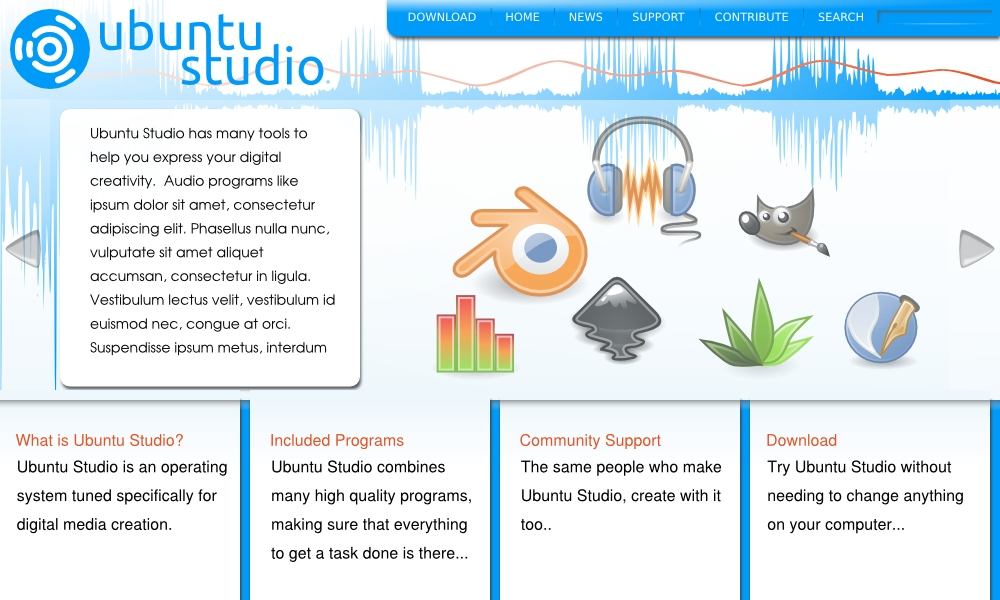
and a Dark theme: 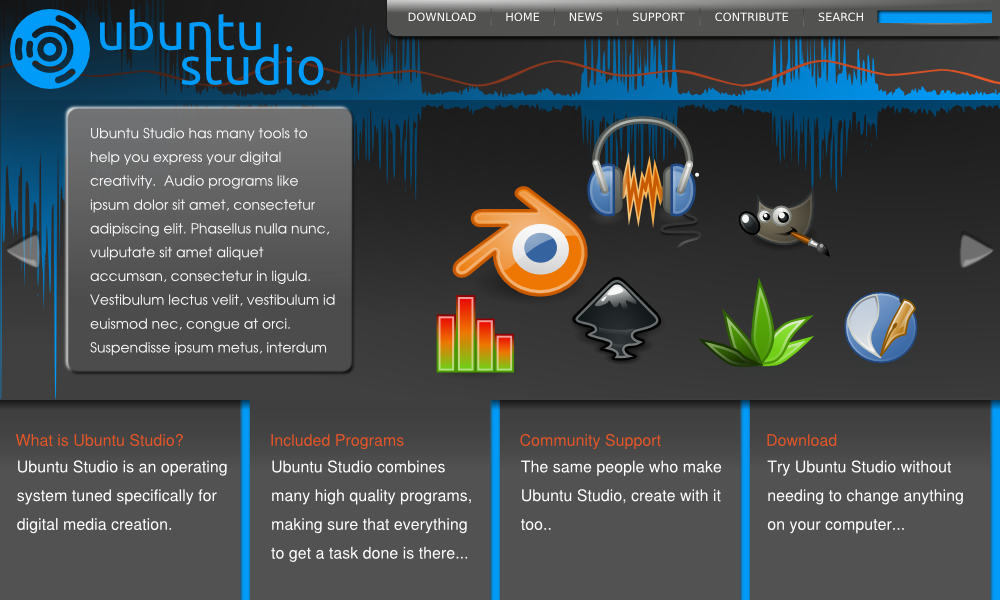
As for the secondary level layout, this one didn't stray too far from the original, except for one main difference. Originally I envisioned there being quick access to all of the site on the left hand sidebar. However, I felt that there began to be many duplicate navigational links on the page, as well as too many links available. It was just becoming too overwhelming. So, I thought about having the major categories along the top, with specific links on the side. I feel this helps someone quickly sense where they are within the site. If I were looking at this example, I would say to myself "ok the Support button is highlighted, and the "Jack" item on the left is in organge, therefore, I must be looking at what this Jack sound thing is all about." Yep. Cheesy, but true!
Impact
This theme attempts to retain a sense of simplicity while providing the user with exactly what they need in as clear a manner as possible. It contains two main parts.
First, there is a landing page -
What we see here is the Ubuntu Studio name and branding front and center in a bold presentation. The next most immediately noticebale elements are:
- An extremely brief description of Ubuntu Studio
- A download link
- A link to documentation that will help the user learn how to use Ubuntu Studio
- A link to pages that explain how the user can contribute to the Ubuntu Studio project
These represent the most important aspects of the Ubuntu Studio project.
After this we have a short series of screenshots, mostly as eye candy and because it is the type of thing people just like to see. Optionally, these screenshots can be updated to a type of slide show that rotates images every few seconds.
The second part of the theme is a content page -
The major difference is that the logo has been consolidated and moved to the top, and it now includes a section for the title of the page. Outside of this, little else is added in order to retain the simple feel of the website. We have the directly related content below the logo. There are no additional sidebars.
It's important to stress that a goal of this theme is to not bombard the user with too much visual information. Everything the user could need is available, but it is neatly compartmentalized, allowing for a certain amount of breathing room and creating a relaxed but intriguing atmosphere.
As an alternative, here is a 'light' version of the landing page:
If used, the text would be adjusted to match the formatting of the 'dark' theme, or to include whatever content is ultimately decided to go on this page.
Rough Site Map
I've taken the prompts from below and arranged them into a sitemap. The first image is just a list, no organizing. The next one, v001 I've tried to reorganize the content as to what seems most important, namely the Feature Walkway and the Download. Again I've uploaded the .svg for the site map in case anyone wants to continue work on it.
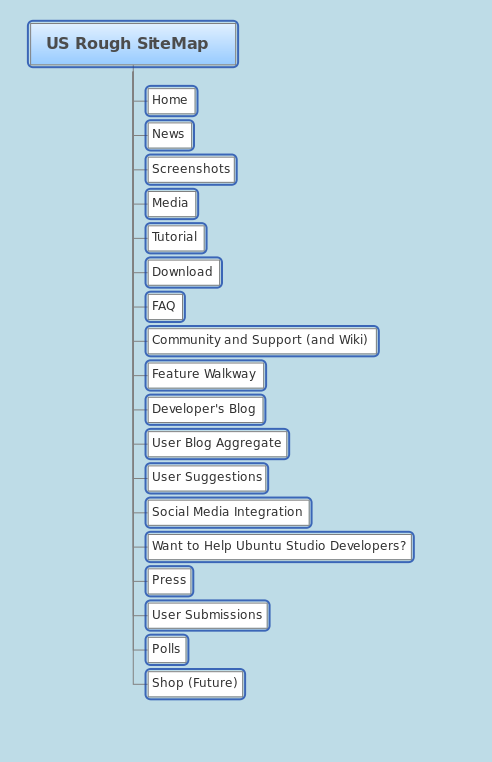
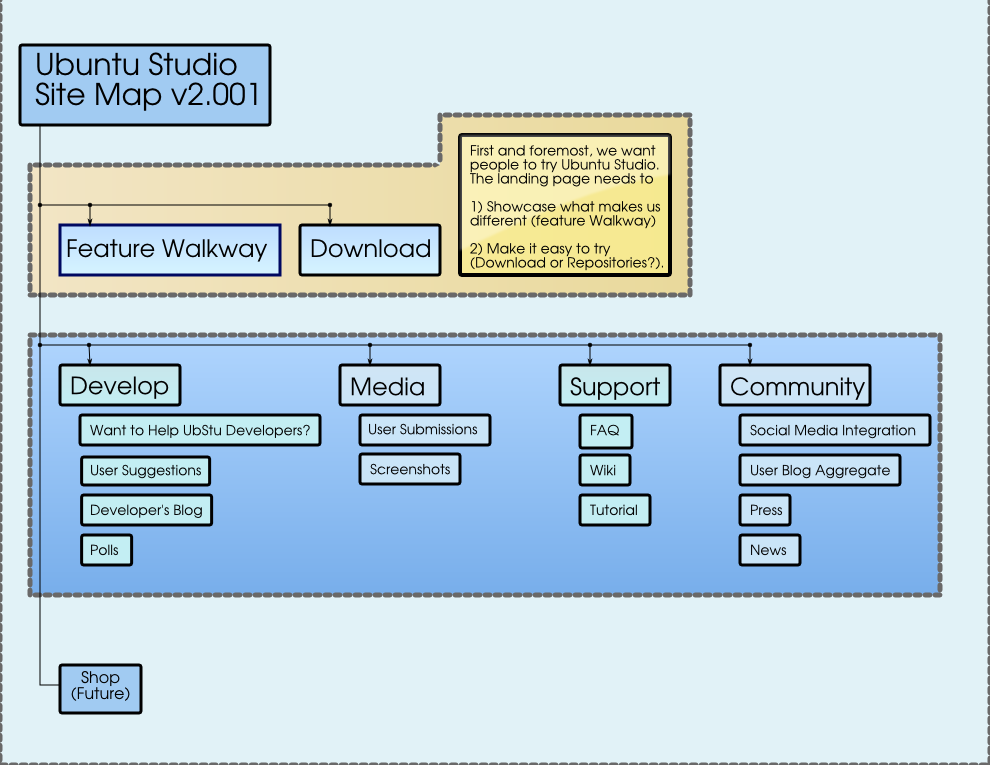
-
News a separate news page should exist latest news should probably also show on home page news should include a RSS feed to push posts to blog aggregates and subscribers
-
Screenshots good place for latest artwork screenshots also include highlights like JACK and Ardour
-
Media maybe this has a flyout or dropdown menu to show "Graphics", "Video", and "Audio" 'Graphics' - user created and submitted gallery or slide show (or gallery with slide show option) 'Video' - user created and submitted video gallery (like lots of little youtube video players you find in forums that you can click and go to the full size player) 'Audio' - user created and submitted audio listed in a jukebox (if possible) or however
-
Tutorial can be links to youtube videos links to official HowTos on help.ubuntu.com links to HowTos on third party blogs
-
Download provide links to official direct download per architecture also include (and probably push) links to torrents probably should also be a great big green button on the home page (hard to miss)
-
FAQ it's a FAQ page, what else can I say?
-
Community and Support (and Wiki) i personally would roll 'Community and Support' and 'Wiki' into one category, and maybe even rename it to 'Community Wiki and Support Forums' provide links to help.ubuntu.com link to Ubuntu Studio forum at Ubuntu Forums link to -user mailing list link to -devel mailing list list #ubuntustudio IRC channel list #ubuntustudio-devel IRC channel I would probably NOT include a link to wiki.ubuntu.com here as I view this topic as more community facing
-
Feature Walkway would probably show this somewhere big on home page with a big, shiny button multipage spread showing and extolling the virtues of Ubuntu Studio, think of the information you see when installing Ubuntu these days mentions features such as JACK (extremely low latency, incredibly flexible audio routing), Ardour (unlimited tracks, multitrack recording), LADSPA/LV2 (crazy, mad effects preinstalled including compression, flange, delay, can be put into a "rack" with JACK Rack), etc - (almost visually walk them through an example work flow)
-
Developers Blog this might now fly so well because nobody seems to blog much amongst the developers this menu might have a drop down to list all the developer blogs available
-
User Blog Aggregate think Planet Ubuntu, but for Ubuntu Studio users
-
User Suggestions would probably show this somewhere big on home page with a big, shiny button would email the ubunstudio-devel mailing list
-
Social Media Integration home page might have a latest social media scrolling ticker (see bottom right of http://shotofjaq.org/) probably need to create facebook group
-
Want To Help Ubuntu Studio Developers? probably show this on home page, with big, shiny button page would include small jobs that entry level, non-dev types, can do (e.g. update wiki pages, create a wiki page, test backport) also include more involved tasks (fixing bugs, involved testing, packaging perhaps) also include a point of contact for questions about tasks include default link to testing ISO's and why testing is important description of getting involved with -dev team email address of ubuntustudio-devel mailing list mention #ubuntustudio-devel IRC channel
-
Press links to favorable press about Ubuntu Studio could be a blog could be a Dave Phillips article in Linux Journal anything favorable
-
User Submissions way for users to upload graphics, videos or audio
-
Polls run user polls so they can voice their choice of artwork for upcoming releases (users vote between -dev selected work) run user polls so they can voice their choice of applications to be included in upcoming releases (users vote betwen -dev selected applications)
-
Shop (Future) need to find a distributor (might ask Ubuntu, Linux Outlaws or Shot of JAQ) and make some designs Ubuntu Studio stickers (I bet this would be a good seller) Ubuntu Studio buttons Ubuntu Studio shirts (I bet this would be the BEST seller) Ubuntu Studio coffee mugs other swag as we think of it
-
a separate news page should exist
-
latest news should probably also show on home page
-
news should include a RSS feed to push posts to blog aggregates and subscribers
-
good place for latest artwork screenshots
-
also include highlights like JACK and Ardour
-
maybe this has a flyout or dropdown menu to show "Graphics", "Video", and "Audio"
-
'Graphics' - user created and submitted gallery or slide show (or gallery with slide show option)
-
'Video' - user created and submitted video gallery (like lots of little youtube video players you find in forums that you can click and go to the full size player)
-
'Audio' - user created and submitted audio listed in a jukebox (if possible) or however
-
can be links to youtube videos
-
links to official HowTos on help.ubuntu.com
-
links to HowTos on third party blogs
links to official HowTos on help.ubuntu.com
links to HowTos on third party blogs
-
provide links to official direct download per architecture
-
also include (and probably push) links to torrents
-
probably should also be a great big green button on the home page (hard to miss)
-
it's a FAQ page, what else can I say?
-
i personally would roll 'Community and Support' and 'Wiki' into one category, and maybe even rename it to 'Community Wiki and Support Forums'
-
provide links to help.ubuntu.com
-
link to Ubuntu Studio forum at Ubuntu Forums
-
link to -user mailing list
-
link to -devel mailing list
-
list #ubuntustudio IRC channel
-
list #ubuntustudio-devel IRC channel
-
I would probably NOT include a link to wiki.ubuntu.com here as I view this topic as more community facing
-
would probably show this somewhere big on home page with a big, shiny button
-
multipage spread showing and extolling the virtues of Ubuntu Studio, think of the information you see when installing Ubuntu these days
-
mentions features such as JACK (extremely low latency, incredibly flexible audio routing), Ardour (unlimited tracks, multitrack recording), LADSPA/LV2 (crazy, mad effects preinstalled including compression, flange, delay, can be put into a "rack" with JACK Rack), etc - (almost visually walk them through an example work flow)
-
this might now fly so well because nobody seems to blog much amongst the developers
-
this menu might have a drop down to list all the developer blogs available
-
think Planet Ubuntu, but for Ubuntu Studio users
-
would probably show this somewhere big on home page with a big, shiny button
-
would email the ubunstudio-devel mailing list
-
home page might have a latest social media scrolling ticker (see bottom right of http://shotofjaq.org/)
-
probably need to create facebook group
home page might have a latest social media scrolling ticker (see bottom right of http://shotofjaq.org/)
-
probably show this on home page, with big, shiny button
-
page would include small jobs that entry level, non-dev types, can do (e.g. update wiki pages, create a wiki page, test backport)
-
also include more involved tasks (fixing bugs, involved testing, packaging perhaps)
-
also include a point of contact for questions about tasks
-
include default link to testing ISO's and why testing is important
-
description of getting involved with -dev team
-
email address of ubuntustudio-devel mailing list
-
mention #ubuntustudio-devel IRC channel
-
links to favorable press about Ubuntu Studio
-
could be a blog
-
could be a Dave Phillips article in Linux Journal
-
anything favorable
-
way for users to upload graphics, videos or audio
-
run user polls so they can voice their choice of artwork for upcoming releases (users vote between -dev selected work)
-
run user polls so they can voice their choice of applications to be included in upcoming releases (users vote betwen -dev selected applications)
-
need to find a distributor (might ask Ubuntu, Linux Outlaws or Shot of JAQ) and make some designs
-
Ubuntu Studio stickers (I bet this would be a good seller)
-
Ubuntu Studio buttons
-
Ubuntu Studio shirts (I bet this would be the BEST seller)
-
Ubuntu Studio coffee mugs
-
other swag as we think of it
General Notes: I say we explore maximizing the website for widescreen monitors. Perhaps putting a menu on the left with fly out (like drop down) menus that might let us eliminate a menu in the header, just to try and save some vertical space. Just thinking out loud here, it's just a suggestion.
Original vs Planned Site:
I whipped up a quick wireframe of the current site. The current one is pretty simple compared with the ideas offered so far. I added a red line indicating what would usually be seen (850pxX650px) in someone's browser. As you can see, there is quite a lot of room to work with. I also added the SVG if you want to download and tweak it.
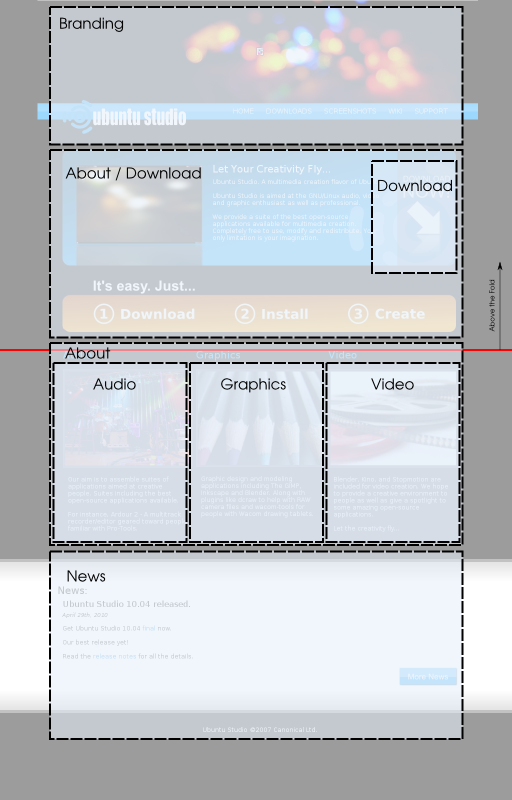
Original Documentation
This original documentation is kept for posterity. Or in case it might still be useful.
Central Ideas/Concepts
-
make developer voices easily heard aggregate developer blogs into a Planet Ubuntu Studio & share this with other planets
-
make community feedback easier provide a 'suggest a feature' form to direct mail the dev list, and use website polls to check users interest create a Development page that shows how to get involved in the testing and development teams
-
make a showcase campaign for Ubuntu Studio work link to some work directly on the website in a gallery page (approved/selected work only) provide "I create with Ubuntu Studio" (or similar slogan) web link buttons
-
aggregate developer blogs into a Planet Ubuntu Studio & share this with other planets
aggregate developer blogs into a Planet Ubuntu Studio & share this with other planets
-
provide a 'suggest a feature' form to direct mail the dev list, and use website polls to check users interest
-
create a Development page that shows how to get involved in the testing and development teams
-
link to some work directly on the website in a gallery page (approved/selected work only)
-
provide "I create with Ubuntu Studio" (or similar slogan) web link buttons
example button:
- make a reason for people to visit the website
- link to press articles regarding Ubuntu Studio
- update the site's styling to match current artwork
- link to quality backports (PPA, repositories, download, ...) for more recent versions, or for applications we don't package
- help wanted ads posting - a list of small tasks that people could help with, e.g. make an icon for a new app, someone make an MIR, someone review a wiki page (think of this as a more experienced task list but not Ubuntu Studio developer-centric)
- newbie help liaison listing - a list of easy tasks that newbies could do to help Ubuntu Studio and begin to become involved with the developers and perhaps cultivate new developers by lowering the entrance bar a bit (this would be Ubuntu Studio developer-centric)
- personals - looking for musical input or help? make a posting! People could swap .wav files via ftp to make music with each other. Or submit lyrics for each other. Or even recorded together via netjack.
Technicals/Implementation
Tech to use for:
- Main site (Drupal?)
- Wiki (MoinMoin to make it easy for people coming from Ubuntu wiki?) - Drupal also has wiki modules
- Forum (no clue here) - Drupal has forum modules
- Blog (Drupal can provide this as well) for individual devs - can be for "personal" doing as related to Ubuntu Studio (but not needed to be on front page) as well as push select posts to news on main page offical - for updates and news which would also feed via RSS to planet ubuntu, etc
- Users should login with OpenID or Launchpad account (modules for Drupal are available)
Wiki (MoinMoin to make it easy for people coming from Ubuntu wiki?) - Drupal also has wiki modules
- for individual devs - can be for "personal" doing as related to Ubuntu Studio (but not needed to be on front page) as well as push select posts to news on main page
- offical - for updates and news which would also feed via RSS to planet ubuntu, etc
Other Points
- Look and feel between technologies MUST be seamless.
- Should incorporate multiple arms of advertisement/social networks into the website (twitter, facebook, youtube, etc...).
Miscellaneous
a "Ubuntu Studio User #n" counter (see http://counter.li.org/ for example) - this could also give us a sense of how many users there are
UbuntuStudio/TaskWebRevamp (last edited 2011-09-07 01:11:18 by lfkn-adsl-dhcp-64-92-16-215)
UbuntuStudio/TaskWebRevamp/old - Ubuntu Wiki
Source: https://wiki.ubuntu.com/UbuntuStudio/TaskWebRevamp/old
old
Contents
-
Audience James : Independent Musician Why he's the (main) target audience Tell him what he can do with Ubuntu Studio, in language that is relevant and meaningful to him. Offer encouraging and easy to get support
-
Original Documentation Central Ideas/Concepts Technicals/Implementation Other Points Miscellaneous
-
James : Independent Musician Why he's the (main) target audience Tell him what he can do with Ubuntu Studio, in language that is relevant and meaningful to him. Offer encouraging and easy to get support
-
Tell him what he can do with Ubuntu Studio, in language that is relevant and meaningful to him.
This is a scratch page for ideas and organization surrounding the revamp of www.ubuntustudio.org
Audience
The expected target audience might displayed the following attributes:
- desires tuned distro for audio applications (not coming to Ubuntu Studio primarily for video or graphics)
- usually on dedicated desktop or laptop (not a multi-user computer)
- ages between teenager and mid-thirties
- at least modicum of musical proficiency
- some familiarity with Linux (perhaps not necessarily Ubuntu)
To put a face to some of these people in our audience I wrote up profiles to help identify and flesh out someone who we are making the site for.
James : Independent Musician
/UbuntuStudio/TaskWebRevamp/old?action=AttachFile&do=upload_form&ticket=0069ffc170.6db1ba6d1c11a97b4eef7437cf47590e926a2176&target=james-musician.jpg Image Source: http://commons.wikimedia.org/wiki/File:IMG_6551_My_nephew's_dreadlocks_-_Foto_Giovanni_Dall'Orto_March_2007.jpg

James is an independent musician who plays a number of insturments. He started out as a guitarist, and has some experience recording analog.
Recently he's been getting into digital music after getting an electric keyboard. He's heard a number of people say that if he wants to get anywhere with digital music he's got to have a MAC, and with it Garage Band, howver he'd rather use the slightly older PC he has, and maybe make a small upgrade to it if he can get away with it.
Why he's the (main) target audience
Because James doesn't have much invested in terms of a MAC, or software dedicated to a Windows environment, he has the potential to really benefit from Ubuntu Studio. He has experience creating music, and mostly he wants to find something that just lets him do that. Because of this, the website that converts him to a Ubuntu Studio user should do two things really well.
Tell him what he can do with Ubuntu Studio, in language that is relevant and meaningful to him.
Because he has experience making music, he understands industry terms. He knows generally what he wants to do. For example he knows he wants to record audio. He knows he wants to mix various tracks that were recorded at different times. He knows that he wants to be able to create and burn demos to share with others.
Offer encouraging and easy to get support
Again he knows what he wants to do, but doesn't know how to do it. I can say from my own experience that the help for linux is out there, but not really in one place, nor does it 'sound' like it is coming from a universal and authoritative voice. I can certainly recognize that there is no single voice for all open-source. But I think this is a great opportunity for Ubuntu Studio to take on an 'authoritative' voice for professional grade digital media creation.
I would say that we do not need to rewrite the manual for every application included, but rather document the 'workflow' involved to get things done. This is where the documentation for the workflows, would fit best. It shows how to do something, bringing the various tools included in Ubuntu Studio together.
In James' case he doesn't (at least initially) need to know what a real-time kernel is, or why he should use it. If things get too technical too fast, he'll be turned off.
Possible Website Themes
There have been several website themes discussed including shiny, DIY, and stylized comic book-like.
Shiny
Many comtemporary website will have shiny buttons and accents. For example, see the button below: /UbuntuStudio/TaskWebRevamp/old?action=AttachFile&do=upload_form&ticket=0069ffc170.6db1ba6d1c11a97b4eef7437cf47590e926a2176&target=button.png

Punk DIY
Cory created a wiki page devoted to exemplifying the punk-DIY.

For more examples, see Cory's wiki page: UbuntuStudio/Artwork/DIYConcept
Stylized Comic Book
An example of this might be from the game Borderlands.

For more examples: 2nd picture: http://jarvisslacks.com/2009/11/02/impressions-borderlands/ look at the robot: http://kotaku.com/5584344/borderlands-game+of+the+year-edition-hinted-by-gamestop http://www.destructoid.com/pitchford-pachter-was-wrong-about-borderlands-164404.phtml http://fidgit.com/archives/2009/10/gearbox_fesses_up_to_broken_pa.php
Website Mock-ups
Audio Horizons v2
A few things have changed here. The blue I brought changed to match the official blue: #009bf9
Also I decreased the vertical height, optimizing it for a laptop screen ~600px. The home page now does not have news on the front page, but rather more highlights of what Ubuntu Studio has to offer. I should also say that I envision the tabs on the bottom of the page to be clickable, so that the main content slides through to different 'frames' of content. For example the default frame would include general information, the next tab would focus on specific programs, the third would include the some words about the communty - both ways to get help, and to give it back -- etc.. These tabs are by no means set in stone, but I wanted to layout the general funtionality, and plan for the content to be added.
Finally, I added both a light: /UbuntuStudio/TaskWebRevamp/old?action=AttachFile&do=upload_form&ticket=0069ffc170.6db1ba6d1c11a97b4eef7437cf47590e926a2176&target=Light-Home-06a.png

and a Dark theme: /UbuntuStudio/TaskWebRevamp/old?action=AttachFile&do=upload_form&ticket=0069ffc170.6db1ba6d1c11a97b4eef7437cf47590e926a2176&target=Dark-Home-06b.png

As for the secondary level layout, this one didn't stray too far from the original, except for one main difference. Originally I envisioned there being quick access to all of the site on the left hand sidebar. However, I felt that there began to be many duplicate navigational links on the page, as well as too many links available. It was just becoming too overwhelming. So, I thought about having the major categories along the top, with specific links on the side. I feel this helps someone quickly sense where they are within the site. If I were looking at this example, I would say to myself "ok the Support button is highlighted, and the "Jack" item on the left is in organge, therefore, I must be looking at what this Jack sound thing is all about." Yep. Cheesy, but true!

Impact
This theme attempts to retain a sense of simplicity while providing the user with exactly what they need in as clear a manner as possible. It contains two main parts.
First, there is a landing page -

What we see here is the Ubuntu Studio name and branding front and center in a bold presentation. The next most immediately noticebale elements are:
- An extremely brief description of Ubuntu Studio
- A download link
- A link to documentation that will help the user learn how to use Ubuntu Studio
- A link to pages that explain how the user can contribute to the Ubuntu Studio project
These represent the most important aspects of the Ubuntu Studio project.
After this we have a short series of screenshots, mostly as eye candy and because it is the type of thing people just like to see. Optionally, these screenshots can be updated to a type of slide show that rotates images every few seconds.
The second part of the theme is a content page -

The major difference is that the logo has been consolidated and moved to the top, and it now includes a section for the title of the page. Outside of this, little else is added in order to retain the simple feel of the website. We have the directly related content below the logo. There are no additional sidebars.
It's important to stress that a goal of this theme is to not bombard the user with too much visual information. Everything the user could need is available, but it is neatly compartmentalized, allowing for a certain amount of breathing room and creating a relaxed but intriguing atmosphere.
As an alternative, here is a 'light' version of the landing page:

If used, the text would be adjusted to match the formatting of the 'dark' theme, or to include whatever content is ultimately decided to go on this page.
Rough Site Map
I've taken the prompts from below and arranged them into a sitemap. The first image is just a list, no organizing. The next one, v001 I've tried to reorganize the content as to what seems most important, namely the Feature Walkway and the Download. Again I've uploaded the .svg for the site map in case anyone wants to continue work on it.
/UbuntuStudio/TaskWebRevamp/old?action=AttachFile&do=upload_form&ticket=0069ffc170.6db1ba6d1c11a97b4eef7437cf47590e926a2176&target=RoughSiteMap.png /UbuntuStudio/TaskWebRevamp/old?action=AttachFile&do=upload_form&ticket=0069ffc170.6db1ba6d1c11a97b4eef7437cf47590e926a2176&target=RevisedSiteMap-001.png


-
News a separate news page should exist latest news should probably also show on home page news should include a RSS feed to push posts to blog aggregates and subscribers
-
Screenshots good place for latest artwork screenshots also include highlights like JACK and Ardour
-
Media maybe this has a flyout or dropdown menu to show "Graphics", "Video", and "Audio" 'Graphics' - user created and submitted gallery or slide show (or gallery with slide show option) 'Video' - user created and submitted video gallery (like lots of little youtube video players you find in forums that you can click and go to the full size player) 'Audio' - user created and submitted audio listed in a jukebox (if possible) or however
-
Tutorial can be links to youtube videos links to official HowTos on help.ubuntu.com links to HowTos on third party blogs
-
Download provide links to official direct download per architecture also include (and probably push) links to torrents probably should also be a great big green button on the home page (hard to miss)
-
FAQ it's a FAQ page, what else can I say?
-
Community and Support (and Wiki) i personally would roll 'Community and Support' and 'Wiki' into one category, and maybe even rename it to 'Community Wiki and Support Forums' provide links to help.ubuntu.com link to Ubuntu Studio forum at Ubuntu Forums link to -user mailing list link to -devel mailing list list #ubuntustudio IRC channel list #ubuntustudio-devel IRC channel I would probably NOT include a link to wiki.ubuntu.com here as I view this topic as more community facing
-
Feature Walkway would probably show this somewhere big on home page with a big, shiny button multipage spread showing and extolling the virtues of Ubuntu Studio, think of the information you see when installing Ubuntu these days mentions features such as JACK (extremely low latency, incredibly flexible audio routing), Ardour (unlimited tracks, multitrack recording), LADSPA/LV2 (crazy, mad effects preinstalled including compression, flange, delay, can be put into a "rack" with JACK Rack), etc - (almost visually walk them through an example work flow)
-
Developers Blog this might now fly so well because nobody seems to blog much amongst the developers this menu might have a drop down to list all the developer blogs available
-
User Blog Aggregate think Planet Ubuntu, but for Ubuntu Studio users
-
User Suggestions would probably show this somewhere big on home page with a big, shiny button would email the ubunstudio-devel mailing list
-
Social Media Integration home page might have a latest social media scrolling ticker (see bottom right of http://shotofjaq.org/) probably need to create facebook group
-
Want To Help Ubuntu Studio Developers? probably show this on home page, with big, shiny button page would include small jobs that entry level, non-dev types, can do (e.g. update wiki pages, create a wiki page, test backport) also include more involved tasks (fixing bugs, involved testing, packaging perhaps) also include a point of contact for questions about tasks include default link to testing ISO's and why testing is important description of getting involved with -dev team email address of ubuntustudio-devel mailing list mention #ubuntustudio-devel IRC channel
-
Press links to favorable press about Ubuntu Studio could be a blog could be a Dave Phillips article in Linux Journal anything favorable
-
User Submissions way for users to upload graphics, videos or audio
-
Polls run user polls so they can voice their choice of artwork for upcoming releases (users vote between -dev selected work) run user polls so they can voice their choice of applications to be included in upcoming releases (users vote betwen -dev selected applications)
-
Shop (Future) need to find a distributor (might ask Ubuntu, Linux Outlaws or Shot of JAQ) and make some designs Ubuntu Studio stickers (I bet this would be a good seller) Ubuntu Studio buttons Ubuntu Studio shirts (I bet this would be the BEST seller) Ubuntu Studio coffee mugs other swag as we think of it
-
a separate news page should exist
-
latest news should probably also show on home page
-
news should include a RSS feed to push posts to blog aggregates and subscribers
-
good place for latest artwork screenshots
-
also include highlights like JACK and Ardour
-
maybe this has a flyout or dropdown menu to show "Graphics", "Video", and "Audio"
-
'Graphics' - user created and submitted gallery or slide show (or gallery with slide show option)
-
'Video' - user created and submitted video gallery (like lots of little youtube video players you find in forums that you can click and go to the full size player)
-
'Audio' - user created and submitted audio listed in a jukebox (if possible) or however
-
can be links to youtube videos
-
links to official HowTos on help.ubuntu.com
-
links to HowTos on third party blogs
links to official HowTos on help.ubuntu.com
links to HowTos on third party blogs
-
provide links to official direct download per architecture
-
also include (and probably push) links to torrents
-
probably should also be a great big green button on the home page (hard to miss)
-
it's a FAQ page, what else can I say?
-
i personally would roll 'Community and Support' and 'Wiki' into one category, and maybe even rename it to 'Community Wiki and Support Forums'
-
provide links to help.ubuntu.com
-
link to Ubuntu Studio forum at Ubuntu Forums
-
link to -user mailing list
-
link to -devel mailing list
-
list #ubuntustudio IRC channel
-
list #ubuntustudio-devel IRC channel
-
I would probably NOT include a link to wiki.ubuntu.com here as I view this topic as more community facing
-
would probably show this somewhere big on home page with a big, shiny button
-
multipage spread showing and extolling the virtues of Ubuntu Studio, think of the information you see when installing Ubuntu these days
-
mentions features such as JACK (extremely low latency, incredibly flexible audio routing), Ardour (unlimited tracks, multitrack recording), LADSPA/LV2 (crazy, mad effects preinstalled including compression, flange, delay, can be put into a "rack" with JACK Rack), etc - (almost visually walk them through an example work flow)
-
this might now fly so well because nobody seems to blog much amongst the developers
-
this menu might have a drop down to list all the developer blogs available
-
think Planet Ubuntu, but for Ubuntu Studio users
-
would probably show this somewhere big on home page with a big, shiny button
-
would email the ubunstudio-devel mailing list
-
home page might have a latest social media scrolling ticker (see bottom right of http://shotofjaq.org/)
-
probably need to create facebook group
home page might have a latest social media scrolling ticker (see bottom right of http://shotofjaq.org/)
-
probably show this on home page, with big, shiny button
-
page would include small jobs that entry level, non-dev types, can do (e.g. update wiki pages, create a wiki page, test backport)
-
also include more involved tasks (fixing bugs, involved testing, packaging perhaps)
-
also include a point of contact for questions about tasks
-
include default link to testing ISO's and why testing is important
-
description of getting involved with -dev team
-
email address of ubuntustudio-devel mailing list
-
mention #ubuntustudio-devel IRC channel
-
links to favorable press about Ubuntu Studio
-
could be a blog
-
could be a Dave Phillips article in Linux Journal
-
anything favorable
-
way for users to upload graphics, videos or audio
-
run user polls so they can voice their choice of artwork for upcoming releases (users vote between -dev selected work)
-
run user polls so they can voice their choice of applications to be included in upcoming releases (users vote betwen -dev selected applications)
-
need to find a distributor (might ask Ubuntu, Linux Outlaws or Shot of JAQ) and make some designs
-
Ubuntu Studio stickers (I bet this would be a good seller)
-
Ubuntu Studio buttons
-
Ubuntu Studio shirts (I bet this would be the BEST seller)
-
Ubuntu Studio coffee mugs
-
other swag as we think of it
General Notes: I say we explore maximizing the website for widescreen monitors. Perhaps putting a menu on the left with fly out (like drop down) menus that might let us eliminate a menu in the header, just to try and save some vertical space. Just thinking out loud here, it's just a suggestion.
Original vs Planned Site:
I whipped up a quick wireframe of the current site. The current one is pretty simple compared with the ideas offered so far. I added a red line indicating what would usually be seen (850pxX650px) in someone's browser. As you can see, there is quite a lot of room to work with. I also added the SVG if you want to download and tweak it.

Original Documentation
This original documentation is kept for posterity. Or in case it might still be useful.
Central Ideas/Concepts
-
make developer voices easily heard aggregate developer blogs into a Planet Ubuntu Studio & share this with other planets
-
make community feedback easier provide a 'suggest a feature' form to direct mail the dev list, and use website polls to check users interest create a Development page that shows how to get involved in the testing and development teams
-
make a showcase campaign for Ubuntu Studio work link to some work directly on the website in a gallery page (approved/selected work only) provide "I create with Ubuntu Studio" (or similar slogan) web link buttons
-
aggregate developer blogs into a Planet Ubuntu Studio & share this with other planets
aggregate developer blogs into a Planet Ubuntu Studio & share this with other planets
-
provide a 'suggest a feature' form to direct mail the dev list, and use website polls to check users interest
-
create a Development page that shows how to get involved in the testing and development teams
-
link to some work directly on the website in a gallery page (approved/selected work only)
-
provide "I create with Ubuntu Studio" (or similar slogan) web link buttons
example button: /UbuntuStudio/TaskWebRevamp/old?action=AttachFile&do=upload_form&ticket=0069ffc170.6db1ba6d1c11a97b4eef7437cf47590e926a2176&target=button.png
- make a reason for people to visit the website
- link to press articles regarding Ubuntu Studio
- update the site's styling to match current artwork
- link to quality backports (PPA, repositories, download, ...) for more recent versions, or for applications we don't package
- help wanted ads posting - a list of small tasks that people could help with, e.g. make an icon for a new app, someone make an MIR, someone review a wiki page (think of this as a more experienced task list but not Ubuntu Studio developer-centric)
- newbie help liaison listing - a list of easy tasks that newbies could do to help Ubuntu Studio and begin to become involved with the developers and perhaps cultivate new developers by lowering the entrance bar a bit (this would be Ubuntu Studio developer-centric)
- personals - looking for musical input or help? make a posting! People could swap .wav files via ftp to make music with each other. Or submit lyrics for each other. Or even recorded together via netjack.
Technicals/Implementation
Tech to use for:
- Main site (Drupal?)
- Wiki (MoinMoin to make it easy for people coming from Ubuntu wiki?) - Drupal also has wiki modules
- Forum (no clue here) - Drupal has forum modules
- Blog (Drupal can provide this as well) for individual devs - can be for "personal" doing as related to Ubuntu Studio (but not needed to be on front page) as well as push select posts to news on main page offical - for updates and news which would also feed via RSS to planet ubuntu, etc
- Users should login with OpenID or Launchpad account (modules for Drupal are available)
Wiki (MoinMoin to make it easy for people coming from Ubuntu wiki?) - Drupal also has wiki modules
- for individual devs - can be for "personal" doing as related to Ubuntu Studio (but not needed to be on front page) as well as push select posts to news on main page
- offical - for updates and news which would also feed via RSS to planet ubuntu, etc
Other Points
- Look and feel between technologies MUST be seamless.
- Should incorporate multiple arms of advertisement/social networks into the website (twitter, facebook, youtube, etc...).
Miscellaneous
a "Ubuntu Studio User #n" counter (see http://counter.li.org/ for example) - this could also give us a sense of how many users there are
UbuntuStudio/TaskWebRevamp/old (last edited 2011-07-15 20:07:24 by conr-adsl-dhcp-64-92-4-194)
UbuntuStudio/TeamReports - Ubuntu Wiki
Source: https://wiki.ubuntu.com/UbuntuStudio/TeamReports
TeamReports
Ubuntu Studio Reporting Page
Welcome to the Ubuntu Studio reporting page. Every month this page should be filled with bullet points indicating the summary of some of the work you have been working on. As you work on something, try to summarize it here. A few guidelines for how to write good points here:
- Keep it simple and short - single sentences are best.
- Try to summarize your work and not be over-detailed - we don't need to know specifics, just a summary of the kind of work involved
- Where possible, include relevant links.
Keep it simple and short - single sentences are best.
The Report
Contents
Release Development
See the Oneiric release planning wiki page) for details.
- TODO
Website Update
See the Website Update wiki page for details.
-
Brian David emailed the dev mailing list with the example website files for testing Testers will need a local instance of Drupal Testers will most likely also need a local instance of MySQL Testing will need to follow the included README.txt file
-
ScottLavender agreed to prepare 2nd draft of site map focusing on primary features
-
Testers will need a local instance of Drupal
-
Testers will most likely also need a local instance of MySQL
-
Testing will need to follow the included README.txt file
ScottLavender agreed to prepare 2nd draft of site map focusing on primary features
ubuntustudio-controls
See the -controls development wiki page for details.
- ailo and paultag have been hacking up code for the update
- ScottLavender is getting anxious to get it built, testing, and pushed to the repos :/
ScottLavender is getting anxious to get it built, testing, and pushed to the repos :/
Backports
See the Ubuntu Studio Backports wiki page for details.
- ScottLavender firmed up details with ScottKitterman about backporting for Lucid
- The Ubuntu Studio Backports wiki page was updated...a LOT
- qjackctl backport bug #681873 updated and PPA package ready for testing
- qsynth backport bug #729430 filed and PPA package ready for testing
- yoshimi backport bug #729450 filed and PPA package ready for testing
- inkscape backport bug #729474 filed and PPA package ready for testing
- openshot backport bug #729488 filed and PPA package ready for testing
- rakarrack PPA package ready for testing
- qtractor backport bug #729750 filed and PPA package ready for testing
- musescore backport bug #729811 filed and PPA package ready for testing
- xsane backport bug #729898 filed and PPA package ready for testing
- mcp-plugins backport bug #729926 filed and PPA package ready for testing
- jamin backport bug #729955 filed and PPA package ready for testing
- fluidsynth backport bug #729981 filed and PPA package ready for testing
- gimp backport bug #729998 filed and PPA package ready for testing
- fluid-sonfont backport bug #730130 filed and PPA package ready for testing
- gimp-plugin-registry backport bug #730181 filed and PPA package ready for testing
ScottLavender firmed up details with ScottKitterman about backporting for Lucid
The Ubuntu Studio Backports wiki page was updated...a LOT
qjackctl backport bug #681873 updated and PPA package ready for testing
qsynth backport bug #729430 filed and PPA package ready for testing
yoshimi backport bug #729450 filed and PPA package ready for testing
inkscape backport bug #729474 filed and PPA package ready for testing
openshot backport bug #729488 filed and PPA package ready for testing
rakarrack PPA package ready for testing
qtractor backport bug #729750 filed and PPA package ready for testing
musescore backport bug #729811 filed and PPA package ready for testing
xsane backport bug #729898 filed and PPA package ready for testing
mcp-plugins backport bug #729926 filed and PPA package ready for testing
jamin backport bug #729955 filed and PPA package ready for testing
fluidsynth backport bug #729981 filed and PPA package ready for testing
gimp backport bug #729998 filed and PPA package ready for testing
fluid-sonfont backport bug #730130 filed and PPA package ready for testing
gimp-plugin-registry backport bug #730181 filed and PPA package ready for testing
Bug Reports
Opened Bugs
- Several backport requests were filed. See BACKPORTS section above for details.
- TODO
Updated Bugs
- TODO
Marked as Incomplete Bugs
- TODO
Closed Bugs
- TODO
Kernel Development
- ScottLavender began building -lowlatency kernel with aboganni's assistance in hopes of getting it in Natty
- It is realised the window for getting the -lowlatency kernel in Natty is very slim
ScottLavender began building -lowlatency kernel with aboganni's assistance in hopes of getting it in Natty
Previous Reports
2011
- UbuntuStudio/TeamReports/11 /April
- UbuntuStudio/TeamReports/11 /February
- UbuntuStudio/TeamReports/11 /January
- UbuntuStudio/TeamReports/11 /July
- UbuntuStudio/TeamReports/11 /June
- UbuntuStudio/TeamReports/11 /March
- UbuntuStudio/TeamReports/11 /May
2010
- UbuntuStudio/TeamReports/10 /November
- UbuntuStudio/TeamReports/10 /October
- UbuntuStudio/TeamReports/10 /September
UbuntuStudio/TeamReports (last edited 2011-02-09 18:38:56 by 17)
UbuntuStudio/TeamReports/10/November - Ubuntu Wiki
Source: https://wiki.ubuntu.com/UbuntuStudio/TeamReports/10/November
November
- Natty Development Moderating Seeds seeds updating in ubuntustudio-dev bzr branch ubuntustudio-meta package updated (https://bugs.launchpad.net/ubuntustudio/+bug/680317) emailed Colin Watson to update task list for tasksel Art Development plymouth theme built on local machine - http://www.fossmusicproject.org/public/images/new-plymouth-theme.png will begin updating package soon GDM background/desktop wallpaper want to update these as well considering basing new images on developmental plymouth theme
- Website Update Held meeting - logs start approximately [01:19] http://irclogs.ubuntu.com/2010/12/01/%23ubuntustudio-devel.txt Decisions Made Will use the 'impact' mock-up theme - UbuntuStudio/TaskWebRevamp#Impact Will stick with Drupal rather than another CMS (e.g. Wordpress) Will use a "landing" page Primary focus of the website will be: to help new users understand what is Ubuntu Studio to help new users learn how to use Ubuntu Studio to help all users download Ubuntu Studio Secondary focus of the website will be for marketing Ubuntu Studio Next Meeting Preparations tomwilso will prepare a 2nd draft of the site map focusing on primary features ScottLavender will assist tomwilso as required
- Kernel development Alessio Bogani has developed a -lowlatency kernel for Natty Waiting for "official" documentation from UKT to get kernel into the archive - https://blueprints.launchpad.net/ubuntu/+spec/hardware-kernel-n-version-and-flavours

-
Moderating Seeds seeds updating in ubuntustudio-dev bzr branch ubuntustudio-meta package updated (https://bugs.launchpad.net/ubuntustudio/+bug/680317) emailed Colin Watson to update task list for tasksel
-
Art Development plymouth theme built on local machine - http://www.fossmusicproject.org/public/images/new-plymouth-theme.png will begin updating package soon GDM background/desktop wallpaper want to update these as well considering basing new images on developmental plymouth theme
-
seeds updating in ubuntustudio-dev bzr branch
-
ubuntustudio-meta package updated (https://bugs.launchpad.net/ubuntustudio/+bug/680317)
-
emailed Colin Watson to update task list for tasksel
ubuntustudio-meta package updated (https://bugs.launchpad.net/ubuntustudio/+bug/680317)
-
plymouth theme built on local machine - http://www.fossmusicproject.org/public/images/new-plymouth-theme.png will begin updating package soon
-
GDM background/desktop wallpaper want to update these as well considering basing new images on developmental plymouth theme
-
built on local machine - http://www.fossmusicproject.org/public/images/new-plymouth-theme.png
-
will begin updating package soon
built on local machine - http://www.fossmusicproject.org/public/images/new-plymouth-theme.png
-
want to update these as well
-
considering basing new images on developmental plymouth theme
-
Held meeting - logs start approximately [01:19] http://irclogs.ubuntu.com/2010/12/01/%23ubuntustudio-devel.txt
-
Decisions Made Will use the 'impact' mock-up theme - UbuntuStudio/TaskWebRevamp#Impact Will stick with Drupal rather than another CMS (e.g. Wordpress) Will use a "landing" page Primary focus of the website will be: to help new users understand what is Ubuntu Studio to help new users learn how to use Ubuntu Studio to help all users download Ubuntu Studio Secondary focus of the website will be for marketing Ubuntu Studio
-
Next Meeting Preparations tomwilso will prepare a 2nd draft of the site map focusing on primary features ScottLavender will assist tomwilso as required
Held meeting - logs start approximately [01:19] http://irclogs.ubuntu.com/2010/12/01/%23ubuntustudio-devel.txt
- Will use the 'impact' mock-up theme - UbuntuStudio/TaskWebRevamp#Impact
- Will stick with Drupal rather than another CMS (e.g. Wordpress)
- Will use a "landing" page
- Primary focus of the website will be: to help new users understand what is Ubuntu Studio to help new users learn how to use Ubuntu Studio to help all users download Ubuntu Studio
- Secondary focus of the website will be for marketing Ubuntu Studio
Will use the 'impact' mock-up theme - UbuntuStudio/TaskWebRevamp#Impact
- to help new users understand what is Ubuntu Studio
- to help new users learn how to use Ubuntu Studio
- to help all users download Ubuntu Studio
to help new users understand what is Ubuntu Studio
to help new users learn how to use Ubuntu Studio
- tomwilso will prepare a 2nd draft of the site map focusing on primary features
- ScottLavender will assist tomwilso as required
ScottLavender will assist tomwilso as required
- Alessio Bogani has developed a -lowlatency kernel for Natty
- Waiting for "official" documentation from UKT to get kernel into the archive - https://blueprints.launchpad.net/ubuntu/+spec/hardware-kernel-n-version-and-flavours
Alessio Bogani has developed a -lowlatency kernel for Natty
Waiting for "official" documentation from UKT to get kernel into the archive - https://blueprints.launchpad.net/ubuntu/+spec/hardware-kernel-n-version-and-flavours
UbuntuStudio/TeamReports/10/November (last edited 2010-12-01 20:44:46 by 17)
UbuntuStudio/TeamReports/10/October - Ubuntu Wiki
Source: https://wiki.ubuntu.com/UbuntuStudio/TeamReports/10/October
October
- Ubuntu Studio Maverick Meerkat 10.10 released, mirth and frivolity ensued
- Development for Natty teeters on the precipice of beginning - UbuntuStudio/ReleasePlanning#Ubuntu%20Studio%2011.04%20Natty%20Narwhal moderating package selection (i.e. adding and removing packages) developed around task focused workflow - UbuntuStudio/Workflows helps define the package selection - UbuntuStudio/PackageSelectionDevelopment additional metapackages might be created for finer installation control of audio apps eliminate duplicate functionality (i.e. remove LADSPA plugins if the same plugins are available in LV2 format) Art development plymouth theme
- Website Update fleshing out audience developing purpose for audience identifying components for various page evaluating mock-ups
- Began to assign team positions testing lead/contact/liaison - rlamerio IRC user support - holstein
- Kernel development working with Ubuntu Kernel Team to get -lowlatency kernel into archives began developing team and plan to test -lowlatency and -realtime kernels https://wiki.ubuntu.com/RealTime
Development for Natty teeters on the precipice of beginning - UbuntuStudio/ReleasePlanning#Ubuntu%20Studio%2011.04%20Natty%20Narwhal
-
moderating package selection (i.e. adding and removing packages) developed around task focused workflow - UbuntuStudio/Workflows helps define the package selection - UbuntuStudio/PackageSelectionDevelopment additional metapackages might be created for finer installation control of audio apps eliminate duplicate functionality (i.e. remove LADSPA plugins if the same plugins are available in LV2 format)
-
Art development plymouth theme
-
developed around task focused workflow - UbuntuStudio/Workflows
-
helps define the package selection - UbuntuStudio/PackageSelectionDevelopment
-
additional metapackages might be created for finer installation control of audio apps
-
eliminate duplicate functionality (i.e. remove LADSPA plugins if the same plugins are available in LV2 format)
developed around task focused workflow - UbuntuStudio/Workflows
helps define the package selection - UbuntuStudio/PackageSelectionDevelopment
-
plymouth theme
-
fleshing out audience
-
developing purpose for audience
-
identifying components for various page
-
evaluating mock-ups
-
testing lead/contact/liaison - rlamerio
-
IRC user support - holstein
-
working with Ubuntu Kernel Team to get -lowlatency kernel into archives
-
began developing team and plan to test -lowlatency and -realtime kernels https://wiki.ubuntu.com/RealTime
began developing team and plan to test -lowlatency and -realtime kernels https://wiki.ubuntu.com/RealTime
UbuntuStudio/TeamReports/10/October (last edited 2010-10-12 19:15:36 by 17)
UbuntuStudio/TeamReports/10/September - Ubuntu Wiki
Source: https://wiki.ubuntu.com/UbuntuStudio/TeamReports/10/September
September
- Began development for Natty - UbuntuStudio/ReleasePlanning#Ubuntu%20Studio%2011.04%20Natty%20Narwhal moderating package selection (i.e. adding and removing packages) developed around task focused workflow - UbuntuStudio/Workflows helps define the package selection - UbuntuStudio/PackageSelectionDevelopment additional metapackages might be created for finer installation control of audio apps eliminate duplicate functionality (i.e. remove LADSPA plugins if the same plugins are available in LV2 format) Art development plymouth theme
- Tested Ubuntu Studio Release Candidate ISO for QA
- Website Update fleshing out audience developing purpose for audience identifying components for various page evaluating mock-ups
- Began to assign team positions testing lead/contact/liaison - rlamerio IRC user support - holstein
- Kernel development removed -rt kernel from archives began working with Ubuntu Kernel Team to get -lowlatency kernel into archives
Began development for Natty - UbuntuStudio/ReleasePlanning#Ubuntu%20Studio%2011.04%20Natty%20Narwhal
-
moderating package selection (i.e. adding and removing packages) developed around task focused workflow - UbuntuStudio/Workflows helps define the package selection - UbuntuStudio/PackageSelectionDevelopment additional metapackages might be created for finer installation control of audio apps eliminate duplicate functionality (i.e. remove LADSPA plugins if the same plugins are available in LV2 format)
-
Art development plymouth theme
-
developed around task focused workflow - UbuntuStudio/Workflows
-
helps define the package selection - UbuntuStudio/PackageSelectionDevelopment
-
additional metapackages might be created for finer installation control of audio apps
-
eliminate duplicate functionality (i.e. remove LADSPA plugins if the same plugins are available in LV2 format)
developed around task focused workflow - UbuntuStudio/Workflows
helps define the package selection - UbuntuStudio/PackageSelectionDevelopment
-
plymouth theme
-
fleshing out audience
-
developing purpose for audience
-
identifying components for various page
-
evaluating mock-ups
-
testing lead/contact/liaison - rlamerio
-
IRC user support - holstein
-
removed -rt kernel from archives
-
began working with Ubuntu Kernel Team to get -lowlatency kernel into archives
UbuntuStudio/TeamReports/10/September (last edited 2010-09-30 20:57:46 by 17)
UbuntuStudio/TeamReports/11/April - Ubuntu Wiki
Source: https://wiki.ubuntu.com/UbuntuStudio/TeamReports/11/April
April
Contents
Release Development
See the Natty release planning wiki page for details.
- TODO
Website Update
- TODO - update this section with new URL
See the Website Update wiki page for details.
-
Brian David emailed the dev mailing list with the example website files for testing Testers will need a local instance of Drupal Testers will most likely also need a local instance of MySQL Testing will need to follow the included README.txt file
-
ScottLavender agreed to prepare 2nd draft of site map focusing on primary features
-
Testers will need a local instance of Drupal
-
Testers will most likely also need a local instance of MySQL
-
Testing will need to follow the included README.txt file
ScottLavender agreed to prepare 2nd draft of site map focusing on primary features
ubuntustudio-controls
See the -controls development wiki page for details.
- ailo and paultag have been hacking up code for the update
- ScottLavender is getting anxious to get it built, testing, and pushed to the repos :/
ScottLavender is getting anxious to get it built, testing, and pushed to the repos :/
Backports
See the Ubuntu Studio Backports wiki page for details.
- ScottLavender firmed up details with ScottKitterman about backporting for Lucid
- The Ubuntu Studio Backports wiki page was updated...a LOT
- qjackctl backport bug #681873 updated and PPA package ready for testing
- qsynth backport bug #729430 filed and PPA package ready for testing
- yoshimi backport bug #729450 filed and PPA package ready for testing
- inkscape backport bug #729474 filed and PPA package ready for testing
- openshot backport bug #729488 filed and PPA package ready for testing
- rakarrack PPA package ready for testing
- qtractor backport bug #729750 filed and PPA package ready for testing
- musescore backport bug #729811 filed and PPA package ready for testing
- xsane backport bug #729898 filed and PPA package ready for testing
- mcp-plugins backport bug #729926 filed and PPA package ready for testing
- jamin backport bug #729955 filed and PPA package ready for testing
- fluidsynth backport bug #729981 filed and PPA package ready for testing
- gimp backport bug #729998 filed and PPA package ready for testing
- fluid-sonfont backport bug #730130 filed and PPA package ready for testing
- gimp-plugin-registry backport bug #730181 filed and PPA package ready for testing
ScottLavender firmed up details with ScottKitterman about backporting for Lucid
The Ubuntu Studio Backports wiki page was updated...a LOT
qjackctl backport bug #681873 updated and PPA package ready for testing
qsynth backport bug #729430 filed and PPA package ready for testing
yoshimi backport bug #729450 filed and PPA package ready for testing
inkscape backport bug #729474 filed and PPA package ready for testing
openshot backport bug #729488 filed and PPA package ready for testing
rakarrack PPA package ready for testing
qtractor backport bug #729750 filed and PPA package ready for testing
musescore backport bug #729811 filed and PPA package ready for testing
xsane backport bug #729898 filed and PPA package ready for testing
mcp-plugins backport bug #729926 filed and PPA package ready for testing
jamin backport bug #729955 filed and PPA package ready for testing
fluidsynth backport bug #729981 filed and PPA package ready for testing
gimp backport bug #729998 filed and PPA package ready for testing
fluid-sonfont backport bug #730130 filed and PPA package ready for testing
gimp-plugin-registry backport bug #730181 filed and PPA package ready for testing
Bug Reports
Opened Bugs
- Several backport requests were filed. See BACKPORTS section above for details.
- TODO
Updated Bugs
- TODO
Marked as Incomplete Bugs
- TODO
Closed Bugs
- TODO
Kernel Development
- ScottLavender began building -lowlatency kernel with aboganni's assistance in hopes of getting it in Natty
- It is realised the window for getting the -lowlatency kernel in Natty is very slim
ScottLavender began building -lowlatency kernel with aboganni's assistance in hopes of getting it in Natty
UbuntuStudio/TeamReports/11/April (last edited 2011-07-03 18:22:28 by 75-143-224-172)
UbuntuStudio/TeamReports/11/February - Ubuntu Wiki
Source: https://wiki.ubuntu.com/UbuntuStudio/TeamReports/11/February
February
- Natty Development TheMuso updated the seeds to add zynjacku and remove dvdstyler
- Website Update Brian David created a test site to demo the new theme ScottLavender agreed to prepare 2nd draft of site map focusing on primary features
- ubuntustudio-controls ailo and paultag have been hacking up code for the update ailo also created an extremely groovy glade GUI ScottLavender updated ubuntustudio-controls blueprint
- Backports ScottLavender talked with ScottKitterman instead of JDong confirming backporting of Ubuntu Studio packages for Lucid
- BUG REPORTS Opened and Updated Bugs: cjwatson helped update the audio-plugins seed to get around this tasksel bug which was horribly breaking software selection during installation TheMuso accepted a merge request from cjwatson with a dependency issue also affecting the second tasksel bug paultag filed a -controls bug to make sure we get the updated code pushed in time for release ScottLavender filed a ubuntustudio-menu bug for new applications misplaced in the menu ubuntustudio-controls role bug updated to "In Progress" Marked as Incomplete Bugs: updated seeds but was gnome-classic xsession - https://bugs.launchpad.net/ubuntustudio/+bug/680317 kernel panic - https://bugs.launchpad.net/ubuntu/natty/+source/linux/+bug/693042 Closed Bugs: install hydrogen drumkits - https://bugs.launchpad.net/ubuntustudio/+bug/528100 ScottLavender filed another tasksel bug which was preventing the -video tasksel from installing and TheMuso removed dvdstyler as noted above sudden reboot during installation - https://bugs.launchpad.net/ubuntu/+source/eglibc/+bug/694772 gnome-classic xsession - https://bugs.launchpad.net/ubuntu/+source/ubuntustudio-default-settings/+bug/702712 plymouth theme bug - https://bugs.launchpad.net/ubuntu/+source/ubuntustudio-look/+bug/706312 libavcodec-extra-52 and ffmpeg bug - https://bugs.launchpad.net/ubuntustudio/+bug/685049
- Kernel development ailo continued testing -generic vs. abogani's -lowlatency kernel
- TheMuso updated the seeds to add zynjacku and remove dvdstyler
TheMuso updated the seeds to add zynjacku and remove dvdstyler
- Brian David created a test site to demo the new theme
- ScottLavender agreed to prepare 2nd draft of site map focusing on primary features
ScottLavender agreed to prepare 2nd draft of site map focusing on primary features
- ailo and paultag have been hacking up code for the update
- ailo also created an extremely groovy glade GUI
- ScottLavender updated ubuntustudio-controls blueprint
ScottLavender updated ubuntustudio-controls blueprint
- ScottLavender talked with ScottKitterman instead of JDong confirming backporting of Ubuntu Studio packages for Lucid
ScottLavender talked with ScottKitterman instead of JDong confirming backporting of Ubuntu Studio packages for Lucid
-
Opened and Updated Bugs: cjwatson helped update the audio-plugins seed to get around this tasksel bug which was horribly breaking software selection during installation TheMuso accepted a merge request from cjwatson with a dependency issue also affecting the second tasksel bug paultag filed a -controls bug to make sure we get the updated code pushed in time for release ScottLavender filed a ubuntustudio-menu bug for new applications misplaced in the menu ubuntustudio-controls role bug updated to "In Progress"
-
Marked as Incomplete Bugs: updated seeds but was gnome-classic xsession - https://bugs.launchpad.net/ubuntustudio/+bug/680317 kernel panic - https://bugs.launchpad.net/ubuntu/natty/+source/linux/+bug/693042
-
Closed Bugs: install hydrogen drumkits - https://bugs.launchpad.net/ubuntustudio/+bug/528100 ScottLavender filed another tasksel bug which was preventing the -video tasksel from installing and TheMuso removed dvdstyler as noted above sudden reboot during installation - https://bugs.launchpad.net/ubuntu/+source/eglibc/+bug/694772 gnome-classic xsession - https://bugs.launchpad.net/ubuntu/+source/ubuntustudio-default-settings/+bug/702712 plymouth theme bug - https://bugs.launchpad.net/ubuntu/+source/ubuntustudio-look/+bug/706312 libavcodec-extra-52 and ffmpeg bug - https://bugs.launchpad.net/ubuntustudio/+bug/685049
-
cjwatson helped update the audio-plugins seed to get around this tasksel bug which was horribly breaking software selection during installation
-
TheMuso accepted a merge request from cjwatson with a dependency issue also affecting the second tasksel bug
-
paultag filed a -controls bug to make sure we get the updated code pushed in time for release
-
ScottLavender filed a ubuntustudio-menu bug for new applications misplaced in the menu
-
ubuntustudio-controls role bug updated to "In Progress"
cjwatson helped update the audio-plugins seed to get around this tasksel bug which was horribly breaking software selection during installation
TheMuso accepted a merge request from cjwatson with a dependency issue also affecting the second tasksel bug
paultag filed a -controls bug to make sure we get the updated code pushed in time for release
ScottLavender filed a ubuntustudio-menu bug for new applications misplaced in the menu
ubuntustudio-controls role bug updated to "In Progress"
- updated seeds but was gnome-classic xsession - https://bugs.launchpad.net/ubuntustudio/+bug/680317
- kernel panic - https://bugs.launchpad.net/ubuntu/natty/+source/linux/+bug/693042
updated seeds but was gnome-classic xsession - https://bugs.launchpad.net/ubuntustudio/+bug/680317
kernel panic - https://bugs.launchpad.net/ubuntu/natty/+source/linux/+bug/693042
- install hydrogen drumkits - https://bugs.launchpad.net/ubuntustudio/+bug/528100
- ScottLavender filed another tasksel bug which was preventing the -video tasksel from installing and TheMuso removed dvdstyler as noted above
- sudden reboot during installation - https://bugs.launchpad.net/ubuntu/+source/eglibc/+bug/694772
- gnome-classic xsession - https://bugs.launchpad.net/ubuntu/+source/ubuntustudio-default-settings/+bug/702712
- plymouth theme bug - https://bugs.launchpad.net/ubuntu/+source/ubuntustudio-look/+bug/706312
- libavcodec-extra-52 and ffmpeg bug - https://bugs.launchpad.net/ubuntustudio/+bug/685049
install hydrogen drumkits - https://bugs.launchpad.net/ubuntustudio/+bug/528100
ScottLavender filed another tasksel bug which was preventing the -video tasksel from installing and TheMuso removed dvdstyler as noted above
sudden reboot during installation - https://bugs.launchpad.net/ubuntu/+source/eglibc/+bug/694772
gnome-classic xsession - https://bugs.launchpad.net/ubuntu/+source/ubuntustudio-default-settings/+bug/702712
plymouth theme bug - https://bugs.launchpad.net/ubuntu/+source/ubuntustudio-look/+bug/706312
libavcodec-extra-52 and ffmpeg bug - https://bugs.launchpad.net/ubuntustudio/+bug/685049
- ailo continued testing -generic vs. abogani's -lowlatency kernel
ailo continued testing -generic vs. abogani's -lowlatency kernel
UbuntuStudio/TeamReports/11/February (last edited 2011-03-05 01:11:54 by conr-adsl-dhcp-64-92-4-194)
UbuntuStudio/TeamReports/11/January - Ubuntu Wiki
Source: https://wiki.ubuntu.com/UbuntuStudio/TeamReports/11/January
January
- Natty Development ScottLavender completed updating the seeds in support of work flows with help from TheMuso and cjwatson's ScottLavender also fix an error in the seed update which culminated in a bug report against tasksel ScottLavender completed updating the plymouth theme with help from TheMuso ScottLavender created a patch for the 'gnome-classic' default xsession bug the patch sets the default xsession to 'gnome-classic' instead of unity didrocks provide fantastic and comprehensive help over months - you ROCK man!
- Website Update EricHedekar and Brian David began discussing website updates again ScottLavender agreed to prepare 2nd draft of site map focusing on primary features by Feb. 13th.
- Kernel development ScottLavender noticed that "sudden reboot" bug appears to be fixed ScottLavender, Ronan Jouchet, and ailo began testing -generic vs. abogani's -lowlatency kernel ScottLavender also investigated and reported on the "kernel panic" bug he had been suffering
- ubuntustudio-controls ScottLavender, paultag, holstein, ailo, and doctormo all brainstormed on updates for -controls ScottLavender updated the -controls wiki ScottLavender created a ubuntustudio-controls blueprint ailo, paultag, and doctormo began working on updating the package
- Backports ScottLavender talked to ScottK about backports since JohnDong isn't active with backports confirmed agreement with JohnDong still stands, i.e. that Ubuntu Studio members will create package, test backports, and file bugs let ScottK know that bug reports should begin soon ScottK asked to be pinged on IRC when the first one is ready
- Team Reports ScottLavender completed the team report for January also notes that he missed the December team report
- Mailing Lists ScottLavender took over ownership of the ubuntu-studio-users mailing list and the ubuntu-studio-devel mailing list from jussi
- ScottLavender completed updating the seeds in support of work flows with help from TheMuso and cjwatson's
- ScottLavender also fix an error in the seed update which culminated in a bug report against tasksel
- ScottLavender completed updating the plymouth theme with help from TheMuso
- ScottLavender created a patch for the 'gnome-classic' default xsession bug the patch sets the default xsession to 'gnome-classic' instead of unity didrocks provide fantastic and comprehensive help over months - you ROCK man!
ScottLavender completed updating the seeds in support of work flows with help from TheMuso and cjwatson's
ScottLavender also fix an error in the seed update which culminated in a bug report against tasksel
ScottLavender completed updating the plymouth theme with help from TheMuso
ScottLavender created a patch for the 'gnome-classic' default xsession bug
-
the patch sets the default xsession to 'gnome-classic' instead of unity
-
didrocks provide fantastic and comprehensive help over months - you ROCK man!
-
EricHedekar and Brian David began discussing website updates again
-
ScottLavender agreed to prepare 2nd draft of site map focusing on primary features by Feb. 13th.
EricHedekar and Brian David began discussing website updates again
ScottLavender agreed to prepare 2nd draft of site map focusing on primary features by Feb. 13th.
- ScottLavender noticed that "sudden reboot" bug appears to be fixed
- ScottLavender, Ronan Jouchet, and ailo began testing -generic vs. abogani's -lowlatency kernel
- ScottLavender also investigated and reported on the "kernel panic" bug he had been suffering
ScottLavender noticed that "sudden reboot" bug appears to be fixed
ScottLavender, Ronan Jouchet, and ailo began testing -generic vs. abogani's -lowlatency kernel
ScottLavender also investigated and reported on the "kernel panic" bug he had been suffering
- ScottLavender, paultag, holstein, ailo, and doctormo all brainstormed on updates for -controls
- ScottLavender updated the -controls wiki
- ScottLavender created a ubuntustudio-controls blueprint
- ailo, paultag, and doctormo began working on updating the package
ScottLavender, paultag, holstein, ailo, and doctormo all brainstormed on updates for -controls
ScottLavender updated the -controls wiki
ScottLavender created a ubuntustudio-controls blueprint
- ScottLavender talked to ScottK about backports since JohnDong isn't active with backports confirmed agreement with JohnDong still stands, i.e. that Ubuntu Studio members will create package, test backports, and file bugs let ScottK know that bug reports should begin soon ScottK asked to be pinged on IRC when the first one is ready
ScottLavender talked to ScottK about backports since JohnDong isn't active with backports
- confirmed agreement with JohnDong still stands, i.e. that Ubuntu Studio members will create package, test backports, and file bugs
- let ScottK know that bug reports should begin soon
- ScottK asked to be pinged on IRC when the first one is ready
confirmed agreement with JohnDong still stands, i.e. that Ubuntu Studio members will create package, test backports, and file bugs
- ScottLavender completed the team report for January
- also notes that he missed the December team report
ScottLavender completed the team report for January
also notes that he missed the December team report
- ScottLavender took over ownership of the ubuntu-studio-users mailing list and the ubuntu-studio-devel mailing list from jussi
ScottLavender took over ownership of the ubuntu-studio-users mailing list and the ubuntu-studio-devel mailing list from jussi
UbuntuStudio/TeamReports/11/January (last edited 2011-02-09 18:45:52 by 17)
UbuntuStudio/TeamReports/11/July - Ubuntu Wiki
Source: https://wiki.ubuntu.com/UbuntuStudio/TeamReports/11/July
July
Ubuntu Studio Reporting Page
Welcome to the Ubuntu Studio reporting page. Every month this page should be filled with bullet points indicating the summary of some of the work you have been working on. As you work on something, try to summarize it here. A few guidelines for how to write good points here:
- Keep it simple and short - single sentences are best.
- Try to summarize your work and not be over-detailed - we don't need to know specifics, just a summary of the kind of work involved
- Where possible, include relevant links.
Keep it simple and short - single sentences are best.
The Report
Contents
Release Development
See the Oneiric release planning wiki page) for details.
- TODO
Website Update
See the Website Update wiki page for details.
-
Brian David emailed the dev mailing list with the example website files for testing Testers will need a local instance of Drupal Testers will most likely also need a local instance of MySQL Testing will need to follow the included README.txt file
-
ScottLavender agreed to prepare 2nd draft of site map focusing on primary features
-
Testers will need a local instance of Drupal
-
Testers will most likely also need a local instance of MySQL
-
Testing will need to follow the included README.txt file
ScottLavender agreed to prepare 2nd draft of site map focusing on primary features
ubuntustudio-controls
See the -controls development wiki page for details.
- ailo and paultag have been hacking up code for the update
- ScottLavender is getting anxious to get it built, testing, and pushed to the repos :/
ScottLavender is getting anxious to get it built, testing, and pushed to the repos :/
Backports
See the Ubuntu Studio Backports wiki page for details.
- ScottLavender firmed up details with ScottKitterman about backporting for Lucid
- The Ubuntu Studio Backports wiki page was updated...a LOT
- qjackctl backport bug #681873 updated and PPA package ready for testing
- qsynth backport bug #729430 filed and PPA package ready for testing
- yoshimi backport bug #729450 filed and PPA package ready for testing
- inkscape backport bug #729474 filed and PPA package ready for testing
- openshot backport bug #729488 filed and PPA package ready for testing
- rakarrack PPA package ready for testing
- qtractor backport bug #729750 filed and PPA package ready for testing
- musescore backport bug #729811 filed and PPA package ready for testing
- xsane backport bug #729898 filed and PPA package ready for testing
- mcp-plugins backport bug #729926 filed and PPA package ready for testing
- jamin backport bug #729955 filed and PPA package ready for testing
- fluidsynth backport bug #729981 filed and PPA package ready for testing
- gimp backport bug #729998 filed and PPA package ready for testing
- fluid-sonfont backport bug #730130 filed and PPA package ready for testing
- gimp-plugin-registry backport bug #730181 filed and PPA package ready for testing
ScottLavender firmed up details with ScottKitterman about backporting for Lucid
The Ubuntu Studio Backports wiki page was updated...a LOT
qjackctl backport bug #681873 updated and PPA package ready for testing
qsynth backport bug #729430 filed and PPA package ready for testing
yoshimi backport bug #729450 filed and PPA package ready for testing
inkscape backport bug #729474 filed and PPA package ready for testing
openshot backport bug #729488 filed and PPA package ready for testing
rakarrack PPA package ready for testing
qtractor backport bug #729750 filed and PPA package ready for testing
musescore backport bug #729811 filed and PPA package ready for testing
xsane backport bug #729898 filed and PPA package ready for testing
mcp-plugins backport bug #729926 filed and PPA package ready for testing
jamin backport bug #729955 filed and PPA package ready for testing
fluidsynth backport bug #729981 filed and PPA package ready for testing
gimp backport bug #729998 filed and PPA package ready for testing
fluid-sonfont backport bug #730130 filed and PPA package ready for testing
gimp-plugin-registry backport bug #730181 filed and PPA package ready for testing
Bug Reports
Opened Bugs
- Several backport requests were filed. See BACKPORTS section above for details.
- TODO
Updated Bugs
- TODO
Marked as Incomplete Bugs
- TODO
Closed Bugs
- TODO
Kernel Development
- ScottLavender began building -lowlatency kernel with aboganni's assistance in hopes of getting it in Natty
- It is realised the window for getting the -lowlatency kernel in Natty is very slim
ScottLavender began building -lowlatency kernel with aboganni's assistance in hopes of getting it in Natty
Previous Reports
2011
- UbuntuStudio/TeamReports/11 /April
- UbuntuStudio/TeamReports/11 /February
- UbuntuStudio/TeamReports/11 /January
- UbuntuStudio/TeamReports/11 /July
- UbuntuStudio/TeamReports/11 /June
- UbuntuStudio/TeamReports/11 /March
- UbuntuStudio/TeamReports/11 /May
2010
- UbuntuStudio/TeamReports/10 /November
- UbuntuStudio/TeamReports/10 /October
- UbuntuStudio/TeamReports/10 /September
UbuntuStudio/TeamReports/11/July (last edited 2011-07-03 18:19:43 by 75-143-224-172)
UbuntuStudio/TeamReports/11/June - Ubuntu Wiki
Source: https://wiki.ubuntu.com/UbuntuStudio/TeamReports/11/June
June
Contents
Release Development
See the Oneiric release planning wiki page) for details.
- TODO
Website Update
See the Website Update wiki page for details.
-
Brian David emailed the dev mailing list with the example website files for testing Testers will need a local instance of Drupal Testers will most likely also need a local instance of MySQL Testing will need to follow the included README.txt file
-
ScottLavender agreed to prepare 2nd draft of site map focusing on primary features
-
Testers will need a local instance of Drupal
-
Testers will most likely also need a local instance of MySQL
-
Testing will need to follow the included README.txt file
ScottLavender agreed to prepare 2nd draft of site map focusing on primary features
ubuntustudio-controls
See the -controls development wiki page for details.
- ailo and paultag have been hacking up code for the update
- ScottLavender is getting anxious to get it built, testing, and pushed to the repos :/
ScottLavender is getting anxious to get it built, testing, and pushed to the repos :/
Backports
See the Ubuntu Studio Backports wiki page for details.
- ScottLavender firmed up details with ScottKitterman about backporting for Lucid
- The Ubuntu Studio Backports wiki page was updated...a LOT
- qjackctl backport bug #681873 updated and PPA package ready for testing
- qsynth backport bug #729430 filed and PPA package ready for testing
- yoshimi backport bug #729450 filed and PPA package ready for testing
- inkscape backport bug #729474 filed and PPA package ready for testing
- openshot backport bug #729488 filed and PPA package ready for testing
- rakarrack PPA package ready for testing
- qtractor backport bug #729750 filed and PPA package ready for testing
- musescore backport bug #729811 filed and PPA package ready for testing
- xsane backport bug #729898 filed and PPA package ready for testing
- mcp-plugins backport bug #729926 filed and PPA package ready for testing
- jamin backport bug #729955 filed and PPA package ready for testing
- fluidsynth backport bug #729981 filed and PPA package ready for testing
- gimp backport bug #729998 filed and PPA package ready for testing
- fluid-sonfont backport bug #730130 filed and PPA package ready for testing
- gimp-plugin-registry backport bug #730181 filed and PPA package ready for testing
ScottLavender firmed up details with ScottKitterman about backporting for Lucid
The Ubuntu Studio Backports wiki page was updated...a LOT
qjackctl backport bug #681873 updated and PPA package ready for testing
qsynth backport bug #729430 filed and PPA package ready for testing
yoshimi backport bug #729450 filed and PPA package ready for testing
inkscape backport bug #729474 filed and PPA package ready for testing
openshot backport bug #729488 filed and PPA package ready for testing
rakarrack PPA package ready for testing
qtractor backport bug #729750 filed and PPA package ready for testing
musescore backport bug #729811 filed and PPA package ready for testing
xsane backport bug #729898 filed and PPA package ready for testing
mcp-plugins backport bug #729926 filed and PPA package ready for testing
jamin backport bug #729955 filed and PPA package ready for testing
fluidsynth backport bug #729981 filed and PPA package ready for testing
gimp backport bug #729998 filed and PPA package ready for testing
fluid-sonfont backport bug #730130 filed and PPA package ready for testing
gimp-plugin-registry backport bug #730181 filed and PPA package ready for testing
Bug Reports
Opened Bugs
- Several backport requests were filed. See BACKPORTS section above for details.
- TODO
Updated Bugs
- TODO
Marked as Incomplete Bugs
- TODO
Closed Bugs
- TODO
Kernel Development
- ScottLavender began building -lowlatency kernel with aboganni's assistance in hopes of getting it in Natty
- It is realised the window for getting the -lowlatency kernel in Natty is very slim
ScottLavender began building -lowlatency kernel with aboganni's assistance in hopes of getting it in Natty
UbuntuStudio/TeamReports/11/June (last edited 2011-06-10 15:08:43 by 75-143-224-172)
UbuntuStudio/TeamReports/11/March - Ubuntu Wiki
Source: https://wiki.ubuntu.com/UbuntuStudio/TeamReports/11/March
March
Contents
Release Development
See the Natty release planning wiki page for details.
- TODO
Website Update
See the Website Update wiki page for details.
-
Brian David emailed the dev mailing list with the example website files for testing Testers will need a local instance of Drupal Testers will most likely also need a local instance of MySQL Testing will need to follow the included README.txt file
-
ScottLavender agreed to prepare 2nd draft of site map focusing on primary features
-
Testers will need a local instance of Drupal
-
Testers will most likely also need a local instance of MySQL
-
Testing will need to follow the included README.txt file
ScottLavender agreed to prepare 2nd draft of site map focusing on primary features
ubuntustudio-controls
See the -controls development wiki page for details.
- ailo and paultag have been hacking up code for the update
- ScottLavender is getting anxious to get it built, testing, and pushed to the repos :/
ScottLavender is getting anxious to get it built, testing, and pushed to the repos :/
Backports
See the Ubuntu Studio Backports wiki page for details.
- ScottLavender firmed up details with ScottKitterman about backporting for Lucid
- The Ubuntu Studio Backports wiki page was updated...a LOT
- qjackctl backport bug #681873 updated and PPA package ready for testing
- qsynth backport bug #729430 filed and PPA package ready for testing
- yoshimi backport bug #729450 filed and PPA package ready for testing
- inkscape backport bug #729474 filed and PPA package ready for testing
- openshot backport bug #729488 filed and PPA package ready for testing
- rakarrack PPA package ready for testing
- qtractor backport bug #729750 filed and PPA package ready for testing
- musescore backport bug #729811 filed and PPA package ready for testing
- xsane backport bug #729898 filed and PPA package ready for testing
- mcp-plugins backport bug #729926 filed and PPA package ready for testing
- jamin backport bug #729955 filed and PPA package ready for testing
- fluidsynth backport bug #729981 filed and PPA package ready for testing
- gimp backport bug #729998 filed and PPA package ready for testing
- fluid-sonfont backport bug #730130 filed and PPA package ready for testing
- gimp-plugin-registry backport bug #730181 filed and PPA package ready for testing
ScottLavender firmed up details with ScottKitterman about backporting for Lucid
The Ubuntu Studio Backports wiki page was updated...a LOT
qjackctl backport bug #681873 updated and PPA package ready for testing
qsynth backport bug #729430 filed and PPA package ready for testing
yoshimi backport bug #729450 filed and PPA package ready for testing
inkscape backport bug #729474 filed and PPA package ready for testing
openshot backport bug #729488 filed and PPA package ready for testing
rakarrack PPA package ready for testing
qtractor backport bug #729750 filed and PPA package ready for testing
musescore backport bug #729811 filed and PPA package ready for testing
xsane backport bug #729898 filed and PPA package ready for testing
mcp-plugins backport bug #729926 filed and PPA package ready for testing
jamin backport bug #729955 filed and PPA package ready for testing
fluidsynth backport bug #729981 filed and PPA package ready for testing
gimp backport bug #729998 filed and PPA package ready for testing
fluid-sonfont backport bug #730130 filed and PPA package ready for testing
gimp-plugin-registry backport bug #730181 filed and PPA package ready for testing
Bug Reports
Opened Bugs
- Several backport requests were filed. See BACKPORTS section above for details.
- TODO
Updated Bugs
- TODO
Marked as Incomplete Bugs
- TODO
Closed Bugs
- TODO
Kernel Development
- ScottLavender began building -lowlatency kernel with aboganni's assistance in hopes of getting it in Natty
- It is realised the window for getting the -lowlatency kernel in Natty is very slim
ScottLavender began building -lowlatency kernel with aboganni's assistance in hopes of getting it in Natty
UbuntuStudio/TeamReports/11/March (last edited 2011-03-06 18:47:31 by conr-adsl-dhcp-64-92-4-194)
UbuntuStudio/TeamReports/11/May - Ubuntu Wiki
Source: https://wiki.ubuntu.com/UbuntuStudio/TeamReports/11/May
May
Contents
Release Development
See the Oneiric release planning wiki page) for details.
- TODO
Website Update
See the Website Update wiki page for details.
-
Brian David emailed the dev mailing list with the example website files for testing Testers will need a local instance of Drupal Testers will most likely also need a local instance of MySQL Testing will need to follow the included README.txt file
-
ScottLavender agreed to prepare 2nd draft of site map focusing on primary features
-
Testers will need a local instance of Drupal
-
Testers will most likely also need a local instance of MySQL
-
Testing will need to follow the included README.txt file
ScottLavender agreed to prepare 2nd draft of site map focusing on primary features
ubuntustudio-controls
See the -controls development wiki page for details.
- ailo and paultag have been hacking up code for the update
- ScottLavender is getting anxious to get it built, testing, and pushed to the repos :/
ScottLavender is getting anxious to get it built, testing, and pushed to the repos :/
Backports
See the Ubuntu Studio Backports wiki page for details.
- ScottLavender firmed up details with ScottKitterman about backporting for Lucid
- The Ubuntu Studio Backports wiki page was updated...a LOT
- qjackctl backport bug #681873 updated and PPA package ready for testing
- qsynth backport bug #729430 filed and PPA package ready for testing
- yoshimi backport bug #729450 filed and PPA package ready for testing
- inkscape backport bug #729474 filed and PPA package ready for testing
- openshot backport bug #729488 filed and PPA package ready for testing
- rakarrack PPA package ready for testing
- qtractor backport bug #729750 filed and PPA package ready for testing
- musescore backport bug #729811 filed and PPA package ready for testing
- xsane backport bug #729898 filed and PPA package ready for testing
- mcp-plugins backport bug #729926 filed and PPA package ready for testing
- jamin backport bug #729955 filed and PPA package ready for testing
- fluidsynth backport bug #729981 filed and PPA package ready for testing
- gimp backport bug #729998 filed and PPA package ready for testing
- fluid-sonfont backport bug #730130 filed and PPA package ready for testing
- gimp-plugin-registry backport bug #730181 filed and PPA package ready for testing
ScottLavender firmed up details with ScottKitterman about backporting for Lucid
The Ubuntu Studio Backports wiki page was updated...a LOT
qjackctl backport bug #681873 updated and PPA package ready for testing
qsynth backport bug #729430 filed and PPA package ready for testing
yoshimi backport bug #729450 filed and PPA package ready for testing
inkscape backport bug #729474 filed and PPA package ready for testing
openshot backport bug #729488 filed and PPA package ready for testing
rakarrack PPA package ready for testing
qtractor backport bug #729750 filed and PPA package ready for testing
musescore backport bug #729811 filed and PPA package ready for testing
xsane backport bug #729898 filed and PPA package ready for testing
mcp-plugins backport bug #729926 filed and PPA package ready for testing
jamin backport bug #729955 filed and PPA package ready for testing
fluidsynth backport bug #729981 filed and PPA package ready for testing
gimp backport bug #729998 filed and PPA package ready for testing
fluid-sonfont backport bug #730130 filed and PPA package ready for testing
gimp-plugin-registry backport bug #730181 filed and PPA package ready for testing
Bug Reports
Opened Bugs
- Several backport requests were filed. See BACKPORTS section above for details.
- TODO
Updated Bugs
- TODO
Marked as Incomplete Bugs
- TODO
Closed Bugs
- TODO
Kernel Development
- ScottLavender began building -lowlatency kernel with aboganni's assistance in hopes of getting it in Natty
- It is realised the window for getting the -lowlatency kernel in Natty is very slim
ScottLavender began building -lowlatency kernel with aboganni's assistance in hopes of getting it in Natty
UbuntuStudio/TeamReports/11/May (last edited 2011-06-10 15:07:00 by 75-143-224-172)
UbuntuStudio/TeamReports/Current - Ubuntu Wiki
Source: https://wiki.ubuntu.com/UbuntuStudio/TeamReports/Current
Current
Contents
Release Development
See the Oneiric release planning wiki page) for details.
- TODO
Website Update
See the Website Update wiki page for details.
-
Brian David emailed the dev mailing list with the example website files for testing Testers will need a local instance of Drupal Testers will most likely also need a local instance of MySQL Testing will need to follow the included README.txt file
-
ScottLavender agreed to prepare 2nd draft of site map focusing on primary features
-
Testers will need a local instance of Drupal
-
Testers will most likely also need a local instance of MySQL
-
Testing will need to follow the included README.txt file
ScottLavender agreed to prepare 2nd draft of site map focusing on primary features
ubuntustudio-controls
See the -controls development wiki page for details.
- ailo and paultag have been hacking up code for the update
- ScottLavender is getting anxious to get it built, testing, and pushed to the repos :/
ScottLavender is getting anxious to get it built, testing, and pushed to the repos :/
Backports
See the Ubuntu Studio Backports wiki page for details.
- ScottLavender firmed up details with ScottKitterman about backporting for Lucid
- The Ubuntu Studio Backports wiki page was updated...a LOT
- qjackctl backport bug #681873 updated and PPA package ready for testing
- qsynth backport bug #729430 filed and PPA package ready for testing
- yoshimi backport bug #729450 filed and PPA package ready for testing
- inkscape backport bug #729474 filed and PPA package ready for testing
- openshot backport bug #729488 filed and PPA package ready for testing
- rakarrack PPA package ready for testing
- qtractor backport bug #729750 filed and PPA package ready for testing
- musescore backport bug #729811 filed and PPA package ready for testing
- xsane backport bug #729898 filed and PPA package ready for testing
- mcp-plugins backport bug #729926 filed and PPA package ready for testing
- jamin backport bug #729955 filed and PPA package ready for testing
- fluidsynth backport bug #729981 filed and PPA package ready for testing
- gimp backport bug #729998 filed and PPA package ready for testing
- fluid-sonfont backport bug #730130 filed and PPA package ready for testing
- gimp-plugin-registry backport bug #730181 filed and PPA package ready for testing
ScottLavender firmed up details with ScottKitterman about backporting for Lucid
The Ubuntu Studio Backports wiki page was updated...a LOT
qjackctl backport bug #681873 updated and PPA package ready for testing
qsynth backport bug #729430 filed and PPA package ready for testing
yoshimi backport bug #729450 filed and PPA package ready for testing
inkscape backport bug #729474 filed and PPA package ready for testing
openshot backport bug #729488 filed and PPA package ready for testing
rakarrack PPA package ready for testing
qtractor backport bug #729750 filed and PPA package ready for testing
musescore backport bug #729811 filed and PPA package ready for testing
xsane backport bug #729898 filed and PPA package ready for testing
mcp-plugins backport bug #729926 filed and PPA package ready for testing
jamin backport bug #729955 filed and PPA package ready for testing
fluidsynth backport bug #729981 filed and PPA package ready for testing
gimp backport bug #729998 filed and PPA package ready for testing
fluid-sonfont backport bug #730130 filed and PPA package ready for testing
gimp-plugin-registry backport bug #730181 filed and PPA package ready for testing
Bug Reports
Opened Bugs
- Several backport requests were filed. See BACKPORTS section above for details.
- TODO
Updated Bugs
- TODO
Marked as Incomplete Bugs
- TODO
Closed Bugs
- TODO
Kernel Development
- ScottLavender began building -lowlatency kernel with aboganni's assistance in hopes of getting it in Natty
- It is realised the window for getting the -lowlatency kernel in Natty is very slim
ScottLavender began building -lowlatency kernel with aboganni's assistance in hopes of getting it in Natty
UbuntuStudio/TeamReports/Current (last edited 2011-06-10 15:08:52 by 75-143-224-172)
UbuntuStudio/TeamResources - Ubuntu Wiki
Source: https://wiki.ubuntu.com/UbuntuStudio/TeamResources
TeamResources
This page is a temporary hub for links/info for members of the Ubuntu Studio team.
- Ubuntu Studio Team Structure
- Ubuntu Studio Blueprints Page
- Ubuntu Studio Public Relations Page
- Ubuntu Studio Release Planning (Up until 12.10)
- Ubuntu Studio Meetings
- Notes from the Ubuntu Developer Summit for 13.04 Raring
- Ubuntu Studio Artwork
Ubuntu Studio Public Relations Page
Ubuntu Studio Release Planning (Up until 12.10)
Notes from the Ubuntu Developer Summit for 13.04 Raring
System Testing and Configuration
- Audio settings and Testing - testing and documenting possible configs for audio users
- Video settings and Testing - testing and documenting possible configs for video users
- Graphic settings and Testing - testing and documenting possible configs for graphics and photography users
Audio settings and Testing - testing and documenting possible configs for audio users
Video settings and Testing - testing and documenting possible configs for video users
Graphic settings and Testing - testing and documenting possible configs for graphics and photography users
Pages Under Development
UbuntuStudio/DeveloperDocumentation
UbuntuStudio/UbuntuStudioControls
Old Pages - Outdated or not used anymore by the Ubuntu Studio team
UbuntuStudio/TeamResources (last edited 2013-03-02 16:13:48 by h-162-149)
UbuntuStudio/Teams - Ubuntu Wiki
Source: https://wiki.ubuntu.com/UbuntuStudio/Teams
Teams
| Testing | Development | Documentation | PR & Support | Artwork | Planning |
Team Pages
UbuntuStudio/Teams (last edited 2013-03-13 07:19:58 by h-4-180)
UbuntuStudio/TeamStructure - Ubuntu Wiki
Source: https://wiki.ubuntu.com/UbuntuStudio/TeamStructure
TeamStructure
Organization -- Organization Side Bar -- (Edit) Organization - Ubuntu Studio Policy - Project Lead Vote -- Project Lead Vote 2016 - Team Structure - Release Procedure Planning - Release Schedule (not up to date) - Blueprints - Feature Definitions - Package Selection - Dates (not used) - Meetings Planning Documentation - Managing Blueprints - Development Cycle .. Feature Definition Period .. Development Period .. Testing Period .. Releasing
Team Structure
This page is the official structure for the Ubuntu Studio launchpad teams. It will reflect the current state of the teams and clearly define the roles of each member. It is to be used as a reference for current and new members.
Want to become a team member? Want to help out with development? Check out This Page.
The organization of the teams is related to the design of launchpad, which we use for keeping track of planning and development, in the form of source, and blueprints. Only active members are listed here, and only for those teams where it is useful to do so (ubuntustudio-user and ubuntustudio-bugs are two open teams that do not require any participation).
Ubuntu Studio Leadership
Lead positions that may or may not correspond with any of the teams. A lead will have special duties and responsibilities. | | | | | | | | --- | --- | --- | --- | --- | --- | | Erich Eickmeyer | United States | eeickmeyer | Project Lead | Overall Quality Assurance and last say | --- | | Eylul Dogruel | Turkey | eylul | Art Lead | Lead the artwork design for Ubuntu Studio | --- | | Ross Gammon | Denmark | rosco | Testing Lead | Organizes application testing | --- |
Ubuntu Studio Teams
Open Teams Anyone can join
Moderated Teams Need confirmation to join
Restricted Teams Invitations only | | | | | --- | --- | --- | | Ubuntu Studio User Team | ~ubuntustudio | Open team for Ubuntu Studio users that acts as a portal for information. Members of this team are allowed to comment on posts at the website. | | Testing Team | ~ubuntustudio-testing | Team that does testing and QA insurance. May include test development and writing documentation. | | Documentation Team | ~ubuntustudio-documentation-team | Writes user and developer documentation for the website and wikis. Maintains UbuntuStudio and UbuntuStudio | | Bugs Team | ~ubuntustudio-bugs | A team which is subscribed to Ubuntu Studio related bug reports | | Contributor Team | ~ubuntustudio-contributors | moderated team for those wanting to become Ubuntu Studio developers | | Public Relations and Support team | ~ubuntustudio-public-relations | Makes announcements on social channels and mail lists. Also handles support and has experience in common user problems. Forwards possible bugs. | | Art Team | ~ubuntustudio-art | Collects and creates art for Ubuntu Studio. | | Release Team | ~ubuntustudio-release | Maintains and executes the release process in a specific wiki page . | | Development Team | ~ubuntustudio-dev | Packaging and bug fixing. Maintenance of Ubuntu Studio sources. Application development and maintenance. | | Kernel Team | ~ubuntustudio-kernel-team | Maintenance and development of Ubuntu Studio kernels. Currently, linux-lowlatency. | | Website Team | ~ubuntustudio-website | Design and administration of ubuntustudio.org | | IRC Ubuntu Studio Ops | ~irc-ubuntustudio-ops | Operators for the Ubuntu Studio IRC channels. | | Core Team | ~ubuntustudio-core | Owns and administers all the official Ubuntu Studio teams |
Ubuntu Studio User Team (edit)
| Launchpad Team | ~ubuntustudio |
| Team Wiki | Ubuntu Studio Team Page |
| Mail Lists | Ubuntu-Studio-users |
| IRC Channels | #ubuntustudio at irc.freenode.net |
Task Description
Open team for ubuntu Studio users. Members of the launchpad team are allowed to comment on posts at ubuntustudio.org.
Launchpad Team
Team Wiki
Mail Lists
IRC Channels
#ubuntustudio at irc.freenode.net
Testing Team (edit)
| Launchpad Team | ~ubuntustudio-testing |
| Team Landing Page | Testing Team Page |
| Team Documentation | Testing Team Documentation |
| Blueprint | Testing Blueprint |
| Mail Lists | ubuntu-studio-devel and ubuntustudio-testing |
| IRC Channels | #ubuntustudio-devel at irc.freenode.net |
| Schedules | UbuntuStudio/DevelopmentReleaseSchedule |
Task Description
Primarily testing and QA insurance. May involve test development and writing documentation.
Launchpad Team
Team Landing Page
Team Documentation
Blueprint
Mail Lists
ubuntu-studio-devel and ubuntustudio-testing
IRC Channels
#ubuntustudio-devel at irc.freenode.net
Schedules
UbuntuStudio/DevelopmentReleaseSchedule | Name | Location | IRC Nick | Time Commitment | Title | | --- | --- | --- | --- | --- | | Ross Gammon | Denmark | Rosco2 | | Testing Lead |
Documentation Team (edit)
| Launchpad Team | ~ubuntustudio-documentation |
| Team Wiki | Documentation Team Page |
| Team Documentation | Documentation |
| Blueprint | Documentation Blueprint |
| Mail Lists | ubuntu-studio-devel |
| IRC Channels | #ubuntustudio-devel at irc.freenode.net |
| Schedules | UbuntuStudio/DevelopmentReleaseSchedule |
Task Description
Write user and developer documentation for the website and wikis. Maintains UbuntuStudio and UbuntuStudio as well as ubuntustudio.org
Launchpad Team
Team Wiki
Team Documentation
Blueprint
Mail Lists
IRC Channels
#ubuntustudio-devel at irc.freenode.net
Schedules
UbuntuStudio/DevelopmentReleaseSchedule | Name | Location | IRC Nick | Time Commitment | Title | | --- | --- | --- | --- | --- | | autumna | ? | autumna | | Team-Member | | Set Hallstrom | Sweden | sakrecoer | April 2018 | Project Lead |
Ubuntu Studio Bugs Team (edit)
| Field | Value |
|---|---|
| Launchpad Team | ~ubuntustudio-bugs |
| Team Landing Page | Ubuntu Studio Bugs Team Page |
Task Description
Join this team to be subscribed to all Ubuntu Studio related bugs
Launchpad Team
Team Landing Page
Ubuntu Studio Bugs Team Page | Name | Location | IRC Nick | Time Commitment | Title | | --- | --- | --- | --- | --- | | Ross Gammon | Denmark | Rosco2 | | Testing Lead |
Contributor Team (edit)
| Launchpad Team | ~ubuntustudio-contributors |
| Team Wiki | Contributor Team Page |
| Blueprint | See the Blueprints Overview |
| Mail Lists | ubuntu-studio-devel |
| IRC Channels | #ubuntustudio-devel at irc.freenode.net |
| Schedules | UbuntuStudio/DevelopmentReleaseSchedule |
Task Description
moderated team for those looking to become Ubuntu Studio developers.
Launchpad Team
Team Wiki
Blueprint
See the Blueprints Overview
Mail Lists
IRC Channels
#ubuntustudio-devel at irc.freenode.net
Schedules
UbuntuStudio/DevelopmentReleaseSchedule | | | | | | | --- | --- | --- | --- | --- | | Maik Adamietz | Belgium | D arkEra | | | | Luke Kuhn | USA | | | | | Jimmy Sjölund | Sweden | cub | | |
Public Relations/Support Team (edit)
| Launchpad Team | ~ubuntustudio-public-relations |
| Team Wiki | PR/Support team Page |
| Blueprint | PR Blueprint |
| Mail Lists | ubuntu-studio-devel |
| IRC Channels | #ubuntustudio and #ubuntustudio-devel at irc.freenode.net |
| Schedules | UbuntuStudio/DevelopmentReleaseSchedule |
Task Description
Makes announcements on social channels and mail lists. Also handles support and has experience in common user problems. Forwards possible bugs.
Launchpad Team
~ubuntustudio-public-relations
Team Wiki
Blueprint
Mail Lists
IRC Channels
#ubuntustudio and #ubuntustudio-devel at irc.freenode.net
Schedules
UbuntuStudio/DevelopmentReleaseSchedule | | | | | | | --- | --- | --- | --- | --- | | cfhowlett | japan | cfhowlett | | Team-Member | | Set Hallstrom | Sweden | sakrecoer | April 2018 | Project Lead | | Ttoine | France | ttoine | | currently unavailable |
Art Team (edit)
| Launchpad Team | |
| Team Wiki | Art Team Page |
| Blueprint | See the Blueprints Overview |
| Mail Lists | ubuntu-studio-devel |
| IRC Channels | #ubuntustudio-devel at irc.freenode.net |
| Schedules | UbuntuStudio/DevelopmentReleaseSchedule |
Task Description
Collects and creates art for Ubuntu Studio.
Launchpad Team
Team Wiki
Blueprint
See the Blueprints Overview
Mail Lists
IRC Channels
#ubuntustudio-devel at irc.freenode.net
Schedules
UbuntuStudio/DevelopmentReleaseSchedule | | | | | | | --- | --- | --- | --- | --- | | Geirdal | Iceland | geirdal | | Team Member | | madeinkobaia | Belgium | madeinkobaia | | Independent Team-Asset | | Set Hallstrom | Sweden | sakrecoer | April 2018 | Project Lead |
Release Team (edit)
| Launchpad Team | ~ubuntustudio-release |
| Team Wiki | Release Team Page |
| Blueprint | N/A |
| Mail Lists | ubuntu-studio-devel |
| IRC Channels | #ubuntustudio-devel at irc.freenode.net |
| Schedules | UbuntuStudio/DevelopmentReleaseSchedule |
Task Description
Maintains and executes the release in a specific wiki page
Launchpad Team
Team Wiki
Blueprint
N/A
Mail Lists
IRC Channels
#ubuntustudio-devel at irc.freenode.net
Schedules
UbuntuStudio/DevelopmentReleaseSchedule | Name | Location | IRC Nick | Time Commitment | Title | | --- | --- | --- | --- | --- | | Kaj Ailomaa | Sweden | zequence | | Team Member | | Ross Gammon | Denmark | Rosco2 | | Testing Lead |
Development Team (edit)
| Launchpad Team | ~ubuntustudio-dev |
| Team Landing Page | Development Team Page |
| Team Documentation | Developer Documentation |
| Blueprint | See the Blueprint Overview |
| Mail Lists | ubuntu-studio-devel |
| IRC Channels | #ubuntustudio-devel at irc.freenode.net |
| Schedules | UbuntuStudio/DevelopmentReleaseSchedule |
Task Description
Packaging and bug fixing. Maintenance of Ubuntu Studio sources. Application development and maintenance.
Launchpad Team
Team Landing Page
Team Documentation
Blueprint
See the Blueprint Overview
Mail Lists
IRC Channels
#ubuntustudio-devel at irc.freenode.net
Schedules
UbuntuStudio/DevelopmentReleaseSchedule | | | | | | | --- | --- | --- | --- | --- | | Janne Jokitalo | Finland | astraljava | | | | Kaj Ailomaa | Sweden | zequence | | | | Len Ovens | Canada | OvenWerks | | | | Ross Gammon | Denmark | Rosco2 | | | | Set Hallstrom | Sweden | sakrecoer | April 2018 | Project Lead |
Kernel Team (edit)
| Launchpad Team | ~ubuntustudio-kernel-team |
| Team Wiki | Kernel Team Page |
| Team Documentation | Kernel Team Documentation |
| Blueprint | Kernel Blueprint |
| Mail Lists | ubuntu-studio-devel |
| IRC Channels | #ubuntustudio-devel at irc.freenode.net |
| Schedules | UbuntuStudio/DevelopmentReleaseSchedule |
Task Description
Maintenance and development of Ubuntu Studio kernels. Currently, linux-lowlatency.
Launchpad Team
Team Wiki
Team Documentation
Blueprint
Mail Lists
IRC Channels
#ubuntustudio-devel at irc.freenode.net
Schedules
UbuntuStudio/DevelopmentReleaseSchedule | Name | Location | IRC Nick | Time Commitment | Title | | --- | --- | --- | --- | --- | | Kaj Ailomaa | Sweden | zequence | indefinite | |
Website Team (edit)
| Launchpad Team | ~ubuntustudio-website |
| Team Wiki | Website Team Page |
| Blueprint | Website blueprint |
| Mail Lists | ubuntu-studio-devel |
| IRC Channels | #ubuntustudio-devel at irc.freenode.net |
| Schedules | UbuntuStudio/DevelopmentReleaseSchedule |
Task Description
Design and administration of the Ubuntu Studio web site.
Launchpad Team
Team Wiki
Blueprint
Mail Lists
IRC Channels
#ubuntustudio-devel at irc.freenode.net
Schedules
UbuntuStudio/DevelopmentReleaseSchedule | | | | | | | --- | --- | --- | --- | --- | | autumna | ? | autumna | | Team-Member | | Jimmy Sjölund | Sweden | cub | | | | Kaj Ailomaa | Sweden | zequence | | | | Set Hallstrom | Sweden | sakrecoer | April 2018 | Project Lead |
IRC Ops Team (edit)
| Launchpad Team | ~irc-ubuntustudio-ops |
| Team Wiki | IRC Ubuntu Studio Ops Page |
| Mail Lists | ubuntu-studio-devel |
| IRC Channels | #ubuntustudio and #ubuntustudio-devel at irc.freenode.net |
Task Description
Operators for the Ubuntu Studio IRC channels.
Launchpad Team
Team Wiki
Mail Lists
IRC Channels
#ubuntustudio and #ubuntustudio-devel at irc.freenode.net | | | | | | | --- | --- | --- | --- | --- | | Jimmy Sjölund | Sweden | cub | | | | Kaj Ailomaa | Sweden | zequence | | | | Janne Jokitalo | Finland | astraljava | | |
Ubuntu Studio Core Team (edit)
| Launchpad Team | ~ubuntustudio-core |
| Team Wiki | Core Team Page |
| Team Documentation | Core Team Documentation |
| Blueprint | See Blueprints |
| Mail Lists | ubuntu-studio-devel |
| IRC Channels | #ubuntustudio-devel at irc.freenode.net |
| Schedules | UbuntuStudio/DevelopmentReleaseSchedule |
Task Description
Quality Assurance Leadership and overall last say
Launchpad Team
Team Wiki
Team Documentation
Blueprint
See Blueprints
Mail Lists
IRC Channels
#ubuntustudio-devel at irc.freenode.net
Schedules
UbuntuStudio/DevelopmentReleaseSchedule | | | | | | | --- | --- | --- | --- | --- | | Kaj Ailomaa | Sweden | zequence | indefinite | | | Len Ovens | Canada | Ovenwerks | indefinite | | | Set Hallstrom | Sweden | sakrecoer | april 2018 | Project Lead |
CategoryUbuntuStudio CategoryUbuntuStudioTeams
UbuntuStudio/TeamStructure (last edited 2017-03-30 09:29:03 by rosco2)
UbuntuStudio/TeamStructure/smartboyhwDraft - Ubuntu Wiki
Source: https://wiki.ubuntu.com/UbuntuStudio/TeamStructure/smartboyhwDraft
smartboyhwDraft
This page is the official structure for the Ubuntu Studio team. It will reflect the current state of the team and clearly define the roles of each member. It is to be used as a reference for current and new members. | | | | | | | | --- | --- | --- | --- | --- | --- | | Scott Lavender | USA | ScottL | Project Lead | General development and coordination | | | Janne Jokitalo | Finland | astraljava | ex-QA Lead | Bug Fixing, packaging and developing | | | Kaj Ailomaa | Sweden | ailo | Documentation Lead | Documentation, testing and kernel | 6 months | | Howard Chan | Hong Kong | smartboyhw | QA Lead | Testing (and documentation) | | | Len Ovens | Canada | len-dt | | Development and testing | | | Mike Holstein | USA | holstein | | Support | | | Pasi Lallinaho | Finland | knome | | Website theme and coding | | | Micah Gersten | USA | micahg | | Development | | | Dick Macinnis | | | | Artwork | |
Name
Location
IRC Nick
Title
Duties
Time Commitment
USA
ScottL
Project Lead
General development and coordination
Finland
astraljava
ex-QA Lead
Bug Fixing, packaging and developing
Sweden
ailo
Documentation Lead
Documentation, testing and kernel
6 months
Hong Kong
smartboyhw
QA Lead
Testing (and documentation)
Len Ovens
Canada
len-dt
Development and testing
USA
holstein
Support
Finland
knome
Website theme and coding
USA
micahg
Development
Dick Macinnis
Artwork
Please add your role (or edit it if you think I did wrong in the roles).
UbuntuStudio/TeamStructure/smartboyhwDraft (last edited 2012-09-28 10:48:51 by n112118156241)
UbuntuStudio/Terminology - Ubuntu Wiki
Source: https://wiki.ubuntu.com/UbuntuStudio/Terminology
Terminology
Organization -- Developer Side Bar -- (Edit) Team Pages - Bugs Team - Contributor Team - Core Team - Dev Team - Kernel Team - Release Team - Testing Team Ubuntu Studio Policy - Project Lead Vote UbuntuStudio/Packaging Needs Packaging Developer Documentation - Setup Dev Environment - Bzr Cheat Sheet - Bug Management - Packaging -- Ubuntu Studio Package Maintenance -- Uploading Packages (to the archive) - Backports - Stable Release Updates (SRU) - Seed Management - Uploading to PPA - Applying Patches - Deb Diff - Setup Local ISO Build Server - All About ISOs - Kernel Maintenance - Ubiquity - the live installer Developer Tutorials - Simple bug fix example using 'git', 'bzr' and 'edit-patch' Workflows - Audio - Video - Graphics - Photography - Publishing Workflow Categories Freedesktop Categories Deb Tags Ubuntu Studio Packages Ubuntu Studio Launchpad Projects Reference - Terminology
Contents
-
Common terms used in Ubuntu/Ubuntu Studio development Backport Debian Debian Import Freeze Feature Definition Freeze Feature Freeze packaging patch pull push SRU (Stable Release Update) upload upstream
-
Backport Debian Debian Import Freeze Feature Definition Freeze Feature Freeze packaging patch pull push SRU (Stable Release Update) upload upstream
Common terms used in Ubuntu/Ubuntu Studio development
Backport
Debian
Debian Import Freeze
Feature Definition Freeze
Feature Freeze
packaging
patch
pull
push
SRU (Stable Release Update)
upload
upstream
UbuntuStudio/Terminology (last edited 2015-09-23 11:27:52 by h-141-65)
UbuntuStudio/Testing - Ubuntu Wiki
Source: https://wiki.ubuntu.com/UbuntuStudio/Testing
Testing
Organization ** -- Testing Sidebar -- (edit)** Team Pages - Testing Team Page Testing Documentation - Application Testing ..Test Cases - ISO Testing - Performance Testing - Kernel Testing Desktop Environment Testing
Join the Ubuntu Studio QA/Testing Team
Want to join the Ubuntu Studio testing/QA team? Check out the Testing Team Page
Preliminary documentation can be found at UbuntuStudio/TestingDocumentation.
UbuntuStudio/Testing (last edited 2013-06-11 07:37:41 by 212)
UbuntuStudio/Testing/ApplicationTesting - Ubuntu Wiki
Source: https://wiki.ubuntu.com/UbuntuStudio/Testing/ApplicationTesting
ApplicationTesting
Organization ** -- Testing Sidebar -- (edit)** Team Pages - Testing Team Page Testing Documentation - Application Testing ..Test Cases - ISO Testing - Performance Testing - Kernel Testing Desktop Environment Testing
Application testing is done by using test cases.
Application testing is done during the Beta Testing period.
UbuntuStudio/Testing/ApplicationTesting (last edited 2015-04-26 14:51:53 by h-141-65)
UbuntuStudio/Testing/ISOTesting - Ubuntu Wiki
Source: https://wiki.ubuntu.com/UbuntuStudio/Testing/ISOTesting
ISOTesting
Organization ** -- Testing Sidebar -- (edit)** Team Pages - Testing Team Page Testing Documentation - Application Testing ..Test Cases - ISO Testing - Performance Testing - Kernel Testing Desktop Environment Testing
Contents
-
Testing ISO How To Launchpad Account Where do we do testing? The milestones (Alpha, Beta, Release Candidate, Final Release) The Builds at the Testing Tracker Page What if all tests are completed? Upgrade Tests Where are the testing instructions? Downloading the ISO Check your ISO for errors - important! Create an Installer Performing a test If you find bugs How to know which package to report the bug against Someone already reported this bug Submitting a test result
-
The milestones (Alpha, Beta, Release Candidate, Final Release)
When do we test?
An ISO is tested just before it is released, always on a Thursday. These are the possible ISO releases during a development period (releases marked as opt-in are not obligatory for flavors): | | | | --- | --- | | Alpha 1(opt-in) | About four months before FinalRelease | | Alpha 2(opt-in) | About three months before FinalRelease | | Beta 1(opt-in) | About two months before FinalRelease | | Final Beta | About a month before FinalRelease . | | ReleaseCandidate | About a week before FinalRelease , but this is not a specific release - more of a testing period up until FinalRelease . | | FinalRelease | Released either during October or April |
Release
Description
Alpha 1(opt-in)
About four months before FinalRelease
Alpha 2(opt-in)
About three months before FinalRelease
Beta 1(opt-in)
About two months before FinalRelease
Final Beta
About a month before FinalRelease.
About a week before FinalRelease, but this is not a specific release - more of a testing period up until FinalRelease.
Released either during October or April
Testing ISO How To
See Testing/ISO for more thorough information regarding ISO testing.
Launchpad Account
In order to report results, you need a launchpad account. So, if you don't have one, head to http://launchpad.net, and create one!
Where do we do testing?
iso.qa.ubuntu.com - this is where we find our test cases and where we report our results from testing the ISO. You need a launchpad account in order to login there.
The milestones (Alpha, Beta, Release Candidate, Final Release)
If there is something to test, it will be listed under something equivalent to Milestones for Wily Series, and it's status will be marked Testing. We don't test the Daily Milestone, only actual releases, such as Final Beta, or Release Candidate.

The Builds at the Testing Tracker Page
To see the actual ISOs being tested, click on the milestone you want to test to get to the Testing Tracker page.
Ubuntu Studio ISOs are listen under Product(Ubuntu Studio). You can see some information about the tests there, already. How many mandatory tests there are, and how many of them are completed. Also, the date for the last build, under Version.

What if all tests are completed?
Even if all tests are completed, you should still test if you are able. This way we get more machines involved with more possible bugs that can be reported.
Upgrade Tests
Ubuntu Studio ISOs are also listed under product(Upgrade), which is where you test upgrading from the previous release to the current development release. These tests are currently less of a priority to us, but you may also test these if you like.

Where are the testing instructions?
Click on one of the Ubuntu Studio products, such as Ubuntu Studio amd64. This will take you to the testing page for the Ubuntu Studio amd64 ISO.
You'll see the link Link to the download information, which is where you go to download the ISOs. You'll also see a table with test cases. You'll want to at least perform the mandatory test cases, but before we do that, we need to download the ISO.
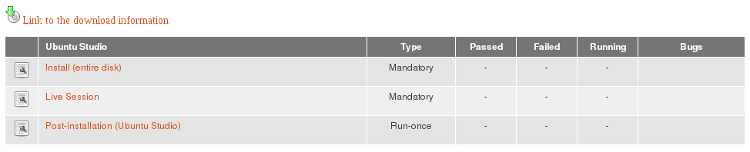
Downloading the ISO
Click on Link to the download information. You'll see a list of download types and links to them. We prefer using zsync.

zsync checks if the ISO has previously been downloaded, and if it has, it only downloads what was changed. You may need to download the same ISO a couple of times during testing, because of rebuilds, so this is where zsync becomes handy.
To download using zsync, you need to use the terminal. Create a folder for your ISOs, such as ~/iso, head to that dir, and then use zsync to download. Following commands do just that (replace the url to the ISO with the one you want to download, lines beginning with # are comments):
  # To make sure you are in home dir, cd to home root (~)

  cd ~

  # Create the iso dir with mkdir

  mkdir iso

  # change directory to iso

  cd iso/

  # zsync the file

  zsync http://cdimage.ubuntu.com/ubuntustudio/dvd/20150924/wily-dvd-amd64.iso.zsync
Every time you need to re-download the ISO, just open a terminal, cd into the iso dir, and zsync the file again.
Check your ISO for errors - important!
Sometimes every bit is not correct in the file you downloaded, and that can result in installation failures. So, to make sure there's nothing wrong with the ISO, you need to do a checksum. On the download page, there's a link to a MD5 checksum. Click on it, and you'll see something like this:
  d9508ed2fbc20713f126e00530cbdc7e *wily-dvd-amd64.iso

  01f20ed4850a56002735140eb04ec3e3 *wily-dvd-i386.iso
The above lines are the checksums to the two particular builds of Ubuntu Studio ISOs. You're checksums will be different.
To get the checksum of the ISO you downloaded, use a terminal:
  # change directory to where the ISOs are located

  cd iso/

  # get the md5 checksum

  md5sum wily-dvd-amd64.iso
Then compare the result you got with the checksum on the download page. If they are not identical, there is a problem with your ISO, and you'll need to re-download.
Create an Installer
Now that you have the ISO downloaded, you'll need to install it somehow. Either on a virtual machine, such as VirtualBox, or a real machine - which is much preferred. If you use a virtual machine, you don't need to create an installer. You can install directly from the ISO.
There are many ways to create an installer. Burning a DVD is the simplest, but those are particularly error prone when it comes to OS installers. If one bit is wrong, it may result in an installation failure. USB installers are much preferred.
There are numerous ways to create USB installers. The fastest is using the command line tool dd. Mount your USB stick, then make sure you know which drive letter it has (something like /dev/sdb, or /dev/sdc - most likely your system is installed on /dev/sda) - otherwise you risk overwriting the wrong drive, and that may end in tears!
To find out what letter your USB drive has, you can run this:
sudo fdisk -l
You should see be able to tell which drive has which letter by the size of the disk.
Once you know which drive letter your USB stick has, perform this command:
sudo dd bs=512 if=/path/to/yakkety-dvd-amd64.iso of=/dev/sdX
If your usb stick has the drive letter sdb, and the iso is located in /home/
sudo dd bs=512 if=/home/<username>/iso/yakkety-dvd-amd64.iso of=/dev/sdb
It takes a few minutes. Once you see your prompt again, the process has finished, and you can try using the USB installer.
Performing a test
To perform a test, head back to testcases page, and click on the test you'd like to perform, such as Install(entire disk). Just follow the instructions, such as here:
If you find bugs
If you found any bugs during your test, begin by checking the bottom section of the testing page for bugs to look out for, and if someone already reported your bug. In that case, you may want to head to the bug link, read about it, see if you can add something to it, and mark it affecting you as well. Later, you will want to add the bug into your test results.
But, if no one had reported the bug, you need to report a new one. You need a launchpad account to report bugs, so make sure you have that first. Then, from the release that you are testing (if possible), run the command (replace
ubuntu-bug <packagename>
How to know which package to report the bug against
Not easy knowing which package the bug is in at all times, so if you need help figuring that out, please post to the ubuntu-studio-devel mail list, and you'll get assistance. Reporting bugs in itself can be quite a task for beginners, so patience is required.
There's a general instruction on the http://iso.qa.ubuntu.com page for which package to report bugs against in different situations, and it goes like this:
For problems encountered ...

... during the installation itself:                         ubuntu-bug ubiquity

... while booting the ISO image:                            ubuntu-bug syslinux

... while booting the system after installation:            ubuntu-bug grub2

... with the graphical display after installation:          ubuntu-bug xorg

... with rescue mode:                                       ubuntu-bug friendly-recovery

... with an application:                                    ubuntu-bug PACKAGE_NAME
Someone already reported this bug
If the bug you wanted to report had already been reported, make sure to save the bug number, because you will be using it for the test result later.
Submitting a test result
Once you are done following the test instructions, and possibly reporting bugs, you should submit a test result. This is done at the bottom of test page. You can only do this if you are logged in!
Mark the test failed only if you were not able to complete the test. Otherwise, mark it passed.
Add any bugs you encountered in the bug fields. Like this:
1487819, 1466191
Critical bugs are bugs that makes the test fail. Other bugs should be put in the Bugs field.
You may read more about hardware profile at http://iso.qa.ubuntu.com, if you would like find out more about that.
Add comments, if you wish. Then press submit.
And, that's it!
UbuntuStudio/Testing/ISOTesting (last edited 2016-09-22 15:42:05 by sakrecoer)
UbuntuStudio/Testing/KernelTesting - Ubuntu Wiki
Source: https://wiki.ubuntu.com/UbuntuStudio/Testing/KernelTesting
KernelTesting
Organization ** -- Testing Sidebar -- (edit)** Team Pages - Testing Team Page Testing Documentation - Application Testing ..Test Cases - ISO Testing - Performance Testing - Kernel Testing Desktop Environment Testing
Kernel testing is done to assure we get the desired performance for our workflows.
For approximate dates, see UbuntuStudio/DevEvents/Testing
Kernel Version Testing
Each time a new version is uploadeded (3.18, 3.19) we need to test it.
Final Testing
This is done after KernelFreeze to assure everything is fine with the kernel.
UbuntuStudio/Testing/KernelTesting (last edited 2015-04-26 15:04:25 by h-141-65)
UbuntuStudio/Testing/PerformanceTesting - Ubuntu Wiki
Source: https://wiki.ubuntu.com/UbuntuStudio/Testing/PerformanceTesting
Performance Testing
This page tracks performance-oriented testing for Ubuntu Studio systems and workflows.
Focus Areas
- Audio latency and xruns under realistic session load
- Video timeline performance and render throughput
- Desktop responsiveness under multimedia workloads
- Kernel and scheduler changes that affect realtime behavior
Related Pages
UbuntuStudio/Testing/Testcases - Ubuntu Wiki
Source: https://wiki.ubuntu.com/UbuntuStudio/Testing/Testcases
Testcases
Organization ** -- Testing Sidebar -- (edit)** Team Pages - Testing Team Page Testing Documentation - Application Testing ..Test Cases - ISO Testing - Performance Testing - Kernel Testing Desktop Environment Testing
Packages and testcase bug numbers.
Check for and add missing packages.
Create bug for missing testcase @ https://bugs.launchpad.net/ubuntu-manual-tests/+filebug
Marked as synced once merged, with testcase number added to package name
Set priorities for testcase creation.
Meta packages - GR-Graphics, VI - Video, PU - Publishing, PH- Photography - everything with that 'code' missing is Audio.
| Meta | Package | Bug number | Priority | Bzr | Tracker |
|---|---|---|---|---|---|
| aeolus | 1184777 | 2 | |||
| GR,PU | agave | 1184753 | 2 | 1662_Agave | 1662_Agave |
| alsa-tools-gui | |||||
| ardour | 1184759 1538219 | 1 | 1672_Ardour | 1672_Ardour | |
| PH | argyll | ||||
| audacious | 2 | 1637_Audacious | 1637_Audacious | ||
| audacity | 2 | 1577_Audacity | 1577_Audacity | ||
| GR,VI | blender | 1184739 | 1 | 1669_Blender | 1669_Blender |
| brasero | 2 | 1516_Brasero | 1516_Brasero | ||
| calf-plugins | 2 | ||||
| PH | darktable | 1184752 | 2 | 1670_Darktable | 1670_Darktable |
| drumkv1 | 2 | ||||
| VI | dvdstyler | 2 | |||
| PH | entangle | 2 | |||
| ffado-mixer-qt4 | 2 | ||||
| fluidsynth | |||||
| PU | font-manager | 1184757 | 2 | 1671_FontManager | 1671_FontManager |
| PU | fontforge | 1184755 | |||
| foo-yc20 | 2 | ||||
| ghostess | |||||
| GR,PU,PH | gimp | 1 | 1564_Gimp | 1564_Gimp | |
| gmidimonitor | 2 | ||||
| gladish | 1184769 | ||||
| PH | gnome-color-manager | ||||
| guitarix | 1184671 | 2 | |||
| hexter | 1184776 | 2 | |||
| hydrogen | 1184761 1538223 | 1 | 1673_Hydrogen | 1673_Hydrogen | |
| idjc | 2 | ||||
| GR,VI | inkscape | 1183022 | 1 | 1665_inkscape | 1665_inkscape |
| jack-keyboard | 2 | ||||
| jack-rack | 1184784 | 2 | |||
| jackd | |||||
| jamin | 1184762 | 2 | |||
| VI | kdenlive | 1538224 | 1 | ||
| GR | krita | 1183889 | 2 | 1664_krita | 1664_krita |
| lmms | 1184763 | 2 | |||
| meterbridge | 2 | ||||
| mudita24 | 2 | ||||
| PU | musescore | 1327816 | 2 | 1643_Musescore | 1643_Musescore |
| GR | mypaint | 1184707 | 2 | ||
| VI | openshot | 2 | |||
| AU,VI | parole | 1 | 1578_Parole | 1578_Parole | |
| patchage | 1184768 | 2 | |||
| pavucontrol | 1 | 1593_pavucontrol | 1593_pavucontrol | ||
| petri-foo | 2 | ||||
| phasex | 1184772 | 2 | |||
| PH | phatch | 1527087 | 2 | ||
| VI | pitivi | 2 | |||
| puredata | 2 | ||||
| qasconfig | 2 | ||||
| qashctl | 2 | ||||
| qasmixer | 2 | ||||
| qjackctl | 1184670 1537872 | 1 | 1676_Qjackctl | 1676_Qjackctl | |
| qmidiarp | |||||
| qmidinet | 2 | ||||
| qmidiroute | 1184783 | 2 | |||
| qsynth | 1538228 | 1 | 1675_Qsynth | 1675_Qsynth | |
| qtractor | 1328159 | 2 | 1667_Qtractor | 1667_Qtractor | |
| rakarrack | 1184787 | 2 | |||
| PH | rapid-photo-downloader | 1184749 | 2 | ||
| PH | rawtherapee | 1184750 | 2 | ||
| VI | recordmydesktop | 2 | 1666_RecordMyDesktop | 1666_RecordMyDesktop | |
| GR | ristretto | 2 | 1600_Ristretto | 1600_Ristretto | |
| samplv1 | 2 | ||||
| PU | scribus | 1183096 | 2 | 1668_Scribus | 1668_Scribus |
| GR | simple-scan | 2 | 1508_Simple Scan | 1508_Simple Scan | |
| sooperlooper | 1184764 | 2 | |||
| specimen | 1184771 | Not in metas now | |||
| VI | subtitleeditor | 2 | |||
| GR,VI | synfigstudio | 2 | |||
| synthv1 | 2 | ||||
| ubuntustudio-controls | |||||
| vkeybd | 1184767 | 2 | |||
| whysynth | |||||
| VI | xine | 2 | No longer seeded | ||
| xjadeo | 2 | ||||
| yoshimi | 1184774 | 2 | |||
| zita-at1 | 2 | ||||
| zita-lrx | |||||
| zita-mu1 | 2 | ||||
| zita-resampler | |||||
| zita-rev1 | 2 |
UbuntuStudio/Testing/Testcases (last edited 2016-03-27 10:04:18 by rosco2)
UbuntuStudio/TestingDocumentation - Ubuntu Wiki
Source: https://wiki.ubuntu.com/UbuntuStudio/TestingDocumentation
TestingDocumentation
Organization ** -- Testing Sidebar -- (edit)** Team Pages - Testing Team Page Testing Documentation - Application Testing ..Test Cases - ISO Testing - Performance Testing - Kernel Testing Desktop Environment Testing
Preliminary
Testing team at Launchpad https://launchpad.net/~ubuntustudio-testing
- ISO testing - Catch bugs, report them, get them fixed
- Desktop and Application Testing - Catch bugs, report them, get them fixed
- Performance Testing - Look for parameters that affect system performance
- Kernel Testing - Testing the kernel
ISO testing - Catch bugs, report them, get them fixed
Desktop and Application Testing - Catch bugs, report them, get them fixed
Performance Testing - Look for parameters that affect system performance
Kernel Testing - Testing the kernel
Possible Tools
DesktopEnvironmentTesting - see which DEs are best performing
ISO Testing
- Manual ISO Testing
Manual ISO Testing
Kernel Testing
Desktop and Application Testing
When to do testing, and what to test?
Keep tabs on software updates, and assemble a list of them (this can be automated). Then, periodically, go through the items on that list. This is per application testing only. Some applications may need to be tested in combination with others.
- Automated testing for making sure all applications are able to start.
- Automated testing for the most common workflows (audio specifically)
- Manual testing is less structured and lets you find wierder bugs
important variables
- Hardware (CPU, GPU, Audio device, etc)
- Graphic Drivers (free vs proprietary)
Performance Testing
- Automated kernel testing with different configs used on the kernel (audio and kernel testing separately)
- Automated process testing to measure impact of running services on audio performance (audio testing)
- Automated rtirq testing
CategoryUbuntuStudio CategoryUbuntuStudioTesting
UbuntuStudio/TestingDocumentation (last edited 2015-04-26 14:46:58 by h-141-65)
UbuntuStudio/TestingQA-ISOImages - Ubuntu Wiki
Source: https://wiki.ubuntu.com/UbuntuStudio/TestingQA-ISOImages
TestingQA-ISOImages
Contents
Abstract
The purpose of this page is to provide a very "top level" explanation of the QA ISO testing process to help those not currently testing QA ISO images to do so.
Testing QA ISO images is an important, pervasive, and a required step in the release process and everyone can help.
Definition
QA ISO image testing ca be defined as scheduled testing done on specific ISO images of short availability for quality assurances (QA) purposes, i.e. to make sure the product is fit for purpose and mistakes are eliminated, using specific use case testing procedures.
Purpose
The purpose of QA ISO image testing is to make sure the product is fit for it's intended purpose and mistakes are eliminated.
In the first case (fit for intended purpose) one could evaluate the ISO image by the following primary considerations:
- can the ISO image be downloaded?
- does the ISO image match the associated MD5 sum?
- can the ISO image be installed?
- is the operating system operational once installed?
- do applications start?
The second case (mistakes eliminated) one could evaluate the ISO image by the following secondary (and perhaps tertiary) considerations:
- do applications behave as expected (i.e. not crash or have strange behavior)?
- are settings correct and functional?
The above are intended as examples of conditions that could be tested during QA and a definitive or complete list of required test cases.
More information can be found at the Ubuntu QA test cases page.
Image Availability
QA ISO images are available at the QA ISO testing tracker website only before specific milestones per the release schedule (reference 12.04 LTS 'Precise Pangolin' schedule).
The images for each milestone will only be available for a few days for testing. If an image does not achieve all test it might not be release for the next milestone, therefore it is critical for many testers to be involved to guarantee that all images are tested!
Ubuntu Studio specific ISO image for testing can be found at the Ubuntu Studio QA ISO Testing wiki page.
Process
ISO images can be tested with using a virtual machine (VM) or using spare computers (also know as bare iron) and follow slightly different processes.
A generalized work flow for each is described below:
Testing with VM
- download or zsync ISO image
- install virtual machine application
- setup and mount ISO image in VM (e.g. virtual box tutorial)
- complete installation and test per required test cases
download or zsync ISO image
setup and mount ISO image in VM (e.g. virtual box tutorial)
Testing on Spare Computer
- download or zsync ISO image
- burn ISO image to CD or DVD
- place CD or DVD in test machine and reboot machine
- complete installation and test per required test cases
download or zsync ISO image
NB: installing this way is a potentially destructive process, backup any important data before installation
While VM has the benefit of ease, testing on bare iron is generally preferred for accurate testing.
Get Involved
Sign Up - to receive email notification of Ubuntu Studio image/test availability go to the Ubuntu Studio ISO image page, click on your architecture, and sign up for a test. note: a QA account is required to sign up for tests.
Read About the Process - you can read more about the process at the ISO Testing wiki page and the QA ISO testing page.
Additional Reference Material - visit ISO testing wiki page for additional information.
Ubuntu Studio IRC Support - visit us on Freenode in the #ubuntustudio-devel channel
UbuntuStudio/TestingQA-ISOImages (last edited 2011-11-14 22:56:25 by 17)
UbuntuStudio/TestingQA-ISOImages/Draft - Ubuntu Wiki
Source: https://wiki.ubuntu.com/UbuntuStudio/TestingQA-ISOImages/Draft
Draft
= Ubuntu Studio ISO Testing =
Introduction
Welcome to the Ubuntu Studio ISO Testing page! In here you will find several important information on how to test Ubuntu Studio images.
For 13.04 we have changed things a bit. Vanilla Ubuntu (aka Ubuntu Desktop) will only have 1 beta + 1 Release Candidate. For Ubuntu Studio it is also the same.
UbuntuStudio/TestingQA-ISOImages/Draft (last edited 2012-11-20 13:44:35 by 42-3-158-046)
UbuntuStudio/TestingTeam - Ubuntu Wiki
Source: https://wiki.ubuntu.com/UbuntuStudio/TestingTeam
TestingTeam
| Launchpad Team | ~ubuntustudio-testing |
| Team Landing Page | Testing Team Page |
| Team Documentation | Testing Team Documentation |
| Blueprint | Testing Blueprint |
| Mail Lists | ubuntu-studio-devel and ubuntustudio-testing |
| IRC Channels | #ubuntustudio-devel at irc.freenode.net |
| Schedules | UbuntuStudio/DevelopmentReleaseSchedule |
Task Description
Primarily testing and QA insurance. May involve test development and writing documentation.
Launchpad Team
Team Landing Page
Team Documentation
Blueprint
Mail Lists
ubuntu-studio-devel and ubuntustudio-testing
IRC Channels
#ubuntustudio-devel at irc.freenode.net
Schedules
UbuntuStudio/DevelopmentReleaseSchedule | Ross Gammon | Denmark | Rosco2 | | Testing Lead |
Name
Location
IRC Nick
Time Commitment
Title
Denmark
Rosco2
Testing Lead
CategoryUbuntuStudio CategoryUbuntuStudioTeams
UbuntuStudio/TestingTeam (last edited 2016-01-26 22:37:05 by rosco2)
UbuntuStudio/TestingTeamPage - Ubuntu Wiki
Source: https://wiki.ubuntu.com/UbuntuStudio/TestingTeamPage
TestingTeamPage
Organization ** -- Testing Sidebar -- (edit)** Team Pages - Testing Team Page Testing Documentation - Application Testing ..Test Cases - ISO Testing - Performance Testing - Kernel Testing Desktop Environment Testing
Ubuntu Studio Testing Team Landing Page
| Launchpad Team | ~ubuntustudio-testing |
| Team Landing Page | Testing Team Page |
| Team Documentation | Testing Team Documentation |
| Blueprint | Testing Blueprint |
| Mail Lists | ubuntu-studio-devel and ubuntustudio-testing |
| IRC Channels | #ubuntustudio-devel at irc.freenode.net |
| Schedules | UbuntuStudio/DevelopmentReleaseSchedule |
Task Description
Primarily testing and QA insurance. May involve test development and writing documentation.
Launchpad Team
Team Landing Page
Team Documentation
Blueprint
Mail Lists
ubuntu-studio-devel and ubuntustudio-testing
IRC Channels
#ubuntustudio-devel at irc.freenode.net
Schedules
UbuntuStudio/DevelopmentReleaseSchedule | Ross Gammon | Denmark | Rosco2 | | Testing Lead |
Name
Location
IRC Nick
Time Commitment
Title
Denmark
Rosco2
Testing Lead
Become a member
Testing is the easiest way to contribute to the development of Ubuntu Studio. As a tester you perform smoke testing of installation ISOs and the default Ubuntu Studio applications. Report bugs to make developers aware of system and application failures.
If you want to become even deeper involved, you can assist in designing tests and writing documentation to ensure the quality of each Ubuntu Studio release.
The testing team is open, which means anyone is welcome to join.
To join the effort:
- Join the ~ubuntustudio-testing team to become automatically subscribed to the Testing Blueprint.
- Subscribe to the two mail lists ubuntu-studio-devel and ubuntustudio-testing to be up to date with discussion regarding testing and other things. It's also recommended to subscribe to the ubuntu-studio-users mail list.
- Developers hang out on #ubuntustudio-devel at irc.freenode.net. Check in and say hi! (If you're new to IRC, check out this Page).
Join the ~ubuntustudio-testing team to become automatically subscribed to the Testing Blueprint.
Subscribe to the two mail lists ubuntu-studio-devel and ubuntustudio-testing to be up to date with discussion regarding testing and other things. It's also recommended to subscribe to the ubuntu-studio-users mail list.
Developers hang out on #ubuntustudio-devel at irc.freenode.net. Check in and say hi! (If you're new to IRC, check out this Page).
UbuntuStudio/TestingTeamPage (last edited 2013-06-11 07:33:36 by 212)
UbuntuStudio/ToPackage - Ubuntu Wiki
Source: https://wiki.ubuntu.com/UbuntuStudio/ToPackage
ToPackage
PLEASE DO NOT EDIT THIS PAGE UNLESS YOU'RE ON THE UBUNTU STUDIO TEAM.
And please use dates in the form: yyyy/mm/dd (or yyyy/m/dd or yyyy/m/d or, well, you get the gist ) The "Must Complete By:" sections need real dates that space out the work. -C.Kontros
Package Update Requests
If you would like to request an existing package to be updated, please file a bug on Launchpad and assign it to ubuntustudio-dev.
Packaging Timeline
New deadline to get packages in REVU...
We are aiming to get any new packages in before Gutsy's Tribe 3. We would also like to see all our sources pushed into our Launchpad product's BZR repository. If this could be done ASAP; that would be good.
Open Libraries
About: http://openlibraries.org | Open Libraries | rexbron | In Progress | hardy | See Below |
Package Name
Assignment
Status
Must Complete By:
Notes
Open Libraries
rexbron
In Progress
hardy
See Below
Notes
A testing reposititory is available
deb http://ppa.launchpad.net/rexbron/ubuntu hardy main
Celtx
About: http://celtx.com/ | Celtx | rexbron | In Progress | Hardy Heron | See UbuntuStudio/ToPackage/Celtx for a plan of action. |
Package Name
Assignment
Status
Must Complete By:
Notes
Celtx
rexbron
In Progress
Hardy Heron
See UbuntuStudio/ToPackage/Celtx for a plan of action.
Genpo
About: http://genpo.sourceforge.net/ | Genpo | rexbron | Inital testing repo available. | Hardy | See below |
Package Name
Assignment
Status
Must Complete By:
Notes
Genpo
rexbron
Inital testing repo available.
Hardy
See below
To test genpo add "deb http://ppa.launchpad.net/rexbron/ubuntu gutsy main" to /etc/apt/sources.list and install genpo and genpo-organs.
Soma Suite
About: http://www.somasuite.org | | | | | | | --- | --- | --- | --- | --- | | Soma | rexbron | Defered. | n/a | See Note [1] | | SomaX | TobySmithe | Pushed back to +1 | n/a | Waiting on developer instruction or documentation | | SomaPlayer | none | Done | ← | Synced From Debian | | SomaWrapper | luisbg | Not Started | n/a | none | | SomaWizard | luisbg | Not Started | n/a | none | | SomaList | TobySmithe | Rejected | n/a | Stopping work as package is deprecated. | | SomaMysql | AstralJava | Pushed back until +1 | n/a | none | | SomaRss | AstralJava | Pushed back until +1 | n/a | none | | SomaRun | luisbg | Not Started | n/a | none | | SomaHttp | AstralJava | Pushed back until +1 | n/a | none | | SomaMdD | rexbron | Packaging Done | n/a | Awaiting acceptance of build dep soma-server (see Soma) |
Package Name
Assignment
Status
Must Complete By:
Notes
Soma
rexbron
Defered.
n/a
See Note [1]
SomaX
Pushed back to +1
n/a
Waiting on developer instruction or documentation
none
Done
←
Synced From Debian
luisbg
Not Started
n/a
none
luisbg
Not Started
n/a
none
Rejected
n/a
Stopping work as package is deprecated.
Pushed back until +1
n/a
none
Pushed back until +1
n/a
none
luisbg
Not Started
n/a
none
Pushed back until +1
n/a
none
SomaMdD
rexbron
Packaging Done
n/a
Awaiting acceptance of build dep soma-server (see Soma)
Notes
[1]Major new issue for inclusion into Universe. Soma needs OpenSSL, but even though Soma has the licence exception, the other software does not.
Rexbron, in luisbg's absence has packaged soma (including libsoma2) get binaries from www.aehunter.net and source from revu. The packages are not final (the source is) but should be able to satisfy build deps for the other packages. NOTE: in this release, pysoma and phpsoma may not be included due to problems packaging them. Email AndrewHunter if you REALLY need them and I will see if we can work something out.
Cinelerra-CV
About: http://cvs.cinelerra.org/ | Cinelerra-CV | muzzol | In Progress | N/A | Deferred until the license issues can be worked out. |
Package Name
Assignment
Status
Must Complete By:
Notes
Cinelerra-CV
muzzol
In Progress
N/A
Deferred until the license issues can be worked out.
LiVES
About: http://lives.sourceforge.net | LiVES | tsmithe | Pushed back to +1 | n/a | Multiverse; pitivi easier to supply |
Package Name
Assignment
Status
Must Complete By:
Notes
LiVES
tsmithe
Pushed back to +1
n/a
Multiverse; pitivi easier to supply
Jahshaka
About: http://www.jahshaka.org/ | jahshaka | rexbron | Not Started | N/A | Deferring until next upstream release.[1] |
Package Name
Assignment
Status
Must Complete By:
Notes
jahshaka
rexbron
Not Started
N/A
Deferring until next upstream release.[1]
Notes
[1] - Was unable to compile any version. Many unlisted dependencies with build issues. Reviewed the responce from the forums, same thing. The project is being rewritten from scratch for next upstream release, will reconsider for inclusion then. http://www.jahshaka.org/forum/showthread.php?t=1140&page=3&highlight=ubuntu (AndrewHunter) Please do not edit this page as it reflects solid info about the project. If you have questions please look HERE to contact us.
UbuntuStudio/ToPackage (last edited 2008-08-06 16:35:47 by localhost)
UbuntuStudio/ToPackage/Celtx - Ubuntu Wiki
Source: https://wiki.ubuntu.com/UbuntuStudio/ToPackage/Celtx
Celtx
This is the action plan for how to package Celtx. The page will get updated as more information is available.
The Celtx source package is available from http://www.celtx.com/download/.
ToDo / Timeline
-
Get the source debianized and building. Will not change anything in the source package. We just want a working deb that follows the Debian FHS and uses local libraries. ii. Launchpad PPA will be used for inital testing and distrobution of
-
Clean up the tarball to follow MOTU requirements.
-
Get it into Universe and into the eager hands of all you Linux-based script writers.
-
Will not change anything in the source package. We just want a working deb that follows the Debian FHS and uses local libraries. ii. Launchpad PPA will be used for inital testing and distrobution of
Notes
Celtx is going to be an interesting app to package. Due to it being cross platform, the upstream developers are less likely, though they have not really gotten back to me on this, to modify the upstream tarball just to make my life easier.
Miriam Ruiz <miriam@debian.org>: I've started packaging it, although I don't plan on maintaining it myself in Debian and/or Ubuntu for the moment. I have put my packaging available in a git repository at http://repo.or.cz/w/celtx-debian.git .
UbuntuStudio/ToPackage/Celtx (last edited 2009-05-20 20:53:50 by cm-81-9-153-43)
UbuntuStudio/TrustyReleaseSchedule - Ubuntu Wiki
Source: https://wiki.ubuntu.com/UbuntuStudio/TrustyReleaseSchedule
TrustyReleaseSchedule
| October 2013 | ||
| 1 | October 24th | |
| 2 | October 31st | |
| November 2013 | ||
| 3 | November 7th | |
| 4 | November 14th | |
| 5 | November 21st | |
| 6 | November 28th | |
| December 2013 | ||
| 7 | December 5th | |
| 8 | December 12th | |
| 9 | December 19th | |
| 10 | December 26th | |
| January 2014 | ||
| 11 | January 2nd | |
| 12 | January 9th | |
| 13 | January 16th | |
| 14 | January 23th | |
| 15 | January 30th | |
| February 2014 | ||
| 16 | February 6th | Debian Import Freeze |
| 17 | February 13th | |
| 18 | February 20th | FeatureFreeze |
| 19 | February 27th | Beta 1 Freeze , Beta 1 |
| March 2014 | ||
| 20 | March 6th | |
| 21 | March 13th | UserInterfaceFreeze |
| 22 | March 20th | DocumentationStringFreeze |
| 23 | March 27th | Final Beta Freeze (Mon), Final Beta |
| April 2014 | ||
| 24 | April 3rd | KernelFreeze , NonLanguagePackTranslationDeadline |
| 25 | April 10th | FinalFreeze , ReleaseCandidate , LanguagePackTranslationDeadline |
| 26 | April 17th | FinalRelease , Ubuntu 14.04 LTS |
Week
Date (Thursday)
14.04 LTS Events
October 2013
1
October 24th
2
October 31st
November 2013
3
November 7th
4
November 14th
5
November 21st
6
November 28th
December 2013
7
December 5th
8
December 12th
9
December 19th
10
December 26th
January 2014
11
January 2nd
12
January 9th
13
January 16th
14
January 23th
15
January 30th
February 2014
16
February 6th
 Debian Import Freeze
17
February 13th
18
February 20th
 FeatureFreeze
19
February 27th
 Beta 1 Freeze , Beta 1
March 2014
20
March 6th
21
March 13th
 UserInterfaceFreeze
22
March 20th
 DocumentationStringFreeze
23
March 27th
 Final Beta Freeze (Mon),  Final Beta
April 2014
24
April 3rd
 KernelFreeze,  NonLanguagePackTranslationDeadline
25
April 10th
 FinalFreeze,  ReleaseCandidate,  LanguagePackTranslationDeadline
26
April 17th
 FinalRelease, Ubuntu 14.04 LTS
UbuntuStudio/TrustyReleaseSchedule (last edited 2013-11-02 12:10:58 by h-4-180)
UbuntuStudio/Tutorials - Ubuntu Wiki
Source: https://wiki.ubuntu.com/UbuntuStudio/Tutorials
Tutorials
Use this section to draft your tutorial.
To add a tutorial draft, create a child of this page by typing the address in your browser. For example: you want to draft a tutorial about creating a gif in gimp, then type: UbuntuStudio/Tutorials/CreateGifInGimp in your browser and click on "Create new empty page". It will automatically appear in the list bellow.
Once you are done, consider adding it to the User Wiki UbuntuStudio/Tutorials (last edited 2016-05-29 13:16:22 by sakrecoer)
UbuntuStudio/Tutorials/CreateGifInGimp - Ubuntu Wiki
Source: https://wiki.ubuntu.com/UbuntuStudio/Tutorials/CreateGifInGimp
Create a GIF in GIMP
This page name is referenced as an example tutorial path in the tutorials index.
For active tutorial content, see Tutorials index.
UbuntuStudio/Tutorials/EditingVideoInBlender - Ubuntu Wiki
Source: https://wiki.ubuntu.com/UbuntuStudio/Tutorials/EditingVideoInBlender
EditingVideoInBlender
Organization Contents
-
Editing Video In Blender Get familiar with blender VSE Preparing the interface Interface basics
-
Preparing for your project Understanding Frame rates Preparing video-files with ffmpeg
Editing Video In Blender
Get familiar with blender VSE
So you've shot your scenes and now you have lots of video-files that you want to put together into one single video with audio and maybe some background music. GNU/Linux offers a wide variety of software to do this. A very popular one is KDEnlive. Although Blender being primarily known as a 3D software it is equiped with an excellent Video Sequence Editor that is perfect for this task. What I find interesting with blender is that it is an OS-agnostic program, meaning you can open, save and edit your project on any computer with sufficient hardware specifications, hence collaborate with anybody on the source files of the project, regardless what Operative System your collaborators are using! Let's do this!
Preparing the interface
A one-time step that saves a lot of time
Interface basics
Cuts, Transitions, Effects, Compositing
Preparing for your project
Understanding Frame rates
For this tutorial, I am assuming that like me, you have a rather limited budget. It would be nice to have several angles of one shot, but you have only one camera. But wait a minute, do you? Maybe you have a cellphone with a video-camera built in. Maybe one of your actors have a cell-phone camera? Maybe your parents have too? If yes, that would sum it up to at least 3 cameras. The problem with this type of set-up, is that probably all of these cameras record video to different formats, with different codecs and frame rates. The video files might even have a very different look and feel to themselves. But fear not, we can work this around.
Video codecs are a dense jungle that we will look into a little later on, but for now, let's focus on the frame rate. Frame Rate is measured in FPS which is an acronym for "Frames per seconds". This means that 1 second of a video in a video-file at 12 FPS is going to be made up of a sequence of 12 images. Respectivley, 1 second of a video in a video-file at 30 FPS is going to be made up of a sequence of 30 images. A video-file is best rendered when this frame-rate is constant. This means that in blender, you have to set a frame-rate to your project. You can be very free in this, but it is good to know, that most video platform out there on the world wide web prefer to have videos at 30fps. So why not just set it to 30 and rock on you may ask? It would be so simple if all the cameras involved in your shooting did record in 30fps. But what if they didn't? Lets imagine you used your HD-camera recording at 25fps for the main scenes, but that you used your cousins cell-phone recording at 12fps to shoot a few close-ups of the same scene. This means that you have 2 different Frame-rates in your raw video material. Now lets imagine you've set blender to render video at 30fps, when you add video from these cameras to blender, they will appear as if they were speed-up and the audio track will be off-synchronization. To understand this better, try the following:
- Import a video-file to the blender VSE time-line (press shift+A with the mouse hovering the sequencer, or use the menu as shown below).
/UbuntuStudio/Tutorials/EditingVideoInBlender?action=AttachFile&do=view&target=add_video_file.png /UbuntuStudio/Tutorials/EditingVideoInBlender?action=AttachFile&do=view&target=current_framerate.png


You will notice that 2 strips have been placed in the sequencer; a blue and a green one. The blue is the video-data, and the green is the audio-data. (If this is the first video file you import to a fresh blender project, blender will set itself to the same frame rate as your video file.) Now try this:
- Increase the fps in blender to 60 FPS.

You will see how the video-strip (blue) appears to become shorter than the audio-strip (green) At higher Frame Rate, blender will read more frames per second. Hence, if a 24fps video file is played at 60fps it appears to be speed up.
Inversely, a 60fps video-file played at 30fps will show at half the speed. (In fact, the best way to have a fluid-looking slow-motion sequence, is to record it with very high FPS)
Preparing video-files with ffmpeg
Once you have gathered all the video-files you want to use in your editing, we need to make sure they will all be in synch with our project that we set to 30 FPS. To convert a video file that is in 24FPS to our project in 30FPS without changing the speed, we have a few options. Ubuntu ships with AVCONV, Ubuntu Studio with FFMPEG and because i do this tutorial for Ubuntu Studio i will use FFMPEG. Furthermore, what is interesting with ffmpeg is that you can use it on other Operative Systems aswell. There is a great add-on for blender called Revolver. It offers you to do the conversion and FPS normalization and some really nifty features, all using the blenders GUI. But i prefer to use FFMPEG by adding this to the end of my .bashrc file:
Some basics that help a lot.
Render your project
Dimensions
Video Formats
UbuntuStudio/Tutorials/EditingVideoInBlender (last edited 2016-05-29 18:31:25 by sakrecoer)
UbuntuStudio/Ubiquity - Ubuntu Wiki
Source: https://wiki.ubuntu.com/UbuntuStudio/Ubiquity
Ubiquity
Organization -- Developer Side Bar -- (Edit) Team Pages - Bugs Team - Contributor Team - Core Team - Dev Team - Kernel Team - Release Team - Testing Team Ubuntu Studio Policy - Project Lead Vote UbuntuStudio/Packaging Needs Packaging Developer Documentation - Setup Dev Environment - Bzr Cheat Sheet - Bug Management - Packaging -- Ubuntu Studio Package Maintenance -- Uploading Packages (to the archive) - Backports - Stable Release Updates (SRU) - Seed Management - Uploading to PPA - Applying Patches - Deb Diff - Setup Local ISO Build Server - All About ISOs - Kernel Maintenance - Ubiquity - the live installer Developer Tutorials - Simple bug fix example using 'git', 'bzr' and 'edit-patch' Workflows - Audio - Video - Graphics - Photography - Publishing Workflow Categories Freedesktop Categories Deb Tags Ubuntu Studio Packages Ubuntu Studio Launchpad Projects Reference - Terminology
Ubiquity - Ubuntu Studio related
- ubiquity - Canonical maintained
- ubuntustudio-live - ubuntustudio-dev maintained plugin for ubiquity
ubiquity - Canonical maintained
ubuntustudio-live - ubuntustudio-dev maintained plugin for ubiquity
Document everything that is involved with installing Ubuntu Studio with ubiquity here
Artwork related
default ubiquity background
This is the background shown when choosing install from the live DVD boot menu, as opposed to choosing the default option. The wallpaper is change in the source for ubiquity.
browse code: http://bazaar.launchpad.net/~ubuntu-installer/ubiquity/trunk/view/head:/bin/ubiquity-dm (at line 308 at the time of this writing)
get the code: bzr branch lp:ubiquity
push code: bzr push lp:~
UbuntuStudio/Ubiquity (last edited 2013-07-09 09:53:37 by h-4-180)
UbuntuStudio/UbuntuStudioBugsTeam - Ubuntu Wiki
Source: https://wiki.ubuntu.com/UbuntuStudio/UbuntuStudioBugsTeam
UbuntuStudioBugsTeam
| Launchpad Team | ~ubuntustudio-bugs | | Team Landing Page | Ubuntu Studio Bugs Team Page |
Task Description
Join this team to be subscribed to all Ubuntu Studio related bugs
Launchpad Team
Team Landing Page
Ubuntu Studio Bugs Team Page | Ross Gammon | Denmark | Rosco2 | | Testing Lead |
Name
Location
IRC Nick
Time Commitment
Title
Denmark
Rosco2
Testing Lead
CategoryUbuntuStudio CategoryUbuntuStudioTeams
UbuntuStudio/UbuntuStudioBugsTeam (last edited 2016-01-26 22:45:27 by rosco2)
UbuntuStudio/UbuntuStudioBugsTeamPage - Ubuntu Wiki
Source: https://wiki.ubuntu.com/UbuntuStudio/UbuntuStudioBugsTeamPage
UbuntuStudioBugsTeamPage
Organization -- Developer Side Bar -- (Edit) Team Pages - Bugs Team - Contributor Team - Core Team - Dev Team - Kernel Team - Release Team - Testing Team Ubuntu Studio Policy - Project Lead Vote UbuntuStudio/Packaging Needs Packaging Developer Documentation - Setup Dev Environment - Bzr Cheat Sheet - Bug Management - Packaging -- Ubuntu Studio Package Maintenance -- Uploading Packages (to the archive) - Backports - Stable Release Updates (SRU) - Seed Management - Uploading to PPA - Applying Patches - Deb Diff - Setup Local ISO Build Server - All About ISOs - Kernel Maintenance - Ubiquity - the live installer Developer Tutorials - Simple bug fix example using 'git', 'bzr' and 'edit-patch' Workflows - Audio - Video - Graphics - Photography - Publishing Workflow Categories Freedesktop Categories Deb Tags Ubuntu Studio Packages Ubuntu Studio Launchpad Projects Reference - Terminology
Ubuntu Studio Bugs Team Landing Page
| Launchpad Team | ~ubuntustudio-bugs | | Team Landing Page | Ubuntu Studio Bugs Team Page |
Task Description
Join this team to be subscribed to all Ubuntu Studio related bugs
Launchpad Team
Team Landing Page
Ubuntu Studio Bugs Team Page | Ross Gammon | Denmark | Rosco2 | | Testing Lead |
Name
Location
IRC Nick
Time Commitment
Title
Denmark
Rosco2
Testing Lead
Why join this team?
This is a open team, which means anyone can join it. This team is subscribed to all Ubuntu Studio related bugs, so joining ths team will forward all bug reports to you.
UbuntuStudio/UbuntuStudioBugsTeamPage (last edited 2013-05-17 01:32:06 by h-4-180)
UbuntuStudio/UbuntuStudioCleaned - Ubuntu Wiki
Source: https://wiki.ubuntu.com/UbuntuStudio/UbuntuStudioCleaned
UbuntuStudioCleaned
Legacy cleanup reference page retained for link continuity.
Use Home for current navigation.
UbuntuStudio/UbuntuStudioDevTemplate - Ubuntu Wiki
Source: https://wiki.ubuntu.com/UbuntuStudio/UbuntuStudioDevTemplate
UbuntuStudioDevTemplate
Organization -- Developer Side Bar -- (Edit) Team Pages - Bugs Team - Contributor Team - Core Team - Dev Team - Kernel Team - Release Team - Testing Team Ubuntu Studio Policy - Project Lead Vote UbuntuStudio/Packaging Needs Packaging Developer Documentation - Setup Dev Environment - Bzr Cheat Sheet - Bug Management - Packaging -- Ubuntu Studio Package Maintenance -- Uploading Packages (to the archive) - Backports - Stable Release Updates (SRU) - Seed Management - Uploading to PPA - Applying Patches - Deb Diff - Setup Local ISO Build Server - All About ISOs - Kernel Maintenance - Ubiquity - the live installer Developer Tutorials - Simple bug fix example using 'git', 'bzr' and 'edit-patch' Workflows - Audio - Video - Graphics - Photography - Publishing Workflow Categories Freedesktop Categories Deb Tags Ubuntu Studio Packages Ubuntu Studio Launchpad Projects Reference - Terminology
Add your text here..
CategoryUbuntuStudio CategoryUbuntuStudioDev
UbuntuStudio/UbuntuStudioDevTemplate (last edited 2015-09-09 11:30:29 by 83)
UbuntuStudio/UbuntuStudioPackages - Ubuntu Wiki
Source: https://wiki.ubuntu.com/UbuntuStudio/UbuntuStudioPackages
UbuntuStudioPackages
Organization -- Developer Side Bar -- (Edit) Team Pages - Bugs Team - Contributor Team - Core Team - Dev Team - Kernel Team - Release Team - Testing Team Ubuntu Studio Policy - Project Lead Vote UbuntuStudio/Packaging Needs Packaging Developer Documentation - Setup Dev Environment - Bzr Cheat Sheet - Bug Management - Packaging -- Ubuntu Studio Package Maintenance -- Uploading Packages (to the archive) - Backports - Stable Release Updates (SRU) - Seed Management - Uploading to PPA - Applying Patches - Deb Diff - Setup Local ISO Build Server - All About ISOs - Kernel Maintenance - Ubiquity - the live installer Developer Tutorials - Simple bug fix example using 'git', 'bzr' and 'edit-patch' Workflows - Audio - Video - Graphics - Photography - Publishing Workflow Categories Freedesktop Categories Deb Tags Ubuntu Studio Packages Ubuntu Studio Launchpad Projects Reference - Terminology
This page deals with all of the packages that include Ubuntu Studio source.
Listed by the Binary Package Name
| plymouth-theme-ubuntustudio | ubuntustudio-look |
| ubiquity-slideshow-ubuntustudio | ubiquity-slideshow-ubuntu |
| ubuntustudio-audio | ubuntustudio-meta |
| ubuntustudio-audio-plugins | ubuntustudio-meta |
| ubuntustudio-controls | ubuntustudio-controls |
| ubuntustudio-default-settings | ubuntustudio-default-settings |
| ubuntustudio-desktop | ubuntustudio-meta |
| ubuntustudio-font-meta | ubuntustudio-meta |
| ubuntustudio-generation | ubuntustudio-meta |
| ubuntustudio-graphics | ubuntustudio-meta |
| ubuntustudio-icon-theme | ubuntustudio-icon-theme |
| ubuntustudio-lightdm-theme | ubuntustudio-lightdm-theme |
| ubuntustudio-live-settings | ubuntustudio-default-settings |
| ubuntustudio-look | ubuntustudio-look |
| ubuntustudio-menu | ubuntustudio-menu |
| ubuntustudio-photography | ubuntustudio-meta |
| ubuntustudio-publishing | ubuntustudio-meta |
| ubuntustudio-recording | ubuntustudio-meta |
| ubuntustudio-screensaver | ubuntustudio-screensaver |
| ubuntustudio-sounds | ubuntustudio-sounds |
| ubuntustudio-video | ubuntustudio-meta |
| ubuntustudio-wallpapers | ubuntustudio-look |
Binary Package
Source Package
ubiquity-slideshow-ubuntustudio
Listed by the Source Package Name
| ubiquity-slideshow-ubuntu | ubiquity-slideshow-ubuntustudio |
| ubuntustudio-controls | ubuntustudio-controls |
| ubuntustudio-default-settings | ubuntustudio-default-settings , ubuntustudio-live-settings |
| ubuntustudio-icon-theme | ubuntustudio-icon-theme |
| ubuntustudio-lightdm-theme | ubuntustudio-ligthdm-theme |
| ubuntustudio-look | ubuntustudio-look , plymouth-theme-ubuntustudio , ubuntustudio-wallpapers |
| ubuntustudio-menu | ubuntustudio-menu |
| ubuntustudio-meta | ubuntustudio-audio , ubuntustudio-audio-plugins , ubuntustudio-desktop , ubuntustudio-font-meta , ubuntustudio-generation , ubuntustudio-graphics , ubuntustudio-photography , ubuntustudio-publishing , ubuntustudio-recording , ubuntustudio-video |
| ubuntustudio-screensaver | ubuntustudio-screensaver |
| ubuntustudio-sounds | ubuntustudio-sounds |
Source Package
Binary Packages
ubiquity-slideshow-ubuntustudio
ubuntustudio-default-settings, ubuntustudio-live-settings
ubuntustudio-look, plymouth-theme-ubuntustudio, ubuntustudio-wallpapers
ubuntustudio-audio, ubuntustudio-audio-plugins, ubuntustudio-desktop, ubuntustudio-font-meta, ubuntustudio-generation, ubuntustudio-graphics, ubuntustudio-photography, ubuntustudio-publishing, ubuntustudio-recording, ubuntustudio-video
UbuntuStudio/UbuntuStudioPackages (last edited 2013-07-22 17:27:15 by h-4-180)
UbuntuStudio/UbuntuStudioTeam - Ubuntu Wiki
Source: https://wiki.ubuntu.com/UbuntuStudio/UbuntuStudioTeam
UbuntuStudioTeam
| Launchpad Team | ~ubuntustudio |
| Team Wiki | Ubuntu Studio Team Page |
| Mail Lists | Ubuntu-Studio-users |
| IRC Channels | #ubuntustudio at irc.freenode.net |
Task Description
Open team for ubuntu Studio users. Members of the launchpad team are allowed to comment on posts at ubuntustudio.org.
Launchpad Team
Team Wiki
Mail Lists
IRC Channels
#ubuntustudio at irc.freenode.net
CategoryUbuntuStudio CategoryUbuntuStudioTeams
UbuntuStudio/UbuntuStudioTeam (last edited 2015-04-26 11:59:55 by h-141-65)
UbuntuStudio/UbuntuStudioTeamPage - Ubuntu Wiki
Source: https://wiki.ubuntu.com/UbuntuStudio/UbuntuStudioTeamPage
UbuntuStudioTeamPage
Ubuntu Studio User Team Page
| Launchpad Team | ~ubuntustudio |
| Team Wiki | Ubuntu Studio Team Page |
| Mail Lists | Ubuntu-Studio-users |
| IRC Channels | #ubuntustudio at irc.freenode.net |
Task Description
Open team for ubuntu Studio users. Members of the launchpad team are allowed to comment on posts at ubuntustudio.org.
Launchpad Team
Team Wiki
Mail Lists
IRC Channels
#ubuntustudio at irc.freenode.net
Become a member
Becoming a member of Ubuntu Studio is the first step towards contributing to the Ubuntu Studio community.
- Join the ~ubuntustudio launchpad team which allows you to comment on posts at http://ubuntustudio.org.
- Subscribe to the Ubuntu-Studio-users mail list to keep up with announcements and community discussions regarding Linux Audio.
- Check in and say hi on #ubuntustudio at irc.freenode.net - Learn more about IRC.
Join the ~ubuntustudio launchpad team which allows you to comment on posts at http://ubuntustudio.org.
Subscribe to the Ubuntu-Studio-users mail list to keep up with announcements and community discussions regarding Linux Audio.
Check in and say hi on #ubuntustudio at irc.freenode.net - Learn more about IRC.
UbuntuStudio/UbuntuStudioTeamPage (last edited 2013-03-31 22:28:35 by h-4-180)
UbuntuStudio/UDS-R-PadNotes - Ubuntu Wiki
Source: https://wiki.ubuntu.com/UbuntuStudio/UDS-R-PadNotes
UDS-R-PadNotes
Ubuntu Studio Raring Planning
Discussed Topics
-
XFCE ideas?
-
- enhance cooperation with {Xubuntu|Xfce} devs
-
Developer Docs, cross-flavor community team? (~ubuntu-doc-contributors at launchpad?)
-
- what sets {us|US} apart from https://wiki.ubuntu.com/UbuntuDevelopment?
-
what sets {us|US} apart from https://wiki.ubuntu.com/UbuntuDevelopment?
-
Are we lacking support for something?
-
- publishing work flow?
-
Ideas for expanding the team
-
- promotion? We need to let people know this flavor/derivative, then we can get them on to contribute! - Just submitted an article to call for contributions to Full Circle magazine
-
Automated testing (UTAH, checkbox, AutoPilot)?
-
- zequence attended sessions in UDS
-
Kernel maintenance (zequence)n
Blueprint link: https://blueprints.launchpad.net/ubuntu/+spec/community-r-ubuntustudio-planning
Workitems:

[ubuntustudio-dev] Talk with lionel at Xubuntu about further cooperation on XFCE (get a picture of how XFCE is installed and set on Xubuntu/Ubuntu Studio).

[zequence] Talk with dholbach about developer docs (he might have been working for this)

[zequence] See about getting upload rights for zequence and len-ovenwerks (use LP names)

[ubuntustudio-dev] Use PR team to recruit users to help Ubuntu Studio define and finegrain Ubuntu Studio workflows (choice of applications, fixing bugs, etc)

[ubuntustudio-dev] Look at informing users about mixbus and linux-dsp plugins

*[cjcurran] investigate a good set of defaults for supercollider

*[zequence] Add supercollider to seeds

*[zequence] Add faust to seeds

*[cjcurran] Define applications and settings to be installed for audio coding (subgroup of audio workflow)
Other:
- Ubuntu Studio devs could hang out more on Xubuntu/Xfce IRC channels, to get more involved in XFCE development, and settings * Especially Xfce channels, we do normally hangout on Xubuntu channels, but normally we won't step into the Xfce channels (smartboyhw) * Kaj should talk with Christian Dywan (kalikiana) in UDS
UbuntuStudio/UDS-R-PadNotes (last edited 2012-11-04 11:12:15 by h-161-160)
UbuntuStudio/UIRedesignContest - Ubuntu Wiki
Source: https://wiki.ubuntu.com/UbuntuStudio/UIRedesignContest
UIRedesignContest
Ubuntu Studio Controls UI Redesign Contest
CONTENT PLACEHOLDER
UbuntuStudio/UIRedesignContest (last edited 2008-08-31 19:31:05 by CPE001310b2d1d1-CM0012256e816a)
UbuntuStudio/update-website-spec - Ubuntu Wiki
Source: https://wiki.ubuntu.com/UbuntuStudio/update-website-spec
update-website-spec
- Launchpad Entry: other-p-ubuntustudio-update-website
- Created: 2011-09-06
- Contributors: ScottLavender
- Packages affected:
Launchpad Entry: other-p-ubuntustudio-update-website
Created: 2011-09-06
Contributors: ScottLavender
Packages affected: Contents
Summary
This specification describes the development of an updated and improved Ubuntu Studio website (ubuntustudio.org).
Rationale
The Ubuntu Studio website has not been updated in many years and is suffering some bitrot. An updated theme would improve the aesthetics of the website.
Additional pages are desired to improve user experience and support.
Furthermore, providing a more functional website improves Ubuntu Studio's presence on the web.
Use Cases
Primary
- download iso image, either current release or LTS version
- learn about ubuntu studio (i.e. what is it and do i want to use it?)
- learn how to contribute to ubuntu studio
Secondary
- news feed (with rss)
- to learn about current design work (i.e. what we are trying to do now but haven't released yet)
- to find tutorials, work flows, and instructions (could be wiki pages, videos, or even individual's blog posts)
- to get help (forums, irc, wiki pages, mailing lists)
Scope
This specification covers creating a new website theme, deploying the theme via ubuntustudio-dev website launchpad branch, and develop content on the website.
Design
Website Platform: We have decided to use Wordpress.
Implementation
Development
A development website has been created and design/content will need to be created by the website team. It will be refined through peer/team review.
We should try to complete as much design and content as possible before it is moved (by -security or RT or whoever) to the staging tree.
Launchpad Branch
Once the demo site is approved then the appropriate code would need to be pushed to the website bzr branch hosted in Launchpad. A Ubuntu Stduio website team has been created to control access to the bzr code.
Website Content
Home Page
The home page will include, in general top -> down, left -> right flow:
nav bar - links to home, news, (contributor's) blog, download, tutorials (aka wiki), support, contribute (to development), feedback
slide show - show overview of ubuntu studio and general use cases; (1) overview of ubuntu studio plus gpl/linux/floss info, (2) audio, (3) graphic design, (4) video, (5) photography
download button - in same vertical space as slide show but to the right of it (but also above the feature tour button), make it stand out as this is a primary reason people come to website, make it easy for them to see it!, make it appreciably big, use different color than rest of page and different than feature tour perhaps, label button "Download ISO"
might still include the "release notes" and "installation guide" links between buttons
feature tour - in the same vertical space as slide show but to the right of it (but also below the download button), make it stand out as this is a primary reason people come to website, make it easy for them to see it!, make it appreciably big, , use different color than rest of page and different than download perhaps, label button "Take the Feature Tour" or "Learn More About Ubuntu Studio" or similar
project description - leave it as is, choosing to go with the simple, uncluttered aesthetic for the home page devoid of "wall-o-text" news items
search - located at the top of the of the column to the right of the news/blog area and below the entire slide show area
social - replace current article tags with social ticker as article tags might be better located on the news and designer blog pages, located in the column to the right of the news/blog area and below the search box, include social icons at the top of the ticker NOT SURE IF WE ARE USING THIS
An example image knocked up in Inkscape: 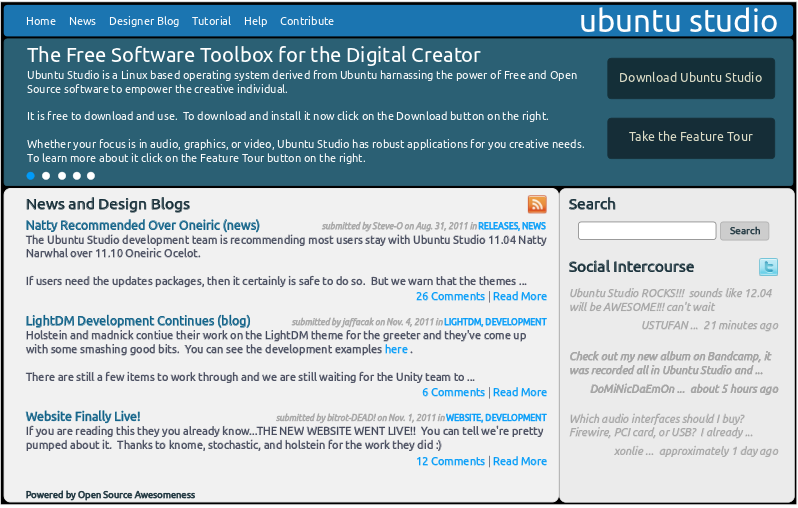
Notice how the vertical spacing is more optimized in this overlay image: 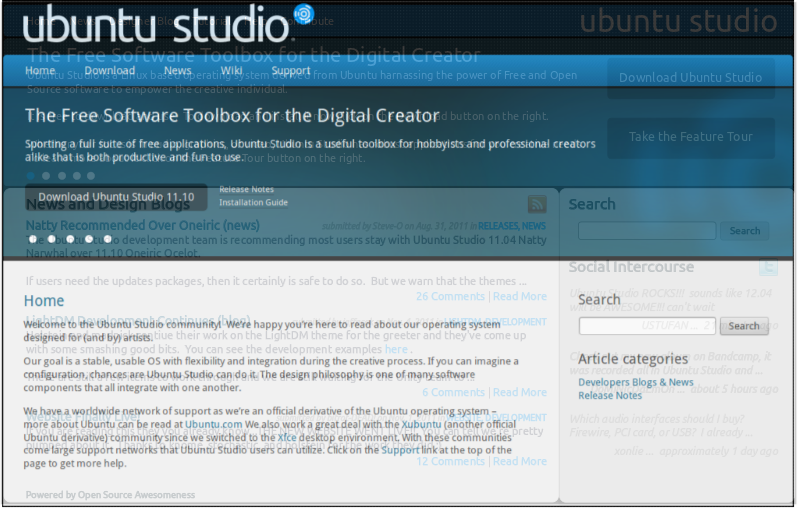
Full size .svg file: website-clean-original.svg smaller .svg file: website-clean-smaller.svg


News
typical news page with rss feed and search box
meant for formal announcements mainly.
do we include contributor blog posts here as well? is there a way to include both but have the blog items look different than the news ones?
Blog
place for contributors to blog about development, mentioning current development or possible considerations for upcoming development.
not currently considered for a blog aggregation, but could be
Download
linked to by navbar and button on front page
have a large, prominent area for "recommended release", will link DIRECTLY to images for i386 ISO, amd64 ISO, i386 torrent, and amd64 torrent, this section should be new user friendly and capture the eye somehow
links should be included for "how to burn an ISO", "release notes", and "installation guide"
"how to burn an ISO" and "installation guide" might be static links located in the right sidebar
"release notes" might be located directly with "recommended release" links
we can show the latest release (if not the current) and the LTS version as links to the cdimage page also
Tutorials
also known as "wiki"
currently this probably should link to help.ubuntu.com/ubuntustudio help page
in the future we can try to use a different css and pull the information directly from the h.u.c pages link edubuntu and kbuntu currently do for ubuntu studio pages
Support
description of the different forms of help and maybe mention timeliness of each
include the following links:
- ubuntu studio forum on ubuntuforums.org - http://ubuntuforums.org/forumdisplay.php?f=335
- IRC - freenode #ubuntustudio and #ubuntustudio-devel
- email - ubuntu-studio-users@lists.ubuntu.com and ubuntu-studio-devel@lists.ubuntu.com
ubuntu studio forum on ubuntuforums.org - http://ubuntuforums.org/forumdisplay.php?f=335
email - ubuntu-studio-users@lists.ubuntu.com and ubuntu-studio-devel@lists.ubuntu.com
Contribute
list and description of the ways to help contribute to ubuntu studio
include link to "contribute to develop" wiki page - UbuntuStudio/ContributeToDevelopment
Feedback
feedback form to solicit user feedback
should include prominent note saying that this isn't a bug report or for getting help/support
but should note that this is a good place for suggestions or even new application notifications
Feature Tour
or "learn more about ubuntu studio" pages
the purpose of this is to expand on the "slide show" use cases by explaining the features of each use case by highlighting the applications and their capacities. for example, the audio page can mention jack with lowlatency and super-flexible connectivity, ardour with unlimited (more or less) tracks and fader automation, and over 200+ plugins included.
this is the page where we want to hook people who are unfamiliar with ubuntu studio (or possibly linux and fl/oss) to actually download, install, and use ubuntu studio
pages will include text with some graphics and include "<- previous" and "next ->" links at bottom
currently the pages are envisioned as:
- overview of ubuntu studio and gpl/linux/floss
- audio
- graphic design
- video/film
- photography
Outstanding Issues
- further information is required for which code should be in bzr branch
BoF agenda and discussion
Further discussion can be scheduled as needed.
UbuntuStudio/update-website-spec (last edited 2011-12-04 18:19:41 by lfkn-adsl-dhcp-64-92-16-215)
UbuntuStudio/UpdateDebianSource - Ubuntu Wiki
Source: https://wiki.ubuntu.com/UbuntuStudio/UpdateDebianSource
UpdateDebianSource
Under Development
If you want to try the latest git for an existing Ubuntu package, and upload it to PPA, here is what you can do. First, depending on the Ubuntu release you are aiming for, there may be dependency issues. So, if you have that, you may need to build the dependencies first. Needless to say, with some packages, this can become a complicated issue. If you work from the latest, or development release of Ubuntu, chances are greater that you won't run into this problem. Make sure the source you are going to use is not lacking dependencies on your target system. If you're only interested in a very specific upstream addition to the package, it is wiser to create a patch for it instead.
Using pulseaudio as an example, on the development release of Ubuntu, currently Raring.
Get the source for the Ubuntu package.
apt-get source pulseaudio
Get the source for the pulseaudio git
git clone git://anongit.freedesktop.org/pulseaudio/pulseaudio pulseaudio-upstream
Get build dependencies for pulseaudio
sudo apt-get build-dep pulseaudio
Copy the debian folder into the git tree
cp -R pulseaudio-3.0/debian pulseaudio-upstream/

cd pulseaudio-upstream
Some patches may fail to be applied during the next steps, so if that happens, you can remove one or all of them at (or redo them)
debian/patches
Now, if you want to build locally, you could do:
dpkg-buildpackage -us -uc -nc
Let's make a new addition to the changelog.
dch -i
Make sure it looks something like this, and specifically that you replace UNRELEASED with in this case, raring
pulseaudio (1:3.0-0ubuntu5) raring; urgency=low

  * Uploading latest git source to my PPA (this is just for describing the change)

 -- Kaj Ailomaa <zequence@mousike.me>  Thu, 21 Feb 2013 15:39:00 +0100
Now, we need to make this into an updated source package.
UbuntuStudio/UpdateDebianSource (last edited 2013-02-21 14:51:04 by 212)
UbuntuStudio/UserGuide - Ubuntu Wiki
Source: https://help.ubuntu.com/community/UbuntuStudio/UserGuide
User Guide
For current user-guide content, see:
UbuntuStudio/UserSurvey - Ubuntu Wiki
Source: https://wiki.ubuntu.com/UbuntuStudio/UserSurvey
UserSurvey
Back to Maverick Meerkat Release Planning
Scratch pad for developing questions for a user survey. Reasons for questions should also be included. Contents
Hardware
| single, dual, or quad core? | give indication of users capabilities (i.e. jackdmp) |
| laptop or desktop computer? | which hardware paradigm to support |
| audio interface - pci card, firewire, usb, or other? | helps us understand which interface to support |
| video card - onboard, ati, nvidia, other? | which video drivers to support |
| is this computer used for work other than multimedia creation? | developing our user's needs |
| what else do you use this computer for? | user's needs |
32 bit or 64 bit machine?
gives an idea of which architectures are being used
single, dual, or quad core?
give indication of users capabilities (i.e. jackdmp)
laptop or desktop computer?
which hardware paradigm to support
audio interface - pci card, firewire, usb, or other?
helps us understand which interface to support
video card - onboard, ati, nvidia, other?
which video drivers to support
is this computer used for work other than multimedia creation?
developing our user's needs
what else do you use this computer for?
user's needs
Installation
full install or "upgrade" from vanilla ubuntu?
which installation vector to support/develop
|| what other applications do you routinely install after studio installation? || might include these in metapackage or -controls
Experience
| do you use Ubuntu Studio professionally? | user's experience |
| do you make money using Ubuntu Studio? | user's experience |
| do you use Ubuntu Studio for live gigs? | user's experience |
Do you create multimedia professionally?
user's experience
do you use Ubuntu Studio professionally?
user's experience
do you make money using Ubuntu Studio?
user's experience
do you use Ubuntu Studio for live gigs?
user's experience
Workflow
can you explain your workflow for multimedia creation?
user's needs
Audio
do you record live instruments or do you record MIDI instruments?
user's needs
UbuntuStudio/UserSurvey (last edited 2010-05-10 18:04:42 by 17)
UbuntuStudio/uS_lp_potentials - Ubuntu Wiki
Source: https://wiki.ubuntu.com/UbuntuStudio/uS_lp_potentials
uS_lp_potentials
Reasons To Use Launchpad
UbuntuStudio could use the following features of Launchpad quite effectively:
- Effective Questions and Answers from UbuntuStudio End-Users See this page in Launchpad for more information. As you can see from this link, it is a one-stop ask and answer tool tightly intertwined with all packages and related matters hosted on Launchpad. It also provides quick and detailed email summaries as well as notifications. From an end user perspective, this is a massive asset. It should be noted that although the web interface is completely useful for users, developers and those with busy schedules are able to quickly answer questions solely through the use of their email clients.
- Bug Tracking Again, being tightly wound with Launchpad, it is logical that bugs discovered by users are registered to the appropriate packages that UbuntuStudio contains. Since it has been a goal of UbuntuStudio to tightly work with the Ubuntu mainline develop system, all packages within UbuntuStudio are already tracked through Launchpad. This prevents a 'doubling' or 'redundancy' of tracked issues. The bug tracking offered through the interlinked Malone system, and offers the upside of strictly email bug interface tools. It also allows for more complicated bug interactions as this multi project bug description asserts to.
- Blueprinting New Features Every product gets the benefit of having a quick wiki based blueprinting feature that can easily be tracked and cross-linked in Launchpad. This means that if wedderburn, for example, wishes to change certain icon elements, he is easily able to register the specification, set the development path, set notes, and choose a level of development among other details. This quickly allows any interested parties to also engage in the process and track the status. Again, this is of significant relevance to keep busy individuals tracking only the packages they are required to. Again, email offers updates and notifications for quick filtering in any email client.
Effective Questions and Answers from UbuntuStudio End-Users
- See this page in Launchpad for more information. As you can see from this link, it is a one-stop ask and answer tool tightly intertwined with all packages and related matters hosted on Launchpad. It also provides quick and detailed email summaries as well as notifications. From an end user perspective, this is a massive asset. It should be noted that although the web interface is completely useful for users, developers and those with busy schedules are able to quickly answer questions solely through the use of their email clients.
See this page in Launchpad for more information. As you can see from this link, it is a one-stop ask and answer tool tightly intertwined with all packages and related matters hosted on Launchpad. It also provides quick and detailed email summaries as well as notifications. From an end user perspective, this is a massive asset. It should be noted that although the web interface is completely useful for users, developers and those with busy schedules are able to quickly answer questions solely through the use of their email clients.
- Again, being tightly wound with Launchpad, it is logical that bugs discovered by users are registered to the appropriate packages that UbuntuStudio contains. Since it has been a goal of UbuntuStudio to tightly work with the Ubuntu mainline develop system, all packages within UbuntuStudio are already tracked through Launchpad. This prevents a 'doubling' or 'redundancy' of tracked issues. The bug tracking offered through the interlinked Malone system, and offers the upside of strictly email bug interface tools. It also allows for more complicated bug interactions as this multi project bug description asserts to.
Again, being tightly wound with Launchpad, it is logical that bugs discovered by users are registered to the appropriate packages that UbuntuStudio contains. Since it has been a goal of UbuntuStudio to tightly work with the Ubuntu mainline develop system, all packages within UbuntuStudio are already tracked through Launchpad. This prevents a 'doubling' or 'redundancy' of tracked issues. The bug tracking offered through the interlinked Malone system, and offers the upside of strictly email bug interface tools. It also allows for more complicated bug interactions as this multi project bug description asserts to.
- Every product gets the benefit of having a quick wiki based blueprinting feature that can easily be tracked and cross-linked in Launchpad. This means that if wedderburn, for example, wishes to change certain icon elements, he is easily able to register the specification, set the development path, set notes, and choose a level of development among other details. This quickly allows any interested parties to also engage in the process and track the status. Again, this is of significant relevance to keep busy individuals tracking only the packages they are required to. Again, email offers updates and notifications for quick filtering in any email client.
Every product gets the benefit of having a quick wiki based blueprinting feature that can easily be tracked and cross-linked in Launchpad. This means that if wedderburn, for example, wishes to change certain icon elements, he is easily able to register the specification, set the development path, set notes, and choose a level of development among other details. This quickly allows any interested parties to also engage in the process and track the status. Again, this is of significant relevance to keep busy individuals tracking only the packages they are required to. Again, email offers updates and notifications for quick filtering in any email client.
Problems With Using Launchpad
The majority of the issues with Launchpad thus far for the UbuntuStudio team could be broken down into three distinct categories:
- Knowledge Very few people know Launchpad to the degree necessary to fully incorporate the features. This yields potential redundancy in services, and again, a doubling up of resources where Launchpad could viable maintain the bulk of support and service related matters.
- Limited Scope Even with a single knowledge point, the system falls apart. Launchpad is designed to be a central 'meeting place' for all things. This means that it is fundamental that everyone involved with UbuntuStudio understands how the relevant parts operate, even if they only know the top-most level items.
- Documentation In previous eras and with Launchpad growing at a tremendous rate, there have been issues with documentation. This is no longer the case. There are both downloadable pdfs and an online guide available.
-
Very few people know Launchpad to the degree necessary to fully incorporate the features. This yields potential redundancy in services, and again, a doubling up of resources where Launchpad could viable maintain the bulk of support and service related matters.
-
Even with a single knowledge point, the system falls apart. Launchpad is designed to be a central 'meeting place' for all things. This means that it is fundamental that everyone involved with UbuntuStudio understands how the relevant parts operate, even if they only know the top-most level items.
Even with a single knowledge point, the system falls apart. Launchpad is designed to be a central 'meeting place' for all things. This means that it is fundamental that everyone involved with UbuntuStudio understands how the relevant parts operate, even if they only know the top-most level items.
- In previous eras and with Launchpad growing at a tremendous rate, there have been issues with documentation. This is no longer the case. There are both downloadable pdfs and an online guide available.
In previous eras and with Launchpad growing at a tremendous rate, there have been issues with documentation. This is no longer the case. There are both downloadable pdfs and an online guide available.
Starting Full UbuntuStudio Integration Before Primary Release
It is critical at this juncture that everyone understand Launchpad's role in the development of UbuntuStudio before the release. The following reasoning is cited:
-
Maximize Resources This obviously assures that bugs, questions, and all related matters are answered once and are met by the proper people to answer those issues. It will also, over time, provide a repository for various questions and answers. UbuntuStudio does not need questions asked in fourteen different locations, bugs cited in sixteen, and helpful folks being lost in a mass of different avenues.
-
Centralization Building on the above concept, Launchpad greatly allows a growing complicated system to be managed and tracked by those that need to without venturing to a plethora of different resource sites.
-
This obviously assures that bugs, questions, and all related matters are answered once and are met by the proper people to answer those issues. It will also, over time, provide a repository for various questions and answers. UbuntuStudio does not need questions asked in fourteen different locations, bugs cited in sixteen, and helpful folks being lost in a mass of different avenues.
This obviously assures that bugs, questions, and all related matters are answered once and are met by the proper people to answer those issues. It will also, over time, provide a repository for various questions and answers. UbuntuStudio does not need questions asked in fourteen different locations, bugs cited in sixteen, and helpful folks being lost in a mass of different avenues.
- Building on the above concept, Launchpad greatly allows a growing complicated system to be managed and tracked by those that need to without venturing to a plethora of different resource sites.
It cannot be stressed enough that everyone understand this, for any and all information that is released to the external public should point to the proper access points from the onset of the release. This includes the web presence, the inevitable forum distribution, and like areas.
Primary Chief of Staff
It is probably well advised that luisbg be the point head on this project as he is one of the few people involved with UbuntuStudio that has a loose knowledge of all discreet components. He is likely to initially be helped by troy_s and tsmithe. It is critical that this knowledge be extended to every UbuntuStudio team development member once the initial workings are mapped out. No exceptions.
Important Listing of ToDos
- Make certain that anyone providing support / link information / etc. is aware of where it is located in Launchpad. This means anyone. Of primary key importance is the web development team to assure that the official team page properly refers to singular channels for support and bug related issues.
- Enhance luisbg's understanding of Launchpad to further spread the news to all parties required.
- Organize and order the UbuntuStudio project on Launchpad so that all aspects are properly registered in the proper / appropriate manner.
- Provide a quick summary for an FAQ basis on the official site.
Make certain that anyone providing support / link information / etc. is aware of where it is located in Launchpad. This means anyone. Of primary key importance is the web development team to assure that the official team page properly refers to singular channels for support and bug related issues.
Organize and order the UbuntuStudio project on Launchpad so that all aspects are properly registered in the proper / appropriate manner.
UbuntuStudio/uS_lp_potentials (last edited 2008-08-06 17:00:08 by localhost)
UbuntuStudio/UtopicUnicorn - Ubuntu Wiki
Source: https://wiki.ubuntu.com/UbuntuStudio/UtopicUnicorn
UtopicUnicorn
The Ubuntu Studio 14.10 Utopic Unicorn release.
UbuntuStudio/UtopicUnicorn/Blueprints UbuntuStudio/UtopicUnicorn/ReleaseSchedule
Child Pages for UbuntuStudio/UtopicUnicorn
UbuntuStudio/UtopicUnicorn (last edited 2014-05-10 16:42:44 by h-4-180)
UbuntuStudio/UtopicUnicorn/Blueprints - Ubuntu Wiki
Source: https://wiki.ubuntu.com/UbuntuStudio/UtopicUnicorn/Blueprints
Blueprints
Feature Specification page for Ubuntu Studio 14.10 Utopic Unicorn
UbuntuStudio/UtopicUnicorn/WhiteBoardSpecs
UbuntuStudio/UtopicUnicorn/Blueprints (last edited 2014-05-10 14:53:55 by h-4-180)
UbuntuStudio/UtopicUnicorn/ReleaseSchedule - Ubuntu Wiki
Source: https://wiki.ubuntu.com/UbuntuStudio/UtopicUnicorn/ReleaseSchedule
Utopic Release Schedule
Release timeline companion for Ubuntu Studio 14.10 Utopic planning.
Related page: UtopicUnicorn index
UbuntuStudio/UtopicUnicorn/WhiteBoardSpecs - Ubuntu Wiki
Source: https://wiki.ubuntu.com/UbuntuStudio/UtopicUnicorn/WhiteBoardSpecs
WhiteBoardSpecs
Contents
-
Core Topic rtprio, memlock and ffado privileges The Ubuntu Studio Desktop (ubuntustudio-desktop, and possible additions) Package selection for ubuntustudio-{audio|video|graphics|photography|publishing} Workflow Categorization for ubuntustudio-{audio|graphics|video|publishing|photography} freedesktoop categories explained debtags explained ubuntustudio-audio-minimal Linux RT ubuntu-live (ubiquity plugins) desktop-selection plugin package-selection plugin
-
Documentation Topic User Documentation Developer Documentation
-
Application Topic ubuntustudio-controls ubuntustudio-installer ubuntustudio-menu
-
The Ubuntu Studio Desktop (ubuntustudio-desktop, and possible additions)
-
Package selection for ubuntustudio-{audio|video|graphics|photography|publishing}
-
Workflow Categorization for ubuntustudio-{audio|graphics|video|publishing|photography} freedesktoop categories explained debtags explained
-
ubuntu-live (ubiquity plugins) desktop-selection plugin package-selection plugin
Feature Specification Planning for Ubuntu Studio 14.10
Core Topic
Our core packages (ubuntustudio-meta – the source for all of our meta packages, ubuntustudio-default-settings, ubuntustudio-live, linux-lowlatency and the possible linux-rt package).
rtprio, memlock and ffado privileges
We need to do something about how realtime is administered to users. There are a few possibilites to change that, so that any Debian derived distro can get realtime just by installing jack.
- Use rt-kit (needs to be researched and tested)
- We introduce a new group for jack, and perhaps also a new group for ffado in both Debian and Ubuntu (audio groups is not allowed as a default group for user on Ubuntu vanilla, since it's used for other things. For example, groups "jack" and "ffado".
The Ubuntu Studio Desktop (ubuntustudio-desktop, and possible additions)
I'm proposing we begin basing the Ubuntu Studio desktop on other existing DE metas, so that we do as little DE specific maintenance as possible (since it is not our main focus), and by doings so we can also make it possible for the user to choose which ever DE they want during installation (we'll need to create an additional ubiquity plugin for this). We should only ship one DE on our ISO, so installing other than our chosen default DE (currently XFCE) would require internet connection.
In the case of other DEs than unity, there are two types of metas we could go with, the plain DE metas - such as lxde, or we could base on existing Ubuntu flavor desktop metas - such as lubuntu-desktop).
In the former case, using our own artwork, and desktop sessions, we could go with names for metas such as:
- ubuntustudio-desktop-unity
- ubuntustudio-desktop-lxde
- ubuntustudio-desktop-kde
- ubuntustudio-desktop-xfce
- ubuntustudio-desktop-gnome
- ubuntustudio-desktop (which ever would be our default - currently xfce)
In the latter case, we could also discuss the possibility to name metas in this fashion (and investigate any legal issues with using these names).
- ubuntustudio-desktop
- xubuntustudio-desktop
- kubuntustudio-desktop
- lubuntustudio-desktop
- ubuntugnomestudio-desktop (or gnomestudio-desktop)
If it is decided that there is a need for a special Ubuntu Studio DE, we could look at providing our own minimal DE choice. Currently, I would say we don't really have one. We've mostly based our DE on Xubuntu, but by just stripping away some packages, and in some cases not following their changes well enough, causing bugs in our own setup.
Package selection for ubuntustudio-
Currently, the philosophy for accepting packages to be included in our default installation is that we don't already have a better package for the workflows it covers.
We don't have any specific package selection process. Since there are so few developers involved, we tend to just talk it through between the few of us on our irc channel. So, this is something that could be worked at. How should we go about choosing packages for our default install?
Workflow Categorization for ubuntustudio-
I'm proposing we start using debtags and freedesktop categories for categorizing Ubuntu Studio workflows. The two are not the same, but it would make sense to have them work in paralell as far as possible.
In order to do that, we will need to work with upstream, possibly defining new tags and categories that we need. The benefit in doing so is that the work we do becomes available on all Debian based distros, and in the case with freedesktop categories - also in the whole of Linux audio world.
Our main workflows are defined as: audio, graphics, video, publishing and photography. This is not enough when wanting to search or browse through applications, counting the applications that we don't provide in our default install. We need subcategories (such as the ones we have in our custom menu). Categories such as: audio:plugins, audio:sequencers, etc.
freedesktoop categories explained
Freedesktop categories are used in .desktop files found in /usr/share/applications/, and are used for creating a menu structure in DEs that still use menus, such as KDE, LXDE and Xubuntu.
The menus aren't strictly created using freedesktop categories, and in our case with ubuntustudio-menu, the structure is very much customized. By using freedesktop categories we could instead automate the build of the menu, and not place applications in correct categories one by one.
Here's a list of all standard categories http://standards.freedesktop.org/menu-spec/latest/apa.html
debtags explained
debtags are potentially useful when searching or browsing for packages. Each package can have multiple tags. Read more about debtags here https://wiki.debian.org/Debtags.
Debian packages use debtags to fine tune categorization. But, not all packages are currently using a rich set of correct debtags.
Debtags for the Debian Multimedia Blend packages can be edited here (select a task, and for the package, select “edit debtags”) http://blends.debian.org/multimedia/tasks/index.
To see debtags locally, install the package debtags and use this command (replace
debtags show <package>
WORKITEMS for workflow categorization:
So, I propose we:
- Assemble all debtags and freedesktop categories that relate to our workflows into a list.
- Define new ones, if needed, and implement them upstrean.
- Edit debtags and desktop files correctly for all packages, in the Debian sections: sound, graphics, video and at least a select number of applications that relate to publishing and photography (there are no clear Debian sections that correlate with these main Ubuntu Studio categories/workflows).
Edit debtags and desktop files correctly for all packages, in the Debian sections: sound, graphics, video and at least a select number of applications that relate to publishing and photography (there are no clear Debian sections that correlate with these main Ubuntu Studio categories/workflows).
*Here's a list of sections for Ubuntu trusty packages http://packages.ubuntu.com/trusty/ *
This is a fair bit of work, but will make further work a lot easier. Tags could be used in package installers (such as ubuntustudio-installer), while freedesktop categories make it easier to structure menus or search for applications in non-menu based gui shells, such as unity or gnome.
ubuntustudio-audio-minimal
I'm proposing the addition of a ubuntustudio-audio-minimal package, to install only the core audio related packages, such as jack and linux-lowlatency.
I also think we should keep working on our customization of the ubiquity installer and add more options, helping the user better fine tune their installation, and in the case where you only want the system configured to audio, but not have any of the apps - except for the obligatory ones, ubuntustudio-audio-minimal would make a lot of sense.
Linux RT
Including linux-rt is somewhat of a maintenance burden. But, perhaps there is enough will to make this happen?
We appear to be at a wait and see place. The RT patch set will not be maintained after 2014. The finished bits will be rolled into the main kernel and the rest will be gone. There is also some question as to the relevance of the RT patch in light of hardware changes such as multi-core processors where some cores can be ignored by the OS and realtime can be achieved that way. Also, on a properly tuned machine, the low latency performance is already as good as the audio cards and drivers can handle.
There are at least two options:
- sync linux-rt from Debian (this has not been investigated at all – a ppa should be setup for testing this)
- Build against the Ubuntu source, which would of course be the best option, but the realtime patch is usually only supported on every other kernel version, and that makes things a bit tricky.
ubuntu-live (ubiquity plugins)
desktop-selection plugin
As mentioned earlier, if we want the ability to choose any DE, we need a ubiquity plugin for that.
package-selection plugin
The existing package select plugin might need some improvement. For instance, if de-selecting all metas, none of the recommends in those metas should be installed. Currently, there is a problem deselecting packages that are found in several metas - they need to be deselected one by one.
One possibility is simplify the plugin to only show selections for a few choices. For example:
-
audio audio-minimal (only core packages, such as jack and linux-lowlatency) audio-plugins (ubuntustudio-audio-plugins meta) audio-full (ubuntustudio-audio meta)
-
graphics only fonts (ubuntustudio-fonts meta)
-
video
-
photography
-
publishing only fonts (ubuntustudio-fonts meta)
-
audio-minimal (only core packages, such as jack and linux-lowlatency)
-
audio-plugins (ubuntustudio-audio-plugins meta)
-
audio-full (ubuntustudio-audio meta)
-
only fonts (ubuntustudio-fonts meta)
-
only fonts (ubuntustudio-fonts meta)
Documentation Topic
User Documentation
Things that we should do:
- Written user documentation at UbuntuStudio
- Tutorial videos at https://www.youtube.com/channel/UC_mFIyCen9AF7a36WX5QD6g
- Links to the above, and a simple, friendly user guide with pictures at http://ubuntustudio.org
Written user documentation at UbuntuStudio
Tutorial videos at https://www.youtube.com/channel/UC_mFIyCen9AF7a36WX5QD6g
Links to the above, and a simple, friendly user guide with pictures at http://ubuntustudio.org
So, if anyone is up to it, please join us in this effort.
Developer Documentation
I've been slowly working at creating some for of Ubuntu Studio developer documentation at UbuntuStudio. If anyone wants to assist in this, you are welcome.
Art Topic
Wallpaper contribution
We need to find a democratic way to get community created wallpapers for Ubuntu Studio. Someone needs to work out how.
Thematic changes for 16.04
Things to be done for 16.04:
- refresh the CoF (Dircle of Friends)
- refresh the logo
- refresh website and social sites with new thematic material
- possible custom gtk and qt themes, as well as window borders for various DEs, based on the new thematic material.
- finalize special colors for our workflows: audio, graphics, video, photography and publishing (as they are in ubuntustudio-menu) - the colors are then to be used graphically in documentation and other places.
Testing Topic
Currently, we don't have a good routine for testing. elfy in the Xubuntu team has promised to give us a hand, and he has a lot of experience in testing an Ubuntu flavor, though not as much when it comes to testing multimedia applications such as the ones we use in Ubuntu Studio.
During this cycle we need to at least lay down some barebones for how we organize testing, documenting all the tools that we can use, and start putting them to use.
Application Topic
ubuntustudio-controls
Currently being rewritten from scratch. It will be a systray/indicator app, with jack and pulseaudio controls, and with a complementary system settings application for static settings. Possible shortcuts in the systray/indicator-menu to the system settings application, patchage and ubuntustudio-installer.
There is a control application written by falktx that has many of these features, but may not be focusing on the same end goals. In either case, before going too far in developing this application, we should probably see if we'd rather continue working on falktx application instead.
First version, which will also be uploaded to trusty should at least feature:
- administering of user realtime privilege
Additional possible features for this same version:
- System diagnostic script - an easy way to gather important information about the system regarding multimedia. Makes it easy to give support to users when they can use the output of this script to show how their system is configured. This can also be automated at each boot, and a report can alert the user if something is not configured right.
Additional long term feature goals:
-
jack controls and settings (with emphasis on jackdbus, since this is a graphical tool for desktops - but should support all forms of jack) autostart jack at login (toggle) start/stop set audio device, samplerate and buffer size connections (patchage - perhaps customized) autostart a2jmidid
-
pulseaudio controls set audio device level control
-
jack/pulseaudio integration settings enable jack sink and source for pulseaudio auto-set pulseaudio I/O to jack sink and source, if jack grabs the same device autoconnect yes/no number of channels for the jack sink and source modules
-
CPU governor control set to performance when jack is started manual control
-
autostart jack at login (toggle)
-
start/stop
-
set audio device, samplerate and buffer size
-
connections (patchage - perhaps customized)
-
autostart a2jmidid
-
set audio device
-
level control
-
enable jack sink and source for pulseaudio auto-set pulseaudio I/O to jack sink and source, if jack grabs the same device autoconnect yes/no number of channels for the jack sink and source modules
-
auto-set pulseaudio I/O to jack sink and source, if jack grabs the same device
-
autoconnect yes/no
-
number of channels for the jack sink and source modules
-
set to performance when jack is started
-
manual control
ubuntustudio-installer
There are many ideas for a future version of this installer. We might even come to realize that while we are defining a bunch of great features for this application, the easiest and most generic way to implement them would be to improve Ubuntu Software Center, or Lubuntu Software Center, or any other existing package installer application.
In it's most basic form ubuntustudio-installer should be able to install Ubuntu Studio related applications (which it does now). There are a few oddities in the implementation of the current version, and those could be improved.
One way to populate the installer with packages could be using debtags, which I bring up in the subject of workflow categorization for our metas. But, first, we need to make sure all multimedia applications have their correct debtags upstream in Debian.
ubuntustudio-menu
Currently, this is a customized menu addition that is trying to be as generic as possible, so that it would work on any DE that has menus. One possible long term goal is to streamline it to use freedesktop categories for populating the different categories in the menu, so that we don't have to have any custom entries aside from the categories themselves, but for that to work we must first make sure we have defined a good set of freedesktop categories upstream (if needed), and made sure all multimedia packages with desktop files are tagged with correct freedesktop categories.
This is more of a settings package then an application.
Public Relations and Support Topic
We need to get more people involved. How do we reach out to people about this in the best way?
UbuntuStudio/UtopicUnicorn/WhiteBoardSpecs (last edited 2014-06-25 21:14:31 by len-ovenwerks)
UbuntuStudio/video-settings - Ubuntu Wiki
Source: https://wiki.ubuntu.com/UbuntuStudio/video-settings
video-settings
This page will be dedicated to finding, testing and evaluating possible system configurations for Ubuntu Studio that benefit video users.
UbuntuStudio/video-settings (last edited 2012-05-08 22:07:36 by 90-230-166-102-no35)
UbuntuStudio/video-settings/resources - Ubuntu Wiki
Source: https://wiki.ubuntu.com/UbuntuStudio/video-settings/resources
resources
Links to pages of interests:
- ?
UbuntuStudio/video-settings/resources (last edited 2012-05-08 21:46:12 by 90-230-166-102-no35)
UbuntuStudio/VideoFormat - Ubuntu Wiki
Source: https://wiki.ubuntu.com/UbuntuStudio/VideoFormat
VideoFormat
Organization ** -- Documentation Sidebar -- (edit)** Team Pages - Documentation Team Page Documentation - Video Format - For Video-tutorials - Youtube Specifics - Archive.org Specifics
Preliminary format
Tutorials should not contain too many details, and reasonably long in time.
The recordings should be made in 1920x1080 resolution to give good quality when transferred to the video channels as 1080p quality video. (1280x720 is ok). If they weren't recorded in 30fps, they should be converted to that framerate ( ffmpeg -i /path/to/inputfile -r 30 -y /path/to/outputfile )
Examples:
- "Mixing kick drum track with Ardour" - 5 min, the use of plug-ins (EQ, Compressor).
- "Create a folder icon with Inkscape" - 5 min.
- "Edit videos in Blender" - 15 min. Part 1: Preparing interface, preparing video-files with ffmpeg. Understanding Frame rates. Part 2. Cuts, Transitions, effects, compositing. Part 3. Render settings
- "Organize and develop a photo-library in Darktable" - 5 min.
- "Create a PDF in Scribus fit for professional printing" - 5 min.
- "Edit videos in KDEnlive" - 15 min.
Artwork
- Tutorials should include these Title-cards at the beginning of the video: Audio: audio_lossless0001-0240.avi, Graphics: graphics_lossless0001-0240.avi, Video: video_lossless0001-0240.avi
- Subject frame (5 sec), description of the tutorial: The template for introducing the title and the author of the tutorial itself is in the ubuntustudio-documentation trunk (tutorial_title-and-author.svg editable with Inkscape)
- Outro frame (5sec): Credits to the people involved creating the tutorial. Template file in the ubuntustudio-documentation trunk (* Outro-frame.svg* editable with Inkscape)
- Audio jingle to be created, zequence? (TODO)
Tutorials should include these Title-cards at the beginning of the video: Audio: audio_lossless0001-0240.avi, Graphics: graphics_lossless0001-0240.avi, Video: video_lossless0001-0240.avi
Subject frame (5 sec), description of the tutorial: The template for introducing the title and the author of the tutorial itself is in the ubuntustudio-documentation trunk (tutorial_title-and-author.svg editable with Inkscape)
Outro frame (5sec): Credits to the people involved creating the tutorial. Template file in the ubuntustudio-documentation trunk (* Outro-frame.svg* editable with Inkscape)
Editing
- Audio: only the sound from applications used in the tutorial
- Subs/Voice-over: Simple explanations to what is happening
- Zooms: Zoom into details for visibility, then zoom out
- Misc: Added arrows/circles for making sure important details are easy to observe
- Always write a description for the Description field on the various video-host sites. The description should contain any and all relevant links to the tutorial as well as credits.
UbuntuStudio/VideoFormat (last edited 2016-08-05 14:12:33 by sakrecoer)
UbuntuStudio/WebsiteTeam - Ubuntu Wiki
Source: https://wiki.ubuntu.com/UbuntuStudio/WebsiteTeam
WebsiteTeam
| Launchpad Team | ~ubuntustudio-website |
| Team Wiki | Website Team Page |
| Blueprint | Website blueprint |
| Mail Lists | ubuntu-studio-devel |
| IRC Channels | #ubuntustudio-devel at irc.freenode.net |
| Schedules | UbuntuStudio/DevelopmentReleaseSchedule |
Task Description
Design and administration of the Ubuntu Studio web site.
Launchpad Team
Team Wiki
Blueprint
Mail Lists
IRC Channels
#ubuntustudio-devel at irc.freenode.net
Schedules
UbuntuStudio/DevelopmentReleaseSchedule | | | | | | | --- | --- | --- | --- | --- | | autumna | ? | autumna | | Team-Member | | Jimmy Sjölund | Sweden | cub | | | | Kaj Ailomaa | Sweden | zequence | | | | Set Hallstrom | Sweden | sakrecoer | April 2018 | Project Lead |
Name
Location
IRC Nick
Time Commitment
Title
?
autumna
Team-Member
Sweden
cub
Sweden
zequence
Sweden
sakrecoer
April 2018
Project Lead
CategoryUbuntuStudio CategoryUbuntuStudioTeams
UbuntuStudio/WebsiteTeam (last edited 2016-06-11 15:14:26 by sakrecoer)
UbuntuStudio/WebsiteTeamPage - Ubuntu Wiki
Source: https://wiki.ubuntu.com/UbuntuStudio/WebsiteTeamPage
WebsiteTeamPage
Organization -- Artwork -- (edit) Team Pages - Art Team Page - Website Team Page Ubuntu Studio Artwork - User Show Case - Official 13.10 S Art -- S blueprint - Official 14.04 T Art -- T blueprint - Official 16.04 T Art
Ubuntu Studio Website Team Landing Page
| Launchpad Team | ~ubuntustudio-website |
| Team Wiki | Website Team Page |
| Blueprint | Website blueprint |
| Mail Lists | ubuntu-studio-devel |
| IRC Channels | #ubuntustudio-devel at irc.freenode.net |
| Schedules | UbuntuStudio/DevelopmentReleaseSchedule |
Task Description
Design and administration of the Ubuntu Studio web site.
Launchpad Team
Team Wiki
Blueprint
Mail Lists
IRC Channels
#ubuntustudio-devel at irc.freenode.net
Schedules
UbuntuStudio/DevelopmentReleaseSchedule | | | | | | | --- | --- | --- | --- | --- | | autumna | ? | autumna | | Team-Member | | Jimmy Sjölund | Sweden | cub | | | | Kaj Ailomaa | Sweden | zequence | | | | Set Hallstrom | Sweden | sakrecoer | April 2018 | Project Lead |
Name
Location
IRC Nick
Time Commitment
Title
?
autumna
Team-Member
Sweden
cub
Sweden
zequence
Sweden
sakrecoer
April 2018
Project Lead
UbuntuStudio/WebsiteTeamPage (last edited 2013-05-17 01:54:27 by h-4-180)
UbuntuStudio/WhatIsUbuntuStudio - Ubuntu Wiki
Source: https://wiki.ubuntu.com/UbuntuStudio/WhatIsUbuntuStudio
WhatIsUbuntuStudio
What is Ubuntu Studio?
An Official Flavor of Ubuntu
Being an official flavor of Ubuntu means the following:
- Ubuntu Studio shares repositories with Ubuntu, as does other official Ubuntu flavors. This means you can install the same packages from any official Ubuntu flavor. The main difference between flavors is which packages and settings get pre-installed when installing using one of the installer ISOs.
- Most of the multimedia packages provided by Ubuntu Studio are directly imported from Debian repositories, which means we do not package them. Read more about Debian/Ubuntu here: http://wiki.ubuntu.com/Debian
Ubuntu Studio shares repositories with Ubuntu, as does other official Ubuntu flavors. This means you can install the same packages from any official Ubuntu flavor. The main difference between flavors is which packages and settings get pre-installed when installing using one of the installer ISOs.
Most of the multimedia packages provided by Ubuntu Studio are directly imported from Debian repositories, which means we do not package them. Read more about Debian/Ubuntu here: http://wiki.ubuntu.com/Debian
Ubuntu Studio and Free Software Licenses
FLOSS stands for Free Libre Open Source Software. With some minor exceptions, such as non-free wifi drivers in the kernel, all the applications you get with Ubuntu Studio are truly FLOSS.
Volunteer Project
Ubuntu Studio is a community project, developed by volunteers. We develop Ubuntu Studio on our free time, and our only goal is to make Ubuntu Studio a great, free OS for linux multimedia.
UbuntuStudio/WhatIsUbuntuStudio (last edited 2015-11-03 14:23:10 by h-141-65)
UbuntuStudio/Wily/FreedesktopCategories/Audio - Ubuntu Wiki
Source: https://wiki.ubuntu.com/UbuntuStudio/Wily/FreedesktopCategories/Audio
Audio
Contents
When checking for which categories a desktop file belongs to, use this page as reference - UbuntuStudio/FreedesktopCategories.
Universe
| aconnectgui | graphical ALSA sequencer connection manager | aconnectgui.desktop | Application; AudioVideo ; | AudioVideo ;Audio;Midi | |
| acoustid-fingerprinter | Acoustid fingerprinter | acoustid-fingerprinter.desktop | AudioVideo ;Audio;Qt; AudioVideoEditing ; | AudioVideo ;Audio;Qt;X- AudioUtility | |
| aeolus | Synthesised pipe organ emulator | aeolus.desktop | AudioVideo ;Audio; | AudioVideo ;Audio;X- VirtualInstrument | |
| aliki | Measurement tool for Impulse Responses | aliki-jack.desktop | AudioVideo ; AudioVideoEditing ;Music; | AudioVideo ;Audio;X- AudioUtility | |
| aliki | Measurement tool for Impulse Responses | aliki-alsa.desktop | AudioVideo ; AudioVideoEditing ;Music; | AudioVideo ;Audio;X- AudioUtility | |
| alsa-tools-gui | GUI based ALSA utilities for specific hardware | hdajackretask.desktop | AudioVideo ;Audio; | AudioVideo ;Audio;X- AudioUtility | |
| alsa-tools-gui | GUI based ALSA utilities for specific hardware | envy24_control.desktop | AudioVideo ;Audio; | AudioVideo ;Audio;X- AudioUtility | |
| alsa-tools-gui | GUI based ALSA utilities for specific hardware | echomixer.desktop | AudioVideo ;Audio; | AudioVideo ;Audio;X- AudioUtility | |
| alsa-tools-gui | GUI based ALSA utilities for specific hardware | hdspmixer.desktop | AudioVideo ;Audio; | AudioVideo ;Audio;X- AudioUtility | |
| alsa-tools-gui | GUI based ALSA utilities for specific hardware | hdspconf.desktop | AudioVideo ;Audio; | AudioVideo ;Audio;X- AudioUtility | |
| alsa-tools-gui | GUI based ALSA utilities for specific hardware | rmedigicontrol.desktop | AudioVideo ;Audio; | AudioVideo ;Audio;X- AudioUtility | |
| alsamixergui | graphical soundcard mixer for ALSA soundcard driver | alsamixergui.desktop | Application; AudioVideo ; | ||
| alsaplayer-common | audio player (common files) | alsaplayer.desktop | AudioVideo ;Audio;Player; | ||
| alsoft-conf | OpenAL-Soft configuration utility | alsoft-conf.desktop | Settings; | ||
| ams | Realtime modular synthesizer for ALSA | ams.desktop | GNOME; AudioVideo ;Audio; | ||
| amsynth | two oscillator software synthesizer | amsynth.desktop | AudioVideo ;Audio;X-Synthesis; | ||
| ardour | digital audio workstation (graphical gtk2 interface) | ardour.desktop | AudioVideo ;Audio; | ||
| ardour3 | digital audio workstation (graphical gtk2 interface) | ardour3.desktop | AudioVideo ;Audio; | ||
| ario | GTK+ client for the Music Player Daemon (MPD) | ario.desktop | GNOME;GTK; AudioVideo ;Audio; | ||
| asunder | graphical audio CD ripper and encoder | asunder.desktop | AudioVideo ;Audio; | ||
| audacious | small and fast audio player which supports lots of formats | audacious.desktop | AudioVideo ;Audio;Player;GTK; | ||
| audacity | fast, cross-platform audio editor | audacity.desktop | AudioVideo ;Audio; AudioVideoEditing ; | ||
| aumix-gtk | Simple mixer control program with GUI and text interfaces | aumix-gtk.desktop | AudioVideo ;Audio;Player; | ||
| banshee | Media Management and Playback application | banshee-media-player.desktop | GTK;GNOME;Audio;Music;Player; AudioVideo ;X-Ximian-Main;X-Novell-Main;X-Red-Hat-Base; | ||
| banshee | Media Management and Playback application | banshee-audiocd.desktop | GTK;GNOME;Audio;Music;Player; AudioVideo ;X-Ximian-Main;X-Novell-Main;X-Red-Hat-Base; | ||
| banshee | Media Management and Playback application | banshee.desktop | GTK;GNOME;Audio;Music;Player; AudioVideo ;X-Ximian-Main;X-Novell-Main;X-Red-Hat-Base; | ||
| bitmeter | diagnosis tool for JACK audio software | bitmeter.desktop | Application;Audio; AudioVideo ;X-Jack | ||
| brp-pacu | audio analysis tool | brp-pacu.desktop | AudioVideo ;Music; | ||
| buzztard | Modular music composer | buzztard-edit.desktop | GNOME;GTK; AudioVideo ;Audio;Sequencer; | ||
| buzztard-bsl | Buzztard - Buzz Song Loader Plugin | buzztard-songio-buzz.desktop | |||
| calf-plugins | Calf Studiogear - audio effects and sound generators | calf.desktop | Application; AudioVideo ;Audio;GNOME | ||
| clam-networkeditor | CLAM Network Editor, prototyping tool for CLAM | NetworkEditor .desktop | Application; AudioVideo ;Audio;Qt; | ||
| clam-networkeditor | CLAM Network Editor, prototyping tool for CLAM | Prototyper.desktop | Application; AudioVideo ;Audio;Development;GUIDesigner;Qt; | ||
| clementine | modern music player and library organizer | clementine.desktop | AudioVideo ;Player;Qt; | ||
| composite | Live performance sequencer | composite.desktop | AudioVideo ;Audio;Qt;Music; | ||
| cowbell | An easy-to-use tag editor for your music files | cowbell.desktop | GNOME;Application; AudioVideo ;X-Ximian-Main;X-Red-Hat-Base; | ||
| cynthiune.app | Music player for GNUstep | Cynthiune.desktop | AudioVideo ;Audio;Player; | ||
| daisy-player | player for DAISY Digital Talking Books | daisy-player.desktop | AudioVideo ;Audio;Accessibility; ConsoleOnly ; | ||
| denemo | GTK+ front end to GNU Lilypond | denemo.desktop | GNOME;Audio; AudioVideo ;Music;Education; | ||
| din | digital audio synthesizer | din.desktop | Application; AudioVideo ;Audio;Midi;Music; | ||
| dino | Integrated MIDI piano roll editor and sequencer engine | dino.desktop | Audio; AudioVideo ;Midi;Sequencer;X-Multitrack;X-Alsa;X-Jack; | ||
| drumkv1 | old-school drum-kit sampler | drumkv1.desktop | Audio; AudioVideo ;Midi;X-Alsa;X-Jack;Qt; | ||
| drumstick-tools | Qt4/C++ wrapper for ALSA Sequencer - utilities | drumstick-guiplayer.desktop | AudioVideo ;Audio;Midi;Education;Music; | ||
| drumstick-tools | Qt4/C++ wrapper for ALSA Sequencer - utilities | drumstick-drumgrid.desktop | AudioVideo ;Audio;Midi;Education;Music; | ||
| drumstick-tools | Qt4/C++ wrapper for ALSA Sequencer - utilities | drumstick-vpiano.desktop | AudioVideo ;Audio;Midi;Education;Music; | ||
| easymp3gain-gtk | GTK+-GUI for MP3Gain, VorbisGain and AACGain | easymp3gain-gnome.desktop | Audio; AudioVideo ;GNOME; | ||
| easymp3gain-qt | Qt-GUI for MP3Gain, VorbisGain and AACGain | easymp3gain-kde.desktop | Audio; AudioVideo ;KDE; | ||
| easytag | GTK+ editor for audio file tags | easytag.desktop | GTK; AudioVideo ; AudioVideoEditing ;Audio; | ||
| ebook-speaker | eBook reader that reads aloud in a synthetic voice | eBook-speaker.desktop | AudioVideo ;Audio;Accessibility; ConsoleOnly ; | ||
| ebumeter | Loudness measurement according to EBU-R128 | ebumeter.desktop | AudioVideo ;Audio; | ||
| esperanza | XMMS2 client which aims to be as feature-full and easy-to-use as possible | esperanza.desktop | Qt; AudioVideo ;Audio;Player; | ||
| extace | waveform viewer | extace.desktop | |||
| faustworks | IDE for Faust dsp programming language | faustworks.desktop | Development;Audio; | ||
| fmit | Free Music Instrument Tuner | fmit.desktop | Tuner;Audio; AudioVideo ;Qt; | ||
| foo-yc20 | YC-20 organ emulation | foo-yc20.desktop | AudioVideo ;Audio | ||
| freebirth | Bass synthesizer/sample player/sequencer | freebirth.desktop | Application; AudioVideo ;Audio; | ||
| freewheeling | live looping musical instrument | freewheeling.desktop | Application; AudioVideo ; | ||
| freqtweak | Realtime audio frequency spectral manipulation | freqtweak.desktop | AudioVideo ;Audio;Midi; | ||
| gbemol | Graphical frontend for the Music Player Daemon (MPD) | gbemol.desktop | AudioVideo ;Player; | ||
| gdigi | utility to control DigiTech effect pedals | gdigi.desktop | GTK;Audio; AudioVideo ; | ||
| genpo | GENeral Purpose Organ | genpo.desktop | AudioVideo ;Audio; | ||
| gimmix | graphical music player daemon (MPD) client using GTK+2 | gimmix.desktop | Application;GTK; AudioVideo ; | ||
| gjacktransport | access to the JACK's transport mechanism as touchable slider | gjacktransport.desktop | AudioVideo ; | ||
| gjacktransport | access to the JACK's transport mechanism as touchable slider | gjackclock.desktop | AudioVideo ;Utility; | ||
| gladish | graphical interface for LADI Session Handler | gladish.desktop | AudioVideo ;Audio;GNOME; | ||
| gmerlin | multiformat media player | gmerlin-alsamixer.desktop | AudioVideo ;Audio;Mixer; | ||
| gmerlin | multiformat media player | gmerlin-plugincfg.desktop | Audio | ||
| gmerlin | multiformat media player | gmerlin-player.desktop | AudioVideo ;Player; | ||
| gmerlin | multiformat media player | gmerlin-transcoder.desktop | Application; AudioVideo ; | ||
| gmerlin | multiformat media player | gmerlin-kbd.desktop | AudioVideo ; AudioVideoEditing ; | ||
| gmerlin | multiformat media player | gmerlin-recorder.desktop | Application; AudioVideo ; | ||
| gmerlin | multiformat media player | gmerlin-visualizer.desktop | Application; AudioVideo ; | ||
| gmidimonitor | GTK+ application that shows MIDI events | gmidimonitor-jack.desktop | AudioVideo ;Music; | ||
| gmidimonitor | GTK+ application that shows MIDI events | gmidimonitor-alsa.desktop | AudioVideo ;Music; | ||
| gmorgan | MIDI rhythm station emulator software | gmorgan.desktop | Audio;Midi | ||
| gmpc | GNOME Music Player Client (graphical interface to MPD) | gmpc.desktop | GNOME; AudioVideo ; | ||
| gmtp | simple file transfer program for MTP based devices | gmtp.desktop | AudioVideo ;Audio; | ||
| gnac | audio converter for GNOME | gnac.desktop | GNOME;GTK; AudioVideo ;Audio; AudioVideoEditing ; | ||
| gnomad2 | Manage a Creative Labs Nomad Jukebox | gnomad2.desktop | GTK; AudioVideo ; | ||
| gnome-alsamixer | ALSA sound mixer for GNOME | gnome-alsamixer.desktop | AudioVideo ; | ||
| gnomeradio | Listen to FM radio | gnomeradio.desktop | GNOME;GTK; AudioVideo ;Audio;Tuner; | ||
| goattracker | C64 music editor | goattracker.desktop | AudioVideo ; AudioVideoEditing | ||
| gogglesmm | Goggles Music Manager | gogglesmm.desktop | Application; AudioVideo ;Audio;Player; | ||
| gtick | Metronome application | gtick.desktop | GTK; AudioVideo ;Audio; | ||
| gtkpod | manage songs and playlists on an Apple iPod | gtkpod.desktop | GTK; AudioVideo ; | ||
| guayadeque | lightweight music player | guayadeque.desktop | GNOME;GTK; AudioVideo ;Audio;Player; | ||
| guitarix | Rock guitar amplifier for Jack | guitarix.desktop | AudioVideo ;Audio;X-Jack;Midi;X-MIDI; | ||
| gwc | Audio file denoiser | gwc.desktop | GNOME;Application; AudioVideo ; | ||
| gxmms2 | XMMS2 client for the GNOME desktop | gxmms2.desktop | GTK; AudioVideo ;Audio;Player; | ||
| gxtuner | Tuner for Jack | gxtuner.desktop | AudioVideo ;X-Jack;Midi;X-MIDI; | ||
| hexter | Yamaha DX7 modeling DSSI plugin | hexter.desktop | GTK;GNOME; AudioVideo ;Audio;X-Synthesis; | ||
| horgand | JACK capable organ softsynth | horgand.desktop | AudioVideo ;Audio; | ||
| hydrogen | advanced drum machine/step sequencer | hydrogen.desktop | AudioVideo ;Audio;Qt; | ||
| ifpgui | QT based manager for iRiver iFP audio players | ifpgui.desktop | Application;KDE; AudioVideo | ||
| intone | Elementary based mplayer frontend for audio files | intone.desktop | AudioVideo ;Audio;Player; | ||
| jaaa | audio signal generator and spectrum analyser | jaaa-jack.desktop | AudioVideo ;Audio; | ||
| jaaa | audio signal generator and spectrum analyser | jaaa-alsa.desktop | AudioVideo ;Audio; | ||
| jack-keyboard | Virtual MIDI keyboard for JACK MIDI | jack-keyboard.desktop | AudioVideo ;Audio;Midi; | ||
| jack-mixer | JACK Audio Mixer | jack_mixer.desktop | GTK;GNOME; AudioVideo ;Player;Audio; | ||
| jack-rack | LADSPA effects "rack" for JACK | jack-rack.desktop | GNOME;Application; AudioVideo ; | ||
| jackeq | routes and manipulates audio from/to multiple sources | jackeq.desktop | AudioVideo ; | ||
| jamin | Audio mastering from a mixed down multitrack source with JACK | jamin.desktop | AudioVideo ;Audio; | ||
| japa | JACK and ALSA Perceptual Analyser | japa-alsa.desktop | AudioVideo ;Audio; | ||
| japa | JACK and ALSA Perceptual Analyser | japa-jack.desktop | AudioVideo ;Audio; | ||
| jkmeter | horizontal or vertical bargraph audio level meter for Jack Audio Connection Kit | jkmeter.desktop | AudioVideo ;Audio; | ||
| jmeters | multichannel audio level meter | jmeters.desktop | AudioVideo ;Audio; | ||
| jnoisemeter | audio test signals meter | jnoisemeter.desktop | AudioVideo ;Audio; | ||
| kluppe | loop-player and recorder designed for live use | kluppe.desktop | AudioVideo ;Audio;Recorder; | ||
| kmetronome | ALSA MIDI Metronome | kmetronome.desktop | AudioVideo ;Audio;Midi;Education;Music; | ||
| kmidimon | MIDI monitor using ALSA sequencer and KDE user interface | kmidimon.desktop | AudioVideo ;Audio;Music;Midi;Player;Recorder; | ||
| kmix | volume control and mixer | kmix.desktop | Qt;KDE; AudioVideo ;Audio;Mixer; | ||
| knowthelist | awesome party music player | knowthelist.desktop | AudioVideo ;Player; | ||
| kradio4 | comfortable radio application for KDE | kradio4.desktop | Qt;KDE; AudioVideo ; | ||
| kscd | audio CD player | kscd.desktop | Qt;KDE; AudioVideo ;Player; | ||
| linphone | SIP softphone - graphical client | linphone.desktop | Network;Telephony; | ||
| livemix | Simple mixer for live performances | livemix.desktop | AudioVideo ;Audio; | ||
| ll-scope | an oscilloscope DSSI plugin | ll-scope.desktop | GNOME; AudioVideo ;Audio; | ||
| lmms | Linux Multimedia Studio | lmms.desktop | Qt; AudioVideo ;Audio;Midi; | ||
| lxmusic | LXDE music player | lxmusic.desktop | AudioVideo ;Audio;Player;GTK; | ||
| meterbridge | Collection of Audio meters for the JACK audio server | meterbridge.desktop | AudioVideo ;Audio; | ||
| mhwaveedit | Simple and fast GTK2 sound editor | mhwaveedit.desktop | AudioVideo ;Audio; AudioVideoEditing ;Recorder; | ||
| midisnoop | MIDI monitor and prober | midisnoop.desktop | Audio; AudioVideo ;Qt; | ||
| milkytracker | music creation tool inspired by Fast Tracker 2 | milkytracker.desktop | GNOME; AudioVideo ;Audio;Video; | ||
| mixxx | Digital Disc Jockey Interface | mixxx.desktop | Qt; AudioVideo ;Audio; | ||
| mp3splt-gtk | GTK interface to split MP3 and Ogg Vorbis files without reencoding | mp3splt-gtk.desktop | Application; AudioVideo ;Audio; AudioVideoEditing ; | ||
| mpdcon.app | MPD controller for GNUstep | MPDCon.desktop | AudioVideo ;Audio;Player; | ||
| mplinuxman | mp3 player manager for mpman F50/F60 | mplinuxman.desktop | GNOME;GTK;Utility; | ||
| mudita24 | ALSA GUI control tool for Envy24 (ice1712) soundcards | mudita24.desktop | AudioVideo ;Audio; | ||
| mumble | Low latency encrypted VoIP client | mumble.desktop | Network;Chat;Qt; | ||
| muse | Qt4-based audio/MIDI sequencer | muse.desktop | Sequencer;Midi;X-Jack;X-Sequencers;X-MIDI;Audio; AudioVideo ; | ||
| musescore | Full featured WYSIWYG score editor | mscore.desktop | Qt;Audio;Sequencer;Midi; AudioVideoEditing ;Music; AudioVideo ; | ||
| musique | Simple but sophisticated graphical music player | musique.desktop | Qt;Audio;Music;Player; AudioVideo ; | ||
| mx44 | polyphonic, multichannel midi realtime software synthesizer | mx44.desktop | Application; AudioVideo ;Audio | ||
| ncmpcpp | ncurses-based client for the Music Player Daemon (MPD) | ncmpcpp.desktop | AudioVideo ;Audio;Player; ConsoleOnly ; | ||
| nekobee | Simple single-oscillator DSSI plugin | nekobee.desktop | GNOME; AudioVideo ;Audio; | ||
| nootka | This package nootka provides an application to learn classical score notation. | nootka.desktop | Education;Music; | ||
| nted | Musical score editor | nted.desktop | GNOME;Application; AudioVideo ; | ||
| opencubicplayer | UNIX port of Open Cubic Player | cubic.org-opencubicplayer.desktop | Application; AudioVideo ;Audio; | ||
| padevchooser | PulseAudio Device Chooser | padevchooser.desktop | Application; AudioVideo ;Audio; | ||
| paman | PulseAudio Manager | paman.desktop | AudioVideo ;Audio; | ||
| paprefs | PulseAudio Preferences | paprefs.desktop | Settings; | ||
| pasystray | PulseAudio controller for the system tray | pasystray.desktop | AudioVideo ;Audio; | ||
| patchage | modular patch bay for Jack audio and Alsa Midi | patchage.desktop | AudioVideo ;Audio; | ||
| paulstretch | Extreme sound time-stretch | paulstretch.desktop | AudioVideo ;Audio; | ||
| pavucontrol | PulseAudio Volume Control | pavucontrol.desktop | AudioVideo ;Audio;Mixer;GTK; | ||
| pavumeter | PulseAudio Volume Meter | pavumeter-record.desktop | AudioVideo ;Audio; | ||
| pavumeter | PulseAudio Volume Meter | pavumeter.desktop | AudioVideo ;Audio; | ||
| petri-foo | MIDI controllable audio sampler - successor of specimen | petri-foo.desktop | Application;Audio; AudioVideo ; AudioVideoEditing ;X-Jack;Midi;X-Alsa; | ||
| phasex | Phase Harmonic Advanced Synthesis EXperiment | phasex.desktop | AudioVideo ;Audio;X-MIDI;X-Synthesis;X-JACK;X-Digital_Processing; | ||
| picard | Next-Generation MusicBrainz audio files tagger | picard.desktop | AudioVideo ;Audio; AudioVideoEditing ; | ||
| poe.app | Vorbis comment editor | Poe.desktop | AudioVideo ;Audio; AudioVideoEditing ; | ||
| projectm-jack | projectM JackAudio module | projectM-jack.desktop | AudioVideo ;Audio; | ||
| projectm-pulseaudio | projectM PulseAudio module | projectM-pulseaudio.desktop | AudioVideo ;Audio; | ||
| promoe | GUI client for XMMS2 | promoe.desktop | Qt;Application; AudioVideo ;Audio; | ||
| qarecord | audio recording tool | qarecord.desktop | Application; AudioVideo ;Audio | ||
| qasconfig | ALSA configuration browser | qasconfig.desktop | AudioVideo ;Audio;Mixer; | ||
| qashctl | mixer for ALSA's High level Control Interface | qashctl.desktop | AudioVideo ;Audio;Mixer; | ||
| qasmixer | ALSA mixer for the desktop | qasmixer.desktop | AudioVideo ;Audio;Mixer; | ||
| qhimdtransfer | Transfer software for HiMD Walkman | qhimdtransfer.desktop | Qt; AudioVideo ;Audio | ||
| qjackctl | User interface for controlling the JACK sound server | qjackctl.desktop | Audio; AudioVideo ;Midi;X-Alsa;X-Jack;Qt; | ||
| qjackrcd | Qt4 application to record JACK server outputs | qjackrcd.desktop | Application; AudioVideo ;Audio; | ||
| qmidiarp | MIDI arpeggiator for ALSA | qmidiarp.desktop | AudioVideo ;X-Sound;Midi;Audio; AudioVideoEditing ;X-Jack;X-Midi; | ||
| qmidinet | MIDI Network Gateway via UDP/IP Multicast | qmidinet.desktop | Audio; AudioVideo ;Midi;X-Alsa;X-Jack;Qt; | ||
| qmidiroute | a MIDI event router and filter | qmidiroute.desktop | AudioVideo ; AudioVideoEditing ;Music; | ||
| qmmp | feature-rich audio player with support of many formats | qmmp.desktop | AudioVideo ;Player;Audio;Qt; | ||
| qmmp | feature-rich audio player with support of many formats | qmmp_dir.desktop | AudioVideo ;Player;Audio;Qt; | ||
| qmmp | feature-rich audio player with support of many formats | qmmp_cue.desktop | AudioVideo ;Player;Audio;Qt; | ||
| qmmp | feature-rich audio player with support of many formats | qmmp_enqueue.desktop | AudioVideo ;Player;Audio;Qt; | ||
| qmpdclient | Qt4 client for the Music Player Daemon (MPD) | qmpdclient.desktop | Qt;Network;Music; | ||
| qsampler | LinuxSampler GUI frontend based on the Qt toolkit | qsampler.desktop | Audio; AudioVideo ;Midi;X-Alsa;X-Jack;Qt; | ||
| qsynth | fluidsynth MIDI sound synthesiser front-end | qsynth.desktop | Audio; AudioVideo ;Midi;X-Alsa;X-Jack;Qt; | ||
| qtractor | MIDI/Audio multi-track sequencer application | qtractor.desktop | Audio; AudioVideo ;Midi;Sequencer;X-Multitrack;X-Alsa;X-Jack;Qt; | ||
| qtscrob | audioscrobbler submitter for portable media players | qtscrob.desktop | Network;Qt; | ||
| rakarrack | Simple and easy guitar effects processor for GNU/Linux | rakarrack.desktop | AudioVideo ;Audio; | ||
| ripoff | modular and intuitive GTK+-based CD-ripper | ripoff.desktop | Application; AudioVideo ; | ||
| ripperx | GTK-based audio CD ripper/encoder | ripperx.desktop | AudioVideo ;Audio; | ||
| rosegarden | music editor and MIDI/audio sequencer | rosegarden.desktop | AudioVideo ;Audio;Midi;Sequencer;X-SuSE-Sequencer;X-Red-Hat-Base; | ||
| samplv1 | polyphonic sampler synthesizer | samplv1.desktop | Audio; AudioVideo ;Midi;X-Alsa;X-Jack;Qt; | ||
| scolily | Utility to create music scores from microphone | scolily.desktop | GNOME;GTK; AudioVideo ; | ||
| seq24 | Real time MIDI sequencer | seq24.desktop | AudioVideo ;Audio; | ||
| setbfree | DSP tonewheel organ | setbfree.desktop | AudioVideo ;Audio; | ||
| showq | MIDI controllable audio player | showq.desktop | AudioVideo ; AudioVideoEditing ;Music; | ||
| sineshaper | Monophonic synth plugin with two oscillators and waveshapers | sineshaper.desktop | GNOME; AudioVideo ;Audio; | ||
| sonic-visualiser | viewing and analysing the contents of music audio files | sonic-visualiser.desktop | Audio; AudioVideo ; | ||
| sooperlooper | Looping Sampler | sooperlooper.desktop | AudioVideo ;Audio; | ||
| specimen | MIDI controllable audio sampler for GNU/Linux systems | specimen.desktop | AudioVideo ; AudioVideoEditing ;Music; | ||
| spek | acoustic spectrum analyser | spek.desktop | AudioVideo ;Audio; | ||
| stretchplayer | Audio file player with time stretch and pitch shifting | stretchplayer.desktop | AudioVideo ;Audio;X-Sound;X-Jack; | ||
| supercollider-ide | integrated development environment for supercollider audio system | SuperColliderIDE.desktop | Application;Multimedia;Audio; AudioVideo | ||
| swami | MIDI instrument editor application | swami.desktop | GTK;Application; AudioVideo ;Audio;Midi;Music; | ||
| sweep | Audio editor and live playback tool | sweep.desktop | Application; AudioVideo ; | ||
| synthv1 | old-school polyphonic synthesizer | synthv1.desktop | Audio; AudioVideo ;Midi;X-Alsa;X-Jack;Qt; | ||
| tagtool | Tool to tag and rename MP3 and Ogg Vorbis files | tagtool.desktop | Audio; AudioVideo ; AudioVideoEditing ; | ||
| terminatorx | realtime audio synthesizer | terminatorX.desktop | AudioVideo ; | ||
| tetraproc | Tetrahedral Microphone Processor for Ambisonic Recording | tetraproc.desktop | AudioVideo ;Audio; | ||
| timemachine | JACK audio recorder for spontaneous and conservatory use | timemachine.desktop | AudioVideo ;Audio; | ||
| timidity-interfaces-extra | TiMidity ++ extra user interfaces | timidity-interfaces-extra.desktop | AudioVideo ;Audio;Sequencer; | ||
| transcriber | transcribe speech data using an integrated editor | transcriber.desktop | Audio; AudioVideo ; | ||
| traverso | Multitrack audio recorder and editor | traverso.desktop | Qt; AudioVideo ;Audio;Recorder; | ||
| udj-desktop-client | social music player | udj-desktop-client.desktop | AudioVideo ;Audio;Player; | ||
| vagalume | GTK+-based client for Last.fm and compatible radio services | vagalume.desktop | Audio; AudioVideo ;GNOME;GTK;Player; | ||
| vkeybd | Virtual MIDI Keyboard | vkeybd.desktop | AudioVideo ;Audio; | ||
| vmpk | Virtual MIDI Piano Keyboard | vmpk.desktop | AudioVideo ;Audio;Midi;Education;Music; | ||
| volumecontrol.app | Audio mixer for GNUstep | VolumeControl .desktop | Audio; AudioVideo ;Mixer; | ||
| xcfa | X Convert File Audio | xcfa.desktop | Application; AudioVideo ; AudioVideoEditing ; | ||
| yoshimi | software synthesizer based on ZynAddSubFX | yoshimi.desktop | AudioVideo ;Audio; | ||
| zita-bls1 | binaural stereo signals converter | zita-bls1.desktop | AudioVideo ;Audio; | ||
| zita-mu1 | organise stereo monitoring for Jack Audio Connection Kit | zita-mu1.desktop | AudioVideo ;Audio; | ||
| zita-rev1 | pro-audio reverb effect | zita-rev1.desktop | AudioVideo ;Audio; | ||
| zynaddsubfx | Realtime software synthesizer for Linux | zynaddsubfx.desktop | Application; AudioVideo ;Audio; | ||
| zynjacku | JACK based host for LV2 synths and LV2 plugins | zynjacku.desktop | AudioVideo ;Audio; | ||
| zynjacku | JACK based host for LV2 synths and LV2 plugins | lv2rack.desktop | AudioVideo ;Audio; |
Package Name
Description
Desktop File
Current FDC
Suggested FDC
Bug
graphical ALSA sequencer connection manager
aconnectgui.desktop
Application;AudioVideo;
AudioVideo;Audio;Midi
Acoustid fingerprinter
acoustid-fingerprinter.desktop
AudioVideo;Audio;Qt;AudioVideoEditing;
AudioVideo;Audio;Qt;X-AudioUtility
Synthesised pipe organ emulator
aeolus.desktop
AudioVideo;Audio;
AudioVideo;Audio;X-VirtualInstrument
Measurement tool for Impulse Responses
aliki-jack.desktop
AudioVideo;AudioVideoEditing;Music;
AudioVideo;Audio;X-AudioUtility
Measurement tool for Impulse Responses
aliki-alsa.desktop
AudioVideo;AudioVideoEditing;Music;
AudioVideo;Audio;X-AudioUtility
GUI based ALSA utilities for specific hardware
hdajackretask.desktop
AudioVideo;Audio;
AudioVideo;Audio;X-AudioUtility
GUI based ALSA utilities for specific hardware
envy24_control.desktop
AudioVideo;Audio;
AudioVideo;Audio;X-AudioUtility
GUI based ALSA utilities for specific hardware
echomixer.desktop
AudioVideo;Audio;
AudioVideo;Audio;X-AudioUtility
GUI based ALSA utilities for specific hardware
hdspmixer.desktop
AudioVideo;Audio;
AudioVideo;Audio;X-AudioUtility
GUI based ALSA utilities for specific hardware
hdspconf.desktop
AudioVideo;Audio;
AudioVideo;Audio;X-AudioUtility
GUI based ALSA utilities for specific hardware
rmedigicontrol.desktop
AudioVideo;Audio;
AudioVideo;Audio;X-AudioUtility
graphical soundcard mixer for ALSA soundcard driver
alsamixergui.desktop
Application;AudioVideo;
audio player (common files)
alsaplayer.desktop
AudioVideo;Audio;Player;
OpenAL-Soft configuration utility
alsoft-conf.desktop
Settings;
Realtime modular synthesizer for ALSA
ams.desktop
GNOME;AudioVideo;Audio;
two oscillator software synthesizer
amsynth.desktop
AudioVideo;Audio;X-Synthesis;
digital audio workstation (graphical gtk2 interface)
ardour.desktop
AudioVideo;Audio;
digital audio workstation (graphical gtk2 interface)
ardour3.desktop
AudioVideo;Audio;
GTK+ client for the Music Player Daemon (MPD)
ario.desktop
GNOME;GTK;AudioVideo;Audio;
graphical audio CD ripper and encoder
asunder.desktop
AudioVideo;Audio;
small and fast audio player which supports lots of formats
audacious.desktop
AudioVideo;Audio;Player;GTK;
fast, cross-platform audio editor
audacity.desktop
AudioVideo;Audio;AudioVideoEditing;
Simple mixer control program with GUI and text interfaces
aumix-gtk.desktop
AudioVideo;Audio;Player;
Media Management and Playback application
banshee-media-player.desktop
GTK;GNOME;Audio;Music;Player;AudioVideo;X-Ximian-Main;X-Novell-Main;X-Red-Hat-Base;
Media Management and Playback application
banshee-audiocd.desktop
GTK;GNOME;Audio;Music;Player;AudioVideo;X-Ximian-Main;X-Novell-Main;X-Red-Hat-Base;
Media Management and Playback application
banshee.desktop
GTK;GNOME;Audio;Music;Player;AudioVideo;X-Ximian-Main;X-Novell-Main;X-Red-Hat-Base;
diagnosis tool for JACK audio software
bitmeter.desktop
Application;Audio;AudioVideo;X-Jack
audio analysis tool
brp-pacu.desktop
AudioVideo;Music;
Modular music composer
buzztard-edit.desktop
GNOME;GTK;AudioVideo;Audio;Sequencer;
Buzztard - Buzz Song Loader Plugin
buzztard-songio-buzz.desktop
Calf Studiogear - audio effects and sound generators
calf.desktop
Application;AudioVideo;Audio;GNOME
CLAM Network Editor, prototyping tool for CLAM
NetworkEditor.desktop
Application;AudioVideo;Audio;Qt;
CLAM Network Editor, prototyping tool for CLAM
Prototyper.desktop
Application;AudioVideo;Audio;Development;GUIDesigner;Qt;
modern music player and library organizer
clementine.desktop
AudioVideo;Player;Qt;
Live performance sequencer
composite.desktop
AudioVideo;Audio;Qt;Music;
An easy-to-use tag editor for your music files
cowbell.desktop
GNOME;Application;AudioVideo;X-Ximian-Main;X-Red-Hat-Base;
Music player for GNUstep
Cynthiune.desktop
AudioVideo;Audio;Player;
player for DAISY Digital Talking Books
daisy-player.desktop
AudioVideo;Audio;Accessibility;ConsoleOnly;
GTK+ front end to GNU Lilypond
denemo.desktop
GNOME;Audio;AudioVideo;Music;Education;
digital audio synthesizer
din.desktop
Application;AudioVideo;Audio;Midi;Music;
Integrated MIDI piano roll editor and sequencer engine
dino.desktop
Audio;AudioVideo;Midi;Sequencer;X-Multitrack;X-Alsa;X-Jack;
old-school drum-kit sampler
drumkv1.desktop
Audio;AudioVideo;Midi;X-Alsa;X-Jack;Qt;
Qt4/C++ wrapper for ALSA Sequencer - utilities
drumstick-guiplayer.desktop
AudioVideo;Audio;Midi;Education;Music;
Qt4/C++ wrapper for ALSA Sequencer - utilities
drumstick-drumgrid.desktop
AudioVideo;Audio;Midi;Education;Music;
Qt4/C++ wrapper for ALSA Sequencer - utilities
drumstick-vpiano.desktop
AudioVideo;Audio;Midi;Education;Music;
GTK+-GUI for MP3Gain, VorbisGain and AACGain
easymp3gain-gnome.desktop
Audio;AudioVideo;GNOME;
Qt-GUI for MP3Gain, VorbisGain and AACGain
easymp3gain-kde.desktop
Audio;AudioVideo;KDE;
GTK+ editor for audio file tags
easytag.desktop
GTK;AudioVideo;AudioVideoEditing;Audio;
eBook reader that reads aloud in a synthetic voice
eBook-speaker.desktop
AudioVideo;Audio;Accessibility;ConsoleOnly;
Loudness measurement according to EBU-R128
ebumeter.desktop
AudioVideo;Audio;
XMMS2 client which aims to be as feature-full and easy-to-use as possible
esperanza.desktop
Qt;AudioVideo;Audio;Player;
waveform viewer
extace.desktop
IDE for Faust dsp programming language
faustworks.desktop
Development;Audio;
Free Music Instrument Tuner
fmit.desktop
Tuner;Audio;AudioVideo;Qt;
YC-20 organ emulation
foo-yc20.desktop
AudioVideo;Audio
Bass synthesizer/sample player/sequencer
freebirth.desktop
Application;AudioVideo;Audio;
live looping musical instrument
freewheeling.desktop
Application;AudioVideo;
Realtime audio frequency spectral manipulation
freqtweak.desktop
AudioVideo;Audio;Midi;
Graphical frontend for the Music Player Daemon (MPD)
gbemol.desktop
AudioVideo;Player;
utility to control DigiTech effect pedals
gdigi.desktop
GTK;Audio;AudioVideo;
GENeral Purpose Organ
genpo.desktop
AudioVideo;Audio;
graphical music player daemon (MPD) client using GTK+2
gimmix.desktop
Application;GTK;AudioVideo;
access to the JACK's transport mechanism as touchable slider
gjacktransport.desktop
access to the JACK's transport mechanism as touchable slider
gjackclock.desktop
AudioVideo;Utility;
graphical interface for LADI Session Handler
gladish.desktop
AudioVideo;Audio;GNOME;
multiformat media player
gmerlin-alsamixer.desktop
AudioVideo;Audio;Mixer;
multiformat media player
gmerlin-plugincfg.desktop
Audio
multiformat media player
gmerlin-player.desktop
AudioVideo;Player;
multiformat media player
gmerlin-transcoder.desktop
Application;AudioVideo;
multiformat media player
gmerlin-kbd.desktop
multiformat media player
gmerlin-recorder.desktop
Application;AudioVideo;
multiformat media player
gmerlin-visualizer.desktop
Application;AudioVideo;
GTK+ application that shows MIDI events
gmidimonitor-jack.desktop
AudioVideo;Music;
GTK+ application that shows MIDI events
gmidimonitor-alsa.desktop
AudioVideo;Music;
MIDI rhythm station emulator software
gmorgan.desktop
Audio;Midi
GNOME Music Player Client (graphical interface to MPD)
gmpc.desktop
GNOME;AudioVideo;
simple file transfer program for MTP based devices
gmtp.desktop
AudioVideo;Audio;
audio converter for GNOME
gnac.desktop
GNOME;GTK;AudioVideo;Audio;AudioVideoEditing;
Manage a Creative Labs Nomad Jukebox
gnomad2.desktop
GTK;AudioVideo;
ALSA sound mixer for GNOME
gnome-alsamixer.desktop
Listen to FM radio
gnomeradio.desktop
GNOME;GTK;AudioVideo;Audio;Tuner;
C64 music editor
goattracker.desktop
Goggles Music Manager
gogglesmm.desktop
Application;AudioVideo;Audio;Player;
Metronome application
gtick.desktop
GTK;AudioVideo;Audio;
manage songs and playlists on an Apple iPod
gtkpod.desktop
GTK;AudioVideo;
lightweight music player
guayadeque.desktop
GNOME;GTK;AudioVideo;Audio;Player;
Rock guitar amplifier for Jack
guitarix.desktop
AudioVideo;Audio;X-Jack;Midi;X-MIDI;
Audio file denoiser
gwc.desktop
GNOME;Application;AudioVideo;
XMMS2 client for the GNOME desktop
gxmms2.desktop
GTK;AudioVideo;Audio;Player;
Tuner for Jack
gxtuner.desktop
AudioVideo;X-Jack;Midi;X-MIDI;
Yamaha DX7 modeling DSSI plugin
hexter.desktop
GTK;GNOME;AudioVideo;Audio;X-Synthesis;
JACK capable organ softsynth
horgand.desktop
AudioVideo;Audio;
advanced drum machine/step sequencer
hydrogen.desktop
AudioVideo;Audio;Qt;
QT based manager for iRiver iFP audio players
ifpgui.desktop
Application;KDE;AudioVideo
Elementary based mplayer frontend for audio files
intone.desktop
AudioVideo;Audio;Player;
audio signal generator and spectrum analyser
jaaa-jack.desktop
AudioVideo;Audio;
audio signal generator and spectrum analyser
jaaa-alsa.desktop
AudioVideo;Audio;
Virtual MIDI keyboard for JACK MIDI
jack-keyboard.desktop
AudioVideo;Audio;Midi;
JACK Audio Mixer
jack_mixer.desktop
GTK;GNOME;AudioVideo;Player;Audio;
LADSPA effects "rack" for JACK
jack-rack.desktop
GNOME;Application;AudioVideo;
routes and manipulates audio from/to multiple sources
jackeq.desktop
Audio mastering from a mixed down multitrack source with JACK
jamin.desktop
AudioVideo;Audio;
JACK and ALSA Perceptual Analyser
japa-alsa.desktop
AudioVideo;Audio;
JACK and ALSA Perceptual Analyser
japa-jack.desktop
AudioVideo;Audio;
horizontal or vertical bargraph audio level meter for Jack Audio Connection Kit
jkmeter.desktop
AudioVideo;Audio;
multichannel audio level meter
jmeters.desktop
AudioVideo;Audio;
audio test signals meter
jnoisemeter.desktop
AudioVideo;Audio;
loop-player and recorder designed for live use
kluppe.desktop
AudioVideo;Audio;Recorder;
ALSA MIDI Metronome
kmetronome.desktop
AudioVideo;Audio;Midi;Education;Music;
MIDI monitor using ALSA sequencer and KDE user interface
kmidimon.desktop
AudioVideo;Audio;Music;Midi;Player;Recorder;
volume control and mixer
kmix.desktop
Qt;KDE;AudioVideo;Audio;Mixer;
awesome party music player
knowthelist.desktop
AudioVideo;Player;
comfortable radio application for KDE
kradio4.desktop
Qt;KDE;AudioVideo;
audio CD player
kscd.desktop
Qt;KDE;AudioVideo;Player;
SIP softphone - graphical client
linphone.desktop
Network;Telephony;
Simple mixer for live performances
livemix.desktop
AudioVideo;Audio;
an oscilloscope DSSI plugin
ll-scope.desktop
GNOME;AudioVideo;Audio;
Linux Multimedia Studio
lmms.desktop
Qt;AudioVideo;Audio;Midi;
LXDE music player
lxmusic.desktop
AudioVideo;Audio;Player;GTK;
Collection of Audio meters for the JACK audio server
meterbridge.desktop
AudioVideo;Audio;
Simple and fast GTK2 sound editor
mhwaveedit.desktop
AudioVideo;Audio;AudioVideoEditing;Recorder;
MIDI monitor and prober
midisnoop.desktop
Audio;AudioVideo;Qt;
music creation tool inspired by Fast Tracker 2
milkytracker.desktop
GNOME;AudioVideo;Audio;Video;
Digital Disc Jockey Interface
mixxx.desktop
Qt;AudioVideo;Audio;
GTK interface to split MP3 and Ogg Vorbis files without reencoding
mp3splt-gtk.desktop
Application;AudioVideo;Audio;AudioVideoEditing;
MPD controller for GNUstep
MPDCon.desktop
AudioVideo;Audio;Player;
mp3 player manager for mpman F50/F60
mplinuxman.desktop
GNOME;GTK;Utility;
ALSA GUI control tool for Envy24 (ice1712) soundcards
mudita24.desktop
AudioVideo;Audio;
Low latency encrypted VoIP client
mumble.desktop
Network;Chat;Qt;
Qt4-based audio/MIDI sequencer
muse.desktop
Sequencer;Midi;X-Jack;X-Sequencers;X-MIDI;Audio;AudioVideo;
Full featured WYSIWYG score editor
mscore.desktop
Qt;Audio;Sequencer;Midi;AudioVideoEditing;Music;AudioVideo;
Simple but sophisticated graphical music player
musique.desktop
Qt;Audio;Music;Player;AudioVideo;
polyphonic, multichannel midi realtime software synthesizer
mx44.desktop
Application;AudioVideo;Audio
ncurses-based client for the Music Player Daemon (MPD)
ncmpcpp.desktop
AudioVideo;Audio;Player;ConsoleOnly;
Simple single-oscillator DSSI plugin
nekobee.desktop
GNOME;AudioVideo;Audio;
This package nootka provides an application to learn classical score notation.
nootka.desktop
Education;Music;
Musical score editor
nted.desktop
GNOME;Application;AudioVideo;
UNIX port of Open Cubic Player
cubic.org-opencubicplayer.desktop
Application;AudioVideo;Audio;
PulseAudio Device Chooser
padevchooser.desktop
Application;AudioVideo;Audio;
PulseAudio Manager
paman.desktop
AudioVideo;Audio;
PulseAudio Preferences
paprefs.desktop
Settings;
PulseAudio controller for the system tray
pasystray.desktop
AudioVideo;Audio;
modular patch bay for Jack audio and Alsa Midi
patchage.desktop
AudioVideo;Audio;
Extreme sound time-stretch
paulstretch.desktop
AudioVideo;Audio;
PulseAudio Volume Control
pavucontrol.desktop
AudioVideo;Audio;Mixer;GTK;
PulseAudio Volume Meter
pavumeter-record.desktop
AudioVideo;Audio;
PulseAudio Volume Meter
pavumeter.desktop
AudioVideo;Audio;
MIDI controllable audio sampler - successor of specimen
petri-foo.desktop
Application;Audio;AudioVideo;AudioVideoEditing;X-Jack;Midi;X-Alsa;
Phase Harmonic Advanced Synthesis EXperiment
phasex.desktop
AudioVideo;Audio;X-MIDI;X-Synthesis;X-JACK;X-Digital_Processing;
Next-Generation MusicBrainz audio files tagger
picard.desktop
AudioVideo;Audio;AudioVideoEditing;
Vorbis comment editor
Poe.desktop
AudioVideo;Audio;AudioVideoEditing;
projectM JackAudio module
projectM-jack.desktop
AudioVideo;Audio;
projectM PulseAudio module
projectM-pulseaudio.desktop
AudioVideo;Audio;
GUI client for XMMS2
promoe.desktop
Qt;Application;AudioVideo;Audio;
audio recording tool
qarecord.desktop
Application;AudioVideo;Audio
ALSA configuration browser
qasconfig.desktop
AudioVideo;Audio;Mixer;
mixer for ALSA's High level Control Interface
qashctl.desktop
AudioVideo;Audio;Mixer;
ALSA mixer for the desktop
qasmixer.desktop
AudioVideo;Audio;Mixer;
Transfer software for HiMD Walkman
qhimdtransfer.desktop
Qt;AudioVideo;Audio
User interface for controlling the JACK sound server
qjackctl.desktop
Audio;AudioVideo;Midi;X-Alsa;X-Jack;Qt;
Qt4 application to record JACK server outputs
qjackrcd.desktop
Application;AudioVideo;Audio;
MIDI arpeggiator for ALSA
qmidiarp.desktop
AudioVideo;X-Sound;Midi;Audio;AudioVideoEditing;X-Jack;X-Midi;
MIDI Network Gateway via UDP/IP Multicast
qmidinet.desktop
Audio;AudioVideo;Midi;X-Alsa;X-Jack;Qt;
a MIDI event router and filter
qmidiroute.desktop
AudioVideo;AudioVideoEditing;Music;
feature-rich audio player with support of many formats
qmmp.desktop
AudioVideo;Player;Audio;Qt;
feature-rich audio player with support of many formats
qmmp_dir.desktop
AudioVideo;Player;Audio;Qt;
feature-rich audio player with support of many formats
qmmp_cue.desktop
AudioVideo;Player;Audio;Qt;
feature-rich audio player with support of many formats
qmmp_enqueue.desktop
AudioVideo;Player;Audio;Qt;
Qt4 client for the Music Player Daemon (MPD)
qmpdclient.desktop
Qt;Network;Music;
LinuxSampler GUI frontend based on the Qt toolkit
qsampler.desktop
Audio;AudioVideo;Midi;X-Alsa;X-Jack;Qt;
fluidsynth MIDI sound synthesiser front-end
qsynth.desktop
Audio;AudioVideo;Midi;X-Alsa;X-Jack;Qt;
MIDI/Audio multi-track sequencer application
qtractor.desktop
Audio;AudioVideo;Midi;Sequencer;X-Multitrack;X-Alsa;X-Jack;Qt;
audioscrobbler submitter for portable media players
qtscrob.desktop
Network;Qt;
Simple and easy guitar effects processor for GNU/Linux
rakarrack.desktop
AudioVideo;Audio;
modular and intuitive GTK+-based CD-ripper
ripoff.desktop
Application;AudioVideo;
GTK-based audio CD ripper/encoder
ripperx.desktop
AudioVideo;Audio;
music editor and MIDI/audio sequencer
rosegarden.desktop
AudioVideo;Audio;Midi;Sequencer;X-SuSE-Sequencer;X-Red-Hat-Base;
polyphonic sampler synthesizer
samplv1.desktop
Audio;AudioVideo;Midi;X-Alsa;X-Jack;Qt;
Utility to create music scores from microphone
scolily.desktop
GNOME;GTK;AudioVideo;
Real time MIDI sequencer
seq24.desktop
AudioVideo;Audio;
DSP tonewheel organ
setbfree.desktop
AudioVideo;Audio;
MIDI controllable audio player
showq.desktop
AudioVideo;AudioVideoEditing;Music;
Monophonic synth plugin with two oscillators and waveshapers
sineshaper.desktop
GNOME;AudioVideo;Audio;
viewing and analysing the contents of music audio files
sonic-visualiser.desktop
Audio;AudioVideo;
Looping Sampler
sooperlooper.desktop
AudioVideo;Audio;
MIDI controllable audio sampler for GNU/Linux systems
specimen.desktop
AudioVideo;AudioVideoEditing;Music;
acoustic spectrum analyser
spek.desktop
AudioVideo;Audio;
Audio file player with time stretch and pitch shifting
stretchplayer.desktop
AudioVideo;Audio;X-Sound;X-Jack;
integrated development environment for supercollider audio system
SuperColliderIDE.desktop
Application;Multimedia;Audio;AudioVideo
MIDI instrument editor application
swami.desktop
GTK;Application;AudioVideo;Audio;Midi;Music;
Audio editor and live playback tool
sweep.desktop
Application;AudioVideo;
old-school polyphonic synthesizer
synthv1.desktop
Audio;AudioVideo;Midi;X-Alsa;X-Jack;Qt;
Tool to tag and rename MP3 and Ogg Vorbis files
tagtool.desktop
Audio;AudioVideo;AudioVideoEditing;
realtime audio synthesizer
terminatorX.desktop
Tetrahedral Microphone Processor for Ambisonic Recording
tetraproc.desktop
AudioVideo;Audio;
JACK audio recorder for spontaneous and conservatory use
timemachine.desktop
AudioVideo;Audio;
TiMidity++ extra user interfaces
timidity-interfaces-extra.desktop
AudioVideo;Audio;Sequencer;
transcribe speech data using an integrated editor
transcriber.desktop
Audio;AudioVideo;
Multitrack audio recorder and editor
traverso.desktop
Qt;AudioVideo;Audio;Recorder;
social music player
udj-desktop-client.desktop
AudioVideo;Audio;Player;
GTK+-based client for Last.fm and compatible radio services
vagalume.desktop
Audio;AudioVideo;GNOME;GTK;Player;
Virtual MIDI Keyboard
vkeybd.desktop
AudioVideo;Audio;
Virtual MIDI Piano Keyboard
vmpk.desktop
AudioVideo;Audio;Midi;Education;Music;
Audio mixer for GNUstep
VolumeControl.desktop
Audio;AudioVideo;Mixer;
X Convert File Audio
xcfa.desktop
Application;AudioVideo;AudioVideoEditing;
software synthesizer based on ZynAddSubFX
yoshimi.desktop
AudioVideo;Audio;
binaural stereo signals converter
zita-bls1.desktop
AudioVideo;Audio;
organise stereo monitoring for Jack Audio Connection Kit
zita-mu1.desktop
AudioVideo;Audio;
pro-audio reverb effect
zita-rev1.desktop
AudioVideo;Audio;
Realtime software synthesizer for Linux
zynaddsubfx.desktop
Application;AudioVideo;Audio;
JACK based host for LV2 synths and LV2 plugins
zynjacku.desktop
AudioVideo;Audio;
JACK based host for LV2 synths and LV2 plugins
lv2rack.desktop
AudioVideo;Audio;
Multiverse
| mp3diags | find issues in MP3 files and help to solve them | mp3diags.desktop | Audio; AudioVideo ; AudioVideoEditing ; | Audio; AudioVideo ;X- AudioEditing ; | | | xjadeo | Video player with JACK sync | xjadeo.desktop | AudioVideo ;Video;Player; | OK | |
Package Name
Description
Desktop File
Current FDC
Suggested FDC
Bug
find issues in MP3 files and help to solve them
mp3diags.desktop
Audio;AudioVideo;AudioVideoEditing;
Audio;AudioVideo;X-AudioEditing;
Video player with JACK sync
xjadeo.desktop
AudioVideo;Video;Player;
OK
UbuntuStudio/Wily/FreedesktopCategories/Audio (last edited 2015-08-15 14:42:08 by rosco2)
UbuntuStudio/Wily/FreedesktopCategories/Graphics - Ubuntu Wiki
Source: https://wiki.ubuntu.com/UbuntuStudio/Wily/FreedesktopCategories/Graphics
Graphics
Contents
When checking for which categories a desktop file belongs to, use this page as reference - UbuntuStudio/FreedesktopCategories.
Main
| gimp | The GNU Image Manipulation Program | gimp.desktop | Graphics;2DGraphics; RasterGraphics ;GTK; | ||
| imagemagick | image manipulation programs -- binaries | display-im6.desktop | Graphics; | ||
| imagemagick-6.q16 | image manipulation programs -- quantum depth Q16 | display-im6.q16.desktop | Graphics; | ||
| inkscape | vector-based drawing program | inkscape.desktop | Graphics; VectorGraphics ;GTK; |
Package Name
Description
Desktop File
Current FDC
Suggested FDC
Bug
The GNU Image Manipulation Program
gimp.desktop
Graphics;2DGraphics;RasterGraphics;GTK;
image manipulation programs -- binaries
display-im6.desktop
Graphics;
image manipulation programs -- quantum depth Q16
display-im6.q16.desktop
Graphics;
vector-based drawing program
inkscape.desktop
Graphics;VectorGraphics;GTK;
Universe
| amide | software for Medical Imaging | amide.desktop | Graphics;Education;Science; MedicalSoftware ; | ||
| apitrace-gl-frontend | tools for debugging OpenGL applications and drivers - tracing frontends | qapitrace.desktop | Development;Debugger;Profiling; | ||
| aqsis | 3D rendering solution adhering to the RenderMan (R) standard, binaries | aqsl.desktop | Graphics;3DGraphics; ConsoleOnly ; | ||
| aqsis | 3D rendering solution adhering to the RenderMan (R) standard, binaries | aqsis.desktop | Graphics;3DGraphics; ConsoleOnly ; | ||
| aqsis | 3D rendering solution adhering to the RenderMan (R) standard, binaries | aqsltell.desktop | Graphics;3DGraphics; ConsoleOnly ; | ||
| aqsis | 3D rendering solution adhering to the RenderMan (R) standard, binaries | piqsl.desktop | Graphics;3DGraphics;Viewer; | ||
| aqsis | 3D rendering solution adhering to the RenderMan (R) standard, binaries | eqsl.desktop | Graphics;3DGraphics; | ||
| ardesia | free digital sketchpad software | ardesia.desktop | GNOME;GTK;Utility; | ||
| aseprite | sprite and pixel art editor | aseprite.desktop | Graphics;2DGraphics; RasterGraphics ; | ||
| blender | Very fast and versatile 3D modeller/renderer | blender.desktop | Graphics;3DGraphics; | ||
| cairo-dock-core | Light and eye-candy dock to launch your programs (core package) | cairo-dock-cairo.desktop | System; | ||
| cairo-dock-core | Light and eye-candy dock to launch your programs (core package) | cairo-dock.desktop | System; | ||
| calligraflow | flowcharting program for the Calligra Suite | flow.desktop | Qt;KDE;Office; | ||
| camera.app | GNUstep application for digital still cameras | Camera.desktop | Graphics;Photography; | ||
| cbrpager | viewer for CBR, CBZ and CB7 (comic book archive) files | cbrpager.desktop | Graphics;Viewer; | ||
| cenon.app | Vector graphics tool for GNUstep | Cenon.desktop | Graphics;2DGraphics; VectorGraphics ; | ||
| cirkuit | Application to generate publication-ready figures. | cirkuit.desktop | Qt;KDE;Graphics; VectorGraphics ;Science; | ||
| colorhug-client | Tools for the Hughski Colorimeter | colorhug-flash.desktop | GNOME;GTK;System; | ||
| colorhug-client | Tools for the Hughski Colorimeter | colorhug-ccmx.desktop | GNOME;GTK;System; | ||
| colorhug-client | Tools for the Hughski Colorimeter | colorhug-docs.desktop | |||
| converseen | batch image converter and resizer | converseen.desktop | Qt;KDE;Graphics; | ||
| darktable | virtual lighttable and darkroom for photographers | darktable.desktop | Graphics;Photography;GTK; | ||
| delaboratory | unique image postprocessing application | delaboratory.desktop | Graphics;Photography; | ||
| digikam | digital photo management application for KDE | digikam.desktop | Qt;KDE;Graphics;Photography; | ||
| dispcalgui | Graphical user interface for the Argyll CMS. | dispcalGUI-scripting-client.desktop | Graphics; | ||
| dispcalgui | Graphical user interface for the Argyll CMS. | dispcalGUI-testchart-editor.desktop | Graphics; | ||
| dispcalgui | Graphical user interface for the Argyll CMS. | dispcalGUI-VRML-to-X3D-converter.desktop | Graphics; | ||
| dispcalgui | Graphical user interface for the Argyll CMS. | dispcalGUI.desktop | Graphics; | ||
| dispcalgui | Graphical user interface for the Argyll CMS. | dispcalGUI-profile-info.desktop | Graphics; | ||
| dispcalgui | Graphical user interface for the Argyll CMS. | dispcalGUI-apply-profiles.desktop | |||
| dispcalgui | Graphical user interface for the Argyll CMS. | dispcalGUI-3DLUT-maker.desktop | Graphics; | ||
| dispcalgui | Graphical user interface for the Argyll CMS. | dispcalGUI-curve-viewer.desktop | Graphics; | ||
| dispcalgui | Graphical user interface for the Argyll CMS. | dispcalGUI-synthprofile.desktop | Graphics; | ||
| djview4 | Viewer for the DjVu image format | djvulibre-djview4.desktop | Qt;Graphics;Viewer; | ||
| dvbcut | Qt application for cutting parts out of DVB streams | dvbcut.desktop | AudioVideo ; AudioVideoEditing ;Qt; | ||
| eom | Eye of MATE graphics viewer program | eom.desktop | GTK;Graphics; RasterGraphics ;Viewer; | ||
| evolvotron | Generator of textures through interactive evolution | evolvotron.desktop | Graphics;2DGraphics; | ||
| feh | imlib2 based image viewer | feh.desktop | Graphics;Viewer; | ||
| ffdiaporama | Movie creator from photos and video clips | ffDiaporama.desktop | GTK;GNOME;Qt;KDE; AudioVideo ; | ||
| flpsed | WYSIWYG pseudo PostScript editor | flpsed.desktop | Graphics; | ||
| font-manager | font management application for the GNOME desktop | font-manager.desktop | Graphics;Viewer;GNOME;GTK;Publishing; | ||
| font-manager | font management application for the GNOME desktop | font-sampler.desktop | Graphics;Viewer;GNOME;GTK;Publishing; | ||
| fontmatrix | featureful personal font manager | fontmatrix.desktop | Graphics; VectorGraphics ; | ||
| fotoxx | easy-to-use digital photo editor | fotoxx.desktop | Graphics;Photography; | ||
| fracplanet | Fractal planet generator | fracplanet.desktop | Graphics;2DGraphics; | ||
| frogr | Flickr Remote Organizer for GNOME | frogr.desktop | GNOME;GTK;Graphics; | ||
| fyre | interactively renders Peter de Jong maps (chaotic functions) | fyre.desktop | Application;Graphics;2DGraphics; | ||
| g3dviewer | 3D model viewer for GTK+ | g3dviewer.desktop | GTK;3DGraphics;Application;Graphics; | ||
| gallery-app | Photo gallery for Ubuntu | gallery-app.desktop | Graphics;Photography; RasterGraphics ;Viewer; | ||
| gdmap | Tool to visualize diskspace | gdmap.desktop | Filesystem;Utility;GTK | ||
| geeqie | image viewer using GTK+ | geeqie.desktop | Graphics;Viewer; | ||
| gimagereader | Graphical GTK+ front-end to tesseract-ocr | gimagereader-gtk.desktop | Graphics;OCR; | ||
| gliv | image viewer using gdk-pixbuf and OpenGL | gliv.desktop | Graphics; | ||
| gnome-mplayer | GTK+ interface for MPlayer | gnome-mplayer.desktop | AudioVideo ;Audio;Video;Player;TV; | ||
| gnome-paint | simple, easy to use paint program for GNOME | gnome-paint.desktop | GNOME;GTK;Graphics; RasterGraphics ; | ||
| gopchop | fast, lossless cuts-only editor for MPEG2 video files | gopchop.desktop | Graphics; AudioVideo ;GTK; | ||
| gpick | advanced GTK+ color picker | gpick.desktop | Graphics;GTK; | ||
| gpicview | lightweight image viewer | gpicview.desktop | Graphics;Utility;Core;GTK;Viewer; RasterGraphics ;2DGraphics;Photography; | ||
| gpixpod | Organize photos on your iPod, freely! | GPixPod.desktop | GNOME;Application;Graphics; | ||
| gpscorrelate-gui | correlates digital photos with GPS data filling EXIF fields (GUI) | gpscorrelate.desktop | Graphics; ImageProcessing ;Geography;GTK; | ||
| gtkam | application for retrieving media from digital cameras | gtkam.desktop | GNOME;GTK;Photography;Graphics; RasterGraphics ;Viewer; | ||
| guvcview | GTK+ base UVC Viewer | guvcview.desktop | Video; AudioVideo ; | ||
| gwenview | image viewer | gwenview.desktop | Qt;KDE;Graphics;Viewer;Photography; | ||
| gxine | the xine video player, GTK+/Gnome user interface | gxine.desktop | AudioVideo ;GTK;Player;TV; | ||
| handbrake | versatile DVD ripper and video transcoder (GTK+ GUI) | ghb.desktop | GTK; AudioVideo ;Video; | ||
| hasciicam | (h)ascii for the masses: live video as text | hasciicam.desktop | AudioVideo ; | ||
| hugin | panorama photo stitcher - GUI tools | pto_gen.desktop | Graphics; | ||
| hugin | panorama photo stitcher - GUI tools | hugin.desktop | Graphics; | ||
| hugin | panorama photo stitcher - GUI tools | PTBatcherGUI.desktop | Graphics; | ||
| hugin | panorama photo stitcher - GUI tools | calibrate_lens_gui.desktop | Graphics; | ||
| k3d | 3D modeling and animation system, binary files | k3d.desktop | Graphics;3DGraphics | ||
| karbon | vector graphics application for the Calligra Suite | karbon.desktop | Qt;KDE;Graphics;Office; | ||
| kcolorchooser | color chooser and palette editor | kcolorchooser.desktop | Qt;KDE;Graphics;X-KDE-More; | ||
| kdenlive | non-linear video editor | kdenlive.desktop | Qt;KDE; AudioVideo ; AudioVideoEditing ; | Video | |
| kiconedit | icon editor for KDE 4 | kiconedit.desktop | Qt;KDE;Graphics;X-KDE-More; | ||
| kino | Non-linear editor for Digital Video data | Kino.desktop | Application; AudioVideo ; AudioVideoEditing ; | Video | |
| kolourpaint4 | simple image editor and drawing application | kolourpaint.desktop | Qt;KDE;Graphics;2DGraphics; RasterGraphics ; | ||
| kover | WYSIWYG CD cover printer | kover.desktop | |||
| kruler | screen ruler | kruler.desktop | Qt;KDE;Graphics;X-KDE-More; | ||
| ksnapshot | screen capture tool | ksnapshot.desktop | Qt;KDE;Graphics; | ||
| ktikz | editor for the TikZ drawing language - KDE version | ktikz.desktop | Qt;KDE;Office; | ||
| lebiniou | displays images that evolve with sound | lebiniou.desktop | AudioVideo ; | ||
| librecad | Computer-aided design (CAD) system | librecad.desktop | Graphics;Engineering; | ||
| lives | Video Editing system allowing users to edit and create video | LiVES.desktop | AudioVideo ; AudioVideoEditing ; | ||
| luminance-hdr | graphical user interface providing a workflow for HDR imaging | luminance-hdr.desktop | Graphics; RasterGraphics ;Photography;Viewer;Qt; | ||
| me-tv | Me TV, it's TV for me computer | me-tv.desktop | AudioVideo ;GTK;TV; | ||
| meshlab | System for processing and editing triangular meshes | meshlab.desktop | Graphics;3DGraphics;Viewer;Qt; | ||
| mkvtoolnix-gui | Set of tools to work with Matroska files - GUI frontend | mkvinfo.desktop | AudioVideo ; AudioVideoEditing ; | ||
| mkvtoolnix-gui | Set of tools to work with Matroska files - GUI frontend | mkvtoolnix-gui.desktop | AudioVideo ; AudioVideoEditing ; | ||
| mkvtoolnix-gui | Set of tools to work with Matroska files - GUI frontend | mkvmergeGUI.desktop | GNOME; AudioVideo ; AudioVideoEditing ; | ||
| mm3d | OpenGL based 3D model editor | mm3d.desktop | Application;Graphics; | ||
| mtpaint | painting program to create pixel art and manipulate digital photos | mtpaint.desktop | Graphics; RasterGraphics ; | ||
| mypaint | paint program for use with graphics tablets | mypaint.desktop | Graphics;GTK;2DGraphics; RasterGraphics ; | ||
| ngraph-gtk | create scientific 2-dimensional graphs | ngraph.desktop | GTK;GNOME;Graphics; | ||
| nip2 | spreadsheet-like graphical image manipulation tool | nip2.desktop | Graphics; RasterGraphics ; | ||
| okular | universal document viewer | okularApplication_xps.desktop | Qt;KDE;Graphics;Viewer; | ||
| okular | universal document viewer | okularApplication_comicbook.desktop | Qt;KDE;Graphics;Viewer; | ||
| okular | universal document viewer | okularApplication_txt.desktop | Qt;KDE;Graphics;Viewer; | ||
| okular | universal document viewer | okular.desktop | Qt;KDE;Graphics;Office;Viewer; | ||
| okular | universal document viewer | okularApplication_fb.desktop | Qt;KDE;Graphics;Viewer; | ||
| okular | universal document viewer | okularApplication_ghostview.desktop | Qt;KDE;Graphics;Viewer; | ||
| okular | universal document viewer | okularApplication_kimgio.desktop | Qt;KDE;Graphics;Viewer; | ||
| okular | universal document viewer | okularApplication_fax.desktop | Qt;KDE;Graphics;Viewer; | ||
| okular | universal document viewer | okularApplication_dvi.desktop | Qt;KDE;Graphics;Viewer; | ||
| okular | universal document viewer | okularApplication_plucker.desktop | Qt;KDE;Graphics;Viewer; | ||
| okular | universal document viewer | okularApplication_ooo.desktop | Qt;KDE;Graphics;Viewer; | ||
| okular | universal document viewer | okularApplication_pdf.desktop | Qt;KDE;Graphics;Viewer; | ||
| okular | universal document viewer | okularApplication_mobi.desktop | Qt;KDE;Graphics;Viewer; | ||
| okular-backend-odp | Okular backend for ODP documents | okularApplication_docx_calligra.desktop | Qt;KDE;Graphics;Viewer; | ||
| okular-backend-odp | Okular backend for ODP documents | okularApplication_wpd_calligra.desktop | Qt;KDE;Graphics;Viewer; | ||
| okular-backend-odp | Okular backend for ODP documents | okularApplication_doc_calligra.desktop | Qt;KDE;Graphics;Viewer; | ||
| okular-backend-odp | Okular backend for ODP documents | okularApplication_odp.desktop | Qt;KDE;Graphics;Viewer; | ||
| okular-backend-odp | Okular backend for ODP documents | okularApplication_odt.desktop | Qt;KDE;Graphics;Viewer; | ||
| openscad | script file based graphical CAD environment | openscad.desktop | Graphics;3DGraphics;Engineering;Development; | ||
| pdf-presenter-console | multi-monitor presentation tool (ala Keynote) for PDF files | pdf-presenter-console.desktop | Graphics;Viewer; | ||
| pencil | animation/drawing software | pencil.desktop | Graphics; VectorGraphics ; | ||
| pencil2d | Create hand-drawn animation using both bitmap and vector graphics | pencil2d.desktop | Graphics;2DGraphics; RasterGraphics ; | ||
| photoprint | Image printing utility | fotoprint.desktop | Graphics;Photography;GNOME;GTK; | ||
| phototonic | image viewer and organizer | phototonic.desktop | Graphics;Viewer; | ||
| pixelize | Create an image consisting of many small images | pixelize.desktop | Graphics; | ||
| posterazor | splits an image across multiple pages for assembly into a poster | posterazor.desktop | Graphics; | ||
| preview.app | General purpose image viewer for GNUstep | Preview.desktop | Graphics;Viewer; | ||
| price.app | Image filtering and manipulation using GNUstep | PRICE.desktop | Graphics;2DGraphics; RasterGraphics ; | ||
| qliss3d | demonstration tool for Lissajous figures | qliss3d.desktop | Qt;KDE;Education;Math; | ||
| qpdfview | tabbed document viewer | qpdfview.desktop | Viewer;Office; | ||
| qtikz | editor for the TikZ drawing language - Qt version | qtikz.desktop | Qt;Office; | ||
| rawtherapee | raw image converter and digital photo processor | rawtherapee.desktop | Photography;Graphics;2DGraphics; RasterGraphics ;GTK; | ||
| rgbpaint | simple pixel-based painting program | rgbpaint.desktop | Graphics;2DGraphics; RasterGraphics ; | ||
| ristretto | lightweight picture-viewer for the Xfce desktop environment | ristretto.desktop | GTK;Graphics;Viewer; | ||
| robocut | Control program for Graphtec cutting plotters | robocut.desktop | Graphics; | ||
| sagcad | CAD/CAM of 2D program | sagcad.desktop | GTK;Graphics; | ||
| sailcut | A sail design and plotting software | sailcut.desktop | Graphics;Science;Engineering | ||
| scantailor | interactive post-processing tool for scanned pages | scantailor.desktop | Graphics;2DGraphics; RasterGraphics ;Scanning;Qt; | ||
| scidavis | application for scientific data analysis and visualization | scidavis.desktop | Qt;Science;Physics;Math;Graphics; | ||
| scribus | Open Source Desktop Page Layout - stable branch | scribus.desktop | Qt;Graphics;Publishing; | ||
| showfoto | image viewer/editor for KDE | showfoto.desktop | Qt;KDE;Graphics; | ||
| smplayer | complete front-end for MPlayer and MPlayer2 | smplayer.desktop | Qt;KDE; AudioVideo ;Player;Video; | ||
| smplayer | complete front-end for MPlayer and MPlayer2 | smplayer_enqueue.desktop | Qt;KDE; AudioVideo ;Player;Video; | ||
| sofa-apps | GUI for the Simulation Open Framework Architecture (SOFA) | sofa.desktop | Education;Science; | ||
| structure-synth | application for creating 3D structures | structure-synth.desktop | Application;Graphics; | ||
| synfigstudio | vector-based 2D animation package (graphical user interface) | synfigstudio.desktop | GTK;Graphics;2DGraphics; VectorGraphics ; | ||
| tgif | 2D vector graphic drawing tool using Xlib | tgif.desktop | Graphics;2DGraphics; VectorGraphics ; | ||
| tulip | System dedicated to the visualization of huge data sets as graphs | tulip.desktop | Education;Math;Science;Motif; | ||
| tupi | 2D Animation design and authoring tool | tupi.desktop | Graphics;2DGraphics; RasterGraphics ; | ||
| tuxpaint | Paint program for young children | tuxpaint.desktop | Education;Art; | ||
| tuxpaint-config | Configuration tool for Tux Paint | tuxpaint-config.desktop | Settings; | ||
| ufraw | standalone importer for raw camera images | ufraw.desktop | Graphics;Photography;GTK; | ||
| viewnior | simple, fast and elegant image viewer | viewnior.desktop | GNOME;GTK;Graphics;Viewer; | ||
| vlc | multimedia player and streamer | vlc.desktop | AudioVideo ;Player;Recorder; | ||
| xaos | real-time interactive fractal zoomer | xaos.desktop | Application;Graphics; | ||
| xfig | Facility for Interactive Generation of figures under X11 | xfig.desktop | Graphics; | ||
| xine-ui | the xine video player, user interface | xine.desktop | Application; AudioVideo ;Player; | ||
| xpaint | simple paint program for X | xpaint.desktop | Graphics;2DGraphics; | ||
| xsane | featureful graphical frontend for SANE (Scanner Access Now Easy) | xsane.desktop | GTK;Graphics; RasterGraphics ;Scanning;OCR;2DGraphics; | ||
| yagf | graphical interface for cuneiform and tesseract | YAGF.desktop | Qt;Office;OCR; |
Package Name
Description
Desktop File
Current FDC
Suggested FDC
Bug
software for Medical Imaging
amide.desktop
Graphics;Education;Science;MedicalSoftware;
tools for debugging OpenGL applications and drivers - tracing frontends
qapitrace.desktop
Development;Debugger;Profiling;
3D rendering solution adhering to the RenderMan(R) standard, binaries
aqsl.desktop
Graphics;3DGraphics;ConsoleOnly;
3D rendering solution adhering to the RenderMan(R) standard, binaries
aqsis.desktop
Graphics;3DGraphics;ConsoleOnly;
3D rendering solution adhering to the RenderMan(R) standard, binaries
aqsltell.desktop
Graphics;3DGraphics;ConsoleOnly;
3D rendering solution adhering to the RenderMan(R) standard, binaries
piqsl.desktop
Graphics;3DGraphics;Viewer;
3D rendering solution adhering to the RenderMan(R) standard, binaries
eqsl.desktop
Graphics;3DGraphics;
free digital sketchpad software
ardesia.desktop
GNOME;GTK;Utility;
sprite and pixel art editor
aseprite.desktop
Graphics;2DGraphics;RasterGraphics;
Very fast and versatile 3D modeller/renderer
blender.desktop
Graphics;3DGraphics;
Light and eye-candy dock to launch your programs (core package)
cairo-dock-cairo.desktop
System;
Light and eye-candy dock to launch your programs (core package)
cairo-dock.desktop
System;
flowcharting program for the Calligra Suite
flow.desktop
Qt;KDE;Office;
GNUstep application for digital still cameras
Camera.desktop
Graphics;Photography;
viewer for CBR, CBZ and CB7 (comic book archive) files
cbrpager.desktop
Graphics;Viewer;
Vector graphics tool for GNUstep
Cenon.desktop
Graphics;2DGraphics;VectorGraphics;
Application to generate publication-ready figures.
cirkuit.desktop
Qt;KDE;Graphics;VectorGraphics;Science;
Tools for the Hughski Colorimeter
colorhug-flash.desktop
GNOME;GTK;System;
Tools for the Hughski Colorimeter
colorhug-ccmx.desktop
GNOME;GTK;System;
Tools for the Hughski Colorimeter
colorhug-docs.desktop
batch image converter and resizer
converseen.desktop
Qt;KDE;Graphics;
virtual lighttable and darkroom for photographers
darktable.desktop
Graphics;Photography;GTK;
unique image postprocessing application
delaboratory.desktop
Graphics;Photography;
digital photo management application for KDE
digikam.desktop
Qt;KDE;Graphics;Photography;
Graphical user interface for the Argyll CMS.
dispcalGUI-scripting-client.desktop
Graphics;
Graphical user interface for the Argyll CMS.
dispcalGUI-testchart-editor.desktop
Graphics;
Graphical user interface for the Argyll CMS.
dispcalGUI-VRML-to-X3D-converter.desktop
Graphics;
Graphical user interface for the Argyll CMS.
dispcalGUI.desktop
Graphics;
Graphical user interface for the Argyll CMS.
dispcalGUI-profile-info.desktop
Graphics;
Graphical user interface for the Argyll CMS.
dispcalGUI-apply-profiles.desktop
Graphical user interface for the Argyll CMS.
dispcalGUI-3DLUT-maker.desktop
Graphics;
Graphical user interface for the Argyll CMS.
dispcalGUI-curve-viewer.desktop
Graphics;
Graphical user interface for the Argyll CMS.
dispcalGUI-synthprofile.desktop
Graphics;
Viewer for the DjVu image format
djvulibre-djview4.desktop
Qt;Graphics;Viewer;
Qt application for cutting parts out of DVB streams
dvbcut.desktop
AudioVideo;AudioVideoEditing;Qt;
Eye of MATE graphics viewer program
eom.desktop
GTK;Graphics;RasterGraphics;Viewer;
Generator of textures through interactive evolution
evolvotron.desktop
Graphics;2DGraphics;
imlib2 based image viewer
feh.desktop
Graphics;Viewer;
Movie creator from photos and video clips
ffDiaporama.desktop
GTK;GNOME;Qt;KDE;AudioVideo;
WYSIWYG pseudo PostScript editor
flpsed.desktop
Graphics;
font management application for the GNOME desktop
font-manager.desktop
Graphics;Viewer;GNOME;GTK;Publishing;
font management application for the GNOME desktop
font-sampler.desktop
Graphics;Viewer;GNOME;GTK;Publishing;
featureful personal font manager
fontmatrix.desktop
Graphics;VectorGraphics;
easy-to-use digital photo editor
fotoxx.desktop
Graphics;Photography;
Fractal planet generator
fracplanet.desktop
Graphics;2DGraphics;
Flickr Remote Organizer for GNOME
frogr.desktop
GNOME;GTK;Graphics;
interactively renders Peter de Jong maps (chaotic functions)
fyre.desktop
Application;Graphics;2DGraphics;
3D model viewer for GTK+
g3dviewer.desktop
GTK;3DGraphics;Application;Graphics;
Photo gallery for Ubuntu
gallery-app.desktop
Graphics;Photography;RasterGraphics;Viewer;
Tool to visualize diskspace
gdmap.desktop
Filesystem;Utility;GTK
image viewer using GTK+
geeqie.desktop
Graphics;Viewer;
Graphical GTK+ front-end to tesseract-ocr
gimagereader-gtk.desktop
Graphics;OCR;
image viewer using gdk-pixbuf and OpenGL
gliv.desktop
Graphics;
GTK+ interface for MPlayer
gnome-mplayer.desktop
AudioVideo;Audio;Video;Player;TV;
simple, easy to use paint program for GNOME
gnome-paint.desktop
GNOME;GTK;Graphics;RasterGraphics;
fast, lossless cuts-only editor for MPEG2 video files
gopchop.desktop
Graphics;AudioVideo;GTK;
advanced GTK+ color picker
gpick.desktop
Graphics;GTK;
lightweight image viewer
gpicview.desktop
Graphics;Utility;Core;GTK;Viewer;RasterGraphics;2DGraphics;Photography;
Organize photos on your iPod, freely!
GPixPod.desktop
GNOME;Application;Graphics;
correlates digital photos with GPS data filling EXIF fields (GUI)
gpscorrelate.desktop
Graphics;ImageProcessing;Geography;GTK;
application for retrieving media from digital cameras
gtkam.desktop
GNOME;GTK;Photography;Graphics;RasterGraphics;Viewer;
GTK+ base UVC Viewer
guvcview.desktop
Video;AudioVideo;
image viewer
gwenview.desktop
Qt;KDE;Graphics;Viewer;Photography;
the xine video player, GTK+/Gnome user interface
gxine.desktop
AudioVideo;GTK;Player;TV;
versatile DVD ripper and video transcoder (GTK+ GUI)
ghb.desktop
GTK;AudioVideo;Video;
(h)ascii for the masses: live video as text
hasciicam.desktop
panorama photo stitcher - GUI tools
pto_gen.desktop
Graphics;
panorama photo stitcher - GUI tools
hugin.desktop
Graphics;
panorama photo stitcher - GUI tools
PTBatcherGUI.desktop
Graphics;
panorama photo stitcher - GUI tools
calibrate_lens_gui.desktop
Graphics;
3D modeling and animation system, binary files
k3d.desktop
Graphics;3DGraphics
vector graphics application for the Calligra Suite
karbon.desktop
Qt;KDE;Graphics;Office;
color chooser and palette editor
kcolorchooser.desktop
Qt;KDE;Graphics;X-KDE-More;
non-linear video editor
kdenlive.desktop
Qt;KDE;AudioVideo;AudioVideoEditing;
Video
icon editor for KDE 4
kiconedit.desktop
Qt;KDE;Graphics;X-KDE-More;
Non-linear editor for Digital Video data
Kino.desktop
Application;AudioVideo;AudioVideoEditing;
Video
simple image editor and drawing application
kolourpaint.desktop
Qt;KDE;Graphics;2DGraphics;RasterGraphics;
WYSIWYG CD cover printer
kover.desktop
screen ruler
kruler.desktop
Qt;KDE;Graphics;X-KDE-More;
screen capture tool
ksnapshot.desktop
Qt;KDE;Graphics;
editor for the TikZ drawing language - KDE version
ktikz.desktop
Qt;KDE;Office;
displays images that evolve with sound
lebiniou.desktop
Computer-aided design (CAD) system
librecad.desktop
Graphics;Engineering;
Video Editing system allowing users to edit and create video
LiVES.desktop
graphical user interface providing a workflow for HDR imaging
luminance-hdr.desktop
Graphics;RasterGraphics;Photography;Viewer;Qt;
Me TV, it's TV for me computer
me-tv.desktop
AudioVideo;GTK;TV;
System for processing and editing triangular meshes
meshlab.desktop
Graphics;3DGraphics;Viewer;Qt;
Set of tools to work with Matroska files - GUI frontend
mkvinfo.desktop
Set of tools to work with Matroska files - GUI frontend
mkvtoolnix-gui.desktop
Set of tools to work with Matroska files - GUI frontend
mkvmergeGUI.desktop
GNOME;AudioVideo;AudioVideoEditing;
OpenGL based 3D model editor
mm3d.desktop
Application;Graphics;
painting program to create pixel art and manipulate digital photos
mtpaint.desktop
Graphics;RasterGraphics;
paint program for use with graphics tablets
mypaint.desktop
Graphics;GTK;2DGraphics;RasterGraphics;
create scientific 2-dimensional graphs
ngraph.desktop
GTK;GNOME;Graphics;
spreadsheet-like graphical image manipulation tool
nip2.desktop
Graphics;RasterGraphics;
universal document viewer
okularApplication_xps.desktop
Qt;KDE;Graphics;Viewer;
universal document viewer
okularApplication_comicbook.desktop
Qt;KDE;Graphics;Viewer;
universal document viewer
okularApplication_txt.desktop
Qt;KDE;Graphics;Viewer;
universal document viewer
okular.desktop
Qt;KDE;Graphics;Office;Viewer;
universal document viewer
okularApplication_fb.desktop
Qt;KDE;Graphics;Viewer;
universal document viewer
okularApplication_ghostview.desktop
Qt;KDE;Graphics;Viewer;
universal document viewer
okularApplication_kimgio.desktop
Qt;KDE;Graphics;Viewer;
universal document viewer
okularApplication_fax.desktop
Qt;KDE;Graphics;Viewer;
universal document viewer
okularApplication_dvi.desktop
Qt;KDE;Graphics;Viewer;
universal document viewer
okularApplication_plucker.desktop
Qt;KDE;Graphics;Viewer;
universal document viewer
okularApplication_ooo.desktop
Qt;KDE;Graphics;Viewer;
universal document viewer
okularApplication_pdf.desktop
Qt;KDE;Graphics;Viewer;
universal document viewer
okularApplication_mobi.desktop
Qt;KDE;Graphics;Viewer;
Okular backend for ODP documents
okularApplication_docx_calligra.desktop
Qt;KDE;Graphics;Viewer;
Okular backend for ODP documents
okularApplication_wpd_calligra.desktop
Qt;KDE;Graphics;Viewer;
Okular backend for ODP documents
okularApplication_doc_calligra.desktop
Qt;KDE;Graphics;Viewer;
Okular backend for ODP documents
okularApplication_odp.desktop
Qt;KDE;Graphics;Viewer;
Okular backend for ODP documents
okularApplication_odt.desktop
Qt;KDE;Graphics;Viewer;
script file based graphical CAD environment
openscad.desktop
Graphics;3DGraphics;Engineering;Development;
multi-monitor presentation tool (ala Keynote) for PDF files
pdf-presenter-console.desktop
Graphics;Viewer;
animation/drawing software
pencil.desktop
Graphics;VectorGraphics;
Create hand-drawn animation using both bitmap and vector graphics
pencil2d.desktop
Graphics;2DGraphics;RasterGraphics;
Image printing utility
fotoprint.desktop
Graphics;Photography;GNOME;GTK;
image viewer and organizer
phototonic.desktop
Graphics;Viewer;
Create an image consisting of many small images
pixelize.desktop
Graphics;
splits an image across multiple pages for assembly into a poster
posterazor.desktop
Graphics;
General purpose image viewer for GNUstep
Preview.desktop
Graphics;Viewer;
Image filtering and manipulation using GNUstep
PRICE.desktop
Graphics;2DGraphics;RasterGraphics;
demonstration tool for Lissajous figures
qliss3d.desktop
Qt;KDE;Education;Math;
tabbed document viewer
qpdfview.desktop
Viewer;Office;
editor for the TikZ drawing language - Qt version
qtikz.desktop
Qt;Office;
raw image converter and digital photo processor
rawtherapee.desktop
Photography;Graphics;2DGraphics;RasterGraphics;GTK;
simple pixel-based painting program
rgbpaint.desktop
Graphics;2DGraphics;RasterGraphics;
lightweight picture-viewer for the Xfce desktop environment
ristretto.desktop
GTK;Graphics;Viewer;
Control program for Graphtec cutting plotters
robocut.desktop
Graphics;
CAD/CAM of 2D program
sagcad.desktop
GTK;Graphics;
A sail design and plotting software
sailcut.desktop
Graphics;Science;Engineering
interactive post-processing tool for scanned pages
scantailor.desktop
Graphics;2DGraphics;RasterGraphics;Scanning;Qt;
application for scientific data analysis and visualization
scidavis.desktop
Qt;Science;Physics;Math;Graphics;
Open Source Desktop Page Layout - stable branch
scribus.desktop
Qt;Graphics;Publishing;
image viewer/editor for KDE
showfoto.desktop
Qt;KDE;Graphics;
complete front-end for MPlayer and MPlayer2
smplayer.desktop
Qt;KDE;AudioVideo;Player;Video;
complete front-end for MPlayer and MPlayer2
smplayer_enqueue.desktop
Qt;KDE;AudioVideo;Player;Video;
GUI for the Simulation Open Framework Architecture (SOFA)
sofa.desktop
Education;Science;
application for creating 3D structures
structure-synth.desktop
Application;Graphics;
vector-based 2D animation package (graphical user interface)
synfigstudio.desktop
GTK;Graphics;2DGraphics;VectorGraphics;
2D vector graphic drawing tool using Xlib
tgif.desktop
Graphics;2DGraphics;VectorGraphics;
System dedicated to the visualization of huge data sets as graphs
tulip.desktop
Education;Math;Science;Motif;
2D Animation design and authoring tool
tupi.desktop
Graphics;2DGraphics;RasterGraphics;
Paint program for young children
tuxpaint.desktop
Education;Art;
Configuration tool for Tux Paint
tuxpaint-config.desktop
Settings;
standalone importer for raw camera images
ufraw.desktop
Graphics;Photography;GTK;
simple, fast and elegant image viewer
viewnior.desktop
GNOME;GTK;Graphics;Viewer;
multimedia player and streamer
vlc.desktop
AudioVideo;Player;Recorder;
real-time interactive fractal zoomer
xaos.desktop
Application;Graphics;
Facility for Interactive Generation of figures under X11
xfig.desktop
Graphics;
the xine video player, user interface
xine.desktop
Application;AudioVideo;Player;
simple paint program for X
xpaint.desktop
Graphics;2DGraphics;
featureful graphical frontend for SANE (Scanner Access Now Easy)
xsane.desktop
GTK;Graphics;RasterGraphics;Scanning;OCR;2DGraphics;
graphical interface for cuneiform and tesseract
YAGF.desktop
Qt;Office;OCR;
Multiverse
| avidemux | a free video editor - GTK version | avidemux-gtk.desktop | GTK; AudioVideo | ||
| avidemux-qt | a free video editor - QT version | avidemux-qt.desktop | Qt; AudioVideo | ||
| mythtv-backend | Personal video recorder application (server) | mythtv-setup.desktop | GTK;System;Settings | ||
| mythtv-frontend | Personal video recorder application (client) | mythtv.desktop | GNOME;Application; AudioVideo ;Audio;Video | ||
| qcomicbook | qt viewer for comic book archives (cbr/cbz/cba/cbg/cbb) | qcomicbook.desktop | Qt;Graphics; RasterGraphics ;Viewer; |
Package Name
Description
Desktop File
Current FDC
Suggested FDC
Bug
a free video editor - GTK version
avidemux-gtk.desktop
GTK;AudioVideo
a free video editor - QT version
avidemux-qt.desktop
Qt;AudioVideo
Personal video recorder application (server)
mythtv-setup.desktop
GTK;System;Settings
Personal video recorder application (client)
mythtv.desktop
GNOME;Application;AudioVideo;Audio;Video
qt viewer for comic book archives (cbr/cbz/cba/cbg/cbb)
qcomicbook.desktop
Qt;Graphics;RasterGraphics;Viewer;
UbuntuStudio/Wily/FreedesktopCategories/Graphics (last edited 2015-07-04 20:11:43 by c83-251-51-14)
UbuntuStudio/Wily/FreedesktopCategories/Video - Ubuntu Wiki
Source: https://wiki.ubuntu.com/UbuntuStudio/Wily/FreedesktopCategories/Video
Video
Package lists are grouped by release pocket
Contents
When checking for which categories a desktop file belongs to, use this page as reference - UbuntuStudio/FreedesktopCategories.
Universe
| aegisub | advanced subtitle editor | aegisub.desktop | AudioVideo ; AudioVideoEditing ; | Video | |
| bino | 3D video player | bino.desktop | AudioVideo ;Player;Video; | OK | |
| freetuxtv | Internet television and radio player | freetuxtv.desktop | AudioVideo ;Video;TV; | Player | |
| gmlive | live video frontend for mplayer | gmlive.desktop | AudioVideo ; | Player | |
| gnome-media-player | A simple media player for GNOME | gnome-media-player.desktop | AudioVideo ;GTK; | ||
| imagination | DVD slide show maker | imagination.desktop | AudioVideo ; | ||
| mediaplayer-app | Ubuntu Media player | mediaplayer-app.desktop | |||
| minitube | Native YouTube client | minitube.desktop | AudioVideo ;Player;Qt; | ||
| mpv | video player based on MPlayer/mplayer2 | mpv.desktop | AudioVideo ;Audio;Video;Player;TV; | ||
| nomnom | download videos from Youtube and other similar video websites | nomnom.desktop | AudioVideo ; | ||
| smtube | YouTube videos browser | smtube.desktop | Qt;KDE; AudioVideo ;Player;Video; | ||
| vlc | multimedia player and streamer | vlc.desktop | AudioVideo ;Player;Recorder; | ||
| vokoscreen | easy to use screencast creator | vokoscreen.desktop | AudioVideo ;Recorder; |
Package Name
Description
Desktop File
Current FDC
Suggested FDC
Bug
advanced subtitle editor
aegisub.desktop
Video
3D video player
bino.desktop
AudioVideo;Player;Video;
OK
Internet television and radio player
freetuxtv.desktop
AudioVideo;Video;TV;
Player
live video frontend for mplayer
gmlive.desktop
Player
A simple media player for GNOME
gnome-media-player.desktop
AudioVideo;GTK;
DVD slide show maker
imagination.desktop
Ubuntu Media player
mediaplayer-app.desktop
Native YouTube client
minitube.desktop
AudioVideo;Player;Qt;
video player based on MPlayer/mplayer2
mpv.desktop
AudioVideo;Audio;Video;Player;TV;
download videos from Youtube and other similar video websites
nomnom.desktop
YouTube videos browser
smtube.desktop
Qt;KDE;AudioVideo;Player;Video;
multimedia player and streamer
vlc.desktop
AudioVideo;Player;Recorder;
easy to use screencast creator
vokoscreen.desktop
AudioVideo;Recorder;
UbuntuStudio/Wily/FreedesktopCategories/Video (last edited 2015-07-13 20:19:37 by c83-251-51-14)
UbuntuStudio/Wishlist - Ubuntu Wiki
Source: https://wiki.ubuntu.com/UbuntuStudio/Wishlist
Wishlist
This is the page for users to contribute feature request ideas to Ubuntu Studio. The page will continually be updated. We will comment on things as much as possible. Give ideas a Yes/No vote.
Ideas
- Please check at https://launchpad.net/projects/ and register projects/packages there as well.
- Jigdo download so users don't have to get the whole image, just the bits missing from a "regular" feisty image.
- This will happen for Hardy. -C.Kontros
- A Specific "team" for each part of ubuntu-studio i.e. Audio team, Video Team, and Graphics team. This way, users with the same interests can get together and work to develop specific parts of ubuntu-studio
- I'm not sure what benefit this would provide. Please take this idea to the ML. -C.Kontros
- Wiki pages for getting started, tutorials, best practices, walk-throughs, troubleshooting, etc. I think the biggest stumbling block is how to get started for new users. There should be detailed info about jack, how jack connects to ardour, how to use ladspa plugins, how to use soft instruments with ardour, etc....
- There is already a place for this. HERE It's up to everyone to develop the documentation. -C.Kontros
- Simplicity, but with options: The default-out-of-the-box install should not have too much duplication in packages for a given function. Clearly some packages will offer features that others do not, and so would be complimentary, but too many options on the screen & menus can be a little paralyzing, distracting at least, even for experienced users. Make it easy to acquire the "secondary" set of packages but be choosy about the default set. As a cut-off criteria, packages that are still in beta, or are not feature-complete (by their own description), or do not have a "stable" rating (on a site such as freshmeat.net) should be omitted from the default install. -JW
- Please keep the package names below alphabetically sorted. This would allow an easier reading and editing, except those findable now in the repository, which should be listed apart. As well it will help packagers to find out what were not yet packaged.
- Extending the notion of "Studio" in Ubuntu Studio, to fit the needs of Web Designers (WYSIWYG editors for webpages, text editors etc.) and Web Developers (IDEs, text editors, apache, mysql/postgresql, php/perl/ruby/python, ftp-server).
Please check at https://launchpad.net/projects/ and register projects/packages there as well.
I'm not sure what benefit this would provide. Please take this idea to the ML. -C.Kontros
There is already a place for this. HERE It's up to everyone to develop the documentation. -C.Kontros
Simplicity, but with options: The default-out-of-the-box install should not have too much duplication in packages for a given function. Clearly some packages will offer features that others do not, and so would be complimentary, but too many options on the screen & menus can be a little paralyzing, distracting at least, even for experienced users. Make it easy to acquire the "secondary" set of packages but be choosy about the default set. As a cut-off criteria, packages that are still in beta, or are not feature-complete (by their own description), or do not have a "stable" rating (on a site such as freshmeat.net) should be omitted from the default install. -JW
Package Wishlist
Audio: (not yet in the repository)
- Aldrin (http://trac.zeitherrschaft.org/zzub/wiki/Aldrin) - open source modular music sequencer/tracker
- AlsaModularSynth aka ams (http://alsamodular.sourceforge.net/) - realtime modular synthesizer and effect processor
- Arcangel (http://www.dis-dot-dat.net/index.cgi?item=/code/arcangel/) - guitar effect dsp processor
- Beatforce ( http://www.beatforce.org/ ) - DJ system tool
- Campcaster (http://www.campware.org) - takes a regular PC and turns it into a tool for managing a radio station broadcast
- Chibitracker (http://chibitracker.berlios.de/) - The most fully-featured FOSS music tracker program available
- Clavier (http://helgo.net/simon/clavier/) - clavier is a GTK based virtual MIDI keyboard, offering more octaves and more contemporary interface than vkeybd
- Ecamegapedal (http://www.wakkanet.fi/~kaiv/ecamegapedal/) - guitar effect dsp processor
- Ele (http://www-personal.umich.edu/~mslutsky/elepage/index.html) - guitar effect dsp processor
- ExEf (http://exef.xko.cz/) - guitar effect dsp processor
- FST (http://www.joebutton.co.uk/fst/) -> please notice that for license purpose, it will be hard to get it in Ubuntu. ttoine.
- Gnuitar (http://www.gnuitar.com/) - guitar effect dsp processor
- GTKgep (http://gtkgep.prv.pl/) - guitar effect dsp processor
- Icecast (http://www.icecast.org) - A GPL streaming media server project
- jackdmp (http://www.grame.fr/~letz/jackdmp.html) - a multiprocessor jack version (we're planning on this for Hardy)
- jack-keyboard (http://pin.if.uz.zgora.pl/~trasz/jack-keyboard/) jack-keyboard is a GTK based virtual MIDI keyboard with a really contemporary interface
- Jackmix (http://www.arnoldarts.de/drupal/?q=JackMix%3Aintro) - a mixer app for jack that looks exactly like the mixer you would use if you had to connect your analog equipment
- Jesusonic (http://www.jesusonic.com/soft.php) - guitar effect dsp processor
- Lack of Invention (http://ava.wz.cz/loi.html) - guitar effect dsp processor. NOTE: not in development anymore, developer uses Rakarrack
- Netjack (http://netjack.sourceforge.net/) - allows jack connections through ethernet. Also has tools to allow extra cards to be connected to jackd. Slated to be included in jack 1.0 but perhaps should be packaged until then...
- Rakarrack (http://rakarrack.sourceforge.net/) - guitar effects dsp processor
- Rivendell (http://www.rivendellaudio.org/) - Radio broadcast automation solution
- RTSynth (http://linux-sound.org/rtsynth/) - Realtime physical modeling synthesis of 'real' instruments
- Sonic Visualiser (http://sonicvisualiser.org) - application for viewing and analysing the contents of music audio files
- Splitter (for zynaddsubfx) (http://www.google.com/search?q=splitter) - ?????
- Stompboxes (http://mrbook.org/stompboxes/) - guitar effect dsp processor
- Tclabc (http://moinejf.free.fr/) - the most stable and complete graphical environment for the typesetting of music currently available under Linux
- XWAX (http://www.xwax.co.uk) - software that lets you control playback of digital files via multiple record players.
Aldrin (http://trac.zeitherrschaft.org/zzub/wiki/Aldrin) - open source modular music sequencer/tracker
AlsaModularSynth aka ams (http://alsamodular.sourceforge.net/) - realtime modular synthesizer and effect processor
Arcangel (http://www.dis-dot-dat.net/index.cgi?item=/code/arcangel/) - guitar effect dsp processor
Beatforce ( http://www.beatforce.org/ ) - DJ system tool
Campcaster (http://www.campware.org) - takes a regular PC and turns it into a tool for managing a radio station broadcast
Chibitracker (http://chibitracker.berlios.de/) - The most fully-featured FOSS music tracker program available
Clavier (http://helgo.net/simon/clavier/) - clavier is a GTK based virtual MIDI keyboard, offering more octaves and more contemporary interface than vkeybd
Ecamegapedal (http://www.wakkanet.fi/~kaiv/ecamegapedal/) - guitar effect dsp processor
Ele (http://www-personal.umich.edu/~mslutsky/elepage/index.html) - guitar effect dsp processor
ExEf (http://exef.xko.cz/) - guitar effect dsp processor
FST (http://www.joebutton.co.uk/fst/) -> please notice that for license purpose, it will be hard to get it in Ubuntu. ttoine.
Gnuitar (http://www.gnuitar.com/) - guitar effect dsp processor
GTKgep (http://gtkgep.prv.pl/) - guitar effect dsp processor
Icecast (http://www.icecast.org) - A GPL streaming media server project
jackdmp (http://www.grame.fr/~letz/jackdmp.html) - a multiprocessor jack version (we're planning on this for Hardy)
jack-keyboard (http://pin.if.uz.zgora.pl/~trasz/jack-keyboard/) jack-keyboard is a GTK based virtual MIDI keyboard with a really contemporary interface
Jackmix (http://www.arnoldarts.de/drupal/?q=JackMix%3Aintro) - a mixer app for jack that looks exactly like the mixer you would use if you had to connect your analog equipment
Jesusonic (http://www.jesusonic.com/soft.php) - guitar effect dsp processor
Lack of Invention (http://ava.wz.cz/loi.html) - guitar effect dsp processor. NOTE: not in development anymore, developer uses Rakarrack
Netjack (http://netjack.sourceforge.net/) - allows jack connections through ethernet. Also has tools to allow extra cards to be connected to jackd. Slated to be included in jack 1.0 but perhaps should be packaged until then...
Rakarrack (http://rakarrack.sourceforge.net/) - guitar effects dsp processor
Rivendell (http://www.rivendellaudio.org/) - Radio broadcast automation solution
RTSynth (http://linux-sound.org/rtsynth/) - Realtime physical modeling synthesis of 'real' instruments
Sonic Visualiser (http://sonicvisualiser.org) - application for viewing and analysing the contents of music audio files
Splitter (for zynaddsubfx) (http://www.google.com/search?q=splitter) - ?????
Stompboxes (http://mrbook.org/stompboxes/) - guitar effect dsp processor
Tclabc (http://moinejf.free.fr/) - the most stable and complete graphical environment for the typesetting of music currently available under Linux
XWAX (http://www.xwax.co.uk) - software that lets you control playback of digital files via multiple record players.
Audio: (not yet in the repository, but available in launchpad PPA's)
- VMPK - Virtual MIDI Piano Keyboard - a virtual MIDI keyboard that has a sweet modern interface. Available in Motin's PPA: https://launchpad.net/~motin/+archive/ppa
VMPK - Virtual MIDI Piano Keyboard - a virtual MIDI keyboard that has a sweet modern interface. Available in Motin's PPA: https://launchpad.net/~motin/+archive/ppa
Audio: (now in the repository)
- alsamixergui (http://www.iua.upf.es/~mdeboer/projects/alsamixergui/) - The original ALSA mixer GUI
- amSynth (http://amsynthe.sourceforge.net/amSynth/) - Minimoog/Roland Juno style analogue synth
- darkIce (http://darkice.tyrell.hu) - a live audio streamer (now in the repository)
- darkSnow (http://darksnow.radiolivre.org/) - a simple graphic interface for darkIce (now in the repository)
- FLAC (http://flac.sourceforge.net/) - Free Lossless Audio Codec - needed by Rosegarden amongst others - very popular format (now in the repository)
- Fmit (http://home.gna.org/fmit/) - Free Musical Instrument Tuner (now in the repository)
- Freecycle (http://freecycle.redsteamrecords.com) - beat slicer running on GNU/Linux platform using the QT toolkit
- gCDMaster (http://cdrdao.sourceforge.net/gcdmaster/index.html) - Easy and Powerful CD Mastering. (now in the repository)
- Gigedit (http://www.linuxsampler.org/downloads.html) - An instrument editor for .gig sampler files (now in the repository)
- Glame (http://glame.sourceforge.net/) - Non-linear audio editor (now in the repository)
- Goattracker (http://packages.debian.org/goattracker) - sid tracker (now in the repository)
- GWC - Gnome Wave Cleaner (http://gwc.sourceforge.net/) - Dehiss and declick vinyl/LP/78/45 captures to digital. (now in the repository)
- K3B (http://www.k3b.org/) - Most powerful CD and DVD mastering program for Linux
- LMMS (http://lmms.sourceforge.net/) - open-source FruityLoops-like music production tool (now in the repository)
- Milkytracker (http://www.milkytracker.net) - Tracking software
- MMA ("Musical MIDI Accompaniment") (http://www.mellowood.ca/mma/) - Accompaniment generator: creates midi tracks for a soloist to perform over from a user supplied file containing chords and MMA directives. (now in the repository)
- nautilus-script-audio-convert (http://www.arakhne.org/nautilus-audio-convert/) - Easy audio conversion under Nautilus
- Qtractor (http://qtractor.sourceforge.net/qtractor-index.html) - An Audio/MIDI multi-track sequencer (now in the repository)
- schism (http://eval.sovietrussia.org/wiki/Schism_Tracker) - Schism tracker
- SND ( htt ) (http://www.google.com/search?q=snd) - Sound file editor (now in the repository)
- Specimen (http://zhevny.com/specimen/) - MIDI controllable audio sampler (now in the repository)
- Traverso (http://traverso-daw.org/) - A lightweight multitrack audio recording and editing tool, with a very powerfull yet easy and clear to use Interface (now in the repository)
- Tuxguitar (http://www.tuxguitar.com.ar/) - open-source tablature editor (now in the repository)
- Wavbreaker (http://wavbreaker.sourceforge.net/) - a wave file splitter with burn capabilities. It makes a clean break at the correct position to burn the files to an audio cd without any dead air between the tracks. (now in the repository)
alsamixergui (http://www.iua.upf.es/~mdeboer/projects/alsamixergui/) - The original ALSA mixer GUI
amSynth (http://amsynthe.sourceforge.net/amSynth/) - Minimoog/Roland Juno style analogue synth
darkIce (http://darkice.tyrell.hu) - a live audio streamer (now in the repository)
darkSnow (http://darksnow.radiolivre.org/) - a simple graphic interface for darkIce (now in the repository)
FLAC (http://flac.sourceforge.net/) - Free Lossless Audio Codec - needed by Rosegarden amongst others - very popular format (now in the repository)
Fmit (http://home.gna.org/fmit/) - Free Musical Instrument Tuner (now in the repository)
Freecycle (http://freecycle.redsteamrecords.com) - beat slicer running on GNU/Linux platform using the QT toolkit
gCDMaster (http://cdrdao.sourceforge.net/gcdmaster/index.html) - Easy and Powerful CD Mastering. (now in the repository)
Gigedit (http://www.linuxsampler.org/downloads.html) - An instrument editor for .gig sampler files (now in the repository)
Glame (http://glame.sourceforge.net/) - Non-linear audio editor (now in the repository)
Goattracker (http://packages.debian.org/goattracker) - sid tracker (now in the repository)
GWC - Gnome Wave Cleaner (http://gwc.sourceforge.net/) - Dehiss and declick vinyl/LP/78/45 captures to digital. (now in the repository)
K3B (http://www.k3b.org/) - Most powerful CD and DVD mastering program for Linux
LMMS (http://lmms.sourceforge.net/) - open-source FruityLoops-like music production tool (now in the repository)
Milkytracker (http://www.milkytracker.net) - Tracking software
MMA ("Musical MIDI Accompaniment") (http://www.mellowood.ca/mma/) - Accompaniment generator: creates midi tracks for a soloist to perform over from a user supplied file containing chords and MMA directives. (now in the repository)
nautilus-script-audio-convert (http://www.arakhne.org/nautilus-audio-convert/) - Easy audio conversion under Nautilus
Qtractor (http://qtractor.sourceforge.net/qtractor-index.html) - An Audio/MIDI multi-track sequencer (now in the repository)
schism (http://eval.sovietrussia.org/wiki/Schism_Tracker) - Schism tracker
SND ( htt ) (http://www.google.com/search?q=snd) - Sound file editor (now in the repository)
Specimen (http://zhevny.com/specimen/) - MIDI controllable audio sampler (now in the repository)
Traverso (http://traverso-daw.org/) - A lightweight multitrack audio recording and editing tool, with a very powerfull yet easy and clear to use Interface (now in the repository)
Tuxguitar (http://www.tuxguitar.com.ar/) - open-source tablature editor (now in the repository)
Wavbreaker (http://wavbreaker.sourceforge.net/) - a wave file splitter with burn capabilities. It makes a clean break at the correct position to burn the files to an audio cd without any dead air between the tracks. (now in the repository)
Video: (not yet in the repository)
- cinelerra (http://www.cinelerra.org/) - Cinelerra is a video capture, non-linear video editor and compositor.
- delvj (http://delcorp.org/delvj/index.php/Portada) - realtime vj composition tool
- dvdstyler (http://www.dvdstyler.de/) - cross-platform DVD authoring application that makes possible for video enthusiasts to create professional-looking DVDs.
- gephex (http://www.gephex.org/) - modular video jockey software
- gSubEdit (http://gsubedit.sourceforge.net/) - GNOME Subtitle Editor
- gv4l (http://gv4l.sourceforge.net/) - GUI frontend for the V4L (Video For Linux) functions of transcode
- Kmediagrab (http://freshmeat.net/projects/kmediagrab/) - media grabber and encoder built on top of mplayer/mencoder
- Matroska gui (http://www.google.com/search?q=matroska+gui) - ?????
- myrtille animation (http://lamenagerie.com/boite/soft/myrtille/) - (French language site)
- pd-Gem (http://gem.iem.at)
- pd-pidip (http://www.google.com/search?q=pd-pidip) - ?????
- spumux (http://dvdauthor.sourceforge.net/doc/spumux.html) - mpeg2 subtitle multiplexer and generator
- theorur (http://theorur.tvlivre.org/) - GUI for Ogg/Theora streaming (icecast2 system), written using gtk2, under GLPv2 (site appears down as of March 12, 2007) (site up at 19:45 GMT, April 19, 2007)
- Veejay (http://veejay.dyne.org/) a visual instrument and real-time video sampler
- video-studio (linux video studio) (http://ronald.bitfreak.net/lvs/) - video editor that captures from analog devices
- Vivia (http://vivia-video.org/) - A video editing program for Linux.
- WebcamStudio (http://www.ws4gl.org/) creates a virtual webcam that can mix several video sources together. See https://bugs.launchpad.net/ubuntu/+bug/524190
- xdtv (http://xawdecode.sourceforge.net/) - XdTV aka xawdecode is the best analogue (and DVB) video capture tool for Linux and the only one I'm aware of capable of capturing at DVD resolution w/ rt preview that actually works (hint- use mjpeg avi to capture)
- XMRM (http://www.cg.tuwien.ac.at/~xmrm/) - multi-resolution image morphing
cinelerra (http://www.cinelerra.org/) - Cinelerra is a video capture, non-linear video editor and compositor.
delvj (http://delcorp.org/delvj/index.php/Portada) - realtime vj composition tool
dvdstyler (http://www.dvdstyler.de/) - cross-platform DVD authoring application that makes possible for video enthusiasts to create professional-looking DVDs.
gephex (http://www.gephex.org/) - modular video jockey software
gSubEdit (http://gsubedit.sourceforge.net/) - GNOME Subtitle Editor
gv4l (http://gv4l.sourceforge.net/) - GUI frontend for the V4L (Video For Linux) functions of transcode
Kmediagrab (http://freshmeat.net/projects/kmediagrab/) - media grabber and encoder built on top of mplayer/mencoder
Matroska gui (http://www.google.com/search?q=matroska+gui) - ?????
myrtille animation (http://lamenagerie.com/boite/soft/myrtille/) - (French language site)
pd-Gem (http://gem.iem.at)
pd-pidip (http://www.google.com/search?q=pd-pidip) - ?????
spumux (http://dvdauthor.sourceforge.net/doc/spumux.html) - mpeg2 subtitle multiplexer and generator
theorur (http://theorur.tvlivre.org/) - GUI for Ogg/Theora streaming (icecast2 system), written using gtk2, under GLPv2 (site appears down as of March 12, 2007) (site up at 19:45 GMT, April 19, 2007)
Veejay (http://veejay.dyne.org/) a visual instrument and real-time video sampler
video-studio (linux video studio) (http://ronald.bitfreak.net/lvs/) - video editor that captures from analog devices
Vivia (http://vivia-video.org/) - A video editing program for Linux.
WebcamStudio (http://www.ws4gl.org/) creates a virtual webcam that can mix several video sources together. See https://bugs.launchpad.net/ubuntu/+bug/524190
xdtv (http://xawdecode.sourceforge.net/) - XdTV aka xawdecode is the best analogue (and DVB) video capture tool for Linux and the only one I'm aware of capable of capturing at DVD resolution w/ rt preview that actually works (hint- use mjpeg avi to capture)
XMRM (http://www.cg.tuwien.ac.at/~xmrm/) - multi-resolution image morphing
Video: (now in the repository)
- coriander - (http://damien.douxchamps.net/ieee1394/coriander/index.php) - Linux graphical user interface (GUI) for controlling a Digital Camera through the IEEE1394 bus (now in the repository)
- dvr (http://www.pierrox.net/dvr/) - Digital Video Recorder for Linux (now in the repository)
- freej (http://freej.dyne.org/) - vision mixer: an instrument for realtime video manipulation used in the fields of dance teather, veejaying, medical visualisation and TV (now in the repository)
- gscanbus (http://gscanbus.berlios.de/) - little bus scanning, testing and topology visualizing tool for the Linux IEEE1394 subsystem
- gtk-recordmydesktop (http://recordmydesktop.iovar.org/) - gtk frontend for the recordmydesktop video capturing tool (now in the repository)
- gTranscode (http://fuzzymonkey.net/software/gtranscode/) - Transcode GTK frontend
- Kdenlive (http://kdenlive.sourceforge.net) - Kdenlive is a (very promising!) non linear video editor for the KDE environment running on Linux. It is based on the MLT video framework which relies on the FFMPEG project.
- Lives (http://lives.sourceforge.net) - linux video editor
- istanbul (http://live.gnome.org/Istanbul) - Desktop session recorder (now in the repository)
- open movie editor (http://openmovieeditor.sourceforge.net) An easy to use non-linear video editor
- pd-pdp (http://packages.debian.org/unstable/graphics/pd-pdp) - ?????
- 'Q' DVD-Author (http://qdvdauthor.sourceforge.net/) - GUI frontend for dvdauthor and other related tools.
- subtitleeditor (http://kitone.free.fr/subtitleeditor/) - GTK+2 tool to edit subtitles
- Videotrans (http://videotrans.sourceforge.net/) - set of scripts that allow its user to reformat existing movies into the VOB format that is used on DVDs (now in the repository)
- vlc (http://www.videolan.org/) - VideoLAN is a very popular media player/streamer which also features a very handy GUI video transcoding wizard.
- Xaos (http://wmi.math.u-szeged.hu/xaos/doku.php) - Realtime fractal zoomer (ambiguous?) (now in the repository)
coriander - (http://damien.douxchamps.net/ieee1394/coriander/index.php) - Linux graphical user interface (GUI) for controlling a Digital Camera through the IEEE1394 bus (now in the repository)
dvr (http://www.pierrox.net/dvr/) - Digital Video Recorder for Linux (now in the repository)
freej (http://freej.dyne.org/) - vision mixer: an instrument for realtime video manipulation used in the fields of dance teather, veejaying, medical visualisation and TV (now in the repository)
gscanbus (http://gscanbus.berlios.de/) - little bus scanning, testing and topology visualizing tool for the Linux IEEE1394 subsystem
gtk-recordmydesktop (http://recordmydesktop.iovar.org/) - gtk frontend for the recordmydesktop video capturing tool (now in the repository)
gTranscode (http://fuzzymonkey.net/software/gtranscode/) - Transcode GTK frontend
Kdenlive (http://kdenlive.sourceforge.net) - Kdenlive is a (very promising!) non linear video editor for the KDE environment running on Linux. It is based on the MLT video framework which relies on the FFMPEG project.
Lives (http://lives.sourceforge.net) - linux video editor
istanbul (http://live.gnome.org/Istanbul) - Desktop session recorder (now in the repository)
open movie editor (http://openmovieeditor.sourceforge.net) An easy to use non-linear video editor
pd-pdp (http://packages.debian.org/unstable/graphics/pd-pdp) - ?????
'Q' DVD-Author (http://qdvdauthor.sourceforge.net/) - GUI frontend for dvdauthor and other related tools.
subtitleeditor (http://kitone.free.fr/subtitleeditor/) - GTK+2 tool to edit subtitles
Videotrans (http://videotrans.sourceforge.net/) - set of scripts that allow its user to reformat existing movies into the VOB format that is used on DVDs (now in the repository)
vlc (http://www.videolan.org/) - VideoLAN is a very popular media player/streamer which also features a very handy GUI video transcoding wizard.
Xaos (http://wmi.math.u-szeged.hu/xaos/doku.php) - Realtime fractal zoomer (ambiguous?) (now in the repository)
Graphics: (not yet in the repository)
- anim2000 (http://anim2000.sourceforge.net/) - professional pre-production stages (story-board, layout & posing) software for 2D animation production
- Art of Illusion (http://artofillusion.org/) 3D modelling and rendering studio
- Denim (http://dub.washington.edu/projects/denim/) - simple html sketch editor for helping a webpage map development, which can generate working results
- dbp (http://members.ozemail.com.au/~hodsond/dbp.html) - Dave's batch processing plug-in for The GIMP
- GIMPShop (http://www.google.com/search?q=gimpshop) - Gimp re-arranged to resemble layout of Photoshop.
- GREYCstoration (http://www.greyc.ensicaen.fr/~dtschump/greycstoration/) - image restoration
- JPatch (http://www.jpatch.com/) - 3d mesh editor (very useful for working with Blender and alike)
- LightZone (http://www-old.lightcrafts.com/linux/) - RAW converter
- Offical "Made in UbuntuStudio" or similar logos for promoting Ubuntu and UbuntuStudio distributions in print and electronic mediums. (See "Made on a Mac" images.)
- PSPI (http://www.gimp.org/~tml/gimp/win32/pspi.html) - GIMP plugin to run photoshop plugins
- sk1 (http://sk1project.org/) - vectorial drawing editor with CMYK support
- UIRA (http://uira.sourceforge.net/) vector animation Authoring Environment (SWF/SVG)
- XMP Manager (http://grigio.org/xmp_manager) - XMP support for Nautilus
- VARKON (http://varkon.sourceforge.net/) - A Parametric CAD-tool. All architects and architecture students like me would highly appreciate not needing to boot into windows for CAD purposes.
anim2000 (http://anim2000.sourceforge.net/) - professional pre-production stages (story-board, layout & posing) software for 2D animation production
Art of Illusion (http://artofillusion.org/) 3D modelling and rendering studio
Denim (http://dub.washington.edu/projects/denim/) - simple html sketch editor for helping a webpage map development, which can generate working results
dbp (http://members.ozemail.com.au/~hodsond/dbp.html) - Dave's batch processing plug-in for The GIMP
GIMPShop (http://www.google.com/search?q=gimpshop) - Gimp re-arranged to resemble layout of Photoshop.
GREYCstoration (http://www.greyc.ensicaen.fr/~dtschump/greycstoration/) - image restoration
JPatch (http://www.jpatch.com/) - 3d mesh editor (very useful for working with Blender and alike)
LightZone (http://www-old.lightcrafts.com/linux/) - RAW converter
Offical "Made in UbuntuStudio" or similar logos for promoting Ubuntu and UbuntuStudio distributions in print and electronic mediums. (See "Made on a Mac" images.)
PSPI (http://www.gimp.org/~tml/gimp/win32/pspi.html) - GIMP plugin to run photoshop plugins
sk1 (http://sk1project.org/) - vectorial drawing editor with CMYK support
UIRA (http://uira.sourceforge.net/) vector animation Authoring Environment (SWF/SVG)
XMP Manager (http://grigio.org/xmp_manager) - XMP support for Nautilus
VARKON (http://varkon.sourceforge.net/) - A Parametric CAD-tool. All architects and architecture students like me would highly appreciate not needing to boot into windows for CAD purposes.
Graphics: (now in the repository)
- GIMP-Resynthesizer (http://www.logarithmic.net/pfh/resynthesizer) - texture synthesis (now in the repository)
- Grafx2 (http://code.google.com/p/grafx2/) - pixeling tool
- mm3d (http://www.misfitcode.com/misfitmodel3d/) - Misfit Model 3d
- Krita (http://www.koffice.org/krita/) - Best FOSS bitmap editor with CMYK support, dev versions of this do some great natural-media simulation (it is available in the normal repositories so wish should be more like "install it per default please".. +1 from me, CMYK support is viable for the print sector, GIMP is only usable for nonprint image editing) (now in the repository)
- Qtpfsgui (http://qtpfsgui.sourceforge.net/) - tone mapping (now in the repository)
- Wings3D (http://www.wings3d.com/) subdivision 3D modeler (now in the repository)
- xaralx (http://www.xaraxtreme.org/) supports both CMYK(!) and pdf export (as bitmap) (now in the repository)
- xcalib (http://www.etg.e-technik.uni-erlangen.de/web/doe/xcalib/) - Program to load ICC profiles for X-Window which is a requirement for color management. It can load ICC profiles from calibraten hardware like ColorSpyder 2 (now in the repository)
GIMP-Resynthesizer (http://www.logarithmic.net/pfh/resynthesizer) - texture synthesis (now in the repository)
Grafx2 (http://code.google.com/p/grafx2/) - pixeling tool
mm3d (http://www.misfitcode.com/misfitmodel3d/) - Misfit Model 3d
Krita (http://www.koffice.org/krita/) - Best FOSS bitmap editor with CMYK support, dev versions of this do some great natural-media simulation (it is available in the normal repositories so wish should be more like "install it per default please".. +1 from me, CMYK support is viable for the print sector, GIMP is only usable for nonprint image editing) (now in the repository)
Qtpfsgui (http://qtpfsgui.sourceforge.net/) - tone mapping (now in the repository)
Wings3D (http://www.wings3d.com/) subdivision 3D modeler (now in the repository)
xaralx (http://www.xaraxtreme.org/) supports both CMYK(!) and pdf export (as bitmap) (now in the repository)
xcalib (http://www.etg.e-technik.uni-erlangen.de/web/doe/xcalib/) - Program to load ICC profiles for X-Window which is a requirement for color management. It can load ICC profiles from calibraten hardware like ColorSpyder 2 (now in the repository)
Multimedia Programming: (not yet in the repository)
- Arduino (http://www.arduino.cc/) - open-source electronics prototyping platform, based on Proce55ing
- Fluxus (http://www.pawfal.org/fluxus/) - a rapid prototyping, livecoding and playing/learning environment for 3D graphics and games.
- Proce55ing (http://processing.org/) - java applet generative graphics programming
- Shoebot (http://tinkerhouse.net/shoebot/) - a Python graphics robot, which takes a Python script as input, describes a drawing process, and outputs a graphic in a common open standard format (SVG, PDF, PostScript, or PNG).
Arduino (http://www.arduino.cc/) - open-source electronics prototyping platform, based on Proce55ing
Fluxus (http://www.pawfal.org/fluxus/) - a rapid prototyping, livecoding and playing/learning environment for 3D graphics and games.
Proce55ing (http://processing.org/) - java applet generative graphics programming
Shoebot (http://tinkerhouse.net/shoebot/) - a Python graphics robot, which takes a Python script as input, describes a drawing process, and outputs a graphic in a common open standard format (SVG, PDF, PostScript, or PNG).
Multimedia Programming: (now in the repository)
- sdlBasic (http://sdlbasic.sf.net/) - multimedia sdl ansi-basic programming (still only at Jackalope repository)
sdlBasic (http://sdlbasic.sf.net/) - multimedia sdl ansi-basic programming (still only at Jackalope repository)
DTP (Desktop Publishing): (not yet in the repository)
(surelly there are some interesting unpacked projects somewhere! please help us finding them! =) )
DTP (Desktop Publishing): (now in the repository)
(this should be a own section, don't delete it please.. all software related to press, prepress, layout and other stuff around the printing and designing area could be placed here...)
- Scribus (the open-source reference in DTP - with PDF X/3 support, color management etc.)
- LyX (the WYSIWYM for the LaTeX environment - for high quality typesetting - which OpenOffice or other text processing software you don't get the quality of typesetting you have in a book for example.
LyX (the WYSIWYM for the LaTeX environment - for high quality typesetting - which OpenOffice or other text processing software you don't get the quality of typesetting you have in a book for example.
Appearance:
- Aurora gtk2 engine http://www.gnome-look.org/content/show.php/Aurora+Gtk+Engine?content=56438
- Compiz Config Settings Manager
Aurora gtk2 engine http://www.gnome-look.org/content/show.php/Aurora+Gtk+Engine?content=56438
Other: (not yet in the repository)
- Celtx (http://celtx.com/) - Media pre-production software. Caters to stage, screen, radio drama and comics. A great tool for writers, directors, producers and array of other production staff. It has proven to be the corner stone of many independent productions.
UbuntuStudio/Wishlist (last edited 2010-06-28 14:27:53 by static-host-70-45-88-214)
UbuntuStudio/WorkflowCategories - Ubuntu Wiki
Source: https://wiki.ubuntu.com/UbuntuStudio/WorkflowCategories
WorkflowCategories
Organization -- Developer Side Bar -- (Edit) Team Pages - Bugs Team - Contributor Team - Core Team - Dev Team - Kernel Team - Release Team - Testing Team Ubuntu Studio Policy - Project Lead Vote UbuntuStudio/Packaging Needs Packaging Developer Documentation - Setup Dev Environment - Bzr Cheat Sheet - Bug Management - Packaging -- Ubuntu Studio Package Maintenance -- Uploading Packages (to the archive) - Backports - Stable Release Updates (SRU) - Seed Management - Uploading to PPA - Applying Patches - Deb Diff - Setup Local ISO Build Server - All About ISOs - Kernel Maintenance - Ubiquity - the live installer Developer Tutorials - Simple bug fix example using 'git', 'bzr' and 'edit-patch' Workflows - Audio - Video - Graphics - Photography - Publishing Workflow Categories Freedesktop Categories Deb Tags Ubuntu Studio Packages Ubuntu Studio Launchpad Projects Reference - Terminology
These are the Ubuntu Studio workflow categories and their subcategories. | | | | --- | --- | | Recording | Any type of audio recording | | Multitrack Recording | Studio recording, either recording multiple tracks at once, or overdubbing | | Mixing | Setting levels and using signal processing on individual tracks | | Midi | This is a big category, that includes anything that has midi functionality | | Virtual Instrument | An application or plugin that outputs audio when receiving data control messages (midi) |
Audio Subcategories
Description
Recording
Any type of audio recording
Multitrack Recording
Studio recording, either recording multiple tracks at once, or overdubbing
Mixing
Setting levels and using signal processing on individual tracks
Midi
This is a big category, that includes anything that has midi functionality
Virtual Instrument
An application or plugin that outputs audio when receiving data control messages (midi) Graphics Subcategories
Description Video Subcategories
Description Photography Subcategories
Description Publishing Subcategories
Description
UbuntuStudio/WorkflowCategories (last edited 2015-04-26 15:23:35 by h-141-65)
UbuntuStudio/WorkflowMenu - Ubuntu Wiki
Source: https://wiki.ubuntu.com/UbuntuStudio/WorkflowMenu
WorkflowMenu
Contents
-
Audio /Jack (Pro Audio Control) /Midi Utilities /DAW (recording/mixing/mastering/sequencing) /Midi Sequencers/Trackers /Editing /Mastering /Mixers /Plugin Hosts /Instruments /Convert
In a traditional menu, an application is put under a category which defines the application. i.e., Ardour is an application which can record and process audio, so it would be put under the audio category (if such exists).
In a workflow based menu, one application can be put under many categories, where the category defines its' workflow specific task. So, Audacity, which by definition belongs to the audio category, could be put under sub-categories such as audio/editing, video/audio-editing.
Audio
(reference UbuntuStudio/Workflows/Audio)
This is the main category for the audio workflow. The first application starter here should probably be a link to audio workflow documentation.
- Audio Workflow Help
/Jack (Pro Audio Control)
Example of a category for jack control.
- qjackctl
- gladish (session manager)
- patchage
/Midi Utilities
/DAW (recording/mixing/mastering/sequencing)
Digital audio workstations. Multipurpose. Such applications as:
- Ardour
- Qtractor
- Rosegarden
- MusE
/Midi Sequencers/Trackers
- Hydrogen
- seq24
- milkytracker
- schism
/Editing
Audio editors. Can also be used for recording audio, but are mainly used for editing audio. Such applications as:
- Audacity
- Rezound
- Sweep
- mhwaveedit
/Mastering
- Ardour
- Jamin
/Mixers
Audio device mixers.
- ffado-mixer
- mudita24
- etc..
/Plugin Hosts
- jack rack (ladspa)
- zynjacku (lv2 instruments)
- lv2rack (lv2 plugins)
- Calf Plugin Pack (lv2)
/Instruments
- Hydrogen (drum machine)
- Hexter
- etc..
/Convert
Good label? Own category needed? Convert between multiple formates.
- soundconverter (perhaps the only one needed)
Graphics
(reference UbuntuStudio/Workflows/Graphics)
This is the main category for the Graphics workflow. The first application starter here should probably be a link to graphics workflow documentation.
- Graphics Workflow Help
Video
(reference UbuntuStudio/Workflows/Video)
This is the main category for the Video workflow. The first application starter here should probably be a link to video workflow documentation.
- Video Workflow Help
Photography
(reference UbuntuStudio/Workflows/Photography)
This is the main category for the Photography workflow. The first application starter here should probably be a link to photography workflow documentation.
- Photography Workflow Help
Publishing
This is the main category for the Publishing workflow. The first application starter here should probably be a link to publishing workflow documentation.
- Publishing Workflow Help
UbuntuStudio/WorkflowMenu (last edited 2012-07-31 12:05:48 by 90-230-166-102-no35)
UbuntuStudio/WorkflowPanel - Ubuntu Wiki
Source: https://wiki.ubuntu.com/UbuntuStudio/WorkflowPanel
WorkflowPanel
Contents
This is a custom panel being designed for Ubuntu Studio.
Menus
Utilities
- AUDIO(submenu1) MIXERS(submenu2) ffado-mixer mudita24 etc.. qjackctl gladish patchage
- GRAPHICS Color-chooser App (Example) Font-selector App (example) Printer and scanner setup (example)
AUDIO(submenu1)
- MIXERS(submenu2) ffado-mixer mudita24 etc..
- qjackctl
- gladish
- patchage
MIXERS(submenu2)
- ffado-mixer
- mudita24
- etc..
GRAPHICS
- Color-chooser App (Example)
- Font-selector App (example)
- Printer and scanner setup (example)
Workflow Menu
- AUDIO Audio Workflow Help RECORDING/MIXING (DAWS) Ardour Qtractor Rosegarden MusE MIDI SEQUENCING Hydrogen seq24 milkytracker schism EDITING Audacity Rezound Sweep mhwaveedit MASTERING Ardour Jamin PLUGIN HOSTS Jack Rack zynjacku INSTRUMENTS hydrogen qsampler Hexter FILE CONVERSION Soundconverter
AUDIO
- Audio Workflow Help
- RECORDING/MIXING (DAWS) Ardour Qtractor Rosegarden MusE
- MIDI SEQUENCING Hydrogen seq24 milkytracker schism
- EDITING Audacity Rezound Sweep mhwaveedit
- MASTERING Ardour Jamin
- PLUGIN HOSTS Jack Rack zynjacku
- INSTRUMENTS hydrogen qsampler Hexter
- FILE CONVERSION Soundconverter
RECORDING/MIXING (DAWS)
- Ardour
- Qtractor
- Rosegarden
- MusE
MIDI SEQUENCING
- Hydrogen
- seq24
- milkytracker
- schism
EDITING
- Audacity
- Rezound
- Sweep
- mhwaveedit
MASTERING
- Ardour
- Jamin
PLUGIN HOSTS
- Jack Rack
- zynjacku
INSTRUMENTS
- hydrogen
- qsampler
- Hexter
FILE CONVERSION
- Soundconverter
UbuntuStudio/WorkflowPanel (last edited 2012-07-31 21:47:12 by 90-230-166-102-no35)
UbuntuStudio/Workflows - Ubuntu Wiki
Source: https://wiki.ubuntu.com/UbuntuStudio/Workflows
Workflows
Organization -- Developer Side Bar -- (Edit) Team Pages - Bugs Team - Contributor Team - Core Team - Dev Team - Kernel Team - Release Team - Testing Team Ubuntu Studio Policy - Project Lead Vote UbuntuStudio/Packaging Needs Packaging Developer Documentation - Setup Dev Environment - Bzr Cheat Sheet - Bug Management - Packaging -- Ubuntu Studio Package Maintenance -- Uploading Packages (to the archive) - Backports - Stable Release Updates (SRU) - Seed Management - Uploading to PPA - Applying Patches - Deb Diff - Setup Local ISO Build Server - All About ISOs - Kernel Maintenance - Ubiquity - the live installer Developer Tutorials - Simple bug fix example using 'git', 'bzr' and 'edit-patch' Workflows - Audio - Video - Graphics - Photography - Publishing Workflow Categories Freedesktop Categories Deb Tags Ubuntu Studio Packages Ubuntu Studio Launchpad Projects Reference - Terminology
Workflows
**OBSOLETE - workflows are being redesigned **
The Ubuntu Studio workflows, audio, graphics, video, publishing and photography all need to be researched, updated, documented, etc. This page is for all of that.
List of Applications and their categorizaties under Saucy
Ubuntu Studio Workflow Categories - These categories are used as motivation for what applications to include, and how to organize our menu, among other things
Freedesktop Categories - These are the Freedesktop categories, which we should use for our Ubuntu Studio workflow categories as much as possible. These will categories hopefully be used to auto-populate the menu system in the future.
Debtags - These are the Debtags we should use for tagging Debian packages so that Ubuntu Studio users can search for, and find, other applications that will assist them in their workflows.
Workflows Brainstorming - older page, written by Scott on the subject
UbuntuStudio/Workflows (last edited 2015-08-23 10:48:21 by h-141-65)
UbuntuStudio/Workflows/Audio - Ubuntu Wiki
Source: https://wiki.ubuntu.com/UbuntuStudio/Workflows/Audio
Audio
Organization -- Developer Side Bar -- (Edit) Team Pages - Bugs Team - Contributor Team - Core Team - Dev Team - Kernel Team - Release Team - Testing Team Ubuntu Studio Policy - Project Lead Vote UbuntuStudio/Packaging Needs Packaging Developer Documentation - Setup Dev Environment - Bzr Cheat Sheet - Bug Management - Packaging -- Ubuntu Studio Package Maintenance -- Uploading Packages (to the archive) - Backports - Stable Release Updates (SRU) - Seed Management - Uploading to PPA - Applying Patches - Deb Diff - Setup Local ISO Build Server - All About ISOs - Kernel Maintenance - Ubiquity - the live installer Developer Tutorials - Simple bug fix example using 'git', 'bzr' and 'edit-patch' Workflows - Audio - Video - Graphics - Photography - Publishing Workflow Categories Freedesktop Categories Deb Tags Ubuntu Studio Packages Ubuntu Studio Launchpad Projects Reference - Terminology
List of audio packages for Saucy
UbuntuStudio/AudioWorkflowExamples
UbuntuStudio/Workflows/Audio (last edited 2015-04-26 15:19:42 by h-141-65)
UbuntuStudio/Workflows/Graphics - Ubuntu Wiki
Source: https://wiki.ubuntu.com/UbuntuStudio/Workflows/Graphics
Graphics
Organization -- Developer Side Bar -- (Edit) Team Pages - Bugs Team - Contributor Team - Core Team - Dev Team - Kernel Team - Release Team - Testing Team Ubuntu Studio Policy - Project Lead Vote UbuntuStudio/Packaging Needs Packaging Developer Documentation - Setup Dev Environment - Bzr Cheat Sheet - Bug Management - Packaging -- Ubuntu Studio Package Maintenance -- Uploading Packages (to the archive) - Backports - Stable Release Updates (SRU) - Seed Management - Uploading to PPA - Applying Patches - Deb Diff - Setup Local ISO Build Server - All About ISOs - Kernel Maintenance - Ubiquity - the live installer Developer Tutorials - Simple bug fix example using 'git', 'bzr' and 'edit-patch' Workflows - Audio - Video - Graphics - Photography - Publishing Workflow Categories Freedesktop Categories Deb Tags Ubuntu Studio Packages Ubuntu Studio Launchpad Projects Reference - Terminology
Graphics Tasks
Sketching Images
Explanation - Draw sketches through use of a graphics tablet.
Requirements - Graphics Tablet
Applications Used - MyPaint
Workflow
- Open MyPaint
- Select your desired brush
- Draw using your graphics tablet
- Export result as a png for upload into online galleries.
Open MyPaint
Painting digital pictures
Explanation - Create full-colored, complete pictures
Requirements - Graphics Tablet
Applications Used - MyPaint and/or GIMP-Painter with upload plugins (DeviantART Stash, GimpPublishr, twitpic-gimp)
Workflow
- Open MyPaint or GIMP-Painter
- Select your desired brush
- Draw/sketch/paint using your graphics tablet
- Save result
- Go to step 1, or
- Use a GIMP upload plugin, or
- export result to .png or .jpg for upload to unsupported online galleries.
Open MyPaint or GIMP-Painter
Painting real-media imitating pictures
Explanation - Create full-colored, complete pictures
Requirements - Graphics Tablet
Applications Used - MyPaint and/or GIMP-Painter with GIMP Paint Studio
Workflow
- Open MyPaint or GIMP-Painter
- Select your desired brush
- Draw/sketch/paint using your graphics tablet
- Save result
- Go to step 1, or
- export result to .png or .jpg for upload to online galleries.
Open MyPaint or GIMP-Painter
Make a Flyer
Explanation - Design a flyer to be printed and distributed
Requirements - the post-processing application must support CMYK color management and ICC profiles
Applications Used - Inkscape, sK1 (needs packaging), Scribus
Workflow Workflow #1 - Inkscape & sK1
- Design the flyer in Inkscape
- Export it as plain SVG
- Import the SVG to sK1
- Apply the ICC profiles of your printer and screen [first-time only]
- Set the exact CMYK colors in sK1
- Save or print the flyer
Workflow #2 - Scribus
- Design the flyer
- Print or save it
Resize/Trim Image
Explanation -
Requirements -
Applications Used - GIMP
Workflow
- to do
Design a Brand
Explanation - Users can design a branding campaign.
Requirements - N/A
Applications Used - Agave, Inkscape, Fontforge
Workflow
- to do
Create Images and Mockups for Websites
Explanation - Users can create graphics for a website design project.
Requirements - N/A
Applications Used - Gimp, Gcolor2, Agave, Inkscape
Workflow
- to do
Making a music publication
Explanation - Music does not only need to be written down for reading/playing, but also for educational purposes. The use of sheet music in combination with regular text and images can become a tedious task.
Requirements - N/A
Applications Used - Lilypond, Frescobaldi, Scribus, Gimp, Inkscape, Mypaint
Workflow
- Open Scribus
- Start making content (text)
- Insert 'renderframe' on your page, edit code, choose lilypond option, and write sheet music or choose external editor, which opens frescobaldi if it is installed.
- Save often
- Use Inkscape, Gimp or Mypaint to create or edit images (see related workflows)
- When finished, export the song to PDF for printing
UbuntuStudio/Workflows/Graphics (last edited 2015-04-26 15:21:05 by h-141-65)
UbuntuStudio/Workflows/Photography - Ubuntu Wiki
Source: https://wiki.ubuntu.com/UbuntuStudio/Workflows/Photography
Photography
Organization -- Developer Side Bar -- (Edit) Team Pages - Bugs Team - Contributor Team - Core Team - Dev Team - Kernel Team - Release Team - Testing Team Ubuntu Studio Policy - Project Lead Vote UbuntuStudio/Packaging Needs Packaging Developer Documentation - Setup Dev Environment - Bzr Cheat Sheet - Bug Management - Packaging -- Ubuntu Studio Package Maintenance -- Uploading Packages (to the archive) - Backports - Stable Release Updates (SRU) - Seed Management - Uploading to PPA - Applying Patches - Deb Diff - Setup Local ISO Build Server - All About ISOs - Kernel Maintenance - Ubiquity - the live installer Developer Tutorials - Simple bug fix example using 'git', 'bzr' and 'edit-patch' Workflows - Audio - Video - Graphics - Photography - Publishing Workflow Categories Freedesktop Categories Deb Tags Ubuntu Studio Packages Ubuntu Studio Launchpad Projects Reference - Terminology
Photographic tasks
Simple cases
Applications Used - Darktable
Workflow
- Import photos from camera
- Edit/fix them
- Upload them to online galleries
Amateur photomanipulation
Applications Used - Darktable, GIMP with Resynthesizer and Liquid Resize plugins
Workflow
- Import photos from camera
- Edit/fix them
- Upload them to online galleries
Professional photomanipulation
Applications Used - Darktable, CinePaint (needs packaging, basically GIMP with 32-bit color support)
Workflow
- Import photos from camera using Darktable, or download stock images online using a web browser
- Edit them in CinePaint
- Export them from CinePaint
- Upload them to galleries using Darktable or a web browser
Edit them in CinePaint
Export them from CinePaint
UbuntuStudio/Workflows/Photography (last edited 2015-04-26 15:23:03 by h-141-65)
UbuntuStudio/Workflows/Publishing - Ubuntu Wiki
Source: https://wiki.ubuntu.com/UbuntuStudio/Workflows/Publishing
Publishing
Organization -- Developer Side Bar -- (Edit) Team Pages - Bugs Team - Contributor Team - Core Team - Dev Team - Kernel Team - Release Team - Testing Team Ubuntu Studio Policy - Project Lead Vote UbuntuStudio/Packaging Needs Packaging Developer Documentation - Setup Dev Environment - Bzr Cheat Sheet - Bug Management - Packaging -- Ubuntu Studio Package Maintenance -- Uploading Packages (to the archive) - Backports - Stable Release Updates (SRU) - Seed Management - Uploading to PPA - Applying Patches - Deb Diff - Setup Local ISO Build Server - All About ISOs - Kernel Maintenance - Ubiquity - the live installer Developer Tutorials - Simple bug fix example using 'git', 'bzr' and 'edit-patch' Workflows - Audio - Video - Graphics - Photography - Publishing Workflow Categories Freedesktop Categories Deb Tags Ubuntu Studio Packages Ubuntu Studio Launchpad Projects Reference - Terminology
Publishing
UbuntuStudio/Workflows/Publishing (last edited 2015-04-26 15:24:46 by h-141-65)
UbuntuStudio/Workflows/Video - Ubuntu Wiki
Source: https://wiki.ubuntu.com/UbuntuStudio/Workflows/Video
Video
Organization -- Developer Side Bar -- (Edit) Team Pages - Bugs Team - Contributor Team - Core Team - Dev Team - Kernel Team - Release Team - Testing Team Ubuntu Studio Policy - Project Lead Vote UbuntuStudio/Packaging Needs Packaging Developer Documentation - Setup Dev Environment - Bzr Cheat Sheet - Bug Management - Packaging -- Ubuntu Studio Package Maintenance -- Uploading Packages (to the archive) - Backports - Stable Release Updates (SRU) - Seed Management - Uploading to PPA - Applying Patches - Deb Diff - Setup Local ISO Build Server - All About ISOs - Kernel Maintenance - Ubiquity - the live installer Developer Tutorials - Simple bug fix example using 'git', 'bzr' and 'edit-patch' Workflows - Audio - Video - Graphics - Photography - Publishing Workflow Categories Freedesktop Categories Deb Tags Ubuntu Studio Packages Ubuntu Studio Launchpad Projects Reference - Terminology
Video Research - for the video workflow, possible additions, etc
Video Tasks
Beginner/Home Use
Create Video for Web
Explanation - Users can import, trim, arrange video clip, add music, and add transitions to make a video to be hosted on the web (including YouTube, Vimeo, et al).
Requirements - Hardware to import video to computer from camcorder/video recorder
Applications Used - Blender, ffmpeg (might need Kino to import DV video?)
Workflow
- import video to computer (many camcorders can be accessed as mass storage devices and files can simply be copied to computer)
- Kino might be needed to import DV video (this needs qualifying)
- start Blender
- select Sequence layout from layout menu
- make sure frames per second is set to match your camcorder/video recorder
- add video clip and anchor it in desired track
- add additional video clips and anchor as required to other tracks
- trim tracks as required
- add music track (if desired)
- add other sound effects (if desired)
- reposition tracks as required
- add transitions
- playback video and make any revision as needed
- select export format
- moderate export settings
- select video and audio codecs
- moderate video and audio settings
- select "Do Sequence"
- change export name (unless you like the default)
- adjust "start" and "end" frame range
- pick the "Animate" button to export (render) the movie
Create DVD of Home Movies
Explanation - Users can import, trim, arrange video clips, and add transitions to make a home video. The video can then be authored and burned to a DVD
Requirements - Hardware to import video to computer from camcorder/video recorder
Applications Used - Openshot, QDVDAuthor, K3b
Workflow
- import video to computer (many camcorders can be accessed as mass storage devices and files can simply be copied to computer)
- start OpenShot
- add clips
- trim clips
- position clips
- add transitions
- render video
- start QDVDAuthor
- add menu image
- create menu buttons (text or images)
- bring video clips into QDVDAuthor
- associate video clips with menu buttons
- add transition effects
- export DVD file structure
- start K3b
- burn DVD from exported file structure
start OpenShot
Create Audio Clips and Sound Effects for Videos
Explanation - Trim existing audio files to create sound effects or audio clips for videos
Requirements - Existing audio files from which to trim sound effects or audio clips
Applications Used - Audacity
Workflow
- start Audacity
- open audio file
- locate desired clip
- highlight and trim the preceding, undesired audio
- highlight and trim the following, undesired audio
- save new audio clip
Advanced/Professional Use
Create Green Screen Video
Explanation -
Requirements -
Applications Used - Blender
Workflow
- to do
Create Picture in Picture Video
Explanation -
Requirements -
Applications Used - Blender/Kdenlive
Workflow
- to do
Creating a Soundtrack for an existing Video (Post-Production)
Explanation - Users can import a video clip, add music, sound-effects and voices, master the soundtrack and integrate it in a new video-file.
Requirements - Hardware and Software capable to playback and manipulate audio and video with less then 10 Milliseconds latency
Applications Used - Avidemux, OpenMovieEditor, Qtractor, Ardour, plug-ins in LADSPA, DSSI and LV2 as desired.
Workflow
- import the videofile to Avidemux and export its given sound track to a wav-file
- start jackd with qjackctl
- start Open Movie Editor and load the video, mute its original soundtrack
- start Qtractor to compose music in MIDI-tracks(audio-outputs may be samplers like Specimen or Fluidsynth and/or softwaresynths like CALF). It is also possible to import MIDI-files made by other project-members to be integrated in the movie-soundtrack. OME and Qtractor are synchronized via jack-transport, the user can move the cursor in one app and the cursor in the other will follow. Thus the MIDI-music can be composed exactly as desired for the scenes in the video.
- start Ardour and import the soundtrack exported with Avidemux. Select "Jack" as clock-source.
- OME, Qtractor and Ardour will run in sync now(share their timelines). The user can record the MIDI-Tracks from Qtractor and more sounds and music from internal software in Jack or via microphones or instruments from the soundcard in Ardour. Voices can be recorded and arranged in several tracks, all in sync with the video-timeline in OME.
- Using the automation in Ardour the user can apply dynamic stereo-effects, room-modelling and transitions according to movements in the video.
- Mixing the soundtrack may or may not be done with the video still open. The mastering, whatsoever can be done after closing Qtractor and Open Movie Editor to get the most of the available hardware-performance available. Mastering can even be done in a professional studio rented exluselively for that purpose.
- after the soundtrack is mastered, it can be exported to a wav-file. This file can be imported to Open Movieeditor to replace the original soundtrack.
- the completed movie may be exported as a video-file from Open Movie Editor.
Remark: Soundtracks with more then just 2 channels are perfectly possible with Ardour. Ardours master-track can have up to 8 outputs. There are no authoring-applications though for muxing video with mulitichannel-soundtracks certified as 5.1, Dolby Surround and the like available for Linux. If more than stereo is demanded, the user can deliver 5 or more MONO-WAV-files to be put together in a certified authoring-system.
UbuntuStudio/Workflows/Video (last edited 2015-04-26 15:20:17 by h-141-65)
UbuntuStudio/Workflows/VideoResearch - Ubuntu Wiki
Source: https://wiki.ubuntu.com/UbuntuStudio/Workflows/VideoResearch
Video Research
Working notes page for exploring additions and improvements to the video workflow.
Related page: Video Workflow
UbuntuStudio/WorkflowsBrainstorming - Ubuntu Wiki
Source: https://wiki.ubuntu.com/UbuntuStudio/WorkflowsBrainstorming
WorkflowsBrainstorming
Contents
-
Possible Future Workflows Live Music/Video Live Video Live Music User workflows holstein Introducing Ubuntu Studio Software to the User Using videos Using a script Using Ladish
-
Introducing Ubuntu Studio Software to the User Using videos Using a script Using Ladish
Abstract
The purpose of this page is to begin identifying common audio/video tasks and develop workflows for those tasks.
Not only will this improve and qualify the quality of application selection set included in Ubuntu Studio, but it will also help develop documentation framework for users to understand how to accomplish these tasks.
Please feel free to use whatever form you wish to add ideas. This page is purely for development work.
To view how the workflows effect package selection please see the Package Selection Development page. ** Please do not edit the Package Selection page unless you are a Ubuntu Studio Developer!**
Approved Tasks
Listed below are the approved workflows for the next release. These pages are still under development so feel free to add your ideas!
Approved Workflows for 12.04 LTS
- Audio - Audio recording and editing, audio programming, podcasting, live music capture, etc.
- Video - Video capture, editing, and production
- Graphics - Creating images, creating marketing/promotional material
- Photography - Beginner and Professional photo manipulation
Audio - Audio recording and editing, audio programming, podcasting, live music capture, etc.
Video - Video capture, editing, and production
Graphics - Creating images, creating marketing/promotional material
Photography - Beginner and Professional photo manipulation
Workflow Based Menu
- Workflow Menu - How to best implement a workflow based format for the main menu?
Workflow Menu - How to best implement a workflow based format for the main menu?
Possible Future Workflows
Live Music/Video
Live Video
Explanation -
Requirements -
Applications Used - possible applications: LiVES and freemix
Workflow
- to do
Live Music
Explanation -
Requirements -
Applications Used - possible applications: seq24, mixxx, terminatorx, xwax, sooperlooper
Workflow
- to do
User workflows
holstein
i have a presonus firepod. i like this device because it has 8 preamps and can be used easily with a desktop box, or in the field with a laptop. firewire support is key for my workflow. ALSO, in the field sometimes i use the firepod with JACK and ardour running in OSX on a macbook. i think its important to mention here how convenient it is to my workflow that i can pull the files created on OSX over to my linux desktop when i get back to the studio. i do mostly analog recording, although i have a USB MIDI keyboard and dabble a bit. i usually track in ardour using JACK for the routing, and mix with whatever plugins i need from the ones in the ubuntustudio meta-package or these http://www.linuxdsp.co.uk/download/index.html . i usually add a final mastering step using JAMin that i can undo if i want to have the tracks professionally mastered by someone else (not that JAMin is not up to the task, i just like to have someone else master when possible). when WIFI allows, i like to stream live shows. i have an icecast server. i have it running on a separate ubuntuserver box, but you can run the server and client on the same machine. there are several client options. darkice is a good one, and has JACK support now. i find http://butt.sourceforge.net/ to be easy ( see http://www.deadbeatguitarist.com/cgi-bin/blosxom.cgi/2010/04/10 ). i had a little trouble getting darkice JACK support using my firewire interface for some reason, so i started using netjack and jacktrip: i use 2 boxes, one with my firepod running jacktrip, and the other with just the dummy driver selected in JACK, also running jacktrip and darkice. i can imagine slaving plugins or softsynths off to a 2nd machine with the setup, and tests to this effect have been promising. there have been some other applications i have been fiddling with such as sooperlooper for a loop station rig, and something like rakarrack for a live effects processing rig.
Introducing Ubuntu Studio Software to the User
Using videos
Have a launcher that says "Ubuntu Studio Demo" to open a browser and link to some introductory videos. Tutorials and such. Logging into Ubuntu Studio for the first time we could let ubuntustudio-controls open a window with a link to the same url(s).
Using a script
Have a launcher(s) that says "Ubuntu Studio Audio Demo" to start the script(s). When logging into Ubuntu Studio for the first time we could let ubuntustudio-controls open a window where one can choose between different demos.
A script that launches applications, one by one and sends a notification message explaining what the application does.
Problem with a script: No applications should already be opened, and if they are, the script should notify to close all applications first.
For example (what the script does):
- Launch qjackctl - send notification "This is qjackctl. Use this to start jack - the pro audio sound server"
- Launch Ardour - send notification "This is Ardour, a DAW used for audio recording, mixing and mastering" (open an Ardour project with prerecorded music)
- Launch Hydrogen - "This is Hydrogen" ..etc
- Start all programs using jack transport?
The same could be done for graphic and video editing software. Loading applications and demonstrating what they can be used for.
Using Ladish
Have a launcher that says "Ubuntu Studio Audio Demo" to starts a Ladish session. Ladish could have several saved sessions which all show different aspects of audio production. When logging into Ubuntu Studio for the first time we could let ubuntustudio-controls open a window where one can choose between different demos.
UbuntuStudio/WorkflowsBrainstorming (last edited 2013-03-14 22:39:54 by h-4-180)
UbuntuStudio/WorkingReleaseNotes - Ubuntu Wiki
Source: https://wiki.ubuntu.com/UbuntuStudio/WorkingReleaseNotes
WorkingReleaseNotes
This page is for the development of release notes. They will always be for the development version and will be published as final on release day.
Naming convention for the file should always be: ubuntustudio-
The text should also wrap at 80 characters.
Ubuntu Studio Natty Narwhal 11.04
Ubuntu Studio is a multimedia editing/creation flavor of Ubuntu, built for the GNU/Linux audio, video, and graphics enthusiast or professional.
The Ubuntu Studio team is very excited over its ninth release: Natty Narwhal 11.04, available as a 1.6GB DVD iso image from http://ubuntustudio.org/downloads/ Numerous improvements have been implemented for this release, but here are some of the more notable.
Upgraded Applications:
Audio
- Aeolus 0.8.4 from 0.8.2
- Ardour 2.8.11 from 2.8.6(also note that the Ardour mute bug was also addressed
- Audacity 1.3.12 from 1.3.11
- Echomixer (alsa-tools-gui) 1.0.23 from 1.0.22
- envy24controls (alsa-tools-gui) 1.0.23 from 1.0.22
- HDSPConf (alsa-tools-gui) 1.0.23 from 1.0.22
- HDSPMixer (alsa-tools-gui) 1.0.23 from 1.0.22
- Hexter 0.6.2 from 0.6.1
- JACK 1.9.5 from 0.118 (hopefully giving good integration with Pulse Audio via dbus)
- JACK control (qjackctl) 0.3.6 from 0.3.4
- JAMin 0.97.14 from 0.95.0
- Mixxx 1.8.0.1 from 1.7.2
- MuseScore 0.9.6.3 from 0.9.6
- Patchage 0.4.4 from 0.2.3
- Puredata 0.42.6 from 0.42.5
- Qsynth 0.3.5 from 0.3.4
- Rakarrak 0.5.8 from 0.3.0
- RMEdigicontrol (alsa-tools-gui) 1.0.23 from 1.0.22
- Sound Recorder (gnome-media) 2.31.6 from 2.29.91
Ardour 2.8.11 from 2.8.6(also note that the Ardour mute bug was also addressed
MuseScore 0.9.6.3 from 0.9.6
Graphics
- F-Spot 0.8.0 from 0.6.1.5
- GIMP 2.6.10 from 2.6.8
- Hugin 2010.0.0 from 2009.2.0
- Inkscape 0.48.0 from 0.47.0
- XSane Image 0.997 from 0.996
Video
- xjadeo 0.4.13 from 0.4.7
New Applications
- guitarix
- hydrogen-drumkits
- lashd
- musecore (to replaces denemo and lilypond)
- phasex
- qtractor (to replace seq24)
- specimen
- whysynth
- yoshimi (to replace zynaddsubfx)
/etc/security/limits.conf
Beginning with the Ubuntu package jack-audio-connection-kit-0.118+svn3796-1ubuntu2 editing of /etc/security/limits.conf should not be required. JACK will write the following during post-installation to /etc/security/limits.d/audio.conf
generated by jackd's postinst. # Do not edit this file by hand, use # dpkg-reconfigure -p high jack # instead @audio - rtprio 99 @audio - memlock unlimited #@audio - nice -19
Please note that creating or modifying /etc/security/limits.conf may cause conflicts with the JACK written /etc/security/limits.d/audio.conf settings.
LV2 Support and Plugins
- zynjacku
- lv2rack
- zyn
- lv2vocoder (?)
- lv2-c++-tools (?)
Kernels
-
Amd64 -generic kernel
-
I386 -generic kernel
-
-generic kernel
-
-generic kernel
Further general Ubuntu Maverick release notes can be read here: http://www.ubuntu.com/getubuntu/releasenotes/1010
Hopefully you find this release to be our best yet, and we encourage any feedback you might have. We also encourage users of all expertise levels to join the Ubuntu Studio community in both documenting this release, and working towards our next release.
We hope you enjoy it!
Ubuntu Studio Maverick Meerkat 10.10
Ubuntu Studio is a multimedia editing/creation flavor of Ubuntu, built for the GNU/Linux audio, video, and graphics enthusiast or professional.
The Ubuntu Studio team is very excited over its eighth release: Maverick Meerkat 10.10, available as a 1.7GB DVD iso image from http://ubuntustudio.org/downloads/ Numerous improvements have been implemented for this release, but here are some of the more notable.
Upgraded Applications:
Audio
- Aeolus 0.8.4 from 0.8.2
- Ardour 2.8.11 from 2.8.6(also note that the Ardour mute bug was also addressed
- Audacity 1.3.12 from 1.3.11
- Echomixer (alsa-tools-gui) 1.0.23 from 1.0.22
- envy24controls (alsa-tools-gui) 1.0.23 from 1.0.22
- HDSPConf (alsa-tools-gui) 1.0.23 from 1.0.22
- HDSPMixer (alsa-tools-gui) 1.0.23 from 1.0.22
- Hexter 0.6.2 from 0.6.1
- JACK 1.9.5 from 0.118 (hopefully giving good integration with Pulse Audio via dbus)
- JACK control (qjackctl) 0.3.6 from 0.3.4
- JAMin 0.97.14 from 0.95.0
- Mixxx 1.8.0.1 from 1.7.2
- MuseScore 0.9.6.3 from 0.9.6
- Patchage 0.4.4 from 0.2.3
- Puredata 0.42.6 from 0.42.5
- Qsynth 0.3.5 from 0.3.4
- Rakarrak 0.5.8 from 0.3.0
- RMEdigicontrol (alsa-tools-gui) 1.0.23 from 1.0.22
- Sound Recorder (gnome-media) 2.31.6 from 2.29.91
Ardour 2.8.11 from 2.8.6(also note that the Ardour mute bug was also addressed
MuseScore 0.9.6.3 from 0.9.6
Graphics
- F-Spot 0.8.0 from 0.6.1.5
- GIMP 2.6.10 from 2.6.8
- Hugin 2010.0.0 from 2009.2.0
- Inkscape 0.48.0 from 0.47.0
- XSane Image 0.997 from 0.996
Video
- xjadeo 0.4.13 from 0.4.7
New Applications
- (?)
/etc/security/limits.conf (cont.)
Beginning with the Ubuntu package jack-audio-connection-kit-0.118+svn3796-1ubuntu2 editing of /etc/security/limits.conf should not be required. JACK will write the following during post-installation to /etc/security/limits.d/audio.conf
generated by jackd's postinst. # Do not edit this file by hand, use # dpkg-reconfigure -p high jack # instead @audio - rtprio 99 @audio - memlock unlimited #@audio - nice -19
Please note that creating or modifying /etc/security/limits.conf may cause conflicts with the JACK written /etc/security/limits.d/audio.conf settings.
Email from Linux Audio Users mailing list: http://linuxaudio.org/mailarchive/lau/2010/3/5/166428 Debian Bug #507248: http://bugs.debian.org/cgi-bin/bugreport.cgi?bug=507248
Also note that the user should NOT be in the @audio group
LV2 Support and Plugins
- zynjacku
- lv2rack
- zyn
- lv2vocoder (?)
- lv2-c++-tools (?)
Kernels
-
Amd64 -generic kernel
-
I386 -generic kernel
-
-generic kernel
-
-generic kernel
Further general Ubuntu Maverick release notes can be read here: http://www.ubuntu.com/getubuntu/releasenotes/1010
Hopefully you find this release to be our best yet, and we encourage any feedback you might have. We also encourage users of all expertise levels to join the Ubuntu Studio community in both documenting this release, and working towards our next release.
We hope you enjoy it!
Ubuntu Studio Lucid Lynx 10.04
Ubuntu Studio is a multimedia editing/creation flavor of Ubuntu, built for the GNU/Linux audio, video, and graphics enthusiast or professional.
The Ubuntu Studio team is very excited over its seventh release: Lucid Lynx 10.04, available as a 1.3GB DVD iso image from http://ubuntustudio.org/downloads/ Numerous improvements have been implemented for this release, but here are some of the more notable.
Upgraded Applications:
Audio
- Aeolus 0.8.2 from 0.8.1
- alsa-tools-gui (echomixer, eny24 control, HDSPcontrol, DPSPmixer, RME digicontrol) 1.0.22 from 1.0.20
- Ardour 2.8.6 from 2.8.2
- Audacity 1.3.11 from 1.3.9
- freqtweak 0.7.2 from 0.7.0
- GNE Denemo 0.8.10 from 0.8.6
- Hydrogen 0.9.4
- jackbeat 0.7.4 from 0.7.2
- mixxx 1.7.2 from 1.6.1
- Muse 1.0.1 from 0.8.1a
- puredata 0.42.5 from 0.41.4
- Qsynth 0.3.4 from 0.2.5
- SooperLooper 1.6.14 from 1.0.8c
- SoundRecorder (gnome-media) 2.29.91 from 2.28.1
- Virtual Midi Keyboard (vkeybd) 0.1.18d from 0.1.17b
- Zynaddsubfx 2.4.0 from 2.2.1
SooperLooper 1.6.14 from 1.0.8c
SoundRecorder (gnome-media) 2.29.91 from 2.28.1
Graphics
- Blender 2.49.2 from 2.49a
- FontForge 0.0.20090923 from 0.0.20090622
- FontMatrix 0.6.0 from 0.4.2
- F-Spot 0.61.5 from 0.61.3
- Gimp 2.6.8 from 2.6.7
- Hugin Patch Processor 2009.2.0 from 0.8.0
- Hugin Panorama Creator 2009.2.0 from 0.8.0
- Inkscape 0.47.0 from 0.47~pre4
FontForge 0.0.20090923 from 0.0.20090622
FontMatrix 0.6.0 from 0.4.2
Video
- Kino 1.3.4 from 1.3.3
New Applications:
- Rakarrack 0.3.0
- MuseScore 0.9.6
- Subtitleeditor 0.30.0
MuseScore 0.9.6
Deprecated Application:
- Creox
Applications Moved Into the Main Repository:
- libffado
- JACK
JACK support for applications:
- Pulseaudio
- Xine
- Portaudio
/etc/security/limits.conf
Beginning with the Ubuntu package jack-audio-connection-kit-0.118+svn3796-1ubuntu2 editing of /etc/security/limits.conf should not be required. JACK will write the following during post-installation to /etc/security/limits.d/audio.conf
generated by jackd's postinst. # Do not edit this file by hand, use # dpkg-reconfigure -p high jack # instead @audio - rtprio 99 @audio - memlock unlimited #@audio - nice -19
Please note that creating or modifying /etc/security/limits.conf may cause conflicts with the JACK written /etc/security/limits.d/audio.conf settings.
Email from Linux Audio Users mailing list: http://linuxaudio.org/mailarchive/lau/2010/3/5/166428 Debian Bug #507248: http://bugs.debian.org/cgi-bin/bugreport.cgi?bug=507248
LV2 Support and Plugins:
- upgrade to lv2core 3.0 from 1.0
- invada-studio-plugins-lv2 - a set of LV2 audio plugins
- liblv2dynparam1 - lv2dynparam is a LV2 plugin interface extension
- libslv2-9 - A library for simple use of LV2 plugins
- slv2-jack - Jack support for LV2 plugins
- Ardour - built with lv2 support
- gir1.0-gst-plugins-base-0.10 - lv2 support for gstreamer
- calf plugin - pack of audio plugins - effects and instruments
Kernels
-
Amd64 -generic will be installed if ubuntustudio-audio meta is NOT selected during installation process -preempt kernel will be installed if ubuntustudo-audio meta IS selected during installation process -lowlatency kernel is also available in Abogani's PPA - https://launchpad.net/~abogani/+archive/ppa -realtime kernel will be available in Ubuntu Studio PPA
-
I386 -generic kernel will be installed as default -lowlatency kernel is also available in Abogani's PPA - https://launchpad.net/~abogani/+archive/ppa –realtime kernel will be available in Ubuntu Studio PPA
-
-generic will be installed if ubuntustudio-audio meta is NOT selected during installation process
-
-preempt kernel will be installed if ubuntustudo-audio meta IS selected during installation process
-
-lowlatency kernel is also available in Abogani's PPA - https://launchpad.net/~abogani/+archive/ppa
-
-realtime kernel will be available in Ubuntu Studio PPA
-lowlatency kernel is also available in Abogani's PPA - https://launchpad.net/~abogani/+archive/ppa
- -generic kernel will be installed as default
- -lowlatency kernel is also available in Abogani's PPA - https://launchpad.net/~abogani/+archive/ppa
- –realtime kernel will be available in Ubuntu Studio PPA
-lowlatency kernel is also available in Abogani's PPA - https://launchpad.net/~abogani/+archive/ppa
Pulse Audio/JACK integration
-
This was noted on IRC and I thought it should be noted here as to be not forgotten and since I don't really understand what point needed to in the release notes I am including the preceding conversation:
ScottL: In case anyone asks during nighttime on this side of the globe again, PA built against Jack is available, but qjackctl still disables PA on start. There likely exists some way to untangle this, but I don't believe it's been done. <TheMuso> persia: The optimal way is jack2 and dbus to/from pulseaudio. That way, pulse only suspends access to the device jack wants. Whether it then can allow pulse to sit on top of jack in the same communication, I don't know. the pulse side isn't really up to snuff yet (Lennart posted about this a few months ago) perhaps [to add a hack] we could check the default sink and source from pactl stat and act accordingly with pasuspender in qjackctl I'm happy to wait for lucid+1 to sort this issue. yeah, I'd much rather release-note it for lucid -
ScottL: In case anyone asks during nighttime on this side of the globe again, PA built against Jack is available, but qjackctl still disables PA on start. There likely exists some way to untangle this, but I don't believe it's been done. -
<TheMuso> persia: The optimal way is jack2 and dbus to/from pulseaudio. That way, pulse only suspends access to the device jack wants. Whether it then can allow pulse to sit on top of jack in the same communication, I don't know.
-
the pulse side isn't really up to snuff yet (Lennart posted about this a few months ago) -
perhaps [to add a hack] we could check the default sink and source from pactl stat and act accordingly with pasuspender in qjackctl -
I'm happy to wait for lucid+1 to sort this issue. -
yeah, I'd much rather release-note it for lucid
<TheMuso> persia: The optimal way is jack2 and dbus to/from pulseaudio. That way, pulse only suspends access to the device jack wants. Whether it then can allow pulse to sit on top of jack in the same communication, I don't know.
Further general Ubuntu Lucid release notes can be read here: http://www.ubuntu.com/getubuntu/releasenotes/1004
Hopefully you find this release to be our best yet, and we encourage any feedback you might have. We also encourage users of all expertise levels to join the Ubuntu Studio community in both documenting this release, and working towards our next release.
We hope you enjoy it!
Ubuntu Studio Jaunty 9.04
Ubuntu Studio is a multimedia editing/creation flavor of Ubuntu, built for the GNU/Linux audio, video, and graphics enthusiast or professional.
The Ubuntu Studio team is very excited over its fifth release: Jaunty 9.04, available as a 1.3GB DVD iso image from http://ubuntustudio.org/downloads/ Numerous improvements have been implemented for this release, but here are some of the more notable.
New applications included:
- FFADO firewire soundcard drivers
- Calf audio plugins
- LMMS (updated and included in the meta packages)
Features/Fixes/Improvements:
- Jack Connection Kit upgraded to 0.116.1 (a major improvement)
- Ardour upgraded to 2.7.1
- Heavily tested 2.6.28 realtime kernel for low-latency audio work
- Fresh ubuntustudio-looks improvements
- Addition to Ubuntu Studio Controls to allow users to maintain Ctr+Alt+Backspace behavior
Further general Ubuntu Jaunty release notes can be read here: http://www.ubuntu.com/getubuntu/releasenotes/904
Hopefully you find this release to be our best yet, and we encourage any feedback you might have. We also encourage users of all expertise levels to join the Ubuntu Studio community in both documenting this release, and working towards our next release.
We hope you enjoy it!
Ubuntu Studio Hardy 8.04
Ubuntu Studio is a multimedia editing/creation flavor of Ubuntu, built for the GNU/Linux audio, video, and graphics enthusiast or professional.
The Ubuntu Studio team is proud to announce its third release: Ubuntu Studio 8.04. With this release, which you can download in a 1.1GB DVD, Ubuntu Studio offers a pre-made selection of packages, targeted at audio, video and graphics users. Ubuntu Studio greatly simplifies the creation of Linux-based multimedia workstations.
For Ubuntu Studio 8.04 we have continued to update packages and fix critical bugs to better the Ubuntu Studio user experience.
We have developed a small application called "Ubuntu Studio Controls" to help with managing settings in limits.conf like rtprio and memlock, which is useful for people working with realtime JACK applications. It also contains the ability to enable firewire devices.
Effort has been taken to simplify the user interface in this release. We have taken the design down to one panel and reduced the number of applets. There are no desktop icons and the theme has been made into a Feisty/Gutsy hybrid: much flatter but still retaining some dimension. We have also included 3 new wallpapers that fit the audio, video and graphics themes. Compiz has also been included but is not enabled by default.
New applications included:
- Open Movie Editor (replaces PiTiVi)
- jaaa (JACK and ALSA Audio Analyser)
- Ubuntu Studio Controls
- PulseAudio
- gigedit (Gigasampler format instrument editor)
- mscore and the fluid-soundfont package
- Genpo
Open Movie Editor (replaces PiTiVi)
Features/Fixes/Improvements:
- Simplified UI. Art tweaks/updates.
- JACK Control with Pulse Audio wrapper.
- Compiz shipped but not enabled.
- System sounds fixed.
- Wrapper around jackd to stop/start PulseAudio when JACK is in use.
- Complete support for all languages as they are all on the disk.
Wrapper around jackd to stop/start PulseAudio when JACK is in use.
Stuff To Mention:
- We have worked with Medibuntu (http://www.medibuntu.org) to provide the alsa-firmware package that is needed for many soundcards. It is in their Hardy repo.
- Set Control+F1 to launch gnome-system-monitor.
- OpenOffice has been removed.
We have worked with Medibuntu (http://www.medibuntu.org) to provide the alsa-firmware package that is needed for many soundcards. It is in their Hardy repo.
OpenOffice has been removed.
See the Ubuntu release notes for other non Ubuntu Studio specific changes.
As our wiki page at UbuntuStudio states, "our aim is to make it more accessible for new users to get into the tools that GNU/Linux has to offer for multimedia creation and production. We also want to spotlight what's out there, and show users tools they might not know to exist." We feel this is our best release to date and have come even closer to providing the best system for multimedia creation.
Thanks to all who helped in Ubuntu Studio 8.04's creation!
UbuntuStudio/WorkingReleaseNotes (last edited 2010-11-24 20:22:50 by 17)
UbuntuStudio/YoutubeVideoFormat - Ubuntu Wiki
Source: https://wiki.ubuntu.com/UbuntuStudio/YoutubeVideoFormat
YoutubeVideoFormat
Organization ** -- Documentation Sidebar -- (edit)** Team Pages - Documentation Team Page Documentation - Video Format - For Video-tutorials - Youtube Specifics - Archive.org Specifics
Preliminary format
Tutorials should not contain too many details, and reasonably long in time.
Examples:
- "Mixing kick drum track with Ardour" - 5 min, the use of plugins (EQ, Compressor).
- "Create a folder icon with Inkscape" - 5 min.
The recordings should be made in 1280x720 resolution to give good quality when transferred to YouTube as 720p quality video.
Artwork
Templates are to be created to make a unified look of the tutorials.
- Intro frame (2-4 sec): with the Ubuntu Studio brand and the word "Tutorials"
- Subject frame (2-4 sec) : Description of the tutorial
- Outro frame (length TBD): Credits to the people involved creating the tutorial, Contact information for Ubuntu Studio and video links to other tutorials.
Editing
- Audio: only the sound from applications used in the tutorial
- Subs: Simple explanations to what is happening
- Zooms: Zoom into details for visibility, then zoom out
- Misc: Added arrows/circles for making sure important details are easy to observe
UbuntuStudio/YoutubeVideoFormat (last edited 2013-09-11 10:37:39 by 78-69-191-79-no85)